© Concept Searching 2018
Going Meta in SharePoint
Tricks of the Trade
www.conceptsearching.com
marketing@conceptsearching.com
Twitter @conceptsearch
Robert Piddocke
Vice President of Channel and Business Development
Concept Searching
robertp@conceptsearching.com
© Concept Searching 2018
Agenda
• What is metadata and why should we use it?
• Types of metadata
• Metadata in SharePoint
• Metadata and auto-classification
• Case study
• Takeaways
© Concept Searching 2018
Situation
• Global automotive organization
• 40,000 users
• Network drives – file shares
• On-premises SharePoint
Challenge
• Over 20 million unsorted documents
• Unnavigable
• Search was poor
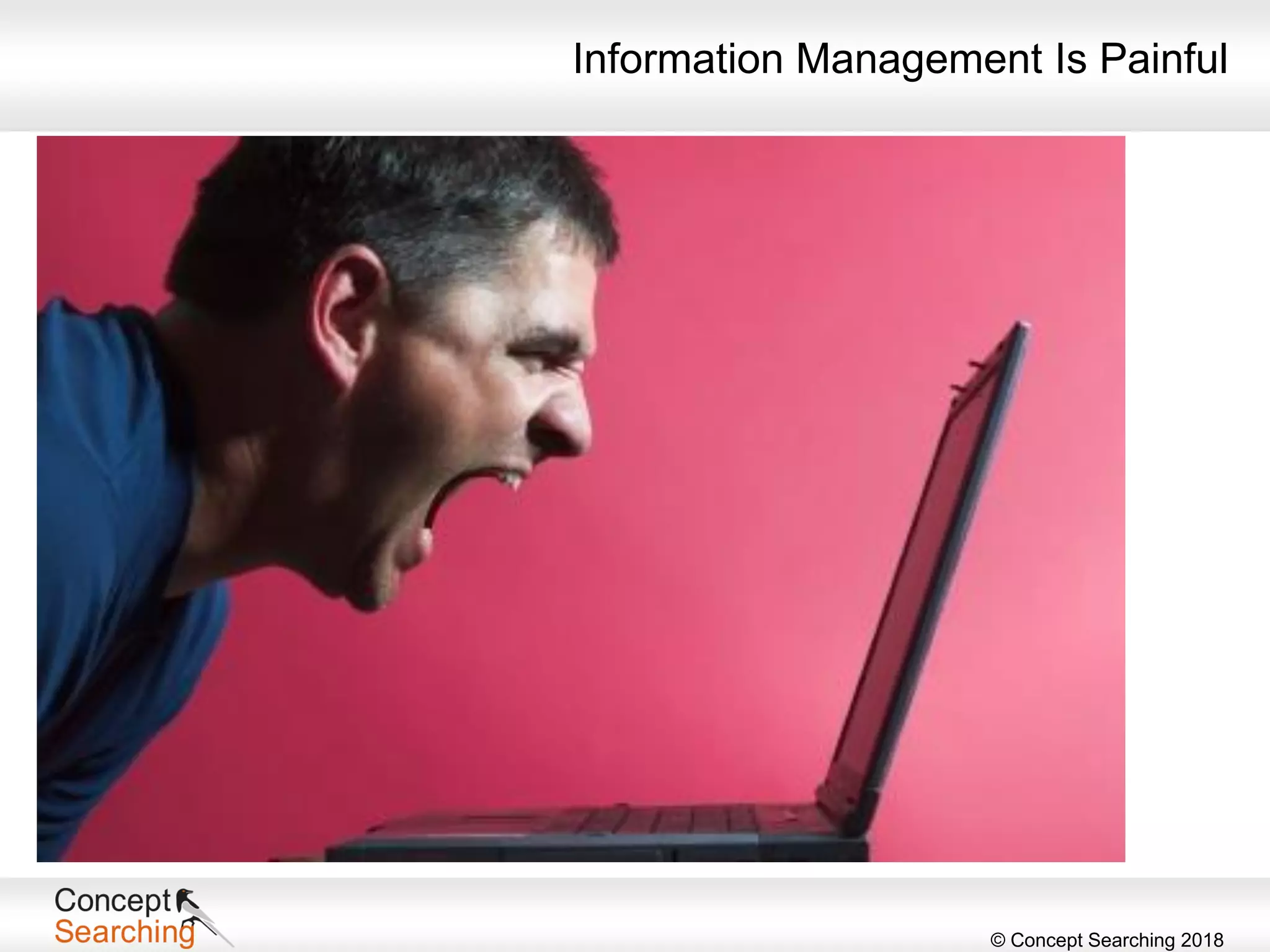
Information Management Is Painful
© Concept Searching 2018
Who Am I?
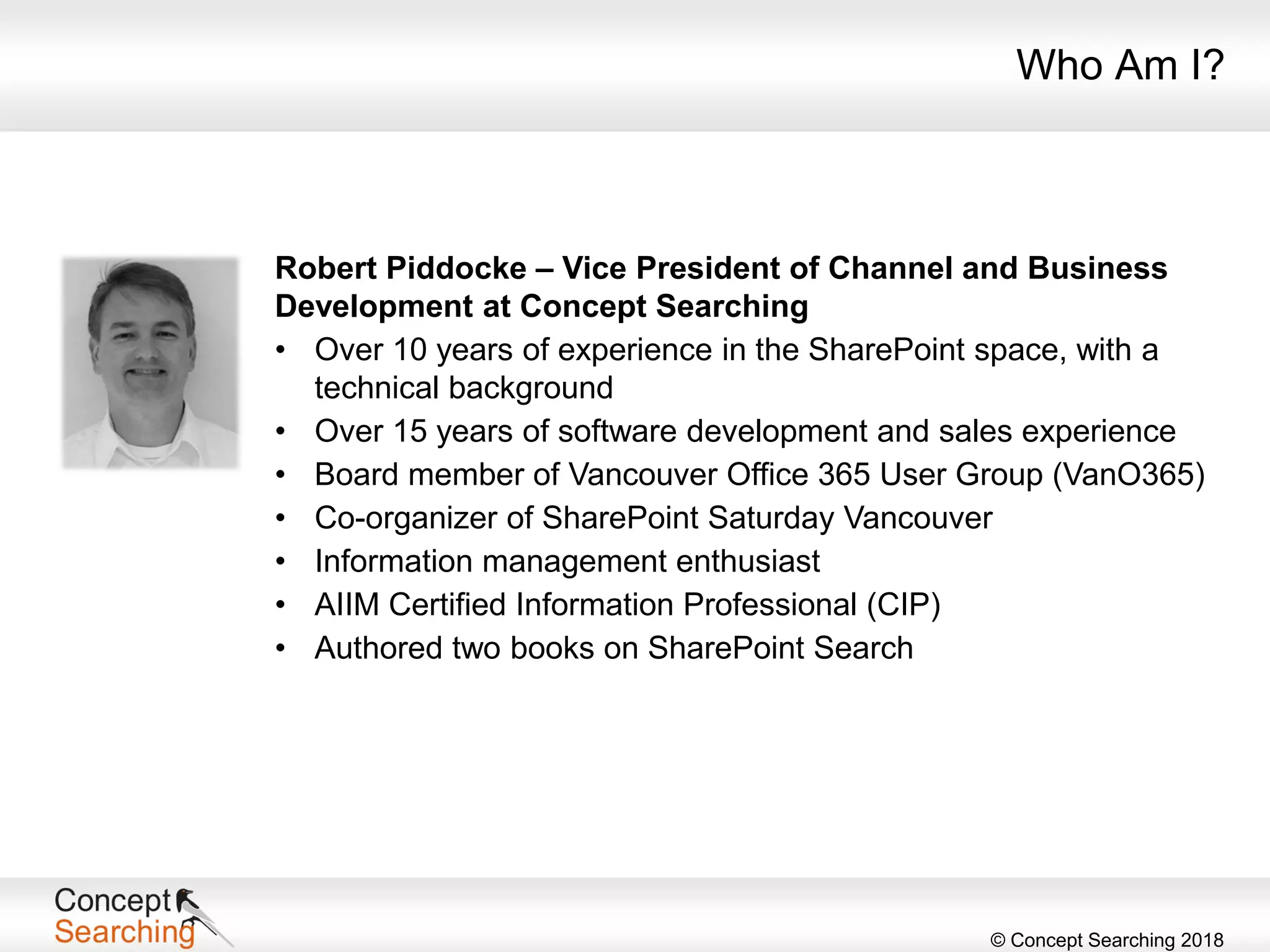
Robert Piddocke – Vice President of Channel and Business
Development at Concept Searching
• Over 10 years of experience in the SharePoint space, with a
technical background
• Over 15 years of software development and sales experience
• Board member of Vancouver Office 365 User Group (VanO365)
• Co-organizer of SharePoint Saturday Vancouver
• Information management enthusiast
• AIIM Certified Information Professional (CIP)
• Authored two books on SharePoint Search
© Concept Searching 2018
• Company founded in 2002
• Product launched in 2003
• Focus on management of structured and unstructured information
• Profitable, debt free
• Technology Platform
• Delivered as a web service
• Automatic concept identification, content tagging, auto-classification,
taxonomy management
• Only statistical vendor that can extract conceptual metadata
• 9 years KMWorld ‘100 Companies that Matter in Knowledge Management’
9 years KMWorld ‘Trend Setting Product’
• Authority to Operate enterprise wide US Air Force, NETCON US Army,
and Canadian SLSA
• Client base: Fortune 500/1000 organizations in Healthcare,
Financial Services, Manufacturing, Energy, Professional Services,
Pharmaceutical, Public sector and DoD
• Microsoft Gold Certification in Application Development
• Member of SharePoint PAC and TAP programs
• Suitable for all versions of SharePoint on-premises and SharePoint Online,
including the latest vNext dedicated platform and the government cloud
Who Are We?
© Concept Searching 2018
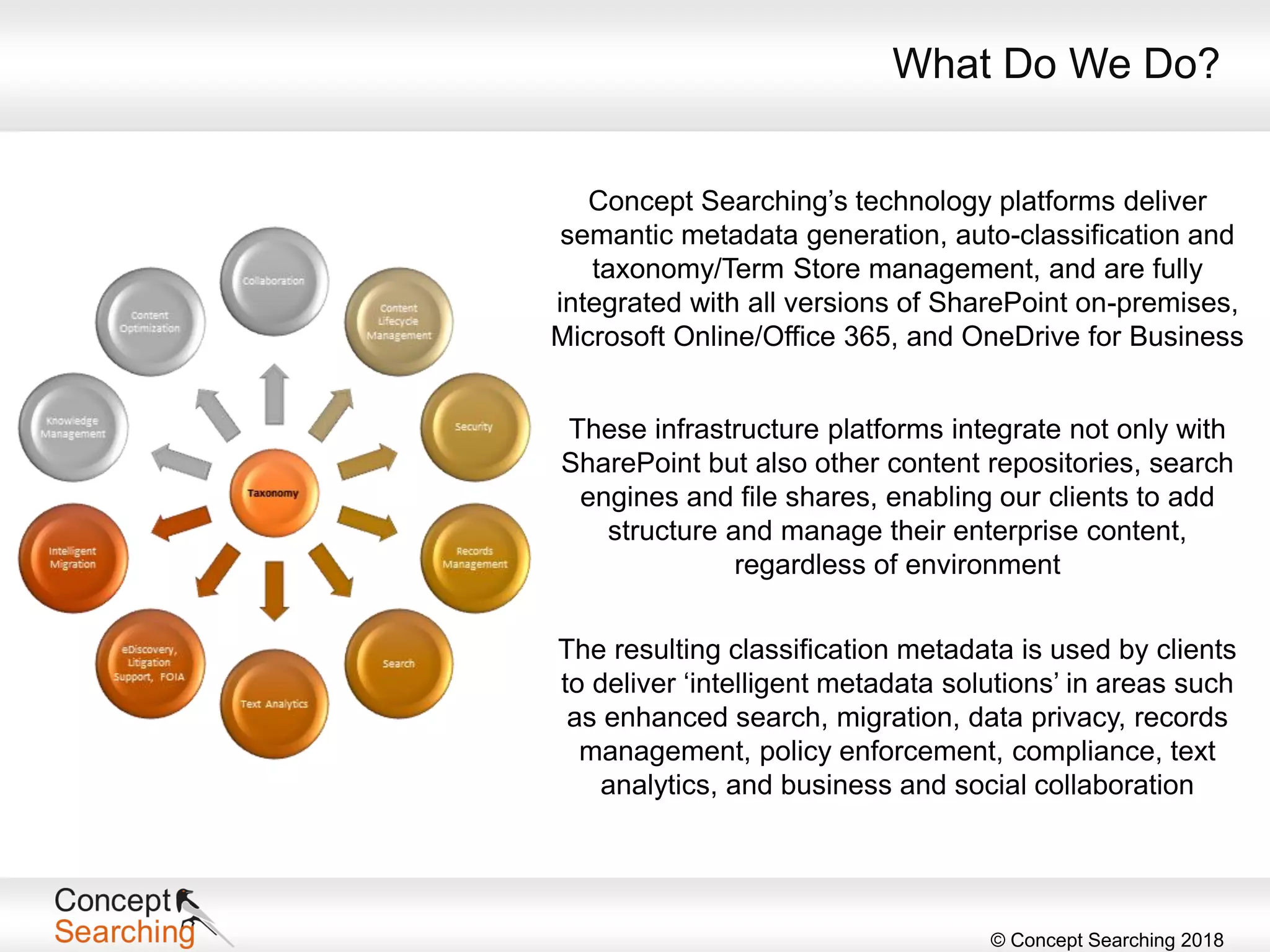
Concept Searching’s technology platforms deliver
semantic metadata generation, auto-classification and
taxonomy/Term Store management, and are fully
integrated with all versions of SharePoint on-premises,
Microsoft Online/Office 365, and OneDrive for Business
What Do We Do?
These infrastructure platforms integrate not only with
SharePoint but also other content repositories, search
engines and file shares, enabling our clients to add
structure and manage their enterprise content,
regardless of environment
The resulting classification metadata is used by clients
to deliver ‘intelligent metadata solutions’ in areas such
as enhanced search, migration, data privacy, records
management, policy enforcement, compliance, text
analytics, and business and social collaboration
© Concept Searching 2018
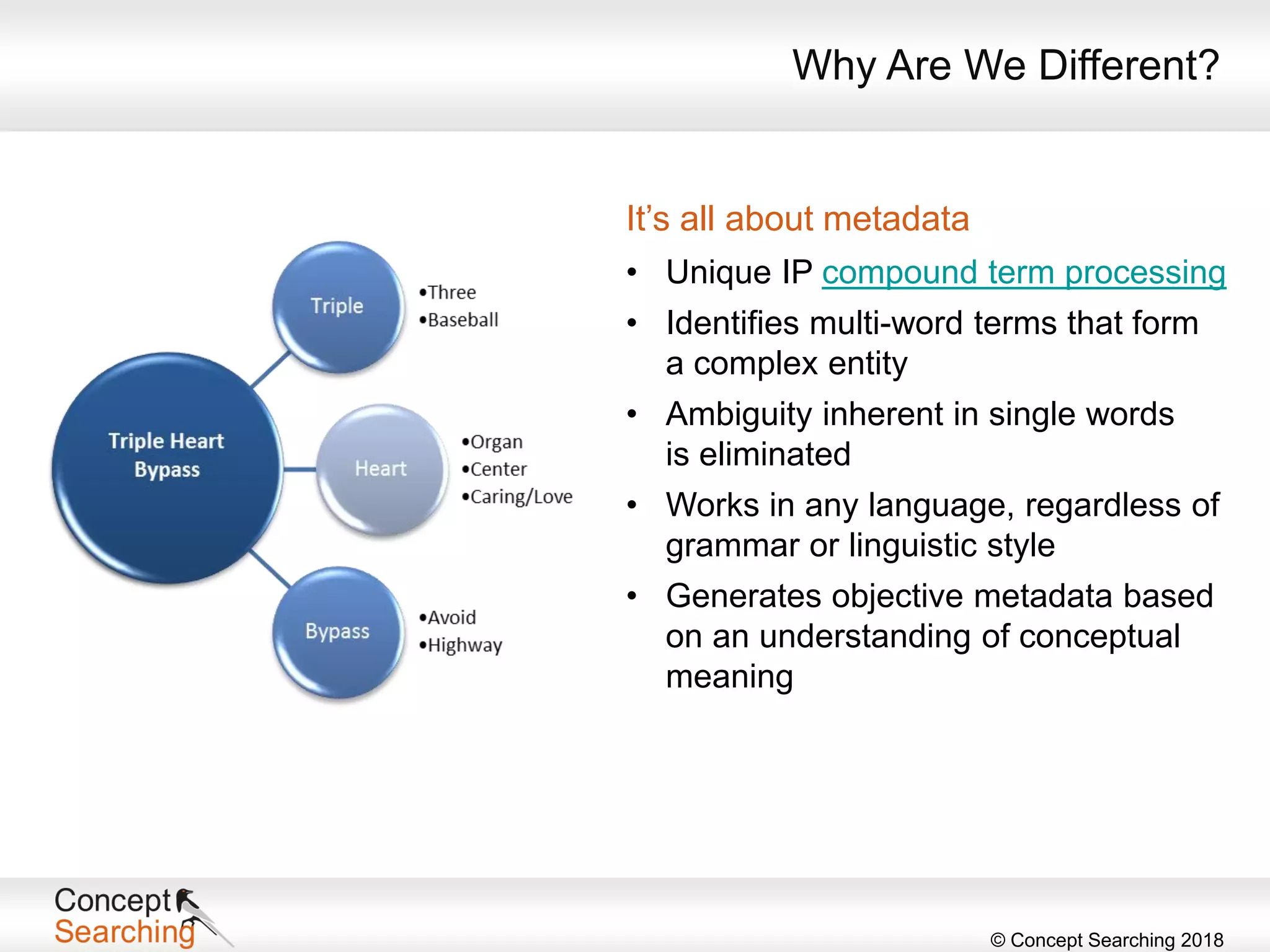
Why Are We Different?
It’s all about metadata
• Unique IP compound term processing
• Identifies multi-word terms that form
a complex entity
• Ambiguity inherent in single words
is eliminated
• Works in any language, regardless of
grammar or linguistic style
• Generates objective metadata based
on an understanding of conceptual
meaning
© Concept Searching 2018
• 91% use manual metadata tagging
• Free-for-all mode
• Drop-down lists
• 15% maintain a homegrown manual taxonomy
• 77% have no rhyme or reason for managing content
Organizational Information Chaos
• Unstructured data is growing at the rate of 62% per year (IDG)
• By 2022, 93% of all data in the digital universe will be unstructured (IDG)
• Data volume is set to grow 800% over the next five years and 80% of it
will reside as unstructured data (Gartner)
What’s the Problem?
© Concept Searching 2018
eDiscovery
• Legal fees, fines, and damages costs could be reduced
by 25%, if companies applied best practices to records
management, security and eDiscovery (AIIM)
Search
• Estimates indicate that end users spend
2.5 hours per day to find information
necessary to do their jobs (IDC)
• 85% of relevant documents are never retrieved in
search (IDC)
Security and Privacy
• 70% of data breaches are due to a mistake or malicious
intent by end users (Ponemon Institute)
• 88% of data breaches are due to negligence
(Wharton Information Security Best Practices Conference)
Implications Across the Organization
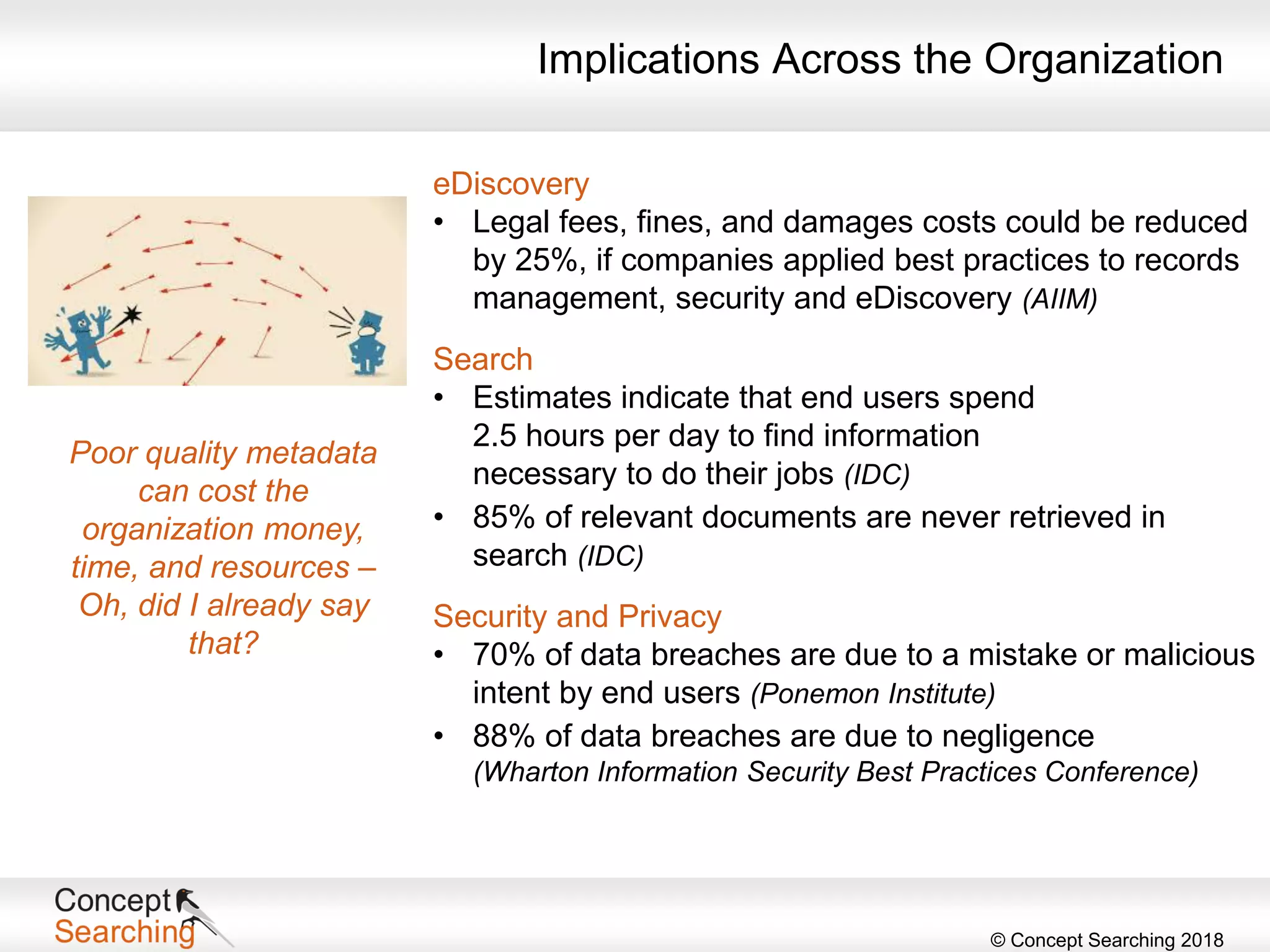
Poor quality metadata
can cost the
organization money,
time, and resources –
Oh, did I already say
that?
© Concept Searching 2018
“The metadata infrastructure provides the critical glue that binds the
information infrastructure to the underlying IT infrastructure.
Sound information governance practices would take advantage of the
metadata infrastructure to ensure that content and data are managed
consistently and adhere to written policies, across on-premise and
cloud based environments.”
IDC Digital Universe Study
Metadata
© Concept Searching 2018
Automation
Using a metadata management solution means
removing the end user from the task through
automation of processes – it will sometimes
require one or more of the following
• Search training – should be transparent to the
end user
• Updating policies
• Creating new processes and workflows
• Creating content-based retention schedules
• Identifying exemplar documents
• Creating test programs
• Audit and review processes
• Ensure overall transparency
What’s the Solution?
Transitioning to
metadata,
auto-classification,
and taxonomy
technologies will
require one or more
of the items listed,
depending on the
application
© Concept Searching 2018
Advantages
• Ability to develop a single repository of organizationally relevant
metadata to be made available to any application that requires the use
of metadata
• Elimination of costs and errors associated with end user tagging
• Normalization of content across functional and geographic boundaries
to remove ambiguity in vocabulary
• Metadata managed and changed in one place
• Ability to apply policy consistently across diverse repositories and
applications
• Provide flexibility to rapidly make changes to the repository for
regulatory compliance where changes are immediately available for
use by applications
The Value of Metadata
© Concept Searching 2018
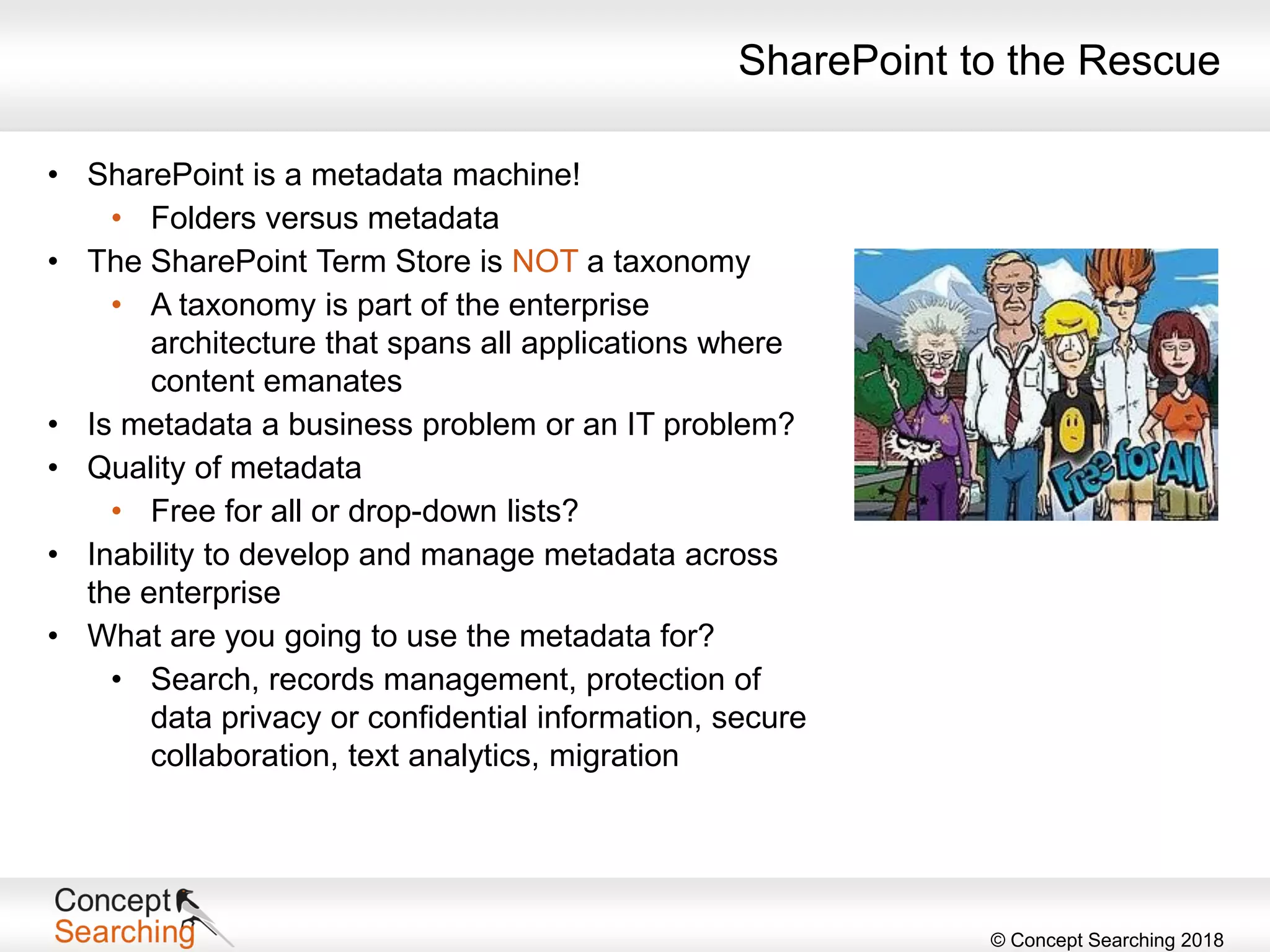
SharePoint to the Rescue
• SharePoint is a metadata machine!
• Folders versus metadata
• The SharePoint Term Store is NOT a taxonomy
• A taxonomy is part of the enterprise
architecture that spans all applications where
content emanates
• Is metadata a business problem or an IT problem?
• Quality of metadata
• Free for all or drop-down lists?
• Inability to develop and manage metadata across
the enterprise
• What are you going to use the metadata for?
• Search, records management, protection of
data privacy or confidential information, secure
collaboration, text analytics, migration
© Concept Searching 2018
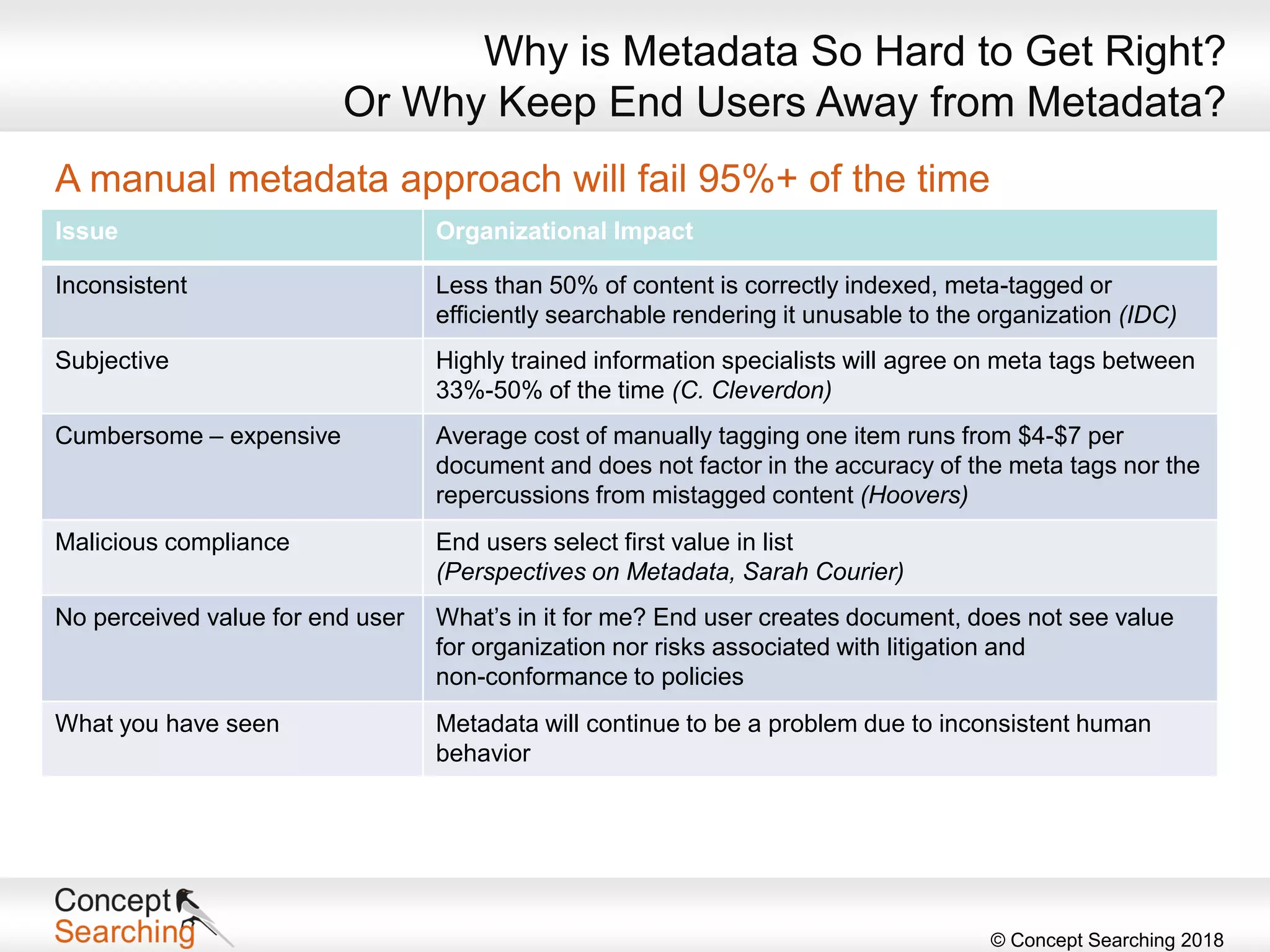
A manual metadata approach will fail 95%+ of the time
Issue Organizational Impact
Inconsistent Less than 50% of content is correctly indexed, meta-tagged or
efficiently searchable rendering it unusable to the organization (IDC)
Subjective Highly trained information specialists will agree on meta tags between
33%-50% of the time (C. Cleverdon)
Cumbersome – expensive Average cost of manually tagging one item runs from $4-$7 per
document and does not factor in the accuracy of the meta tags nor the
repercussions from mistagged content (Hoovers)
Malicious compliance End users select first value in list
(Perspectives on Metadata, Sarah Courier)
No perceived value for end user What’s in it for me? End user creates document, does not see value
for organization nor risks associated with litigation and
non-conformance to policies
What you have seen Metadata will continue to be a problem due to inconsistent human
behavior
Why is Metadata So Hard to Get Right?
Or Why Keep End Users Away from Metadata?
© Concept Searching 2018
Build Your Taxonomy
© Concept Searching 2018
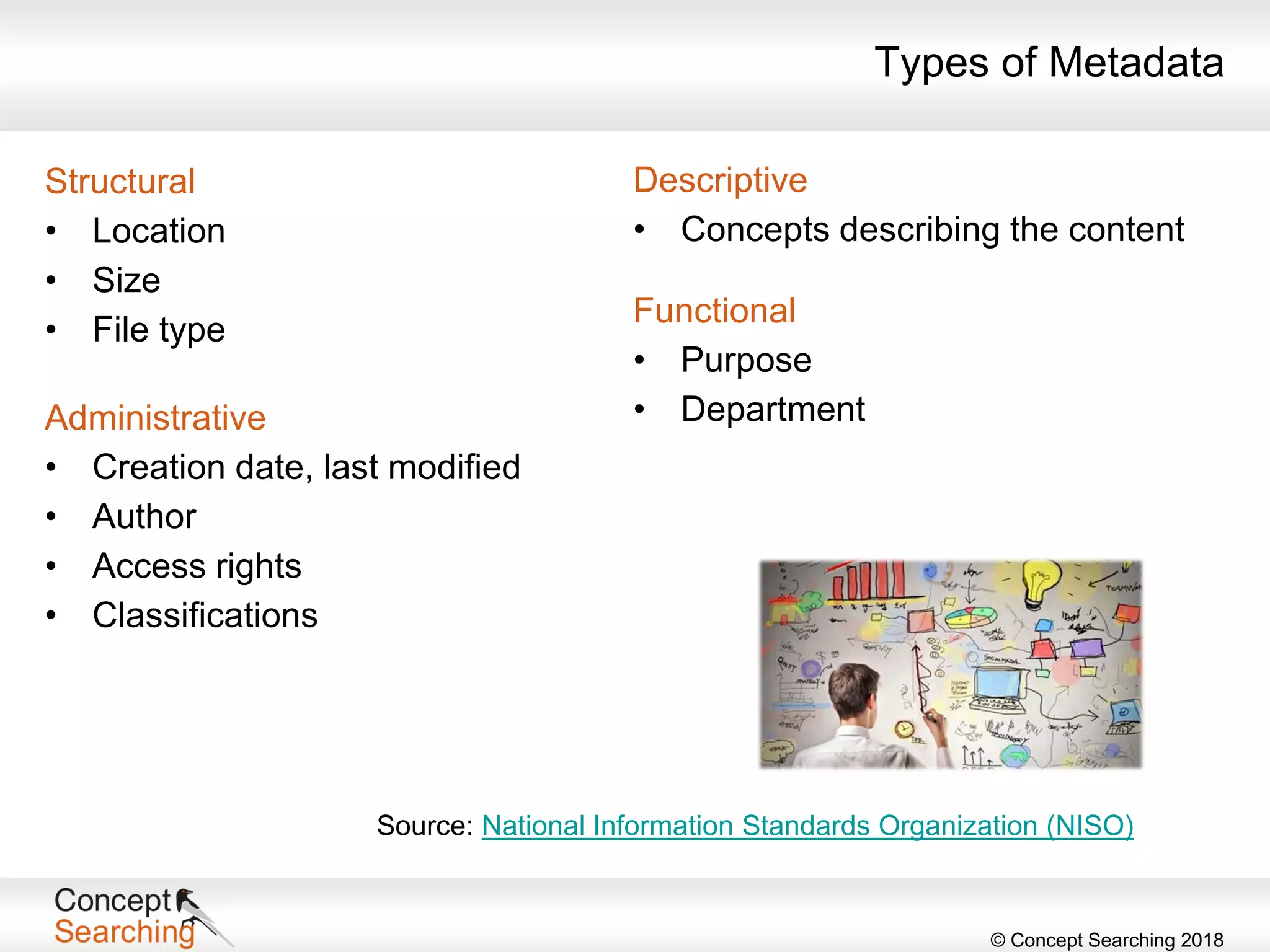
Types of Metadata
Structural
• Location
• Size
• File type
Administrative
• Creation date, last modified
• Author
• Access rights
• Classifications
Descriptive
• Concepts describing the content
Functional
• Purpose
• Department
Source: National Information Standards Organization (NISO)
© Concept Searching 2018
Taxonomies
• Hierarchical representation of entities of
interest in an organization
• Primary tool to provide structure to
unstructured content
• Front end and/or back end functionality
• Actualized through metadata
• Business taxonomies
• Tend to be less rigid and constrained
• Usability – minimize clicks
• Content driven
• Allows flexibility and redundancy
• Provides a single methodology for
classification (categorization)
• Allows for entity extraction
© Concept Searching 2018
Types of Taxonomies
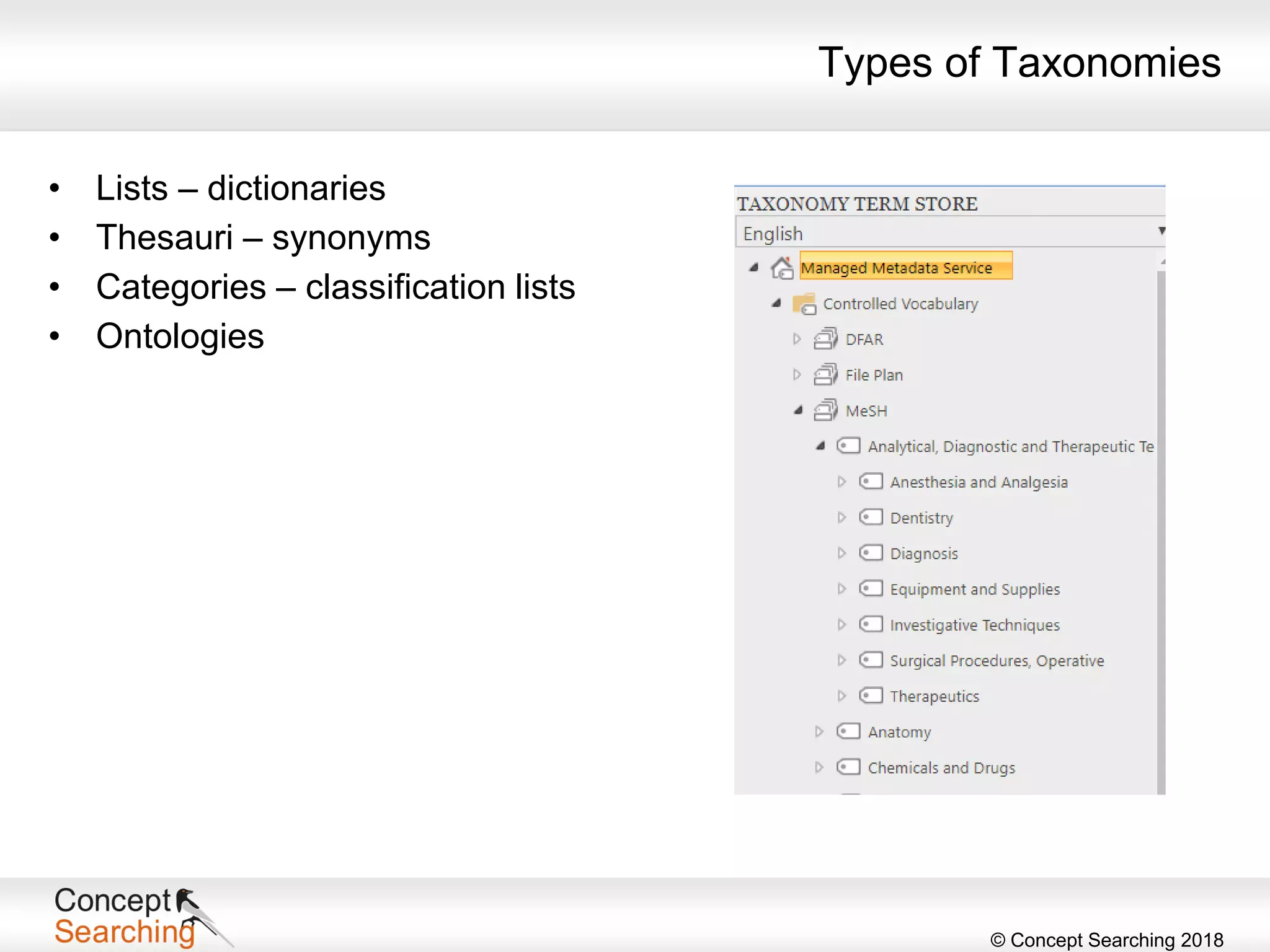
• Lists – dictionaries
• Thesauri – synonyms
• Categories – classification lists
• Ontologies
© Concept Searching 2018
Where Do I Start? Planning
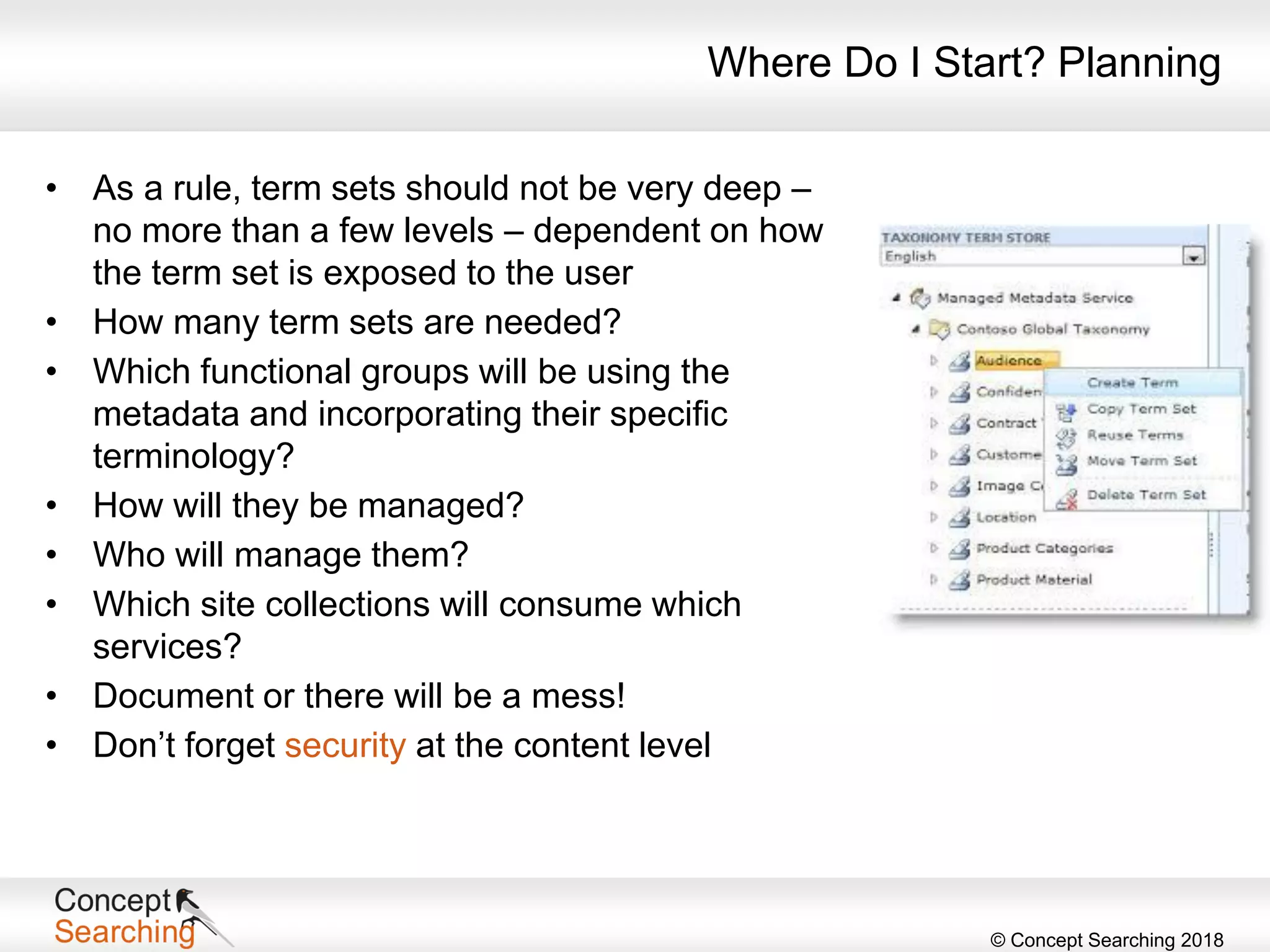
• As a rule, term sets should not be very deep –
no more than a few levels – dependent on how
the term set is exposed to the user
• How many term sets are needed?
• Which functional groups will be using the
metadata and incorporating their specific
terminology?
• How will they be managed?
• Who will manage them?
• Which site collections will consume which
services?
• Document or there will be a mess!
• Don’t forget security at the content level
© Concept Searching 2018
Where Do I Start? Where the Rubber Meets the Road
• Define your global metadata
• Should be controlled
• Metadata that is understood and used by the
entire organization
• Assign an owner
• Subject-matter experts or IT?
• In either case, errors and mistagging will occur
• Who will fix?
• Use controlled terms
• Surfaced using the managed metadata column – users can search
on terms
• Social terms
• Uncontrolled
• Users are able to add their own tags, notes, and ratings
© Concept Searching 2018
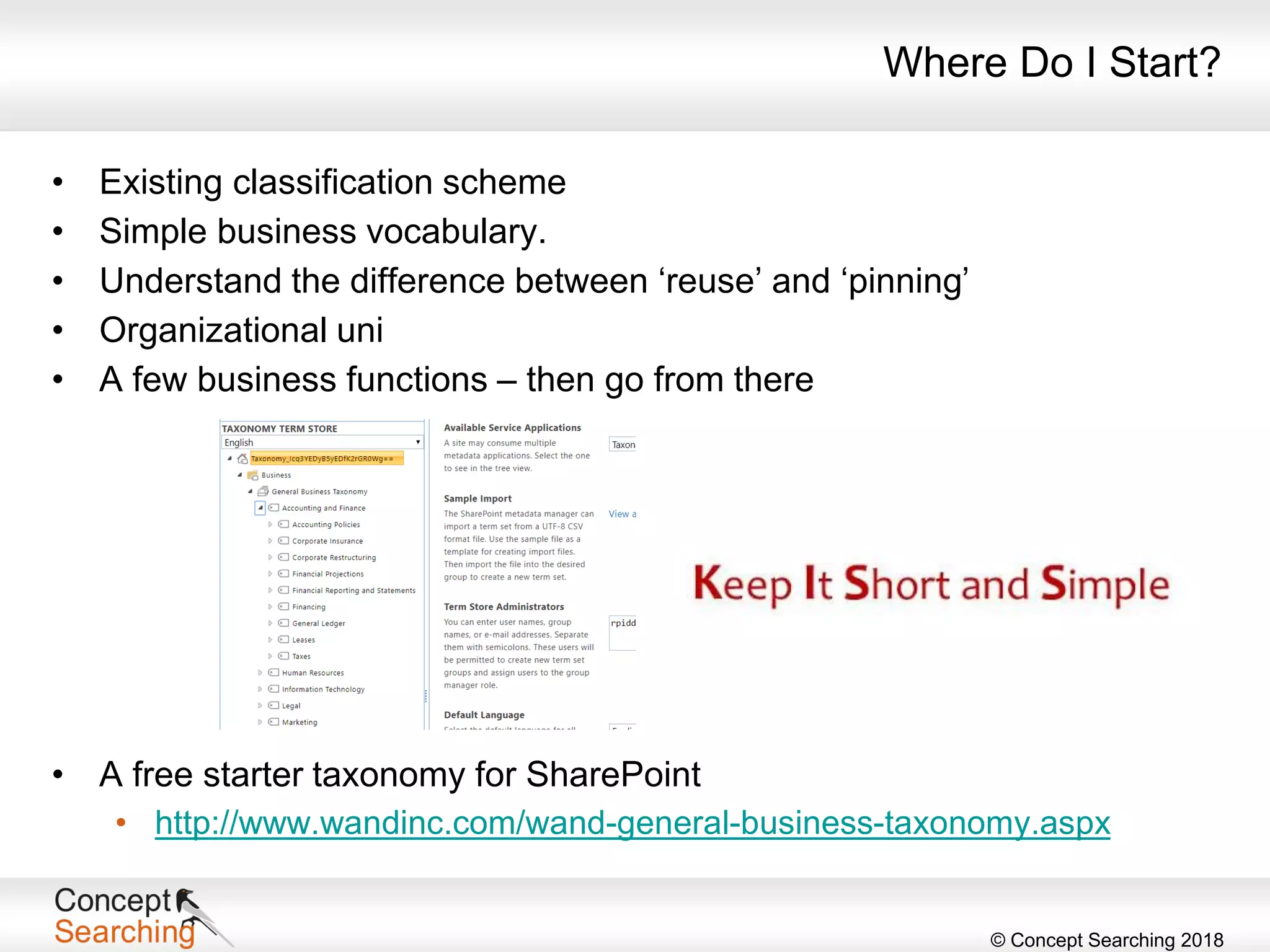
Where Do I Start?
• Existing classification scheme
• Simple business vocabulary.
• Understand the difference between ‘reuse’ and ‘pinning’
• Organizational uni
• A few business functions – then go from there
• A free starter taxonomy for SharePoint
• http://www.wandinc.com/wand-general-business-taxonomy.aspx
© Concept Searching 2018
Map it to Workloads in SharePoint
© Concept Searching 2018
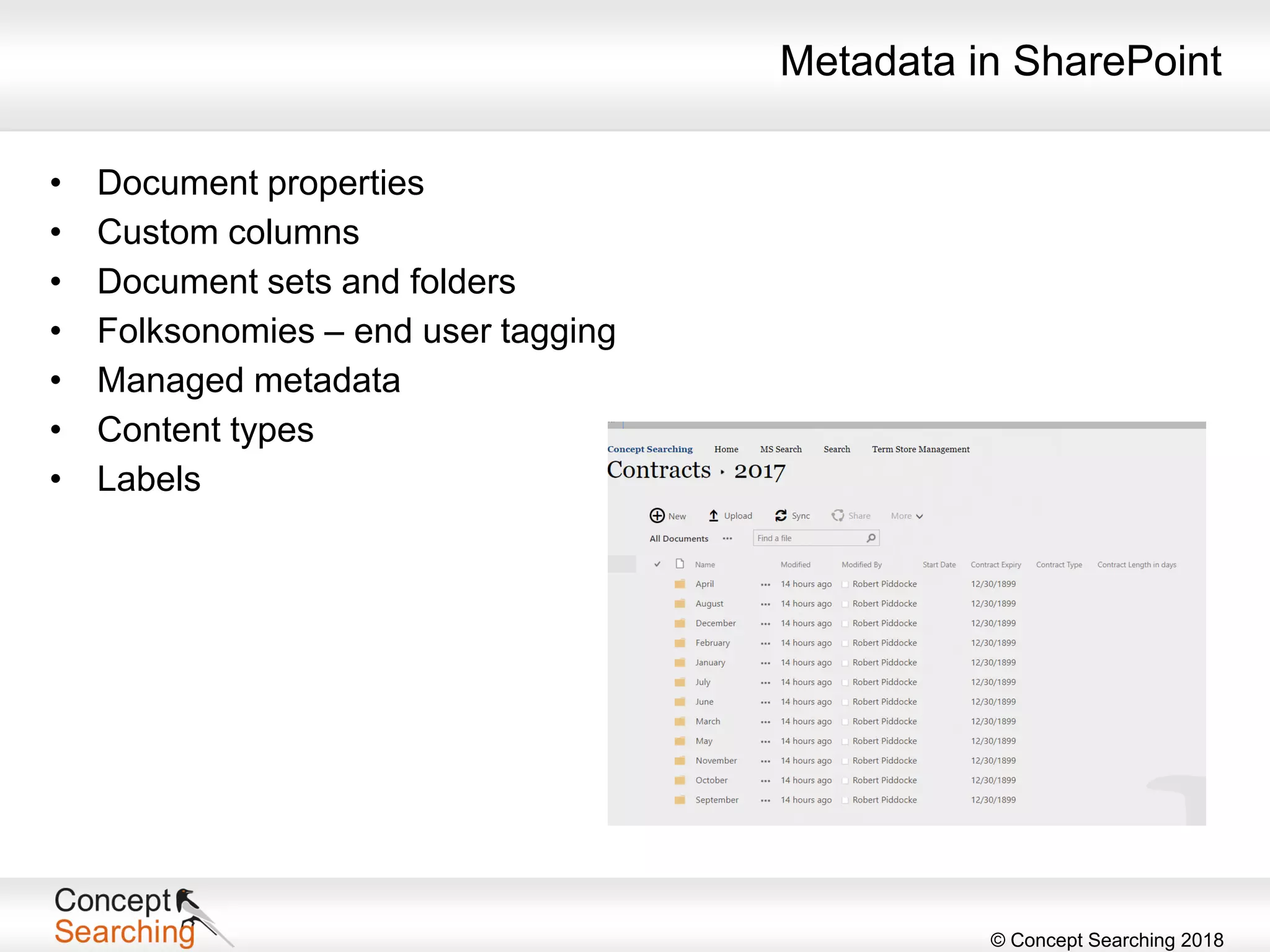
Metadata in SharePoint
• Document properties
• Custom columns
• Document sets and folders
• Folksonomies – end user tagging
• Managed metadata
• Content types
• Labels
© Concept Searching 2018
Document Properties
• Name
• Title
• Author – maps to the creator document property
• Last modified by
• Last modified date
• Creation date
• Content type
• Access
• Not available in modern document libraries – yet
© Concept Searching 2018
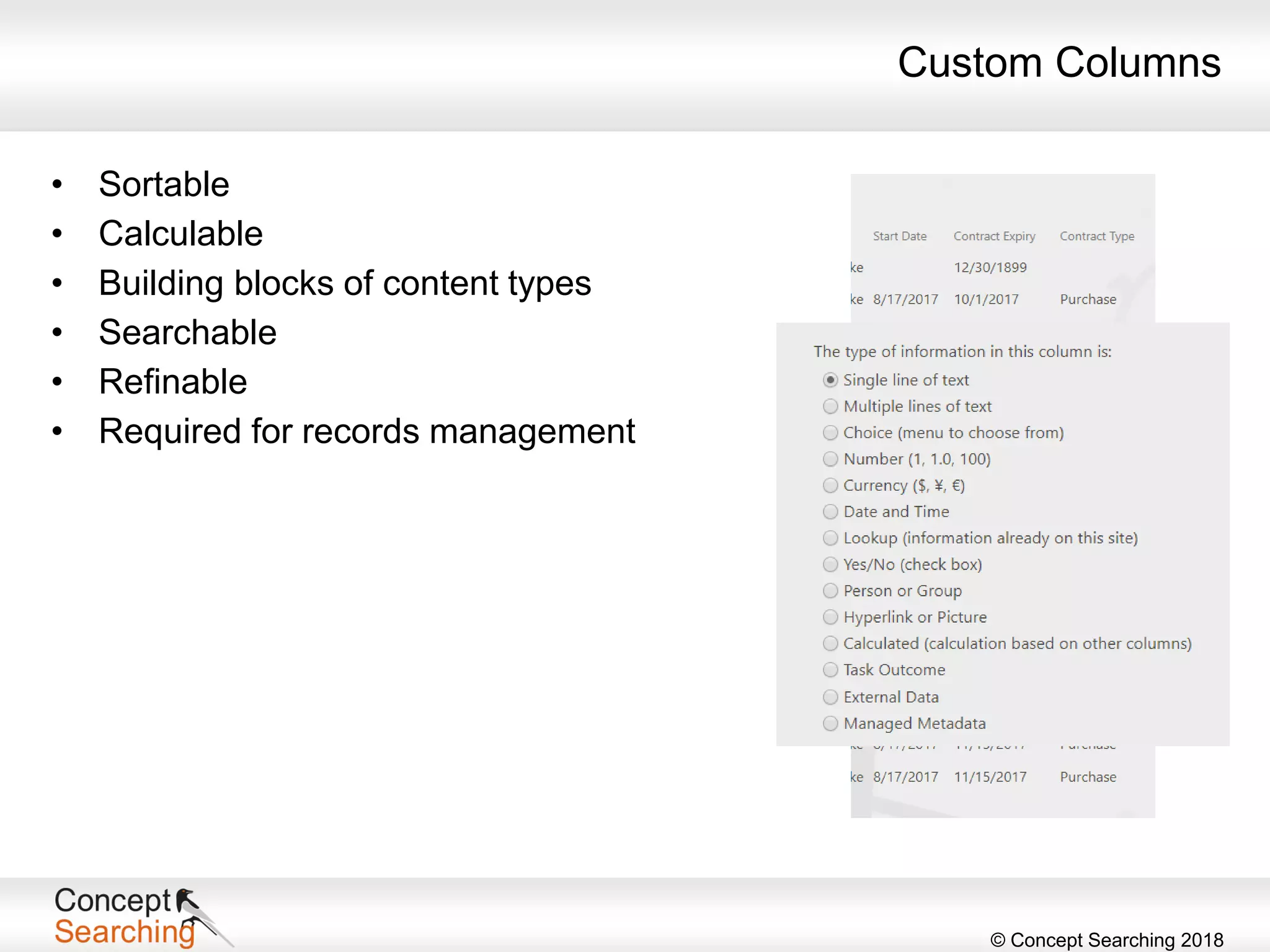
Custom Columns
• Sortable
• Calculable
• Building blocks of content types
• Searchable
• Refinable
• Required for records management
© Concept Searching 2018
Document Sets
• A type of folder
• A single work product
• Group common content
• Route common work product
• A place to physically keep related items
• Can be seen on a single pane – welcome page
• Manageable permissions
• Can have default content
© Concept Searching 2018
Content Types
What can I do with content types?
• Group properties
• Share properties
• Create common documents
• Use a specific document in a
standard way
• Share specific types of content
uniformly
• Set retention schedules
• Dispose of certain types of content
• Examples
• Contracts
• Legal agreements
• Invoices
• Project plans
• Receipts
• HR records
• Digital assets
© Concept Searching 2018
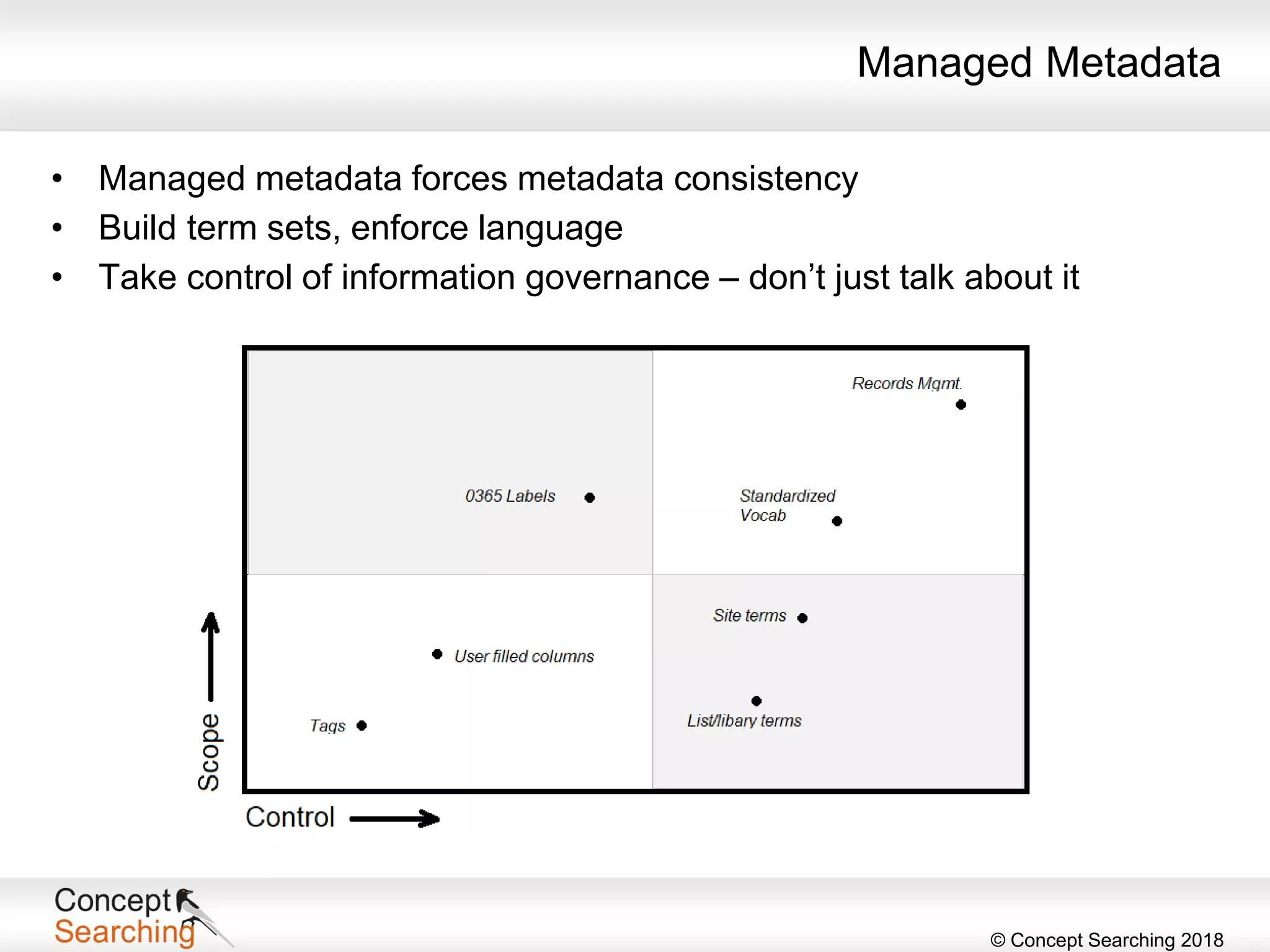
Managed Metadata
• Managed metadata forces metadata consistency
• Build term sets, enforce language
• Take control of information governance – don’t just talk about it
© Concept Searching 2018
What’s New for Metadata?
• Prompt for end users to add metadata
• Can do a document at a time or in bulk
• Attention view
• Displays all documents across an entire library that are missing metadata
• External sharing of content in OneDrive
• One-time passcode
• People Card and Info Pane
• See which files and folders are new
• Which content has been shared with others
• Who has accessed content and who has not
• Self-service migration kit
• SharePoint admin center – revamped
• Sharing controls, device policy controls, conditional access, data leakage
• Bing for Business, Graph when results exceed 5,000 entries
© Concept Searching 2018
Automate
© Concept Searching 2018
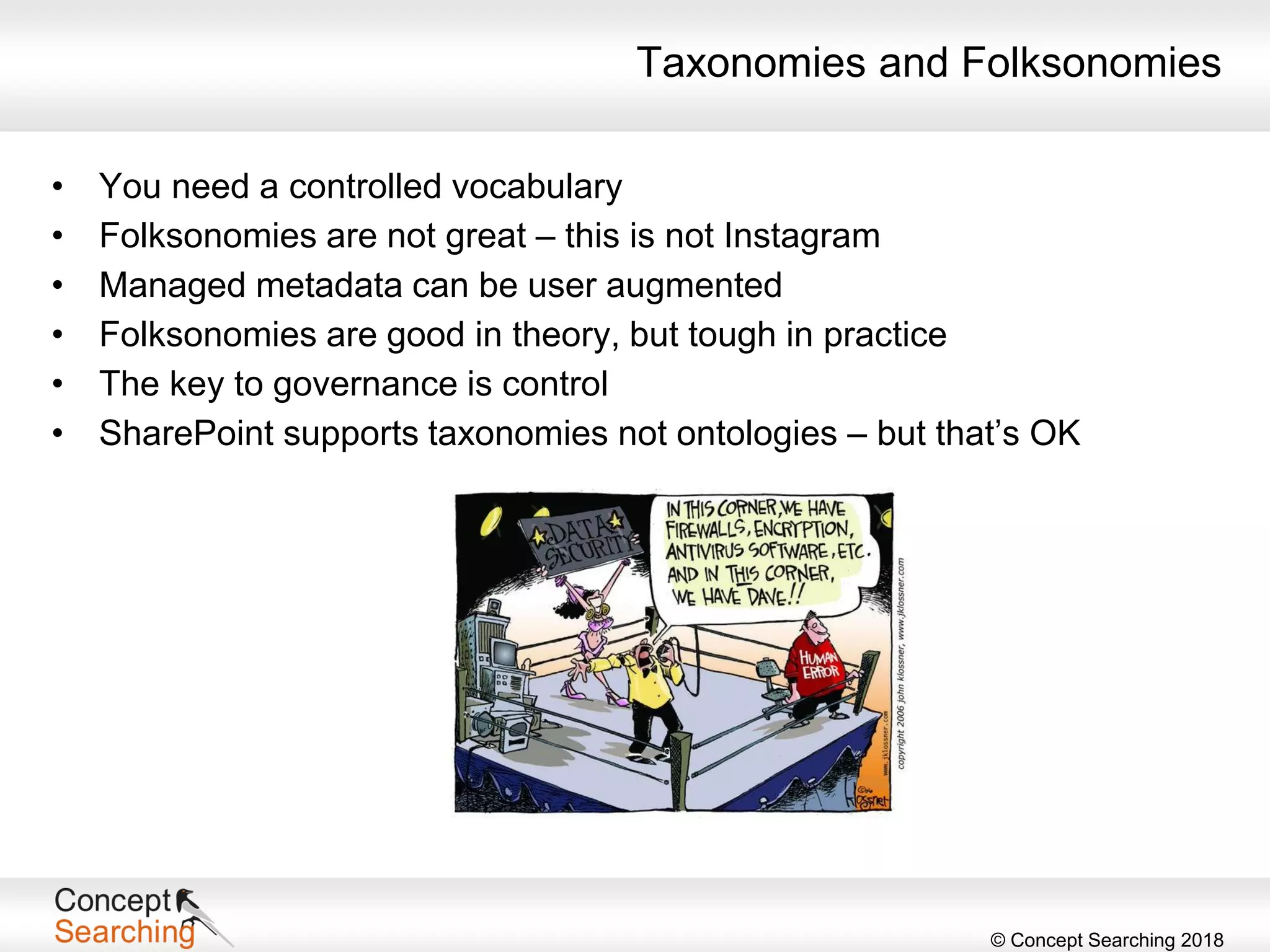
Taxonomies and Folksonomies
• You need a controlled vocabulary
• Folksonomies are not great – this is not Instagram
• Managed metadata can be user augmented
• Folksonomies are good in theory, but tough in practice
• The key to governance is control
• SharePoint supports taxonomies not ontologies – but that’s OK
© Concept Searching 2018
Auto-classification and Taxonomy Building
• Standard metadata
• Document purpose
• Document author
• Dates – creation, last modified, approval, contract date, expiry
• Department owner
• Audience
• Advanced metadata
• Document meaning
• Customers
• Compliance levels
• Sentiment
• Value
© Concept Searching 2018
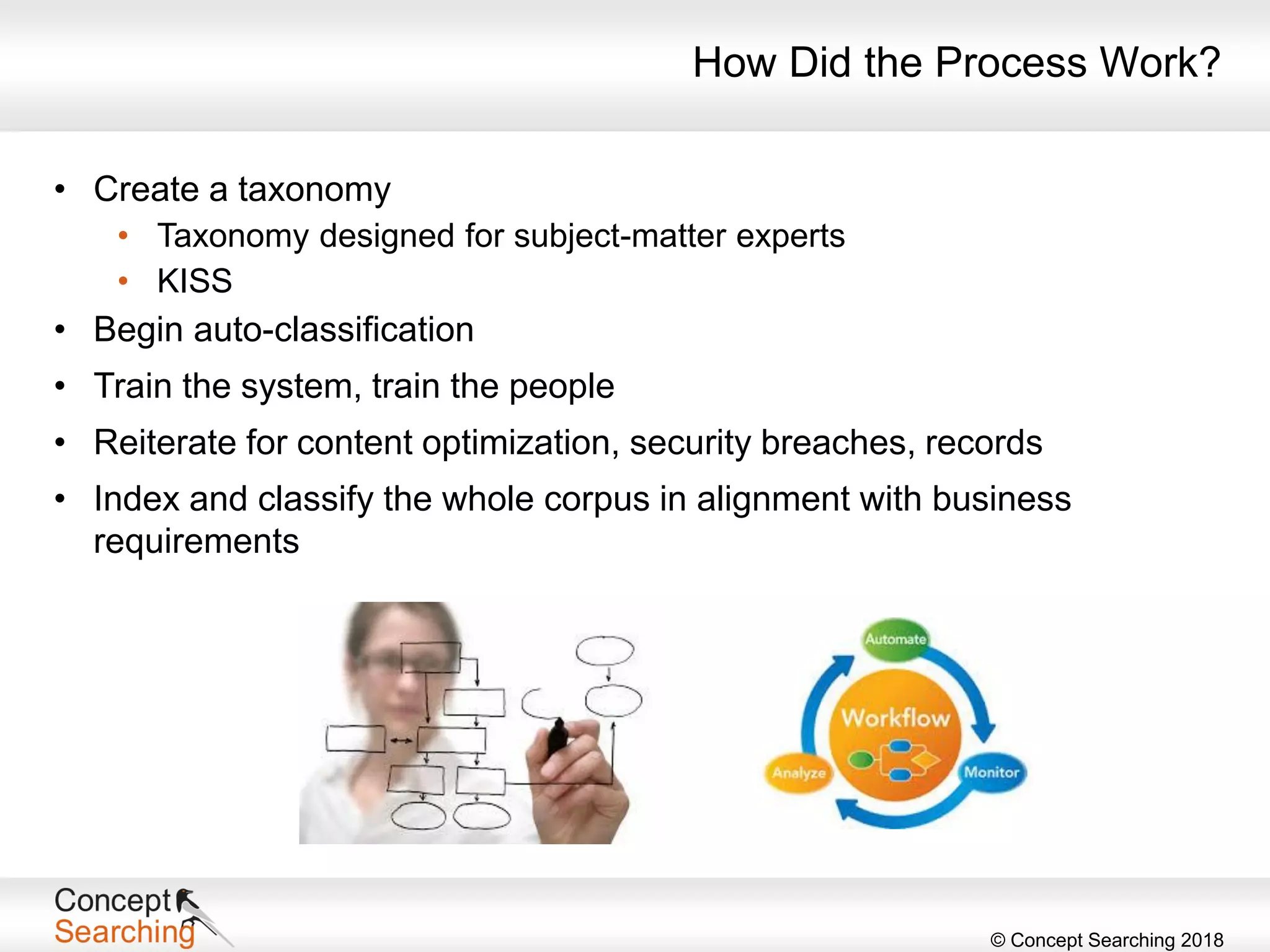
How Did the Process Work?
• Create a taxonomy
• Taxonomy designed for subject-matter experts
• KISS
• Begin auto-classification
• Train the system, train the people
• Reiterate for content optimization, security breaches, records
• Index and classify the whole corpus in alignment with business
requirements
© Concept Searching 2018
What Was the Result?
• Reduced on-premises servers from 50 to 5
• Achieved immediate improvements in enterprise search and eDiscovery,
enabled concept-based searching
• Accomplished in 2 weeks
• Successful auto-classification of 20 million documents
• 95% accuracy
• Productivity and user satisfaction increased dramatically
© Concept Searching 2018
Takeaways
• Use metadata not folders
• Use managed metadata to control vocabulary
• Avoid end user tagging
• Automate tagging wherever possible
• Use properties wherever makes sense
• Metadata controls your success in governance and compliance
• Information architecture is your best investment
© Concept Searching 2018
Next Webinar in Metadata-Driven World Series
Enough Talk – Solving GDPR Problems Through Metadata-Driven
Compliance
Wednesday, March 14, 2018
Register
The time for compliance with General Data Protection Regulation
(GDPR) is fast approaching. Now is the time to take action to avoid
noncompliance and significant fines.
Understand not only the ramifications of GDPR but also how to address
the compliance issues. This session examines the tactical aspects of the
solution, little-known stumbling blocks, and different tools that automate
changes and provide an audit trail for compliance.
Read more and register in the Upcoming Webinars area of our website.
© Concept Searching 2018
Thank You
www.conceptsearching.com
marketing@conceptsearching.com
Twitter @conceptsearch
Robert Piddocke
Vice President of Channel and Business Development
Concept Searching
robertp@conceptsearching.com

Going Meta in SharePoint – Tricks of the Trade

  • 1.
    © Concept Searching2018 Going Meta in SharePoint Tricks of the Trade www.conceptsearching.com marketing@conceptsearching.com Twitter @conceptsearch Robert Piddocke Vice President of Channel and Business Development Concept Searching robertp@conceptsearching.com
  • 2.
    © Concept Searching2018 Agenda • What is metadata and why should we use it? • Types of metadata • Metadata in SharePoint • Metadata and auto-classification • Case study • Takeaways
  • 3.
    © Concept Searching2018 Situation • Global automotive organization • 40,000 users • Network drives – file shares • On-premises SharePoint Challenge • Over 20 million unsorted documents • Unnavigable • Search was poor Information Management Is Painful
  • 4.
    © Concept Searching2018 Who Am I? Robert Piddocke – Vice President of Channel and Business Development at Concept Searching • Over 10 years of experience in the SharePoint space, with a technical background • Over 15 years of software development and sales experience • Board member of Vancouver Office 365 User Group (VanO365) • Co-organizer of SharePoint Saturday Vancouver • Information management enthusiast • AIIM Certified Information Professional (CIP) • Authored two books on SharePoint Search
  • 5.
    © Concept Searching2018 • Company founded in 2002 • Product launched in 2003 • Focus on management of structured and unstructured information • Profitable, debt free • Technology Platform • Delivered as a web service • Automatic concept identification, content tagging, auto-classification, taxonomy management • Only statistical vendor that can extract conceptual metadata • 9 years KMWorld ‘100 Companies that Matter in Knowledge Management’ 9 years KMWorld ‘Trend Setting Product’ • Authority to Operate enterprise wide US Air Force, NETCON US Army, and Canadian SLSA • Client base: Fortune 500/1000 organizations in Healthcare, Financial Services, Manufacturing, Energy, Professional Services, Pharmaceutical, Public sector and DoD • Microsoft Gold Certification in Application Development • Member of SharePoint PAC and TAP programs • Suitable for all versions of SharePoint on-premises and SharePoint Online, including the latest vNext dedicated platform and the government cloud Who Are We?
  • 6.
    © Concept Searching2018 Concept Searching’s technology platforms deliver semantic metadata generation, auto-classification and taxonomy/Term Store management, and are fully integrated with all versions of SharePoint on-premises, Microsoft Online/Office 365, and OneDrive for Business What Do We Do? These infrastructure platforms integrate not only with SharePoint but also other content repositories, search engines and file shares, enabling our clients to add structure and manage their enterprise content, regardless of environment The resulting classification metadata is used by clients to deliver ‘intelligent metadata solutions’ in areas such as enhanced search, migration, data privacy, records management, policy enforcement, compliance, text analytics, and business and social collaboration
  • 7.
    © Concept Searching2018 Why Are We Different? It’s all about metadata • Unique IP compound term processing • Identifies multi-word terms that form a complex entity • Ambiguity inherent in single words is eliminated • Works in any language, regardless of grammar or linguistic style • Generates objective metadata based on an understanding of conceptual meaning
  • 8.
    © Concept Searching2018 • 91% use manual metadata tagging • Free-for-all mode • Drop-down lists • 15% maintain a homegrown manual taxonomy • 77% have no rhyme or reason for managing content Organizational Information Chaos • Unstructured data is growing at the rate of 62% per year (IDG) • By 2022, 93% of all data in the digital universe will be unstructured (IDG) • Data volume is set to grow 800% over the next five years and 80% of it will reside as unstructured data (Gartner) What’s the Problem?
  • 9.
    © Concept Searching2018 eDiscovery • Legal fees, fines, and damages costs could be reduced by 25%, if companies applied best practices to records management, security and eDiscovery (AIIM) Search • Estimates indicate that end users spend 2.5 hours per day to find information necessary to do their jobs (IDC) • 85% of relevant documents are never retrieved in search (IDC) Security and Privacy • 70% of data breaches are due to a mistake or malicious intent by end users (Ponemon Institute) • 88% of data breaches are due to negligence (Wharton Information Security Best Practices Conference) Implications Across the Organization Poor quality metadata can cost the organization money, time, and resources – Oh, did I already say that?
  • 10.
    © Concept Searching2018 “The metadata infrastructure provides the critical glue that binds the information infrastructure to the underlying IT infrastructure. Sound information governance practices would take advantage of the metadata infrastructure to ensure that content and data are managed consistently and adhere to written policies, across on-premise and cloud based environments.” IDC Digital Universe Study Metadata
  • 11.
    © Concept Searching2018 Automation Using a metadata management solution means removing the end user from the task through automation of processes – it will sometimes require one or more of the following • Search training – should be transparent to the end user • Updating policies • Creating new processes and workflows • Creating content-based retention schedules • Identifying exemplar documents • Creating test programs • Audit and review processes • Ensure overall transparency What’s the Solution? Transitioning to metadata, auto-classification, and taxonomy technologies will require one or more of the items listed, depending on the application
  • 12.
    © Concept Searching2018 Advantages • Ability to develop a single repository of organizationally relevant metadata to be made available to any application that requires the use of metadata • Elimination of costs and errors associated with end user tagging • Normalization of content across functional and geographic boundaries to remove ambiguity in vocabulary • Metadata managed and changed in one place • Ability to apply policy consistently across diverse repositories and applications • Provide flexibility to rapidly make changes to the repository for regulatory compliance where changes are immediately available for use by applications The Value of Metadata
  • 13.
    © Concept Searching2018 SharePoint to the Rescue • SharePoint is a metadata machine! • Folders versus metadata • The SharePoint Term Store is NOT a taxonomy • A taxonomy is part of the enterprise architecture that spans all applications where content emanates • Is metadata a business problem or an IT problem? • Quality of metadata • Free for all or drop-down lists? • Inability to develop and manage metadata across the enterprise • What are you going to use the metadata for? • Search, records management, protection of data privacy or confidential information, secure collaboration, text analytics, migration
  • 14.
    © Concept Searching2018 A manual metadata approach will fail 95%+ of the time Issue Organizational Impact Inconsistent Less than 50% of content is correctly indexed, meta-tagged or efficiently searchable rendering it unusable to the organization (IDC) Subjective Highly trained information specialists will agree on meta tags between 33%-50% of the time (C. Cleverdon) Cumbersome – expensive Average cost of manually tagging one item runs from $4-$7 per document and does not factor in the accuracy of the meta tags nor the repercussions from mistagged content (Hoovers) Malicious compliance End users select first value in list (Perspectives on Metadata, Sarah Courier) No perceived value for end user What’s in it for me? End user creates document, does not see value for organization nor risks associated with litigation and non-conformance to policies What you have seen Metadata will continue to be a problem due to inconsistent human behavior Why is Metadata So Hard to Get Right? Or Why Keep End Users Away from Metadata?
  • 15.
    © Concept Searching2018 Build Your Taxonomy
  • 16.
    © Concept Searching2018 Types of Metadata Structural • Location • Size • File type Administrative • Creation date, last modified • Author • Access rights • Classifications Descriptive • Concepts describing the content Functional • Purpose • Department Source: National Information Standards Organization (NISO)
  • 17.
    © Concept Searching2018 Taxonomies • Hierarchical representation of entities of interest in an organization • Primary tool to provide structure to unstructured content • Front end and/or back end functionality • Actualized through metadata • Business taxonomies • Tend to be less rigid and constrained • Usability – minimize clicks • Content driven • Allows flexibility and redundancy • Provides a single methodology for classification (categorization) • Allows for entity extraction
  • 18.
    © Concept Searching2018 Types of Taxonomies • Lists – dictionaries • Thesauri – synonyms • Categories – classification lists • Ontologies
  • 19.
    © Concept Searching2018 Where Do I Start? Planning • As a rule, term sets should not be very deep – no more than a few levels – dependent on how the term set is exposed to the user • How many term sets are needed? • Which functional groups will be using the metadata and incorporating their specific terminology? • How will they be managed? • Who will manage them? • Which site collections will consume which services? • Document or there will be a mess! • Don’t forget security at the content level
  • 20.
    © Concept Searching2018 Where Do I Start? Where the Rubber Meets the Road • Define your global metadata • Should be controlled • Metadata that is understood and used by the entire organization • Assign an owner • Subject-matter experts or IT? • In either case, errors and mistagging will occur • Who will fix? • Use controlled terms • Surfaced using the managed metadata column – users can search on terms • Social terms • Uncontrolled • Users are able to add their own tags, notes, and ratings
  • 21.
    © Concept Searching2018 Where Do I Start? • Existing classification scheme • Simple business vocabulary. • Understand the difference between ‘reuse’ and ‘pinning’ • Organizational uni • A few business functions – then go from there • A free starter taxonomy for SharePoint • http://www.wandinc.com/wand-general-business-taxonomy.aspx
  • 22.
    © Concept Searching2018 Map it to Workloads in SharePoint
  • 23.
    © Concept Searching2018 Metadata in SharePoint • Document properties • Custom columns • Document sets and folders • Folksonomies – end user tagging • Managed metadata • Content types • Labels
  • 24.
    © Concept Searching2018 Document Properties • Name • Title • Author – maps to the creator document property • Last modified by • Last modified date • Creation date • Content type • Access • Not available in modern document libraries – yet
  • 25.
    © Concept Searching2018 Custom Columns • Sortable • Calculable • Building blocks of content types • Searchable • Refinable • Required for records management
  • 26.
    © Concept Searching2018 Document Sets • A type of folder • A single work product • Group common content • Route common work product • A place to physically keep related items • Can be seen on a single pane – welcome page • Manageable permissions • Can have default content
  • 27.
    © Concept Searching2018 Content Types What can I do with content types? • Group properties • Share properties • Create common documents • Use a specific document in a standard way • Share specific types of content uniformly • Set retention schedules • Dispose of certain types of content • Examples • Contracts • Legal agreements • Invoices • Project plans • Receipts • HR records • Digital assets
  • 28.
    © Concept Searching2018 Managed Metadata • Managed metadata forces metadata consistency • Build term sets, enforce language • Take control of information governance – don’t just talk about it
  • 29.
    © Concept Searching2018 What’s New for Metadata? • Prompt for end users to add metadata • Can do a document at a time or in bulk • Attention view • Displays all documents across an entire library that are missing metadata • External sharing of content in OneDrive • One-time passcode • People Card and Info Pane • See which files and folders are new • Which content has been shared with others • Who has accessed content and who has not • Self-service migration kit • SharePoint admin center – revamped • Sharing controls, device policy controls, conditional access, data leakage • Bing for Business, Graph when results exceed 5,000 entries
  • 30.
    © Concept Searching2018 Automate
  • 31.
    © Concept Searching2018 Taxonomies and Folksonomies • You need a controlled vocabulary • Folksonomies are not great – this is not Instagram • Managed metadata can be user augmented • Folksonomies are good in theory, but tough in practice • The key to governance is control • SharePoint supports taxonomies not ontologies – but that’s OK
  • 32.
    © Concept Searching2018 Auto-classification and Taxonomy Building • Standard metadata • Document purpose • Document author • Dates – creation, last modified, approval, contract date, expiry • Department owner • Audience • Advanced metadata • Document meaning • Customers • Compliance levels • Sentiment • Value
  • 33.
  • 34.
    © Concept Searching2018 How Did the Process Work? • Create a taxonomy • Taxonomy designed for subject-matter experts • KISS • Begin auto-classification • Train the system, train the people • Reiterate for content optimization, security breaches, records • Index and classify the whole corpus in alignment with business requirements
  • 35.
    © Concept Searching2018 What Was the Result? • Reduced on-premises servers from 50 to 5 • Achieved immediate improvements in enterprise search and eDiscovery, enabled concept-based searching • Accomplished in 2 weeks • Successful auto-classification of 20 million documents • 95% accuracy • Productivity and user satisfaction increased dramatically
  • 36.
    © Concept Searching2018 Takeaways • Use metadata not folders • Use managed metadata to control vocabulary • Avoid end user tagging • Automate tagging wherever possible • Use properties wherever makes sense • Metadata controls your success in governance and compliance • Information architecture is your best investment
  • 37.
    © Concept Searching2018 Next Webinar in Metadata-Driven World Series Enough Talk – Solving GDPR Problems Through Metadata-Driven Compliance Wednesday, March 14, 2018 Register The time for compliance with General Data Protection Regulation (GDPR) is fast approaching. Now is the time to take action to avoid noncompliance and significant fines. Understand not only the ramifications of GDPR but also how to address the compliance issues. This session examines the tactical aspects of the solution, little-known stumbling blocks, and different tools that automate changes and provide an audit trail for compliance. Read more and register in the Upcoming Webinars area of our website.
  • 38.
    © Concept Searching2018 Thank You www.conceptsearching.com marketing@conceptsearching.com Twitter @conceptsearch Robert Piddocke Vice President of Channel and Business Development Concept Searching robertp@conceptsearching.com