






Build your Android app
Faster and Smaller than ever
Jirawat Karanwittayakarn

Technology Evangelist, LINE THAILAND
Agenda • Overview of LINE MAN
• Tips for smaller app builds
• Techniques for faster app builds
AN ON-DEMAND ASSISTANT APP
WITH PROFESSIONAL SERVICES
YOUR DAILY LIFE ASSISTANT
FOOD

DELIVERY
CONVENIENCE

GOODS DELIVERY
MESSENGER

SERVICE
POSTAL / PARCEL

SERVICE
TAXI
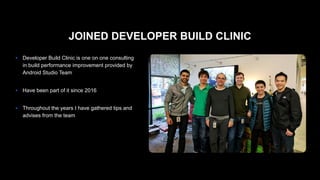
JOINED DEVELOPER BUILD CLINIC
● Developer Build Clinic is one on one consulting
in build performance improvement provided by
Android Studio Team

● Have been part of it since 2016

● Throughout the years I have gathered tips and
advises from the team
! ACTUAL RESULTS MAY VARY
TIPS FOR BUILDING
LINE MAN DRIVER APP SMALLER
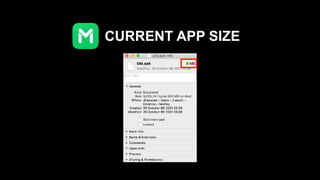
CURRENT APP SIZE
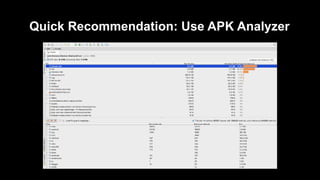
Quick Recommendation: Use APK Analyzer
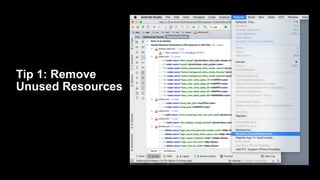
Tip 1: Remove
Unused Resources
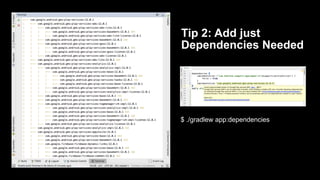
Tip 2: Add just
Dependencies Needed
$ ./gradlew app:dependencies
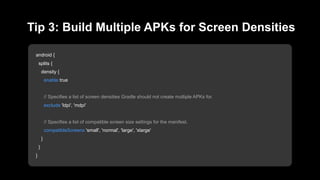
android {
splits {
density {
enable true
// Specifies a list of screen densities Gradle should not create multiple APKs for.
exclude 'ldpi', 'mdpi'
// Specifies a list of compatible screen size settings for the manifest.
compatibleScreens 'small', 'normal', 'large', 'xlarge'
}
}
}
Tip 3: Build Multiple APKs for Screen Densities
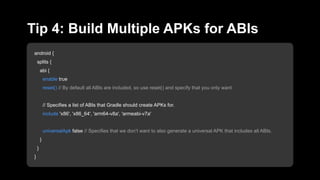
android {
splits {
abi {
enable true
reset() // By default all ABIs are included, so use reset() and specify that you only want
// Specifies a list of ABIs that Gradle should create APKs for.
include 'x86', 'x86_64', 'arm64-v8a', 'armeabi-v7a'
universalApk false // Specifies that we don’t want to also generate a universal APK that includes all ABIs.
}
}
}
Tip 4: Build Multiple APKs for ABIs
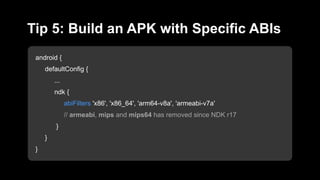
android {
defaultConfig {
...
ndk {
abiFilters 'x86', 'x86_64', 'arm64-v8a', 'armeabi-v7a'
// armeabi, mips and mips64 has removed since NDK r17
}
}
}
Tip 5: Build an APK with Specific ABIs
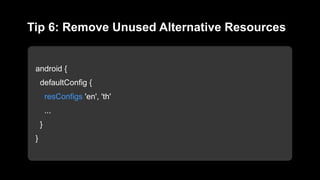
android {
defaultConfig {
resConfigs 'en', 'th'
...
}
}
Tip 6: Remove Unused Alternative Resources
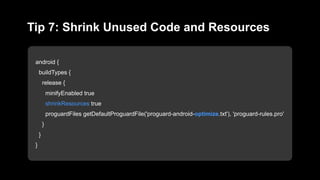
android {
buildTypes {
release {
minifyEnabled true
shrinkResources true
proguardFiles getDefaultProguardFile('proguard-android-optimize.txt'), 'proguard-rules.pro'
}
}
}
Tip 7: Shrink Unused Code and Resources
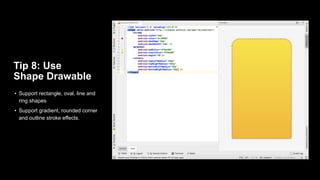
Tip 8: Use
Shape Drawable
• Support rectangle, oval, line and
ring shapes
• Support gradient, rounded corner
and outline stroke effects.
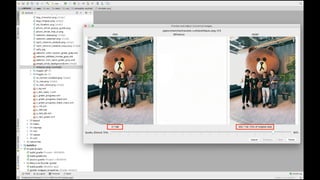
Tip 9: Use WebP
• Up to 30% smaller than PNGs
• Opaque - API level 15+
• With transparency - API level 18+
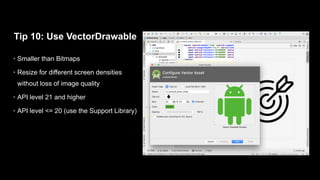
Tip 10: Use VectorDrawable
• Smaller than Bitmaps
• Resize for different screen densities
without loss of image quality
• API level 21 and higher
• API level <= 20 (use the Support Library)
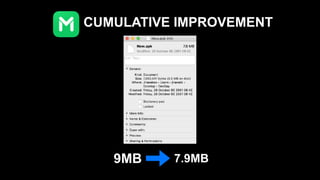
CUMULATIVE IMPROVEMENT
9MB 7.9MB
TECHNIQUES FOR
BUILDING
LINE MAN DRIVER APP
FASTER
Knowledge from Developer Build Clinic by Android Studio Team 

and “Speeding Up Your Android Gradle Builds” (Google I/O ’17)
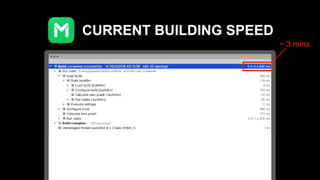
CURRENT BUILDING SPEED
~ 3 mins
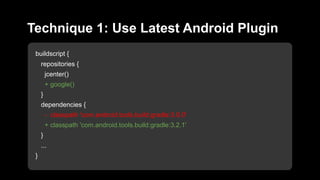
buildscript {
repositories {
jcenter()
+ google()
}
dependencies {
- classpath 'com.android.tools.build:gradle:3.0.0'
+ classpath 'com.android.tools.build:gradle:3.2.1'
}
...
}
Technique 1: Use Latest Android Plugin
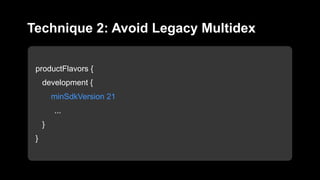
productFlavors {
development {
minSdkVersion 21
...
}
}
Technique 2: Avoid Legacy Multidex
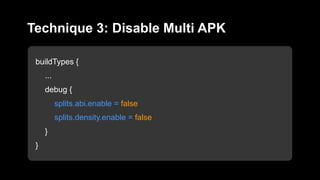
buildTypes {
...
debug {
splits.abi.enable = false
splits.density.enable = false
}
}
Technique 3: Disable Multi APK
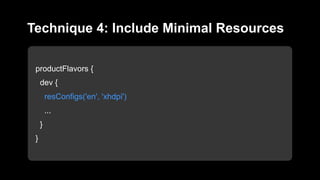
productFlavors {
dev {
resConfigs('en', 'xhdpi')
...
}
}
Technique 4: Include Minimal Resources
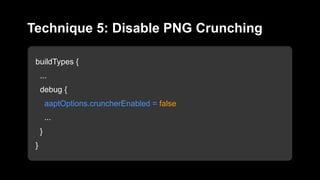
buildTypes {
...
debug {
aaptOptions.cruncherEnabled = false
...
}
}
Technique 5: Disable PNG Crunching
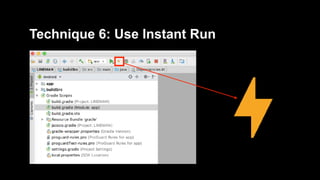
Technique 6: Use Instant Run
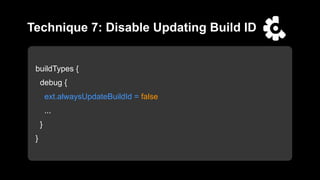
buildTypes {
debug {
ext.alwaysUpdateBuildId = false
...
}
}
Technique 7: Disable Updating Build ID
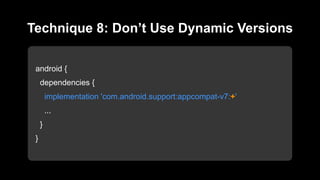
android {
dependencies {
implementation 'com.android.support:appcompat-v7:+'
...
}
}
Technique 8: Don’t Use Dynamic Versions
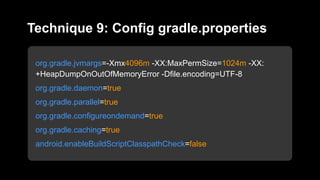
org.gradle.jvmargs=-Xmx4096m -XX:MaxPermSize=1024m -XX:
+HeapDumpOnOutOfMemoryError -Dfile.encoding=UTF-8
org.gradle.daemon=true
org.gradle.parallel=true
org.gradle.configureondemand=true
org.gradle.caching=true
android.enableBuildScriptClasspathCheck=false
Technique 9: Config gradle.properties
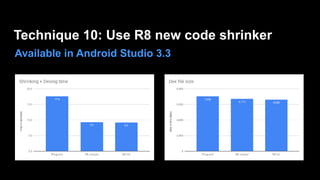
Available in Android Studio 3.3
Technique 10: Use R8 new code shrinker
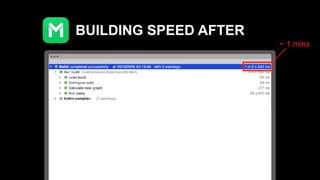
BUILDING SPEED AFTER
~ 1 mins
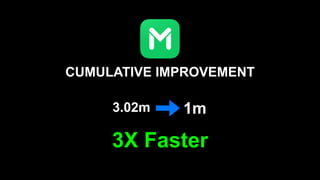
CUMULATIVE IMPROVEMENT
3.02m 1m
3X Faster
ONE MORE THING…
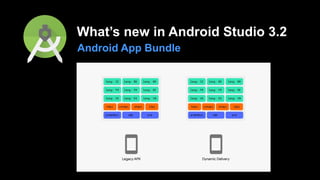
What’s new in Android Studio 3.2
Android App Bundle
THANK YOU

Build your Android app Faster and Smaller than ever