Before&After 
Who we are
Before & After magazine has been sharing its practical
approach to graphic design since 1990. Because our
modern world has made designers of us all (ready or not),
Before & After is dedicated to making graphic design
understandable, useful and even fun for everyone.
Our color wheel
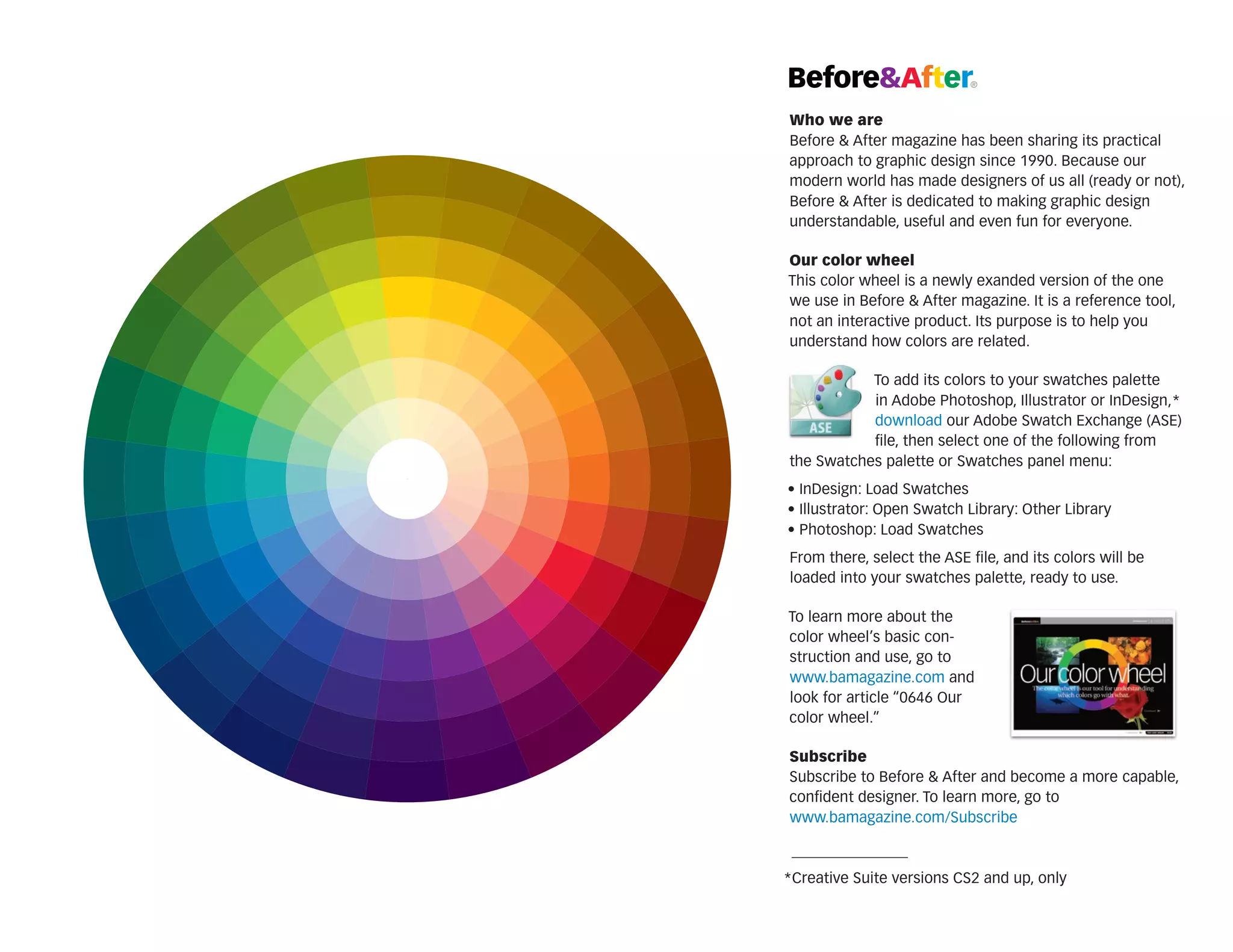
This color wheel is a newly exanded version of the one
we use in Before & After magazine. It is a reference tool,
not an interactive product. Its purpose is to help you
understand how colors are related.
To add its colors to your swatches palette
in Adobe Photoshop, Illustrator or InDesign,*
download our Adobe Swatch Exchange (ASE)
file, then select one of the following from
the Swatches palette or Swatches panel menu:
• InDesign: Load Swatches
• Illustrator: Open Swatch Library: Other Library
• Photoshop: Load Swatches
From there, select the ASE file, and its colors will be
loaded into your swatches palette, ready to use.
To learn more about the
c
­ olor wheel’s basic construction and use, go to
www.bamagazine.com and
look for article “0646 Our
color wheel.”
Subscribe
Subscribe to Before & After and become a more ­ apable,
c
confident designer. To learn more, go to
www.bamagazine.com/Subscribe

*Creative Suite versions CS2 and up, only
Before&After 
Who we are
Before & After magazine has been sharing its practical
approach to graphic design since 1990. Because our
modern world has made designers of us all (ready or not),
Before & After is dedicated to making graphic design
understandable, useful and even fun for everyone.
Our color wheel
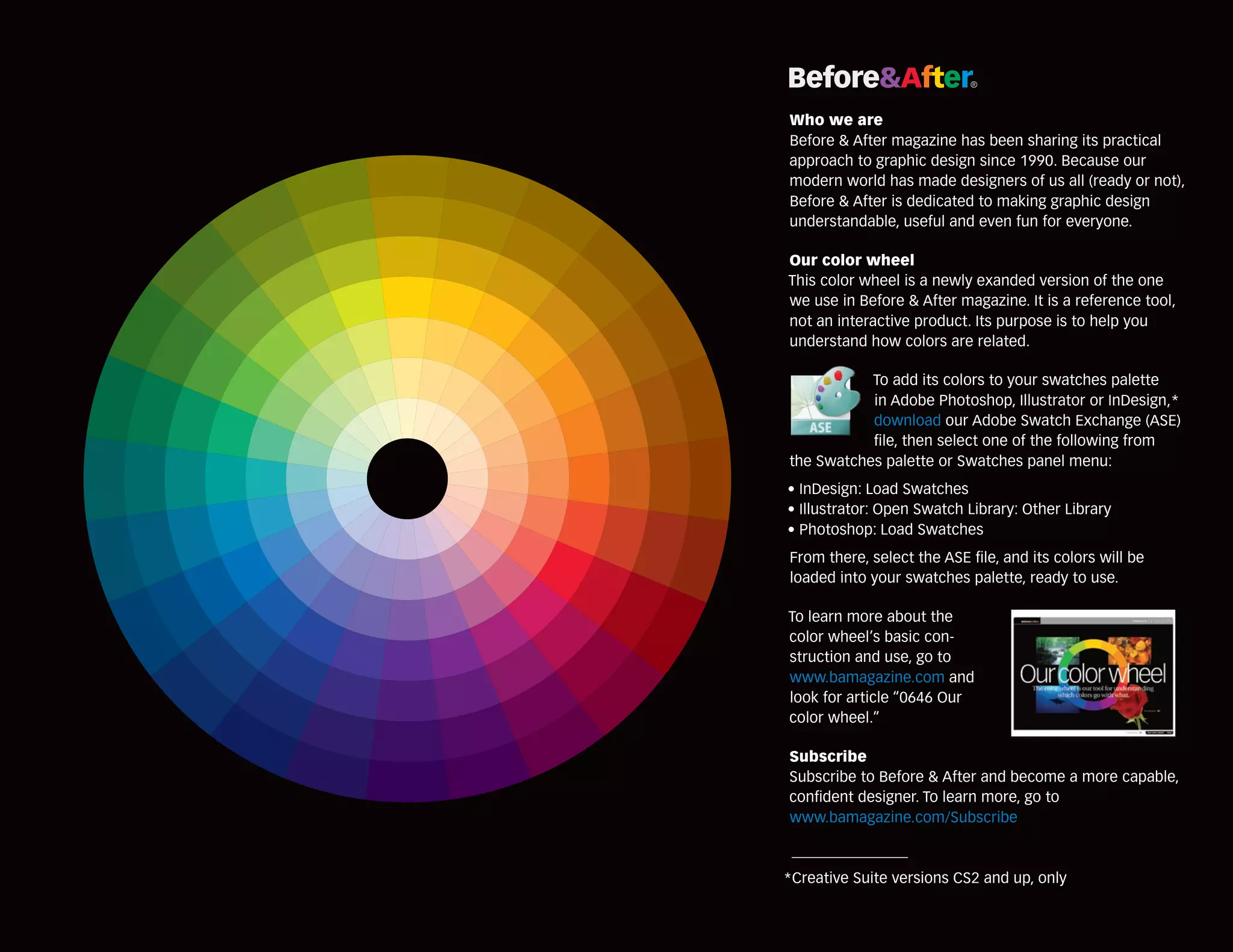
This color wheel is a newly exanded version of the one
we use in Before & After magazine. It is a reference tool,
not an interactive product. Its purpose is to help you
understand how colors are related.
To add its colors to your swatches palette
in Adobe Photoshop, Illustrator or InDesign,*
download our Adobe Swatch Exchange (ASE)
file, then select one of the following from
the Swatches palette or Swatches panel menu:
• InDesign: Load Swatches
• Illustrator: Open Swatch Library: Other Library
• Photoshop: Load Swatches
From there, select the ASE file, and its colors will be
loaded into your swatches palette, ready to use.
To learn more about the
c
­ olor wheel’s basic construction and use, go to
www.bamagazine.com and
look for article “0646 Our
color wheel.”
Subscribe
Subscribe to Before & After and become a more ­ apable,
c
confident designer. To learn more, go to
www.bamagazine.com/Subscribe

*Creative Suite versions CS2 and up, only

Ba color wheel

  • 1.
    Before&After  Who we are Before& After magazine has been sharing its practical approach to graphic design since 1990. Because our modern world has made designers of us all (ready or not), Before & After is dedicated to making graphic design understandable, useful and even fun for everyone. Our color wheel This color wheel is a newly exanded version of the one we use in Before & After magazine. It is a reference tool, not an interactive product. Its purpose is to help you understand how colors are related. To add its colors to your swatches palette in Adobe Photoshop, Illustrator or InDesign,* download our Adobe Swatch Exchange (ASE) file, then select one of the following from the Swatches palette or Swatches panel menu: • InDesign: Load Swatches • Illustrator: Open Swatch Library: Other Library • Photoshop: Load Swatches From there, select the ASE file, and its colors will be loaded into your swatches palette, ready to use. To learn more about the c ­ olor wheel’s basic construction and use, go to www.bamagazine.com and look for article “0646 Our color wheel.” Subscribe Subscribe to Before & After and become a more ­ apable, c confident designer. To learn more, go to www.bamagazine.com/Subscribe *Creative Suite versions CS2 and up, only
  • 2.
    Before&After  Who we are Before& After magazine has been sharing its practical approach to graphic design since 1990. Because our modern world has made designers of us all (ready or not), Before & After is dedicated to making graphic design understandable, useful and even fun for everyone. Our color wheel This color wheel is a newly exanded version of the one we use in Before & After magazine. It is a reference tool, not an interactive product. Its purpose is to help you understand how colors are related. To add its colors to your swatches palette in Adobe Photoshop, Illustrator or InDesign,* download our Adobe Swatch Exchange (ASE) file, then select one of the following from the Swatches palette or Swatches panel menu: • InDesign: Load Swatches • Illustrator: Open Swatch Library: Other Library • Photoshop: Load Swatches From there, select the ASE file, and its colors will be loaded into your swatches palette, ready to use. To learn more about the c ­ olor wheel’s basic construction and use, go to www.bamagazine.com and look for article “0646 Our color wheel.” Subscribe Subscribe to Before & After and become a more ­ apable, c confident designer. To learn more, go to www.bamagazine.com/Subscribe *Creative Suite versions CS2 and up, only