Developing Conversation
Actions for the Google
Assistant
+GreenIdo
@greenido
Developer Advocate
June 2017
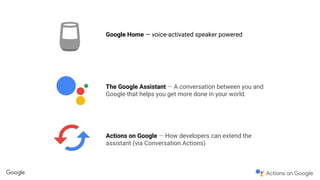
Google Home — voice-activated speaker powered
The Google Assistant — A conversation between you and
Google that helps you get more done in your world.
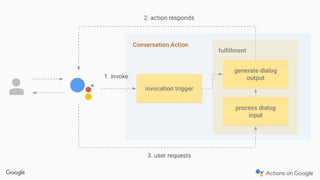
Actions on Google — How developers can extend the
assistant (via Conversation Actions)
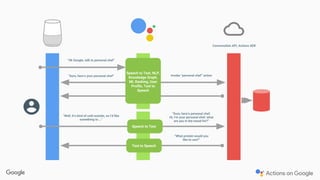
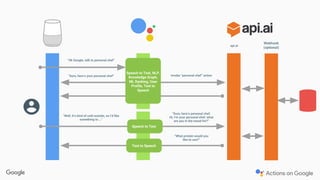
“Ok Google, talk to personal chef”
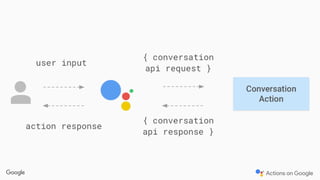
Conversation API, Actions SDK
Invoke “personal chef” action
“Sure, here’s personal chef.
Hi, I’m your personal chef, what
are you in the mood for?”
Speech to Text
“What protein would you
like to use?”
“Well, it’s kind of cold outside, so I’d like
something to …”
Text to Speech
“Sure, here’s your personal chef”
Speech to Text, NLP,
Knowledge Graph,
ML Ranking, User
Profile, Text to
Speech
Webhook
(optional)
“Ok Google, talk to personal chef”
api.ai
Invoke “personal chef” action
“Well, it’s kind of cold outside, so I’d like
something to …”
“Sure, here’s your personal chef”
Speech to Text, NLP,
Knowledge Graph,
ML Ranking, User
Profile, Text to
Speech
“Sure, here’s personal chef.
Hi, I’m your personal chef, what
are you in the mood for?”
“What protein would you
like to use?”
Speech to Text
Text to Speech
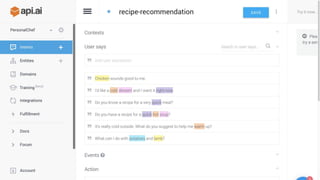
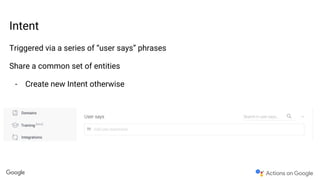
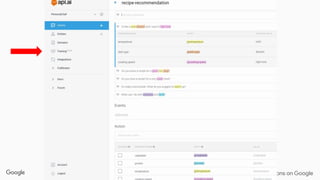
Intent
Triggered via a series of “user says” phrases
Share a common set of entities
- Create new Intent otherwise
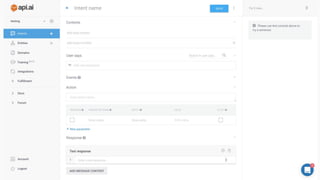
Intent name
Name to use in API.AI console
Only used by the developer, not referenced in your code
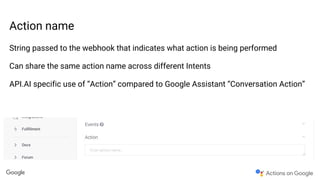
Action name
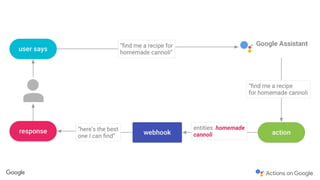
String passed to the webhook that indicates what action is being performed
Can share the same action name across different Intents
API.AI specific use of “Action” compared to Google Assistant “Conversation Action”
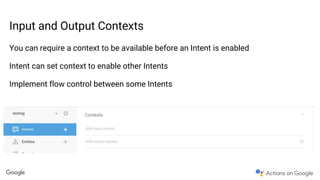
Input and Output Contexts
You can require a context to be available before an Intent is enabled
Intent can set context to enable other Intents
Implement flow control between some Intents
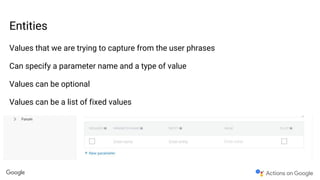
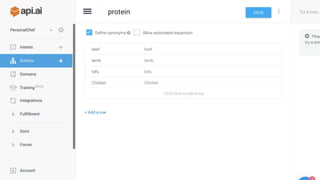
Entities
Values that we are trying to capture from the user phrases
Can specify a parameter name and a type of value
Values can be optional
Values can be a list of fixed values
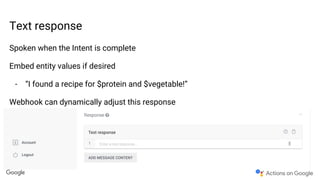
Text response
Spoken when the Intent is complete
Embed entity values if desired
- “I found a recipe for $protein and $vegetable!”
Webhook can dynamically adjust this response
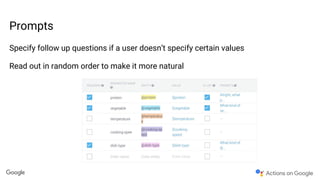
Prompts
Specify follow up questions if a user doesn’t specify certain values
Read out in random order to make it more natural
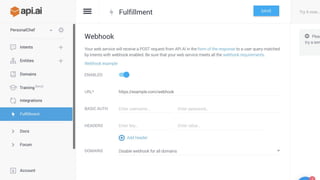
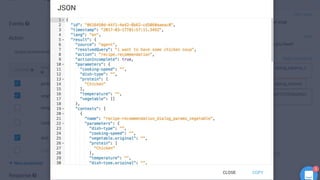
Webhook with HTTPS POST request
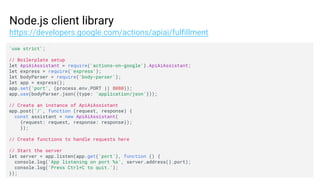
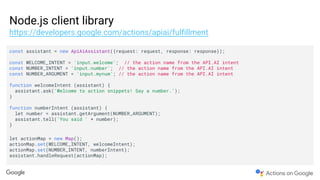
Node.js client library
https://developers.google.com/actions/apiai/fulfillment
'use strict';
// Boilerplate setup
let ApiAiAssistant = require('actions-on-google').ApiAiAssistant;
let express = require('express');
let bodyParser = require('body-parser');
let app = express();
app.set('port', (process.env.PORT || 8080));
app.use(bodyParser.json({type: 'application/json'}));
// Create an instance of ApiAiAssistant
app.post('/', function (request, response) {
const assistant = new ApiAiAssistant(
{request: request, response: response});
});
// Create functions to handle requests here
// Start the server
let server = app.listen(app.get('port'), function () {
console.log('App listening on port %s', server.address().port);
console.log('Press Ctrl+C to quit.');
});
Node.js client library
https://developers.google.com/actions/apiai/fulfillment
const assistant = new ApiAiAssistant({request: request, response: response});
const WELCOME_INTENT = 'input.welcome'; // the action name from the API.AI intent
const NUMBER_INTENT = 'input.number'; // the action name from the API.AI intent
const NUMBER_ARGUMENT = 'input.mynum'; // the action name from the API.AI intent
function welcomeIntent (assistant) {
assistant.ask('Welcome to action snippets! Say a number.');
}
function numberIntent (assistant) {
let number = assistant.getArgument(NUMBER_ARGUMENT);
assistant.tell('You said ' + number);
}
let actionMap = new Map();
actionMap.set(WELCOME_INTENT, welcomeIntent);
actionMap.set(NUMBER_INTENT, numberIntent);
assistant.handleRequest(actionMap);
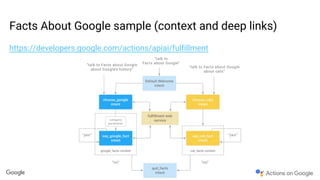
Facts About Google sample (context and deep links)
https://developers.google.com/actions/apiai/fulfillment
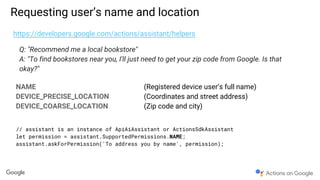
Requesting user’s name and location
https://developers.google.com/actions/assistant/helpers
Q: "Recommend me a local bookstore"
A: "To find bookstores near you, I'll just need to get your zip code from Google. Is that
okay?"
NAME (Registered device user’s full name)
DEVICE_PRECISE_LOCATION (Coordinates and street address)
DEVICE_COARSE_LOCATION (Zip code and city)
// assistant is an instance of ApiAiAssistant or ActionsSdkAssistant
let permission = assistant.SupportedPermissions.NAME;
assistant.askForPermission('To address you by name', permission);
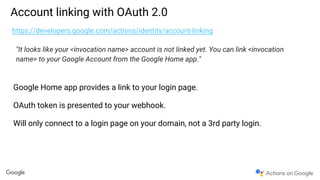
Account linking with OAuth 2.0
https://developers.google.com/actions/identity/account-linking
"It looks like your <invocation name> account is not linked yet. You can link <invocation
name> to your Google Account from the Google Home app."
Google Home app provides a link to your login page.
OAuth token is presented to your webhook.
Will only connect to a login page on your domain, not a 3rd party login.
Speech Synthesis Markup Language (SSML) & Earcons
https://developers.google.com/actions/reference/ssml
<speak> <!-- Must be at the start of the string -->
<say-as interpet-as="characters">SSML</say-as>
<break time="3s"/>.
<audio src="https://example.com/file.mp3"></audio>
<say-as interpret-as="cardinal">10</say-as>.
<say-as interpret-as="ordinal">10</say-as>
<say-as interpret-as="characters">10</say-as>.
<sub alias="World Wide Web">WWW</sub>.
<p><s>This is one.</s><s>This is two.</s></p>
</speak> <!-- Must be at the end of the string -->
“S S M L”
[3 second pause]
[audio file plays]
“Ten”
“Tenth”
“One Oh”
World Wide Web
[two sentences]
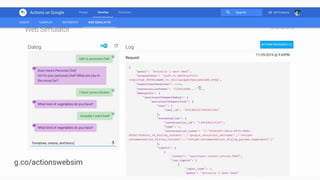
g.co/actionswebsim
Action naming and policies
https://developers.google.com/actions/policies/general-policies
● Policies about what Conversation Actions are allowed
● See the guidelines for more information
● Invocation names must be unique since it is a global name
● Direct Actions not widely available to build and deploy,
register for interest
Conversation Design
GUI :: VUI What’s the difference?
Top 3 Design Tips
Create a
persona
1
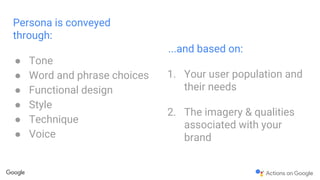
Persona is conveyed
through:
● Tone
● Word and phrase choices
● Functional design
● Style
● Technique
● Voice
...and based on:
1. Your user population and
their needs
2. The imagery & qualities
associated with your
brand
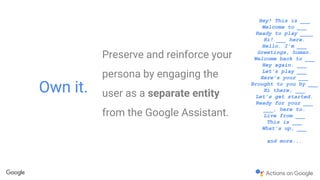
Preserve and reinforce your
persona by engaging the
user as a separate entity
from the Google Assistant.
Own it.
Hey! This is ___
Welcome to ___
Ready to play ____
Hi! ___ here.
Hello. I’m ___
Greetings, human.
Welcome back to ___
Hey again. ___
Let’s play ___
Here’s your ___
Brought to you by ___
Hi there, ___
Let’s get started.
Ready for your ___
___, here to…
Live from ___
This is ___
What’s up, ___
and more...
Think outside
the box.
Literally.
2
Confidential and proprietary
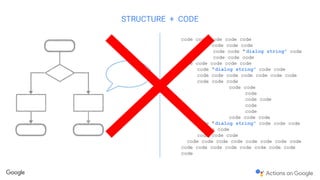
code code code code code
code code code code
code code “ dialog string” code
code code code
code code code code code
code “dialog string” code code
code code code code code code code
code code code
code code
code
code code
code
code
code code code
code “dialog string” code code code
code code
code code code
code code code code code code code code
code
STRUCTURE + CODE
Confidential and proprietary
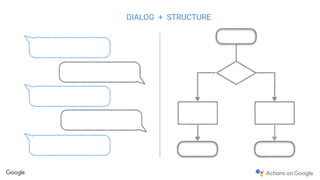
DIALOG + STRUCTURE
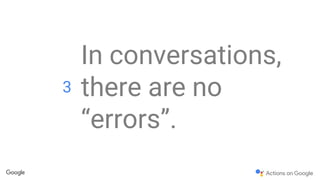
In conversations,
there are no
“errors”.
3
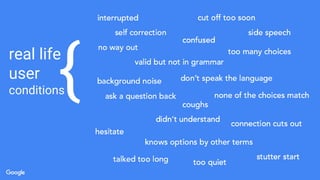
real life
user
conditions{
“I don’t understand you”
When a so-called “error” occurs in a
conversation, it should be treated simply as
a new turn in the dialog, only with different
conditions.
User’s have intent
g.co/dev/ActionsDesign
Actions on Google Developer
Community
https://g.co/actionsdev
Actions on Google Developers
https://developers.google.com/actions
@ActionsOnGoogle
Thank you!
+GreenIdo
@greenido
Developer Advocate
June 2017

Actions On Google - How? Why?

  • 1.
    Developing Conversation Actions forthe Google Assistant +GreenIdo @greenido Developer Advocate June 2017
  • 3.
    Google Home —voice-activated speaker powered The Google Assistant — A conversation between you and Google that helps you get more done in your world. Actions on Google — How developers can extend the assistant (via Conversation Actions)
  • 6.
    “Ok Google, talkto personal chef” Conversation API, Actions SDK Invoke “personal chef” action “Sure, here’s personal chef. Hi, I’m your personal chef, what are you in the mood for?” Speech to Text “What protein would you like to use?” “Well, it’s kind of cold outside, so I’d like something to …” Text to Speech “Sure, here’s your personal chef” Speech to Text, NLP, Knowledge Graph, ML Ranking, User Profile, Text to Speech
  • 9.
    Webhook (optional) “Ok Google, talkto personal chef” api.ai Invoke “personal chef” action “Well, it’s kind of cold outside, so I’d like something to …” “Sure, here’s your personal chef” Speech to Text, NLP, Knowledge Graph, ML Ranking, User Profile, Text to Speech “Sure, here’s personal chef. Hi, I’m your personal chef, what are you in the mood for?” “What protein would you like to use?” Speech to Text Text to Speech
  • 12.
    Intent Triggered via aseries of “user says” phrases Share a common set of entities - Create new Intent otherwise
  • 13.
    Intent name Name touse in API.AI console Only used by the developer, not referenced in your code
  • 14.
    Action name String passedto the webhook that indicates what action is being performed Can share the same action name across different Intents API.AI specific use of “Action” compared to Google Assistant “Conversation Action”
  • 15.
    Input and OutputContexts You can require a context to be available before an Intent is enabled Intent can set context to enable other Intents Implement flow control between some Intents
  • 16.
    Entities Values that weare trying to capture from the user phrases Can specify a parameter name and a type of value Values can be optional Values can be a list of fixed values
  • 17.
    Text response Spoken whenthe Intent is complete Embed entity values if desired - “I found a recipe for $protein and $vegetable!” Webhook can dynamically adjust this response
  • 20.
    Prompts Specify follow upquestions if a user doesn’t specify certain values Read out in random order to make it more natural
  • 21.
    Webhook with HTTPSPOST request
  • 23.
    Node.js client library https://developers.google.com/actions/apiai/fulfillment 'usestrict'; // Boilerplate setup let ApiAiAssistant = require('actions-on-google').ApiAiAssistant; let express = require('express'); let bodyParser = require('body-parser'); let app = express(); app.set('port', (process.env.PORT || 8080)); app.use(bodyParser.json({type: 'application/json'})); // Create an instance of ApiAiAssistant app.post('/', function (request, response) { const assistant = new ApiAiAssistant( {request: request, response: response}); }); // Create functions to handle requests here // Start the server let server = app.listen(app.get('port'), function () { console.log('App listening on port %s', server.address().port); console.log('Press Ctrl+C to quit.'); });
  • 24.
    Node.js client library https://developers.google.com/actions/apiai/fulfillment constassistant = new ApiAiAssistant({request: request, response: response}); const WELCOME_INTENT = 'input.welcome'; // the action name from the API.AI intent const NUMBER_INTENT = 'input.number'; // the action name from the API.AI intent const NUMBER_ARGUMENT = 'input.mynum'; // the action name from the API.AI intent function welcomeIntent (assistant) { assistant.ask('Welcome to action snippets! Say a number.'); } function numberIntent (assistant) { let number = assistant.getArgument(NUMBER_ARGUMENT); assistant.tell('You said ' + number); } let actionMap = new Map(); actionMap.set(WELCOME_INTENT, welcomeIntent); actionMap.set(NUMBER_INTENT, numberIntent); assistant.handleRequest(actionMap);
  • 25.
    Facts About Googlesample (context and deep links) https://developers.google.com/actions/apiai/fulfillment
  • 26.
    Requesting user’s nameand location https://developers.google.com/actions/assistant/helpers Q: "Recommend me a local bookstore" A: "To find bookstores near you, I'll just need to get your zip code from Google. Is that okay?" NAME (Registered device user’s full name) DEVICE_PRECISE_LOCATION (Coordinates and street address) DEVICE_COARSE_LOCATION (Zip code and city) // assistant is an instance of ApiAiAssistant or ActionsSdkAssistant let permission = assistant.SupportedPermissions.NAME; assistant.askForPermission('To address you by name', permission);
  • 27.
    Account linking withOAuth 2.0 https://developers.google.com/actions/identity/account-linking "It looks like your <invocation name> account is not linked yet. You can link <invocation name> to your Google Account from the Google Home app." Google Home app provides a link to your login page. OAuth token is presented to your webhook. Will only connect to a login page on your domain, not a 3rd party login.
  • 28.
    Speech Synthesis MarkupLanguage (SSML) & Earcons https://developers.google.com/actions/reference/ssml <speak> <!-- Must be at the start of the string --> <say-as interpet-as="characters">SSML</say-as> <break time="3s"/>. <audio src="https://example.com/file.mp3"></audio> <say-as interpret-as="cardinal">10</say-as>. <say-as interpret-as="ordinal">10</say-as> <say-as interpret-as="characters">10</say-as>. <sub alias="World Wide Web">WWW</sub>. <p><s>This is one.</s><s>This is two.</s></p> </speak> <!-- Must be at the end of the string --> “S S M L” [3 second pause] [audio file plays] “Ten” “Tenth” “One Oh” World Wide Web [two sentences]
  • 29.
  • 31.
    Action naming andpolicies https://developers.google.com/actions/policies/general-policies ● Policies about what Conversation Actions are allowed ● See the guidelines for more information ● Invocation names must be unique since it is a global name ● Direct Actions not widely available to build and deploy, register for interest
  • 32.
  • 34.
    GUI :: VUIWhat’s the difference?
  • 35.
  • 36.
  • 37.
    Persona is conveyed through: ●Tone ● Word and phrase choices ● Functional design ● Style ● Technique ● Voice ...and based on: 1. Your user population and their needs 2. The imagery & qualities associated with your brand
  • 38.
    Preserve and reinforceyour persona by engaging the user as a separate entity from the Google Assistant. Own it. Hey! This is ___ Welcome to ___ Ready to play ____ Hi! ___ here. Hello. I’m ___ Greetings, human. Welcome back to ___ Hey again. ___ Let’s play ___ Here’s your ___ Brought to you by ___ Hi there, ___ Let’s get started. Ready for your ___ ___, here to… Live from ___ This is ___ What’s up, ___ and more...
  • 39.
  • 40.
    Confidential and proprietary codecode code code code code code code code code code “ dialog string” code code code code code code code code code code “dialog string” code code code code code code code code code code code code code code code code code code code code code code code “dialog string” code code code code code code code code code code code code code code code code code code code code code code code code code STRUCTURE + CODE
  • 41.
  • 42.
    In conversations, there areno “errors”. 3
  • 43.
  • 44.
  • 45.
    When a so-called“error” occurs in a conversation, it should be treated simply as a new turn in the dialog, only with different conditions.
  • 46.
  • 47.
  • 48.
    Actions on GoogleDeveloper Community https://g.co/actionsdev Actions on Google Developers https://developers.google.com/actions @ActionsOnGoogle
  • 49.