

TRANSCODING
VIDEO
BY Neil
with AWS
Cloud
A Complete
Guide to
OOPS !!
Were you
Expecting
an
overview
or an
agenda
slide ?
 A want to listen to a
Story.
 A Sense of humour.
Well, to Enjoy this
Presentation all you need is
Meet the Stars -
Video
Transcoding ?
What is it
Exactly?
Say you
have a
Website
 Hosting lots of videos
 You want everyone
to See World Wide
 On Mobiles, PCs,
Tablets & more
Ideally you
would want
your
audience
using
different
Platforms
and
Devices to
have a
seamless
User
Experience
Now, every Video
File is first created
in a particular High
Resolution format,
But, How would devices on various
platforms Render it ?
What if ...
You could
convert your
videos into all
these rendering
formats
Well that’s
Transcoding!
Transcoding
means
conversion of
your video
files into
different
formats so
that they can
be viewed on
different
devices and
platforms
seamlessly
So How does Transcoding Work ?
We need to know what a
video file contains...
Meta
Data
Audio
Track
Video
Track
Subtitle
Track+ + + =
[ Encoded using Codecs ]
Raw File
Different
Tracks are
Extracted
(Decoded)
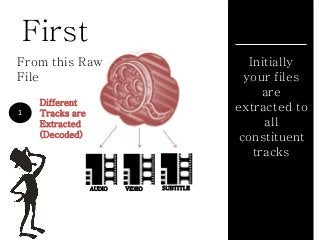
First
AUDIO VIDEO SUBTITLE
1
From this Raw
File
Initially
your files
are
extracted to
all
constituent
tracks
Different
Tracks are
Extracted
(Decoded)
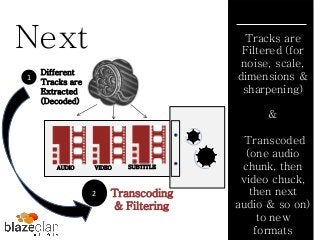
Next
Transcoding
& Filtering
2
1
Tracks are
Filtered (for
noise, scale,
dimensions &
sharpening)
&
Transcoded
(one audio
chunk, then
video chuck,
then next
audio & so on)
to new
formats
1
1
AUDIO VIDEO SUBTITLE
Different
Tracks are
Extracted
(Decoded)
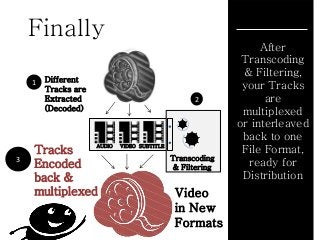
Finally
Video
in New
Formats
1
3
After
Transcoding
& Filtering,
your Tracks
are
multiplexed
or interleaved
back to one
File Format,
ready for
Distribution
1
1
Transcoding
& Filtering
AUDIO VIDEO SUBTITLE
2
Tracks
Encoded
back &
multiplexed
Now that you
know how video
transcoding
works...
Lets see how Amazon Web Services
(AWS) does Video Transcoding
Amazon Elastic
Transcoder
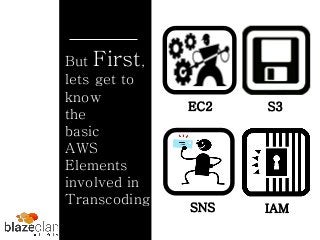
But First,
lets get to
know
the
basic
AWS
Elements
involved in
Transcoding
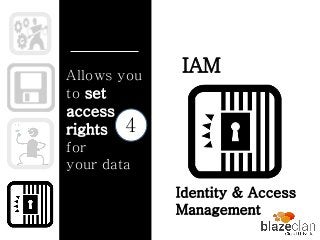
IAM
EC2
SNS
S3
Helps you
Assign
Computing
Instances
on
the
Amazon
Cloud for
your various
operations.
EC2
Elastic Compute
Capacity
1
S3Helps you
Store &
Retrieve
Content
from
The
Amazon
Cloud Simple Storage
Service
2
Notifies
you of the
progress
of
your
on
going
job queues
SNS
3
Simple Notification
Service
IAMAllows you
to set
access
rights
for
your data
Identity & Access
Management
4
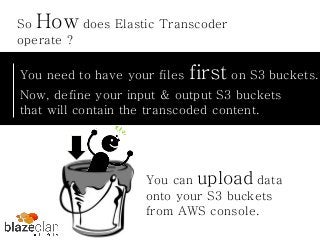
You need to have your files first on S3 buckets.
So How does Elastic Transcoder
operate ?
Now, define your input & output S3 buckets
that will contain the transcoded content.
You can upload data
onto your S3 buckets
from AWS console.
S3
S3
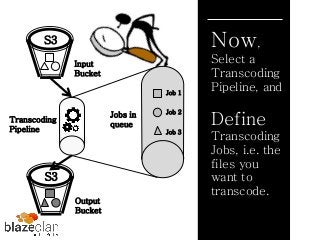
Now,
Select a
Transcoding
Pipeline, and
Define
Transcoding
Jobs, i.e. the
files you
want to
transcode.
Input
Bucket
Transcoding
Pipeline
Output
Bucket
Job 1
Job 3
Job 2
Jobs in
queue
Voila !
Your videos are transcoded
& ready for
Distribution !
Wait
Up !
With AWS
you get
added
Benefits
Set Multiple
Transcoding
pipelines based on
priority of Jobs,
simultaneously.
With AWS
you get
added
Benefits
Get Variety of
transcoding pre
sets available on
AWS.
With AWS
you get
added
Benefits
Use IAM to
control access
of data
With AWS
you get
added
Benefits
Transcode videos
either from AWS
console or
configured APIs.
With AWS
you get
added
Benefits
Get 20MBs of
transcoding
FREE every
month.
Now Experiment with
all the new formats !
With AWS
you get
added
Benefits
Pay as you go
pricing with elastic,
scalable & on
demand benefits of
the Cloud.
But there’s
MORE !!!
With AWS &
BlazeClan you
can...
Distribute your content
World Wide using Amazon
CloudFront
But there’s
MORE !!!
With AWS &
BlazeClan you
can...
Analyse when, what,
where & how your
content was viewed
worldwide using Our
Cloudlytics
While your
Videos are
Transcoded...
What
happens in
the
background
on
Amazon
Cloud
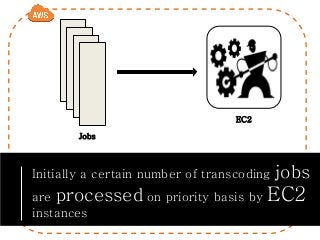
Initially a certain number of transcoding jobs
are processed on priority basis by EC2
instances
Jobs
EC2
Jobs require more compute capacity ??
What If ...
Or more number of jobs are
queued because of on demand
requirements ??
Cloud
brings along
with it
Scalability
& Elasticity
Not to Worry!
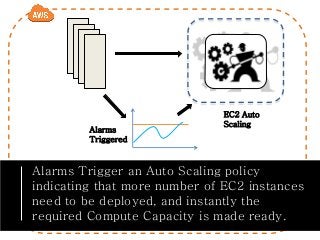
Alarms Trigger an Auto Scaling policy
indicating that more number of EC2 instances
need to be deployed, and instantly the
required Compute Capacity is made ready.
Alarms
Triggered
EC2 Auto
Scaling
We are Officially done
with the basics of
Transcoding !
How did NETFLIX Transform
Business using Amazon Cloud?
So,
You all must have
watched movies
online on NETFLIX
right ?
This video
Streaming
company,
initially
rented
content on
DVD’s till
2006/07,
When .....
They realized,
there was Too
Much Content !
So they used GPU Based
encoding Hardware to
handle the load.
But in 2008,
with
increasing
number of
video
formats...
Barriers to
launch new
video
players for
MAC & PCs
And, Finally the
launch of a video
player for XBOX,
failing to launch
full content
catalogues
Their in house
Infrastructure
could not handle
the Load !
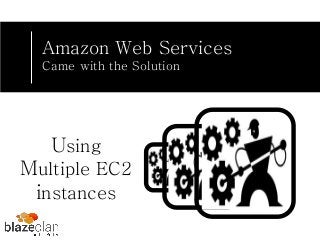
Amazon Web Services
Came with the Solution
Using
Multiple EC2
instances
In 2009, NETFLIX
was able to launch a
new video player for
Sony Play Station 3
Successfully !
In 2010, the
successful
Apple Ipad’s
video player
launch also
marked the
success on
Cloud!!
For more on NETFLIX’s
Journey to Cloud & Video
Transcoding
Visit Our
Blogs
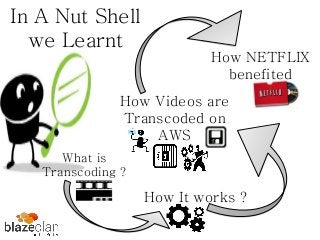
In A Nut Shell
we Learnt
What is
Transcoding ?
How It works ?
How Videos are
Transcoded on
AWS
How NETFLIX
benefited
Thanks for
Watching
Follow Us On :
Our Blog : http://blog.blazeclan.com/

A Fun Way to Learn Video Transcoding with Amazon Cloud