a11yTO CONF 2020: CSS Display Properties v. HTML Semantics
Developers who choose HTML elements that best describe a screen’s structure and semantics often don’t know how browsers use their CSS to break those semantics.
• I’ve writtensome stuff,
• Member of W3C,
• Building for the web
since 1993,
• Learn more at
AdrianRoselli.com,
• Avoid on Twitter @aardrian.
About Adrian Roselli
3.
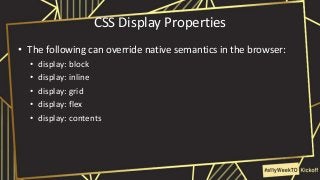
CSS Display Properties
•The following can override native semantics in the browser:
• display: block
• display: inline
• display: grid
• display: flex
• display: contents
4.
CSS Display Properties
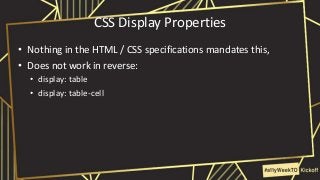
•Nothing in the HTML / CSS specifications mandates this,
• Does not work in reverse:
• display: table
• display: table-cell
5.
Assistive Technology (AT)
•Browsers do not convey correct semantics to AT,
• Users who rely on these semantics can be stranded:
• Understanding content,
• Navigating a page.
6.
Tables as aCanary
• Breaking semantics of any single required child element can
break entire table:
• A missing row, column or row header;
• The parent table even with good rows and cells.
8.
Accessibility Tree
• Asub/super-set of the DOM,
• Includes UI objects of browser & objects of the document,
• Created in tree for every DOM element that:
• Fires an accessibility event,
• Has a property, relationship or feature which needs to be exposed.
• Is abstracted for dev tools.
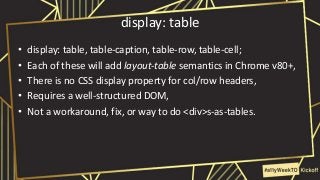
display: table
• display:table, table-caption, table-row, table-cell;
• Each of these will add layout-table semantics in Chrome v80+,
• There is no CSS display property for col/row headers,
• Requires a well-structured DOM,
• Not a workaround, fix, or way to do <div>s-as-tables.
20.
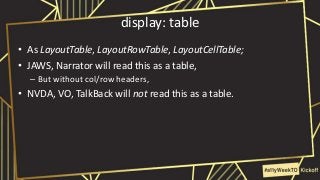
display: table
• AsLayoutTable, LayoutRowTable, LayoutCellTable;
• JAWS, Narrator will read this as a table,
– But without col/row headers,
• NVDA, VO, TalkBack will not read this as a table.
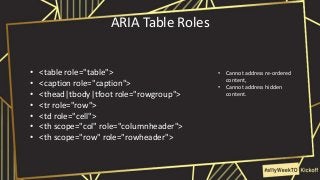
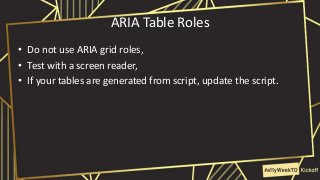
ARIA Table Roles
•Do not use ARIA grid roles,
• Test with a screen reader,
• If your tables are generated from script, update the script.
24.
Table with ARIA
<tableid="Books" role="table">
<caption id="Cap1" role="caption">Books I May or May Not Have Read</caption>
<tr role="row">
<th role="columnheader">Author</th>
<th role="columnheader">Title</th>
<th role="columnheader">Year</th>
<th role="columnheader">ISBN-13</th>
<th role="columnheader">ISBN-10</th>
</tr>
<tr role="row">
<td role="cell">Miguel De Cervantes</td>
<td role="cell">The Ingenious Gentleman Don Quixote of La Mancha</td>
<td role="cell">1605</td>
<td role="cell">9783125798502</td>
<td role="cell">3125798507</td>
</tr>
[…]
<tr role="row">
<td role="cell">George Orwell</td>
<td role="cell">Nineteen Eighty-Four</td>
<td role="cell">1948</td>
<td role="cell">9780451524935</td>
<td role="cell">0451524934</td>
</tr>
</table>
25.
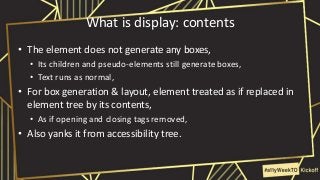
What is display:contents
• The element does not generate any boxes,
• Its children and pseudo-elements still generate boxes,
• Text runs as normal,
• For box generation & layout, element treated as if replaced in
element tree by its contents,
• As if opening and closing tags removed,
• Also yanks it from accessibility tree.
26.
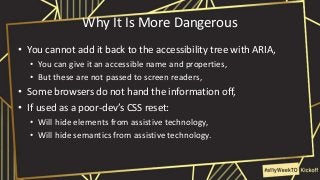
Why It IsMore Dangerous
• You cannot add it back to the accessibility tree with ARIA,
• You can give it an accessible name and properties,
• But these are not passed to screen readers,
• Some browsers do not hand the information off,
• If used as a poor-dev’s CSS reset:
• Will hide elements from assistive technology,
• Will hide semantics from assistive technology.
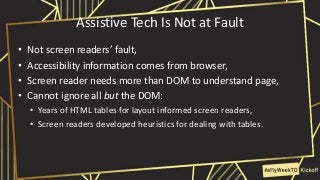
Assistive Tech IsNot at Fault
• Not screen readers’ fault,
• Accessibility information comes from browser,
• Screen reader needs more than DOM to understand page,
• Cannot ignore all but the DOM:
• Years of HTML tables for layout informed screen readers,
• Screen readers developed heuristics for dealing with tables.
29.
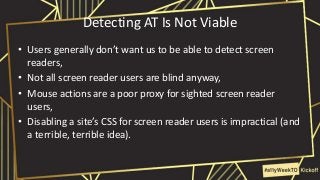
Detecting AT IsNot Viable
• Users generally don’t want us to be able to detect screen
readers,
• Not all screen reader users are blind anyway,
• Mouse actions are a poor proxy for sighted screen reader
users,
• Disabling a site’s CSS for screen reader users is impractical (and
a terrible, terrible idea).
30.
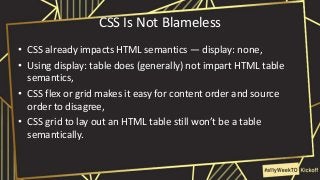
CSS Is NotBlameless
• CSS already impacts HTML semantics — display: none,
• Using display: table does (generally) not impart HTML table
semantics,
• CSS flex or grid makes it easy for content order and source
order to disagree,
• CSS grid to lay out an HTML table still won’t be a table
semantically.
31.
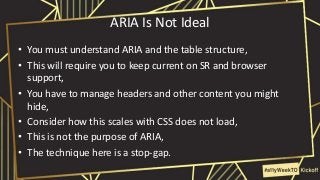
ARIA Is NotIdeal
• You must understand ARIA and the table structure,
• This will require you to keep current on SR and browser
support,
• You have to manage headers and other content you might
hide,
• Consider how this scales with CSS does not load,
• This is not the purpose of ARIA,
• The technique here is a stop-gap.
32.
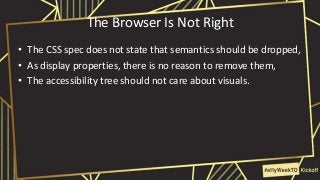
The Browser IsNot Right
• The CSS spec does not state that semantics should be dropped,
• As display properties, there is no reason to remove them,
• The accessibility tree should not care about visuals.
#4 CSS as implemented in browsers today can remove semantics,
Conversely, you can not add it back with CSS
#5 CSS as implemented in browsers today can remove semantics,
Conversely, you can not add it back with CSS
#7 If any one part of a valid table goes away, the entire thing falls down.
Mis-count of rows or columns,
Headers associated with wrong data.
Harder to see this in action with elements that do not have so many required children in a required structure.
A broken table means your code may have this elsewhere.
#8 Github just wanted to prevent wide tables from breaking its layout.
It made the table scrollable instead of a container.
To do that required .markdown-body table {display: block;}.
That made the table useless to SR and keyboard users.
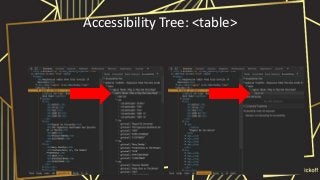
#10 Table before CSS display properties on the left
Table after CSS display properties on the right
Note how the entire accessibility tree is gone
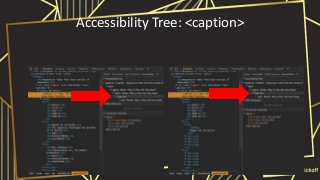
#11 Caption before CSS display properties on the left
Caption after CSS display properties on the right
Its caption role is maintained
But it is not associated with a table
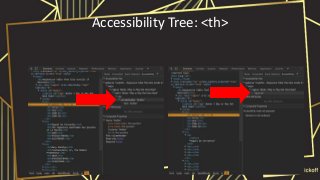
#12 Th before CSS display properties on the left
Th after CSS display properties on the right
Not associated with the table
No computed properties
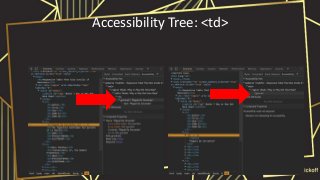
#13 Td before CSS display properties on the left
Td after CSS display properties on the right
Not associated with the table
No computed properties
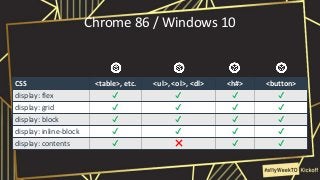
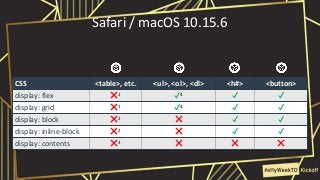
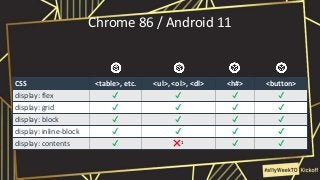
#14 Chrome 80 does well with flex, grid, block, inline-block, and contents.
Across tables, lists, headings, and buttons.
Except lists with display: contents.
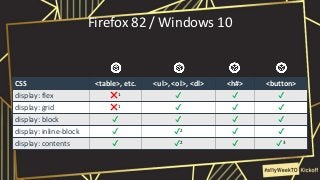
#15 <th>s with flex and grid are announced as cells, not col or row header,
Inserts text leaf between each one,
Issues a keyboard use warning (interactive elements must be focusable).
#16 Recognizes <table> and <caption> only; not <tr>, <th>, <td>
Can navigate in VO with table commands, but column/row headers not conveyed
Can navigate by row in VO, but just as a string of text.
VO breaks up any text that wraps
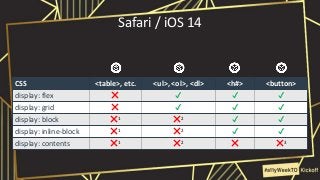
#17 Chrome 80 does well with flex, grid, block, inline-block, and contents.
Across tables, lists, headings, and buttons.
Except lists with display: contents.
Essentially performs as desktop
Does not announce list count, position, start, end even unstyled, but does announce list on exit for Contents.
#18 Treats all cells belonging in column 1.
Recognizes <dl> overall -- must have come with them finally fixing <dl>s.
Still fires on double-tap with VO.
#19 If you create a structure like a table and add table-related display styles, Chrome calls it a layout table.
#22 There is a long aversion to tables owing to their mis-use for layout.
So some people try to use other HTML elements,
They opt to “throw ARIA” at them.
#23 You can use ARIA to re-insert lost semantics
Caption role coming in ARIA 1.2
#26 I am seeing this quickly become the new hotness.
I want to call this one out specifically.
#28 You may ask yourself: where is my beautiful table?
You may ask yourself: where are the table semantics?
And you may ask yourself: why is this so broken?
#29 Because developers used layout tables for years, SRs had to improvise to make them useable.
Still using tables as my proxy, focus on SRs (which are not the only AT).
#30 How do you account for those with mobility impairments who do not use a mouse?
Or mobile screen reader users who rely on touch gestures
#31 Think about how it used for vertical centering because vertical centering was not a thing in CSS for so long
#32 First Rule of ARIA!
As ARIA fixes it in browser exposure, should help other AT.
#35 If CSS is your bag, or figuring out if or why your CSS is breaking everything, you may want to stick around for Manuel Matuzovic’s talk on CSS and accessibility, or Sarah Higley’s talk on how to track down root causes of issues.





![Table with ARIA
<table id="Books" role="table">
<caption id="Cap1" role="caption">Books I May or May Not Have Read</caption>
<tr role="row">
<th role="columnheader">Author</th>
<th role="columnheader">Title</th>
<th role="columnheader">Year</th>
<th role="columnheader">ISBN-13</th>
<th role="columnheader">ISBN-10</th>
</tr>
<tr role="row">
<td role="cell">Miguel De Cervantes</td>
<td role="cell">The Ingenious Gentleman Don Quixote of La Mancha</td>
<td role="cell">1605</td>
<td role="cell">9783125798502</td>
<td role="cell">3125798507</td>
</tr>
[…]
<tr role="row">
<td role="cell">George Orwell</td>
<td role="cell">Nineteen Eighty-Four</td>
<td role="cell">1948</td>
<td role="cell">9780451524935</td>
<td role="cell">0451524934</td>
</tr>
</table>](https://image.slidesharecdn.com/a11ytoconf2020-cssdisplayvhtml-201021140901/85/a11yTO-CONF-2020-CSS-Display-Properties-v-HTML-Semantics-24-320.jpg?cb=1702662710)