OPERATING SYSTEM
(R18 II(II Sem))
Department of computer science and engineering (AI & ML)
LEC 2
by
Asst.Prof.M.Gokilavani
VITS
6/11/2023 Department of CSE (AI/ML) 1
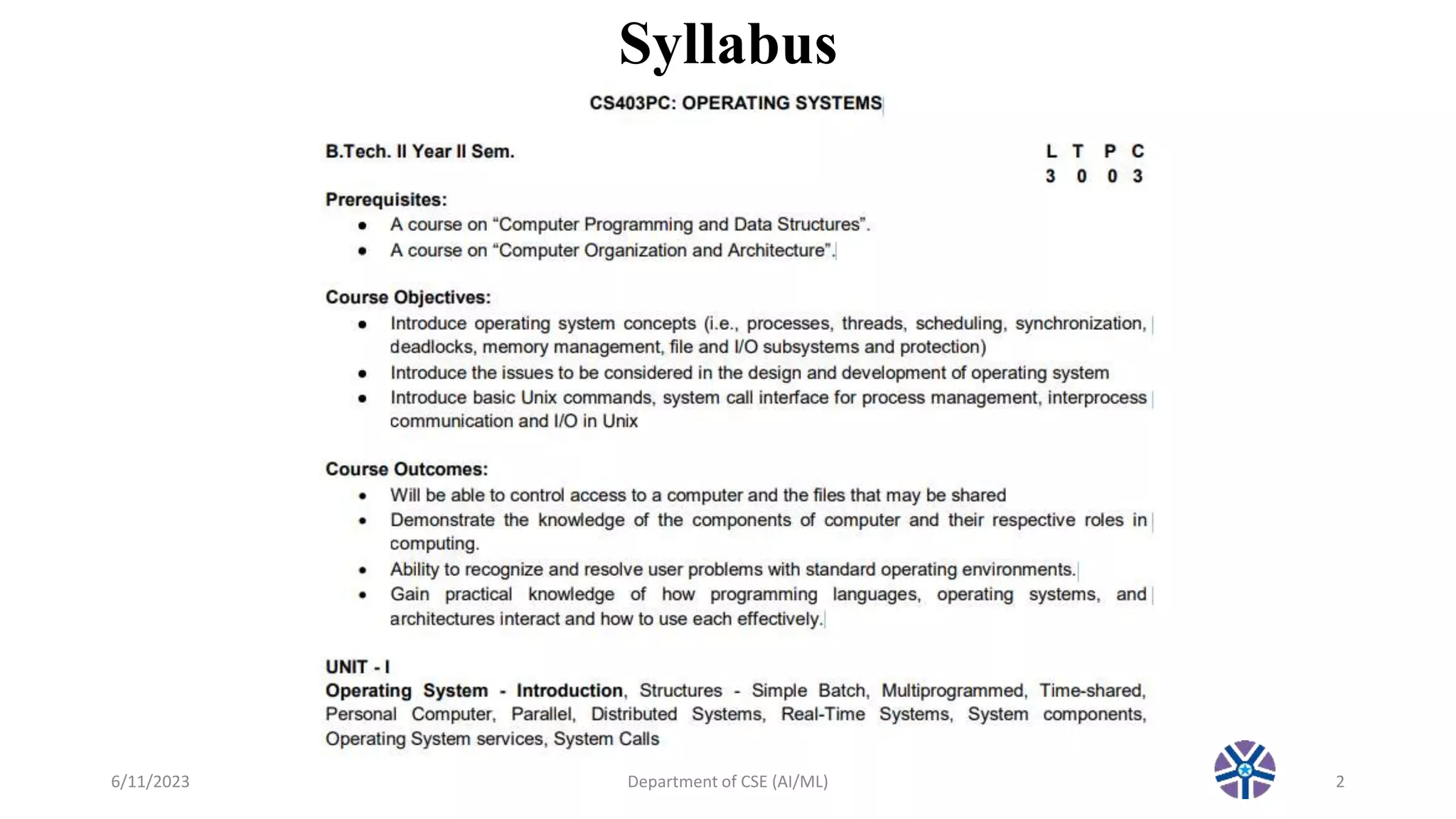
Syllabus
6/11/2023 Department of CSE (AI/ML) 2
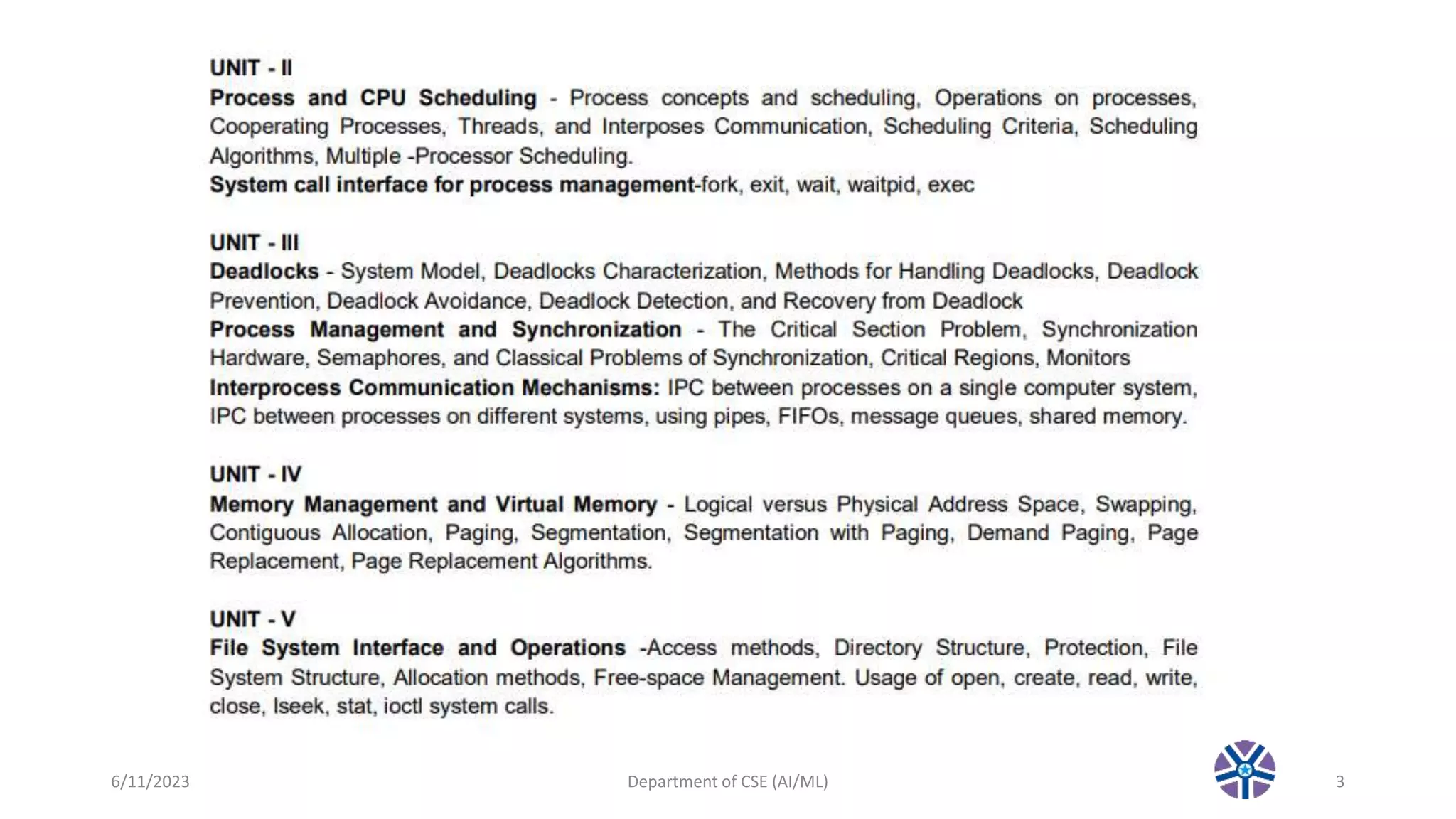
6/11/2023 Department of CSE (AI/ML) 3
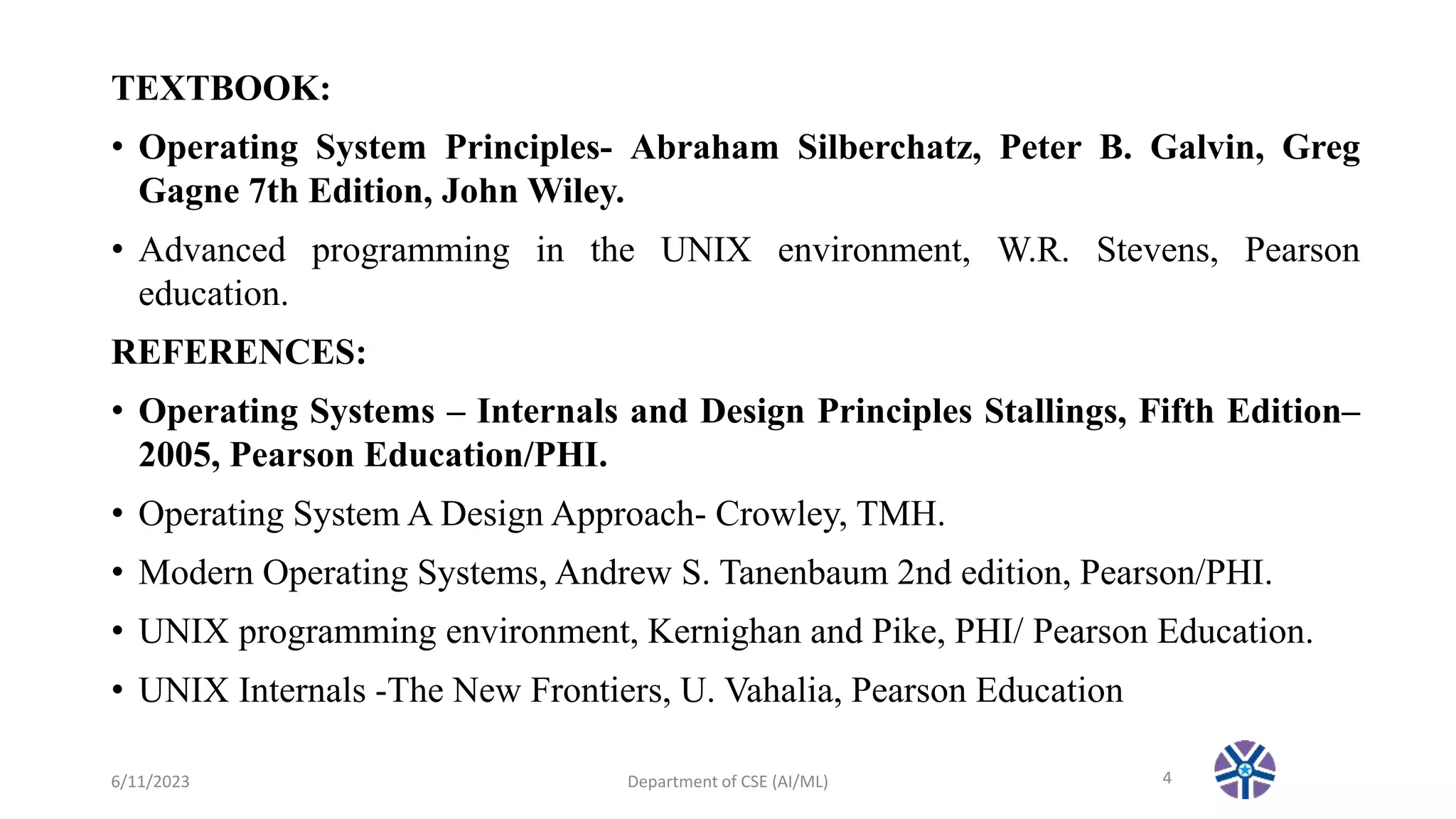
TEXTBOOK:
• Operating System Principles- Abraham Silberchatz, Peter B. Galvin, Greg
Gagne 7th Edition, John Wiley.
• Advanced programming in the UNIX environment, W.R. Stevens, Pearson
education.
REFERENCES:
• Operating Systems – Internals and Design Principles Stallings, Fifth Edition–
2005, Pearson Education/PHI.
• Operating System A Design Approach- Crowley, TMH.
• Modern Operating Systems, Andrew S. Tanenbaum 2nd edition, Pearson/PHI.
• UNIX programming environment, Kernighan and Pike, PHI/ Pearson Education.
• UNIX Internals -The New Frontiers, U. Vahalia, Pearson Education
6/11/2023 Department of CSE (AI/ML) 4
Topics covered in Lec 2
6/11/2023 Department of CSE (AI/ML) 5
UNIT – I: Operating System - Introduction, Structures - Simple Batch,
Multiprogrammed, Time-shared, Personal Computer, Parallel, Distributed
Systems, Real-Time Systems, System components, Operating System
services, System Calls.
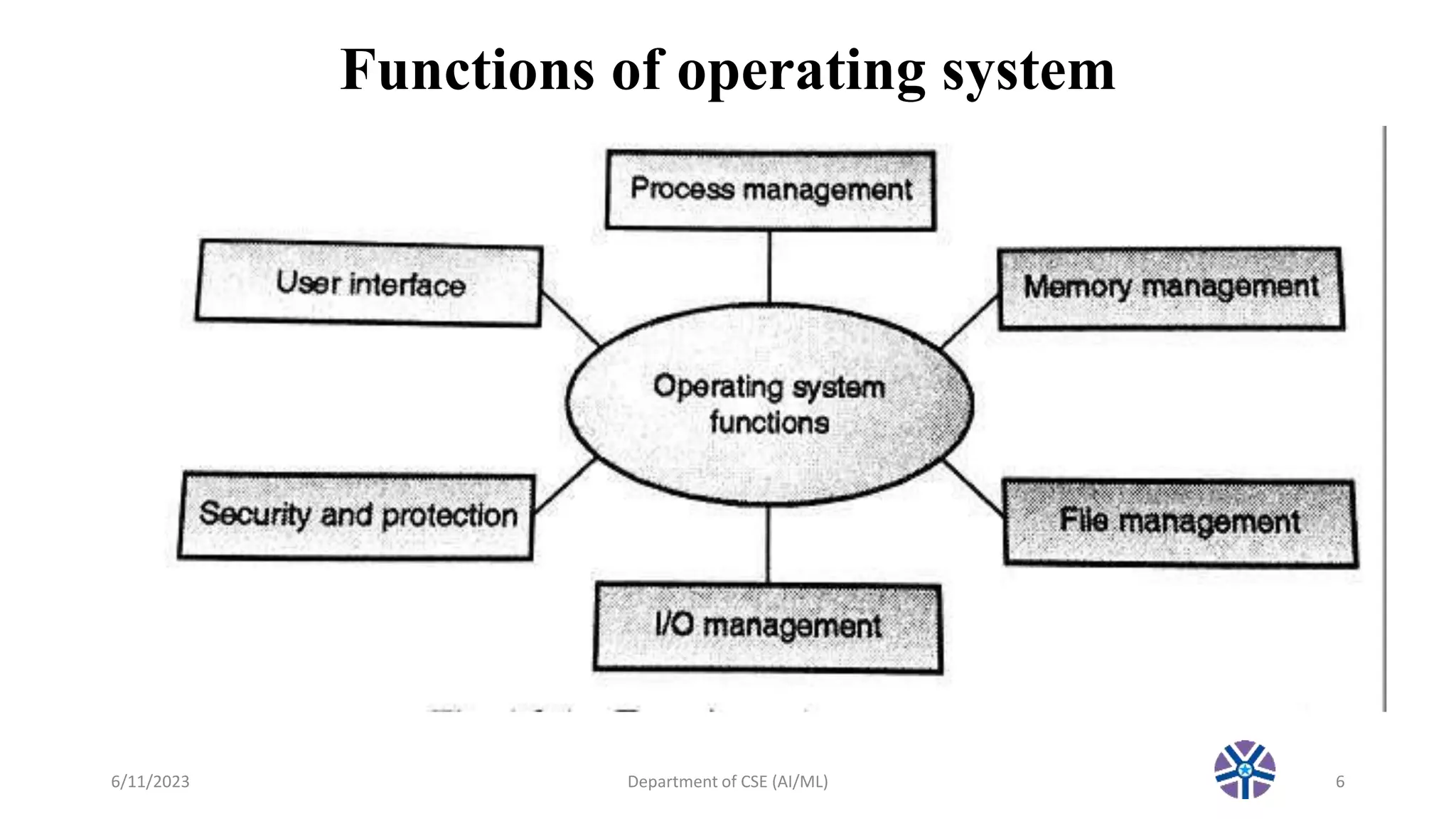
Functions of operating system
6/11/2023 Department of CSE (AI/ML) 6
Process Management
• A process is a program in execution.
• A process needs certain resources, including CPU time, memory, files, and I/O
devices to accomplish its task.
• Simultaneous execution leads to multiple processes. Hence creation, execution and
termination of a process are the most basic functionality of an OS
• If processes are dependent, than they may try to share same resources. thus task of
process synchronization comes to the picture.
• If processes are independent, than a due care needs to be taken to avoid their
overlapping in memory area.
• Based on priority, it is important to allow more important processes to execute
first than others.
6/11/2023 Department of CSE (AI/ML) 7
Memory management
• Memory is a large array of words or bytes, each with its own address.
• It is a repository of quickly accessible data shared by the CPU and I/O devices.
• Main memory is a volatile storage device. When the computer made turn off everything
stored in RAM will be erased automatically.
• In addition to the physical RAM installed in your computer, most modern operating
systems allow your computer to use a virtual memory system. Virtual memory allows your
computer to use part of a permanent storage device (such as a hard disk) as extra
memory.
• The operating system is responsible for the following activities in connections with
memory management:
Keep track of which parts of memory are currently being used and by whom.
Decide which processes to load when memory space becomes available.
Allocate and de-allocate memory space as needed.
6/11/2023 Department of CSE (AI/ML) 8
File Management
• A file is a collection of related information defined by its creator.
• File systems provide the conventions for the encoding, storage and management of data
on a storage device such as a hard disk.
FAT12 (floppy disks)
FAT16 (DOS and older versions of Windows)
FAT32 (older versions of Windows)
NTFS (newer versions of Windows)
EXT3 (Unix/Linux)
HFS+ (Max OS X)
• The operating system is responsible for the following activities in connections with file
management:
✦ File creation and deletion.
✦ Directory creation and deletion.
✦ Support of primitives for manipulating files and directories.
✦ Mapping files onto secondary storage.
✦ File backup on stable (nonvolatile) storage media.
6/11/2023 Department of CSE (AI/ML) 9
Device Management or I/O Management
• Device controllers are components on the motherboard (or on expansion
cards) that act as an interface between the CPU and the actual device.
• Device drivers, which are the operating system software components that
interact with the devices controllers.
• A special device (inside CPU) called the Interrupt Controller handles the
task of receiving interrupt requests and prioritizes them to be forwarded to
the processor.
• Deadlocks can occur when two (or more) processes have control of different
I/O resources that are needed by the other processes, and they are unwilling
to give up control of the device.
6/11/2023 Department of CSE (AI/ML) 10
Security & Protection
• The operating system uses password protection to protect user data
and similar other techniques.
• It also prevents unauthorized access to programs and user data by
assigning access right permission to files and directories.
• The owners of information stored in a multiuser or networked
computer system may want to control use of that information,
concurrent processes should not interfere with each other.
6/11/2023 Department of CSE (AI/ML) 11
User Interface Mechanism
• A user interface (UI) controls how you enter data and instructions
and how information is displayed on the screen
• There are two types of user interfaces
1. Command Line Interface
2. Graphical user Interface
6/11/2023 Department of CSE (AI/ML) 12
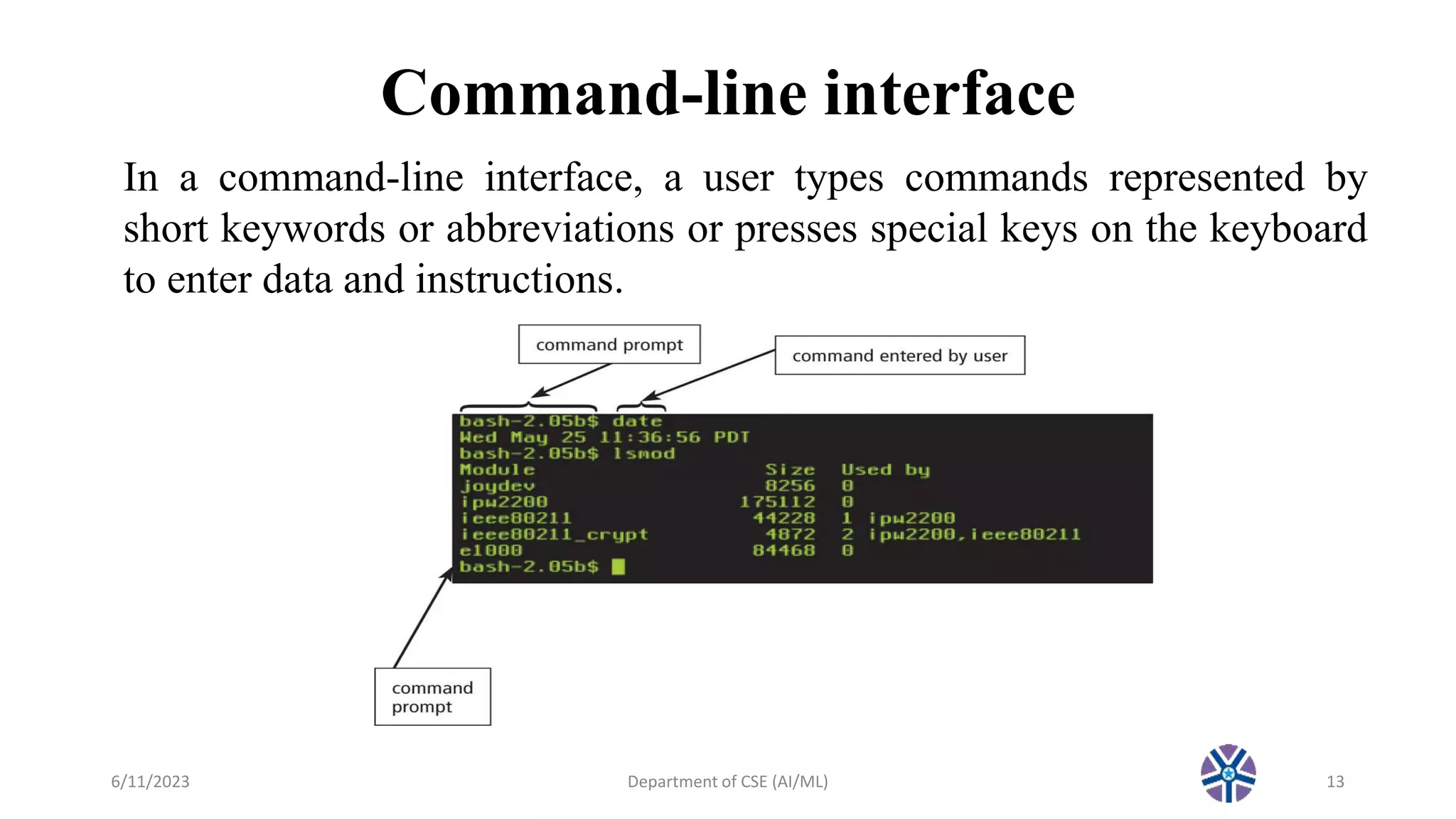
Command-line interface
6/11/2023 Department of CSE (AI/ML) 13
In a command-line interface, a user types commands represented by
short keywords or abbreviations or presses special keys on the keyboard
to enter data and instructions.
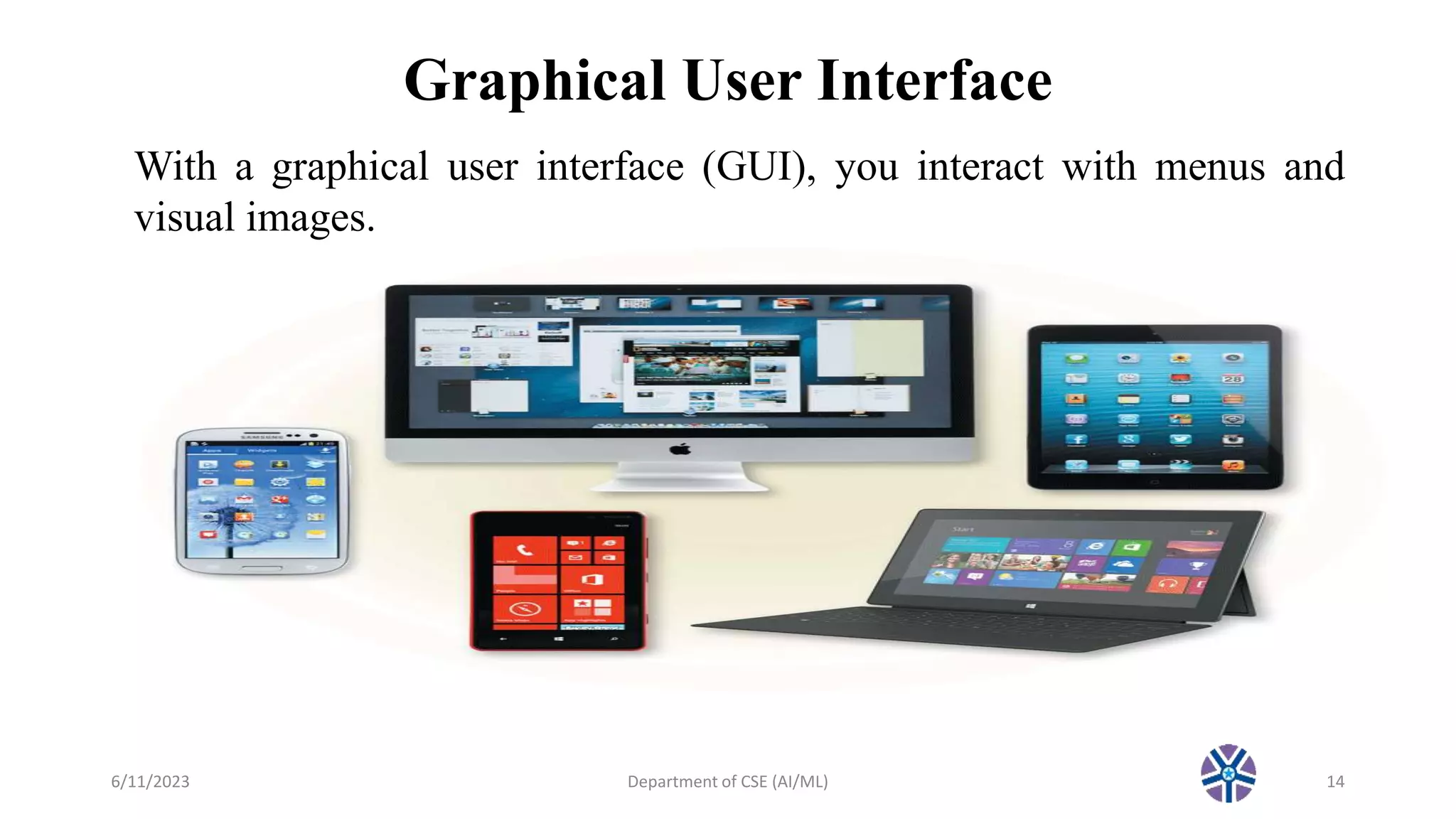
Graphical User Interface
6/11/2023 Department of CSE (AI/ML) 14
With a graphical user interface (GUI), you interact with menus and
visual images.
Popular types of OS
• Desktop Class
Windows
OS X
Unix/Linux
Chrome OS
• Server Class
Windows Server
Mac OS X Server
Unix/Linux
• Mobile Class
Android
iOS
Windows Phone
6/11/2023 Department of CSE (AI/ML) 15
Topics to be covered in next Lec 3
•Types of operating system
6/11/2023 Department of CSE (AI/ML) 16
Thank you!!!

CS403: Operating System :Lec 2 Function of OS.pptx

  • 1.
    OPERATING SYSTEM (R18 II(IISem)) Department of computer science and engineering (AI & ML) LEC 2 by Asst.Prof.M.Gokilavani VITS 6/11/2023 Department of CSE (AI/ML) 1
  • 2.
  • 3.
  • 4.
    TEXTBOOK: • Operating SystemPrinciples- Abraham Silberchatz, Peter B. Galvin, Greg Gagne 7th Edition, John Wiley. • Advanced programming in the UNIX environment, W.R. Stevens, Pearson education. REFERENCES: • Operating Systems – Internals and Design Principles Stallings, Fifth Edition– 2005, Pearson Education/PHI. • Operating System A Design Approach- Crowley, TMH. • Modern Operating Systems, Andrew S. Tanenbaum 2nd edition, Pearson/PHI. • UNIX programming environment, Kernighan and Pike, PHI/ Pearson Education. • UNIX Internals -The New Frontiers, U. Vahalia, Pearson Education 6/11/2023 Department of CSE (AI/ML) 4
  • 5.
    Topics covered inLec 2 6/11/2023 Department of CSE (AI/ML) 5 UNIT – I: Operating System - Introduction, Structures - Simple Batch, Multiprogrammed, Time-shared, Personal Computer, Parallel, Distributed Systems, Real-Time Systems, System components, Operating System services, System Calls.
  • 6.
    Functions of operatingsystem 6/11/2023 Department of CSE (AI/ML) 6
  • 7.
    Process Management • Aprocess is a program in execution. • A process needs certain resources, including CPU time, memory, files, and I/O devices to accomplish its task. • Simultaneous execution leads to multiple processes. Hence creation, execution and termination of a process are the most basic functionality of an OS • If processes are dependent, than they may try to share same resources. thus task of process synchronization comes to the picture. • If processes are independent, than a due care needs to be taken to avoid their overlapping in memory area. • Based on priority, it is important to allow more important processes to execute first than others. 6/11/2023 Department of CSE (AI/ML) 7
  • 8.
    Memory management • Memoryis a large array of words or bytes, each with its own address. • It is a repository of quickly accessible data shared by the CPU and I/O devices. • Main memory is a volatile storage device. When the computer made turn off everything stored in RAM will be erased automatically. • In addition to the physical RAM installed in your computer, most modern operating systems allow your computer to use a virtual memory system. Virtual memory allows your computer to use part of a permanent storage device (such as a hard disk) as extra memory. • The operating system is responsible for the following activities in connections with memory management: Keep track of which parts of memory are currently being used and by whom. Decide which processes to load when memory space becomes available. Allocate and de-allocate memory space as needed. 6/11/2023 Department of CSE (AI/ML) 8
  • 9.
    File Management • Afile is a collection of related information defined by its creator. • File systems provide the conventions for the encoding, storage and management of data on a storage device such as a hard disk. FAT12 (floppy disks) FAT16 (DOS and older versions of Windows) FAT32 (older versions of Windows) NTFS (newer versions of Windows) EXT3 (Unix/Linux) HFS+ (Max OS X) • The operating system is responsible for the following activities in connections with file management: ✦ File creation and deletion. ✦ Directory creation and deletion. ✦ Support of primitives for manipulating files and directories. ✦ Mapping files onto secondary storage. ✦ File backup on stable (nonvolatile) storage media. 6/11/2023 Department of CSE (AI/ML) 9
  • 10.
    Device Management orI/O Management • Device controllers are components on the motherboard (or on expansion cards) that act as an interface between the CPU and the actual device. • Device drivers, which are the operating system software components that interact with the devices controllers. • A special device (inside CPU) called the Interrupt Controller handles the task of receiving interrupt requests and prioritizes them to be forwarded to the processor. • Deadlocks can occur when two (or more) processes have control of different I/O resources that are needed by the other processes, and they are unwilling to give up control of the device. 6/11/2023 Department of CSE (AI/ML) 10
  • 11.
    Security & Protection •The operating system uses password protection to protect user data and similar other techniques. • It also prevents unauthorized access to programs and user data by assigning access right permission to files and directories. • The owners of information stored in a multiuser or networked computer system may want to control use of that information, concurrent processes should not interfere with each other. 6/11/2023 Department of CSE (AI/ML) 11
  • 12.
    User Interface Mechanism •A user interface (UI) controls how you enter data and instructions and how information is displayed on the screen • There are two types of user interfaces 1. Command Line Interface 2. Graphical user Interface 6/11/2023 Department of CSE (AI/ML) 12
  • 13.
    Command-line interface 6/11/2023 Departmentof CSE (AI/ML) 13 In a command-line interface, a user types commands represented by short keywords or abbreviations or presses special keys on the keyboard to enter data and instructions.
  • 14.
    Graphical User Interface 6/11/2023Department of CSE (AI/ML) 14 With a graphical user interface (GUI), you interact with menus and visual images.
  • 15.
    Popular types ofOS • Desktop Class Windows OS X Unix/Linux Chrome OS • Server Class Windows Server Mac OS X Server Unix/Linux • Mobile Class Android iOS Windows Phone 6/11/2023 Department of CSE (AI/ML) 15
  • 16.
    Topics to becovered in next Lec 3 •Types of operating system 6/11/2023 Department of CSE (AI/ML) 16 Thank you!!!