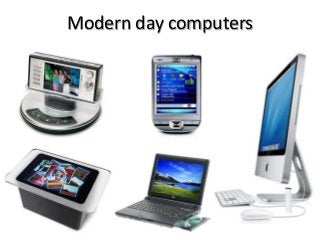
Modern day computers
Read & free download more articles on
www.dailyict.com
Modern day computers
Modern-day Computers
• Modern day computers are much advanced than
earlier computers.
• According to the size and functionality modern
computers can be categorized as follows,
– Personal Computers
– Network Servers
– Mini-Computers
– Mainframe Computers
– Supercomputers
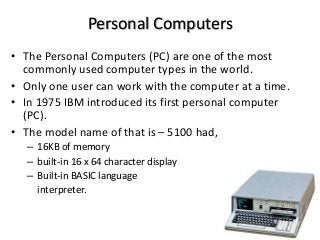
Personal Computers
• The Personal Computers (PC) are one of the most
commonly used computer types in the world.
• Only one user can work with the computer at a time.
• In 1975 IBM introduced its first personal computer
(PC).
• The model name of that is – 5100 had,
– 16KB of memory
– built-in 16 x 64 character display
– Built-in BASIC language
interpreter.
PC cont………..
• Also know as micro-computers because of the size of
the computer system.
• The following are some types of personal computers,
– Desktop Computers
– Workstations
– Notebook computers
– Tablet PCs
– Hand-held personal computers
– Smart Phones
Desktop Computers
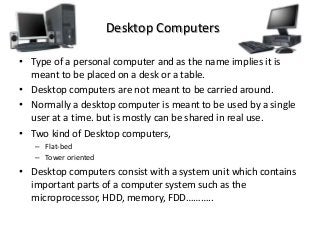
• Type of a personal computer and as the name implies it is
meant to be placed on a desk or a table.
• Desktop computers are not meant to be carried around.
• Normally a desktop computer is meant to be used by a single
user at a time. but is mostly can be shared in real use.
• Two kind of Desktop computers,
– Flat-bed
– Tower oriented
• Desktop computers consist with a system unit which contains
important parts of a computer system such as the
microprocessor, HDD, memory, FDD………..
Workstations
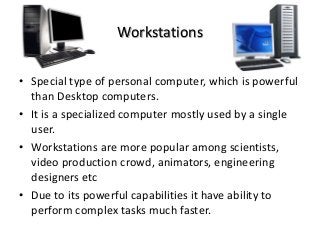
• Special type of personal computer, which is powerful
than Desktop computers.
• It is a specialized computer mostly used by a single
user.
• Workstations are more popular among scientists,
video production crowd, animators, engineering
designers etc
• Due to its powerful capabilities it have ability to
perform complex tasks much faster.
Notebook
Computers
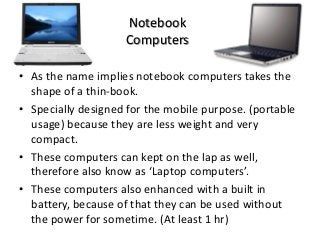
• As the name implies notebook computers takes the
shape of a thin-book.
• Specially designed for the mobile purpose. (portable
usage) because they are less weight and very
compact.
• These computers can kept on the lap as well,
therefore also know as ‘Laptop computers’.
• These computers also enhanced with a built in
battery, because of that they can be used without
the power for sometime. (At least 1 hr)
Tablet PCs
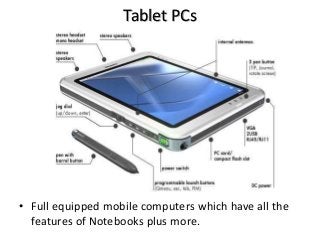
• Full equipped mobile computers which have all the
features of Notebooks plus more.
Tablet PCs Cont….
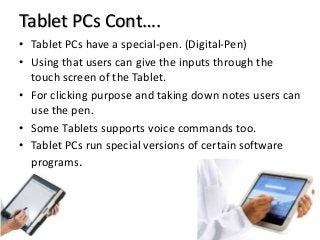
• Tablet PCs have a special-pen. (Digital-Pen)
• Using that users can give the inputs through the
touch screen of the Tablet.
• For clicking purpose and taking down notes users can
use the pen.
• Some Tablets supports voice commands too.
• Tablet PCs run special versions of certain software
programs.
Hand-held
personal computers
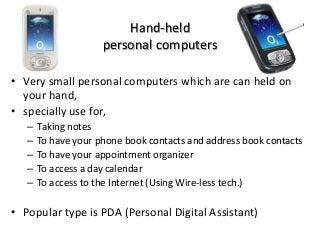
• Very small personal computers which are can held on
your hand,
• specially use for,
– Taking notes
– To have your phone book contacts and address book contacts
– To have your appointment organizer
– To access a day calendar
– To access to the Internet (Using Wire-less tech.)
• Popular type is PDA (Personal Digital Assistant)
Smart Phones
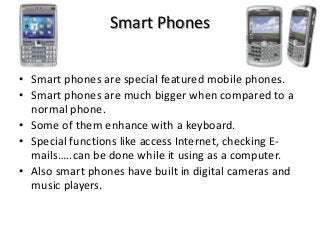
• Smart phones are special featured mobile phones.
• Smart phones are much bigger when compared to a
normal phone.
• Some of them enhance with a keyboard.
• Special functions like access Internet, checking E-
mails…..can be done while it using as a computer.
• Also smart phones have built in digital cameras and
music players.
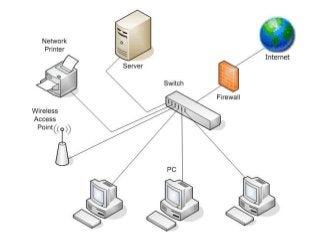
Network Servers
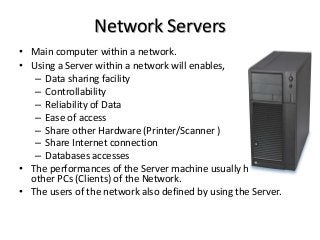
• Main computer within a network.
• Using a Server within a network will enables,
– Data sharing facility
– Controllability
– Reliability of Data
– Ease of access
– Share other Hardware (Printer/Scanner )
– Share Internet connection
– Databases accesses
• The performances of the Server machine usually higher than
other PCs (Clients) of the Network.
• The users of the network also defined by using the Server.
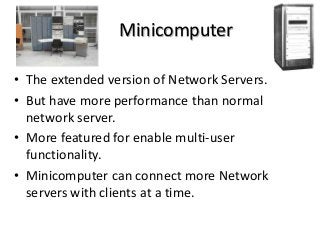
Minicomputer
• The extended version of Network Servers.
• But have more performance than normal
network server.
• More featured for enable multi-user
functionality.
• Minicomputer can connect more Network
servers with clients at a time.
Mainframe Computers
• Much larger powerful system.
• Can handle many Net. Servers, Minicomputers & Clients (PCs)
at a time.
• A large mainframe computer can handle even more than 1000
users at a time.
• But mainframes are less-flexible. Because one mainframe can
perform limited number of tasks.
• Most of the times Mainframes are company oriented.
E.g.- A Mainframe within a company cant be use by another
company for a different purpose.
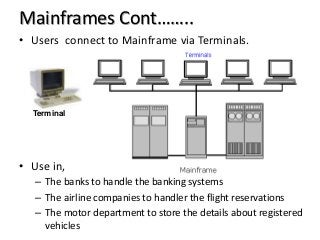
Mainframes Cont……..
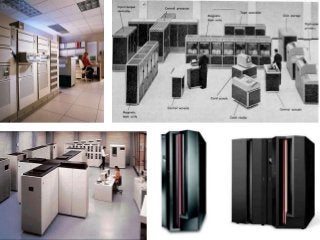
• Users connect to Mainframe via Terminals.
• Use in,
– The banks to handle the banking systems
– The airline companies to handler the flight reservations
– The motor department to store the details about registered
vehicles
Terminal
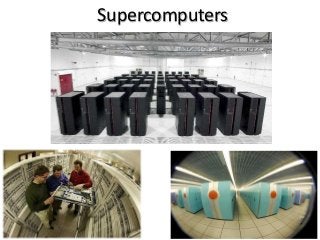
Supercomputers
Supercomputers Cont…………..
• Most powerful computers currently available.
• Main features are,
– Complicated
– Expensive
– Use state-of-the-art (Modern tech. at its best)
• Supercomputers are designed to perform large
amounts of workloads.
• A supercomputer may have thousands of
micro-processors in it and provides processing
speeds.
Supercomputer cont…..
• Supercomputers use in the simulation and
modeling of complex systems.
E.g.-
-Weather
-Chemical processes
-US economic predictions
-Motion of galaxies (by NASA)
Thanks for join us
FREE download tutorials & papers
click on here
www.dailyict.com
Modern day computers

  • 1.
    Modern day computers Read& free download more articles on www.dailyict.com
  • 2.
  • 3.
    Modern-day Computers • Modernday computers are much advanced than earlier computers. • According to the size and functionality modern computers can be categorized as follows, – Personal Computers – Network Servers – Mini-Computers – Mainframe Computers – Supercomputers
  • 4.
    Personal Computers • ThePersonal Computers (PC) are one of the most commonly used computer types in the world. • Only one user can work with the computer at a time. • In 1975 IBM introduced its first personal computer (PC). • The model name of that is – 5100 had, – 16KB of memory – built-in 16 x 64 character display – Built-in BASIC language interpreter.
  • 5.
    PC cont……….. • Alsoknow as micro-computers because of the size of the computer system. • The following are some types of personal computers, – Desktop Computers – Workstations – Notebook computers – Tablet PCs – Hand-held personal computers – Smart Phones
  • 6.
    Desktop Computers • Typeof a personal computer and as the name implies it is meant to be placed on a desk or a table. • Desktop computers are not meant to be carried around. • Normally a desktop computer is meant to be used by a single user at a time. but is mostly can be shared in real use. • Two kind of Desktop computers, – Flat-bed – Tower oriented • Desktop computers consist with a system unit which contains important parts of a computer system such as the microprocessor, HDD, memory, FDD………..
  • 7.
    Workstations • Special typeof personal computer, which is powerful than Desktop computers. • It is a specialized computer mostly used by a single user. • Workstations are more popular among scientists, video production crowd, animators, engineering designers etc • Due to its powerful capabilities it have ability to perform complex tasks much faster.
  • 8.
    Notebook Computers • As thename implies notebook computers takes the shape of a thin-book. • Specially designed for the mobile purpose. (portable usage) because they are less weight and very compact. • These computers can kept on the lap as well, therefore also know as ‘Laptop computers’. • These computers also enhanced with a built in battery, because of that they can be used without the power for sometime. (At least 1 hr)
  • 9.
    Tablet PCs • Fullequipped mobile computers which have all the features of Notebooks plus more.
  • 10.
    Tablet PCs Cont…. •Tablet PCs have a special-pen. (Digital-Pen) • Using that users can give the inputs through the touch screen of the Tablet. • For clicking purpose and taking down notes users can use the pen. • Some Tablets supports voice commands too. • Tablet PCs run special versions of certain software programs.
  • 11.
    Hand-held personal computers • Verysmall personal computers which are can held on your hand, • specially use for, – Taking notes – To have your phone book contacts and address book contacts – To have your appointment organizer – To access a day calendar – To access to the Internet (Using Wire-less tech.) • Popular type is PDA (Personal Digital Assistant)
  • 12.
    Smart Phones • Smartphones are special featured mobile phones. • Smart phones are much bigger when compared to a normal phone. • Some of them enhance with a keyboard. • Special functions like access Internet, checking E- mails…..can be done while it using as a computer. • Also smart phones have built in digital cameras and music players.
  • 13.
    Network Servers • Maincomputer within a network. • Using a Server within a network will enables, – Data sharing facility – Controllability – Reliability of Data – Ease of access – Share other Hardware (Printer/Scanner ) – Share Internet connection – Databases accesses • The performances of the Server machine usually higher than other PCs (Clients) of the Network. • The users of the network also defined by using the Server.
  • 15.
    Minicomputer • The extendedversion of Network Servers. • But have more performance than normal network server. • More featured for enable multi-user functionality. • Minicomputer can connect more Network servers with clients at a time.
  • 16.
    Mainframe Computers • Muchlarger powerful system. • Can handle many Net. Servers, Minicomputers & Clients (PCs) at a time. • A large mainframe computer can handle even more than 1000 users at a time. • But mainframes are less-flexible. Because one mainframe can perform limited number of tasks. • Most of the times Mainframes are company oriented. E.g.- A Mainframe within a company cant be use by another company for a different purpose.
  • 18.
    Mainframes Cont…….. • Usersconnect to Mainframe via Terminals. • Use in, – The banks to handle the banking systems – The airline companies to handler the flight reservations – The motor department to store the details about registered vehicles Terminal
  • 19.
  • 20.
    Supercomputers Cont………….. • Mostpowerful computers currently available. • Main features are, – Complicated – Expensive – Use state-of-the-art (Modern tech. at its best) • Supercomputers are designed to perform large amounts of workloads. • A supercomputer may have thousands of micro-processors in it and provides processing speeds.
  • 21.
    Supercomputer cont….. • Supercomputersuse in the simulation and modeling of complex systems. E.g.- -Weather -Chemical processes -US economic predictions -Motion of galaxies (by NASA)
  • 22.
    Thanks for joinus FREE download tutorials & papers click on here www.dailyict.com