Multi Stage Docker
For fun and profit
Three Questions to Answer
1. What are multi-stage docker images?
Three Questions to Answer
1. What are multi-stage docker images?
2. Why would I want to use a multi-stage docker image?
Three Questions to Answer
1. What are multi-stage docker images?
2. Why would I want to use a multi-stage docker image?
3. How do I use a multi-stage docker image?
Three Questions to Answer
1. What are multi-stage docker images?
2. Why would I want to use a multi-stage docker image?
3. How do I use a multi-stage docker image?
But… I’m not going to answer them in that order
Why use a multi stage image?
We had a Single Page App…
Why use a multi stage image?
We had a Single Page App…
We wanted to pre-render it to static files…
Why use a multi stage image?
We had a Single Page App…
We wanted to pre-render it to static files…
This used a headless chrome install…
Why use a multi stage image?
We had a Single Page App…
We wanted to pre-render it to static files…
This used a headless chrome install…
Also we wanted to serve the static files with a Perl6 Cro app…
Why use a multi stage image?
We had a Single Page App…
We wanted to pre-render it to static files…
This used a headless chrome install…
Also we wanted to serve the static files with a Perl6 Cro app...
Which caused problems because of Docker layers.
Layers and problems with them
Docker files never get smaller
Layers and problems with them
Docker files never get smaller
Each command in a Docker file creates a new layer.
Layers and problems with them
Docker files never get smaller
Each command in a Docker file creates a new layer.
Once a layer is added the image is expanded to that size.
Layers and problems with them
Docker files never get smaller
Each command in a Docker file creates a new layer.
Once a layer is added the image is expanded to that size.
Deleting anything in a later layer will remove the data but not shrink the layer.
Layers and problems with them
Docker files never get smaller
Each command in a Docker file creates a new layer.
Once a layer is added the image is expanded to that size.
Deleting anything in a later layer will remove the data but not shrink the layer.
Generally this is good and allows for caching and building up complex images.
Layers and problems with them
Docker files never get smaller
Each command in a Docker file creates a new layer.
Once a layer is added the image is expanded to that size.
Deleting anything in a later layer will remove the data but not shrink the layer.
Generally this is good and allows for caching and building up complex images.
But it can be a pain if you want a small image but need something big during creation.
What is a multi stage image?
Various solutions available generally involving
● Building an image with a mounted volume
● Building a second image and copying the data that was written to the volume
But these are brittle and a pain to maintain.
What would be awesome is to have some way of doing something like that in a single
Dockerfile.
Guess what? That’s what a multi stage image is.
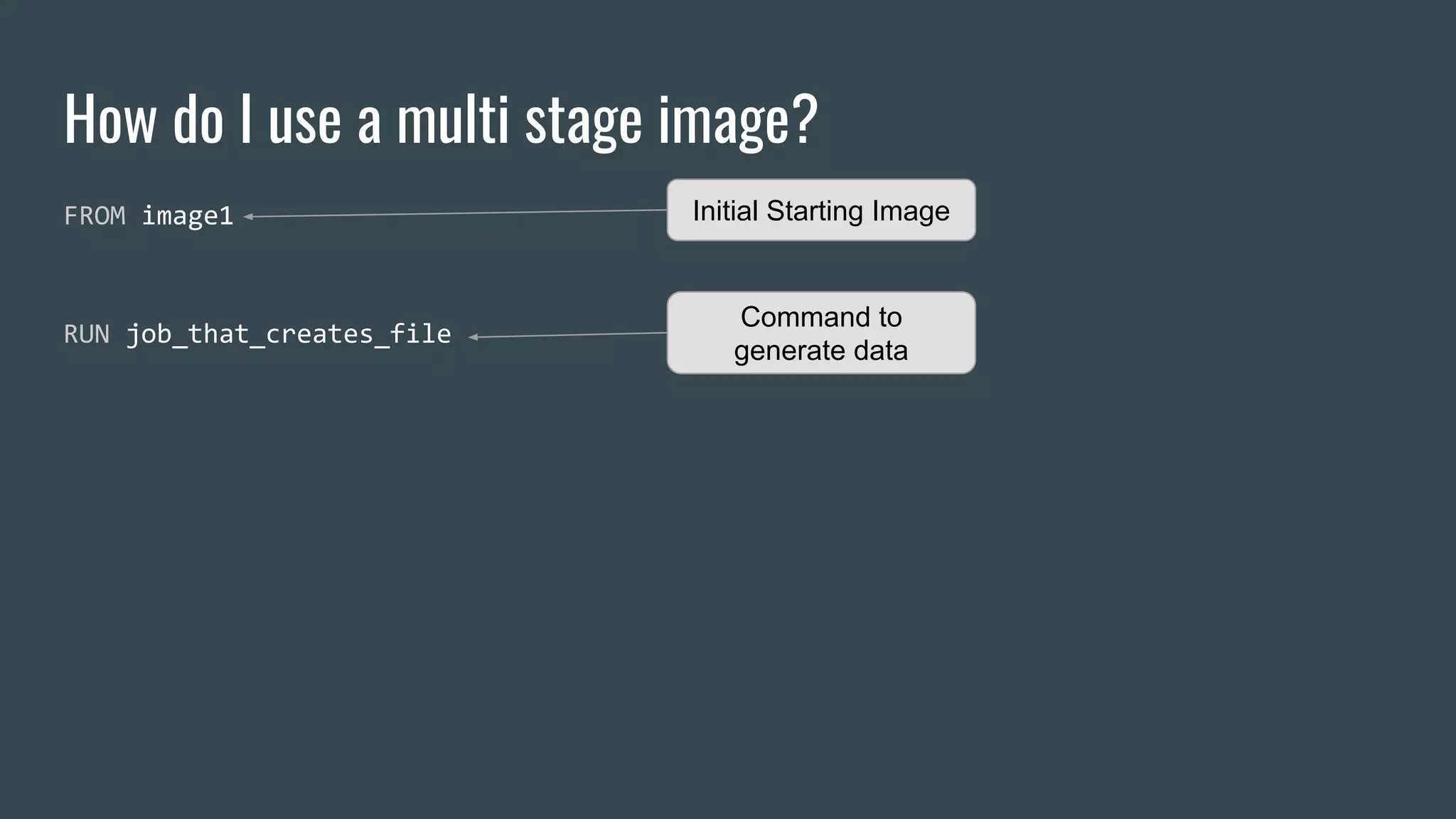
How do I use a multi stage image?
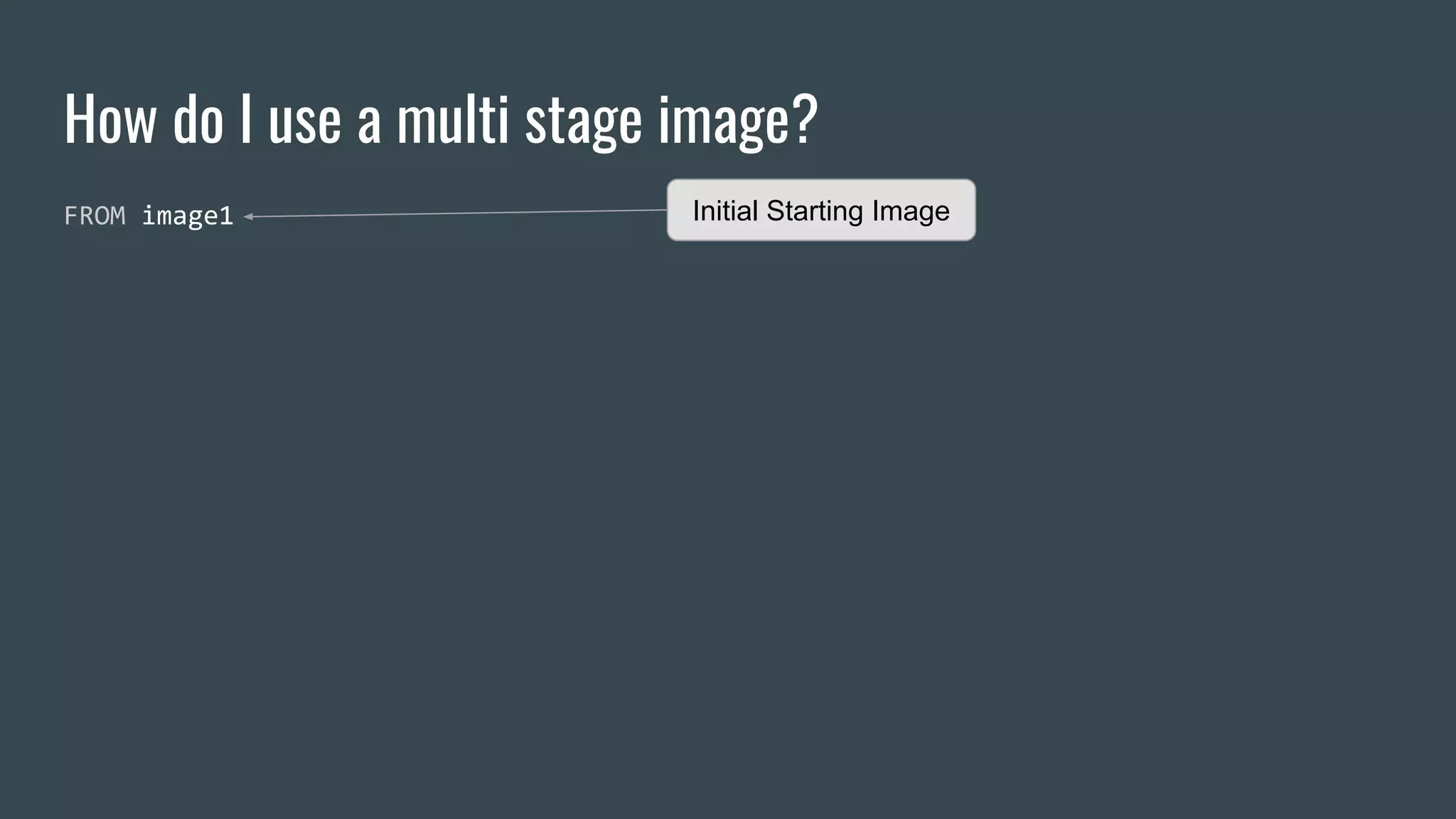
FROM image1 Initial Starting Image
How do I use a multi stage image?
FROM image1
RUN job_that_creates_file
Initial Starting Image
Command to
generate data
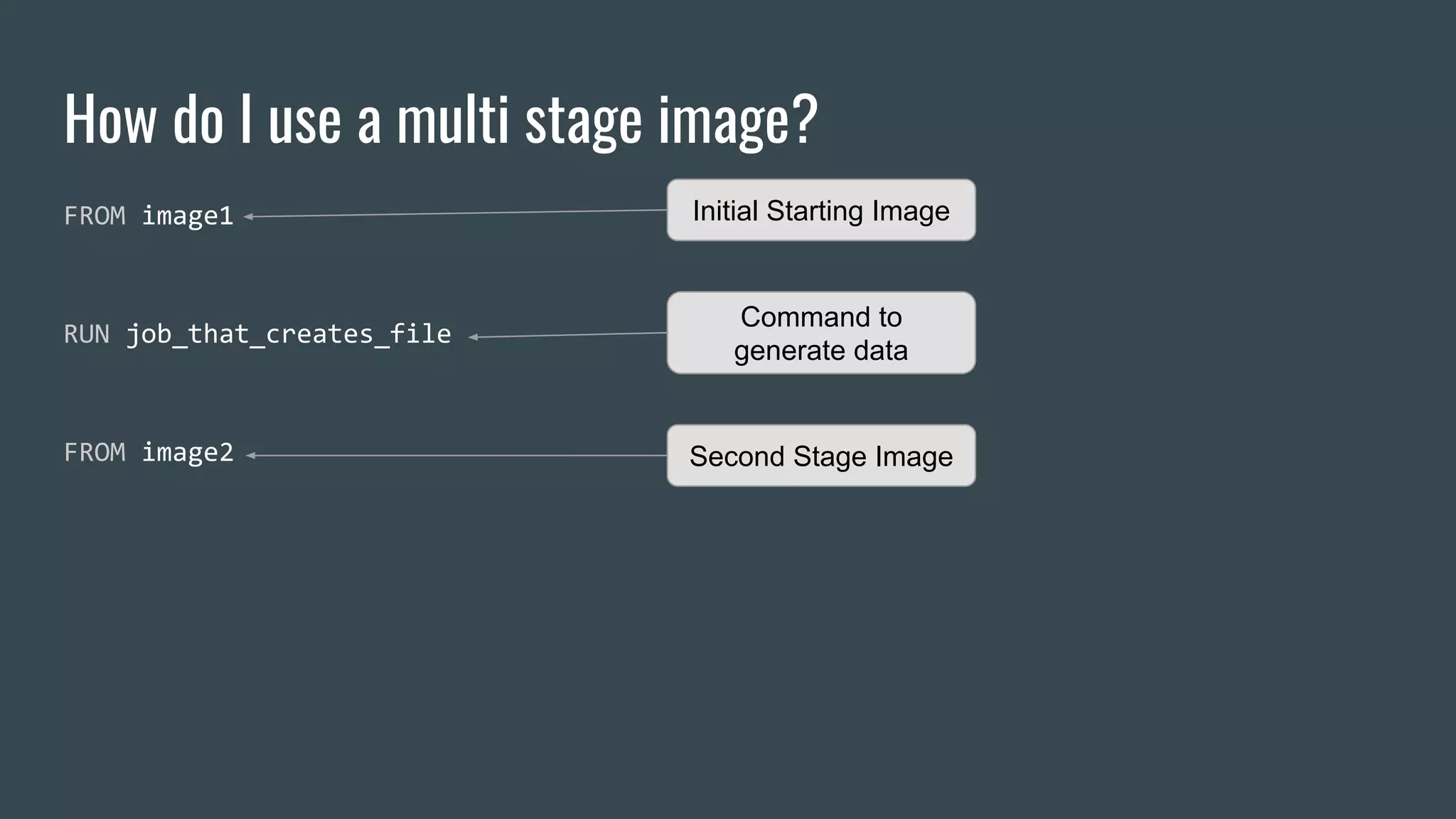
How do I use a multi stage image?
FROM image1
RUN job_that_creates_file
FROM image2
Initial Starting Image
Command to
generate data
Second Stage Image
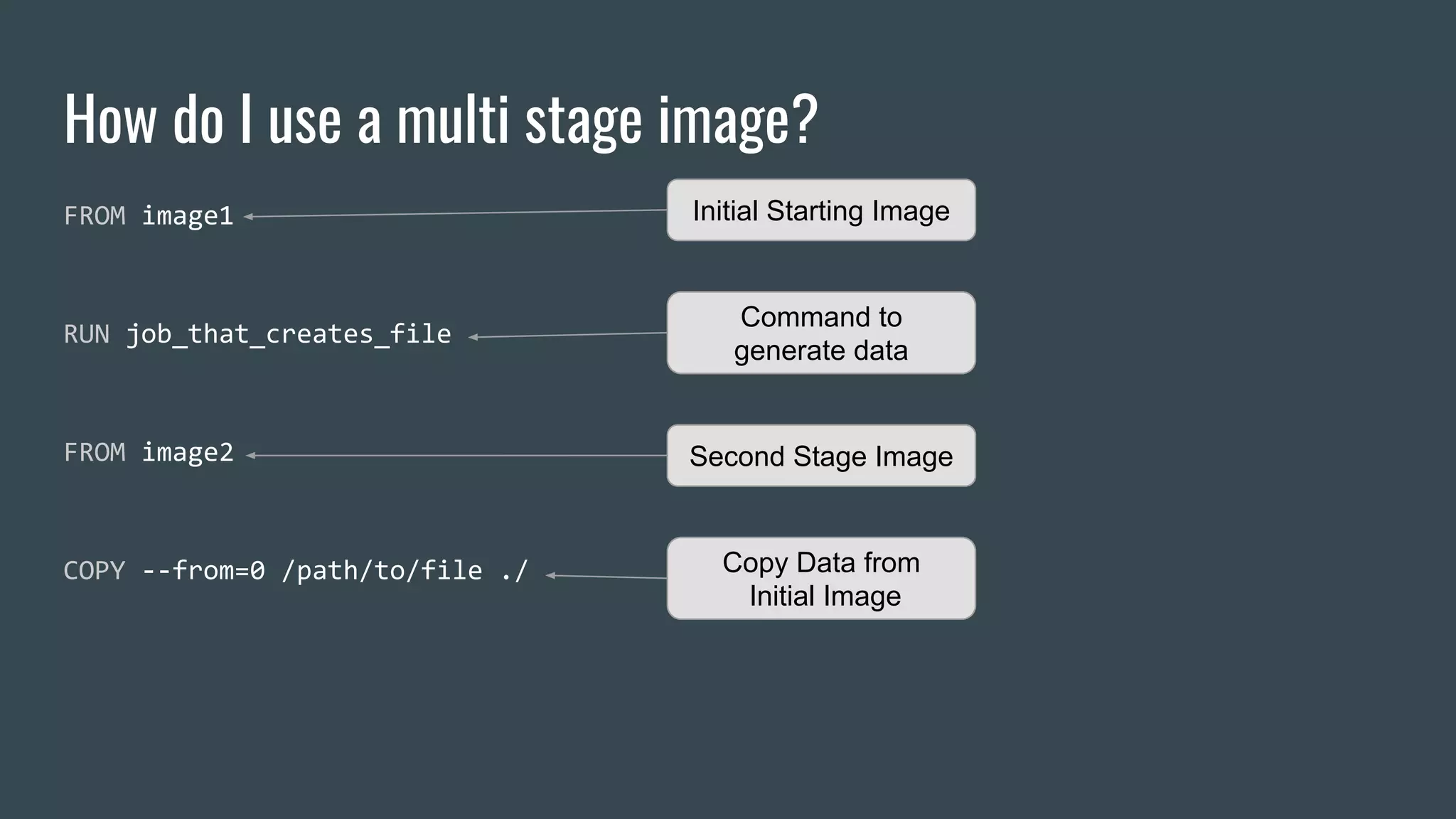
How do I use a multi stage image?
FROM image1
RUN job_that_creates_file
FROM image2
COPY --from=0 /path/to/file ./
Initial Starting Image
Command to
generate data
Second Stage Image
Copy Data from
Initial Image
Named Stages
FROM image1
RUN job_that_creates_file
FROM image2
COPY --from=0 /path/to/file ./
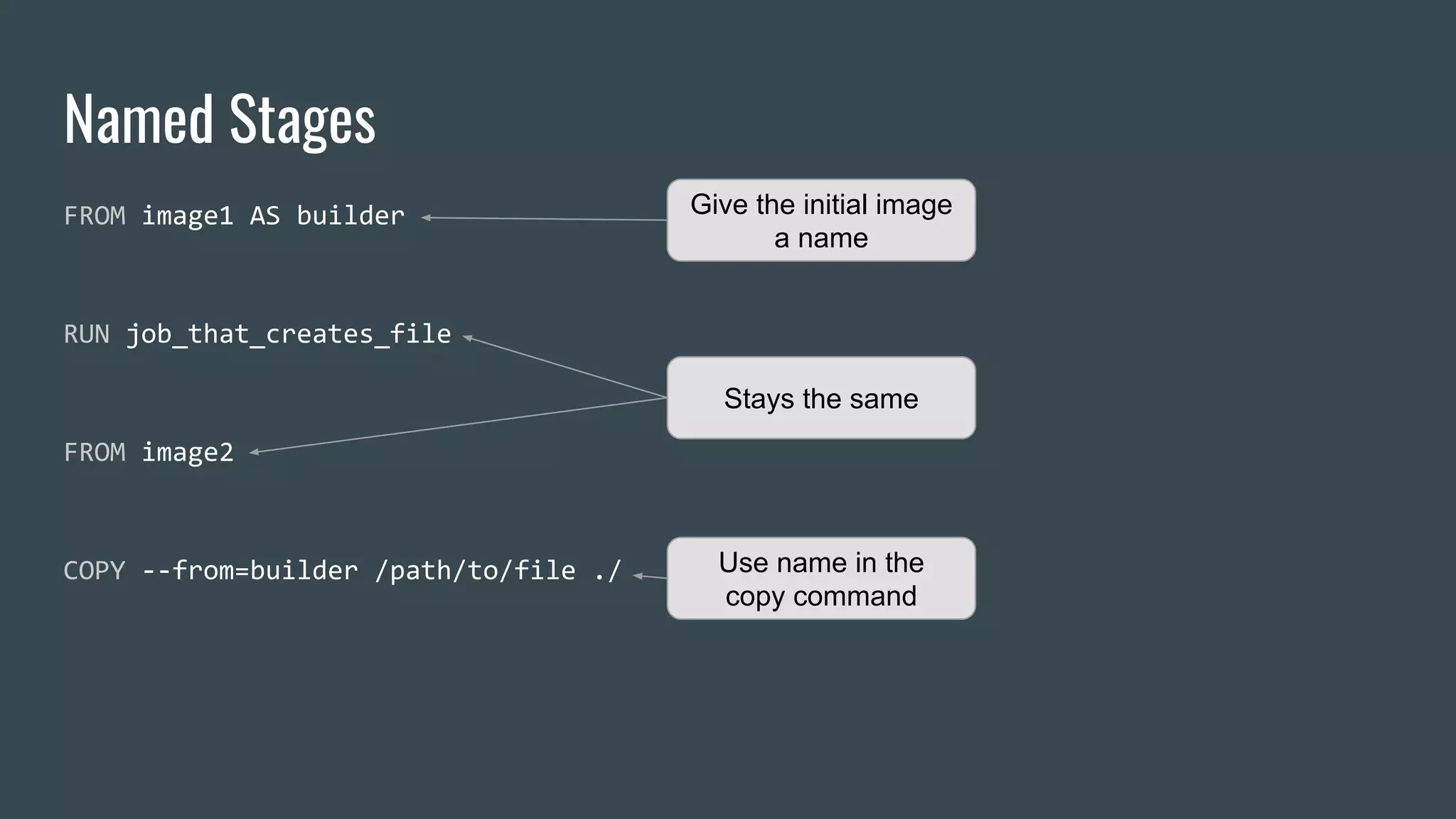
Named Stages
FROM image1 AS builder
RUN job_that_creates_file
FROM image2
COPY --from=builder /path/to/file ./
Give the initial image
a name
Stays the same
Use name in the
copy command
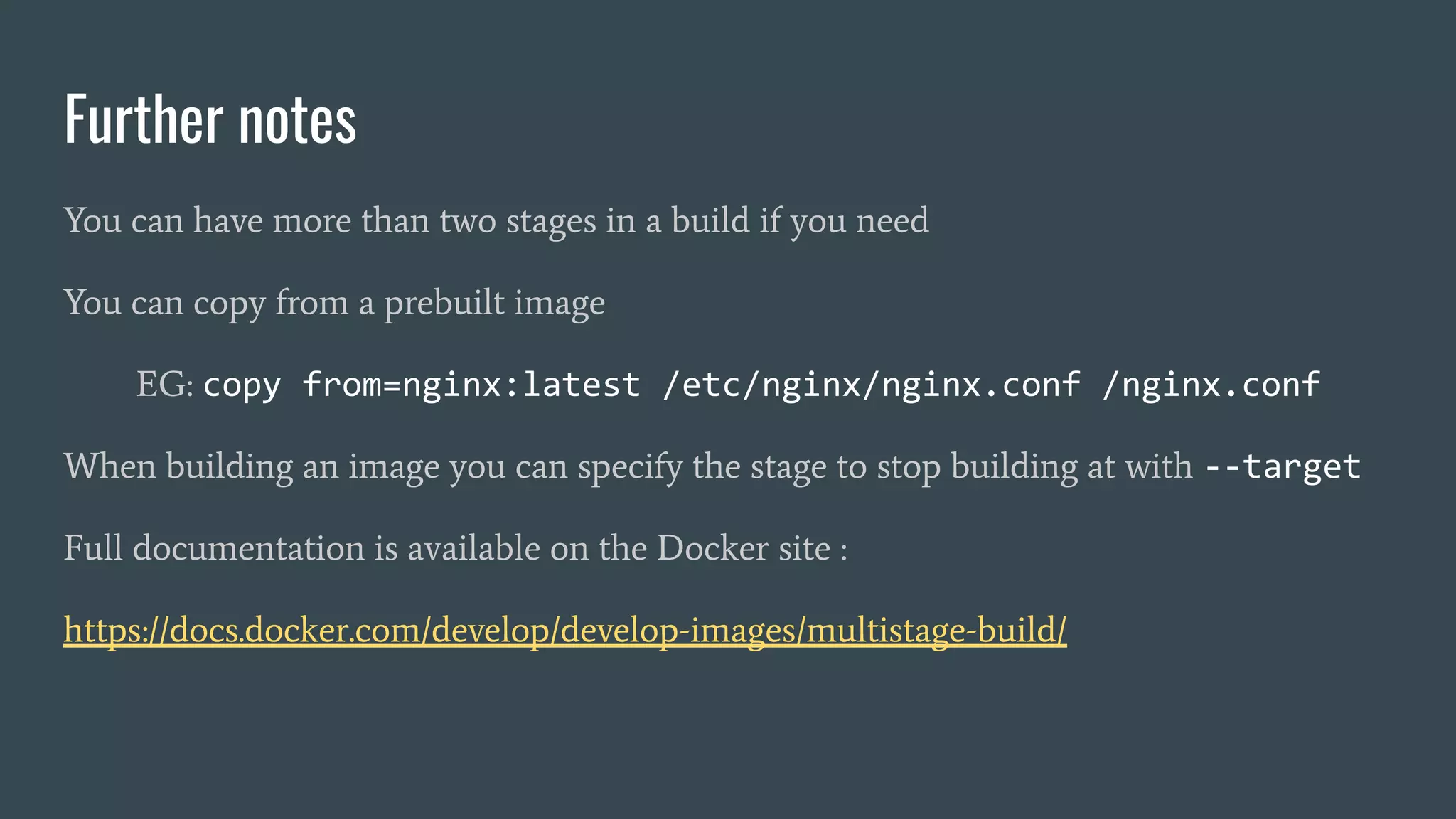
Further notes
You can have more than two stages in a build if you need
You can copy from a prebuilt image
EG: copy from=nginx:latest /etc/nginx/nginx.conf /nginx.conf
When building an image you can specify the stage to stop building at with --target
Full documentation is available on the Docker site :
https://docs.docker.com/develop/develop-images/multistage-build/
About Me
I’m Simon Proctor
Tech Lead at Zoopla working mostly in Devops and Backend stuff
We’re hiring
https://careers.zoopla.co.uk/
Questions?
Thanks to our sponsors

Multi stage docker

  • 1.
    Multi Stage Docker Forfun and profit
  • 2.
  • 3.
    Three Questions toAnswer 1. What are multi-stage docker images?
  • 4.
    Three Questions toAnswer 1. What are multi-stage docker images? 2. Why would I want to use a multi-stage docker image?
  • 5.
    Three Questions toAnswer 1. What are multi-stage docker images? 2. Why would I want to use a multi-stage docker image? 3. How do I use a multi-stage docker image?
  • 6.
    Three Questions toAnswer 1. What are multi-stage docker images? 2. Why would I want to use a multi-stage docker image? 3. How do I use a multi-stage docker image? But… I’m not going to answer them in that order
  • 7.
    Why use amulti stage image?
  • 8.
    Why use amulti stage image? We had a Single Page App…
  • 9.
    Why use amulti stage image? We had a Single Page App… We wanted to pre-render it to static files…
  • 10.
    Why use amulti stage image? We had a Single Page App… We wanted to pre-render it to static files… This used a headless chrome install…
  • 11.
    Why use amulti stage image? We had a Single Page App… We wanted to pre-render it to static files… This used a headless chrome install… Also we wanted to serve the static files with a Perl6 Cro app…
  • 12.
    Why use amulti stage image? We had a Single Page App… We wanted to pre-render it to static files… This used a headless chrome install… Also we wanted to serve the static files with a Perl6 Cro app... Which caused problems because of Docker layers.
  • 13.
    Layers and problemswith them Docker files never get smaller
  • 14.
    Layers and problemswith them Docker files never get smaller Each command in a Docker file creates a new layer.
  • 15.
    Layers and problemswith them Docker files never get smaller Each command in a Docker file creates a new layer. Once a layer is added the image is expanded to that size.
  • 16.
    Layers and problemswith them Docker files never get smaller Each command in a Docker file creates a new layer. Once a layer is added the image is expanded to that size. Deleting anything in a later layer will remove the data but not shrink the layer.
  • 17.
    Layers and problemswith them Docker files never get smaller Each command in a Docker file creates a new layer. Once a layer is added the image is expanded to that size. Deleting anything in a later layer will remove the data but not shrink the layer. Generally this is good and allows for caching and building up complex images.
  • 18.
    Layers and problemswith them Docker files never get smaller Each command in a Docker file creates a new layer. Once a layer is added the image is expanded to that size. Deleting anything in a later layer will remove the data but not shrink the layer. Generally this is good and allows for caching and building up complex images. But it can be a pain if you want a small image but need something big during creation.
  • 19.
    What is amulti stage image? Various solutions available generally involving ● Building an image with a mounted volume ● Building a second image and copying the data that was written to the volume But these are brittle and a pain to maintain. What would be awesome is to have some way of doing something like that in a single Dockerfile. Guess what? That’s what a multi stage image is.
  • 20.
    How do Iuse a multi stage image?
  • 21.
    How do Iuse a multi stage image? FROM image1 Initial Starting Image
  • 22.
    How do Iuse a multi stage image? FROM image1 RUN job_that_creates_file Initial Starting Image Command to generate data
  • 23.
    How do Iuse a multi stage image? FROM image1 RUN job_that_creates_file FROM image2 Initial Starting Image Command to generate data Second Stage Image
  • 24.
    How do Iuse a multi stage image? FROM image1 RUN job_that_creates_file FROM image2 COPY --from=0 /path/to/file ./ Initial Starting Image Command to generate data Second Stage Image Copy Data from Initial Image
  • 25.
    Named Stages FROM image1 RUNjob_that_creates_file FROM image2 COPY --from=0 /path/to/file ./
  • 26.
    Named Stages FROM image1AS builder RUN job_that_creates_file FROM image2 COPY --from=builder /path/to/file ./ Give the initial image a name Stays the same Use name in the copy command
  • 27.
    Further notes You canhave more than two stages in a build if you need You can copy from a prebuilt image EG: copy from=nginx:latest /etc/nginx/nginx.conf /nginx.conf When building an image you can specify the stage to stop building at with --target Full documentation is available on the Docker site : https://docs.docker.com/develop/develop-images/multistage-build/
  • 28.
    About Me I’m SimonProctor Tech Lead at Zoopla working mostly in Devops and Backend stuff We’re hiring https://careers.zoopla.co.uk/
  • 29.
  • 30.
    Thanks to oursponsors