


















UPDATES
What You Need to Know
Version 1.0.4
Periscope is a Twitter-owned
live streaming app.
Periscope allows you to broadcast
LIVE video from anywhere.
If you are not on it, you should be.
Here’s how:
Here’s how:Click to discover Periscope:
So, what’s new in iOS version 1.0.4?
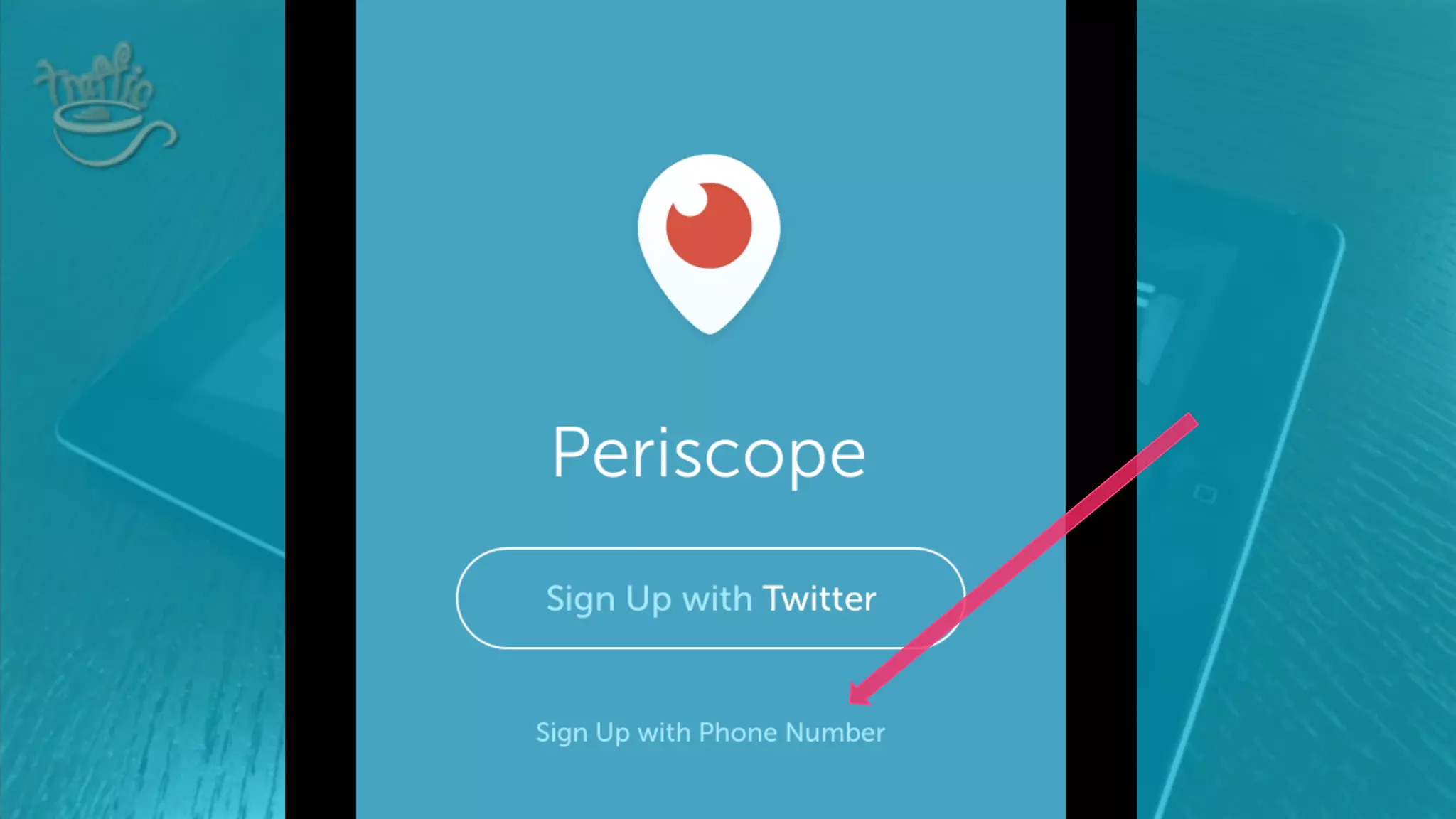
You can now sign up for Periscope
with your phone number in addition
to signing up with Twitter
1
Personally, I wouldn’t do it – connecting Periscope
with your Twitter account is a huge engagement
opportunity, especially for businesses.
However, if you really want to,
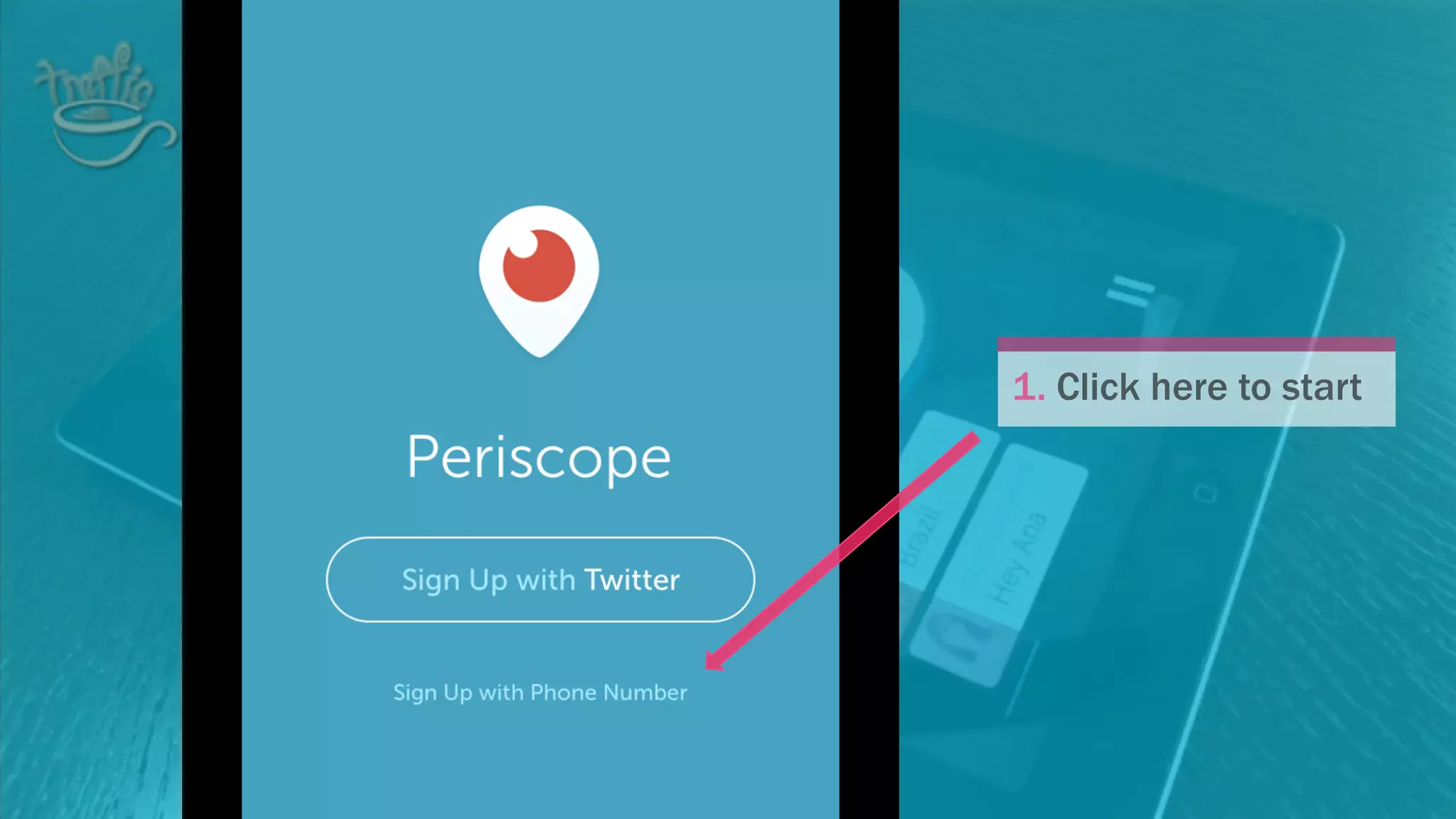
here’s how
1. Click here to start
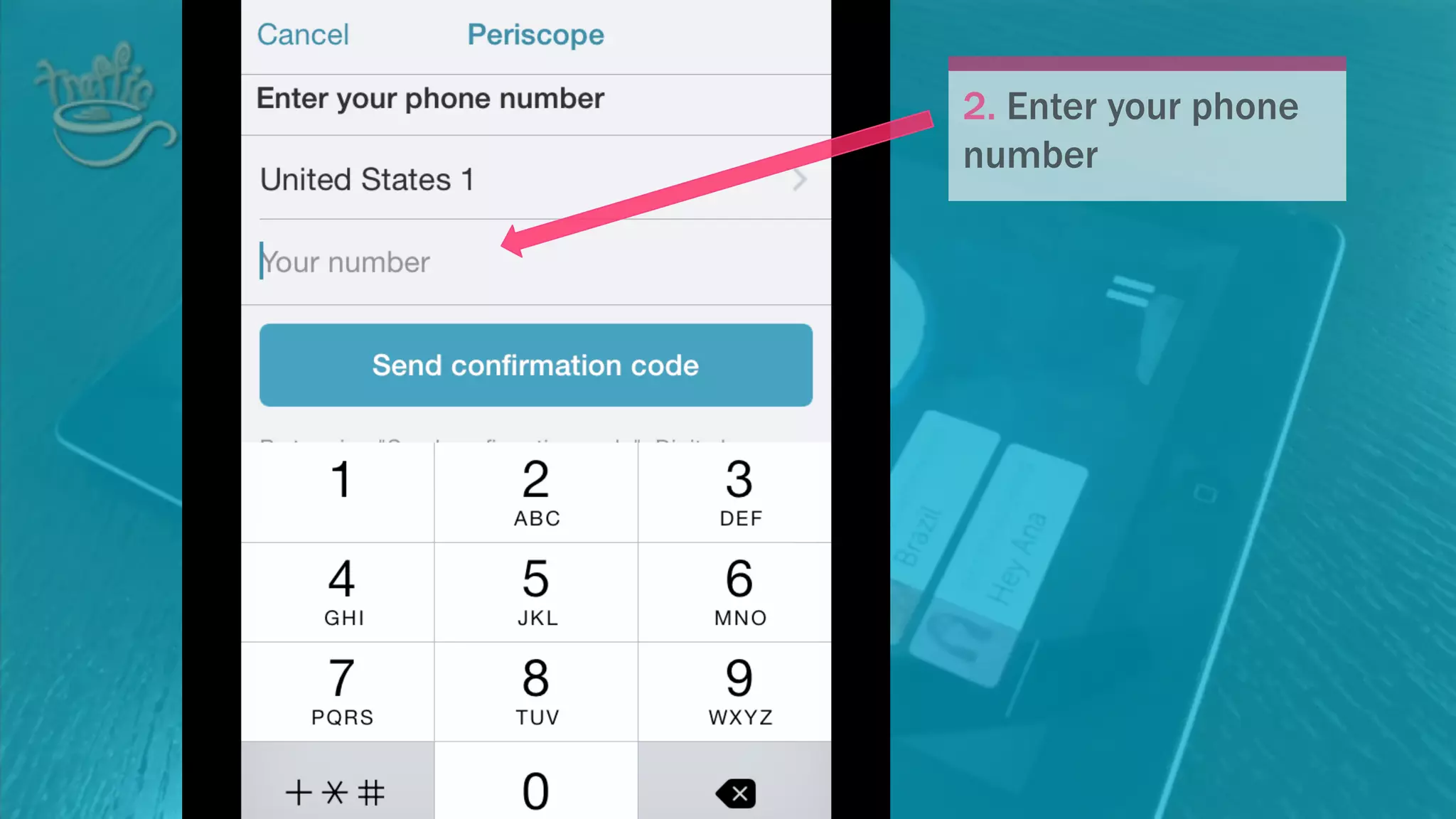
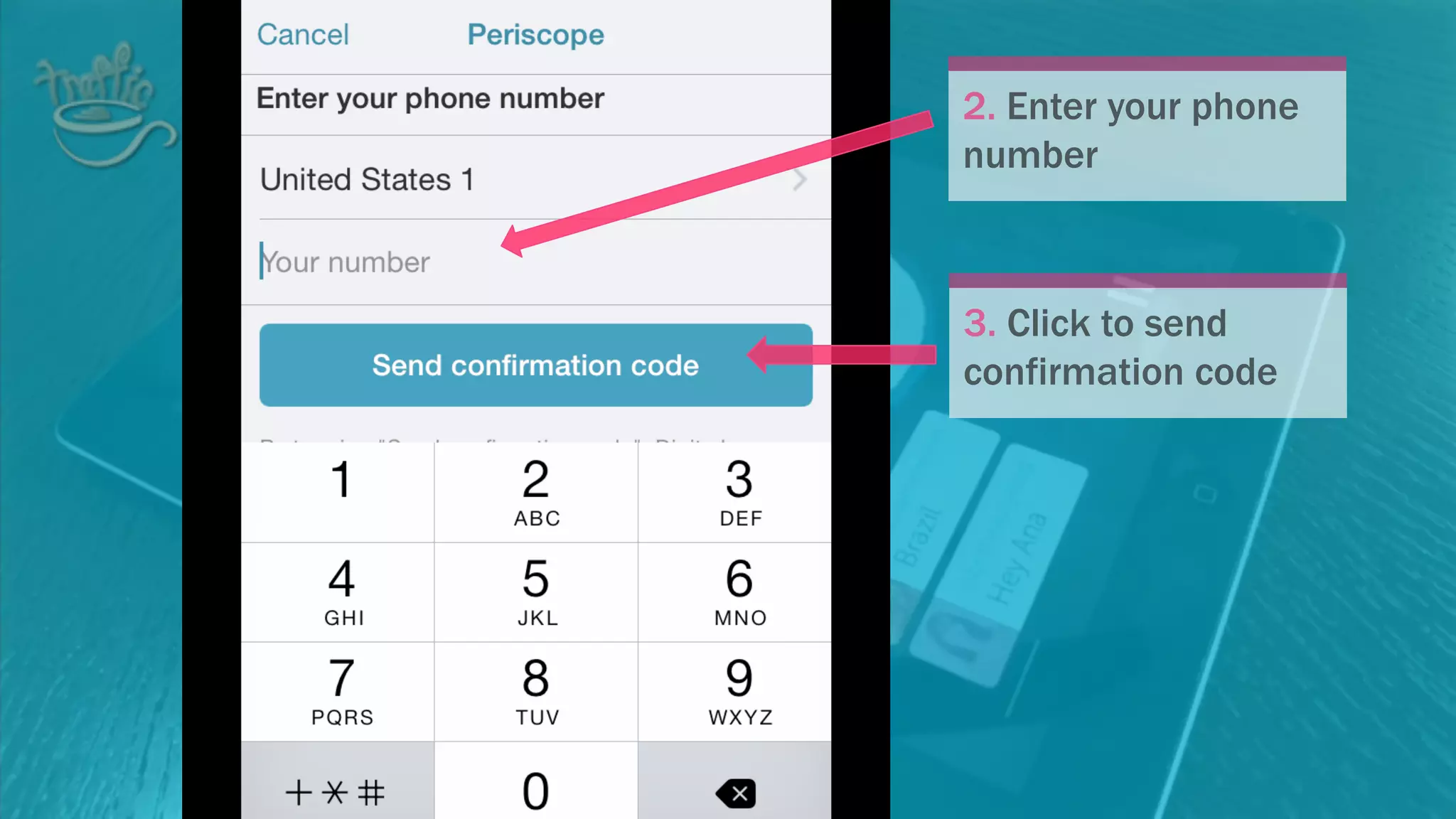
2. Enter your phone
number
2. Enter your phone
number
3. Click to send
confirmation code
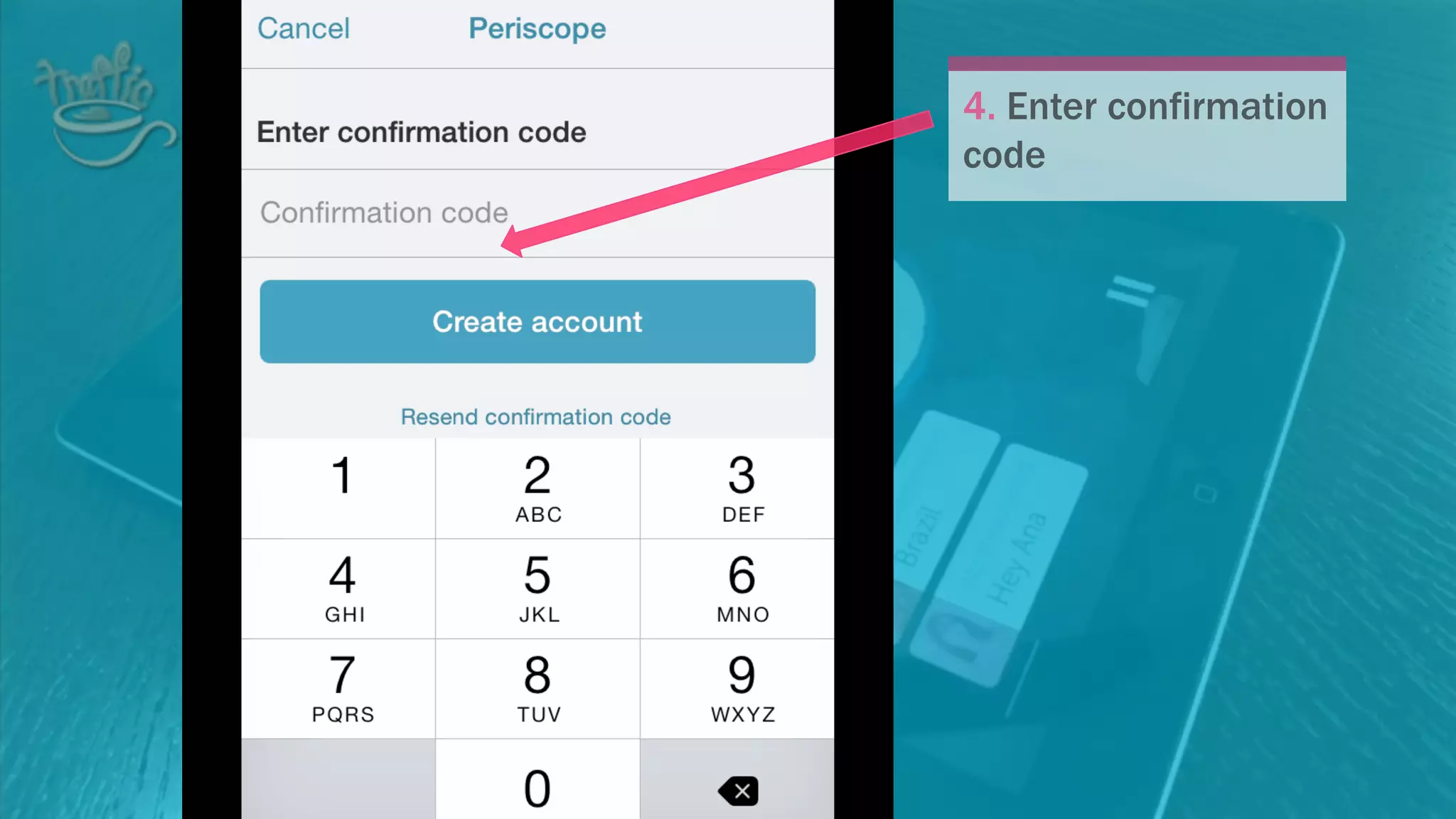
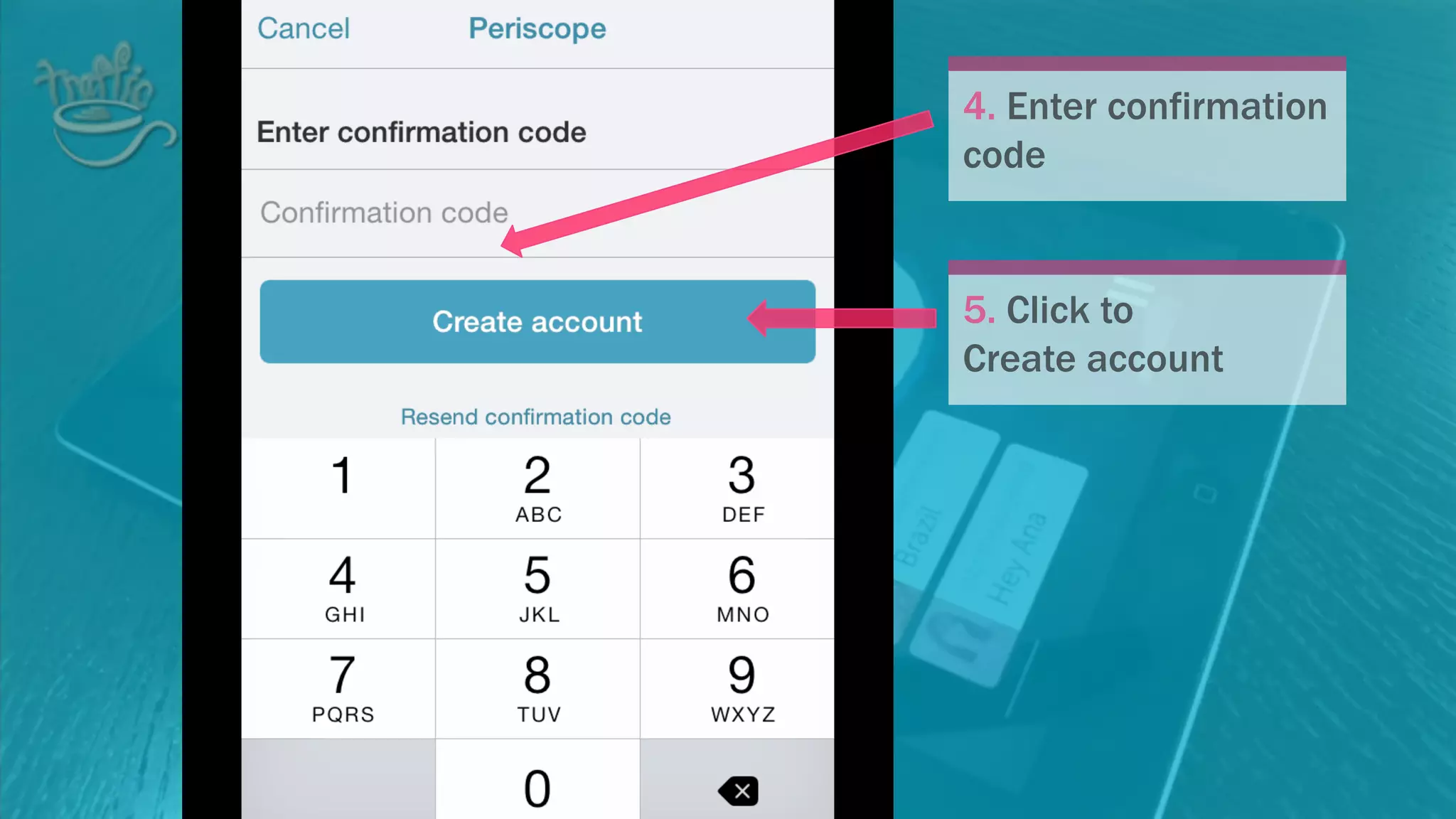
4. Enter confirmation
code
4. Enter confirmation
code
5. Click to
Create account
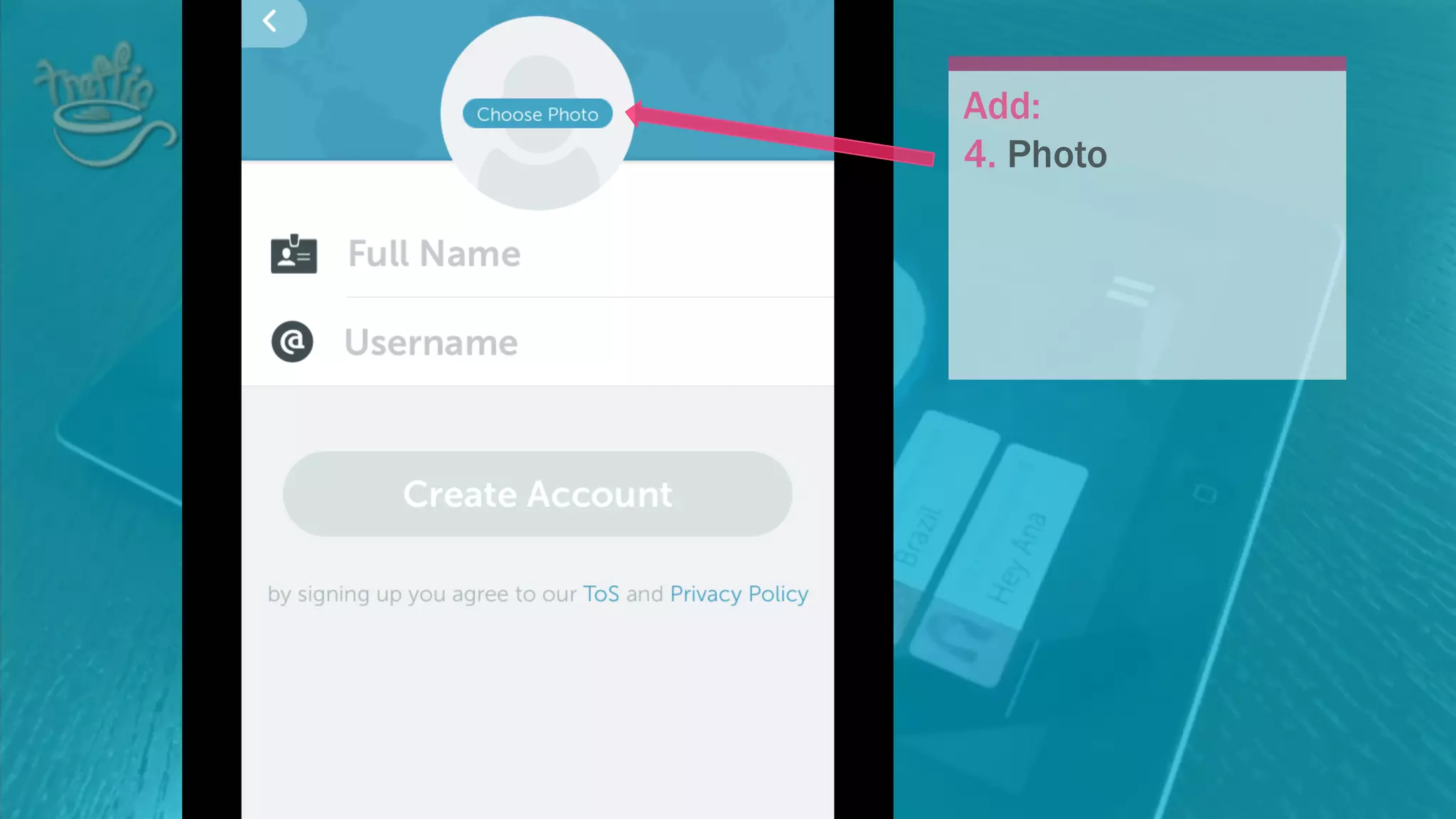
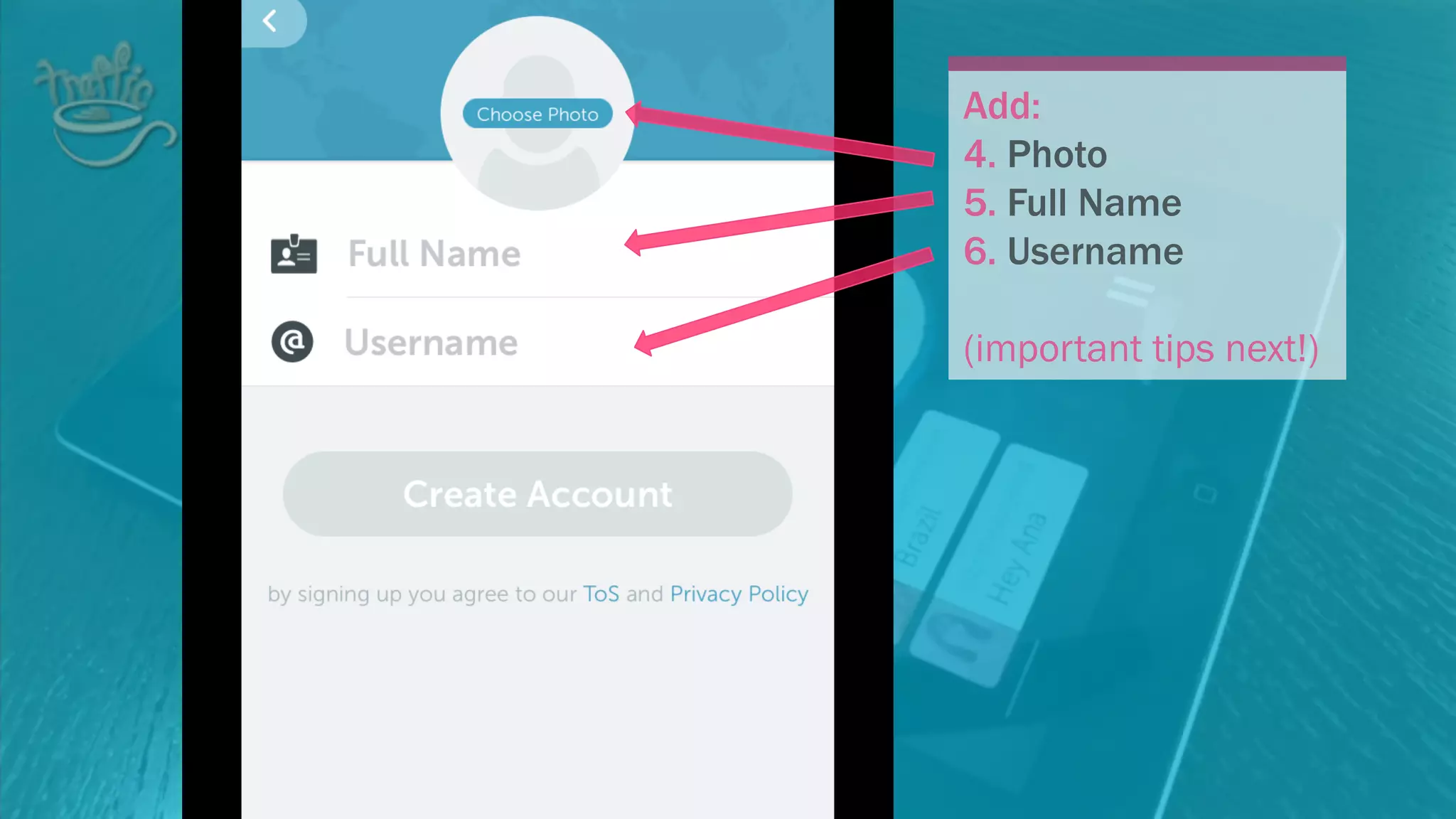
Add:
4. Photo
Add:
4. Photo
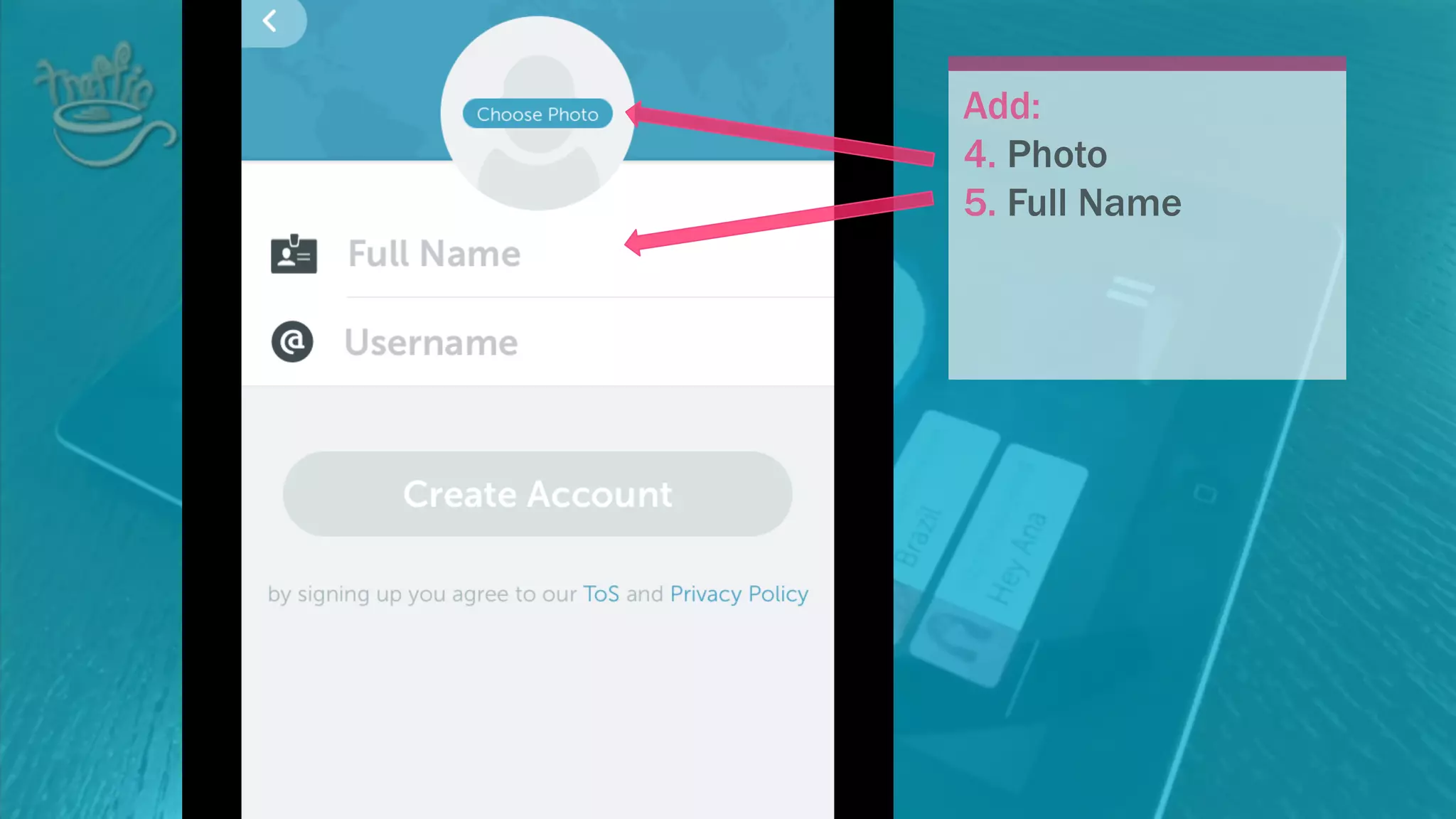
5. Full Name
Add:
4. Photo
5. Full Name
6. Username
(important tips next!)
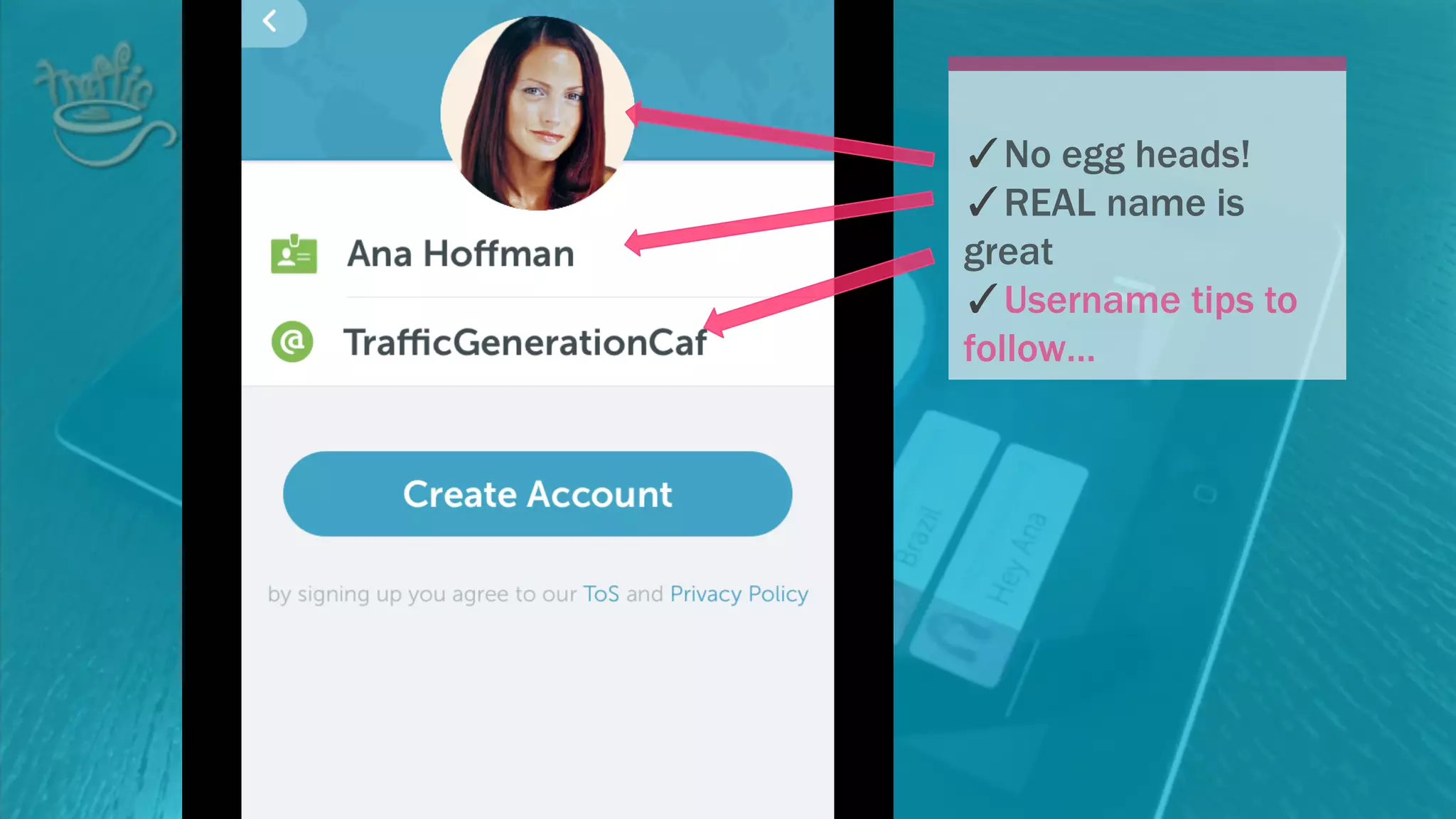
✓No egg heads!
✓REAL name is great
✓Username tips to
follow…
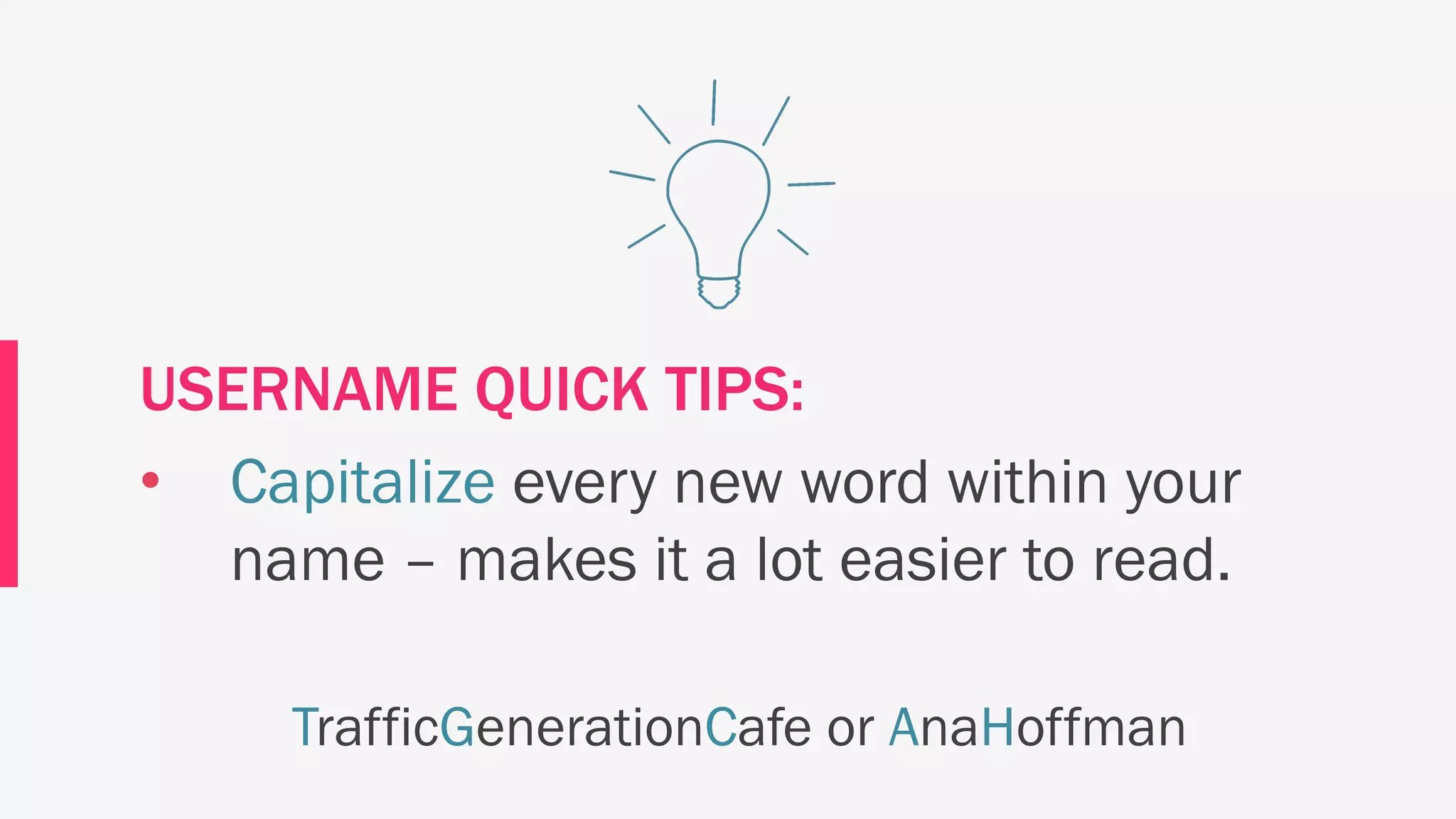
USERNAME QUICK TIPS:
• This is your only shot to pick the right
username! Make it count. Even better,
make it your real name (before someone
else claims it.)
USERNAME QUICK TIPS:
• Your username has to be 20 characters
or fewer
USERNAME QUICK TIPS:
• Capitalize every new word within your
name – makes it a lot easier to read.
TrafficGenerationCafe or AnaHoffman
Again, if you are new to Periscope,
I recommend you sign up with your
Twitter account.
Learn how here:
tgcafe.it/periscope-tutorial <= click
What else is new on Periscope?
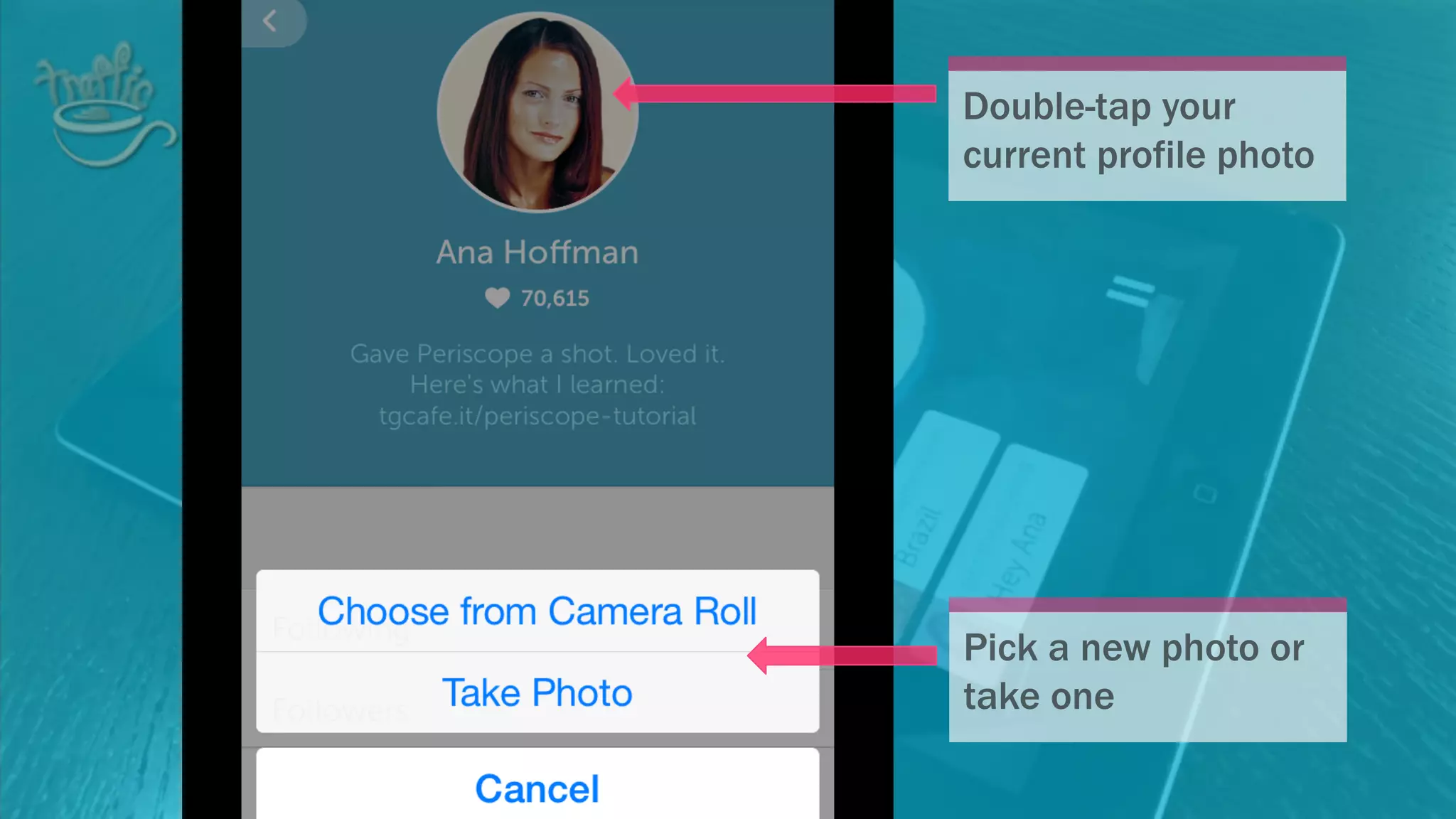
You can now change your profile
picture2
Double-tap your
current profile photo
Pick a new photo or take
one
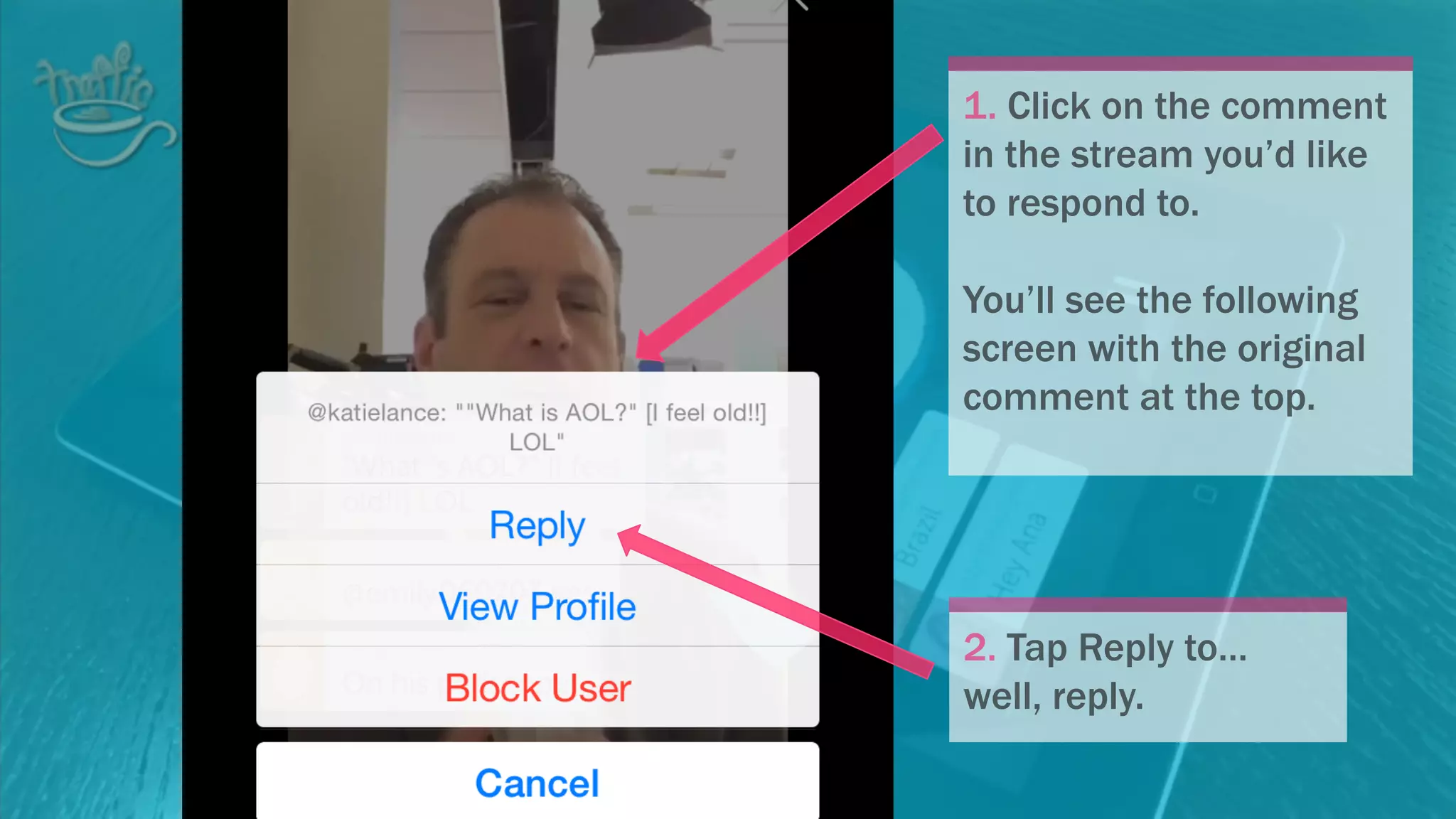
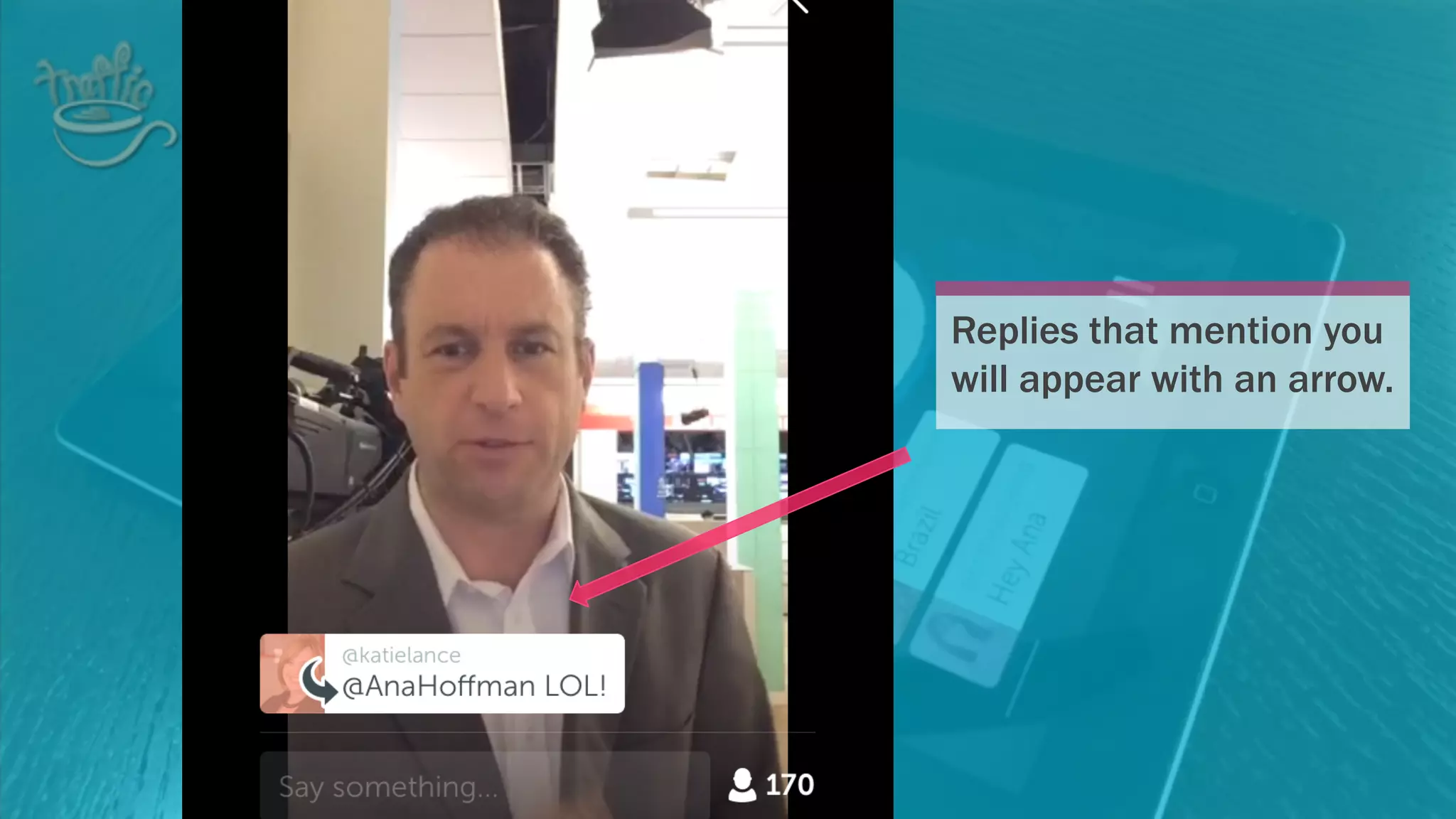
Threaded comments are here!3
1. Click on the comment
in the stream you’d like to
respond to.
You’ll see the following
screen with the original
comment at the top.
2. Tap Reply to…
well, reply.
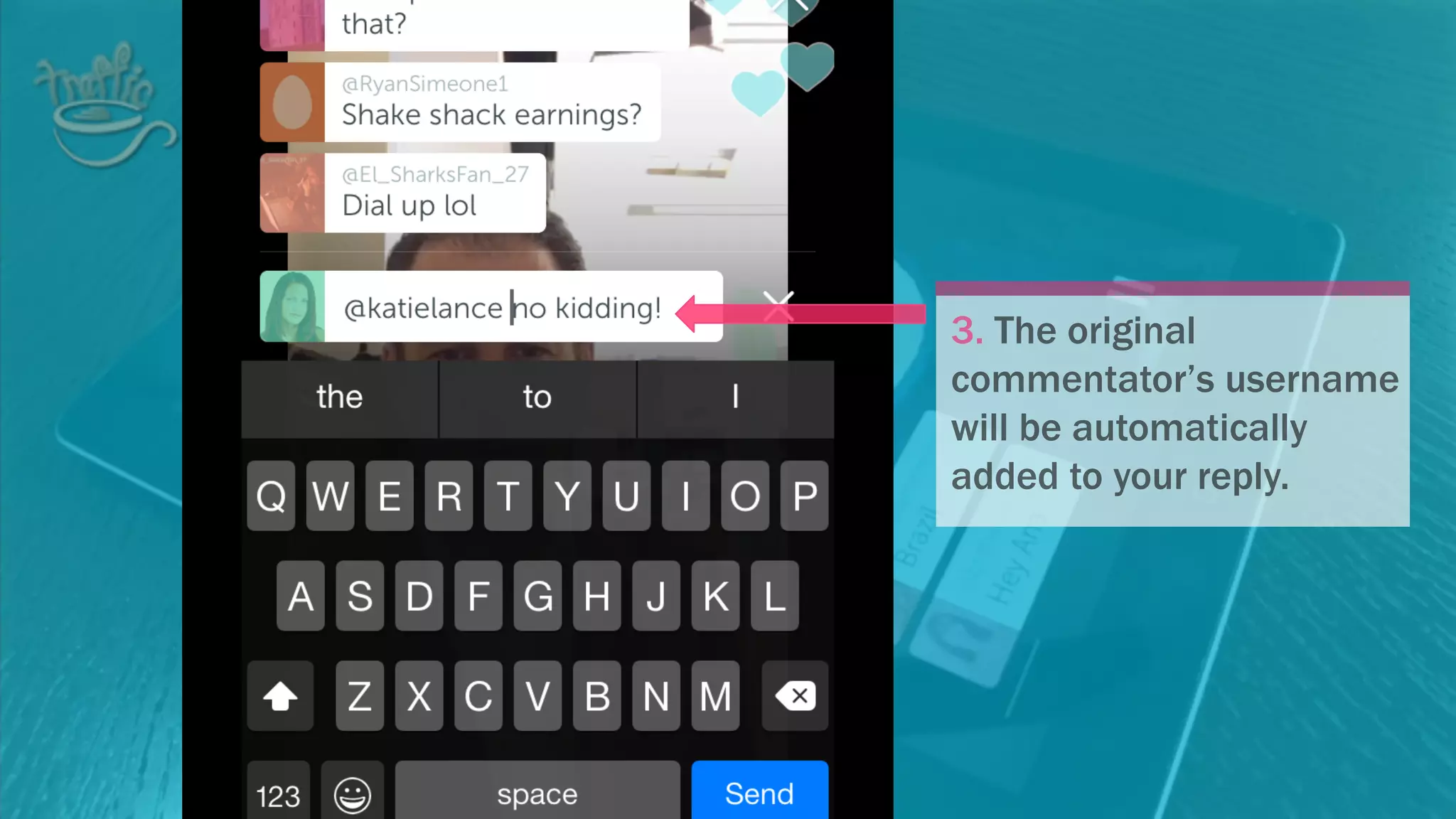
3. The original
commentator’s username
will be automatically
added to your reply.
Replies that mention you
will appear with an arrow.
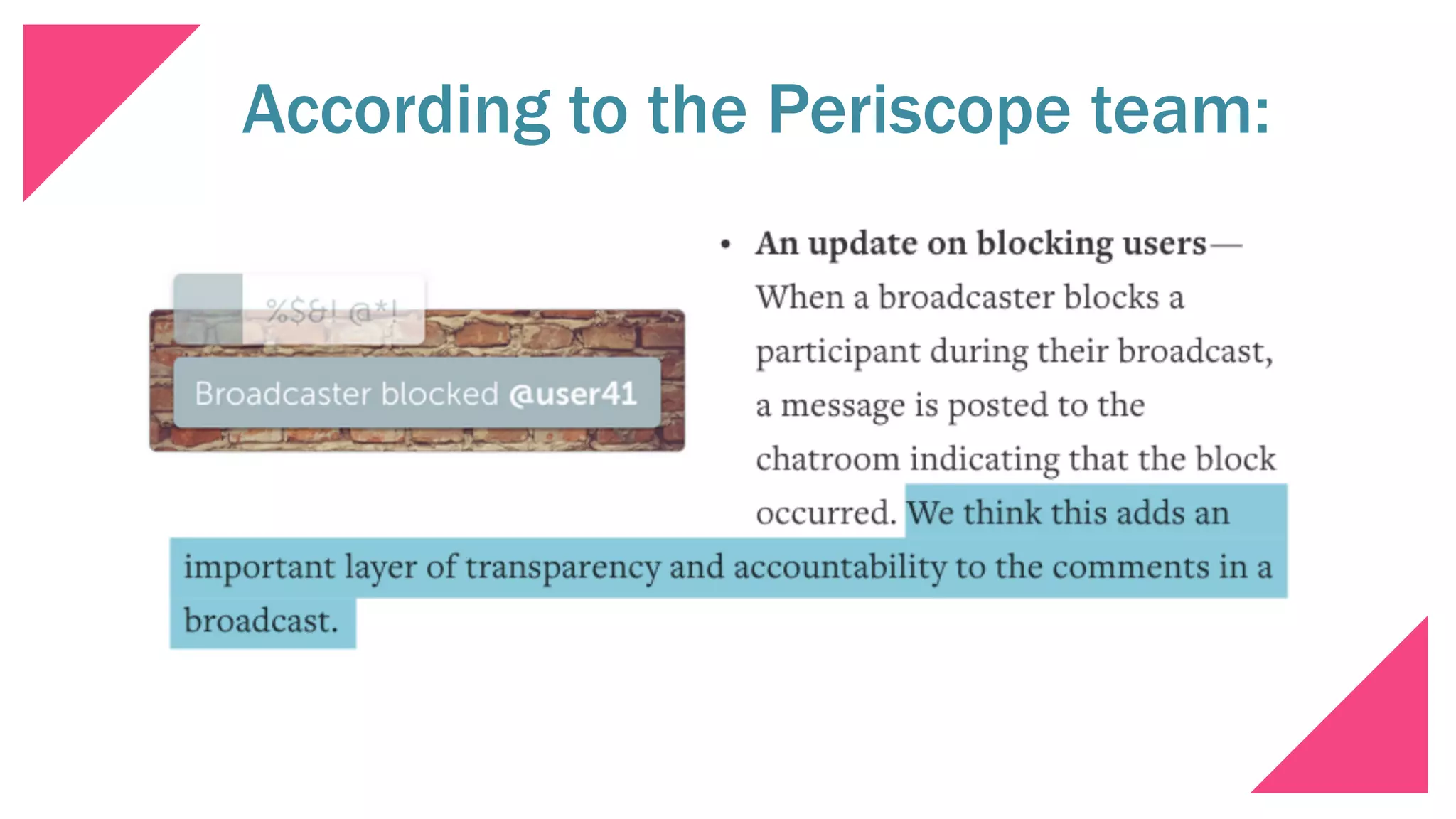
When a broadcaster blocks a
commentator, a message will be
posted to the chat room.
4
Hmmm… This one got me puzzled a bit…
According to the Periscope team:
Stay tuned for more updates!
And if you are NOT on Periscope…
Here’s how:Click to discover it for yourself:

Periscope Updates: Everything You Need to Know