Content
1. Why WebScripts
2. Usages
3. How to use WebScripts
4. WebScripts administration
5. WebScripts files
6. Features
7. Pre-integrated scripts
8. Ressources
9. Screenshot
Why WebScripts
• Useful for SOC, devops and
administrators teams
• Launch CLI scripts from Web
Interface
• Secure
• Security tests
• DAST
• SAST
• Hardening
• Permissions management
• Configure with JSON or INI/CFG files
(preconfigured)
• Easy/fast deployment (requirements:
python3)
• Scripts/environments share
Usages
• Request APIs
• Backup data/configurations
• Share secrets/files
• Build dynamic configurations for
other tools
• Automatic connection to other
servers
• Analyse script results and post it on
other tools
• Notifies teams on certain actions
• Report (scripts results/server states)
• Manage user access to data/secrets
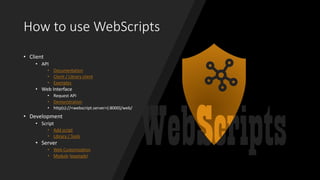
How to use WebScripts
• Client
• API
• Documentation
• Client / Library client
• Examples
• Web Interface
• Request API
• Demonstration
• http(s)://<webscript.server>(:8000)/web/
• Development
• Script
• Add script
• Library / Tools
• Server
• Web Customization
• Module (example)
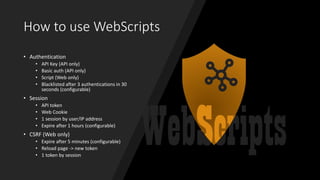
How to use WebScripts
• Authentication
• API Key (API only)
• Basic auth (API only)
• Script (Web only)
• Blacklisted after 3 authentications in 30
seconds (configurable)
• Session
• API token
• Web Cookie
• 1 session by user/IP address
• Expire after 1 hours (configurable)
• CSRF (Web only)
• Expire after 5 minutes (configurable)
• Reload page -> new token
• 1 token by session
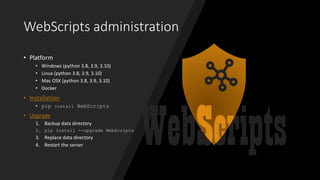
WebScripts administration
• Platform
• Windows (python 3.8, 3.9, 3.10)
• Linux (python 3.8, 3.9, 3.10)
• Mac OSX (python 3.8, 3.9, 3.10)
• Docker
• Installation
• pip install WebScripts
• Upgrade
1. Backup data directory
2. pip install --upgrade WebScripts
3. Replace data directory
4. Restart the server
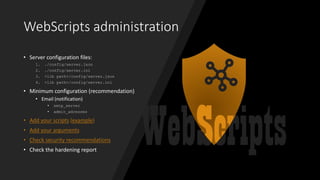
WebScripts administration
• Server configuration files:
1. ./config/server.json
2. ./config/server.ini
3. <lib path>/config/server.json
4. <lib path>/config/server.ini
• Minimum configuration (recommendation)
• Email (notification)
• smtp_server
• admin_adresses
• Add your scripts (example)
• Add your arguments
• Check security recommendations
• Check the hardening report
WebScripts files
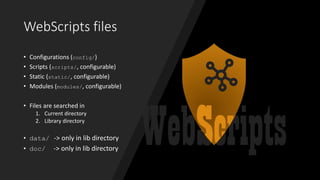
• Configurations (config/)
• Scripts (scripts/, configurable)
• Static (static/, configurable)
• Modules (modules/, configurable)
• Files are searched in
1. Current directory
2. Library directory
• data/ -> only in lib directory
• doc/ -> only in lib directory
WebScripts files
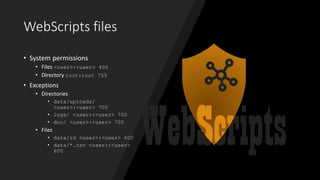
• System permissions
• Files <user>:<user> 400
• Directory root:root 755
• Exceptions
• Directories
• data/uploads/
<user>:<user> 700
• logs/ <user>:<user> 700
• doc/ <user>:<user> 700
• Files
• data/id <user>:<user> 600
• data/*.csv <user>:<user>
600
Features
• CLI in Web Interface
• HTML script in Web Interface
• Modules for custom requests/responses
• Auto-generated documentation
• Execution history
• Download script output
• Web interface customization
• Hardening
• Themes
• Predefined values (URL query)
• Advanced arguments
Pre-integrated scripts
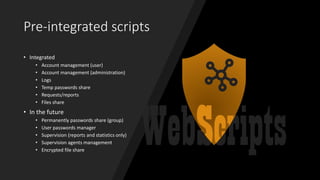
• Integrated
• Account management (user)
• Account management (administration)
• Logs
• Temp passwords share
• Requests/reports
• Files share
• In the future
• Permanently passwords share (group)
• User passwords manager
• Supervision (reports and statistics only)
• Supervision agents management
• Encrypted file share
Ressources
• Documentations: readthedocs /wiki
• Youtube
• Pydoc documentation: online / local
• Source code
• Issues
• Contact:
• mauricelambert434@gmail.com
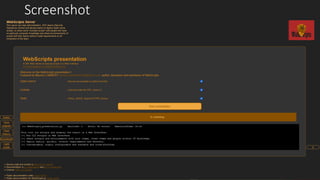
Screenshot

Webscripts Server

  • 2.
    Content 1. Why WebScripts 2.Usages 3. How to use WebScripts 4. WebScripts administration 5. WebScripts files 6. Features 7. Pre-integrated scripts 8. Ressources 9. Screenshot
  • 3.
    Why WebScripts • Usefulfor SOC, devops and administrators teams • Launch CLI scripts from Web Interface • Secure • Security tests • DAST • SAST • Hardening • Permissions management • Configure with JSON or INI/CFG files (preconfigured) • Easy/fast deployment (requirements: python3) • Scripts/environments share
  • 4.
    Usages • Request APIs •Backup data/configurations • Share secrets/files • Build dynamic configurations for other tools • Automatic connection to other servers • Analyse script results and post it on other tools • Notifies teams on certain actions • Report (scripts results/server states) • Manage user access to data/secrets
  • 5.
    How to useWebScripts • Client • API • Documentation • Client / Library client • Examples • Web Interface • Request API • Demonstration • http(s)://<webscript.server>(:8000)/web/ • Development • Script • Add script • Library / Tools • Server • Web Customization • Module (example)
  • 6.
    How to useWebScripts • Authentication • API Key (API only) • Basic auth (API only) • Script (Web only) • Blacklisted after 3 authentications in 30 seconds (configurable) • Session • API token • Web Cookie • 1 session by user/IP address • Expire after 1 hours (configurable) • CSRF (Web only) • Expire after 5 minutes (configurable) • Reload page -> new token • 1 token by session
  • 7.
    WebScripts administration • Platform •Windows (python 3.8, 3.9, 3.10) • Linux (python 3.8, 3.9, 3.10) • Mac OSX (python 3.8, 3.9, 3.10) • Docker • Installation • pip install WebScripts • Upgrade 1. Backup data directory 2. pip install --upgrade WebScripts 3. Replace data directory 4. Restart the server
  • 8.
    WebScripts administration • Serverconfiguration files: 1. ./config/server.json 2. ./config/server.ini 3. <lib path>/config/server.json 4. <lib path>/config/server.ini • Minimum configuration (recommendation) • Email (notification) • smtp_server • admin_adresses • Add your scripts (example) • Add your arguments • Check security recommendations • Check the hardening report
  • 9.
    WebScripts files • Configurations(config/) • Scripts (scripts/, configurable) • Static (static/, configurable) • Modules (modules/, configurable) • Files are searched in 1. Current directory 2. Library directory • data/ -> only in lib directory • doc/ -> only in lib directory
  • 10.
    WebScripts files • Systempermissions • Files <user>:<user> 400 • Directory root:root 755 • Exceptions • Directories • data/uploads/ <user>:<user> 700 • logs/ <user>:<user> 700 • doc/ <user>:<user> 700 • Files • data/id <user>:<user> 600 • data/*.csv <user>:<user> 600
  • 11.
    Features • CLI inWeb Interface • HTML script in Web Interface • Modules for custom requests/responses • Auto-generated documentation • Execution history • Download script output • Web interface customization • Hardening • Themes • Predefined values (URL query) • Advanced arguments
  • 12.
    Pre-integrated scripts • Integrated •Account management (user) • Account management (administration) • Logs • Temp passwords share • Requests/reports • Files share • In the future • Permanently passwords share (group) • User passwords manager • Supervision (reports and statistics only) • Supervision agents management • Encrypted file share
  • 13.
    Ressources • Documentations: readthedocs/wiki • Youtube • Pydoc documentation: online / local • Source code • Issues • Contact: • mauricelambert434@gmail.com
  • 14.