Software firm enablesrich visual
brainstorming on pen and touch
collaboration device
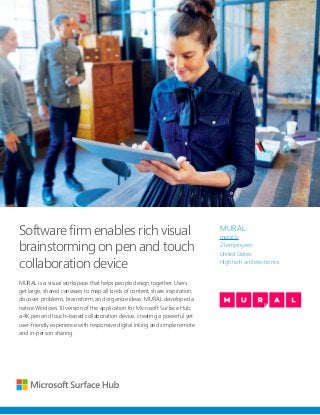
MURAL is a visual workspace that helps people design together. Users
get large, shared canvases to map all kinds of content, share inspiration,
discover problems, brainstorm, and organize ideas. MURAL developed a
native Windows 10 version of the application for Microsoft Surface Hub,
a 4K pen and touch–based collaboration device, creating a powerful yet
user-friendly experience with responsive digital inking and simple remote
and in-person sharing.
MURAL
mural.ly
21 employees
United States
High tech and electronics
2.
“The inking
capabilities of
SurfaceHub
are precise and
responsive, and the
size of the display
gives you a lot of
pixels to play with.”
—Mariano Suarez-Battan,
Founder and CEO,
MURAL
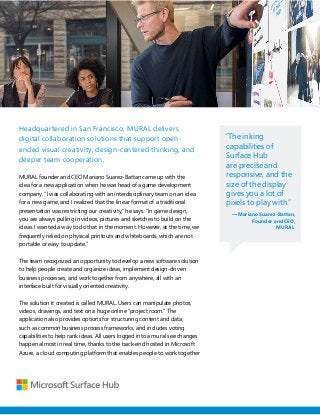
Headquartered in San Francisco, MURAL delivers
digital collaboration solutions that support open-
ended visual creativity, design-centered thinking, and
deeper team cooperation.
MURAL founder and CEO Mariano Suarez-Battan came up with the
idea for a new application when he was head of a game development
company. “I was collaborating with an interdisciplinary team on an idea
for a new game, and I realized that the linear format of a traditional
presentation was restricting our creativity,” he says. “In game design,
you are always pulling in videos, pictures and sketches to build on the
ideas. I wanted a way to do that in the moment. However, at the time, we
frequently relied on physical printouts and whiteboards, which are not
portable or easy to update.”
The team recognized an opportunity to develop a new software solution
to help people create and organize ideas, implement design-driven
business processes, and work together from anywhere, all with an
interface built for visually oriented creativity.
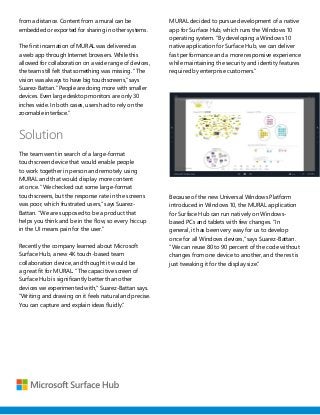
The solution it created is called MURAL. Users can manipulate photos,
videos, drawings, and text on a huge online “project room.” The
application also provides options for structuring content and data,
such as common business process frameworks, and includes voting
capabilities to help rank ideas. All users logged into a mural see changes
happen almost in real time, thanks to the back-end hosted in Microsoft
Azure, a cloud computing platform that enables people to work together
3.
from a distance.Content from a mural can be
embedded or exported for sharing in other systems.
The first incarnation of MURAL was delivered as
a web app through Internet browsers. While this
allowed for collaboration on a wide range of devices,
the team still felt that something was missing. “The
vision was always to have big touchscreens,” says
Suarez-Battan. “People are doing more with smaller
devices. Even large desktop monitors are only 30
inches wide. In both cases, users had to rely on the
zoomable interface.”
Solution
The team went in search of a large-format
touchscreen device that would enable people
to work together in person and remotely using
MURAL and that would display more content
at once. “We checked out some large-format
touchscreens, but the response rate in the screens
was poor, which frustrated users,” says Suarez-
Battan. “We are supposed to be a product that
helps you think and be in the flow, so every hiccup
in the UI means pain for the user.”
Recently the company learned about Microsoft
Surface Hub, a new 4K touch-based team
collaboration device, and thought it would be
a great fit for MURAL. “The capacitive screen of
Surface Hub is significantly better than other
devices we experimented with,” Suarez-Battan says.
“Writing and drawing on it feels natural and precise.
You can capture and explain ideas fluidly.”
MURAL decided to pursue development of a native
app for Surface Hub, which runs the Windows 10
operating system. “By developing a Windows 10
native application for Surface Hub, we can deliver
fast performance and a more responsive experience
while maintaining the security and identity features
required by enterprise customers.”
Because of the new Universal Windows Platform
introduced in Windows 10, the MURAL application
for Surface Hub can run natively on Windows-
based PCs and tablets with few changes. “In
general, it has been very easy for us to develop
once for all Windows devices,” says Suarez-Battan.
“We can reuse 80 to 90 percent of the code without
changes from one device to another, and the rest is
just tweaking it for the display size.”
4.
“The customer
experience
of MURALis
remarkable with
Surface Hub.
People just say ‘I
want one’ when I
show a short demo.”
—Mariano Suarez-Battan,
Founder and CEO,
MURAL
Benefits
Surface Hub has enabled the MURAL team to take its product to new
levels of productivity and ease. “The customer experience of MURAL is
remarkable with Surface Hub. People just say ‘I want one’ when I show a
short demo,” says Suarez-Battan.
Bringing people together
With Surface Hub, users can work together in MURAL both in person
and remotely without having to learn complicated tools. “Design is a
team sport,” says Suarez-Battan. “You want to have diverse viewpoints
so you can truly understand the problem and get the best solution, but
that means the technology has to be intuitive. It’s easy for any employee
to come up and start sketching in the MURAL app on Surface Hub.” He
also points out that the large display size of Surface Hub invites multiple
in-person participants to work on it at once. With MURAL, users can also
make contributions from their own devices, whether they are in the room
or working remotely, and participate in meetings from anywhere using
Skype for Business.
Enhancing creativity
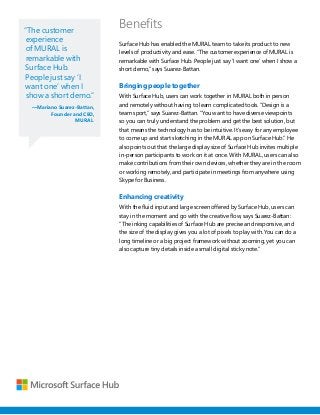
With the fluid input and large screen offered by Surface Hub, users can
stay in the moment and go with the creative flow, says Suarez-Battan:
“The inking capabilities of Surface Hub are precise and responsive, and
the size of the display gives you a lot of pixels to play with. You can do a
long timeline or a big project framework without zooming, yet you can
also capture tiny details inside a small digital sticky note.”
5.
“It has beenvery
easy for us to
develop once for all
Windows devices.
We can reuse 80
to 90 percent of
the code without
changes from one
device to another,
and the rest is just
tweaking it for the
display size.”
—Mariano Suarez-Battan,
Founder and CEO,
MURAL
Uncovering new opportunities
MURAL is excited about the business possibilities available with Surface
Hub. “The Microsoft Partner and Distribution Networks will enable us to
reach customers we would not be able to otherwise,” says Suarez-Battan.
“Enterprise companies will be able to deploy big touchscreens in large
numbers, and MURAL can be the software that enables collaboration to
happen at scale.”
This case study is for informational purposes only. MICROSOFT MAKES NO WARRANTIES, EXPRESS
OR IMPLIED, IN THIS SUMMARY. Document published March 2016
Microsoft Surface Hub
Software Developer Program
Unlock the power of the group for you or your customers
by developing innovative, immersive applications that
take full advantage of the unique technical capabilities of
Surface Hub.
For more information about the Microsoft Surface Hub
Developer Program, go to: www.microsoft.com/surfacehub