BigData/Cloud Evangelist, InMobi
Iliyas Shirol
CloudStack For
Beginners
# OpenSource Evangelist and FOSS promoter
since 2004
# Founder of LOAD (Linux On A Desktop) project.
# SysAdmin, DBA and an Ethical Hacker
# And yeah, I love to be on Cloud 
$ whoami
$ whoareu
# Experience with Cloud ?
# Experience with CloudStack ?
# Which other IaaS platforms do you use ?
# Any expectations ? :)
$ Agenda
• Overview of CloudStack
• CloudStackArchitecture
• Demo of CloudStack
• Q&A
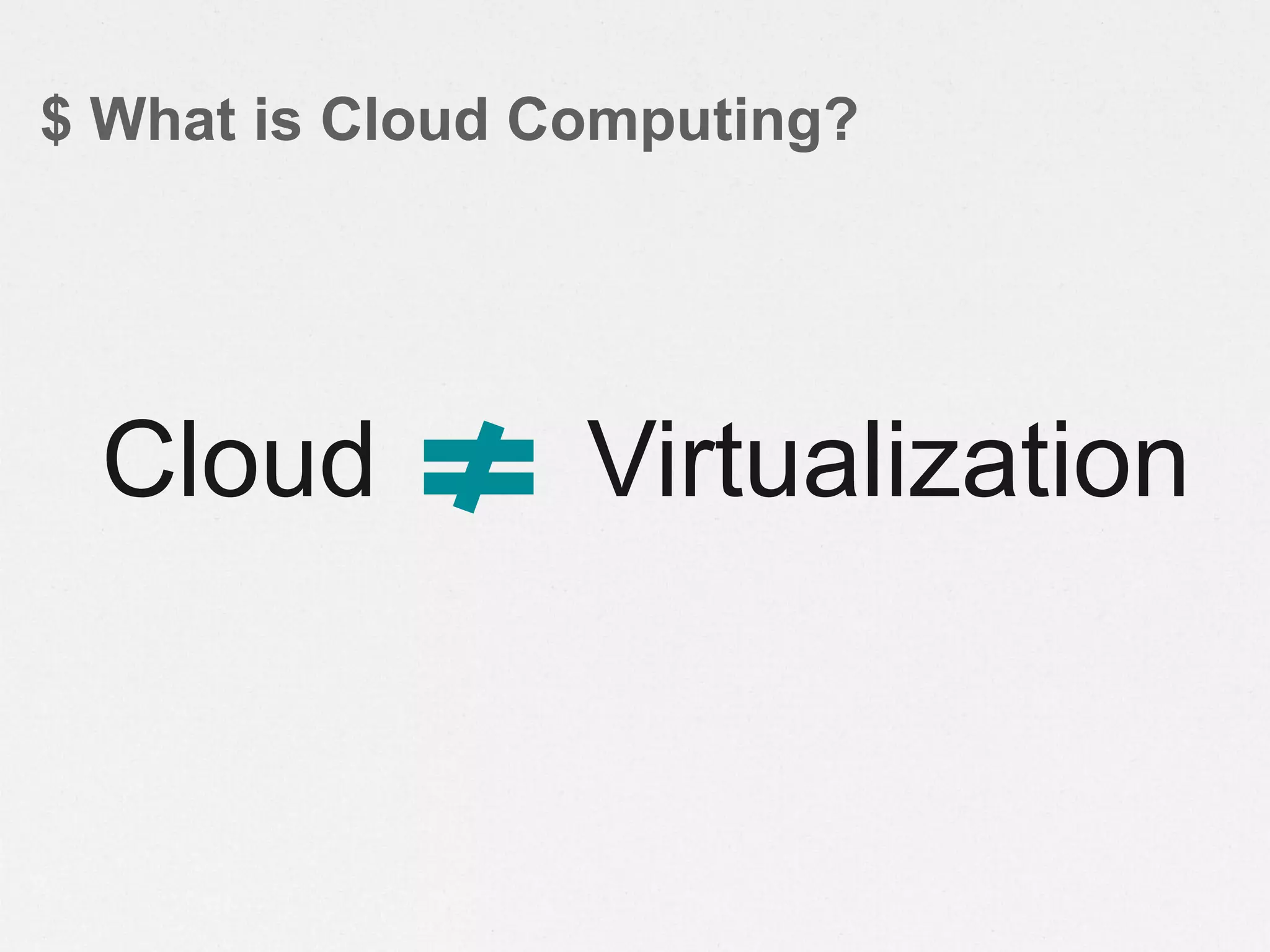
$ What is Cloud Computing?
VirtualizationCloud
Server Virtualization++ Cloud
Built for traditional
enterprise apps & client-
server compute
• Enterprise arch for 100s of
hosts
• Scale-up (server clusters)
• Apps assume reliability
• IT Mgmt-centric [1:Dozens]
• Proprietary vendor stack
Designed around big data,
massive scale & next-gen
apps
• Cloud architecture for 1000s
of hosts
• Scale-out (multi-site server
farms)
• Apps assume failure
• Autonomic [1:1,000’s]
• Open, value-added stack
Think: vCloud Director Think: AWS, RAX, zCloud,
eBay, etc.
…but adoption of new
cloud architecture is the
future
Enterprises should, and
will, make SV 1.0 more
cloud-like…
• 10x more
scaleable
• 2-5x lower
cost
• 100% more
open
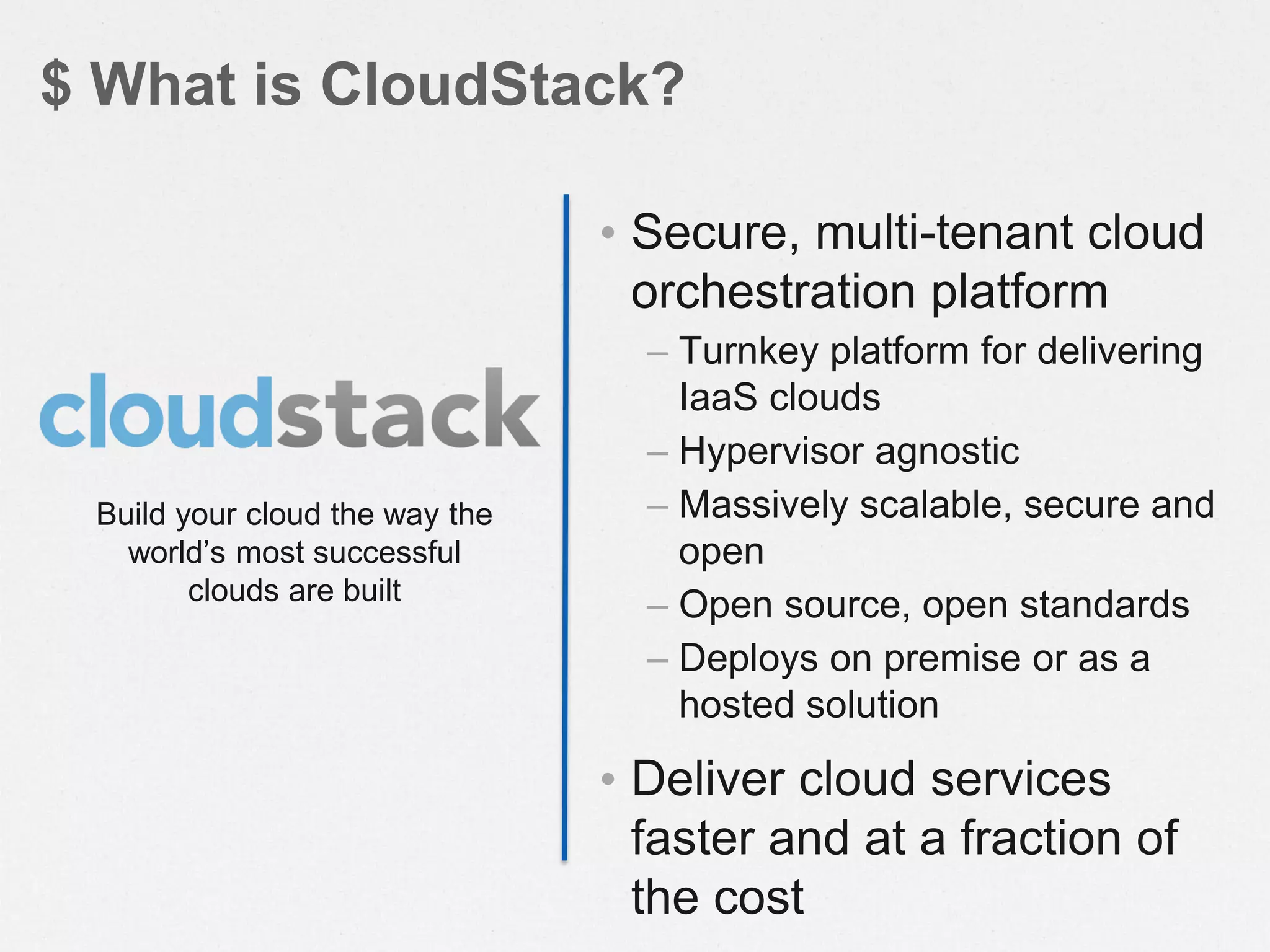
• Secure, multi-tenant cloud
orchestration platform
– Turnkey platform for delivering
IaaS clouds
– Hypervisor agnostic
– Massively scalable, secure and
open
– Open source, open standards
– Deploys on premise or as a
hosted solution
• Deliver cloud services
faster and at a fraction of
the cost
$ What is CloudStack?
Build your cloud the way the
world’s most successful
clouds are built
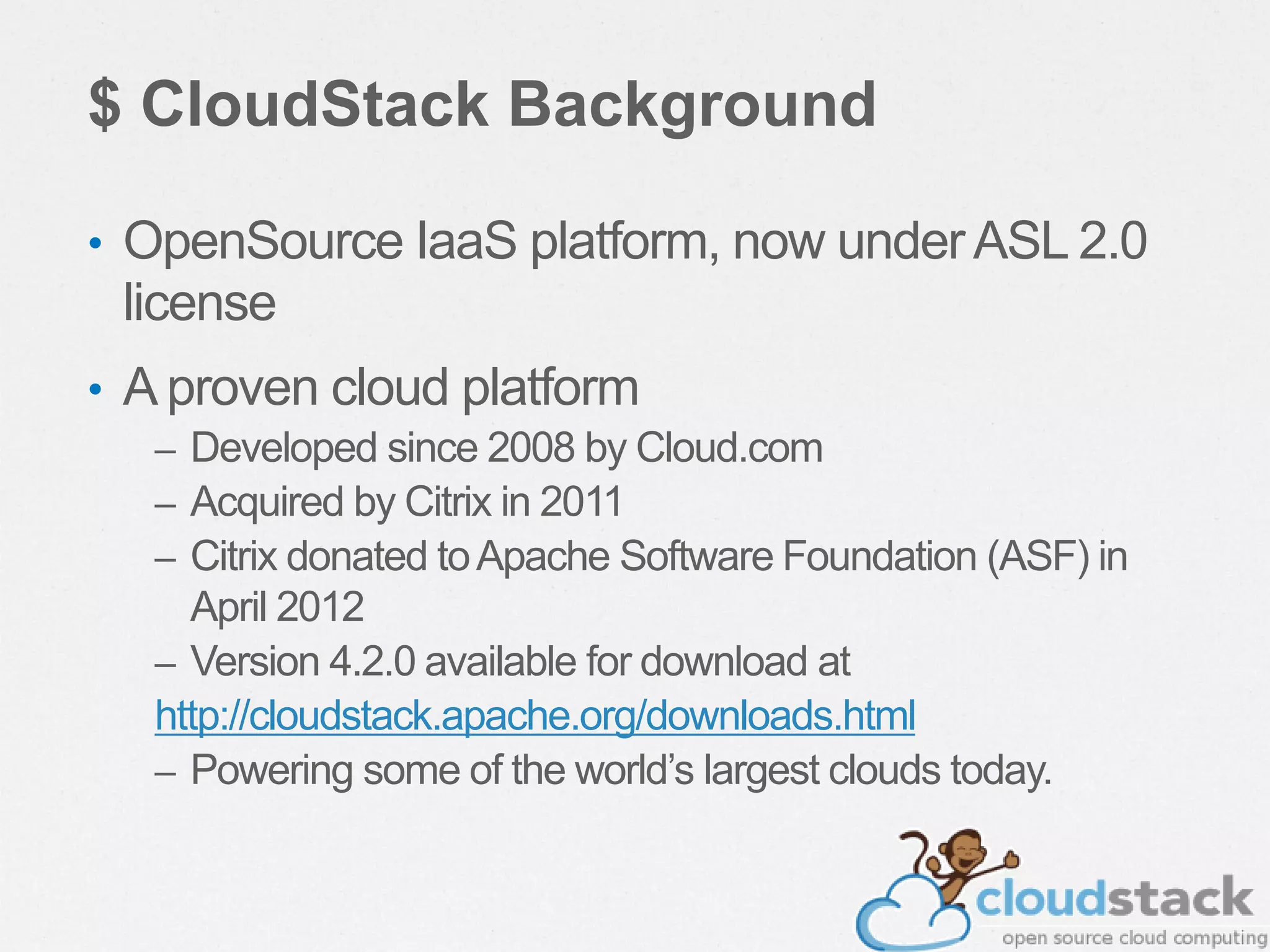
$ CloudStack Background
• OpenSource IaaS platform, now underASL 2.0
license
• A proven cloud platform
– Developed since 2008 by Cloud.com
– Acquired by Citrix in 2011
– Citrix donated toApache Software Foundation (ASF) in
April 2012
– Version 4.2.0 available for download at
http://cloudstack.apache.org/downloads.html
– Powering some of the world’s largest clouds today.
$ Architecture / Language
• Java application
• Tomcat6,Axis2, Mavenbuild + ant
– Antgoingawayin4.1
• Movingtowards a plugin architecture
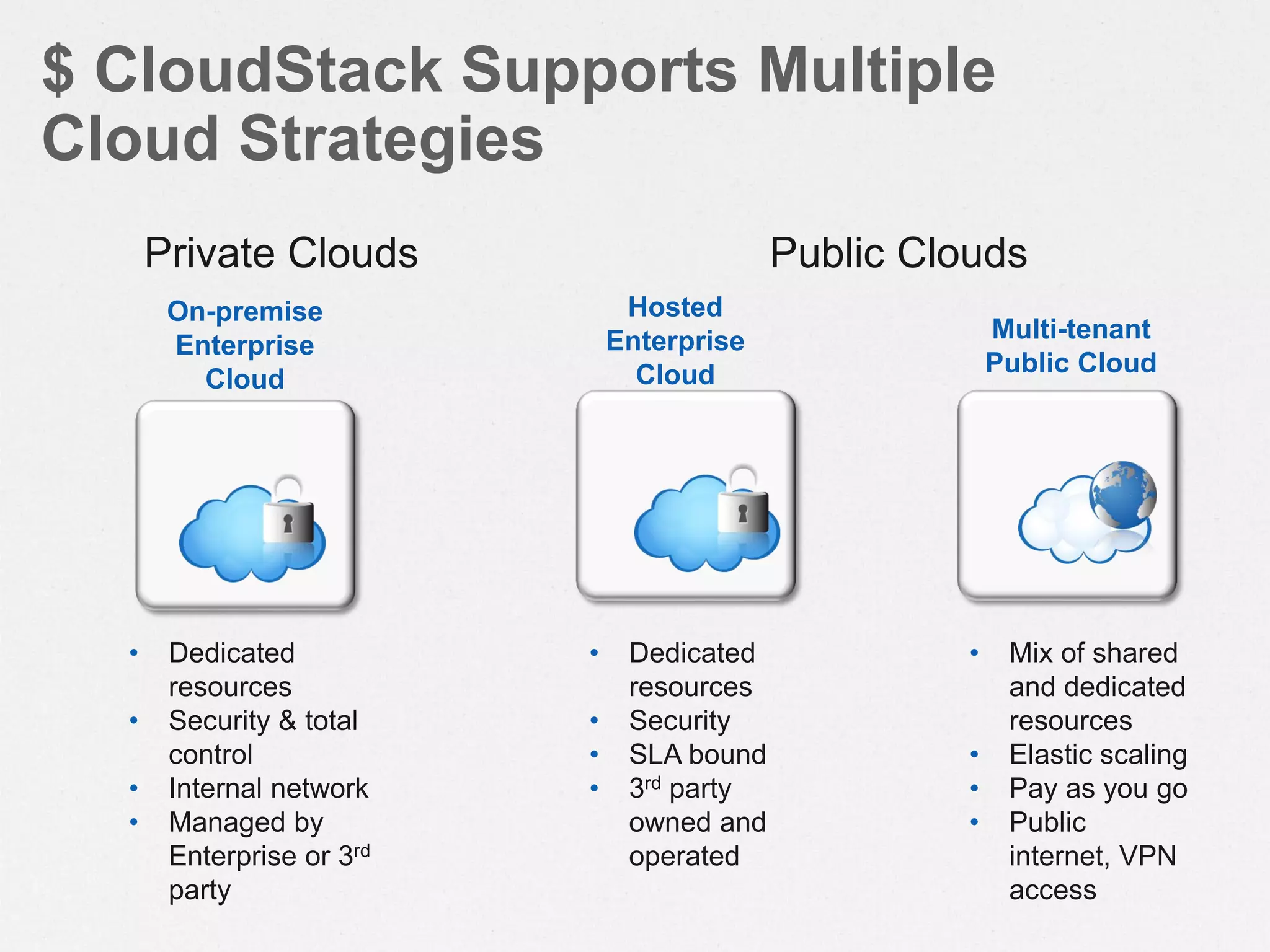
$ CloudStack Supports Multiple
Cloud Strategies
Multi-tenant
Public Cloud
• Dedicated
resources
• Security & total
control
• Internal network
• Managed by
Enterprise or 3rd
party
• Mix of shared
and dedicated
resources
• Elastic scaling
• Pay as you go
• Public
internet, VPN
access
Hosted
Enterprise
Cloud
• Dedicated
resources
• Security
• SLA bound
• 3rd party
owned and
operated
Private Clouds Public Clouds
On-premise
Enterprise
Cloud
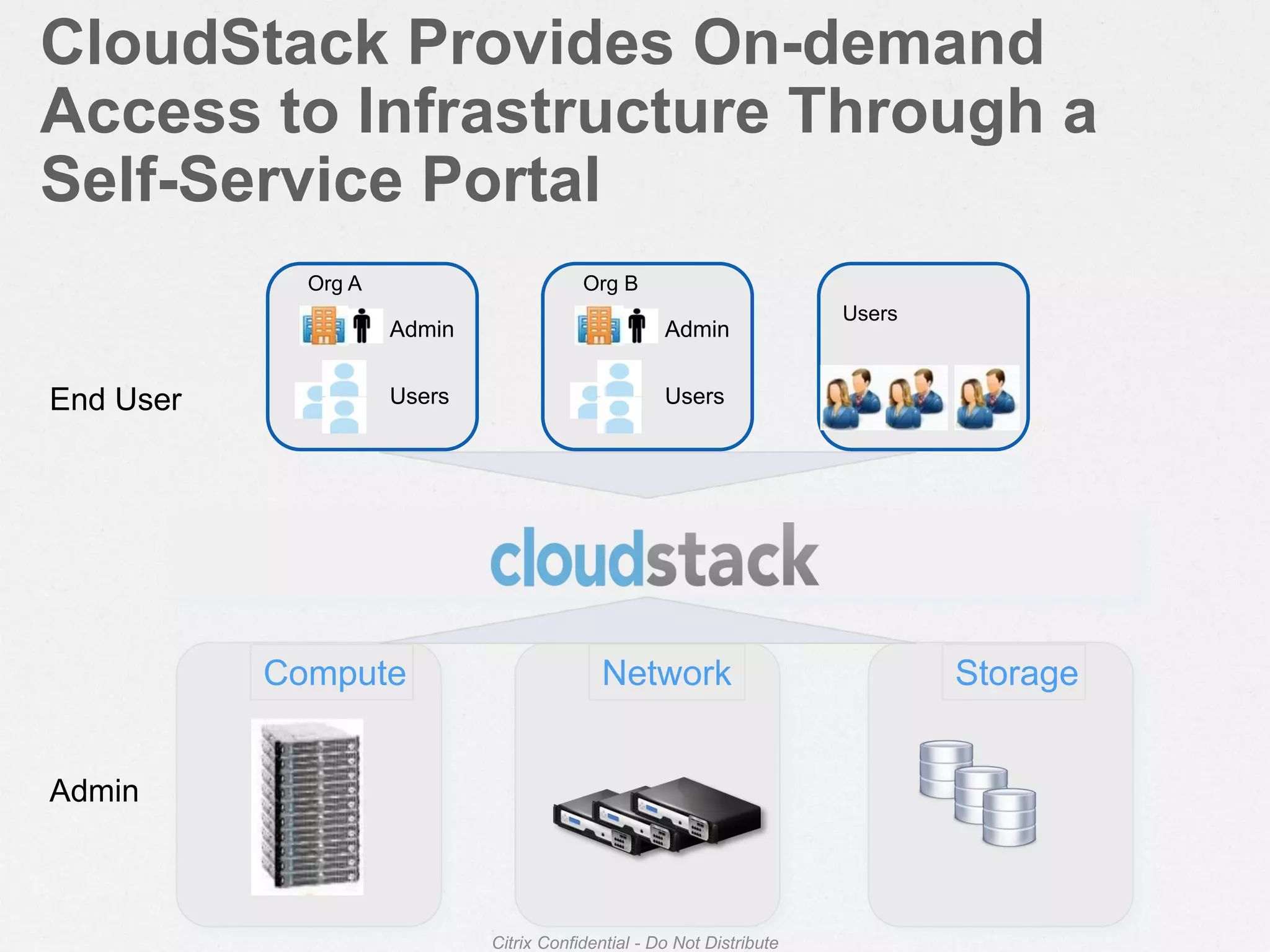
Compute
CloudStack Provides On-demand
Access to Infrastructure Through a
Self-Service Portal
Citrix Confidential - Do Not Distribute
Network Storage
Admin
Users
Org A
Admin
Users
Org B
Users
End User
Admin
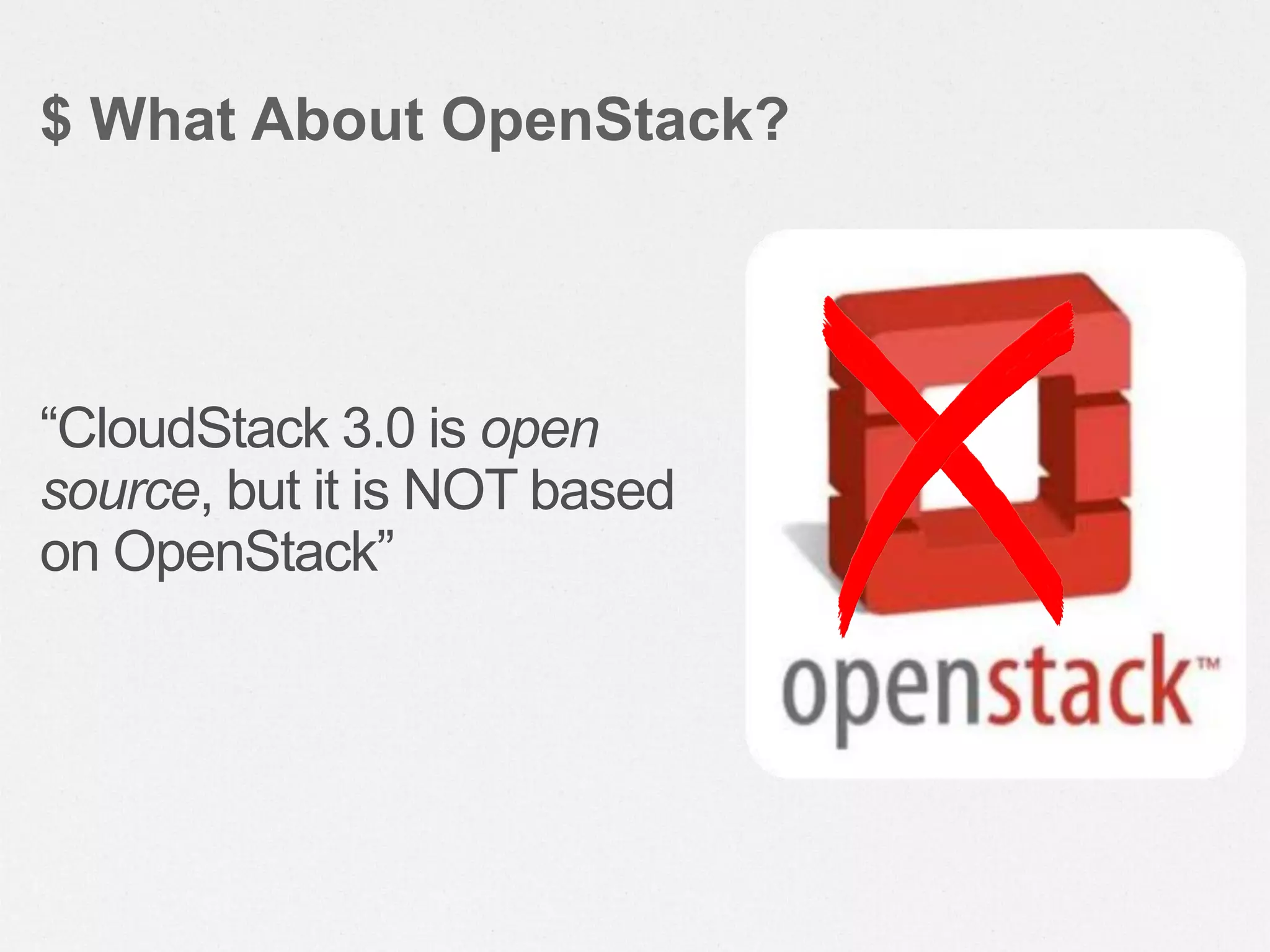
“CloudStack 3.0 is open
source, but it is NOT based
on OpenStack”
$ What About OpenStack?
What can CloudStack
do?
• CloudStack can manage tens of thousands of servers
installed in multiple geographically distributed datacenters
• The centralized management server scales linearly,
eliminating the need for intermediate cluster-level
management servers
• No single component failure can cause cloud-wide outage
• Periodic maintenance of the management server can be
performed without affecting the functioning of virtual
machines running in the cloud
$ Massively Scalable Infrastructure
Management
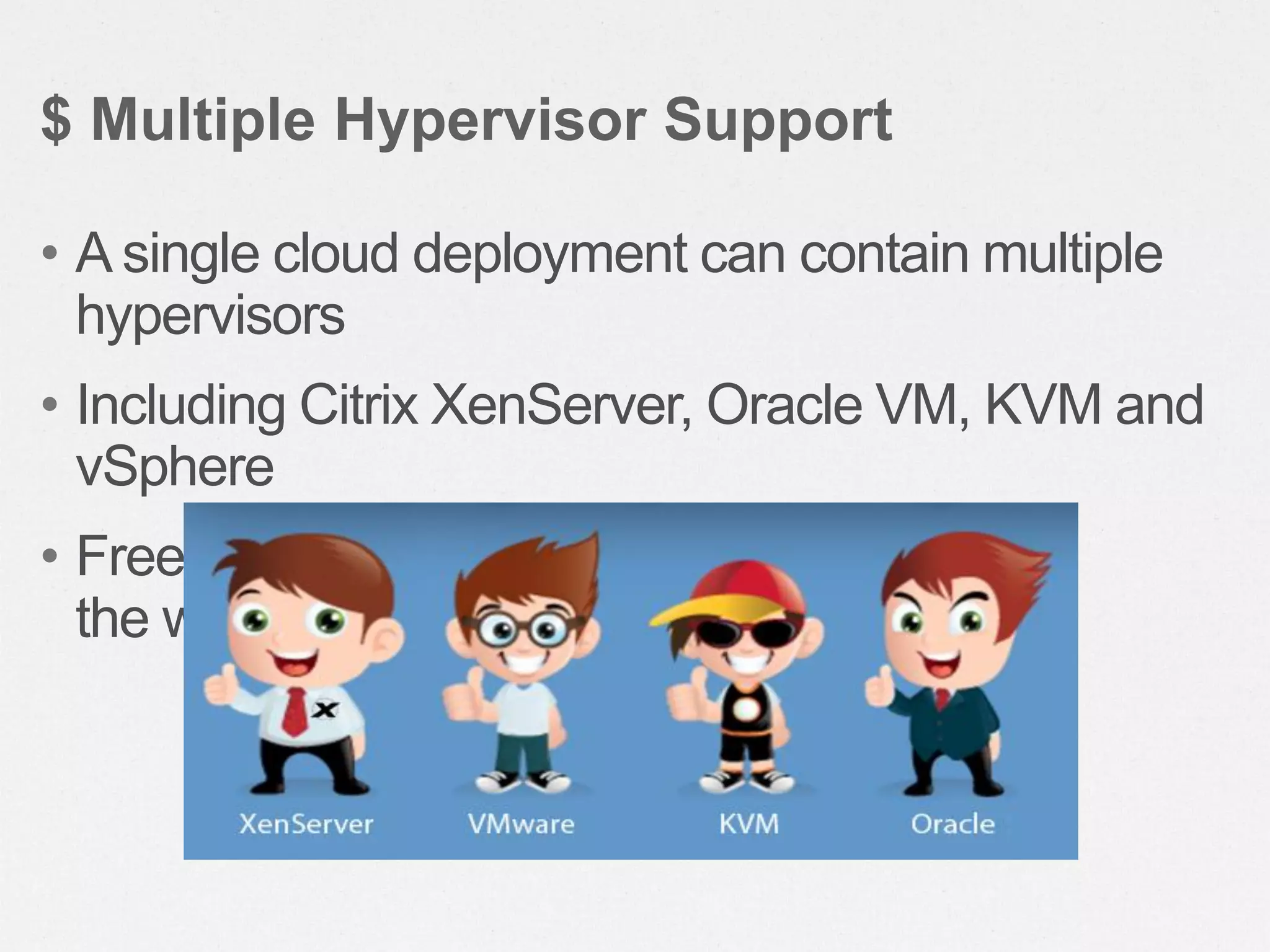
• A single cloud deployment can contain multiple
hypervisors
• Including Citrix XenServer, Oracle VM, KVM and
vSphere
• Freedom to choose the right hypervisor for
the workload
$ Multiple Hypervisor Support
• CloudStack automatically configures each guest
virtual machine’s networking and storage settings
• CloudStack internally manages a pool of virtual
appliances to support the cloud itself
• These appliances offer services such as
firewalling, routing, DHCP, VPN access, console
proxy, storage access, and storage replication
$ Automatic Configuration Management
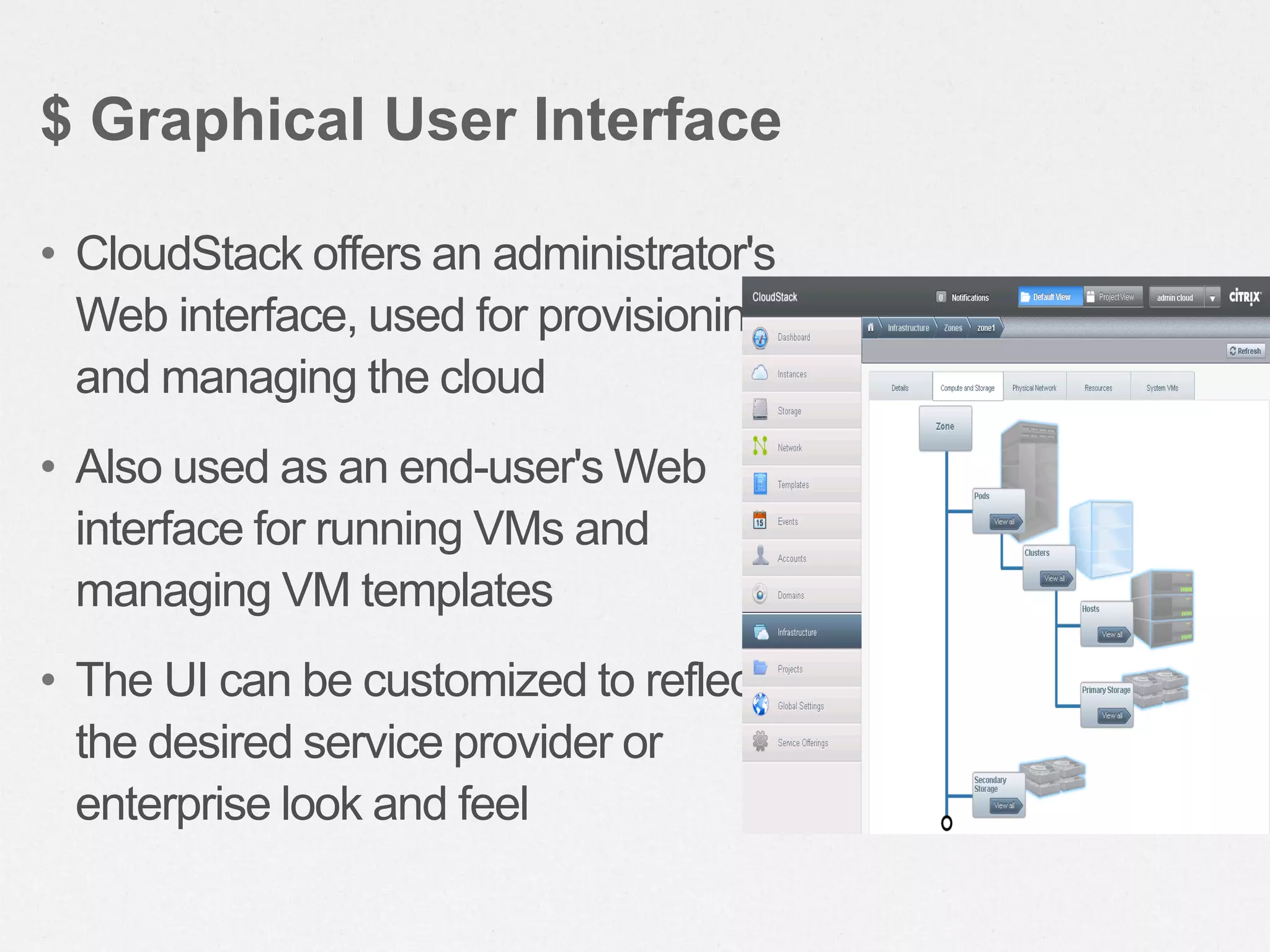
• CloudStack offers an administrator's
Web interface, used for provisioning
and managing the cloud
• Also used as an end-user's Web
interface for running VMs and
managing VM templates
• The UI can be customized to reflect
the desired service provider or
enterprise look and feel
$ Graphical User Interface
• CloudStack provides an API that gives
programmatic access to all the management
features available in the UI
• The API enables the creation of command line
tools and new user interfaces to suit particular
needs
$ API and Extensibility
• The CloudStack platform has a number of features to increase
the availability of the system
• The Management Server may be deployed in a multi-node
installation where the servers are load balanced
• The CloudStack Database may be configured to use replication
to provide for a manual failover in the event of database loss
• For the Hosts, the CloudStack platform supports NIC bonding
and the use of separate networks for storage as well as iSCSI
Multipath
$ High Availability
End-User Experience
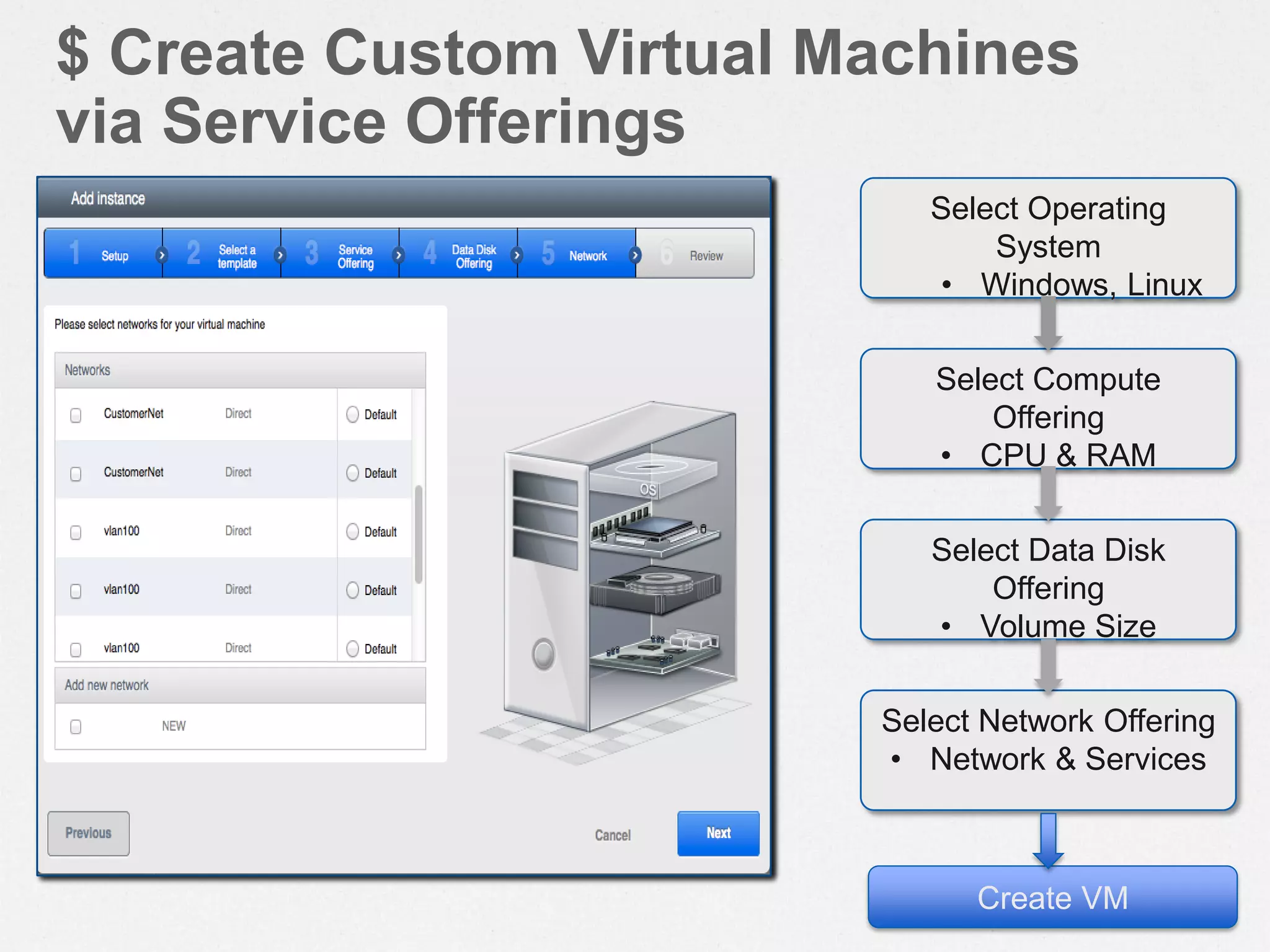
Select Operating
System
• Windows, Linux
Select Compute
Offering
• CPU & RAM
Select Data Disk
Offering
• Volume Size
Select Network Offering
• Network & Services
Create VM
$ Create Custom Virtual Machines
via Service Offerings
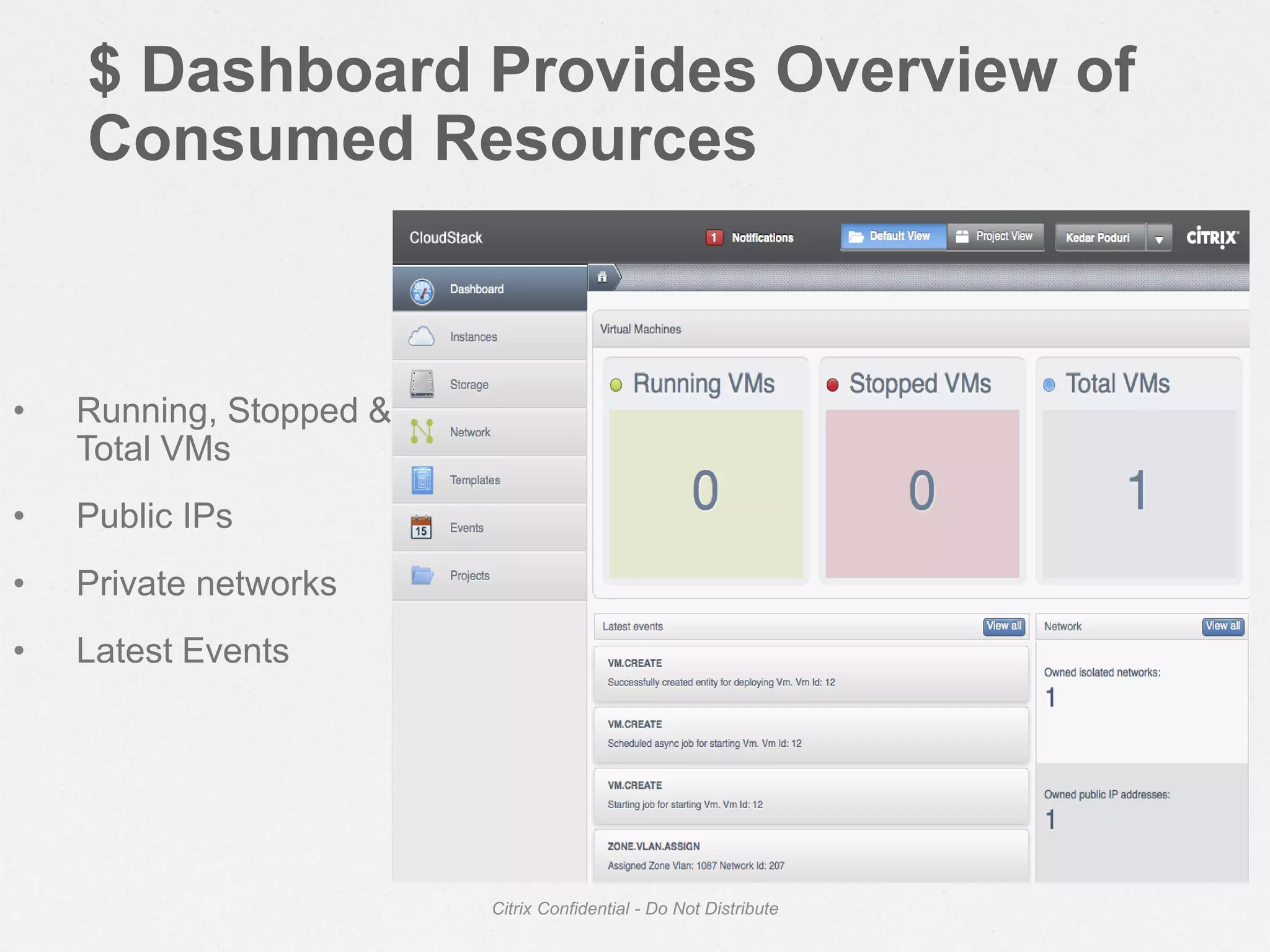
$ Dashboard Provides Overview of
Consumed Resources
Citrix Confidential - Do Not Distribute
• Running, Stopped &
Total VMs
• Public IPs
• Private networks
• Latest Events
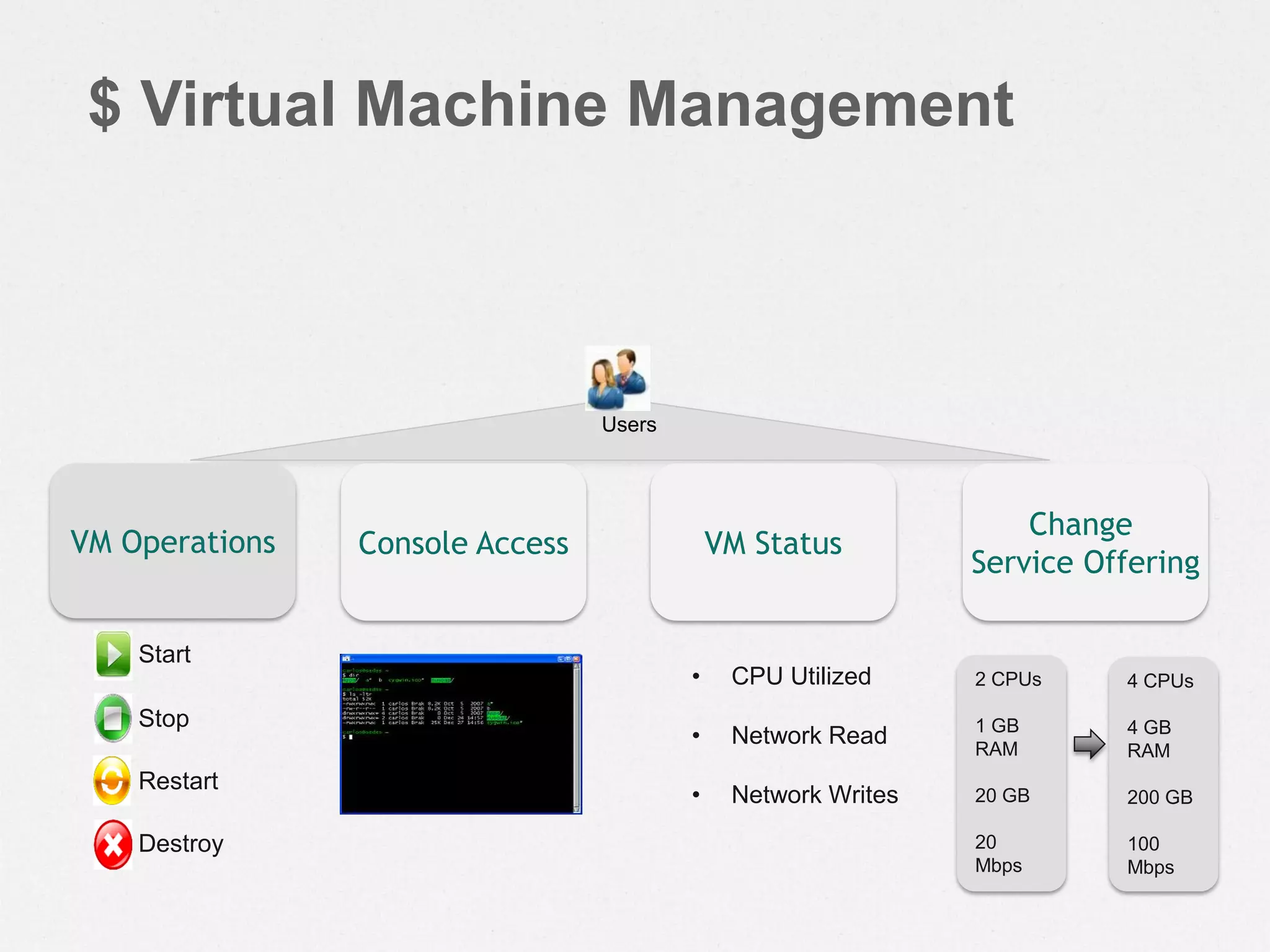
$ Virtual Machine Management
Users
Start
Stop
Restart
Destroy
VM Operations Console Access
• CPU Utilized
• Network Read
• Network Writes
VM Status
Change
Service Offering
2 CPUs
1 GB
RAM
20 GB
20
Mbps
4 CPUs
4 GB
RAM
200 GB
100
Mbps
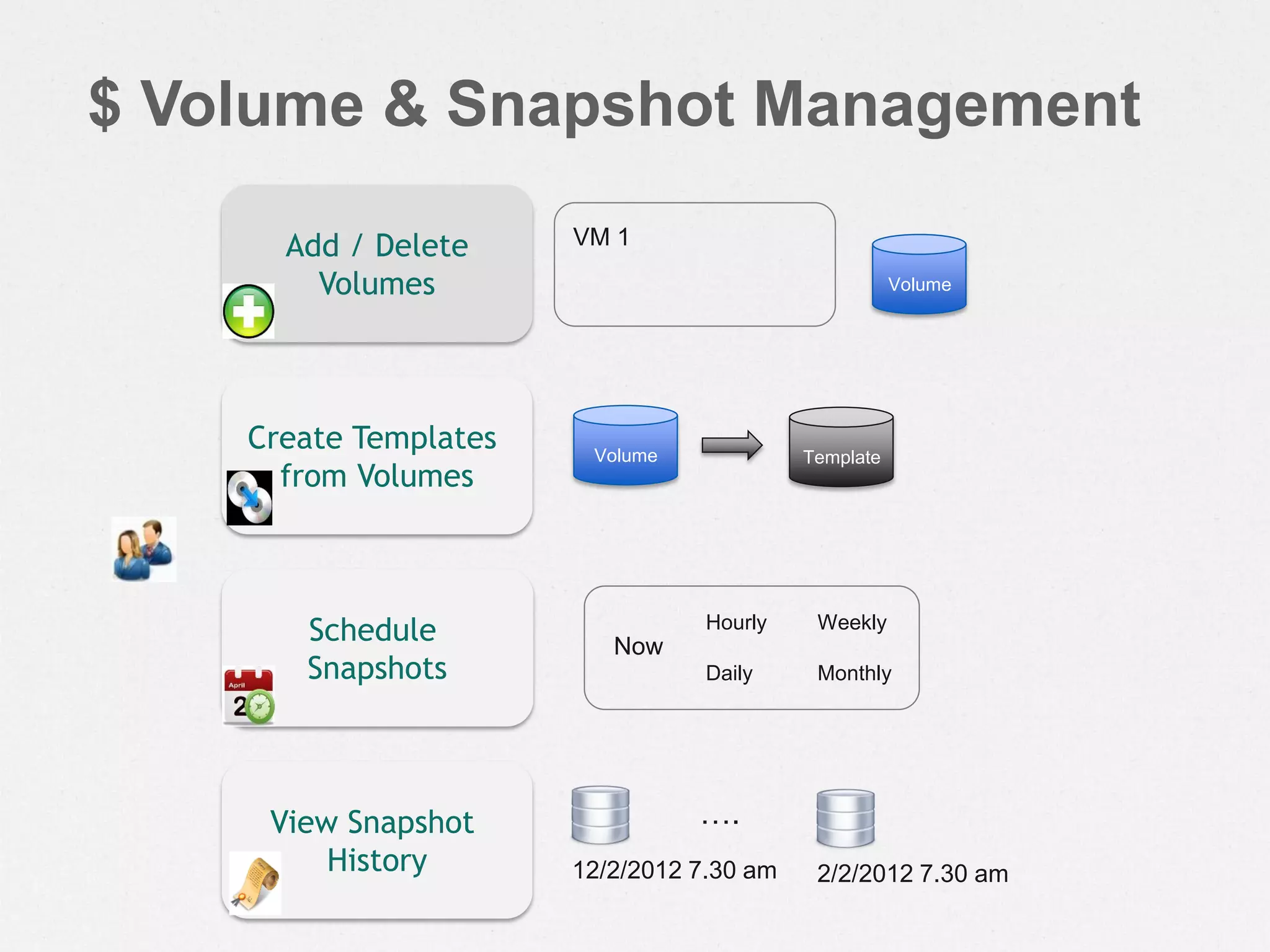
$ Volume & Snapshot Management
Volume
VM 1Add / Delete
Volumes
Schedule
Snapshots
Hourly
Daily
Weekly
Monthly
Now
Create Templates
from Volumes
Volume Template
View Snapshot
History 12/2/2012 7.30 am
….
2/2/2012 7.30 am
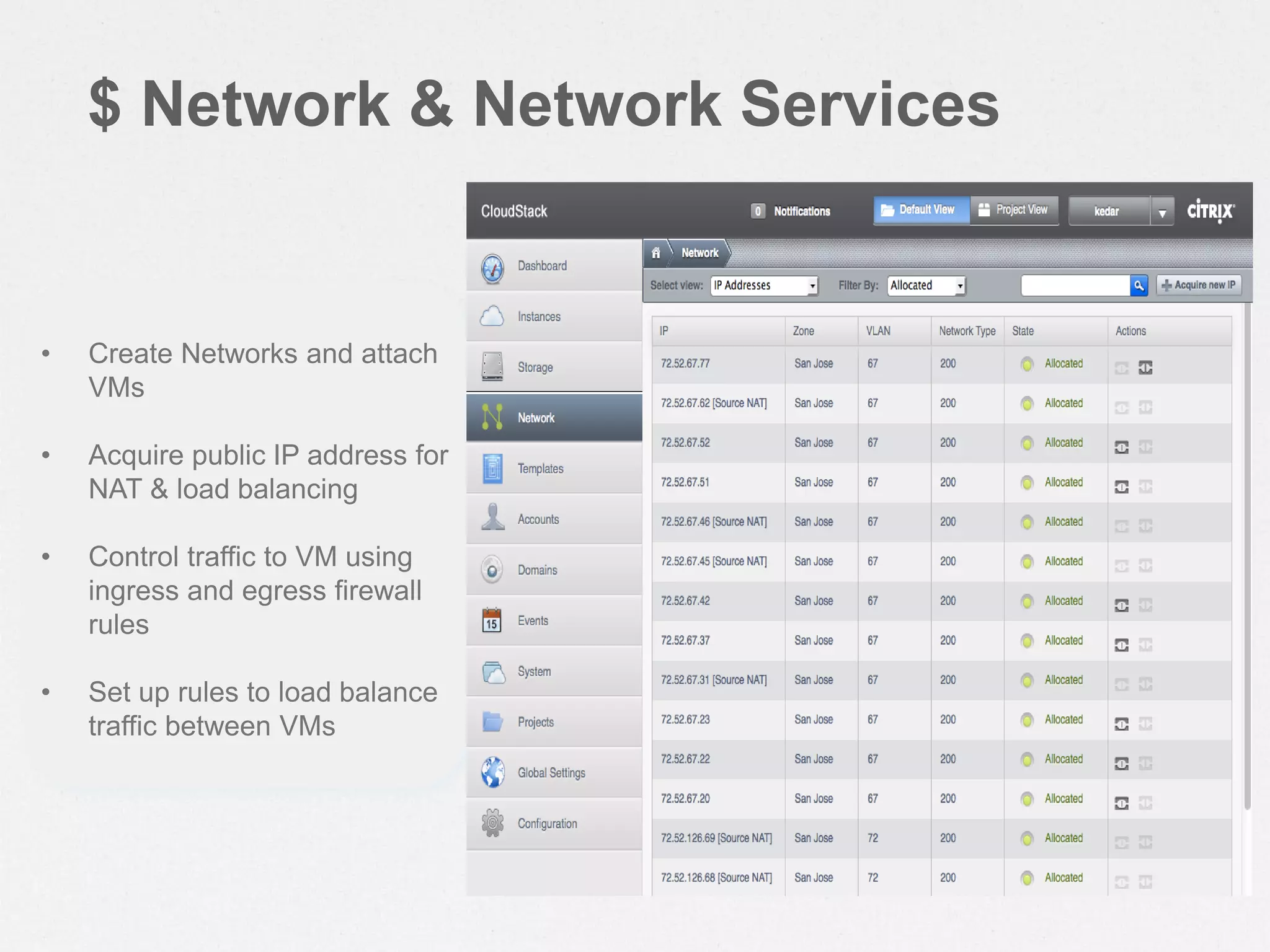
$ Network & Network Services
• Create Networks and attach
VMs
• Acquire public IP address for
NAT & load balancing
• Control traffic to VM using
ingress and egress firewall
rules
• Set up rules to load balance
traffic between VMs
Cloud Architecture
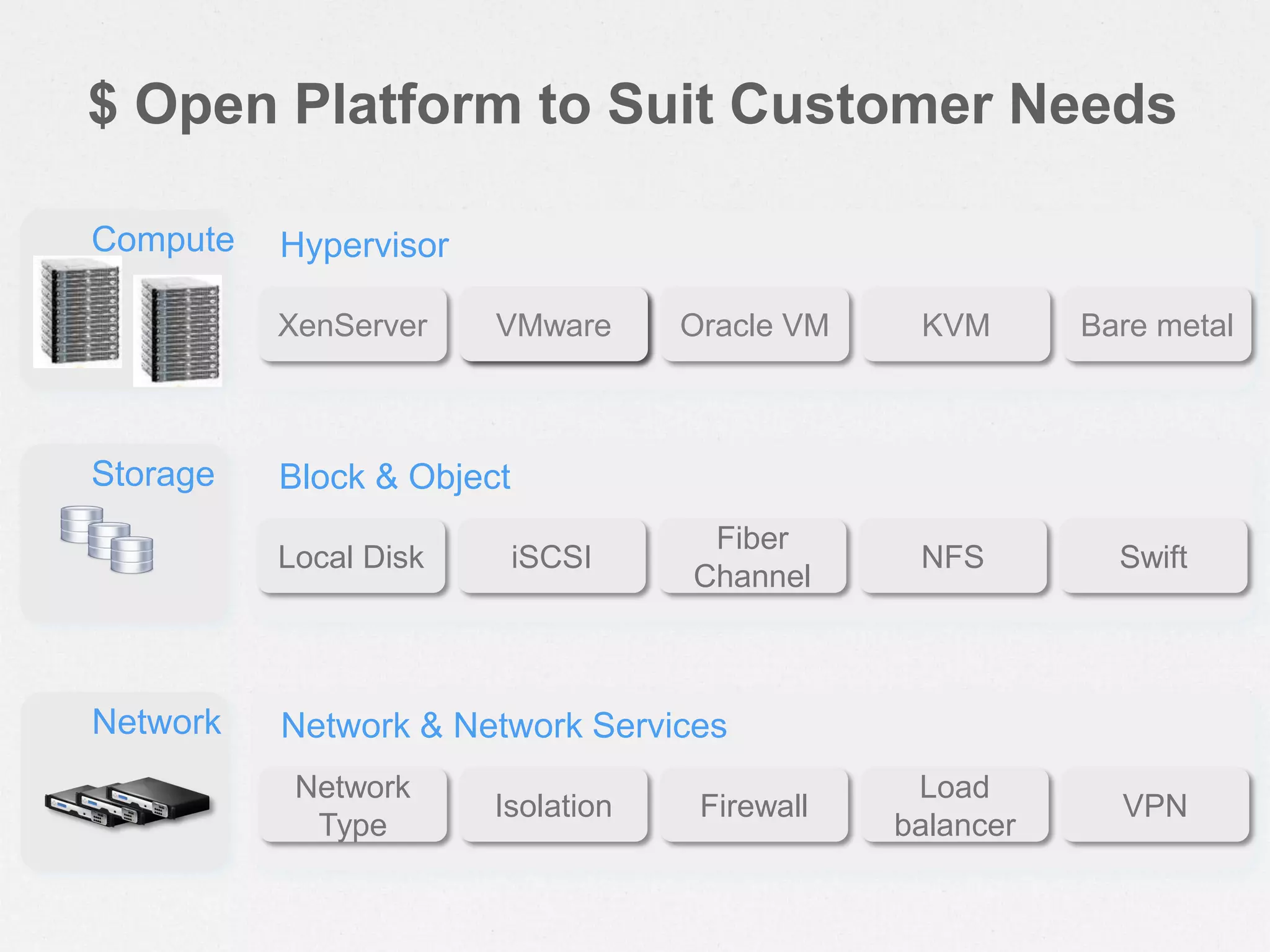
$ Open Platform to Suit Customer Needs
Compute
XenServer VMware KVMOracle VM Bare metal
Hypervisor
Storage
Local Disk iSCSI NFS
Fiber
Channel
Swift
Block & Object
Network
Network
Type
Isolation
Load
balancer
Firewall VPN
Network & Network Services
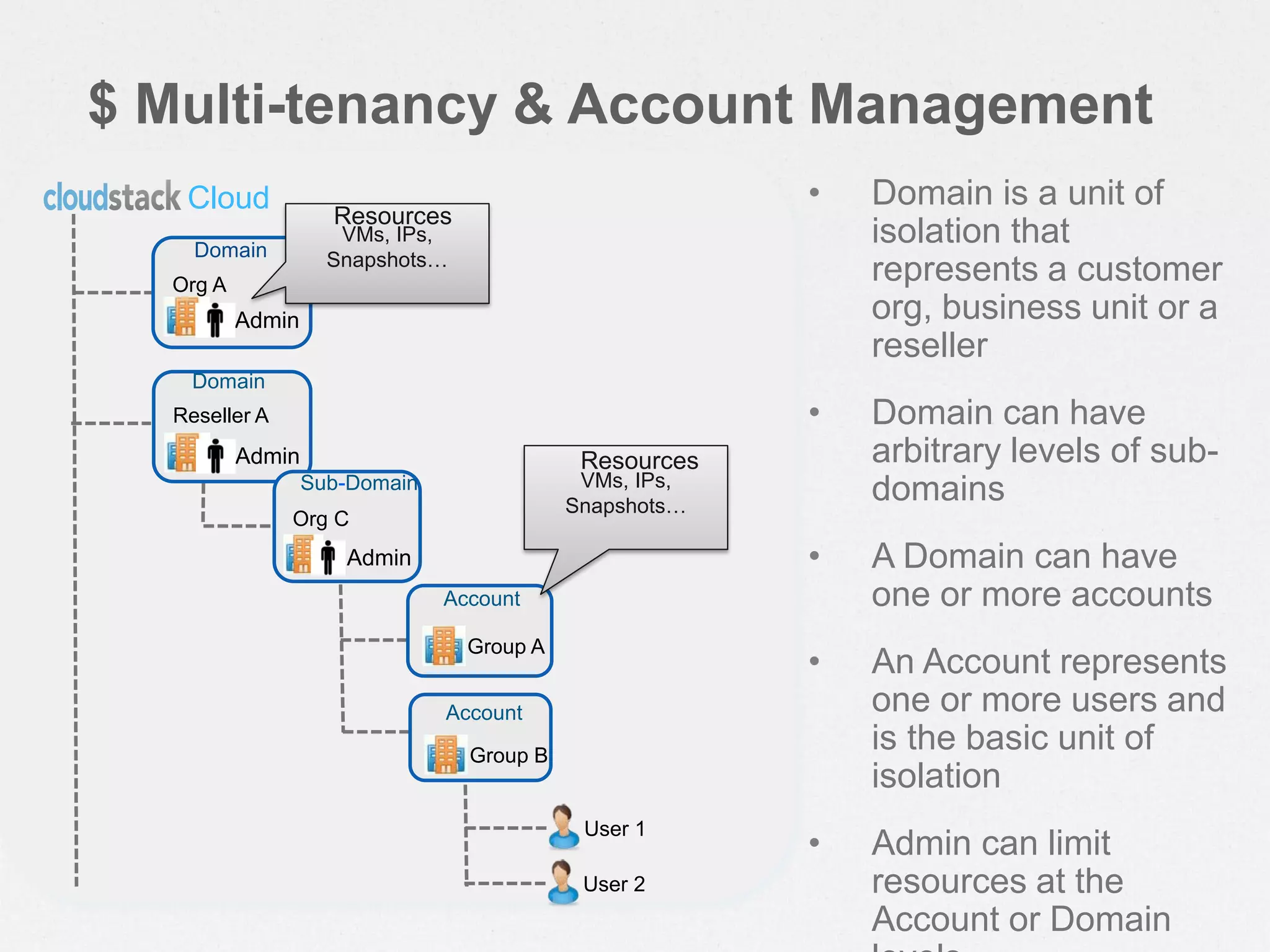
$ Multi-tenancy & Account Management
Cloud • Domain is a unit of
isolation that
represents a customer
org, business unit or a
reseller
• Domain can have
arbitrary levels of sub-
domains
• A Domain can have
one or more accounts
• An Account represents
one or more users and
is the basic unit of
isolation
• Admin can limit
resources at the
Account or Domain
Admin
Org A
Admin
Reseller A
Domain
Domain
Admin
Org C
Sub-Domain
User 1
User 2
Group B
Account
Group A
Account
VMs, IPs,
Snapshots…
VMs, IPs,
Snapshots…
Resources
Resources
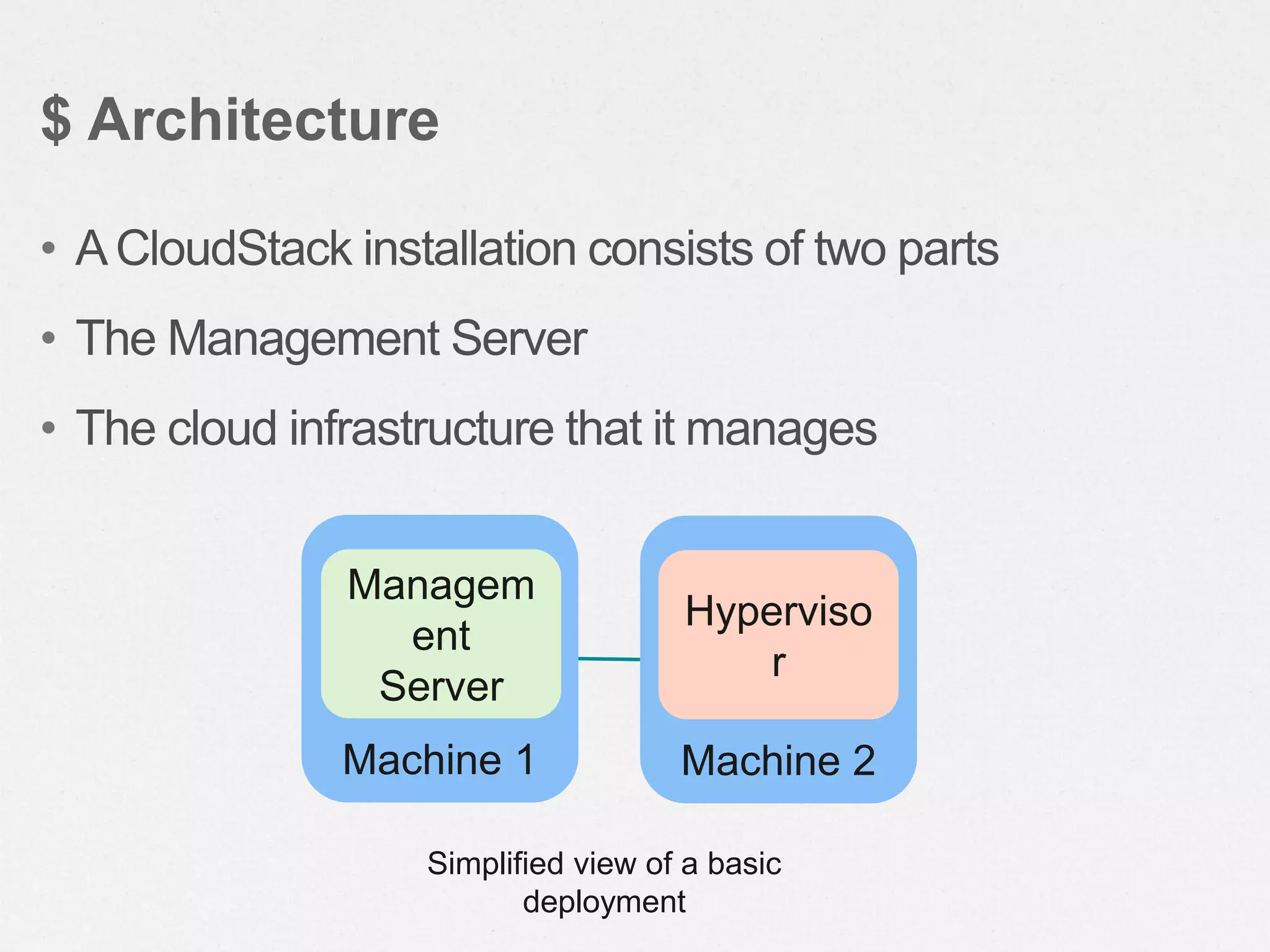
• ACloudStack installation consists of two parts
• The Management Server
• The cloud infrastructure that it manages
$ Architecture
Machine 1
Managem
ent
Server
Machine 2
Hyperviso
r
Simplified view of a basic
deployment
• Manages the assignment of guest VMs to
particular hosts
• Manages the assignment of public and private IP
addresses to particular accounts
• Manages the allocation of storage to guests as
virtual disks
• Manages snapshots, templates, and ISO
images, possibly replicating them across data
centers
• Provides a single point of configuration for the
$ The Management Server
• Provides the web user interface for the
administrator and a reference user interface for
end users
• Provides the APIs for the CloudStack platform
$ The Management Server
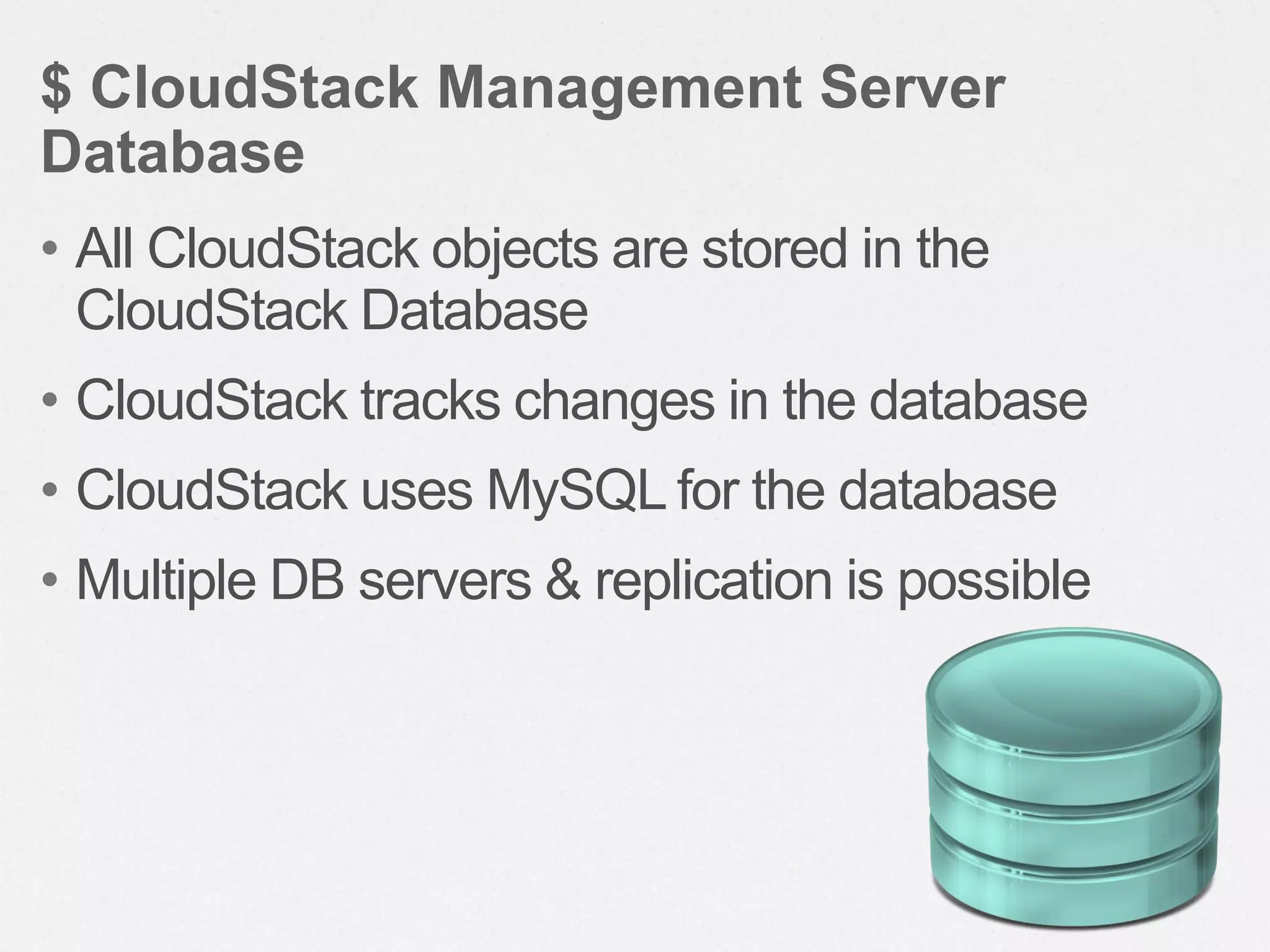
• All CloudStack objects are stored in the
CloudStack Database
• CloudStack tracks changes in the database
• CloudStack uses MySQL for the database
• Multiple DB servers & replication is possible
$ CloudStack Management Server
Database
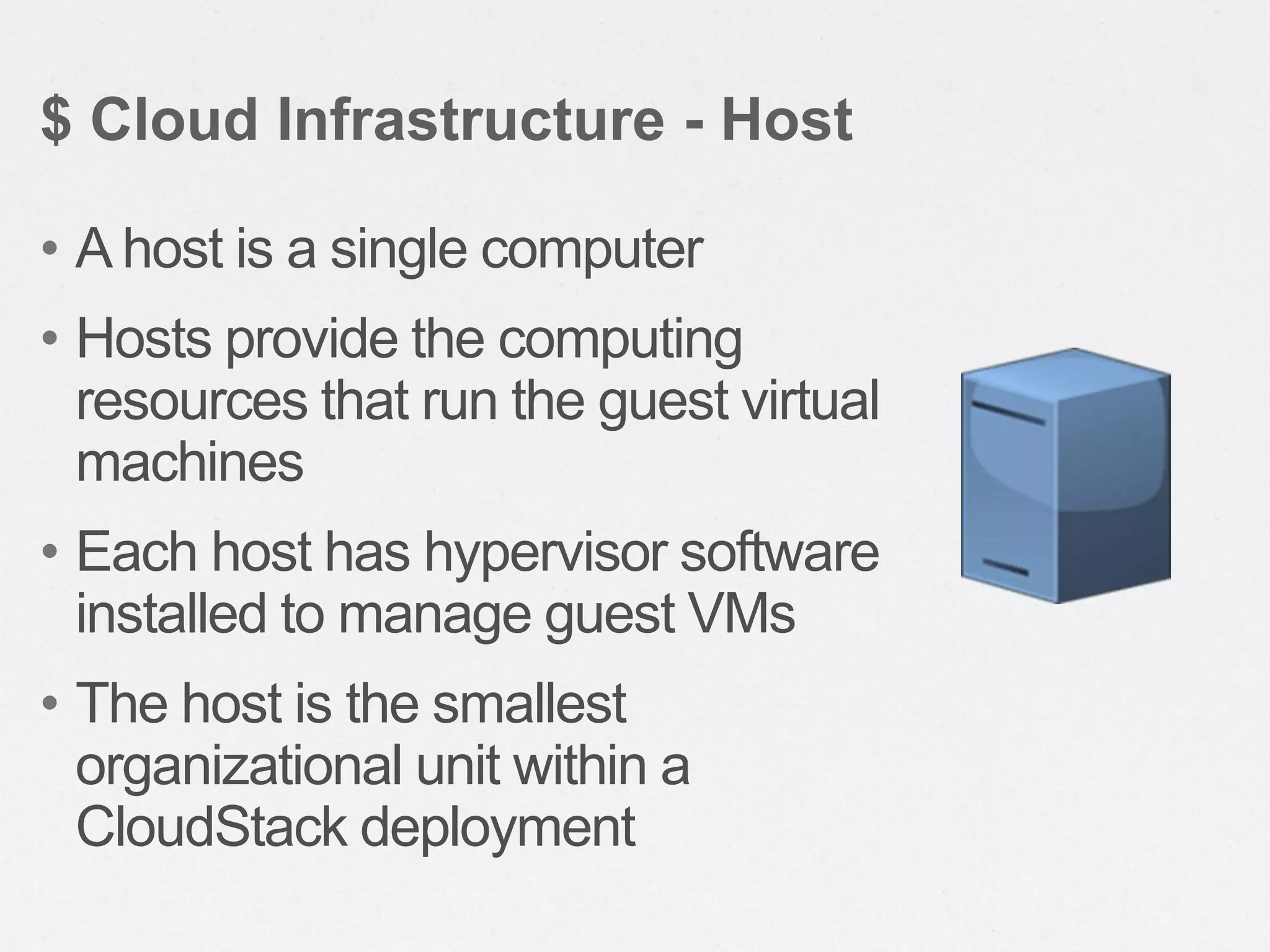
• A host is a single computer
• Hosts provide the computing
resources that run the guest virtual
machines
• Each host has hypervisor software
installed to manage guest VMs
• The host is the smallest
organizational unit within a
CloudStack deployment
$ Cloud Infrastructure - Host
Cluster
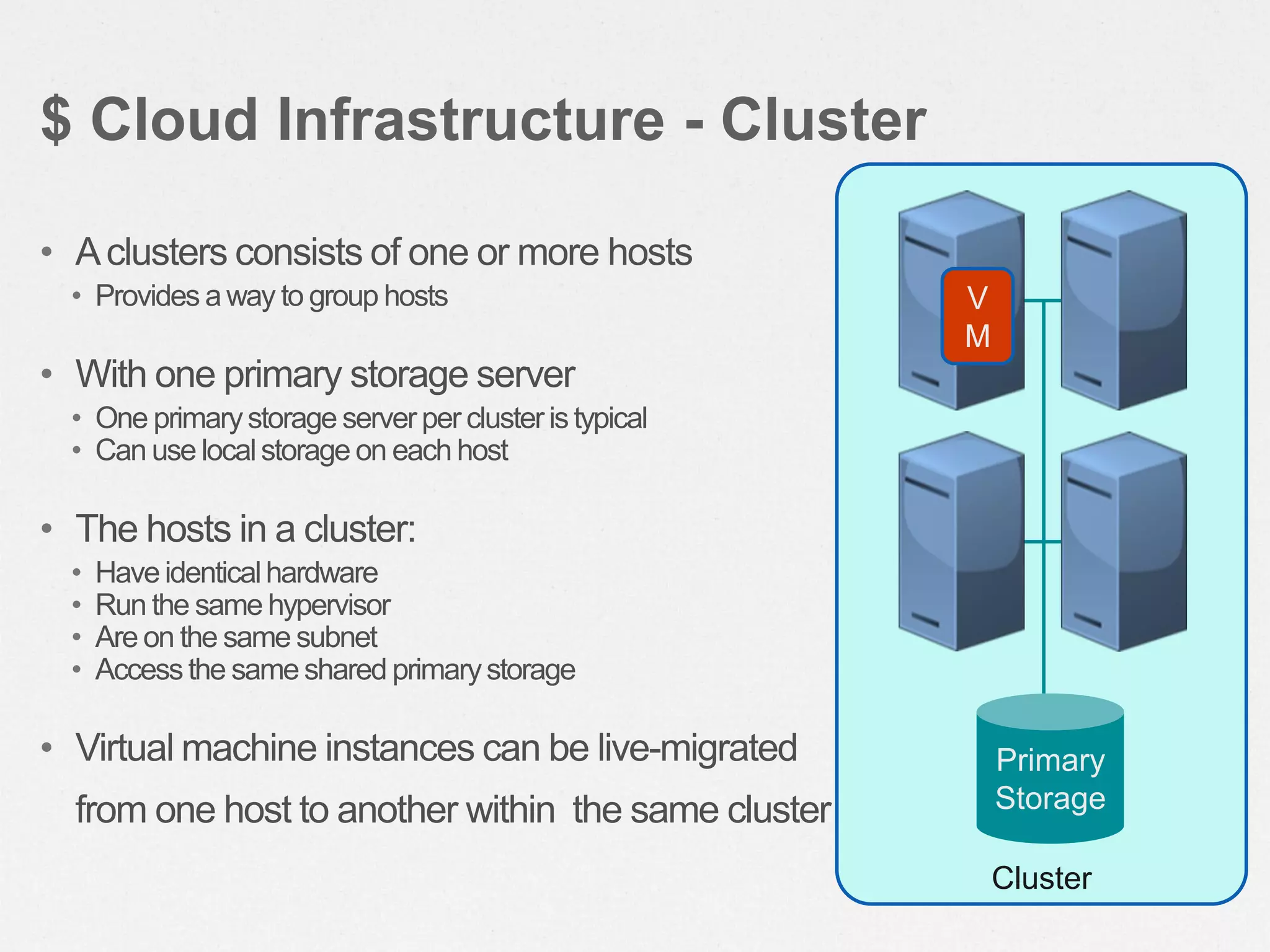
• Aclusters consists of one or more hosts
• Provides away to group hosts
• With one primary storage server
• One primarystorage serverper clusteristypical
• Can use localstorage on each host
• The hosts in a cluster:
• Haveidenticalhardware
• Run the same hypervisor
• Are on the same subnet
• Accessthe sameshared primarystorage
• Virtual machine instances can be live-migrated
from one host to another within the same cluster
$ Cloud Infrastructure - Cluster
Primary
Storage
V
M
Pod
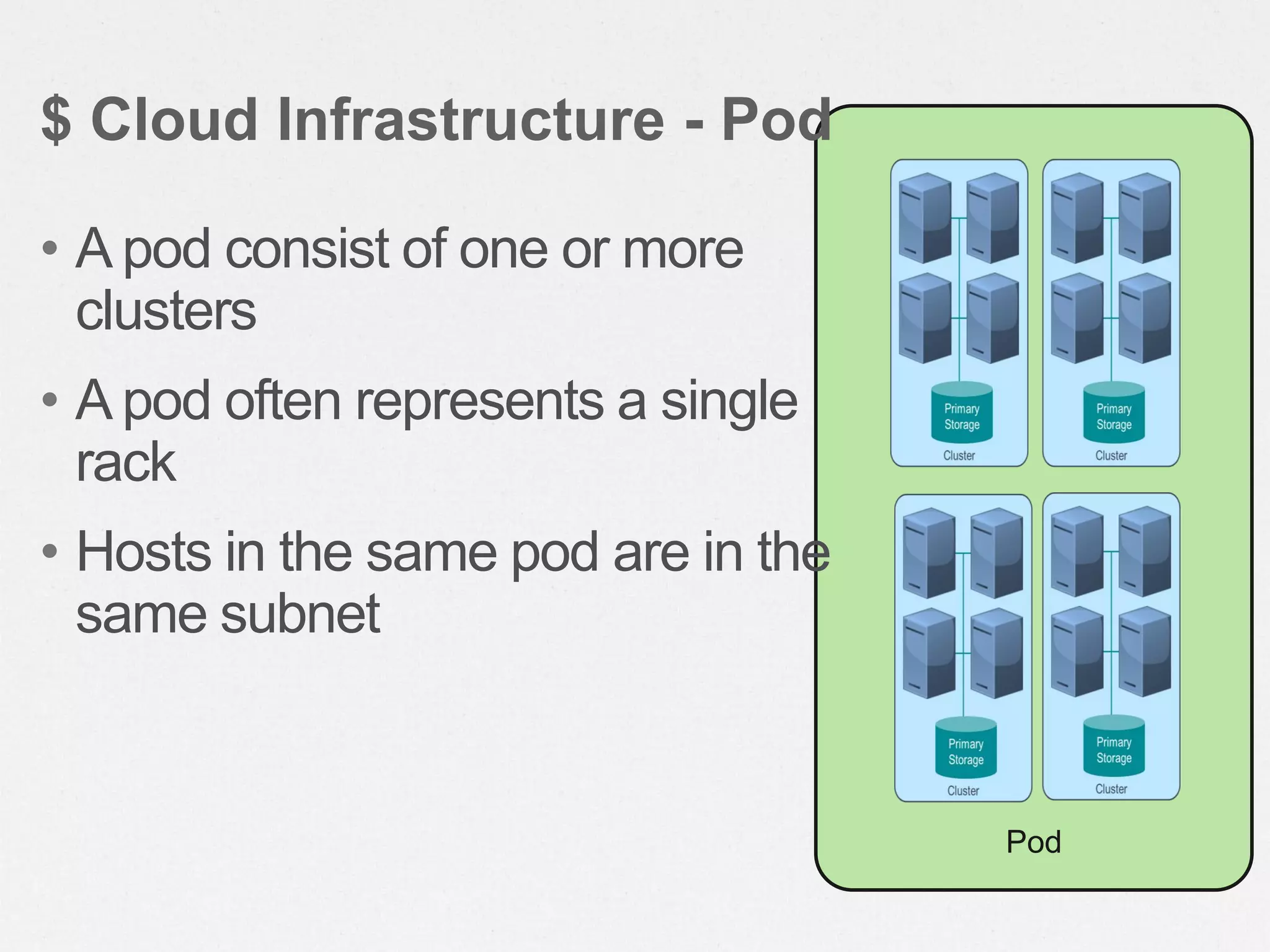
• A pod consist of one or more
clusters
• A pod often represents a single
rack
• Hosts in the same pod are in the
same subnet
$ Cloud Infrastructure - Pod
Zone
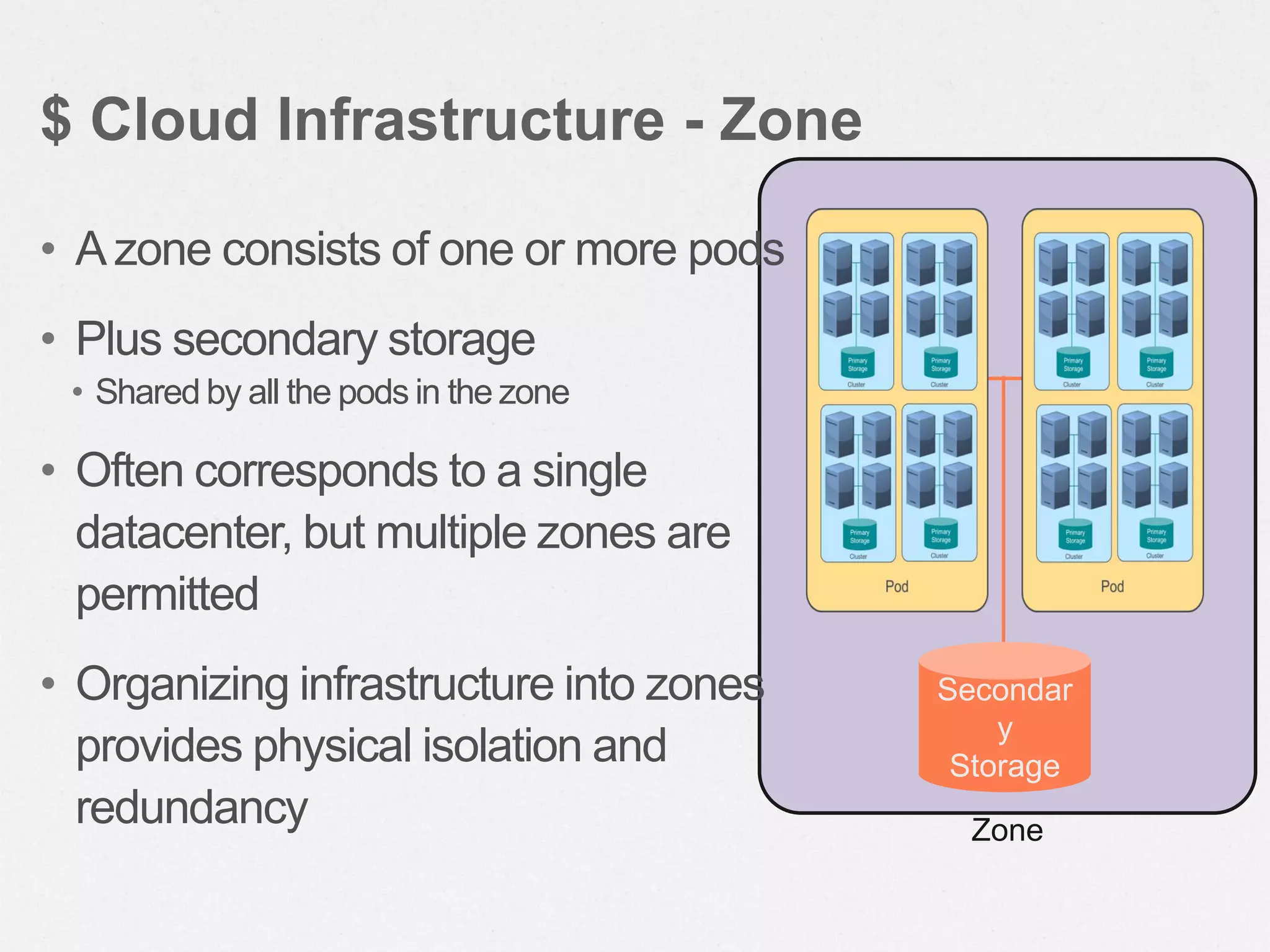
• Azone consists of one or more pods
• Plus secondary storage
• Shared by all the pods in the zone
• Often corresponds to a single
datacenter, but multiple zones are
permitted
• Organizing infrastructure into zones
provides physical isolation and
redundancy
$ Cloud Infrastructure - Zone
Secondar
y
Storage
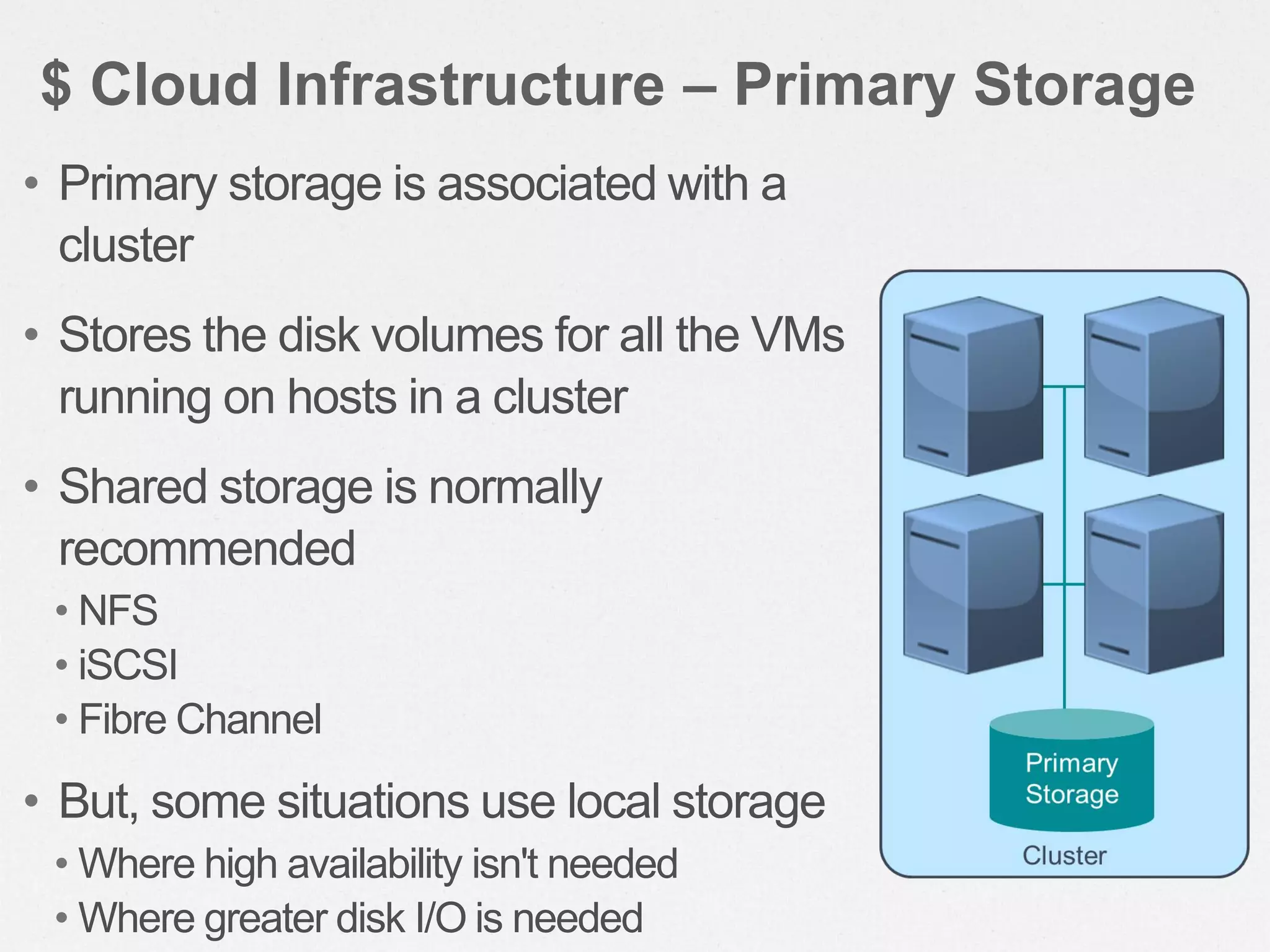
• Primary storage is associated with a
cluster
• Stores the disk volumes for all the VMs
running on hosts in a cluster
• Shared storage is normally
recommended
• NFS
• iSCSI
• Fibre Channel
• But, some situations use local storage
• Where high availability isn't needed
• Where greater disk I/O is needed
$ Cloud Infrastructure – Primary Storage
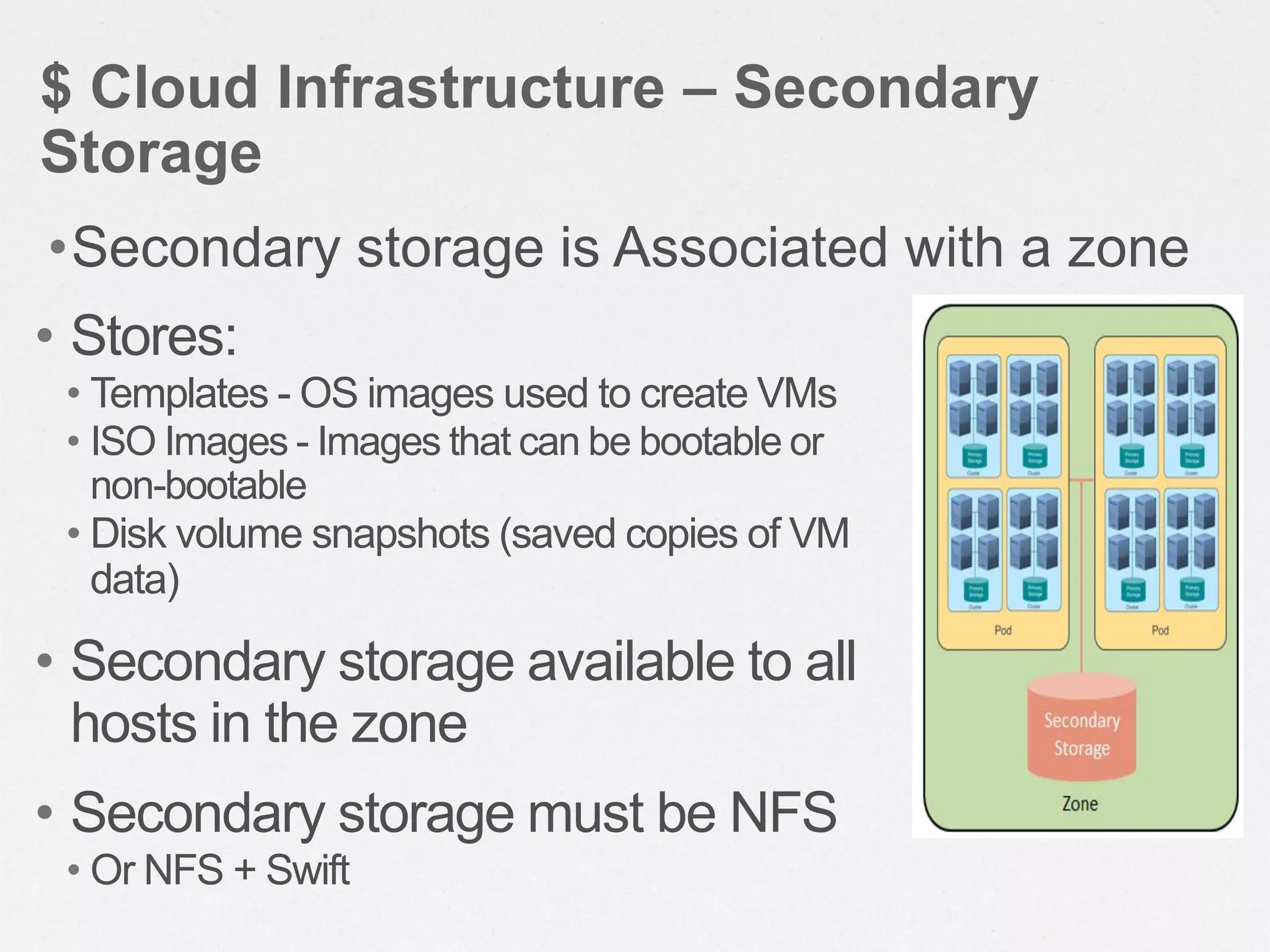
• Stores:
• Templates - OS images used to create VMs
• ISO Images - Images that can be bootable or
non-bootable
• Disk volume snapshots (saved copies of VM
data)
• Secondary storage available to all
hosts in the zone
• Secondary storage must be NFS
• Or NFS + Swift
$ Cloud Infrastructure – Secondary
Storage
•Secondary storage is Associated with a zone
Zone
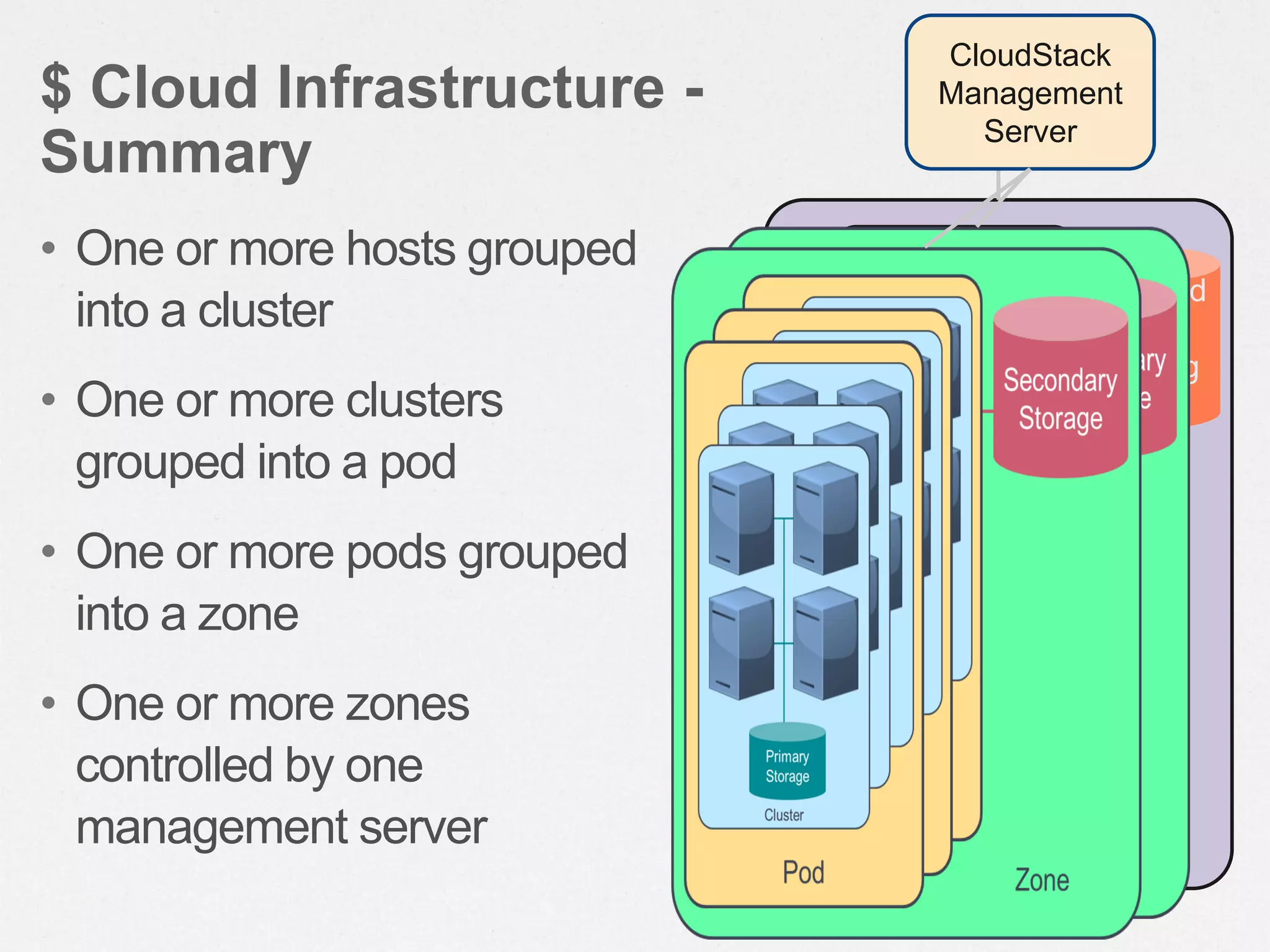
• One or more hosts grouped
into a cluster
• One or more clusters
grouped into a pod
• One or more pods grouped
into a zone
• One or more zones
controlled by one
management server
$ Cloud Infrastructure -
Summary
Pod
Second
ary
Storag
e
CloudStack
Management
Server
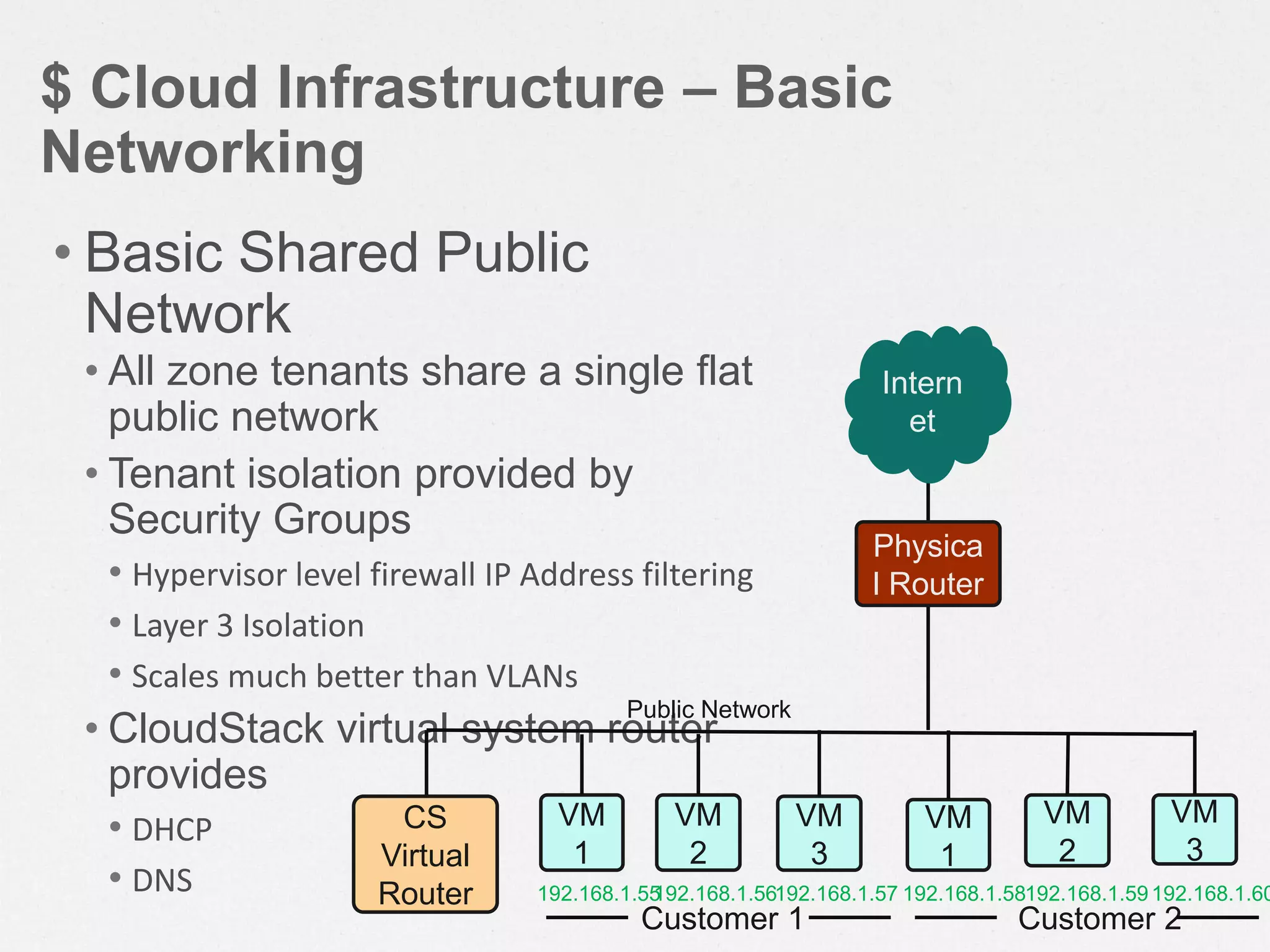
$ Cloud Infrastructure – Basic
Networking
• Basic Shared Public
Network
• All zone tenants share a single flat
public network
• Tenant isolation provided by
Security Groups
• Hypervisor level firewall IP Address filtering
• Layer 3 Isolation
• Scales much better than VLANs
• CloudStack virtual system router
provides
• DHCP
• DNS
Customer 1 Customer 2
192.168.1.55192.168.1.56192.168.1.57 192.168.1.58192.168.1.59192.168.1.60
Intern
et
Physica
l Router
CS
Virtual
Router
VM
1
VM
2
VM
3
VM
1
VM
2
VM
3
Public Network
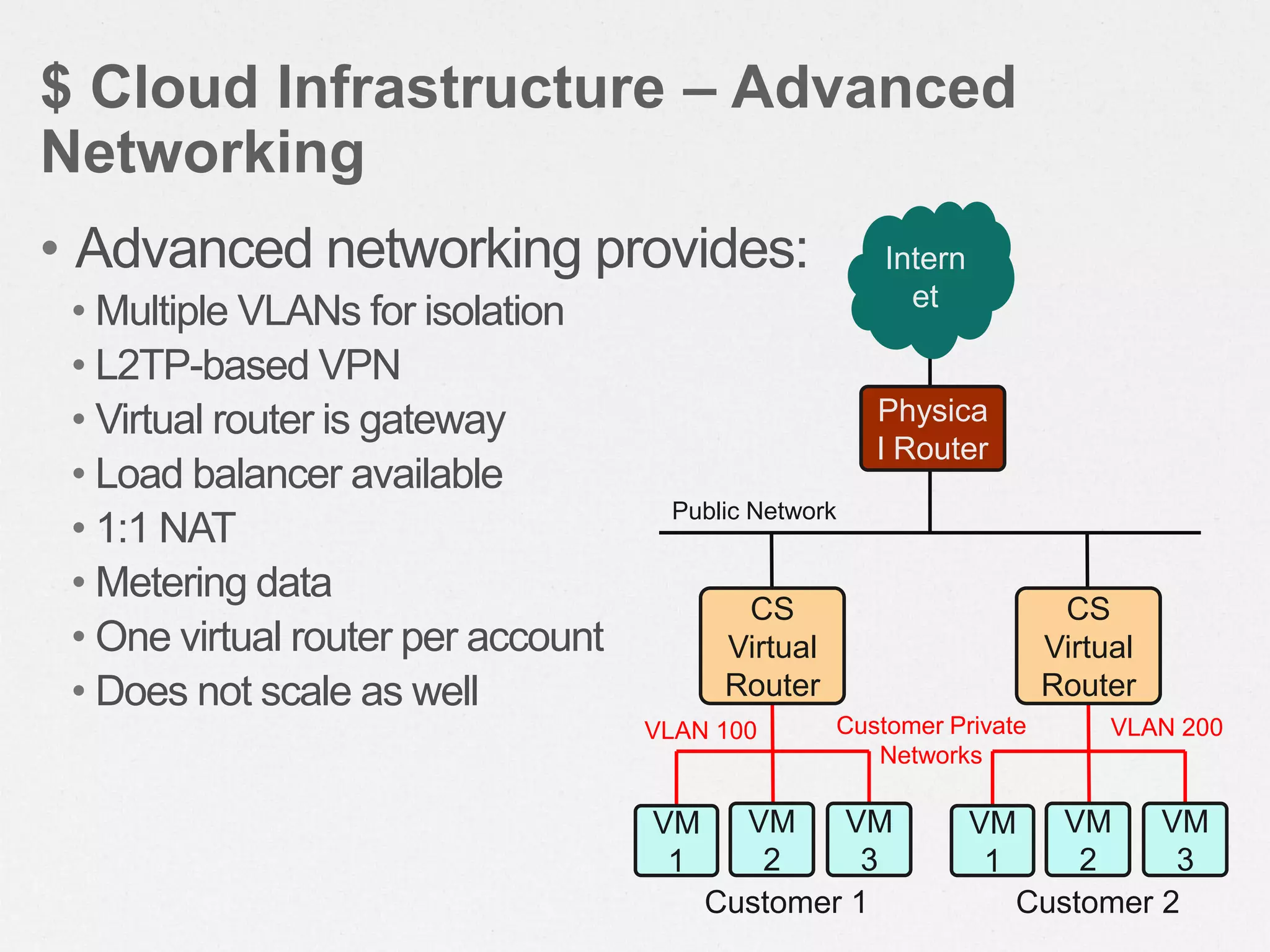
• Advanced networking provides:
• Multiple VLANs for isolation
• L2TP-based VPN
• Virtual router is gateway
• Load balancer available
• 1:1 NAT
• Metering data
• One virtual router per account
• Does not scale as well
$ Cloud Infrastructure – Advanced
Networking
Intern
et
Physica
l Router
CS
Virtual
Router
VM
1
VM
2
VM
3
CS
Virtual
Router
VM
1
VM
2
VM
3
Public Network
Customer Private
Networks
Customer 1 Customer 2
VLAN 100 VLAN 200
Layer-2
Switch
Internet
Router &
Firewall
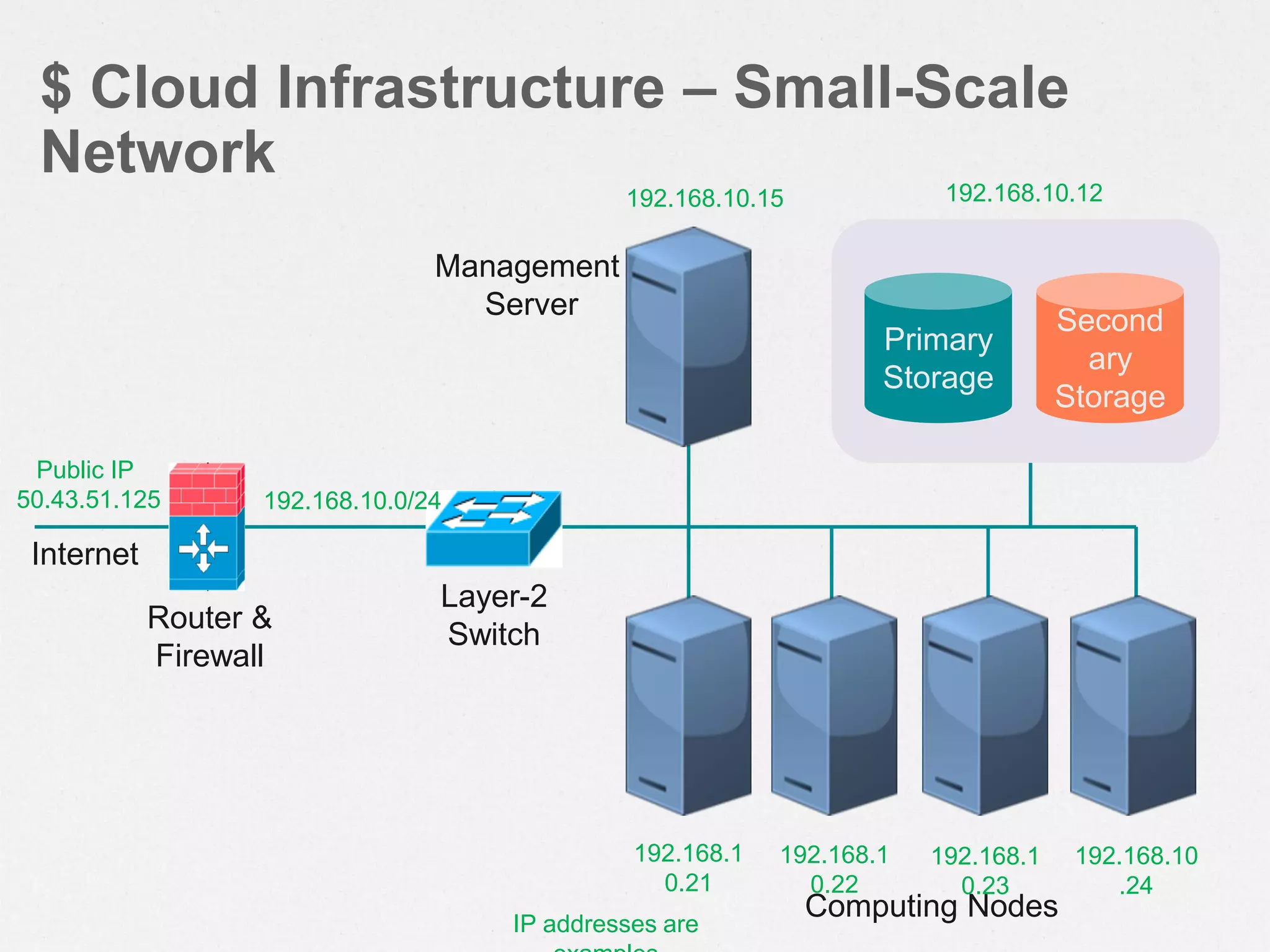
$ Cloud Infrastructure – Small-Scale
Network
Second
ary
Storage
Primary
Storage
Computing Nodes
Management
Server
Public IP
50.43.51.125 192.168.10.0/24
192.168.1
0.22
192.168.10.15 192.168.10.12
IP addresses are
192.168.1
0.23
192.168.10
.24
192.168.1
0.21
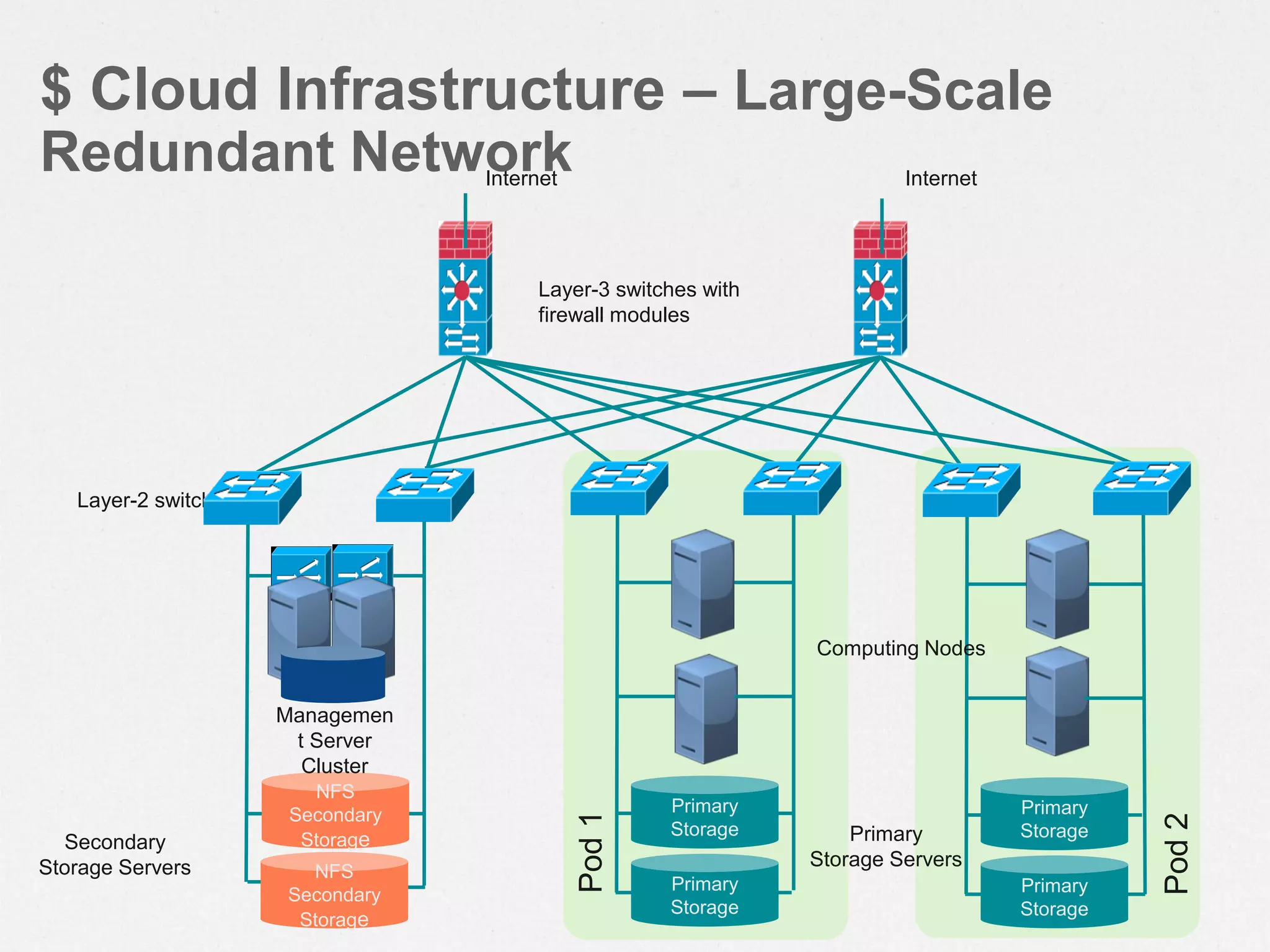
$ Cloud Infrastructure – Large-Scale
Redundant Network
Secondary
Storage Servers
Primary
Storage
NFS
Secondary
Storage
Pod1
Pod2
Managemen
t Server
Cluster
Layer-3 switches with
firewall modules
Layer-2 switches
Internet
Primary
Storage
Primary
Storage
Primary
Storage
NFS
Secondary
Storage
Internet
Computing Nodes
Primary
Storage Servers
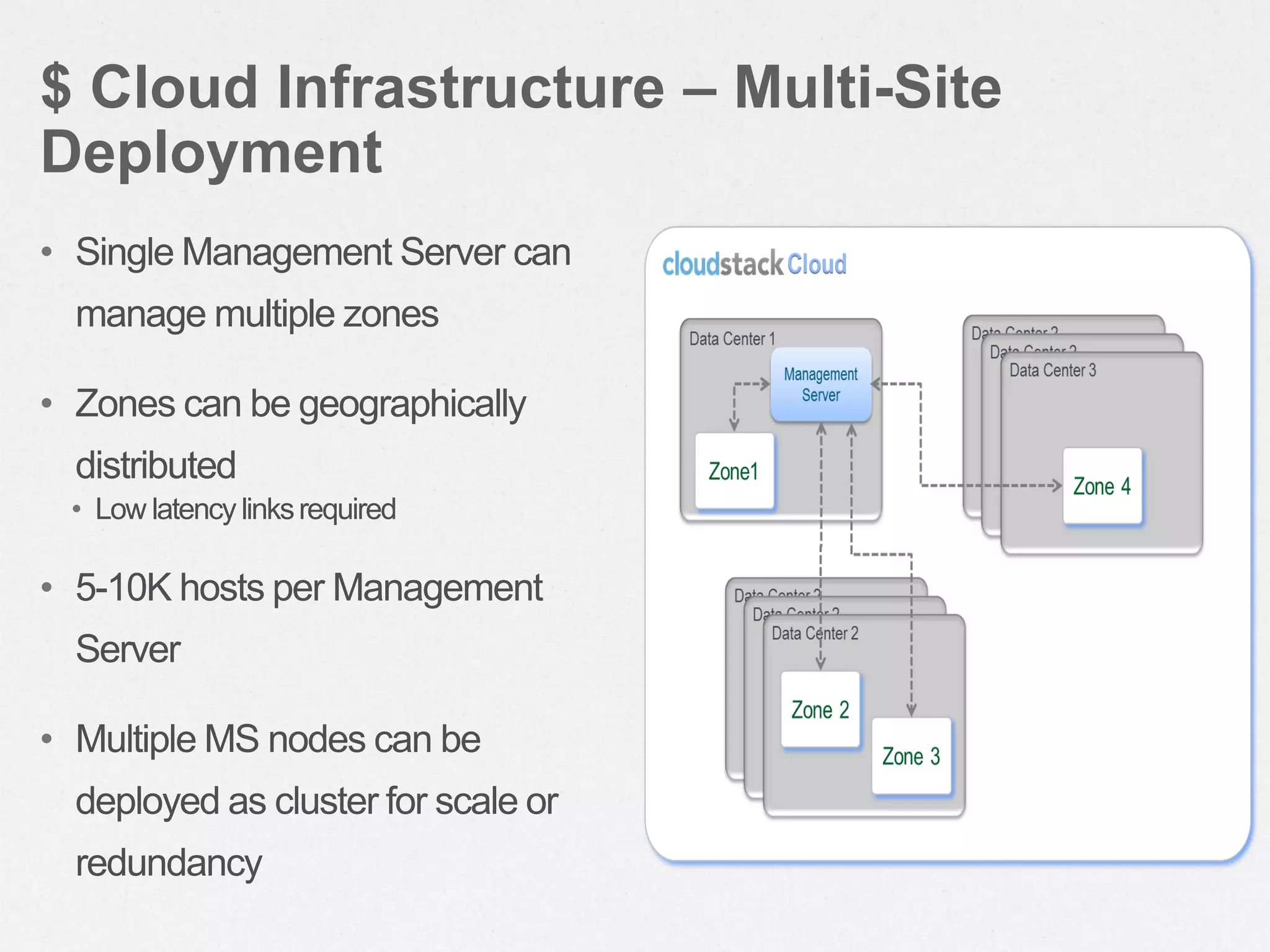
$ Cloud Infrastructure – Multi-Site
Deployment
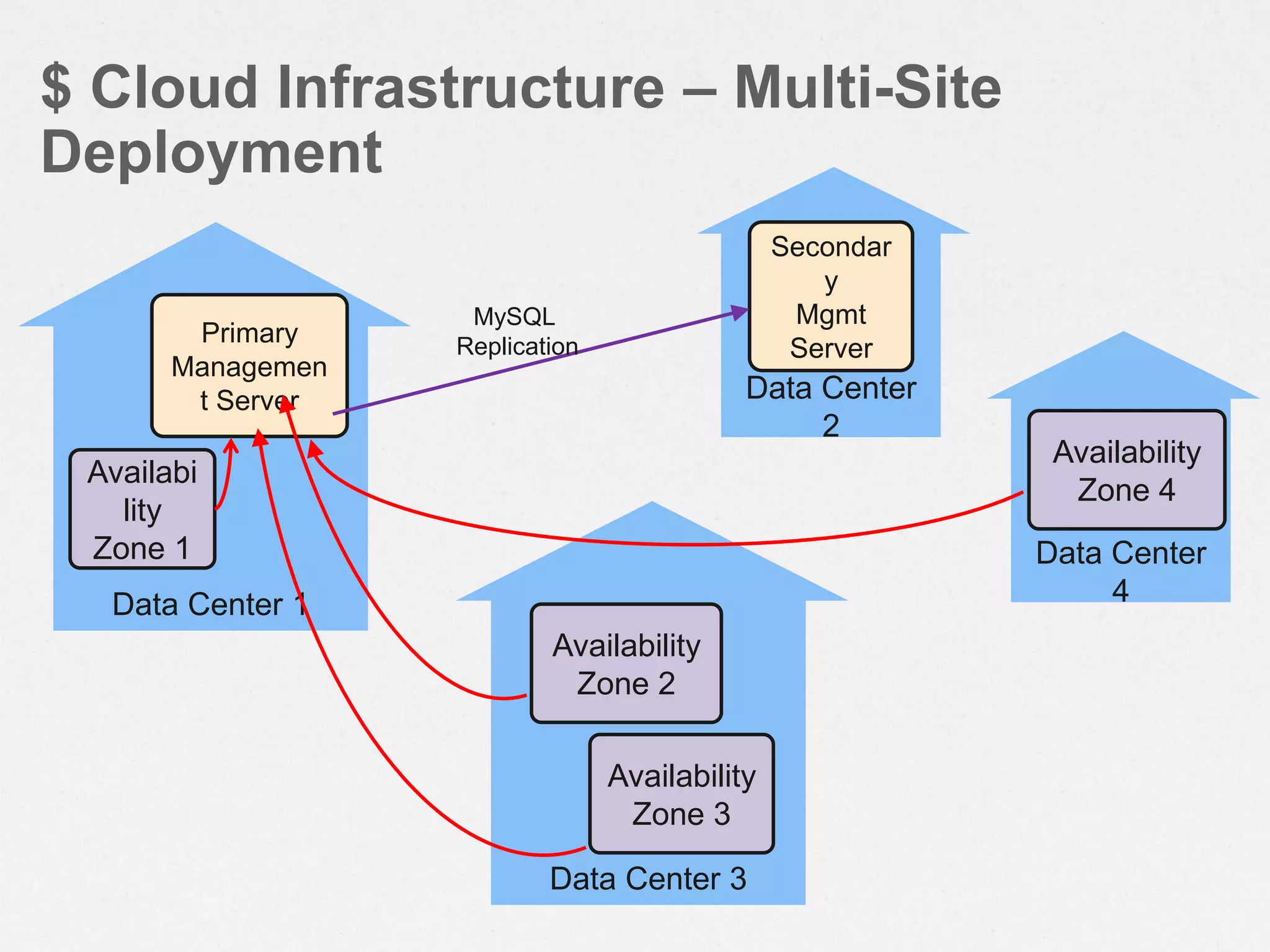
• Single Management Server can
manage multiple zones
• Zones can be geographically
distributed
• Low latencylinksrequired
• 5-10K hosts per Management
Server
• Multiple MS nodes can be
deployed as cluster for scale or
redundancy
Data Center 1
$ Cloud Infrastructure – Multi-Site
Deployment
Availabi
lity
Zone 1
Primary
Managemen
t Server Data Center
2
Secondar
y
Mgmt
Server
MySQL
Replication
Data Center 3
Data Center
4
Availability
Zone 2
Availability
Zone 3
Availability
Zone 4
Let’s Build Our Cloud 
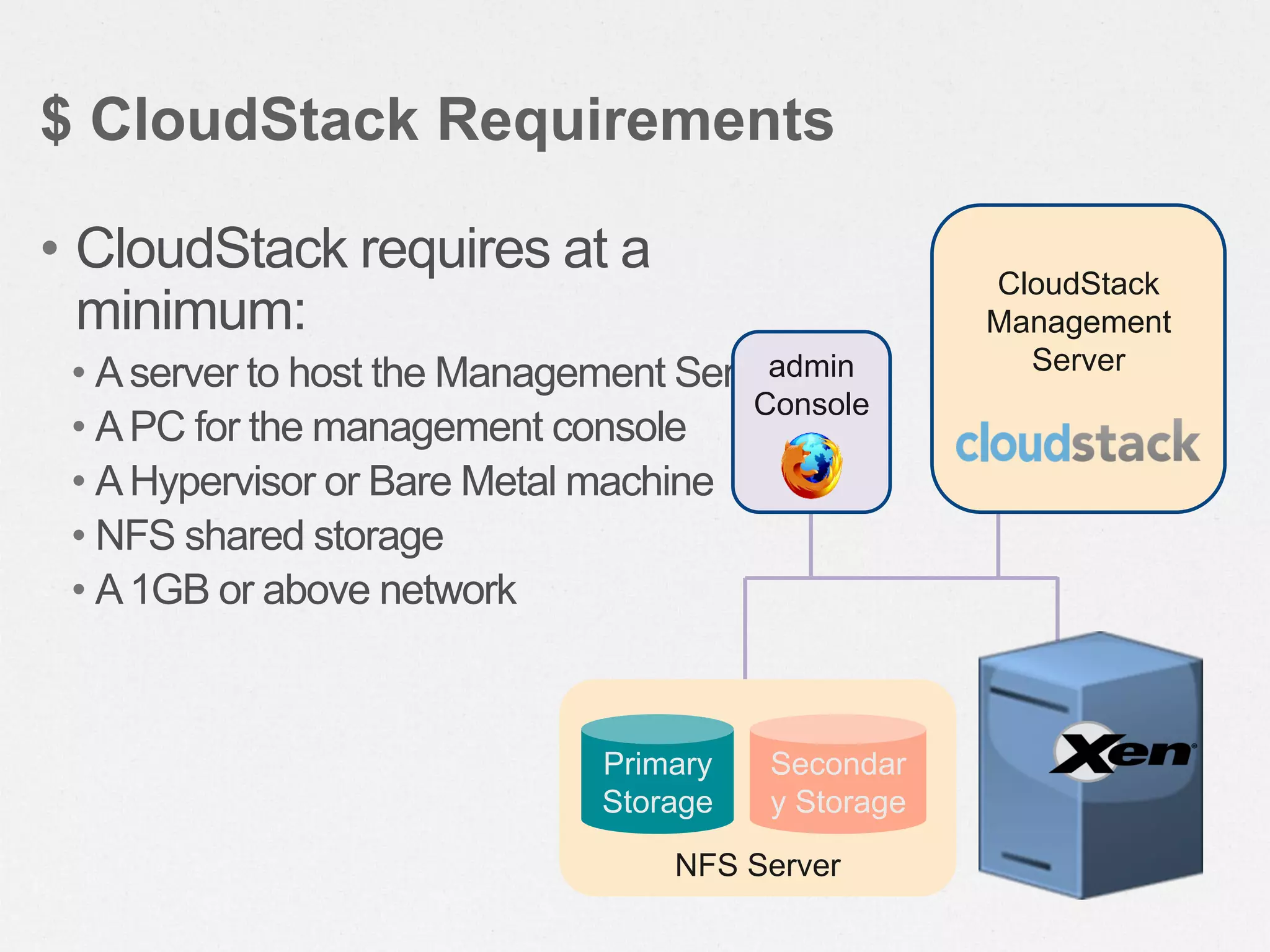
• CloudStack requires at a
minimum:
• Aserver to host the Management Server
• APC for the management console
• AHypervisor or Bare Metal machine
• NFS shared storage
• A1GB or above network
$ CloudStack Requirements
NFS Server
Primary
Storage
Secondar
y Storage
CloudStack
Management
Serveradmin
Console
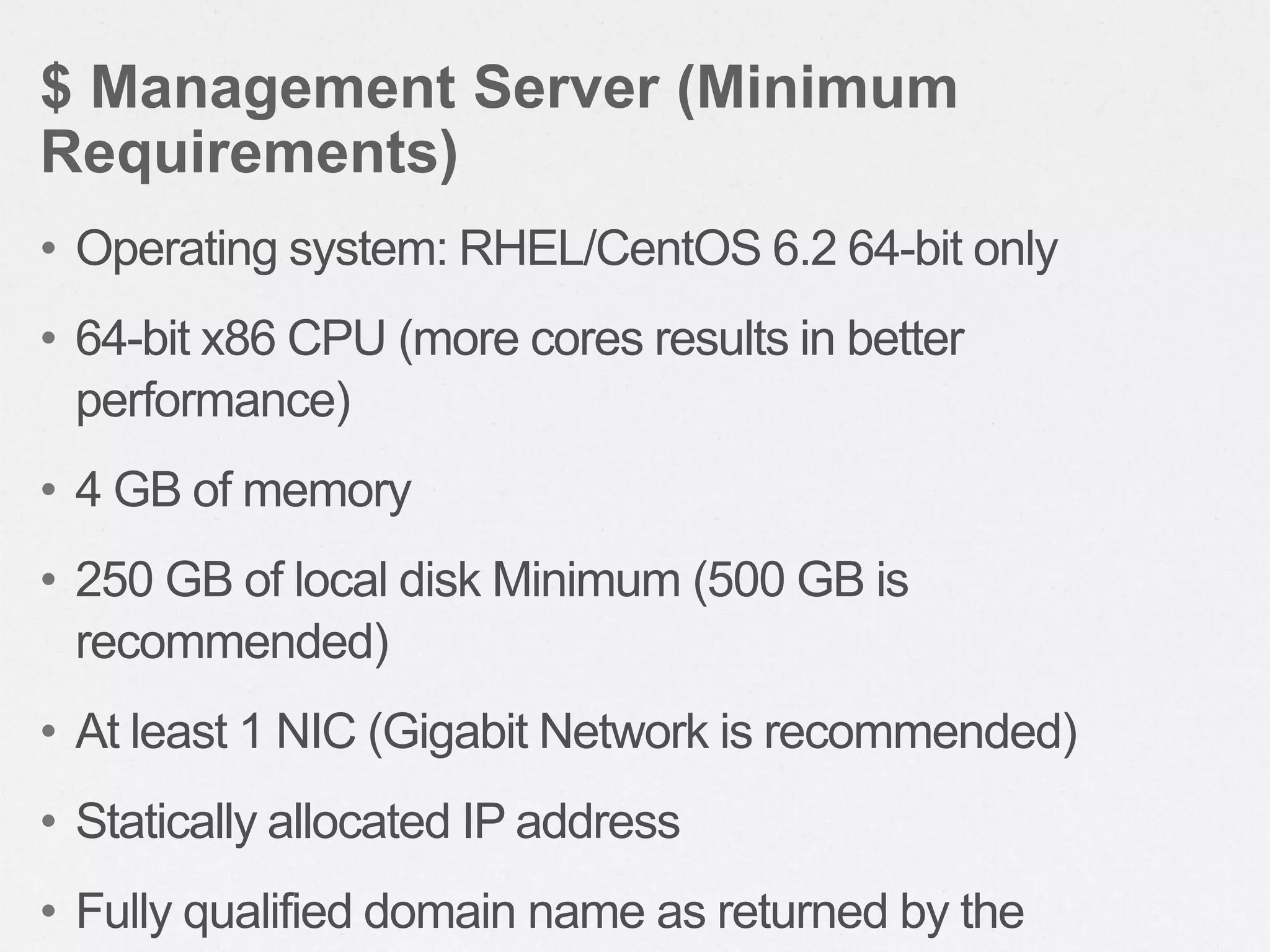
• Operating system: RHEL/CentOS 6.2 64-bit only
• 64-bit x86 CPU (more cores results in better
performance)
• 4 GB of memory
• 250 GB of local disk Minimum (500 GB is
recommended)
• At least 1 NIC (Gigabit Network is recommended)
• Statically allocated IP address
• Fully qualified domain name as returned by the
$ Management Server (Minimum
Requirements)
• CloudStack needs two types of storage
• Primary storage is used for storing the guest VM
root disks as well as additional data disk volumes
• Secondary storage is used for templates ISOs &
snapshots
• Primary Storage can be any storage (including
local) that is supported by the hypervisor
• Secondary Storage must be NFS or NFS+Swift
$ Storage Requirements
• Hardware should be supported by hypervisor
vendor
• Memory and CPU should planned like any
capacity planning
• Citrix XenServer® 6.0.0 + CSP
• VMware vSphere 4.1™/ VMware vSphere 5 ™
with at least Standard license (with vMotion)
• KVM running on Red Hat Enterprise Linux 6.2
• OVM Server v2.3
$ Hosts (Hypervisors) Requirements
• 1 GB or 10 GB Network
• IP range for Private Network & Public Network excluded
from local DHCP
• Managed Switches with VLAN Trunking (if using
Advanced Network)
• Static IPs for all major components (CloudStack, Hosts,
NFS server)
• Connectivity between CloudStack, hosts and NFS
• NTP setup on all servers is highly recommended
$ Network Requirements
$ Prepare the Operating System
• Configure the hostname
– hostname --fqdn
• Configure the network
– ping cloudstack.org
• Change mode of SELinux to ‘permissive’
$ Configure the YUM repo
vi /etc/yum.repos.d/cloudstack.repo
[cloudstack]
name=cloudstack
baseurl=http://cloudstack.apt-get.eu/rhel/4.1/
enabled=1
gpgcheck=0
$ Install Management Server
yum install cloudstack-management
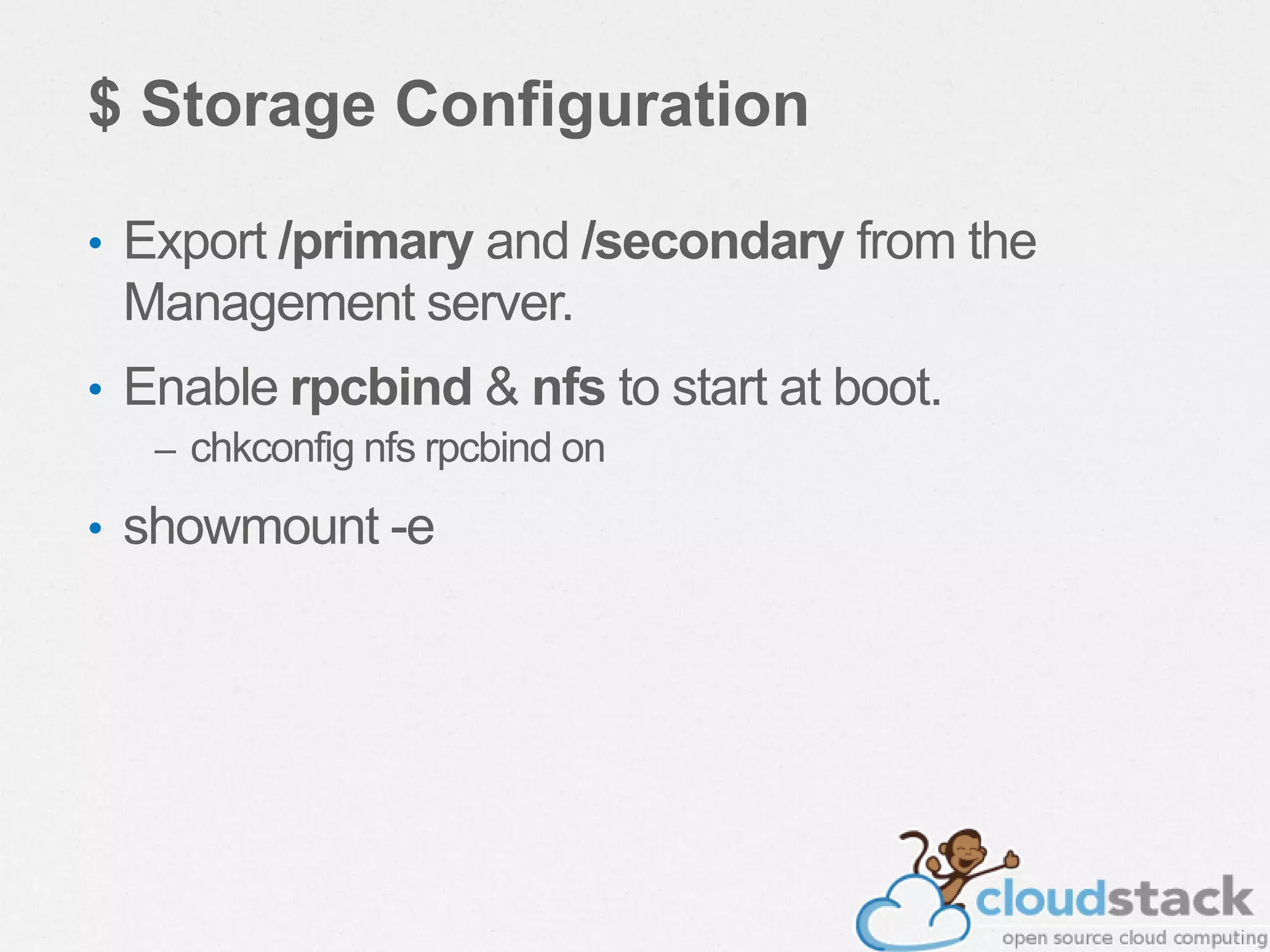
$ Storage Configuration
• Export /primary and /secondary from the
Management server.
• Enable rpcbind & nfs to start at boot.
– chkconfig nfs rpcbind on
• showmount -e
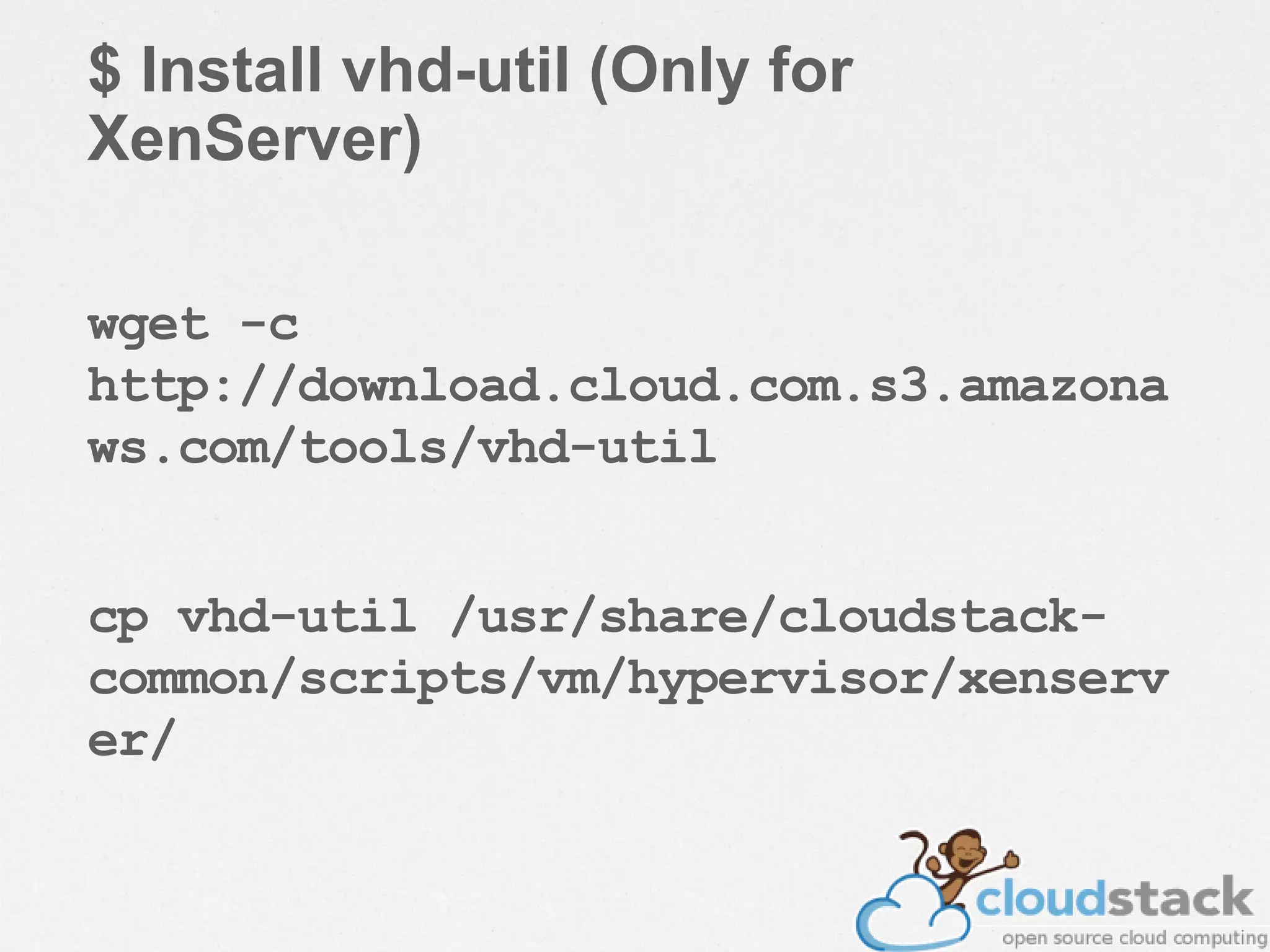
$ Install vhd-util (Only for
XenServer)
wget -c
http://download.cloud.com.s3.amazona
ws.com/tools/vhd-util
cp vhd-util /usr/share/cloudstack-
common/scripts/vm/hypervisor/xenserv
er/
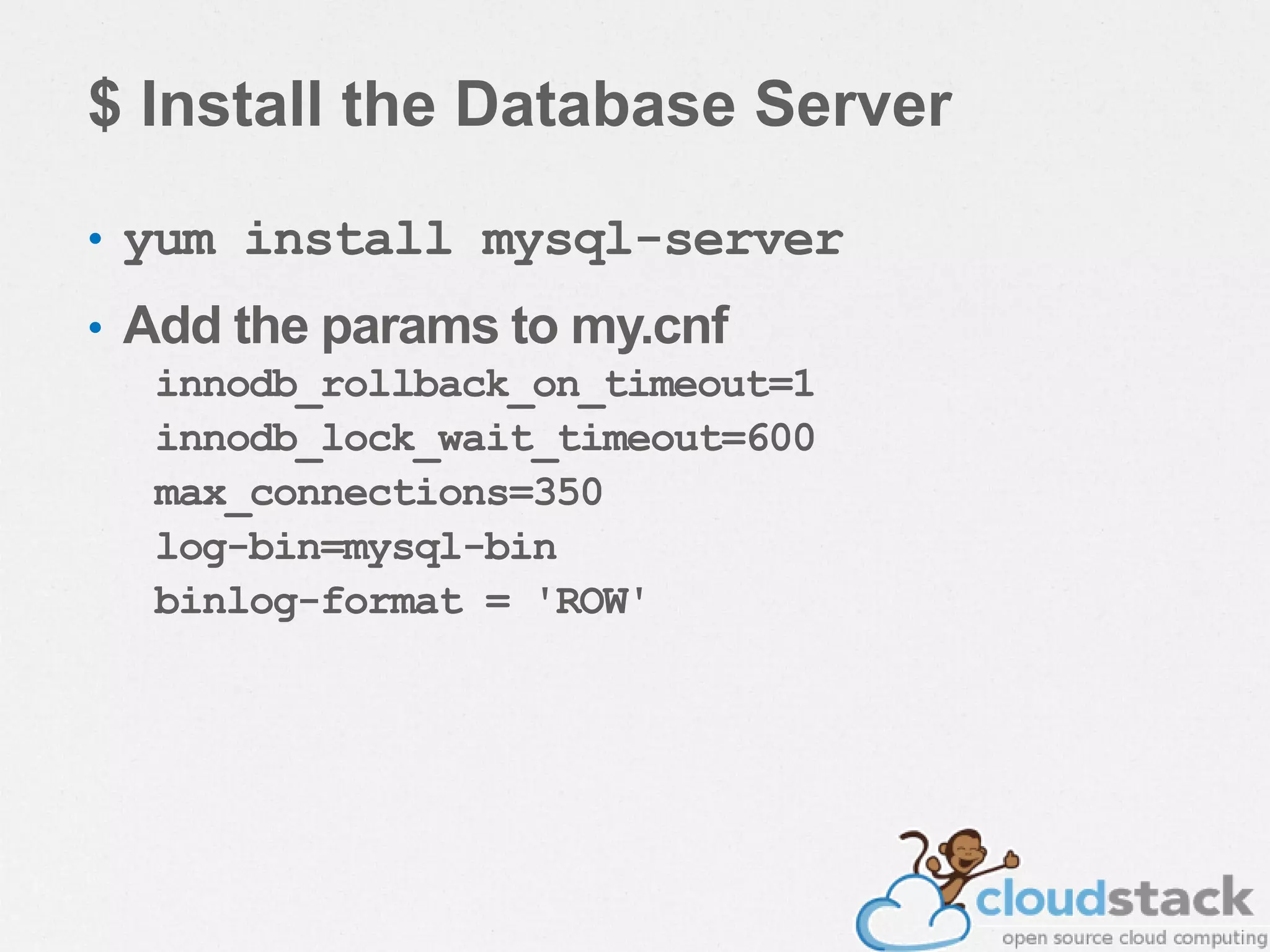
$ Install the Database Server
• yum install mysql-server
• Add the params to my.cnf
innodb_rollback_on_timeout=1
innodb_lock_wait_timeout=600
max_connections=350
log-bin=mysql-bin
binlog-format = 'ROW'
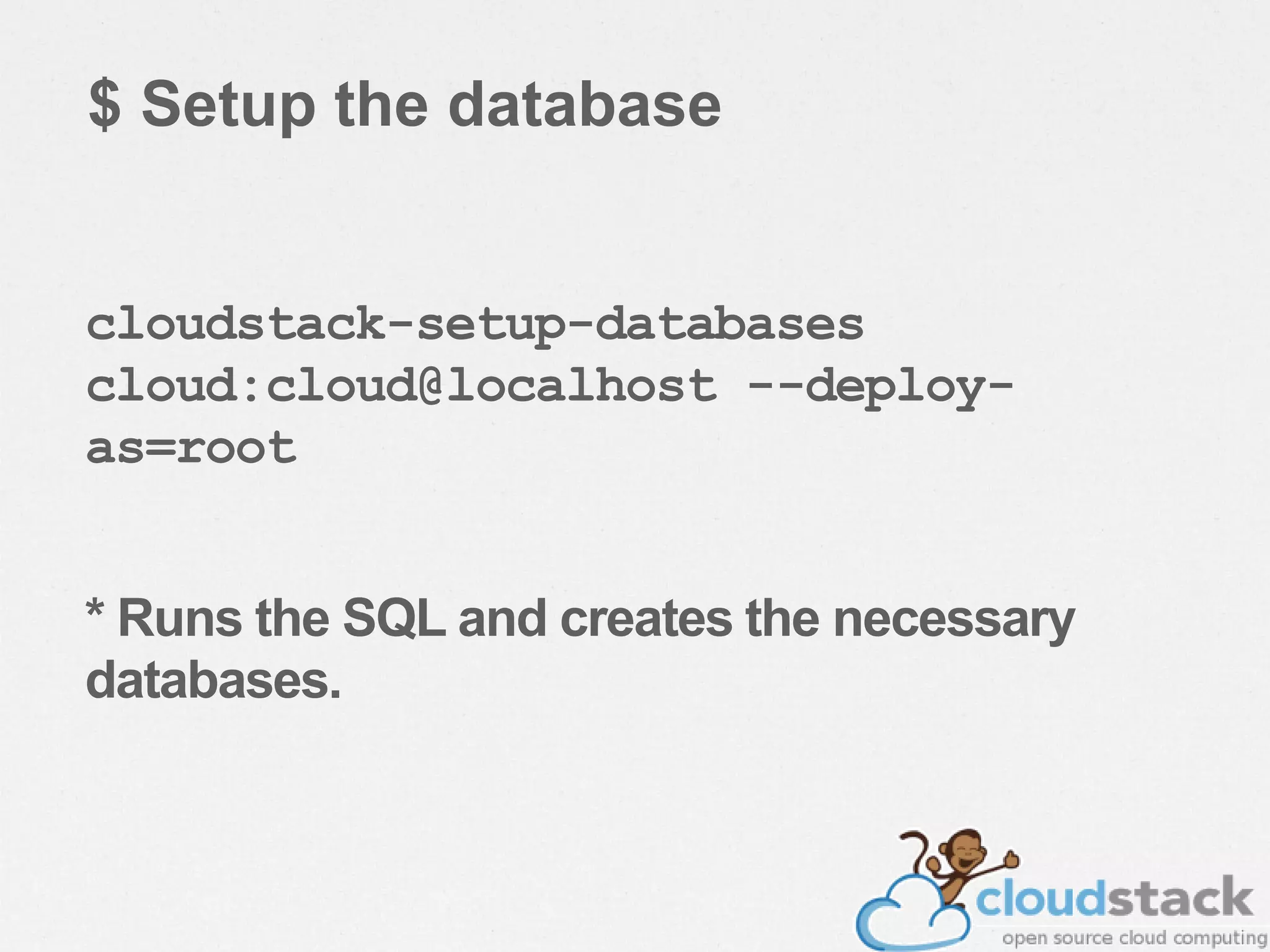
$ Setup the database
cloudstack-setup-databases
cloud:cloud@localhost --deploy-
as=root
* Runs the SQL and creates the necessary
databases.
• cloudstack-setup-management
– Setup iptables, sudoers & starts the management server.
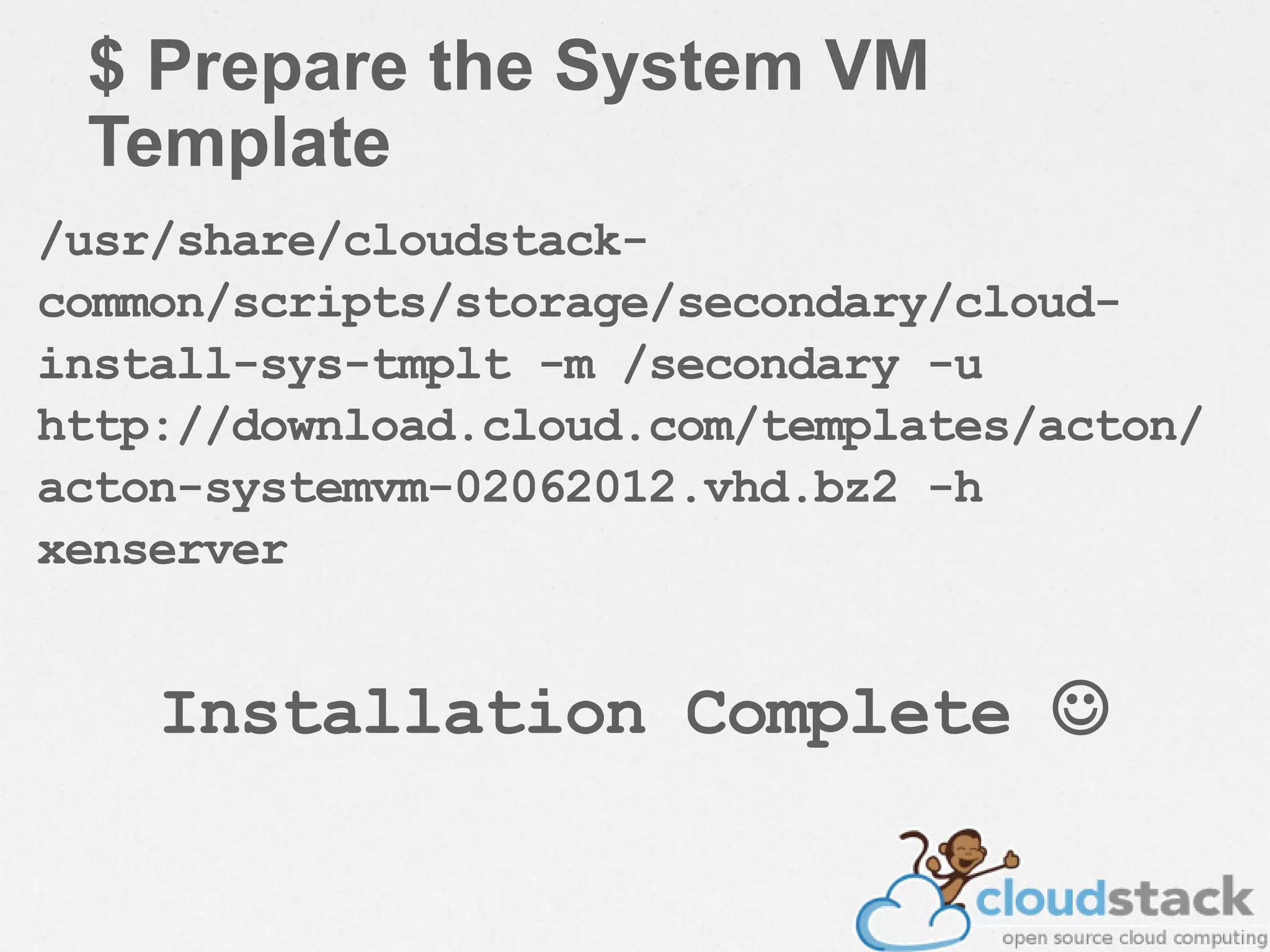
$ Prepare the System VM
Template
/usr/share/cloudstack-
common/scripts/storage/secondary/cloud-
install-sys-tmplt -m /secondary -u
http://download.cloud.com/templates/acton/
acton-systemvm-02062012.vhd.bz2 -h
xenserver
Installation Complete 
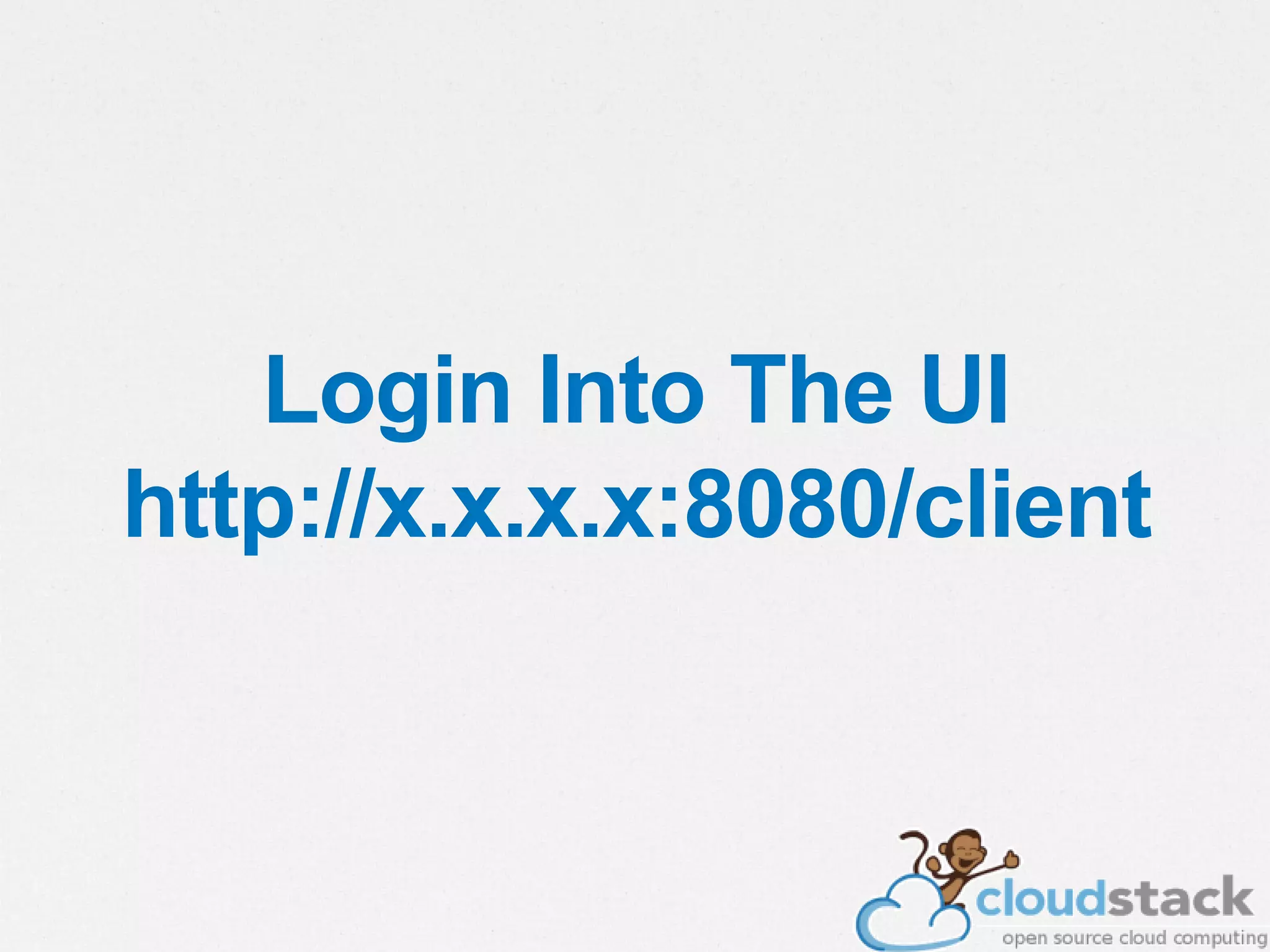
Login Into The UI
http://x.x.x.x:8080/client
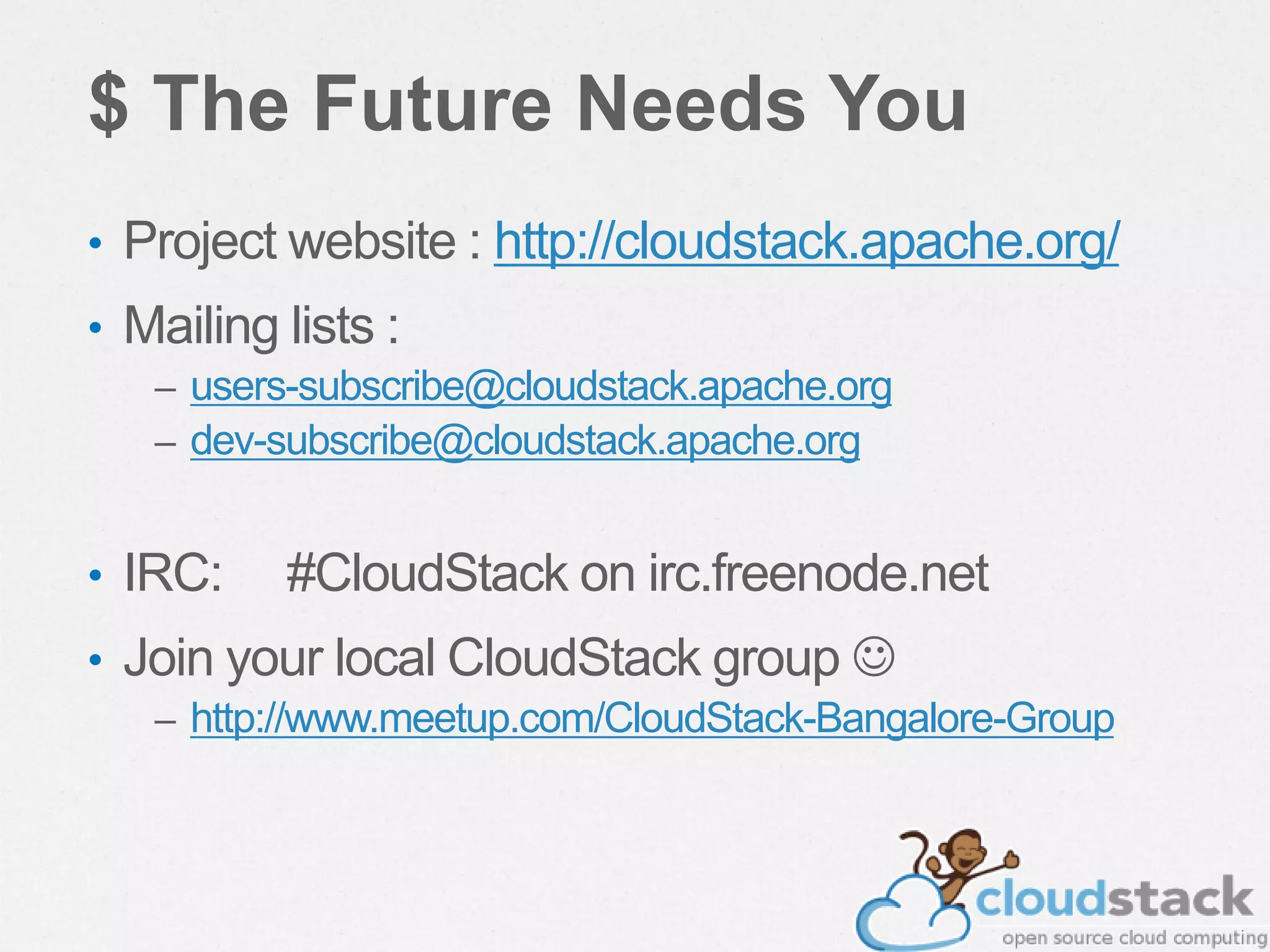
$ The Future Needs You
• Project website : http://cloudstack.apache.org/
• Mailing lists :
– users-subscribe@cloudstack.apache.org
– dev-subscribe@cloudstack.apache.org
• IRC: #CloudStack on irc.freenode.net
• Join your local CloudStack group 
– http://www.meetup.com/CloudStack-Bangalore-Group
© 2010 Wipro Ltd - Confidential64
BigData/Cloud Evangelist, InMobi
Email : iliyas dot shirol at gmail dot com
Iliyas Shirol
Questions ?

Cloudstack for beginners

  • 1.
    BigData/Cloud Evangelist, InMobi IliyasShirol CloudStack For Beginners
  • 2.
    # OpenSource Evangelistand FOSS promoter since 2004 # Founder of LOAD (Linux On A Desktop) project. # SysAdmin, DBA and an Ethical Hacker # And yeah, I love to be on Cloud  $ whoami
  • 3.
    $ whoareu # Experiencewith Cloud ? # Experience with CloudStack ? # Which other IaaS platforms do you use ? # Any expectations ? :)
  • 5.
    $ Agenda • Overviewof CloudStack • CloudStackArchitecture • Demo of CloudStack • Q&A
  • 6.
    $ What isCloud Computing? VirtualizationCloud
  • 7.
    Server Virtualization++ Cloud Builtfor traditional enterprise apps & client- server compute • Enterprise arch for 100s of hosts • Scale-up (server clusters) • Apps assume reliability • IT Mgmt-centric [1:Dozens] • Proprietary vendor stack Designed around big data, massive scale & next-gen apps • Cloud architecture for 1000s of hosts • Scale-out (multi-site server farms) • Apps assume failure • Autonomic [1:1,000’s] • Open, value-added stack Think: vCloud Director Think: AWS, RAX, zCloud, eBay, etc. …but adoption of new cloud architecture is the future Enterprises should, and will, make SV 1.0 more cloud-like… • 10x more scaleable • 2-5x lower cost • 100% more open
  • 8.
    • Secure, multi-tenantcloud orchestration platform – Turnkey platform for delivering IaaS clouds – Hypervisor agnostic – Massively scalable, secure and open – Open source, open standards – Deploys on premise or as a hosted solution • Deliver cloud services faster and at a fraction of the cost $ What is CloudStack? Build your cloud the way the world’s most successful clouds are built
  • 9.
    $ CloudStack Background •OpenSource IaaS platform, now underASL 2.0 license • A proven cloud platform – Developed since 2008 by Cloud.com – Acquired by Citrix in 2011 – Citrix donated toApache Software Foundation (ASF) in April 2012 – Version 4.2.0 available for download at http://cloudstack.apache.org/downloads.html – Powering some of the world’s largest clouds today.
  • 10.
    $ Architecture /Language • Java application • Tomcat6,Axis2, Mavenbuild + ant – Antgoingawayin4.1 • Movingtowards a plugin architecture
  • 11.
    $ CloudStack SupportsMultiple Cloud Strategies Multi-tenant Public Cloud • Dedicated resources • Security & total control • Internal network • Managed by Enterprise or 3rd party • Mix of shared and dedicated resources • Elastic scaling • Pay as you go • Public internet, VPN access Hosted Enterprise Cloud • Dedicated resources • Security • SLA bound • 3rd party owned and operated Private Clouds Public Clouds On-premise Enterprise Cloud
  • 12.
    Compute CloudStack Provides On-demand Accessto Infrastructure Through a Self-Service Portal Citrix Confidential - Do Not Distribute Network Storage Admin Users Org A Admin Users Org B Users End User Admin
  • 13.
    “CloudStack 3.0 isopen source, but it is NOT based on OpenStack” $ What About OpenStack?
  • 14.
  • 15.
    • CloudStack canmanage tens of thousands of servers installed in multiple geographically distributed datacenters • The centralized management server scales linearly, eliminating the need for intermediate cluster-level management servers • No single component failure can cause cloud-wide outage • Periodic maintenance of the management server can be performed without affecting the functioning of virtual machines running in the cloud $ Massively Scalable Infrastructure Management
  • 16.
    • A singlecloud deployment can contain multiple hypervisors • Including Citrix XenServer, Oracle VM, KVM and vSphere • Freedom to choose the right hypervisor for the workload $ Multiple Hypervisor Support
  • 17.
    • CloudStack automaticallyconfigures each guest virtual machine’s networking and storage settings • CloudStack internally manages a pool of virtual appliances to support the cloud itself • These appliances offer services such as firewalling, routing, DHCP, VPN access, console proxy, storage access, and storage replication $ Automatic Configuration Management
  • 18.
    • CloudStack offersan administrator's Web interface, used for provisioning and managing the cloud • Also used as an end-user's Web interface for running VMs and managing VM templates • The UI can be customized to reflect the desired service provider or enterprise look and feel $ Graphical User Interface
  • 19.
    • CloudStack providesan API that gives programmatic access to all the management features available in the UI • The API enables the creation of command line tools and new user interfaces to suit particular needs $ API and Extensibility
  • 20.
    • The CloudStackplatform has a number of features to increase the availability of the system • The Management Server may be deployed in a multi-node installation where the servers are load balanced • The CloudStack Database may be configured to use replication to provide for a manual failover in the event of database loss • For the Hosts, the CloudStack platform supports NIC bonding and the use of separate networks for storage as well as iSCSI Multipath $ High Availability
  • 21.
  • 22.
    Select Operating System • Windows,Linux Select Compute Offering • CPU & RAM Select Data Disk Offering • Volume Size Select Network Offering • Network & Services Create VM $ Create Custom Virtual Machines via Service Offerings
  • 23.
    $ Dashboard ProvidesOverview of Consumed Resources Citrix Confidential - Do Not Distribute • Running, Stopped & Total VMs • Public IPs • Private networks • Latest Events
  • 24.
    $ Virtual MachineManagement Users Start Stop Restart Destroy VM Operations Console Access • CPU Utilized • Network Read • Network Writes VM Status Change Service Offering 2 CPUs 1 GB RAM 20 GB 20 Mbps 4 CPUs 4 GB RAM 200 GB 100 Mbps
  • 25.
    $ Volume &Snapshot Management Volume VM 1Add / Delete Volumes Schedule Snapshots Hourly Daily Weekly Monthly Now Create Templates from Volumes Volume Template View Snapshot History 12/2/2012 7.30 am …. 2/2/2012 7.30 am
  • 26.
    $ Network &Network Services • Create Networks and attach VMs • Acquire public IP address for NAT & load balancing • Control traffic to VM using ingress and egress firewall rules • Set up rules to load balance traffic between VMs
  • 27.
  • 28.
    $ Open Platformto Suit Customer Needs Compute XenServer VMware KVMOracle VM Bare metal Hypervisor Storage Local Disk iSCSI NFS Fiber Channel Swift Block & Object Network Network Type Isolation Load balancer Firewall VPN Network & Network Services
  • 29.
    $ Multi-tenancy &Account Management Cloud • Domain is a unit of isolation that represents a customer org, business unit or a reseller • Domain can have arbitrary levels of sub- domains • A Domain can have one or more accounts • An Account represents one or more users and is the basic unit of isolation • Admin can limit resources at the Account or Domain Admin Org A Admin Reseller A Domain Domain Admin Org C Sub-Domain User 1 User 2 Group B Account Group A Account VMs, IPs, Snapshots… VMs, IPs, Snapshots… Resources Resources
  • 30.
    • ACloudStack installationconsists of two parts • The Management Server • The cloud infrastructure that it manages $ Architecture Machine 1 Managem ent Server Machine 2 Hyperviso r Simplified view of a basic deployment
  • 31.
    • Manages theassignment of guest VMs to particular hosts • Manages the assignment of public and private IP addresses to particular accounts • Manages the allocation of storage to guests as virtual disks • Manages snapshots, templates, and ISO images, possibly replicating them across data centers • Provides a single point of configuration for the $ The Management Server
  • 32.
    • Provides theweb user interface for the administrator and a reference user interface for end users • Provides the APIs for the CloudStack platform $ The Management Server
  • 33.
    • All CloudStackobjects are stored in the CloudStack Database • CloudStack tracks changes in the database • CloudStack uses MySQL for the database • Multiple DB servers & replication is possible $ CloudStack Management Server Database
  • 34.
    • A hostis a single computer • Hosts provide the computing resources that run the guest virtual machines • Each host has hypervisor software installed to manage guest VMs • The host is the smallest organizational unit within a CloudStack deployment $ Cloud Infrastructure - Host
  • 35.
    Cluster • Aclusters consistsof one or more hosts • Provides away to group hosts • With one primary storage server • One primarystorage serverper clusteristypical • Can use localstorage on each host • The hosts in a cluster: • Haveidenticalhardware • Run the same hypervisor • Are on the same subnet • Accessthe sameshared primarystorage • Virtual machine instances can be live-migrated from one host to another within the same cluster $ Cloud Infrastructure - Cluster Primary Storage V M
  • 36.
    Pod • A podconsist of one or more clusters • A pod often represents a single rack • Hosts in the same pod are in the same subnet $ Cloud Infrastructure - Pod
  • 37.
    Zone • Azone consistsof one or more pods • Plus secondary storage • Shared by all the pods in the zone • Often corresponds to a single datacenter, but multiple zones are permitted • Organizing infrastructure into zones provides physical isolation and redundancy $ Cloud Infrastructure - Zone Secondar y Storage
  • 38.
    • Primary storageis associated with a cluster • Stores the disk volumes for all the VMs running on hosts in a cluster • Shared storage is normally recommended • NFS • iSCSI • Fibre Channel • But, some situations use local storage • Where high availability isn't needed • Where greater disk I/O is needed $ Cloud Infrastructure – Primary Storage
  • 39.
    • Stores: • Templates- OS images used to create VMs • ISO Images - Images that can be bootable or non-bootable • Disk volume snapshots (saved copies of VM data) • Secondary storage available to all hosts in the zone • Secondary storage must be NFS • Or NFS + Swift $ Cloud Infrastructure – Secondary Storage •Secondary storage is Associated with a zone
  • 40.
    Zone • One ormore hosts grouped into a cluster • One or more clusters grouped into a pod • One or more pods grouped into a zone • One or more zones controlled by one management server $ Cloud Infrastructure - Summary Pod Second ary Storag e CloudStack Management Server
  • 41.
    $ Cloud Infrastructure– Basic Networking • Basic Shared Public Network • All zone tenants share a single flat public network • Tenant isolation provided by Security Groups • Hypervisor level firewall IP Address filtering • Layer 3 Isolation • Scales much better than VLANs • CloudStack virtual system router provides • DHCP • DNS Customer 1 Customer 2 192.168.1.55192.168.1.56192.168.1.57 192.168.1.58192.168.1.59192.168.1.60 Intern et Physica l Router CS Virtual Router VM 1 VM 2 VM 3 VM 1 VM 2 VM 3 Public Network
  • 42.
    • Advanced networkingprovides: • Multiple VLANs for isolation • L2TP-based VPN • Virtual router is gateway • Load balancer available • 1:1 NAT • Metering data • One virtual router per account • Does not scale as well $ Cloud Infrastructure – Advanced Networking Intern et Physica l Router CS Virtual Router VM 1 VM 2 VM 3 CS Virtual Router VM 1 VM 2 VM 3 Public Network Customer Private Networks Customer 1 Customer 2 VLAN 100 VLAN 200
  • 43.
    Layer-2 Switch Internet Router & Firewall $ CloudInfrastructure – Small-Scale Network Second ary Storage Primary Storage Computing Nodes Management Server Public IP 50.43.51.125 192.168.10.0/24 192.168.1 0.22 192.168.10.15 192.168.10.12 IP addresses are 192.168.1 0.23 192.168.10 .24 192.168.1 0.21
  • 44.
    $ Cloud Infrastructure– Large-Scale Redundant Network Secondary Storage Servers Primary Storage NFS Secondary Storage Pod1 Pod2 Managemen t Server Cluster Layer-3 switches with firewall modules Layer-2 switches Internet Primary Storage Primary Storage Primary Storage NFS Secondary Storage Internet Computing Nodes Primary Storage Servers
  • 45.
    $ Cloud Infrastructure– Multi-Site Deployment • Single Management Server can manage multiple zones • Zones can be geographically distributed • Low latencylinksrequired • 5-10K hosts per Management Server • Multiple MS nodes can be deployed as cluster for scale or redundancy
  • 46.
    Data Center 1 $Cloud Infrastructure – Multi-Site Deployment Availabi lity Zone 1 Primary Managemen t Server Data Center 2 Secondar y Mgmt Server MySQL Replication Data Center 3 Data Center 4 Availability Zone 2 Availability Zone 3 Availability Zone 4
  • 47.
  • 48.
    • CloudStack requiresat a minimum: • Aserver to host the Management Server • APC for the management console • AHypervisor or Bare Metal machine • NFS shared storage • A1GB or above network $ CloudStack Requirements NFS Server Primary Storage Secondar y Storage CloudStack Management Serveradmin Console
  • 49.
    • Operating system:RHEL/CentOS 6.2 64-bit only • 64-bit x86 CPU (more cores results in better performance) • 4 GB of memory • 250 GB of local disk Minimum (500 GB is recommended) • At least 1 NIC (Gigabit Network is recommended) • Statically allocated IP address • Fully qualified domain name as returned by the $ Management Server (Minimum Requirements)
  • 50.
    • CloudStack needstwo types of storage • Primary storage is used for storing the guest VM root disks as well as additional data disk volumes • Secondary storage is used for templates ISOs & snapshots • Primary Storage can be any storage (including local) that is supported by the hypervisor • Secondary Storage must be NFS or NFS+Swift $ Storage Requirements
  • 51.
    • Hardware shouldbe supported by hypervisor vendor • Memory and CPU should planned like any capacity planning • Citrix XenServer® 6.0.0 + CSP • VMware vSphere 4.1™/ VMware vSphere 5 ™ with at least Standard license (with vMotion) • KVM running on Red Hat Enterprise Linux 6.2 • OVM Server v2.3 $ Hosts (Hypervisors) Requirements
  • 52.
    • 1 GBor 10 GB Network • IP range for Private Network & Public Network excluded from local DHCP • Managed Switches with VLAN Trunking (if using Advanced Network) • Static IPs for all major components (CloudStack, Hosts, NFS server) • Connectivity between CloudStack, hosts and NFS • NTP setup on all servers is highly recommended $ Network Requirements
  • 53.
    $ Prepare theOperating System • Configure the hostname – hostname --fqdn • Configure the network – ping cloudstack.org • Change mode of SELinux to ‘permissive’
  • 54.
    $ Configure theYUM repo vi /etc/yum.repos.d/cloudstack.repo [cloudstack] name=cloudstack baseurl=http://cloudstack.apt-get.eu/rhel/4.1/ enabled=1 gpgcheck=0
  • 55.
    $ Install ManagementServer yum install cloudstack-management
  • 56.
    $ Storage Configuration •Export /primary and /secondary from the Management server. • Enable rpcbind & nfs to start at boot. – chkconfig nfs rpcbind on • showmount -e
  • 57.
    $ Install vhd-util(Only for XenServer) wget -c http://download.cloud.com.s3.amazona ws.com/tools/vhd-util cp vhd-util /usr/share/cloudstack- common/scripts/vm/hypervisor/xenserv er/
  • 58.
    $ Install theDatabase Server • yum install mysql-server • Add the params to my.cnf innodb_rollback_on_timeout=1 innodb_lock_wait_timeout=600 max_connections=350 log-bin=mysql-bin binlog-format = 'ROW'
  • 59.
    $ Setup thedatabase cloudstack-setup-databases cloud:cloud@localhost --deploy- as=root * Runs the SQL and creates the necessary databases.
  • 60.
    • cloudstack-setup-management – Setupiptables, sudoers & starts the management server.
  • 61.
    $ Prepare theSystem VM Template /usr/share/cloudstack- common/scripts/storage/secondary/cloud- install-sys-tmplt -m /secondary -u http://download.cloud.com/templates/acton/ acton-systemvm-02062012.vhd.bz2 -h xenserver Installation Complete 
  • 62.
    Login Into TheUI http://x.x.x.x:8080/client
  • 63.
    $ The FutureNeeds You • Project website : http://cloudstack.apache.org/ • Mailing lists : – users-subscribe@cloudstack.apache.org – dev-subscribe@cloudstack.apache.org • IRC: #CloudStack on irc.freenode.net • Join your local CloudStack group  – http://www.meetup.com/CloudStack-Bangalore-Group
  • 64.
    © 2010 WiproLtd - Confidential64
  • 65.
    BigData/Cloud Evangelist, InMobi Email: iliyas dot shirol at gmail dot com Iliyas Shirol Questions ?