

Django + Vue.JS
JavaScript de 3ª generación para
modernizar Django
@javierabadia
PyConES 2017 Cáceres
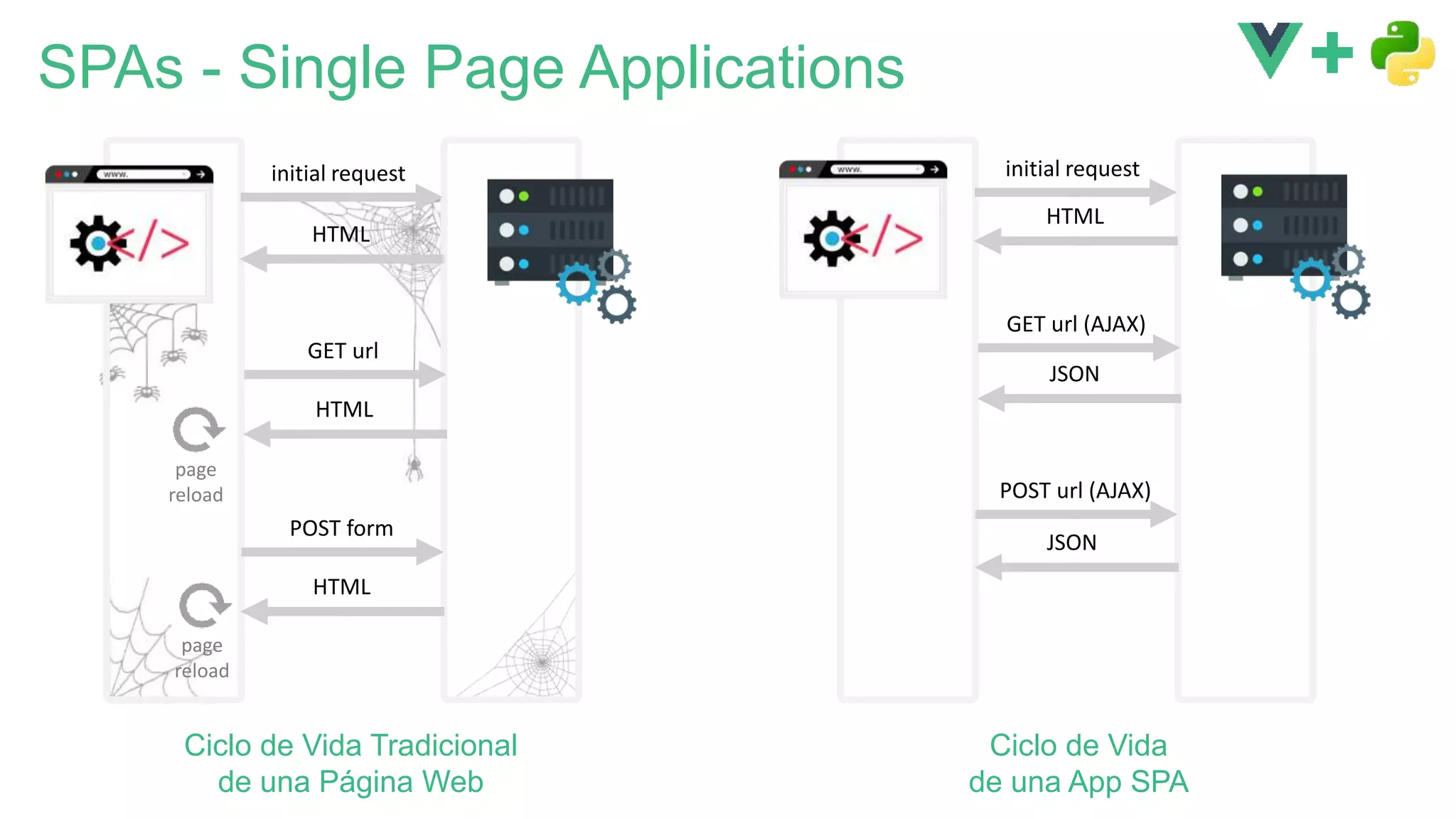
SPAs - Single Page Applications
initial request
HTML
GET url
HTML
POST form
HTML
initial request
HTML
GET url (AJAX)
JSON
POST url (AJAX)
JSON
page
reload
Ciclo de Vida Tradicional
de una Página Web
Ciclo de Vida
de una App SPA
page
reload
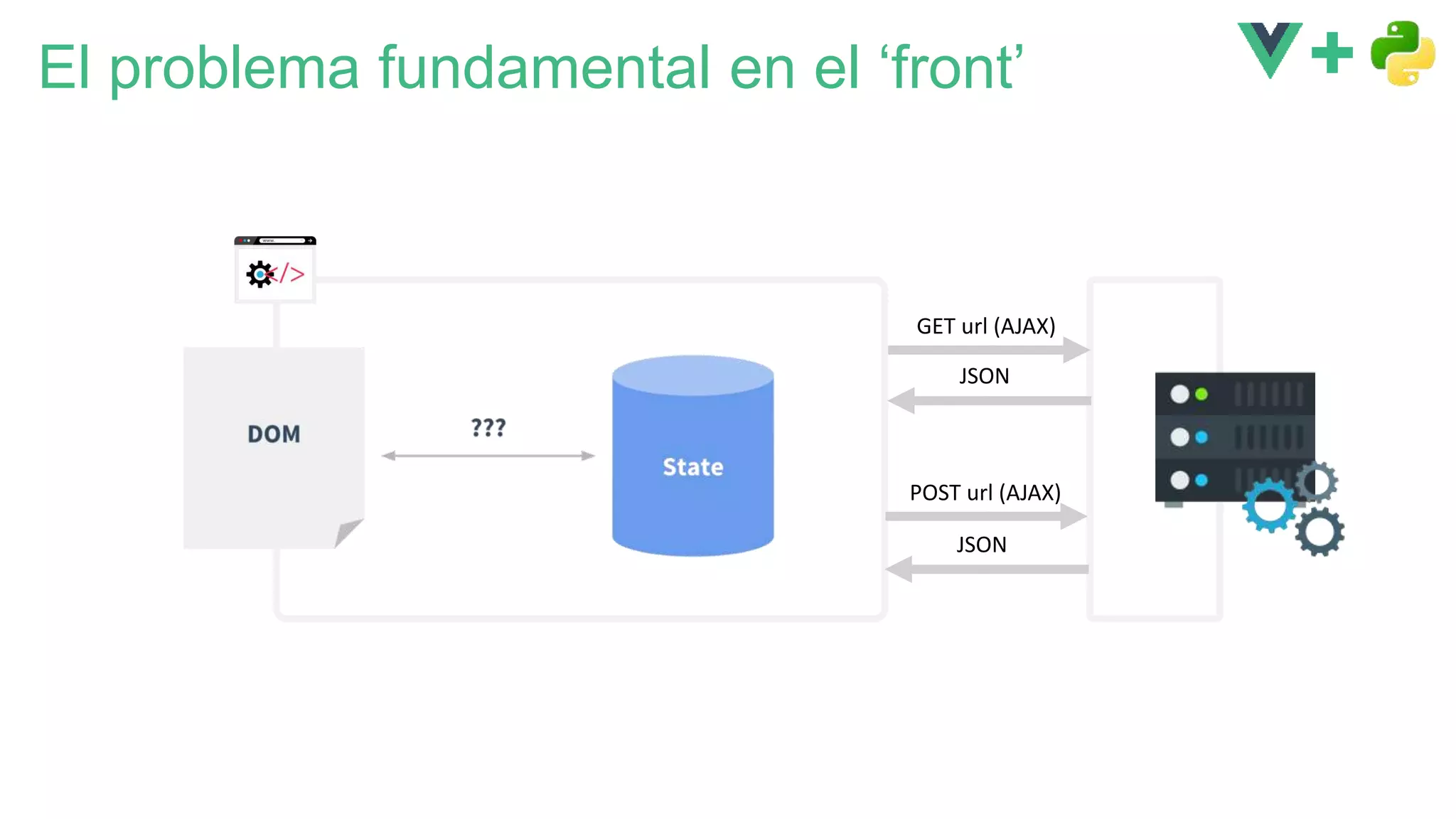
GET url (AJAX)
JSON
POST url (AJAX)
JSON
El problema fundamental en el ‘front’
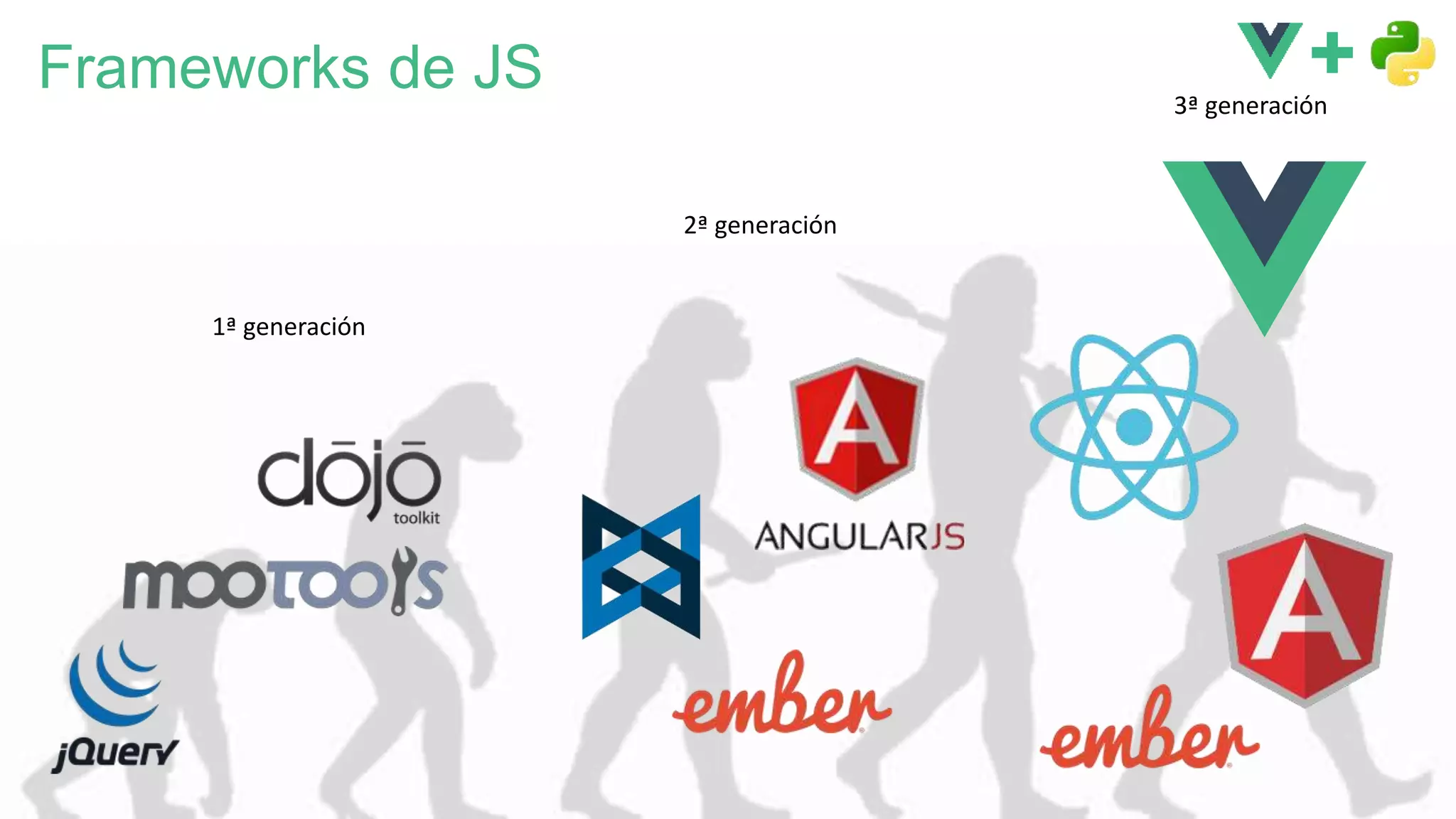
Frameworks de JS
1ª generación
2ª generación
3ª generación
Un poco de Vue.js
¡ Se dice /vjuː/ !
¿ Sabes que estoy
aprendiendo vue ?
Lo simple es fácil
var app = new Vue({
el: '#app',
data: {
msg: ’Hi there!',
frameworks: ['React',
'Vue.js',
'Angular.io'],
},
methods: {
isCool(framework) {
return framework === 'Vue.js';
},
},
});
<div id="app">
{{msg}}
<ul>
<li v-for="framework in frameworks">
{{framework}}
<span v-if="isCool(framework)">
, so cool!
</span>
</li>
</ul>
</div>
HTML JavaScript
Declarative Rendering
Condicionales y Bucles
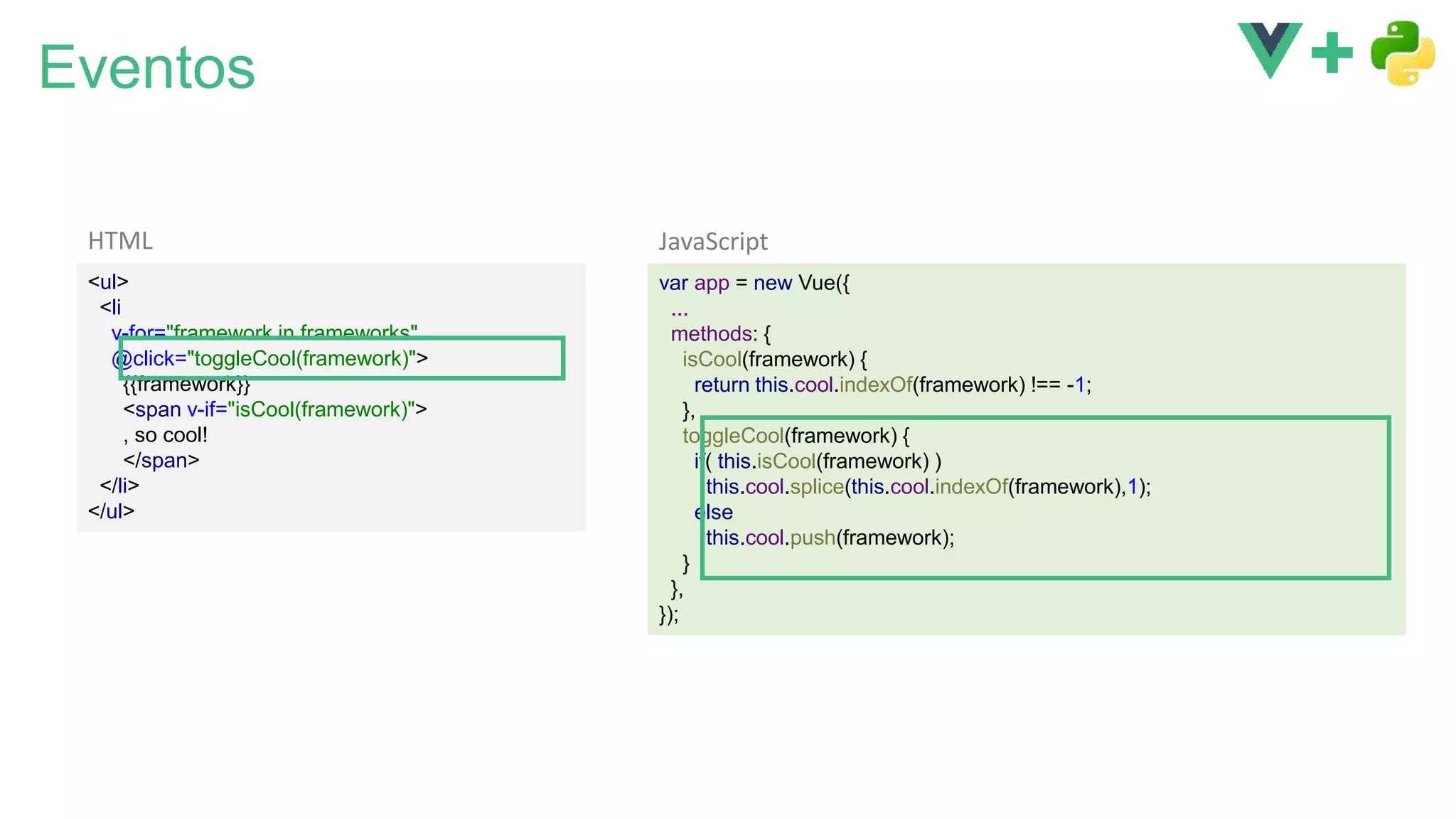
Eventos
var app = new Vue({
...
methods: {
isCool(framework) {
return this.cool.indexOf(framework) !== -1;
},
toggleCool(framework) {
if( this.isCool(framework) )
this.cool.splice(this.cool.indexOf(framework),1);
else
this.cool.push(framework);
}
},
});
<ul>
<li
v-for="framework in frameworks"
@click="toggleCool(framework)">
{{framework}}
<span v-if="isCool(framework)">
, so cool!
</span>
</li>
</ul>
HTML JavaScript
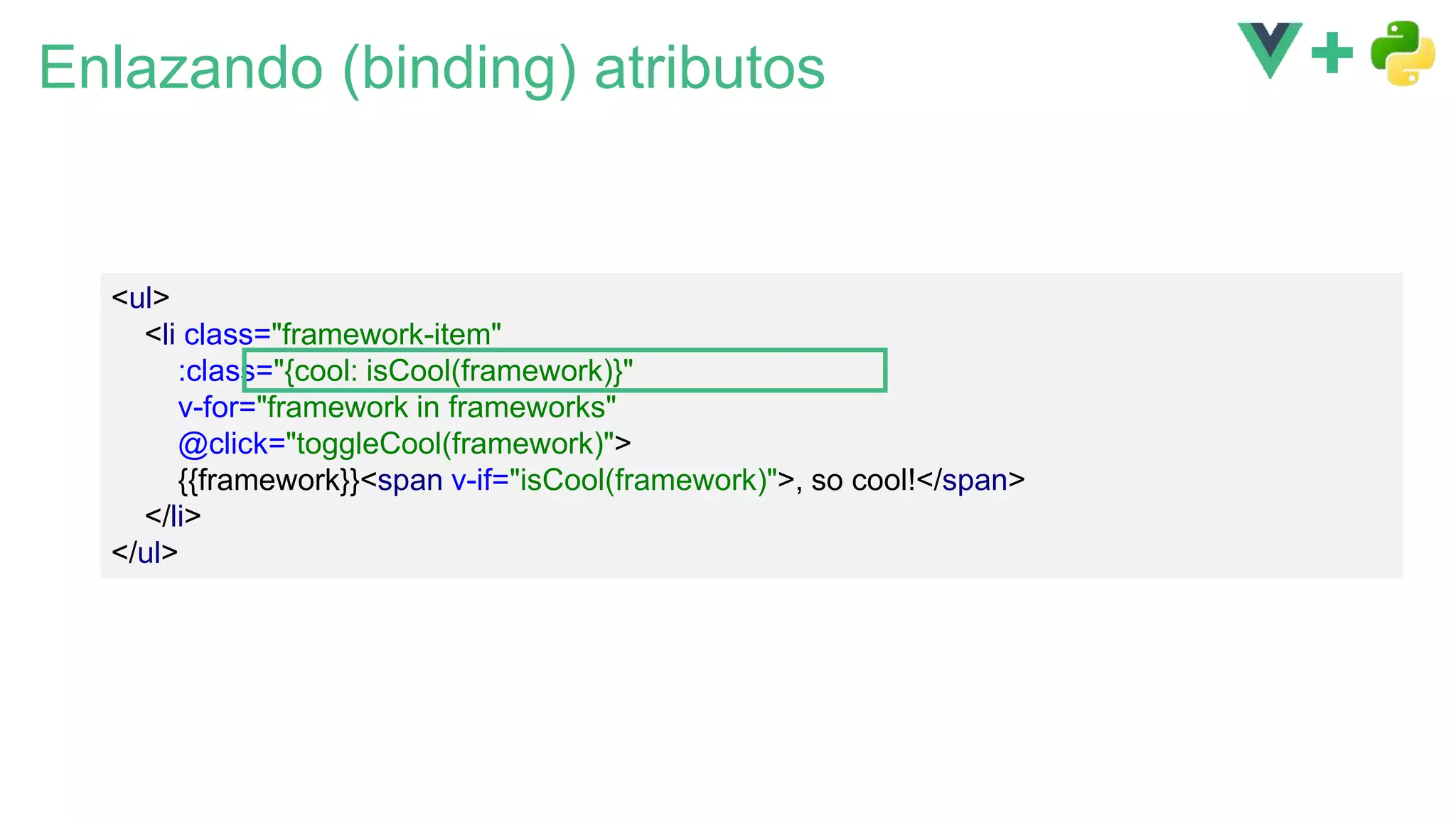
Enlazando (binding) atributos
<ul>
<li class="framework-item"
:class="{cool: isCool(framework)}"
v-for="framework in frameworks"
@click="toggleCool(framework)">
{{framework}}<span v-if="isCool(framework)">, so cool!</span>
</li>
</ul>
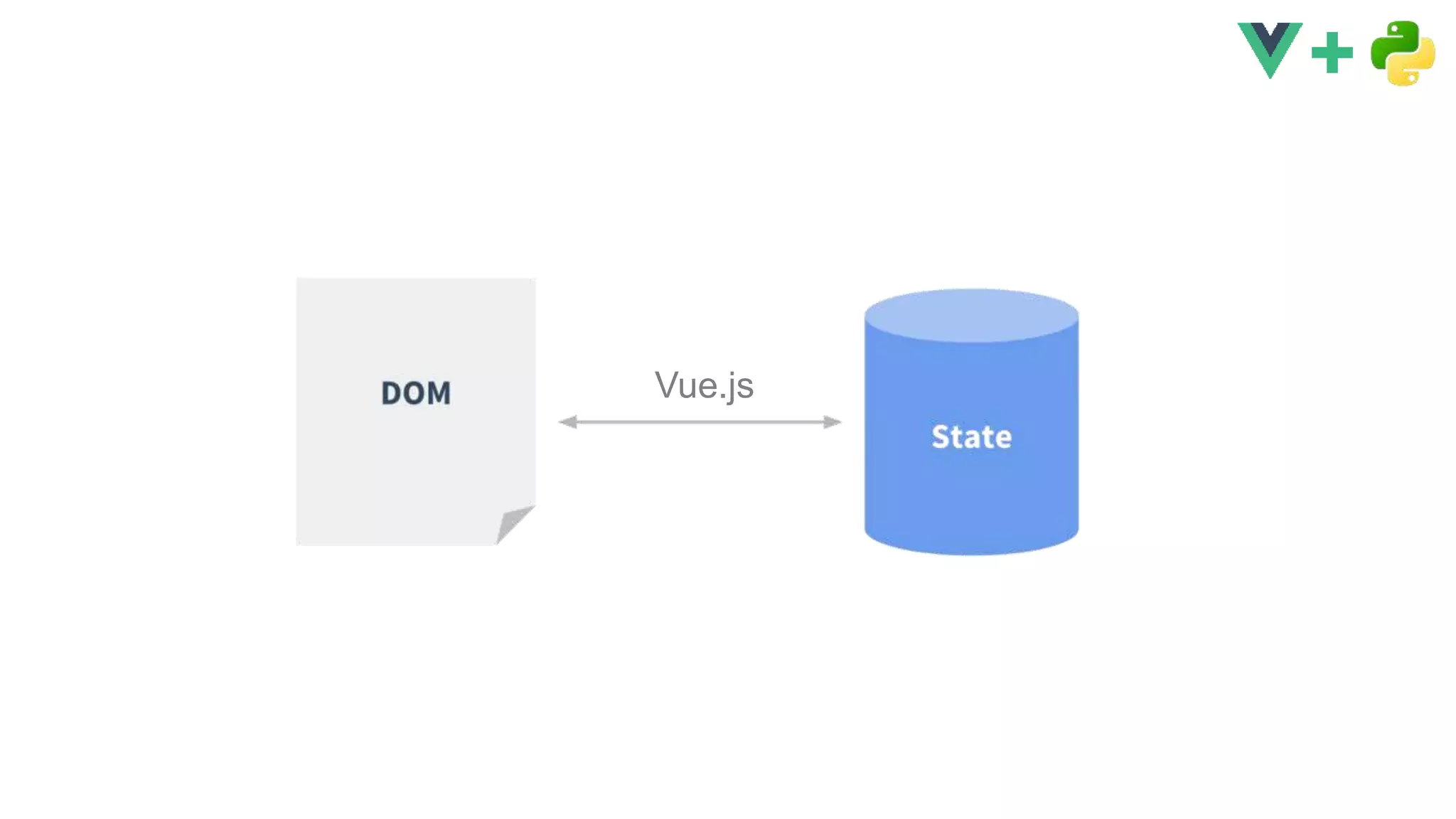
Vue.js
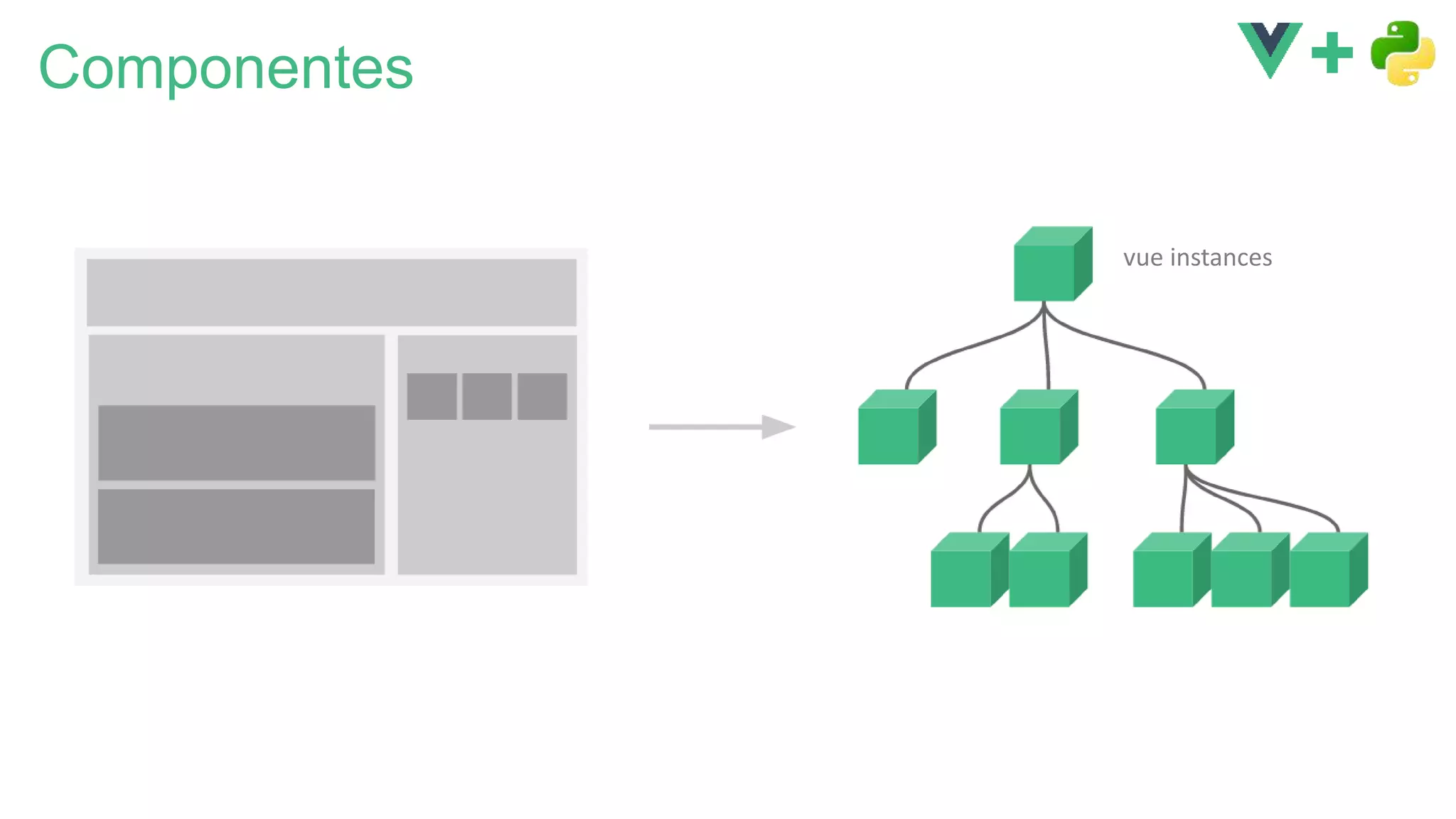
Componentes
vue instances
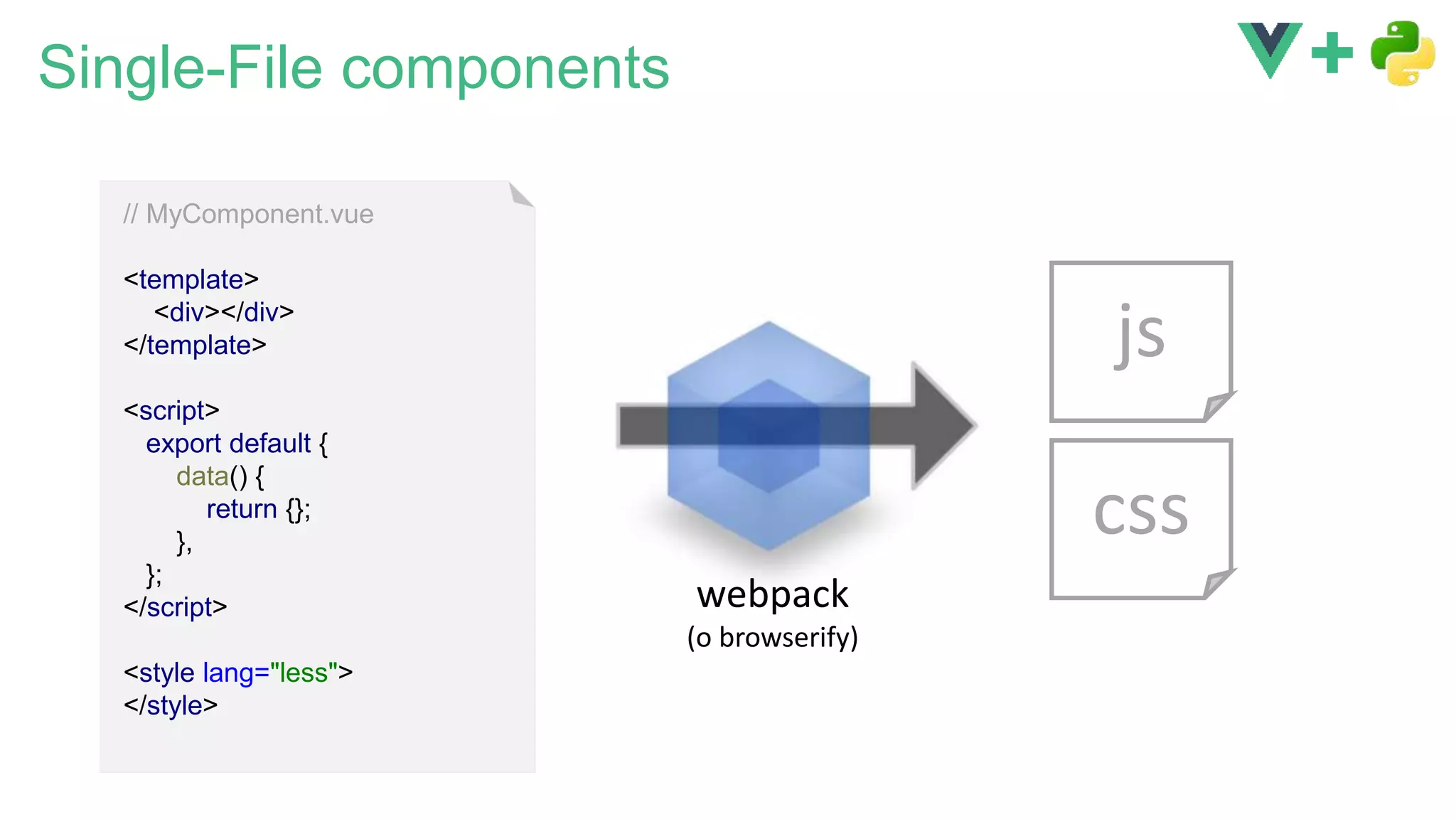
Single-File components
// MyComponent.vue
<template>
<div></div>
</template>
<script>
export default {
data() {
return {};
},
};
</script>
<style lang="less">
</style>
js
css
webpack
(o browserify)
Single-File components
// MyComponent.vue
<template>
<div></div>
</template>
<script>
export default {
data() {
return {};
},
};
</script>
<style lang="less">
</style>
js
css
webpack
(o browserify)
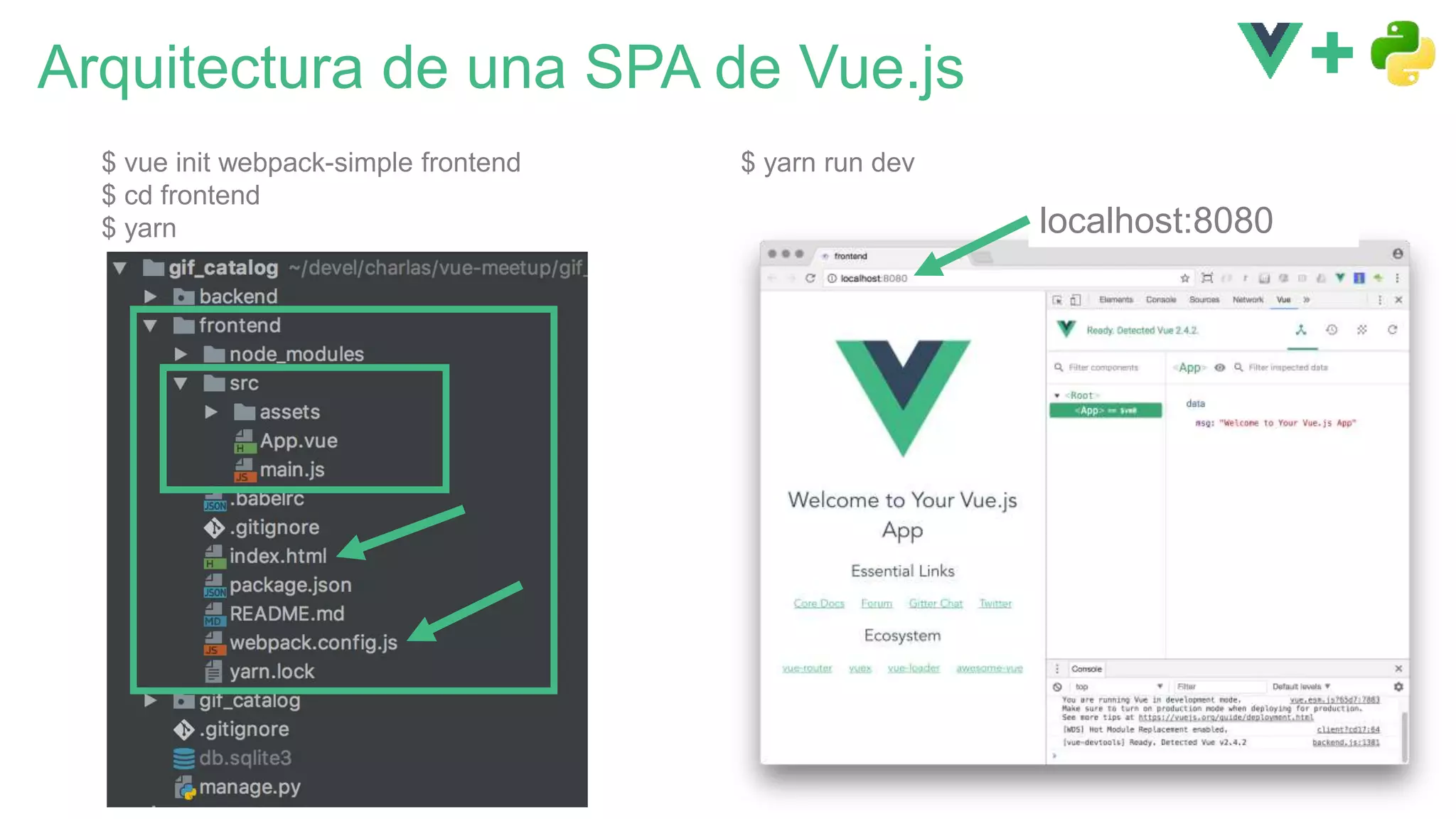
Arquitectura de una SPA de Vue.js
$ vue init webpack-simple frontend
$ cd frontend
$ yarn
$ yarn run dev
localhost:8080
DEMO
1
Ejemplo: Catálogo de GIFs para IoT
http://localhost:8000/ http://localhost:8000/detail/323
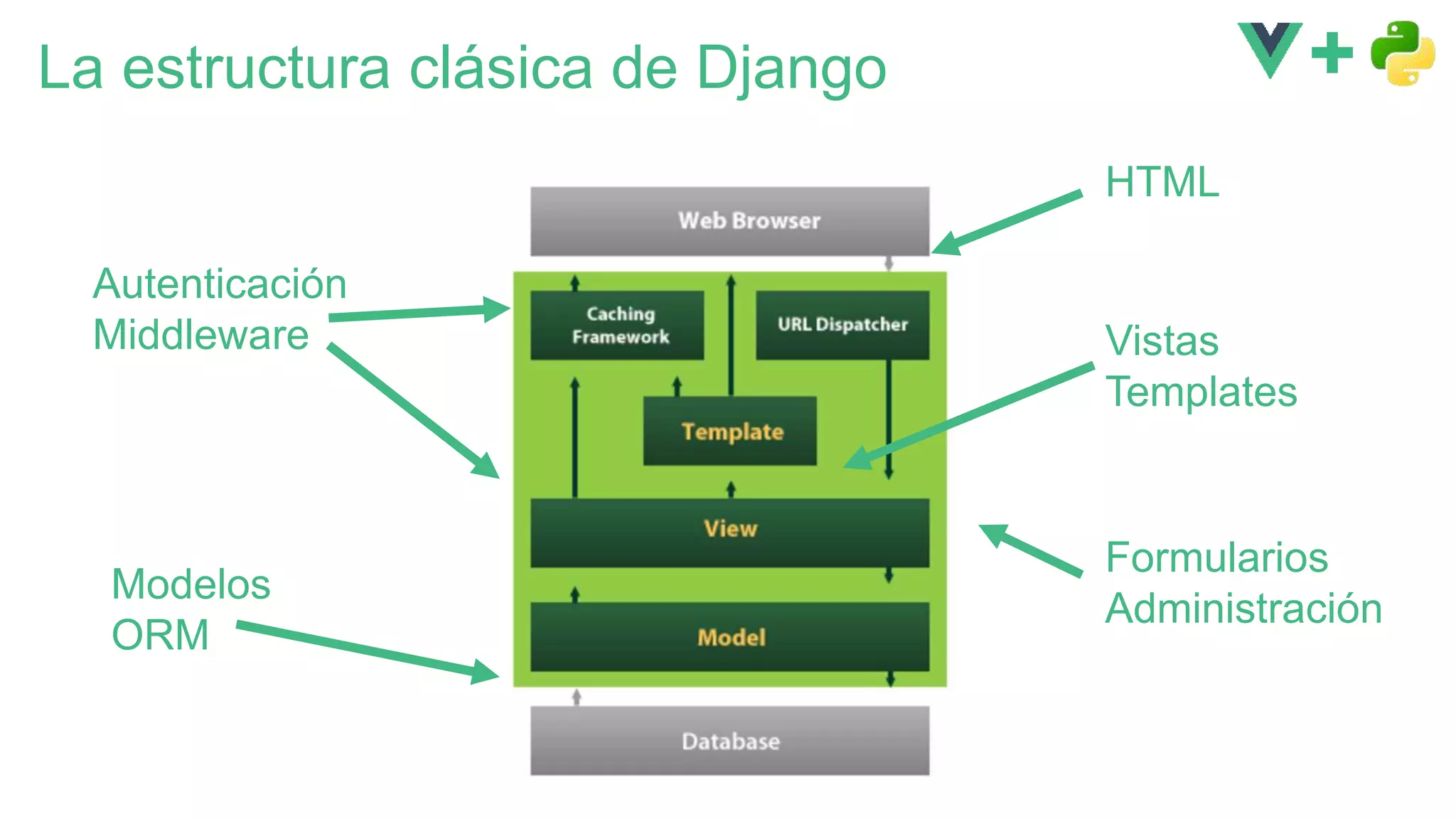
La estructura clásica de Django
Vistas
Templates
Modelos
ORM
Autenticación
Middleware
Formularios
Administración
HTML
DEMO
2
Django
:8000
Webpack
:8080
La experiencia ‘óptima’ de desarrollo
• Trabajar de forma unificada
(mismo IDE)
• Desarrollo en el backend
• debugging
• breakpoints, etc
• Desarrollo en el frontend
• con agilidad
• usando Hot Module
Replacement (HMR)
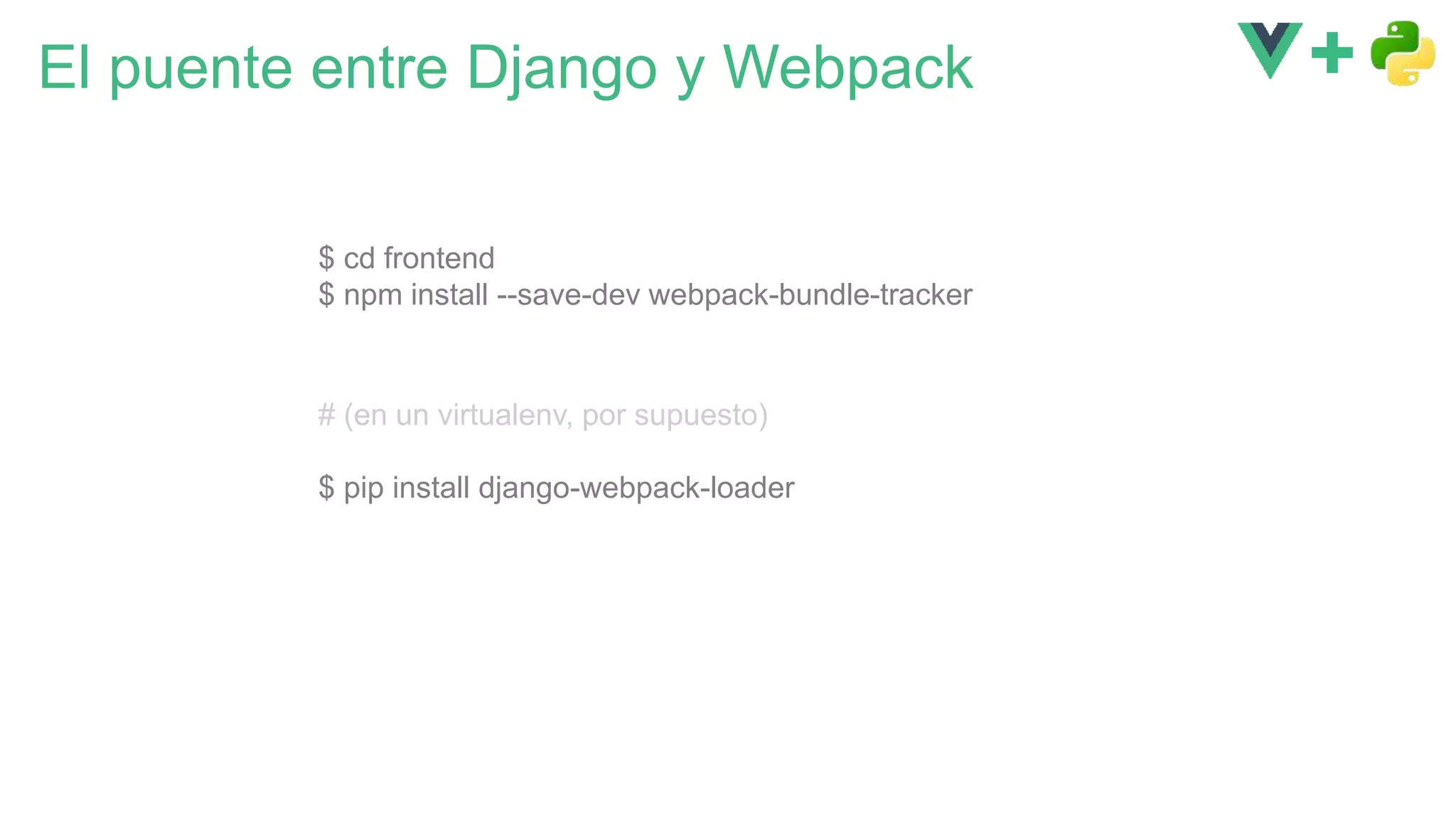
El puente entre Django y Webpack
$ cd frontend
$ npm install --save-dev webpack-bundle-tracker
# (en un virtualenv, por supuesto)
$ pip install django-webpack-loader
Todo junto
var path = require('path')
var webpack = require('webpack')
var BundleTracker = require('webpack-bundle-tracker');
module.exports = {
…
plugins: [
new BundleTracker({filename: './webpack-stats.json'})
]
}
// frontend/webpack.conf.js
{% extends 'base.html' %}
{% load render_bundle from webpack_loader %}
{% block content %}
<div id="app"></div>
{% render_bundle 'main' %}
{% endblock %}
{# backend/templates/index.html #}
{
"status": "done",
"publicPath": "http://localhost:8080/dist/",
"chunks": {
"main": [
{
"name": "build.js",
"publicPath": "http://localhost:8080/dist/build.js",
"path": "/Users/jami/…/gif_catalog/frontend/dist/build.js"
}
]
}
}
// frontend/webpack-stats.json
…
WEBPACK_LOADER = {
'DEFAULT': {
'BUNDLE_DIR_NAME': 'dist/',
'STATS_FILE': os.path.join(BASE_DIR,
'frontend/webpack-stats.json'),
}
}
# settings.py
def index(request):
return render(request, 'index.html', {})
# backend/views.py
{% extends 'base.html' %}
{% load render_bundle from webpack_loader %}
{% block content %}
<div id="app"></div>
{% render_bundle 'main' %}
{% endblock %}
{# backend/templates/index.html #}
Django
:8000
Webpack
:8080
urlpatterns = [
url(r'^', views.index),
]
# backend/urls.py
App.vue
main.js
*.vue
localhost:8000/
<!DOCTYPE html>
<html lang="en">
<head>
<meta charset="UTF-8">
…
</head>
<body>
<div id="app"></div>
<script type="text/javascript"
src="http://localhost:8080/dist/build.js">
</script>
</body
</html>
HMRbuild.js
DEMO
3
Webpack: detalles de configuración
var path = require('path')
var webpack = require('webpack')
var BundleTracker = require('webpack-bundle-tracker');
module.exports = {
entry: './src/main.js',
output: {
path: path.resolve(__dirname, './dist'),
publicPath: 'http://localhost:8080/dist/',
filename: 'build.js'
},
module: {
...
},
devServer: {
historyApiFallback: true,
noInfo: true,
headers: {
'Access-Control-Allow-Origin': '*'
}
},
plugins: [
new BundleTracker({filename: './webpack-stats.json'})
]
}
url absoluta
incluyendo puerto
activar CORS para que el cliente
HMR pueda hacer peticiones al
devServer de webpack
// webpack.config.js
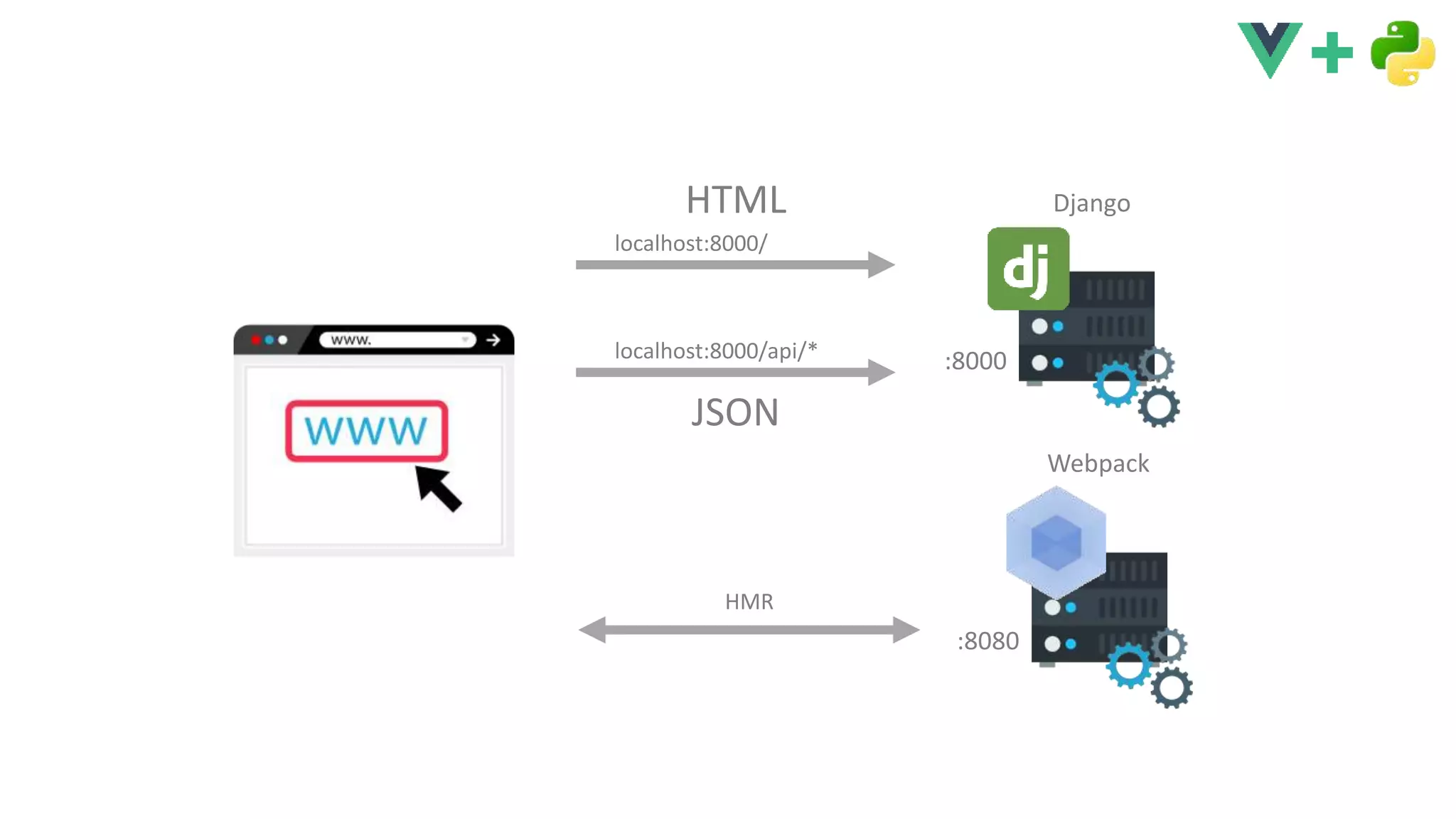
Django
:8000
localhost:8000/
HTML
localhost:8000/api/*
JSON
Webpack
:8080
HMR
Implementar una API ¿REST?
urlpatterns = [
url(r'^api/pics', api.pics),
url(r'^', views.index),
]
# backend/urls.py
def pics(request):
count = GifPicture.objects.all().count()
all_ids = range(count)
random.shuffle(all_ids)
picked_ids = all_ids[:18]
gif_pictures = GifPicture.objects
.filter(id__in=picked_ids)
.order_by('-upload_date')
result = {
'pics': gif_pictures,
}
return JsonResponse(result)
# backend/api.py
import axios from 'axios';
export default {
getRandomPics() {
return axios.get('/api/pics')
.then(response => {
return response.data.pics;
});
},
}
// gifPicsApi.js
Django
:8000
…
<script>
import gifPicsApi from '../services/gifPicsApi.js';
export default {
…
mounted() {
gifPicsApi.getRandomPics().then(pics => {
this.pics = pics;
});
},
};
</script>
// GifHome.vue
DEMO
4
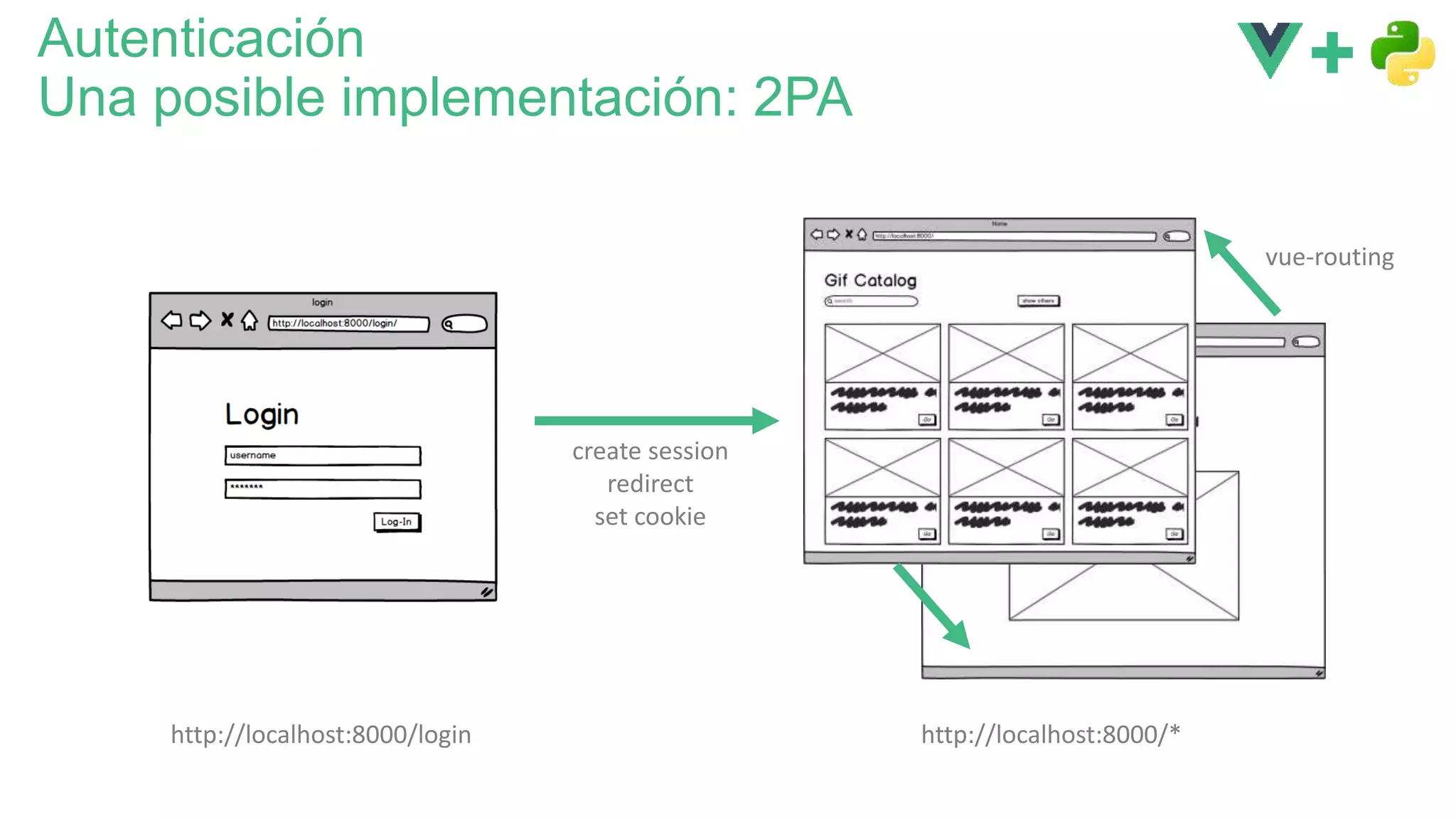
Autenticación
Una posible implementación: 2PA
http://localhost:8000/login http://localhost:8000/*
create session
redirect
set cookie
vue-routing
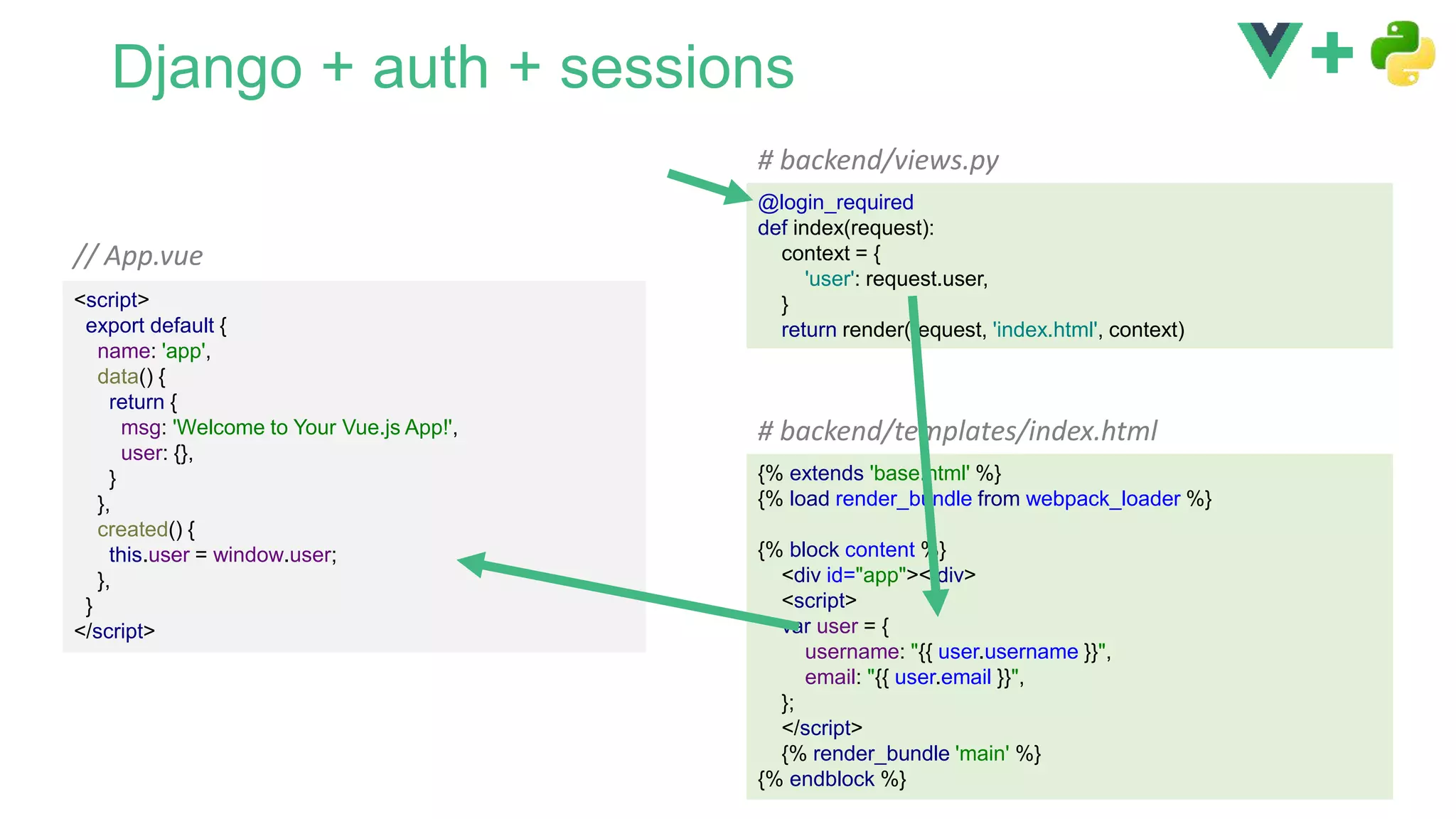
Django + auth + sessions
<script>
export default {
name: 'app',
data() {
return {
msg: 'Welcome to Your Vue.js App!',
user: {},
}
},
created() {
this.user = window.user;
},
}
</script>
// App.vue
@login_required
def index(request):
context = {
'user': request.user,
}
return render(request, 'index.html', context)
# backend/views.py
{% extends 'base.html' %}
{% load render_bundle from webpack_loader %}
{% block content %}
<div id="app"></div>
<script>
var user = {
username: "{{ user.username }}",
email: "{{ user.email }}",
};
</script>
{% render_bundle 'main' %}
{% endblock %}
# backend/templates/index.html
DEMO
5
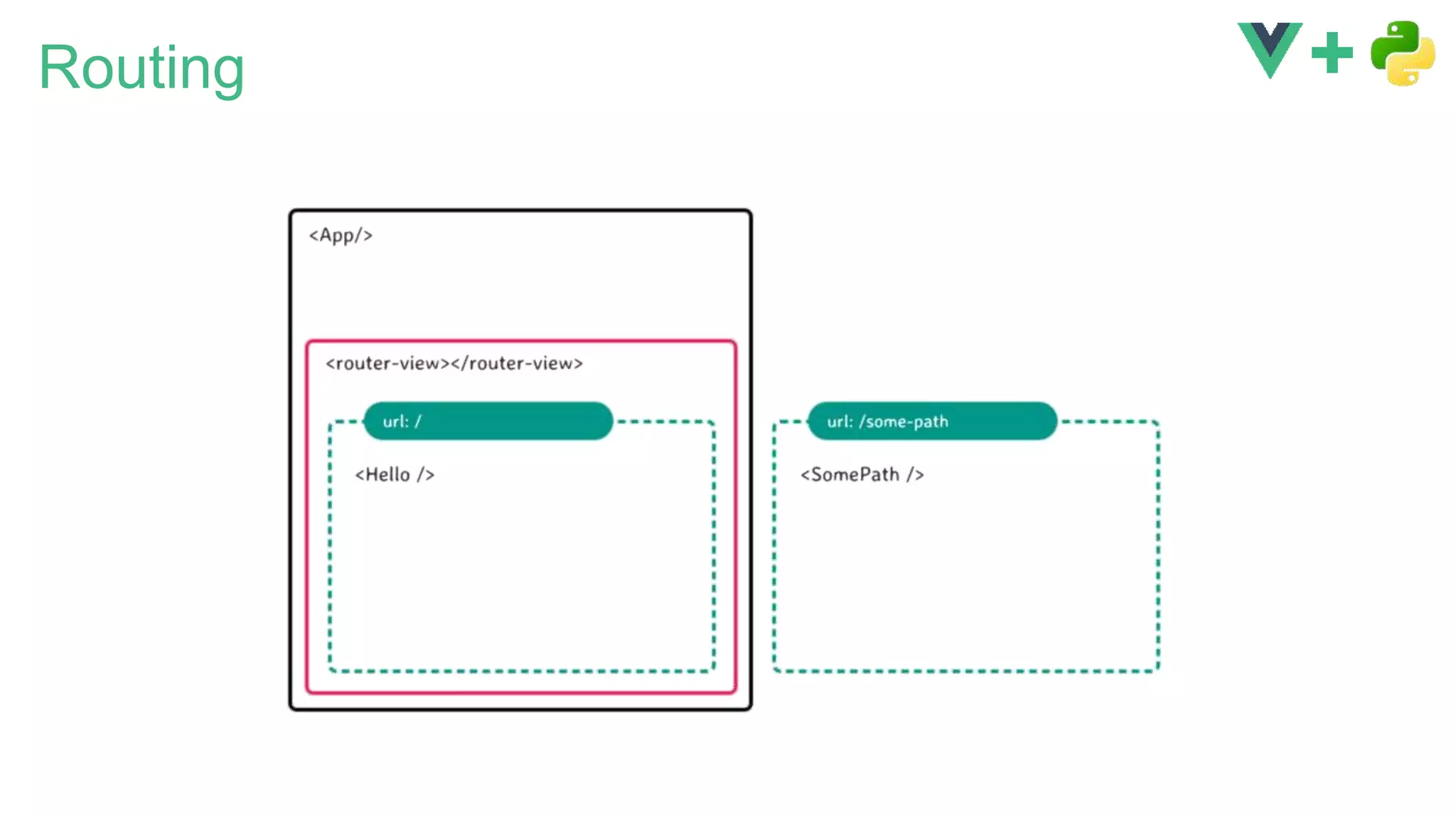
Routing
DEMO
6
Rutas
urlpatterns = [
url(r'^api/suggestions/$', api.suggestions),
url(r'^api/search/$', api.search),
url(r'^api/pics/(?P<id>[0-9]+)$', api.pic_details),
url(r'^api/pics/$', api.pics),
url(r'^', views.index),
]
# backend/urls.py
Vue.use(Router);
const router = new Router({
mode: 'history',
routes: [
{
path: '/',
name: 'home',
component: GifHome
},{
path: '/detail/:id',
name: 'detail',
component: GifDetail,
props:true
},{
path: '*',
component: Error404
}, // Not found
],
});
# router.js
urlpatterns = [
url(r'^admin/', admin.site.urls),
url('^', include('django.contrib.auth.urls')),
url(r'^', include('backend.urls'))
]
# urls.py
/login
/logout
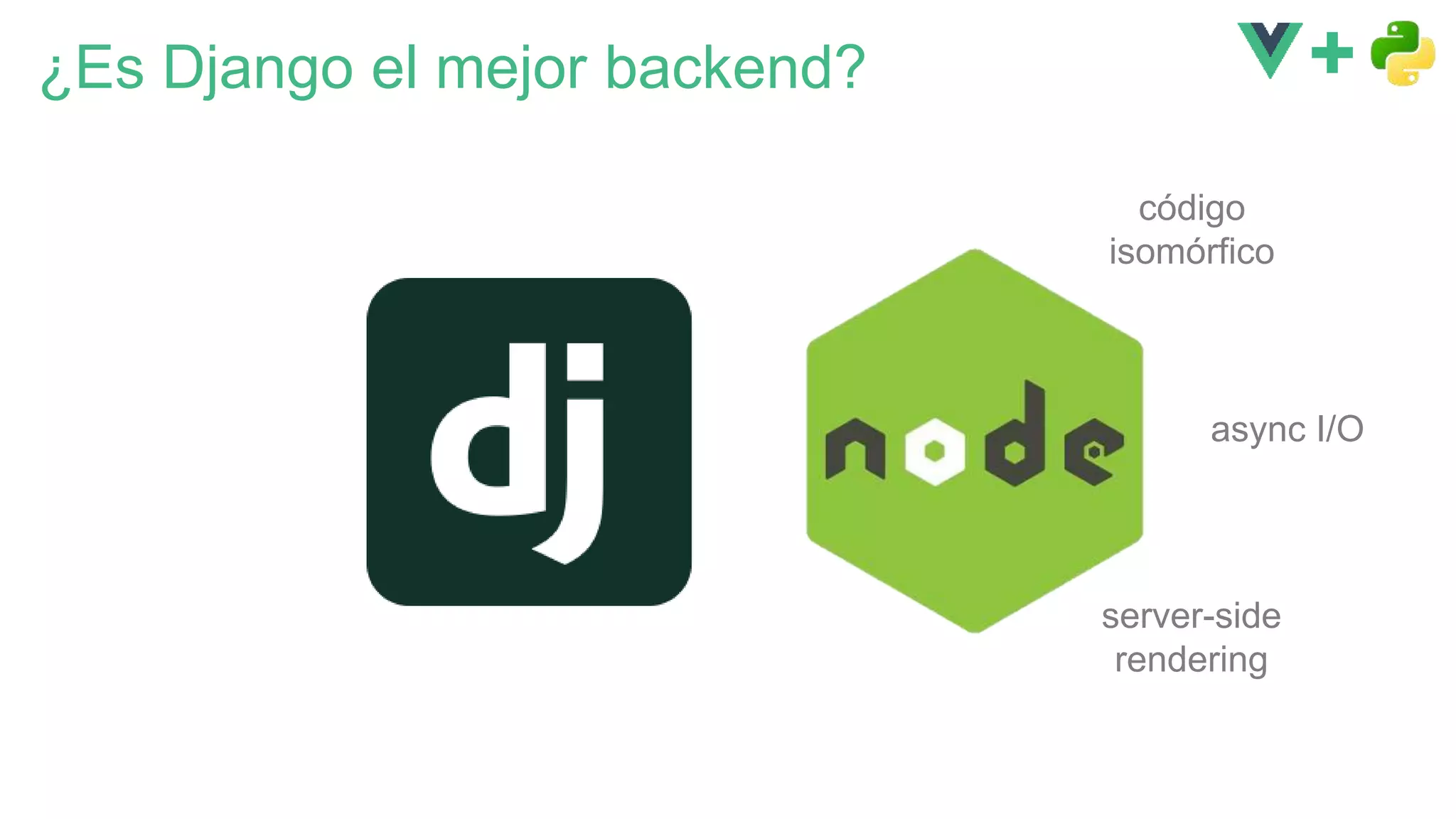
¿Es Django el mejor backend?
código
isomórfico
server-side
rendering
async I/O
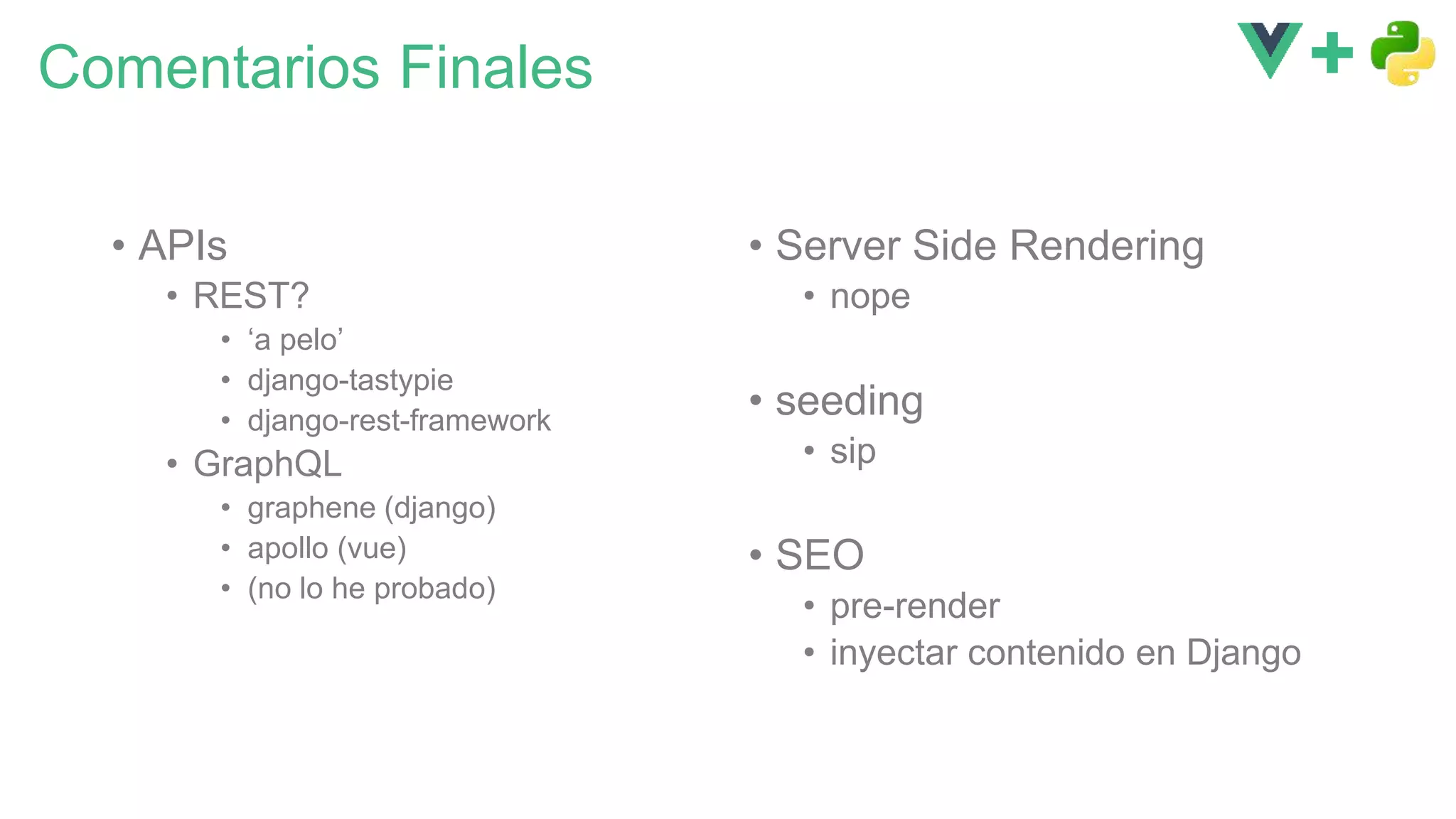
Comentarios Finales
• APIs
• REST?
• ‘a pelo’
• django-tastypie
• django-rest-framework
• GraphQL
• graphene (django)
• apollo (vue)
• (no lo he probado)
• Server Side Rendering
• nope
• seeding
• sip
• SEO
• pre-render
• inyectar contenido en Django
Conclusión
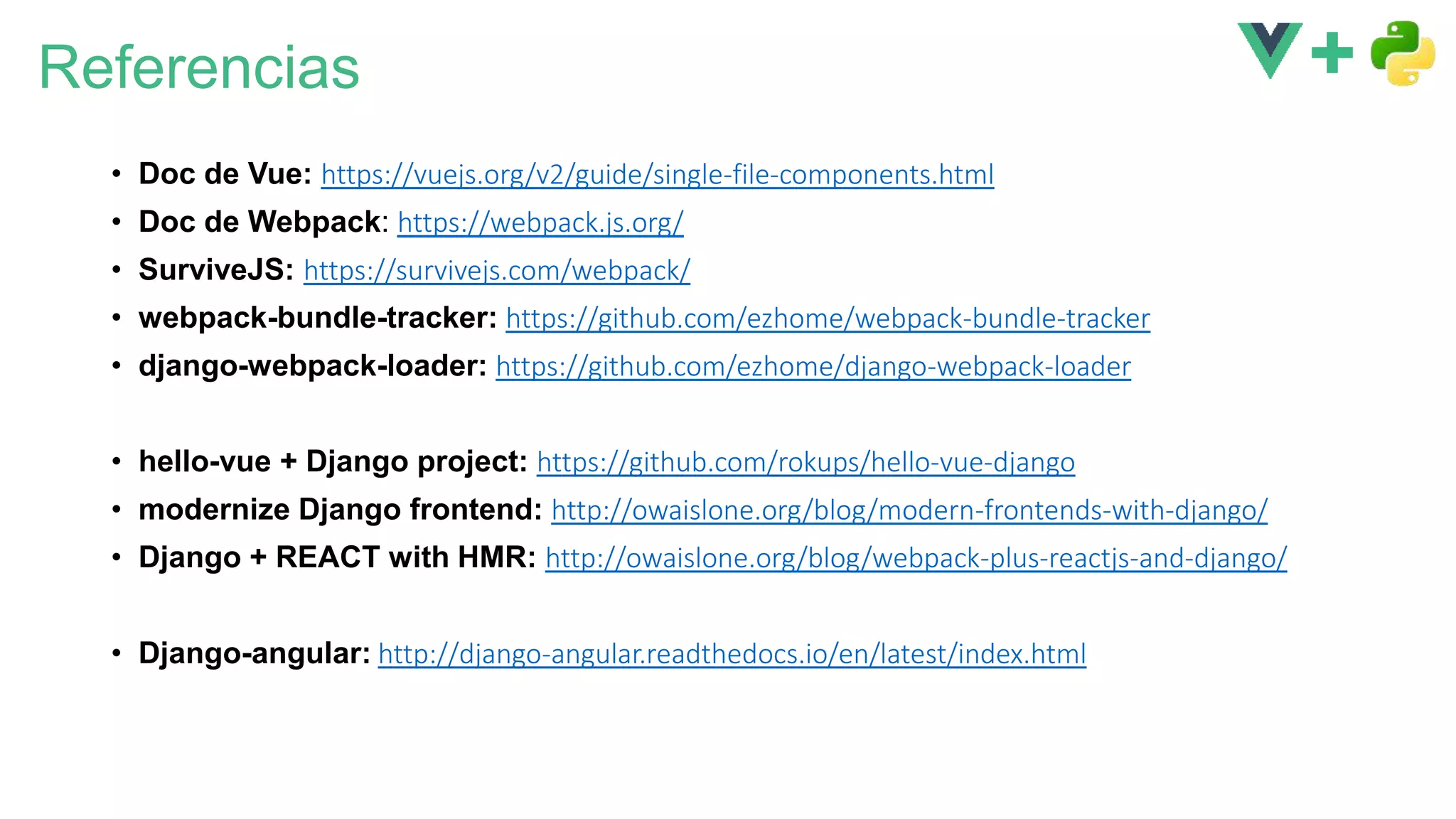
Referencias
• Doc de Vue: https://vuejs.org/v2/guide/single-file-components.html
• Doc de Webpack: https://webpack.js.org/
• SurviveJS: https://survivejs.com/webpack/
• webpack-bundle-tracker: https://github.com/ezhome/webpack-bundle-tracker
• django-webpack-loader: https://github.com/ezhome/django-webpack-loader
• hello-vue + Django project: https://github.com/rokups/hello-vue-django
• modernize Django frontend: http://owaislone.org/blog/modern-frontends-with-django/
• Django + REACT with HMR: http://owaislone.org/blog/webpack-plus-reactjs-and-django/
• Django-angular: http://django-angular.readthedocs.io/en/latest/index.html
Gracias!
@javierabadia

Django + Vue, JavaScript de 3ª generación para modernizar Django

  • 1.
    Django + Vue.JS JavaScriptde 3ª generación para modernizar Django @javierabadia PyConES 2017 Cáceres
  • 2.
    SPAs - SinglePage Applications initial request HTML GET url HTML POST form HTML initial request HTML GET url (AJAX) JSON POST url (AJAX) JSON page reload Ciclo de Vida Tradicional de una Página Web Ciclo de Vida de una App SPA page reload
  • 3.
    GET url (AJAX) JSON POSTurl (AJAX) JSON El problema fundamental en el ‘front’
  • 4.
    Frameworks de JS 1ªgeneración 2ª generación 3ª generación
  • 5.
    Un poco deVue.js
  • 6.
    ¡ Se dice/vjuː/ ! ¿ Sabes que estoy aprendiendo vue ?
  • 7.
    Lo simple esfácil var app = new Vue({ el: '#app', data: { msg: ’Hi there!', frameworks: ['React', 'Vue.js', 'Angular.io'], }, methods: { isCool(framework) { return framework === 'Vue.js'; }, }, }); <div id="app"> {{msg}} <ul> <li v-for="framework in frameworks"> {{framework}} <span v-if="isCool(framework)"> , so cool! </span> </li> </ul> </div> HTML JavaScript Declarative Rendering Condicionales y Bucles
  • 8.
    Eventos var app =new Vue({ ... methods: { isCool(framework) { return this.cool.indexOf(framework) !== -1; }, toggleCool(framework) { if( this.isCool(framework) ) this.cool.splice(this.cool.indexOf(framework),1); else this.cool.push(framework); } }, }); <ul> <li v-for="framework in frameworks" @click="toggleCool(framework)"> {{framework}} <span v-if="isCool(framework)"> , so cool! </span> </li> </ul> HTML JavaScript
  • 9.
    Enlazando (binding) atributos <ul> <liclass="framework-item" :class="{cool: isCool(framework)}" v-for="framework in frameworks" @click="toggleCool(framework)"> {{framework}}<span v-if="isCool(framework)">, so cool!</span> </li> </ul>
  • 10.
  • 11.
  • 12.
    Single-File components // MyComponent.vue <template> <div></div> </template> <script> exportdefault { data() { return {}; }, }; </script> <style lang="less"> </style> js css webpack (o browserify)
  • 13.
    Single-File components // MyComponent.vue <template> <div></div> </template> <script> exportdefault { data() { return {}; }, }; </script> <style lang="less"> </style> js css webpack (o browserify)
  • 14.
    Arquitectura de unaSPA de Vue.js $ vue init webpack-simple frontend $ cd frontend $ yarn $ yarn run dev localhost:8080
  • 15.
  • 16.
    Ejemplo: Catálogo deGIFs para IoT http://localhost:8000/ http://localhost:8000/detail/323
  • 17.
    La estructura clásicade Django Vistas Templates Modelos ORM Autenticación Middleware Formularios Administración HTML
  • 18.
  • 19.
  • 20.
    La experiencia ‘óptima’de desarrollo • Trabajar de forma unificada (mismo IDE) • Desarrollo en el backend • debugging • breakpoints, etc • Desarrollo en el frontend • con agilidad • usando Hot Module Replacement (HMR)
  • 21.
    El puente entreDjango y Webpack $ cd frontend $ npm install --save-dev webpack-bundle-tracker # (en un virtualenv, por supuesto) $ pip install django-webpack-loader
  • 22.
    Todo junto var path= require('path') var webpack = require('webpack') var BundleTracker = require('webpack-bundle-tracker'); module.exports = { … plugins: [ new BundleTracker({filename: './webpack-stats.json'}) ] } // frontend/webpack.conf.js {% extends 'base.html' %} {% load render_bundle from webpack_loader %} {% block content %} <div id="app"></div> {% render_bundle 'main' %} {% endblock %} {# backend/templates/index.html #} { "status": "done", "publicPath": "http://localhost:8080/dist/", "chunks": { "main": [ { "name": "build.js", "publicPath": "http://localhost:8080/dist/build.js", "path": "/Users/jami/…/gif_catalog/frontend/dist/build.js" } ] } } // frontend/webpack-stats.json … WEBPACK_LOADER = { 'DEFAULT': { 'BUNDLE_DIR_NAME': 'dist/', 'STATS_FILE': os.path.join(BASE_DIR, 'frontend/webpack-stats.json'), } } # settings.py
  • 23.
    def index(request): return render(request,'index.html', {}) # backend/views.py {% extends 'base.html' %} {% load render_bundle from webpack_loader %} {% block content %} <div id="app"></div> {% render_bundle 'main' %} {% endblock %} {# backend/templates/index.html #} Django :8000 Webpack :8080 urlpatterns = [ url(r'^', views.index), ] # backend/urls.py App.vue main.js *.vue localhost:8000/ <!DOCTYPE html> <html lang="en"> <head> <meta charset="UTF-8"> … </head> <body> <div id="app"></div> <script type="text/javascript" src="http://localhost:8080/dist/build.js"> </script> </body </html> HMRbuild.js
  • 25.
  • 26.
    Webpack: detalles deconfiguración var path = require('path') var webpack = require('webpack') var BundleTracker = require('webpack-bundle-tracker'); module.exports = { entry: './src/main.js', output: { path: path.resolve(__dirname, './dist'), publicPath: 'http://localhost:8080/dist/', filename: 'build.js' }, module: { ... }, devServer: { historyApiFallback: true, noInfo: true, headers: { 'Access-Control-Allow-Origin': '*' } }, plugins: [ new BundleTracker({filename: './webpack-stats.json'}) ] } url absoluta incluyendo puerto activar CORS para que el cliente HMR pueda hacer peticiones al devServer de webpack // webpack.config.js
  • 27.
  • 28.
    Implementar una API¿REST? urlpatterns = [ url(r'^api/pics', api.pics), url(r'^', views.index), ] # backend/urls.py def pics(request): count = GifPicture.objects.all().count() all_ids = range(count) random.shuffle(all_ids) picked_ids = all_ids[:18] gif_pictures = GifPicture.objects .filter(id__in=picked_ids) .order_by('-upload_date') result = { 'pics': gif_pictures, } return JsonResponse(result) # backend/api.py import axios from 'axios'; export default { getRandomPics() { return axios.get('/api/pics') .then(response => { return response.data.pics; }); }, } // gifPicsApi.js Django :8000 … <script> import gifPicsApi from '../services/gifPicsApi.js'; export default { … mounted() { gifPicsApi.getRandomPics().then(pics => { this.pics = pics; }); }, }; </script> // GifHome.vue
  • 29.
  • 30.
    Autenticación Una posible implementación:2PA http://localhost:8000/login http://localhost:8000/* create session redirect set cookie vue-routing
  • 31.
    Django + auth+ sessions <script> export default { name: 'app', data() { return { msg: 'Welcome to Your Vue.js App!', user: {}, } }, created() { this.user = window.user; }, } </script> // App.vue @login_required def index(request): context = { 'user': request.user, } return render(request, 'index.html', context) # backend/views.py {% extends 'base.html' %} {% load render_bundle from webpack_loader %} {% block content %} <div id="app"></div> <script> var user = { username: "{{ user.username }}", email: "{{ user.email }}", }; </script> {% render_bundle 'main' %} {% endblock %} # backend/templates/index.html
  • 32.
  • 33.
  • 34.
  • 35.
    Rutas urlpatterns = [ url(r'^api/suggestions/$',api.suggestions), url(r'^api/search/$', api.search), url(r'^api/pics/(?P<id>[0-9]+)$', api.pic_details), url(r'^api/pics/$', api.pics), url(r'^', views.index), ] # backend/urls.py Vue.use(Router); const router = new Router({ mode: 'history', routes: [ { path: '/', name: 'home', component: GifHome },{ path: '/detail/:id', name: 'detail', component: GifDetail, props:true },{ path: '*', component: Error404 }, // Not found ], }); # router.js urlpatterns = [ url(r'^admin/', admin.site.urls), url('^', include('django.contrib.auth.urls')), url(r'^', include('backend.urls')) ] # urls.py /login /logout
  • 36.
    ¿Es Django elmejor backend? código isomórfico server-side rendering async I/O
  • 37.
    Comentarios Finales • APIs •REST? • ‘a pelo’ • django-tastypie • django-rest-framework • GraphQL • graphene (django) • apollo (vue) • (no lo he probado) • Server Side Rendering • nope • seeding • sip • SEO • pre-render • inyectar contenido en Django
  • 38.
  • 39.
    Referencias • Doc deVue: https://vuejs.org/v2/guide/single-file-components.html • Doc de Webpack: https://webpack.js.org/ • SurviveJS: https://survivejs.com/webpack/ • webpack-bundle-tracker: https://github.com/ezhome/webpack-bundle-tracker • django-webpack-loader: https://github.com/ezhome/django-webpack-loader • hello-vue + Django project: https://github.com/rokups/hello-vue-django • modernize Django frontend: http://owaislone.org/blog/modern-frontends-with-django/ • Django + REACT with HMR: http://owaislone.org/blog/webpack-plus-reactjs-and-django/ • Django-angular: http://django-angular.readthedocs.io/en/latest/index.html
  • 40.

Editor's Notes

  • #8 v-if también hay v-show
  • #9 como el ng-click funciona con todos los eventos: @hover @load ver las herramientas de desarrollo
  • #13 $ npm install -g vue-cli $ vue init webpack-simple my-project $ cd my-project $ npm install $ npm run dev
  • #14 $ npm install -g vue-cli $ vue init webpack-simple my-project $ cd my-project $ npm install $ npm run dev
  • #15 webpack HMR DevTools ver el index.html
  • #18 Vistas, Templates ORM, Modelos: migraciones, esquemas… Middleware, Autenticación Formularios, Administración Django has neatly packaged the best of web development in a very convenient project
  • #21 yo uso PyCharm pero funciona igual lanzando los comandos desde el terminal y usando SublimeText u otro editor
  • #23 webpack-bundle-tracker plug-in de webpack genera un fichero ’webpack-stats.json’ con los resultados de la compilación django-webpack-loader módulo de django lee el fichero ‘webpack-stats.json’ y renderiza las tags <script> apropiadas en una plantilla de Django Django debe servir el index.html de nuestra app El index.html ‘tira’ de los bundles generados por webpack webpack escucha, implementa HMR
  • #29 En el servidor Simplemente usar JsonResponse() Django REST Framework no es necesario experiencia similar a los formularios de Django En el cliente axios
  • #31 Django sirve 2 vistas vista de login vista de SPA Django mantiene las sesiones que se comparten con el cliente mediante una cookie Django comprueba la cookie/sesión en cada llamada podemos embeber la identidad en la plantilla Hay otras formas SPA -> TokenAuthentication (Django REST Framework) Types of authentication SessionAuthentication TokenAuthentication … https://stackoverflow.com/a/27582256/79536 http://www.django-rest-framework.org/topics/ajax-csrf-cors/
  • #34 la vista principal tiene un <router-view></router-view> el router selecciona un componente para renderizar en ese punto a partir de la URL y mucho más: rutas anidadas, parámetros, guardas…
  • #36 Django devuelve lo mismo para todas las rutas El vue-router selecciona la vista correcta
  • #37 node es la elección natural cuando pensamos en un backend para vue un solo lenguaje isomorphic code server-side-rendering async I/O django Django has neatly packaged the best of web development in a very convenient project Access to other libs p.ej. pandas, machine learning, image recognition, ORM… laravel: default front-end for laravel (Jul 2016), made the framework take off
  • #38  https://www.pydanny.com/choosing-an-api-framework-for-django.html https://django-tastypie.readthedocs.io/en/latest/ http://www.django-rest-framework.org/ https://github.com/graphql-python/graphene https://vuejsdevelopers.com/2017/04/01/vue-js-prerendering-node-laravel/