Using Redis and
RediSearch module
By Dmitry Polyakovsky
This talk is about
1. Storing volatile data in Redis
2. Synchronizing data bwn Redis and other DBs
3. Searching data with secondary indexes and RediSearch module
Quick survey
About me
Dmtiry Polyakovsky
Developer and Redis consultant in Seattle
https://twitter.com/dmitrypol
https://dmitrypol.github.io/categories.html#redis
Co-organizer of https://www.meetup.com/Seattle-Redis/
Demo
https://nfl-leaderboard.herokuapp.com/
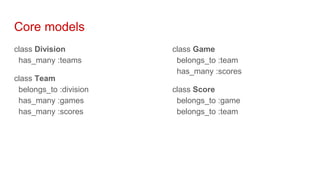
Core models
class Division
has_many :teams
class Team
belongs_to :division
has_many :games
has_many :scores
class Game
belongs_to :team
has_many :scores
class Score
belongs_to :game
belongs_to :team
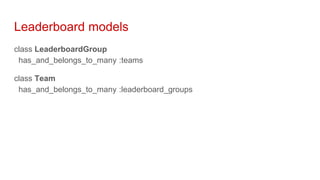
Leaderboard models
class LeaderboardGroup
has_and_belongs_to_many :teams
class Team
has_and_belongs_to_many :leaderboard_groups
Storing data in Redis
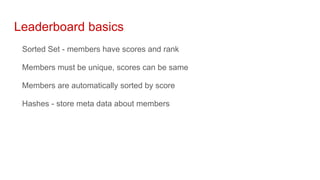
Leaderboard basics
Sorted Set - members have scores and rank
Members must be unique, scores can be same
Members are automatically sorted by score
Hashes - store meta data about members
Sorted Sets
Provides ranks and scores
One per leaderboard
{"db":0,"key":"leaderboard:nfl-ldbr","ttl":-1,"type":"zset","value":[["new-england-
patriots",0.0],...,["cleveland-browns",19.0],["new-orleans-
saints",22.0]],"size":545}
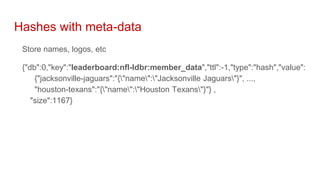
Hashes with meta-data
Store names, logos, etc
{"db":0,"key":"leaderboard:nfl-ldbr:member_data","ttl":-1,"type":"hash","value":
{"jacksonville-jaguars":"{"name":"Jacksonville Jaguars"}", ...,
"houston-texans":"{"name":"Houston Texans"}"} ,
"size":1167}
Sorted Sets
Keeps track of changes in rank history
One per leaderboard member
{"db":0,"key":"leaderboard:nfl-ldbr:atlanta-falcons:rank_history","ttl":-1,
"type":"zset", "value":[
["24",1488509068.6900594],["12",1488509072.2207873],["13",1488509078.1
463332],["14",1488509079.6027026]],
"size":80}
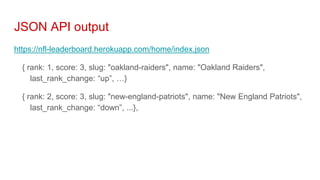
JSON API output
https://nfl-leaderboard.herokuapp.com/home/index.json
{ rank: 1, score: 3, slug: "oakland-raiders", name: "Oakland Raiders",
last_rank_change: “up”, …}
{ rank: 2, score: 3, slug: "new-england-patriots", name: "New England Patriots",
last_rank_change: “down”, ...},
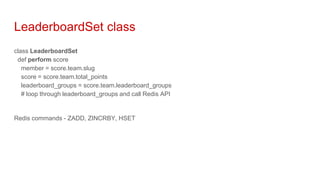
LeaderboardSet class
class LeaderboardSet
def perform score
member = score.team.slug
score = score.team.total_points
leaderboard_groups = score.team.leaderboard_groups
# loop through leaderboard_groups and call Redis API
Redis commands - ZADD, ZINCRBY, HSET
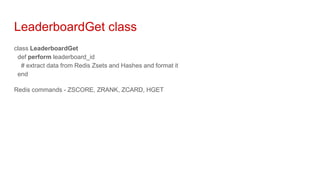
LeaderboardGet class
class LeaderboardGet
def perform leaderboard_id
# extract data from Redis Zsets and Hashes and format it
end
Redis commands - ZSCORE, ZRANK, ZCARD, HGET
Storing attributes in different DBs
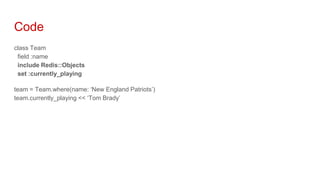
Code
class Team
field :name
include Redis::Objects
set :currently_playing
team = Team.where(name: ‘New England Patriots’)
team.currently_playing << ‘Tom Brady’
Data in Redis
{"db":0,"key":"team:1:currently_playing","ttl":-1,"type":"set","value":
["Tom Brady", “Rob Gronkowski”], …}
{"db":0,"key":"team:2:currently_playing","ttl":-1,"type":"set","value":
["...", “...”], …}
Questions about storing data in Redis
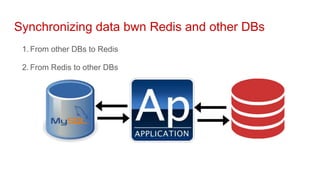
Synchronizing data bwn Redis and other DBs
1. From other DBs to Redis
2. From Redis to other DBs
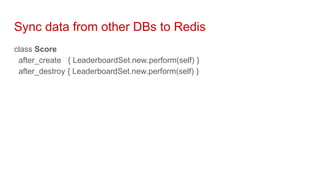
Sync data from other DBs to Redis
class Score
after_create { LeaderboardSet.new.perform(self) }
after_destroy { LeaderboardSet.new.perform(self) }
Other reasons to update Redis
Changes in biz logic
Metadata changes in main DB
Moving data to different environment
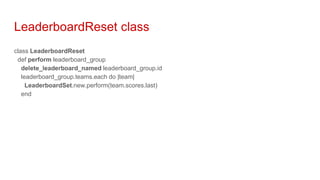
LeaderboardReset class
class LeaderboardReset
def perform leaderboard_group
delete_leaderboard_named leaderboard_group.id
leaderboard_group.teams.each do |team|
LeaderboardSet.new.perform(team.scores.last)
end
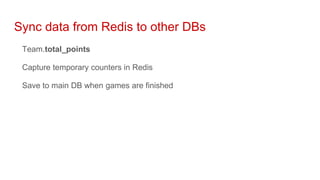
Sync data from Redis to other DBs
Team.total_points
Capture temporary counters in Redis
Save to main DB when games are finished
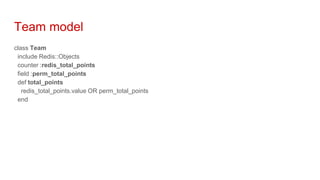
Team model
class Team
include Redis::Objects
counter :redis_total_points
field :perm_total_points
def total_points
redis_total_points.value OR perm_total_points
end
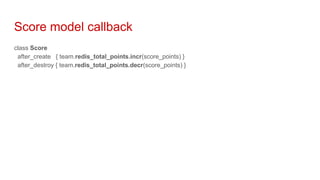
Score model callback
class Score
after_create { team.redis_total_points.incr(score_points) }
after_destroy { team.redis_total_points.decr(score_points) }
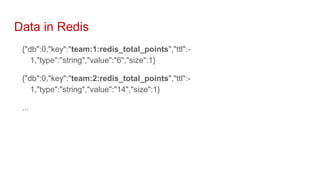
Data in Redis
{"db":0,"key":"team:1:redis_total_points","ttl":-
1,"type":"string","value":"6","size":1}
{"db":0,"key":"team:2:redis_total_points","ttl":-
1,"type":"string","value":"14","size":1}
...
Questions about synchronizing data
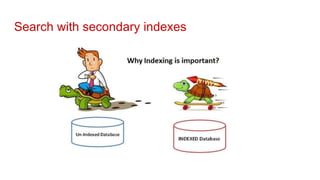
Search with secondary indexes
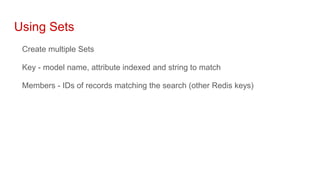
Using Sets
Create multiple Sets
Key - model name, attribute indexed and string to match
Members - IDs of records matching the search (other Redis keys)
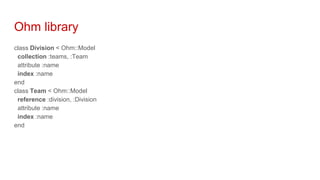
Ohm library
class Division < Ohm::Model
collection :teams, :Team
attribute :name
index :name
end
class Team < Ohm::Model
reference :division, :Division
attribute :name
index :name
end
Data in Redis - Divisions
{"key":"Division:1","ttl":-1,"type":"hash","value": {"name":"NFC West"}...}
{"key":"Division:all","ttl":-1,"type":"set","value":["1"],...}
{"key":"Division:1:indices","ttl":-1,"type":"set","value": ["Division:indices:name:nfc
west", ...] }
{"key":"Division:indices:name:nfc west","ttl":-1,"type":"set","value":["1"]..}
Data in Redis - Teams
{"key":"Team:1","ttl":-1,"type":"hash","value": {"name":"Seattle Seahawks"}...}
{"key":"Team:all","ttl":-1,"type":"set","value":["1"],...}
{"key":"Team:1:indices","ttl":-1,"type":"set","value": ["Team:indices:name:seattle
seahawks", ...]..}
{"key":"Team:indices:name:seattle seahawks","ttl":-1,"type":"set","value":["1"]..}
{"key":"Team:indices:division_id:1","ttl":-1,"type":"set","value":["1"]...}
Code
Division[1]
Division.find(name: ‘NFC West’)
[<Division:... @attributes={:name=>"NFC West"}, @id="1", ...>]
Division[1].teams
[<Team:... @attributes={:name=>"Seattle Seahawks, :division_id => 1"},
@id="1">, ...]
Code
Team[1]
Team.find(division_id: 1)
Team.find(name: ‘Seattle Seahawks)
[<Team:... @attributes={:name=>"Seattle Seahawks, :division_id => 1"},
@id="1">]
Questions about secondary indexes
Search with RediSearch module
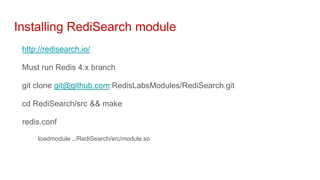
Installing RediSearch module
http://redisearch.io/
Must run Redis 4.x branch
git clone git@github.com:RedisLabsModules/RediSearch.git
cd RediSearch/src && make
redis.conf
loadmodule ../RediSearch/src/module.so
Language libraries
https://github.com/dmitrypol/redi_search_rails
http://redisearch.io/python_client/
http://redisearch.io/java_client/
Redis Commands
FT.CREATE Team SCHEMA name TEXT
FT.ADD Team gid://app/Team/1 1 FIELDS name ‘Seattle Seahawks’
FT.SEARCH Team seattle
[1, "gid://app/Team/1", ["name", "Seattle Seahawks"] ]
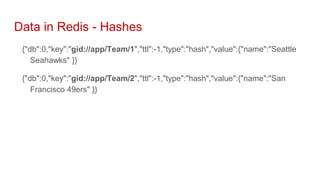
Data in Redis - Hashes
{"db":0,"key":"gid://app/Team/1","ttl":-1,"type":"hash","value":{"name":"Seattle
Seahawks" }}
{"db":0,"key":"gid://app/Team/2","ttl":-1,"type":"hash","value":{"name":"San
Francisco 49ers" }}
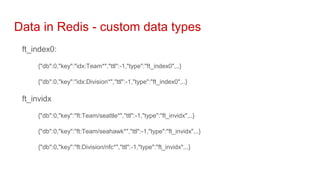
Data in Redis - custom data types
ft_index0:
{"db":0,"key":"idx:Team*","ttl":-1,"type":"ft_index0",..}
{"db":0,"key":"idx:Division*","ttl":-1,"type":"ft_index0",..}
ft_invidx
{"db":0,"key":"ft:Team/seattle*","ttl":-1,"type":"ft_invidx",..}
{"db":0,"key":"ft:Team/seahawk*","ttl":-1,"type":"ft_invidx",..}
{"db":0,"key":"ft:Division/nfc*","ttl":-1,"type":"ft_invidx",..}
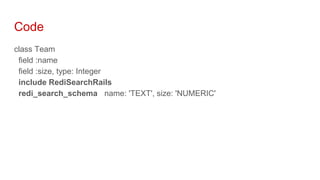
Code
class Team
field :name
field :size, type: Integer
include RediSearchRails
redi_search_schema name: 'TEXT', size: 'NUMERIC'
Code
Team.ft_create
Team.ft_add_all
Team.ft_search(keyword: 'seattle')
[1, "gid://app/Team/1", ["name", "Seattle Seahawks", "size", "50"]
Team.ft_search_format(keyword: 'seattle')
[{id: "gid://app/Team/1", "name": "Seattle Seahawks", "size": "50"}]
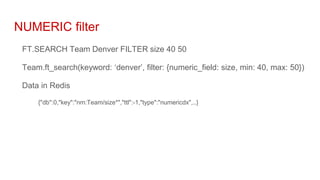
NUMERIC filter
FT.SEARCH Team Denver FILTER size 40 50
Team.ft_search(keyword: ‘denver’, filter: {numeric_field: size, min: 40, max: 50})
Data in Redis
{"db":0,"key":"nm:Team/size*","ttl":-1,"type":"numericdx",..}
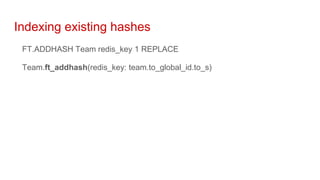
Indexing existing hashes
FT.ADDHASH Team redis_key 1 REPLACE
Team.ft_addhash(redis_key: team.to_global_id.to_s)
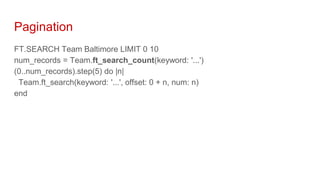
Pagination
FT.SEARCH Team Baltimore LIMIT 0 10
num_records = Team.ft_search_count(keyword: '...')
(0..num_records).step(5) do |n|
Team.ft_search(keyword: '...', offset: 0 + n, num: n)
end
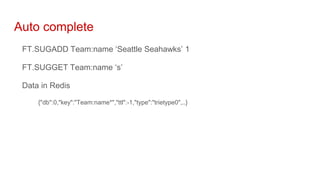
Auto complete
FT.SUGADD Team:name ‘Seattle Seahawks’ 1
FT.SUGGET Team:name ‘s’
Data in Redis
{"db":0,"key":"Team:name*","ttl":-1,"type":"trietype0",..}
Code
team = Team.new(name: 'Seattle Seahawks')
Team.ft_sugadd(record: team, attribute: 'name')
Team.ft_sugadd_all(attribute: 'name')
Team.ft_sugget(attribute: 'name', prefix: 's')
["Seattle Seahawks", "..."]
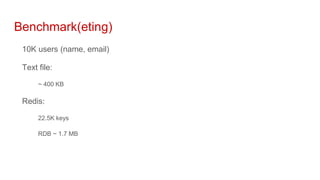
Benchmark(eting)
10K users (name, email)
Text file:
~ 400 KB
Redis:
22.5K keys
RDB ~ 1.7 MB
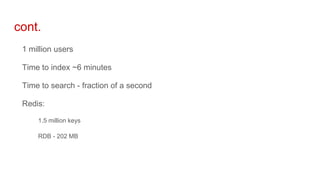
cont.
1 million users
Time to index ~6 minutes
Time to search - fraction of a second
Redis:
1.5 million keys
RDB - 202 MB
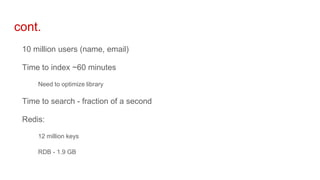
cont.
10 million users (name, email)
Time to index ~60 minutes
Need to optimize library
Time to search - fraction of a second
Redis:
12 million keys
RDB - 1.9 GB
Questions about RediSearch
Conclusion
Redis is fast and flexible
Storing data in different DBs introduces complexity
All feedback is welcomed
Links
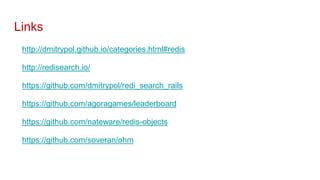
http://dmitrypol.github.io/categories.html#redis
http://redisearch.io/
https://github.com/dmitrypol/redi_search_rails
https://github.com/agoragames/leaderboard
https://github.com/nateware/redis-objects
https://github.com/soveran/ohm

Using Redis and RediSearch module to store and search volatile data

Editor's Notes

  • #4 1 year experience, 2+, 3 or more. What do you use Redis for? Anyone using Redis as primary DB on major system?
  • #6 My young son loves football and to explain to him what I do he and I built this website together. We made a great team because he knows football and I know coding.
  • #7 In my presentation I will use examples from Ruby on Rails but other languages / frameworks have very similar solutions.
  • #9 Why would you store data in Redis? What’s wrong with MySQL?
  • #14 Member is the rank (position) in the other zset, score is the time when that team was in that position last. Compare the member with most recent time to next to determine if moving up or down. Alternatively if we wanted to display a scatter plot of historical change in team rank we could use Hash with time being value and rank being key.
  • #18 We may have situation where the same object has some attributes that remain constant but some change very rapidly. We can store stable attributes in primary DB and volatile attributes in Redis
  • #19 RedisObjects created GET and SET methods so I can store data about team in Mongo and Redis. Also supports Redis strings, lists, sets, hashes, etc.
  • #20 RedisObjects created GET and SET methods so I can store data about team in Mongo and Redis
  • #22 How do you keep data in sync between different DBs? In many ways this problem is similar to how your OLAP DB will have data stored in different format than your OLTP DB.
  • #23 When team scores record is saved in primary DB and callback fires
  • #25 Biz logic or team meta data might change. Or any other data sync issues.
  • #27 RedisObjects created GET and SET methods. I am customizing the ID fields to use slug (vs primary key). Total_points method abstracts the logic to get data from either Redis or primary DB.
  • #29 This is not cache, usually don’t want to expire it. Data is saved in Redis and then moved into primary DB
  • #31 Major limitation of Redis is you can only get records by key. Can’t do equivalent of “select * from ... where name=”
  • #33 I wanted to challenge myself to rebuild this NFL website using Redis as the primary DB
  • #38 While it’s nice to search on attributes and relationships it still only do EXACT match
  • #45 Redi_search_rails follows pattern found in ORMs where records will be stored in DB tables and have unique IDs. It is using GlobalID URI (combination of class and ID) as Redis key. It also adds ft_add_all / ft_del_all methods to enable easy indexing of all records in specific table
  • #50 Use combination of Model:attribute as Redis key
  • #51 Use combination of Model:attribute as Redis key