Alireza Akhavanpour
Tensorflow & Keras callbacks
TensorFlow Callbacks (pat II)
Tensorboard & other callbacks
Alireza Akhavanpour
Akhavanpour.ir
CLASS.VISION
https://github.com/Alireza-Akhavan/tf2-tutorial
Alireza Akhavanpour
Tensorflow & Keras callbacks
Alireza Akhavanpour
Tensorflow & Keras callbacks
Alireza Akhavanpour
Tensorflow & Keras callbacks
Alireza Akhavanpour
Tensorflow & Keras callbacks
Alireza Akhavanpour
Tensorflow & Keras callbacks
Alireza Akhavanpour
Tensorflow & Keras callbacks
TensorBoard
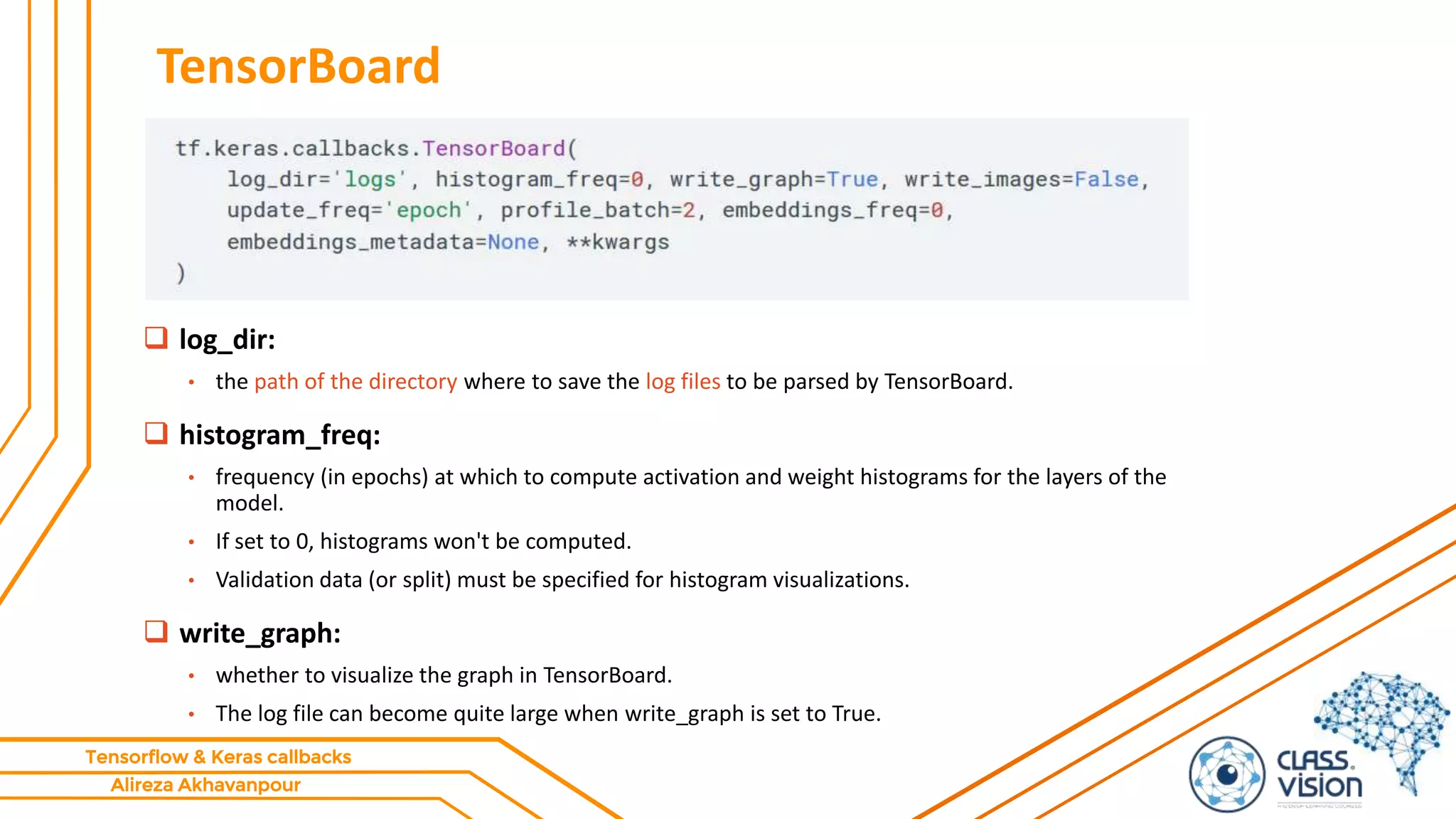
 log_dir:
• the path of the directory where to save the log files to be parsed by TensorBoard.
 histogram_freq:
• frequency (in epochs) at which to compute activation and weight histograms for the layers of the
model.
• If set to 0, histograms won't be computed.
• Validation data (or split) must be specified for histogram visualizations.
 write_graph:
• whether to visualize the graph in TensorBoard.
• The log file can become quite large when write_graph is set to True.
Alireza Akhavanpour
Tensorflow & Keras callbacks
TensorBoard
 write_images:
• whether to write model weights to visualize as image in TensorBoard.
 update_freq:
• 'batch' or 'epoch' or integer.
 When using 'batch', writes the losses and metrics to TensorBoard after each batch.
 The same applies for 'epoch'.
 If using an integer, let's say 1000, the callback will write the metrics and losses to TensorBoard every 1000
batches.
 Note that writing too frequently to TensorBoard can slow down your training.
 profile_batch:
• Profile the batch to sample compute characteristics.
• By default, it will profile the second batch.
• Set profile_batch=0 to disable profiling.
• Must run in TensorFlow eager mode.
Alireza Akhavanpour
Tensorflow & Keras callbacks
TensorBoard
 embeddings_freq:
 frequency (in epochs) at which embedding layers will be visualized.
 If set to 0, embeddings won't be visualized.
 embeddings_metadata:
 a dictionary which maps layer name to a file name in which metadata for this embedding layer is
saved.
Alireza Akhavanpour
Tensorflow & Keras callbacks
How to start TensorBoard
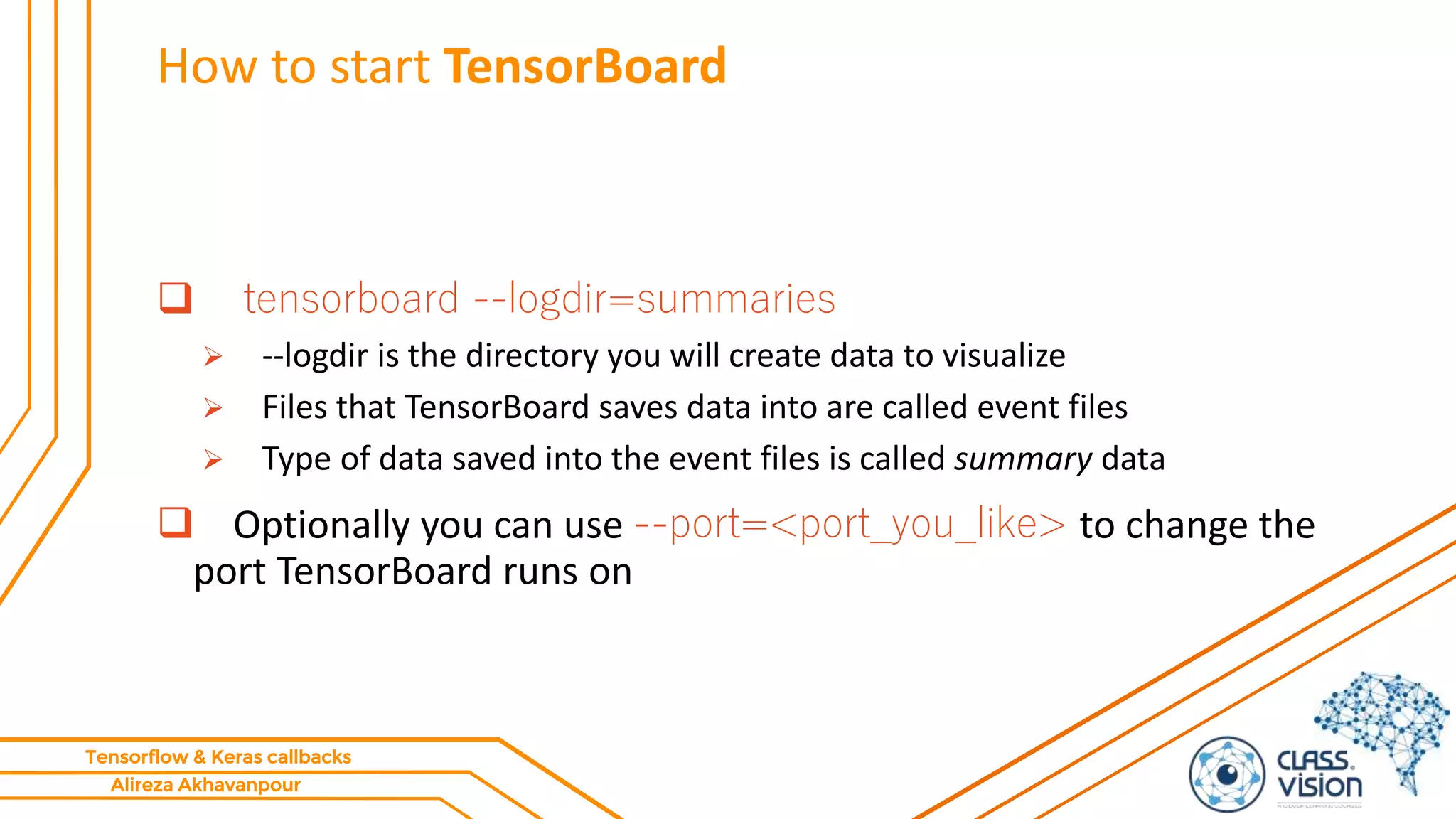
 tensorboard --logdir=summaries
 --logdir is the directory you will create data to visualize
 Files that TensorBoard saves data into are called event files
 Type of data saved into the event files is called summary data
 Optionally you can use --port=<port_you_like> to change the
port TensorBoard runs on
Alireza Akhavanpour
Tensorflow & Keras callbacks
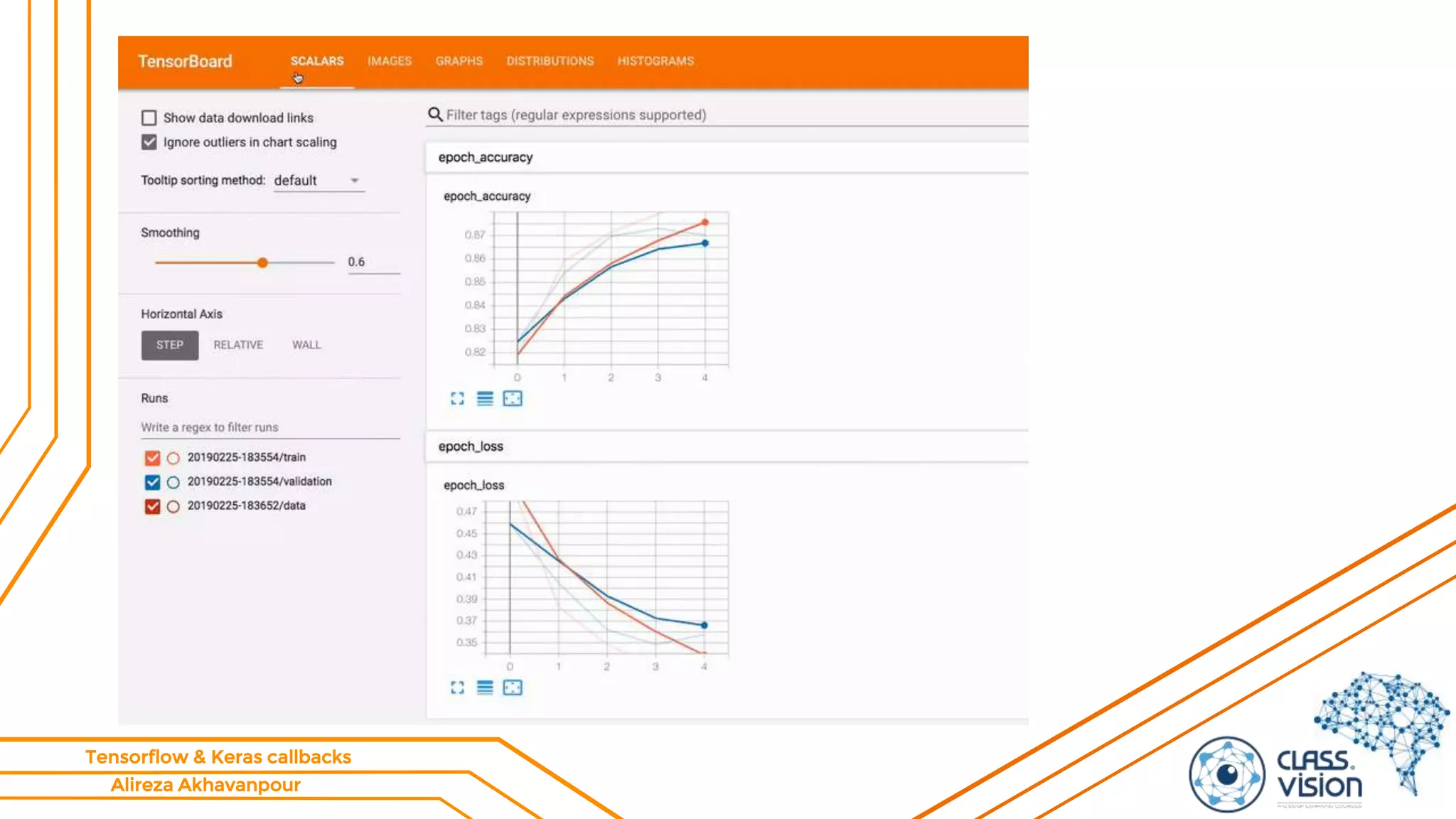
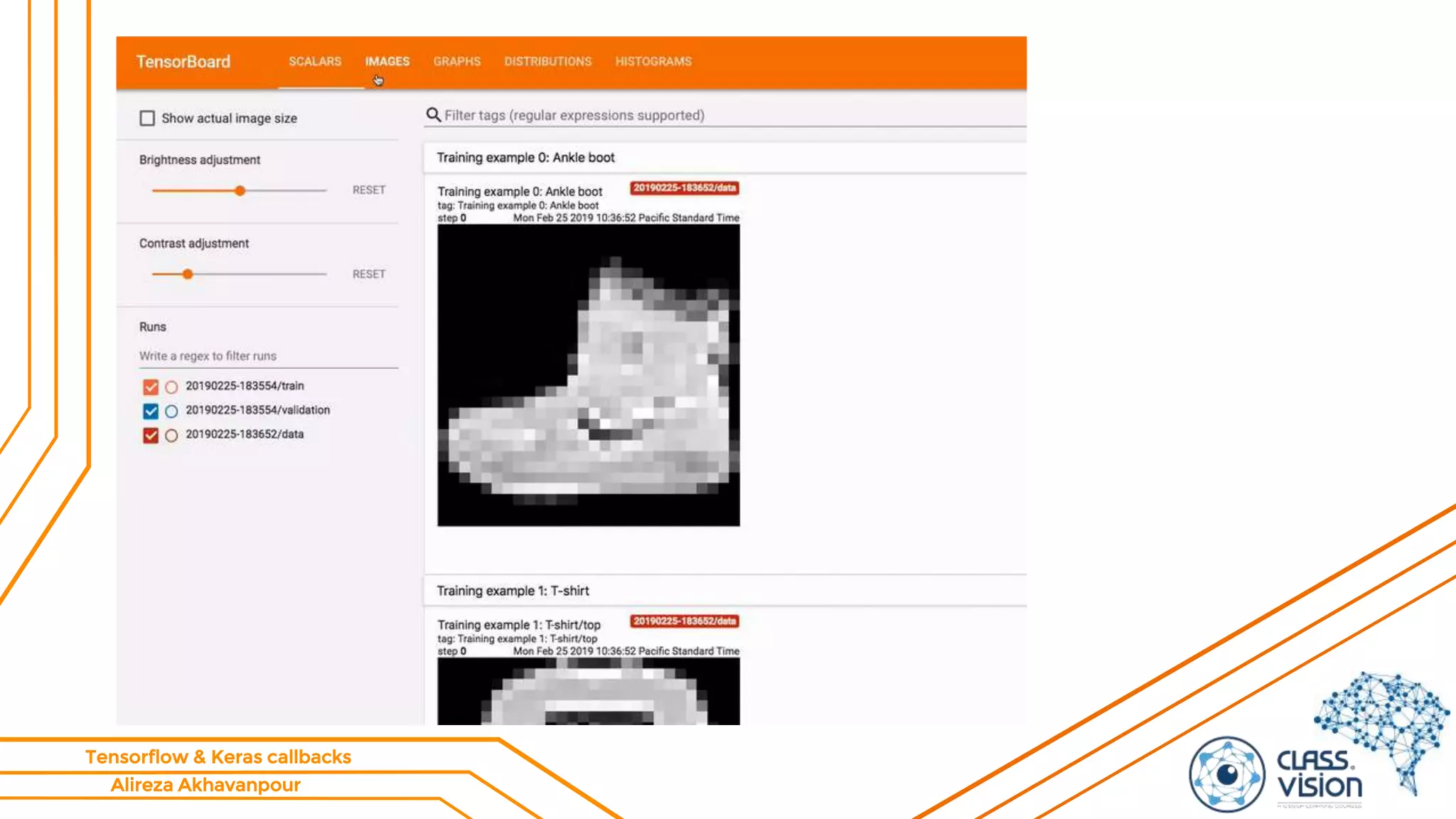
Using TensorBoard – starter guide!
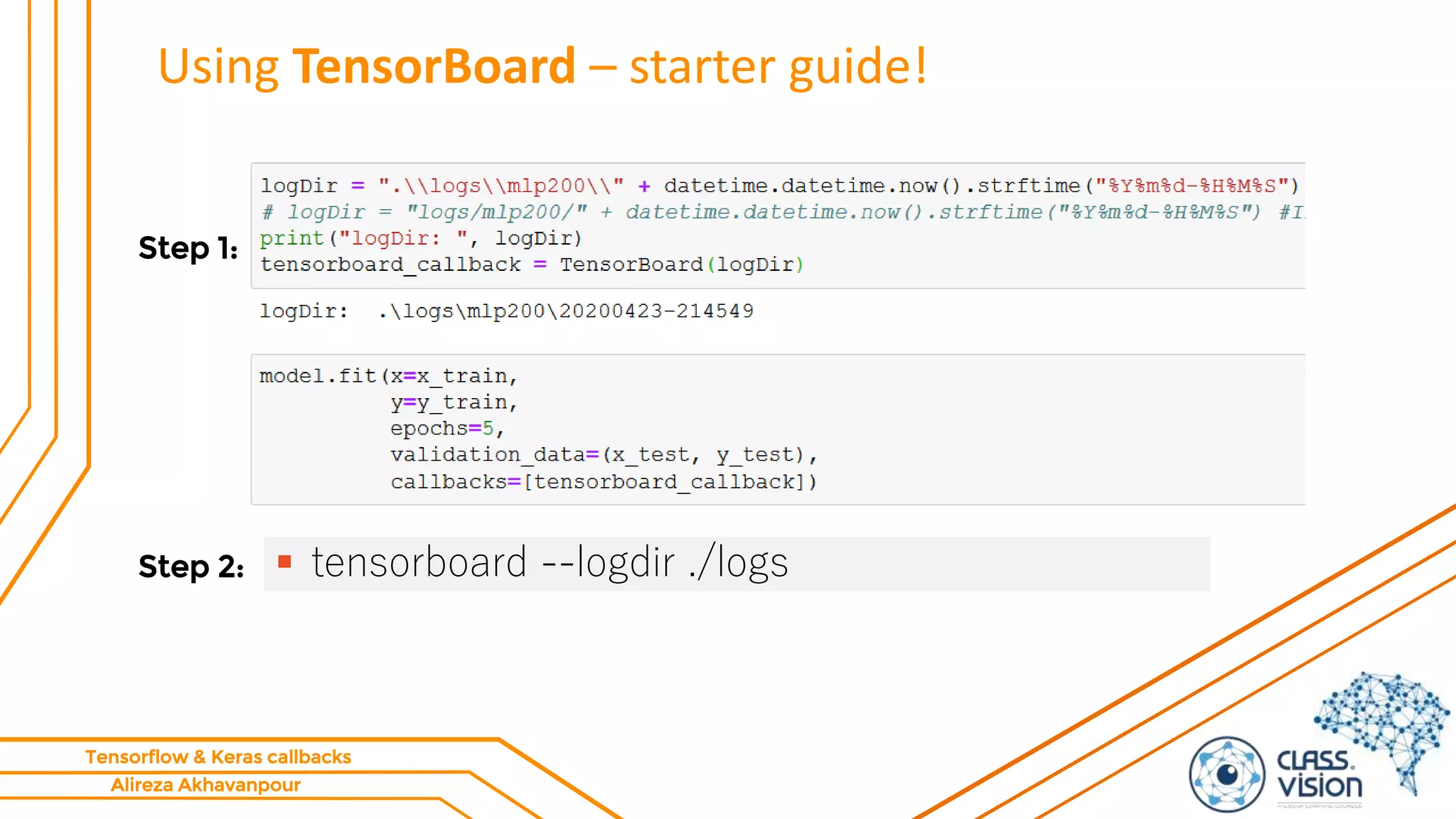
 tensorboard --logdir ./logs
Step 1:
Step 2:
Alireza Akhavanpour
Tensorflow & Keras callbacks
Using TensorBoard – starter guide!
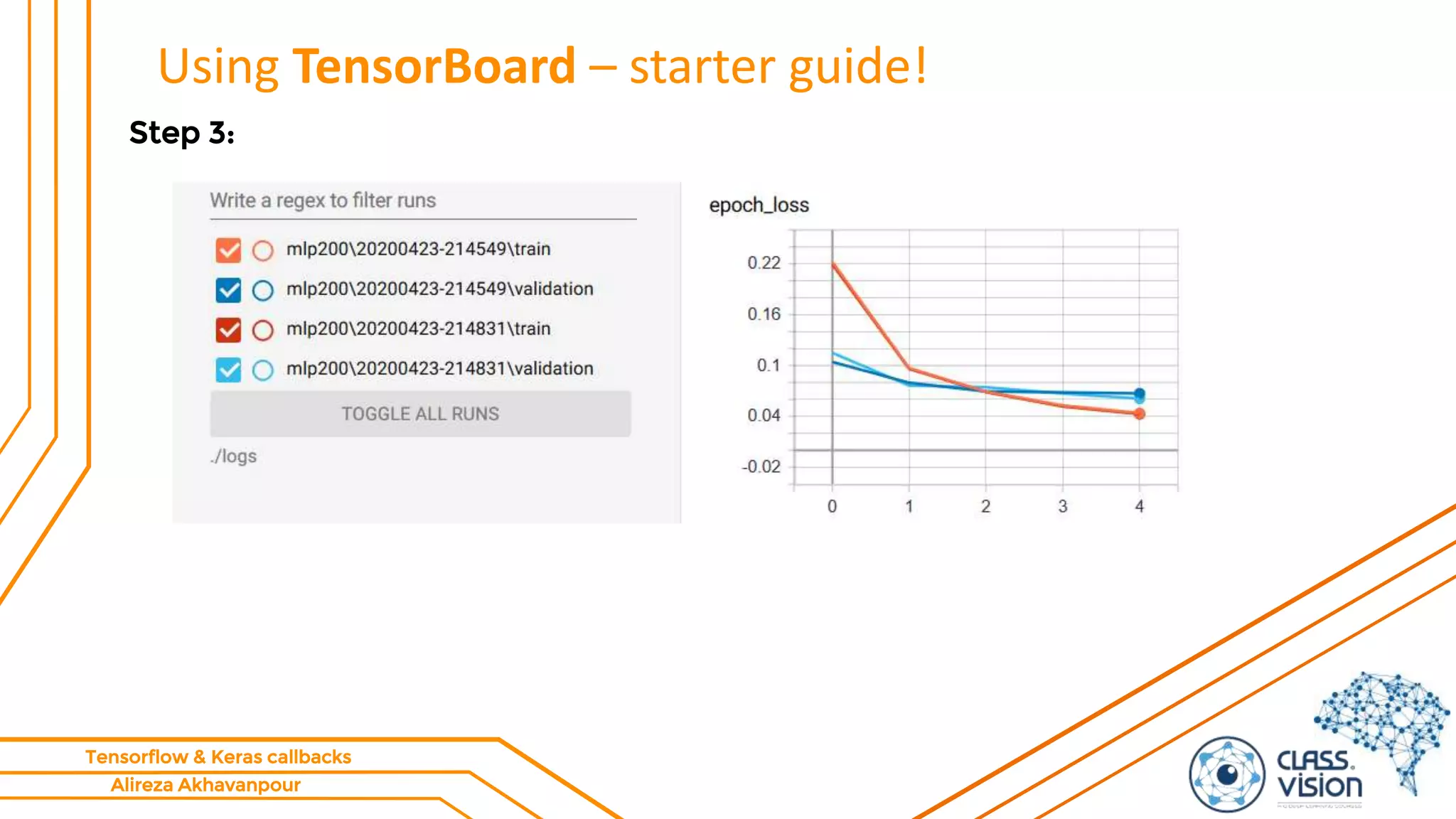
Step 3:
Alireza Akhavanpour
Tensorflow & Keras callbacks
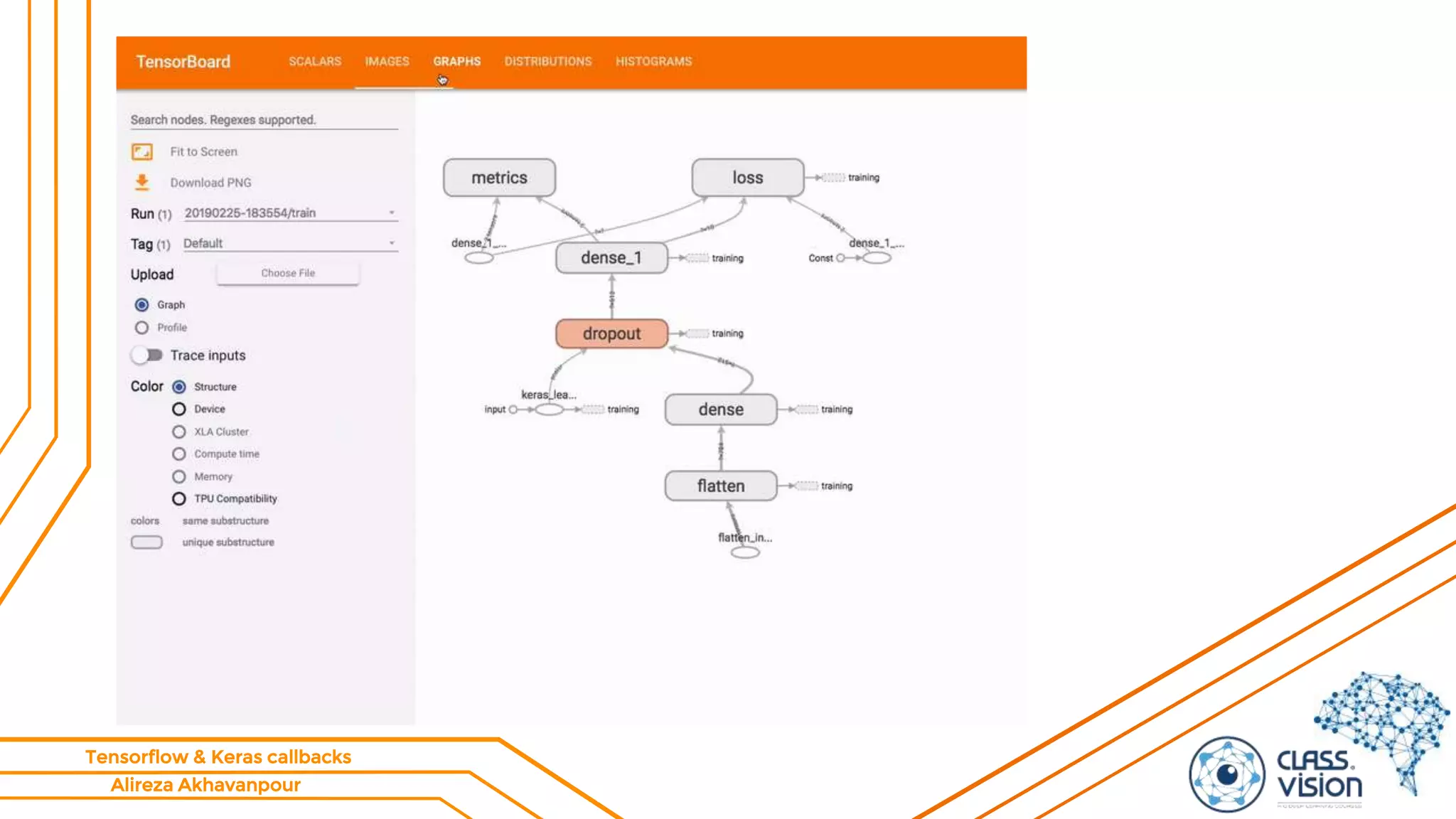
Using TensorBoard – starter guide!
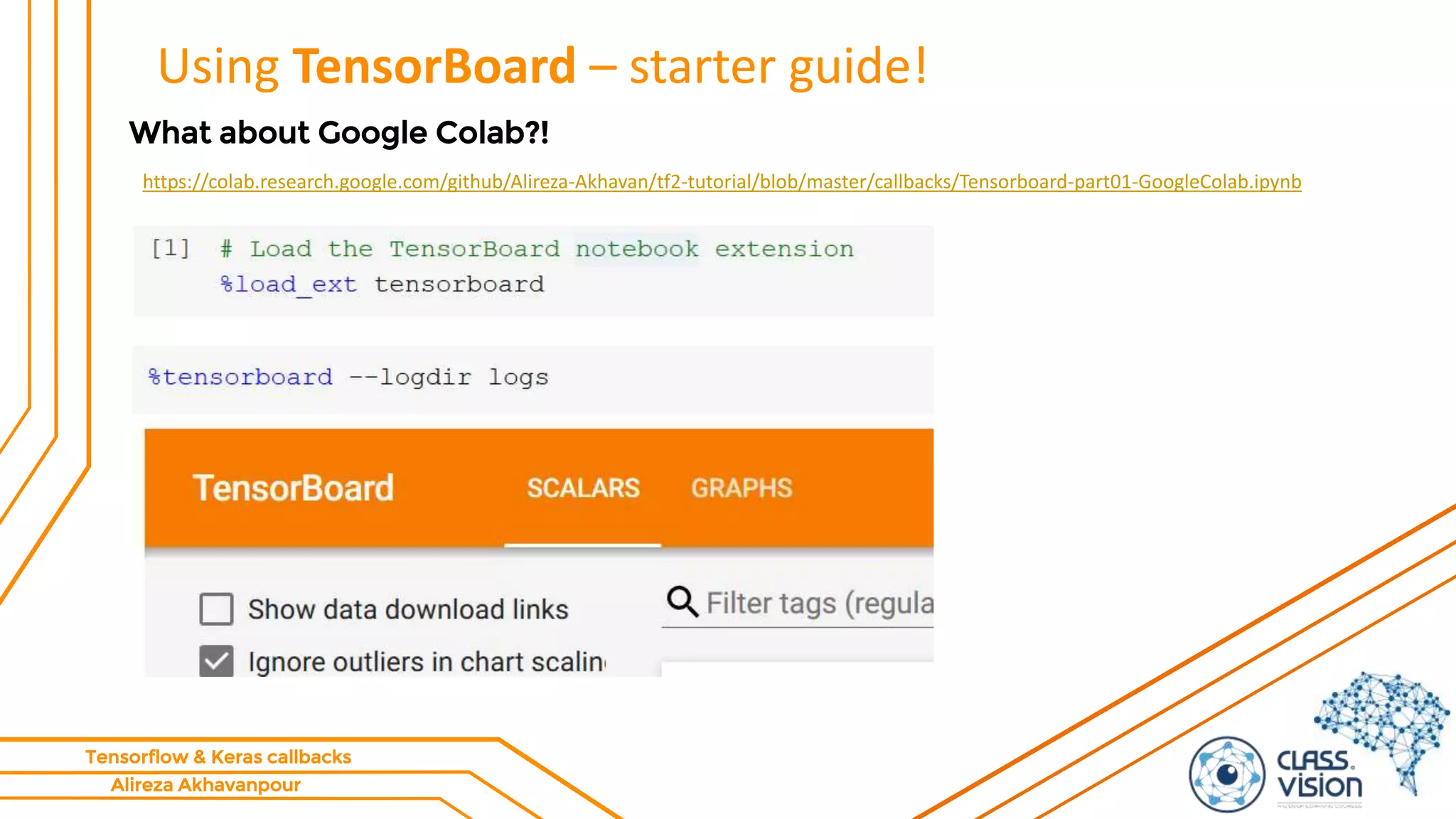
What about Google Colab?!
https://colab.research.google.com/github/Alireza-Akhavan/tf2-tutorial/blob/master/callbacks/Tensorboard-part01-GoogleColab.ipynb
Alireza Akhavanpour
Tensorflow & Keras callbacks
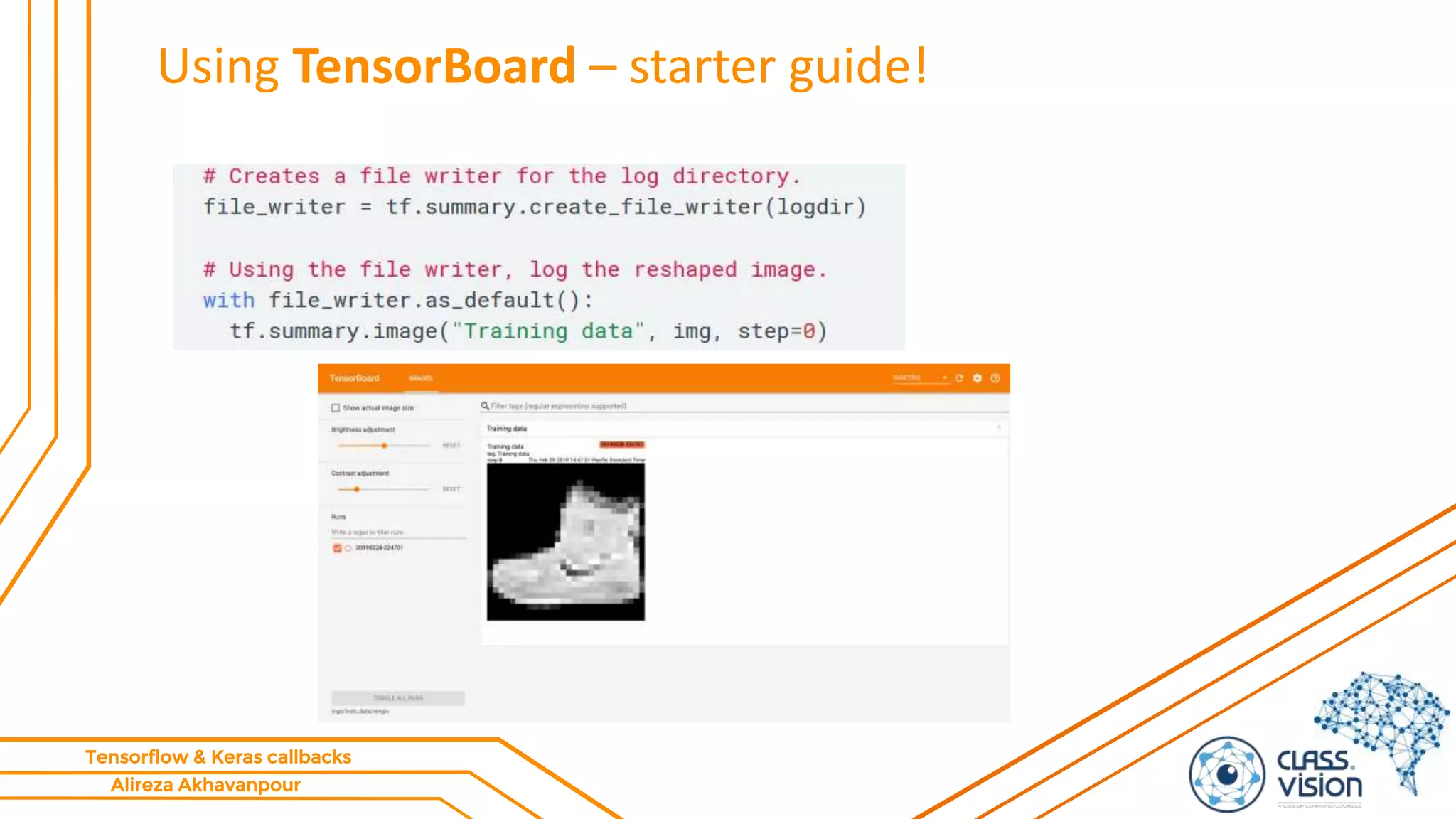
Using TensorBoard – starter guide!
Alireza Akhavanpour
Tensorflow & Keras callbacks
TensorFlow Profiler: Profile model performance
• https://colab.research.google.com/github/tensorflow/tensorboard/
blob/master/docs/tensorboard_profiling_keras.ipynb
• https://www.tensorflow.org/tensorboard/tensorboard_profiling_ke
ras
Alireza Akhavanpour
Tensorflow & Keras callbacks
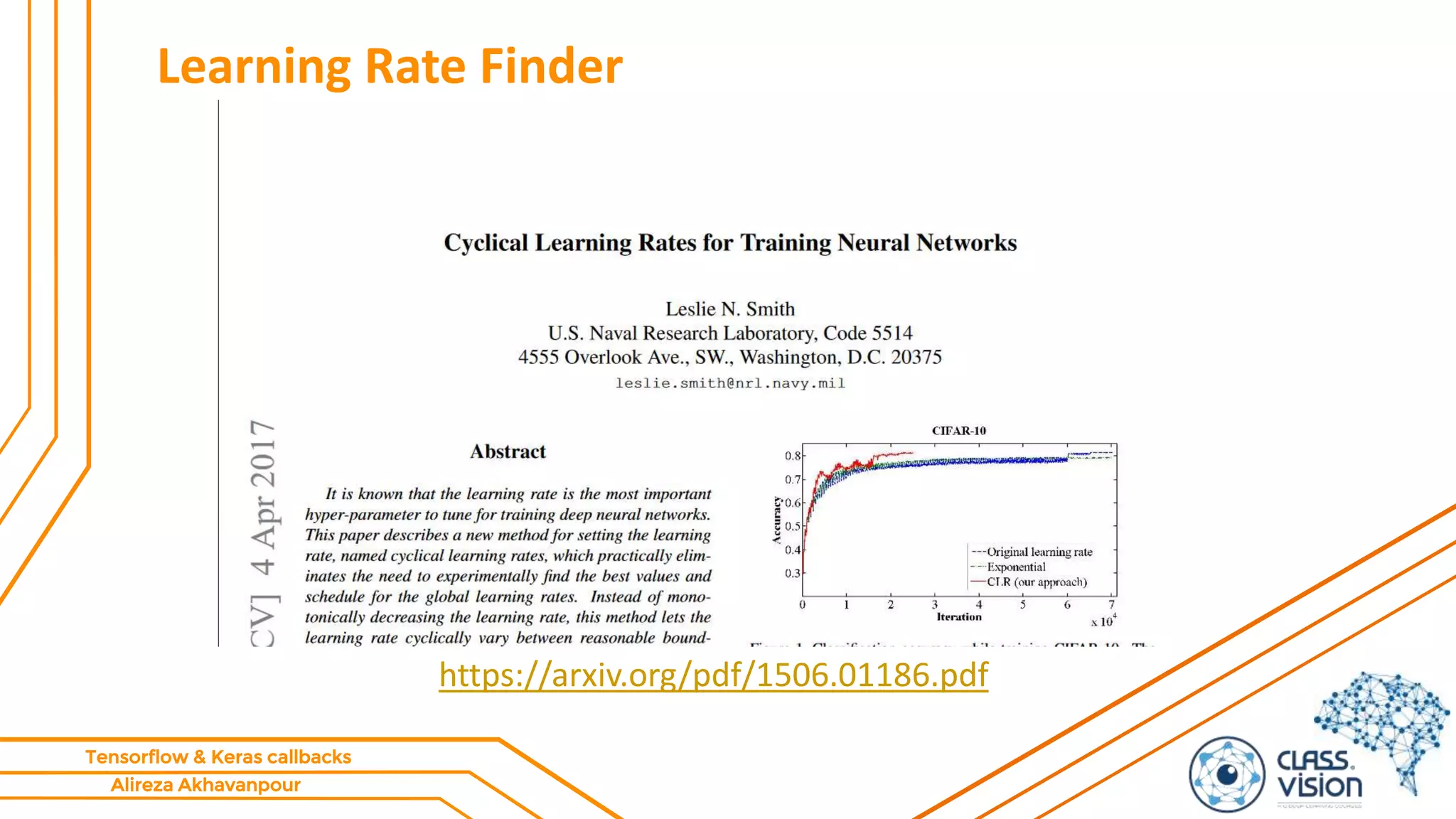
Learning Rate Finder
https://arxiv.org/pdf/1506.01186.pdf
Alireza Akhavanpour
Tensorflow & Keras callbacks
Learning Rate Finder
• The idea of the learning rate finder (LRFinder) comes from a paper
called “Cyclical Learning Rates for Training Neural Networks” by
Leslie Smith.
• method to discover a good learning rate for most gradient based
optimizers.
• While the algorithm was introduced by Dr. Smith, it wasn’t
popularized until Jermey Howard of fast.ai suggested that his
students use it.
 Lesson 2: Deep Learning 2018
 ‫ویژه‬ ‫مباحث‬2-‫جلسه‬5
Alireza Akhavanpour
Tensorflow & Keras callbacks
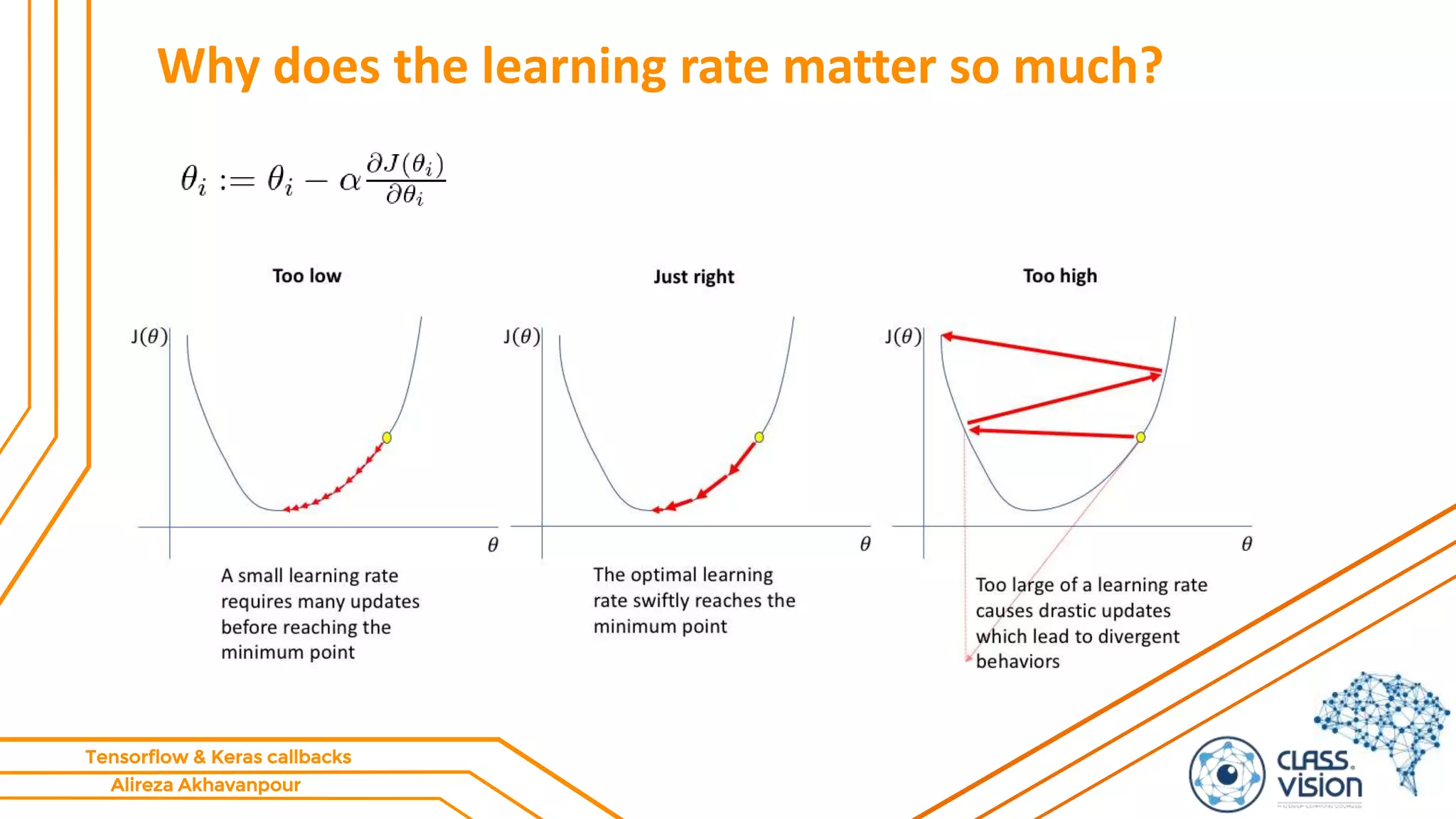
Why does the learning rate matter so much?
Alireza Akhavanpour
Tensorflow & Keras callbacks
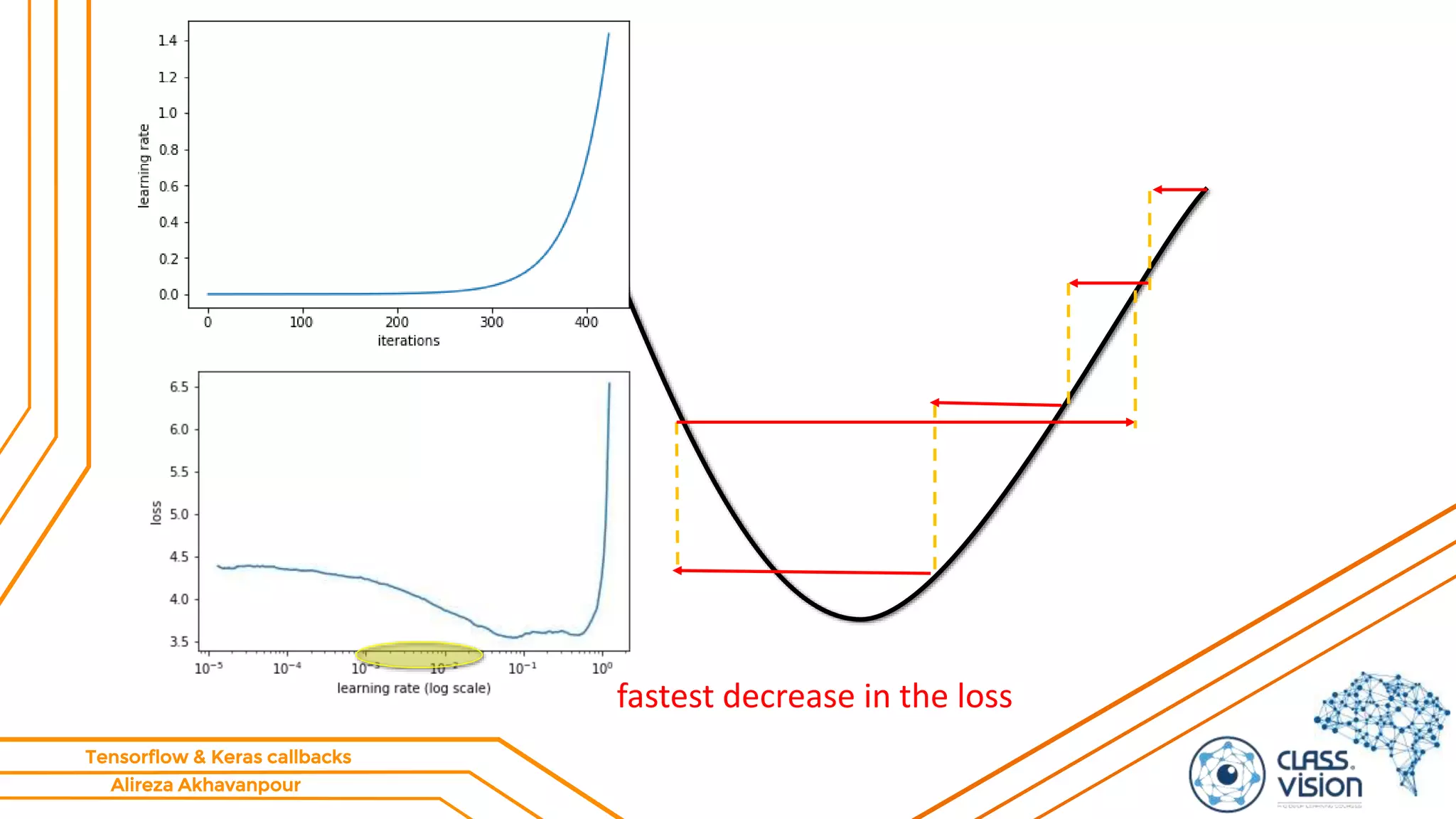
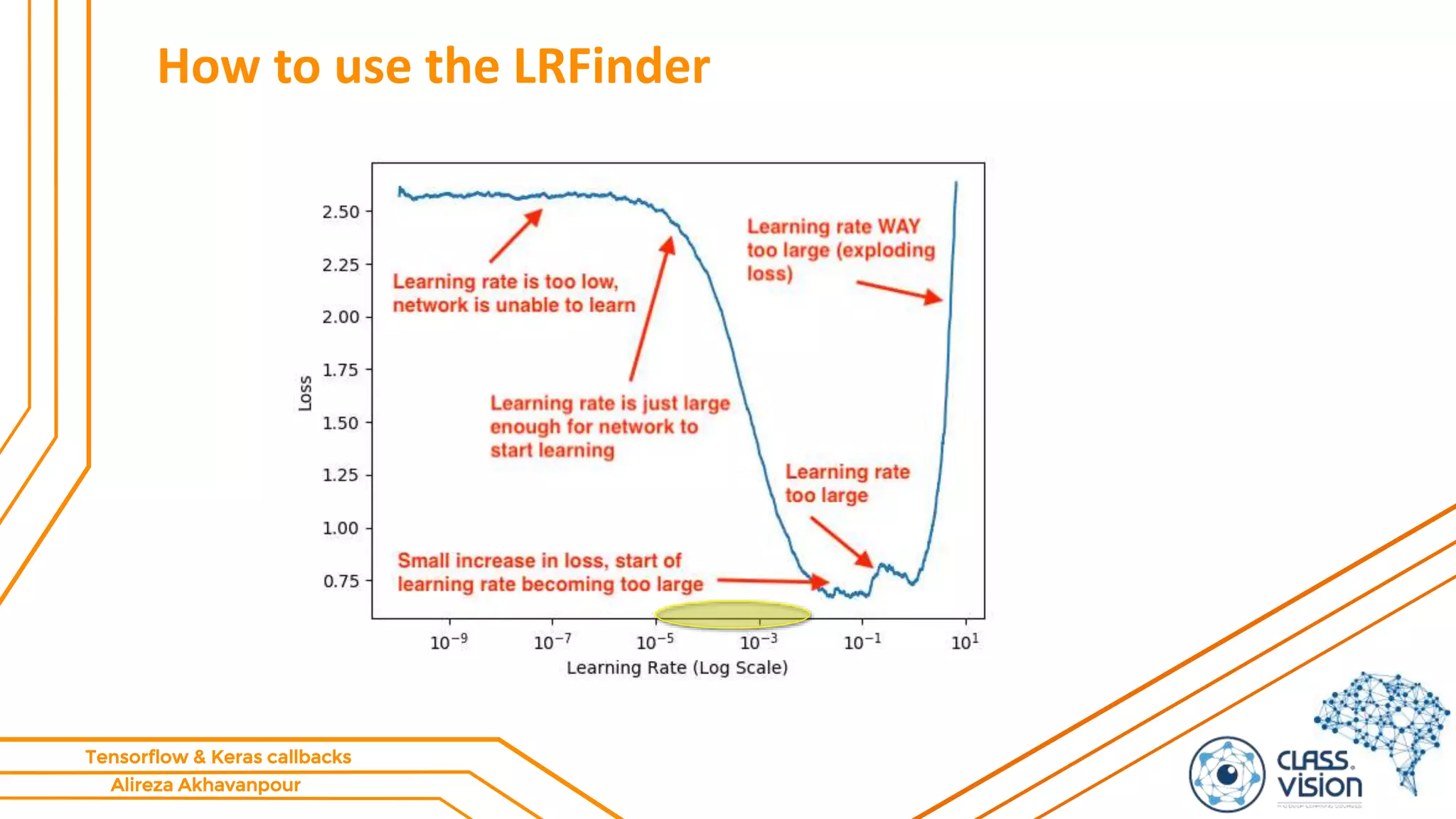
How to use the LRFinder
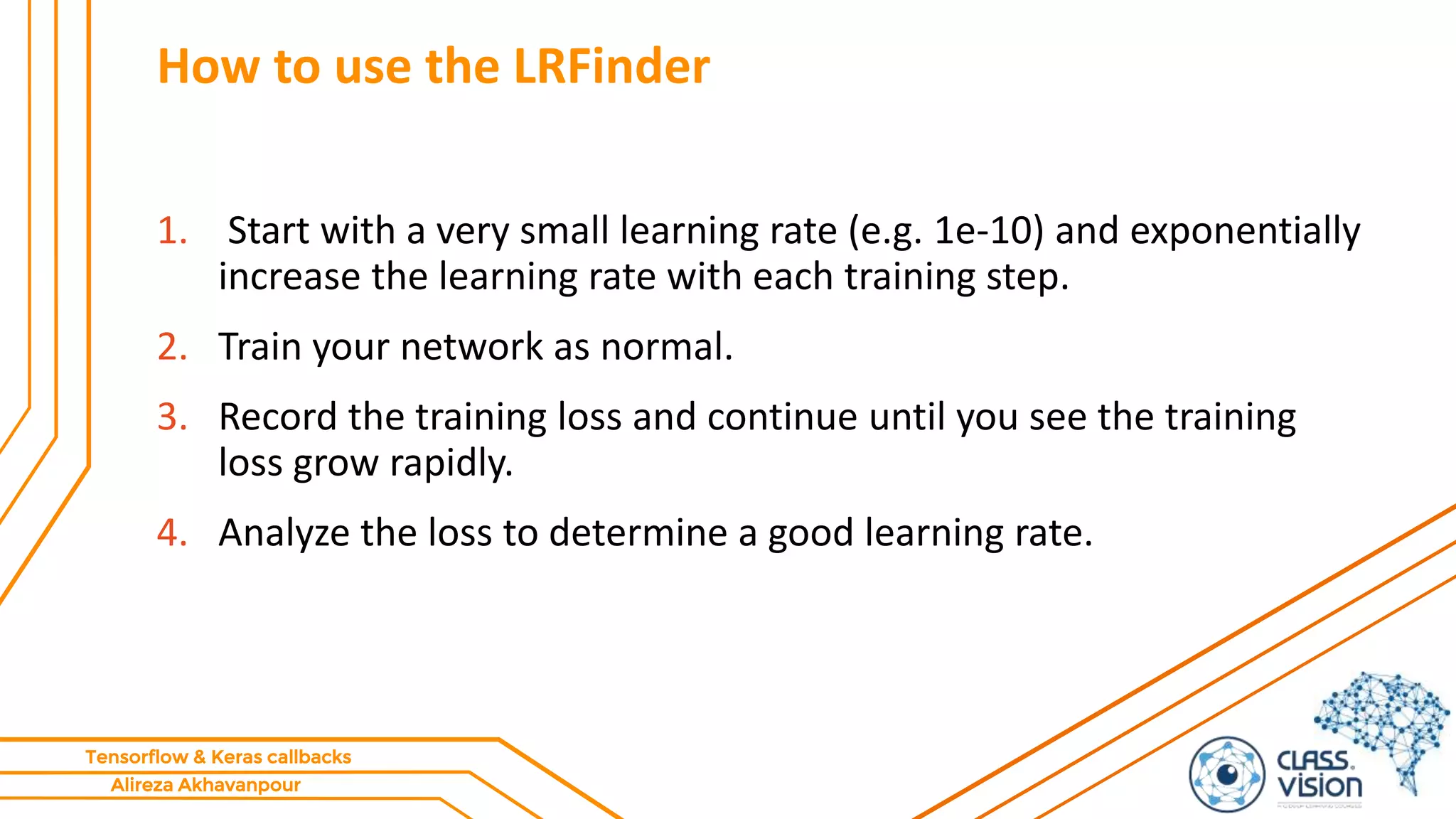
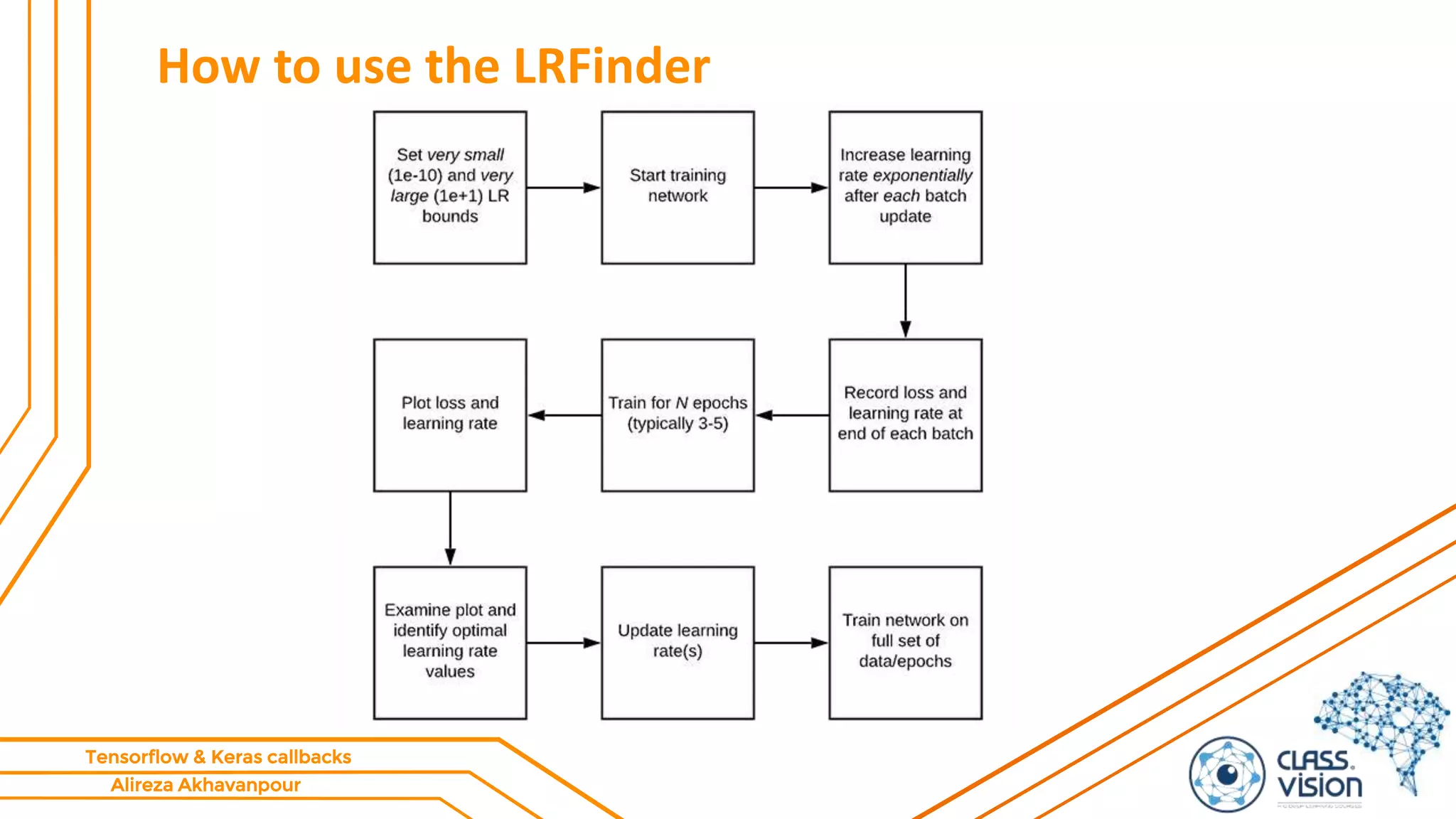
1. Start with a very small learning rate (e.g. 1e-10) and exponentially
increase the learning rate with each training step.
2. Train your network as normal.
3. Record the training loss and continue until you see the training
loss grow rapidly.
4. Analyze the loss to determine a good learning rate.
Alireza Akhavanpour
Tensorflow & Keras callbacks
How to use the LRFinder
Alireza Akhavanpour
Tensorflow & Keras callbacks
fastest decrease in the loss
Alireza Akhavanpour
Tensorflow & Keras callbacks
How to use the LRFinder
Alireza Akhavanpour
Tensorflow & Keras callbacks
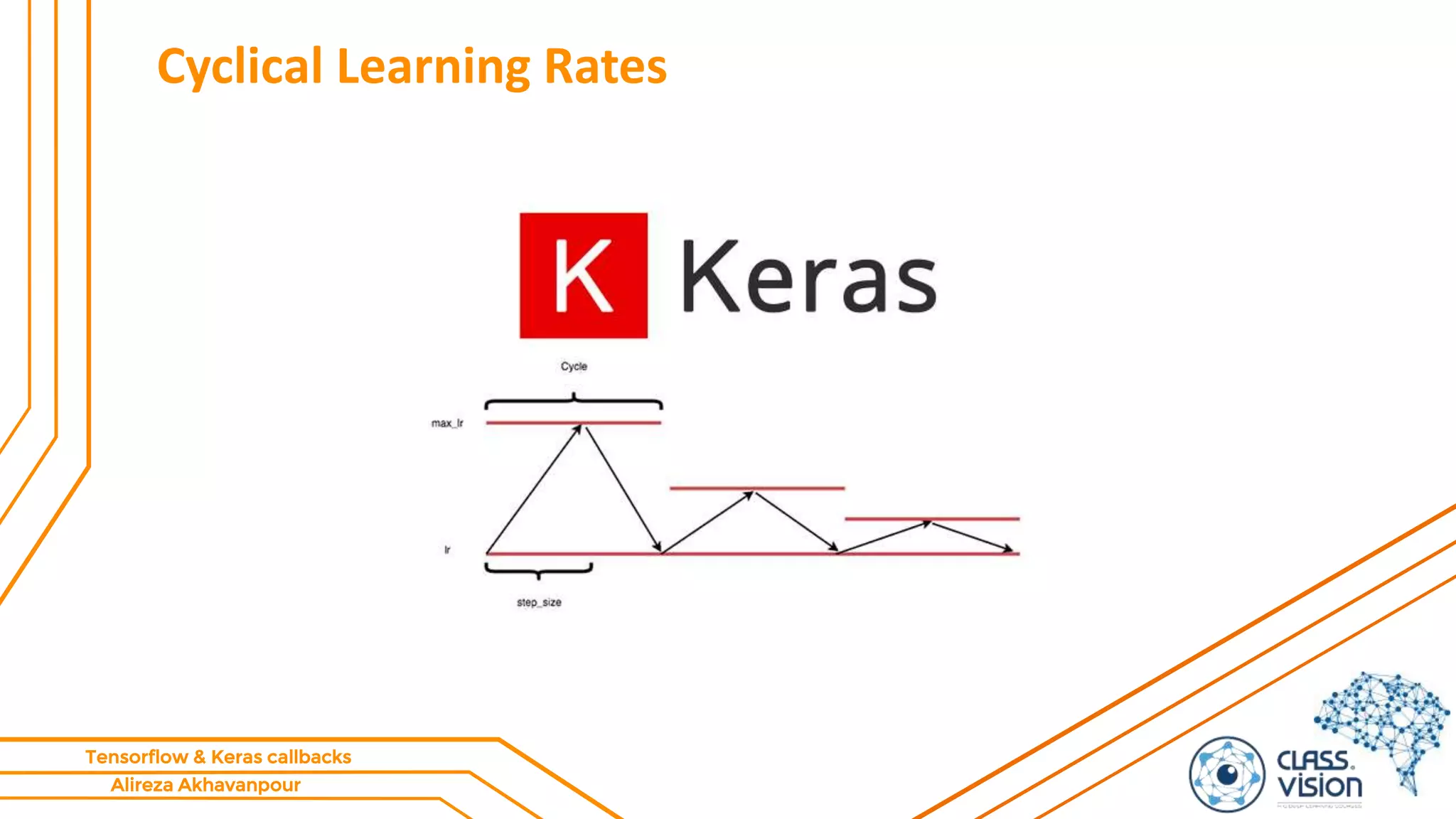
Cyclical Learning Rates
Alireza Akhavanpour
Tensorflow & Keras callbacks
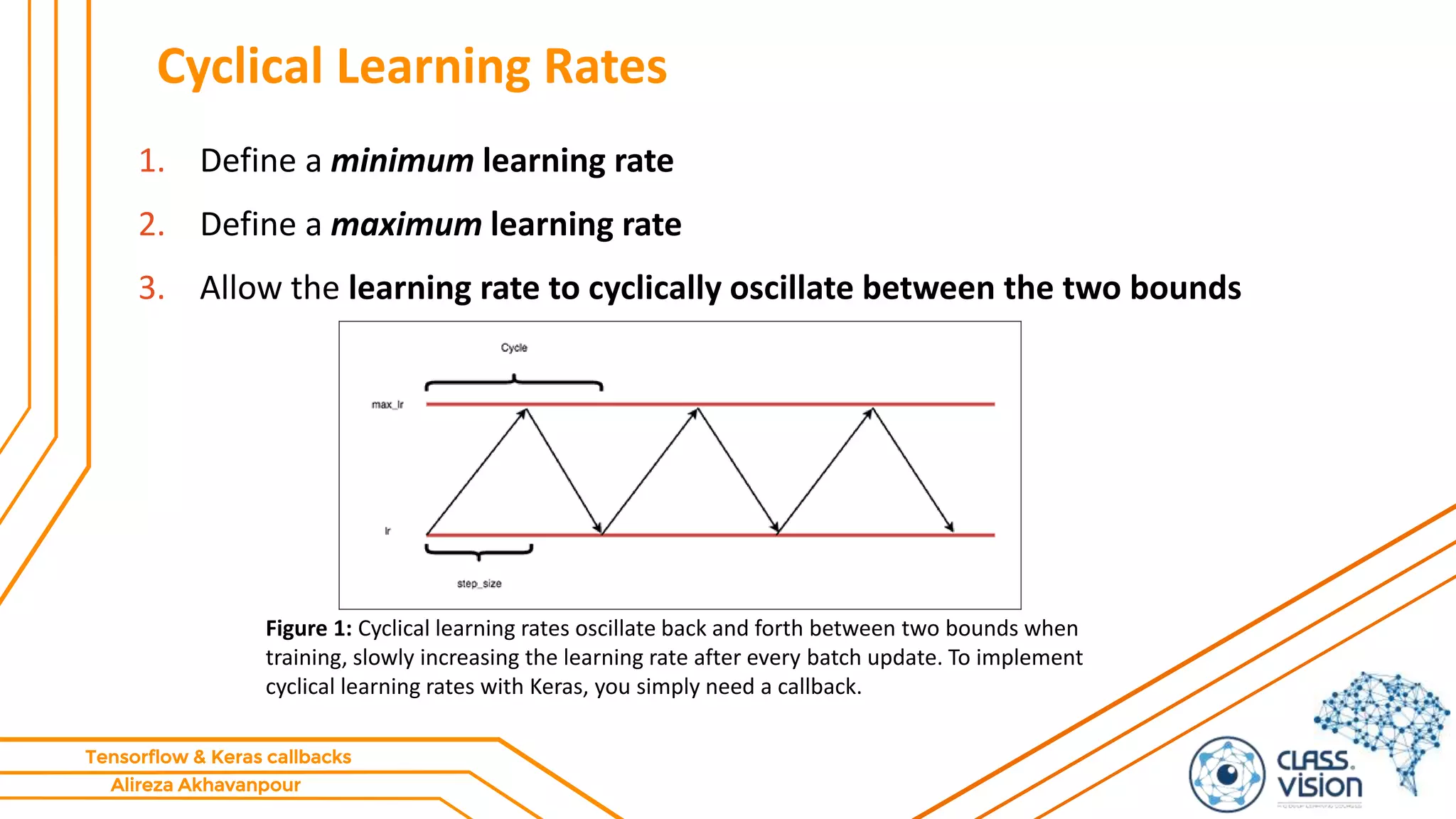
Cyclical Learning Rates
1. Define a minimum learning rate
2. Define a maximum learning rate
3. Allow the learning rate to cyclically oscillate between the two bounds
Figure 1: Cyclical learning rates oscillate back and forth between two bounds when
training, slowly increasing the learning rate after every batch update. To implement
cyclical learning rates with Keras, you simply need a callback.
Alireza Akhavanpour
Tensorflow & Keras callbacks
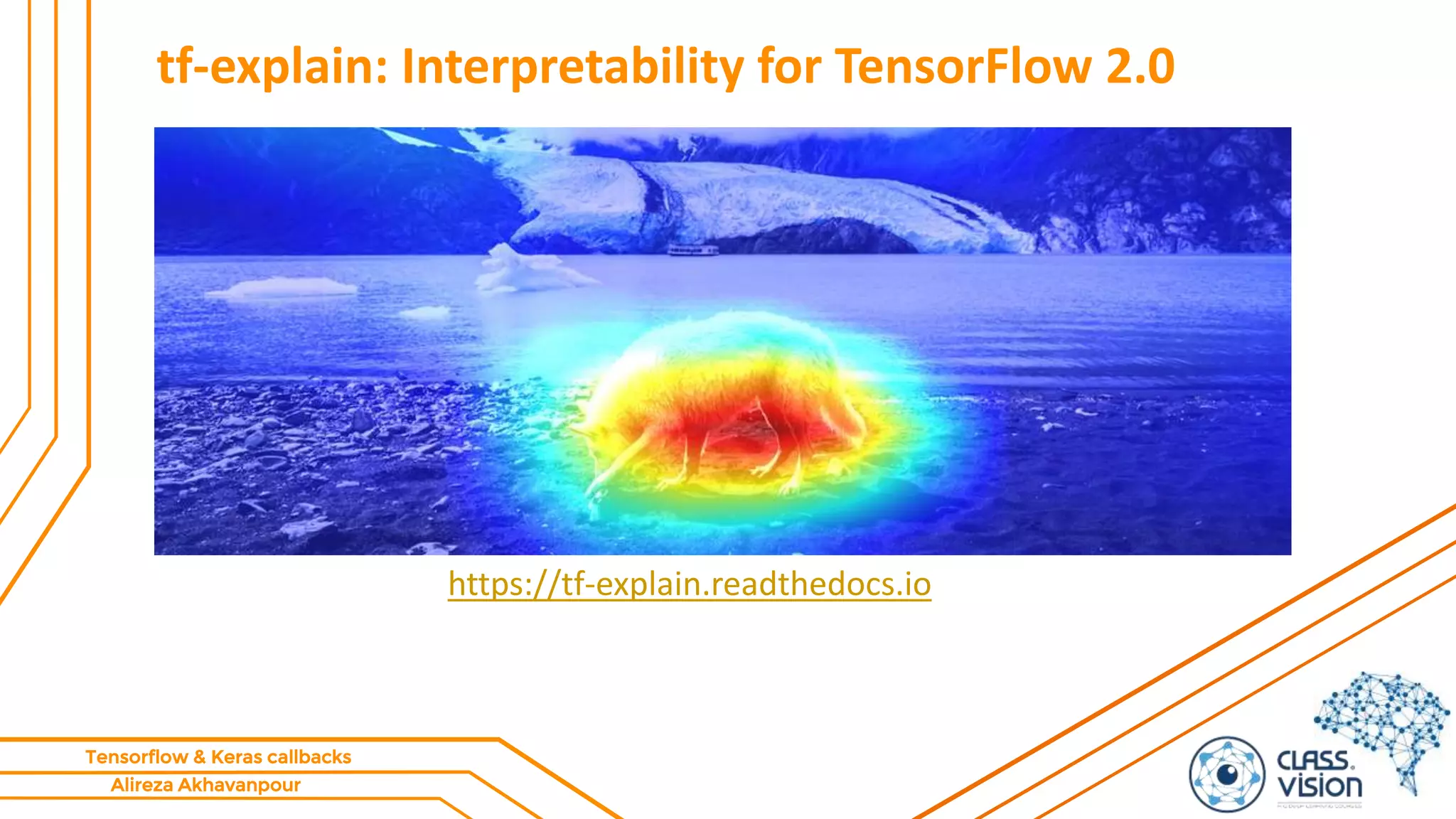
tf-explain: Interpretability for TensorFlow 2.0
https://tf-explain.readthedocs.io
Alireza Akhavanpour
Tensorflow & Keras callbacks
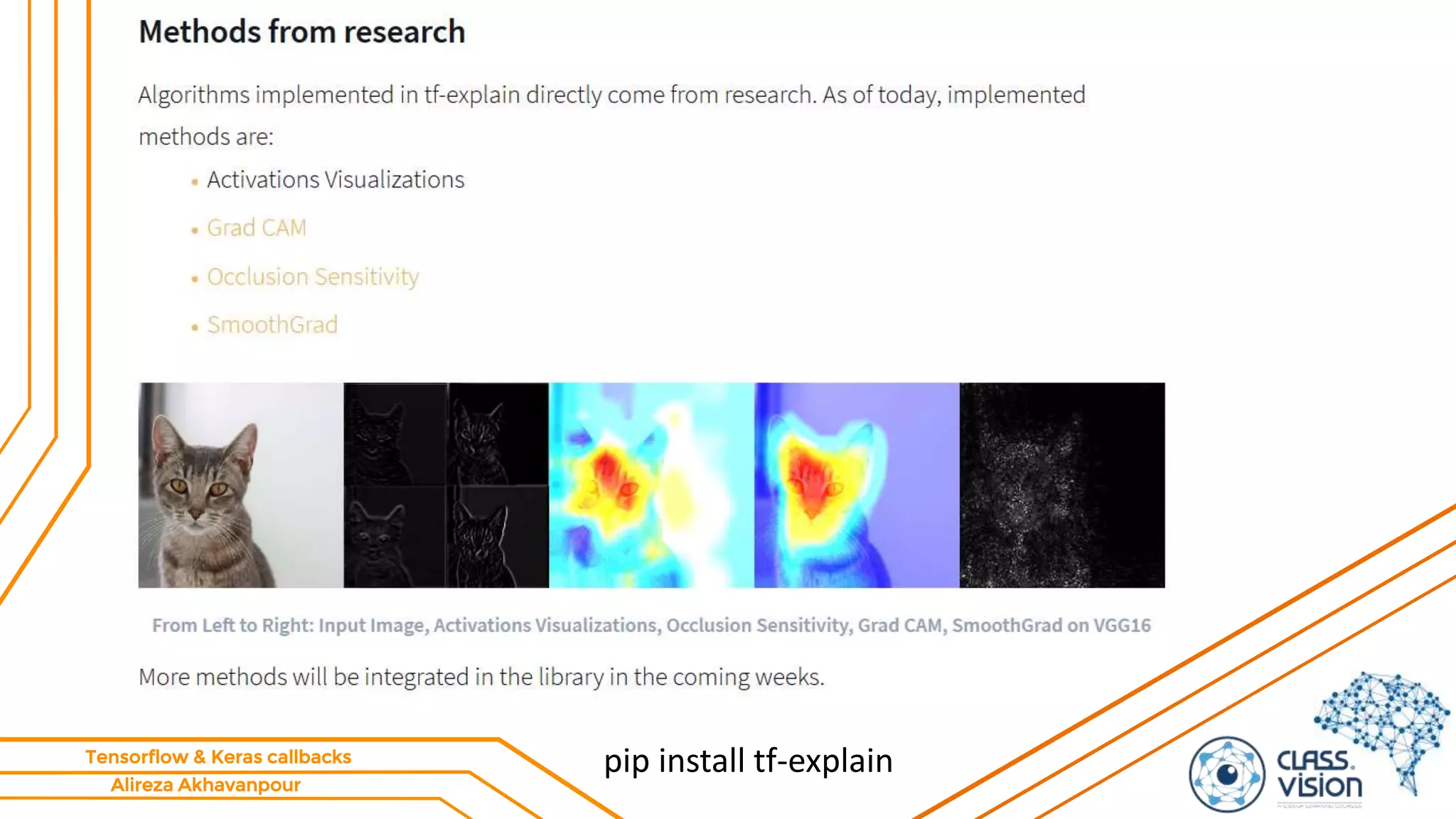
tf-explain: Interpretability for TensorFlow 2.0
pip install tf-explain
Alireza Akhavanpour
Tensorflow & Keras callbacks
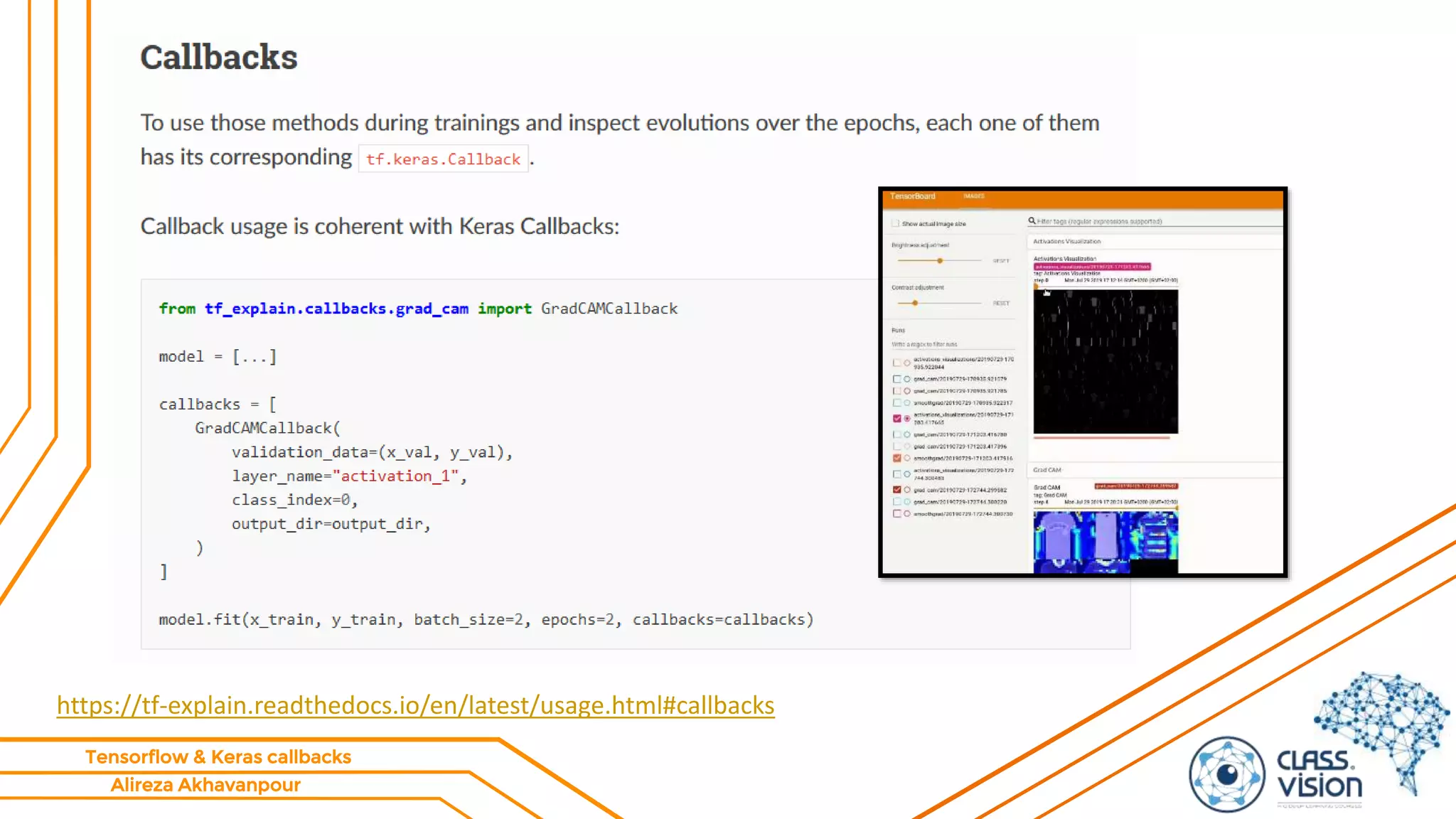
https://tf-explain.readthedocs.io/en/latest/usage.html#callbacks
Alireza Akhavanpour
Tensorflow & Keras callbacks
‫کنید‬ ‫دنبال‬ ‫را‬ ‫ما‬...
https://t.me/cvision
https://www.aparat.com/cvision
https://www.linkedin.com/company/class-vision/
http://class.vision
http://github.com/alireza-akhavan/
Alireza Akhavanpour
Tensorflow & Keras callbacks
‫منابع‬
• https://www.tensorflow.org/tensorboard/get_started#using_tensorboard_with
_keras_modelfit
• https://www.tensorflow.org/tensorboard/image_summaries
• https://www.tensorflow.org/tensorboard/tensorboard_profiling_keras
• https://www.pyimagesearch.com/2019/07/29/cyclical-learning-rates-with-
keras-and-deep-learning/
• https://www.pyimagesearch.com/2019/08/05/keras-learning-rate-finder/
• https://tf-explain.readthedocs.io

Callbacks part2

  • 1.
    Alireza Akhavanpour Tensorflow &Keras callbacks TensorFlow Callbacks (pat II) Tensorboard & other callbacks Alireza Akhavanpour Akhavanpour.ir CLASS.VISION https://github.com/Alireza-Akhavan/tf2-tutorial
  • 2.
  • 3.
  • 4.
  • 5.
  • 6.
  • 7.
    Alireza Akhavanpour Tensorflow &Keras callbacks TensorBoard  log_dir: • the path of the directory where to save the log files to be parsed by TensorBoard.  histogram_freq: • frequency (in epochs) at which to compute activation and weight histograms for the layers of the model. • If set to 0, histograms won't be computed. • Validation data (or split) must be specified for histogram visualizations.  write_graph: • whether to visualize the graph in TensorBoard. • The log file can become quite large when write_graph is set to True.
  • 8.
    Alireza Akhavanpour Tensorflow &Keras callbacks TensorBoard  write_images: • whether to write model weights to visualize as image in TensorBoard.  update_freq: • 'batch' or 'epoch' or integer.  When using 'batch', writes the losses and metrics to TensorBoard after each batch.  The same applies for 'epoch'.  If using an integer, let's say 1000, the callback will write the metrics and losses to TensorBoard every 1000 batches.  Note that writing too frequently to TensorBoard can slow down your training.  profile_batch: • Profile the batch to sample compute characteristics. • By default, it will profile the second batch. • Set profile_batch=0 to disable profiling. • Must run in TensorFlow eager mode.
  • 9.
    Alireza Akhavanpour Tensorflow &Keras callbacks TensorBoard  embeddings_freq:  frequency (in epochs) at which embedding layers will be visualized.  If set to 0, embeddings won't be visualized.  embeddings_metadata:  a dictionary which maps layer name to a file name in which metadata for this embedding layer is saved.
  • 10.
    Alireza Akhavanpour Tensorflow &Keras callbacks How to start TensorBoard  tensorboard --logdir=summaries  --logdir is the directory you will create data to visualize  Files that TensorBoard saves data into are called event files  Type of data saved into the event files is called summary data  Optionally you can use --port=<port_you_like> to change the port TensorBoard runs on
  • 11.
    Alireza Akhavanpour Tensorflow &Keras callbacks Using TensorBoard – starter guide!  tensorboard --logdir ./logs Step 1: Step 2:
  • 12.
    Alireza Akhavanpour Tensorflow &Keras callbacks Using TensorBoard – starter guide! Step 3:
  • 13.
    Alireza Akhavanpour Tensorflow &Keras callbacks Using TensorBoard – starter guide! What about Google Colab?! https://colab.research.google.com/github/Alireza-Akhavan/tf2-tutorial/blob/master/callbacks/Tensorboard-part01-GoogleColab.ipynb
  • 14.
    Alireza Akhavanpour Tensorflow &Keras callbacks Using TensorBoard – starter guide!
  • 15.
    Alireza Akhavanpour Tensorflow &Keras callbacks TensorFlow Profiler: Profile model performance • https://colab.research.google.com/github/tensorflow/tensorboard/ blob/master/docs/tensorboard_profiling_keras.ipynb • https://www.tensorflow.org/tensorboard/tensorboard_profiling_ke ras
  • 16.
    Alireza Akhavanpour Tensorflow &Keras callbacks Learning Rate Finder https://arxiv.org/pdf/1506.01186.pdf
  • 17.
    Alireza Akhavanpour Tensorflow &Keras callbacks Learning Rate Finder • The idea of the learning rate finder (LRFinder) comes from a paper called “Cyclical Learning Rates for Training Neural Networks” by Leslie Smith. • method to discover a good learning rate for most gradient based optimizers. • While the algorithm was introduced by Dr. Smith, it wasn’t popularized until Jermey Howard of fast.ai suggested that his students use it.  Lesson 2: Deep Learning 2018  ‫ویژه‬ ‫مباحث‬2-‫جلسه‬5
  • 18.
    Alireza Akhavanpour Tensorflow &Keras callbacks Why does the learning rate matter so much?
  • 19.
    Alireza Akhavanpour Tensorflow &Keras callbacks How to use the LRFinder 1. Start with a very small learning rate (e.g. 1e-10) and exponentially increase the learning rate with each training step. 2. Train your network as normal. 3. Record the training loss and continue until you see the training loss grow rapidly. 4. Analyze the loss to determine a good learning rate.
  • 20.
    Alireza Akhavanpour Tensorflow &Keras callbacks How to use the LRFinder
  • 21.
    Alireza Akhavanpour Tensorflow &Keras callbacks fastest decrease in the loss
  • 22.
    Alireza Akhavanpour Tensorflow &Keras callbacks How to use the LRFinder
  • 23.
    Alireza Akhavanpour Tensorflow &Keras callbacks Cyclical Learning Rates
  • 24.
    Alireza Akhavanpour Tensorflow &Keras callbacks Cyclical Learning Rates 1. Define a minimum learning rate 2. Define a maximum learning rate 3. Allow the learning rate to cyclically oscillate between the two bounds Figure 1: Cyclical learning rates oscillate back and forth between two bounds when training, slowly increasing the learning rate after every batch update. To implement cyclical learning rates with Keras, you simply need a callback.
  • 25.
    Alireza Akhavanpour Tensorflow &Keras callbacks tf-explain: Interpretability for TensorFlow 2.0 https://tf-explain.readthedocs.io
  • 26.
    Alireza Akhavanpour Tensorflow &Keras callbacks tf-explain: Interpretability for TensorFlow 2.0 pip install tf-explain
  • 27.
    Alireza Akhavanpour Tensorflow &Keras callbacks https://tf-explain.readthedocs.io/en/latest/usage.html#callbacks
  • 28.
    Alireza Akhavanpour Tensorflow &Keras callbacks ‫کنید‬ ‫دنبال‬ ‫را‬ ‫ما‬... https://t.me/cvision https://www.aparat.com/cvision https://www.linkedin.com/company/class-vision/ http://class.vision http://github.com/alireza-akhavan/
  • 29.
    Alireza Akhavanpour Tensorflow &Keras callbacks ‫منابع‬ • https://www.tensorflow.org/tensorboard/get_started#using_tensorboard_with _keras_modelfit • https://www.tensorflow.org/tensorboard/image_summaries • https://www.tensorflow.org/tensorboard/tensorboard_profiling_keras • https://www.pyimagesearch.com/2019/07/29/cyclical-learning-rates-with- keras-and-deep-learning/ • https://www.pyimagesearch.com/2019/08/05/keras-learning-rate-finder/ • https://tf-explain.readthedocs.io