EMAIL SQLPlus (ESQL+)
Administering Oracle DB via emails
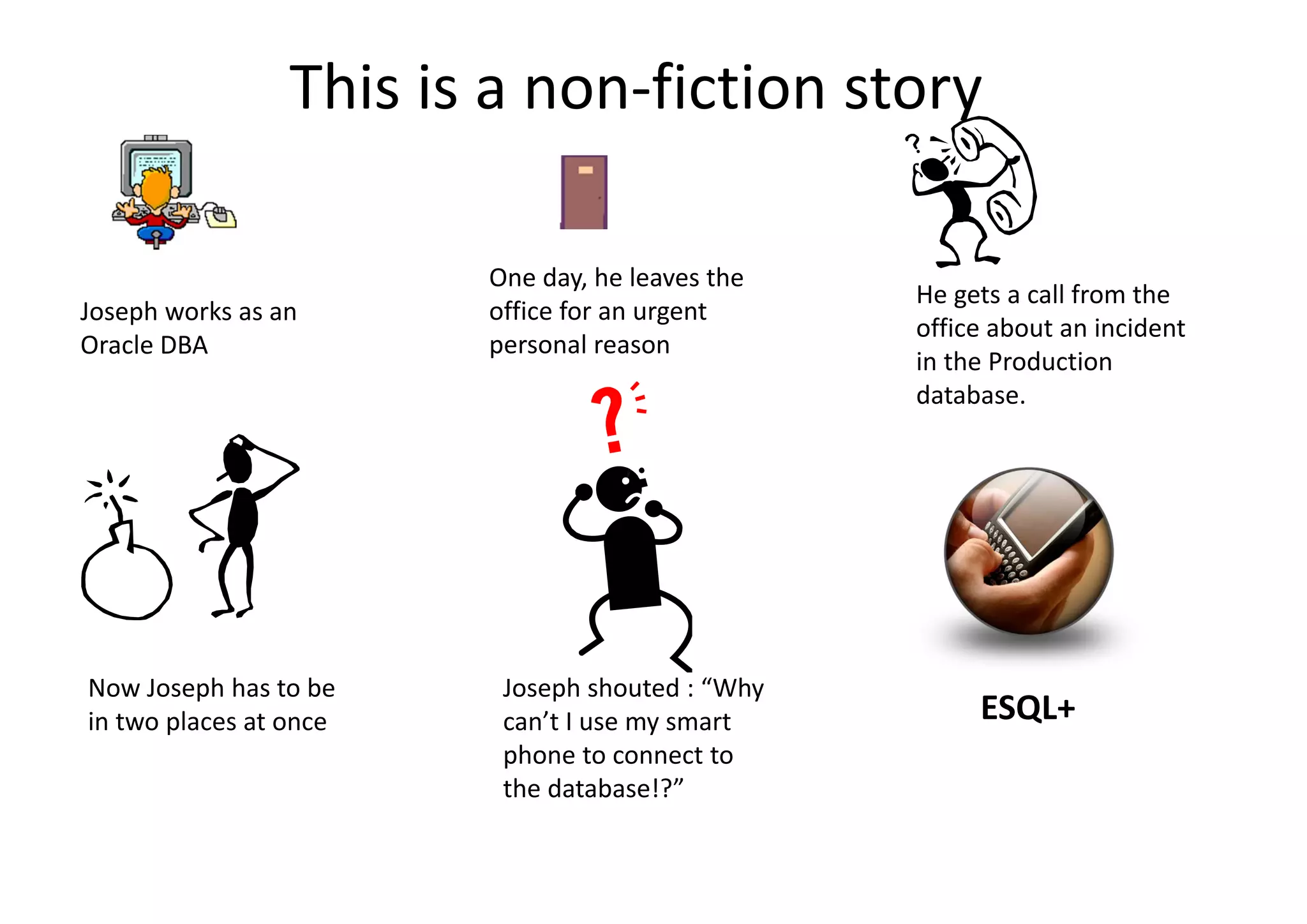
This is a non-fiction story
Joseph works as an
Oracle DBA
One day, he leaves the
office for an urgent
personal reason
He gets a call from the
office about an incident
in the Production
database.
Now Joseph has to be
in two places at once
Joseph shouted : “Why
can’t I use my smart
phone to connect to
the database!?”
ESQL+
1
2
3
4
5
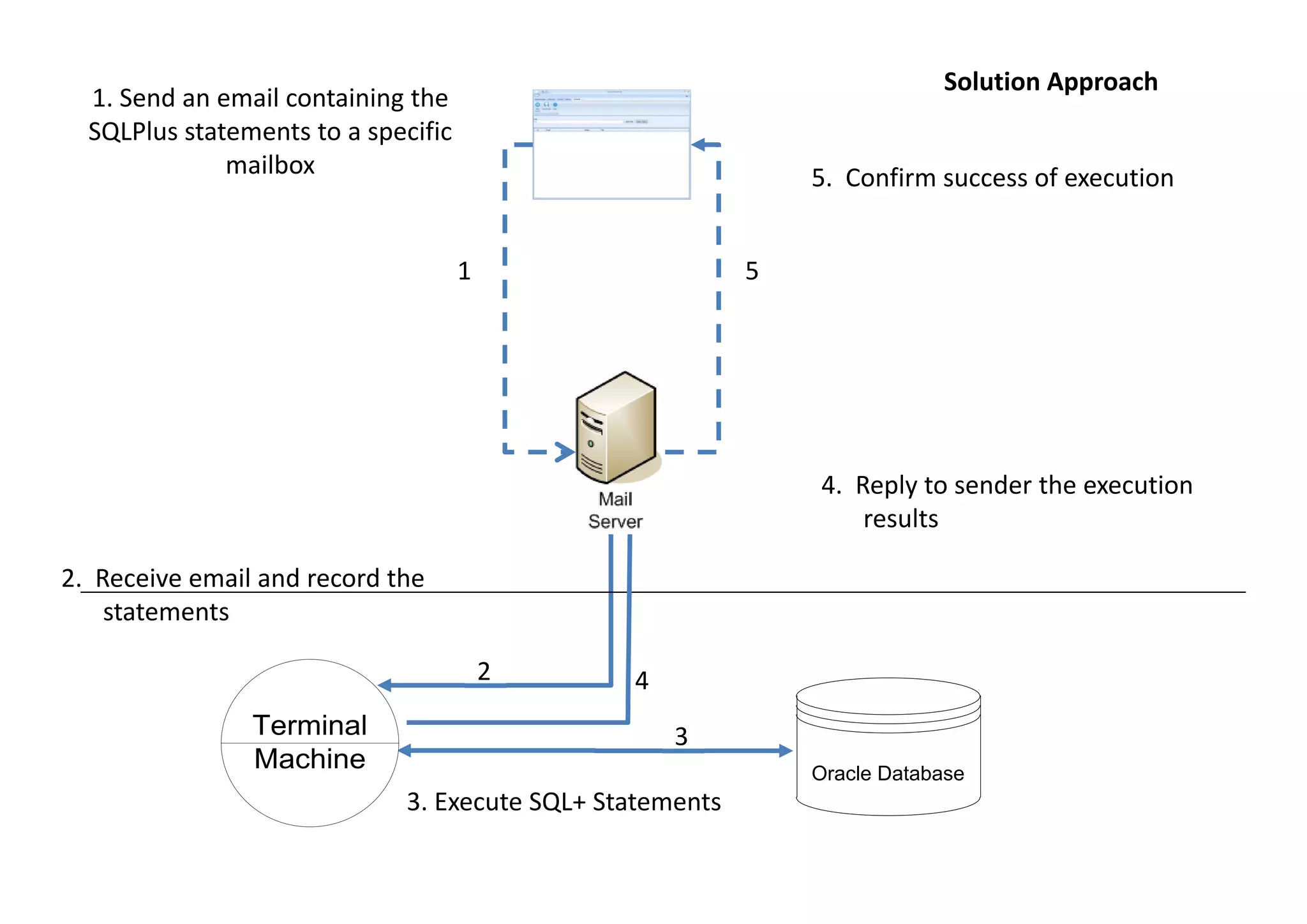
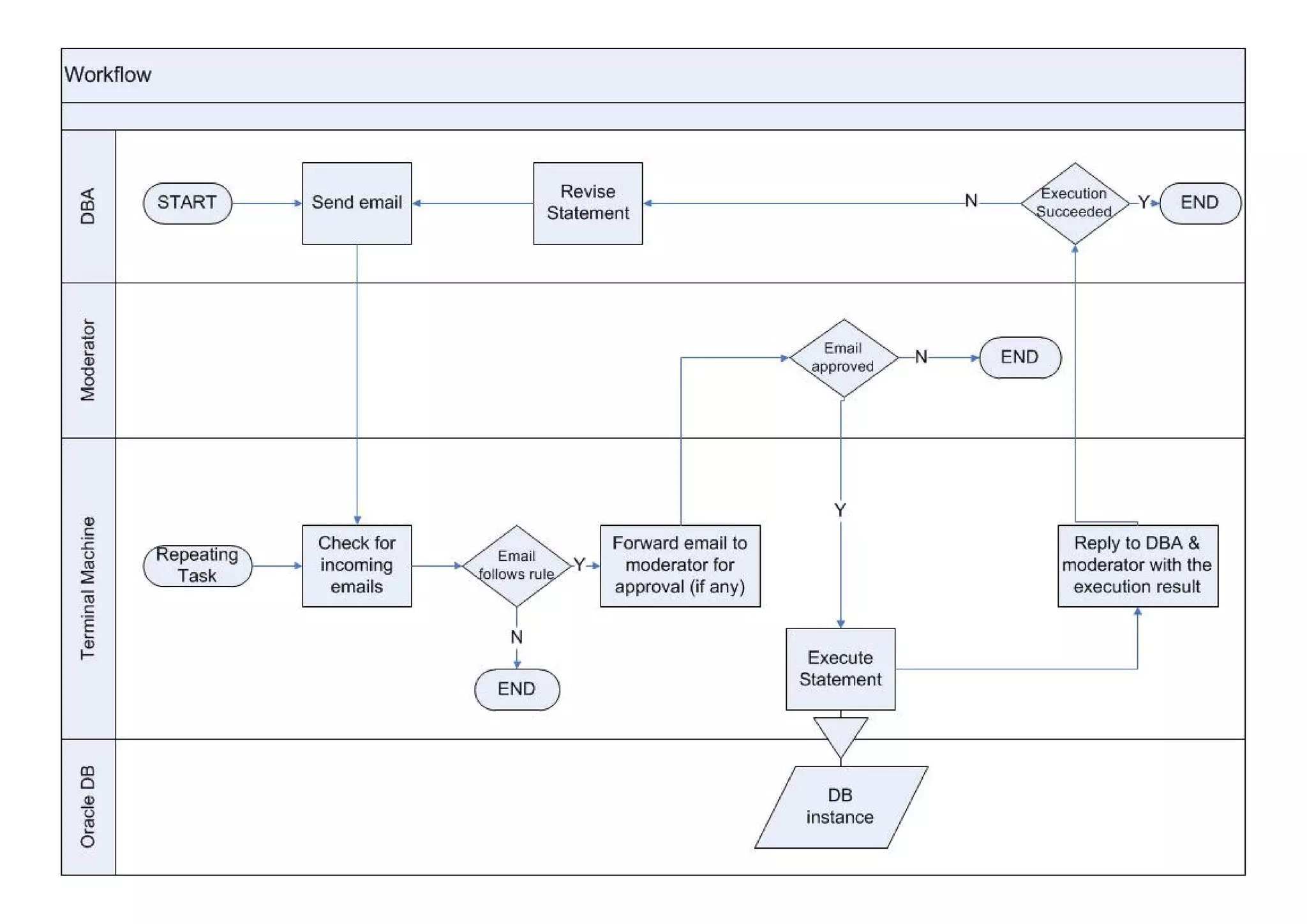
1. Send an email containing the
SQLPlus statements to a specific
mailbox
2. Receive email and record the
statements
3. Execute SQL+ Statements
4. Reply to sender the execution
results
5. Confirm success of execution
Terminal
Machine Oracle Database
Solution Approach
Pre-requisites
• Terminal Machine
– Oracle DB >=10g
– Can Connect to Production DBs
– Can Connect to SMTP & POP3/IMAP ports of the mail
server
– SMTP Relay is granted on the mail server
• Email account
– Dedicated email to receive and reply to ESQL+ emails
Installation of ESQL+
• Click the below link to download ESQL+ and the
installation guide
http://goo.gl/LDZX1I
• Contact email info@joseph-mansour.com
Thank you
Joseph Mansour
www.joseph-mansour.com

Administering Oracle Database via emails

  • 1.
  • 2.
    This is anon-fiction story Joseph works as an Oracle DBA One day, he leaves the office for an urgent personal reason He gets a call from the office about an incident in the Production database. Now Joseph has to be in two places at once Joseph shouted : “Why can’t I use my smart phone to connect to the database!?” ESQL+
  • 3.
    1 2 3 4 5 1. Send anemail containing the SQLPlus statements to a specific mailbox 2. Receive email and record the statements 3. Execute SQL+ Statements 4. Reply to sender the execution results 5. Confirm success of execution Terminal Machine Oracle Database Solution Approach
  • 4.
    Pre-requisites • Terminal Machine –Oracle DB >=10g – Can Connect to Production DBs – Can Connect to SMTP & POP3/IMAP ports of the mail server – SMTP Relay is granted on the mail server • Email account – Dedicated email to receive and reply to ESQL+ emails
  • 6.
    Installation of ESQL+ •Click the below link to download ESQL+ and the installation guide http://goo.gl/LDZX1I • Contact email info@joseph-mansour.com
  • 7.