
TFS Work Items Workflow


                      Petro Porchuk
                        03/29/2011
?
The Goal is – to clarify
Agenda
   Roles
   Email Notifications
   Work Item Types
   User Story Workflow
   Prioritizing Bugs
   Bug Workflow
   Task Workflow
   Q&A
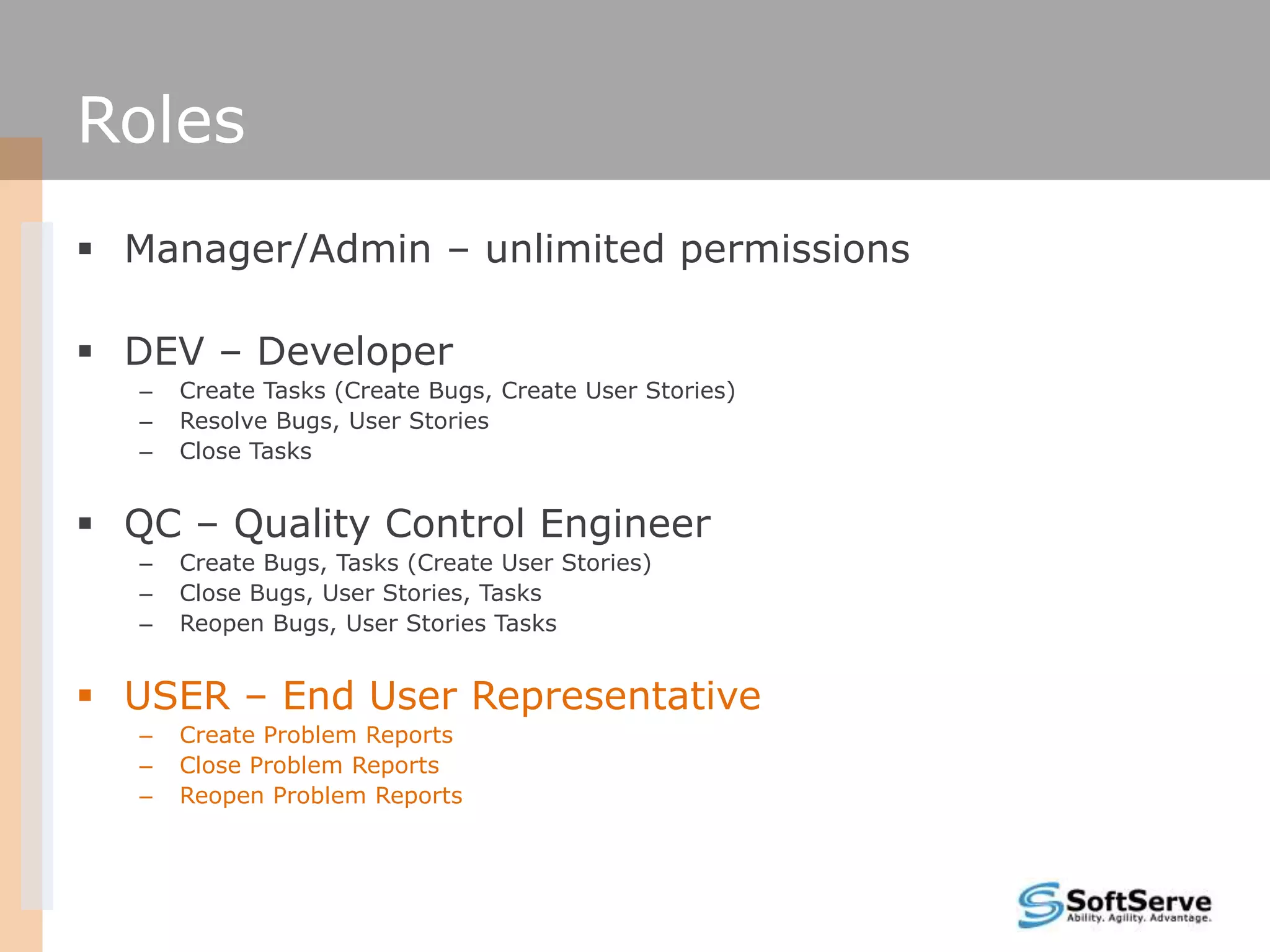
Roles
 Manager/Admin – unlimited permissions

 DEV – Developer
   –   Create Tasks (Create Bugs, Create User Stories)
   –   Resolve Bugs, User Stories
   –   Close Tasks


 QC – Quality Control Engineer
   –   Create Bugs, Tasks (Create User Stories)
   –   Close Bugs, User Stories, Tasks
   –   Reopen Bugs, User Stories Tasks


 USER – End User Representative
   –   Create Problem Reports
   –   Close Problem Reports
   –   Reopen Problem Reports
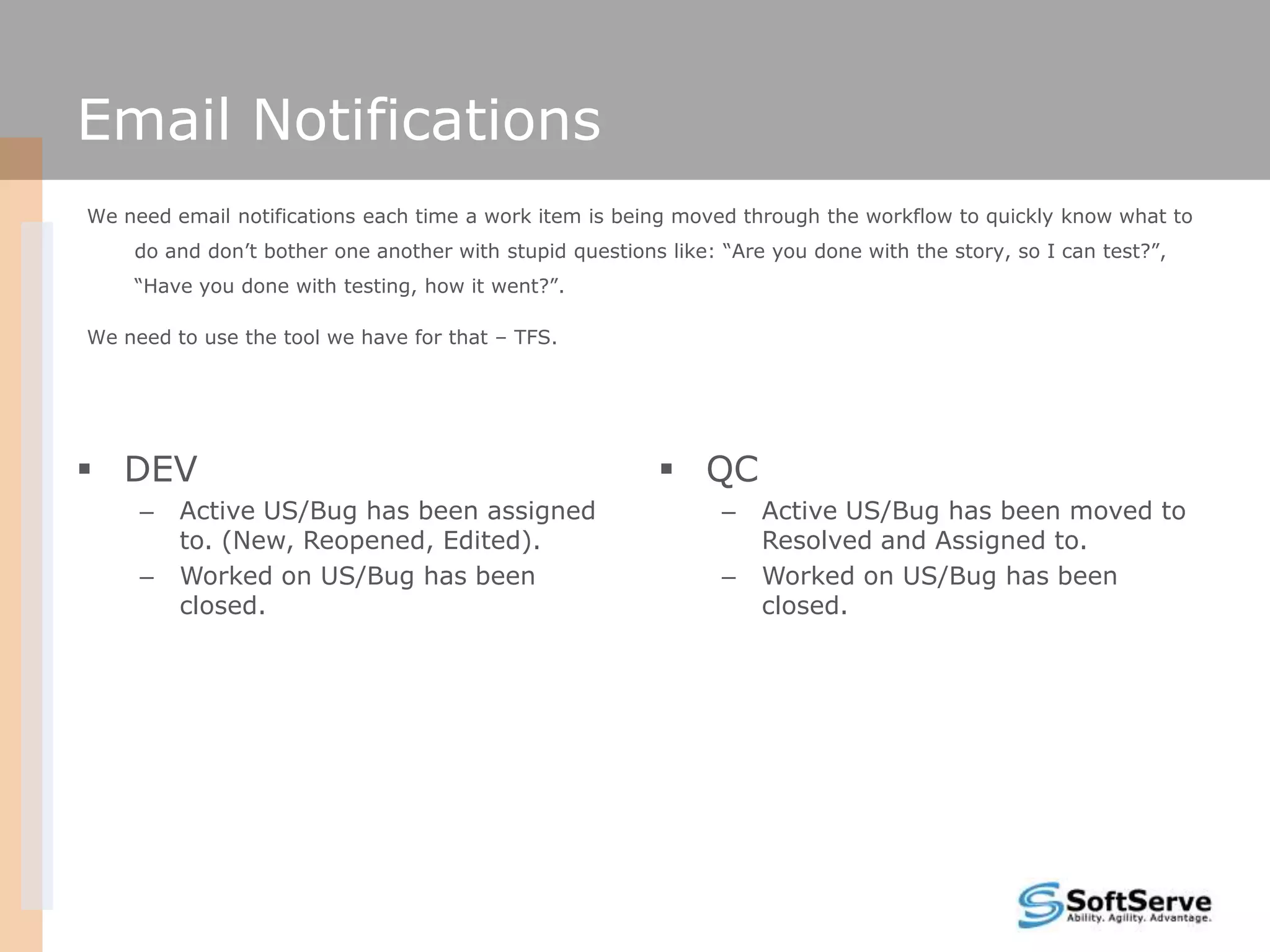
Email Notifications
We need email notifications each time a work item is being moved through the workflow to quickly know what to
    do and don’t bother one another with stupid questions like: “Are you done with the story, so I can test?”,
    “Have you done with testing, how it went?”.

We need to use the tool we have for that – TFS.


 DEV                                                     QC
     –   Active US/Bug has been assigned                        –   Active US/Bug has been moved to
         to. (New, Reopened, Edited).                               Resolved and Assigned to.
     –   Worked on US/Bug has been                              –   Worked on US/Bug has been
         closed.                                                    closed.
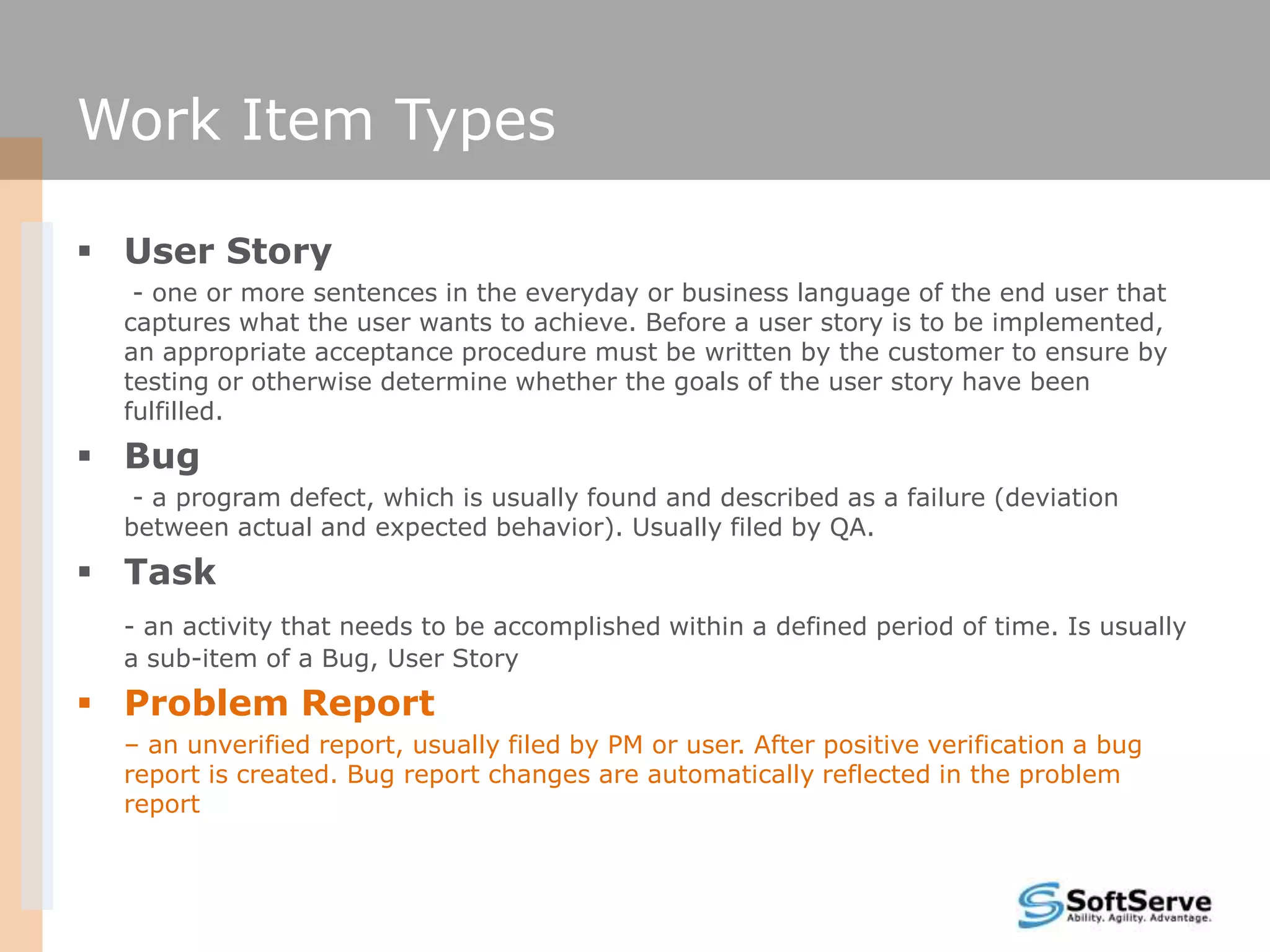
Work Item Types

 User Story
   - one or more sentences in the everyday or business language of the end user that
  captures what the user wants to achieve. Before a user story is to be implemented,
  an appropriate acceptance procedure must be written by the customer to ensure by
  testing or otherwise determine whether the goals of the user story have been
  fulfilled.
 Bug
   - a program defect, which is usually found and described as a failure (deviation
  between actual and expected behavior). Usually filed by QA.
 Task
  - an activity that needs to be accomplished within a defined period of time. Is usually
  a sub-item of a Bug, User Story
 Problem Report
  – an unverified report, usually filed by PM or user. After positive verification a bug
  report is created. Bug report changes are automatically reflected in the problem
  report
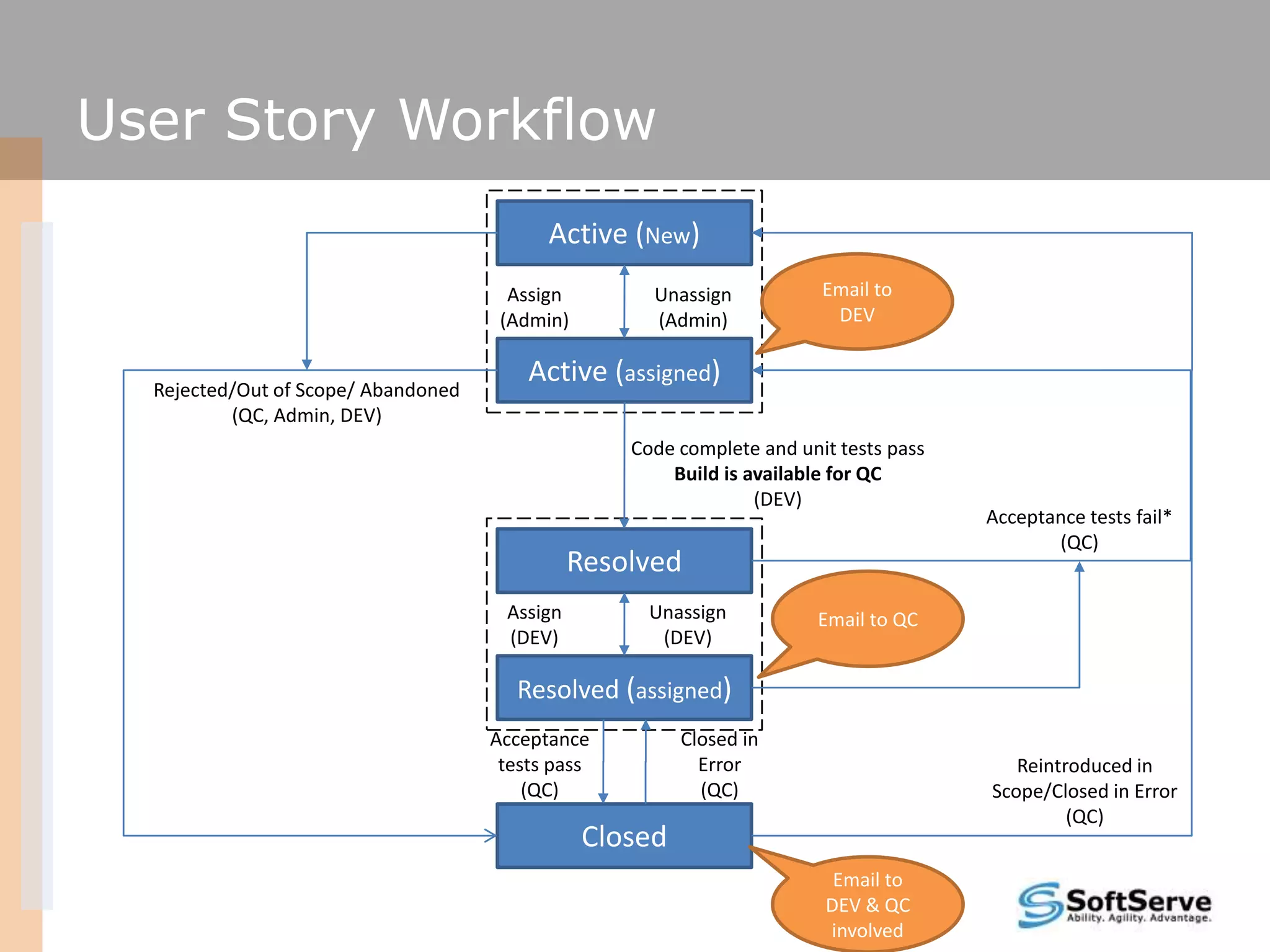
User Story Workflow
                                           Active (New)
                                       Assign        Unassign           Email to
                                      (Admin)        (Admin)             DEV


  Rejected/Out of Scope/ Abandoned
                                         Active (assigned)
          (QC, Admin, DEV)
                                                   Code complete and unit tests pass
                                                       Build is available for QC
                                                                 (DEV)
                                                                                       Acceptance tests fail*
                                                                                              (QC)
                                               Resolved
                                      Assign         Unassign          Email to QC
                                      (DEV)           (DEV)

                                       Resolved (assigned)
                                     Acceptance          Closed in
                                      tests pass           Error                          Reintroduced in
                                         (QC)              (QC)                        Scope/Closed in Error
                                                                                                (QC)
                                                Closed
                                                                         Email to
                                                                        DEV & QC
                                                                        involved
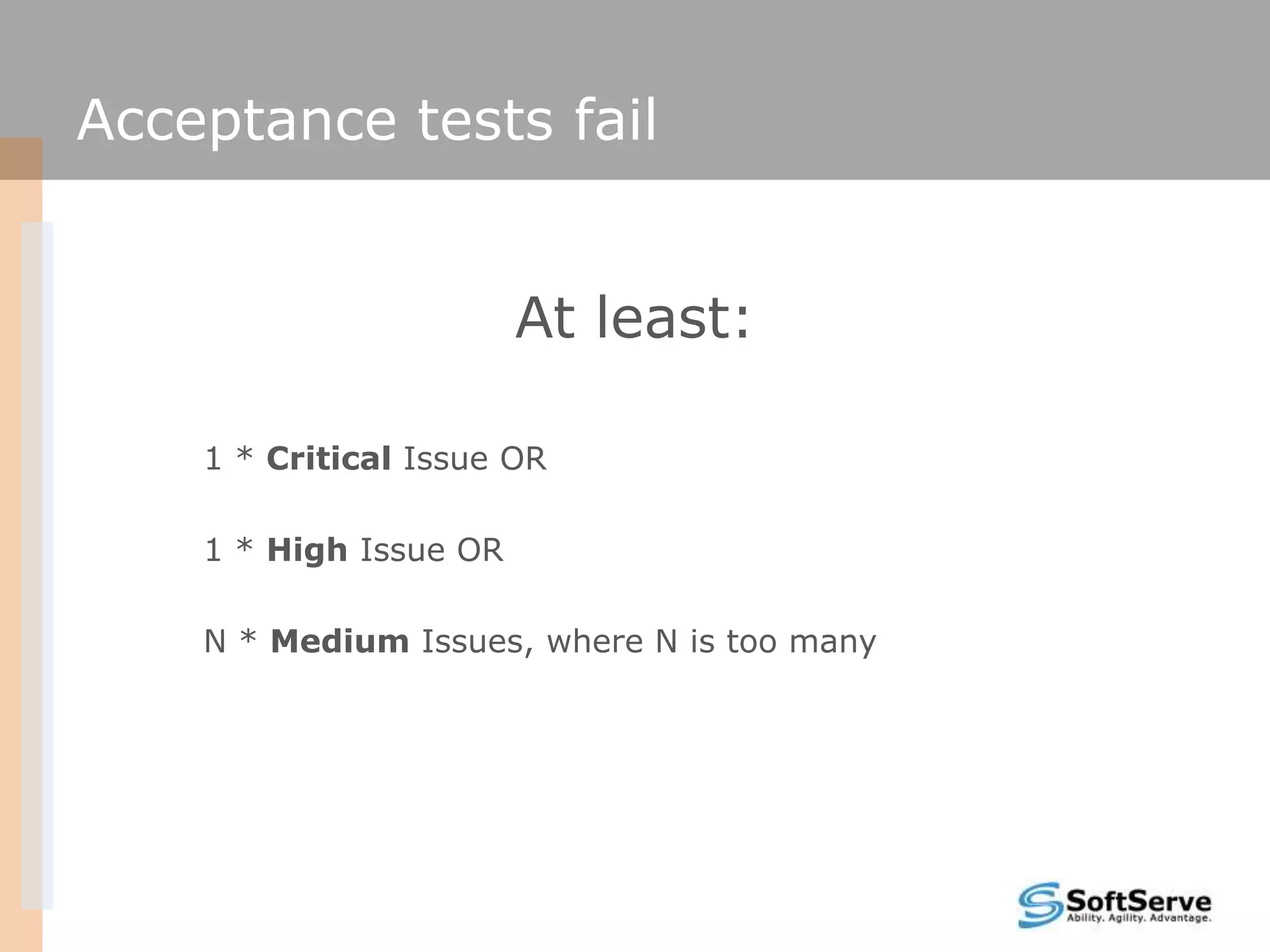
Acceptance tests fail


                        At least:

    1 * Critical Issue OR

    1 * High Issue OR

    N * Medium Issues, where N is too many
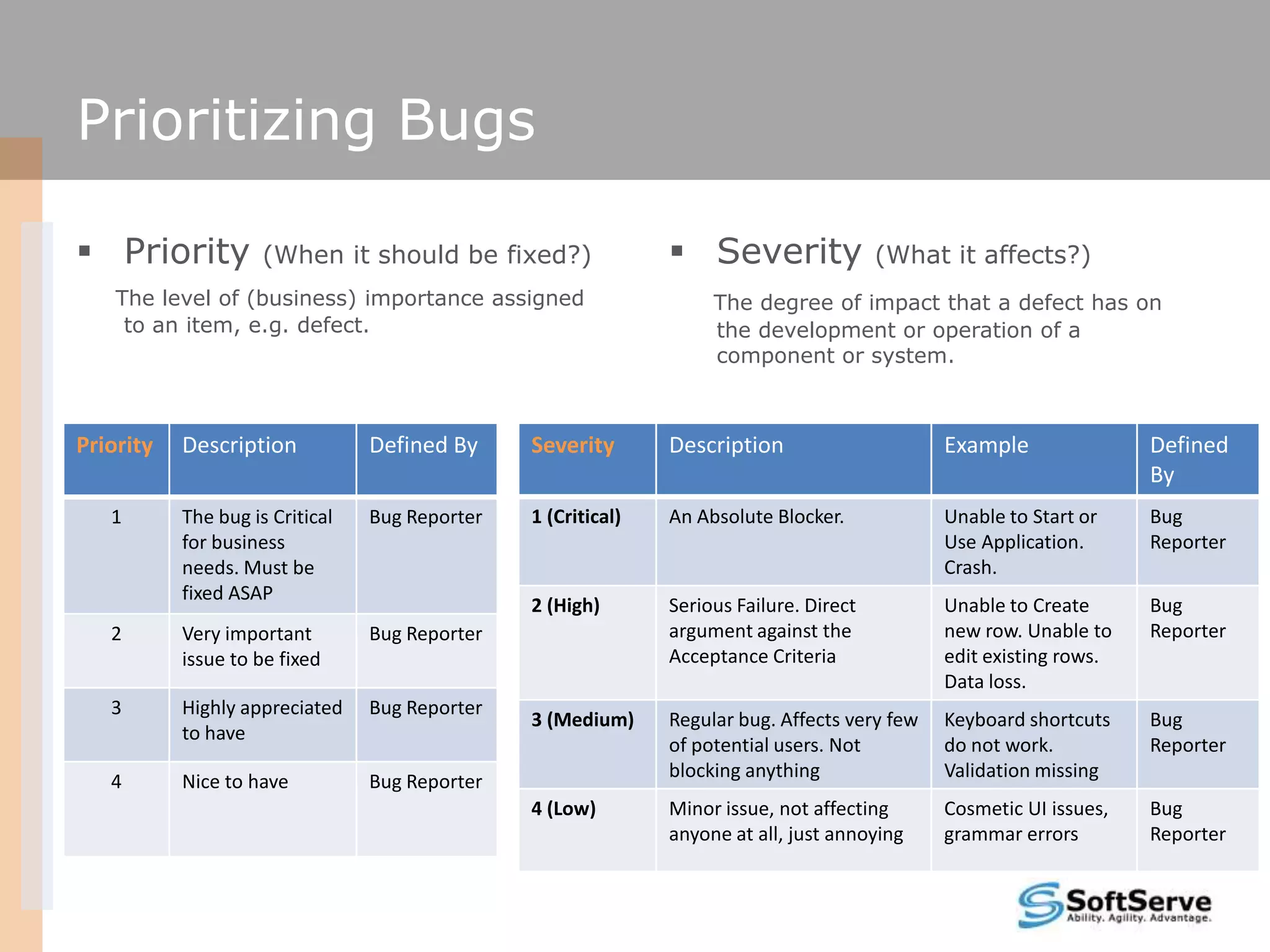
Prioritizing Bugs

 Priority           (When it should be fixed?)                 Severity                (What it affects?)
    The level of (business) importance assigned                     The degree of impact that a defect has on
     to an item, e.g. defect.                                       the development or operation of a
                                                                    component or system.


Priority   Description           Defined By     Severity       Description                     Example               Defined
                                                                                                                     By
   1       The bug is Critical   Bug Reporter   1 (Critical)   An Absolute Blocker.            Unable to Start or    Bug
           for business                                                                        Use Application.      Reporter
           needs. Must be                                                                      Crash.
           fixed ASAP
                                                2 (High)       Serious Failure. Direct         Unable to Create      Bug
   2       Very important        Bug Reporter                  argument against the            new row. Unable to    Reporter
           issue to be fixed                                   Acceptance Criteria             edit existing rows.
                                                                                               Data loss.
   3       Highly appreciated    Bug Reporter
                                                3 (Medium)     Regular bug. Affects very few   Keyboard shortcuts    Bug
           to have
                                                               of potential users. Not         do not work.          Reporter
                                                               blocking anything               Validation missing
   4       Nice to have          Bug Reporter
                                                4 (Low)        Minor issue, not affecting      Cosmetic UI issues,   Bug
                                                               anyone at all, just annoying    grammar errors        Reporter
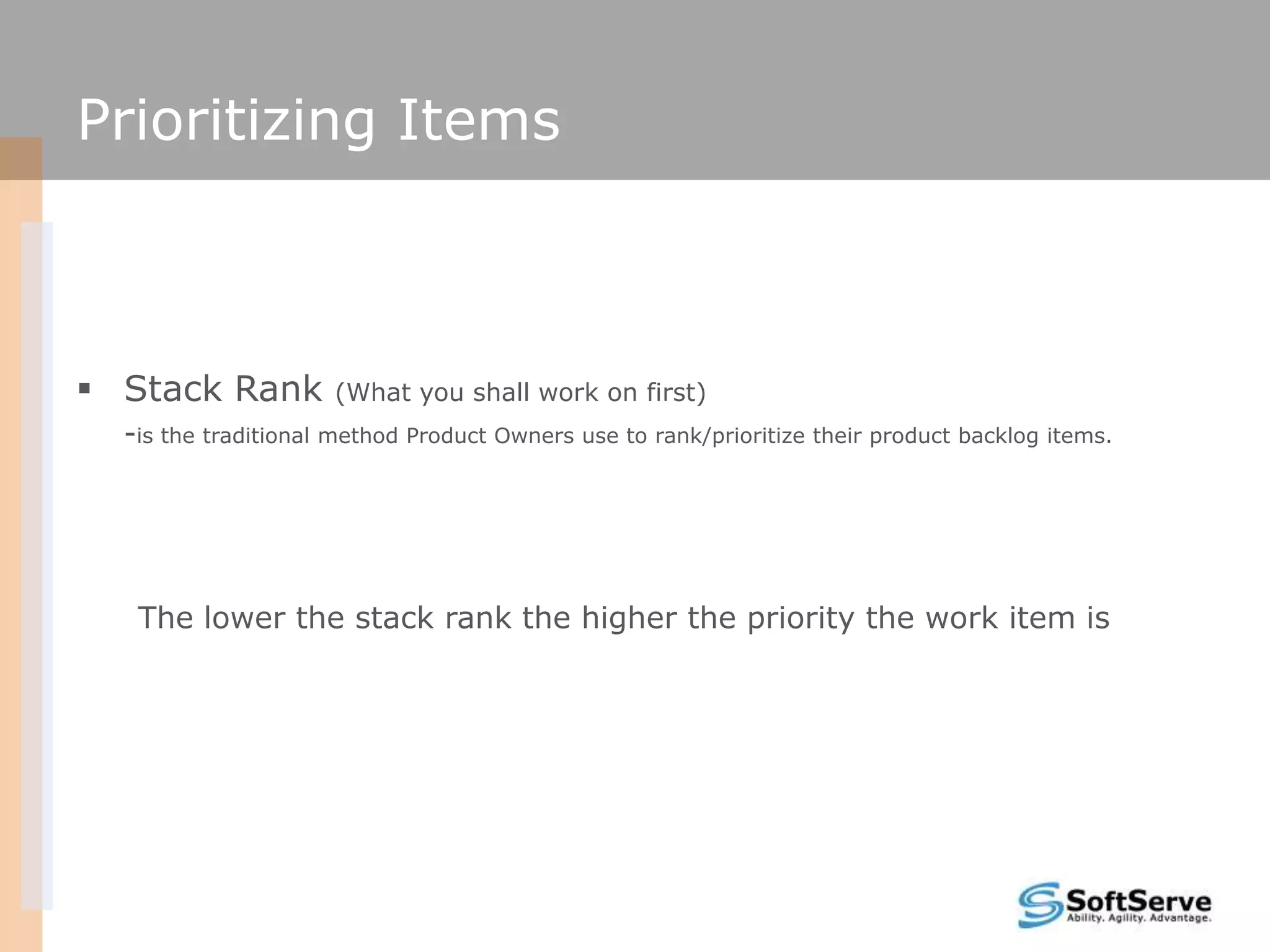
Prioritizing Items


 Stack Rank         (What you shall work on first)
  -is the traditional method Product Owners use to rank/prioritize their product backlog items.


   The lower the stack rank the higher the priority the work item is
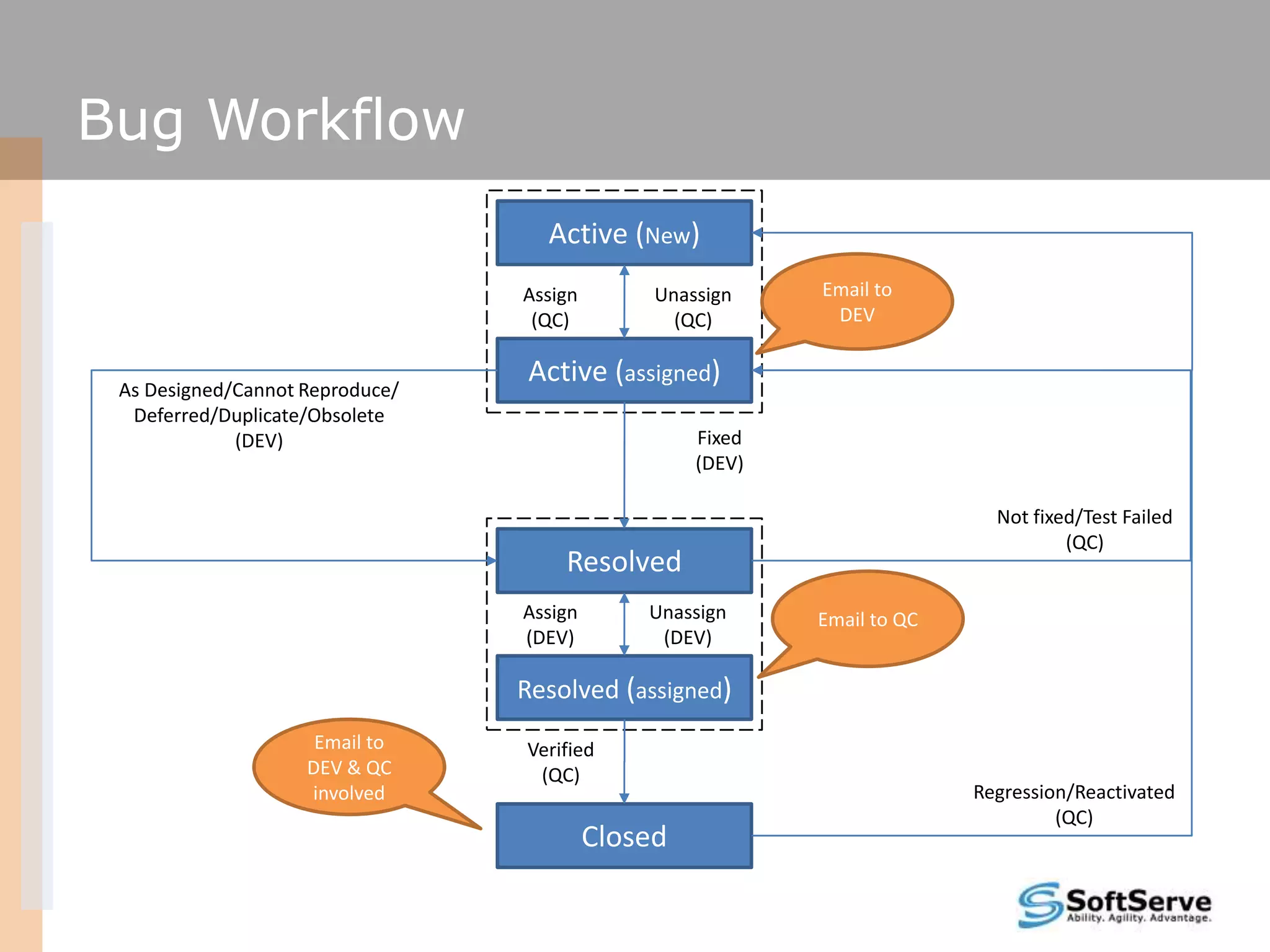
Bug Workflow
                                   Active (New)
                                 Assign        Unassign    Email to
                                  (QC)           (QC)       DEV


 As Designed/Cannot Reproduce/
                                 Active (assigned)
  Deferred/Duplicate/Obsolete
             (DEV)                                 Fixed
                                                   (DEV)

                                                                           Not fixed/Test Failed
                                                                                   (QC)
                                     Resolved
                                 Assign       Unassign     Email to QC
                                 (DEV)         (DEV)

                                 Resolved (assigned)
                     Email to    Verified
                    DEV & QC      (QC)
                    involved                                             Regression/Reactivated
                                                                                  (QC)
                                          Closed
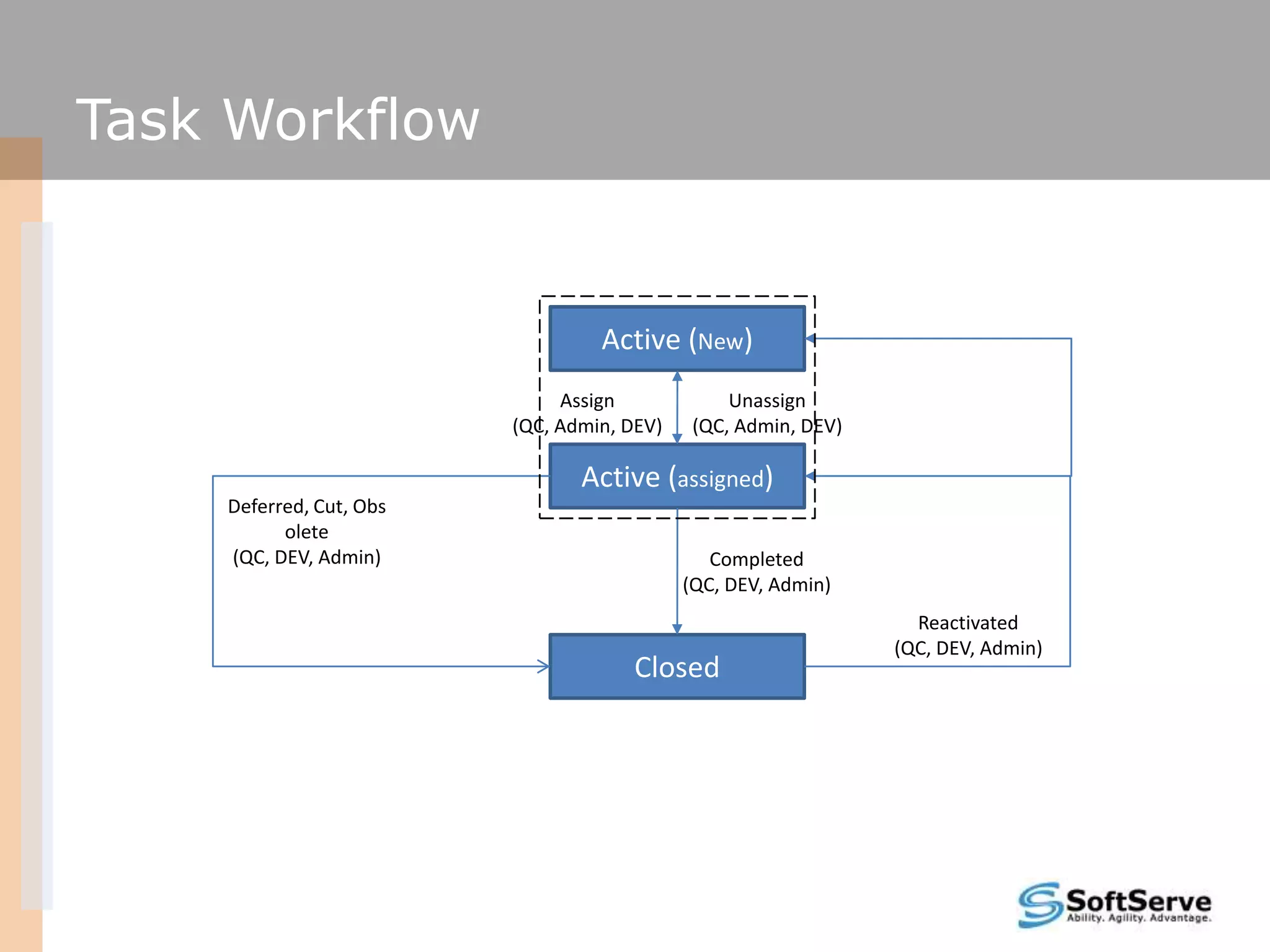
Task Workflow


                                  Active (New)
                              Assign             Unassign
                         (QC, Admin, DEV)    (QC, Admin, DEV)

                                Active (assigned)
    Deferred, Cut, Obs
          olete
    (QC, DEV, Admin)                           Completed
                                            (QC, DEV, Admin)
                                                                  Reactivated
                                                                (QC, DEV, Admin)
                                      Closed
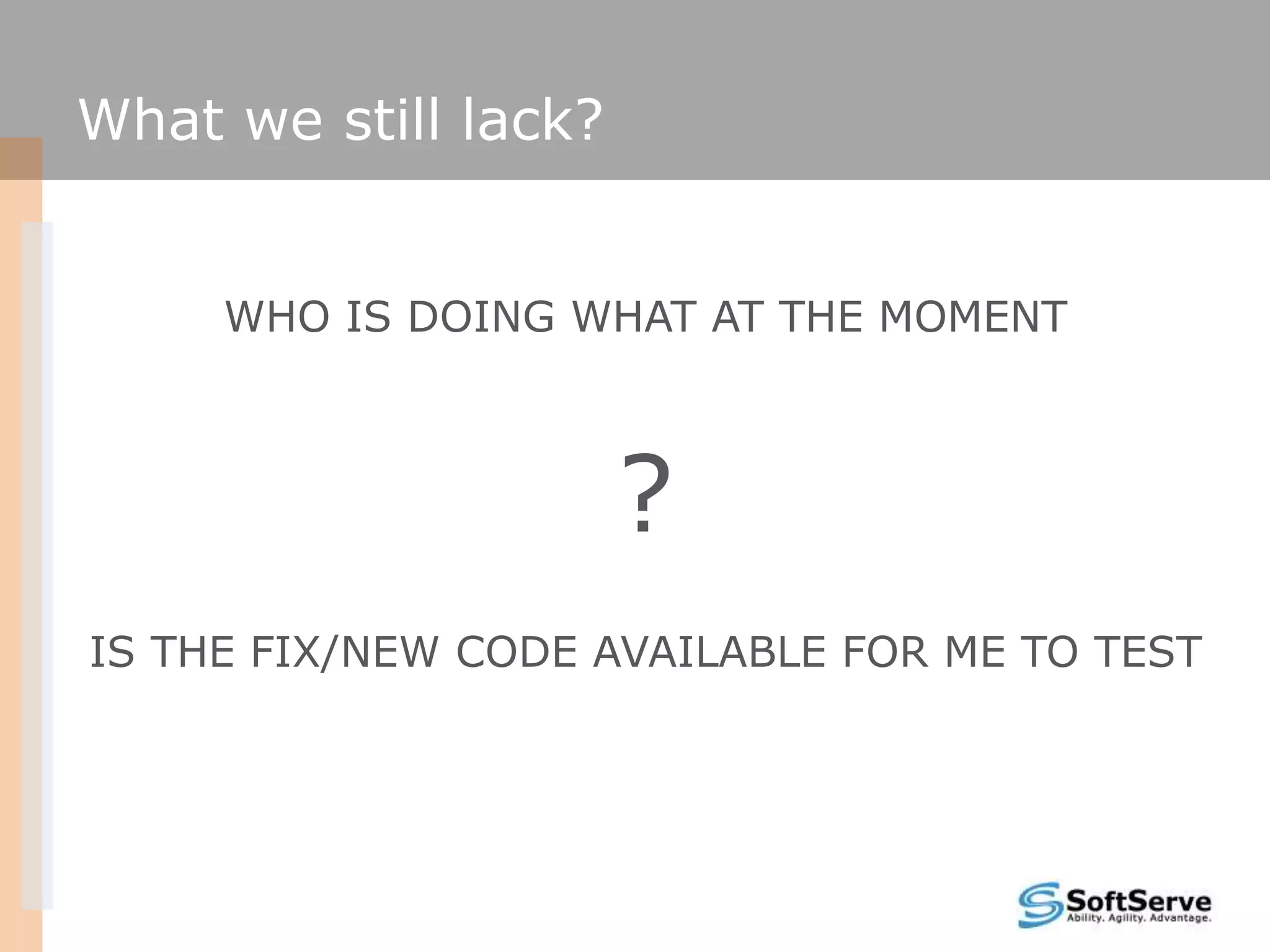
What we still lack?


     WHO IS DOING WHAT AT THE MOMENT


                      ?
IS THE FIX/NEW CODE AVAILABLE FOR ME TO TEST
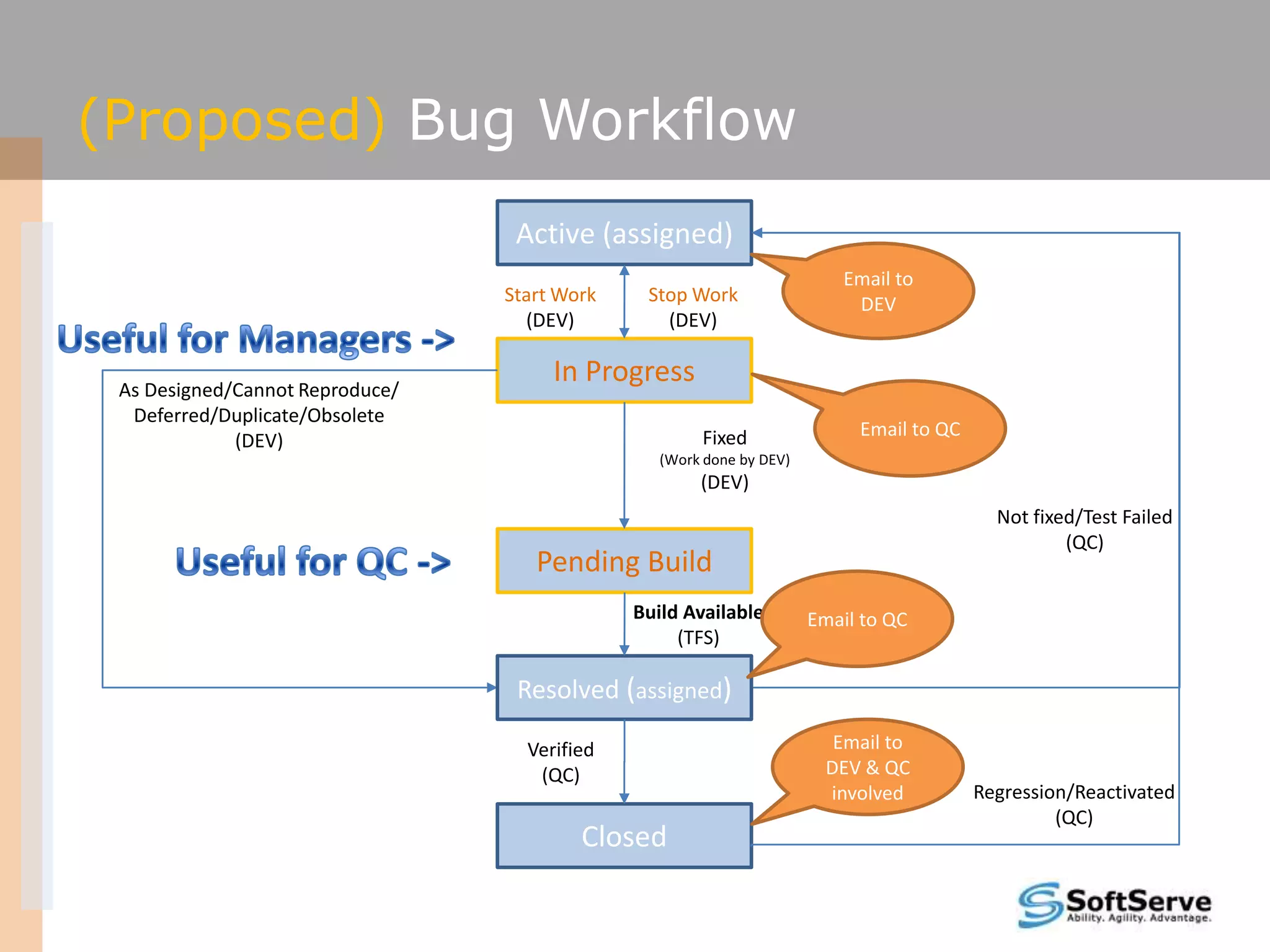
(Proposed) Bug Workflow
                                  Active (assigned)
                                                                         Email to
                                 Start Work    Stop Work                  DEV
                                   (DEV)         (DEV)


 As Designed/Cannot Reproduce/
                                      In Progress
  Deferred/Duplicate/Obsolete
                                                      Fixed                Email to QC
             (DEV)
                                                 (Work done by DEV)
                                                      (DEV)
                                                                                           Not fixed/Test Failed
                                                                                                   (QC)
                                    Pending Build
                                              Build Available         Email to QC
                                                   (TFS)

                                  Resolved (assigned)

                                   Verified                              Email to
                                    (QC)                                DEV & QC
                                                                        involved         Regression/Reactivated
                                                                                                  (QC)
                                         Closed
Summary


    We need Work Item STATES for following the right
 Development Process. Email notifications provide immediate
                        heads up
Summary


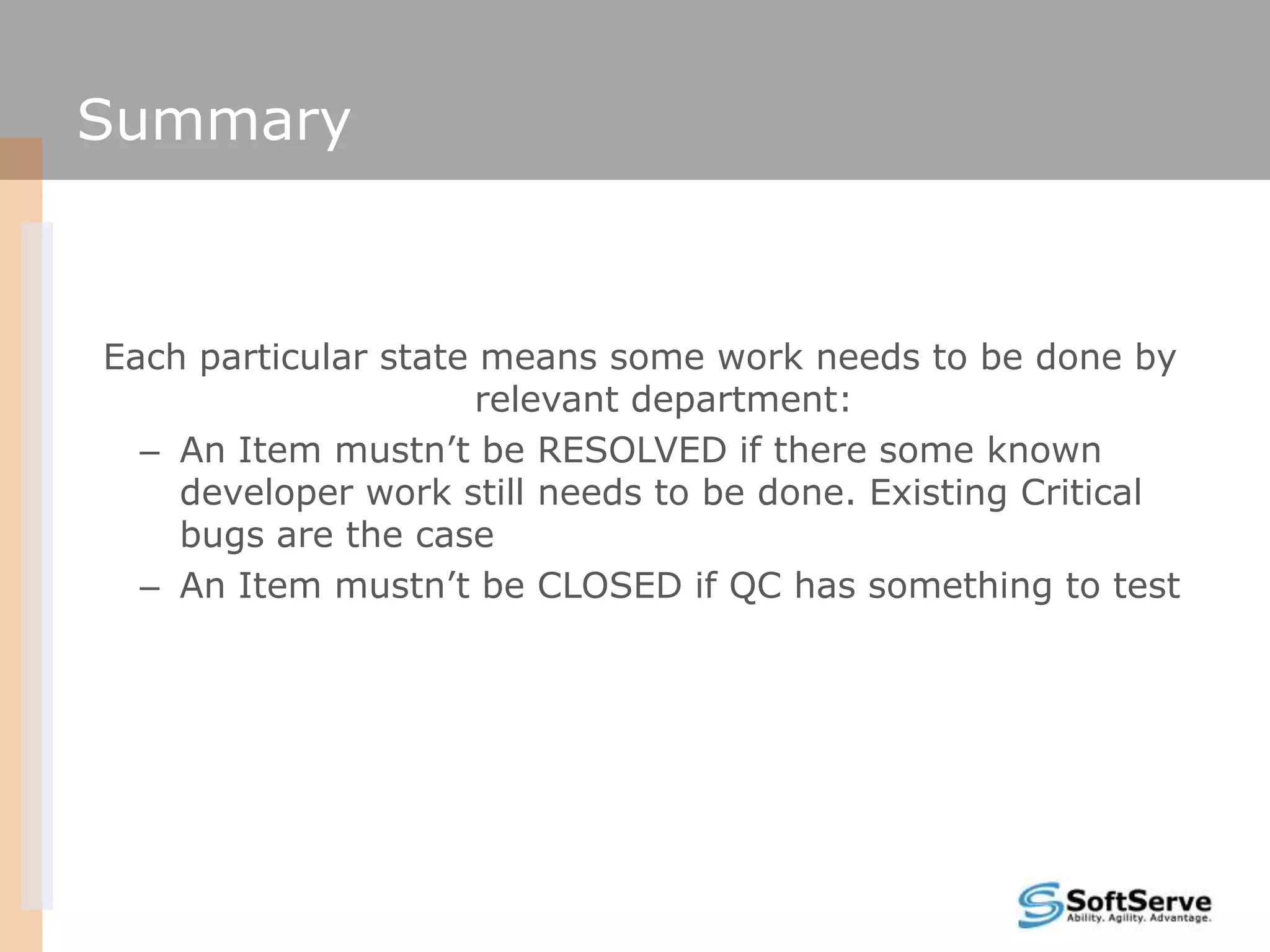
Each particular state means some work needs to be done by
                      relevant department:
  – An Item mustn’t be RESOLVED if there some known
    developer work still needs to be done. Existing Critical
    bugs are the case
  – An Item mustn’t be CLOSED if QC has something to test
Summary


The only reason a Work Item is not being transferred to the
    next state – is progress on it. If you are done with it,
         immediately move it forward with the STATE
Summary


 Use appropriate REASON while transferring Work Items
                  through the workflow
Summary


 Do not hesitate to put comments in the History section for
  cases there are not relevant REASON as well as for other
                            cases
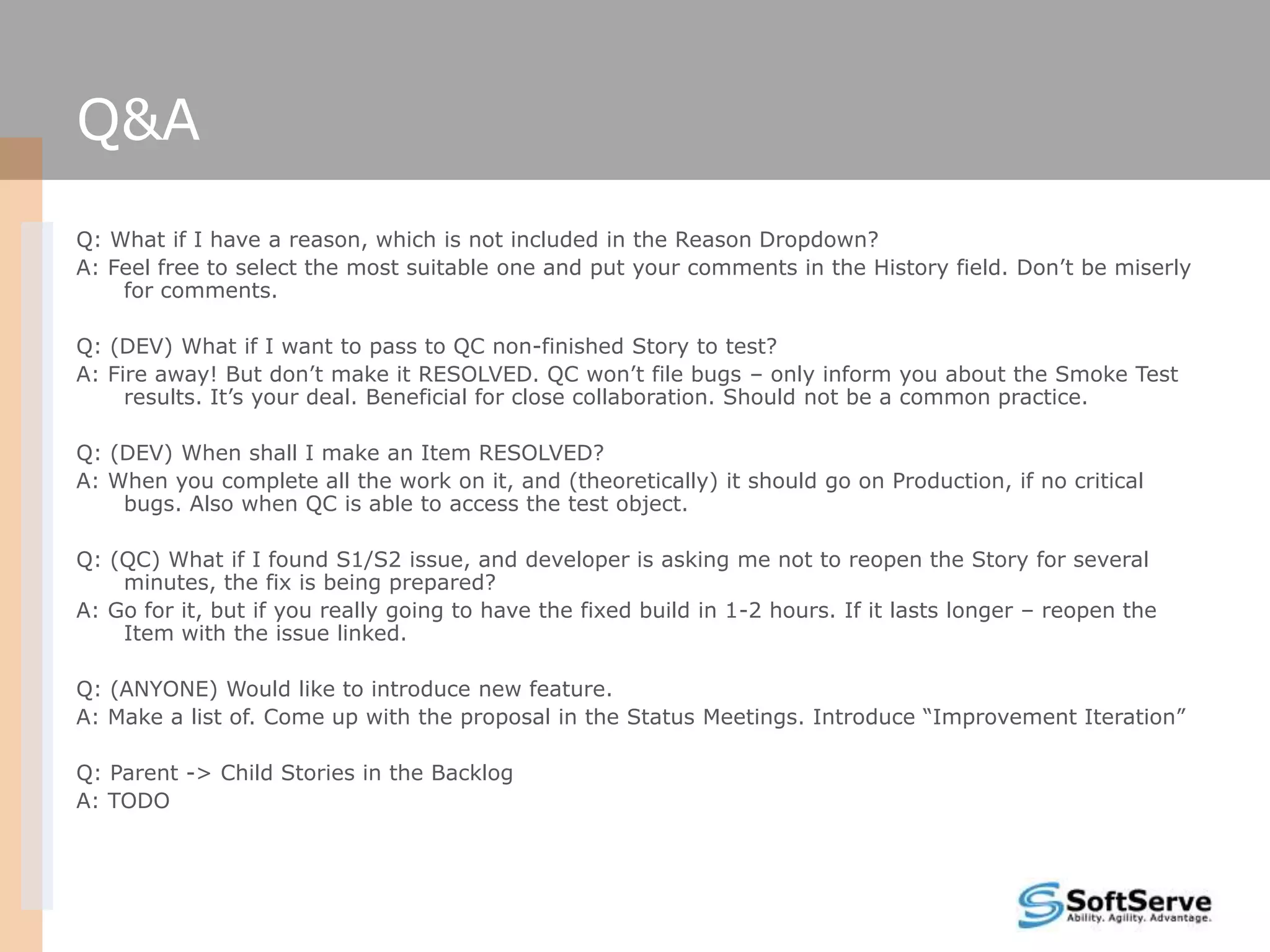
Q&A
Q: What if I have a reason, which is not included in the Reason Dropdown?
A: Feel free to select the most suitable one and put your comments in the History field. Don’t be miserly
    for comments.

Q: (DEV) What if I want to pass to QC non-finished Story to test?
A: Fire away! But don’t make it RESOLVED. QC won’t file bugs – only inform you about the Smoke Test
     results. It’s your deal. Beneficial for close collaboration. Should not be a common practice.

Q: (DEV) When shall I make an Item RESOLVED?
A: When you complete all the work on it, and (theoretically) it should go on Production, if no critical
    bugs. Also when QC is able to access the test object.

Q: (QC) What if I found S1/S2 issue, and developer is asking me not to reopen the Story for several
    minutes, the fix is being prepared?
A: Go for it, but if you really going to have the fixed build in 1-2 hours. If it lasts longer – reopen the
    Item with the issue linked.

Q: (ANYONE) Would like to introduce new feature.
A: Make a list of. Come up with the proposal in the Status Meetings. Introduce “Improvement Iteration”

Q: Parent -> Child Stories in the Backlog
A: TODO
Contacts

    Europe Headquarters             US Headquarters
    52 V. Velykoho Str.             12800 University Drive, Suite 250
    Lviv 79053, Ukraine             Fort Myers, FL 33907, USA
    Tel: +380-32-240-9090           Tel: 239-690-3111
    Fax: +380-32-240-9080           Fax: 239-690-3116
    E-mail: info@softserveinc.com
    Website: www.softserveinc.com


Thank You!
Copyright © 2011 SoftServe, Inc.

Bug trackingworkflow

  • 1.
    TFS Work ItemsWorkflow Petro Porchuk 03/29/2011
  • 2.
  • 3.
    The Goal is– to clarify
  • 4.
    Agenda  Roles  Email Notifications  Work Item Types  User Story Workflow  Prioritizing Bugs  Bug Workflow  Task Workflow  Q&A
  • 5.
    Roles  Manager/Admin –unlimited permissions  DEV – Developer – Create Tasks (Create Bugs, Create User Stories) – Resolve Bugs, User Stories – Close Tasks  QC – Quality Control Engineer – Create Bugs, Tasks (Create User Stories) – Close Bugs, User Stories, Tasks – Reopen Bugs, User Stories Tasks  USER – End User Representative – Create Problem Reports – Close Problem Reports – Reopen Problem Reports
  • 6.
    Email Notifications We needemail notifications each time a work item is being moved through the workflow to quickly know what to do and don’t bother one another with stupid questions like: “Are you done with the story, so I can test?”, “Have you done with testing, how it went?”. We need to use the tool we have for that – TFS.  DEV  QC – Active US/Bug has been assigned – Active US/Bug has been moved to to. (New, Reopened, Edited). Resolved and Assigned to. – Worked on US/Bug has been – Worked on US/Bug has been closed. closed.
  • 7.
    Work Item Types User Story - one or more sentences in the everyday or business language of the end user that captures what the user wants to achieve. Before a user story is to be implemented, an appropriate acceptance procedure must be written by the customer to ensure by testing or otherwise determine whether the goals of the user story have been fulfilled.  Bug - a program defect, which is usually found and described as a failure (deviation between actual and expected behavior). Usually filed by QA.  Task - an activity that needs to be accomplished within a defined period of time. Is usually a sub-item of a Bug, User Story  Problem Report – an unverified report, usually filed by PM or user. After positive verification a bug report is created. Bug report changes are automatically reflected in the problem report
  • 8.
    User Story Workflow Active (New) Assign Unassign Email to (Admin) (Admin) DEV Rejected/Out of Scope/ Abandoned Active (assigned) (QC, Admin, DEV) Code complete and unit tests pass Build is available for QC (DEV) Acceptance tests fail* (QC) Resolved Assign Unassign Email to QC (DEV) (DEV) Resolved (assigned) Acceptance Closed in tests pass Error Reintroduced in (QC) (QC) Scope/Closed in Error (QC) Closed Email to DEV & QC involved
  • 9.
    Acceptance tests fail At least: 1 * Critical Issue OR 1 * High Issue OR N * Medium Issues, where N is too many
  • 10.
    Prioritizing Bugs  Priority (When it should be fixed?)  Severity (What it affects?) The level of (business) importance assigned The degree of impact that a defect has on to an item, e.g. defect. the development or operation of a component or system. Priority Description Defined By Severity Description Example Defined By 1 The bug is Critical Bug Reporter 1 (Critical) An Absolute Blocker. Unable to Start or Bug for business Use Application. Reporter needs. Must be Crash. fixed ASAP 2 (High) Serious Failure. Direct Unable to Create Bug 2 Very important Bug Reporter argument against the new row. Unable to Reporter issue to be fixed Acceptance Criteria edit existing rows. Data loss. 3 Highly appreciated Bug Reporter 3 (Medium) Regular bug. Affects very few Keyboard shortcuts Bug to have of potential users. Not do not work. Reporter blocking anything Validation missing 4 Nice to have Bug Reporter 4 (Low) Minor issue, not affecting Cosmetic UI issues, Bug anyone at all, just annoying grammar errors Reporter
  • 11.
    Prioritizing Items  StackRank (What you shall work on first) -is the traditional method Product Owners use to rank/prioritize their product backlog items. The lower the stack rank the higher the priority the work item is
  • 12.
    Bug Workflow Active (New) Assign Unassign Email to (QC) (QC) DEV As Designed/Cannot Reproduce/ Active (assigned) Deferred/Duplicate/Obsolete (DEV) Fixed (DEV) Not fixed/Test Failed (QC) Resolved Assign Unassign Email to QC (DEV) (DEV) Resolved (assigned) Email to Verified DEV & QC (QC) involved Regression/Reactivated (QC) Closed
  • 13.
    Task Workflow Active (New) Assign Unassign (QC, Admin, DEV) (QC, Admin, DEV) Active (assigned) Deferred, Cut, Obs olete (QC, DEV, Admin) Completed (QC, DEV, Admin) Reactivated (QC, DEV, Admin) Closed
  • 14.
    What we stilllack? WHO IS DOING WHAT AT THE MOMENT ? IS THE FIX/NEW CODE AVAILABLE FOR ME TO TEST
  • 15.
    (Proposed) Bug Workflow Active (assigned) Email to Start Work Stop Work DEV (DEV) (DEV) As Designed/Cannot Reproduce/ In Progress Deferred/Duplicate/Obsolete Fixed Email to QC (DEV) (Work done by DEV) (DEV) Not fixed/Test Failed (QC) Pending Build Build Available Email to QC (TFS) Resolved (assigned) Verified Email to (QC) DEV & QC involved Regression/Reactivated (QC) Closed
  • 16.
    Summary We need Work Item STATES for following the right Development Process. Email notifications provide immediate heads up
  • 17.
    Summary Each particular statemeans some work needs to be done by relevant department: – An Item mustn’t be RESOLVED if there some known developer work still needs to be done. Existing Critical bugs are the case – An Item mustn’t be CLOSED if QC has something to test
  • 18.
    Summary The only reasona Work Item is not being transferred to the next state – is progress on it. If you are done with it, immediately move it forward with the STATE
  • 19.
    Summary Use appropriateREASON while transferring Work Items through the workflow
  • 20.
    Summary Do nothesitate to put comments in the History section for cases there are not relevant REASON as well as for other cases
  • 21.
    Q&A Q: What ifI have a reason, which is not included in the Reason Dropdown? A: Feel free to select the most suitable one and put your comments in the History field. Don’t be miserly for comments. Q: (DEV) What if I want to pass to QC non-finished Story to test? A: Fire away! But don’t make it RESOLVED. QC won’t file bugs – only inform you about the Smoke Test results. It’s your deal. Beneficial for close collaboration. Should not be a common practice. Q: (DEV) When shall I make an Item RESOLVED? A: When you complete all the work on it, and (theoretically) it should go on Production, if no critical bugs. Also when QC is able to access the test object. Q: (QC) What if I found S1/S2 issue, and developer is asking me not to reopen the Story for several minutes, the fix is being prepared? A: Go for it, but if you really going to have the fixed build in 1-2 hours. If it lasts longer – reopen the Item with the issue linked. Q: (ANYONE) Would like to introduce new feature. A: Make a list of. Come up with the proposal in the Status Meetings. Introduce “Improvement Iteration” Q: Parent -> Child Stories in the Backlog A: TODO
  • 22.
    Contacts Europe Headquarters US Headquarters 52 V. Velykoho Str. 12800 University Drive, Suite 250 Lviv 79053, Ukraine Fort Myers, FL 33907, USA Tel: +380-32-240-9090 Tel: 239-690-3111 Fax: +380-32-240-9080 Fax: 239-690-3116 E-mail: info@softserveinc.com Website: www.softserveinc.com Thank You! Copyright © 2011 SoftServe, Inc.