“Poorly executed navigation can
spell disaster for user experience.”
                          -Gene Crawford
Roadmap

What is RWD?

How your content strategy plays into RWD & navigation.

Manipulate WordPress for a better responsive nav.

Navigation patterns and examples.
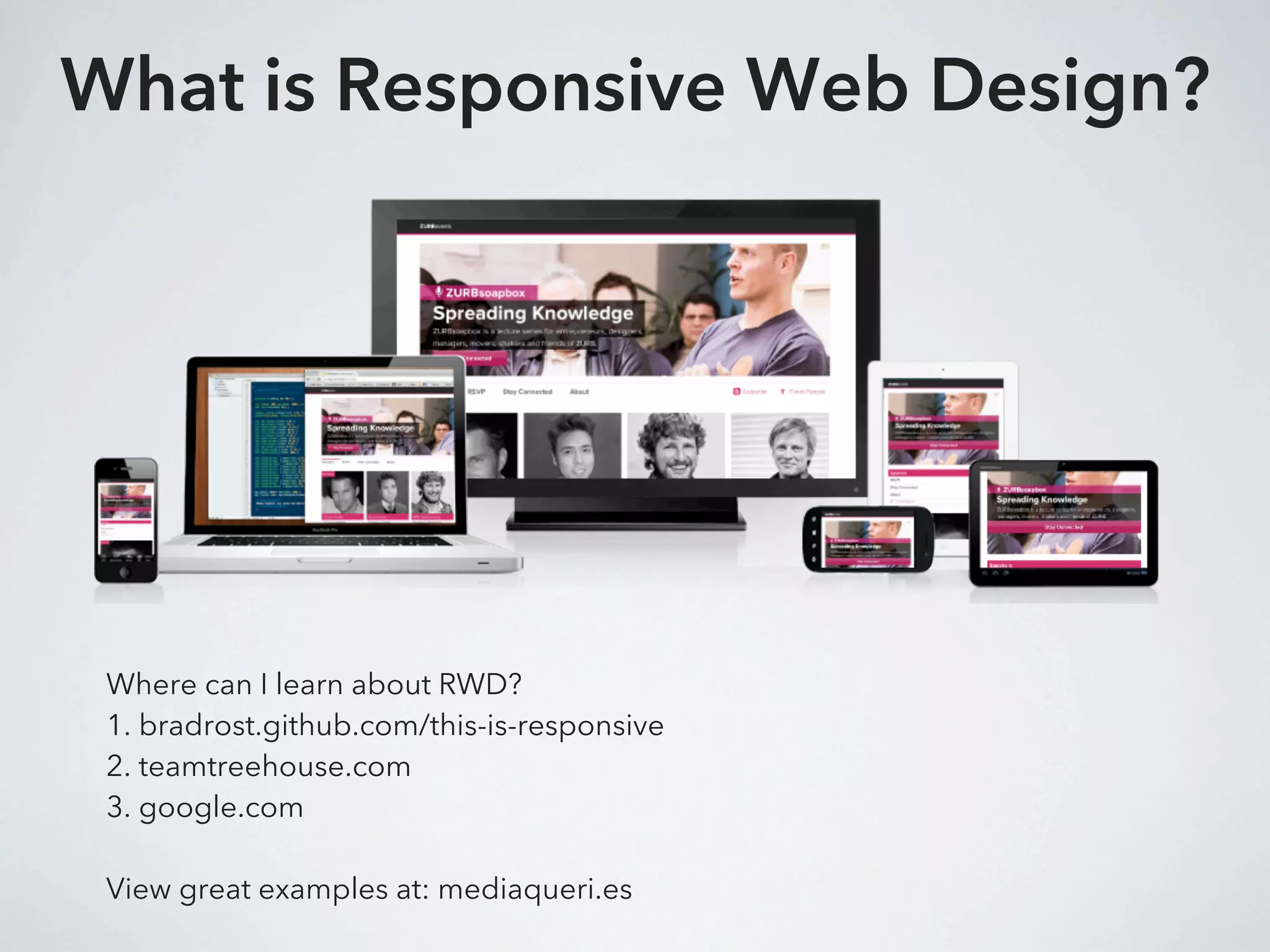
What is Responsive Web Design?


 Where can I learn about RWD?
 1. bradrost.github.com/this-is-responsive
 2. teamtreehouse.com
 3. google.com

 View great examples at: mediaqueri.es
Content Strategy
1. What do I want my users to see on mobile?

2. Should I show a “lite” version of my site?

3. But aren’t users within a different context when
viewing my site on their phone?
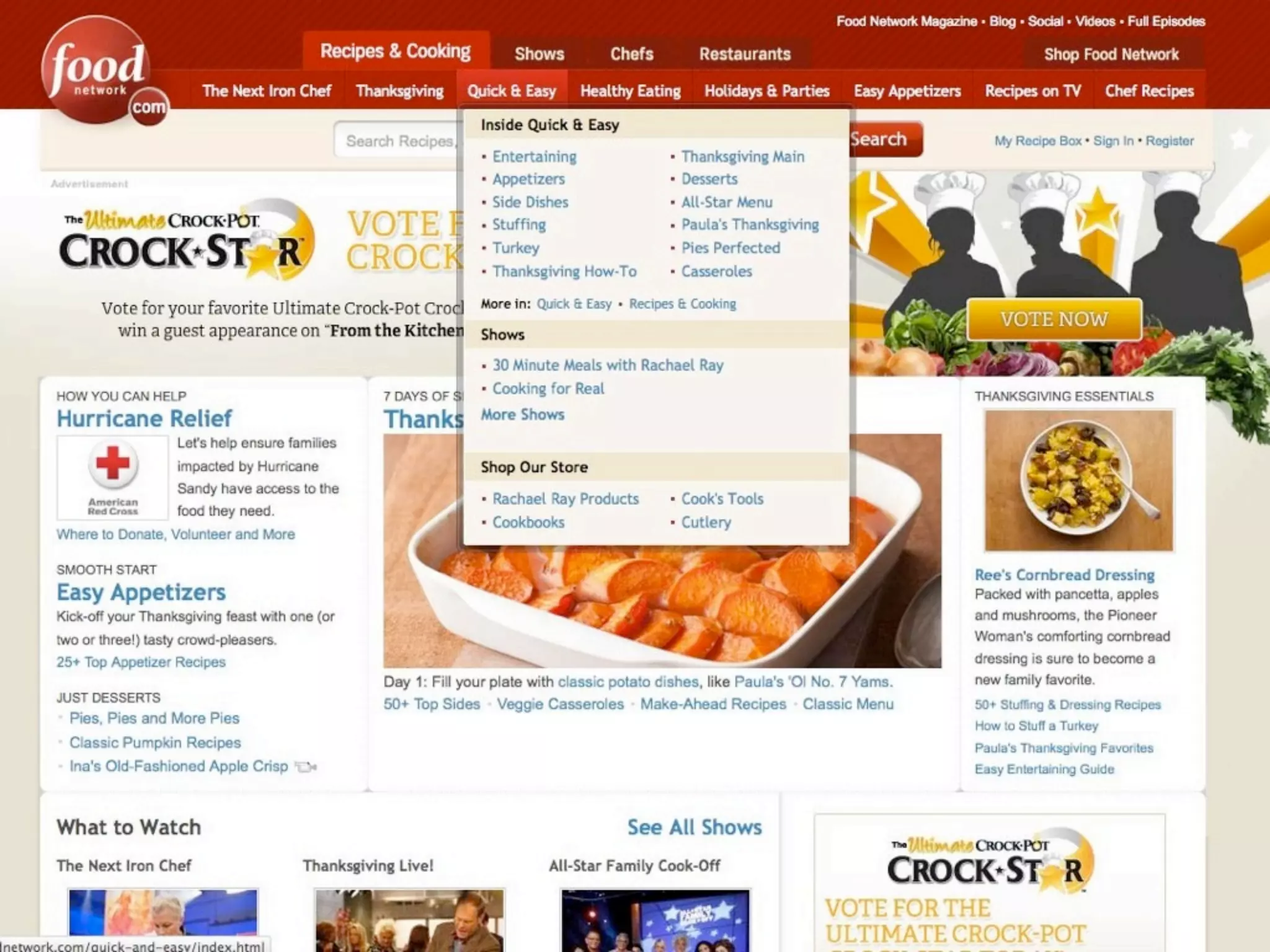
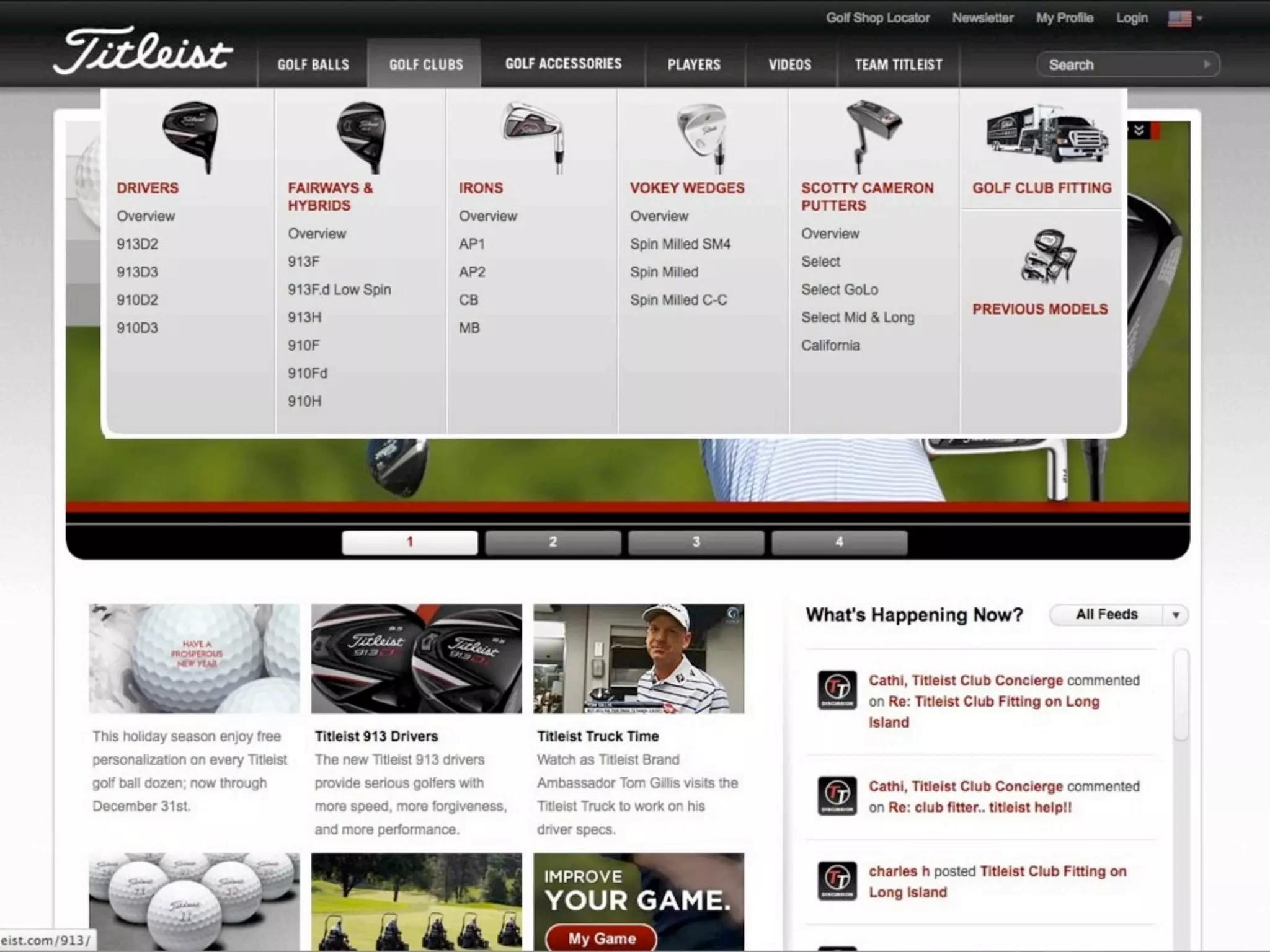
Retro-fitting an existing website
     to become responsive
          can be difficult.

Especially one with a large menu.
“Use mobile as an excuse
to revisit your navigation.”
                       -Brad Frost
Manipulate WordPress

1. Target your navigation through better CSS classes.

2. Use multiple menus if necessary

3. Use custom links for top-level menu items
Better CSS Classes
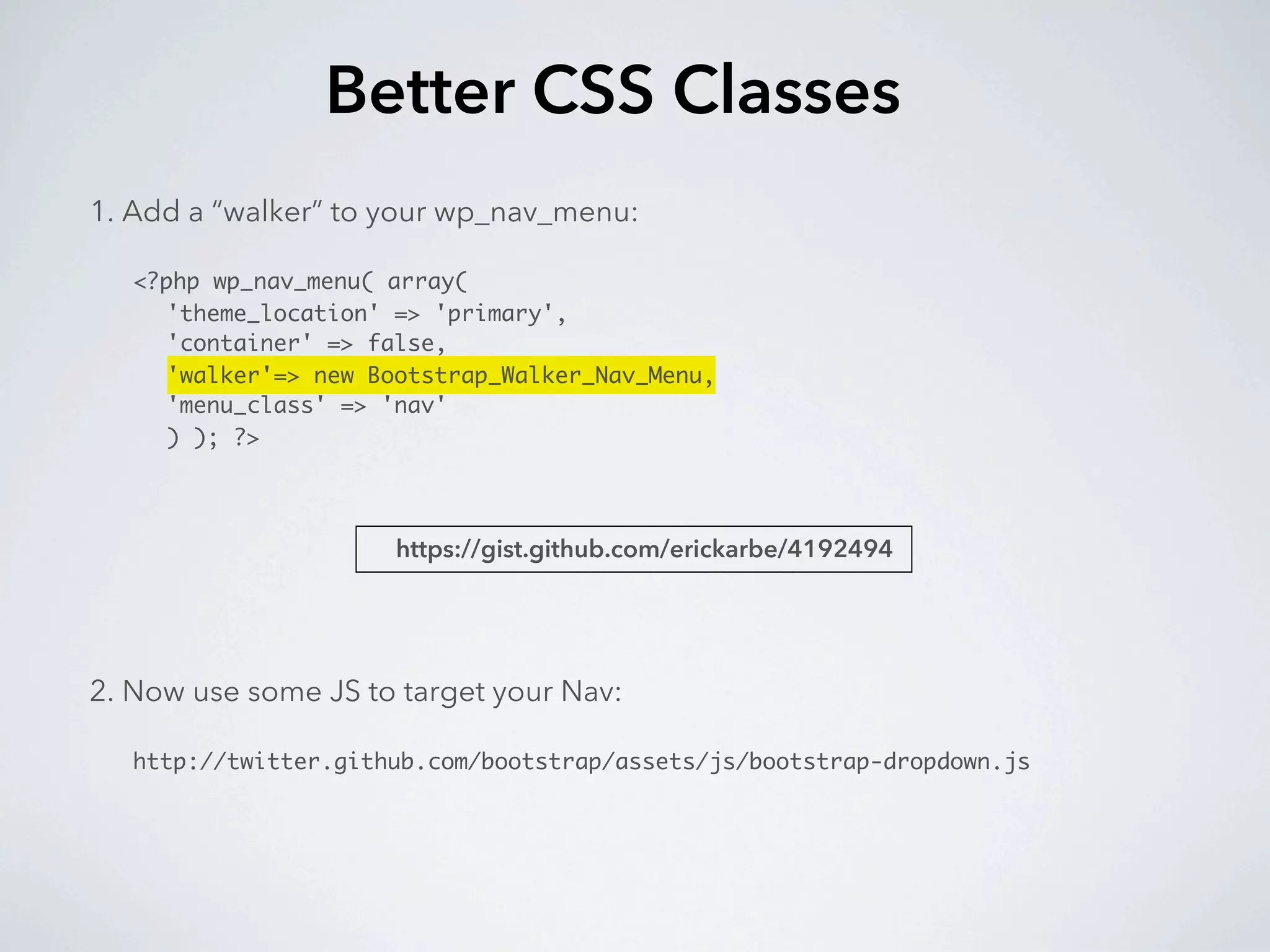
1. Add a “walker” to your wp_nav_menu:

   <?php wp_nav_menu( array(
     'theme_location' => 'primary',
     'container' => false,
     'walker'=> new Bootstrap_Walker_Nav_Menu,
     'menu_class' => 'nav'
     ) ); ?>


                      https://gist.github.com/erickarbe/4192494


2. Now use some JS to target your Nav:

   http://twitter.github.com/bootstrap/assets/js/bootstrap-dropdown.js
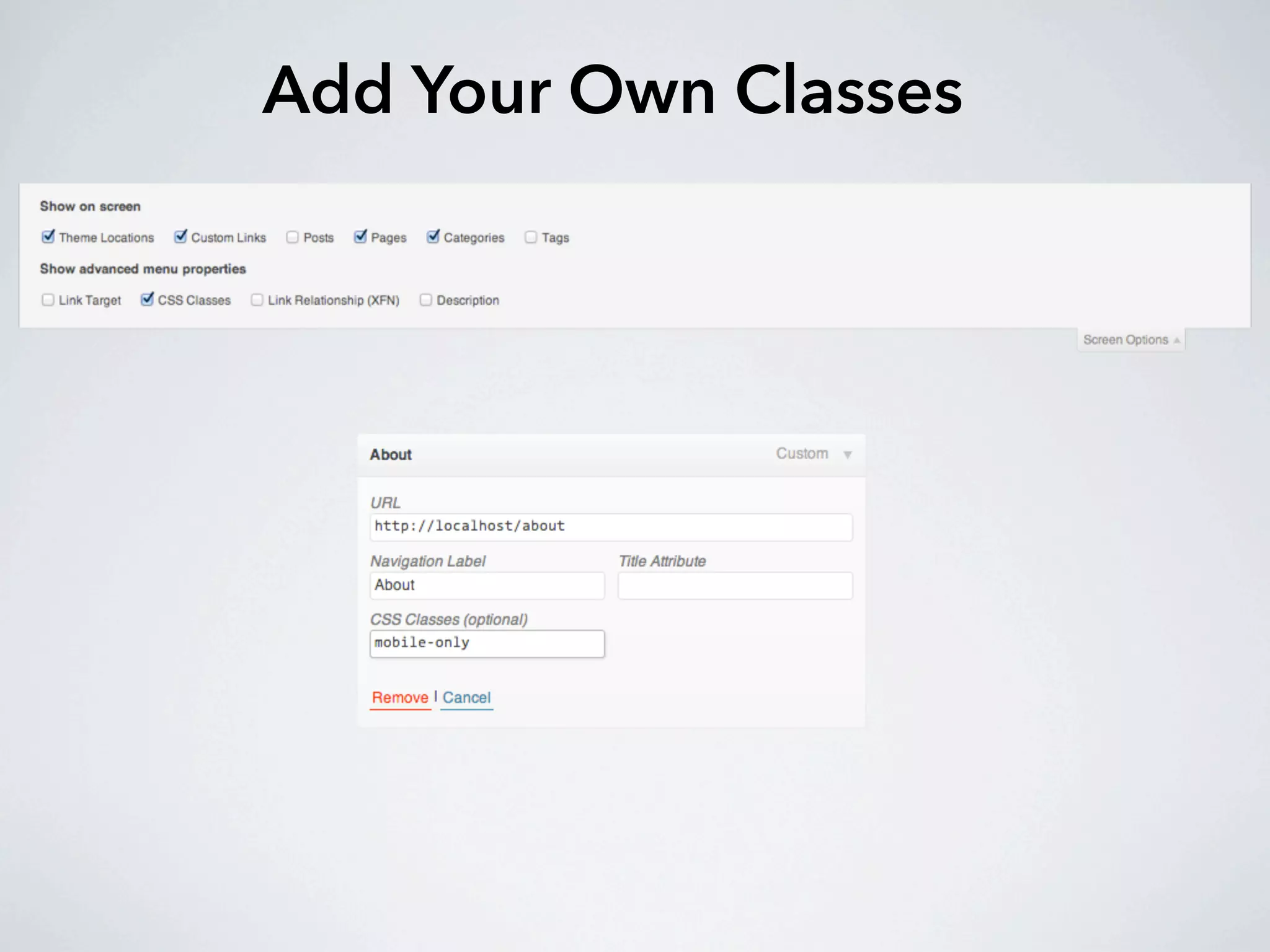
Add Your Own Classes
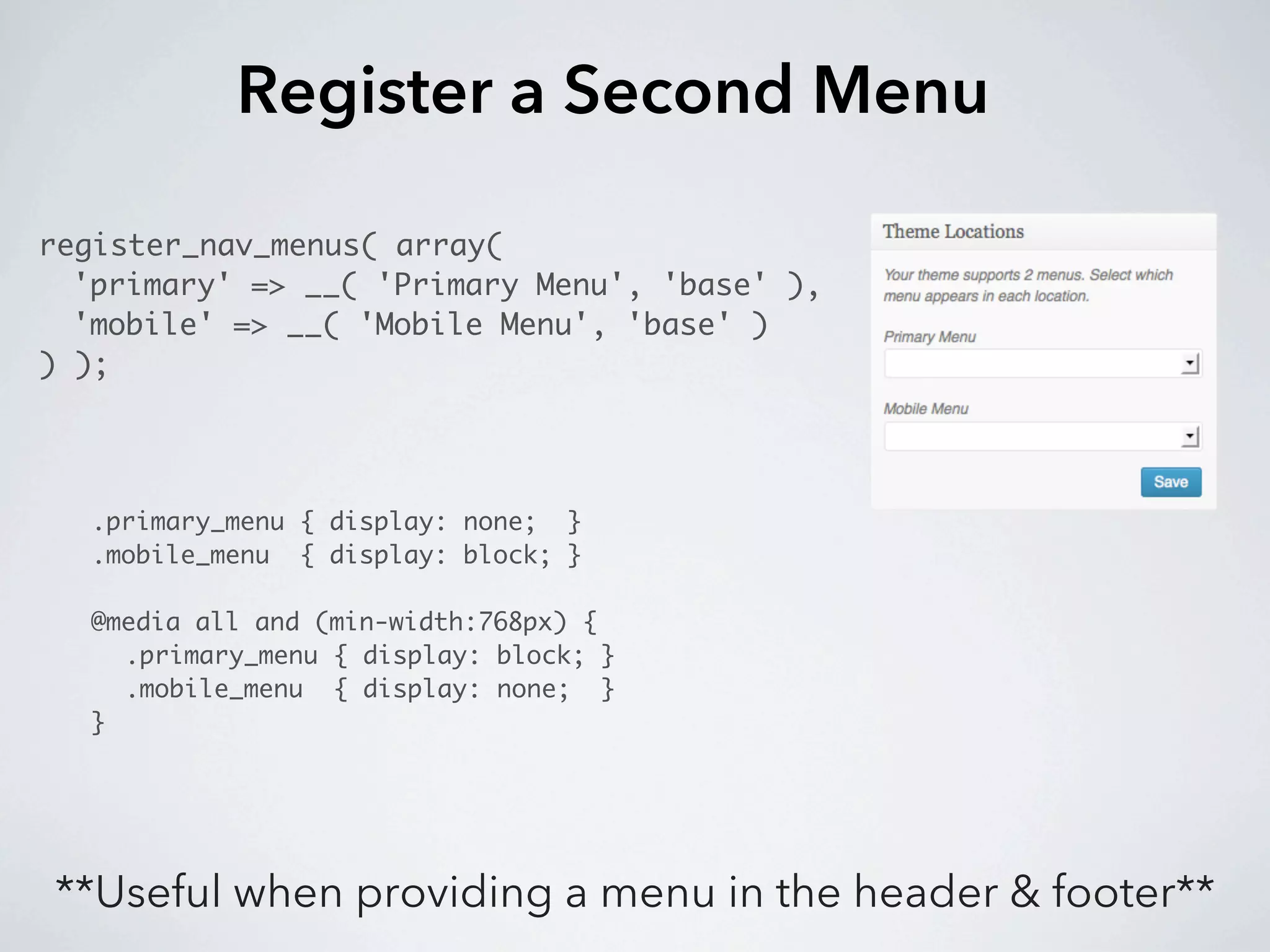
Register a Second Menu

register_nav_menus( array(
  'primary' => __( 'Primary Menu', 'base' ),
  'mobile' => __( 'Mobile Menu', 'base' )
) );


  .primary_menu { display: none; }
  .mobile_menu { display: block; }

  @media all and (min-width:768px) {
    .primary_menu { display: block; }
    .mobile_menu { display: none; }
  }


**Useful when providing a menu in the header & footer**
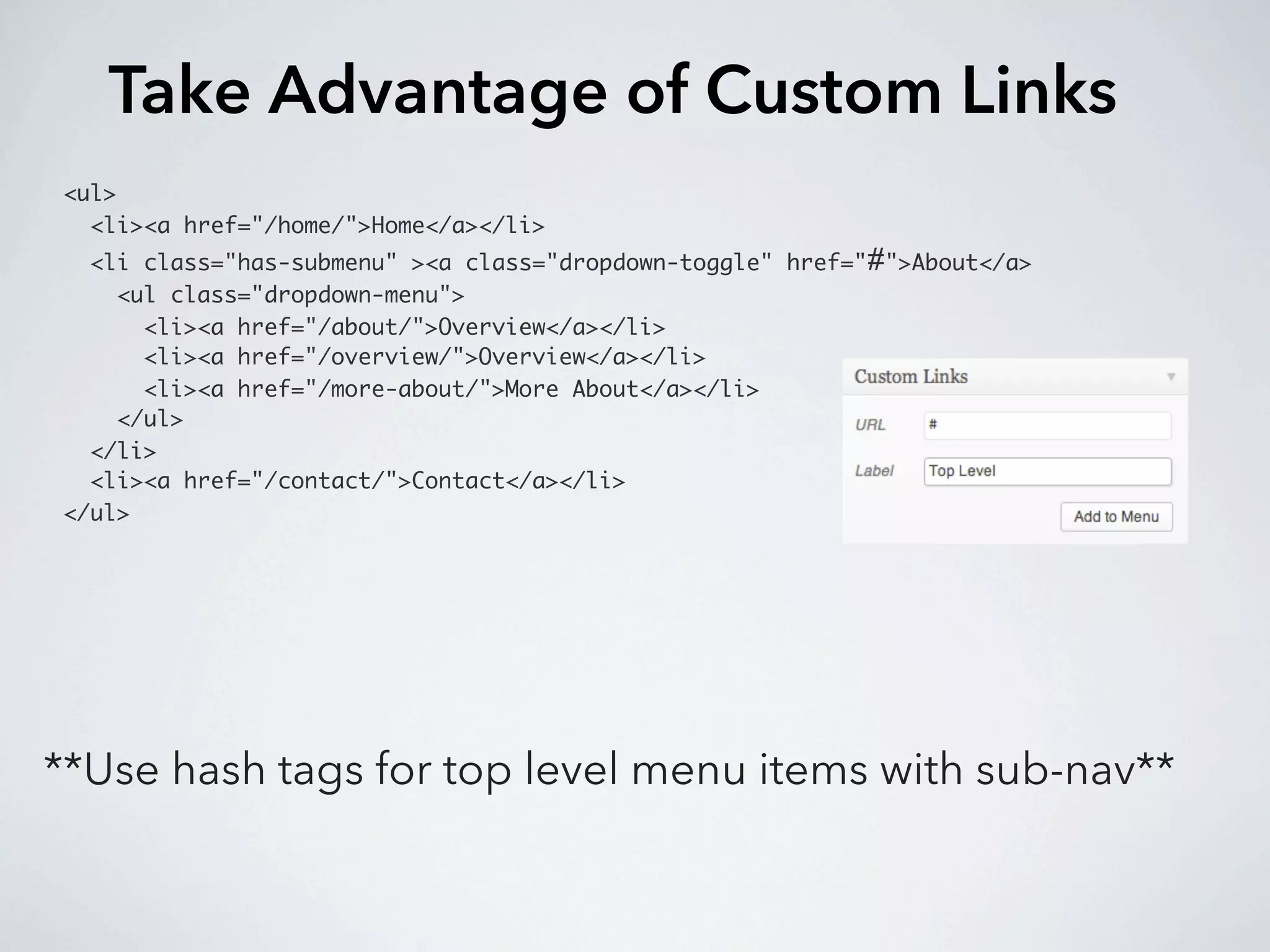
Take Advantage of Custom Links
<ul>
  <li><a href="/home/">Home</a></li>
  <li class="has-submenu" ><a class="dropdown-toggle" href="#">About</a>
    <ul class="dropdown-menu">
      <li><a href="/about/">Overview</a></li>
      <li><a href="/overview/">Overview</a></li>
      <li><a href="/more-about/">More About</a></li>
    </ul>
  </li>
  <li><a href="/contact/">Contact</a></li>
</ul>


**Use hash tags for top level menu items with sub-nav**
Navigation Patterns
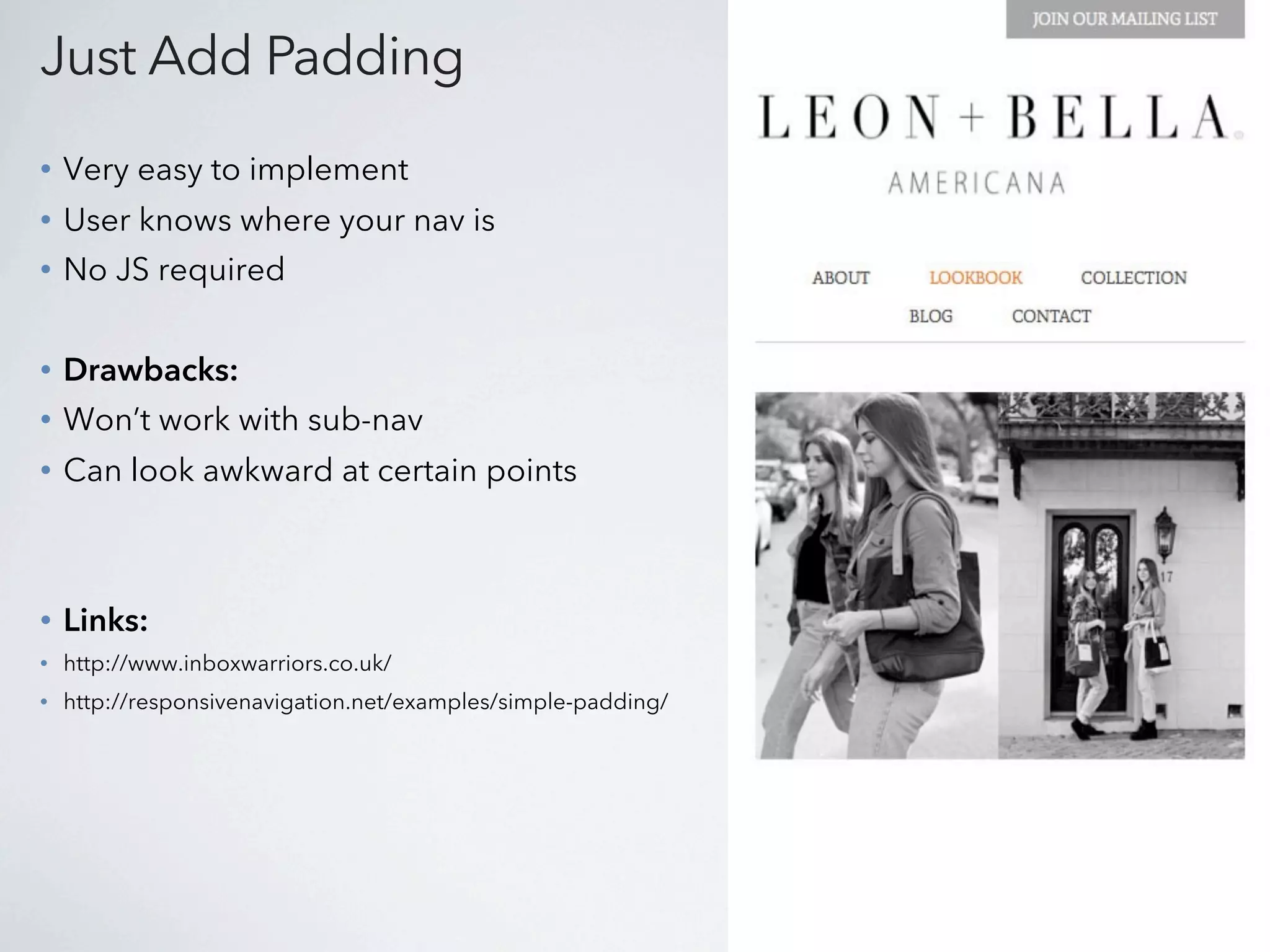
Just Add Padding
•   Very easy to implement
•   User knows where your nav is
•   No JS required


•   Drawbacks:
•   Won’t work with sub-nav
•   Can look awkward at certain points


•   Links:
•   http://www.inboxwarriors.co.uk/
•   http://responsivenavigation.net/examples/simple-padding/
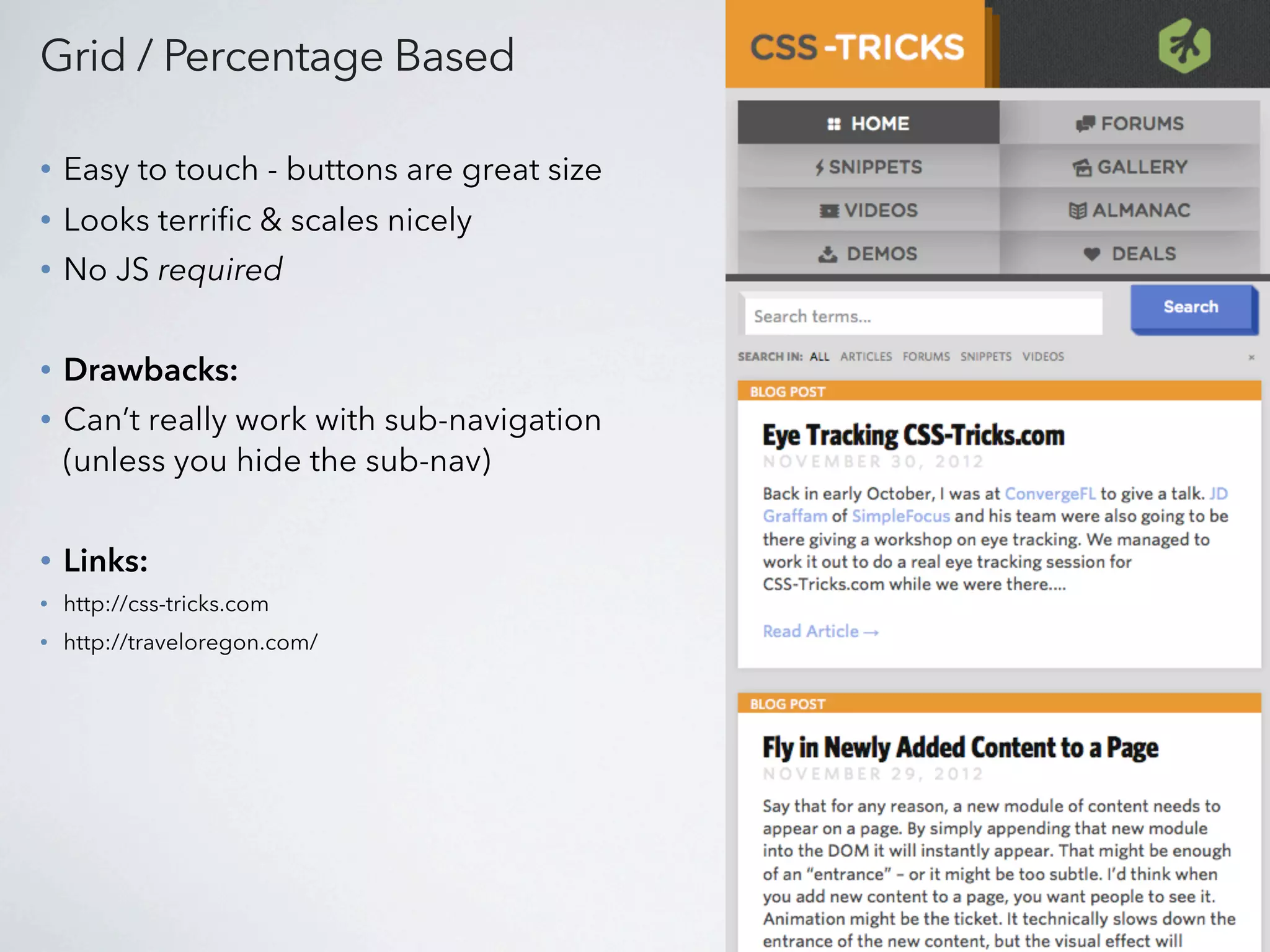
Grid / Percentage Based

•   Easy to touch - buttons are great size
•   Looks terrific & scales nicely
•   No JS required


•   Drawbacks:
•   Can’t really work with sub-navigation
    (unless you hide the sub-nav)


•   Links:
•   http://css-tricks.com
•   http://traveloregon.com/
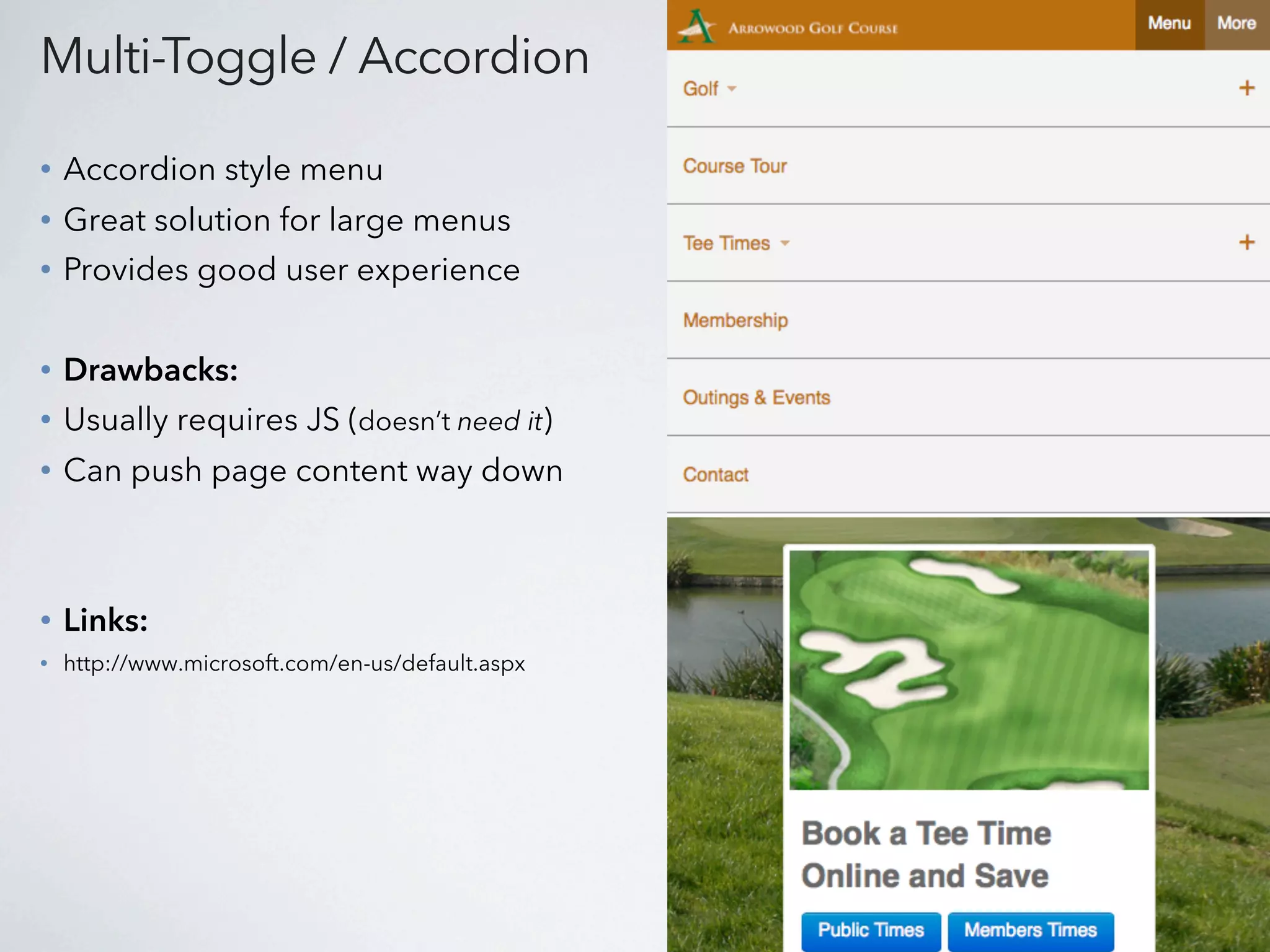
Multi-Toggle / Accordion

•   Accordion style menu
•   Great solution for large menus
•   Provides good user experience


•   Drawbacks:
•   Usually requires JS (doesn’t need it)
•   Can push page content way down


•   Links:
•   http://www.microsoft.com/en-us/default.aspx
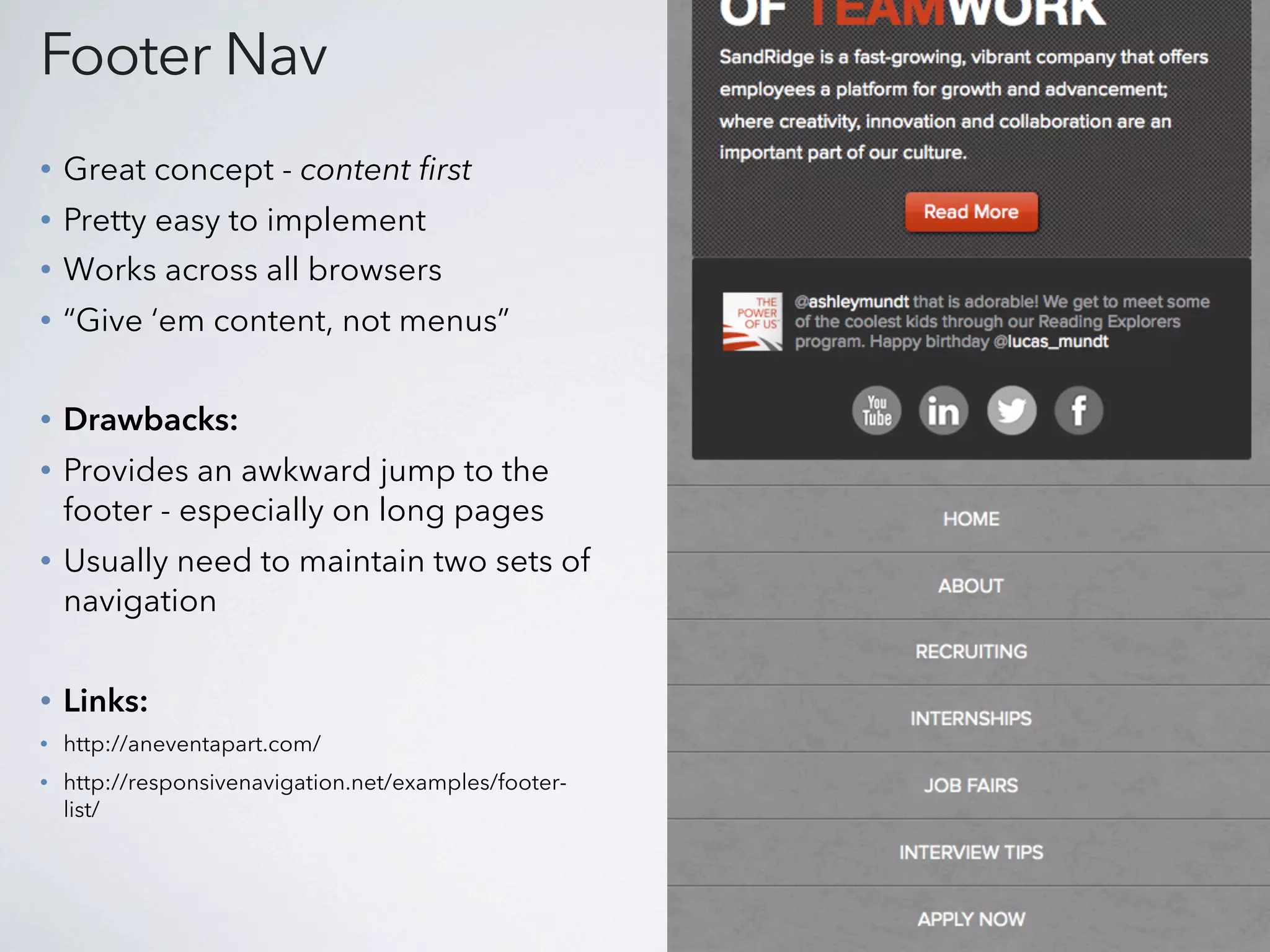
Footer Nav
•   Great concept - content first
•   Pretty easy to implement
•   Works across all browsers
•   “Give ‘em content, not menus”

•   Drawbacks:
•   Provides an awkward jump to the
    footer - especially on long pages
•   Usually need to maintain two sets of
    navigation


•   Links:
•   http://aneventapart.com/
•   http://responsivenavigation.net/examples/footer-
    list/
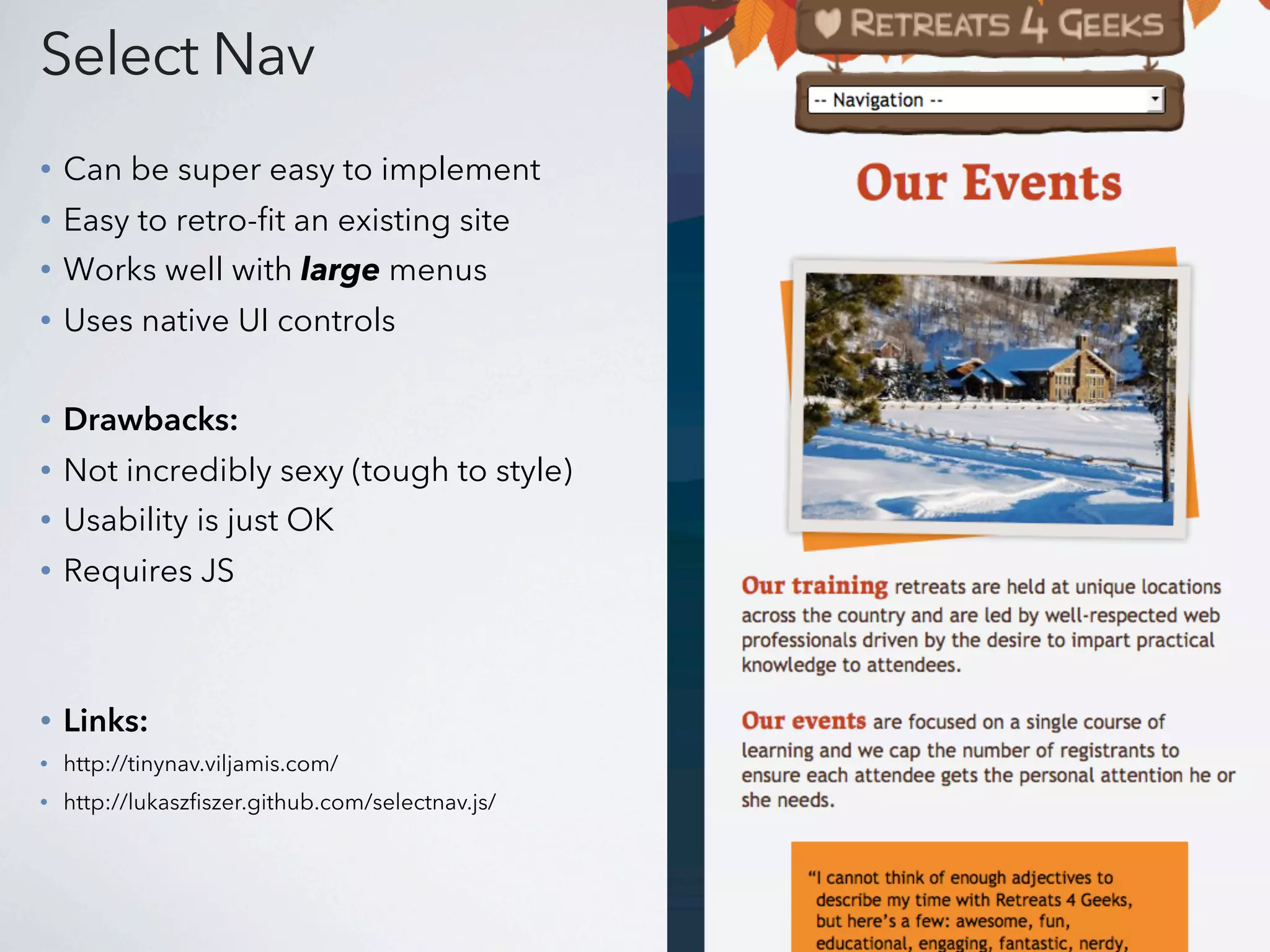
Select Nav
•   Can be super easy to implement
•   Easy to retro-fit an existing site
•   Works well with large menus
•   Uses native UI controls

•   Drawbacks:
•   Not incredibly sexy (tough to style)
•   Usability is just OK
•   Requires JS


•   Links:
•   http://tinynav.viljamis.com/
•   http://lukaszfiszer.github.com/selectnav.js/
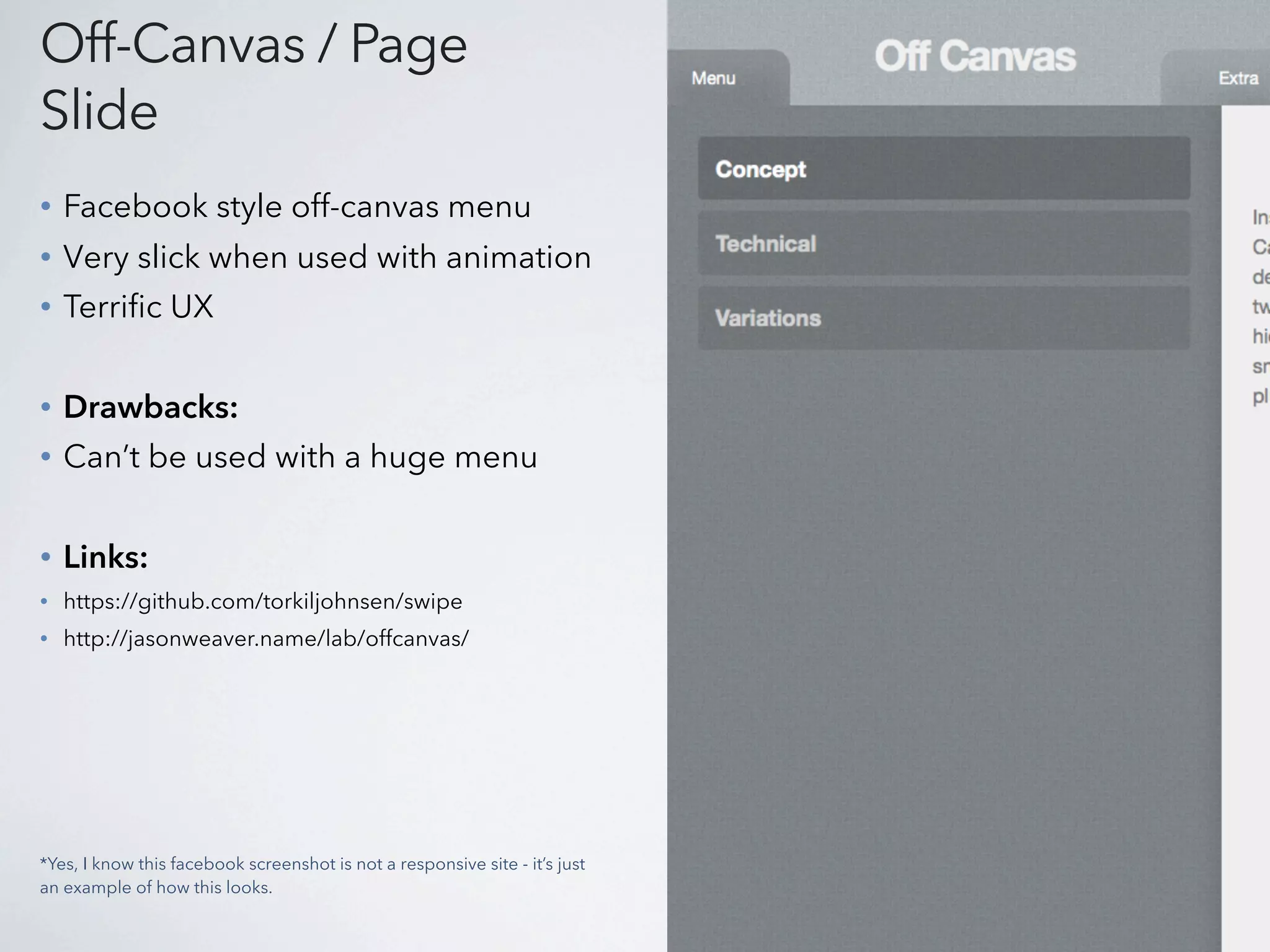
Off-Canvas / Page
Slide
•   Facebook style off-canvas menu
•   Very slick when used with animation
•   Terrific UX


•   Drawbacks:
•   Can’t be used with a huge menu


•   Links:
•   https://github.com/torkiljohnsen/swipe
•   http://jasonweaver.name/lab/offcanvas/


*Yes, I know this facebook screenshot is not a responsive site - it’s just
an example of how this looks.
http://www.flickr.com/photos/oliviahouse32/3347768206/


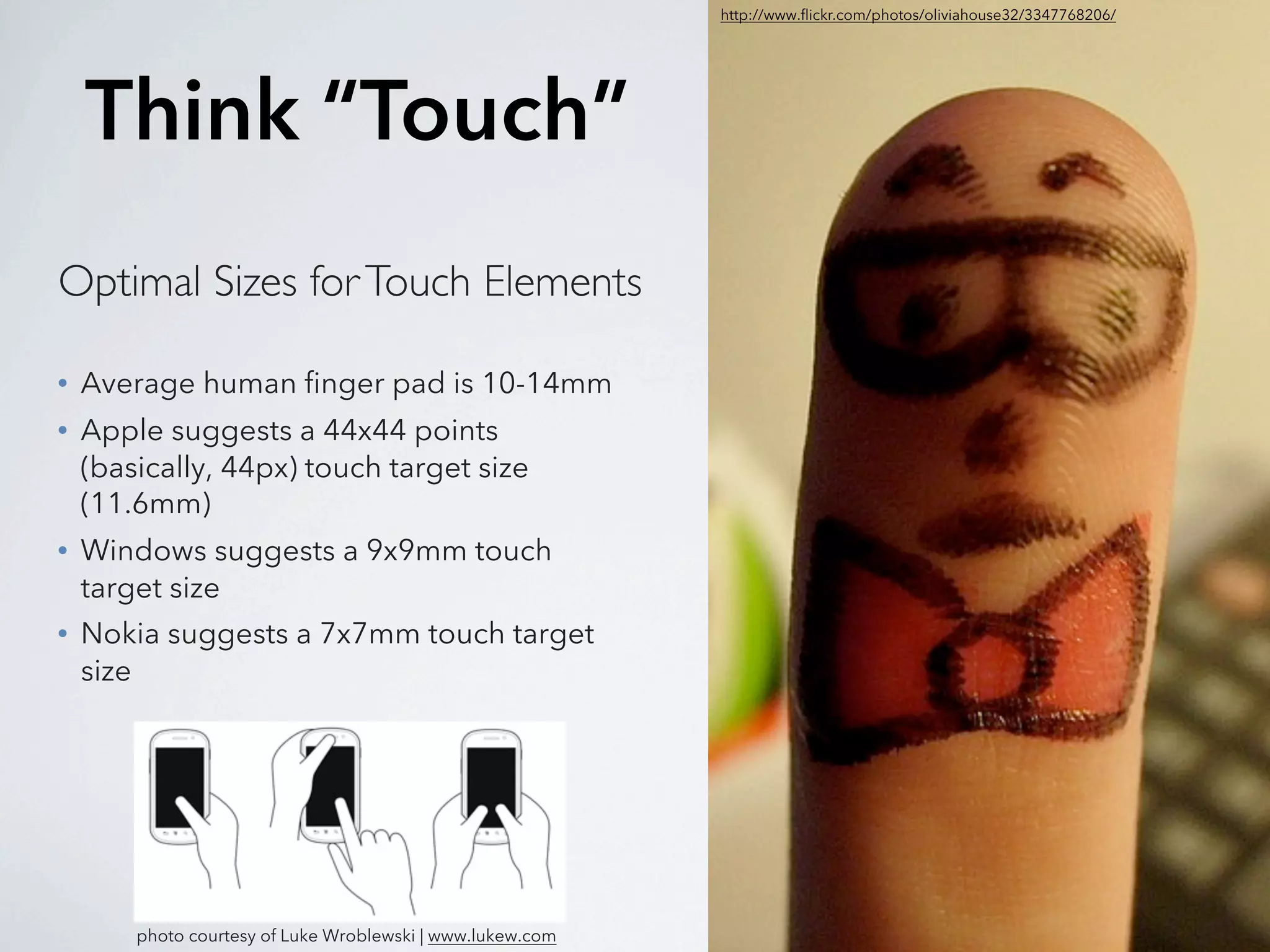
    Think “Touch”
Optimal Sizes for Touch Elements

•   Average human finger pad is 10-14mm
•   Apple suggests a 44x44 points
    (basically, 44px) touch target size
    (11.6mm)
•   Windows suggests a 9x9mm touch
    target size
•   Nokia suggests a 7x7mm touch target
    size


        photo courtesy of Luke Wroblewski | www.lukew.com
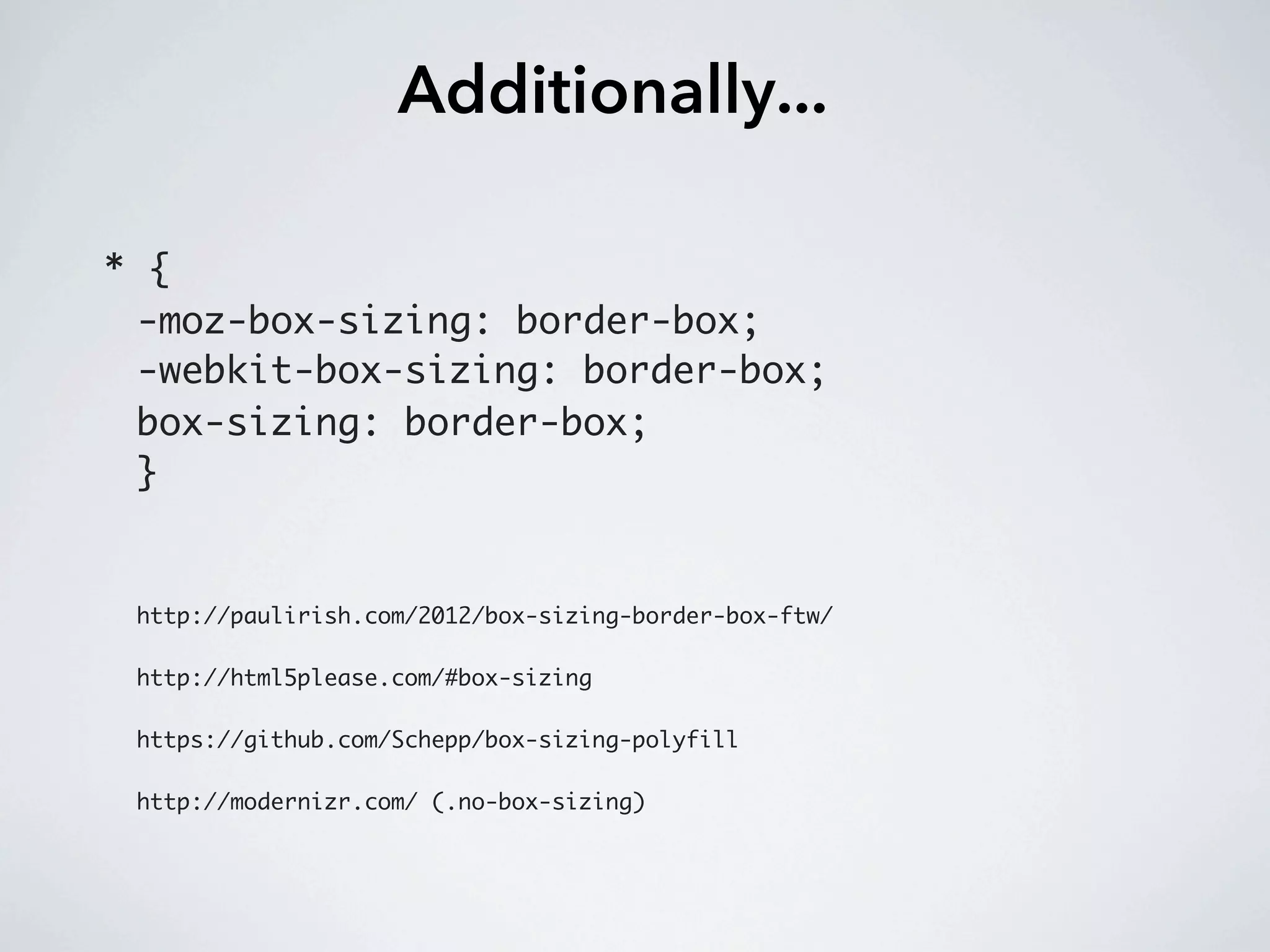
Additionally...

* {
 -moz-box-sizing: border-box;
 -webkit-box-sizing: border-box;
 box-sizing: border-box;
 }


 http://paulirish.com/2012/box-sizing-border-box-ftw/

 http://html5please.com/#box-sizing

 https://github.com/Schepp/box-sizing-polyfill

 http://modernizr.com/ (.no-box-sizing)
Resources
Better WalkerNav: https://gist.github.com/erickarbe/4192494

Drop-down JavaScript: http://twitter.github.com/bootstrap/assets/js/bootstrap-dropdown.js

http://erickar.be/blog/my-experience-with-navigation-in-responsive-design
http://responsivenavigation.net/

http://mediaqueri.es/
http://www.responsinator.com
http://lab.maltewassermann.com/viewport-resizer/

http://tinynav.viljamis.com/
http://lukaszfiszer.github.com/selectnav.js/

http://designshack.net/articles/css/code-a-responsive-navigation-menu/ (Fluid Grid Layout)
Thank You!
   Erick Arbé
   @erickarbe

WordPress Navigation in Responsive Design

  • 2.
    “Poorly executed navigationcan spell disaster for user experience.” -Gene Crawford
  • 3.
    Roadmap What is RWD? Howyour content strategy plays into RWD & navigation. Manipulate WordPress for a better responsive nav. Navigation patterns and examples.
  • 4.
    What is ResponsiveWeb Design? Where can I learn about RWD? 1. bradrost.github.com/this-is-responsive 2. teamtreehouse.com 3. google.com View great examples at: mediaqueri.es
  • 5.
    Content Strategy 1. Whatdo I want my users to see on mobile? 2. Should I show a “lite” version of my site? 3. But aren’t users within a different context when viewing my site on their phone?
  • 6.
    Retro-fitting an existingwebsite to become responsive can be difficult. Especially one with a large menu.
  • 10.
    “Use mobile asan excuse to revisit your navigation.” -Brad Frost
  • 11.
    Manipulate WordPress 1. Targetyour navigation through better CSS classes. 2. Use multiple menus if necessary 3. Use custom links for top-level menu items
  • 12.
    Better CSS Classes 1.Add a “walker” to your wp_nav_menu: <?php wp_nav_menu( array( 'theme_location' => 'primary', 'container' => false, 'walker'=> new Bootstrap_Walker_Nav_Menu, 'menu_class' => 'nav' ) ); ?> https://gist.github.com/erickarbe/4192494 2. Now use some JS to target your Nav: http://twitter.github.com/bootstrap/assets/js/bootstrap-dropdown.js
  • 13.
    Add Your OwnClasses
  • 14.
    Register a SecondMenu register_nav_menus( array( 'primary' => __( 'Primary Menu', 'base' ), 'mobile' => __( 'Mobile Menu', 'base' ) ) ); .primary_menu { display: none; } .mobile_menu { display: block; } @media all and (min-width:768px) { .primary_menu { display: block; } .mobile_menu { display: none; } } **Useful when providing a menu in the header & footer**
  • 15.
    Take Advantage ofCustom Links <ul> <li><a href="/home/">Home</a></li> <li class="has-submenu" ><a class="dropdown-toggle" href="#">About</a> <ul class="dropdown-menu"> <li><a href="/about/">Overview</a></li> <li><a href="/overview/">Overview</a></li> <li><a href="/more-about/">More About</a></li> </ul> </li> <li><a href="/contact/">Contact</a></li> </ul> **Use hash tags for top level menu items with sub-nav**
  • 16.
  • 17.
    Just Add Padding • Very easy to implement • User knows where your nav is • No JS required • Drawbacks: • Won’t work with sub-nav • Can look awkward at certain points • Links: • http://www.inboxwarriors.co.uk/ • http://responsivenavigation.net/examples/simple-padding/
  • 18.
    Grid / PercentageBased • Easy to touch - buttons are great size • Looks terrific & scales nicely • No JS required • Drawbacks: • Can’t really work with sub-navigation (unless you hide the sub-nav) • Links: • http://css-tricks.com • http://traveloregon.com/
  • 19.
    Multi-Toggle / Accordion • Accordion style menu • Great solution for large menus • Provides good user experience • Drawbacks: • Usually requires JS (doesn’t need it) • Can push page content way down • Links: • http://www.microsoft.com/en-us/default.aspx
  • 20.
    Footer Nav • Great concept - content first • Pretty easy to implement • Works across all browsers • “Give ‘em content, not menus” • Drawbacks: • Provides an awkward jump to the footer - especially on long pages • Usually need to maintain two sets of navigation • Links: • http://aneventapart.com/ • http://responsivenavigation.net/examples/footer- list/
  • 21.
    Select Nav • Can be super easy to implement • Easy to retro-fit an existing site • Works well with large menus • Uses native UI controls • Drawbacks: • Not incredibly sexy (tough to style) • Usability is just OK • Requires JS • Links: • http://tinynav.viljamis.com/ • http://lukaszfiszer.github.com/selectnav.js/
  • 22.
    Off-Canvas / Page Slide • Facebook style off-canvas menu • Very slick when used with animation • Terrific UX • Drawbacks: • Can’t be used with a huge menu • Links: • https://github.com/torkiljohnsen/swipe • http://jasonweaver.name/lab/offcanvas/ *Yes, I know this facebook screenshot is not a responsive site - it’s just an example of how this looks.
  • 23.
    http://www.flickr.com/photos/oliviahouse32/3347768206/ Think “Touch” Optimal Sizes for Touch Elements • Average human finger pad is 10-14mm • Apple suggests a 44x44 points (basically, 44px) touch target size (11.6mm) • Windows suggests a 9x9mm touch target size • Nokia suggests a 7x7mm touch target size photo courtesy of Luke Wroblewski | www.lukew.com
  • 24.
    Additionally... * { -moz-box-sizing:border-box; -webkit-box-sizing: border-box; box-sizing: border-box; } http://paulirish.com/2012/box-sizing-border-box-ftw/ http://html5please.com/#box-sizing https://github.com/Schepp/box-sizing-polyfill http://modernizr.com/ (.no-box-sizing)
  • 25.
    Resources Better WalkerNav: https://gist.github.com/erickarbe/4192494 Drop-downJavaScript: http://twitter.github.com/bootstrap/assets/js/bootstrap-dropdown.js http://erickar.be/blog/my-experience-with-navigation-in-responsive-design http://responsivenavigation.net/ http://mediaqueri.es/ http://www.responsinator.com http://lab.maltewassermann.com/viewport-resizer/ http://tinynav.viljamis.com/ http://lukaszfiszer.github.com/selectnav.js/ http://designshack.net/articles/css/code-a-responsive-navigation-menu/ (Fluid Grid Layout)
  • 26.
    Thank You! Erick Arbé @erickarbe