var title = “DOM Performance”; 
Nov 23, 2014 
Nov 23, 
2014 
Sofia 
var info = { 
name: “Hristo Chakarov”, 
otherOptional: undefined 
};
Nov 23, 
2014 
agenda(); 
• Why performance is so important 
• Event delegation 
• Stylesheet manipulation 
• DOM creation 
• DOM destruction 
• Questions
Nov 23, 
2014 
Performance 
Why so important?
Nov 23, 
2014
Nov 23, 
2014 
Why performance matters? 
Good performance improves User Experience 
(UX) 
• Slow performance is very obvious 
• Users don’t enjoy waiting
Nov 23, 
2014
Nov 23, 
2014 
DOM operations are heavy 
• createElement is most expensive 
• The more elements you need to operate 
with, the worse performance you get 
o Event handling 
o Styling
Nov 23, 
2014 
Event Delegation 
What is it & how it affects performance
Nov 23, 
2014
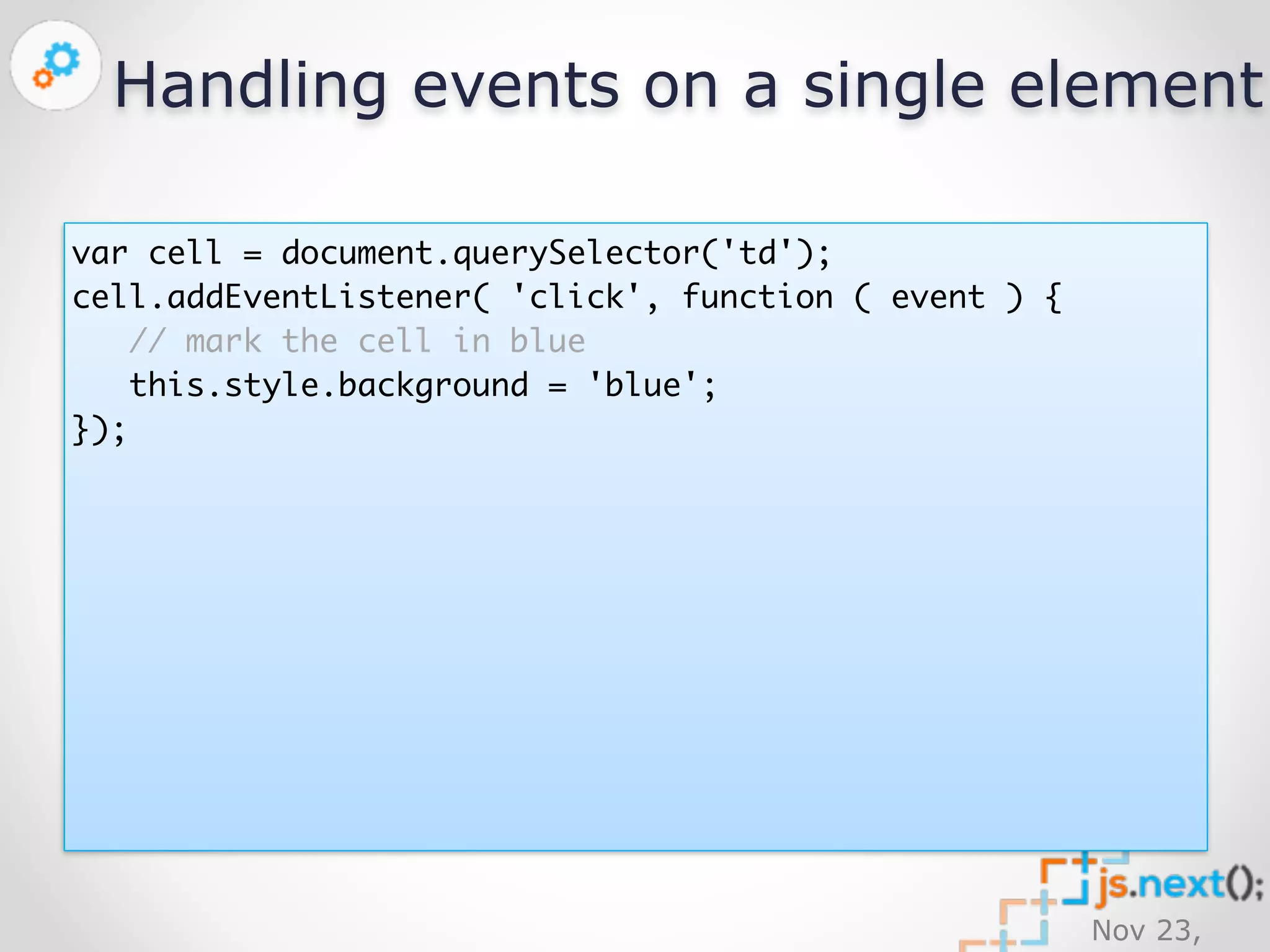
Handling events on a single element 
Nov 23, 
2014 
var cell = document.querySelector('td'); 
cell.addEventListener( 'click', function ( event ) { 
// mark the cell in blue 
this.style.background = 'blue'; 
});
Handling events on multiple elements 
Nov 23, 
2014 
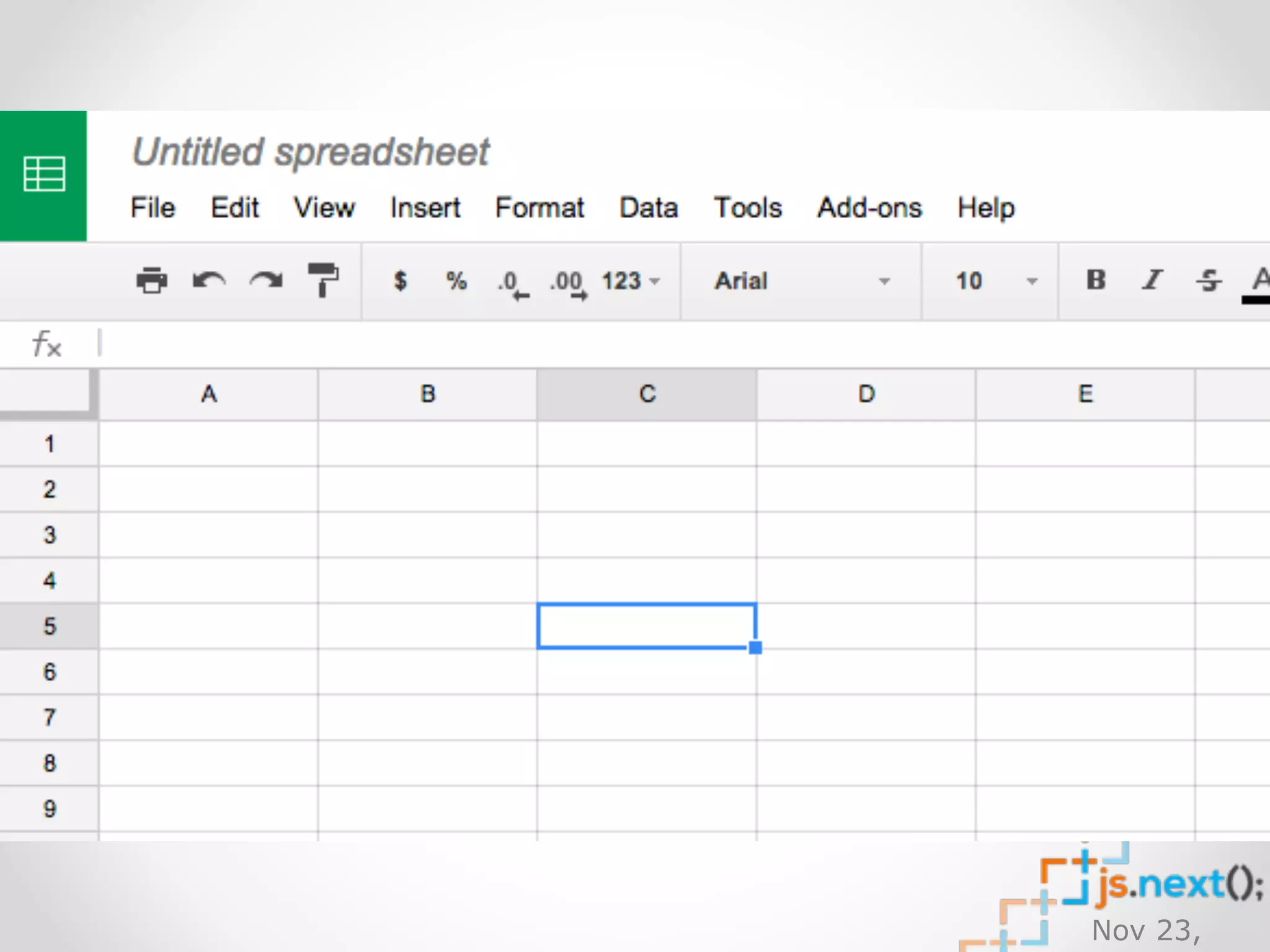
// imagine that we have 30’000 or more <td> elements… 
var cells = document.querySelectorAll('td'); 
// create single event handler 
var handler = function ( event ) { 
// mark the cell in blue 
this.style.background = 'blue'; 
}; 
for ( var i=0, l=cells.length; i<l; i += 1 ) { 
// add listener to every single cell... 
cells[i].addEventListener( 'click', handler ); 
}
Nov 23, 
2014 
Delegate?
Nov 23, 
2014 
Event delegation 
Event delegation allows you to avoid adding 
event listeners to specific nodes; instead, 
the event listener is added to one parent.
Nov 23, 
2014 
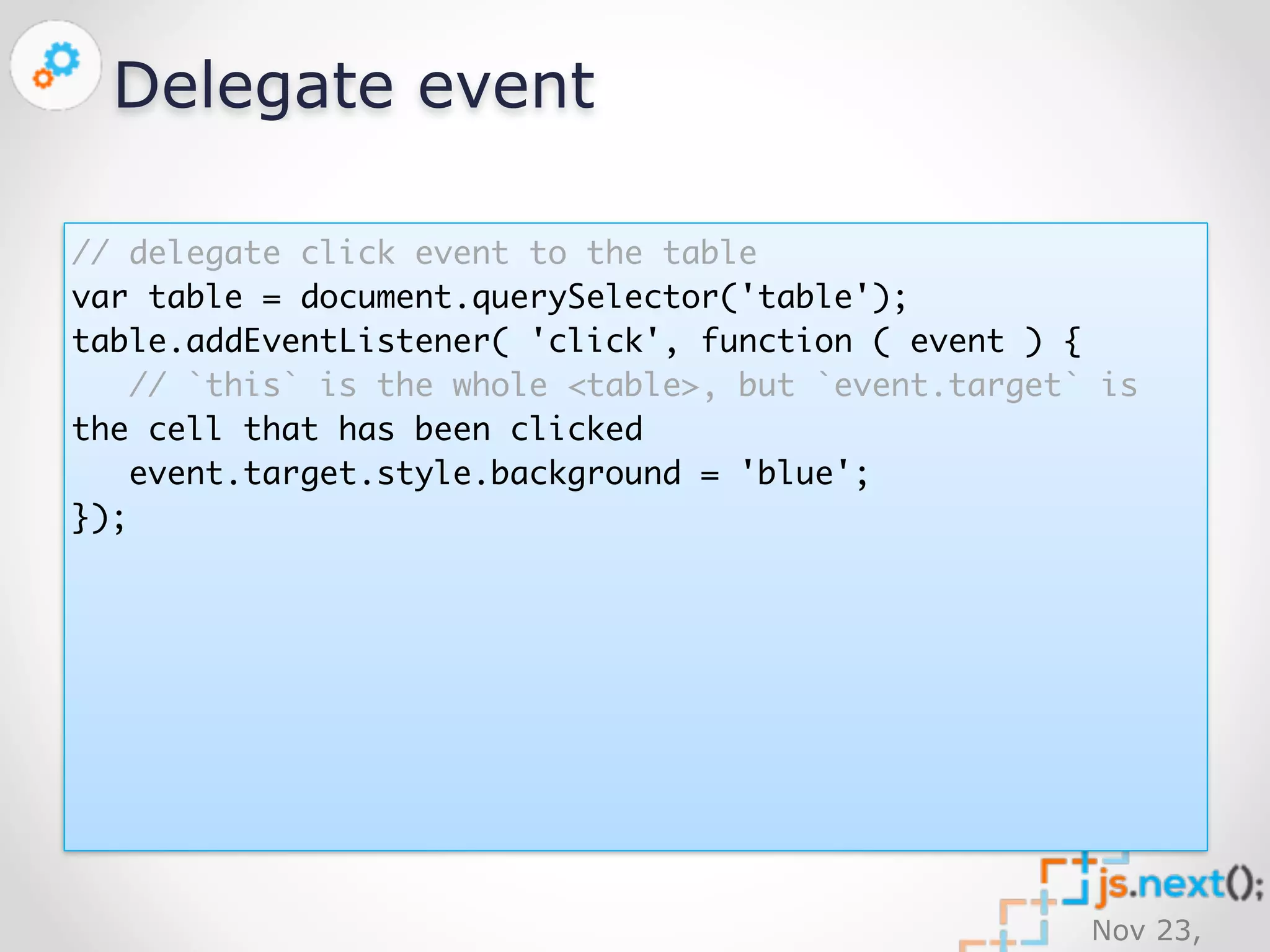
Delegate event 
// delegate click event to the table 
var table = document.querySelector('table'); 
table.addEventListener( 'click', function ( event ) { 
// `this` is the whole <table>, but `event.target` is 
the cell that has been clicked 
event.target.style.background = 'blue'; 
});
Nov 23, 
2014 
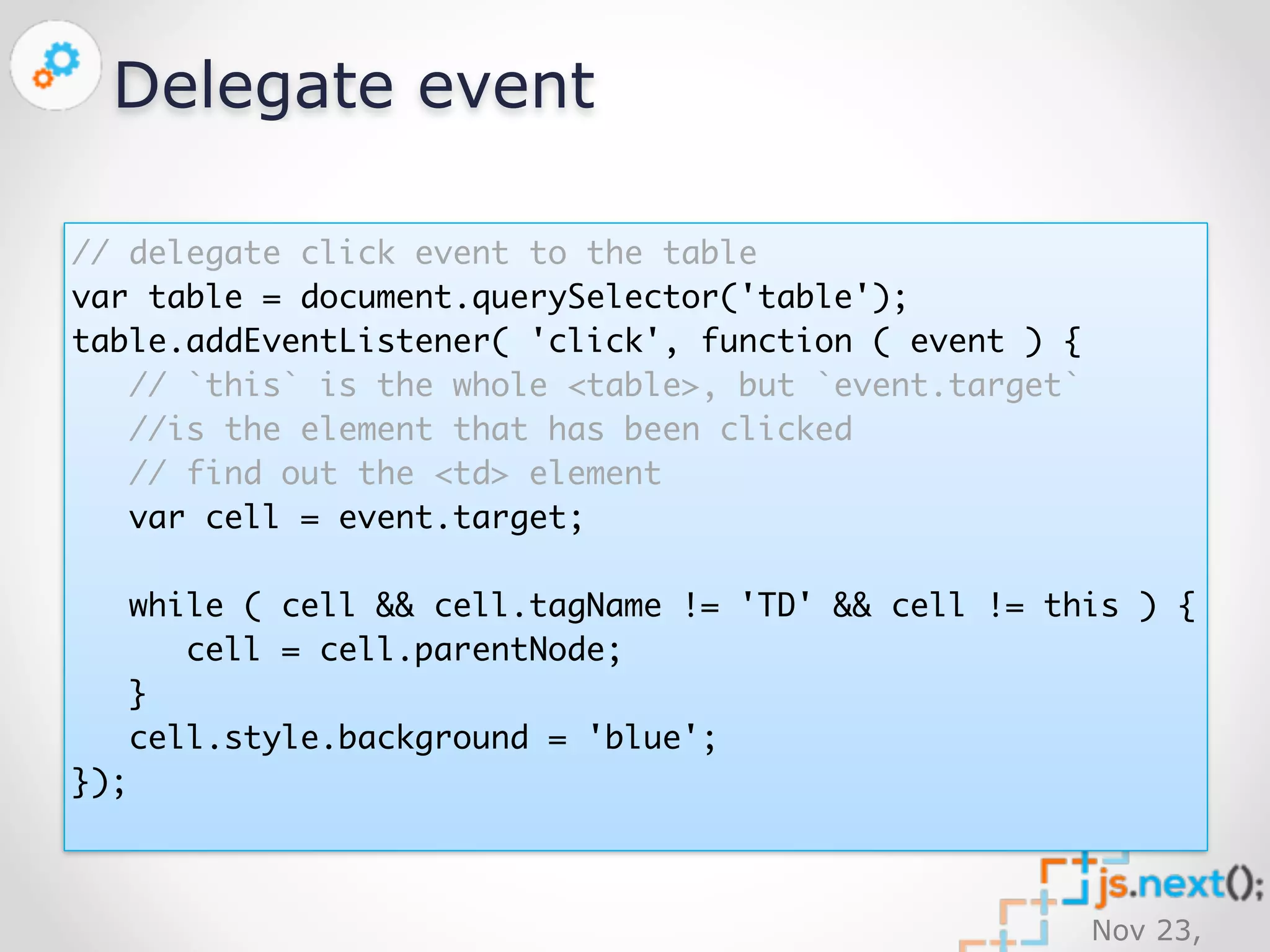
Delegate event 
// delegate click event to the table 
var table = document.querySelector('table'); 
table.addEventListener( 'click', function ( event ) { 
// `this` is the whole <table>, but `event.target` 
//is the element that has been clicked 
// find out the <td> element 
var cell = event.target; 
while ( cell && cell.tagName != 'TD' && cell != this ) { 
cell = cell.parentNode; 
} 
cell.style.background = 'blue'; 
});
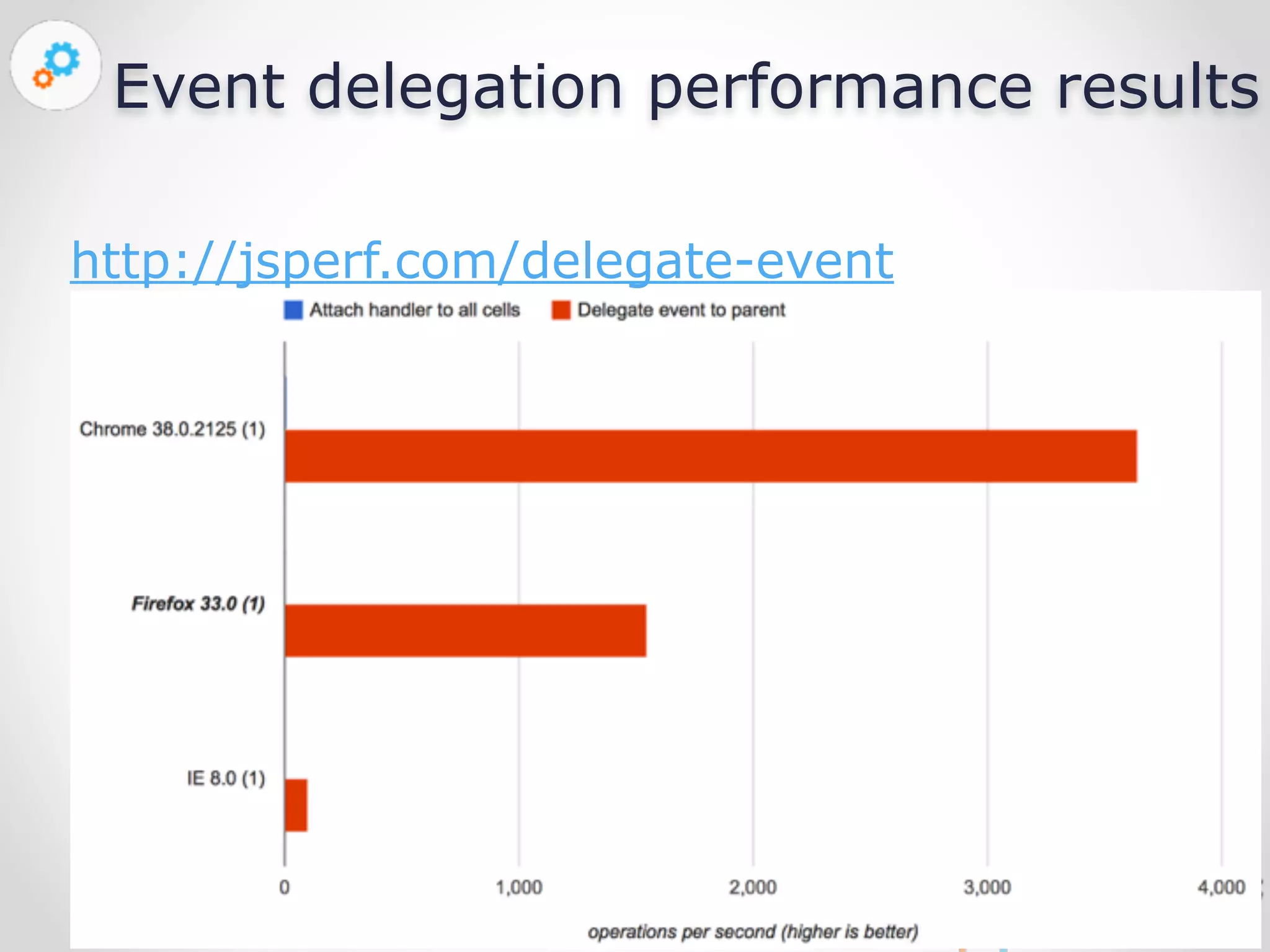
Event delegation performance results 
Nov 23, 
2014 
http://jsperf.com/delegate-event
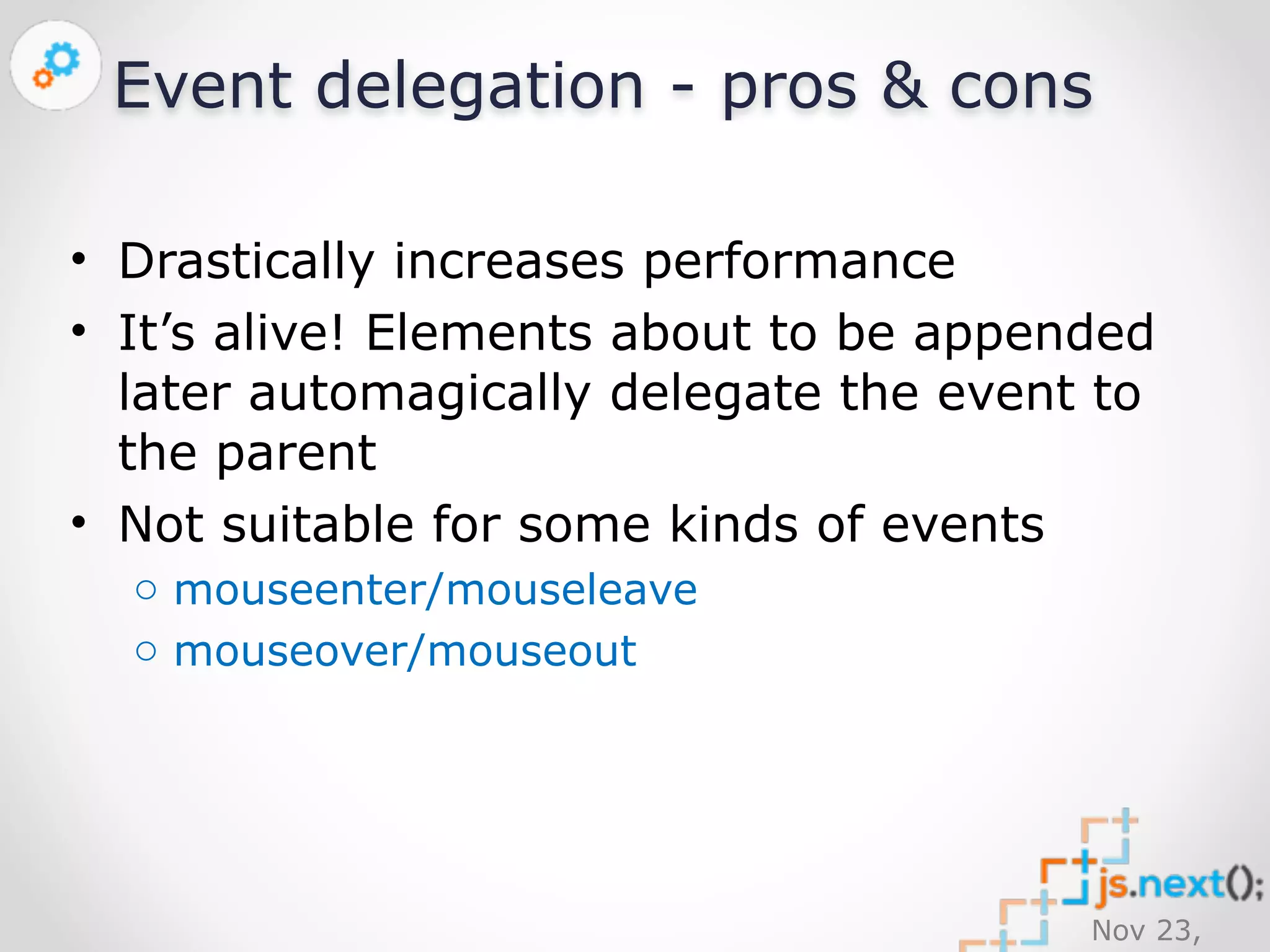
Event delegation - pros & cons 
• Drastically increases performance 
• It’s alive! Elements about to be appended 
later automagically delegate the event to 
the parent 
• Not suitable for some kinds of events 
Nov 23, 
2014 
o mouseenter/mouseleave 
o mouseover/mouseout
Nov 23, 
2014 
Styling 
How can we style thousands of elements without reducing 
the performance?
Nov 23, 
2014
Nov 23, 
2014 
Styling elements 
document.querySelector('tr').style.height = '75px'; 
// what if we have 100’000 rows? 
[].slice.call( 
document.querySelectorAll('tr') 
).forEach( function ( tr ) { 
tr.style.height = '75px'; 
});
Nov 23, 
2014
Nov 23, 
2014 
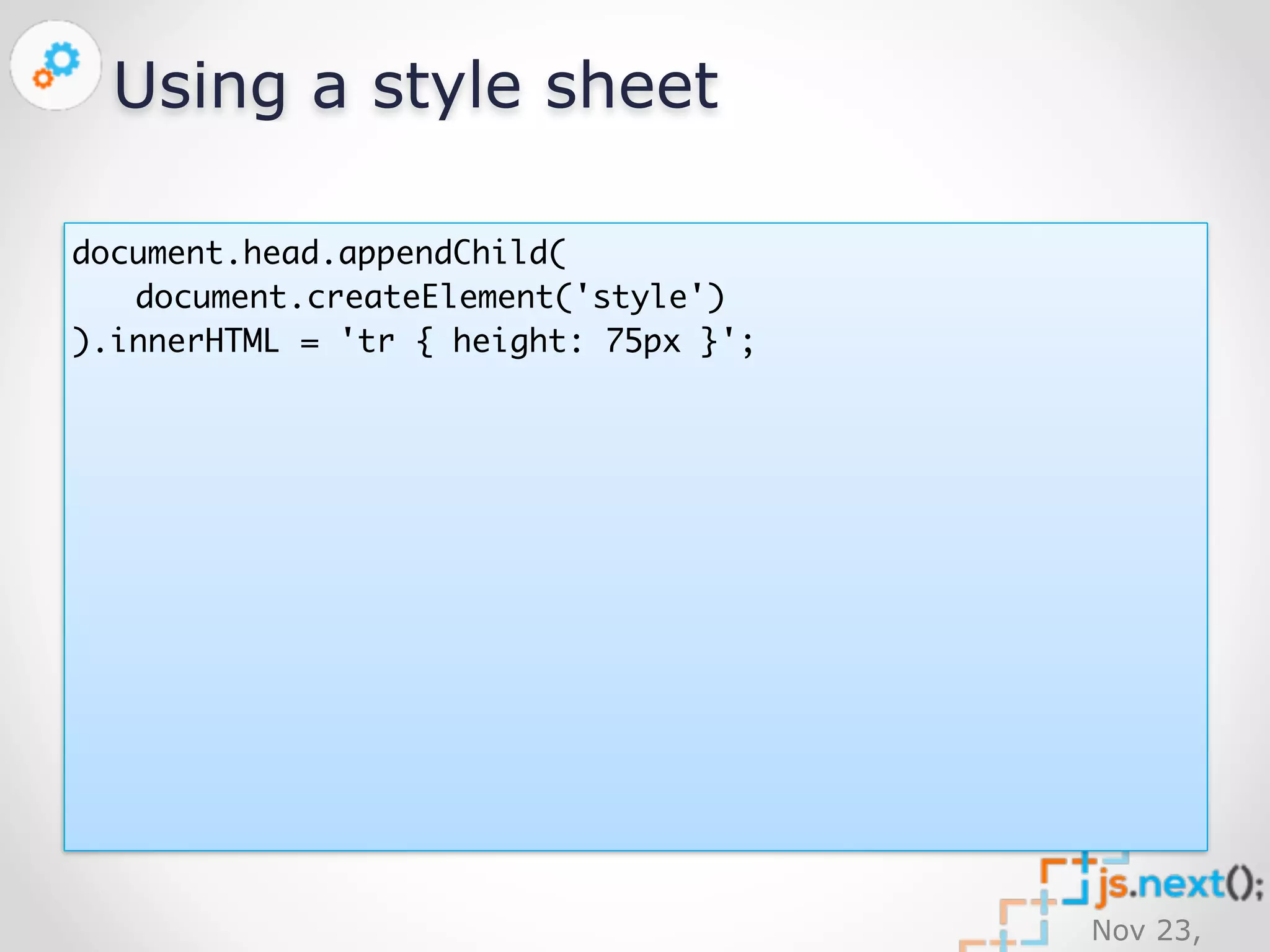
Using a style sheet 
document.head.appendChild( 
document.createElement('style') 
).innerHTML = 'tr { height: 75px }';
Nov 23, 
2014 
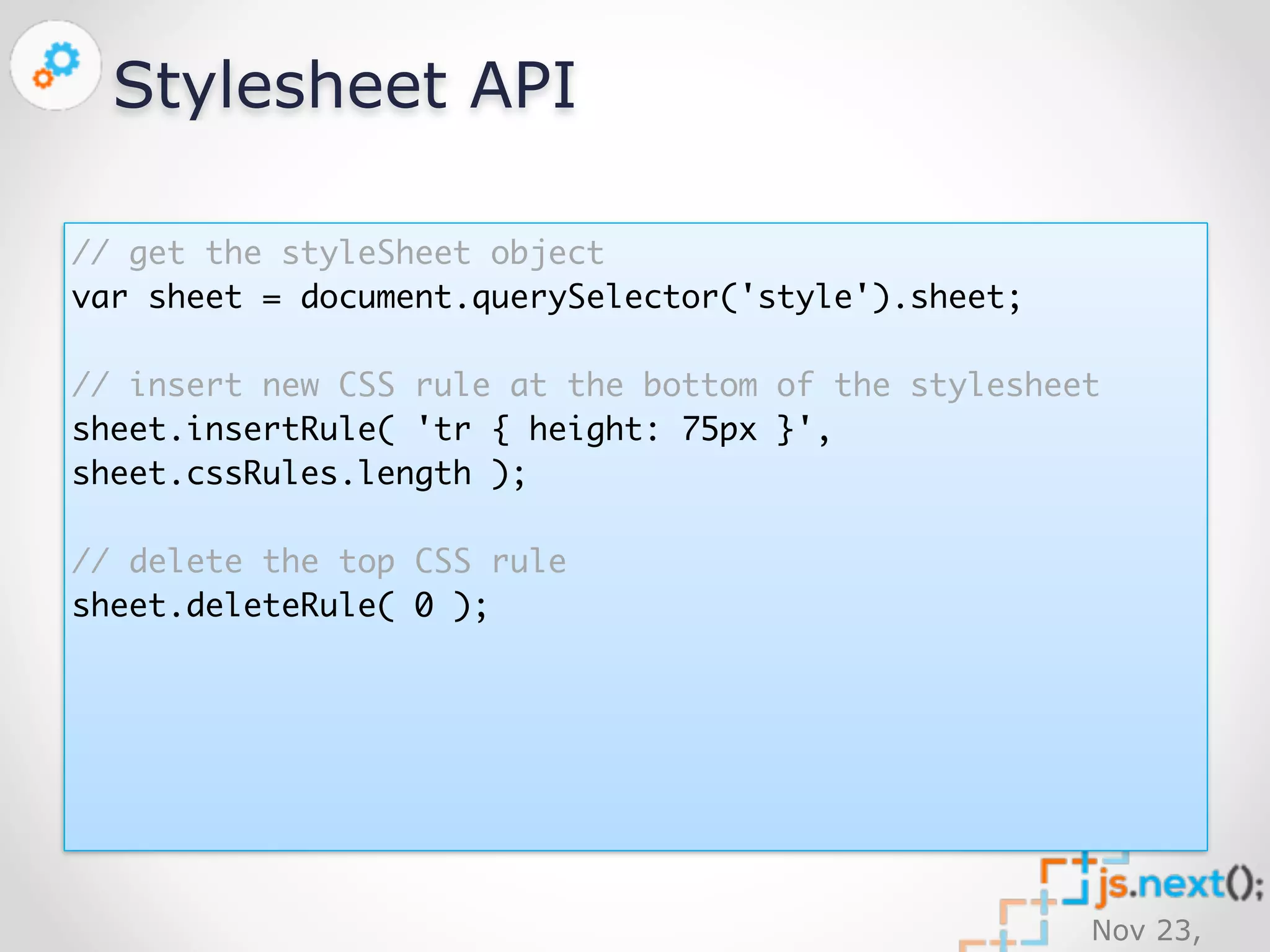
Stylesheet API 
// get the styleSheet object 
var sheet = document.querySelector('style').sheet; 
// insert new CSS rule at the bottom of the stylesheet 
sheet.insertRule( 'tr { height: 75px }', 
sheet.cssRules.length ); 
// delete the top CSS rule 
sheet.deleteRule( 0 );
Still supporting IE8? No problem! 
https://github.com/ickata/utilities/blob/ 
master/JavaScript/Source/stylesheet-api.js 
Nov 23, 
2014
Nov 23, 
2014 
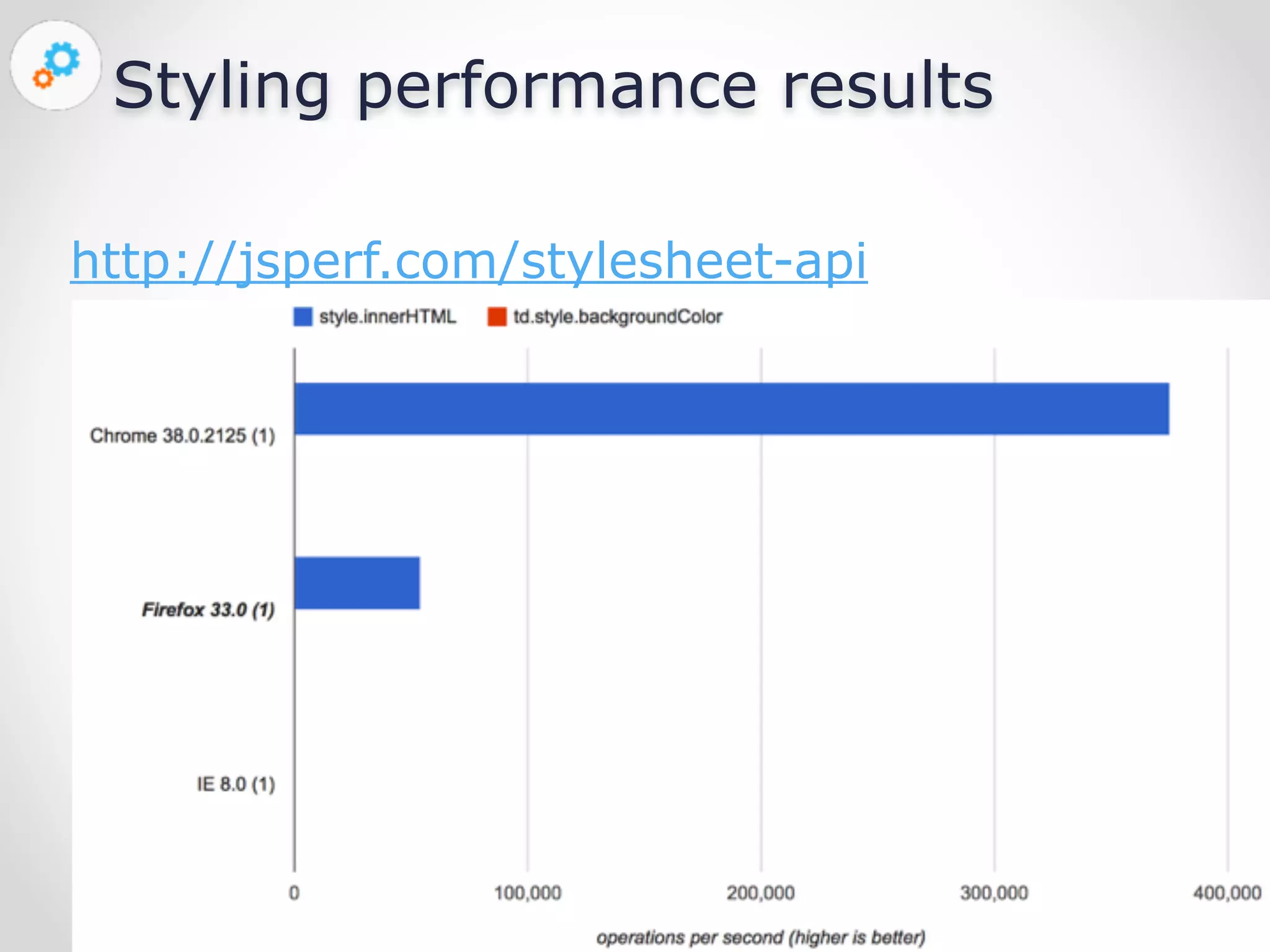
Styling performance results 
http://jsperf.com/stylesheet-api
Nov 23, 
2014 
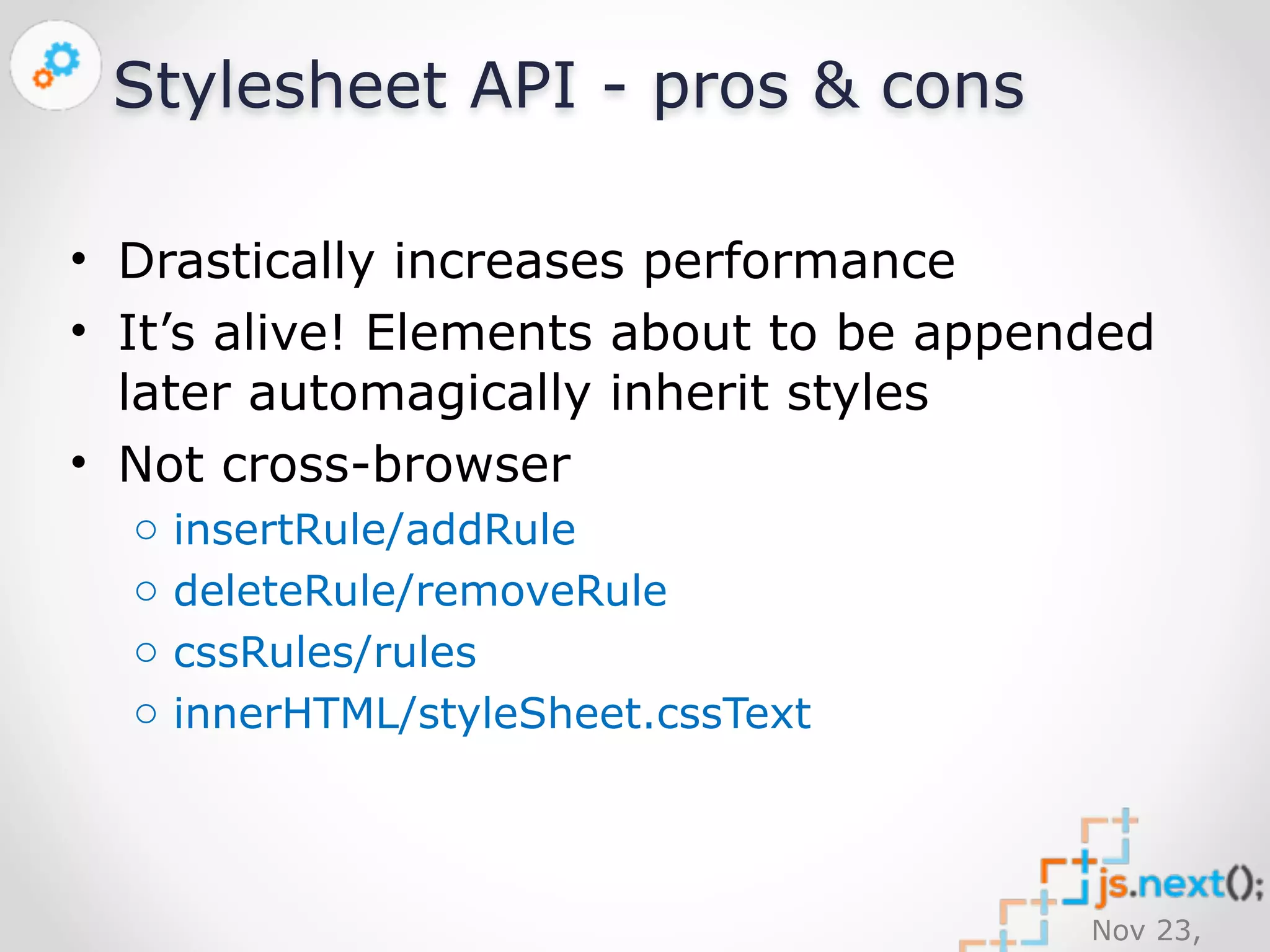
Stylesheet API - pros & cons 
• Drastically increases performance 
• It’s alive! Elements about to be appended 
later automagically inherit styles 
• Not cross-browser 
o insertRule/addRule 
o deleteRule/removeRule 
o cssRules/rules 
o innerHTML/styleSheet.cssText
Nov 23, 
2014 
DOM creation 
Interactive SPA requires a lot of new DOM elements
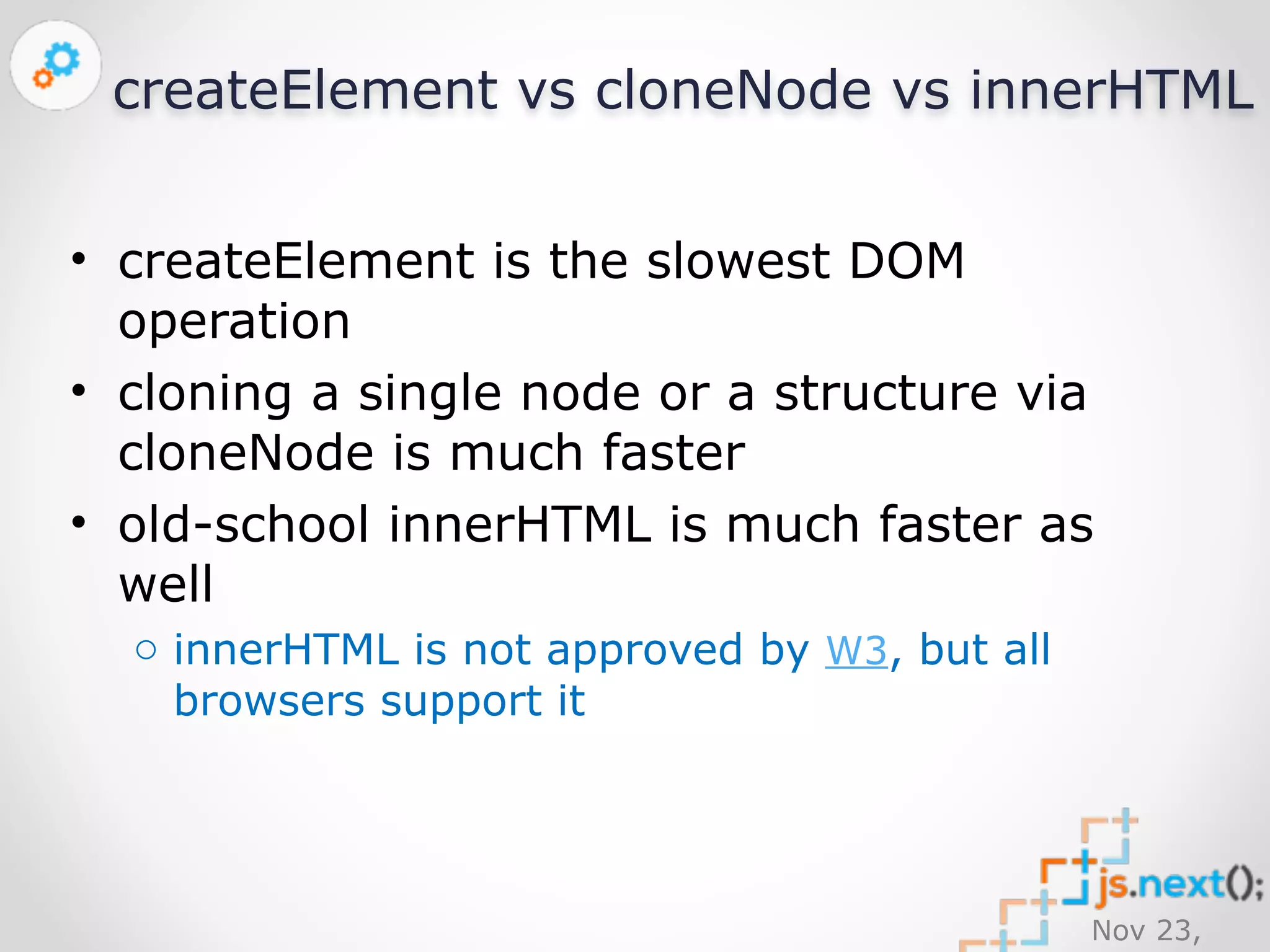
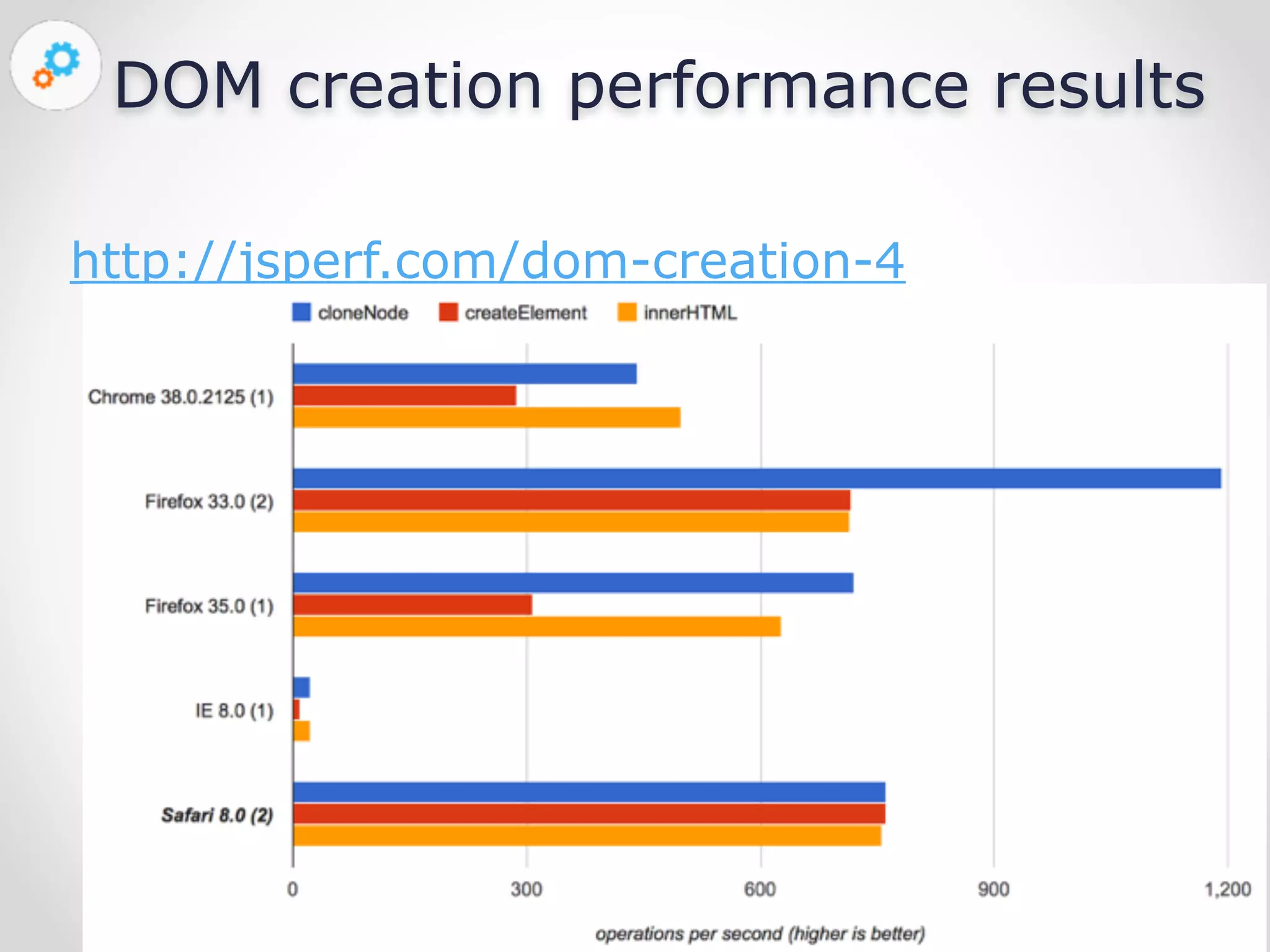
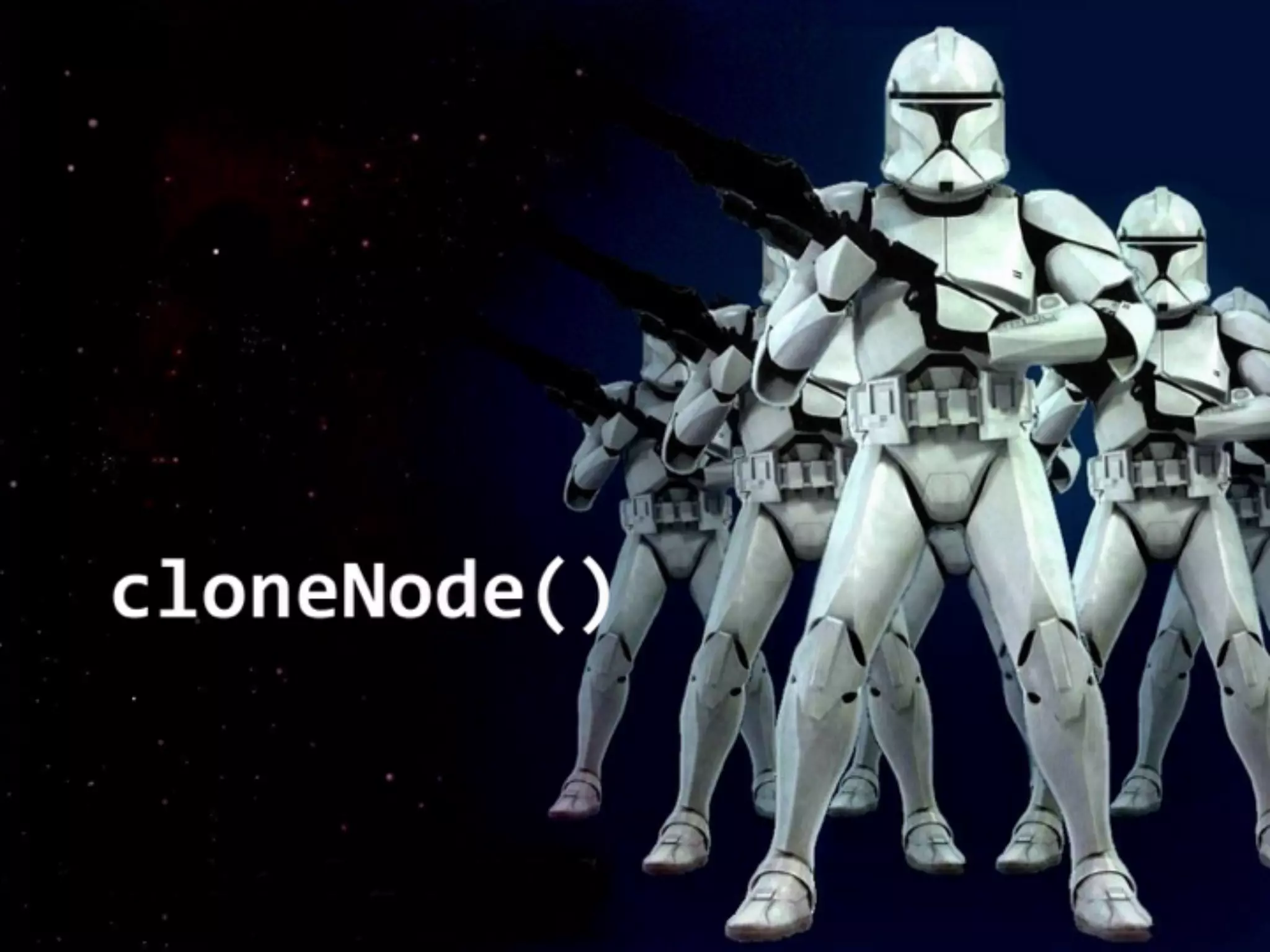
createElement vs cloneNode vs innerHTML 
• createElement is the slowest DOM 
operation 
• cloning a single node or a structure via 
cloneNode is much faster 
• old-school innerHTML is much faster as 
well 
Nov 23, 
2014 
o innerHTML is not approved by W3, but all 
browsers support it
DOM creation performance results 
Nov 23, 
2014 
http://jsperf.com/dom-creation-4
Nov 23, 
2014
Can we get even better results? 
Nov 23, 
2014
Nov 23, 
2014 
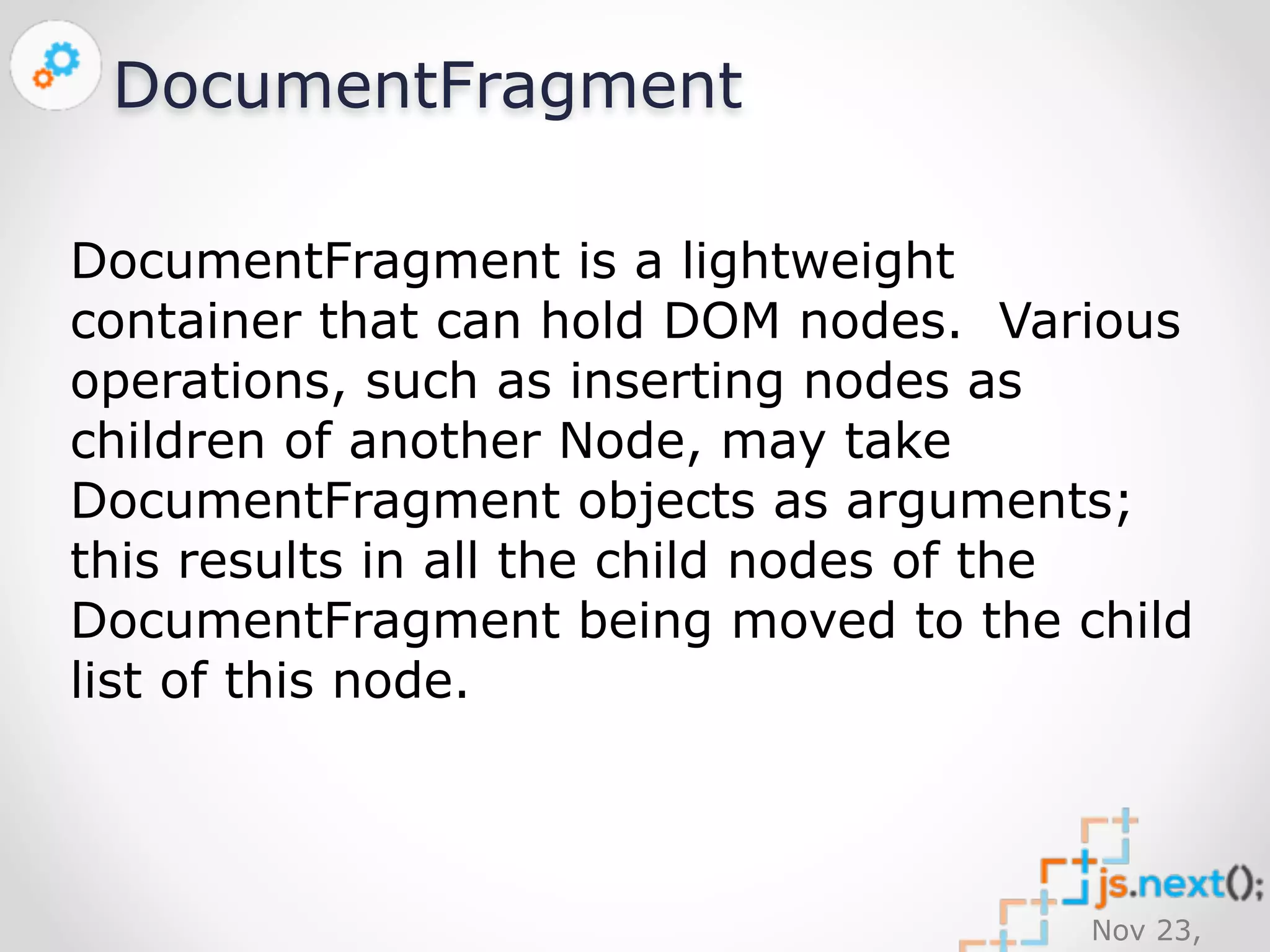
DocumentFragment 
DocumentFragment is a lightweight 
container that can hold DOM nodes. Various 
operations, such as inserting nodes as 
children of another Node, may take 
DocumentFragment objects as arguments; 
this results in all the child nodes of the 
DocumentFragment being moved to the child 
list of this node.
Nov 23, 
2014 
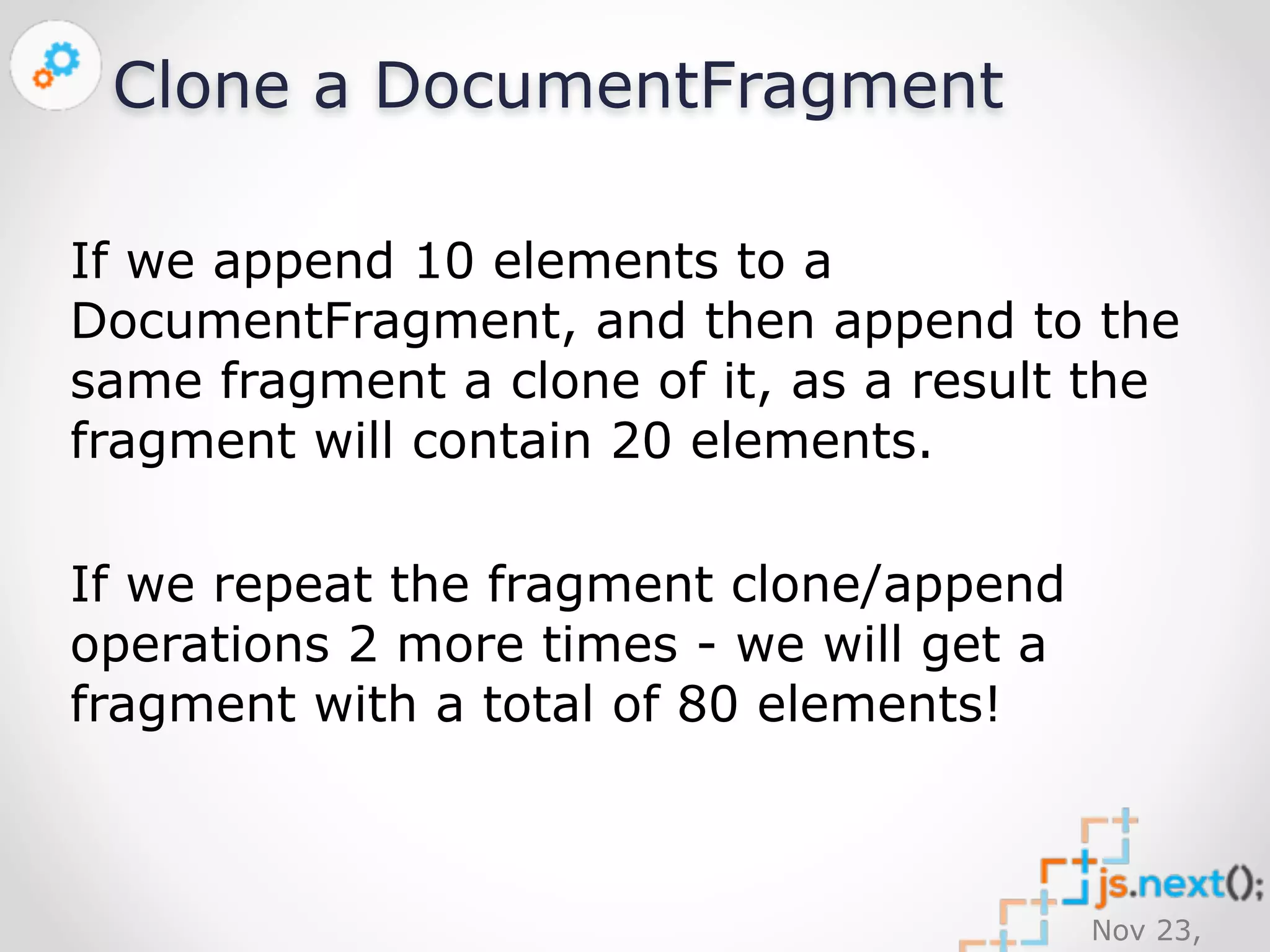
Clone a DocumentFragment 
If we append 10 elements to a 
DocumentFragment, and then append to the 
same fragment a clone of it, as a result the 
fragment will contain 20 elements. 
If we repeat the fragment clone/append 
operations 2 more times - we will get a 
fragment with a total of 80 elements!
Cloning fragments dramatically 
reduces the # of operations! 
Nov 23, 
2014
Nov 23, 
2014 
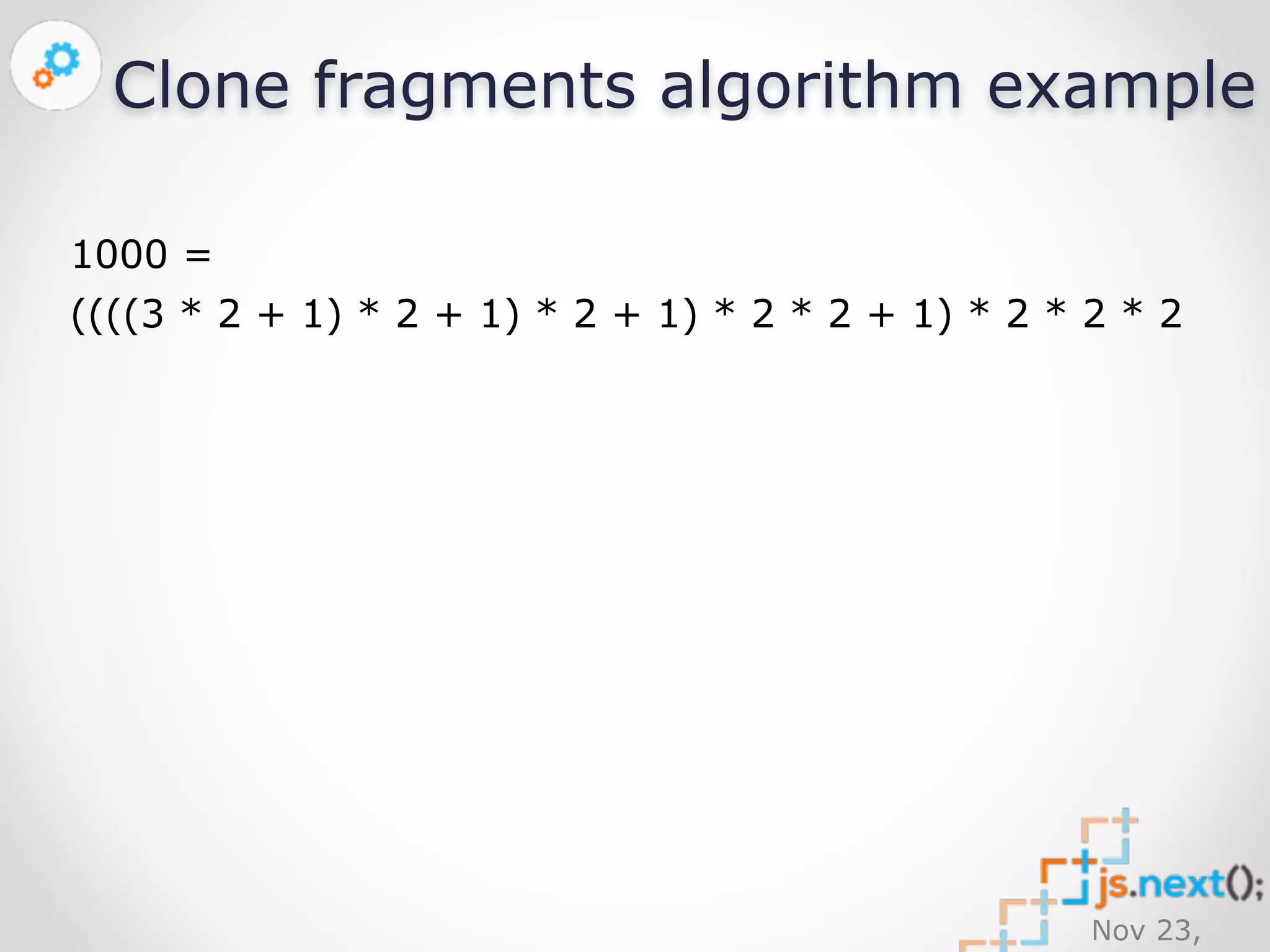
Clone fragments algorithm 
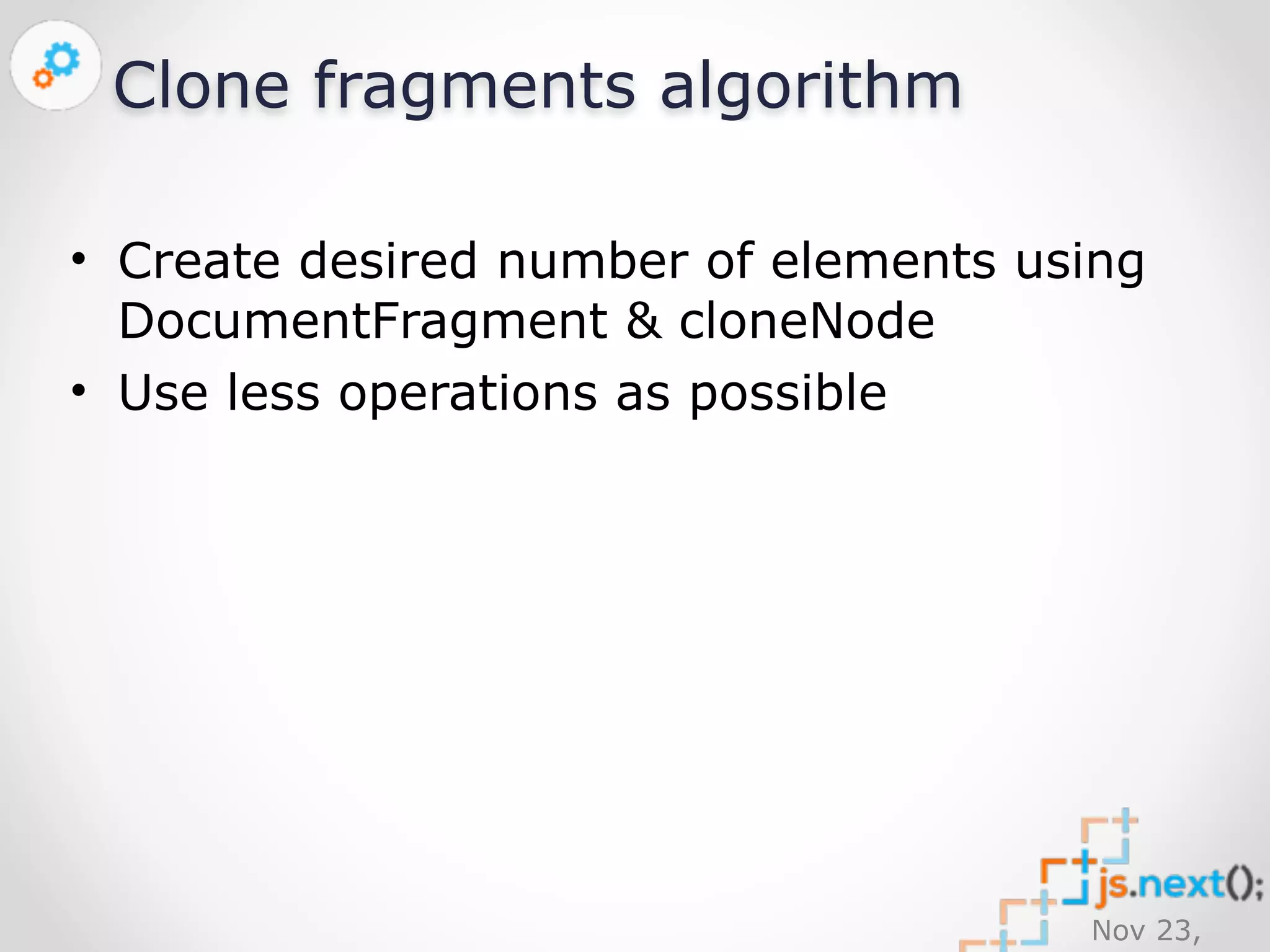
• Create desired number of elements using 
DocumentFragment & cloneNode 
• Use less operations as possible
Nov 23, 
2014 
Clone fragments algorithm 
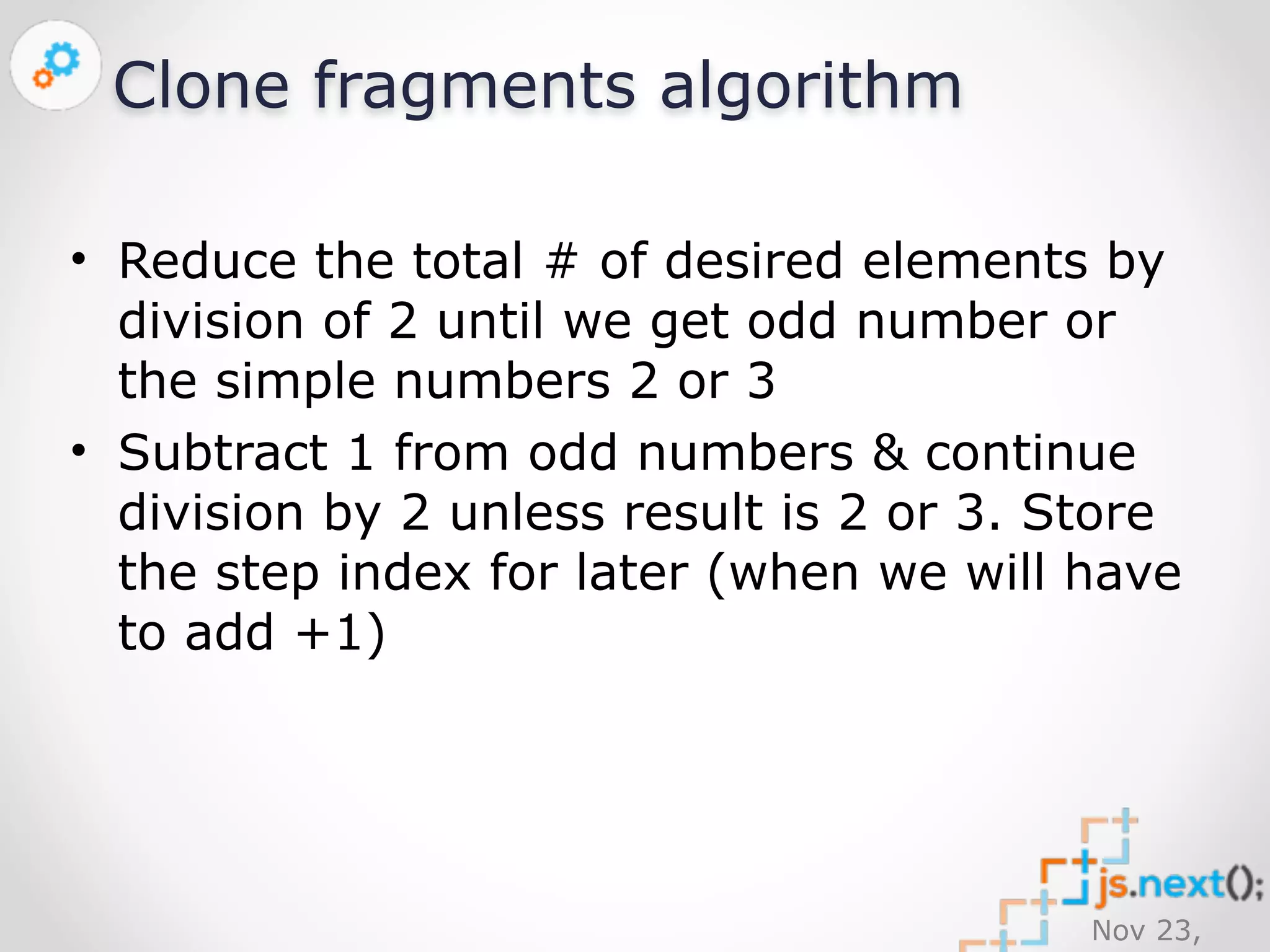
• Reduce the total # of desired elements by 
division of 2 until we get odd number or 
the simple numbers 2 or 3 
• Subtract 1 from odd numbers & continue 
division by 2 unless result is 2 or 3. Store 
the step index for later (when we will have 
to add +1)
Nov 23, 
2014 
Clone fragments algorithm 
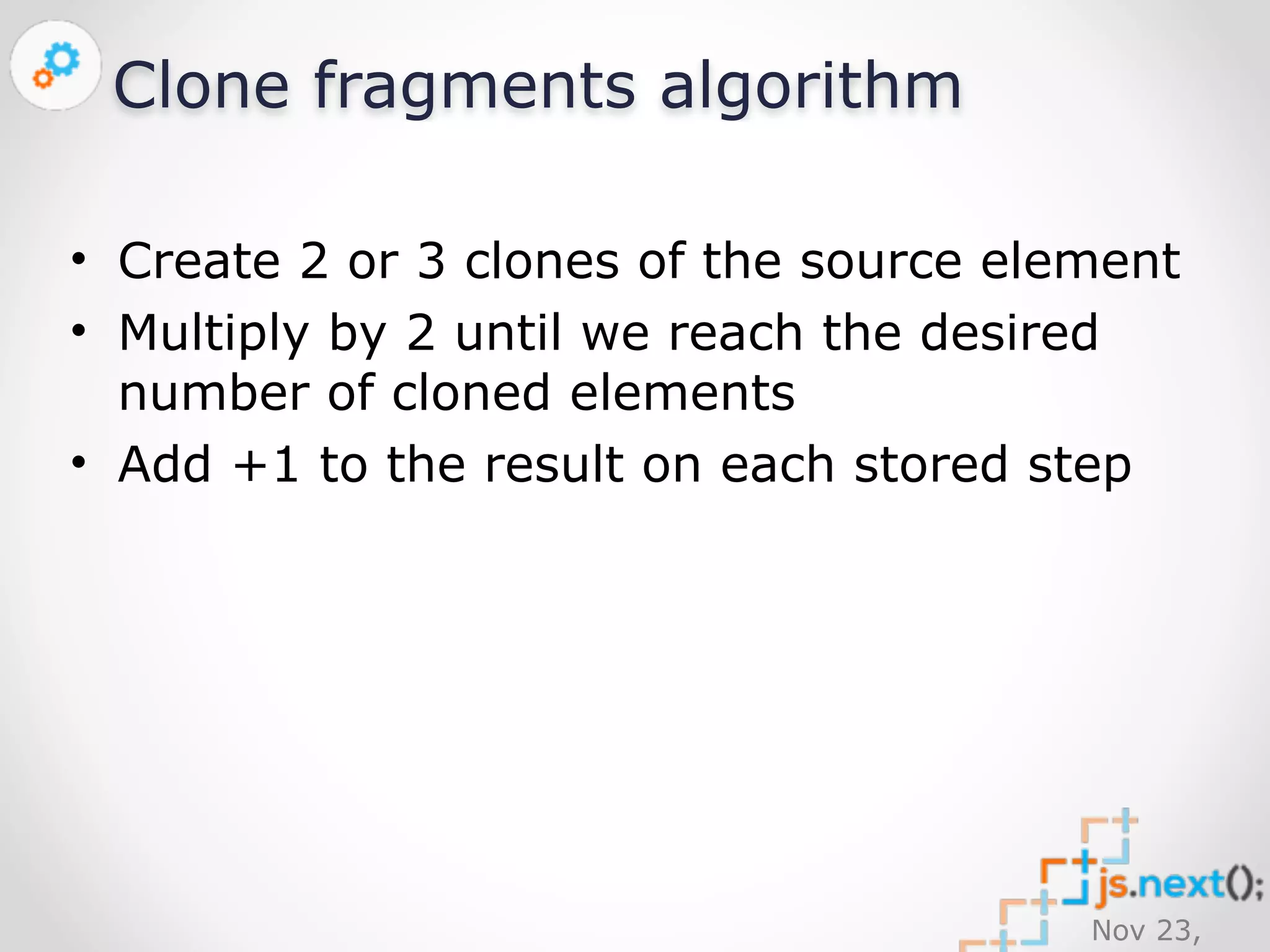
• Create 2 or 3 clones of the source element 
• Multiply by 2 until we reach the desired 
number of cloned elements 
• Add +1 to the result on each stored step
Clone fragments algorithm example 
1000 = 
((((3 * 2 + 1) * 2 + 1) * 2 + 1) * 2 * 2 + 1) * 2 * 2 * 2 
Nov 23, 
2014
Nov 23, 
2014 
cloneMultiple 
https://github.com/ickata/utilities/blob/ 
master/JavaScript/Source/element-clone-multiple. 
js
Nov 23, 
2014 
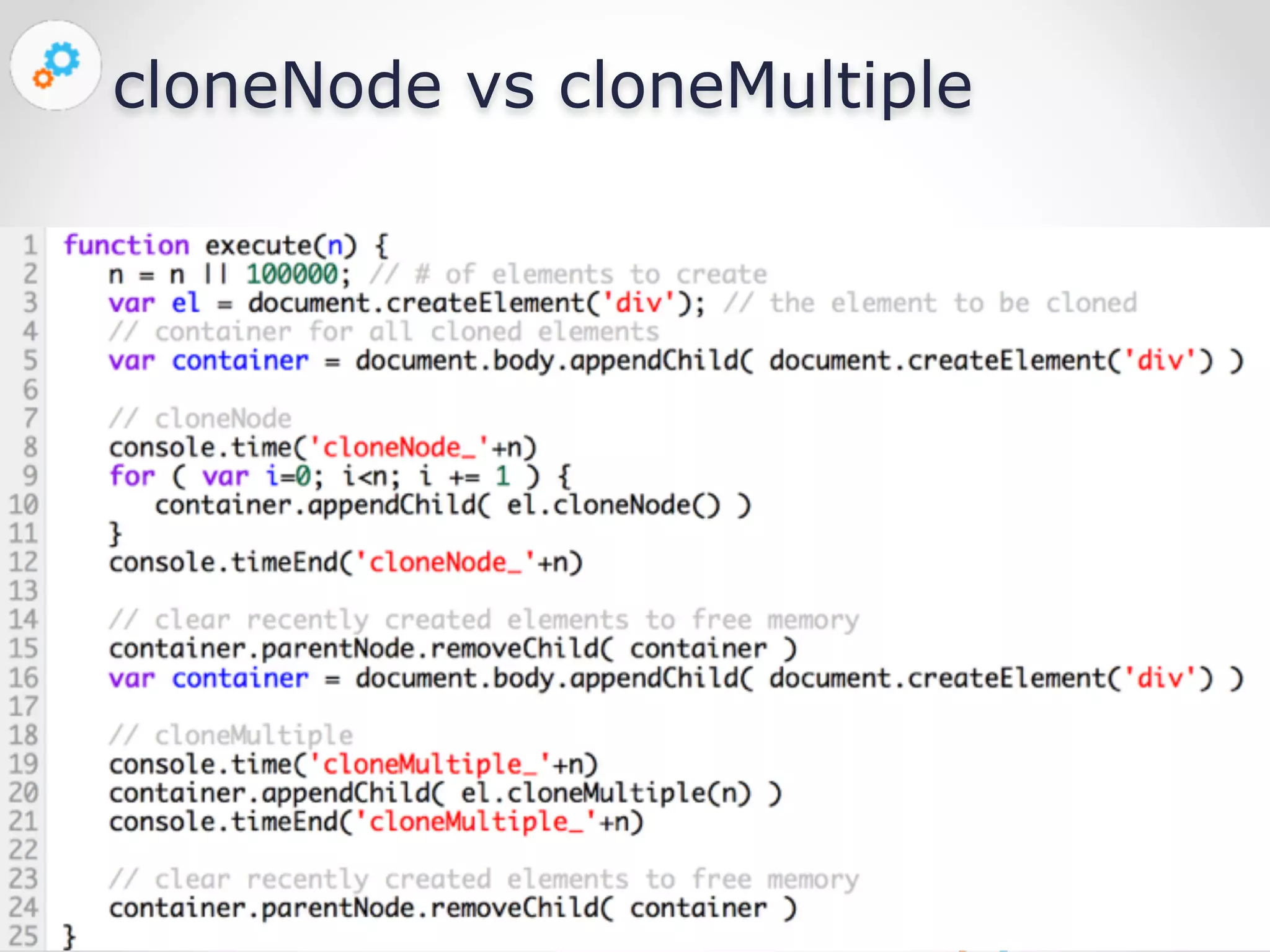
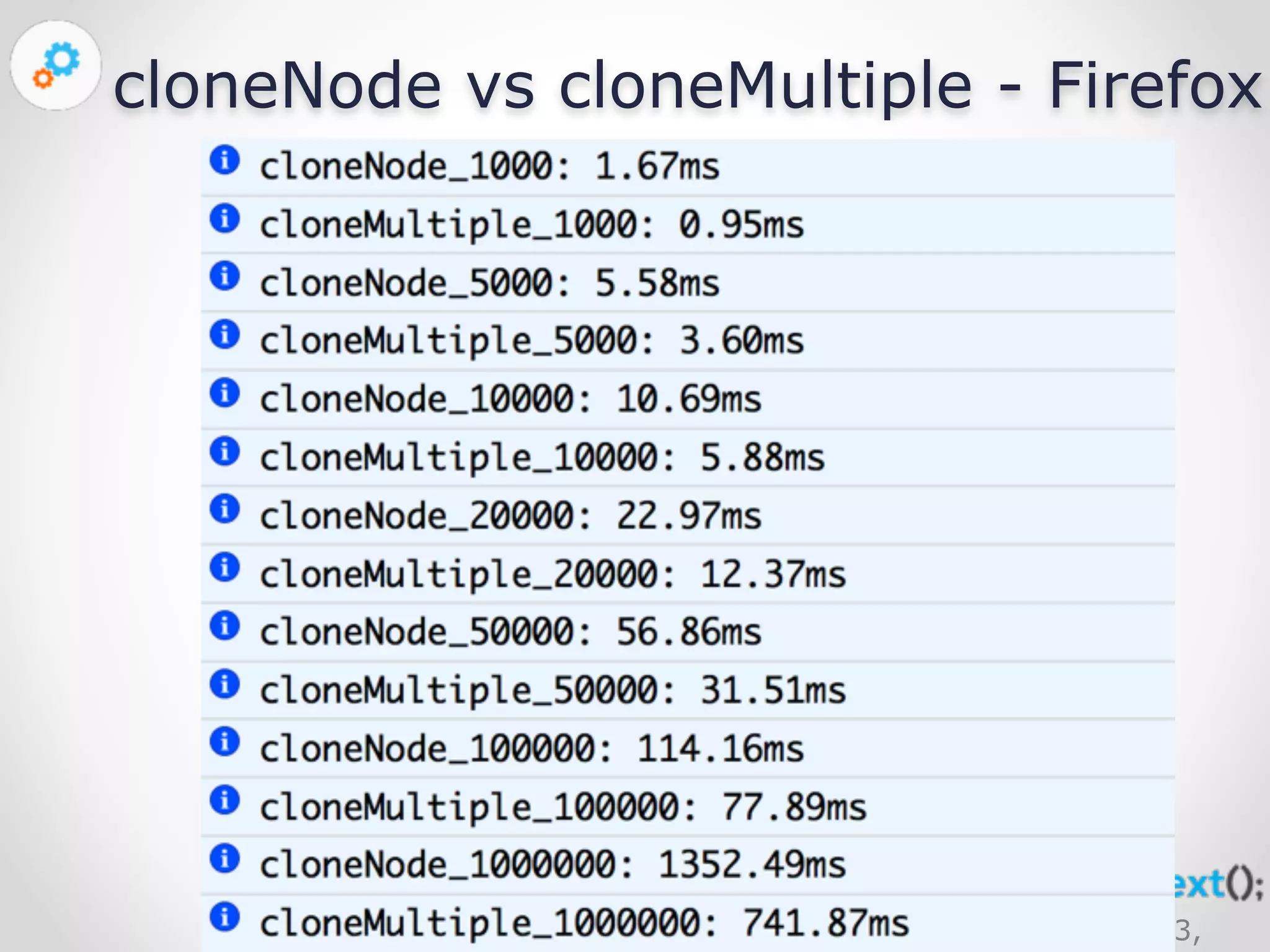
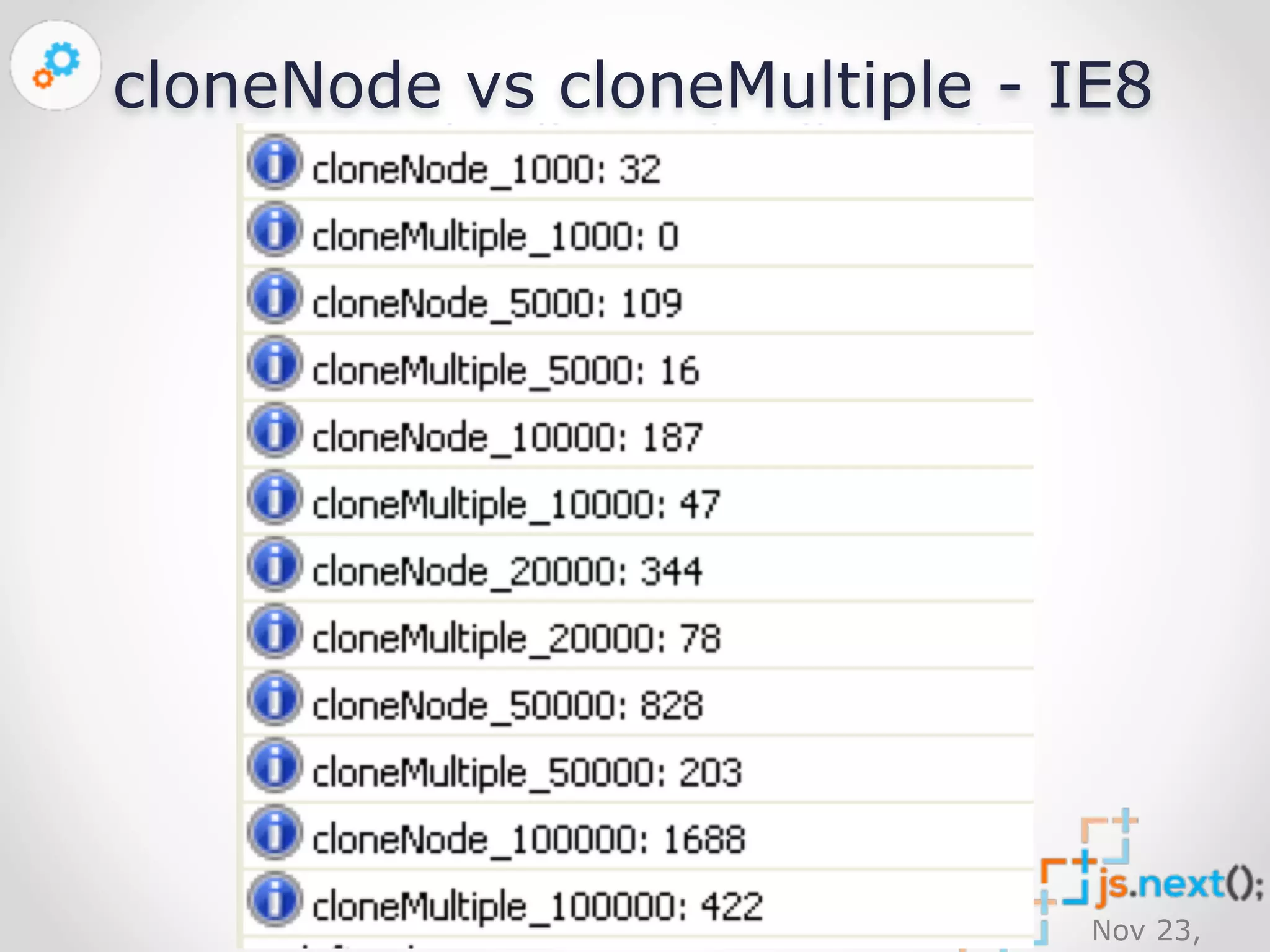
cloneNode vs cloneMultiple
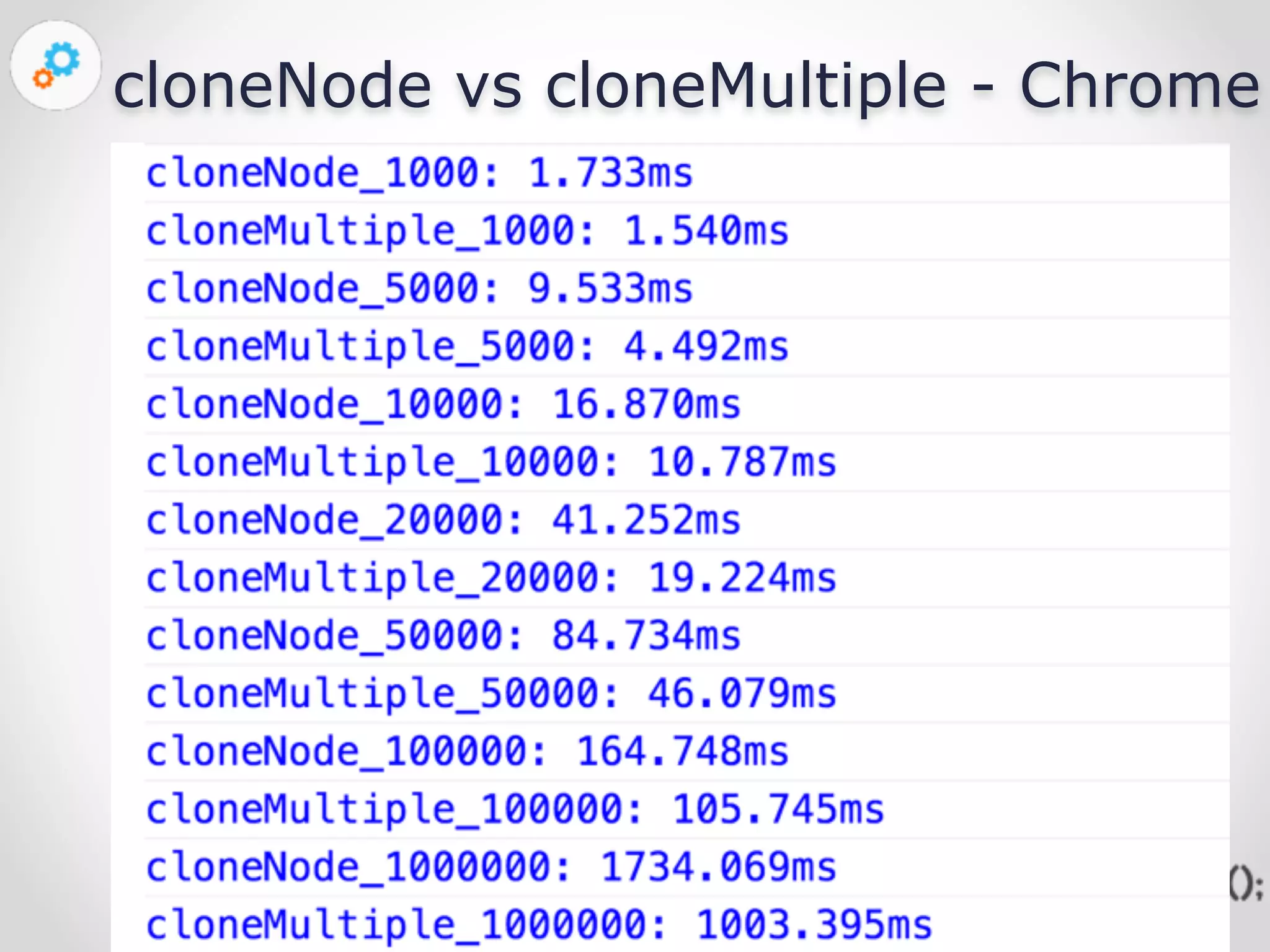
cloneNode vs cloneMultiple - Chrome 
Nov 23, 
2014
cloneNode vs cloneMultiple - Firefox 
Nov 23, 
2014
cloneNode vs cloneMultiple - IE8 
Nov 23, 
2014
Nov 23, 
2014 
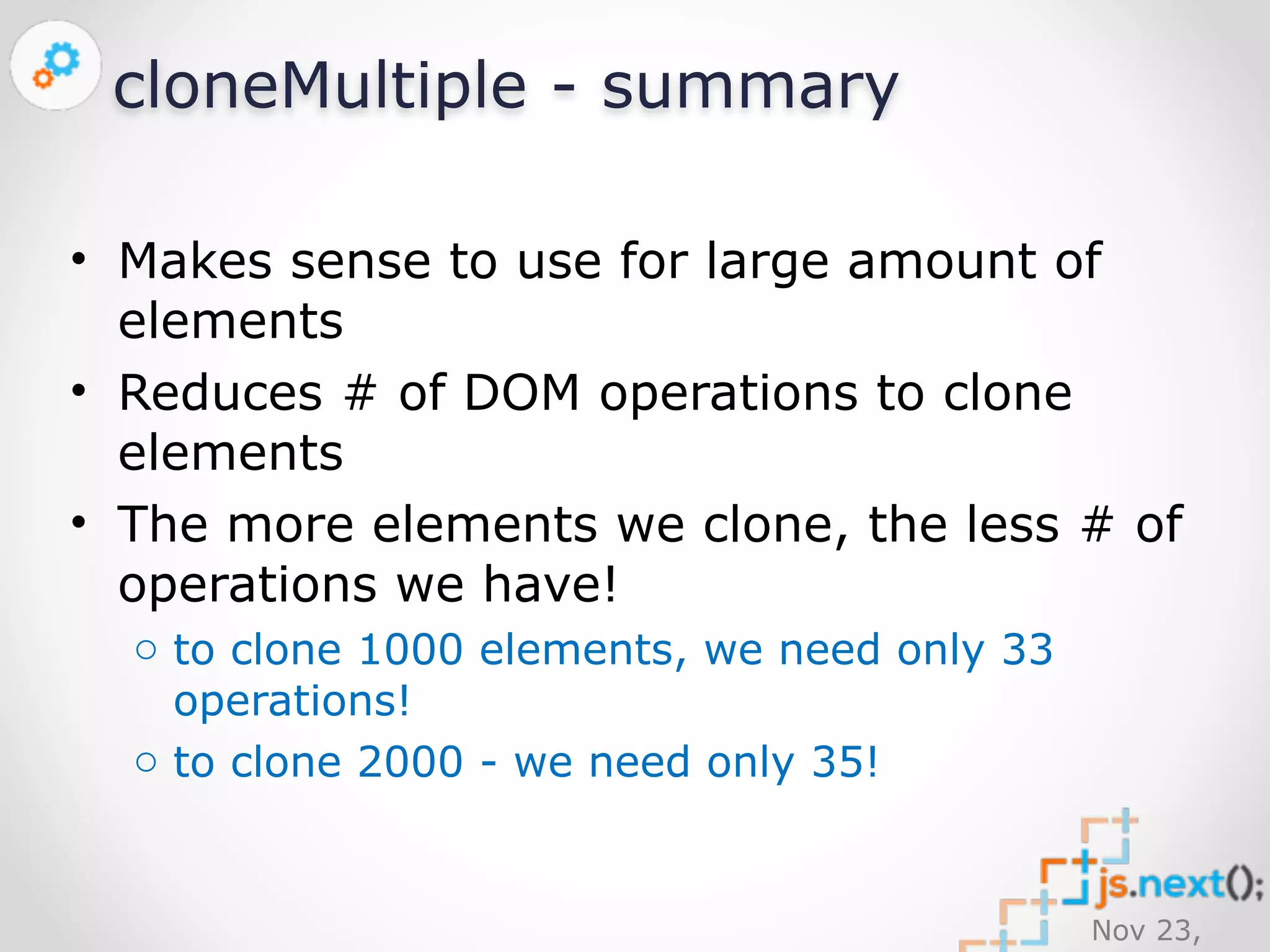
cloneMultiple - summary 
• Makes sense to use for large amount of 
elements 
• Reduces # of DOM operations to clone 
elements 
• The more elements we clone, the less # of 
operations we have! 
o to clone 1000 elements, we need only 33 
operations! 
o to clone 2000 - we need only 35!
Nov 23, 
2014
Nov 23, 
2014 
DOM destruction
Nov 23, 
2014 
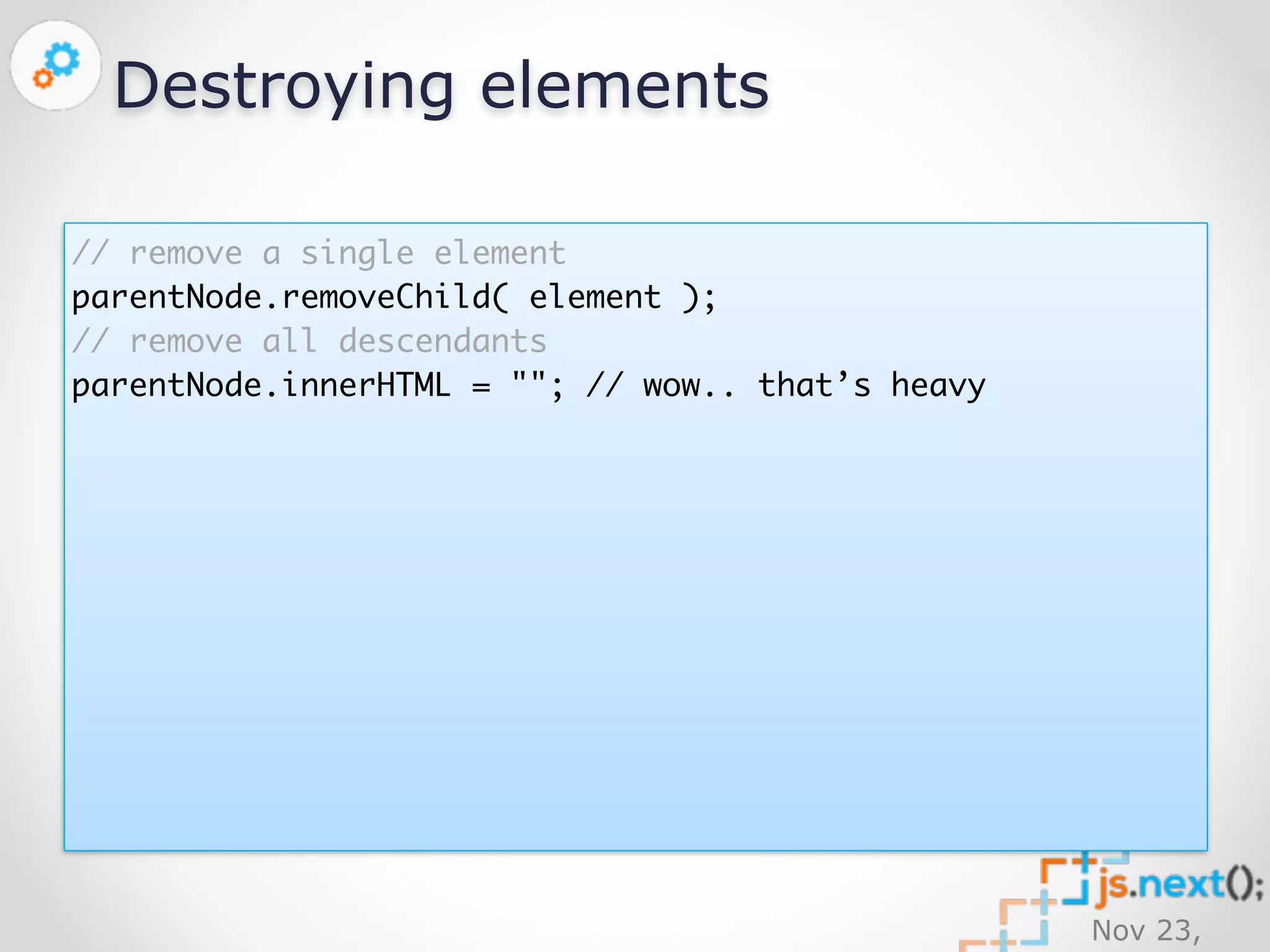
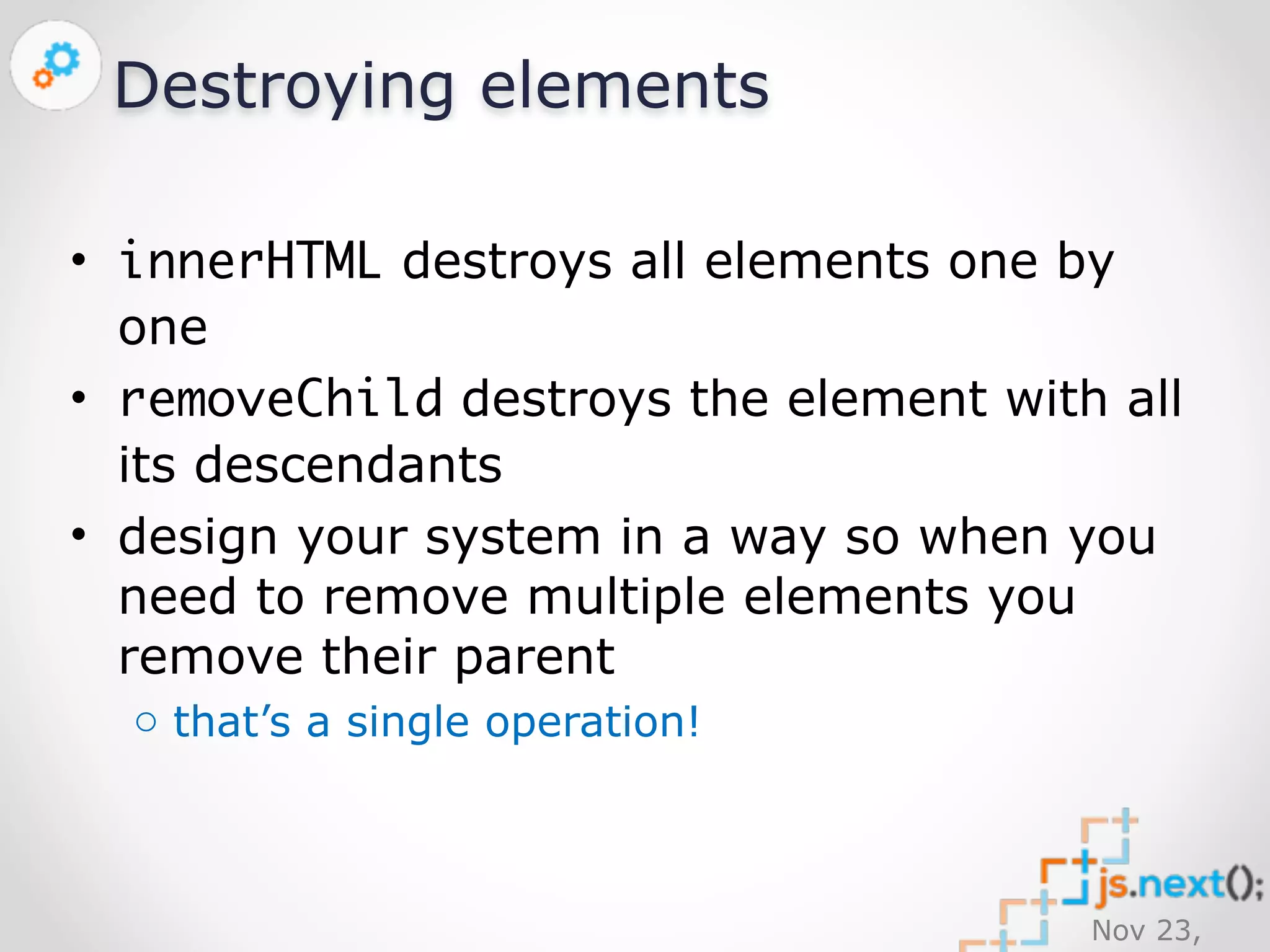
Destroying elements 
// remove a single element 
parentNode.removeChild( element ); 
// remove all descendants 
parentNode.innerHTML = ""; // wow.. that’s heavy
Nov 23, 
2014 
Destroying elements 
• innerHTML destroys all elements one by 
one 
• removeChild destroys the element with all 
its descendants 
• design your system in a way so when you 
need to remove multiple elements you 
remove their parent 
o that’s a single operation!
Nov 23, 
2014 
Resources
Nov 23, 
2014 
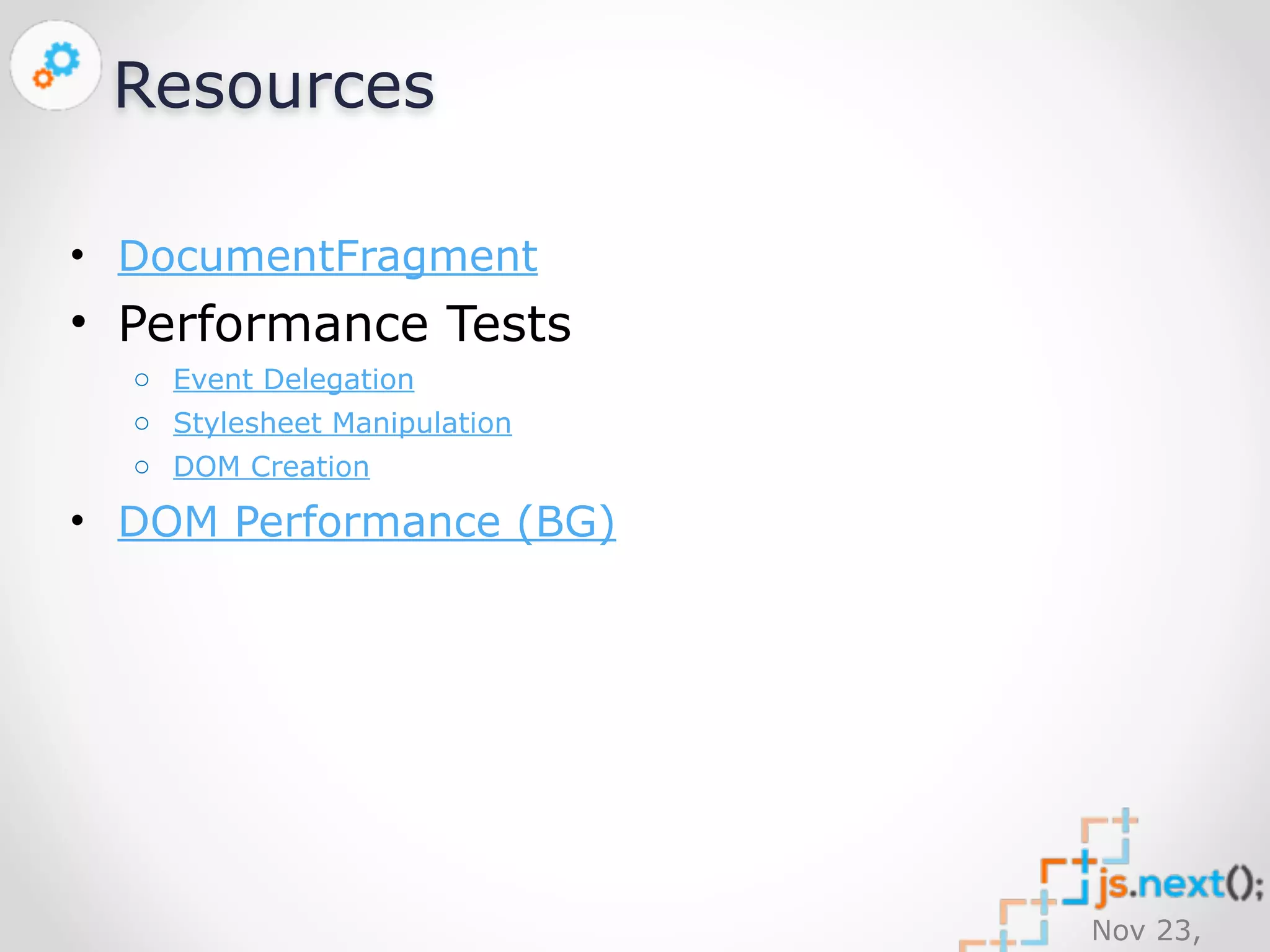
Resources 
• DocumentFragment 
• Performance Tests 
o Event Delegation 
o Stylesheet Manipulation 
o DOM Creation 
• DOM Performance (BG)
Nov 23, 
2014
Nov 23, 
2014 
Questions?
Nov 23, 
2014 
Upcoming events 
ISTA Conference 26-27 November 
http://istabg.org/ 
Stay tuned for 2015: 
Azure Bootcamp http://azure-camp. 
eu/ 
UXify Bulgaria http://uxify.org/ 
SQLSaturday https:// 
www.sqlsaturday.com/ 
and more js.next();
Nov 23, 
2014 
Thanks to our Sponsors: 
Diamond Sponsor: 
Hosting partner: 
Gold Sponsors: 
Silver Sponsors: 
Technological 
Partners: 
Bronze Sponsors: 
Swag Sponsors: 
Media Partners:
Nov 23, 
2014 
Thanks for listening! 
• Hristo Chakarov 
• Front-end architect 
• SiteKreator 
• JavaScript trainer 
• IT Academy 
• Photographer 
• @github 
• +HristoChakarov

DOM Performance (JSNext Bulgaria)

  • 1.
    var title =“DOM Performance”; Nov 23, 2014 Nov 23, 2014 Sofia var info = { name: “Hristo Chakarov”, otherOptional: undefined };
  • 2.
    Nov 23, 2014 agenda(); • Why performance is so important • Event delegation • Stylesheet manipulation • DOM creation • DOM destruction • Questions
  • 3.
    Nov 23, 2014 Performance Why so important?
  • 4.
  • 5.
    Nov 23, 2014 Why performance matters? Good performance improves User Experience (UX) • Slow performance is very obvious • Users don’t enjoy waiting
  • 6.
  • 7.
    Nov 23, 2014 DOM operations are heavy • createElement is most expensive • The more elements you need to operate with, the worse performance you get o Event handling o Styling
  • 8.
    Nov 23, 2014 Event Delegation What is it & how it affects performance
  • 9.
  • 10.
    Handling events ona single element Nov 23, 2014 var cell = document.querySelector('td'); cell.addEventListener( 'click', function ( event ) { // mark the cell in blue this.style.background = 'blue'; });
  • 11.
    Handling events onmultiple elements Nov 23, 2014 // imagine that we have 30’000 or more <td> elements… var cells = document.querySelectorAll('td'); // create single event handler var handler = function ( event ) { // mark the cell in blue this.style.background = 'blue'; }; for ( var i=0, l=cells.length; i<l; i += 1 ) { // add listener to every single cell... cells[i].addEventListener( 'click', handler ); }
  • 12.
    Nov 23, 2014 Delegate?
  • 13.
    Nov 23, 2014 Event delegation Event delegation allows you to avoid adding event listeners to specific nodes; instead, the event listener is added to one parent.
  • 14.
    Nov 23, 2014 Delegate event // delegate click event to the table var table = document.querySelector('table'); table.addEventListener( 'click', function ( event ) { // `this` is the whole <table>, but `event.target` is the cell that has been clicked event.target.style.background = 'blue'; });
  • 15.
    Nov 23, 2014 Delegate event // delegate click event to the table var table = document.querySelector('table'); table.addEventListener( 'click', function ( event ) { // `this` is the whole <table>, but `event.target` //is the element that has been clicked // find out the <td> element var cell = event.target; while ( cell && cell.tagName != 'TD' && cell != this ) { cell = cell.parentNode; } cell.style.background = 'blue'; });
  • 16.
    Event delegation performanceresults Nov 23, 2014 http://jsperf.com/delegate-event
  • 17.
    Event delegation -pros & cons • Drastically increases performance • It’s alive! Elements about to be appended later automagically delegate the event to the parent • Not suitable for some kinds of events Nov 23, 2014 o mouseenter/mouseleave o mouseover/mouseout
  • 18.
    Nov 23, 2014 Styling How can we style thousands of elements without reducing the performance?
  • 19.
  • 20.
    Nov 23, 2014 Styling elements document.querySelector('tr').style.height = '75px'; // what if we have 100’000 rows? [].slice.call( document.querySelectorAll('tr') ).forEach( function ( tr ) { tr.style.height = '75px'; });
  • 21.
  • 22.
    Nov 23, 2014 Using a style sheet document.head.appendChild( document.createElement('style') ).innerHTML = 'tr { height: 75px }';
  • 23.
    Nov 23, 2014 Stylesheet API // get the styleSheet object var sheet = document.querySelector('style').sheet; // insert new CSS rule at the bottom of the stylesheet sheet.insertRule( 'tr { height: 75px }', sheet.cssRules.length ); // delete the top CSS rule sheet.deleteRule( 0 );
  • 24.
    Still supporting IE8?No problem! https://github.com/ickata/utilities/blob/ master/JavaScript/Source/stylesheet-api.js Nov 23, 2014
  • 25.
    Nov 23, 2014 Styling performance results http://jsperf.com/stylesheet-api
  • 26.
    Nov 23, 2014 Stylesheet API - pros & cons • Drastically increases performance • It’s alive! Elements about to be appended later automagically inherit styles • Not cross-browser o insertRule/addRule o deleteRule/removeRule o cssRules/rules o innerHTML/styleSheet.cssText
  • 27.
    Nov 23, 2014 DOM creation Interactive SPA requires a lot of new DOM elements
  • 28.
    createElement vs cloneNodevs innerHTML • createElement is the slowest DOM operation • cloning a single node or a structure via cloneNode is much faster • old-school innerHTML is much faster as well Nov 23, 2014 o innerHTML is not approved by W3, but all browsers support it
  • 29.
    DOM creation performanceresults Nov 23, 2014 http://jsperf.com/dom-creation-4
  • 30.
  • 31.
    Can we geteven better results? Nov 23, 2014
  • 32.
    Nov 23, 2014 DocumentFragment DocumentFragment is a lightweight container that can hold DOM nodes. Various operations, such as inserting nodes as children of another Node, may take DocumentFragment objects as arguments; this results in all the child nodes of the DocumentFragment being moved to the child list of this node.
  • 33.
    Nov 23, 2014 Clone a DocumentFragment If we append 10 elements to a DocumentFragment, and then append to the same fragment a clone of it, as a result the fragment will contain 20 elements. If we repeat the fragment clone/append operations 2 more times - we will get a fragment with a total of 80 elements!
  • 34.
    Cloning fragments dramatically reduces the # of operations! Nov 23, 2014
  • 35.
    Nov 23, 2014 Clone fragments algorithm • Create desired number of elements using DocumentFragment & cloneNode • Use less operations as possible
  • 36.
    Nov 23, 2014 Clone fragments algorithm • Reduce the total # of desired elements by division of 2 until we get odd number or the simple numbers 2 or 3 • Subtract 1 from odd numbers & continue division by 2 unless result is 2 or 3. Store the step index for later (when we will have to add +1)
  • 37.
    Nov 23, 2014 Clone fragments algorithm • Create 2 or 3 clones of the source element • Multiply by 2 until we reach the desired number of cloned elements • Add +1 to the result on each stored step
  • 38.
    Clone fragments algorithmexample 1000 = ((((3 * 2 + 1) * 2 + 1) * 2 + 1) * 2 * 2 + 1) * 2 * 2 * 2 Nov 23, 2014
  • 39.
    Nov 23, 2014 cloneMultiple https://github.com/ickata/utilities/blob/ master/JavaScript/Source/element-clone-multiple. js
  • 40.
    Nov 23, 2014 cloneNode vs cloneMultiple
  • 41.
    cloneNode vs cloneMultiple- Chrome Nov 23, 2014
  • 42.
    cloneNode vs cloneMultiple- Firefox Nov 23, 2014
  • 43.
    cloneNode vs cloneMultiple- IE8 Nov 23, 2014
  • 44.
    Nov 23, 2014 cloneMultiple - summary • Makes sense to use for large amount of elements • Reduces # of DOM operations to clone elements • The more elements we clone, the less # of operations we have! o to clone 1000 elements, we need only 33 operations! o to clone 2000 - we need only 35!
  • 45.
  • 46.
    Nov 23, 2014 DOM destruction
  • 47.
    Nov 23, 2014 Destroying elements // remove a single element parentNode.removeChild( element ); // remove all descendants parentNode.innerHTML = ""; // wow.. that’s heavy
  • 48.
    Nov 23, 2014 Destroying elements • innerHTML destroys all elements one by one • removeChild destroys the element with all its descendants • design your system in a way so when you need to remove multiple elements you remove their parent o that’s a single operation!
  • 49.
    Nov 23, 2014 Resources
  • 50.
    Nov 23, 2014 Resources • DocumentFragment • Performance Tests o Event Delegation o Stylesheet Manipulation o DOM Creation • DOM Performance (BG)
  • 51.
  • 52.
    Nov 23, 2014 Questions?
  • 53.
    Nov 23, 2014 Upcoming events ISTA Conference 26-27 November http://istabg.org/ Stay tuned for 2015: Azure Bootcamp http://azure-camp. eu/ UXify Bulgaria http://uxify.org/ SQLSaturday https:// www.sqlsaturday.com/ and more js.next();
  • 54.
    Nov 23, 2014 Thanks to our Sponsors: Diamond Sponsor: Hosting partner: Gold Sponsors: Silver Sponsors: Technological Partners: Bronze Sponsors: Swag Sponsors: Media Partners:
  • 55.
    Nov 23, 2014 Thanks for listening! • Hristo Chakarov • Front-end architect • SiteKreator • JavaScript trainer • IT Academy • Photographer • @github • +HristoChakarov