design
how to see
overview
• cognition
• design rules
• visuals
• animation
• fonts
cognition
• gestalt
• memory
• motivation
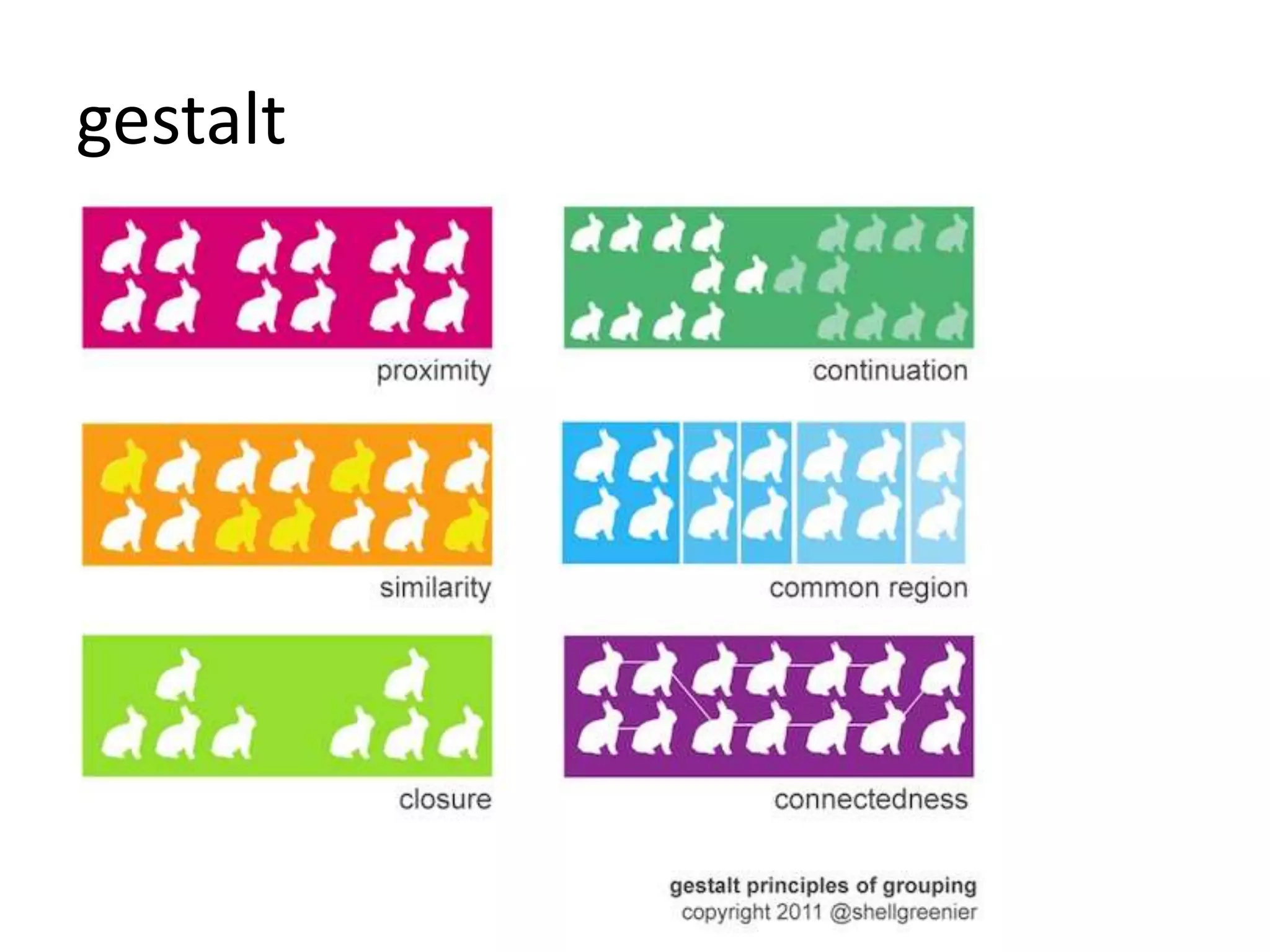
gestalt
gestalt
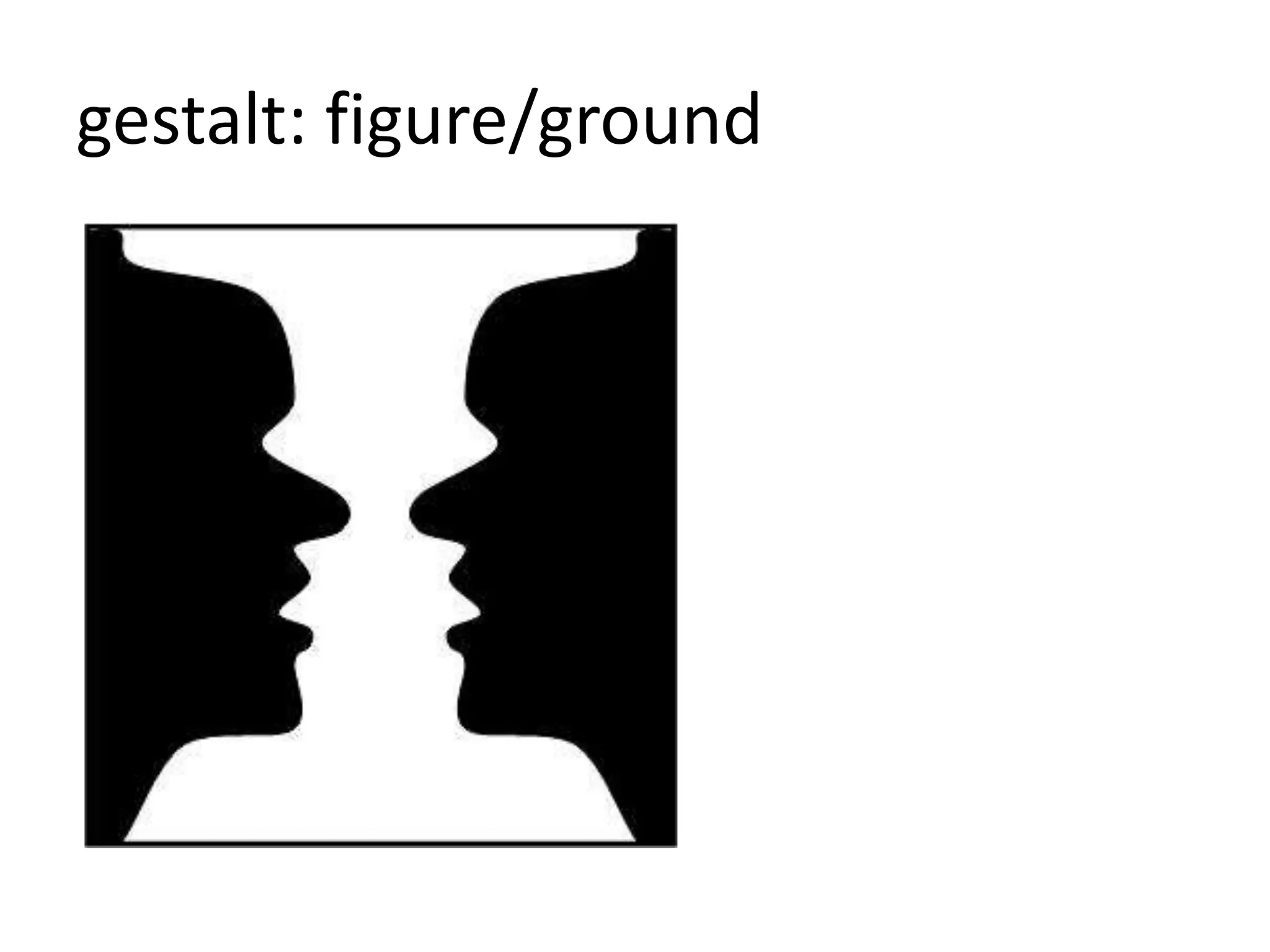
gestalt: figure/ground
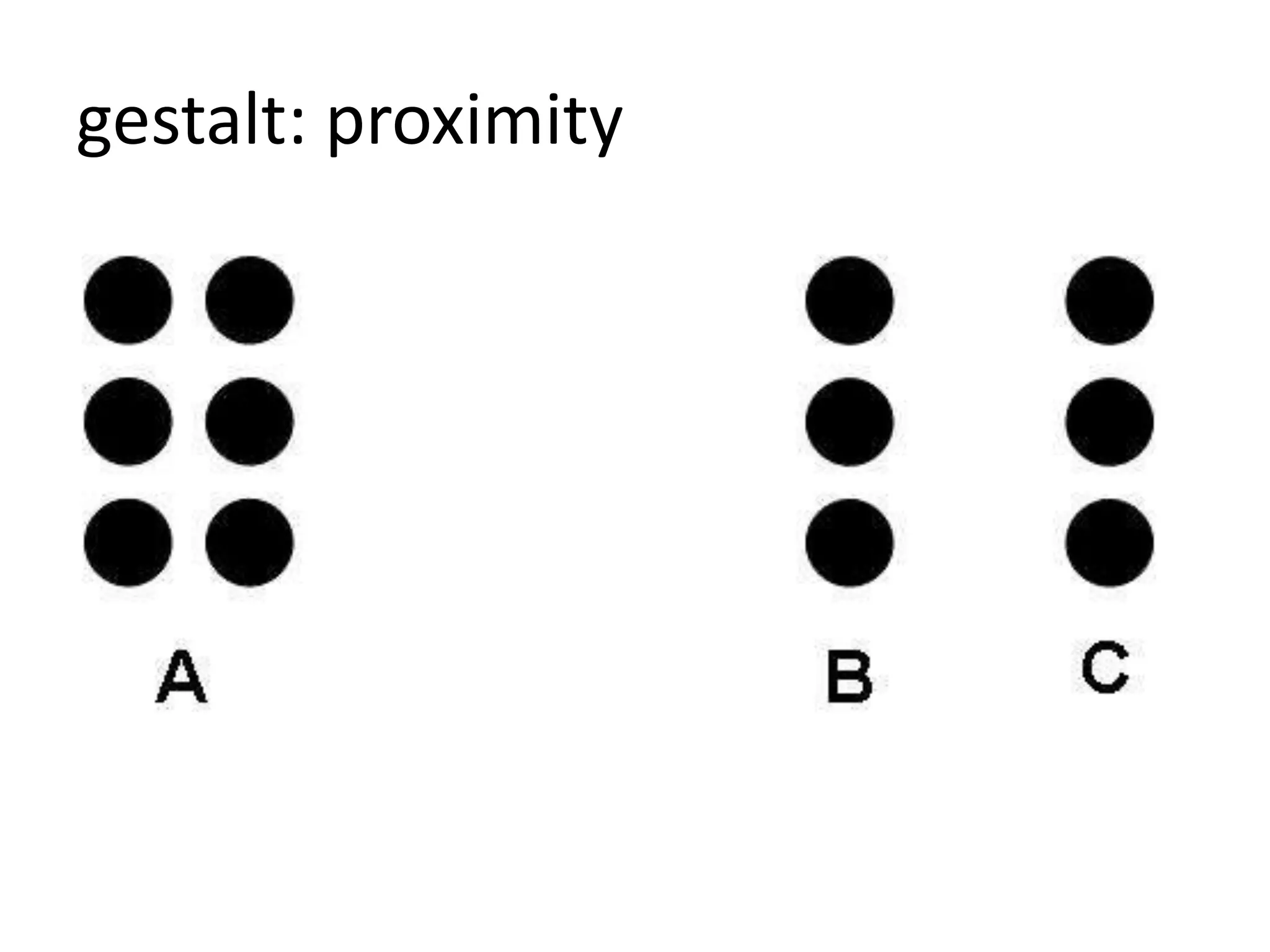
gestalt: proximity
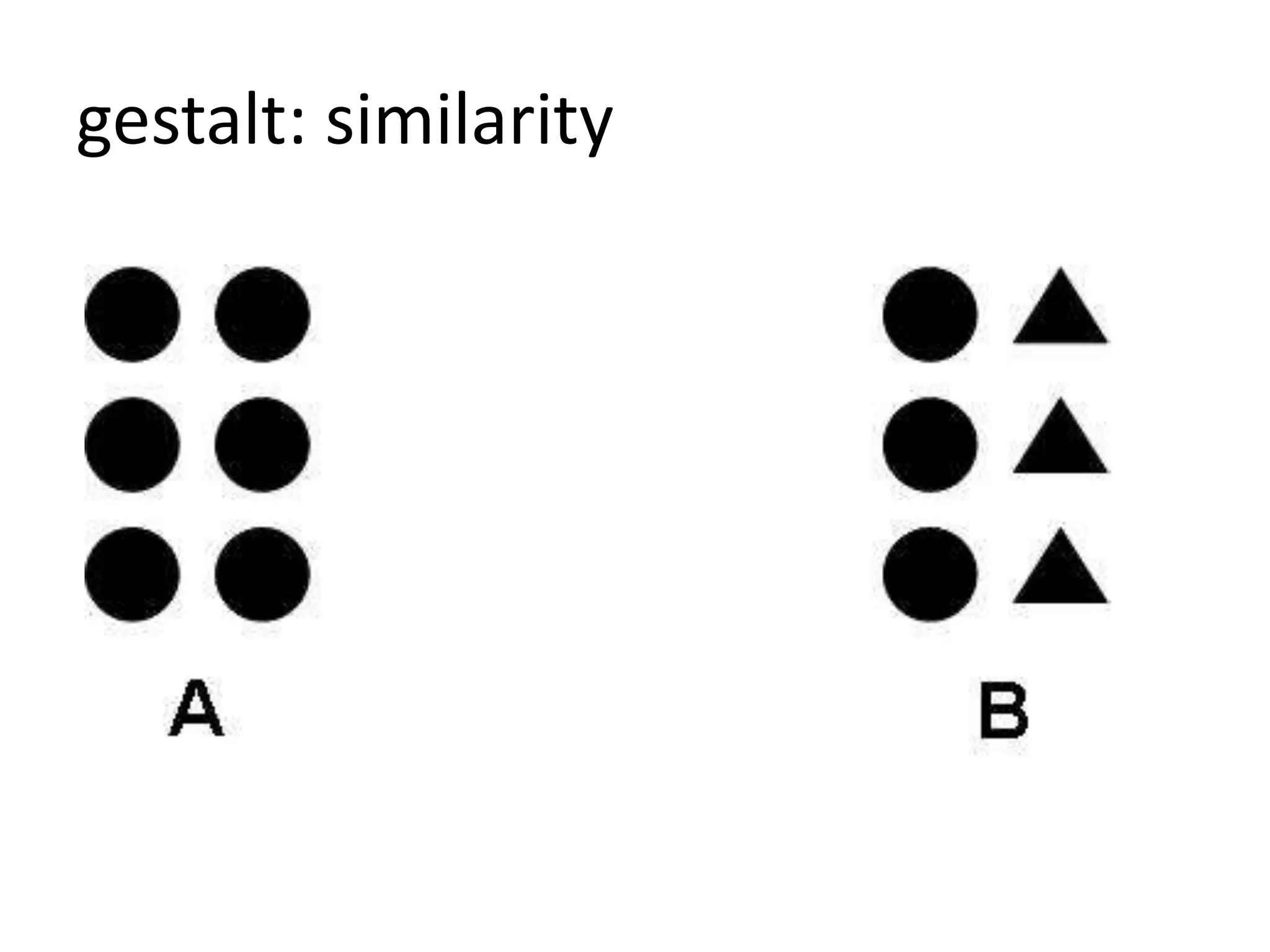
gestalt: similarity
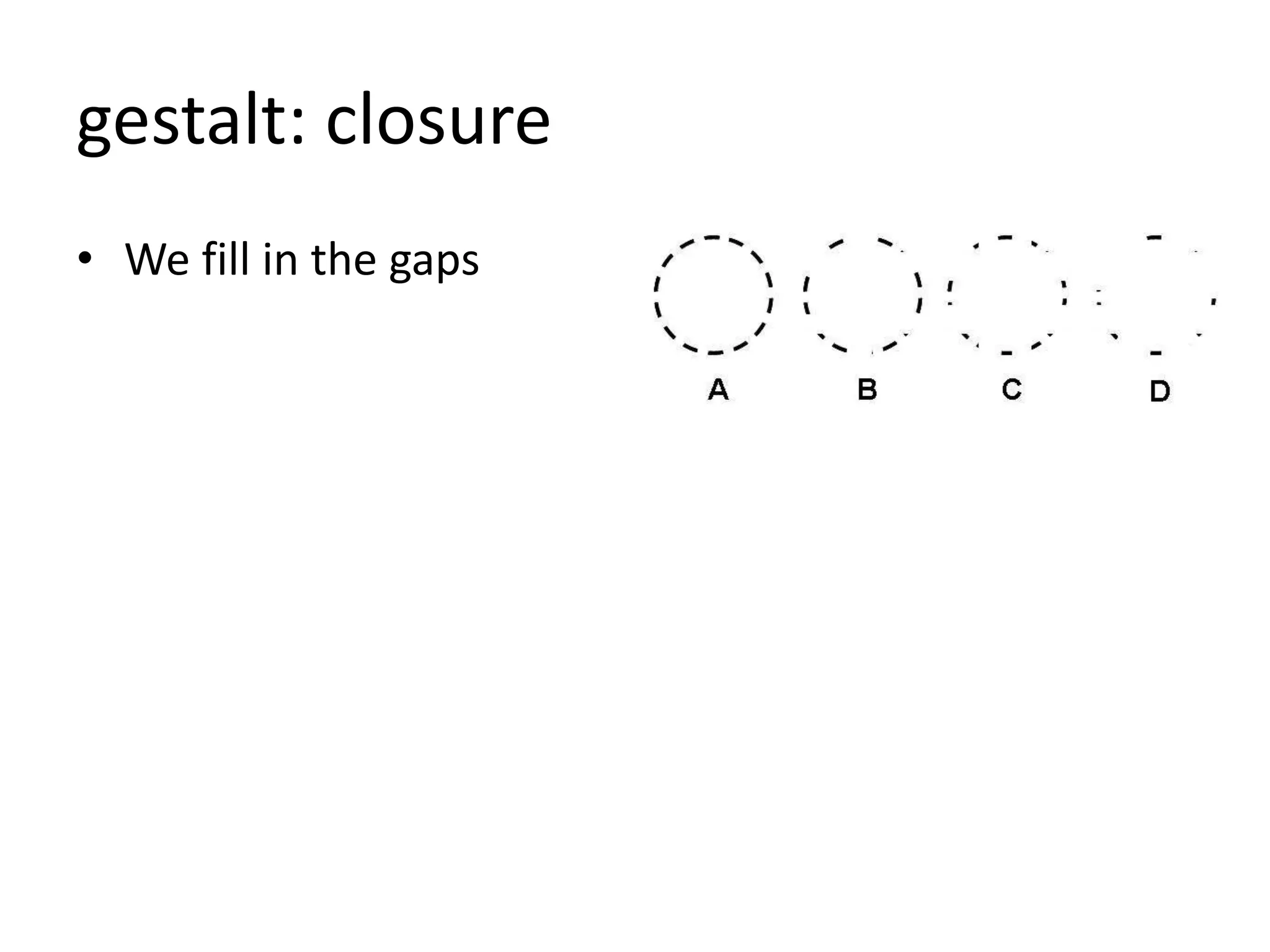
gestalt: closure
• We fill in the gaps
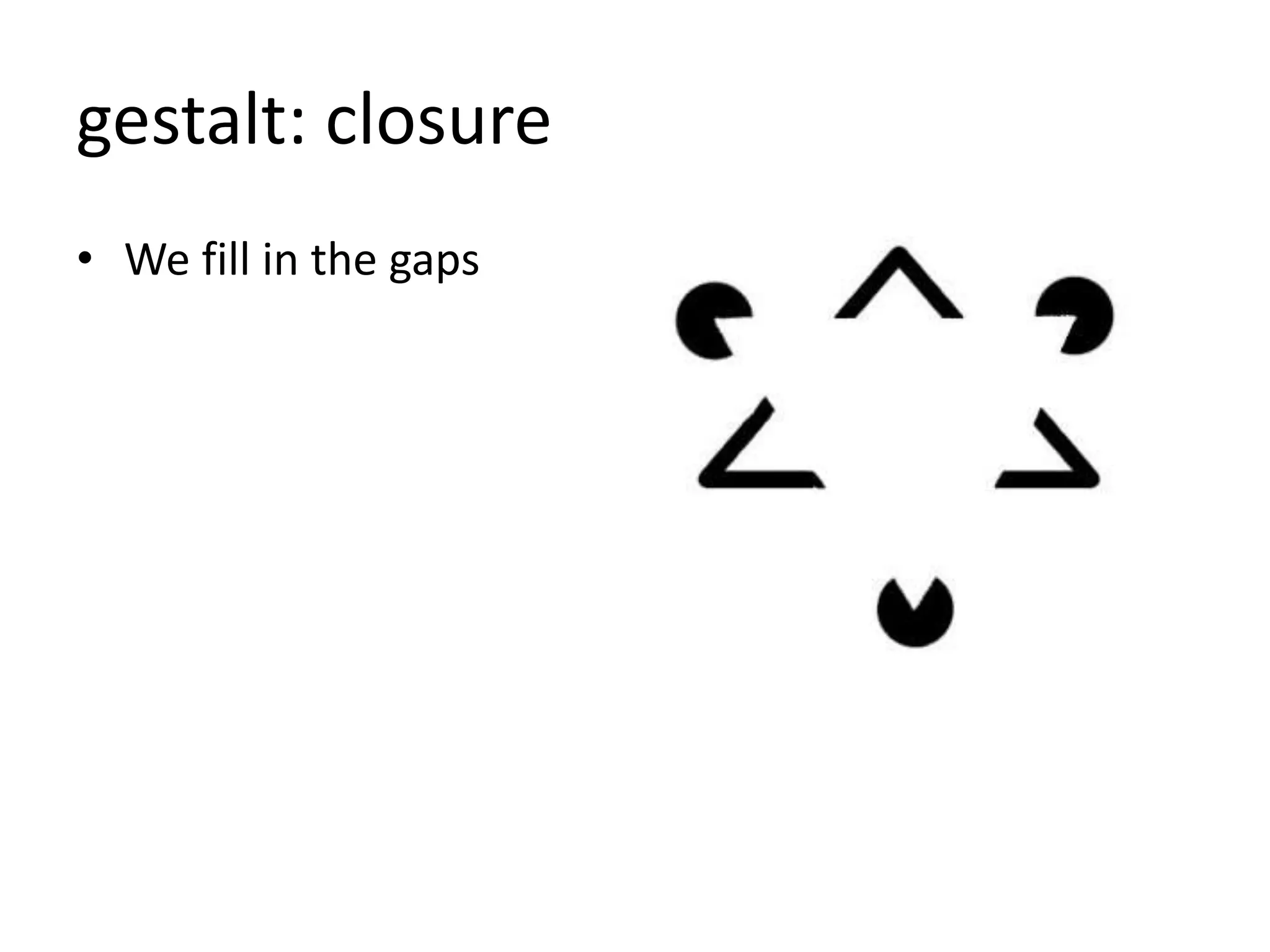
gestalt: closure
• We fill in the gaps
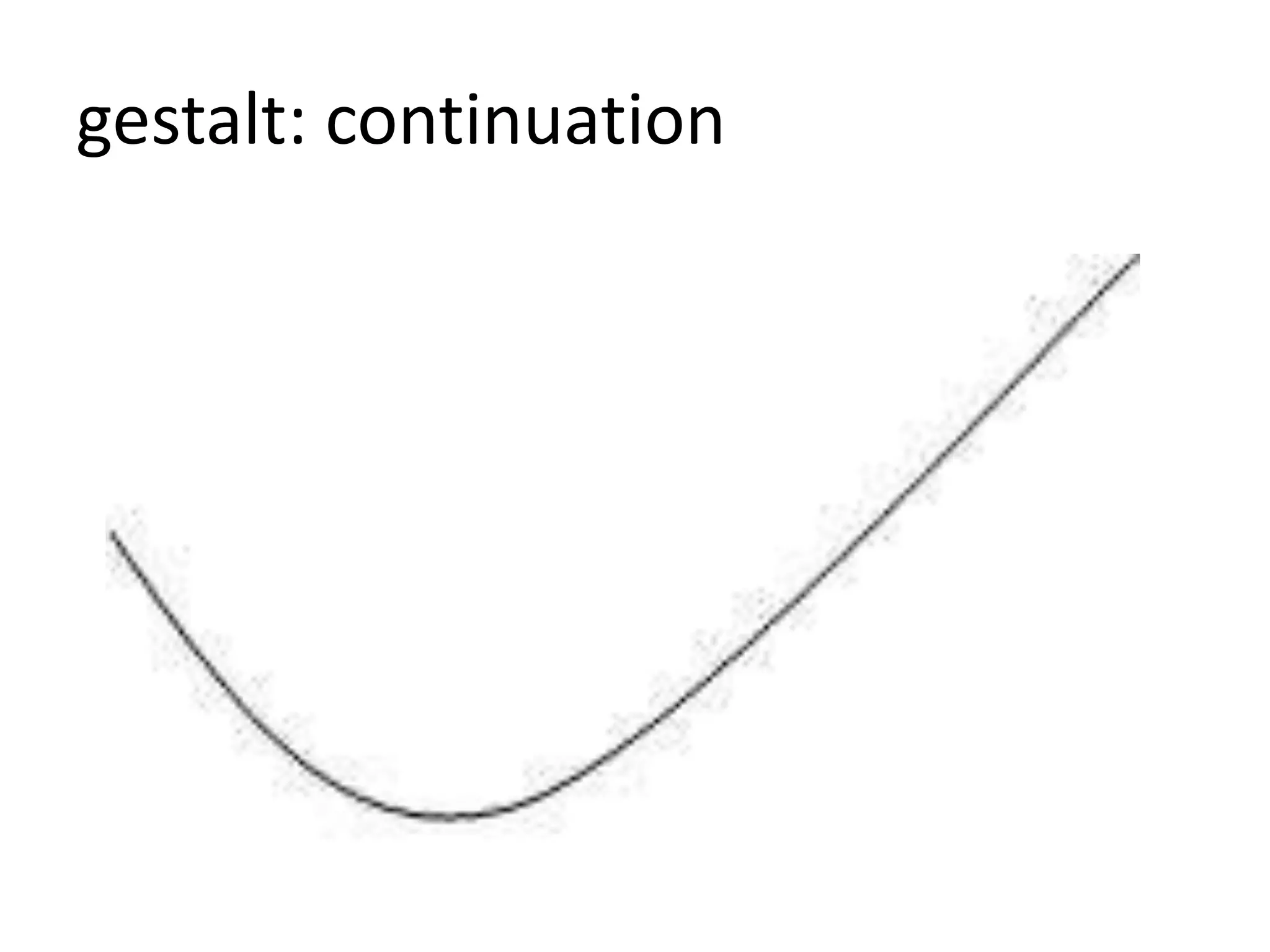
gestalt: continuation
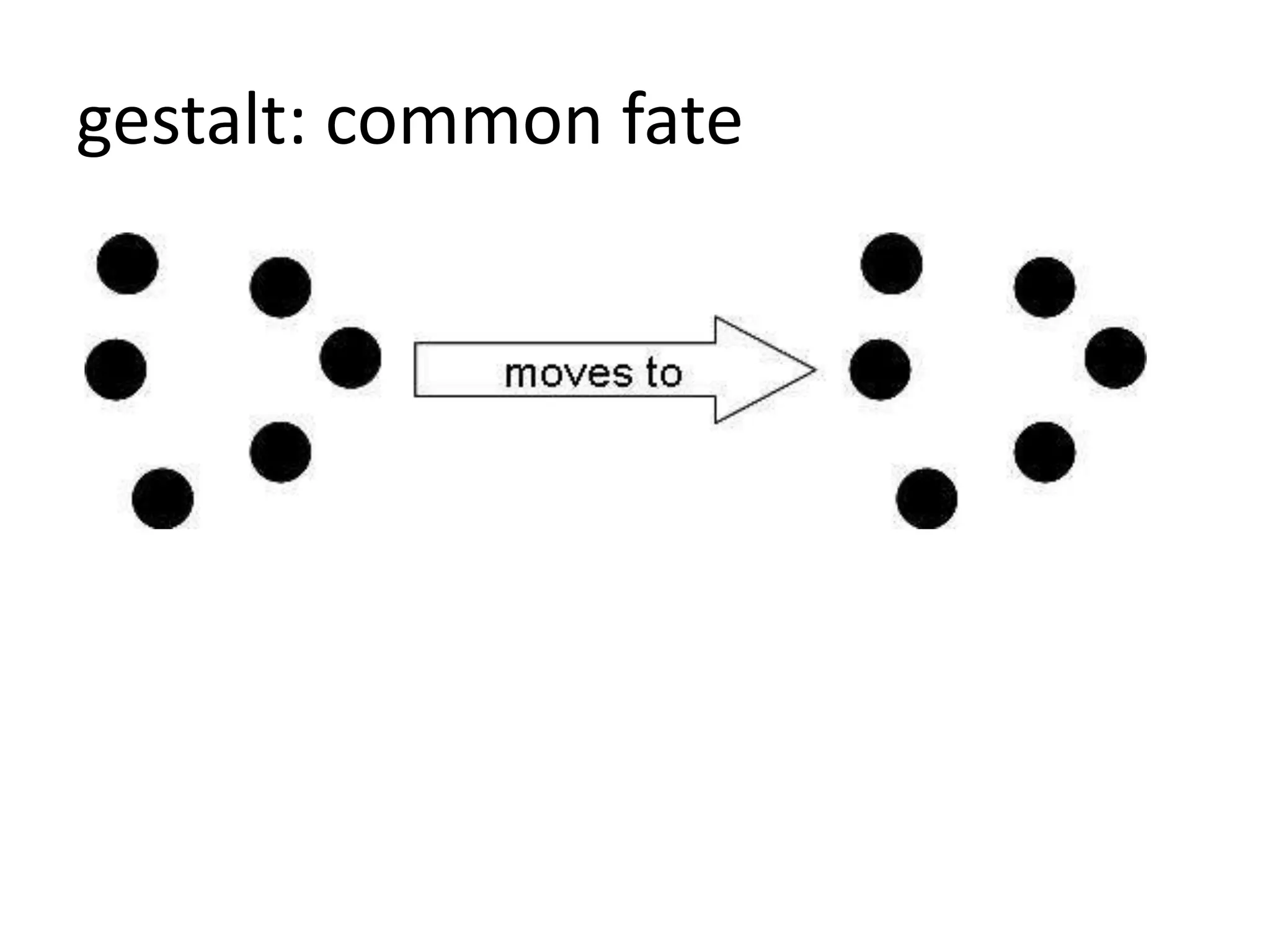
gestalt: common fate
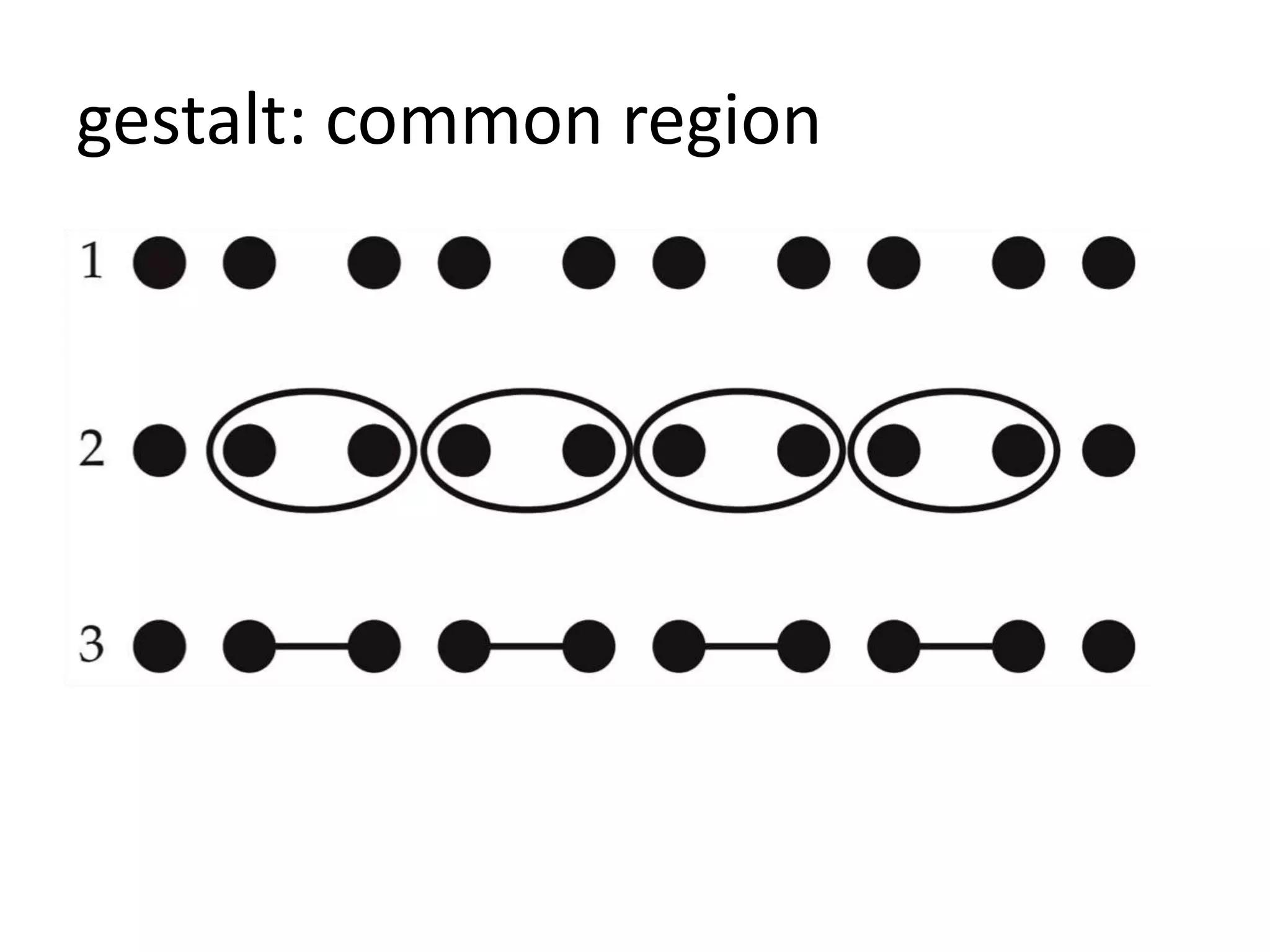
gestalt: common region
gestalt: grouping
• elements that are near each other appear
related
• watch the space between unrelated elements
• place headings close to their content
• corollary:
– aligment. people assume lined-up elements are
related.
– that’s one reason why we should not center
headings
memory
memory
• humans have limited working memory
• 5 items
• gestalt grouping improves the quantity we can
handle
motivation
motivation
• we lose motivation as tasks take longer
• lack of feedback makes us give up
• answering unnecessary questions
• group steps together
– install program
– wizards
design rules
design rules
• purpose of design rules is to:
– direct the eye
– make relationships clear
– teach how to use color
– reduce visual complexity
– ensure beauty
design rules
• reduce complexity
– occam’s razor
– hick’s law
– pareto principle
– fitt’s law
– fibonnaci
• use economics
– feedback
– mental models
• create beauty
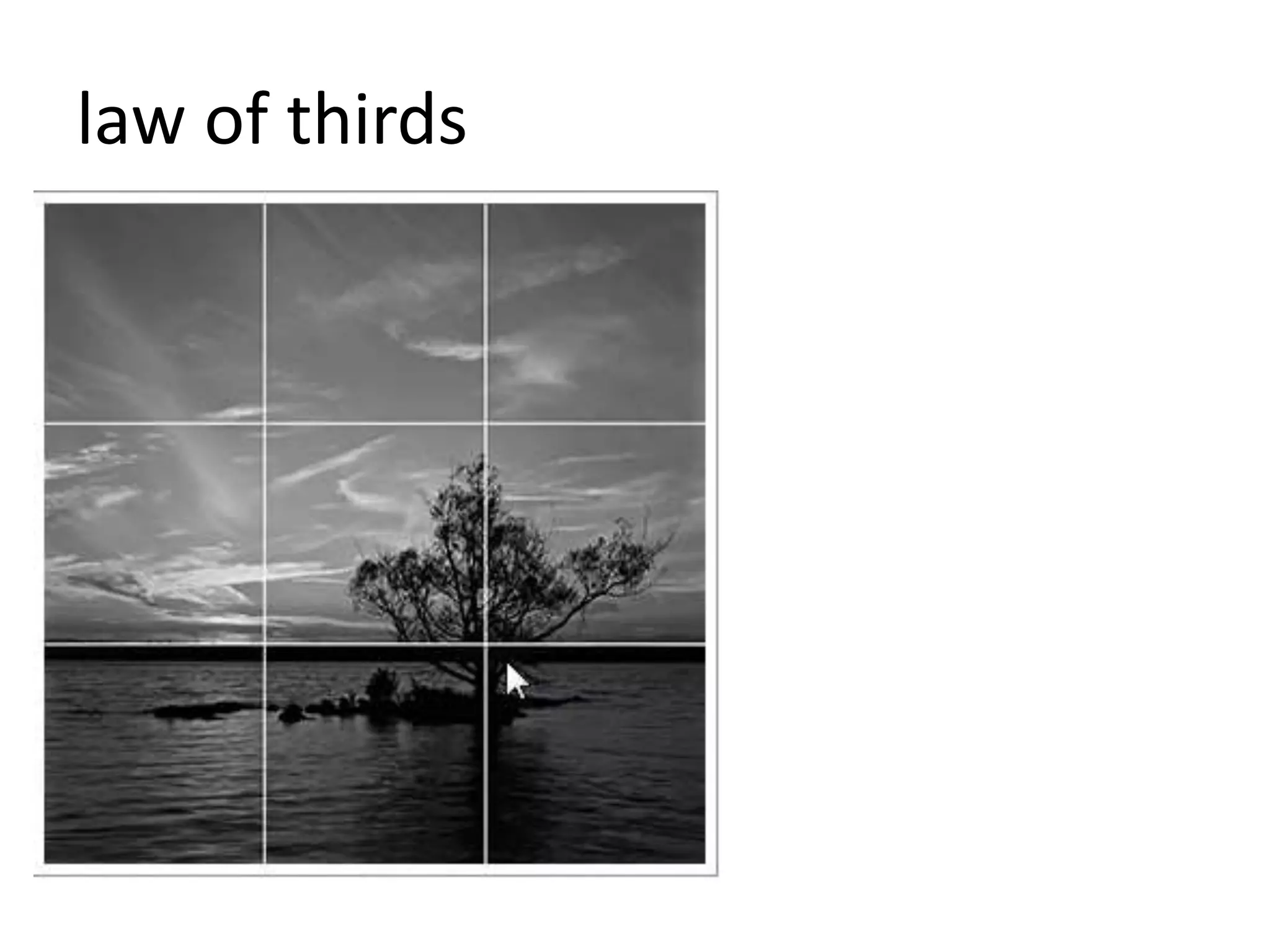
– law of thirds
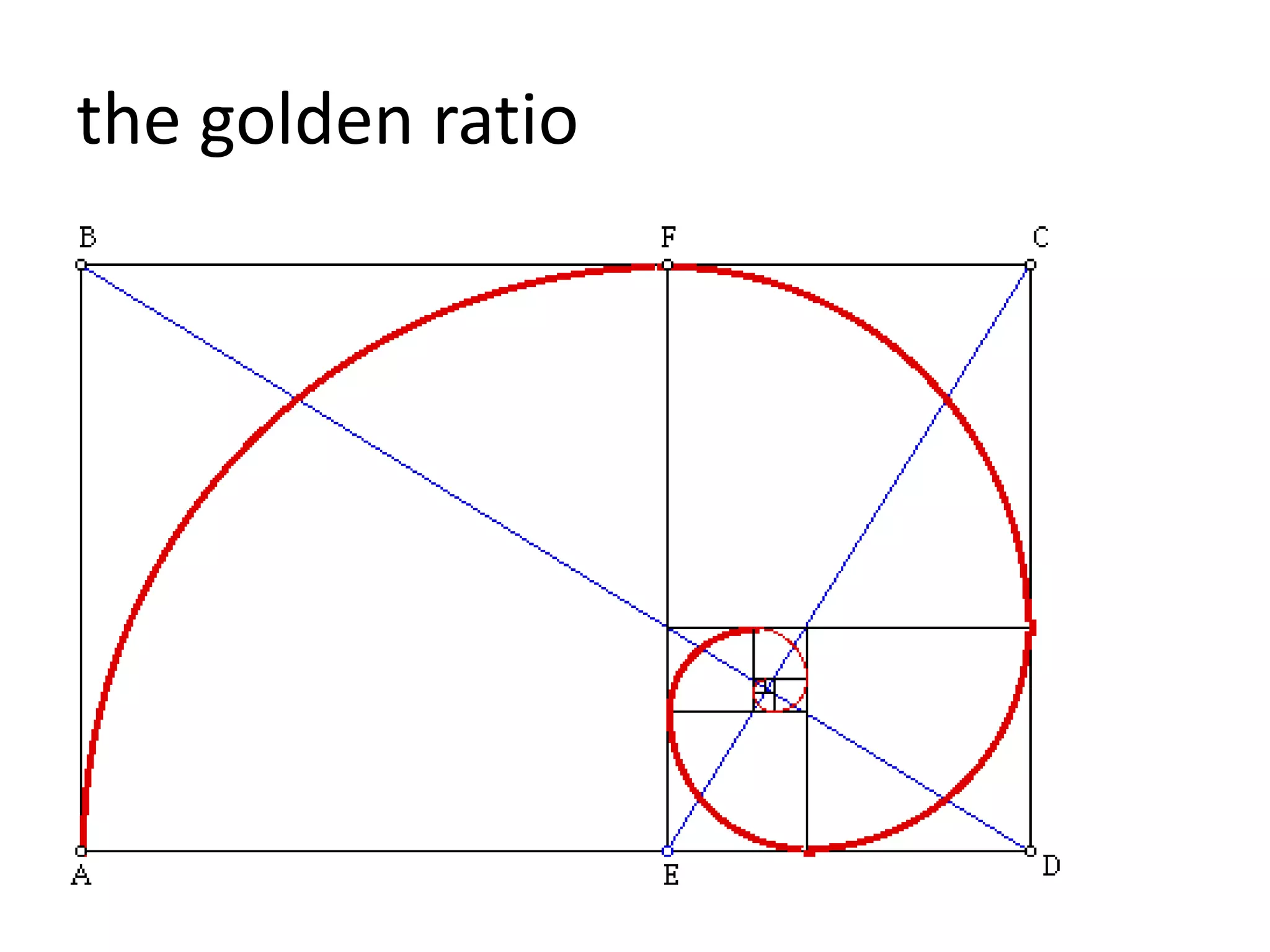
– the golden ratio
reduce complexity
occam’s razor
• the simplest solution is best
– be ruthless about the value of each new thing
– remove the unnecessary
hick’s law
• with every additional option, time it takes to
choose one increases
– so:
– reduce number of options
pareto principle
• “80/20 rule”
• most users will use 20% of your capabilities
• identify which ones they do
• put those up front
• bury other options
fitt’s law
• time to move to a target is a function of
– target size
– distance to the target
– so make targets bigger and easier to click
• make all the target clickable
– no separate state for text on an object
• opposite as well:
– give what we want to be hard to click (cancel
buttons) a smaller clickable area
feedback
• give a user clear indication something has
happened, is happening, could happen
– hover text (alt text)
– focus()
– loading bars
– highlighting
use economics
mental models
• easier to understand & learn new things if
based on things we already understand
• model designs off real world situations &
objects
• we relate it to our understanding of real life
motion
• users love it
• but never use just for “oo, aah”
• always use to
– emphasize
– guide the eye
– show change
– show relationships
animation
• should show relationships
• should emphasize
• should guide the eye
• gestalt: common fate
• gestalt: grouping laws
create beauty
law of thirds
the golden ratio
fibonnaci (yes!)
• found in:
– classical creative works
– nature
• can be used to :
– create visual patterns
– create shapes
– create organic figures
– create grids
– dictate sizing and ratios
1, 1, 2, 3, 5, 8, 13, 21, 34,
55
a quick primer on type
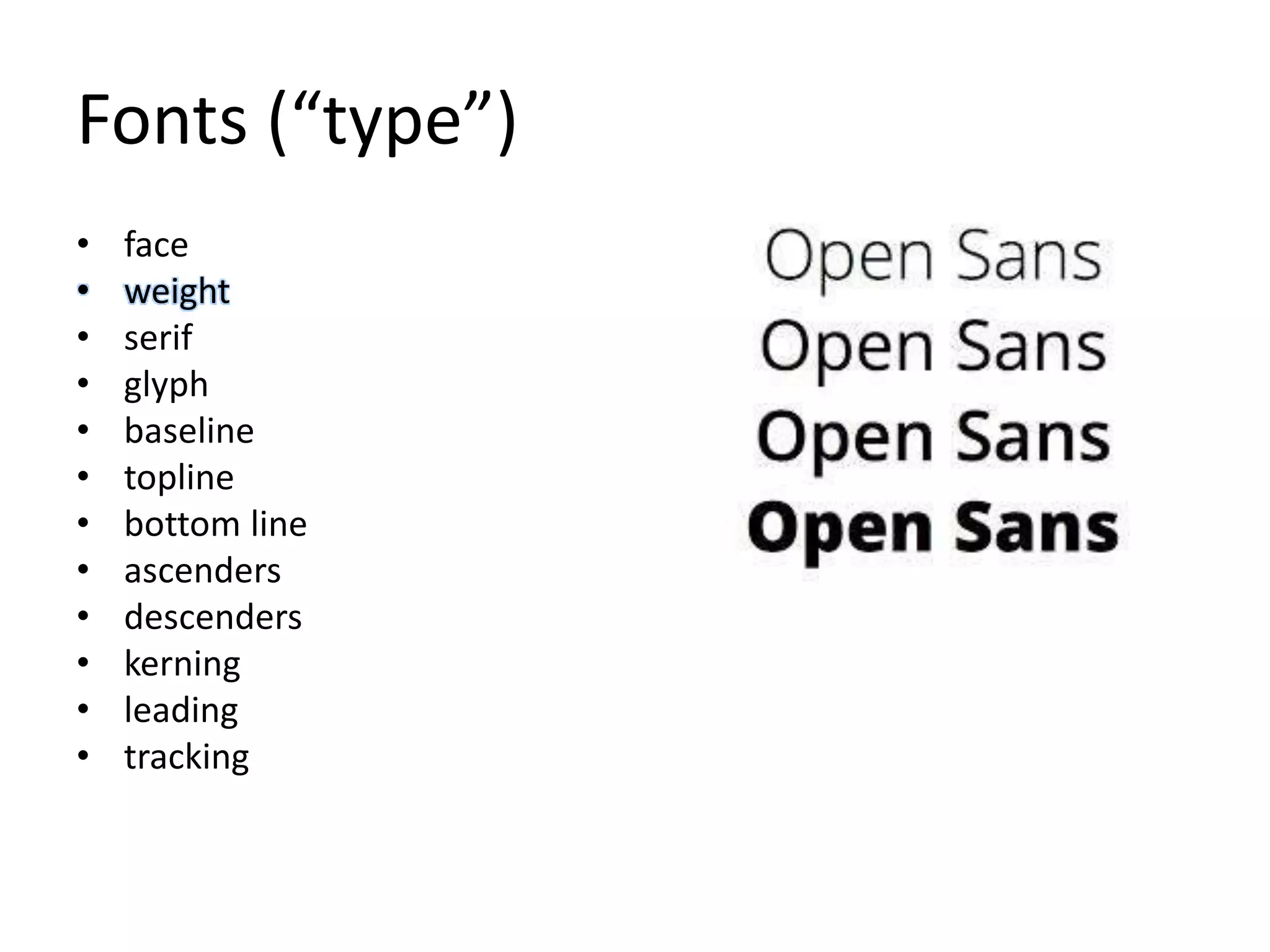
Fonts (“type”)
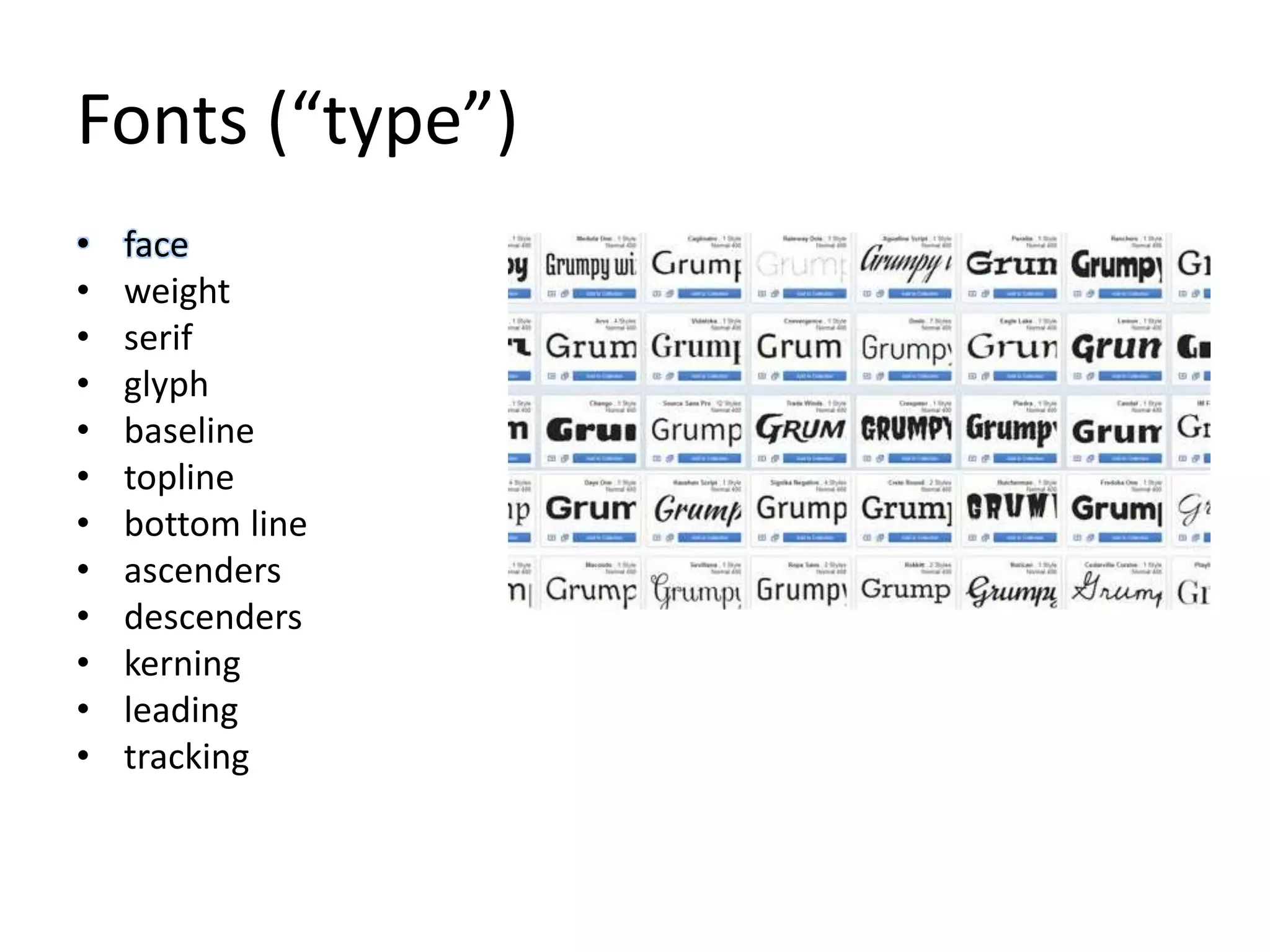
• face
• weight
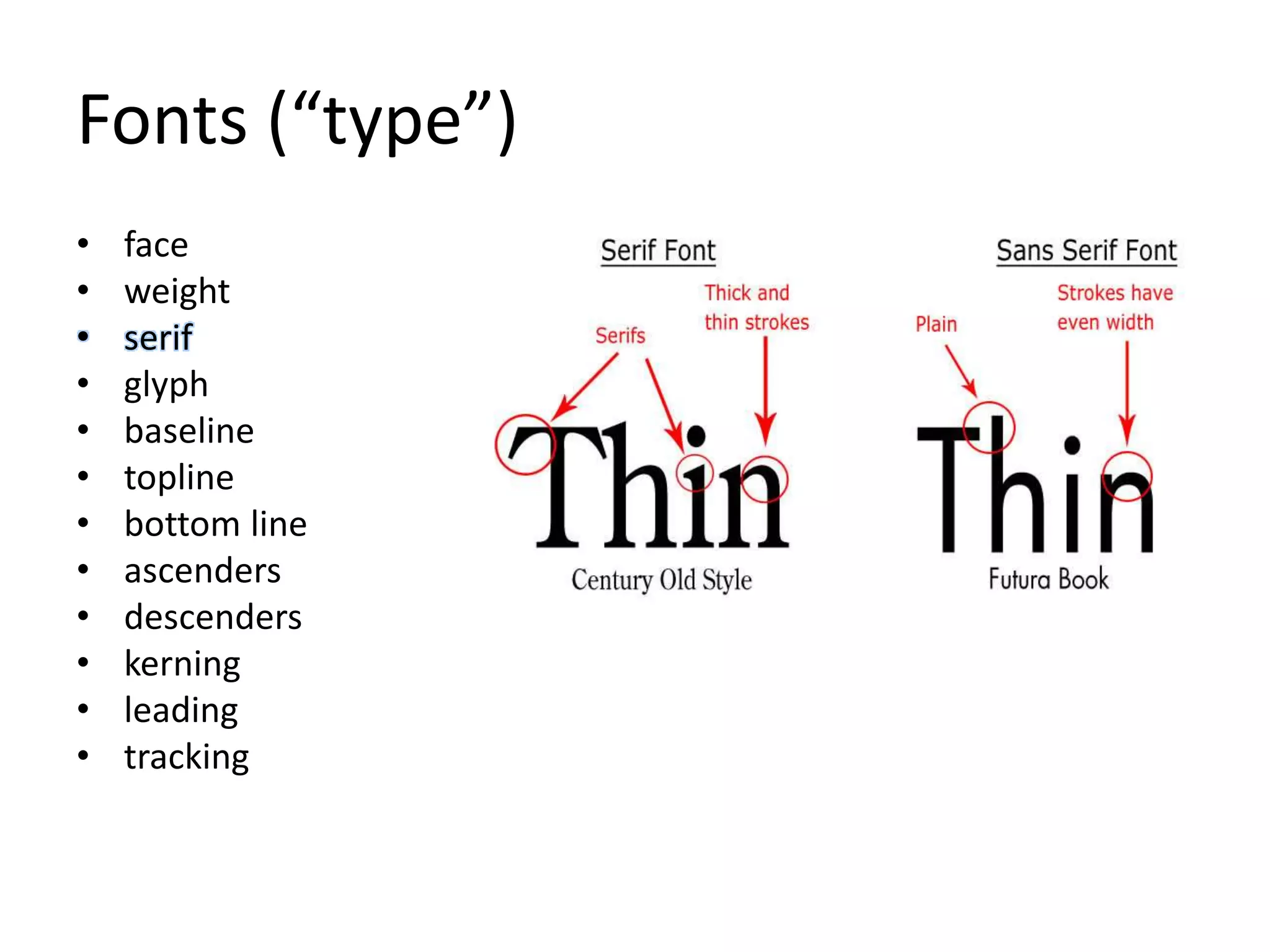
• serif
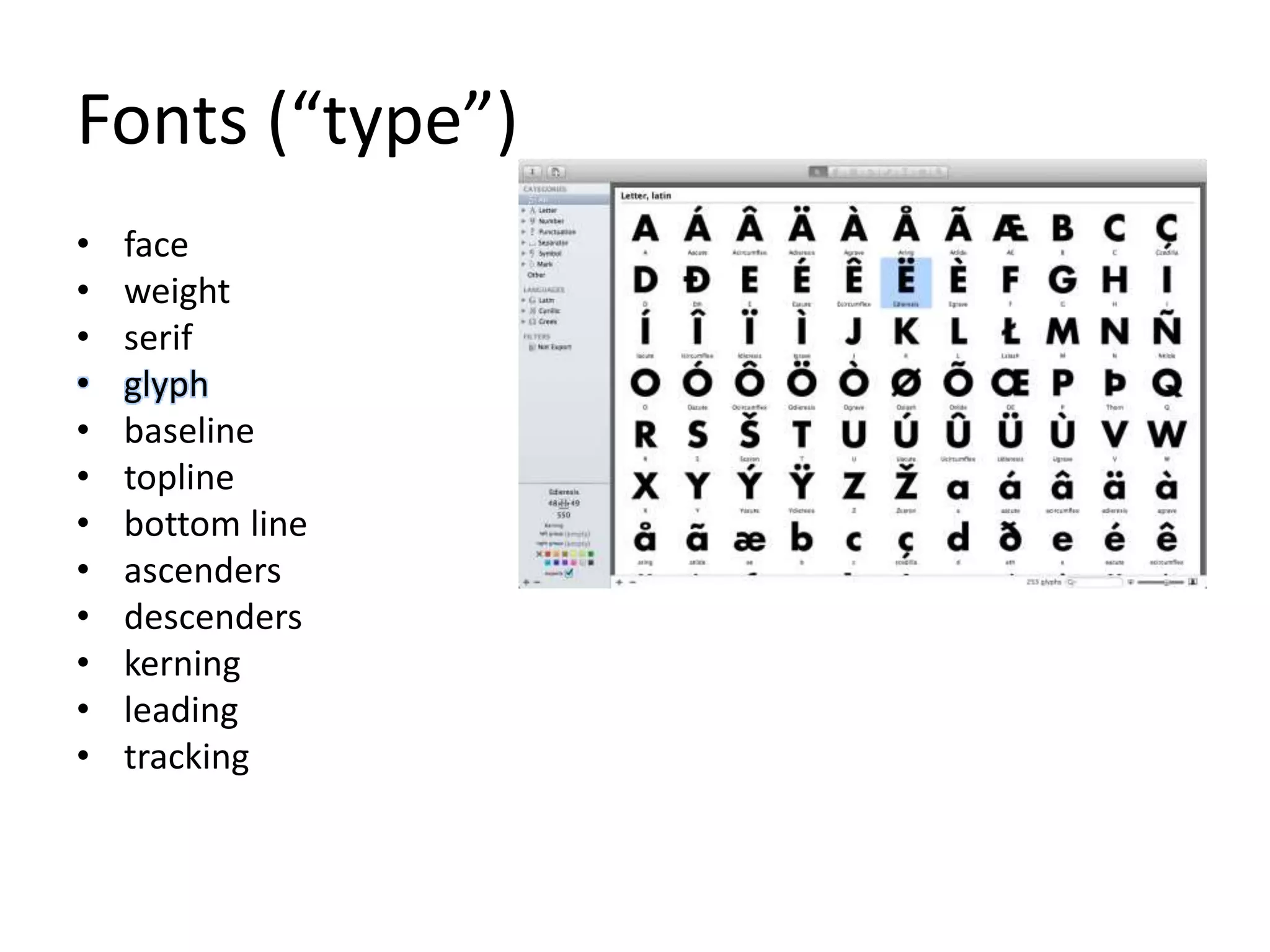
• glyph
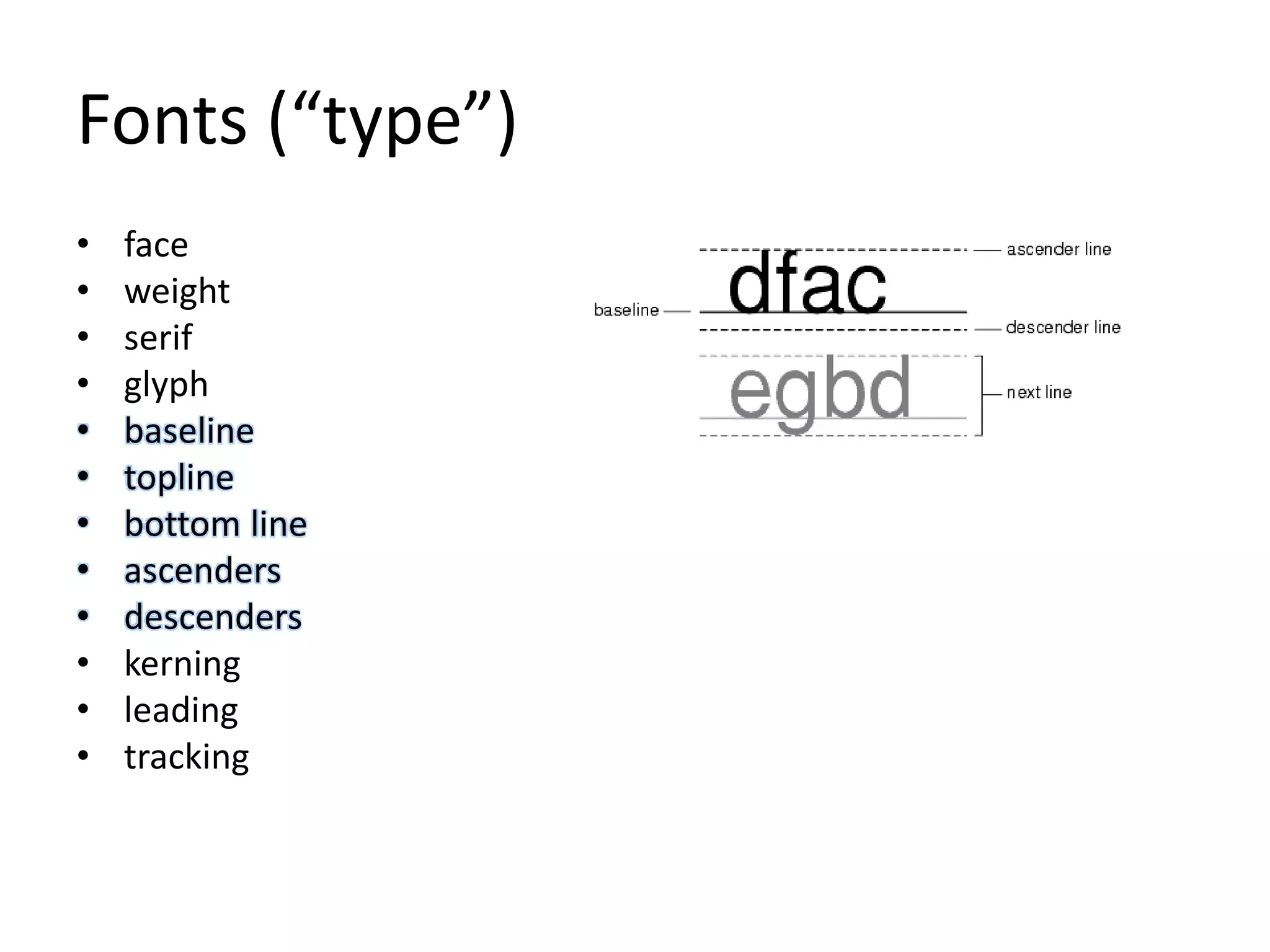
• baseline
• topline
• bottom line
• ascenders
• descenders
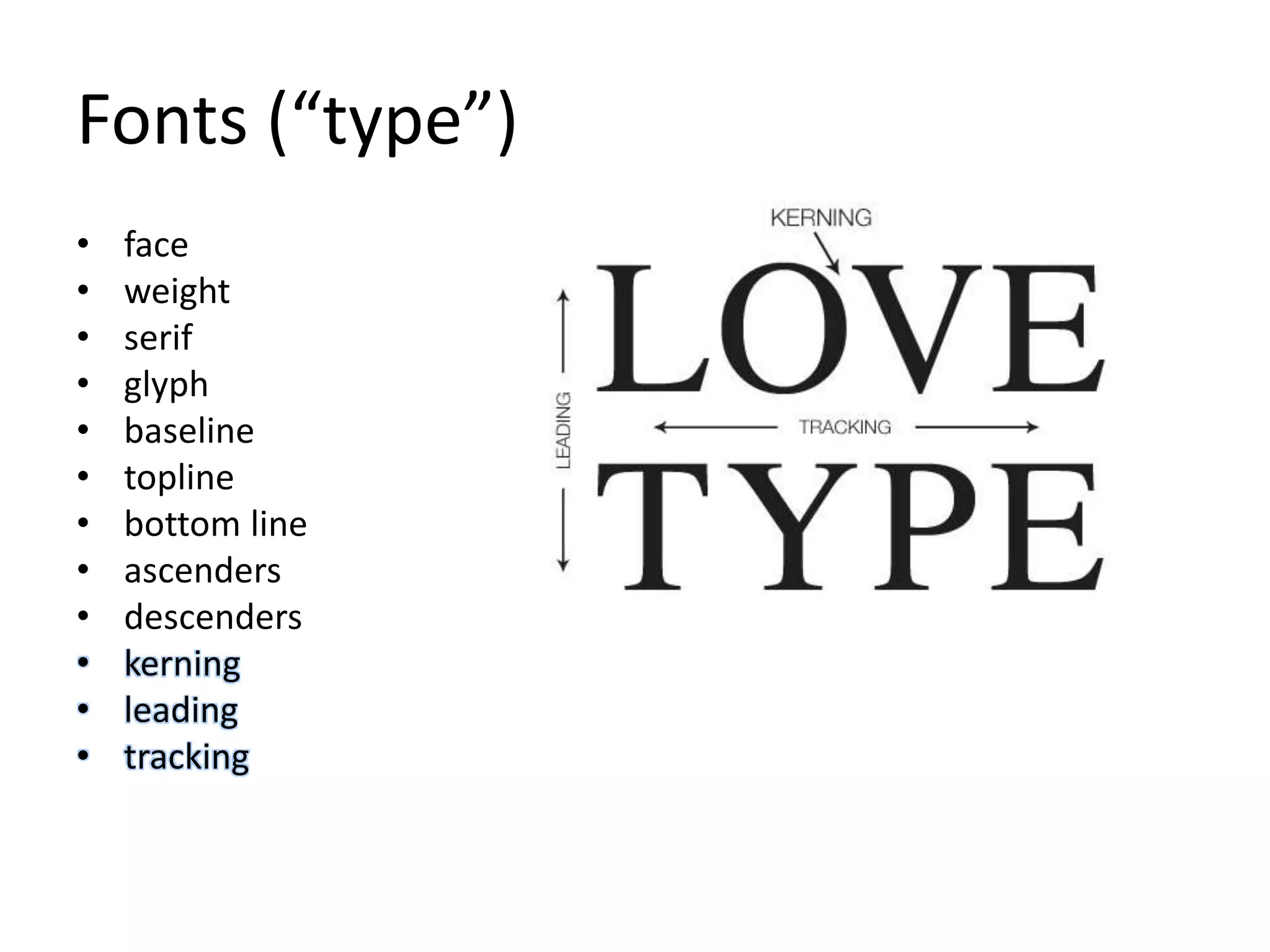
• kerning
• leading
• tracking
Fonts (“type”)
• face
• weight
• serif
• glyph
• baseline
• topline
• bottom line
• ascenders
• descenders
• kerning
• leading
• tracking
Fonts (“type”)
• face
• weight
• serif
• glyph
• baseline
• topline
• bottom line
• ascenders
• descenders
• kerning
• leading
• tracking
Fonts (“type”)
• face
• weight
• serif
• glyph
• baseline
• topline
• bottom line
• ascenders
• descenders
• kerning
• leading
• tracking
Fonts (“type”)
• face
• weight
• serif
• glyph
• baseline
• topline
• bottom line
• ascenders
• descenders
• kerning
• leading
• tracking
Fonts (“type”)
• face
• weight
• serif
• glyph
• baseline
• topline
• bottom line
• ascenders
• descenders
• kerning
• leading
• tracking
thanks

Design: how to see

Editor's Notes

  • #2 we‘re talking about see in the bigger sense. not just with the eyes.
  • #3 We’ll cover some basics about human cognition. And we’ll get into why that’s important in case anyone thinks it’s off topic. a group of what many have begun to collect as basic rules of design visual examples notes about how to use movement a quick primer on type
  • #4 human cognition and abilities make the core of UX. although humans are amazing, we have recognized limits on perception, recall, and reasons for doing things. fritz perls and his gestalt psychology have come closest to covering perception. then we’ll talk about memory and what it can actually do finally we’ll cover why we do things.
  • #5 gestalt means the whole thing.
  • #6 gestalt has to do with how we group and connect things. we do it by: how close things are to each other similarity of some visual property. here it’s color, we think the rabbits are grouped because they’re the same color. closure means they are in some shape that we can recognize, such as a triangle or pyramid. Rectangles and circles would do that too. continuation is the sense of general pattern. we see two groups of rabbits. common region means some bordering pattern using a different element is forcing a grouping. connectedness means some arrow-drawing language is actually coming in to force a grouping.
  • #7 figure/ground is it‘s the basic rule in gestalt psychology contrast makes us complete objects. it says that contrast makes us see complete objects. these are not two faces or a candlestick. these are black areas and white areas. we draw shapes using these areas of contrast, and what’s more, we name them. faces. candlesticks.
  • #8 we see relationships based on how close things are to each other
  • #9 we see relationships based on similarity (shape, color, pattern)
  • #10 we fill in gaps. how many complete circles are here? answer: none.
  • #11 how many triangles are here? answer: none.
  • #12 we follow lines. we see this as UP.
  • #13 when we see many objects move together, we assume they are connected & see them as a single item
  • #14 when we see a border around a group of things we assume they are related
  • #15 so it’s all about grouping.
  • #16 let’s talk about why
  • #17 there is a cliché that people remember seven plus or minus five. that is actually not accurate – it’s based on an article by george a miller from 1956. just remember this. working memory can hold five things. by using the rules of grouping, you can increase what we can remember because these things can be groups. and the groups can have groups. now do you want to go back and review the rules of grouping again?
  • #18 why do people care?
  • #19 why we do things is just as important as that we do things. some of these facts are obvious but let’s go through them. as things take longer to do we get distracted. and we start to get impatient. if the UX is asking us questions that we don’t understand why, we start to feel the cost outweighs the benefit. we are constantly evaluating the expense. and if we have to ask some questions, then work a bit, and then ask more questions, it’s better to ask them all at once and use good defaults to avoid questions whenever needed.
  • #20 so what do we draw from this?
  • #21 this is why we start to put together rules. the human eye wanders and we have to focus its attention since grouping gives us an advantage we should look at all the ways it does that. since we use color as a grouping element, we need to understand it since we can’t do more than five things together, we need to smash together more complicated things into groups. and the more the result looks pleasing – and we’ll talk about what pleasing means – the more time we want to spend with it
  • #22 here’s the list. we use the names so you can start to handle them
  • #23 so knowing what we do now, it is in our interest to keep things simple.
  • #24 it‘s all about simple. “a design isn’t finished when there is nothing more to add, but when there is nothing left to take away.” – Antoine de Sant Exupery. “everything should be as simple as possible, but no simpler” – a. einstein
  • #25 hick‘s law says that it gets harder to choose the more choices we give. do you really need all those choices? we have two political parties.
  • #26 let‘s state it simply. you can chop out 8 out of ten choices and have something that’s still pretty good. you can keep swapping some of the ten choices in until you discover the ones people will choose. keep ranking the few choices. better than offering too many.
  • #27 this talks about interaction. if we have a majority choice we make the click region bigger. if we want to reduce the chance of choice we make it smaller.
  • #28 talk to your users visually. ux is a story.
  • #29 how do we even get people to care?
  • #30 we look for the familiar. in hollywood they use the meets system to simply complex storylines. it‘s rio largo meets bill and ted’s excellent adventure
  • #31 we are drawn to motion. watching our prey in the field, or a predator coming our way enabled us to survive. but it has its limits avoid candy motion. use it to inform.
  • #32 what do we mean by inform? this is what we mean.
  • #33 so how do we make things people want to look at? aesthetics is a big field of study and we are not going to be exhaustive. here are a couple things to consider. if this subject comes back to bite us, let’s go into it deeper on its own.
  • #34 break up a design vertically & horizontally into thirds viewer is drawn to the intersection of those lines place elements along these lines the eye groups everything in threes unless there’s something to interfere.
  • #35 ratio within the elements (e.g., height to width) should approximate 0.618 (everywhere in nature) think seashells applied to rectangles, you get a spiral pattern
  • #36 there seems to be a classical mathmatical pattern to beauty. we are certainly ready to believe this.
  • #37 ok, finishing up, let’s talk about when we have to use words to talk to people. we express words and their tone through type.
  • #38 so many special words and concepts about type the face is the design of the curves and straight lines in outline. type artists create these
  • #39 weight determines how we stretch or skinny out the shapes that the type artists designed. usually the artists do these exaggerations too. but sometimes they are done by machines or other designers.
  • #40 the little hangy things off type are serifs. if you line up a bunch of words in rows, serifs help our eyes see completion lines across the page. in case you were wondering why they were there. if you want type hanging out by itself, and not in lines, sans serif is better.
  • #41 the shape drawn for each letter or symbol is a glyph. glyphs are what is common across each font. every font has a letter A.
  • #42 These are the boxes we draw around type and affect the placement of each letter when we make rows of them
  • #43 these are about how we tuck the glyphs together to help people see the words we are making.
  • #44 this was a lot of slides. thanks for sticking with it.