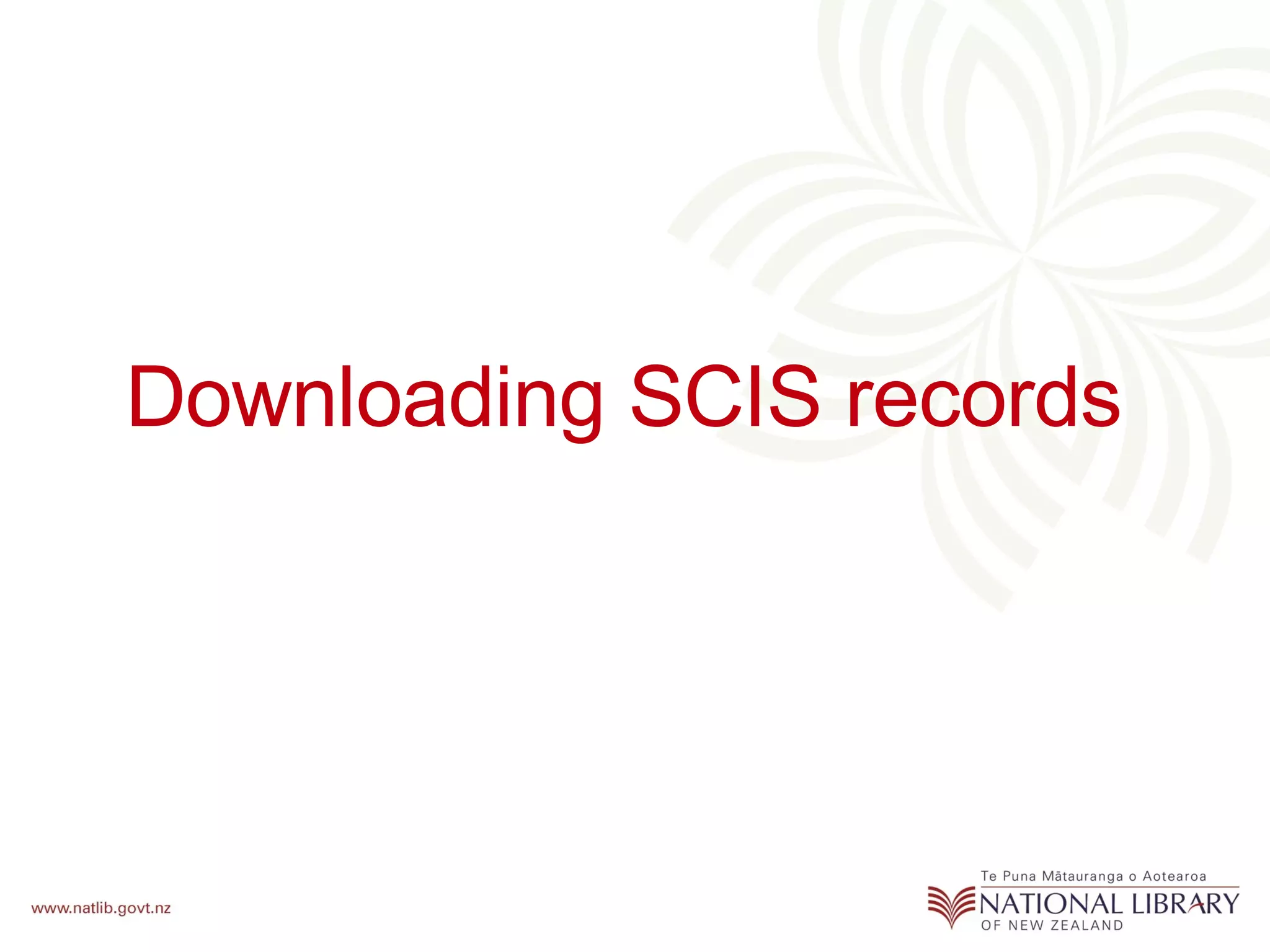
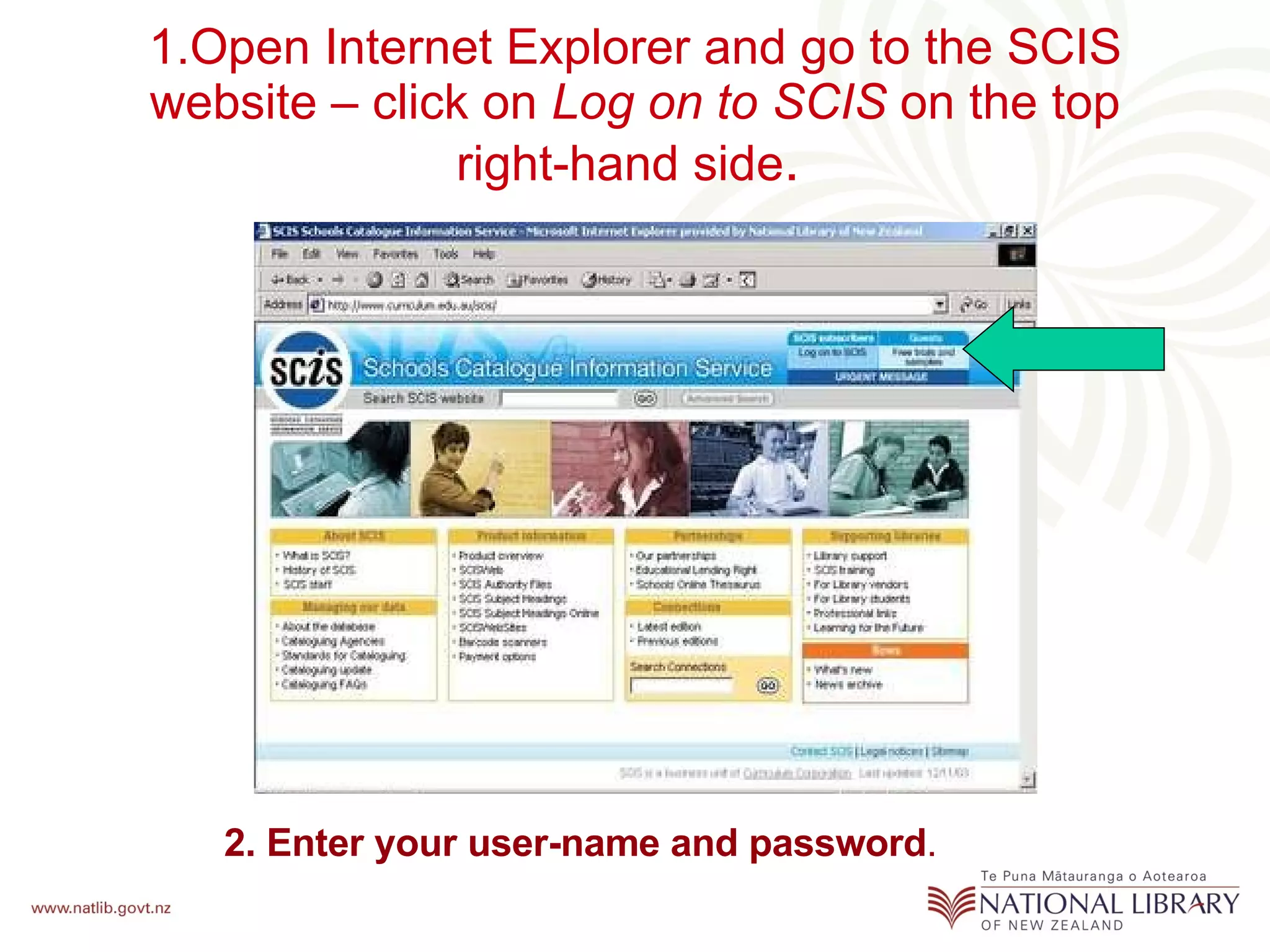
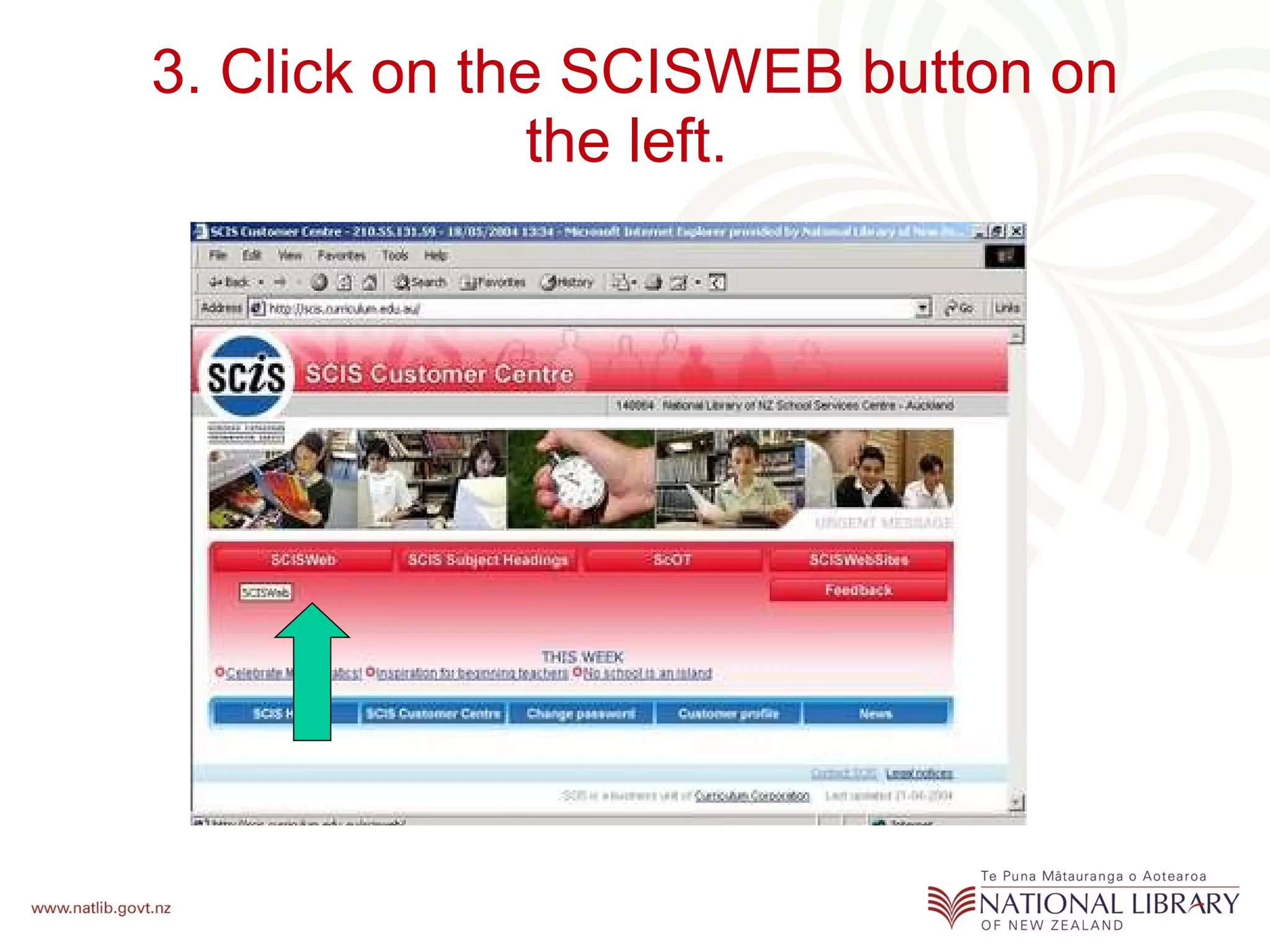
1. Log into the SCIS website and click on "Log on to SCIS" and enter your username and password.
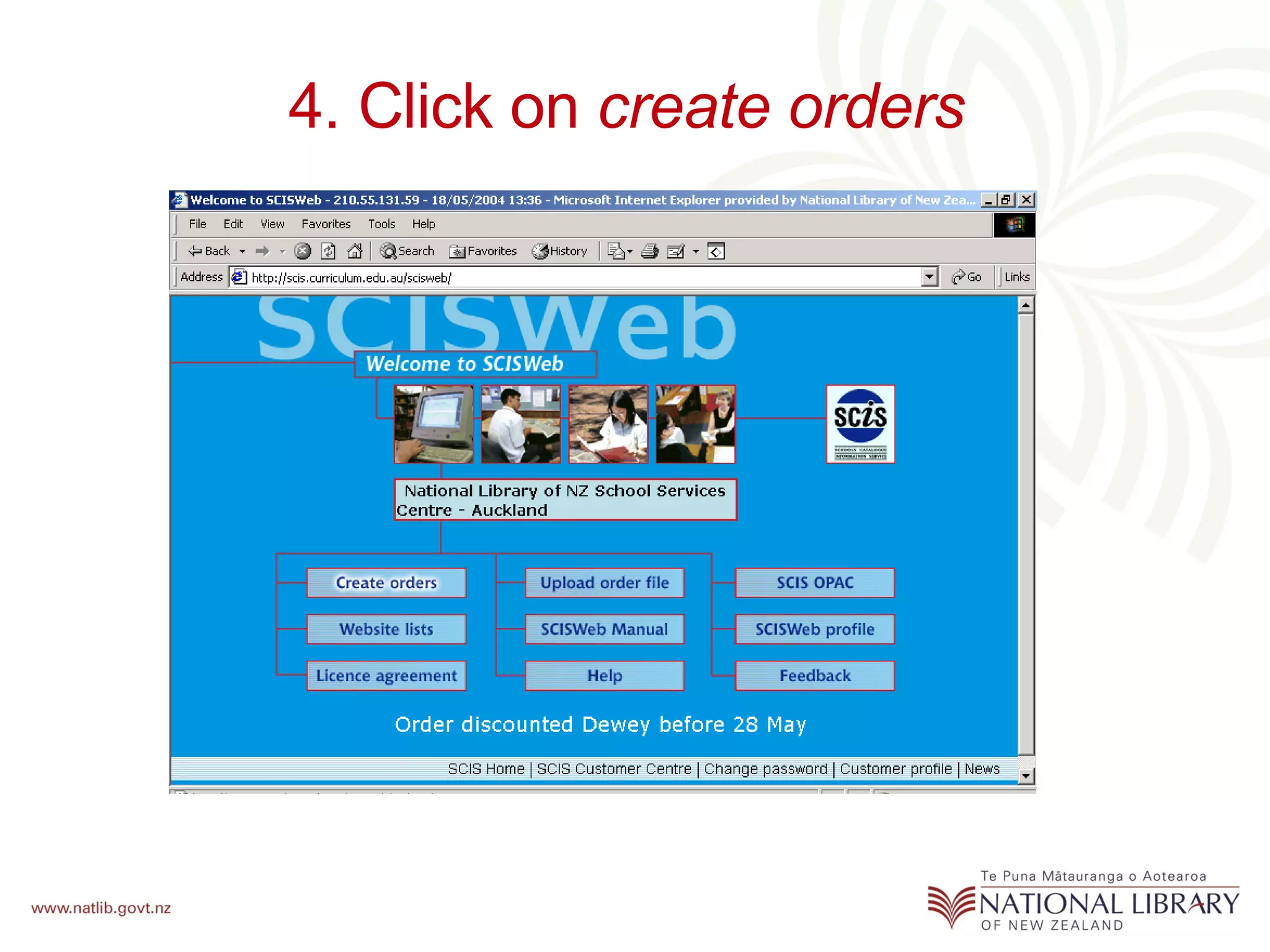
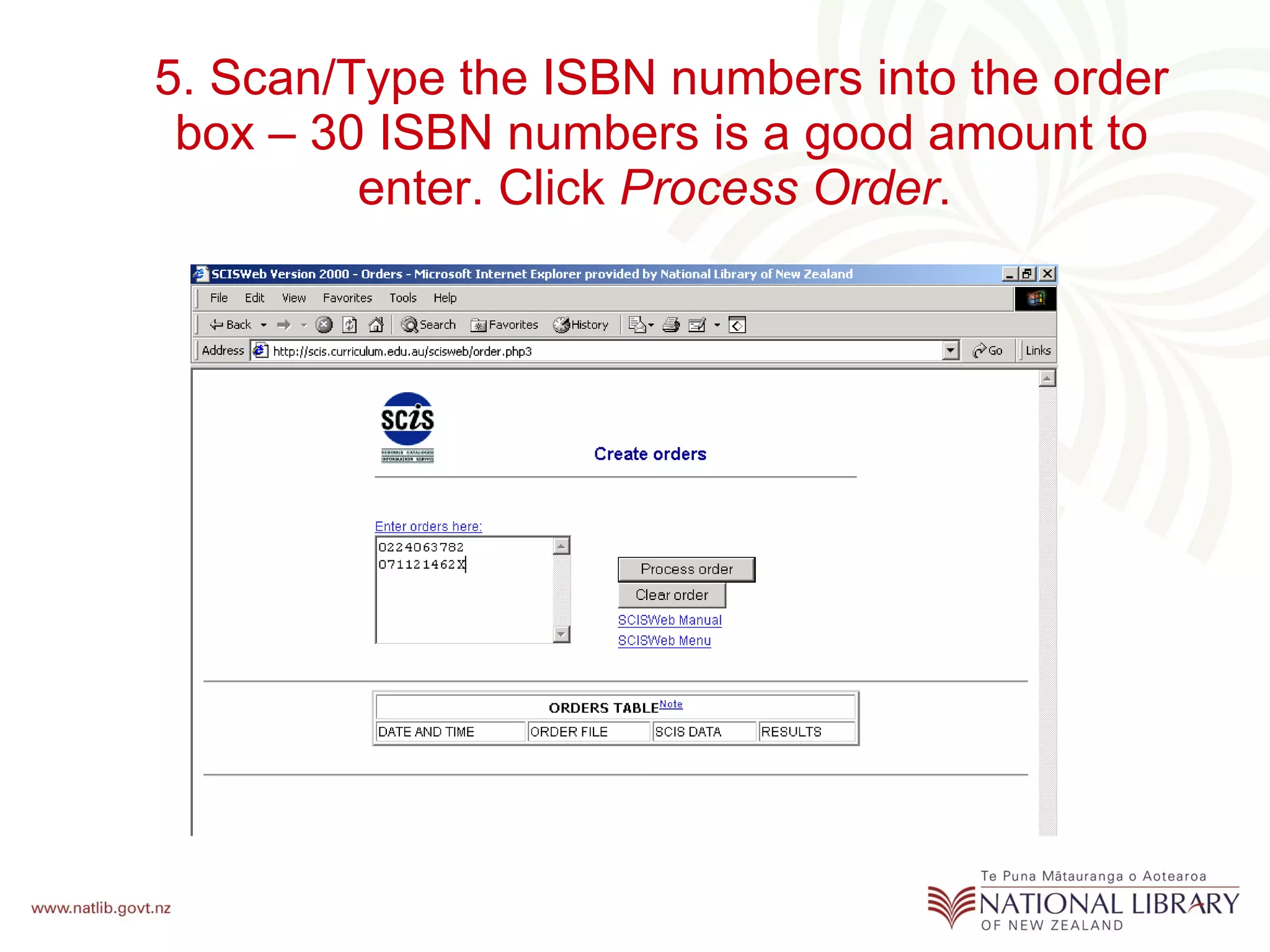
2. Click on "create orders" and scan or type in ISBN numbers to create an order. Up to 30 ISBNs can be entered at a time.
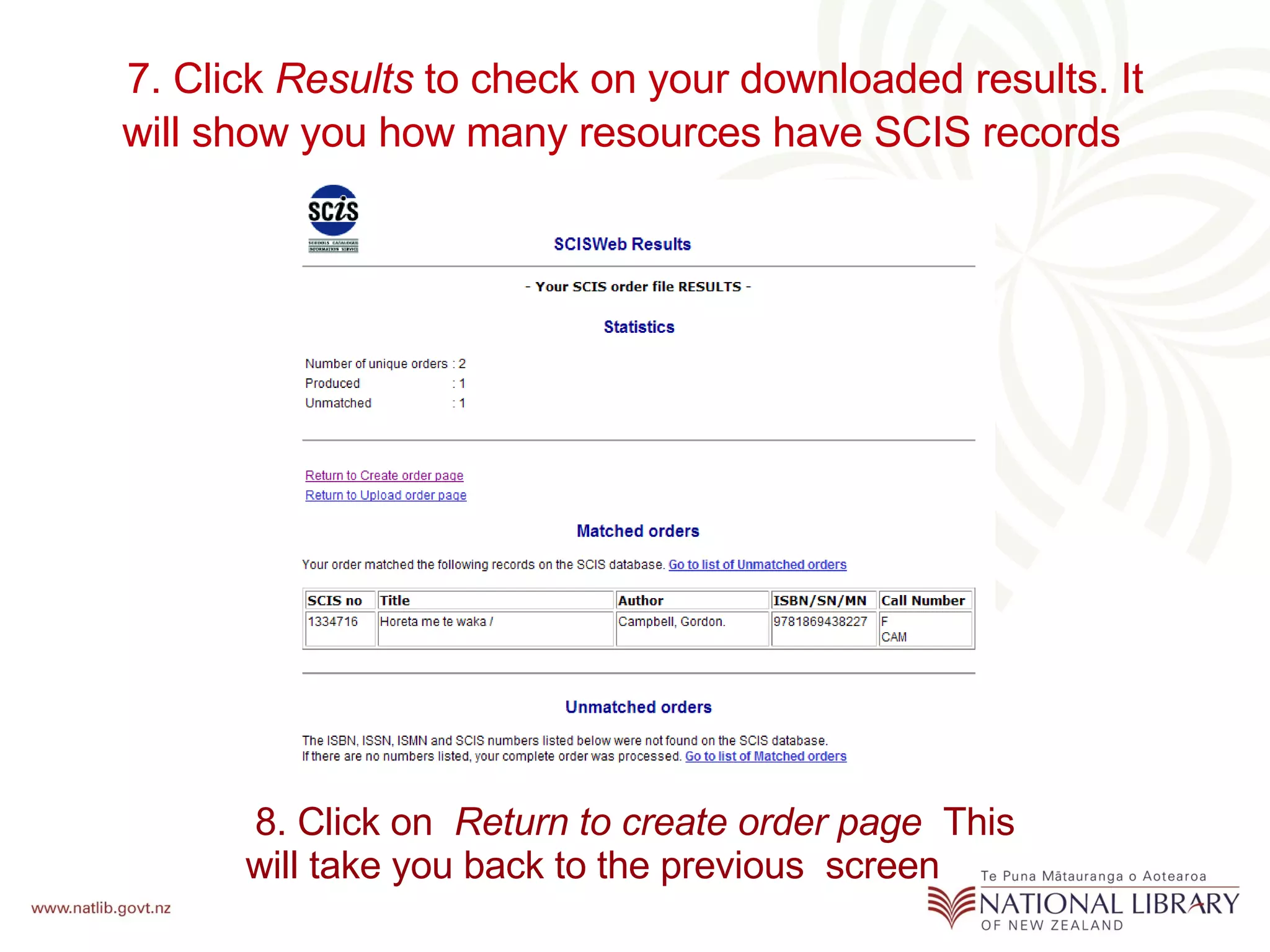
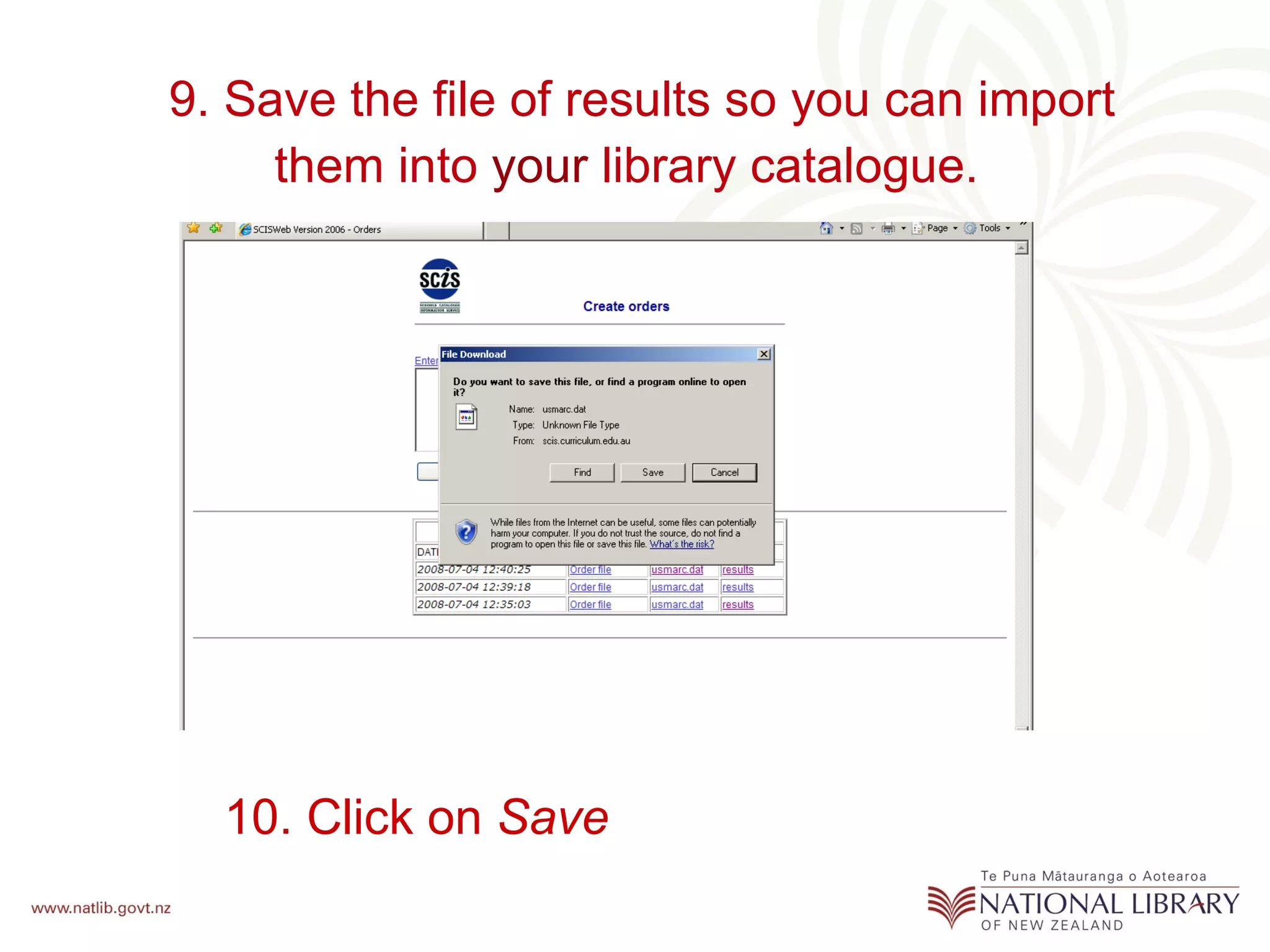
3. The results file will appear at the top of the "Orders Table" after processing the order. Click "Results" to view the downloaded records and number of matches found.



![Coded Agents – with UiPath SDK + LangGraph [Virtual Hands-on Workshop]](https://cdn.slidesharecdn.com/ss_thumbnails/codedagentsdeck-251215155422-5497c599-thumbnail.jpg?width=640&height=640&fit=bounds)


