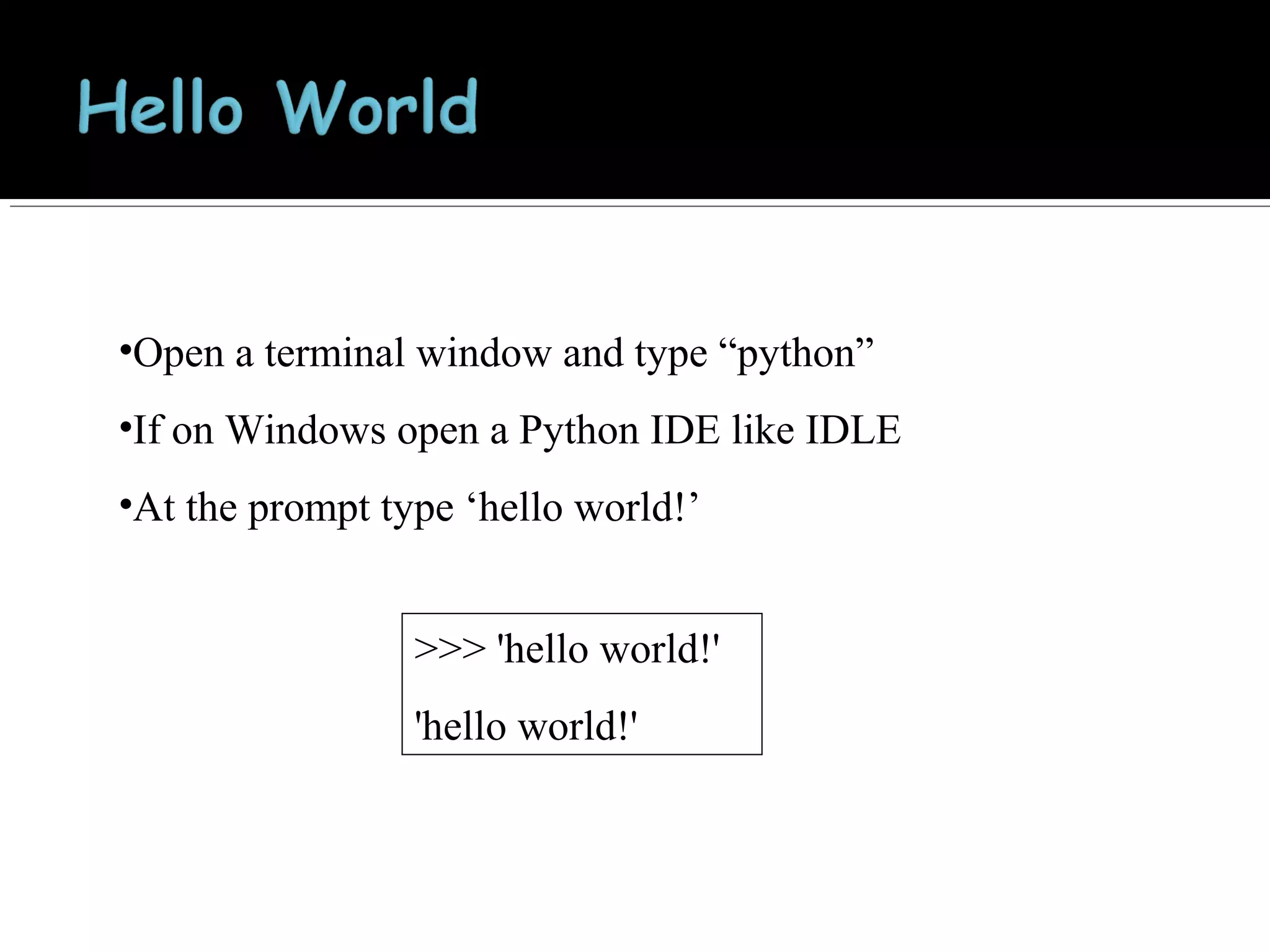
•Open a terminal window and type “python”
•If on Windows open a Python IDE like IDLE
•At the prompt type ‘hello world!’
>>> 'hello world!'
'hello world!'
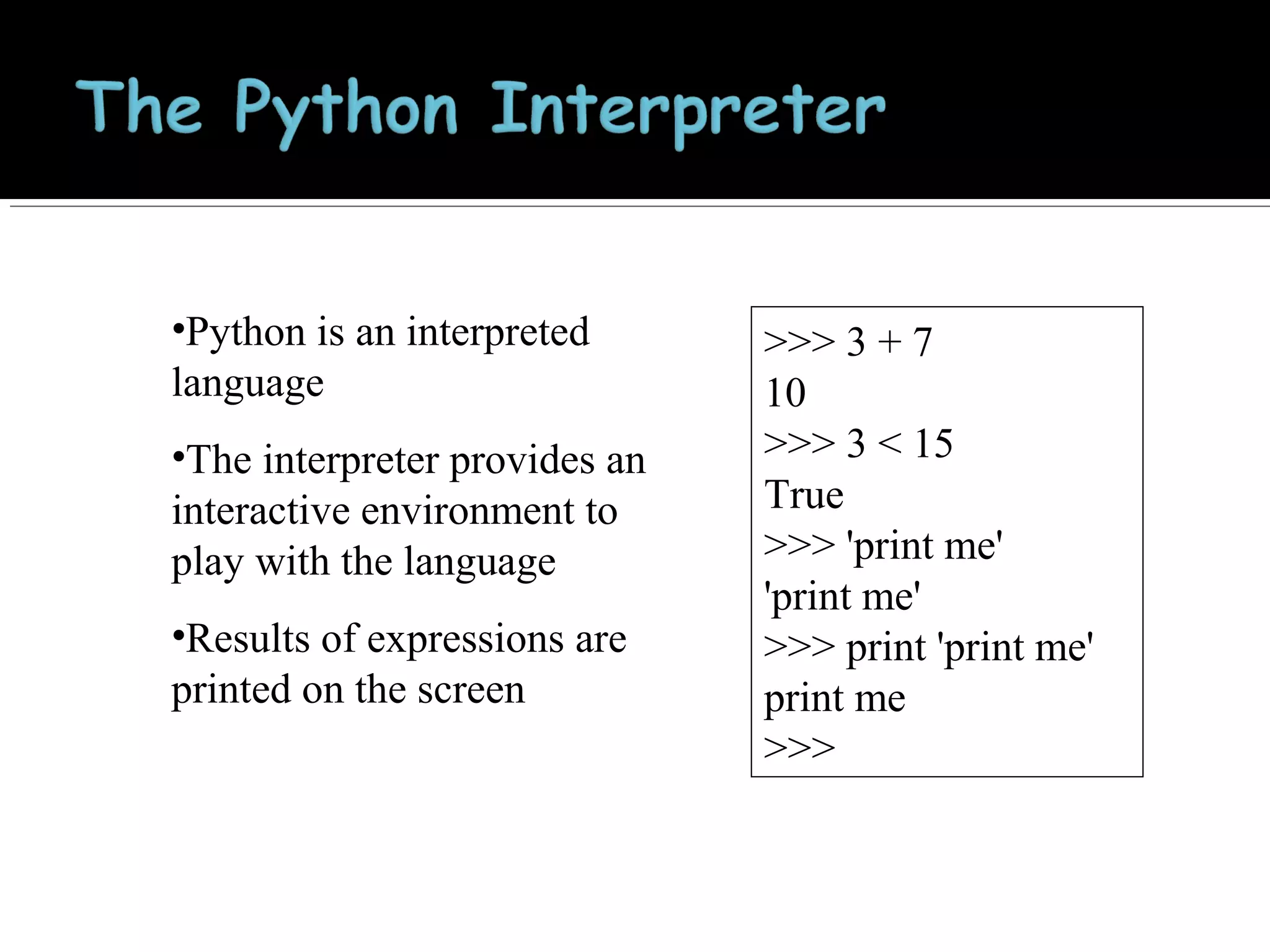
•Python is an interpreted
language
•The interpreter provides an
interactive environment to
play with the language
•Results of expressions are
printed on the screen

>>> 3 + 7
10
>>> 3 < 15
True
>>> 'print me'
'print me'
>>> print 'print me'
print me
>>>
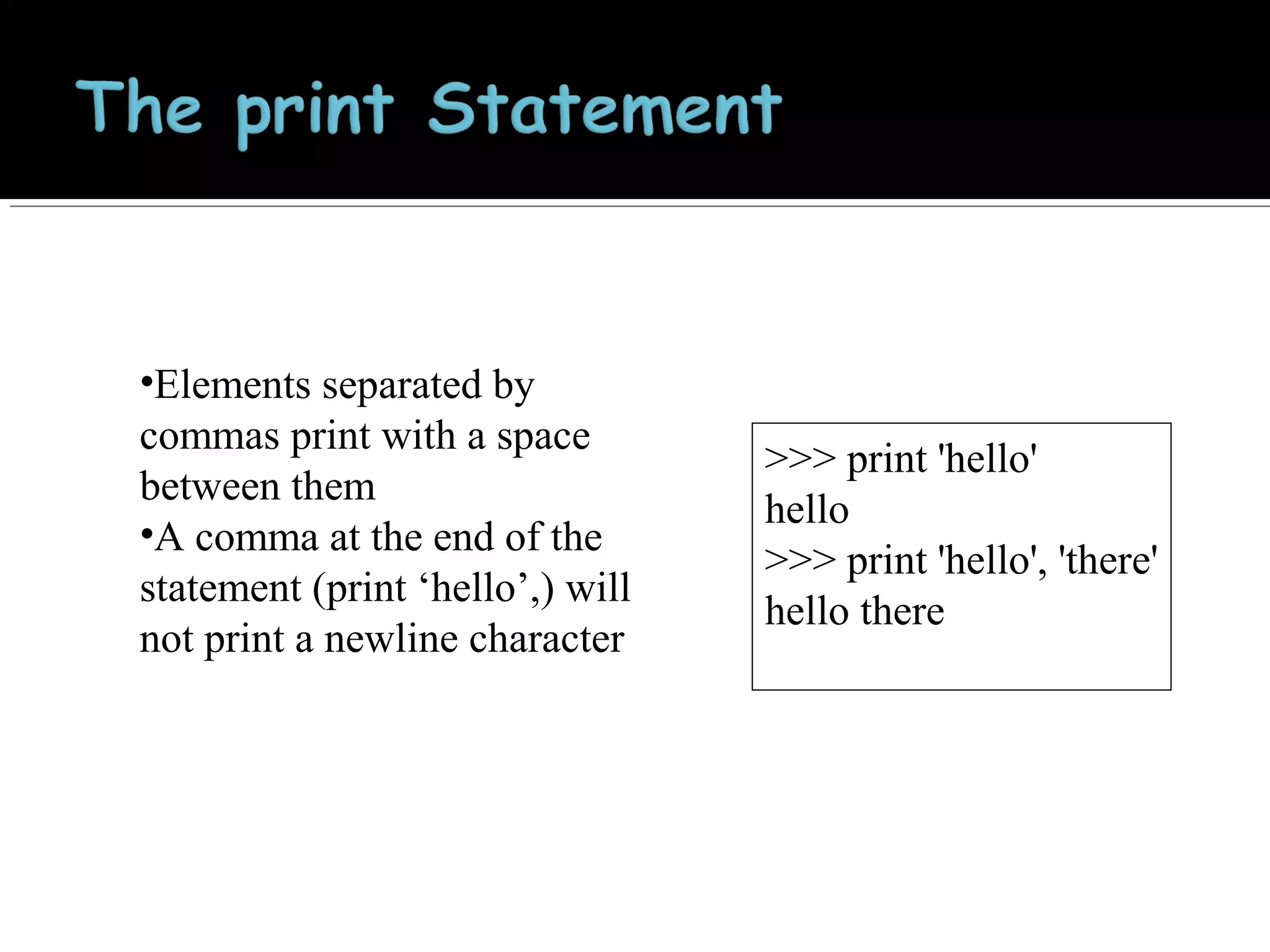
•Elements separated by
commas print with a space
between them
•A comma at the end of the
statement (print ‘hello’,) will
not print a newline character

>>> print 'hello'
hello
>>> print 'hello', 'there'
hello there
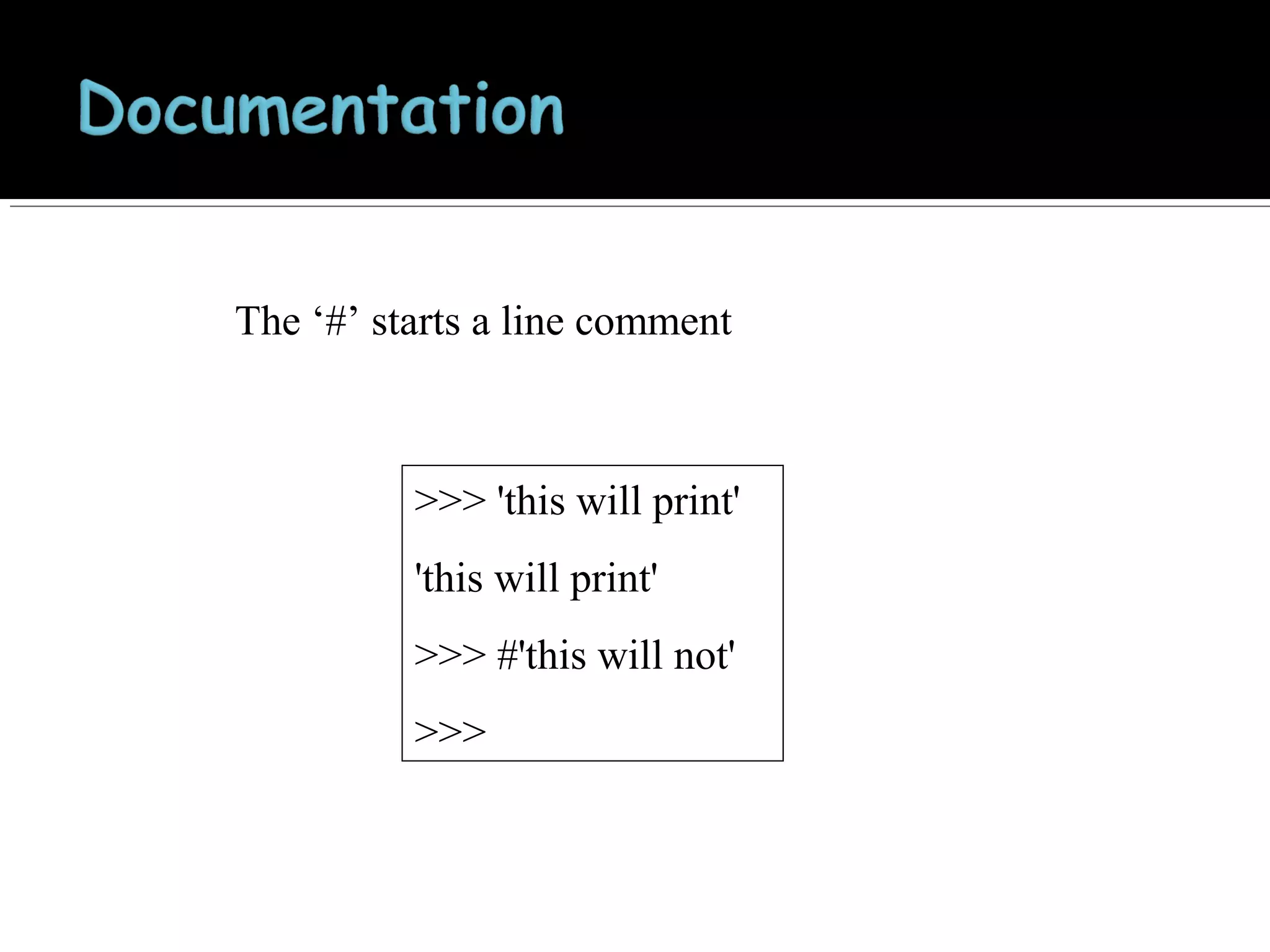
The ‘#’ starts a line comment

>>> 'this will print'
'this will print'
>>> #'this will not'
>>>
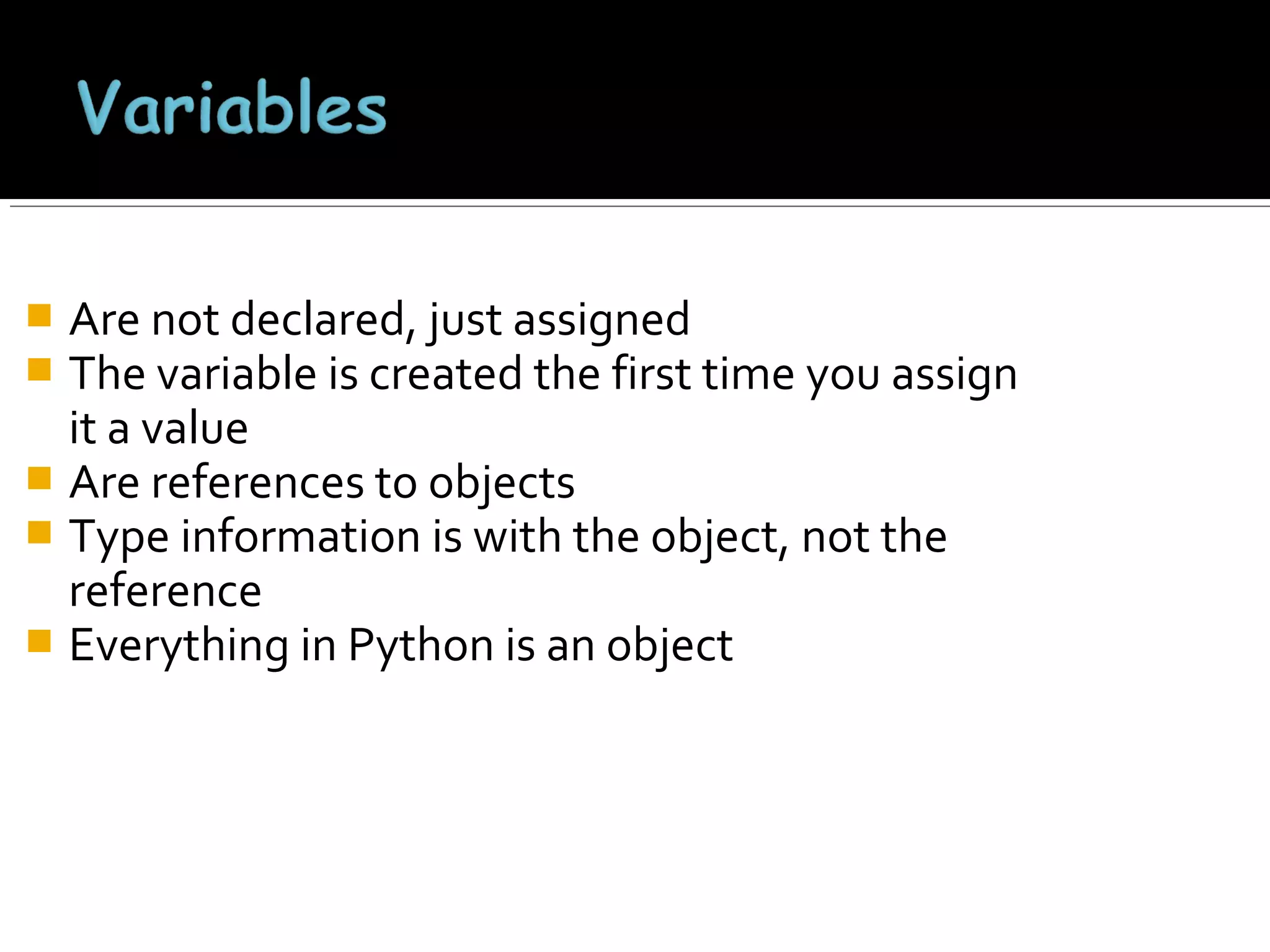
Are not declared, just assigned
The variable is created the first time you assign
it a value
 Are references to objects
 Type information is with the object, not the
reference
 Everything in Python is an object


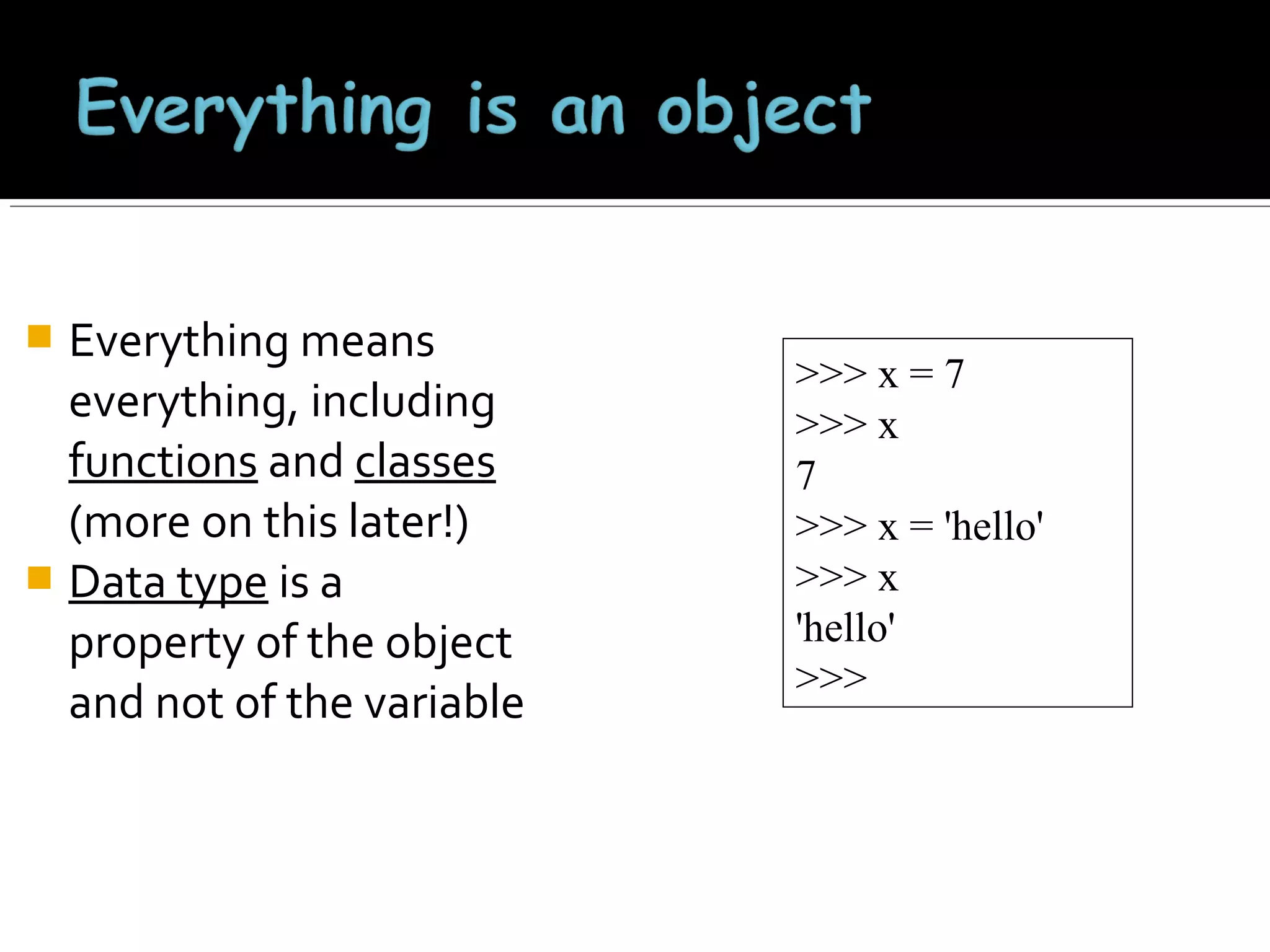
Everything means
everything, including
functions and classes
(more on this later!)
 Data type is a
property of the object
and not of the variable


>>> x = 7
>>> x
7
>>> x = 'hello'
>>> x
'hello'
>>>
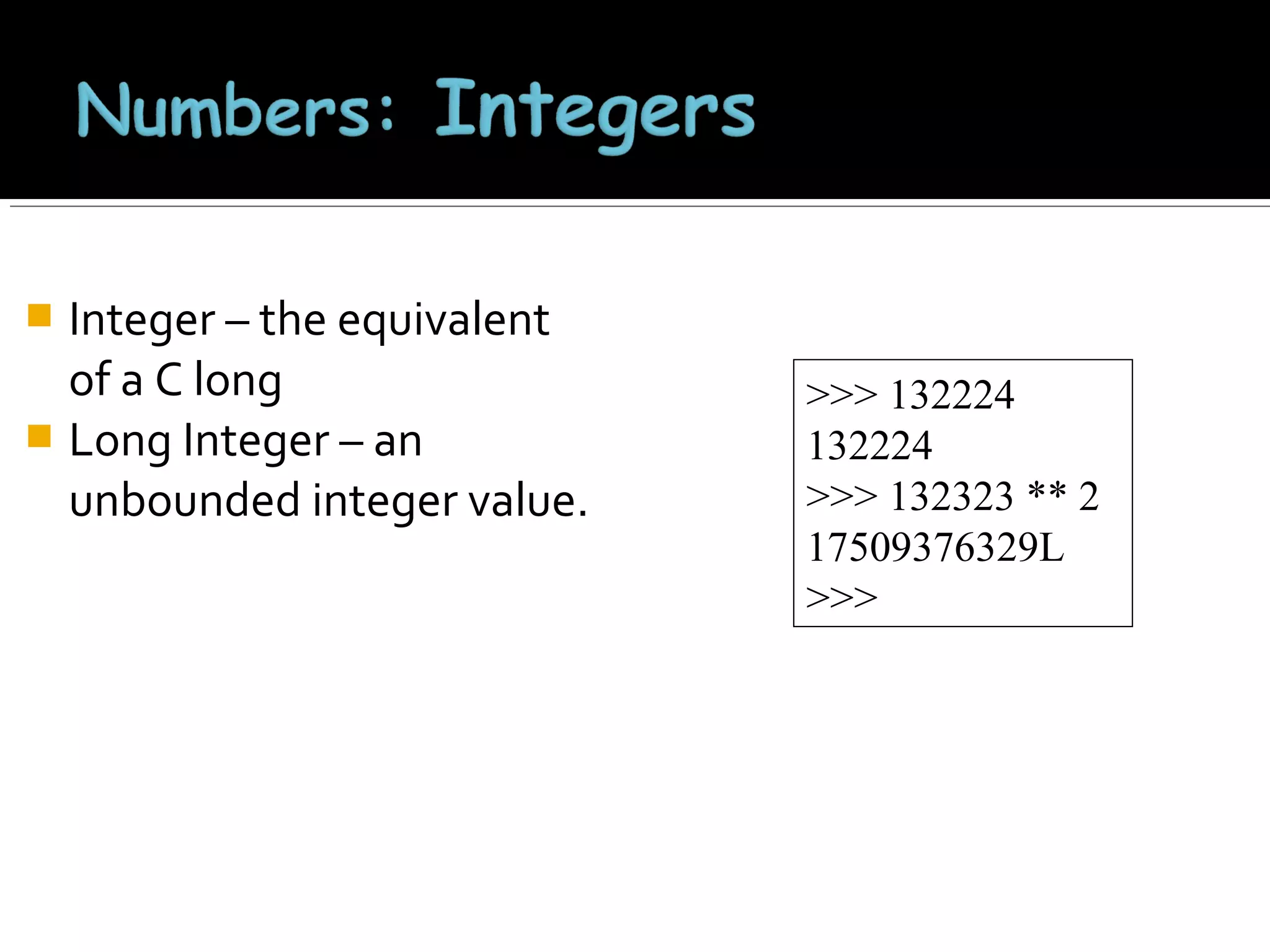
Integer – the equivalent
of a C long
 Long Integer – an
unbounded integer value.


>>> 132224
132224
>>> 132323 ** 2
17509376329L
>>>
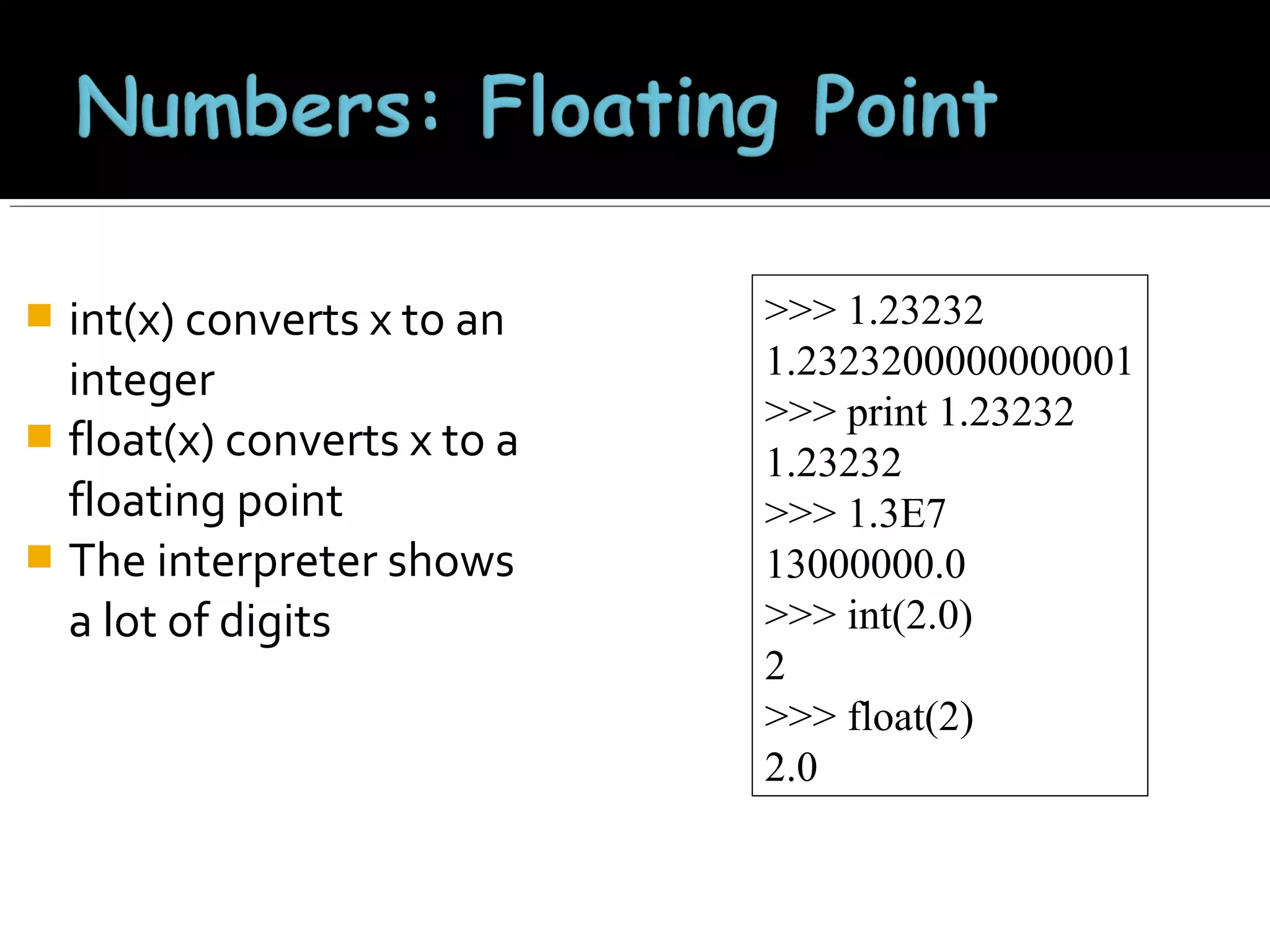
int(x) converts x to an
integer
 float(x) converts x to a
floating point
 The interpreter shows
a lot of digits


>>> 1.23232
1.2323200000000001
>>> print 1.23232
1.23232
>>> 1.3E7
13000000.0
>>> int(2.0)
2
>>> float(2)
2.0
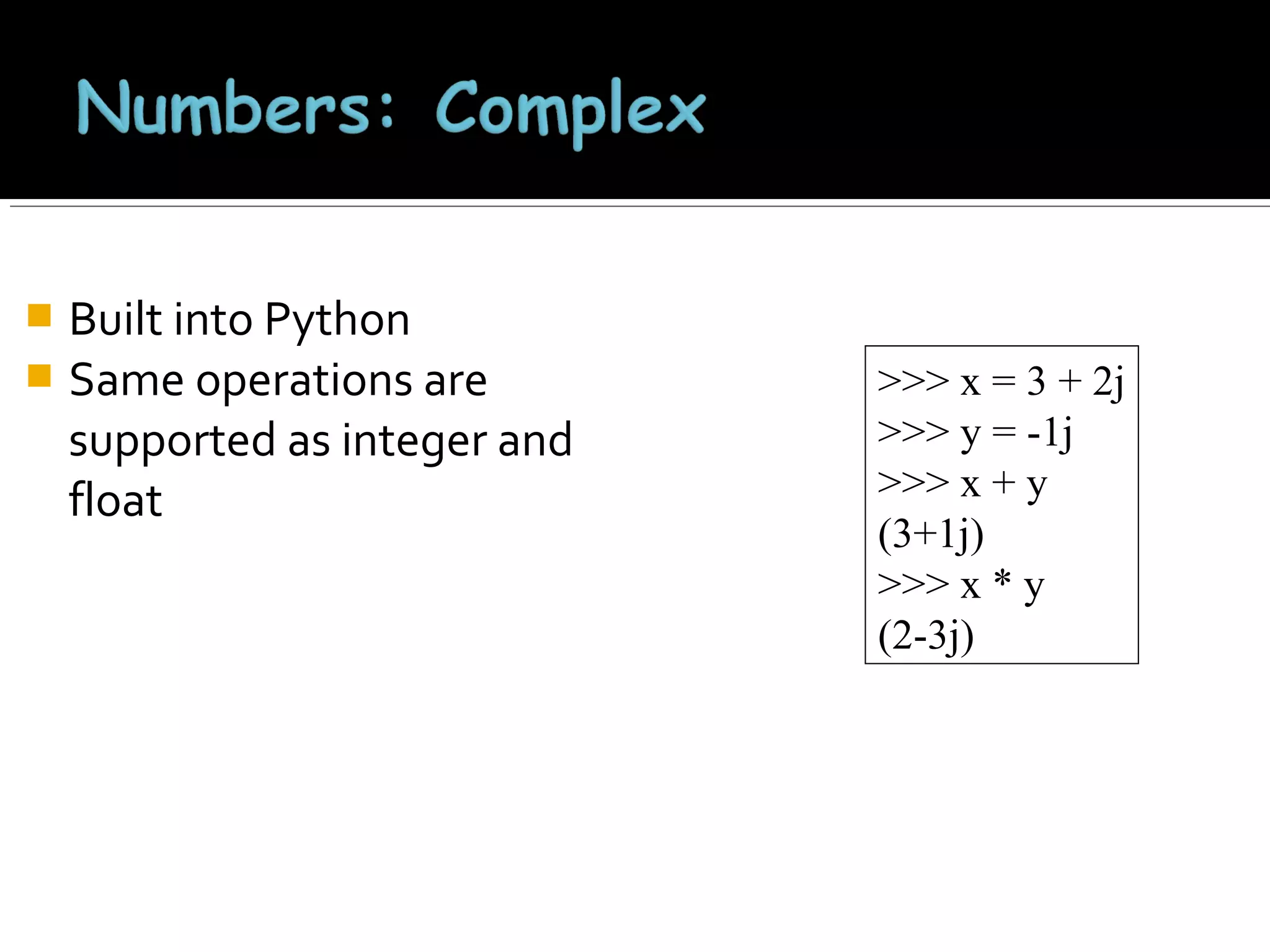
Built into Python
 Same operations are
supported as integer and
float


>>> x = 3 + 2j
>>> y = -1j
>>> x + y
(3+1j)
>>> x * y
(2-3j)
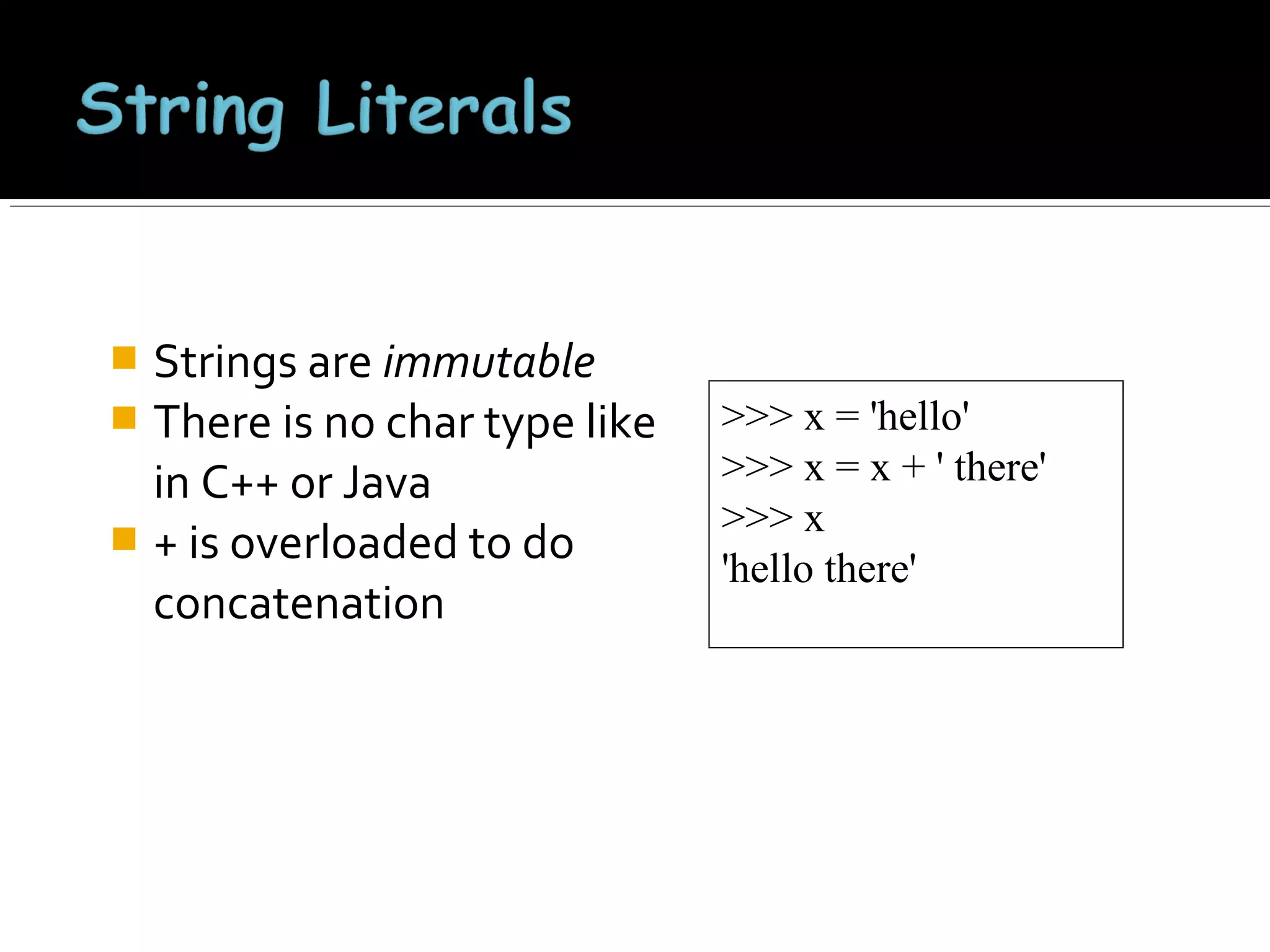
Strings are immutable
 There is no char type like
in C++ or Java
 + is overloaded to do
concatenation


>>> x = 'hello'
>>> x = x + ' there'
>>> x
'hello there'


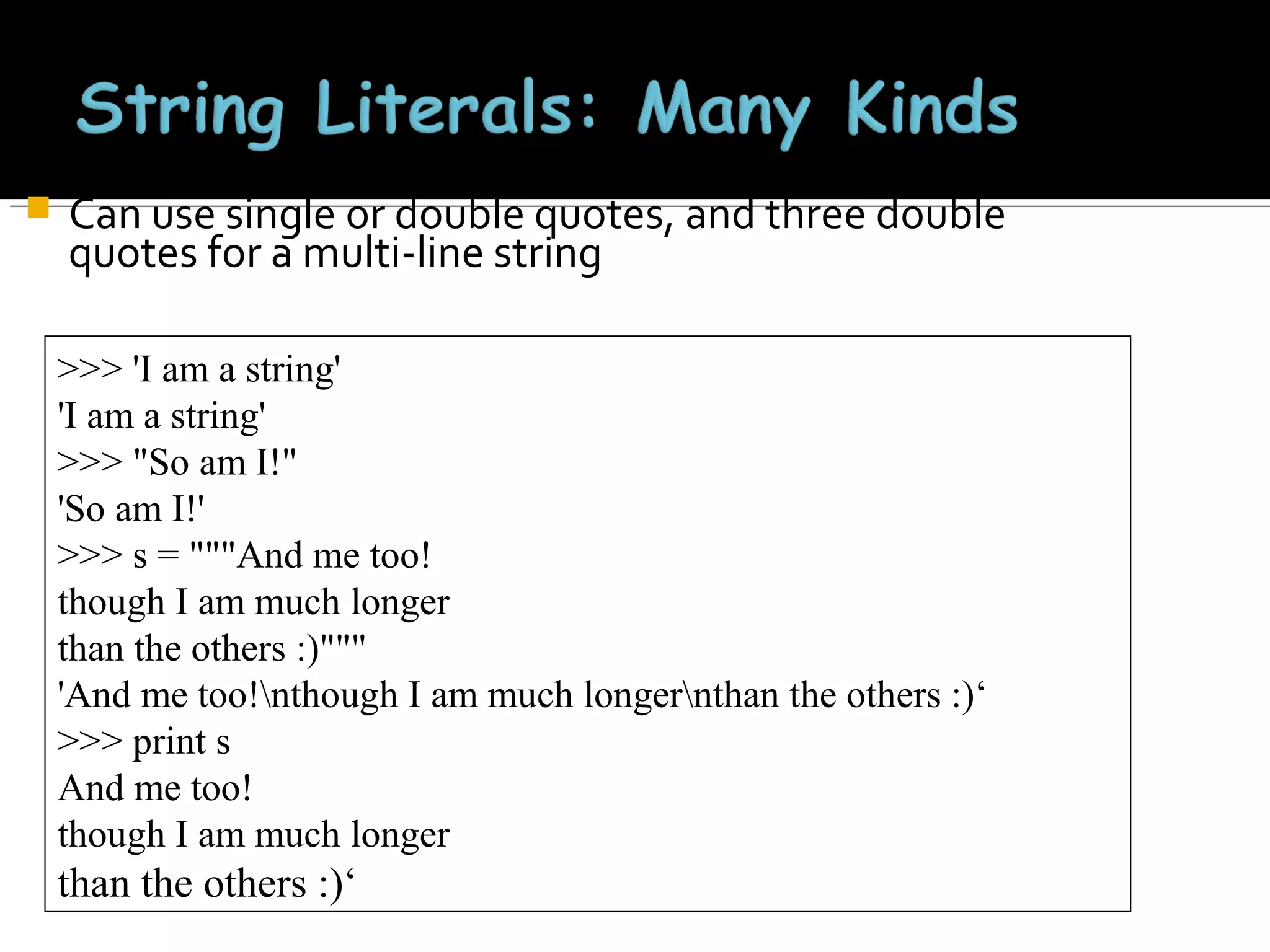
Can use single or double quotes, and three double
quotes for a multi-line string
>>> 'I am a string'
'I am a string'
>>> "So am I!"
'So am I!'
>>> s = """And me too!
though I am much longer
than the others :)"""
'And me too!nthough I am much longernthan the others :)‘
>>> print s
And me too!
though I am much longer

than the others :)‘
>>> s = '012345'
>>> s[3]
'3'
>>> s[1:4]
'123'
>>> s[2:]
'2345'
>>> s[:4]
'0123'
>>> s[-2]
'4'

• len(String) – returns the
number of characters in the
String
• str(Object) – returns a
String representation of the
Object
>>> len(x)
6
>>> str(10.3)
'10.3'




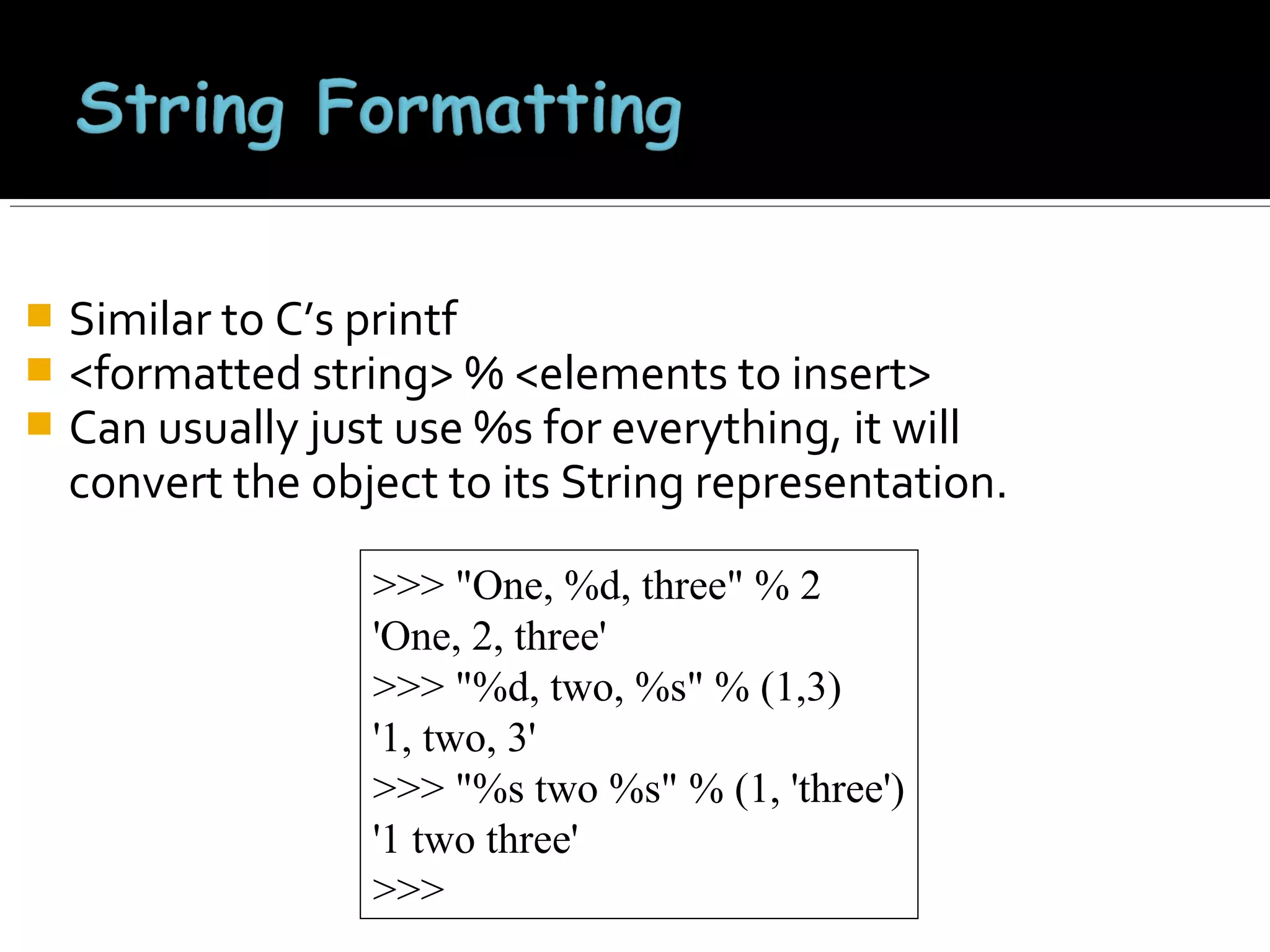
Similar to C’s printf
<formatted string> % <elements to insert>
Can usually just use %s for everything, it will
convert the object to its String representation.
>>> "One, %d, three" % 2
'One, 2, three'
>>> "%d, two, %s" % (1,3)
'1, two, 3'
>>> "%s two %s" % (1, 'three')
'1 two three'
>>>
Ordered collection of data
 Data can be of different
types
 Lists are mutable
 Issues with shared
references and mutability
 Same subset operations as
Strings


>>> x = [1,'hello', (3 + 2j)]
>>> x
[1, 'hello', (3+2j)]
>>> x[2]
(3+2j)
>>> x[0:2]
[1, 'hello']
x[i] = a reassigns the
ith element to the
value a
 Since x and y point to
the same list object,
both are changed
 The method append
also modifies the list


>>> x = [1,2,3]
>>> y = x
>>> x[1] = 15
>>> x
[1, 15, 3]
>>> y
[1, 15, 3]
>>> x.append(12)
>>> y
[1, 15, 3, 12]
The method
append modifies
the list and returns
None
 List addition (+)
returns a new list


>>> x = [1,2,3]
>>> y = x
>>> z = x.append(12)
>>> z == None
True
>>> y
[1, 2, 3, 12]
>>> x = x + [9,10]
>>> x
[1, 2, 3, 12, 9, 10]
>>> y
[1, 2, 3, 12]
>>>
Tuples are immutable
versions of lists
 One strange point is the
format to make a tuple
with one element:
‘,’ is needed to
differentiate from the
mathematical expression
(2)


>>> x = (1,2,3)
>>> x[1:]
(2, 3)
>>> y = (2,)
>>> y
(2,)
>>>
 A set of key-value pairs
 Dictionaries are mutable
>>> d = {1 : 'hello', 'two' : 42, 'blah' : [1,2,3]}
>>> d
{1: 'hello', 'two': 42, 'blah': [1, 2, 3]}
>>> d['blah']
[1, 2, 3]


Entries can be changed by assigning to that entry
>>> d
{1: 'hello', 'two': 42, 'blah': [1, 2, 3]}
>>> d['two'] = 99
>>> d
{1: 'hello', 'two': 99, 'blah': [1, 2, 3]}

• Assigning to a key that does not exist adds an entry
>>> d[7] = 'new entry'
>>> d
{1: 'hello', 7: 'new entry', 'two': 99, 'blah': [1, 2, 3]}


The del method deletes an element from a dictionary

>>> d
{1: 'hello', 2: 'there', 10: 'world'}
>>> del(d[2])
>>> d
{1: 'hello', 10: 'world'}
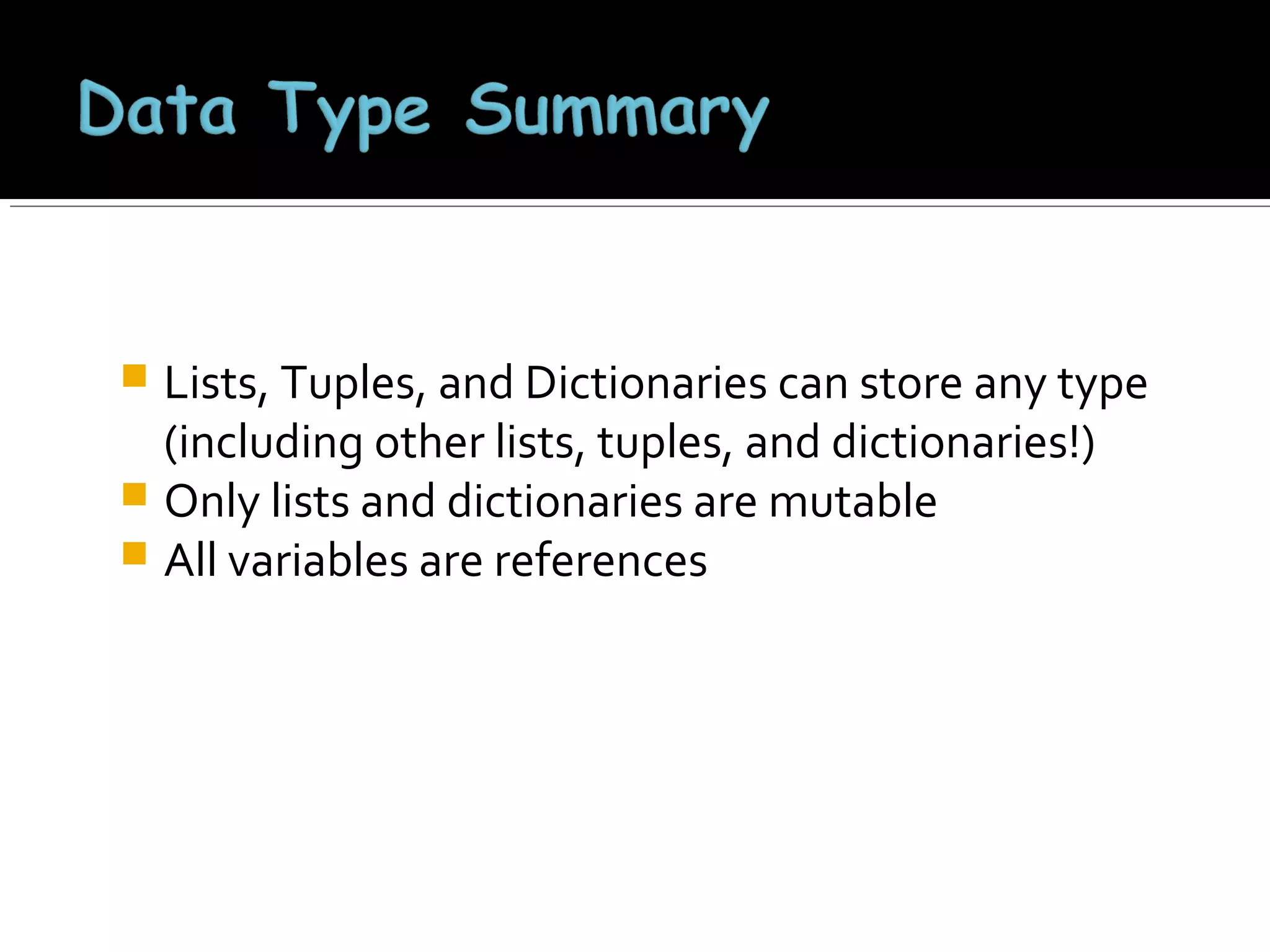
Lists, Tuples, and Dictionaries can store any type
(including other lists, tuples, and dictionaries!)
 Only lists and dictionaries are mutable
 All variables are references

 Integers: 2323, 3234L
 Floating Point: 32.3, 3.1E2
 Complex: 3 + 2j, 1j
 Lists: l = [ 1,2,3]

 Tuples: t = (1,2,3)
 Dictionaries: d = {‘hello’ : ‘there’, 2 : 15}
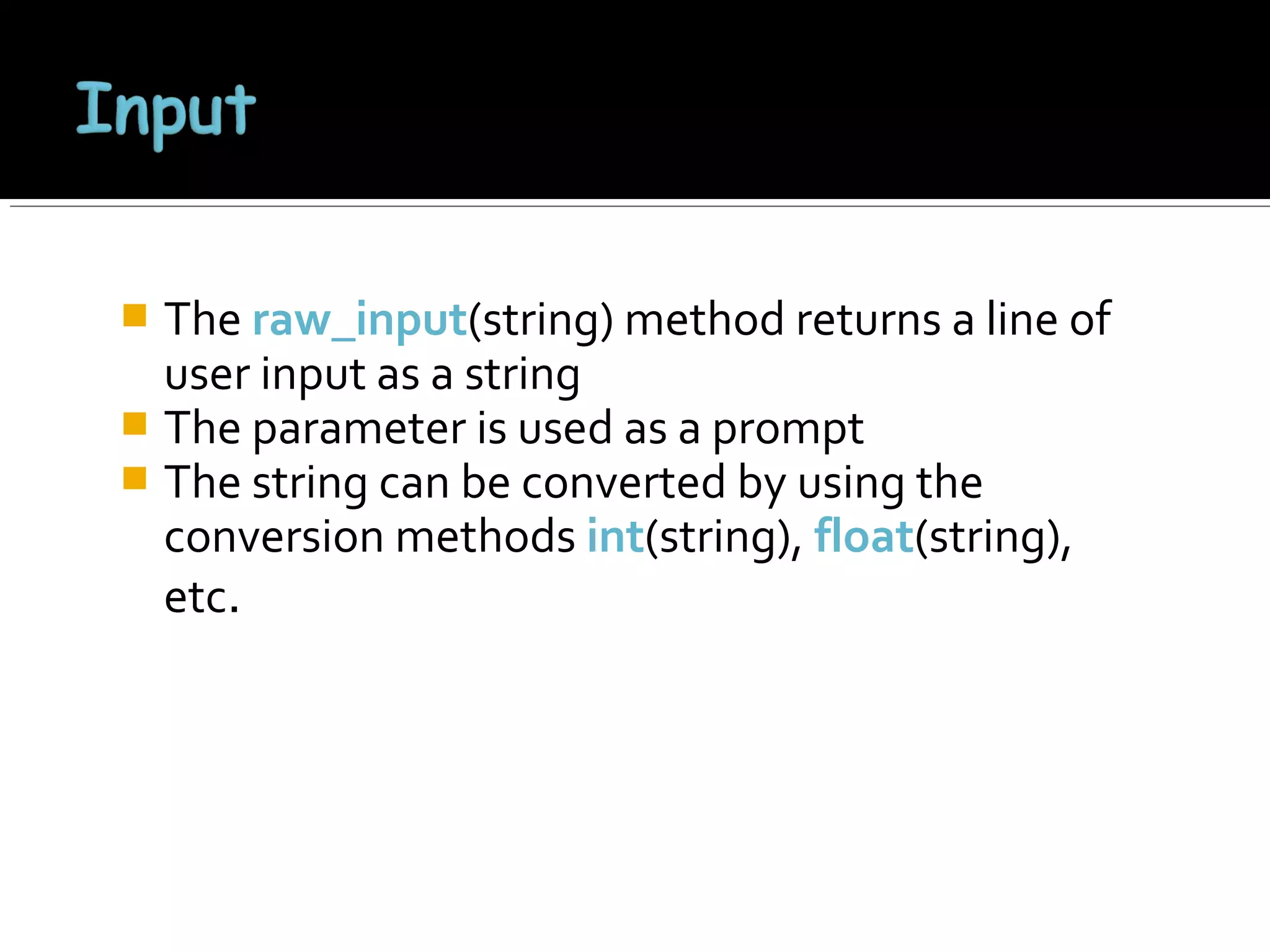
The raw_input(string) method returns a line of
user input as a string
 The parameter is used as a prompt
 The string can be converted by using the
conversion methods int(string), float(string),
etc.

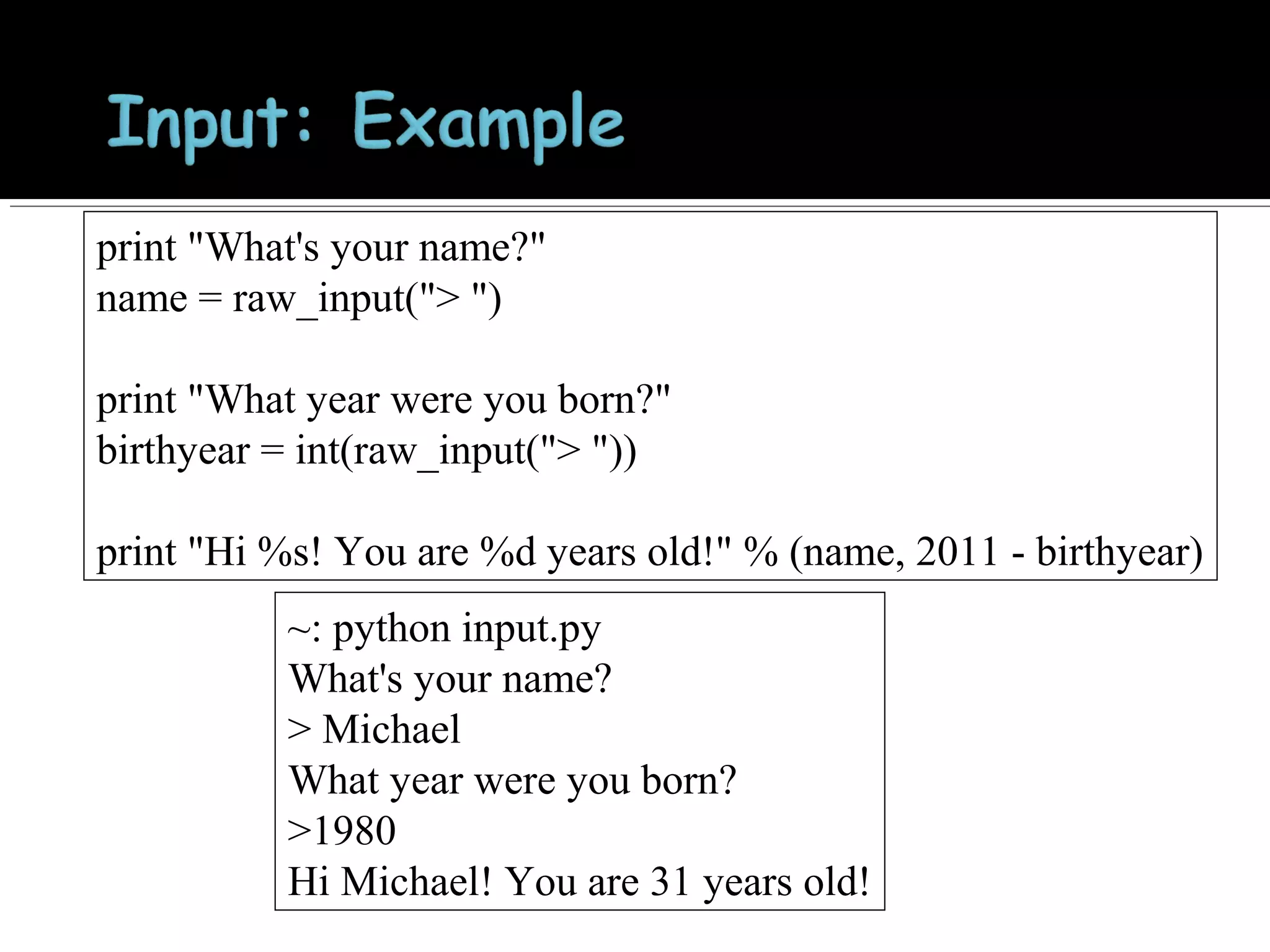
print "What's your name?"
name = raw_input("> ")
print "What year were you born?"
birthyear = int(raw_input("> "))
print "Hi %s! You are %d years old!" % (name, 2011 - birthyear)
~: python input.py
What's your name?
> Michael
What year were you born?
>1980
Hi Michael! You are 31 years old!
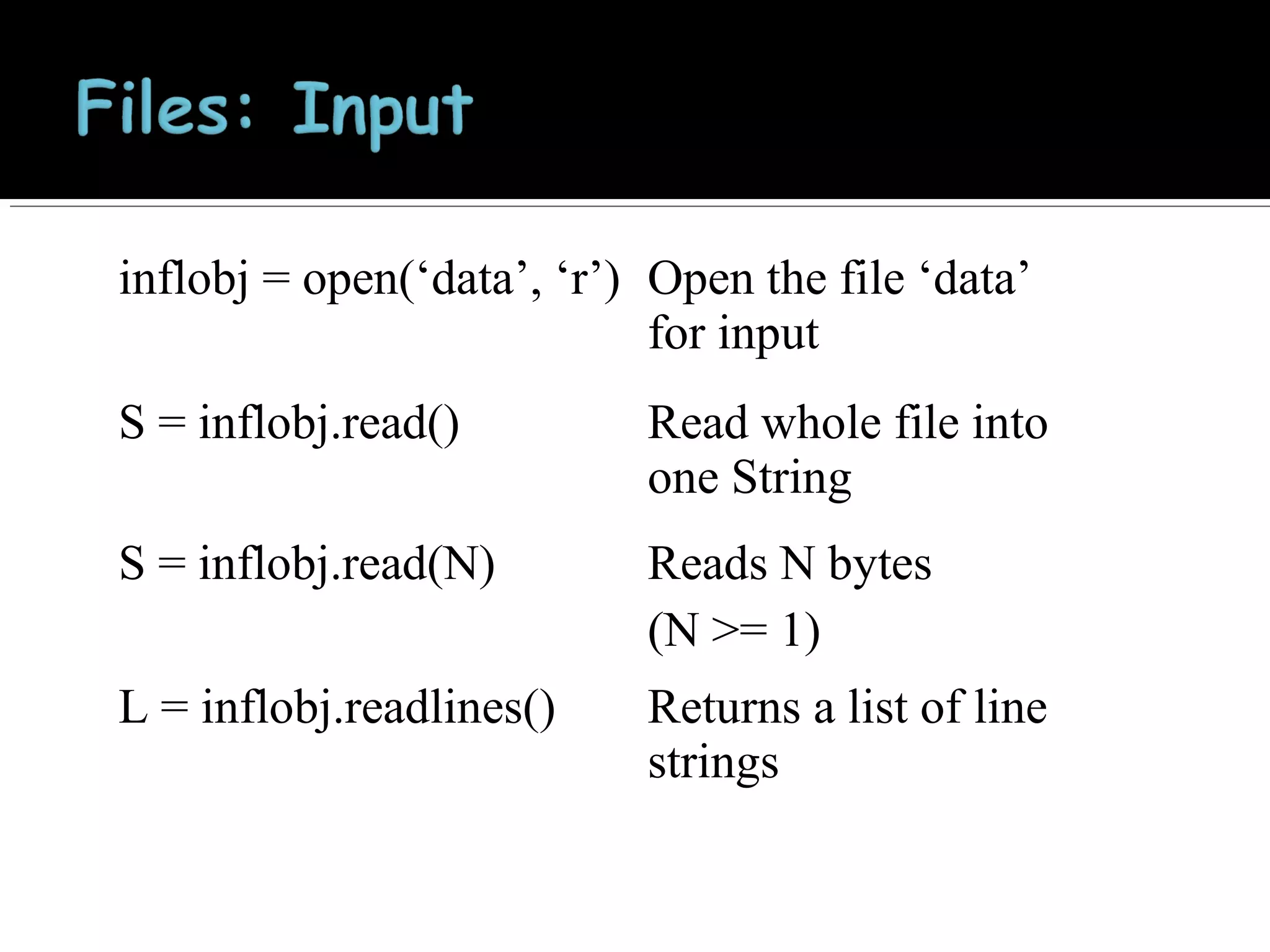
inflobj = open(‘data’, ‘r’) Open the file ‘data’
for input
S = inflobj.read()

Read whole file into
one String

S = inflobj.read(N)

Reads N bytes
(N >= 1)

L = inflobj.readlines()

Returns a list of line
strings
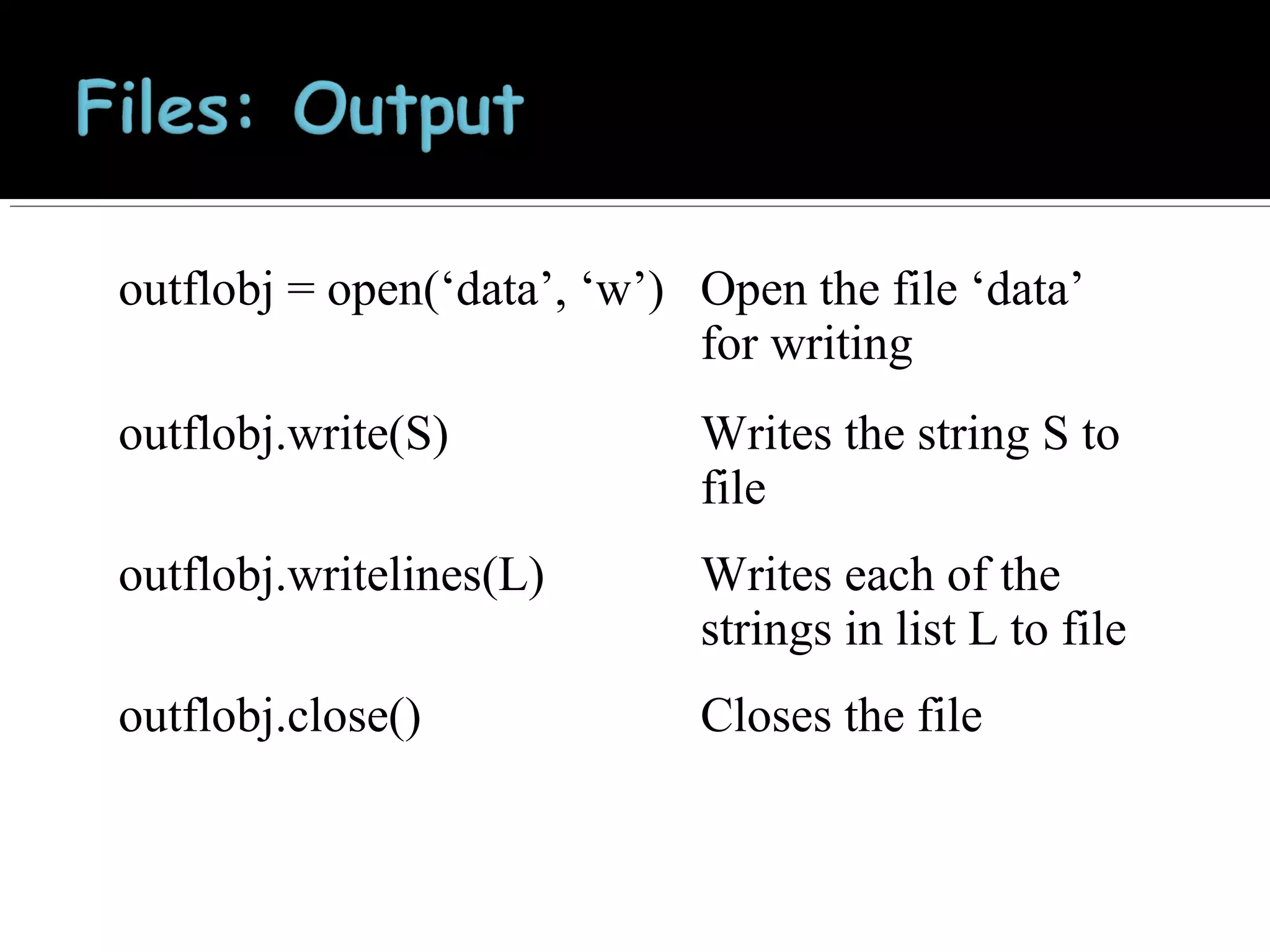
outflobj = open(‘data’, ‘w’) Open the file ‘data’
for writing
outflobj.write(S)

Writes the string S to
file

outflobj.writelines(L)

Writes each of the
strings in list L to file

outflobj.close()

Closes the file
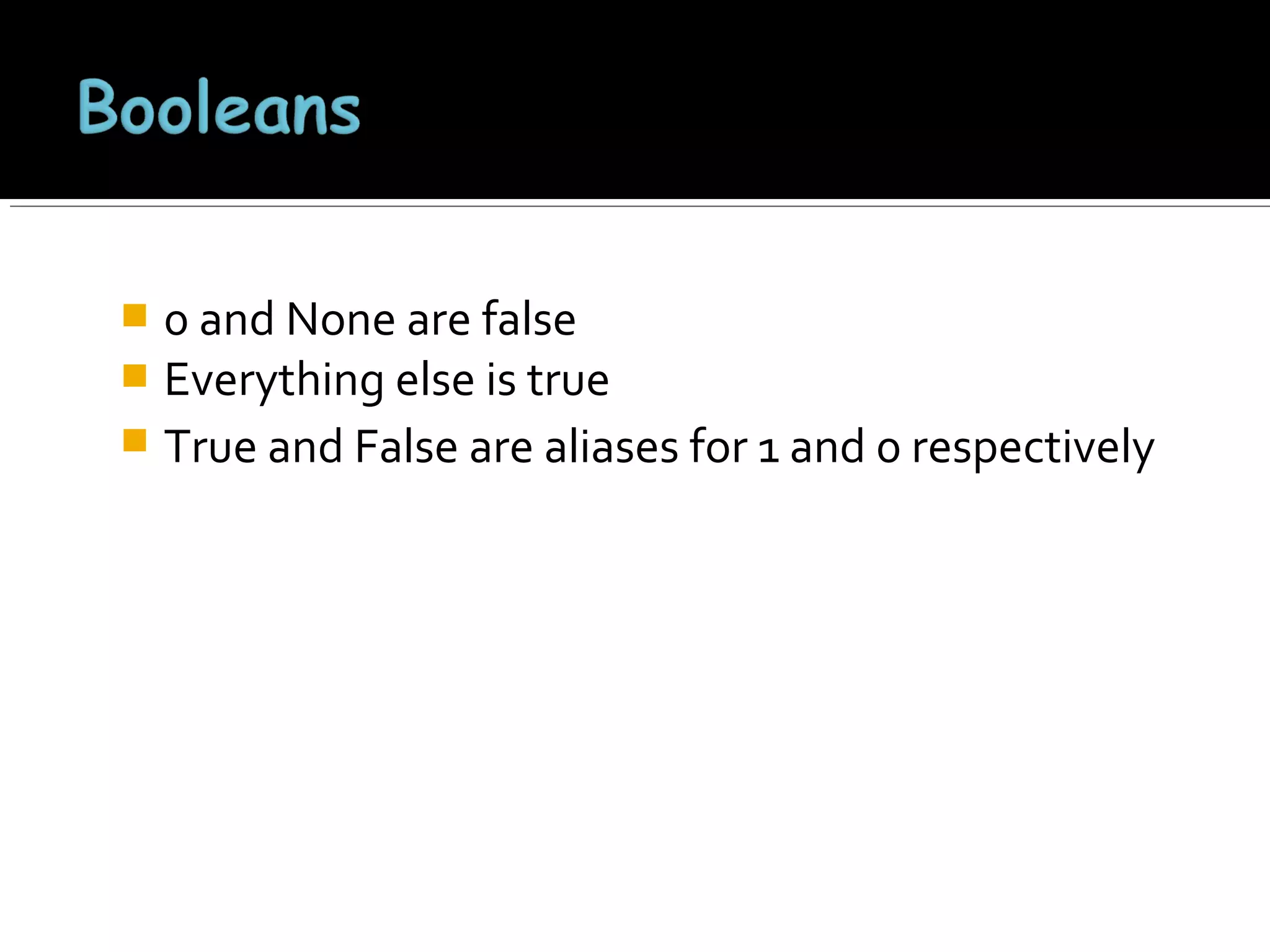
0 and None are false
 Everything else is true
 True and False are aliases for 1 and 0 respectively

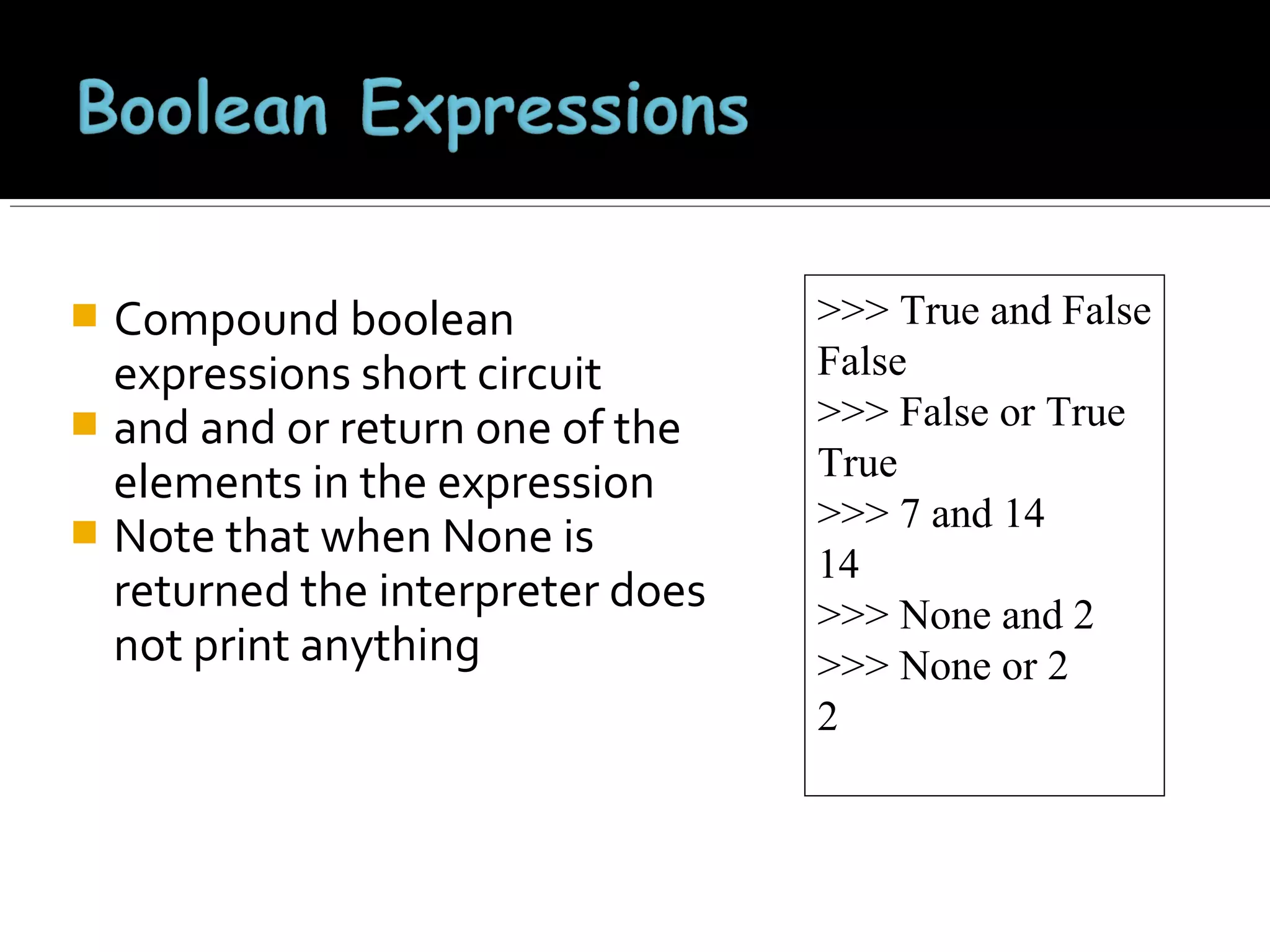
Compound boolean
expressions short circuit
 and and or return one of the
elements in the expression
 Note that when None is
returned the interpreter does
not print anything


>>> True and False
False
>>> False or True
True
>>> 7 and 14
14
>>> None and 2
>>> None or 2
2
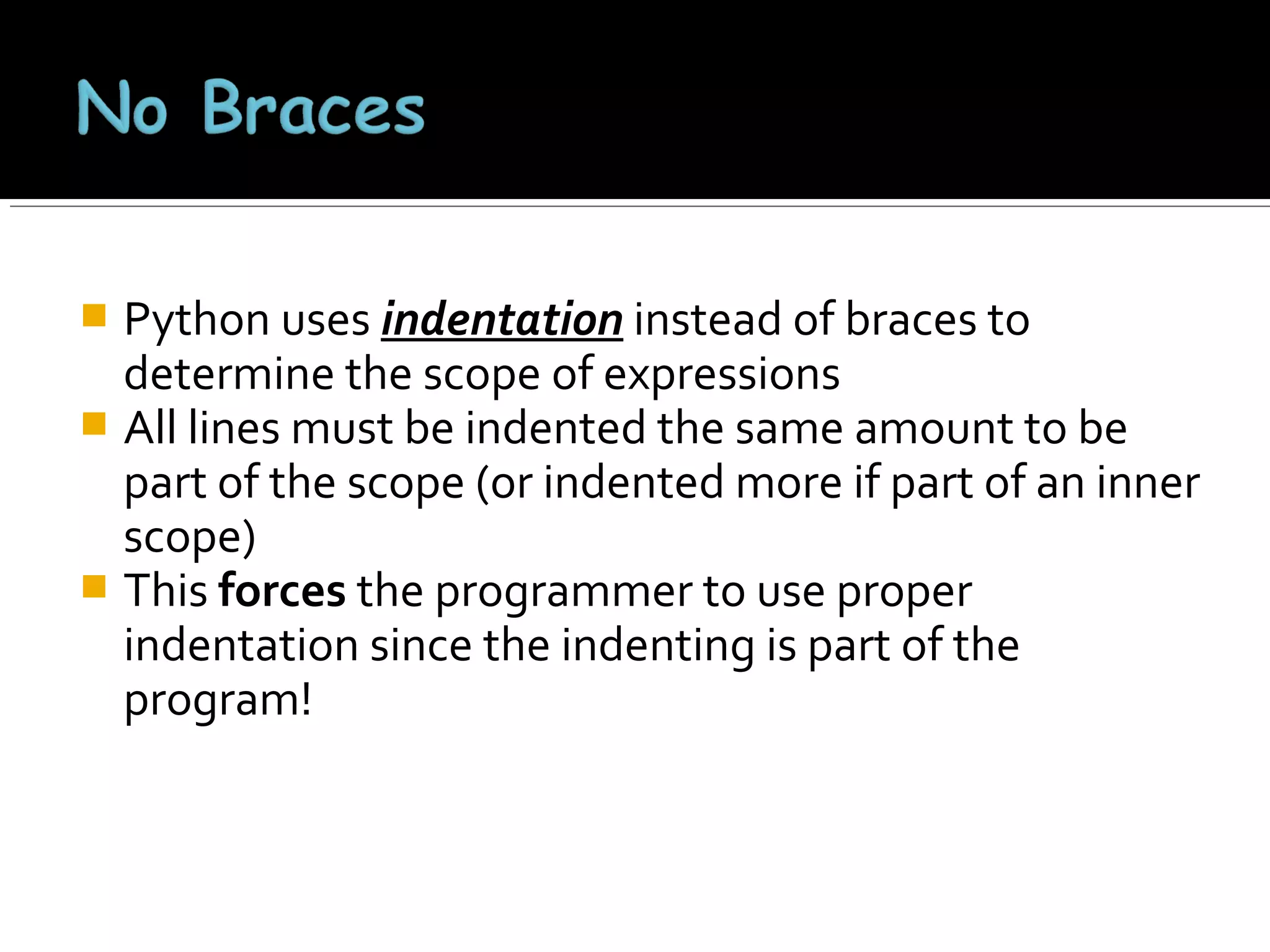
Python uses indentation instead of braces to
determine the scope of expressions
 All lines must be indented the same amount to be
part of the scope (or indented more if part of an inner
scope)
 This forces the programmer to use proper
indentation since the indenting is part of the
program!

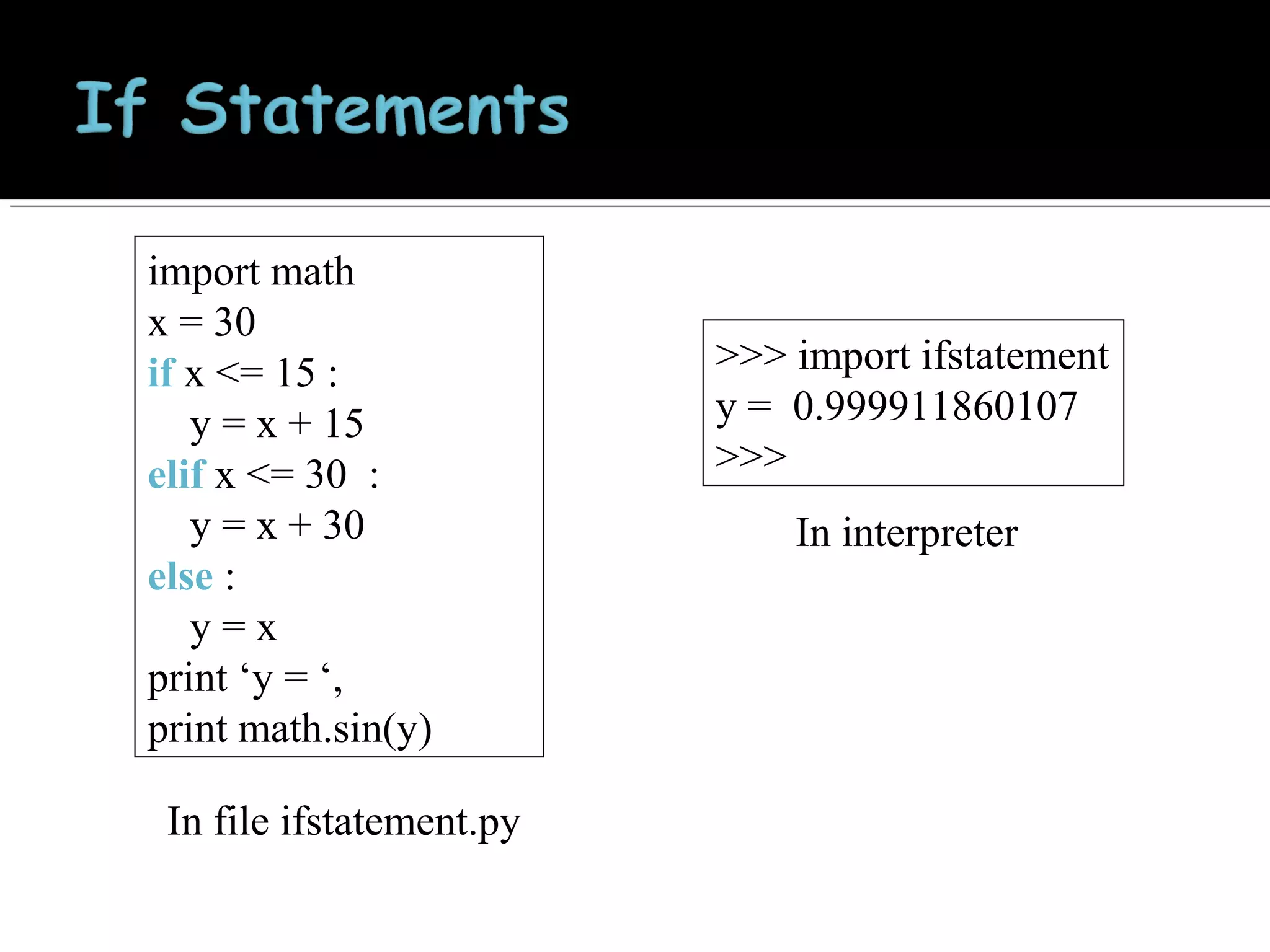
import math
x = 30
if x <= 15 :
y = x + 15
elif x <= 30 :
y = x + 30
else :
y=x
print ‘y = ‘,
print math.sin(y)
In file ifstatement.py

>>> import ifstatement
y = 0.999911860107
>>>
In interpreter
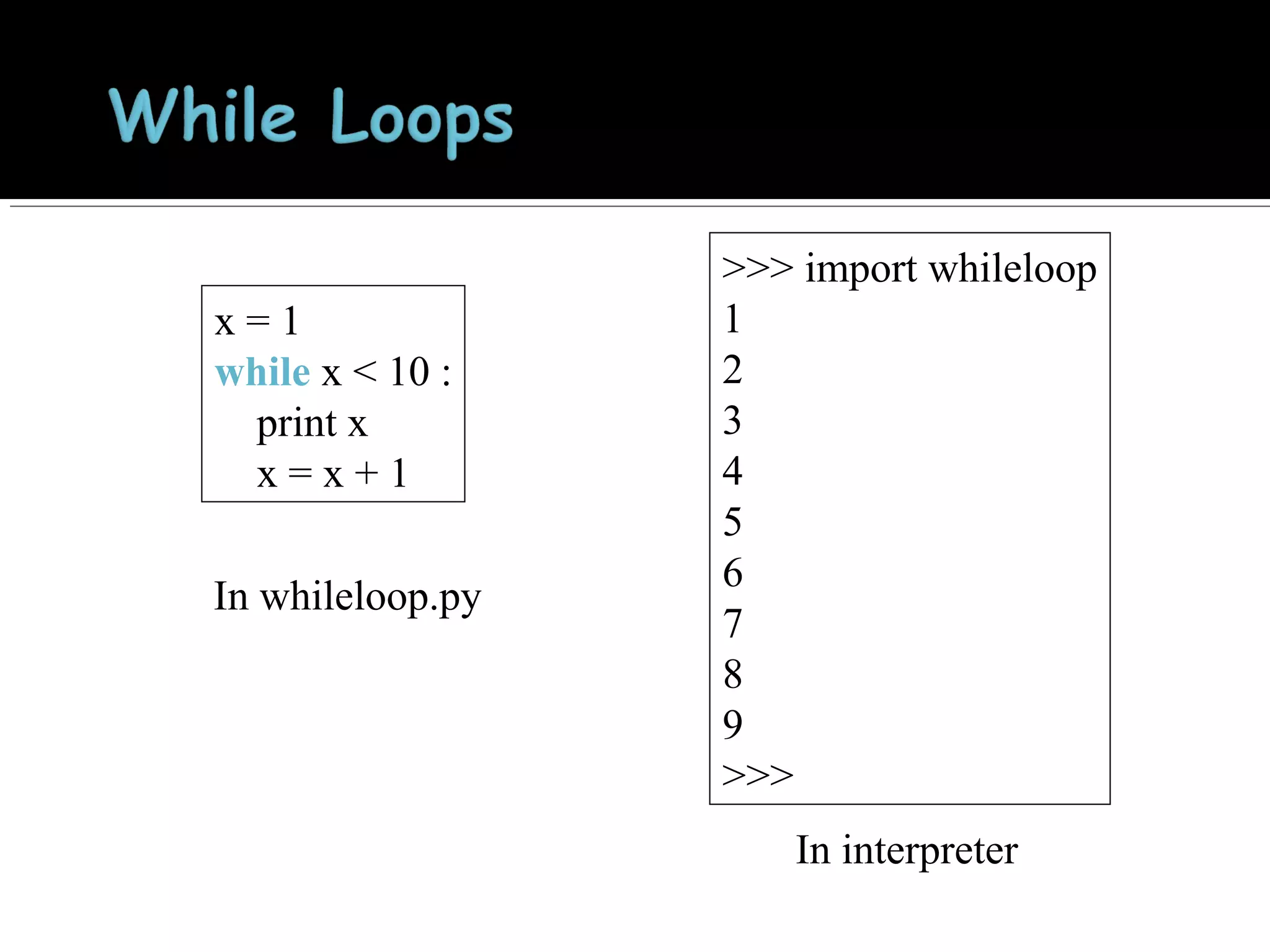
x=1
while x < 10 :
print x
x=x+1
In whileloop.py

>>> import whileloop
1
2
3
4
5
6
7
8
9
>>>
In interpreter
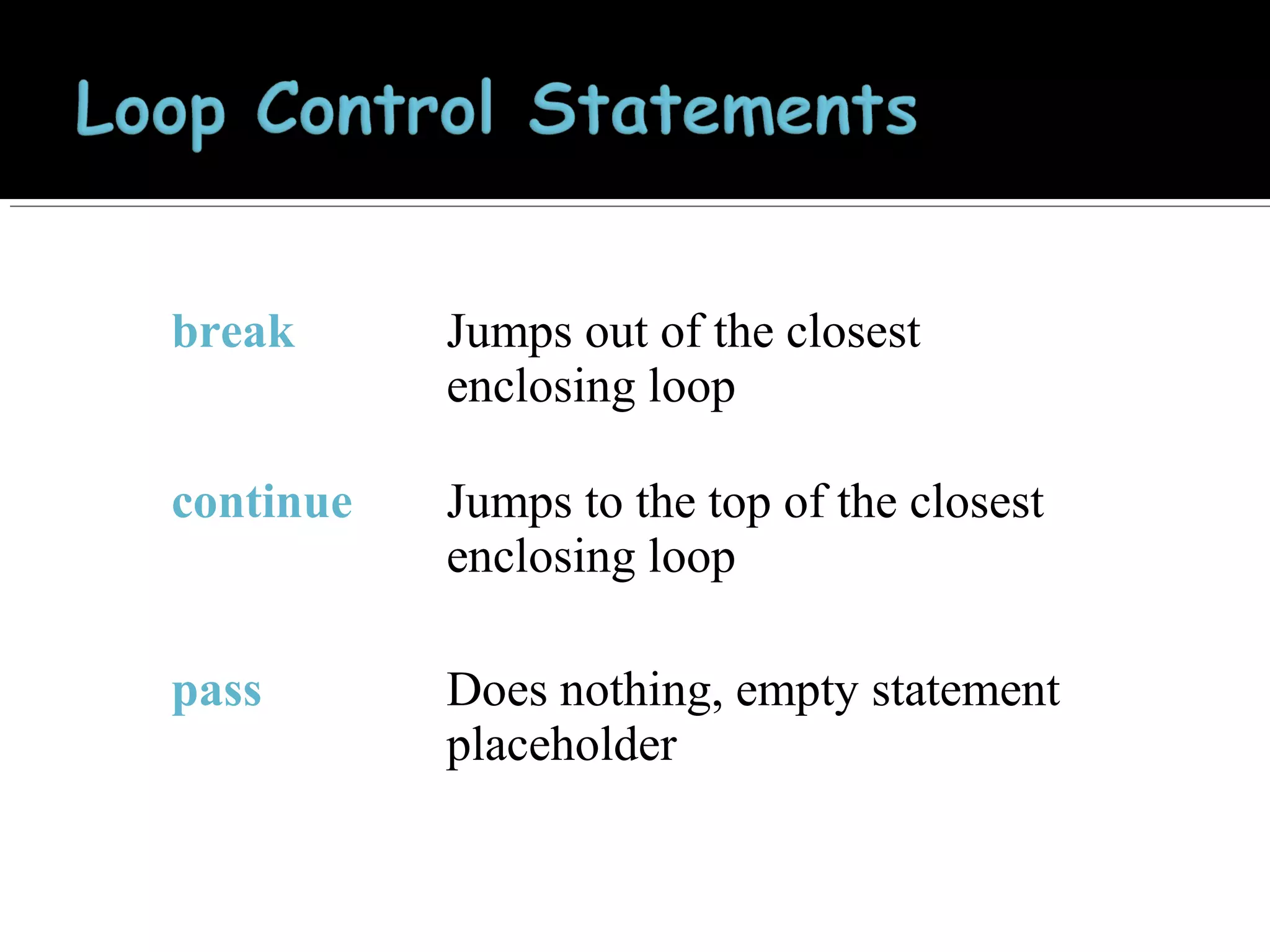
break

Jumps out of the closest
enclosing loop

continue

Jumps to the top of the closest
enclosing loop

pass

Does nothing, empty statement
placeholder


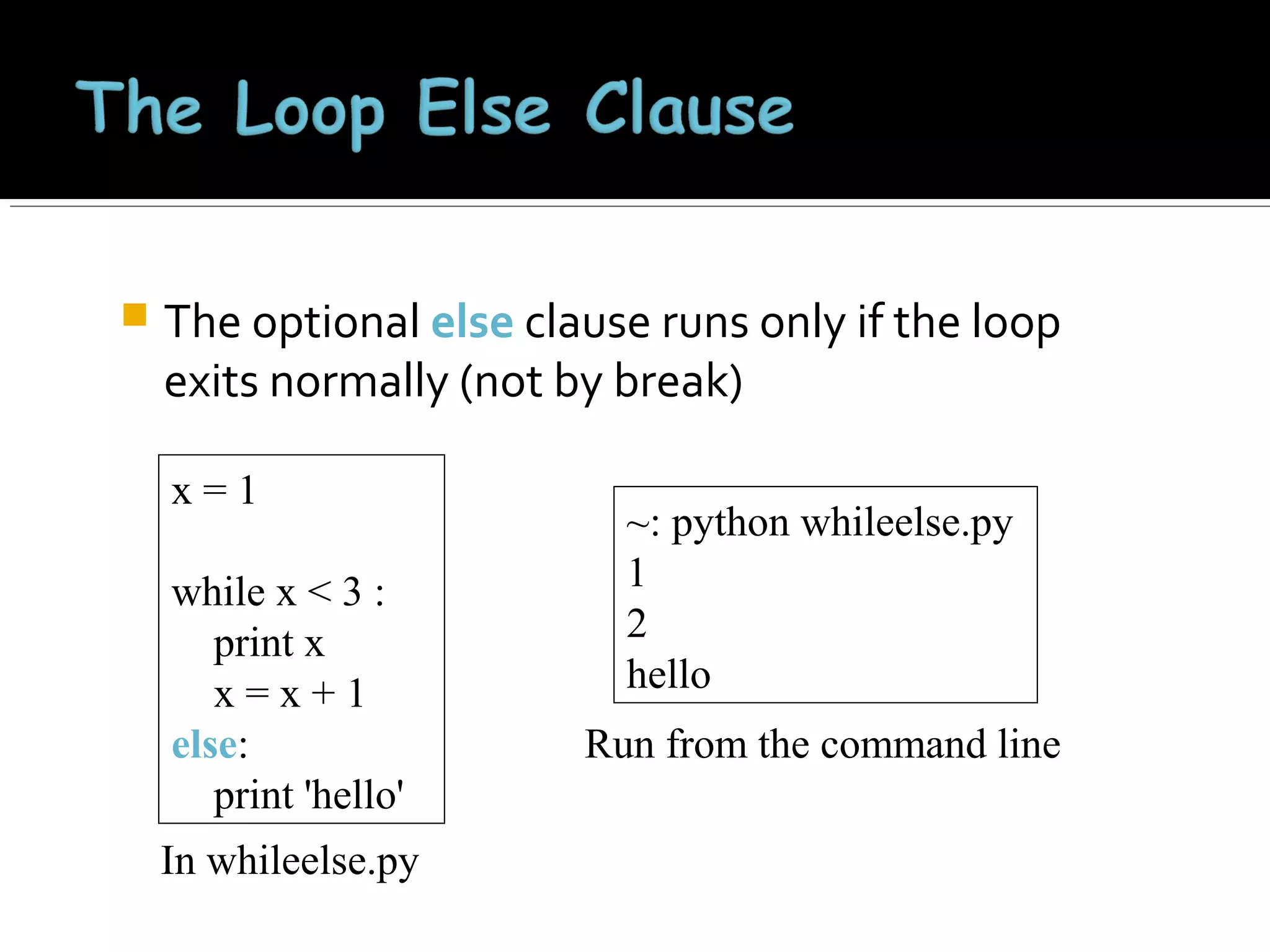
The optional else clause runs only if the loop
exits normally (not by break)
x=1
while x < 3 :
print x
x=x+1
else:
print 'hello'
In whileelse.py

~: python whileelse.py
1
2
hello
Run from the command line
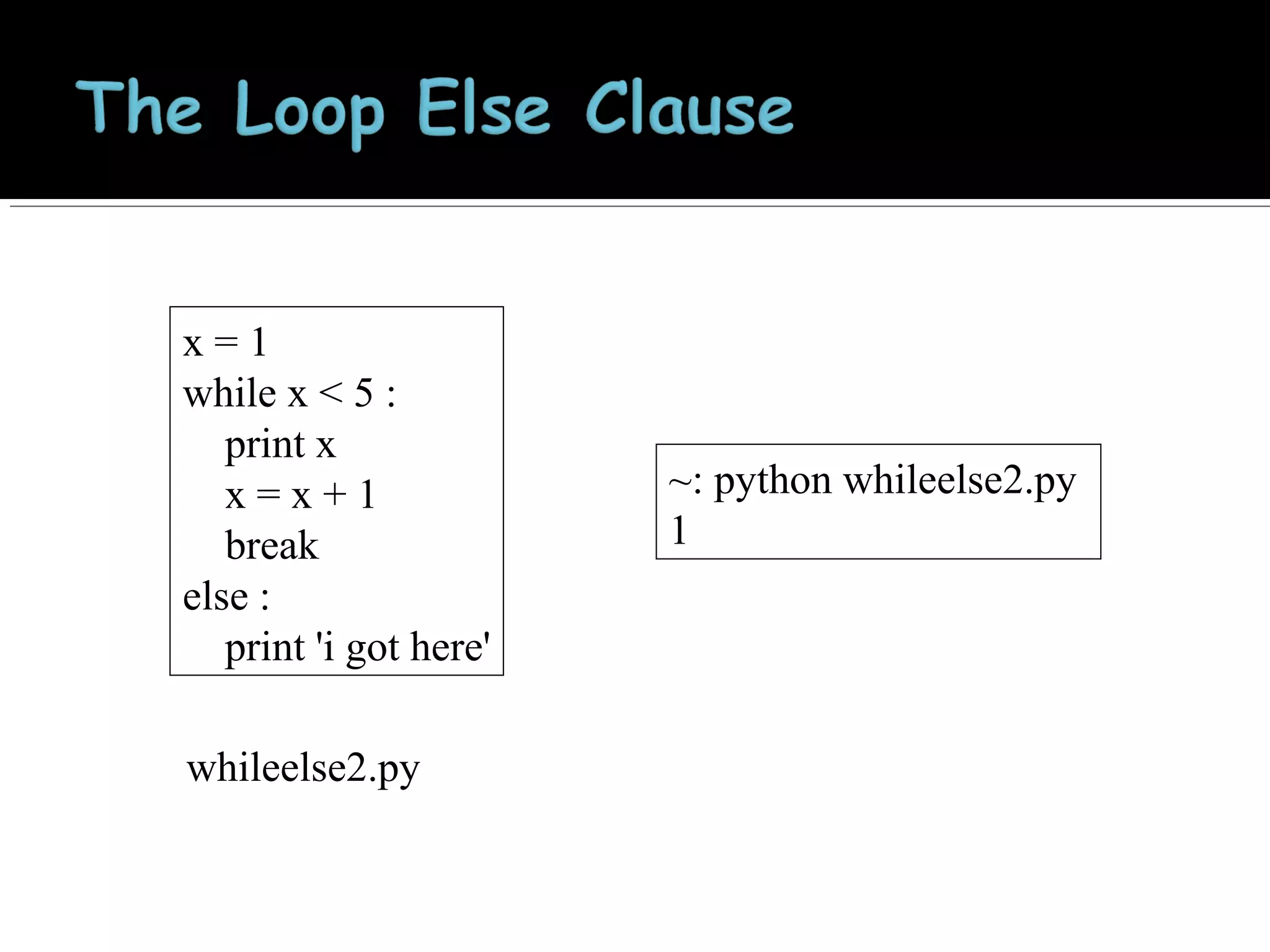
x=1
while x < 5 :
print x
x=x+1
break
else :
print 'i got here'
whileelse2.py

~: python whileelse2.py
1


Similar to perl for loops, iterating through a list of values

for x in [1,7,13,2] :
forloop1.py
print x
~: python forloop1.py
1
7
13
2

for x in range(5) :
forloop2.py
print x
~: python forloop2.py
0
1
2
3
4

range(N) generates a list of numbers [0,1, …, n-1]


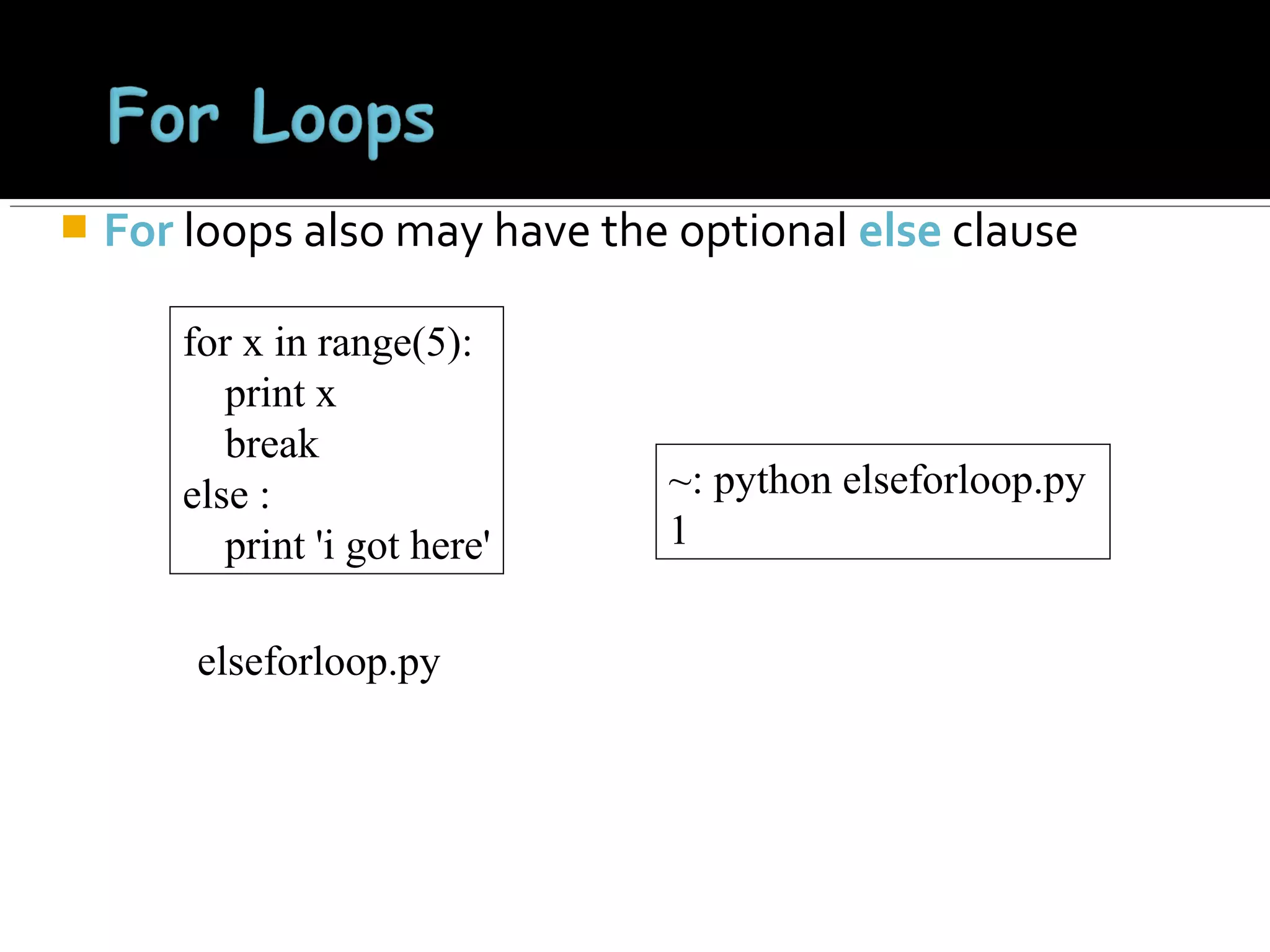
For loops also may have the optional else clause
for x in range(5):
print x
break
else :
print 'i got here'
elseforloop.py

~: python elseforloop.py
1
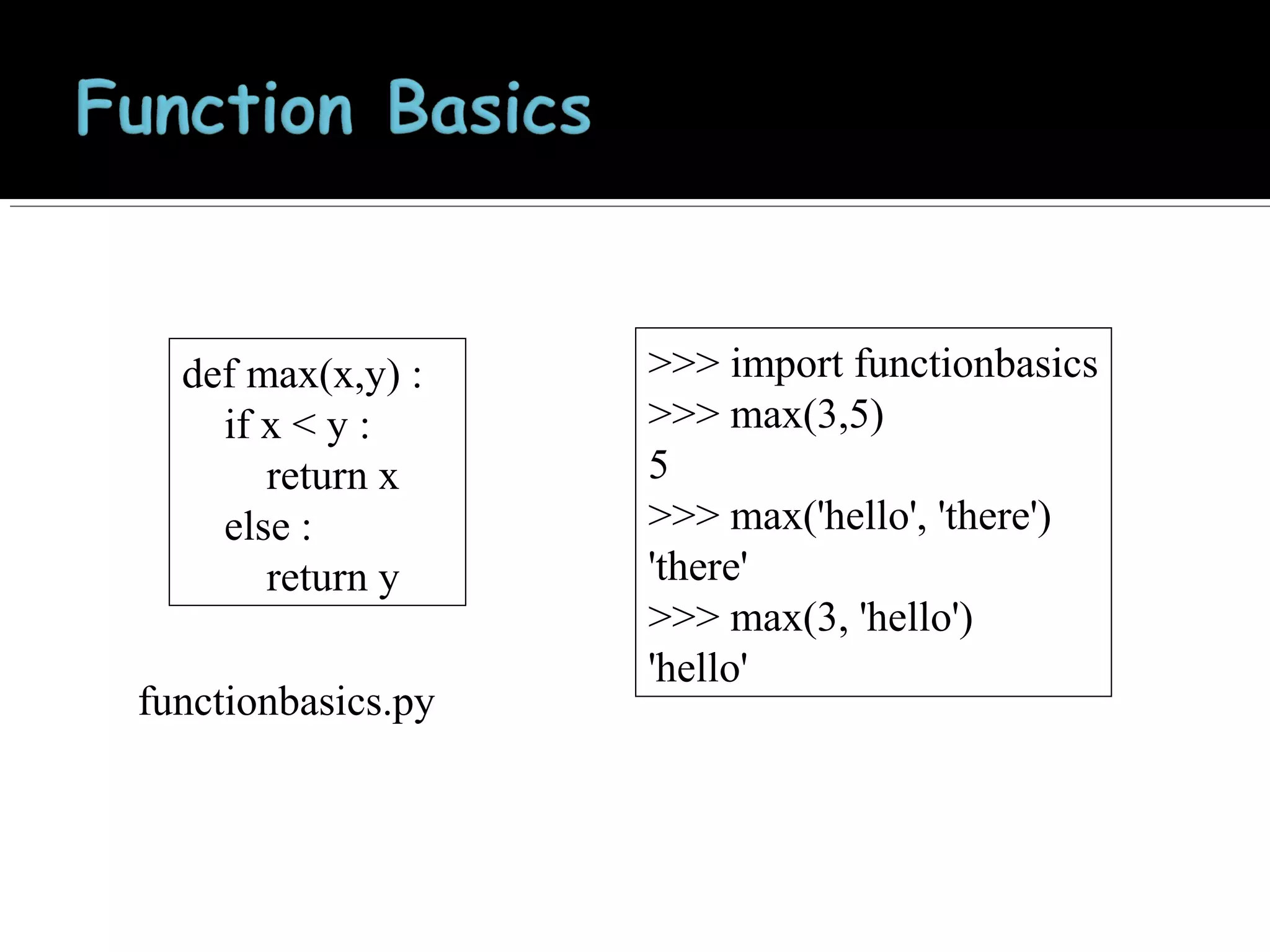
def max(x,y) :
if x < y :
return x
else :
return y
functionbasics.py

>>> import functionbasics
>>> max(3,5)
5
>>> max('hello', 'there')
'there'
>>> max(3, 'hello')
'hello'
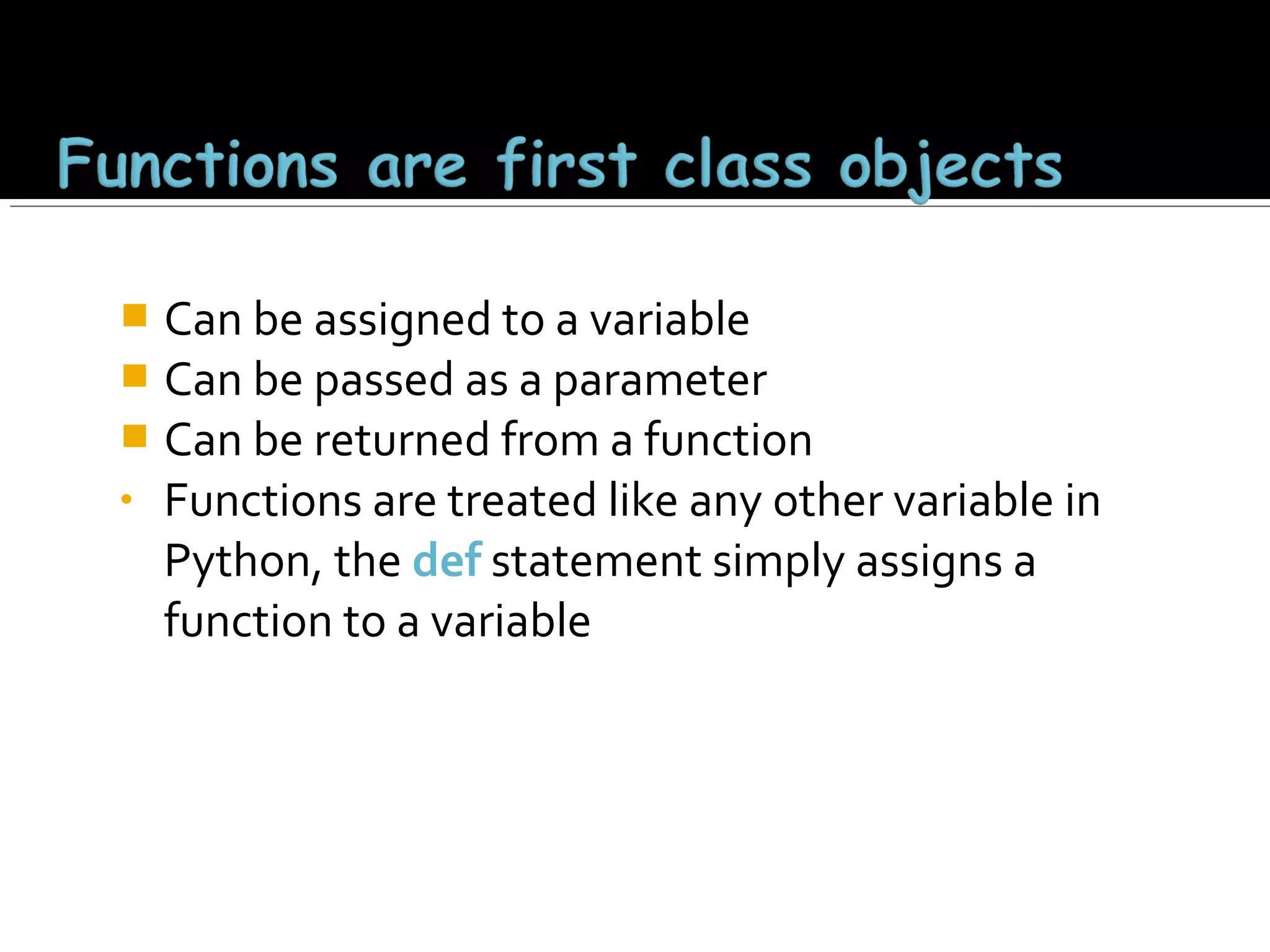
Can be assigned to a variable
 Can be passed as a parameter
 Can be returned from a function
• Functions are treated like any other variable in
Python, the def statement simply assigns a
function to a variable

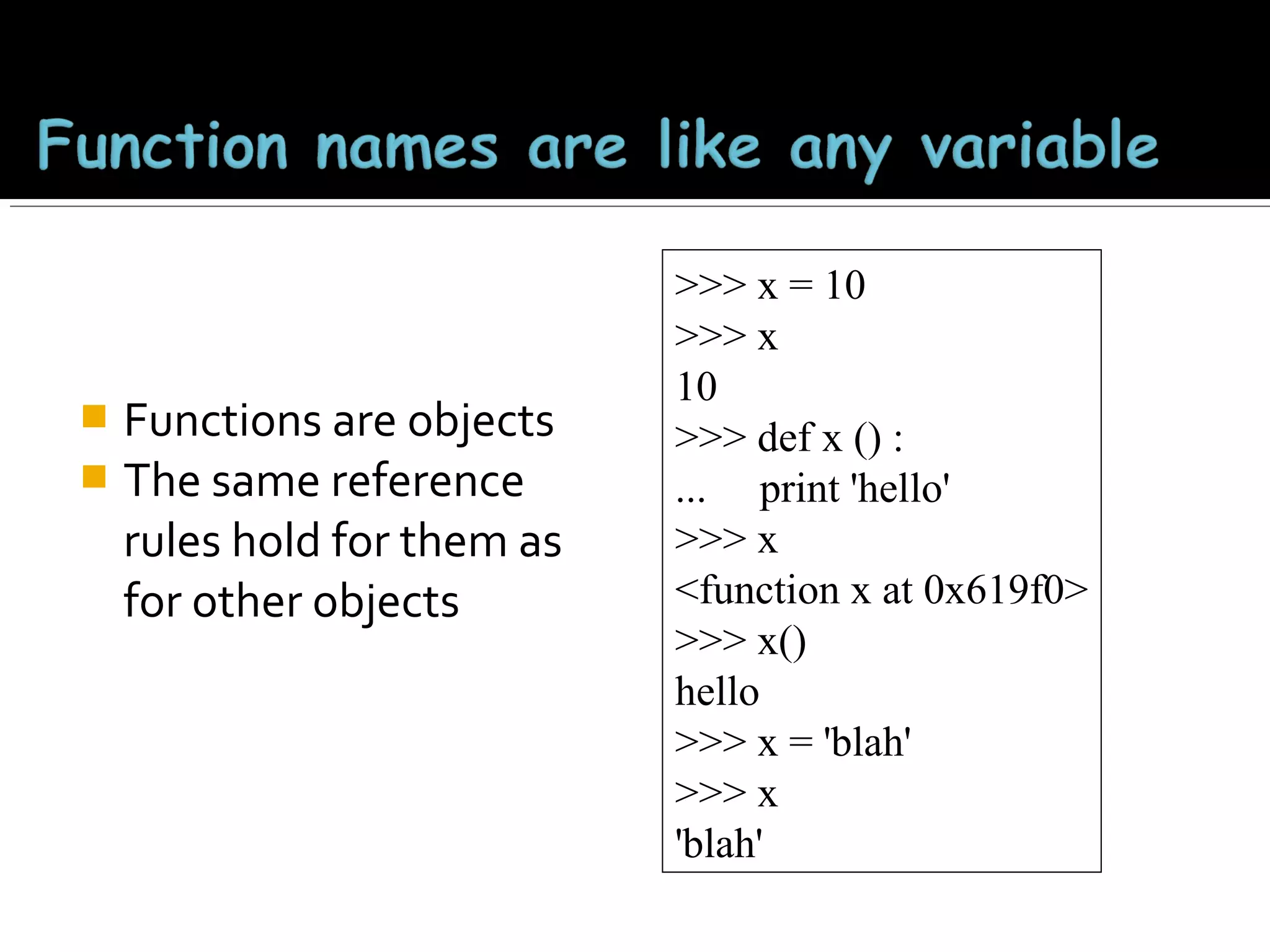
Functions are objects
 The same reference
rules hold for them as
for other objects


>>> x = 10
>>> x
10
>>> def x () :
... print 'hello'
>>> x
<function x at 0x619f0>
>>> x()
hello
>>> x = 'blah'
>>> x
'blah'
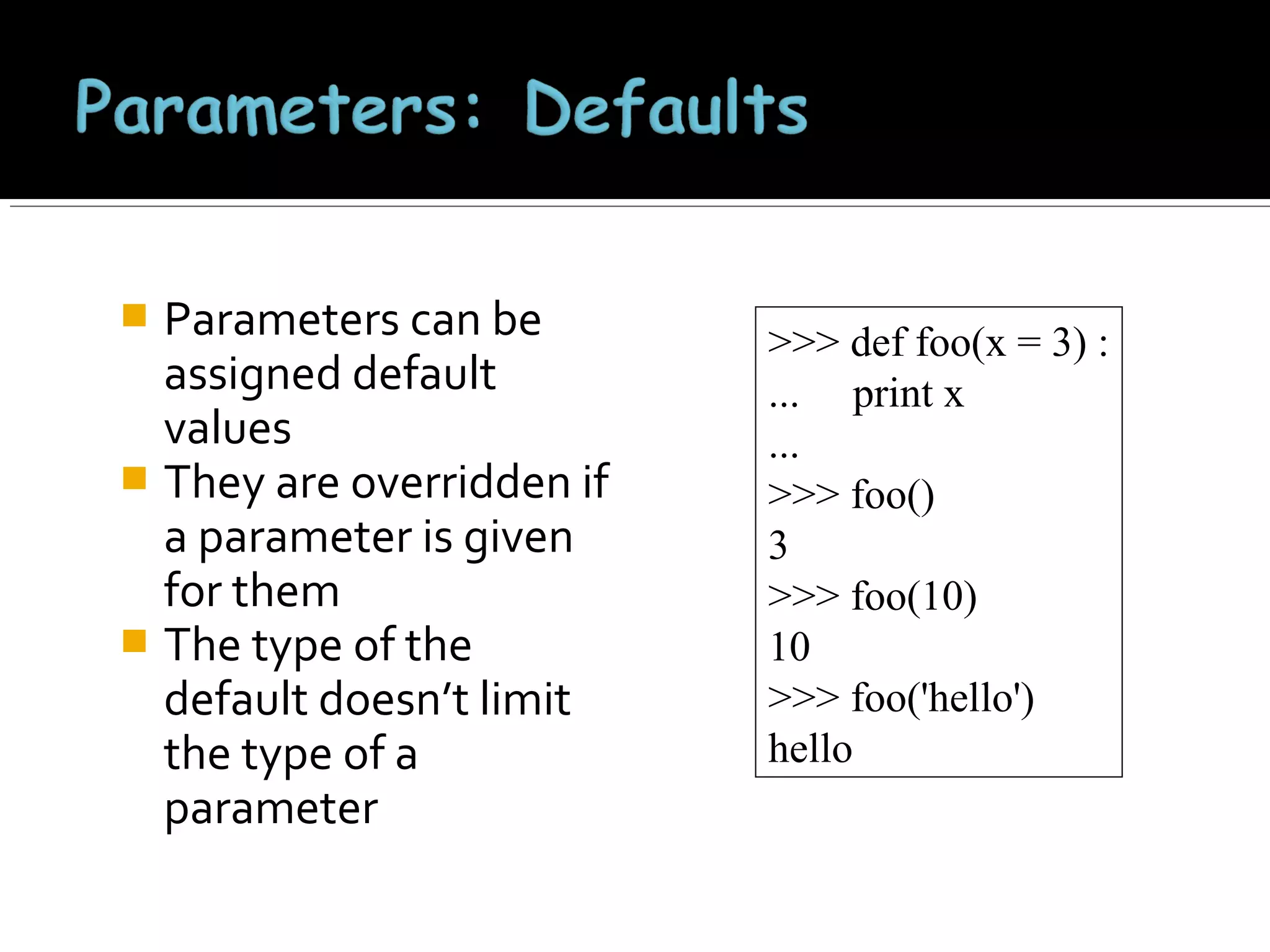
Parameters can be
assigned default
values
 They are overridden if
a parameter is given
for them
 The type of the
default doesn’t limit
the type of a
parameter


>>> def foo(x = 3) :
... print x
...
>>> foo()
3
>>> foo(10)
10
>>> foo('hello')
hello
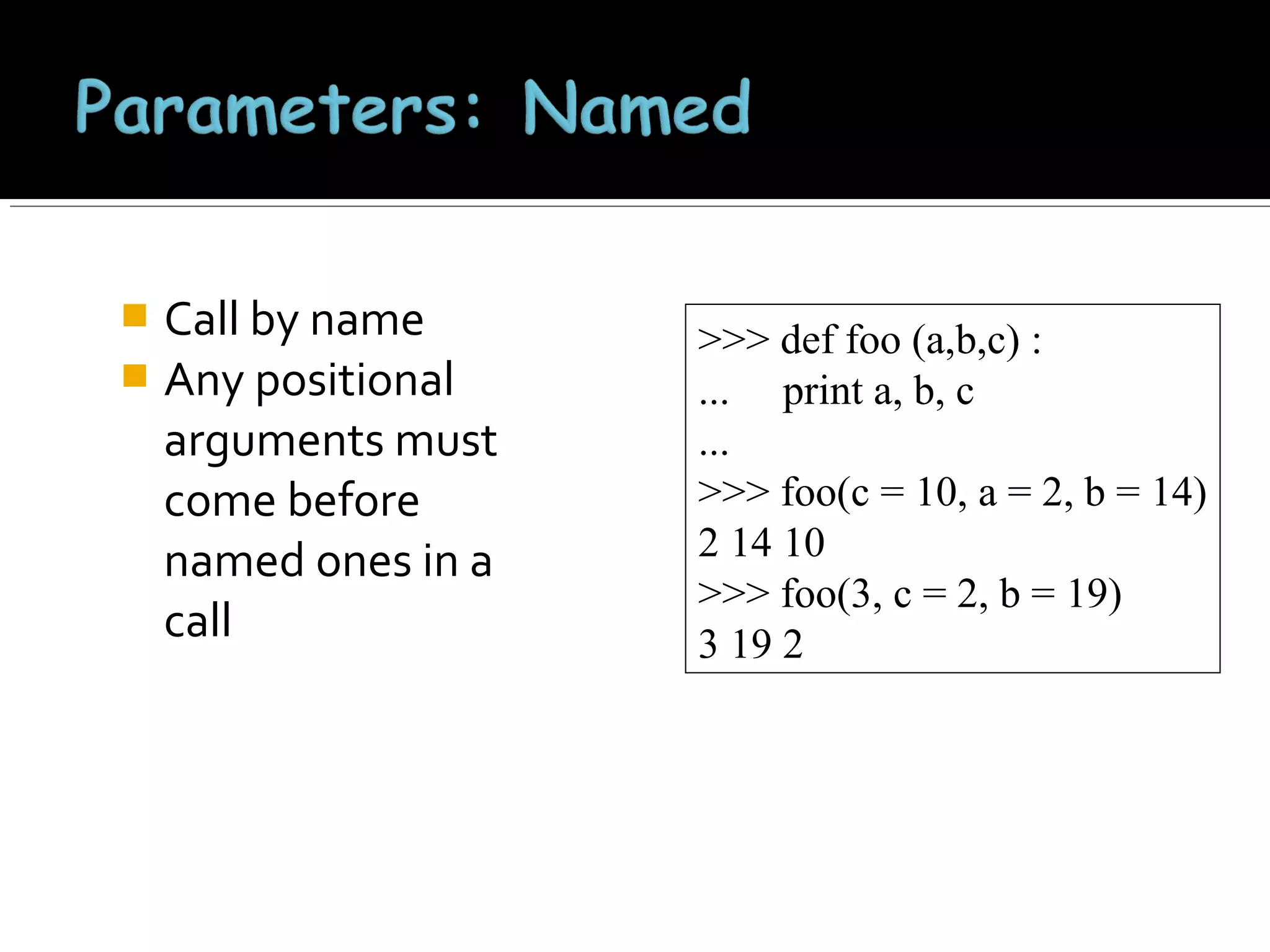
Call by name
 Any positional
arguments must
come before
named ones in a
call


>>> def foo (a,b,c) :
... print a, b, c
...
>>> foo(c = 10, a = 2, b = 14)
2 14 10
>>> foo(3, c = 2, b = 19)
3 19 2
A lambda
expression returns
a function object
 The body can only
be a simple
expression, not
complex
statements


>>> f = lambda x,y : x + y
>>> f(2,3)
5
>>> lst = ['one', lambda x : x * x, 3]
>>> lst[1](4)
16
THANK YOU

Python

  • 2.
    •Open a terminalwindow and type “python” •If on Windows open a Python IDE like IDLE •At the prompt type ‘hello world!’ >>> 'hello world!' 'hello world!'
  • 3.
    •Python is aninterpreted language •The interpreter provides an interactive environment to play with the language •Results of expressions are printed on the screen >>> 3 + 7 10 >>> 3 < 15 True >>> 'print me' 'print me' >>> print 'print me' print me >>>
  • 4.
    •Elements separated by commasprint with a space between them •A comma at the end of the statement (print ‘hello’,) will not print a newline character >>> print 'hello' hello >>> print 'hello', 'there' hello there
  • 5.
    The ‘#’ startsa line comment >>> 'this will print' 'this will print' >>> #'this will not' >>>
  • 6.
    Are not declared,just assigned The variable is created the first time you assign it a value  Are references to objects  Type information is with the object, not the reference  Everything in Python is an object  
  • 7.
    Everything means everything, including functionsand classes (more on this later!)  Data type is a property of the object and not of the variable  >>> x = 7 >>> x 7 >>> x = 'hello' >>> x 'hello' >>>
  • 8.
    Integer – theequivalent of a C long  Long Integer – an unbounded integer value.  >>> 132224 132224 >>> 132323 ** 2 17509376329L >>>
  • 9.
    int(x) converts xto an integer  float(x) converts x to a floating point  The interpreter shows a lot of digits  >>> 1.23232 1.2323200000000001 >>> print 1.23232 1.23232 >>> 1.3E7 13000000.0 >>> int(2.0) 2 >>> float(2) 2.0
  • 10.
    Built into Python Same operations are supported as integer and float  >>> x = 3 + 2j >>> y = -1j >>> x + y (3+1j) >>> x * y (2-3j)
  • 11.
    Strings are immutable There is no char type like in C++ or Java  + is overloaded to do concatenation  >>> x = 'hello' >>> x = x + ' there' >>> x 'hello there'
  • 12.
     Can use singleor double quotes, and three double quotes for a multi-line string >>> 'I am a string' 'I am a string' >>> "So am I!" 'So am I!' >>> s = """And me too! though I am much longer than the others :)""" 'And me too!nthough I am much longernthan the others :)‘ >>> print s And me too! though I am much longer than the others :)‘
  • 13.
    >>> s ='012345' >>> s[3] '3' >>> s[1:4] '123' >>> s[2:] '2345' >>> s[:4] '0123' >>> s[-2] '4' • len(String) – returns the number of characters in the String • str(Object) – returns a String representation of the Object >>> len(x) 6 >>> str(10.3) '10.3'
  • 14.
       Similar to C’sprintf <formatted string> % <elements to insert> Can usually just use %s for everything, it will convert the object to its String representation. >>> "One, %d, three" % 2 'One, 2, three' >>> "%d, two, %s" % (1,3) '1, two, 3' >>> "%s two %s" % (1, 'three') '1 two three' >>>
  • 15.
    Ordered collection ofdata  Data can be of different types  Lists are mutable  Issues with shared references and mutability  Same subset operations as Strings  >>> x = [1,'hello', (3 + 2j)] >>> x [1, 'hello', (3+2j)] >>> x[2] (3+2j) >>> x[0:2] [1, 'hello']
  • 16.
    x[i] = areassigns the ith element to the value a  Since x and y point to the same list object, both are changed  The method append also modifies the list  >>> x = [1,2,3] >>> y = x >>> x[1] = 15 >>> x [1, 15, 3] >>> y [1, 15, 3] >>> x.append(12) >>> y [1, 15, 3, 12]
  • 17.
    The method append modifies thelist and returns None  List addition (+) returns a new list  >>> x = [1,2,3] >>> y = x >>> z = x.append(12) >>> z == None True >>> y [1, 2, 3, 12] >>> x = x + [9,10] >>> x [1, 2, 3, 12, 9, 10] >>> y [1, 2, 3, 12] >>>
  • 18.
    Tuples are immutable versionsof lists  One strange point is the format to make a tuple with one element: ‘,’ is needed to differentiate from the mathematical expression (2)  >>> x = (1,2,3) >>> x[1:] (2, 3) >>> y = (2,) >>> y (2,) >>>
  • 19.
     A setof key-value pairs  Dictionaries are mutable >>> d = {1 : 'hello', 'two' : 42, 'blah' : [1,2,3]} >>> d {1: 'hello', 'two': 42, 'blah': [1, 2, 3]} >>> d['blah'] [1, 2, 3]
  • 20.
     Entries can bechanged by assigning to that entry >>> d {1: 'hello', 'two': 42, 'blah': [1, 2, 3]} >>> d['two'] = 99 >>> d {1: 'hello', 'two': 99, 'blah': [1, 2, 3]} • Assigning to a key that does not exist adds an entry >>> d[7] = 'new entry' >>> d {1: 'hello', 7: 'new entry', 'two': 99, 'blah': [1, 2, 3]}
  • 21.
     The del methoddeletes an element from a dictionary >>> d {1: 'hello', 2: 'there', 10: 'world'} >>> del(d[2]) >>> d {1: 'hello', 10: 'world'}
  • 22.
    Lists, Tuples, andDictionaries can store any type (including other lists, tuples, and dictionaries!)  Only lists and dictionaries are mutable  All variables are references 
  • 23.
     Integers: 2323,3234L  Floating Point: 32.3, 3.1E2  Complex: 3 + 2j, 1j  Lists: l = [ 1,2,3]  Tuples: t = (1,2,3)  Dictionaries: d = {‘hello’ : ‘there’, 2 : 15}
  • 24.
    The raw_input(string) methodreturns a line of user input as a string  The parameter is used as a prompt  The string can be converted by using the conversion methods int(string), float(string), etc. 
  • 25.
    print "What's yourname?" name = raw_input("> ") print "What year were you born?" birthyear = int(raw_input("> ")) print "Hi %s! You are %d years old!" % (name, 2011 - birthyear) ~: python input.py What's your name? > Michael What year were you born? >1980 Hi Michael! You are 31 years old!
  • 26.
    inflobj = open(‘data’,‘r’) Open the file ‘data’ for input S = inflobj.read() Read whole file into one String S = inflobj.read(N) Reads N bytes (N >= 1) L = inflobj.readlines() Returns a list of line strings
  • 27.
    outflobj = open(‘data’,‘w’) Open the file ‘data’ for writing outflobj.write(S) Writes the string S to file outflobj.writelines(L) Writes each of the strings in list L to file outflobj.close() Closes the file
  • 28.
    0 and Noneare false  Everything else is true  True and False are aliases for 1 and 0 respectively 
  • 29.
    Compound boolean expressions shortcircuit  and and or return one of the elements in the expression  Note that when None is returned the interpreter does not print anything  >>> True and False False >>> False or True True >>> 7 and 14 14 >>> None and 2 >>> None or 2 2
  • 30.
    Python uses indentationinstead of braces to determine the scope of expressions  All lines must be indented the same amount to be part of the scope (or indented more if part of an inner scope)  This forces the programmer to use proper indentation since the indenting is part of the program! 
  • 31.
    import math x =30 if x <= 15 : y = x + 15 elif x <= 30 : y = x + 30 else : y=x print ‘y = ‘, print math.sin(y) In file ifstatement.py >>> import ifstatement y = 0.999911860107 >>> In interpreter
  • 32.
    x=1 while x <10 : print x x=x+1 In whileloop.py >>> import whileloop 1 2 3 4 5 6 7 8 9 >>> In interpreter
  • 33.
    break Jumps out ofthe closest enclosing loop continue Jumps to the top of the closest enclosing loop pass Does nothing, empty statement placeholder
  • 34.
     The optional elseclause runs only if the loop exits normally (not by break) x=1 while x < 3 : print x x=x+1 else: print 'hello' In whileelse.py ~: python whileelse.py 1 2 hello Run from the command line
  • 35.
    x=1 while x <5 : print x x=x+1 break else : print 'i got here' whileelse2.py ~: python whileelse2.py 1
  • 36.
     Similar to perlfor loops, iterating through a list of values for x in [1,7,13,2] : forloop1.py print x ~: python forloop1.py 1 7 13 2 for x in range(5) : forloop2.py print x ~: python forloop2.py 0 1 2 3 4 range(N) generates a list of numbers [0,1, …, n-1]
  • 37.
     For loops alsomay have the optional else clause for x in range(5): print x break else : print 'i got here' elseforloop.py ~: python elseforloop.py 1
  • 38.
    def max(x,y) : ifx < y : return x else : return y functionbasics.py >>> import functionbasics >>> max(3,5) 5 >>> max('hello', 'there') 'there' >>> max(3, 'hello') 'hello'
  • 39.
    Can be assignedto a variable  Can be passed as a parameter  Can be returned from a function • Functions are treated like any other variable in Python, the def statement simply assigns a function to a variable 
  • 40.
    Functions are objects The same reference rules hold for them as for other objects  >>> x = 10 >>> x 10 >>> def x () : ... print 'hello' >>> x <function x at 0x619f0> >>> x() hello >>> x = 'blah' >>> x 'blah'
  • 41.
    Parameters can be assigneddefault values  They are overridden if a parameter is given for them  The type of the default doesn’t limit the type of a parameter  >>> def foo(x = 3) : ... print x ... >>> foo() 3 >>> foo(10) 10 >>> foo('hello') hello
  • 42.
    Call by name Any positional arguments must come before named ones in a call  >>> def foo (a,b,c) : ... print a, b, c ... >>> foo(c = 10, a = 2, b = 14) 2 14 10 >>> foo(3, c = 2, b = 19) 3 19 2
  • 43.
    A lambda expression returns afunction object  The body can only be a simple expression, not complex statements  >>> f = lambda x,y : x + y >>> f(2,3) 5 >>> lst = ['one', lambda x : x * x, 3] >>> lst[1](4) 16
  • 44.