Troubleshooting Digital Resources
with Confidence
Heather Greer Klein
Member Services Librarian
help@nclive.org
My Experience
Objectives
 Review common issues faced by front line
staff helping users with electronic resources
 Discuss strategies to address these issues
and build confidence and competence
 Share what you are doing in your library to
address these issues
 Share how NC LIVE can help
Common Library Staff Challenges:
 Understanding the resource access
cycle: identify the source of the issue
 Authentication: what is it, and how
does my library do it?
 Electronic resource troubleshooting
basics: Error messages & browser
basics
 Search strategy: how do I help users
get started with a search?
 How do I get help?
• Browser:
– a program with a graphical user interface for displaying HTML files,
used to navigate the World Wide Web.
• IP Address:
– a unique string of numbers separated by periods that identifies each
computer using the Internet Protocol to communicate over a
network.
• Electronic resource:
– Databases, tools, etc. licensed by the library for authorized users to
access
• Proxy or Proxy server:
– Server that functions as an intermediary between a web browser and
the Internet.
• Authentication:
– the process of determining whether someone or something is, in fact,
who or what it is declared to be.
Glossary
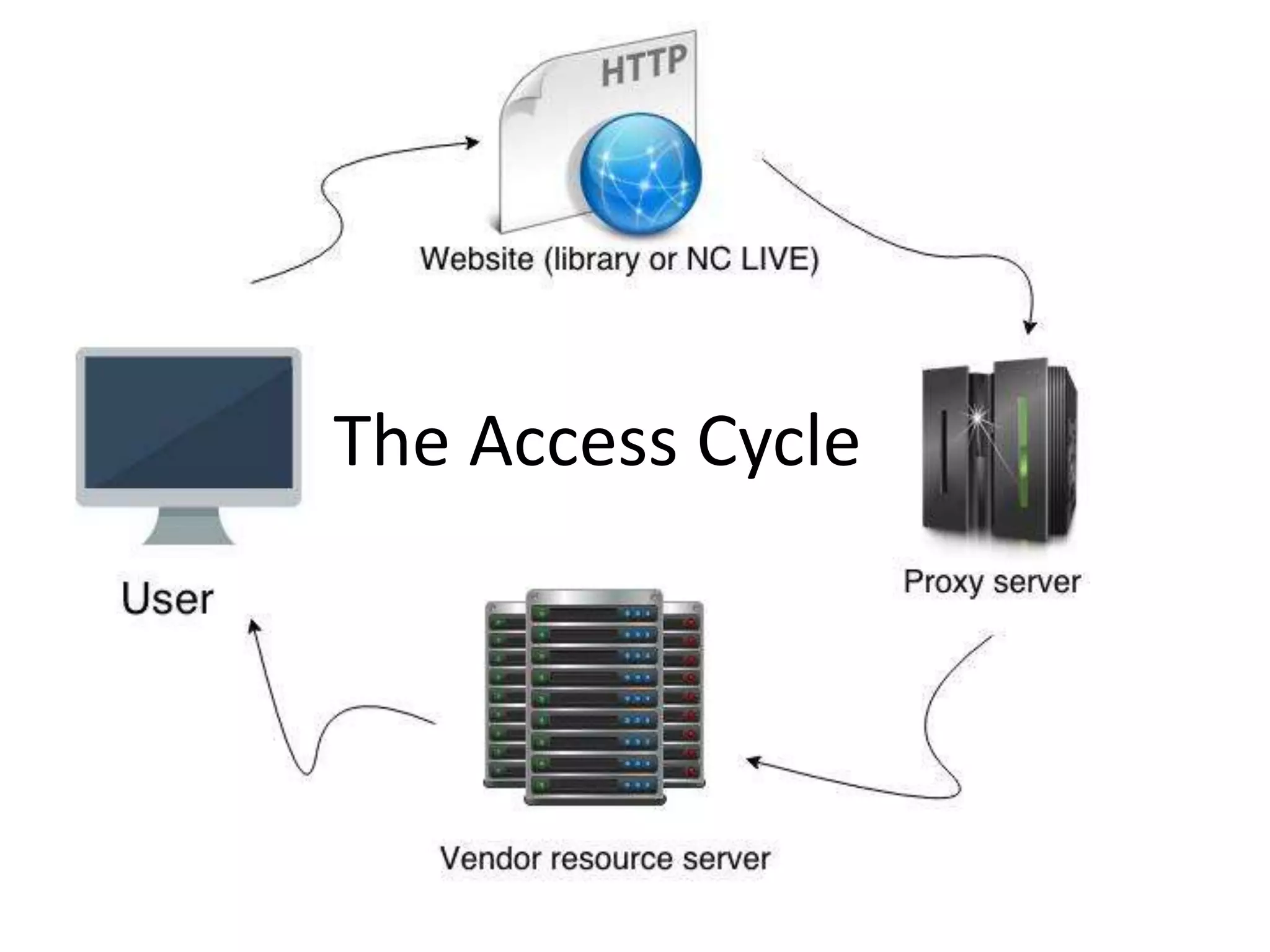
The Access Cycle
Challenge: Authentication
The process by which your patrons access
resources that are not on the free web:
How do they get to the stuff you paid for?
Vendor server has to recognize user IP
Two ways: recognize campus IP, or
recognize proxy server-assigned IP
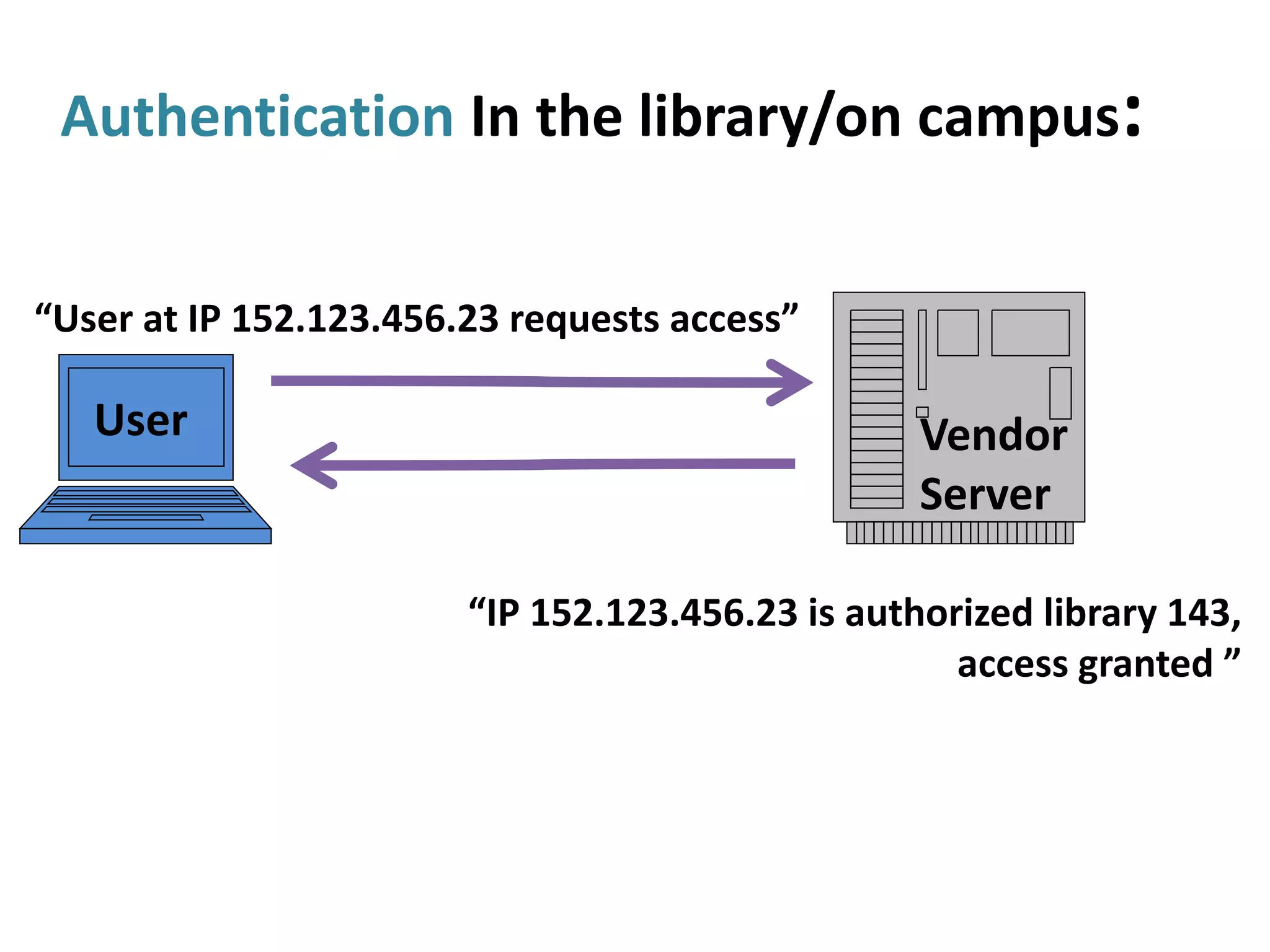
Authentication In the library/on campus:
“User at IP 152.123.456.23 requests access”
“IP 152.123.456.23 is authorized library 143,
access granted ”
User Vendor
Server
Accessing NC LIVE Resources
Inside the Library/On Campus:
No login ever needed
Off-Campus Authentication Methods
Local Proxy: All resources have the same
login; campus manages proxy server
NC LIVE Proxy: Use NC LIVE password for
NC LIVE resources; NC LIVE manages proxy;
new password every year
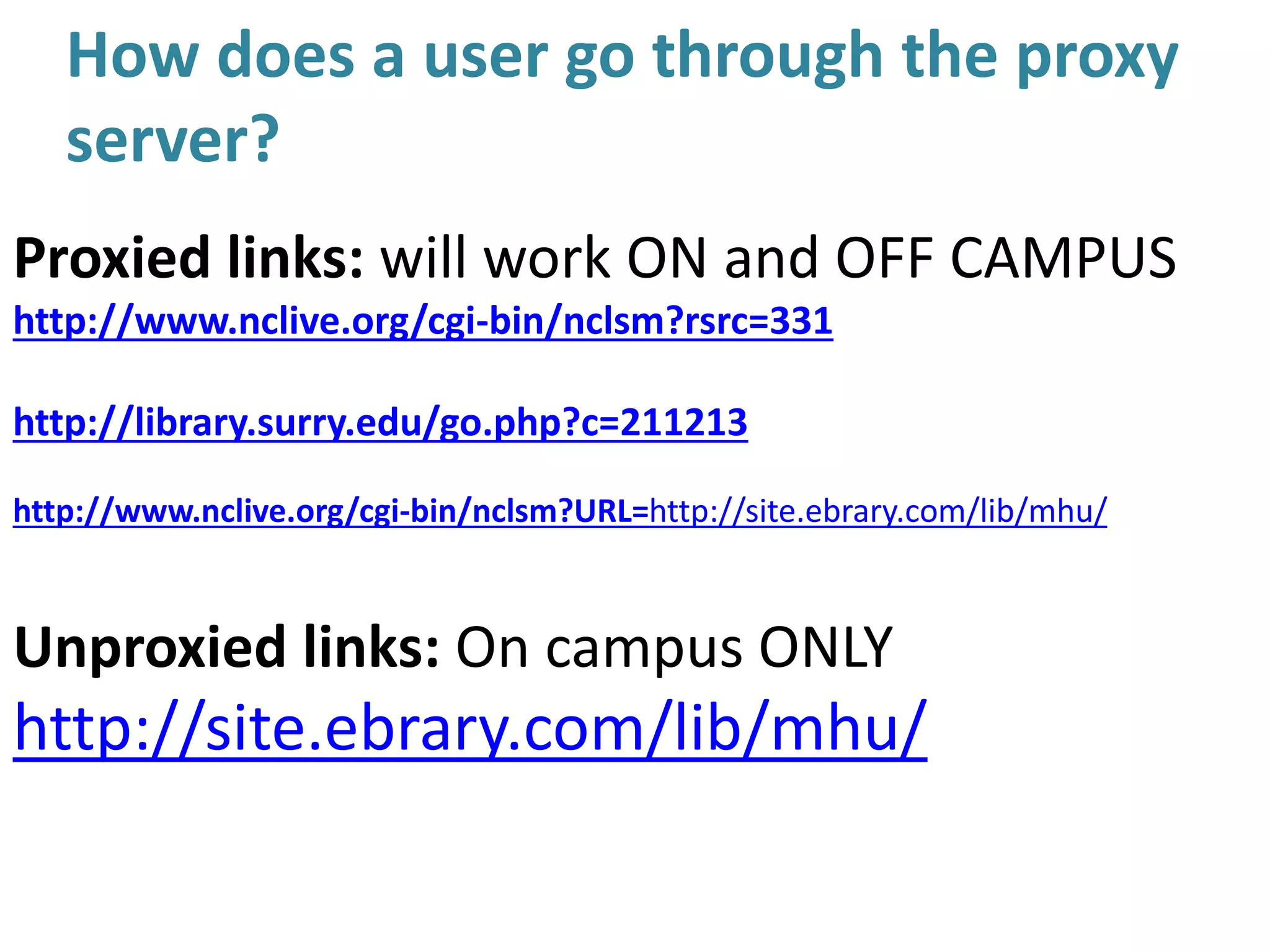
How does a user go through the proxy
server?
Proxied links: will work ON and OFF CAMPUS
http://www.nclive.org/cgi-bin/nclsm?rsrc=331
http://library.surry.edu/go.php?c=211213
http://www.nclive.org/cgi-bin/nclsm?URL=http://site.ebrary.com/lib/mhu/
Unproxied links: On campus ONLY
http://site.ebrary.com/lib/mhu/
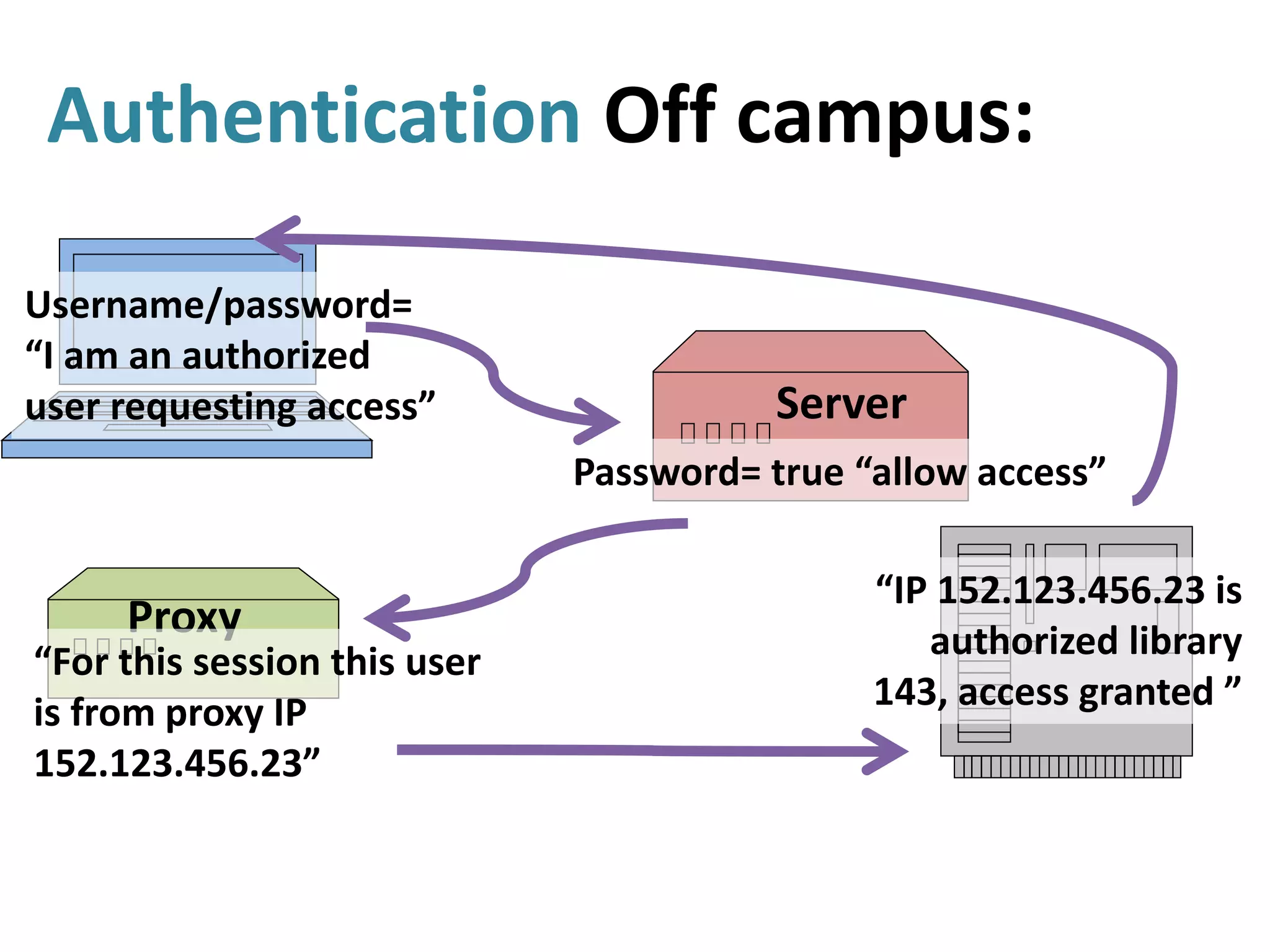
Authentication Off campus:
Username/password=
“I am an authorized
user requesting access”
Password= true “allow access”
Proxy
“For this session this user
is from proxy IP
152.123.456.23”
“IP 152.123.456.23 is
authorized library
143, access granted ”
Server
Off-Campus Authentication
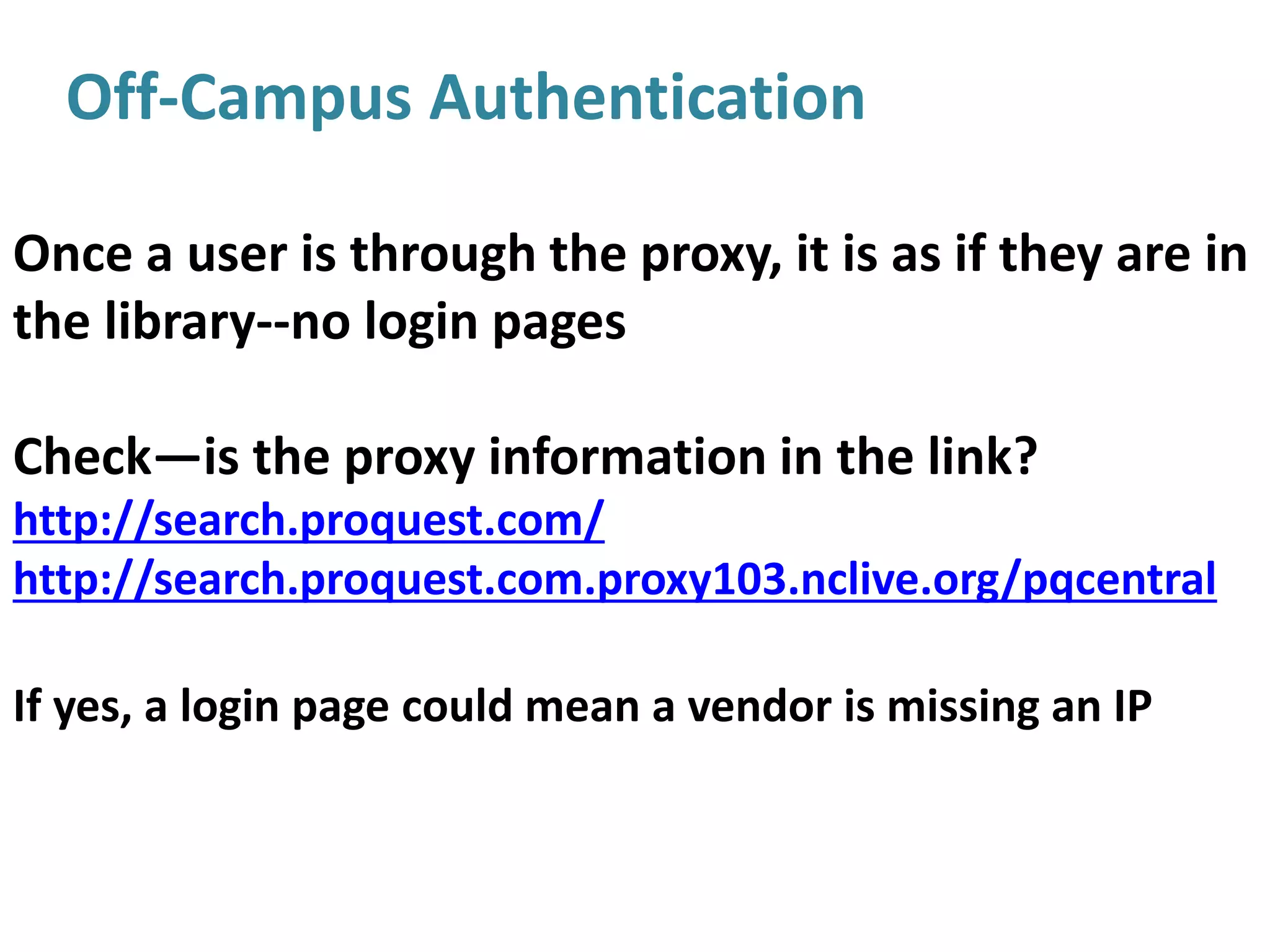
Once a user is through the proxy, it is as if they are in
the library--no login pages
Check—is the proxy information in the link?
http://search.proquest.com/
http://search.proquest.com.proxy103.nclive.org/pqcentral
If yes, a login page could mean a vendor is missing an IP
Understand Authentication Basics
 Understand the basics of how access
works on your campus
 Know the what to expect for on-campus
and off-campus access
 Know how students/faculty access their
username password
 Know contacts for campus IT or NC LIVE
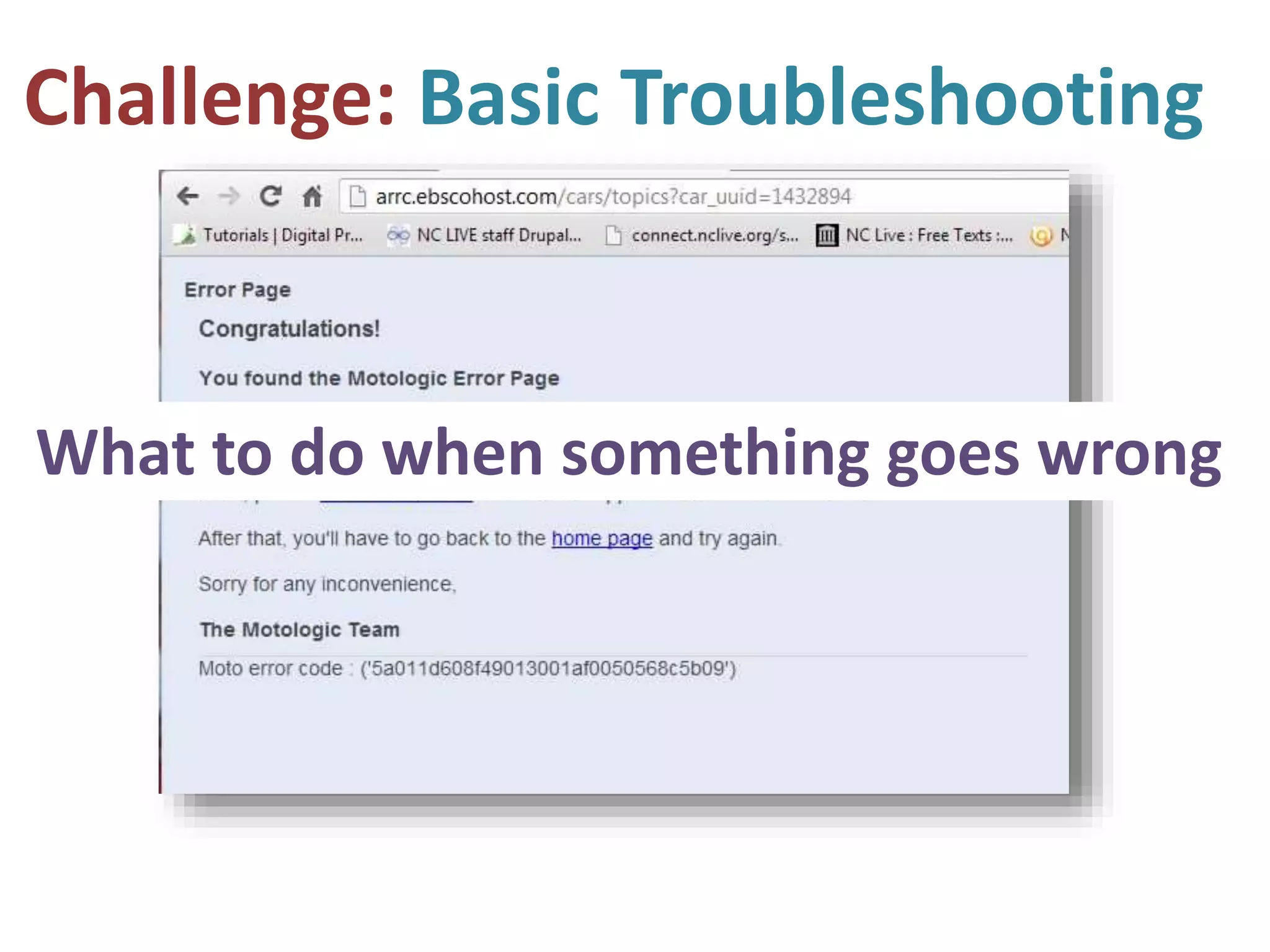
Challenge: Basic Troubleshooting
What to do when something goes wrong
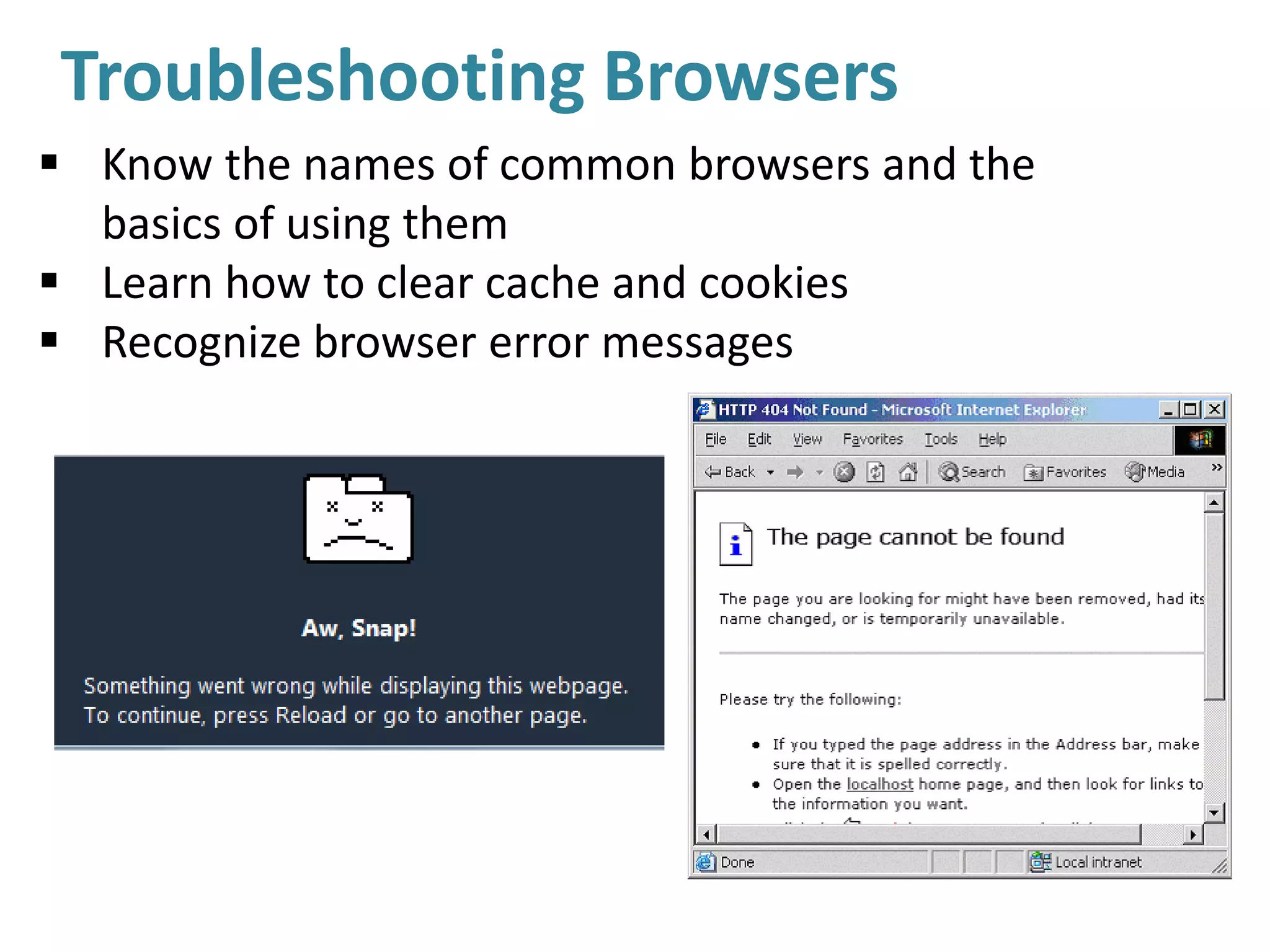
Troubleshooting Browsers
 Know the names of common browsers and the
basics of using them
 Learn how to clear cache and cookies
 Recognize browser error messages
Troubleshooting Resource Errors
 Recognize database and proxy errors
 Know how to document errors
Troubleshooting Resource Errors
 Recognize database and proxy errors
 Know how to document errors
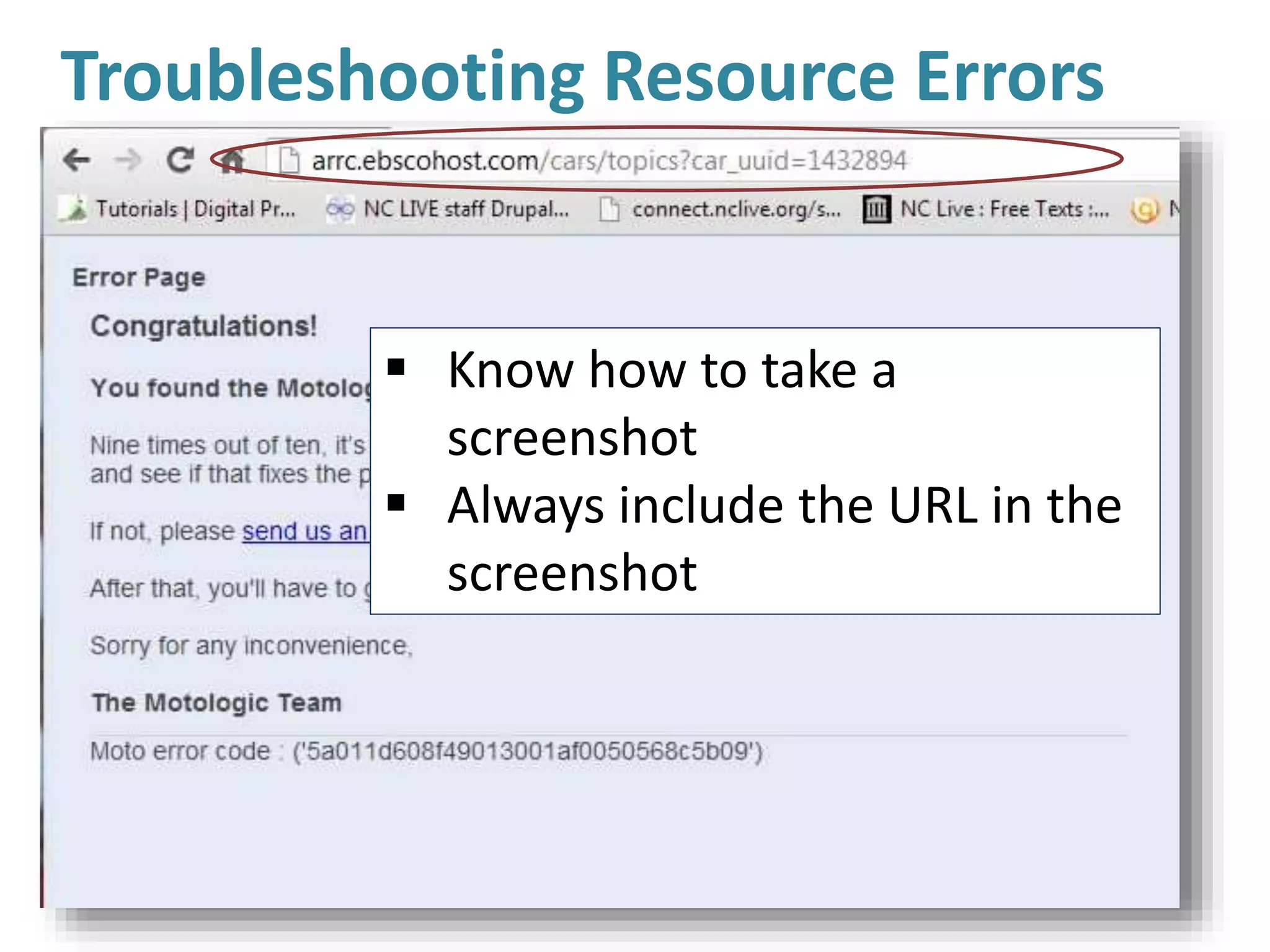
 Know how to take a
screenshot
 Always include the URL in the
screenshot
Troubleshooting Resource Errors
 Snipping tool (PC)
 Skitch—detailed screenshots with
annotation
 Jing—video is worth a million words!!
 http://screencast.com/t/OBSGxIgrho
Challenge: Poor Search Strategies
“It says there are no results!”
User error can be just as
frustrating as a database error
Learn Basic Search Strategies
 Database keyword not the same as
web search
 Basic Boolean: AND OR NOT () *
 Search construction
 Using a basic vs. advanced search
box
Resources for Learning More:
1.The State Library Train Station: One stop
for NC LIVE vendor-provided webinars,
State library training days, and other staff
development opportunities
2.Support pages within databases
3.NC LIVE For Library Staff page for links to
helpful information
Challenge: Discovery, AKA Search Boxes!
“I clicked on full text and it says
there are no results!”
• Metadata errors are common
• Discovery is not as good at
“known item search”
Discovery Issue Strategies:
• Use Title Search to try to get to the
item
• Try going directly into the database
that is listed as the source and try
the search again
• Report the issue to your vendor or
to NC LIVE
Challenge: Knowing Where to Get Help
Who to contact when
something goes wrong?
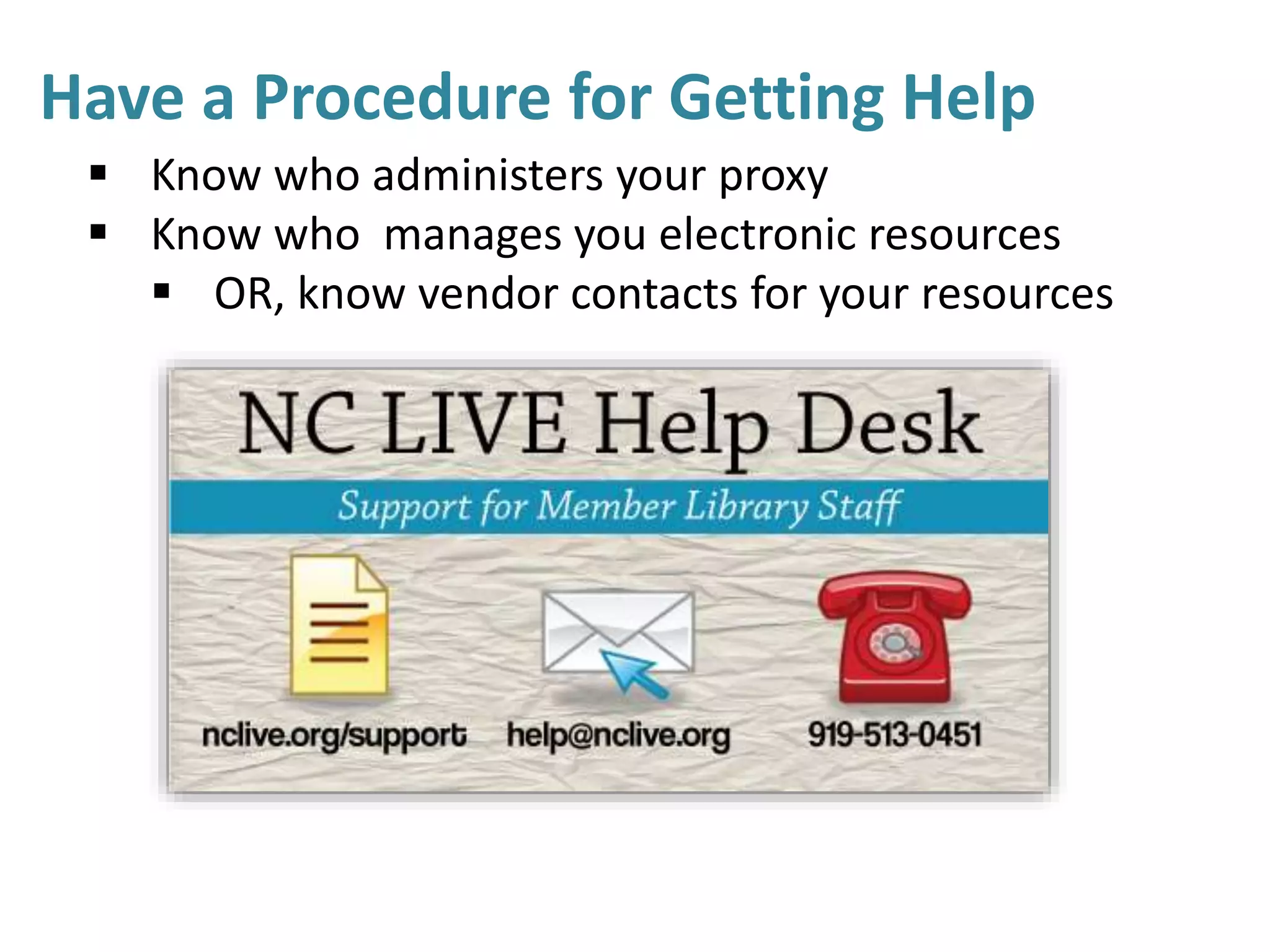
Have a Procedure for Getting Help
 Know who administers your proxy
 Know who manages you electronic resources
 OR, know vendor contacts for your resources
Resource List
Clearing cache in Chrome
Troubleshooting in Firefox
Cache and cookies in Internet Explorer
Best practices for webinar participants
Web Junction’s Competency Index for the Library Field (2014)
NC LIVE Library Staff Email List
State Library Continuing Education Information Email List
Questions?
Heather Greer Klein
Member Services Librarian
heather@nclive.org help@nclive.org

Troubleshooting Digital Resources with Confidence

  • 1.
    Troubleshooting Digital Resources withConfidence Heather Greer Klein Member Services Librarian help@nclive.org
  • 2.
  • 3.
    Objectives  Review commonissues faced by front line staff helping users with electronic resources  Discuss strategies to address these issues and build confidence and competence  Share what you are doing in your library to address these issues  Share how NC LIVE can help
  • 4.
    Common Library StaffChallenges:  Understanding the resource access cycle: identify the source of the issue  Authentication: what is it, and how does my library do it?  Electronic resource troubleshooting basics: Error messages & browser basics  Search strategy: how do I help users get started with a search?  How do I get help?
  • 5.
    • Browser: – aprogram with a graphical user interface for displaying HTML files, used to navigate the World Wide Web. • IP Address: – a unique string of numbers separated by periods that identifies each computer using the Internet Protocol to communicate over a network. • Electronic resource: – Databases, tools, etc. licensed by the library for authorized users to access • Proxy or Proxy server: – Server that functions as an intermediary between a web browser and the Internet. • Authentication: – the process of determining whether someone or something is, in fact, who or what it is declared to be. Glossary
  • 6.
  • 7.
    Challenge: Authentication The processby which your patrons access resources that are not on the free web: How do they get to the stuff you paid for? Vendor server has to recognize user IP Two ways: recognize campus IP, or recognize proxy server-assigned IP
  • 8.
    Authentication In thelibrary/on campus: “User at IP 152.123.456.23 requests access” “IP 152.123.456.23 is authorized library 143, access granted ” User Vendor Server
  • 9.
    Accessing NC LIVEResources Inside the Library/On Campus: No login ever needed
  • 10.
    Off-Campus Authentication Methods LocalProxy: All resources have the same login; campus manages proxy server NC LIVE Proxy: Use NC LIVE password for NC LIVE resources; NC LIVE manages proxy; new password every year
  • 11.
    How does auser go through the proxy server? Proxied links: will work ON and OFF CAMPUS http://www.nclive.org/cgi-bin/nclsm?rsrc=331 http://library.surry.edu/go.php?c=211213 http://www.nclive.org/cgi-bin/nclsm?URL=http://site.ebrary.com/lib/mhu/ Unproxied links: On campus ONLY http://site.ebrary.com/lib/mhu/
  • 12.
    Authentication Off campus: Username/password= “Iam an authorized user requesting access” Password= true “allow access” Proxy “For this session this user is from proxy IP 152.123.456.23” “IP 152.123.456.23 is authorized library 143, access granted ” Server
  • 13.
    Off-Campus Authentication Once auser is through the proxy, it is as if they are in the library--no login pages Check—is the proxy information in the link? http://search.proquest.com/ http://search.proquest.com.proxy103.nclive.org/pqcentral If yes, a login page could mean a vendor is missing an IP
  • 14.
    Understand Authentication Basics Understand the basics of how access works on your campus  Know the what to expect for on-campus and off-campus access  Know how students/faculty access their username password  Know contacts for campus IT or NC LIVE
  • 15.
    Challenge: Basic Troubleshooting Whatto do when something goes wrong
  • 16.
    Troubleshooting Browsers  Knowthe names of common browsers and the basics of using them  Learn how to clear cache and cookies  Recognize browser error messages
  • 17.
    Troubleshooting Resource Errors Recognize database and proxy errors  Know how to document errors
  • 18.
    Troubleshooting Resource Errors Recognize database and proxy errors  Know how to document errors  Know how to take a screenshot  Always include the URL in the screenshot
  • 19.
    Troubleshooting Resource Errors Snipping tool (PC)  Skitch—detailed screenshots with annotation  Jing—video is worth a million words!!  http://screencast.com/t/OBSGxIgrho
  • 20.
    Challenge: Poor SearchStrategies “It says there are no results!” User error can be just as frustrating as a database error
  • 21.
    Learn Basic SearchStrategies  Database keyword not the same as web search  Basic Boolean: AND OR NOT () *  Search construction  Using a basic vs. advanced search box
  • 22.
    Resources for LearningMore: 1.The State Library Train Station: One stop for NC LIVE vendor-provided webinars, State library training days, and other staff development opportunities 2.Support pages within databases 3.NC LIVE For Library Staff page for links to helpful information
  • 23.
    Challenge: Discovery, AKASearch Boxes! “I clicked on full text and it says there are no results!” • Metadata errors are common • Discovery is not as good at “known item search”
  • 24.
    Discovery Issue Strategies: •Use Title Search to try to get to the item • Try going directly into the database that is listed as the source and try the search again • Report the issue to your vendor or to NC LIVE
  • 26.
    Challenge: Knowing Whereto Get Help Who to contact when something goes wrong?
  • 27.
    Have a Procedurefor Getting Help  Know who administers your proxy  Know who manages you electronic resources  OR, know vendor contacts for your resources
  • 28.
    Resource List Clearing cachein Chrome Troubleshooting in Firefox Cache and cookies in Internet Explorer Best practices for webinar participants Web Junction’s Competency Index for the Library Field (2014) NC LIVE Library Staff Email List State Library Continuing Education Information Email List Questions? Heather Greer Klein Member Services Librarian heather@nclive.org help@nclive.org

Editor's Notes

  • #3 Let me tell you a little about my experience. As the Member Services librarian at NC LIVE I have responsibility for managing our services to library staff, including our help desk. I and my NC LIVE colleagues help library staff and occasionally library users with problems and questions related to NC LIVE resources. I’ve been able to identify some common problems that library staff encounter particularly if they are new to libraries or are not confident helping with electronic resources.
  • #4 My objective today is to use my experience helping library staff all over the state to help you identify some common issues that staff encounter, and recommend the best strategies to approach these issues. My hope is that this information will be useful to you either as a staff member or as someone who is responsible for training staff members or student workers. I’m also very interested to hear what you might already be doing in your own library to help staff feel confident resolving common issues around electronic resources.
  • #5 So what kinds of issues do library staff most often face? First I find it helps to understand the resource access cycle. Once you know all the steps between the user and the resource, it is easier to figure out where things might be going wrong. I find that the majority of issues that we hear about from library staff are issues related to authentication, basic troubleshooting, search strategy, and getting help from the right person. These are certainly not the only problems staff encounter and they are not always issues staff can resolve on their own, but I can recommend some ways to resolve these kinds of issues more quickly and confidently in the majority of cases.
  • #8 Authentication is the number one source of problems for library staff helping remote users like distance learners. It is important that all staff know what kind of authentication processes are used on campus and why they exist.
  • #9 What can go wrong here? Vendor does not have IP, does not recognize user
  • #10 Resources are paid for, must be limited to authorized users (you and your patrons) Inside the library: no login screens If you see one, what do you do? Help desk!
  • #11 Authentication is the number one source of problems for library staff helping remote users like distance learners. It is important that all staff know what kind of authentication processes are used on campus and why they exist.
  • #12 Authentication is the number one source of problems for library staff helping remote users like distance learners. It is important that all staff know what kind of authentication processes are used on campus and why they exist.
  • #13 A lot more ways things can go wrong here.
  • #14 Authentication is the number one source of problems for library staff helping remote users like distance learners. It is important that all staff know what kind of authentication processes are used on campus and why they exist.
  • #15 How do my users get access to NC LIVE
  • #16 How do my users get access to NC LIVE
  • #17 How do my users get access to NC LIVE
  • #18 How do my users get access to NC LIVE
  • #19 How do my users get access to NC LIVE
  • #20 How do my users get access to NC LIVE
  • #21 Sometimes bad search strategies can look like an error to a user, and can be as frustrating as a database error
  • #22 How do my users get access to NC LIVE
  • #27 How do my users get access to NC LIVE
  • #28 How do my users get access to NC LIVE