Fuss Free ETL
Vijay Bhat
Tame your data pipelines with Airflow
@vijaysbhat
/in/vijaysbhat
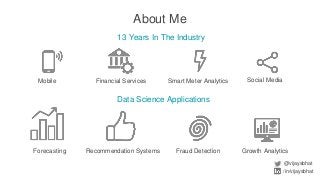
About Me
13 Years In The Industry
Mobile Financial Services Smart Meter Analytics
Data Science Applications
Forecasting Fraud DetectionRecommendation Systems
Social Media
Growth Analytics
@vijaysbhat
/in/vijaysbhat
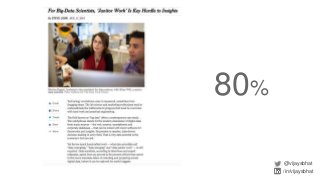
80%
@vijaysbhat
/in/vijaysbhat
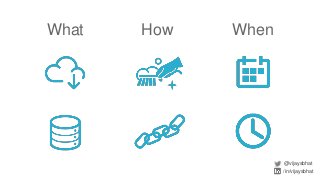
What WhenHow
@vijaysbhat
/in/vijaysbhat
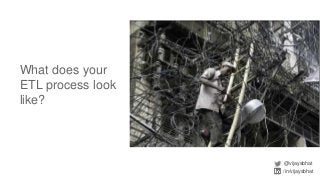
What does your
ETL process look
like?
@vijaysbhat
/in/vijaysbhat
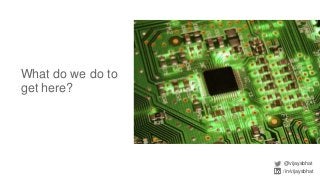
What do we do to
get here?
@vijaysbhat
/in/vijaysbhat
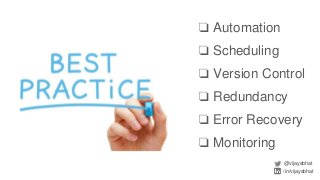
❏ Automation
❏ Scheduling
❏ Version Control
❏ Redundancy
❏ Error Recovery
❏ Monitoring
@vijaysbhat
/in/vijaysbhat
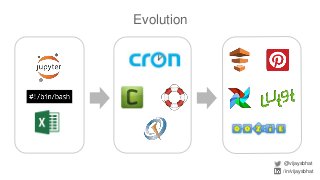
Evolution
@vijaysbhat
/in/vijaysbhat
Introducing Airflow
@vijaysbhat
/in/vijaysbhat
● Open source ETL workflow engine
● Developed by Airbnb
● Inspired by Facebook’s Dataswarm
● Production ready
● Pipelines written in Python
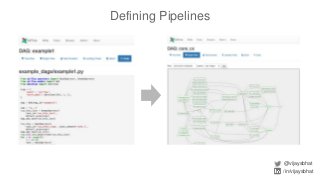
Defining Pipelines
@vijaysbhat
/in/vijaysbhat
Pipeline Code Structure
@vijaysbhat
/in/vijaysbhat
from datetime import datetime, timedelta
default_args = {
'owner': 'airflow',
'depends_on_past': False,
'start_date': datetime(2015, 6, 1),
'email': ['airflow@airflow.com'],
'email_on_failure': False,
'email_on_retry': False,
'retries': 1,
'retry_delay': timedelta(minutes=5),
# 'queue': 'bash_queue',
# 'pool': 'backfill',
# 'priority_weight': 10,
# 'end_date': datetime(2016, 1, 1),
}
Define default
arguments
Pipeline Code Structure
@vijaysbhat
/in/vijaysbhat
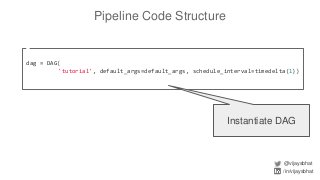
dag = DAG(
'tutorial', default_args=default_args, schedule_interval=timedelta(1))
Instantiate DAG
Pipeline Code Structure
@vijaysbhat
/in/vijaysbhat
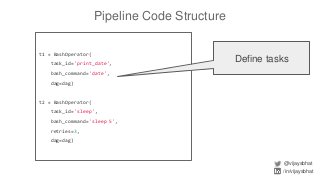
t1 = BashOperator(
task_id='print_date',
bash_command='date',
dag=dag)
t2 = BashOperator(
task_id='sleep',
bash_command='sleep 5',
retries=3,
dag=dag)
Define tasks
Pipeline Code Structure
@vijaysbhat
/in/vijaysbhat
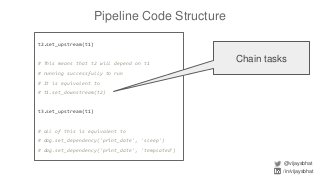
t2.set_upstream(t1)
# This means that t2 will depend on t1
# running successfully to run
# It is equivalent to
# t1.set_downstream(t2)
t3.set_upstream(t1)
# all of this is equivalent to
# dag.set_dependency('print_date', 'sleep')
# dag.set_dependency('print_date', 'templated')
Chain tasks
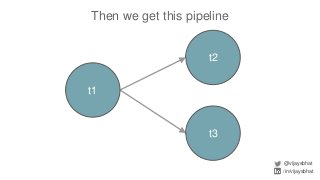
Then we get this pipeline
@vijaysbhat
/in/vijaysbhat
t1
t3
t2
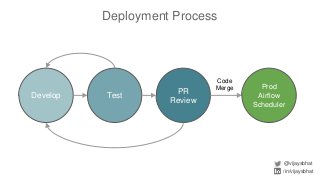
Code
Merge
Deployment Process
@vijaysbhat
/in/vijaysbhat
Develop Test
PR
Review
Prod
Airflow
Scheduler
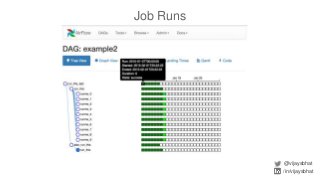
Job Runs
@vijaysbhat
/in/vijaysbhat
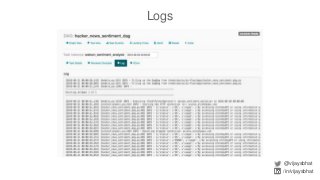
Logs
@vijaysbhat
/in/vijaysbhat
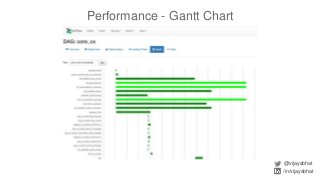
Performance - Gantt Chart
@vijaysbhat
/in/vijaysbhat
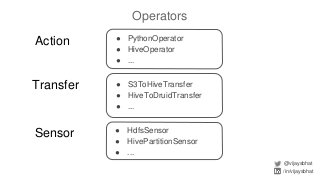
Operators
@vijaysbhat
/in/vijaysbhat
● PythonOperator
● HiveOperator
● ...
● S3ToHiveTransfer
● HiveToDruidTransfer
● ...
● HdfsSensor
● HivePartitionSensor
● ...
Action
Transfer
Sensor
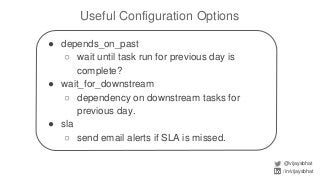
Useful Configuration Options
@vijaysbhat
/in/vijaysbhat
● depends_on_past
○ wait until task run for previous day is
complete?
● wait_for_downstream
○ dependency on downstream tasks for
previous day.
● sla
○ send email alerts if SLA is missed.
CLI Commands
@vijaysbhat
/in/vijaysbhat
● airflow [-h]
○ webserver
○ scheduler
○ test
○ run
○ backfill
○ ...
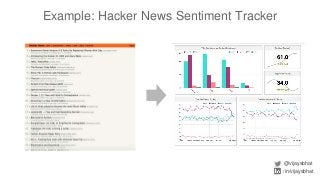
Example: Hacker News Sentiment Tracker
@vijaysbhat
/in/vijaysbhat
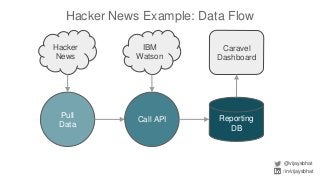
Hacker News Example: Data Flow
@vijaysbhat
/in/vijaysbhat
Pull
Data
Call API
Hacker
News
IBM
Watson
Reporting
DB
Caravel
Dashboard
Hacker News Example: Demo
@vijaysbhat
/in/vijaysbhat
pip install airflow!
@vijaysbhat
/in/vijaysbhat
Thank You.
@vijaysbhat
/in/vijaysbhat
vijay@innosparkdata.com

Fuss Free ETL with Airflow

Editor's Notes

  • #3 I’ve been in the industry for 13 years. Background in CS and Management Science & Engg (MBA for engineers) at Stanford. Worked at large companies, startups, been consulting for the past two years.
  • #4 People talk about ‘data wrangling’ taking up 80% of a data science team’s time. This made it to the NY Times, so we know it’s common wisdom now! There are a ton of startups addressing this problem. What does data wrangling entail?
  • #5 Data identification and collection databases and tables within the organization - SQL, no SQL, Excel, NoSQL external data sources (app analytics events, ad click data, weather, government census data, economic indicators data, ad campaign raw data). can also include web scraping. Cleaning and joining entity deduplication, filling missing values and outliers identifying foreign keys to join tables on - constructing a DAG for how the dataflow looks. Timing is key daily scheduled batch jobs real time streaming data latency
  • #6 Ad hoc data pipelines end up looking like this. Where and how do you plug in a new data source? How do you debug a data problem?
  • #7 Like microprocessor fab techniques made it super reliable to have millions of connections on a tiny chip, we want automated ways that will take the guesswork and frustration out of building reliable data pipelines.
  • #8 What we can do is use software systems engineering best practices to shore up our ETL systems. Automation to avoid any manual intervention - copying an Excel file, downloading a CSV from a password protected account, web scraping. Scheduling - figure out how long each of the steps take and when the final transformed data will be available. Version control - have a way to audit changes to the data pipeline Redundancy - if the ETL machine fails, have a backup ready to meet the delivery schedule. Error recovery - how to deal with bad data (null values etc) Monitoring - make sure things are running smoothly
  • #9 This is what the evolution looks like ipython notebook to document the thought process from initial hypothesis to results. bash script when hooking together HDFS / Pig / Hive jobs Excel worksheets connected together through formulas CRON, Celery, Resque, Quartz add automatic scheduling Full fledged ETL with Airflow, Luigi, Pinball, AWS Data Pipeline and Ooozie
  • #10 Robust handling of typical production contingencies and real world failure scenarios Developed by Maxime Beauchemin
  • #11 Lets look at Airflow. you write python code to define a DAG. This gets parsed by the platform and figures out all the dependencies.
  • #12 Depends on past Today’s job run depends on data from yesterday’s - example cumulative webpage clicks, messages sent Number of retries, retry delay
  • #17 This chart show how long each of the steps takes in your pipeline and can help you find ways to optimize it.
  • #18 The job dashboard shows which ones have succeeded, which ones are running and who their parents are. Makes it much easier to trace failures and do backfills.
  • #20 This chart show how long each of the steps takes in your pipeline and can help you find ways to optimize it.
  • #21 What can you do in your pipeline?
  • #22 E.g. building an incremental staging table for cumulative metrics