AJAX and DWRa little introduce toBy SweNzswenz@live.it
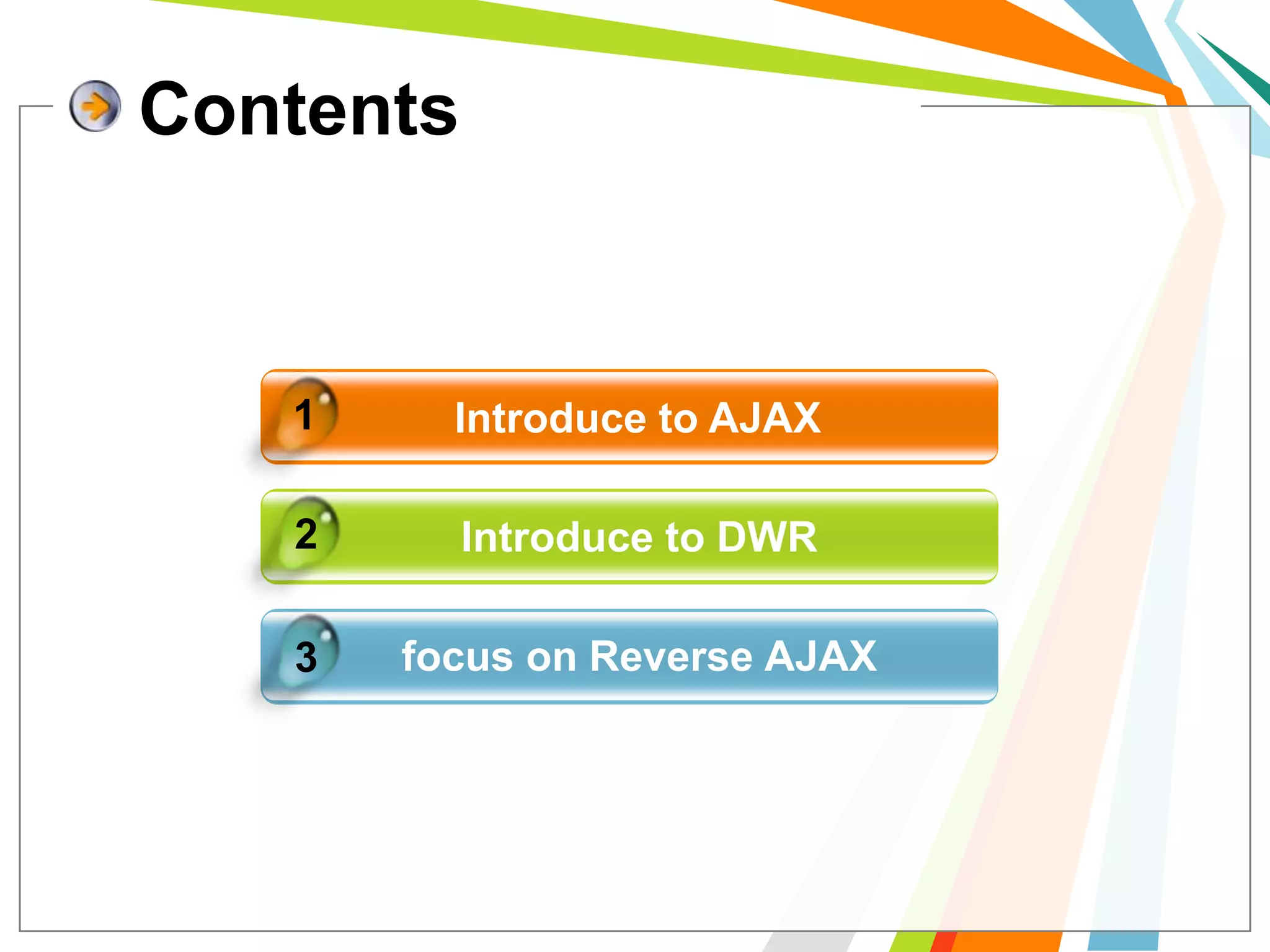
1Introduce to AJAX2Introduce to DWRfocus on Reverse AJAX3Contents
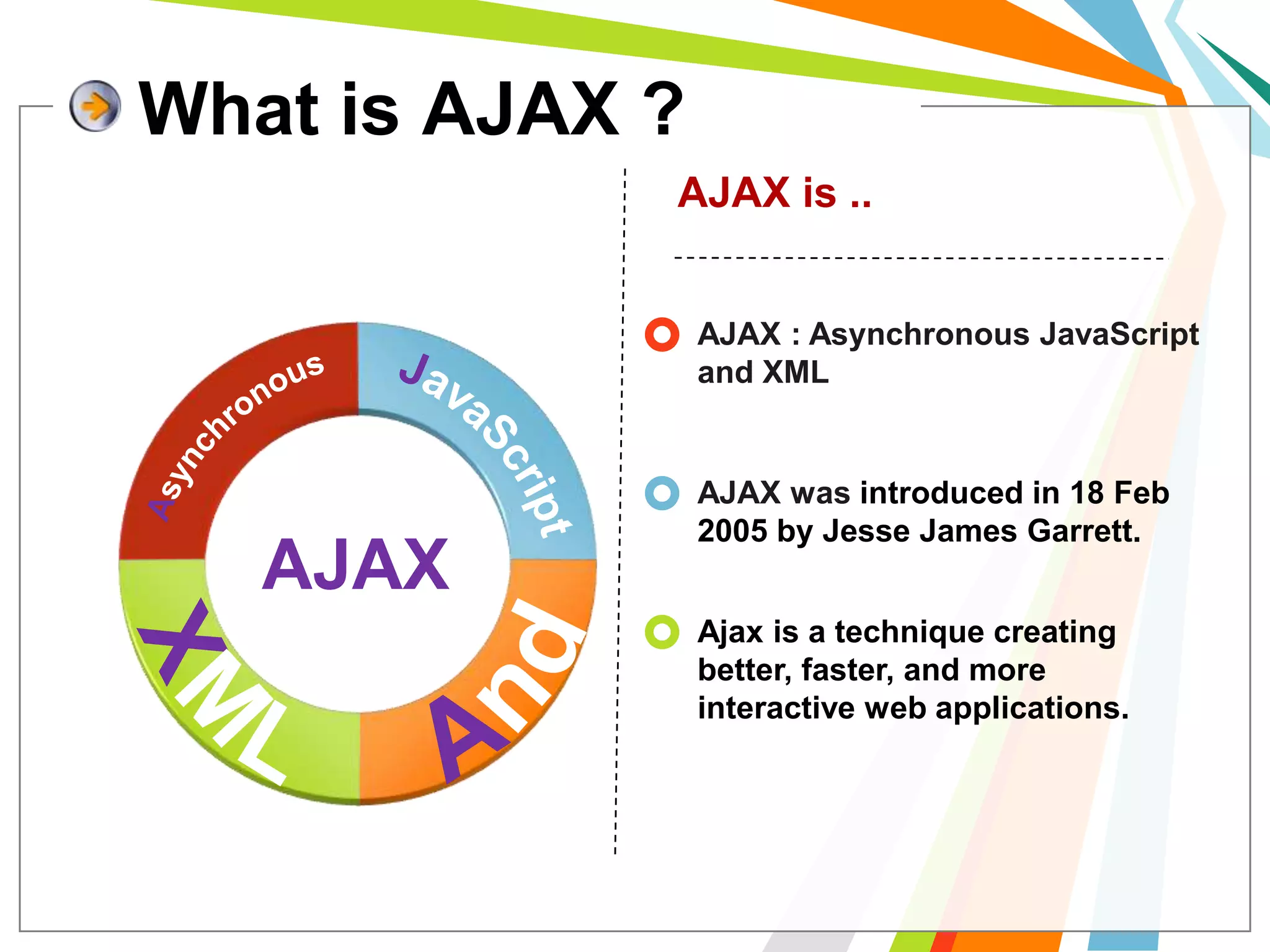
What is AJAX ?AJAX is ..AJAX : Asynchronous JavaScript and XMLAsynchronousJavaScriptAJAX was introduced in 18 Feb 2005 by Jesse James Garrett.AJAXAndXMLAjax is a technique creating better, faster, and more interactive web applications.
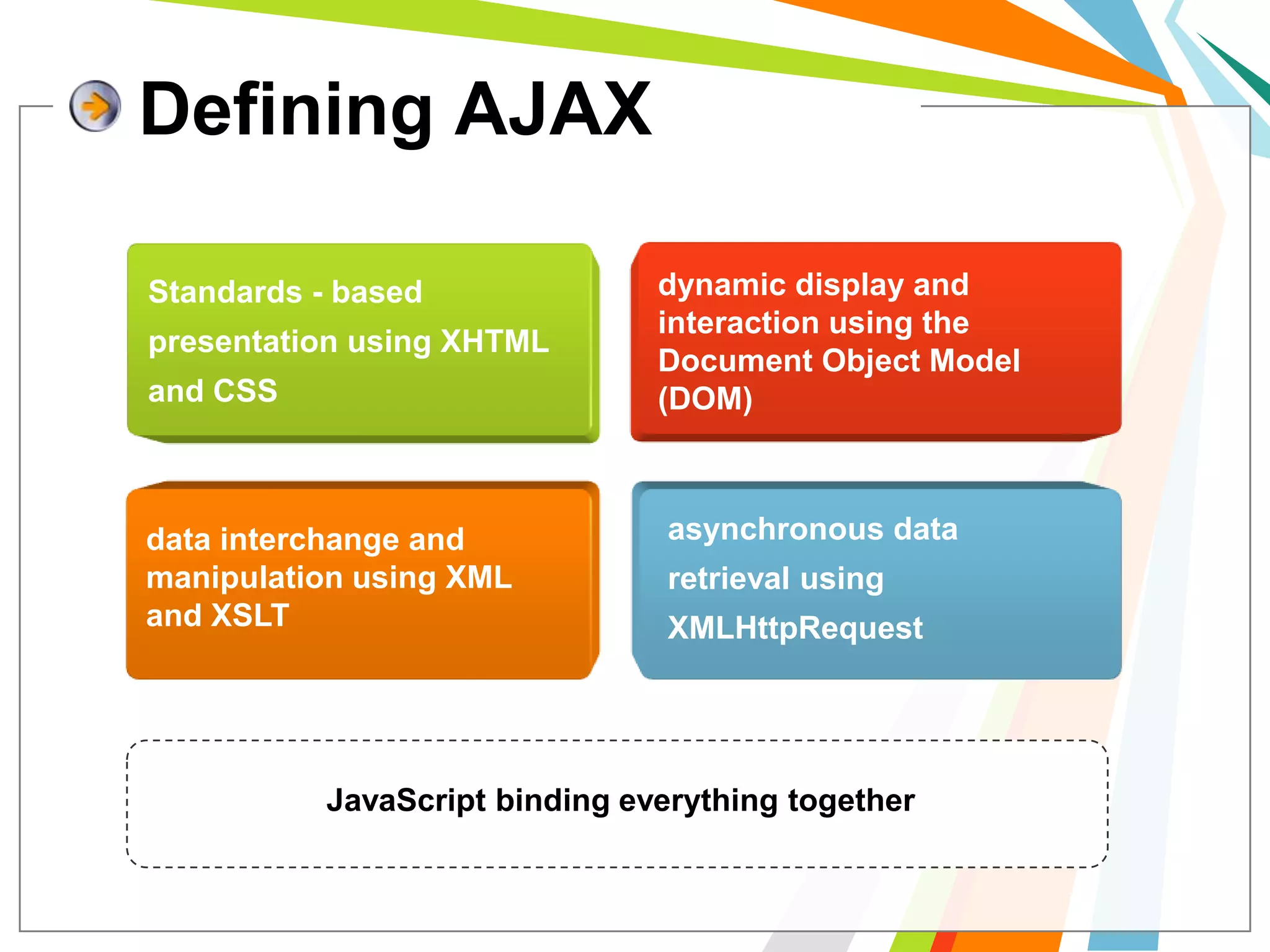
Defining AJAXdynamic display and interaction using the Document Object Model (DOM)Standards - based presentation using XHTML and CSSasynchronous data retrieval using XMLHttpRequestdata interchange and manipulation using XML and XSLTJavaScript binding everything together
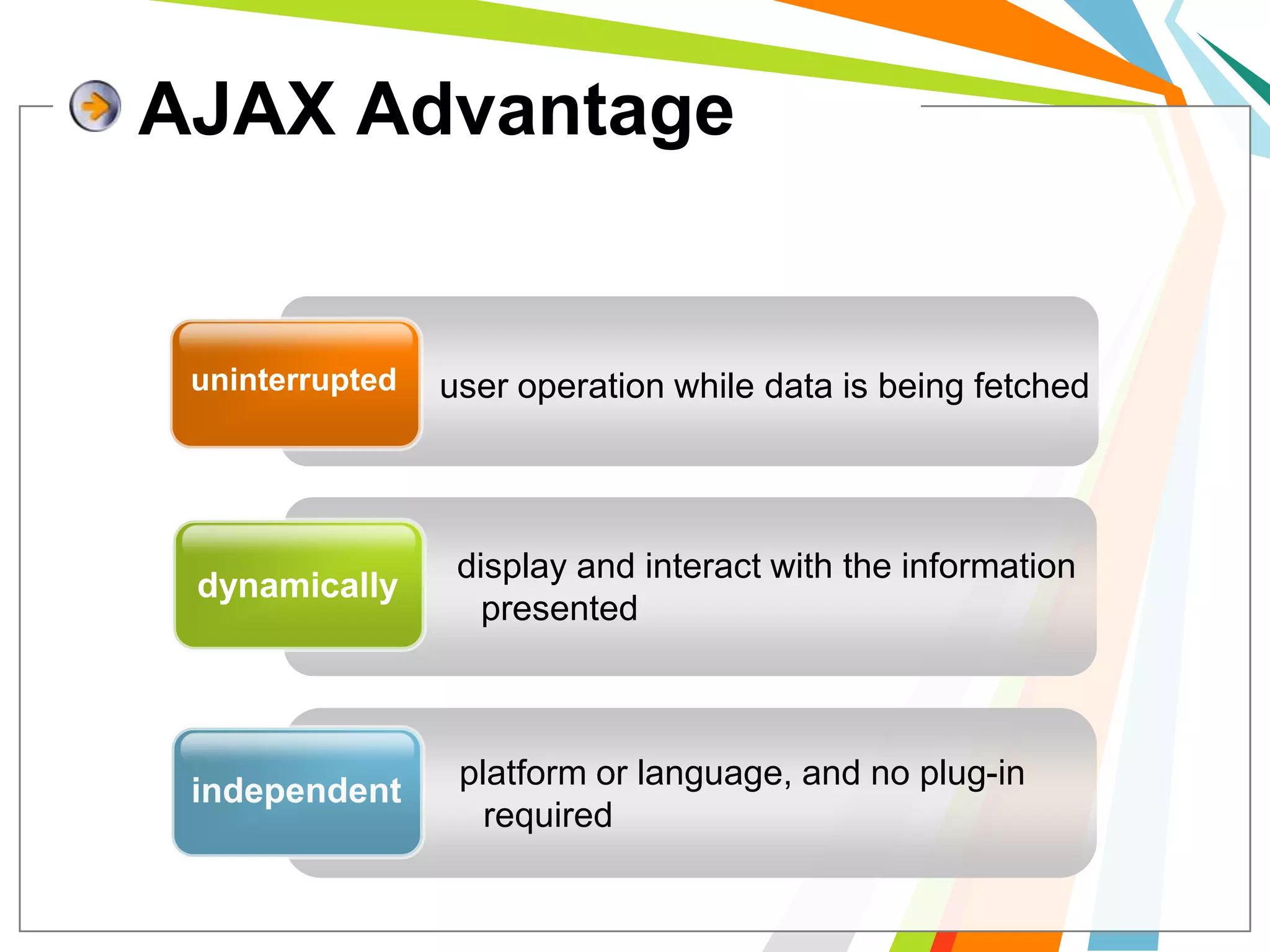
uninterrupteduser operation while data is being fetcheddisplay and interact with the information presenteddynamicallyplatform or language, and no plug-in required independentAJAX Advantage
Stillbrowser incompatibilityis hard to maintain and debugJavaScriptmakeAJAX Disadvantage
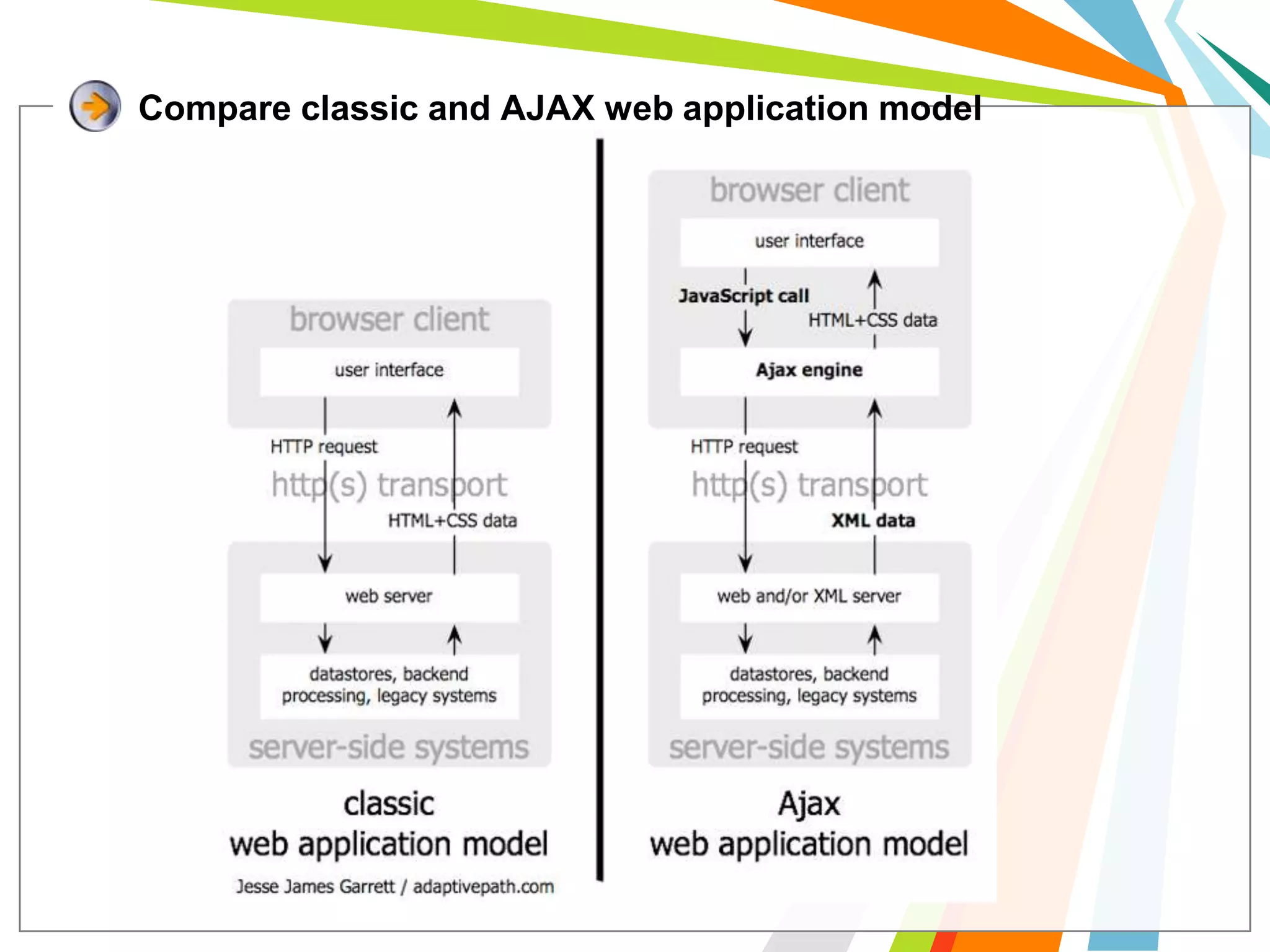
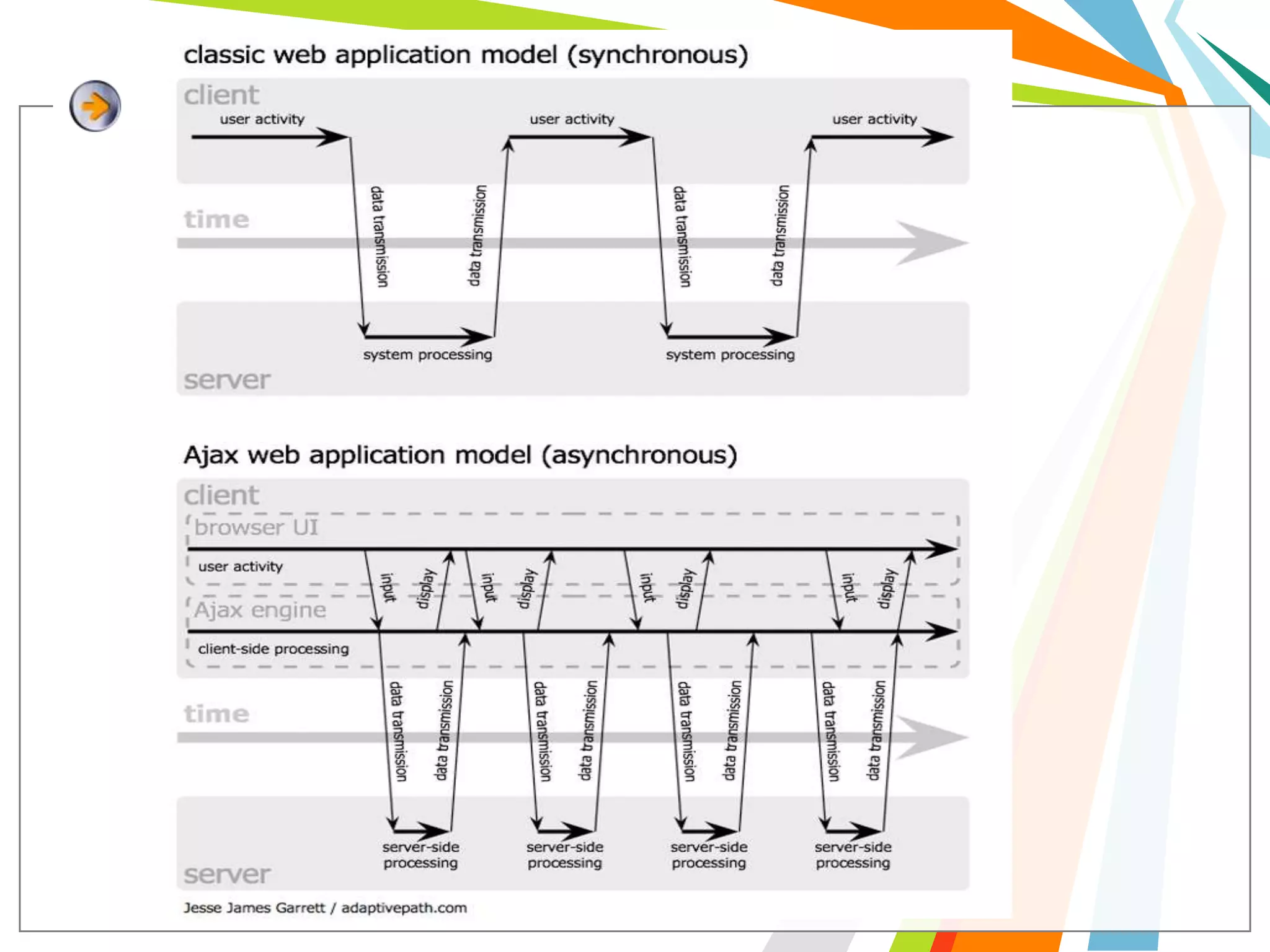
Compare classic and AJAX web application model
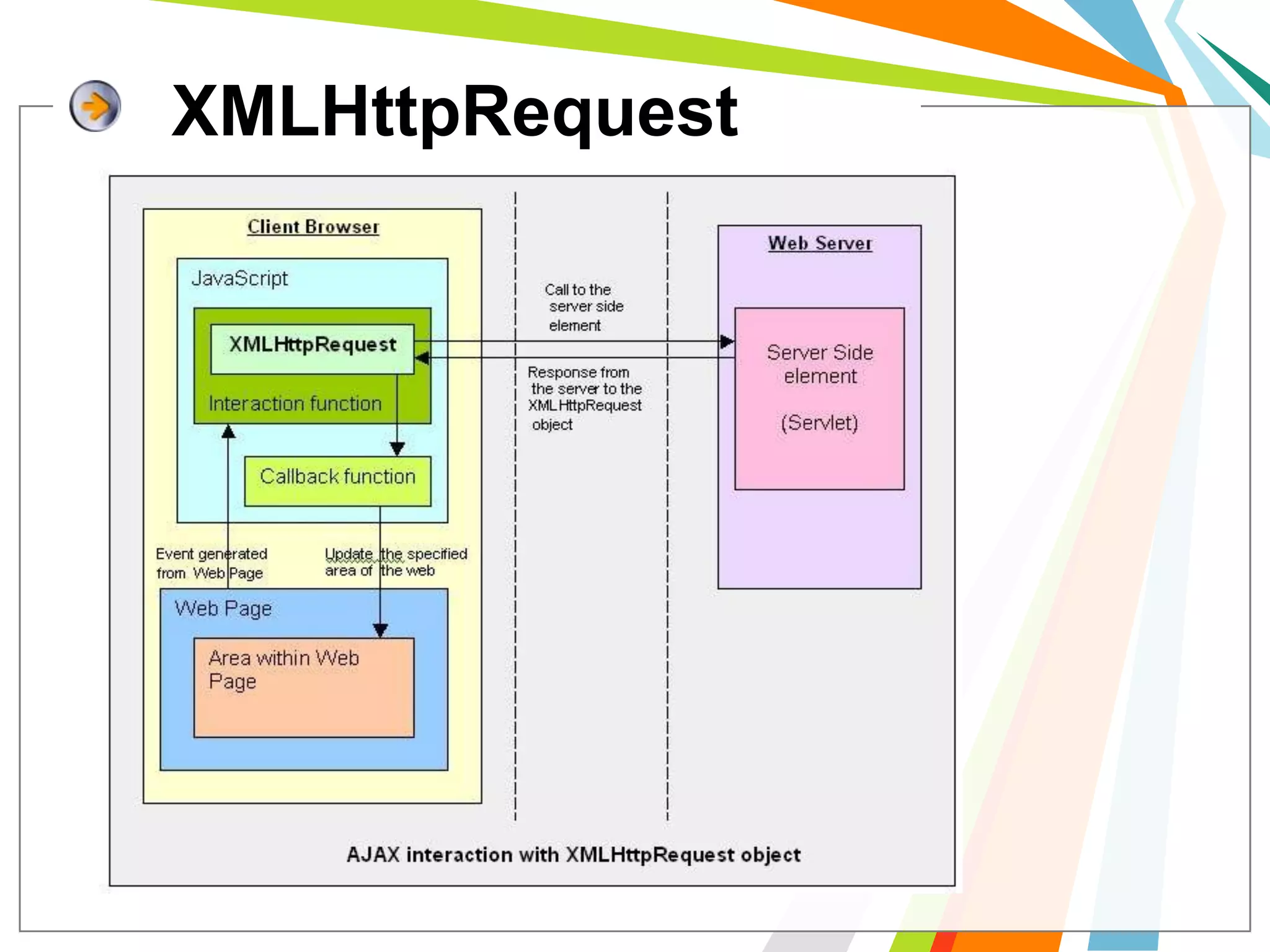
XMLHttpRequest
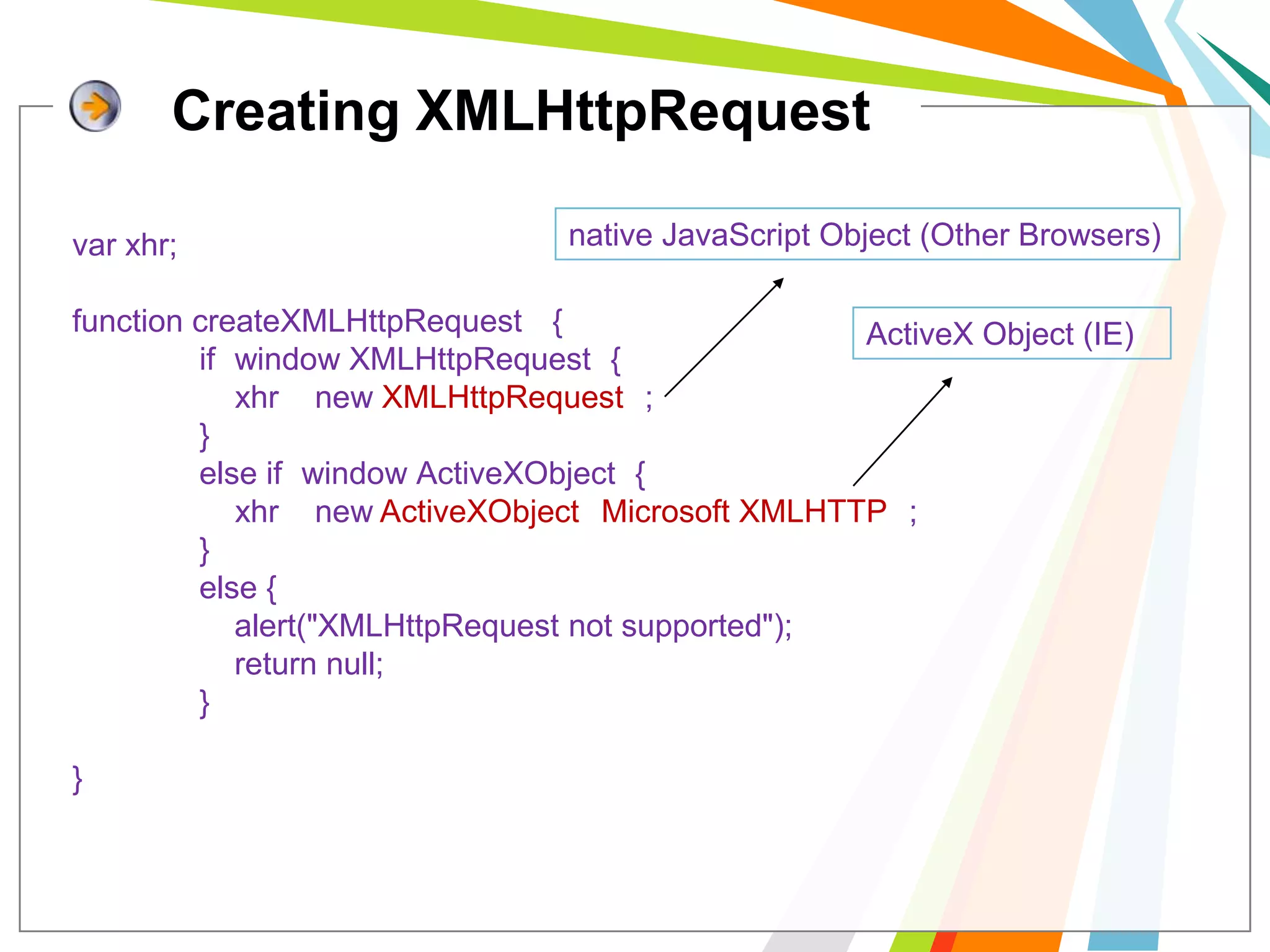
Creating XMLHttpRequestnative JavaScriptObject (Other Browsers)varxhr;function createXMLHttpRequest() {	if (window.XMLHttpRequest) {xhr= new XMLHttpRequest();	}	else if (window.ActiveXObject) {xhr= new ActiveXObject("Microsoft.XMLHTTP");	}else {   alert("XMLHttpRequest not supported");   	    return null;}}ActiveX Object (IE)
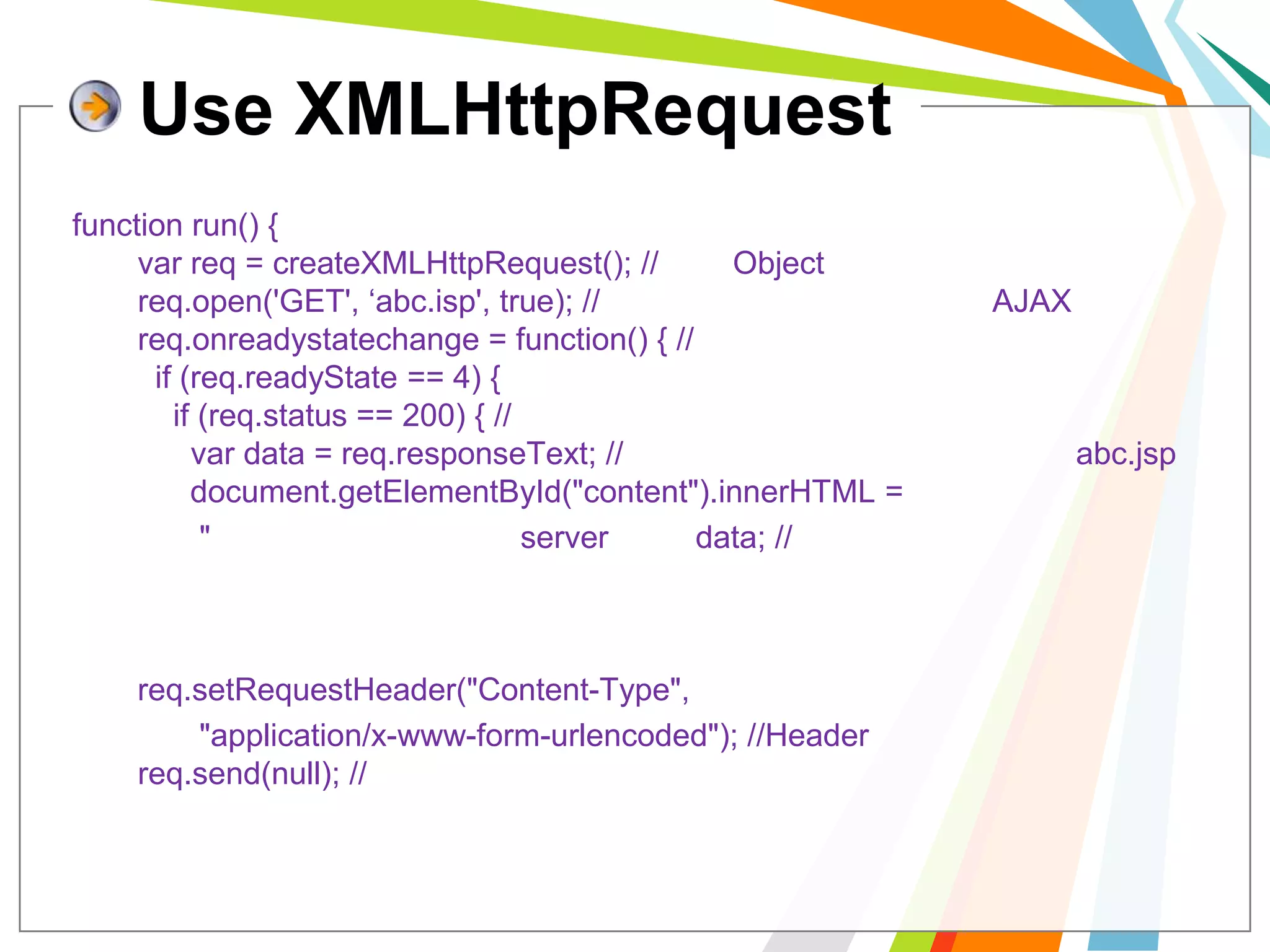
Use XMLHttpRequestfunction run() {  varreq = createXMLHttpRequest(); //สร้าง Object  req.open('GET', ‘abc.isp', true); //กำหนด สถานะการทำงานของ AJAX  req.onreadystatechange = function() { //เหตุการณ์เมื่อมีการตอบกลับ    if (req.readyState == 4) {      if (req.status == 200) { //ได้รับการตอบกลับเรียบร้อย        var data = req.responseText; //ข้อความที่ได้มาจากการทำงานของ abc.jsp        document.getElementById("content").innerHTML =	"ข้อความที่ตอบกลับจาก server คือ "+data; //แสดงผล      }    }  };  req.setRequestHeader("Content-Type", 	"application/x-www-form-urlencoded"); //Header ที่ส่งไป  req.send(null); //ทำการส่ง};
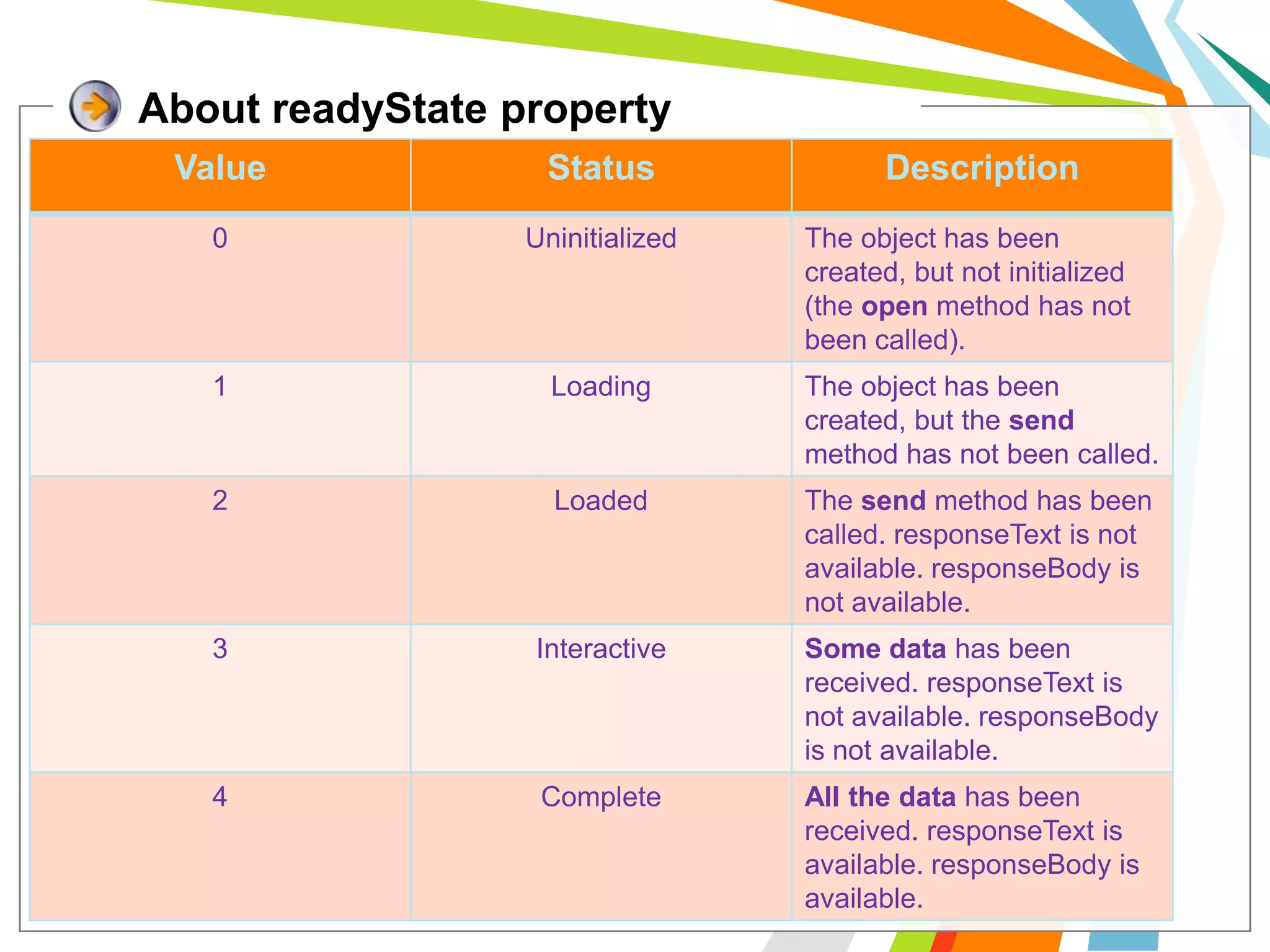
About readyState property
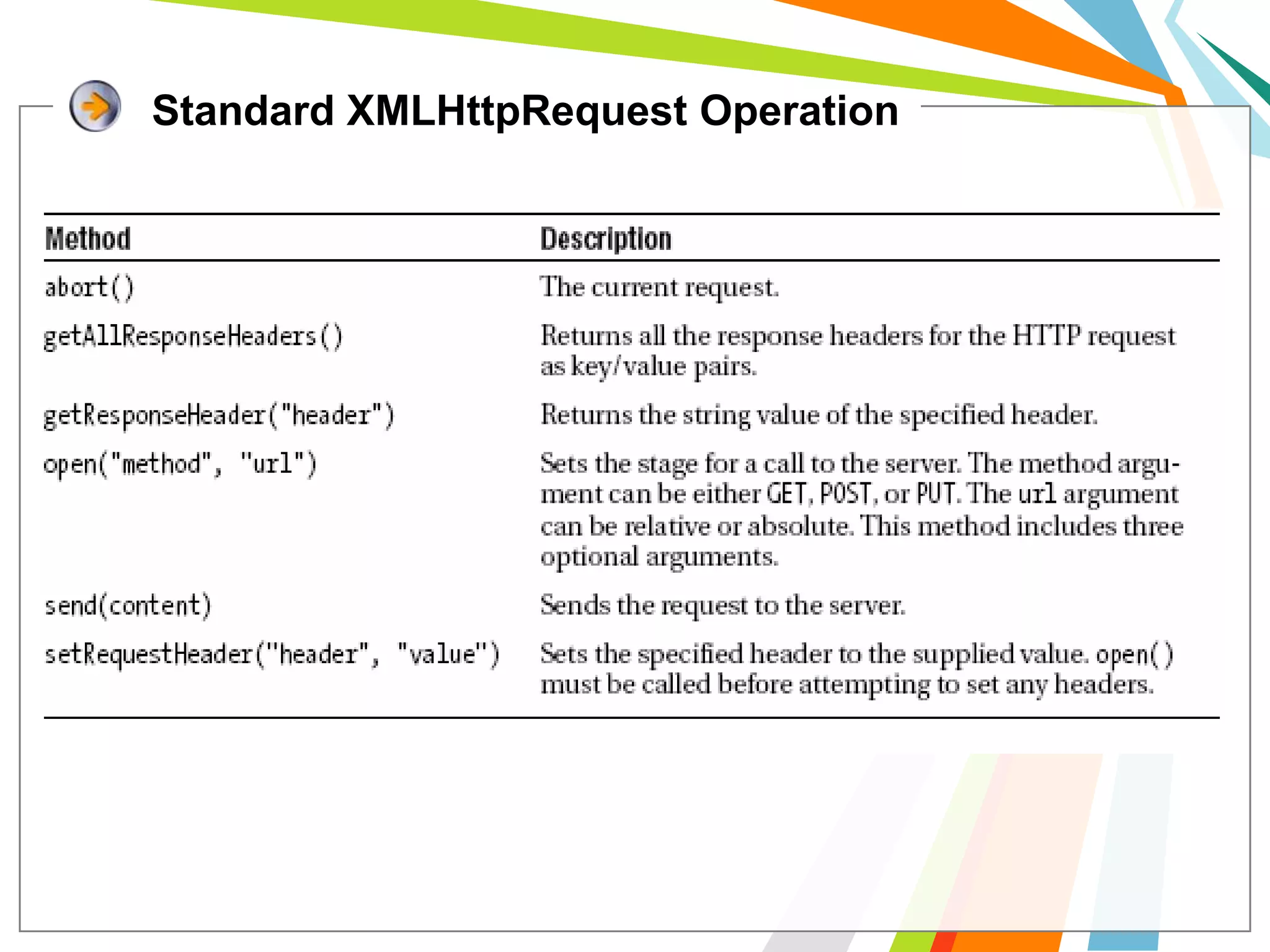
Standard XMLHttpRequest Operation
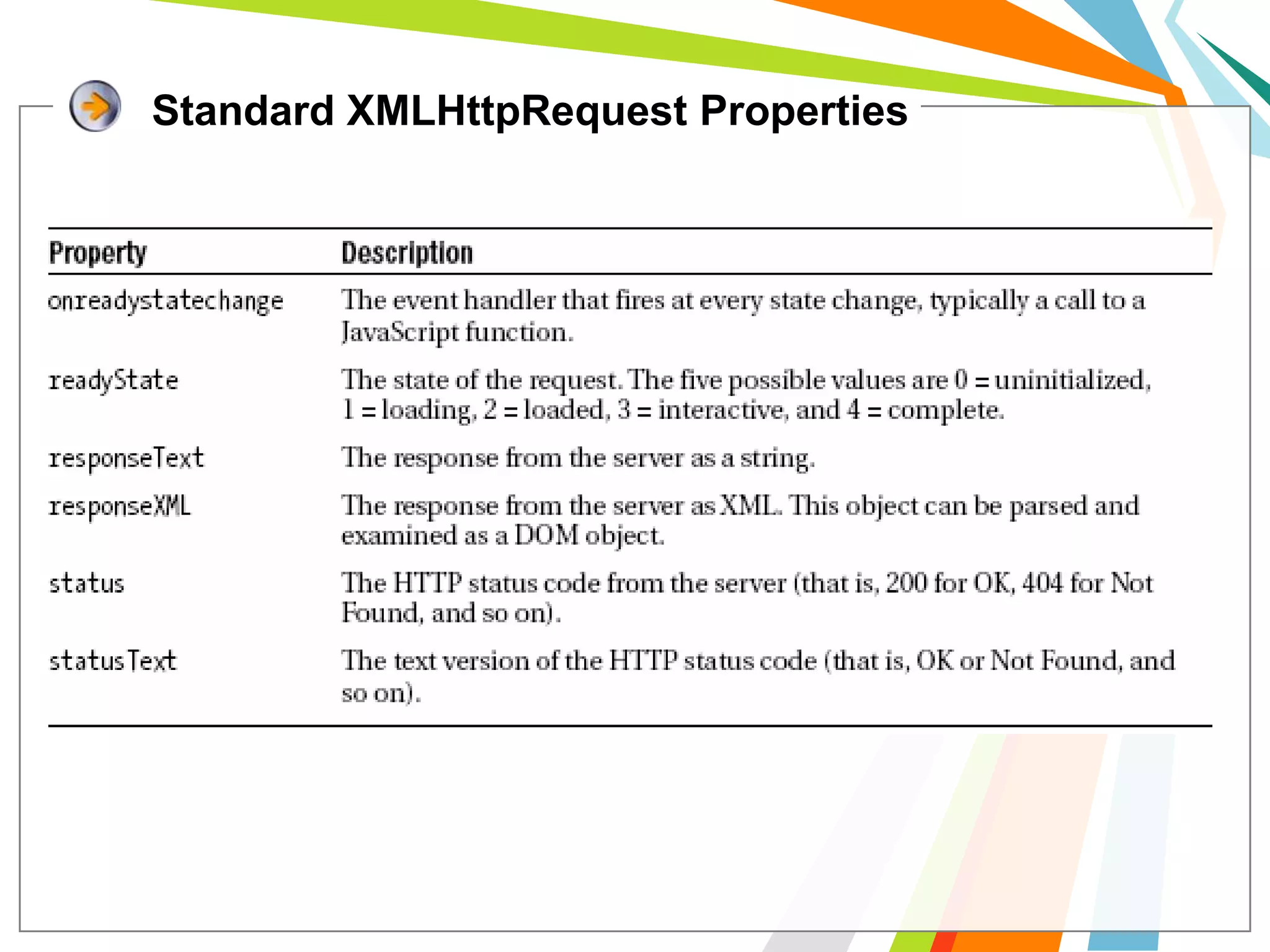
Standard XMLHttpRequest Properties
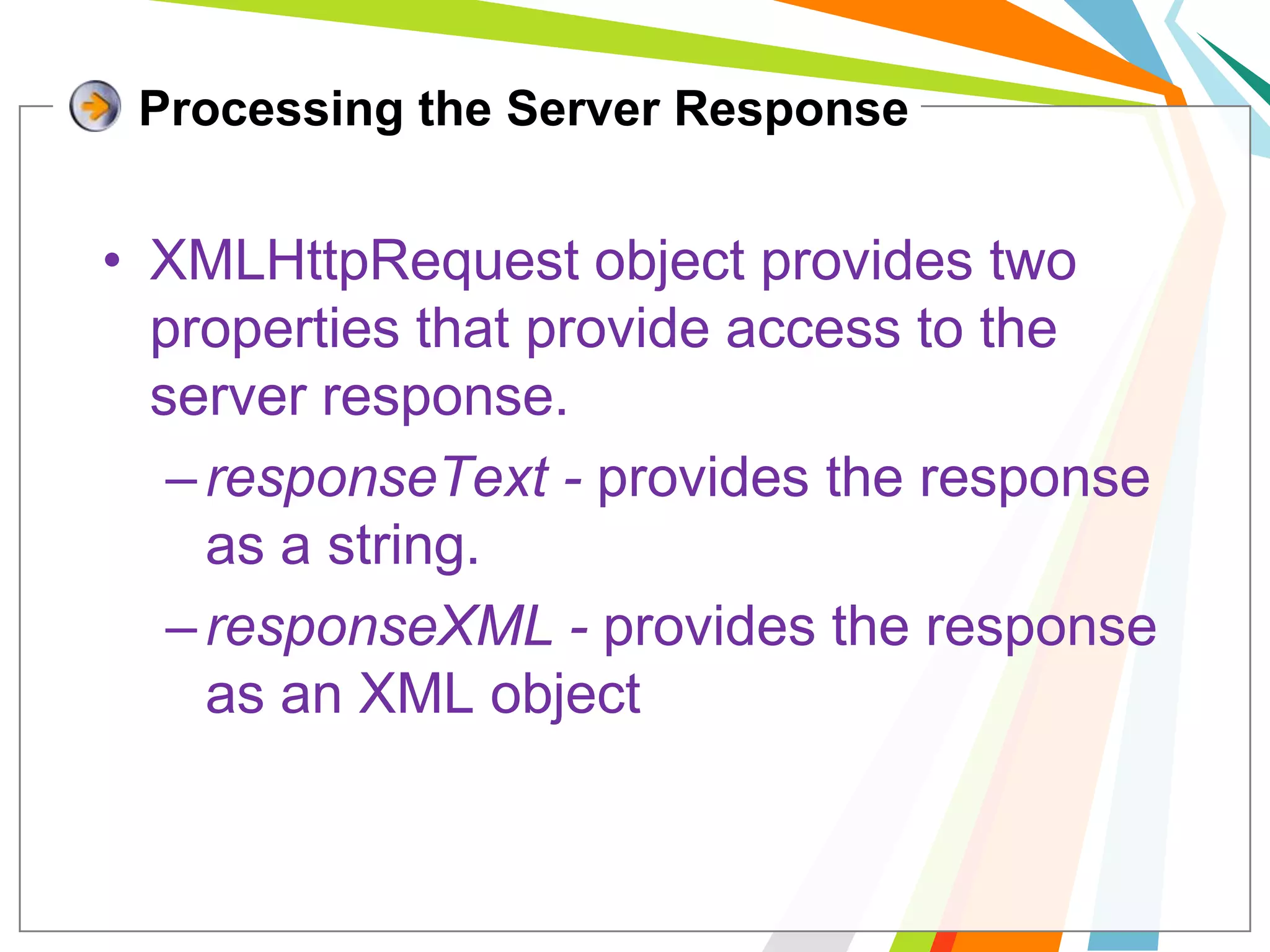
Processing the Server ResponseXMLHttpRequest object provides two properties that provide access to the server response.responseText- provides the response as a string.responseXML - provides the response as an XML object
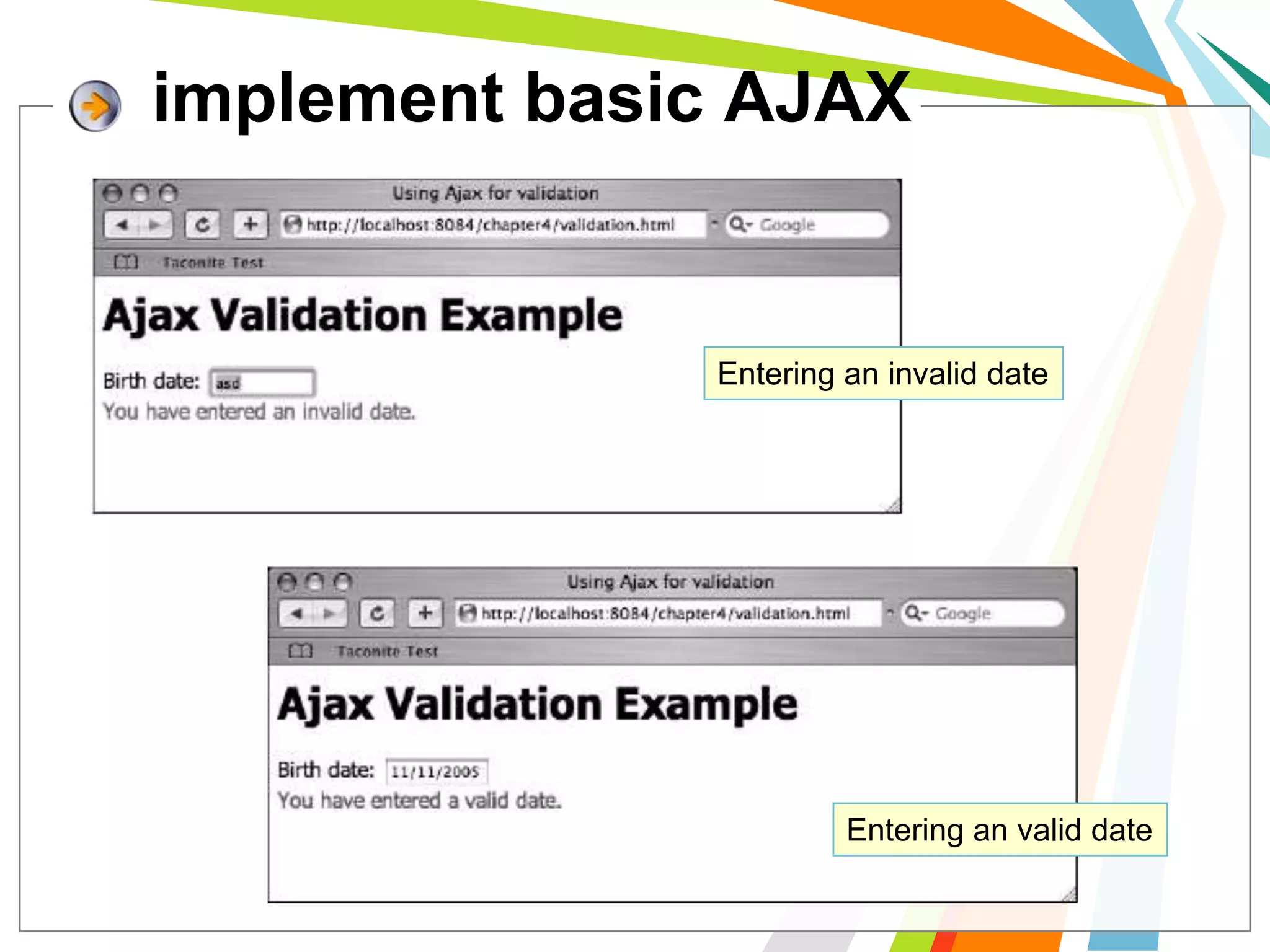
implement basic AJAXEntering an invalid dateEntering an valid date
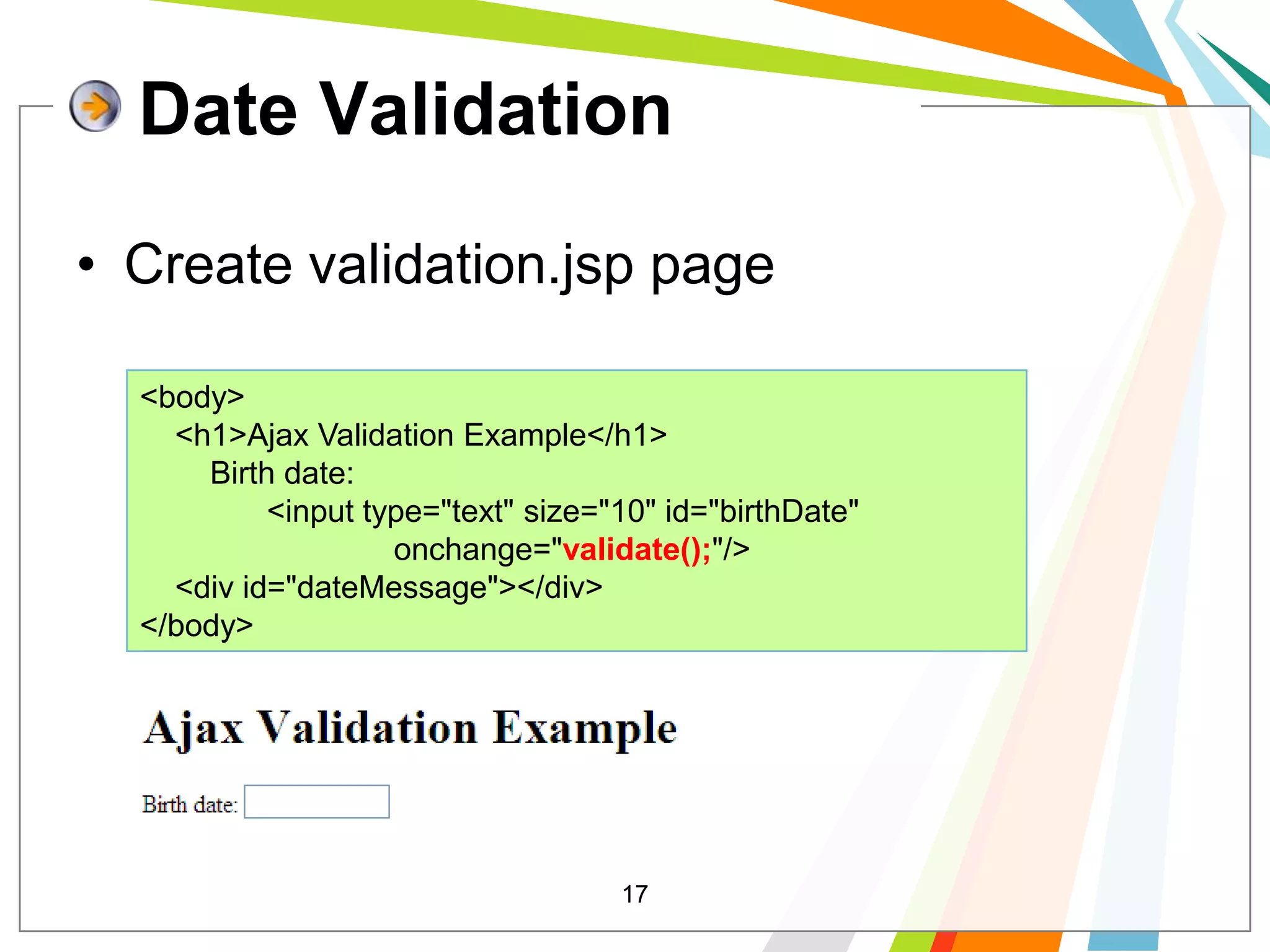
17Date ValidationCreate validation.jsp page<body>    <h1>Ajax Validation Example</h1>        Birth date: 	<input type="text" size="10" id="birthDate" 			onchange="validate();"/>    <div id="dateMessage"></div></body>
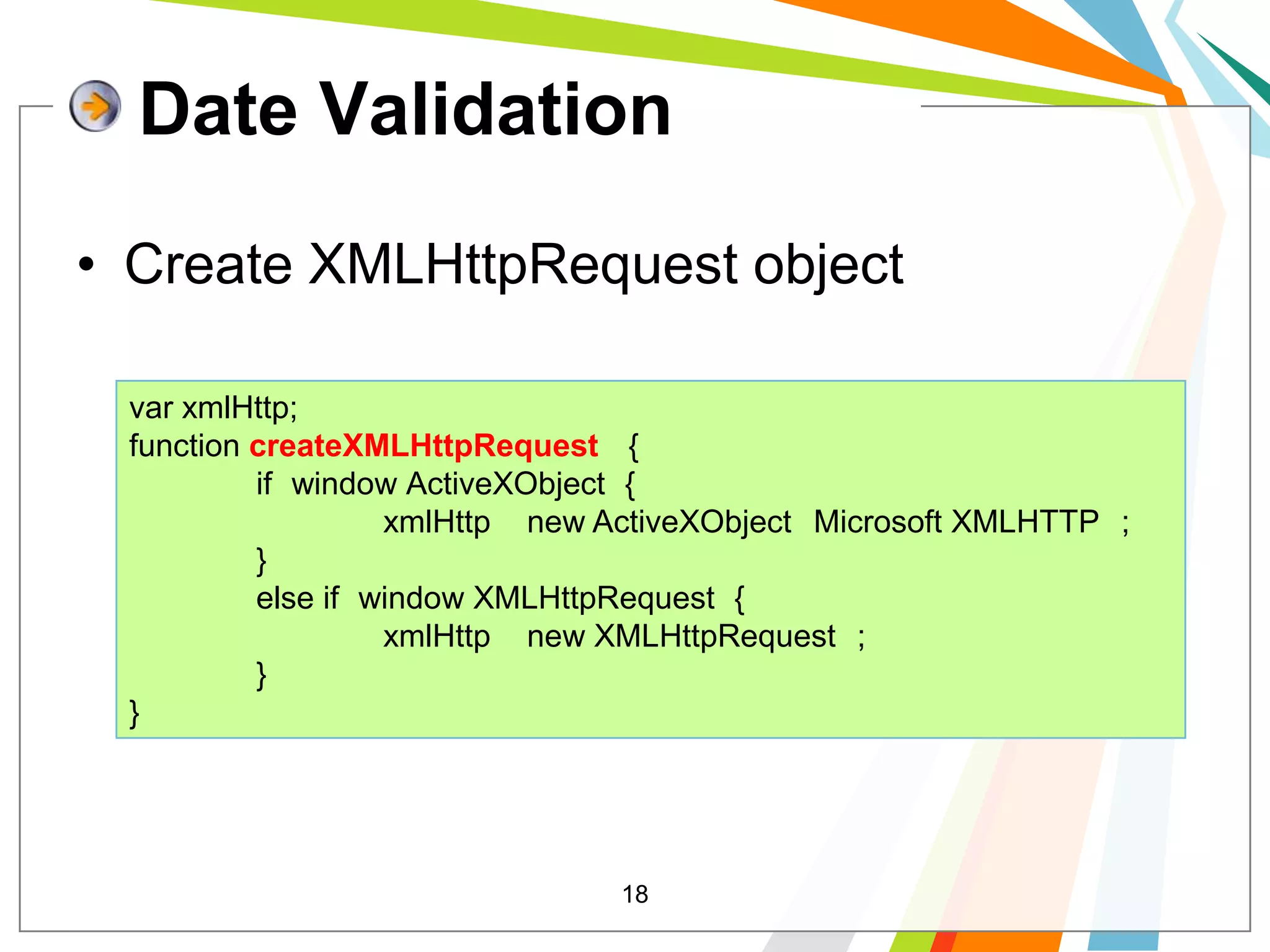
18Date ValidationCreate XMLHttpRequest objectvar xmlHttp;function createXMLHttpRequest(){if (window.ActiveXObject) {                	xmlHttp = new ActiveXObject("Microsoft.XMLHTTP");            	}            	else if (window.XMLHttpRequest) {                	xmlHttp = new XMLHttpRequest();                            	}}
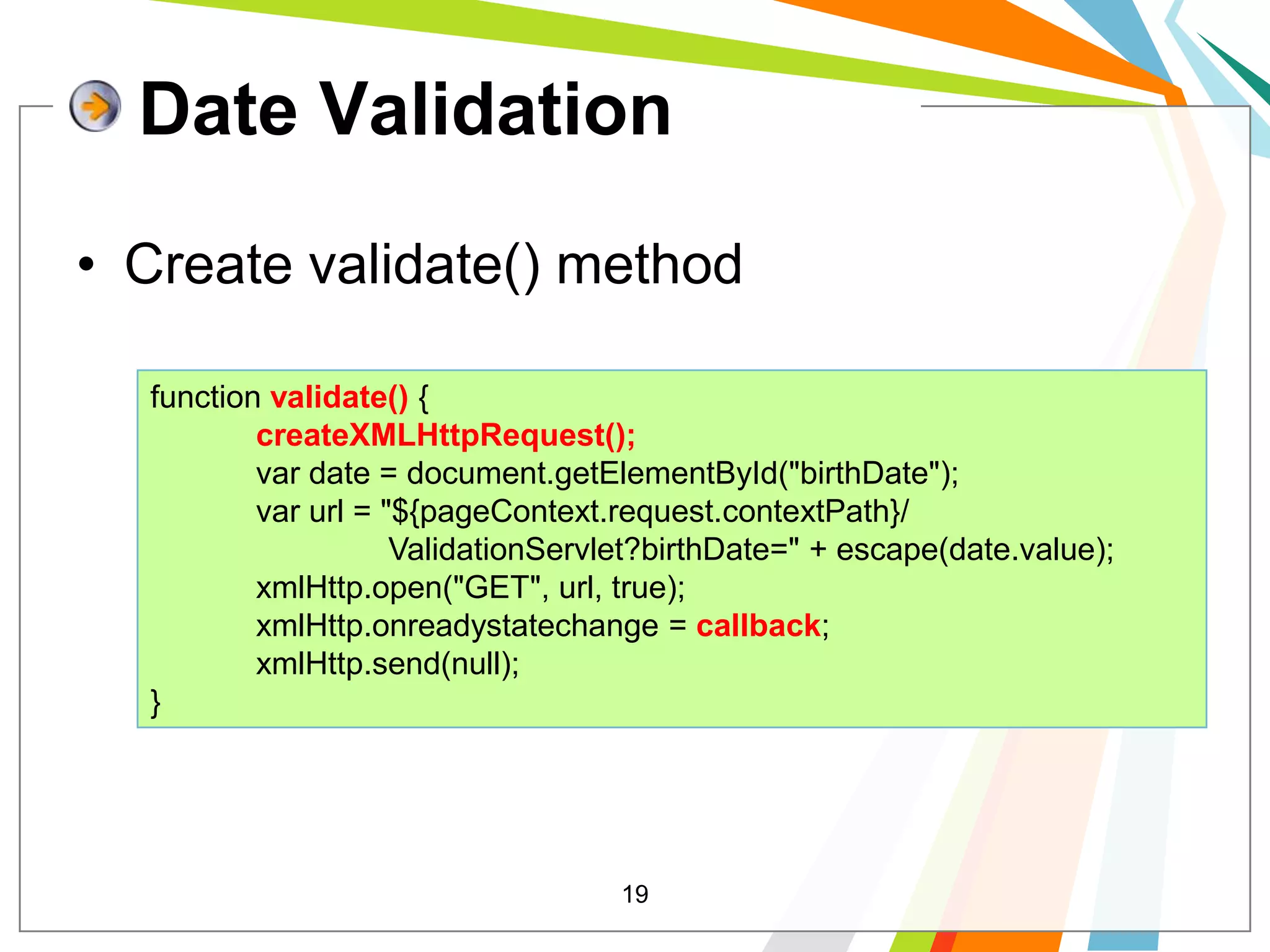
19Date ValidationCreate validate() method function validate() {createXMLHttpRequest();            var date = document.getElementById("birthDate");            var url = "${pageContext.request.contextPath}/                           ValidationServlet?birthDate=" + escape(date.value);            xmlHttp.open("GET", url, true);            xmlHttp.onreadystatechange = callback;            xmlHttp.send(null);}
20Date ValidationCreate callback() methodfunction callback(){            if (xmlHttp.readyState== 4) {                if (xmlHttp.status == 200) {varmes= xmlHttp.responseXML.getElementsByTagName("message")[0].firstChild.data;varval= xmlHttp.responseXML.getElementsByTagName("passed")[0].firstChild.data;setMessage(mes, val);                }            }}
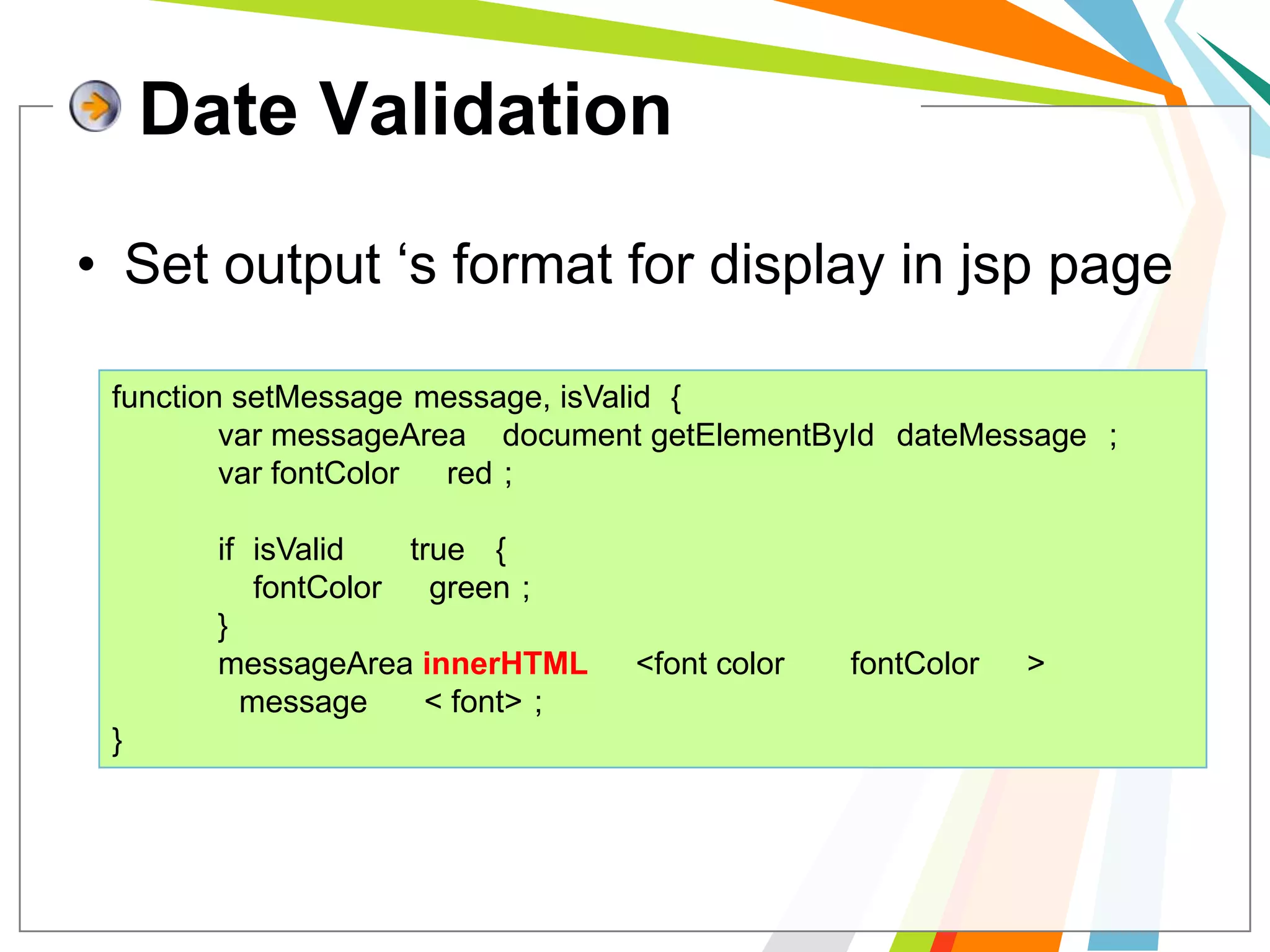
Date ValidationSet output ‘s format for display in jsp pagefunction setMessage(message, isValid) {varmessageArea= document.getElementById("dateMessage");varfontColor= "red";            if (isValid== "true") {fontColor= "green";            }messageArea.innerHTML= "<font color=" + fontColor+ ">" +   	message + " </font>";}
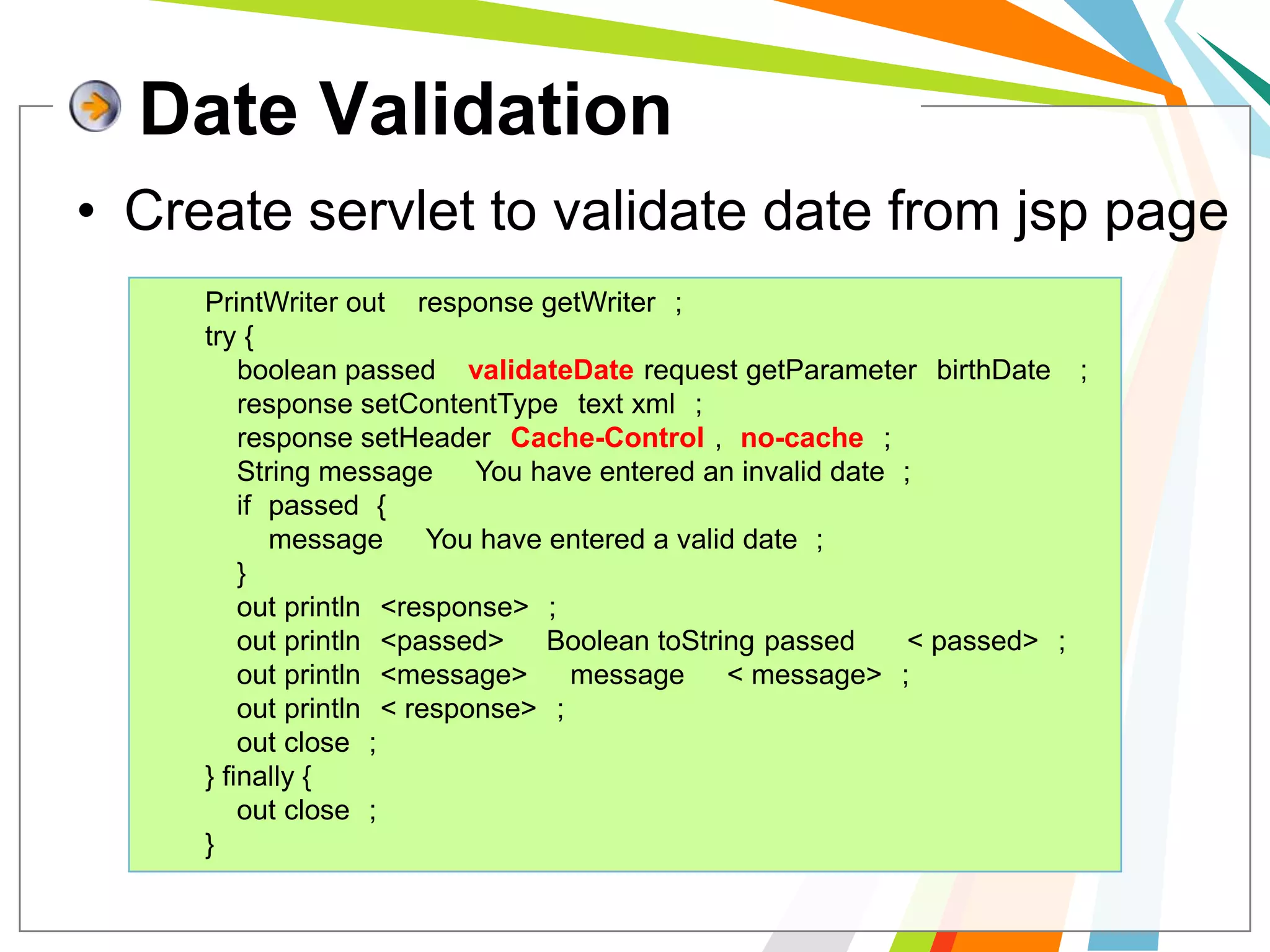
Date ValidationCreate servlet to validate date from jsp pagePrintWriter out = response.getWriter();        try {boolean passed = validateDate(request.getParameter("birthDate"));            response.setContentType("text/xml");            response.setHeader("Cache-Control", "no-cache");            String message = "You have entered an invalid date.";            if (passed) {                message = "You have entered a valid date.";            }            out.println("<response>");            out.println("<passed>" + Boolean.toString(passed) + "</passed>");            out.println("<message>" + message + "</message>");            out.println("</response>");            out.close();        } finally {             out.close();        }
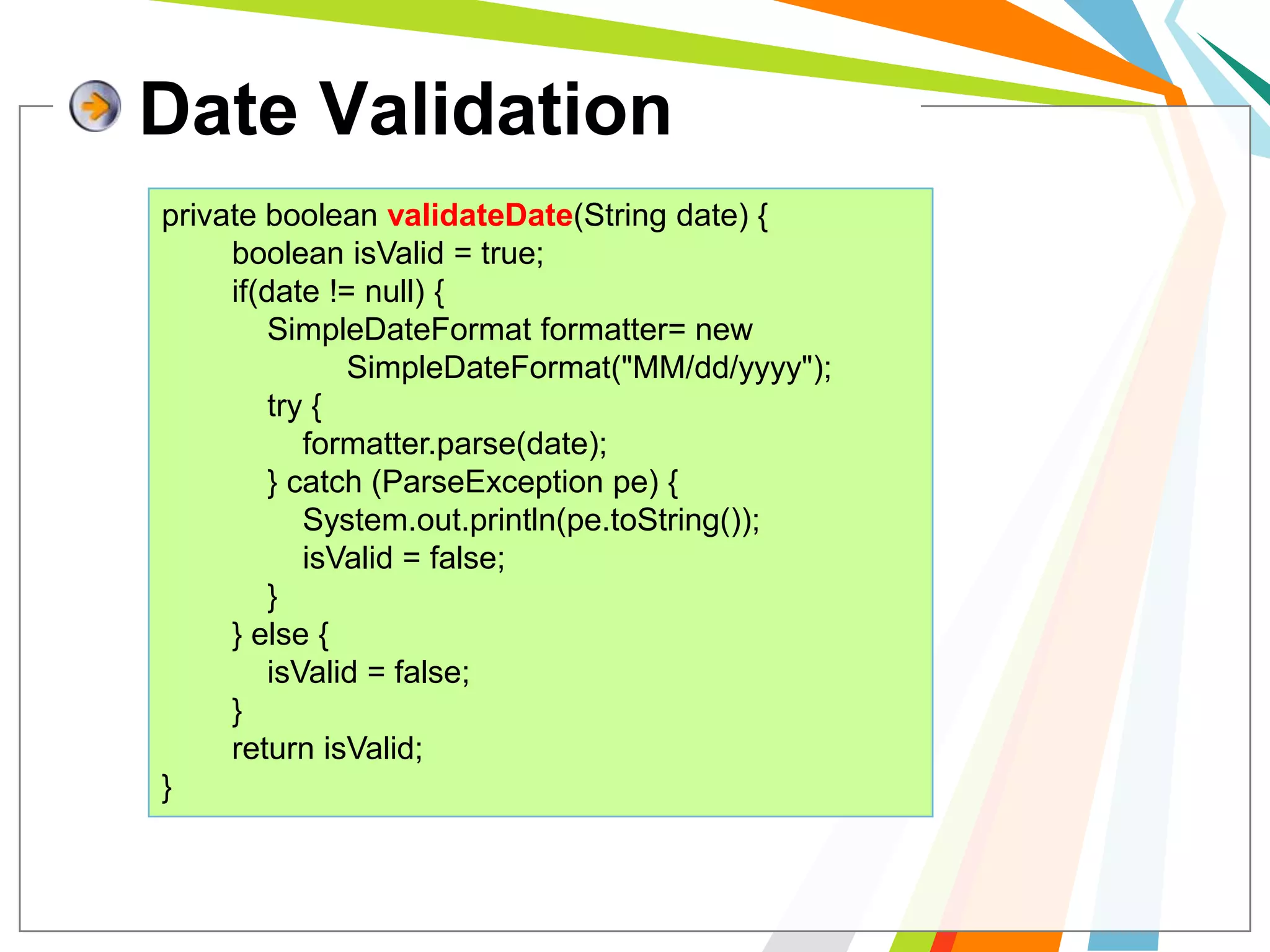
Date Validationprivate booleanvalidateDate(String date) {booleanisValid = true;        if(date != null) {SimpleDateFormat formatter= new           SimpleDateFormat("MM/dd/yyyy");            try {formatter.parse(date);            } catch (ParseExceptionpe) {System.out.println(pe.toString());isValid = false;            }        } else {isValid = false;        }        return isValid;}
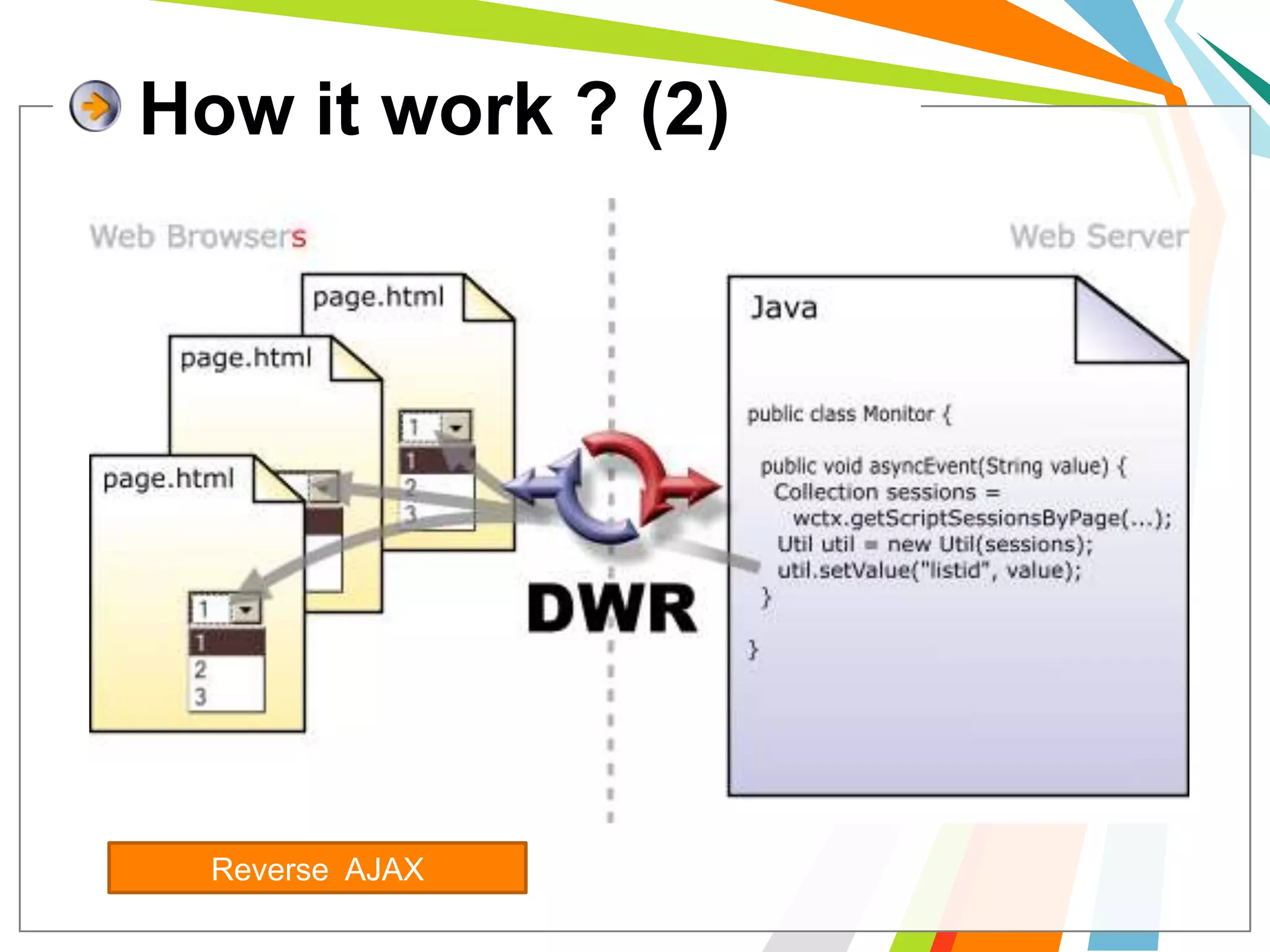
DWR ( Direct web Remoting)DWR is a RPC library which makes it easy to call Java functions from JavaScript and to call JavaScript functions from Java (a.k.a Reverse Ajax).
DWR consist ..	DWR consists of two main partsA Java Servlet running on the server that processes requests and sends responses back to the browser. JavaScript running in the browser that sends requests and can dynamically update the webpage
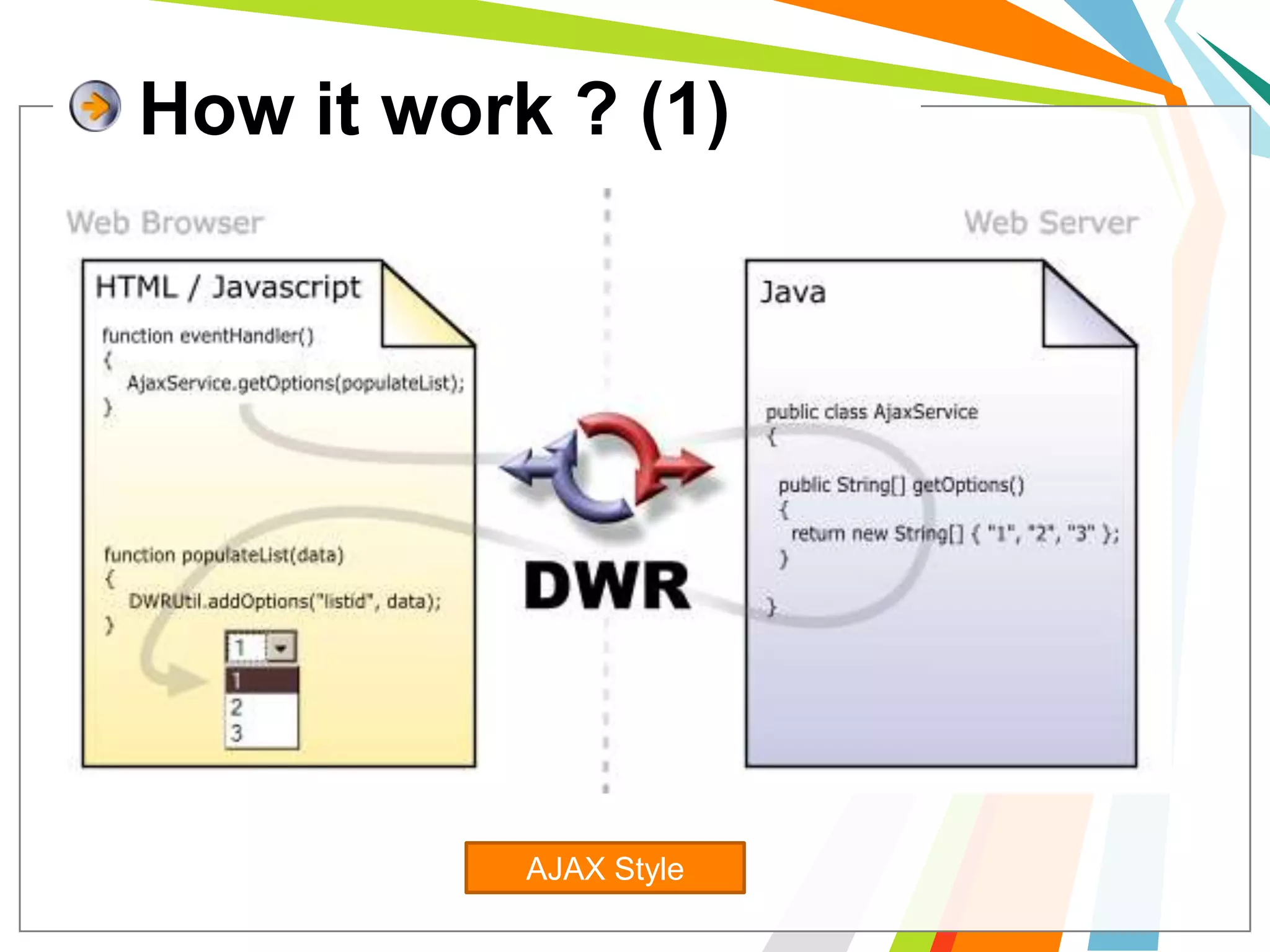
How it work ? (1)AJAX Style
How it work ? (2)Reverse  AJAX
Prepare to use DWR1> We have to download and install DWR.jar to 	WEB-INF/libalso requires commons-logging.2> edit the config files in WEB-INF	2.1> edit web.xml	2.2> create dwr.xml
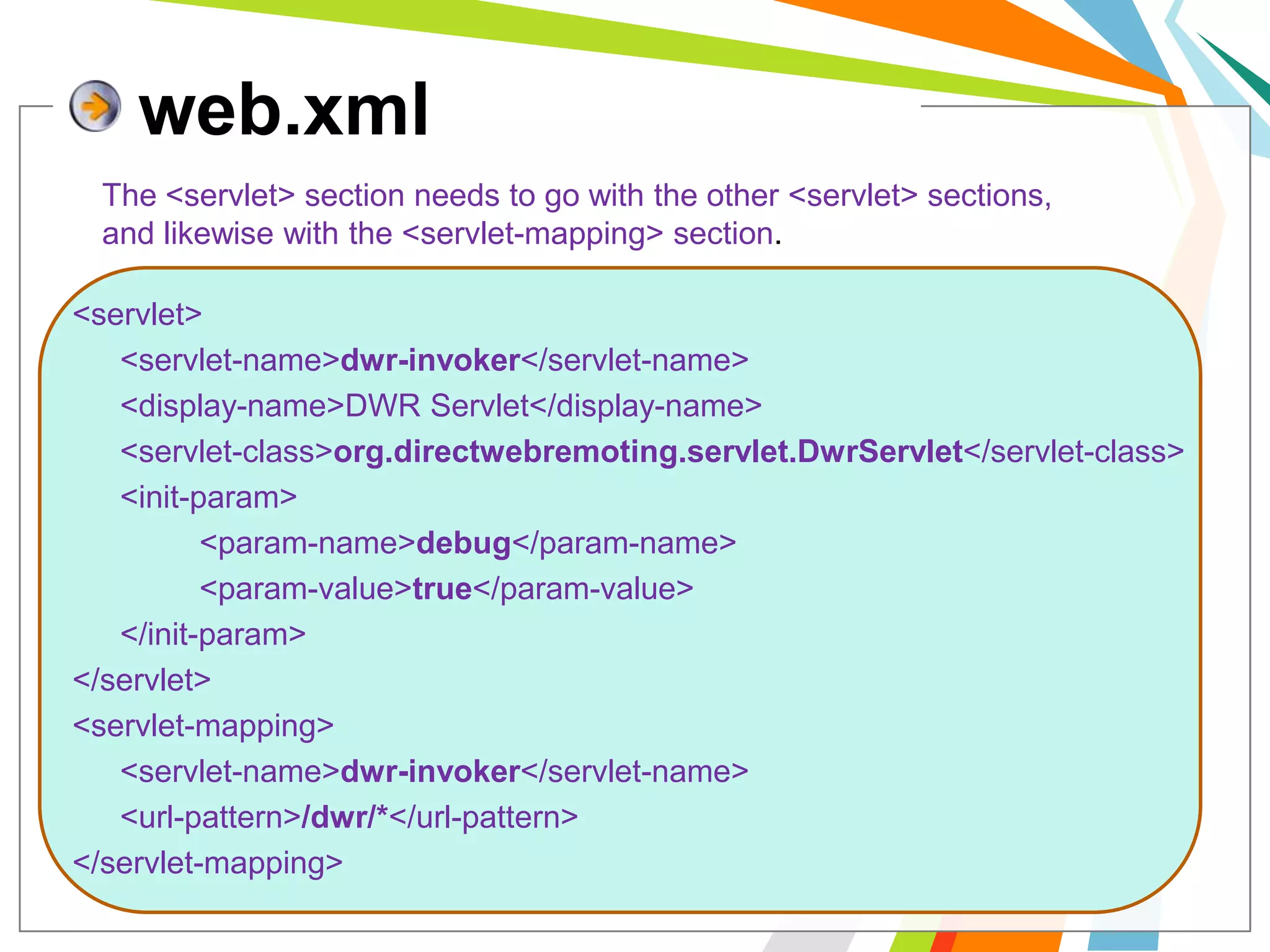
web.xmlThe <servlet> section needs to go with the other <servlet> sections, and likewise with the <servlet-mapping> section.<servlet> 	<servlet-name>dwr-invoker</servlet-name> 	<display-name>DWR Servlet</display-name> 	<servlet-class>org.directwebremoting.servlet.DwrServlet</servlet-class> 	<init-param> 		<param-name>debug</param-name> 		<param-value>true</param-value> 	</init-param> </servlet> <servlet-mapping> 	<servlet-name>dwr-invoker</servlet-name> 	<url-pattern>/dwr/*</url-pattern> </servlet-mapping>
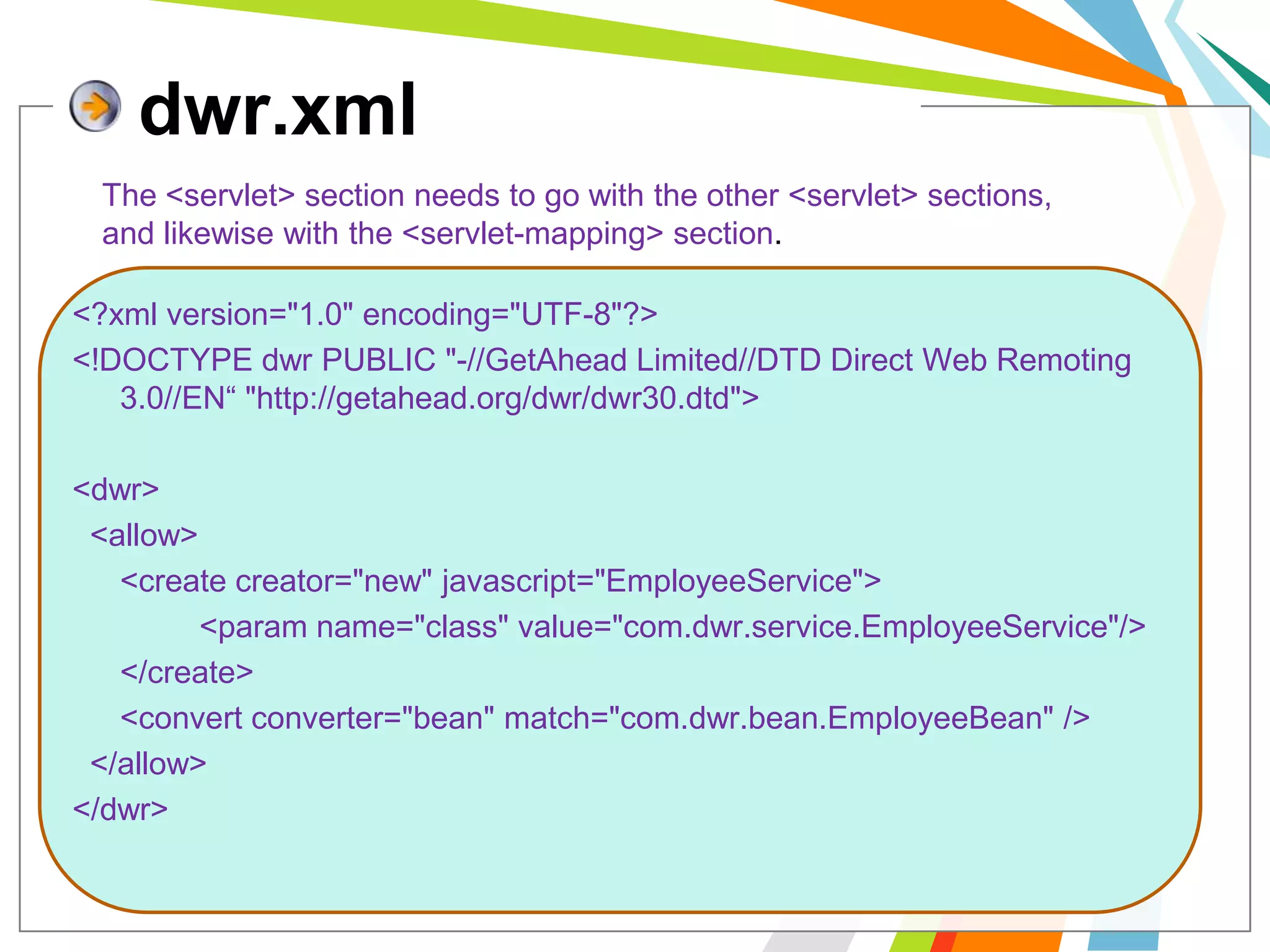
dwr.xmlThe <servlet> section needs to go with the other <servlet> sections, and likewise with the <servlet-mapping> section.<?xml version="1.0" encoding="UTF-8"?><!DOCTYPE dwr PUBLIC "-//GetAhead Limited//DTD Direct Web Remoting 3.0//EN“ "http://getahead.org/dwr/dwr30.dtd"><dwr>  <allow>	<create creator="new" javascript="EmployeeService">		<param name="class" value="com.dwr.service.EmployeeService"/>	</create>	<convert converter="bean" match="com.dwr.bean.EmployeeBean" />  </allow></dwr>
if everything ok .. start your web server such as Tomcat then open URL :  [YOUR-WEBAPP]/dwr/  e.g. : http://localhost:8084/DwrProject/dwr/ You will got web page like this :
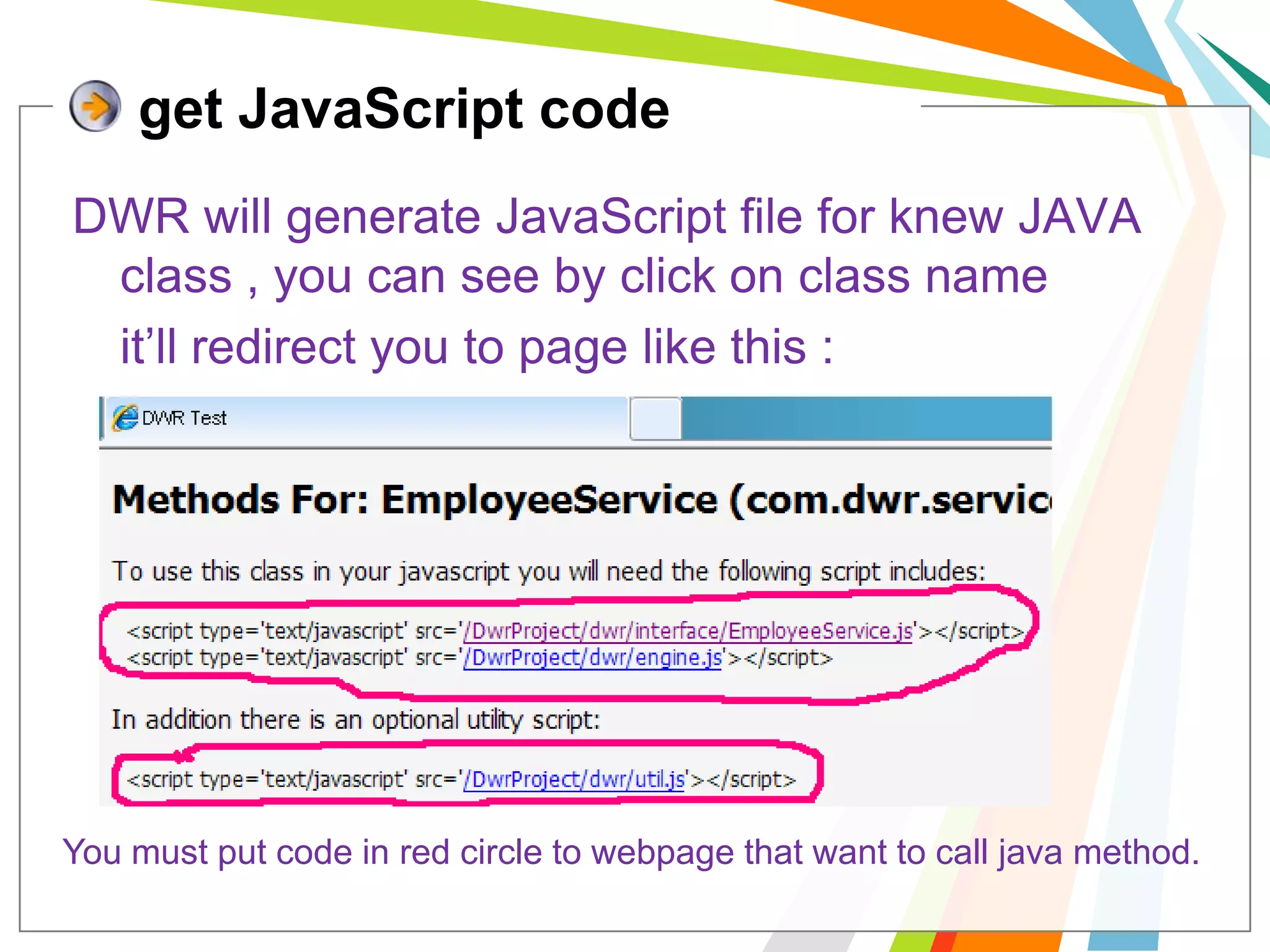
get JavaScript codeDWR will generate JavaScript file for knew JAVA class , you can see by click on class name	it’ll redirect you to page like this :You must put code in red circle to webpage that want to call java method.
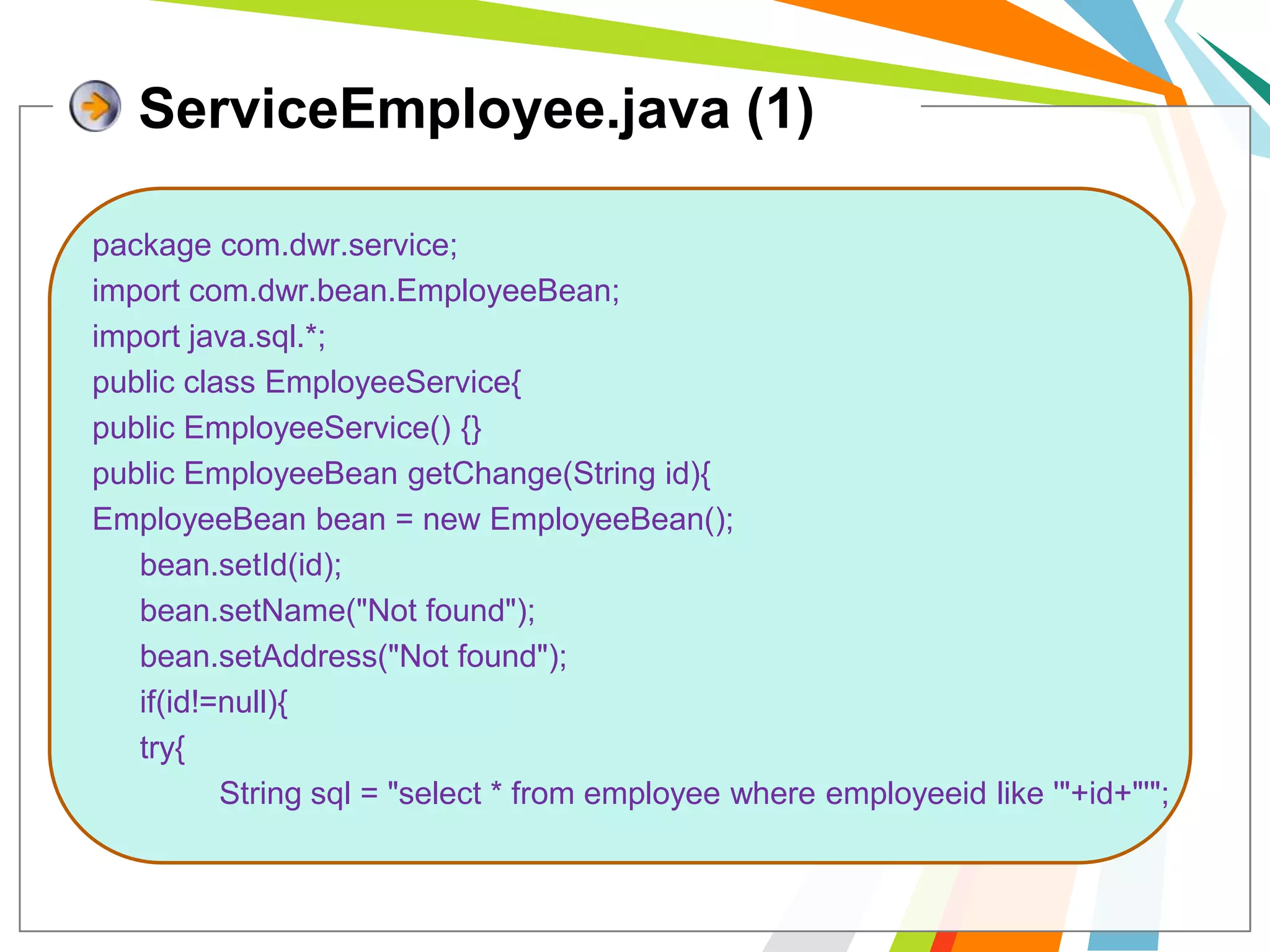
ServiceEmployee.java (1)package com.dwr.service;import com.dwr.bean.EmployeeBean;import java.sql.*;public class EmployeeService{public EmployeeService() {}  public EmployeeBeangetChange(String id){EmployeeBean bean = new EmployeeBean();bean.setId(id);bean.setName("Not found");bean.setAddress("Not found"); 	if(id!=null){	try{		String sql = "select * from employee where employeeid like '"+id+"'";
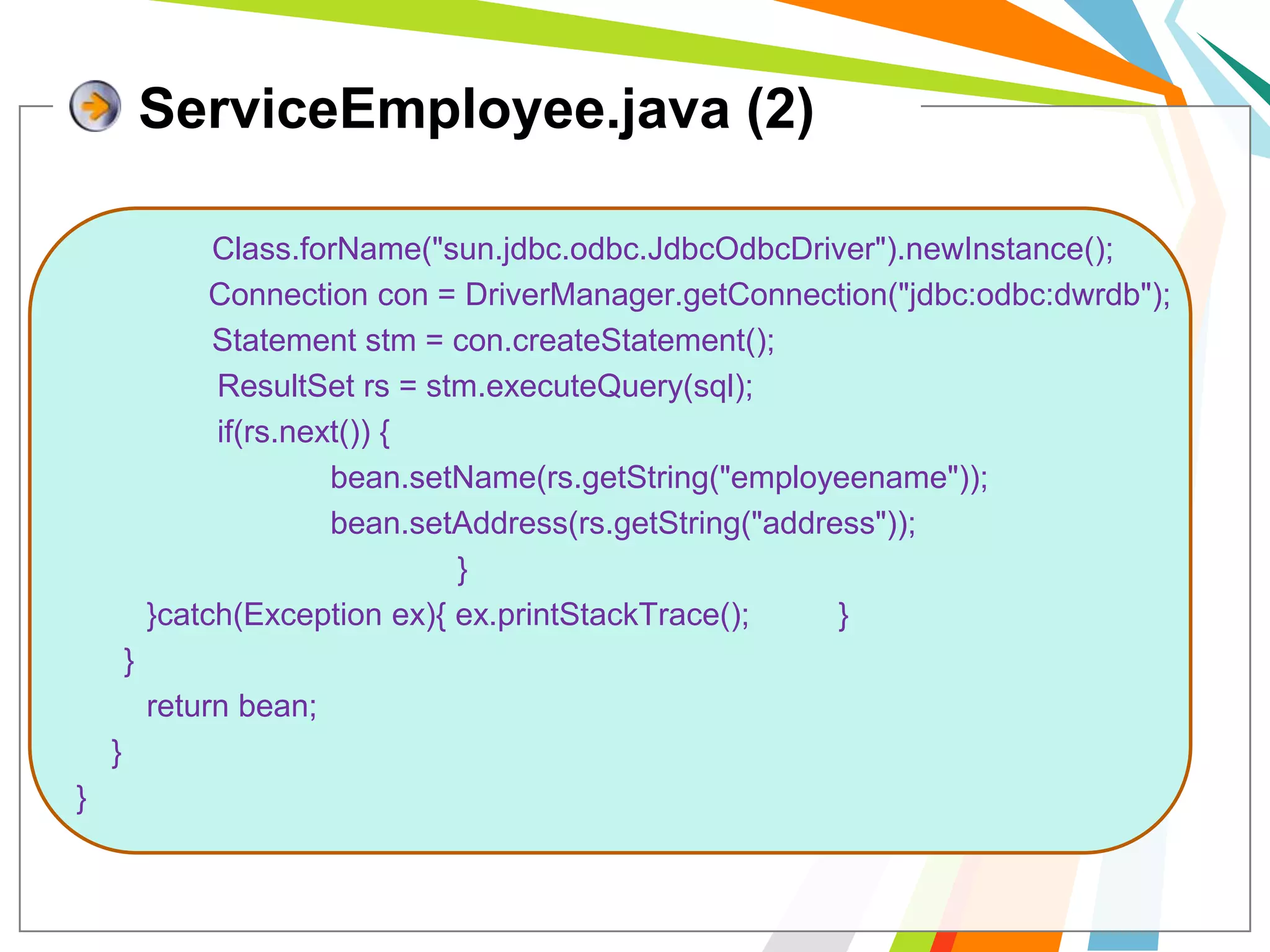
ServiceEmployee.java (2)Class.forName("sun.jdbc.odbc.JdbcOdbcDriver").newInstance();               Connection con = DriverManager.getConnection("jdbc:odbc:dwrdb");             	 Statement stm = con.createStatement();ResultSetrs = stm.executeQuery(sql);                if(rs.next()) {bean.setName(rs.getString("employeename"));bean.setAddress(rs.getString("address"));				}        }catch(Exception ex){ ex.printStackTrace(); 	}	}        return bean;    }}
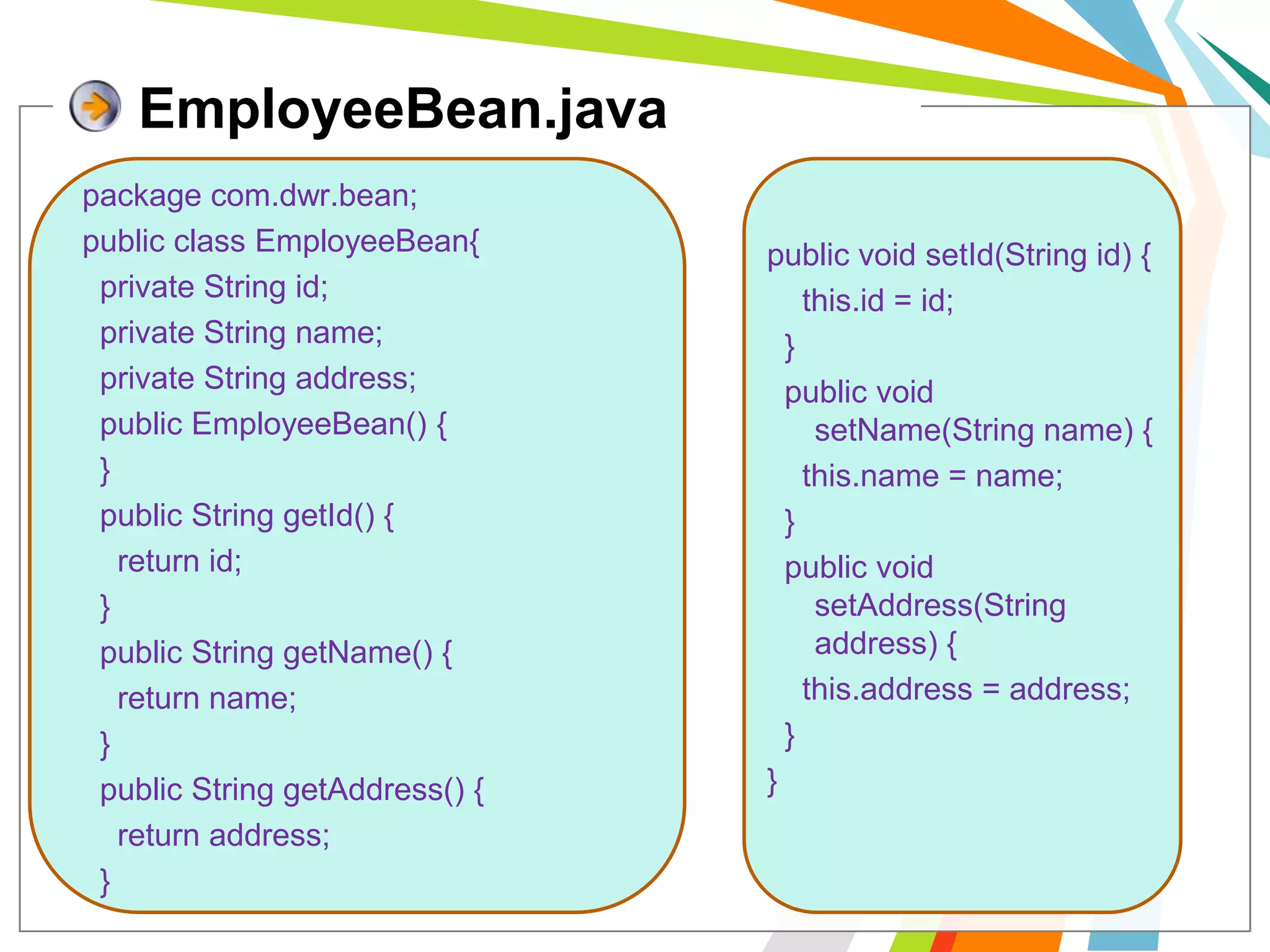
EmployeeBean.javapackage com.dwr.bean;public class EmployeeBean{  private String id;  private String name;  private String address;  public EmployeeBean() {  }    public String getId() {    return id;  }  public String getName() {    return name;  }  public String getAddress() {    return address;  }public void setId(String id) {    this.id = id;  }  public void setName(String name) {    this.name = name;  }  public void setAddress(String address) {this.address = address;  }  }
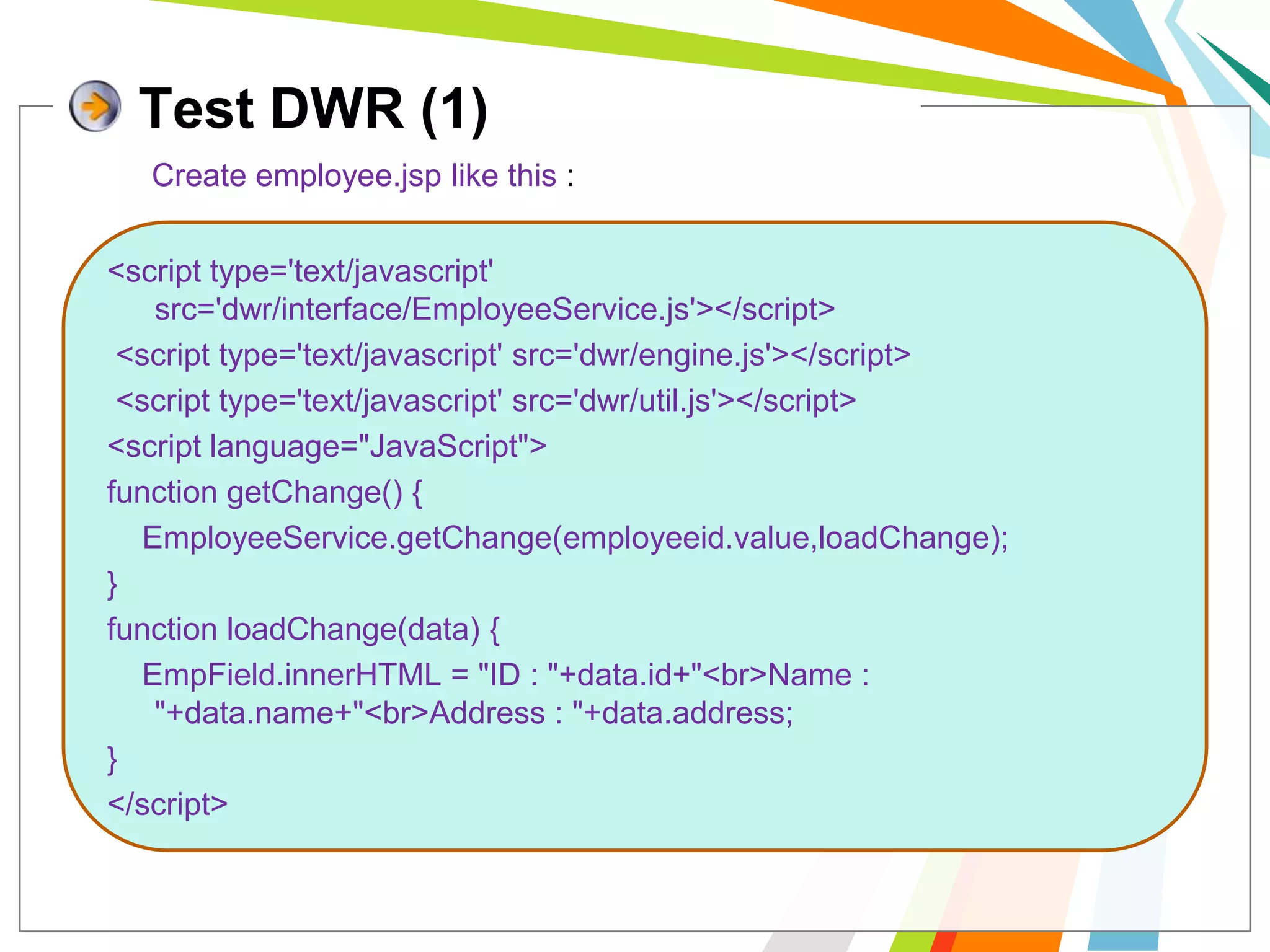
Test DWR (1)Create employee.jsp like this :<script type='text/javascript' src='dwr/interface/EmployeeService.js'></script> <script type='text/javascript' src='dwr/engine.js'></script> <script type='text/javascript' src='dwr/util.js'></script><script language="JavaScript">function getChange() {EmployeeService.getChange(employeeid.value,loadChange);}function loadChange(data) {EmpField.innerHTML = "ID : "+data.id+"<br>Name : "+data.name+"<br>Address : "+data.address;}</script>
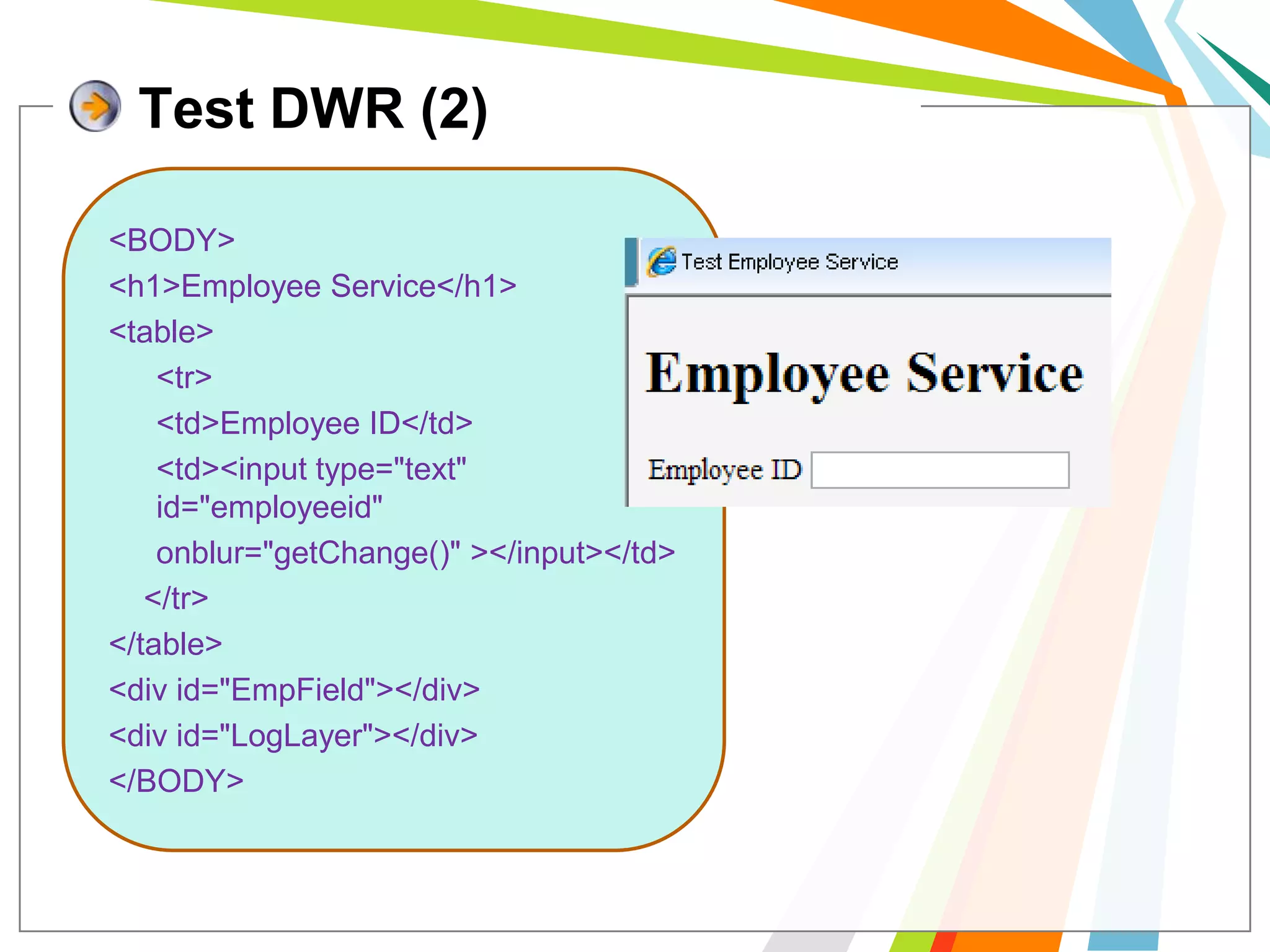
Test DWR (2)<BODY><h1>Employee Service</h1><table>	<tr>	<td>Employee ID</td>	<td><input type="text" id="employeeid"  onblur="getChange()" ></input></td>    </tr></table><div id="EmpField"></div><div id="LogLayer"></div></BODY>
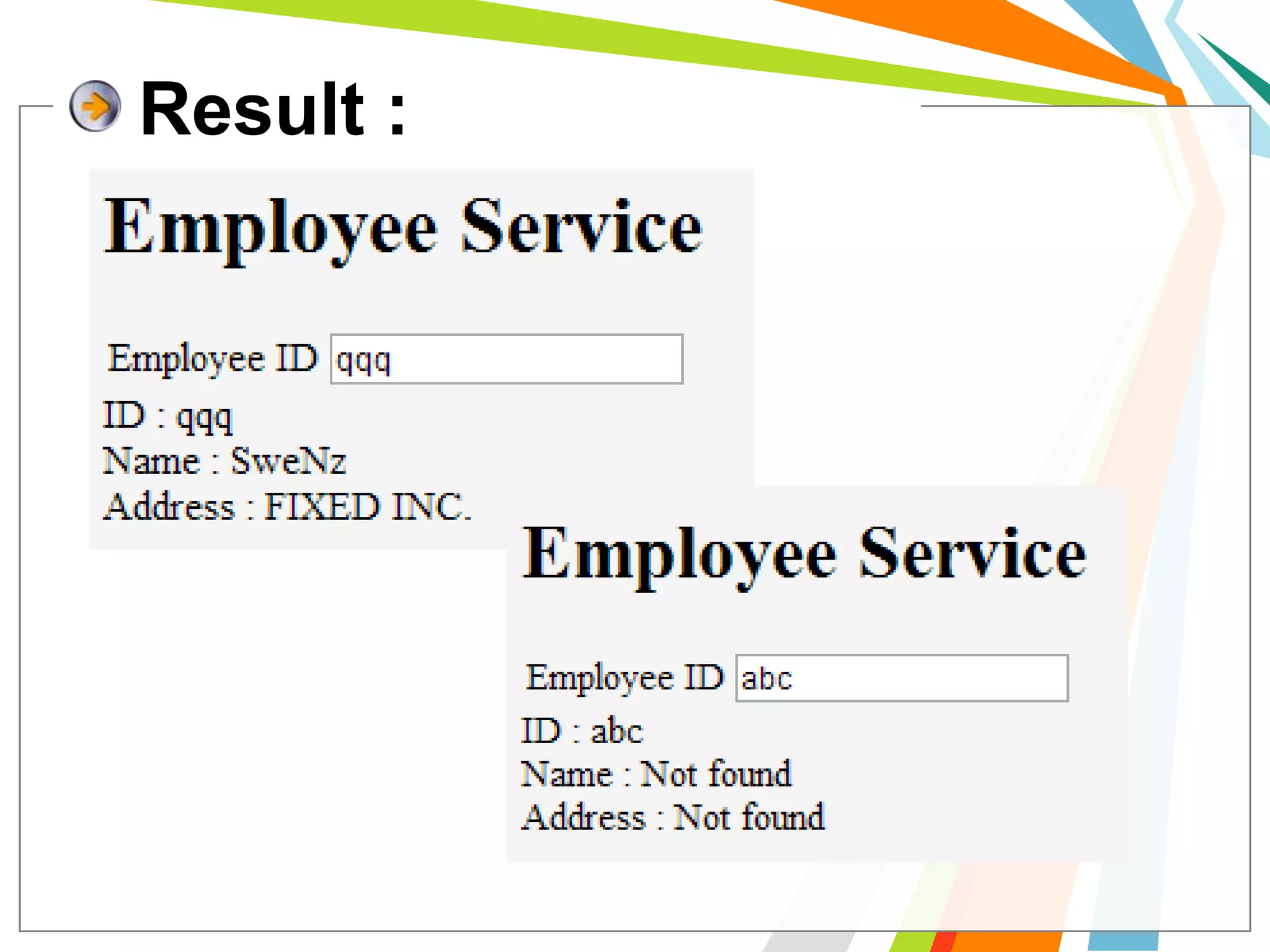
Result :
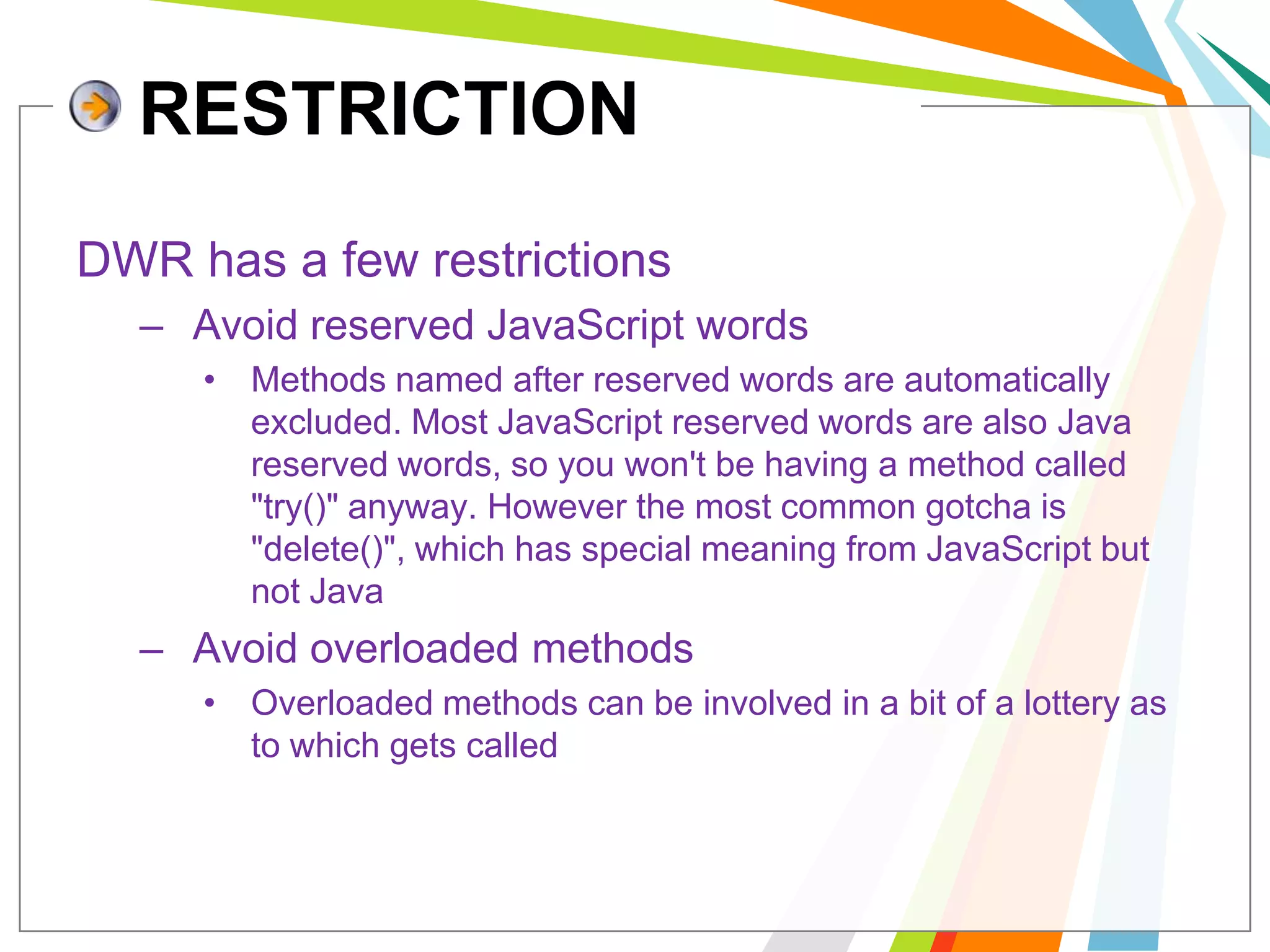
RESTRICTIONDWR has a few restrictions Avoid reserved JavaScript wordsMethods named after reserved words are automatically excluded. Most JavaScript reserved words are also Java reserved words, so you won't be having a method called "try()" anyway. However the most common gotcha is "delete()", which has special meaning from JavaScript but not Java Avoid overloaded methods Overloaded methods can be involved in a bit of a lottery as to which gets called
What is Reverse AJAX	“Reverse Ajax is the biggest new feature in DWR 2.0. 	It gives you the ability to asynchronously send data from a web-server to a browser”	DWR supports 3 methods of pushing the data from to the browser: Piggyback, Polling and Comet.
PollingThis is where the browser makes a request of the server at regular and frequent intervals, say every 3 seconds, to see if there has been an update to the page. It's like 5 year old in the back of the car shouting 'are we there yet?' every few seconds.
Comet AKA long lived http, server pushallows the server to start answering the browser's request for information very slowly, and to continue answering on a schedule dictated by the server.
Piggyback ( Passive Mode)	the server, having an update to send, waits for the next time the browser makes a connection and then sends it's update along with the response that the browser was expecting.
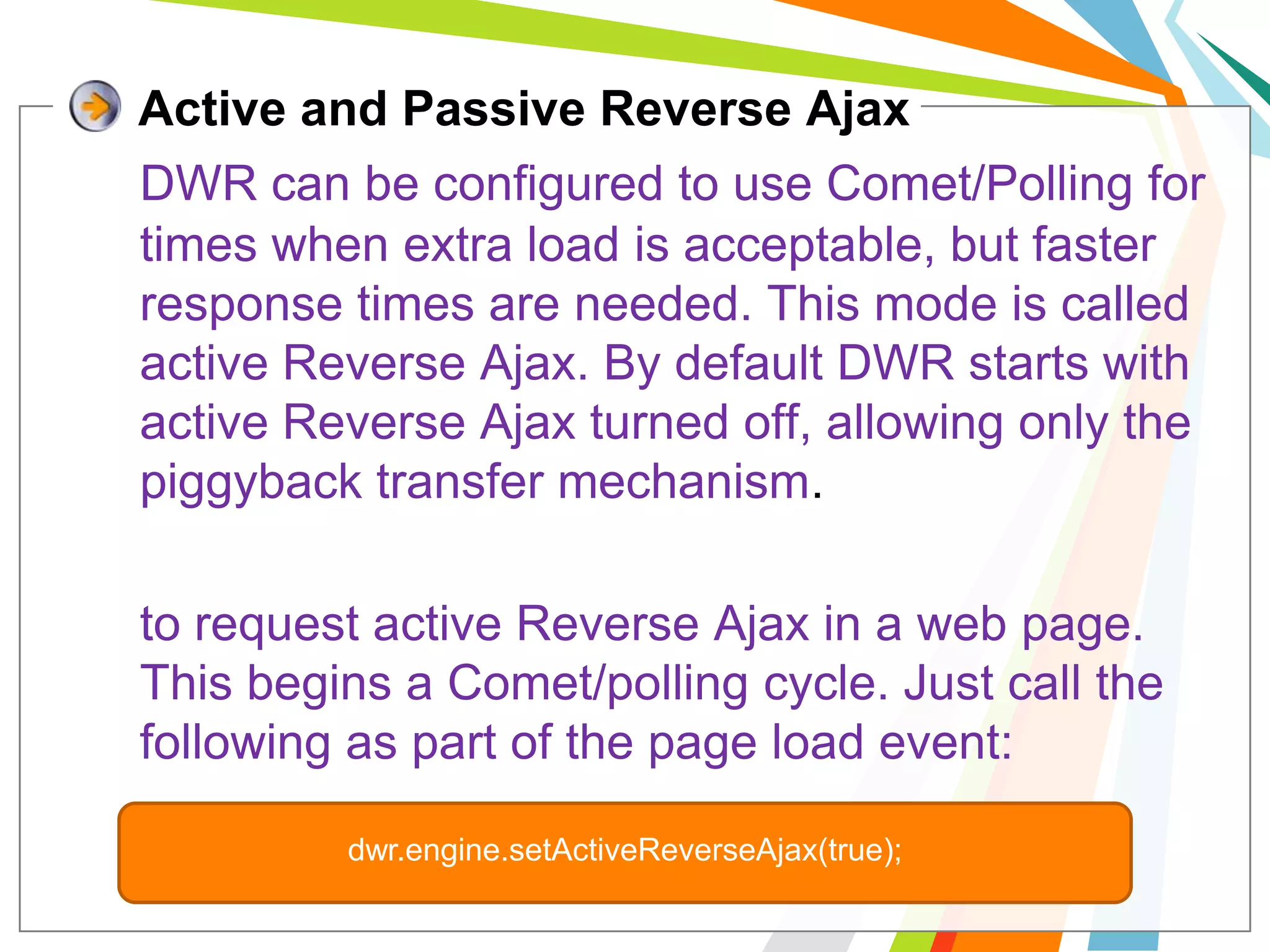
Active and Passive Reverse AjaxDWR can be configured to use Comet/Polling for times when extra load is acceptable, but faster response times are needed. This mode is called active Reverse Ajax. By default DWR starts with active Reverse Ajax turned off, allowing only the piggyback transfer mechanism.to request active Reverse Ajax in a web page. This begins a Comet/polling cycle. Just call the following as part of the page load event:dwr.engine.setActiveReverseAjax(true);
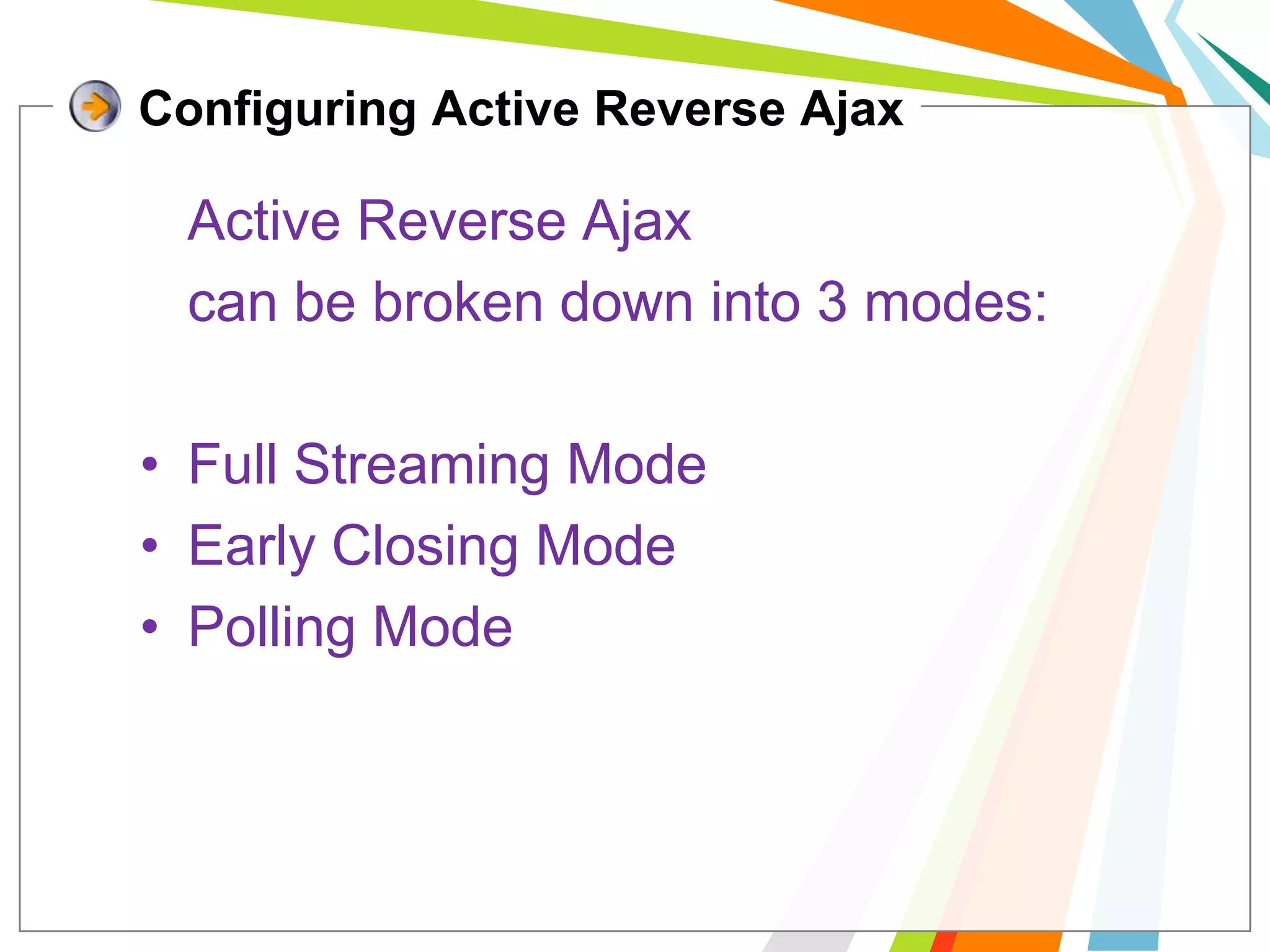
Configuring Active Reverse Ajax	Active Reverse Ajax 	can be broken down into 3 modes:Full Streaming ModeEarly Closing ModePolling Mode
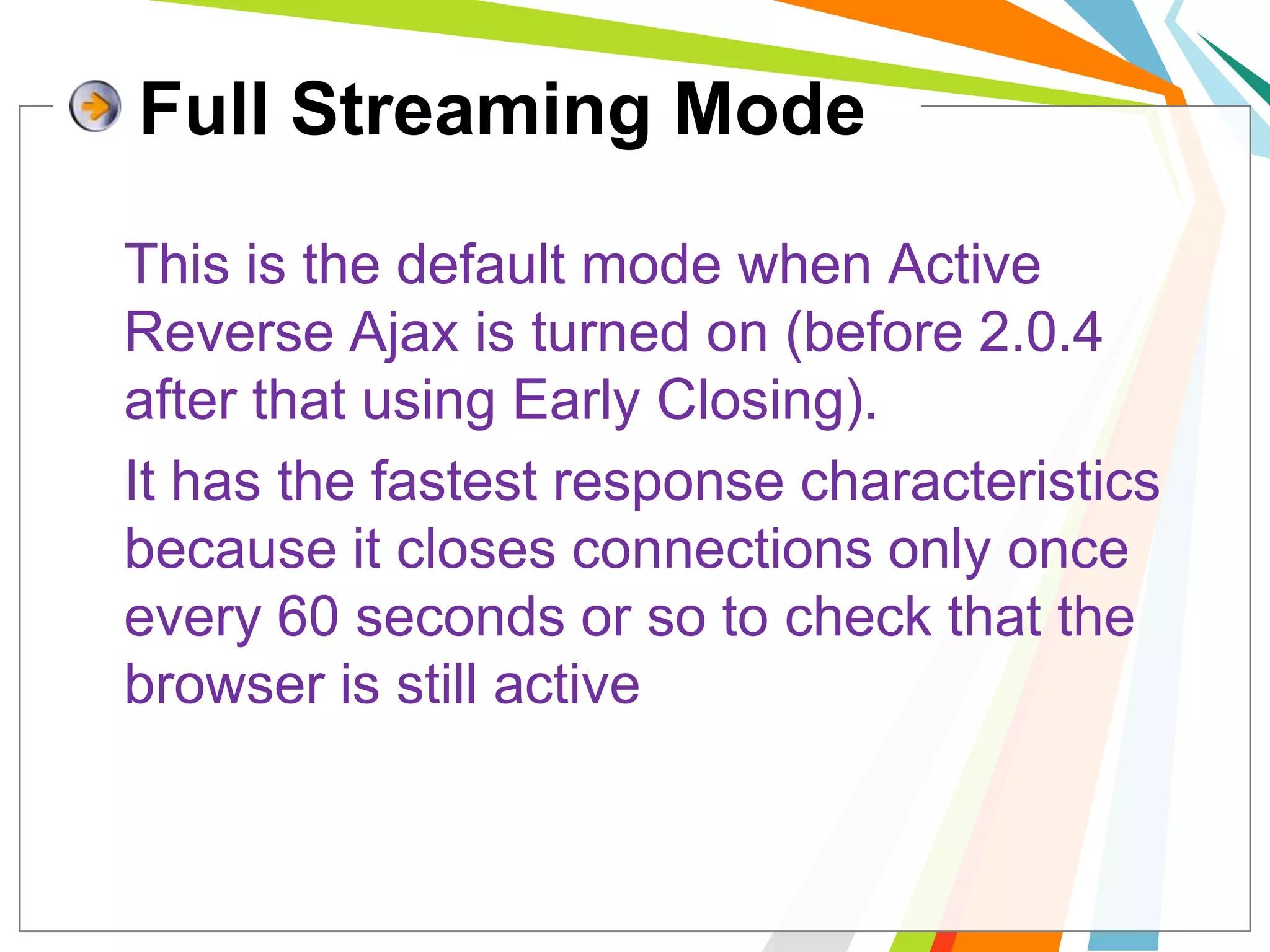
Full Streaming ModeThis is the default mode when Active Reverse Ajax is turned on (before 2.0.4 after that using Early Closing). 	It has the fastest response characteristics because it closes connections only once every 60 seconds or so to check that the browser is still active
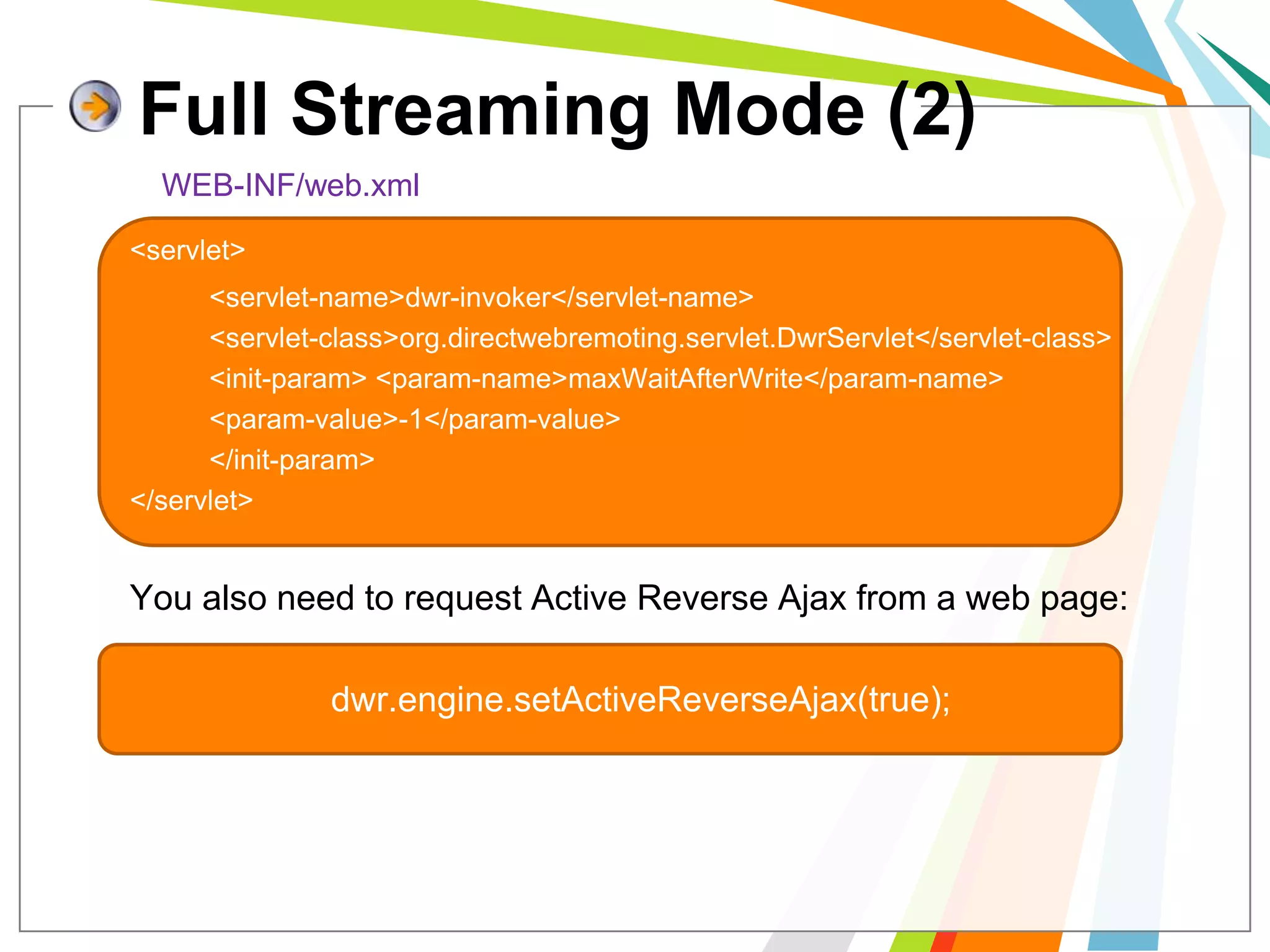
Full Streaming Mode (2)WEB-INF/web.xml<servlet> 		<servlet-name>dwr-invoker</servlet-name> 		<servlet-class>org.directwebremoting.servlet.DwrServlet</servlet-class>	 	<init-param> <param-name>maxWaitAfterWrite</param-name> 		<param-value>-1</param-value> 		</init-param> 		</servlet>	You also need to request Active Reverse Ajax from a web page:dwr.engine.setActiveReverseAjax(true);
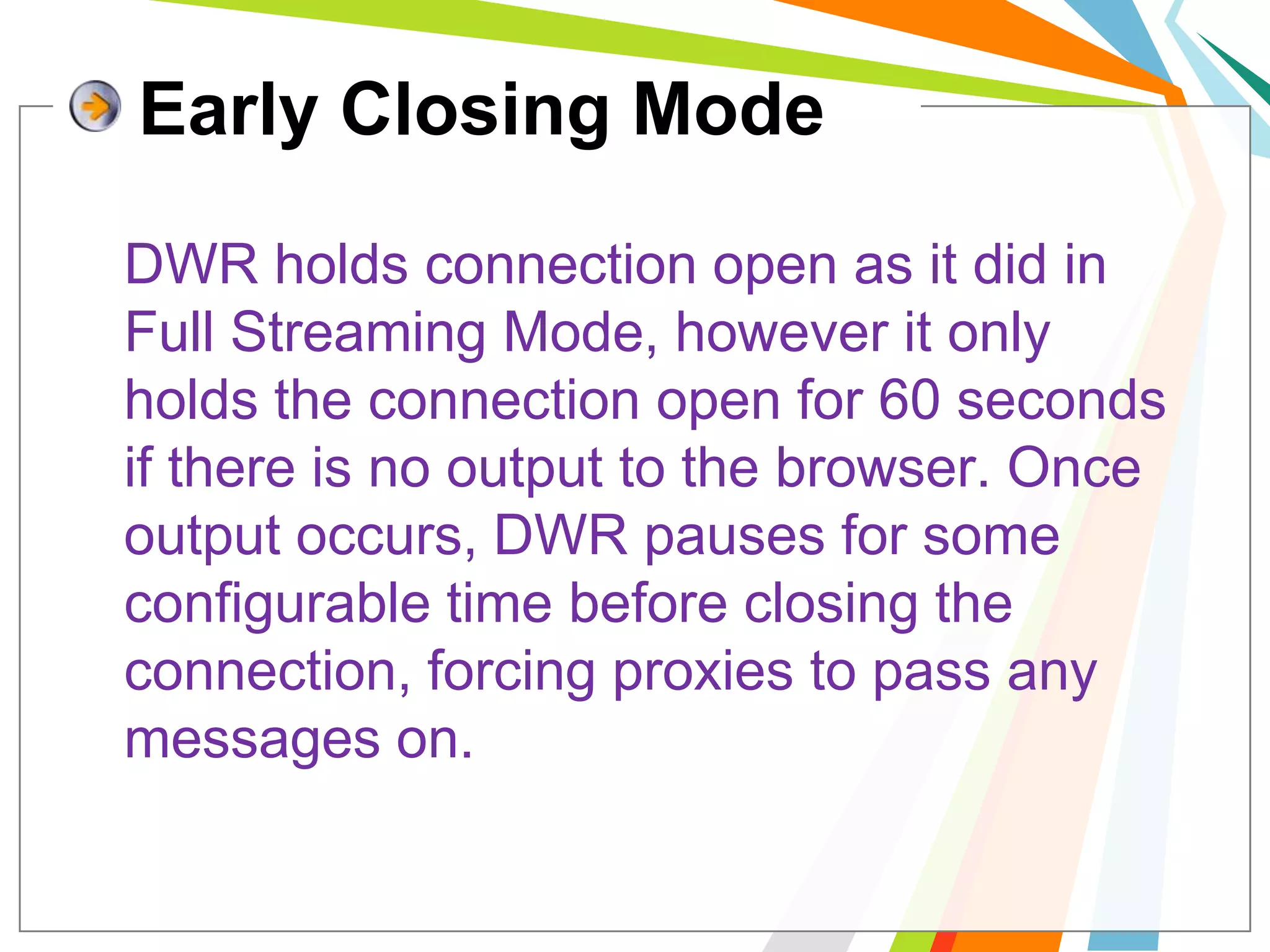
Early Closing Mode	DWR holds connection open as it did in Full Streaming Mode, however it only holds the connection open for 60 seconds if there is no output to the browser. Once output occurs, DWR pauses for some configurable time before closing the connection, forcing proxies to pass any messages on.
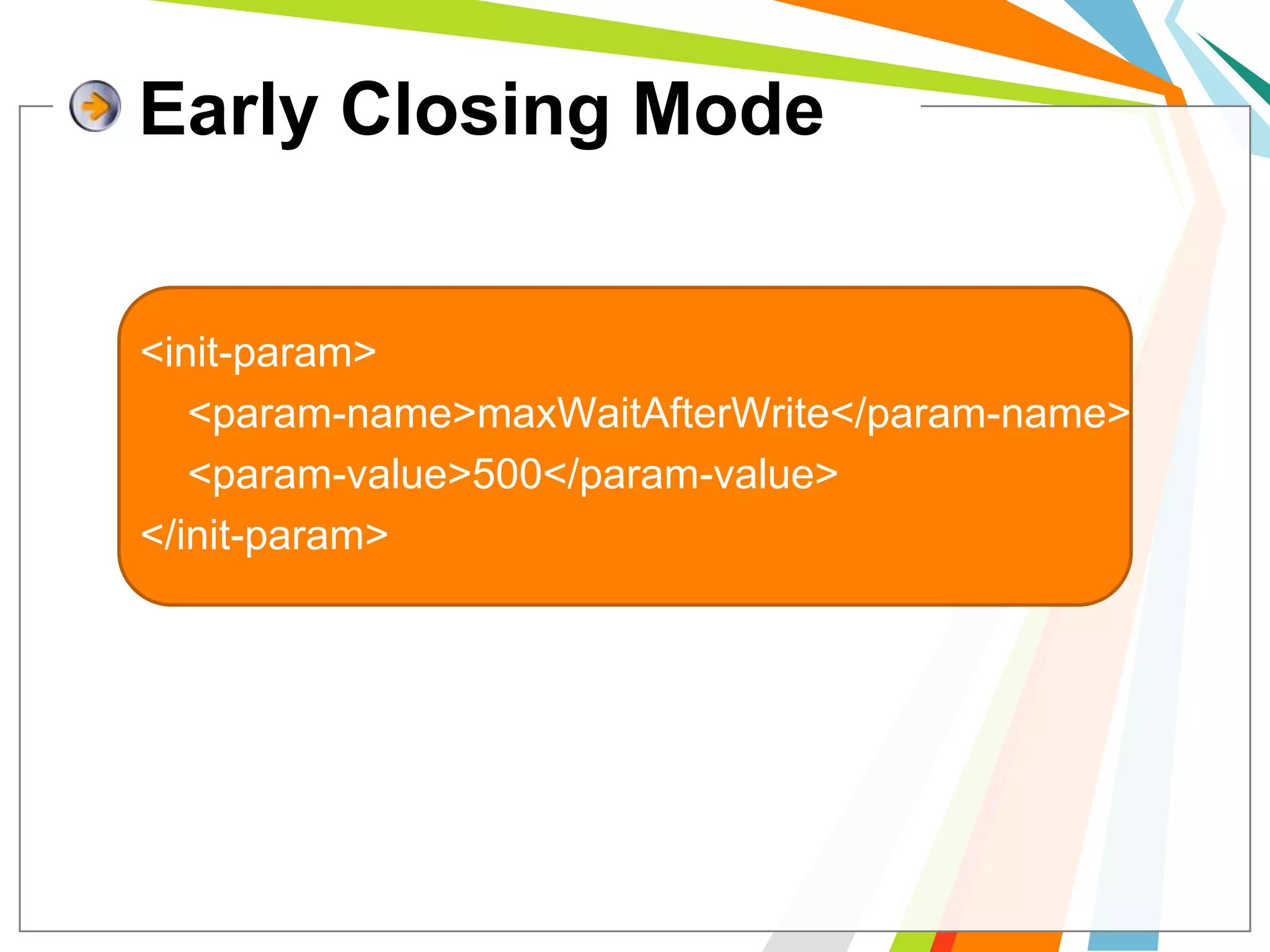
Early Closing Mode<init-param> 	<param-name>maxWaitAfterWrite</param-name> 	<param-value>500</param-value> </init-param>
Polling Mode	If it is deemed unwise to hold connections open at all then DWR can use polling mode.
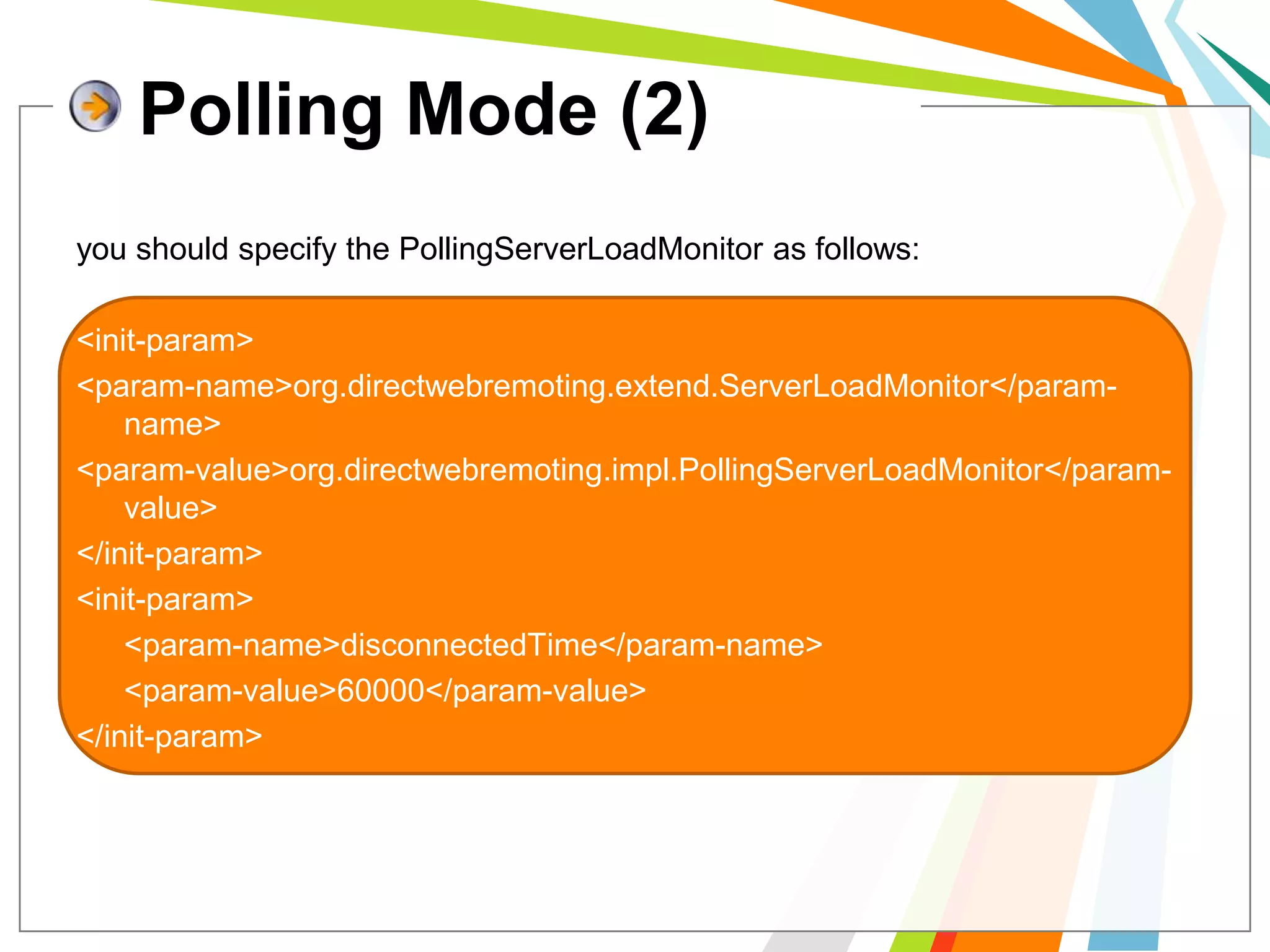
Polling Mode (2)you should specify the PollingServerLoadMonitor as follows:<init-param> <param-name>org.directwebremoting.extend.ServerLoadMonitor</param-name> <param-value>org.directwebremoting.impl.PollingServerLoadMonitor</param-value> </init-param><init-param> 	<param-name>disconnectedTime</param-name> 	<param-value>60000</param-value></init-param>
Q & A > <!!
Referencehttp://www.adaptivepath.com/ideas/essays/archives/000385.phphttp://java.sun.com/developer/technicalArticles/J2EE/AJAX/https://developer.mozilla.org/en/AJAXhttp://www.javaworld.com/javaworld/jw-06-2005/jw-0620-dwr.htmlhttp://directwebremoting.org/dwr/reverse-ajax/index.htmlhttp://directwebremoting.org/dwr/index.htmlhttp://ajaxian.com/archives/reverse-ajax-with-dwrhttp://en.wikipedia.org/wiki/Reverse_Ajaxhttp://en.wikipedia.org/wiki/Ajax_(programming)http://www.adaptivepath.com/ideas/essays/archives/000385.phphttp://msdn.microsoft.com/en-us/library/ms534361(VS.85).aspx
Thank You!SweNzFiXed

Introduction to AJAX and DWR

  • 1.
    AJAX and DWRalittle introduce toBy SweNzswenz@live.it
  • 2.
    1Introduce to AJAX2Introduceto DWRfocus on Reverse AJAX3Contents
  • 3.
    What is AJAX?AJAX is ..AJAX : Asynchronous JavaScript and XMLAsynchronousJavaScriptAJAX was introduced in 18 Feb 2005 by Jesse James Garrett.AJAXAndXMLAjax is a technique creating better, faster, and more interactive web applications.
  • 4.
    Defining AJAXdynamic displayand interaction using the Document Object Model (DOM)Standards - based presentation using XHTML and CSSasynchronous data retrieval using XMLHttpRequestdata interchange and manipulation using XML and XSLTJavaScript binding everything together
  • 5.
    uninterrupteduser operation whiledata is being fetcheddisplay and interact with the information presenteddynamicallyplatform or language, and no plug-in required independentAJAX Advantage
  • 6.
    Stillbrowser incompatibilityis hardto maintain and debugJavaScriptmakeAJAX Disadvantage
  • 7.
    Compare classic andAJAX web application model
  • 9.
  • 10.
    Creating XMLHttpRequestnative JavaScriptObject(Other Browsers)varxhr;function createXMLHttpRequest() { if (window.XMLHttpRequest) {xhr= new XMLHttpRequest(); } else if (window.ActiveXObject) {xhr= new ActiveXObject("Microsoft.XMLHTTP"); }else { alert("XMLHttpRequest not supported");    return null;}}ActiveX Object (IE)
  • 11.
    Use XMLHttpRequestfunction run(){  varreq = createXMLHttpRequest(); //สร้าง Object  req.open('GET', ‘abc.isp', true); //กำหนด สถานะการทำงานของ AJAX  req.onreadystatechange = function() { //เหตุการณ์เมื่อมีการตอบกลับ    if (req.readyState == 4) {      if (req.status == 200) { //ได้รับการตอบกลับเรียบร้อย        var data = req.responseText; //ข้อความที่ได้มาจากการทำงานของ abc.jsp        document.getElementById("content").innerHTML = "ข้อความที่ตอบกลับจาก server คือ "+data; //แสดงผล      }    }  };  req.setRequestHeader("Content-Type", "application/x-www-form-urlencoded"); //Header ที่ส่งไป  req.send(null); //ทำการส่ง};
  • 12.
  • 13.
  • 14.
  • 15.
    Processing the ServerResponseXMLHttpRequest object provides two properties that provide access to the server response.responseText- provides the response as a string.responseXML - provides the response as an XML object
  • 16.
    implement basic AJAXEnteringan invalid dateEntering an valid date
  • 17.
    17Date ValidationCreate validation.jsppage<body> <h1>Ajax Validation Example</h1> Birth date: <input type="text" size="10" id="birthDate" onchange="validate();"/> <div id="dateMessage"></div></body>
  • 18.
    18Date ValidationCreate XMLHttpRequestobjectvar xmlHttp;function createXMLHttpRequest(){if (window.ActiveXObject) { xmlHttp = new ActiveXObject("Microsoft.XMLHTTP"); } else if (window.XMLHttpRequest) { xmlHttp = new XMLHttpRequest(); }}
  • 19.
    19Date ValidationCreate validate()method function validate() {createXMLHttpRequest(); var date = document.getElementById("birthDate"); var url = "${pageContext.request.contextPath}/ ValidationServlet?birthDate=" + escape(date.value); xmlHttp.open("GET", url, true); xmlHttp.onreadystatechange = callback; xmlHttp.send(null);}
  • 20.
    20Date ValidationCreate callback()methodfunction callback(){ if (xmlHttp.readyState== 4) { if (xmlHttp.status == 200) {varmes= xmlHttp.responseXML.getElementsByTagName("message")[0].firstChild.data;varval= xmlHttp.responseXML.getElementsByTagName("passed")[0].firstChild.data;setMessage(mes, val); } }}
  • 21.
    Date ValidationSet output‘s format for display in jsp pagefunction setMessage(message, isValid) {varmessageArea= document.getElementById("dateMessage");varfontColor= "red"; if (isValid== "true") {fontColor= "green"; }messageArea.innerHTML= "<font color=" + fontColor+ ">" + message + " </font>";}
  • 22.
    Date ValidationCreate servletto validate date from jsp pagePrintWriter out = response.getWriter(); try {boolean passed = validateDate(request.getParameter("birthDate")); response.setContentType("text/xml"); response.setHeader("Cache-Control", "no-cache"); String message = "You have entered an invalid date."; if (passed) { message = "You have entered a valid date."; } out.println("<response>"); out.println("<passed>" + Boolean.toString(passed) + "</passed>"); out.println("<message>" + message + "</message>"); out.println("</response>"); out.close(); } finally { out.close(); }
  • 23.
    Date Validationprivate booleanvalidateDate(Stringdate) {booleanisValid = true; if(date != null) {SimpleDateFormat formatter= new SimpleDateFormat("MM/dd/yyyy"); try {formatter.parse(date); } catch (ParseExceptionpe) {System.out.println(pe.toString());isValid = false; } } else {isValid = false; } return isValid;}
  • 24.
    DWR ( Directweb Remoting)DWR is a RPC library which makes it easy to call Java functions from JavaScript and to call JavaScript functions from Java (a.k.a Reverse Ajax).
  • 25.
    DWR consist .. DWRconsists of two main partsA Java Servlet running on the server that processes requests and sends responses back to the browser. JavaScript running in the browser that sends requests and can dynamically update the webpage
  • 26.
    How it work? (1)AJAX Style
  • 27.
    How it work? (2)Reverse AJAX
  • 28.
    Prepare to useDWR1> We have to download and install DWR.jar to WEB-INF/libalso requires commons-logging.2> edit the config files in WEB-INF 2.1> edit web.xml 2.2> create dwr.xml
  • 29.
    web.xmlThe <servlet> sectionneeds to go with the other <servlet> sections, and likewise with the <servlet-mapping> section.<servlet> <servlet-name>dwr-invoker</servlet-name> <display-name>DWR Servlet</display-name> <servlet-class>org.directwebremoting.servlet.DwrServlet</servlet-class> <init-param> <param-name>debug</param-name> <param-value>true</param-value> </init-param> </servlet> <servlet-mapping> <servlet-name>dwr-invoker</servlet-name> <url-pattern>/dwr/*</url-pattern> </servlet-mapping>
  • 30.
    dwr.xmlThe <servlet> sectionneeds to go with the other <servlet> sections, and likewise with the <servlet-mapping> section.<?xml version="1.0" encoding="UTF-8"?><!DOCTYPE dwr PUBLIC "-//GetAhead Limited//DTD Direct Web Remoting 3.0//EN“ "http://getahead.org/dwr/dwr30.dtd"><dwr> <allow> <create creator="new" javascript="EmployeeService"> <param name="class" value="com.dwr.service.EmployeeService"/> </create> <convert converter="bean" match="com.dwr.bean.EmployeeBean" /> </allow></dwr>
  • 31.
    if everything ok.. start your web server such as Tomcat then open URL : [YOUR-WEBAPP]/dwr/ e.g. : http://localhost:8084/DwrProject/dwr/ You will got web page like this :
  • 32.
    get JavaScript codeDWRwill generate JavaScript file for knew JAVA class , you can see by click on class name it’ll redirect you to page like this :You must put code in red circle to webpage that want to call java method.
  • 33.
    ServiceEmployee.java (1)package com.dwr.service;importcom.dwr.bean.EmployeeBean;import java.sql.*;public class EmployeeService{public EmployeeService() {} public EmployeeBeangetChange(String id){EmployeeBean bean = new EmployeeBean();bean.setId(id);bean.setName("Not found");bean.setAddress("Not found"); if(id!=null){ try{ String sql = "select * from employee where employeeid like '"+id+"'";
  • 34.
    ServiceEmployee.java (2)Class.forName("sun.jdbc.odbc.JdbcOdbcDriver").newInstance(); Connection con = DriverManager.getConnection("jdbc:odbc:dwrdb"); Statement stm = con.createStatement();ResultSetrs = stm.executeQuery(sql); if(rs.next()) {bean.setName(rs.getString("employeename"));bean.setAddress(rs.getString("address")); } }catch(Exception ex){ ex.printStackTrace(); } } return bean; }}
  • 35.
    EmployeeBean.javapackage com.dwr.bean;public classEmployeeBean{ private String id; private String name; private String address; public EmployeeBean() { } public String getId() { return id; } public String getName() { return name; } public String getAddress() { return address; }public void setId(String id) { this.id = id; } public void setName(String name) { this.name = name; } public void setAddress(String address) {this.address = address; } }
  • 36.
    Test DWR (1)Createemployee.jsp like this :<script type='text/javascript' src='dwr/interface/EmployeeService.js'></script> <script type='text/javascript' src='dwr/engine.js'></script> <script type='text/javascript' src='dwr/util.js'></script><script language="JavaScript">function getChange() {EmployeeService.getChange(employeeid.value,loadChange);}function loadChange(data) {EmpField.innerHTML = "ID : "+data.id+"<br>Name : "+data.name+"<br>Address : "+data.address;}</script>
  • 37.
    Test DWR (2)<BODY><h1>EmployeeService</h1><table> <tr> <td>Employee ID</td> <td><input type="text" id="employeeid" onblur="getChange()" ></input></td> </tr></table><div id="EmpField"></div><div id="LogLayer"></div></BODY>
  • 38.
  • 39.
    RESTRICTIONDWR has afew restrictions Avoid reserved JavaScript wordsMethods named after reserved words are automatically excluded. Most JavaScript reserved words are also Java reserved words, so you won't be having a method called "try()" anyway. However the most common gotcha is "delete()", which has special meaning from JavaScript but not Java Avoid overloaded methods Overloaded methods can be involved in a bit of a lottery as to which gets called
  • 40.
    What is ReverseAJAX “Reverse Ajax is the biggest new feature in DWR 2.0. It gives you the ability to asynchronously send data from a web-server to a browser” DWR supports 3 methods of pushing the data from to the browser: Piggyback, Polling and Comet.
  • 41.
    PollingThis is wherethe browser makes a request of the server at regular and frequent intervals, say every 3 seconds, to see if there has been an update to the page. It's like 5 year old in the back of the car shouting 'are we there yet?' every few seconds.
  • 42.
    Comet AKA longlived http, server pushallows the server to start answering the browser's request for information very slowly, and to continue answering on a schedule dictated by the server.
  • 43.
    Piggyback ( PassiveMode) the server, having an update to send, waits for the next time the browser makes a connection and then sends it's update along with the response that the browser was expecting.
  • 44.
    Active and PassiveReverse AjaxDWR can be configured to use Comet/Polling for times when extra load is acceptable, but faster response times are needed. This mode is called active Reverse Ajax. By default DWR starts with active Reverse Ajax turned off, allowing only the piggyback transfer mechanism.to request active Reverse Ajax in a web page. This begins a Comet/polling cycle. Just call the following as part of the page load event:dwr.engine.setActiveReverseAjax(true);
  • 45.
    Configuring Active ReverseAjax Active Reverse Ajax can be broken down into 3 modes:Full Streaming ModeEarly Closing ModePolling Mode
  • 46.
    Full Streaming ModeThisis the default mode when Active Reverse Ajax is turned on (before 2.0.4 after that using Early Closing). It has the fastest response characteristics because it closes connections only once every 60 seconds or so to check that the browser is still active
  • 47.
    Full Streaming Mode(2)WEB-INF/web.xml<servlet> <servlet-name>dwr-invoker</servlet-name> <servlet-class>org.directwebremoting.servlet.DwrServlet</servlet-class> <init-param> <param-name>maxWaitAfterWrite</param-name> <param-value>-1</param-value> </init-param> </servlet> You also need to request Active Reverse Ajax from a web page:dwr.engine.setActiveReverseAjax(true);
  • 48.
    Early Closing Mode DWRholds connection open as it did in Full Streaming Mode, however it only holds the connection open for 60 seconds if there is no output to the browser. Once output occurs, DWR pauses for some configurable time before closing the connection, forcing proxies to pass any messages on.
  • 49.
    Early Closing Mode<init-param> <param-name>maxWaitAfterWrite</param-name> <param-value>500</param-value> </init-param>
  • 50.
    Polling Mode If itis deemed unwise to hold connections open at all then DWR can use polling mode.
  • 51.
    Polling Mode (2)youshould specify the PollingServerLoadMonitor as follows:<init-param> <param-name>org.directwebremoting.extend.ServerLoadMonitor</param-name> <param-value>org.directwebremoting.impl.PollingServerLoadMonitor</param-value> </init-param><init-param> <param-name>disconnectedTime</param-name> <param-value>60000</param-value></init-param>
  • 52.
    Q & A> <!!
  • 53.
  • 54.

Editor's Notes

  • #2 by the way , I’m Thai not Italian , please e-mail me in english . Thanks for interest