Destroy PowerPoint Zombies! by @EricPesik
Have you ever felt trapped in a bad PowerPoint presentation? Ever listen to a speaker drone on like a zombie? Do boring
uninspiring slides leave you feeling like the walking dead? Don’t be a PowerPoint zombie! Here are 6 tips to avoid Death by
PowerPoint!
Have you ever felt trapped in a bad PowerPoint presentation?
What makes PowerPoint so unpleasant?
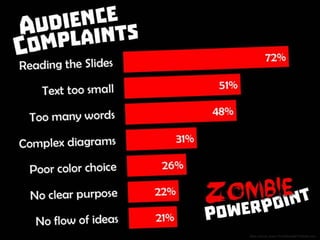
Audience Complaints: (1) reading the slide, (2) text too small, (3) too many words, (4) overly complex diagrams, (5) poor color
choice, (6) no clear purpose, (7) no flow of ideas; Data source: www.ThinkOutsideTheSlide.com
The experience is so common there is a word for it “Death by Powerpoint”
Are you a PowerPoint Zombie?
Braaains!
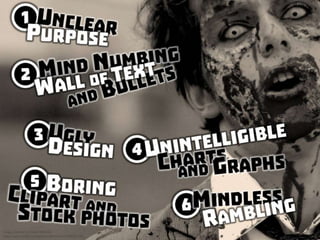
Are you a PowerPoint Zombie? (1) unclear purpose, (2) mind numbing wall of text and bullets, (3) ugly design, (4) unintelligible
charts and graphs, (5) boring clipart and stock photos, (6) mindless rambling
Are you a PowerPoint Zombie? (1) unclear purpose, (2) mind numbing wall of text and bullets, (3) ugly design, (4) unintelligible
charts and graphs, (5) boring clipart and stock photos, (6) mindless rambling
Don’t be a PowerPoint zombie!
6 tips to cure bad PowerPoint
Zombie PowerPoint Symptom #1: Unclear purpose
The Disease: Zombies have no purpose
The Cure: Know your purpose - your presentation should have a clear flow and purpose
Your purpose is not what you want to say
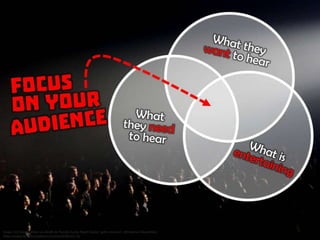
Focus on your audience: (1) what do the want to hear? (2) what do they need to hear? (3) what is entertaining
What is your one key takeaway point? Prepare you call to action!
Audiences really want you to craft a clear message that has a flow and purpose. - Dave Paradi, ThinkOutsideTheSlide.com
If you can’t clearly state what you want to accomplish, you are not ready. Postpone or cancel
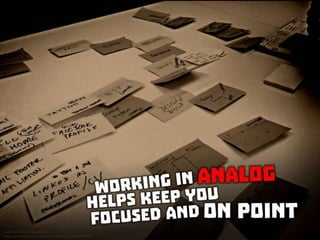
Once you know your purpose and key points, start planning in analog
Turn off the computer. Don’t plan in PowerPoint
Working in analog helps keep you focused and on point
Why are audiences bored? Because they don’t understand the message and feel they are wasting their time. - Dave Paradi,
ThinkOutsideTheSlide.com
Anti-Zombie Tip No. 1 : Your presentation should have a clear flow and purpose
Zombie PowerPoint Symptom #2: Mind numbing wall of text and bullets
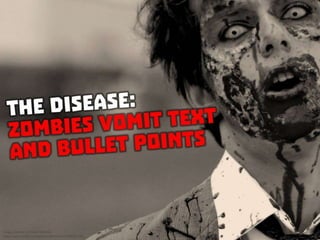
The Disease: Zombies vomit text and bullet points
Bad PowerPoint slide example
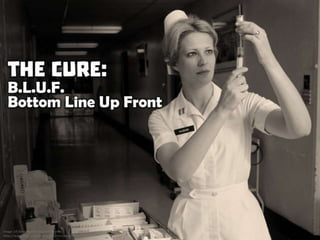
The Cure: B.L.U.F. - Bottom Line Up Front
Place communications and recommendations at the beginning of each slide
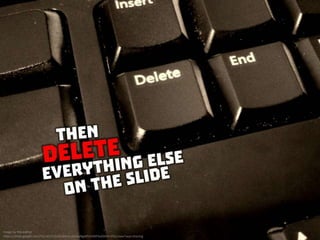
Then delete everything else on the slide
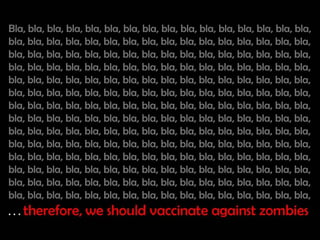
Example: Bla, bla, bla, bla, bla, bla, bla, bla, bla, bla, bla, bla, bla, bla, bla, bla, bla, bla, bla, bla, bla, bla, bla, bla, bla, bla, bla, bla,
bla, bla, bla, bla, bla, bla, bla, bla, bla, bla, bla, bla, bla, bla, bla, bla, bla, bla, bla, bla, bla, bla, bla, bla, bla, bla, bla, bla, bla, bla, bla,
bla, bla, bla, bla, bla, bla, bla, bla, bla, bla, . . . therefore, we should vaccinate against zombies
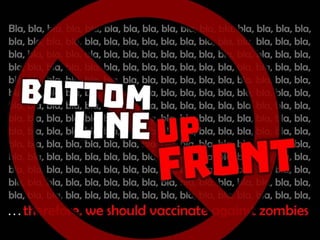
Don’t do this
Bottom line up front
Vaccinate or Die!
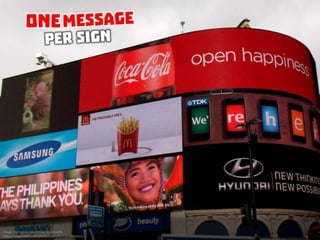
1 BLUF per slide - 1 short line summarizing each conclusion or recommendations
Think of you slides as a series of billboards
One message per sign
Make it big enough to be read from the back of the room
Save the wordy details for your spoken delivery
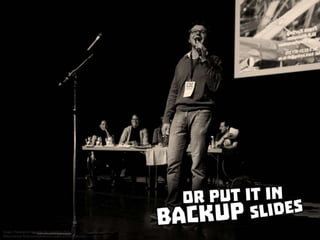
Or put it in backup slides
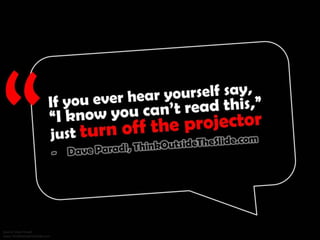
If you ever hear yourself say, “I know you can’t read this,” just turn off the projector. - Dave Paradi, ThinkOutsideTheSlide.com
Anti-Zombie Tip No. 2: BLUF Bottom Line Up Front
Zombie PowerPoint Symptom No. 3: Ugly Design
The Disease: Zombies don’t care about design
The Cure: Blend text and images to illustrate your point - put creative thought into your design
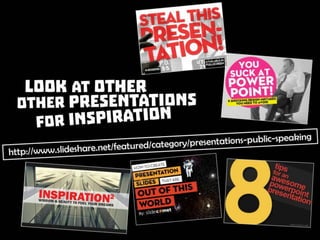
Look at other presentations for inspiration: Source: http://www.slideshare.net/featured/category/presentations-public-speaking
Use “blank” page layout to create your own pages
Use text creatively
95% of design is typography. Source: https://ia.net/know-how/the-web-is-all-about-typography-period
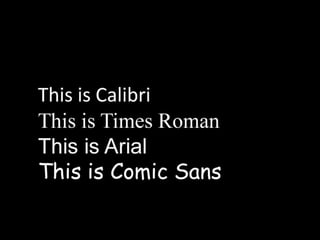
This is Calibri; This is Times Roman; This is Arial; This is Comic Sans
This is Face Your Fears; This is Troika; This is Berlin Sans
This is also Troika
This is also Troika
This is also Face Your Fears
Typical typeface, but color and size variation adds interest. From Asia’s Increased Competitive Landscape - HR Implications on
Talent Attraction and Retention http://www.slideshare.net/ericpesik/asias-increased-competitive-landscape-hr-implications-on-
talent-attraction-and-retention
More typical typefaces with color and weight variation. From Effective Internal Controls by @EricPesik
http://www.slideshare.net/ericpesik/effective-internal-controls-14459584
Multiple typefaces. From Fighting Global Corruption by @EricPesik
http://www.slideshare.net/ericpesik/fighting-global-corruption
Multiple typefaces. From J.P. Morgan and the Princelings of China by @ericpesik http://www.slideshare.net/ericpesik/jp-morgan-
and-the-princelings-of-china-by-ericpesik
Unusual typefaces plus variation. From this presentation Zombie Powerpoint http://www.slideshare.net/ericpesik/zombie-
powerpoint-by-ericpesik
But don’t over-do it with too much variation. Stick to 2-3 fonts and colors
According to Microsoft... at least 30 million PowerPoint presentations are made each day. Source: Alexei Kapterev, Death by
PowerPoint http://www.slideshare.net/thecroaker/death-by-powerpoint/
Most use the same default templates, fonts, and colors
Anti Zombie Tip No. 3: Use textual variation to enhance your message
Zombie PowerPoint Symptom #3: Unintelligible charts and graphs
The Disease: Zombies can’t communicate data
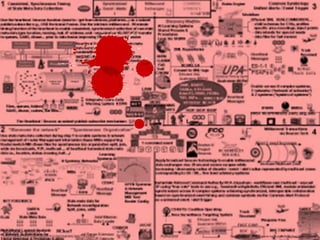
Bad PowerPoint slide example
The Cure: It’s not the numbers - it’s what the numbers mean - your data should support your message
Use data to support your message. (1) Actual slide from a presentation, (2) The real message of all those numbers. Source:
http://www.slideshare.net/thinkoutsidetheslide/the-state-of-financial-presentations-2014-survey-results
Don’t read the numbers on the slide. Explain why the numbers are important. - Dave Paradi, ThinkOutsideTheSlide.com
Case Study No. 1
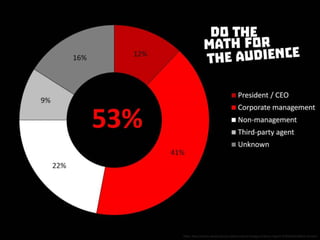
How often is executive management involved in bribery?
Raw data from http://www.oecd.org/corruption/oecd-foreign-bribery-report-9789264226616-en.htm
Typical default chart
Re-colored to emphasize relevant data
Do the math for the audience
Info-Graphic Style
Case Study No. 2
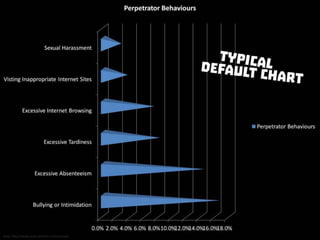
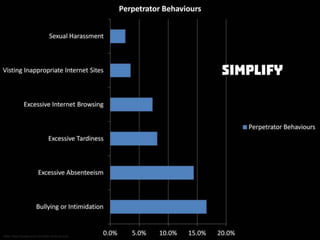
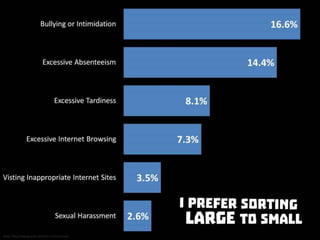
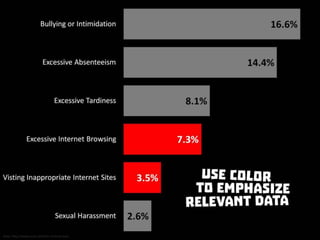
Is internet usage associated with bribery?
Raw data from http://www.acfe.com/rttn-archive.aspx
Typical default chart
Simplify
Remove unnecessary elements
Make it bigger
Make it bolder
I prefer sorting large to small
Use color to emphasize relevant data
Do the math for the audience
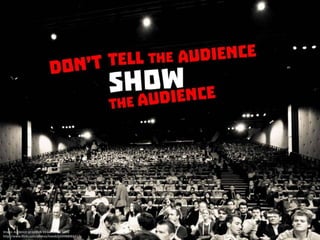
Don’t tell the audience. Show the audience
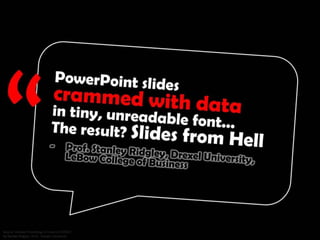
PowerPoint slides crammed with data in tiny, unreadable font... The result? Slides from Hell. - Prof. Stanley Ridgley, Drexel
University, LeBow College of Business
Anti Zombie Tip No. 4: It’s not the numbers. It’s what the numbers mean
Zombie PowerPoint Symptom No. 5: Boring clipart and stock photos
The Disease: Zombies don’t appreciate images
Bad PowerPoint slide example
Braaains!
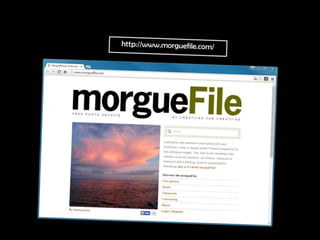
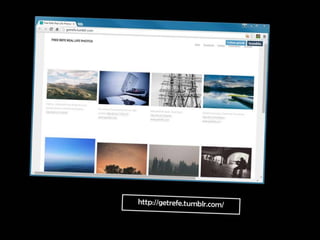
The Cure: Look for unusual images from alternative sources - use images that support your message
https://www.flickr.com/creativecommons/by-2.0/
http://www.morguefile.com/
http://picography.co/
http://getrefe.tumblr.com/
http://publicdomainarchive.com/
Fill your full screen with action!
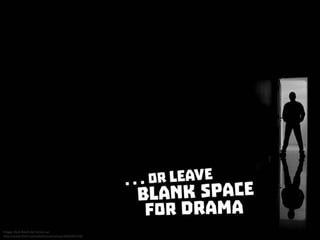
...or leave blank space for drama
If you feel tempted to use a picture of two hands shaking in front of a globe, put the pencil down, step away from the desk, and
think about taking a vacation... - Nancy Duarte, Source: Presentation Zen: Simple Ideas on Presentation Design and Delivery
http://www.amazon.com/Presentation-Zen-Simple-Delivery-Edition/dp/0321811984
Anti Zombie Tip No. 5: Look for unusual images from alternative sources
Zombie PowerPoint Symptom No. 6: Mindless Rambling
Braaains!
The Disease: Zombies don’t plan or rehearse
The Cure: Plan and rehearse your presentation - audiences expect better delivery skills
Good presentations take time to prepare
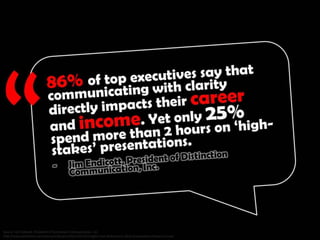
86% of top executives say that communicating with clarity directly impacts their career and income. Yet only 25% spend more
than 2 hours on ‘high-stakes’ presentations. - Jim Endicott, President of Distinction Communication, Inc. Source:
http://www.distinction-services.com/dcoach/2012/02/23/insight-from-distinctions-2012-presentation-impact-survey/
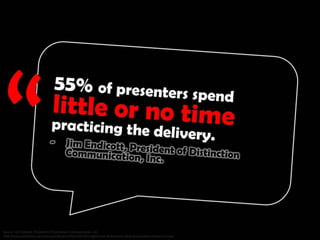
55% of presenters spend little or no time practicing the delivery. - Jim Endicott, President of Distinction Communication, Inc.
Source: http://www.distinction-services.com/dcoach/2012/02/23/insight-from-distinctions-2012-presentation-impact-survey/
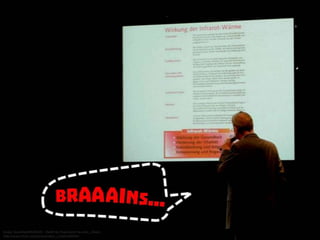
Braaains!
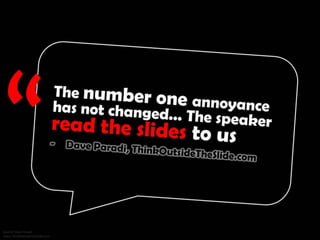
The number one annoyance has not changed... The speaker read the slides to us. - Dave Paradi, ThinkOutsideTheSlide.com
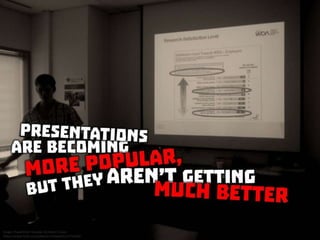
Presentations are becoming more popular, but they aren’t getting much better
Be prepared
Edit your slides
Practice your speaking skills
Watch http://www.ted.com/talks
Send us people who can stand up and make a real presentation. We are tired of PowerPoint junkies... they need to also make
great old fashioned presentations. - Prof. Farrokh Langdana, Rutgers Business School
Anti Zombie Tip No. 6: Plan and rehearse your presentation
Audiences deserve better
Audiences expect better
Escape the zombie horde!
Don’t be a PowerPoint zombie!
Review
Anti-Zombie Tip No. 1 : Your presentation should have a clear flow and purpose
Anti-Zombie Tip No. 2: BLUF Bottom Line Up Front
Anti Zombie Tip No. 3: Use textual variation to enhance your message
Anti Zombie Tip No. 4: It’s not the numbers. It’s what the numbers mean
Anti Zombie Tip No. 5: Look for unusual images from alternative sources
Anti Zombie Tip No. 6: Plan and rehearse your presentation
Don’t be a PowerPoint zombie!
If you like, please share
About the Author:
Eric Pesik is the Associate General Counsel and Compliance Officer for Seagate Singapore International Headquarters Pte Ltd. He is
also a former Adjunct Assistant Professor with the University at Buffalo School of Management, State University of New York,
where he taught International Business Law, Politics, & Ethics in their international Executive MBA program at the SIM campus in
Singapore.
He has been a lawyer since 1997 and is admitted to the State Bar in California, the US Court of International Trade in New York,
and the US Supreme Court in Washington, DC. He is a sought-after speaker on legal and compliance issues. You can find many of
his recent presentations on http://www.slideshare.net/ericpesik/presentations/
Disclaimer:
This work represents the opinions of the author alone, and is not the opinion his employer or clients.
Source Acknowledgments:
Each slide contains source attributions and URL. The images have been modified to match the size, fit, and color of each slide.
Before reusing any images, you must obtain the original images from the original sources, and you must comply with any
applicable license restrictions imposed by the original source.
Creative Commons Attribution License:
You are free to share, copy, distribute, and transmit this work; to remix or adapt this work; and to make commercial use of this
work, under the condition that you must attribute this work to me (but not in any way that suggests that I endorse you or your
use of this work). http://creativecommons.org/licenses/by/4.0/
Congratulations ericpesik! Your presentation is the Top Presentation of the Day on SlideShare. Kudos from our editorial team for
your effort. Your presentation was chosen from thousands uploaded to SlideShare every day from around the world.

Zombie powerpionts

  • 1.
    Destroy PowerPoint Zombies!by @EricPesik Have you ever felt trapped in a bad PowerPoint presentation? Ever listen to a speaker drone on like a zombie? Do boring uninspiring slides leave you feeling like the walking dead? Don’t be a PowerPoint zombie! Here are 6 tips to avoid Death by PowerPoint!
  • 2.
    Have you everfelt trapped in a bad PowerPoint presentation?
  • 3.
    What makes PowerPointso unpleasant?
  • 4.
    Audience Complaints: (1)reading the slide, (2) text too small, (3) too many words, (4) overly complex diagrams, (5) poor color choice, (6) no clear purpose, (7) no flow of ideas; Data source: www.ThinkOutsideTheSlide.com
  • 5.
    The experience isso common there is a word for it “Death by Powerpoint”
  • 6.
    Are you aPowerPoint Zombie?
  • 7.
  • 8.
    Are you aPowerPoint Zombie? (1) unclear purpose, (2) mind numbing wall of text and bullets, (3) ugly design, (4) unintelligible charts and graphs, (5) boring clipart and stock photos, (6) mindless rambling
  • 9.
    Are you aPowerPoint Zombie? (1) unclear purpose, (2) mind numbing wall of text and bullets, (3) ugly design, (4) unintelligible charts and graphs, (5) boring clipart and stock photos, (6) mindless rambling
  • 10.
    Don’t be aPowerPoint zombie!
  • 11.
    6 tips tocure bad PowerPoint
  • 12.
    Zombie PowerPoint Symptom#1: Unclear purpose
  • 13.
    The Disease: Zombieshave no purpose
  • 14.
    The Cure: Knowyour purpose - your presentation should have a clear flow and purpose
  • 15.
    Your purpose isnot what you want to say
  • 16.
    Focus on youraudience: (1) what do the want to hear? (2) what do they need to hear? (3) what is entertaining
  • 17.
    What is yourone key takeaway point? Prepare you call to action!
  • 18.
    Audiences really wantyou to craft a clear message that has a flow and purpose. - Dave Paradi, ThinkOutsideTheSlide.com
  • 19.
    If you can’tclearly state what you want to accomplish, you are not ready. Postpone or cancel
  • 20.
    Once you knowyour purpose and key points, start planning in analog
  • 21.
    Turn off thecomputer. Don’t plan in PowerPoint
  • 22.
    Working in analoghelps keep you focused and on point
  • 23.
    Why are audiencesbored? Because they don’t understand the message and feel they are wasting their time. - Dave Paradi, ThinkOutsideTheSlide.com
  • 24.
    Anti-Zombie Tip No.1 : Your presentation should have a clear flow and purpose
  • 25.
    Zombie PowerPoint Symptom#2: Mind numbing wall of text and bullets
  • 26.
    The Disease: Zombiesvomit text and bullet points
  • 27.
  • 28.
  • 29.
  • 30.
    The Cure: B.L.U.F.- Bottom Line Up Front
  • 31.
    Place communications andrecommendations at the beginning of each slide
  • 32.
    Then delete everythingelse on the slide
  • 33.
    Example: Bla, bla,bla, bla, bla, bla, bla, bla, bla, bla, bla, bla, bla, bla, bla, bla, bla, bla, bla, bla, bla, bla, bla, bla, bla, bla, bla, bla, bla, bla, bla, bla, bla, bla, bla, bla, bla, bla, bla, bla, bla, bla, bla, bla, bla, bla, bla, bla, bla, bla, bla, bla, bla, bla, bla, bla, bla, bla, bla, bla, bla, bla, bla, bla, bla, bla, bla, bla, bla, bla, bla, bla, bla, bla, bla, bla, bla, bla, bla, bla, bla, bla, bla, bla, bla, bla, bla, bla, bla, bla, bla, bla, bla, bla, bla, bla, bla, bla, bla, bla, bla, bla, bla, bla, bla, bla, bla, bla, bla, bla, bla, bla, bla, bla, bla, bla, bla, bla, bla, bla, bla, bla, bla, bla, bla, bla, bla, bla, bla, bla, bla, bla, bla, bla, bla, bla, bla, bla, bla, bla, bla, bla, bla, bla, bla, bla, bla, bla, bla, bla, bla, bla, bla, bla, bla, bla, bla, bla, bla, bla, bla, bla, bla, bla, bla, bla, bla, bla, bla, bla, bla, bla, bla, bla, bla, bla, bla, bla, bla, bla, bla, bla, bla, bla, bla, bla, bla, bla, bla, bla, bla, bla, bla, bla, bla, bla, bla, bla, bla, bla, bla, bla, bla, bla, bla, bla, bla, bla, bla, bla, bla, bla, bla, bla, bla, bla, bla, bla, bla, bla, bla, bla, bla, bla, . . . therefore, we should vaccinate against zombies
  • 34.
  • 35.
  • 36.
  • 37.
    1 BLUF perslide - 1 short line summarizing each conclusion or recommendations
  • 38.
    Think of youslides as a series of billboards
  • 39.
  • 40.
    Make it bigenough to be read from the back of the room
  • 41.
    Save the wordydetails for your spoken delivery
  • 42.
    Or put itin backup slides
  • 43.
    If you everhear yourself say, “I know you can’t read this,” just turn off the projector. - Dave Paradi, ThinkOutsideTheSlide.com
  • 44.
    Anti-Zombie Tip No.2: BLUF Bottom Line Up Front
  • 45.
    Zombie PowerPoint SymptomNo. 3: Ugly Design
  • 46.
    The Disease: Zombiesdon’t care about design
  • 47.
    The Cure: Blendtext and images to illustrate your point - put creative thought into your design
  • 48.
    Look at otherpresentations for inspiration: Source: http://www.slideshare.net/featured/category/presentations-public-speaking
  • 49.
    Use “blank” pagelayout to create your own pages
  • 50.
  • 51.
    95% of designis typography. Source: https://ia.net/know-how/the-web-is-all-about-typography-period
  • 52.
    This is Calibri;This is Times Roman; This is Arial; This is Comic Sans
  • 53.
    This is FaceYour Fears; This is Troika; This is Berlin Sans
  • 54.
  • 55.
  • 56.
    This is alsoFace Your Fears
  • 57.
    Typical typeface, butcolor and size variation adds interest. From Asia’s Increased Competitive Landscape - HR Implications on Talent Attraction and Retention http://www.slideshare.net/ericpesik/asias-increased-competitive-landscape-hr-implications-on- talent-attraction-and-retention
  • 58.
    More typical typefaceswith color and weight variation. From Effective Internal Controls by @EricPesik http://www.slideshare.net/ericpesik/effective-internal-controls-14459584
  • 59.
    Multiple typefaces. FromFighting Global Corruption by @EricPesik http://www.slideshare.net/ericpesik/fighting-global-corruption
  • 60.
    Multiple typefaces. FromJ.P. Morgan and the Princelings of China by @ericpesik http://www.slideshare.net/ericpesik/jp-morgan- and-the-princelings-of-china-by-ericpesik
  • 61.
    Unusual typefaces plusvariation. From this presentation Zombie Powerpoint http://www.slideshare.net/ericpesik/zombie- powerpoint-by-ericpesik
  • 62.
    But don’t over-doit with too much variation. Stick to 2-3 fonts and colors
  • 63.
    According to Microsoft...at least 30 million PowerPoint presentations are made each day. Source: Alexei Kapterev, Death by PowerPoint http://www.slideshare.net/thecroaker/death-by-powerpoint/
  • 64.
    Most use thesame default templates, fonts, and colors
  • 65.
    Anti Zombie TipNo. 3: Use textual variation to enhance your message
  • 66.
    Zombie PowerPoint Symptom#3: Unintelligible charts and graphs
  • 67.
    The Disease: Zombiescan’t communicate data
  • 68.
  • 69.
  • 70.
  • 71.
    The Cure: It’snot the numbers - it’s what the numbers mean - your data should support your message
  • 72.
    Use data tosupport your message. (1) Actual slide from a presentation, (2) The real message of all those numbers. Source: http://www.slideshare.net/thinkoutsidetheslide/the-state-of-financial-presentations-2014-survey-results
  • 73.
    Don’t read thenumbers on the slide. Explain why the numbers are important. - Dave Paradi, ThinkOutsideTheSlide.com
  • 74.
  • 75.
    How often isexecutive management involved in bribery?
  • 76.
    Raw data fromhttp://www.oecd.org/corruption/oecd-foreign-bribery-report-9789264226616-en.htm
  • 77.
  • 78.
  • 79.
    Do the mathfor the audience
  • 80.
  • 81.
  • 82.
    Is internet usageassociated with bribery?
  • 83.
    Raw data fromhttp://www.acfe.com/rttn-archive.aspx
  • 84.
  • 85.
  • 86.
  • 87.
  • 88.
  • 89.
  • 90.
    I prefer sortinglarge to small
  • 91.
    Use color toemphasize relevant data
  • 92.
    Do the mathfor the audience
  • 93.
    Don’t tell theaudience. Show the audience
  • 94.
    PowerPoint slides crammedwith data in tiny, unreadable font... The result? Slides from Hell. - Prof. Stanley Ridgley, Drexel University, LeBow College of Business
  • 95.
    Anti Zombie TipNo. 4: It’s not the numbers. It’s what the numbers mean
  • 96.
    Zombie PowerPoint SymptomNo. 5: Boring clipart and stock photos
  • 97.
    The Disease: Zombiesdon’t appreciate images
  • 98.
  • 99.
  • 100.
  • 101.
  • 102.
    The Cure: Lookfor unusual images from alternative sources - use images that support your message
  • 103.
  • 104.
  • 105.
  • 106.
  • 107.
  • 108.
    Fill your fullscreen with action!
  • 109.
    ...or leave blankspace for drama
  • 110.
    If you feeltempted to use a picture of two hands shaking in front of a globe, put the pencil down, step away from the desk, and think about taking a vacation... - Nancy Duarte, Source: Presentation Zen: Simple Ideas on Presentation Design and Delivery http://www.amazon.com/Presentation-Zen-Simple-Delivery-Edition/dp/0321811984
  • 111.
    Anti Zombie TipNo. 5: Look for unusual images from alternative sources
  • 112.
    Zombie PowerPoint SymptomNo. 6: Mindless Rambling
  • 113.
  • 114.
    The Disease: Zombiesdon’t plan or rehearse
  • 115.
    The Cure: Planand rehearse your presentation - audiences expect better delivery skills
  • 116.
    Good presentations taketime to prepare
  • 117.
    86% of topexecutives say that communicating with clarity directly impacts their career and income. Yet only 25% spend more than 2 hours on ‘high-stakes’ presentations. - Jim Endicott, President of Distinction Communication, Inc. Source: http://www.distinction-services.com/dcoach/2012/02/23/insight-from-distinctions-2012-presentation-impact-survey/
  • 118.
    55% of presentersspend little or no time practicing the delivery. - Jim Endicott, President of Distinction Communication, Inc. Source: http://www.distinction-services.com/dcoach/2012/02/23/insight-from-distinctions-2012-presentation-impact-survey/
  • 119.
  • 120.
    The number oneannoyance has not changed... The speaker read the slides to us. - Dave Paradi, ThinkOutsideTheSlide.com
  • 121.
    Presentations are becomingmore popular, but they aren’t getting much better
  • 122.
  • 123.
  • 124.
  • 125.
  • 126.
    Send us peoplewho can stand up and make a real presentation. We are tired of PowerPoint junkies... they need to also make great old fashioned presentations. - Prof. Farrokh Langdana, Rutgers Business School
  • 127.
    Anti Zombie TipNo. 6: Plan and rehearse your presentation
  • 128.
  • 129.
  • 130.
  • 131.
    Don’t be aPowerPoint zombie!
  • 132.
  • 133.
    Anti-Zombie Tip No.1 : Your presentation should have a clear flow and purpose
  • 134.
    Anti-Zombie Tip No.2: BLUF Bottom Line Up Front
  • 135.
    Anti Zombie TipNo. 3: Use textual variation to enhance your message
  • 136.
    Anti Zombie TipNo. 4: It’s not the numbers. It’s what the numbers mean
  • 137.
    Anti Zombie TipNo. 5: Look for unusual images from alternative sources
  • 138.
    Anti Zombie TipNo. 6: Plan and rehearse your presentation
  • 139.
    Don’t be aPowerPoint zombie!
  • 140.
    If you like,please share
  • 141.
    About the Author: EricPesik is the Associate General Counsel and Compliance Officer for Seagate Singapore International Headquarters Pte Ltd. He is also a former Adjunct Assistant Professor with the University at Buffalo School of Management, State University of New York, where he taught International Business Law, Politics, & Ethics in their international Executive MBA program at the SIM campus in Singapore. He has been a lawyer since 1997 and is admitted to the State Bar in California, the US Court of International Trade in New York, and the US Supreme Court in Washington, DC. He is a sought-after speaker on legal and compliance issues. You can find many of his recent presentations on http://www.slideshare.net/ericpesik/presentations/ Disclaimer: This work represents the opinions of the author alone, and is not the opinion his employer or clients.
  • 142.
    Source Acknowledgments: Each slidecontains source attributions and URL. The images have been modified to match the size, fit, and color of each slide. Before reusing any images, you must obtain the original images from the original sources, and you must comply with any applicable license restrictions imposed by the original source. Creative Commons Attribution License: You are free to share, copy, distribute, and transmit this work; to remix or adapt this work; and to make commercial use of this work, under the condition that you must attribute this work to me (but not in any way that suggests that I endorse you or your use of this work). http://creativecommons.org/licenses/by/4.0/
  • 143.
    Congratulations ericpesik! Yourpresentation is the Top Presentation of the Day on SlideShare. Kudos from our editorial team for your effort. Your presentation was chosen from thousands uploaded to SlideShare every day from around the world.

Editor's Notes

  • #2 Image: Zombie Walk 2012 by Gianluca Ramalho Misiti https://www.flickr.com/photos/grmisiti/sets/72157631916103768
  • #3 Image: Zombies 033 by Thierry Ehrmann https://www.flickr.com/photos/home_of_chaos/4754601442/
  • #4 Tetanus Shot Tim by Blake Patterson https://www.flickr.com/photos/blakespot/4919795171/
  • #5 Data source: www.ThinkOutsideTheSlide.com
  • #6 Image: Zombie attack DDC8696 by Thierry Ehrmann https://www.flickr.com/photos/home_of_chaos/4738283570/
  • #7 Image: Memphis Zombie Massacre by Lindsey Turner https://www.flickr.com/photos/theogeo/514384986/
  • #8 Image: GiardinaKARLSRUHE - Death by Powerpoint by alice_c Beate http://www.flickr.com/photos/alice_c/2264195999/
  • #9 Image: Zombie by Daniel Hollister https://www.flickr.com/photos/dhollister/2596483147/
  • #10 Image: Zombie by Daniel Hollister https://www.flickr.com/photos/dhollister/2596483147/
  • #11 Image: Zombie by Daniel Hollister https://www.flickr.com/photos/dhollister/2596483147/
  • #12 Image: Zombie Walk 2012 by Gianluca Ramalho Misiti https://www.flickr.com/photos/grmisiti/sets/72157631916103768
  • #14 Image: Zombie by Daniel Hollister https://www.flickr.com/photos/dhollister/2596483147/
  • #16 Image: Keep on With the Force by AndYaDontStop http://www.flickr.com/photos/thenovys/3661893873/
  • #17 Image: LCD Soundsystem au Zénith de Parisby Sunny Ripert (Some rights reserved - Attribution-ShareAlike) https://www.flickr.com/photos/sunfox/5638532172/
  • #18 Image: Arkan Madrid 2 by Teresa Lomas http://www.flickr.com/photos/12290250@N08/6348496861/
  • #19 Source: Dave Paradi www.ThinkOutsideTheSlide.com
  • #20 Image: The Empty Stage by Photo Cindy https://www.flickr.com/photos/photocindy/4946114680/
  • #21 Image: Homework Ritual by Woodleywonderworks https://www.flickr.com/photos/wwworks/5119120679/
  • #22 Image: Research by Nicola https://www.flickr.com/photos/15216811@N06/6067028560/
  • #23 Image: Post-its by Doug Belshaw https://www.flickr.com/photos/dougbelshaw/19008385500/
  • #24 Source: Dave Paradi www.ThinkOutsideTheSlide.com
  • #25 Life Size Lego Syringe - Blood - Trans Red https://www.flickr.com/photos/seanmichaelragan/5224385684/
  • #27 Image: Zombie by Daniel Hollister https://www.flickr.com/photos/dhollister/2596483147/
  • #28 Image: http://www.computerworlduk.com/galleries/applications/the-worlds-worst-powerpoint-presentations-3236618/ Image: Blood Splatter 3 by fizzy122 https://www.flickr.com/photos/97278479@N06/9007757304/
  • #29 Image: http://www.computerworlduk.com/galleries/applications/the-worlds-worst-powerpoint-presentations-3236618/ Image: Blood Splatter by fizzy122 https://www.flickr.com/photos/97278479@N06/9007757266/
  • #30 Image: GiardinaKARLSRUHE - Death by Powerpoint by alice_c Beate http://www.flickr.com/photos/alice_c/2264195999/ Image: Blood Splatter 3 by fizzy122 https://www.flickr.com/photos/97278479@N06/9007757304/
  • #31 Image: US Army Nurse by Expert Infantry https://www.flickr.com/photos/expertinfantry/5466972503/
  • #32 Image: Cydcor Conference Main Stage by Cydcor https://www.flickr.com/photos/cydcor/9323706562/
  • #33 Image by the author https://drive.google.com/file/d/1YcZzZCswYnLvSoOwNgM5K24tP3uQWzV-DQ/view?usp=sharing
  • #37 Image: Doctor No 2 by Andrew Kuznetsov https://www.flickr.com/photos/-cavin-/416263158/ Image: Blood Splatter by fizzy122 https://www.flickr.com/photos/97278479@N06/9007757266/
  • #39 Image: Billboard Study 10 by David Evers https://www.flickr.com/photos/31216636@N00/3253842434/
  • #40 Image: Electronic Advertising by Oatsy40 https://www.flickr.com/photos/oatsy40/12618854953/
  • #41 Image: Audience at LeWeb 11 Les Docks-9308 http://www.flickr.com/photos/leweb3/6498806141/
  • #42 Image: Poetry Slam by Elleinad http://www.flickr.com/photos/-elleinad-/6932570398/
  • #43 Image: Powerpoint-Karaoke by republica 2011 https://www.flickr.com/photos/re-publica/5617526018/
  • #44 Source: Dave Paradi www.ThinkOutsideTheSlide.com
  • #45 Life Size Lego Syringe - Blood - Trans Red https://www.flickr.com/photos/seanmichaelragan/5224385684/
  • #47 Image: Zombie by Daniel Hollister https://www.flickr.com/photos/dhollister/2596483147/
  • #48 Image: US Army Nurse by Expert Infantry https://www.flickr.com/photos/expertinfantry/5466972503/
  • #49 Source: http://www.slideshare.net/featured/category/presentations-public-speaking
  • #50 Image: http://www.indezine.com/products/powerpoint/learn/chartsdiagrams/insertingchartin2007.html
  • #51 Image: Keyboard by Shane Pope http://www.flickr.com/photos/shanepope/2375499336/
  • #52 Source: https://ia.net/know-how/the-web-is-all-about-typography-period
  • #56 Image: Zombie Walk 2012 by Gianluca Ramalho Misiti (3) https://www.flickr.com/photos/grmisiti/sets/72157631916103768
  • #57 Image: Zombie Walk 2012 by Gianluca Ramalho Misiti (3) https://www.flickr.com/photos/grmisiti/sets/72157631916103768
  • #58 Asia’s Increased Competitive Landscape - HR Implications on Talent Attraction and Retention http://www.slideshare.net/ericpesik/asias-increased-competitive-landscape-hr-implications-on-talent-attraction-and-retention
  • #59 Effective Internal Controls by @EricPesik http://www.slideshare.net/ericpesik/effective-internal-controls-14459584 Image: Microsoft Office Online. Used with permission from Microsoft http://office.microsoft.com/en-us/images/
  • #60 Fighting Global Corruption by @EricPesik http://www.slideshare.net/ericpesik/fighting-global-corruption No Pictures by Dplanet http://www.flickr.com/photos/dplanet/94442623/
  • #61 J.P. Morgan and the Princelings of China by @ericpesik http://www.slideshare.net/ericpesik/jp-morgan-and-the-princelings-of-china-by-ericpesik Image: Eat Slugs by Ninidu Fan Art based on Harry Potter created by J.K. Rowling http://ninidu.deviantart.com/art/Eat-Slugs-175365149 Image: Professor Severus Snape by LeksaArt Fan Art based on Harry Potter created by J.K. Rowling http://brosa.deviantart.com/art/Professor-Severus-Snape-281983243
  • #62 Images from this presentation Zombie Powerpoint http://www.slideshare.net/ericpesik/zombie-powerpoint-by-ericpesik
  • #64 Source: http://www.slideshare.net/thecroaker/death-by-powerpoint/
  • #66 Life Size Lego Syringe - Blood - Trans Red https://www.flickr.com/photos/seanmichaelragan/5224385684/
  • #68 Image: Zombie by Daniel Hollister https://www.flickr.com/photos/dhollister/2596483147/
  • #69 Image: Powerpoint looks better in Chinese by Michael Edson http://www.flickr.com/photos/46758972@N00/3358365344/ Image: Blood Splatter 3 by fizzy122 https://www.flickr.com/photos/97278479@N06/9007757304/
  • #70 Image Source: http://www.hg2s.com/blog/tag/powerpoint/ Image: Blood Splatter by Tanakawho https://www.flickr.com/photos/28481088@N00/3940469812/
  • #71 Image Source: http://www.hg2s.com/blog/tag/powerpoint/ Image: Blood Splatter by fizzy122 https://www.flickr.com/photos/97278479@N06/9007757266/
  • #72 Image: US Army Nurse by Expert Infantry https://www.flickr.com/photos/expertinfantry/5466972503/
  • #73 Source: http://www.slideshare.net/thinkoutsidetheslide/the-state-of-financial-presentations-2014-survey-results
  • #74 Source: Dave Paradi www.ThinkOutsideTheSlide.com
  • #76 Image: Harrington Signing Contract by Cushing Memorial Library and Archives Texas A+M http://www.flickr.com/photos/cushinglibrary/3738556077/
  • #77 Data: http://www.oecd.org/corruption/oecd-foreign-bribery-report-9789264226616-en.htm
  • #81 Capitalist designed by Graeme Ford from the Noun Project http://thenounproject.com/term/capitalist/16526/ Friend designed by Megan Sheehan from the Noun Project http://thenounproject.com/term/friend/6808/ Office designed by Luis Prado from the Noun Project http://thenounproject.com/term/office/26565/ Hierarchy designed by Murali Krishna from the Noun Project http://thenounproject.com/term/hierarchy/31709/ Deep-Web Designed by Matt Brooks, Public Domain http://thenounproject.com/term/deep-web/62765/
  • #83 Image: Was that a mistake Project 365(2) Day 160 by Keith Williamson https://www.flickr.com/photos/elwillo/4789344613/
  • #84 Data: http://www.acfe.com/rttn-archive.aspx
  • #94 Image: Audience at LeWeb 11 Les Docks-9308 http://www.flickr.com/photos/leweb3/6498806141/
  • #95 Source: Voodoo Presenting: A Finance CLASSIC! By Stanley Ridgley, Ph.D., Temple University http://www.temple.sg/executive-education/white-papers/voodoo-presenting-finance-classic-white-paper
  • #96 Life Size Lego Syringe - Blood - Trans Red https://www.flickr.com/photos/seanmichaelragan/5224385684/
  • #98 Image: Zombie by Daniel Hollister https://www.flickr.com/photos/dhollister/2596483147/
  • #99 Image: Semi-Retired Consultants http://www.businessimprovement.us/introduction.html Image: Blood Splatter by fizzy122 https://www.flickr.com/photos/97278479@N06/9007757266/
  • #100 Image: Pretty doesn’t always sell: the esthetics of moolah http://www.scoutiegirl.com/pretty-doesnt-always-sell-the-esthetics-of-moolah/ Image: Blood Splatter by Tanakawho https://www.flickr.com/photos/28481088@N00/3940469812/
  • #101 Image: Happy Work, Work Happy http://www.5hue.com/program-outline-happy-work-work-happy.html Image: Blood by Mate Marschalko https://www.flickr.com/photos/mares87/5943681577/
  • #102 Image: Happy Work, Work Happy http://www.5hue.com/program-outline-happy-work-work-happy.html Image: Blood by Mate Marschalko https://www.flickr.com/photos/mares87/5943681577/
  • #103 Image: US Army Nurse by Expert Infantry https://www.flickr.com/photos/expertinfantry/5466972503/
  • #104 https://www.flickr.com/creativecommons/by-2.0/
  • #105 http://www.morguefile.com/
  • #106 http://picography.co/
  • #107 http://getrefe.tumblr.com/
  • #108 http://publicdomainarchive.com/
  • #109 Image: Rock n Roll Wrestling Bash by Friend Five http://www.flickr.com/photos/friend_five/sets/72157631614691528/
  • #110 Image: Dark Room by Carlos Luz http://www.flickr.com/photos/carlosluzz/3934285538/
  • #111 Source: Presentation Zen: Simple Ideas on Presentation Design and Delivery http://www.amazon.com/Presentation-Zen-Simple-Delivery-Edition/dp/0321811984
  • #112 Life Size Lego Syringe - Blood - Trans Red https://www.flickr.com/photos/seanmichaelragan/5224385684/
  • #114 Image: Zombie by Daniel Hollister https://www.flickr.com/photos/dhollister/2596483147/
  • #115 Image: Zombie by Daniel Hollister https://www.flickr.com/photos/dhollister/2596483147/
  • #116 Image: US Army Nurse by Expert Infantry https://www.flickr.com/photos/expertinfantry/5466972503/
  • #117 Image: GDC Online 2011 by Official GDC https://www.flickr.com/photos/officialgdc/6233589660/
  • #118 Source: Jim Endicott, President of Distinction Communication, Inc. http://www.distinction-services.com/dcoach/2012/02/23/insight-from-distinctions-2012-presentation-impact-survey/
  • #119 Source: Jim Endicott, President of Distinction Communication, Inc. http://www.distinction-services.com/dcoach/2012/02/23/insight-from-distinctions-2012-presentation-impact-survey/
  • #120 Image: GiardinaKARLSRUHE - Death by Powerpoint by alice_c Beate http://www.flickr.com/photos/alice_c/2264195999/
  • #121 Source: Dave Paradi www.ThinkOutsideTheSlide.com
  • #122 Image: PowerPoint Karaoke by Robert Lowe https://www.flickr.com/photos/rmlowe/4121754482/
  • #123 Image: Powerpoint-Karaoke by republica 2011 https://www.flickr.com/photos/re-publica/5617525724/
  • #124 Image by the author https://drive.google.com/file/d/1YcZzZCswYnLvSoOwNgM5K24tP3uQWzV-DQ/view?usp=sharing
  • #125 Image by the author: https://drive.google.com/file/d/19WYU84AIvwer0TyGMmy6KfN2del8eUeEtA/view?usp=sharing
  • #126 http://www.ted.com/talks
  • #127 Source: New Needs - And Expectations, By Jane Porter, Updated Sept. 30, 2010, the Wall Street Journal http://www.wsj.com/articles/SB10001424052748704116004575522140107195562
  • #128 Life Size Lego Syringe - Blood - Trans Red https://www.flickr.com/photos/seanmichaelragan/5224385684/
  • #129 Image: LCD Soundsystem au Zénith de Parisby Sunny Ripert (Some rights reserved - Attribution-ShareAlike) https://www.flickr.com/photos/sunfox/5638532172/
  • #130 Image: LCD Soundsystem au Zénith de Parisby Sunny Ripert (Some rights reserved - Attribution-ShareAlike) https://www.flickr.com/photos/sunfox/5638532172/
  • #131 Image: Zombie Walk by Elena Gatti https://www.flickr.com/photos/madely87/10123045874/
  • #132 Image: Zombie by Daniel Hollister https://www.flickr.com/photos/dhollister/2596483147/
  • #133 Image: LCD Soundsystem au Zénith de Parisby Sunny Ripert (Some rights reserved - Attribution-ShareAlike) https://www.flickr.com/photos/sunfox/5638532172/
  • #134 Life Size Lego Syringe - Blood - Trans Red https://www.flickr.com/photos/seanmichaelragan/5224385684/
  • #135 Life Size Lego Syringe - Blood - Trans Red https://www.flickr.com/photos/seanmichaelragan/5224385684/
  • #136 Life Size Lego Syringe - Blood - Trans Red https://www.flickr.com/photos/seanmichaelragan/5224385684/
  • #137 Life Size Lego Syringe - Blood - Trans Red https://www.flickr.com/photos/seanmichaelragan/5224385684/
  • #138 Life Size Lego Syringe - Blood - Trans Red https://www.flickr.com/photos/seanmichaelragan/5224385684/
  • #139 Life Size Lego Syringe - Blood - Trans Red https://www.flickr.com/photos/seanmichaelragan/5224385684/
  • #140 Image: Zombie Walk 2012 by Gianluca Ramalho Misiti https://www.flickr.com/photos/grmisiti/sets/72157631916103768
  • #141 http://twitter.com/home/?status=Stop+%23Zombie+%23PowerPoint+@ericpesik+http://www.slideshare.net/ericpesik/zombie-powerpoint-by-ericpesik http://www.facebook.com/sharer/sharer.php?u=http://www.slideshare.net/ericpesik/zombie-powerpoint-by-ericpesik http://www.linkedin.com/cws/share?url=http://www.slideshare.net/ericpesik/zombie-powerpoint-by-ericpesik https://plus.google.com/share?url=http://www.slideshare.net/ericpesik/zombie-powerpoint-by-ericpesik
  • #142 Image: Blood Splatter by Tanakawho https://www.flickr.com/photos/28481088@N00/3940469812/
  • #143 Blood Splatter by fizzy122 https://www.flickr.com/photos/97278479@N06/9007757266/ Creative Commons Attribution License http://creativecommons.org/licenses/by/4.0/