Enhance Voyager by User Innovations
  Ex Libris Northeast User Group Annual Conference 10/27/2011


                        Sharon Yang
                      Rider University
Elink Checker
•   Elink Checker by Jason Zhou at Lakehead University in Canada
•   Oracle Client installation prior to Elink Checker
•   Download at
•   http://erl.lakeheadu.ca/staff/doku.php?id=public:elink_checker
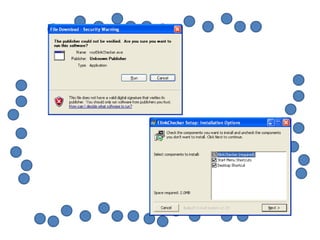
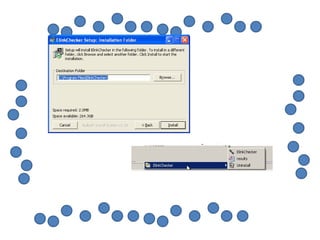
•   Installation is easy
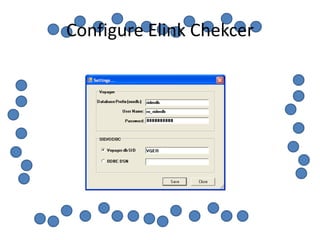
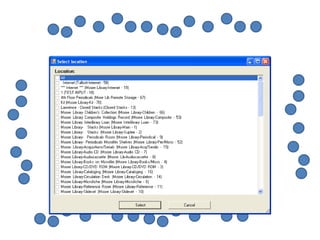
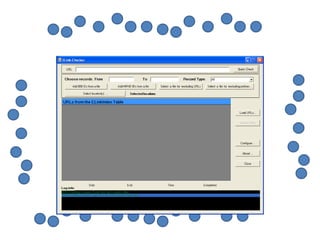
•   Configure Elink Checker
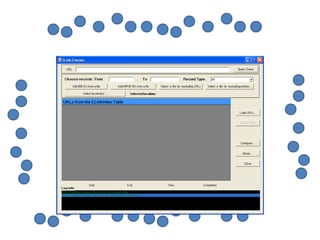
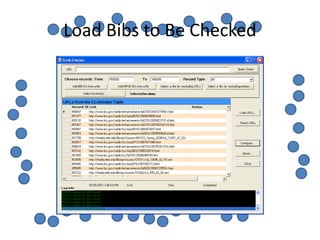
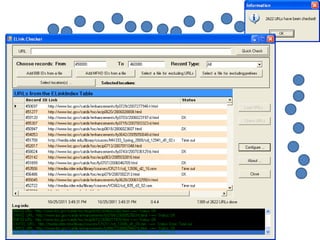
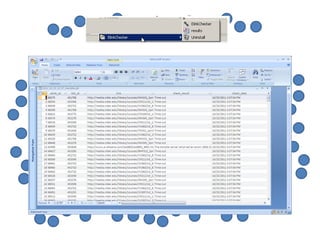
•   Check links from Elink_Index Table
•   See results in Access
•   Demo at http://library.rider.edu/yangs/elinkcheker.htm
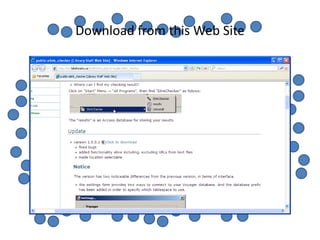
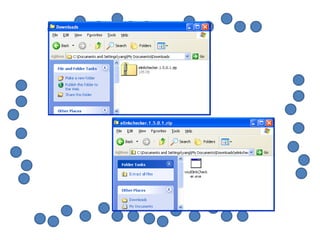
Download from this Web Site
Configure Elink Chekcer
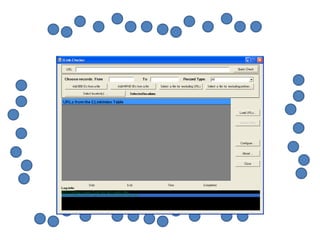
Load Bibs to Be Checked
Demo
• Demo at
• http://library.rider.edu/yangs/elinkcheker.htm
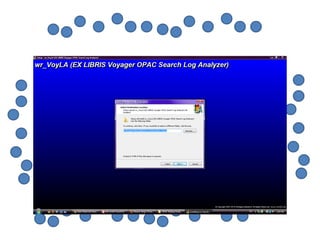
OPAC Search Log Analyzer
•   Written by Wolfgang Riesterer at St. Thomas University Library
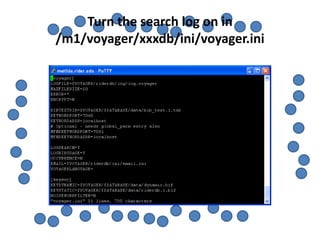
•   Turn on “LOGSEARCH=YES” in voyager.ini in /m1/voyager/xxxdb/ini
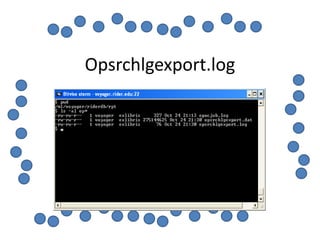
•   Retrieve OPAC search log by running a job on the server “Popacjob”
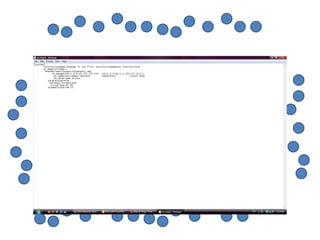
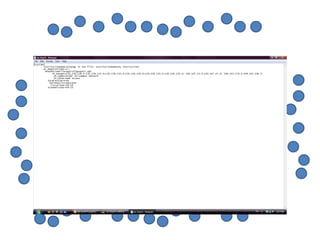
•   A text file is produced “opsrchlgexport.dat” in /m1/voyager/xxxdb/rpt
    directory
•   Download opsrchlgexport.dat to your computer
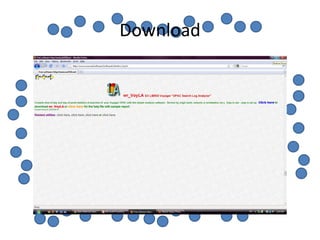
•   Download OPAC Search Log Analyzer at
    http://www.wrusa.net/software/1software1.htm#wr_VoyLA
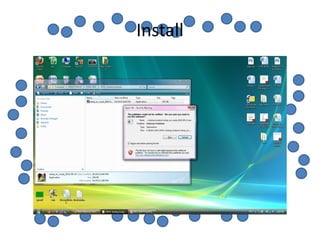
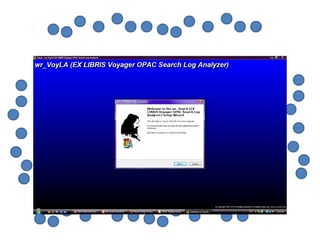
•   Install and configure OPAC Search Log Analyzer
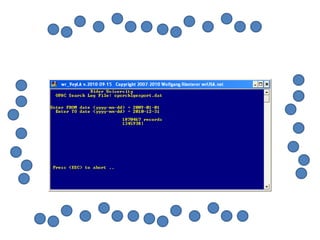
•   Feed it with the data
Turn the search log on in
/m1/voyager/xxxdb/ini/voyager.ini
Run /m1/voyager/xxxdb/sbin/Popacjob
Opsrchlgexport.log
Download
Install
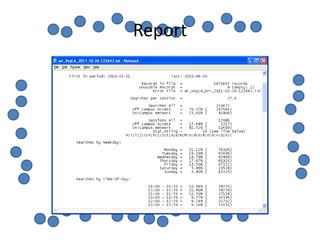
Report
Location Maps
1. Create location maps (html, Flash, video or anything that can
   be displayed on the Web)
2. Read Webvoyage Architecture manual -“How do I add a map
   or other information to a location?”
3. Create a new file called local_locMapLink.xsl
   (local_anyname.xsl) by cut ting and pasting the page from
   the manual.
4. Enter the map location in local_MapLink.xsl file
4. Place the file in
   /m1/voyager/xxxdb/tomcat/vwebv/context/vwebv/ui/en_US/
   xsl/contentLayout
5. Edit display.xsl in
   /m1/voyager/xxxdb/tomcat/vwebv/context/vwebv/ui/en_US/
   xsl/contentLayout/display by following the manual
6. The job is done
Find out what is the location code you want to create a map in
                           SysAdmin
Create Location Maps
•   Name each map by its location code
•   Examples: RIDV.htm or RIDM.htm
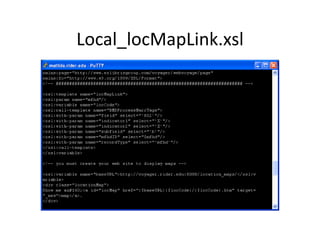
•   Variable {$locCode} in local_locMapLink.xsl file
•   The variable takes value from MFHD 852 subfield b
•   Load them to the Web
•   One ideal place is Voyager doc root at
    /m1/voyager/xxxdb/tomcat/vwebv/context/vwebv/htdocs/location_maps
    (http://voyager.rider.edu/location_maps)
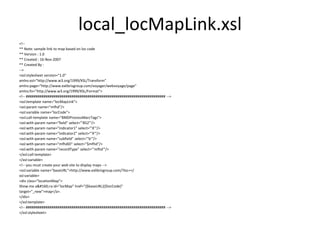
local_locMapLink.xsl
<!--
** Note: sample link to map based on loc code
** Version : 1.0
** Created : 16-Nov-2007
** Created By :
-->
<xsl:stylesheet version="1.0"
xmlns:xsl="http://www.w3.org/1999/XSL/Transform"
xmlns:page="http://www.exlibrisgroup.com/voyager/webvoyage/page"
xmlns:fo="http://www.w3.org/1999/XSL/Format">
<!-- ###################################################################### -->
<xsl:template name="locMapLink">
<xsl:param name="mfhd"/>
<xsl:variable name="locCode">
<xsl:call-template name="BMDProcessMarcTags">
<xsl:with-param name="field" select="'852'"/>
<xsl:with-param name="indicator1" select="'X'"/>
<xsl:with-param name="indicator2" select="'X'"/>
<xsl:with-param name="subfield" select="'b'"/>
<xsl:with-param name="mfhdID" select="$mfhd"/>
<xsl:with-param name="recordType" select="'mfhd'"/>
</xsl:call-template>
</xsl:variable>
<!-- you must create your web site to display maps -->
<xsl:variable name="baseURL">http://www.exlibrisgroup.com/?loc=</
xsl:variable>
<div class="locationMap">
Show me a&#160;<a id="locMap" href="{$baseURL}{$locCode}"
target="_new">map</a>.
</div>
</xsl:template>
<!-- ###################################################################### -->
</xsl:stylesheet>
Local_locMapLink.xsl
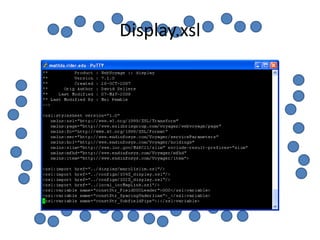
Display.xsl
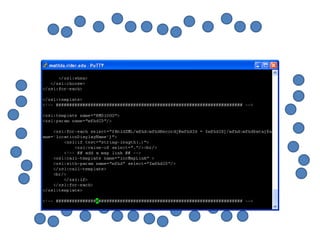
Display.xsl in the manual
•   <xsl:template name="BMD1000">
•   <xsl:param name="mfhdID"/>
•   <xsl:for-each select="$HoldXML/hol:holdingsRecord/hol:mfhdCollection/
•   mfhd:mfhdRecord[@mfhdId =
    $mfhdID]/mfhd:mfhdData[@name='locationDisplayName']">
•   <xsl:if test="string-length(.)">
•   <xsl:value-of select="."/>
•   <!-- ## add a map link ## -->
•   <xsl:call-template name="locMapLink" >
•   <xsl:with-param name="mfhd" select="$mfhdID"/>
•   </xsl:call-template>
•   <br/>
•   </xsl:if>
•   </xsl:for-each>
Demo Time
  Demo
Complications
• You have modified some other config files that
  may create problems for locations maps
• For instance, frameWork.xsl and
  displayFacets.xsl
• Make location maps work first. Then restore
  other things little by little
Questions

Yang enhance-voyager-user-innovations

  • 1.
    Enhance Voyager byUser Innovations Ex Libris Northeast User Group Annual Conference 10/27/2011 Sharon Yang Rider University
  • 2.
    Elink Checker • Elink Checker by Jason Zhou at Lakehead University in Canada • Oracle Client installation prior to Elink Checker • Download at • http://erl.lakeheadu.ca/staff/doku.php?id=public:elink_checker • Installation is easy • Configure Elink Checker • Check links from Elink_Index Table • See results in Access • Demo at http://library.rider.edu/yangs/elinkcheker.htm
  • 3.
  • 8.
  • 12.
    Load Bibs toBe Checked
  • 15.
    Demo • Demo at •http://library.rider.edu/yangs/elinkcheker.htm
  • 16.
    OPAC Search LogAnalyzer • Written by Wolfgang Riesterer at St. Thomas University Library • Turn on “LOGSEARCH=YES” in voyager.ini in /m1/voyager/xxxdb/ini • Retrieve OPAC search log by running a job on the server “Popacjob” • A text file is produced “opsrchlgexport.dat” in /m1/voyager/xxxdb/rpt directory • Download opsrchlgexport.dat to your computer • Download OPAC Search Log Analyzer at http://www.wrusa.net/software/1software1.htm#wr_VoyLA • Install and configure OPAC Search Log Analyzer • Feed it with the data
  • 17.
    Turn the searchlog on in /m1/voyager/xxxdb/ini/voyager.ini
  • 18.
  • 19.
  • 20.
  • 21.
  • 27.
  • 28.
    Location Maps 1. Createlocation maps (html, Flash, video or anything that can be displayed on the Web) 2. Read Webvoyage Architecture manual -“How do I add a map or other information to a location?” 3. Create a new file called local_locMapLink.xsl (local_anyname.xsl) by cut ting and pasting the page from the manual. 4. Enter the map location in local_MapLink.xsl file
  • 29.
    4. Place thefile in /m1/voyager/xxxdb/tomcat/vwebv/context/vwebv/ui/en_US/ xsl/contentLayout 5. Edit display.xsl in /m1/voyager/xxxdb/tomcat/vwebv/context/vwebv/ui/en_US/ xsl/contentLayout/display by following the manual 6. The job is done
  • 30.
    Find out whatis the location code you want to create a map in SysAdmin
  • 31.
    Create Location Maps • Name each map by its location code • Examples: RIDV.htm or RIDM.htm • Variable {$locCode} in local_locMapLink.xsl file • The variable takes value from MFHD 852 subfield b • Load them to the Web • One ideal place is Voyager doc root at /m1/voyager/xxxdb/tomcat/vwebv/context/vwebv/htdocs/location_maps (http://voyager.rider.edu/location_maps)
  • 32.
    local_locMapLink.xsl <!-- ** Note: samplelink to map based on loc code ** Version : 1.0 ** Created : 16-Nov-2007 ** Created By : --> <xsl:stylesheet version="1.0" xmlns:xsl="http://www.w3.org/1999/XSL/Transform" xmlns:page="http://www.exlibrisgroup.com/voyager/webvoyage/page" xmlns:fo="http://www.w3.org/1999/XSL/Format"> <!-- ###################################################################### --> <xsl:template name="locMapLink"> <xsl:param name="mfhd"/> <xsl:variable name="locCode"> <xsl:call-template name="BMDProcessMarcTags"> <xsl:with-param name="field" select="'852'"/> <xsl:with-param name="indicator1" select="'X'"/> <xsl:with-param name="indicator2" select="'X'"/> <xsl:with-param name="subfield" select="'b'"/> <xsl:with-param name="mfhdID" select="$mfhd"/> <xsl:with-param name="recordType" select="'mfhd'"/> </xsl:call-template> </xsl:variable> <!-- you must create your web site to display maps --> <xsl:variable name="baseURL">http://www.exlibrisgroup.com/?loc=</ xsl:variable> <div class="locationMap"> Show me a&#160;<a id="locMap" href="{$baseURL}{$locCode}" target="_new">map</a>. </div> </xsl:template> <!-- ###################################################################### --> </xsl:stylesheet>
  • 33.
  • 34.
  • 35.
    Display.xsl in themanual • <xsl:template name="BMD1000"> • <xsl:param name="mfhdID"/> • <xsl:for-each select="$HoldXML/hol:holdingsRecord/hol:mfhdCollection/ • mfhd:mfhdRecord[@mfhdId = $mfhdID]/mfhd:mfhdData[@name='locationDisplayName']"> • <xsl:if test="string-length(.)"> • <xsl:value-of select="."/> • <!-- ## add a map link ## --> • <xsl:call-template name="locMapLink" > • <xsl:with-param name="mfhd" select="$mfhdID"/> • </xsl:call-template> • <br/> • </xsl:if> • </xsl:for-each>
  • 37.
  • 38.
    Complications • You havemodified some other config files that may create problems for locations maps • For instance, frameWork.xsl and displayFacets.xsl • Make location maps work first. Then restore other things little by little
  • 39.