Mobyle Administrator Workshop
              Institut Pasteur 09/28/2012
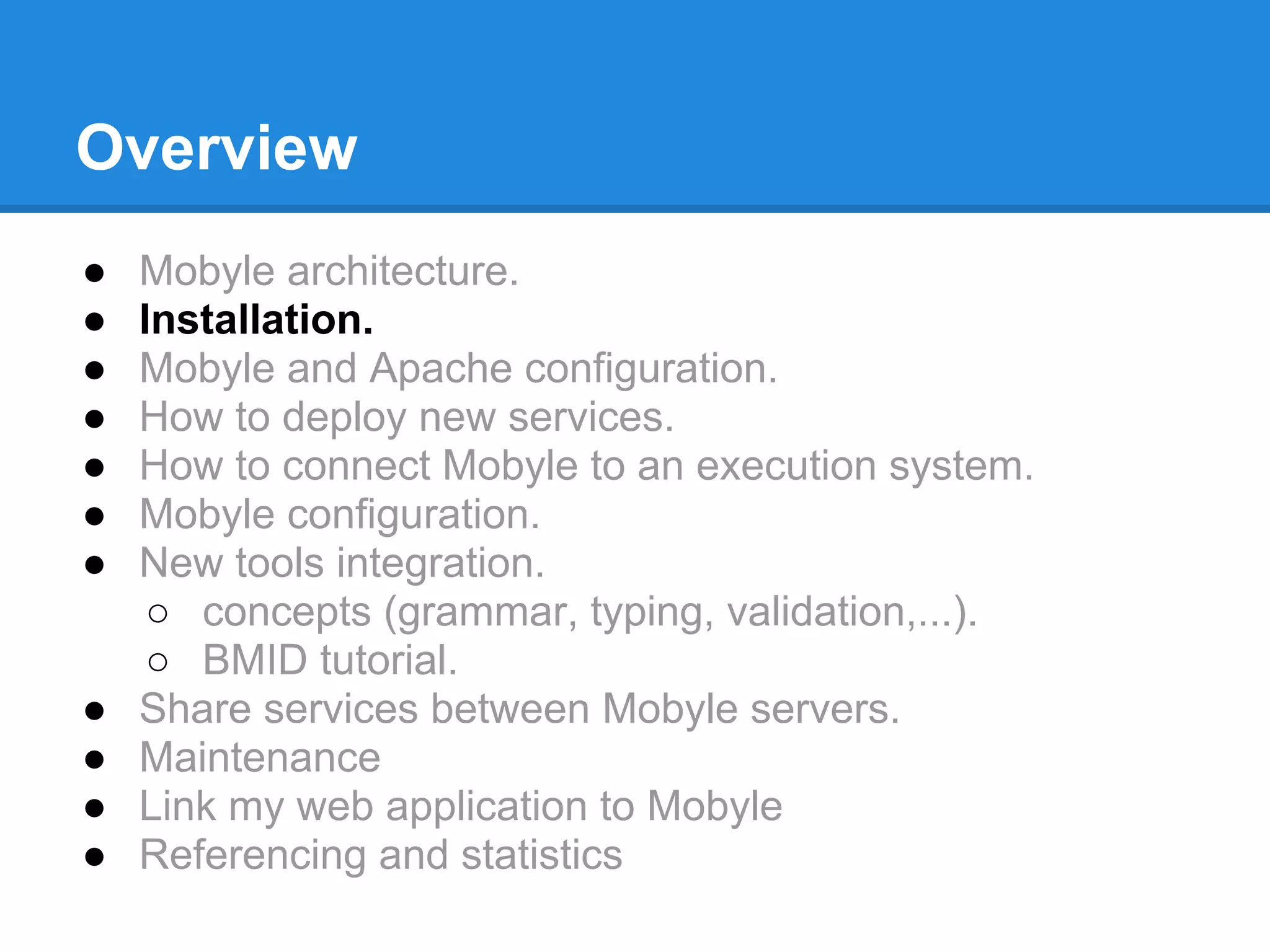
Overview
●   Mobyle architecture.
●   Installation.
●   Mobyle and Apache configuration.
●   How to deploy new services.
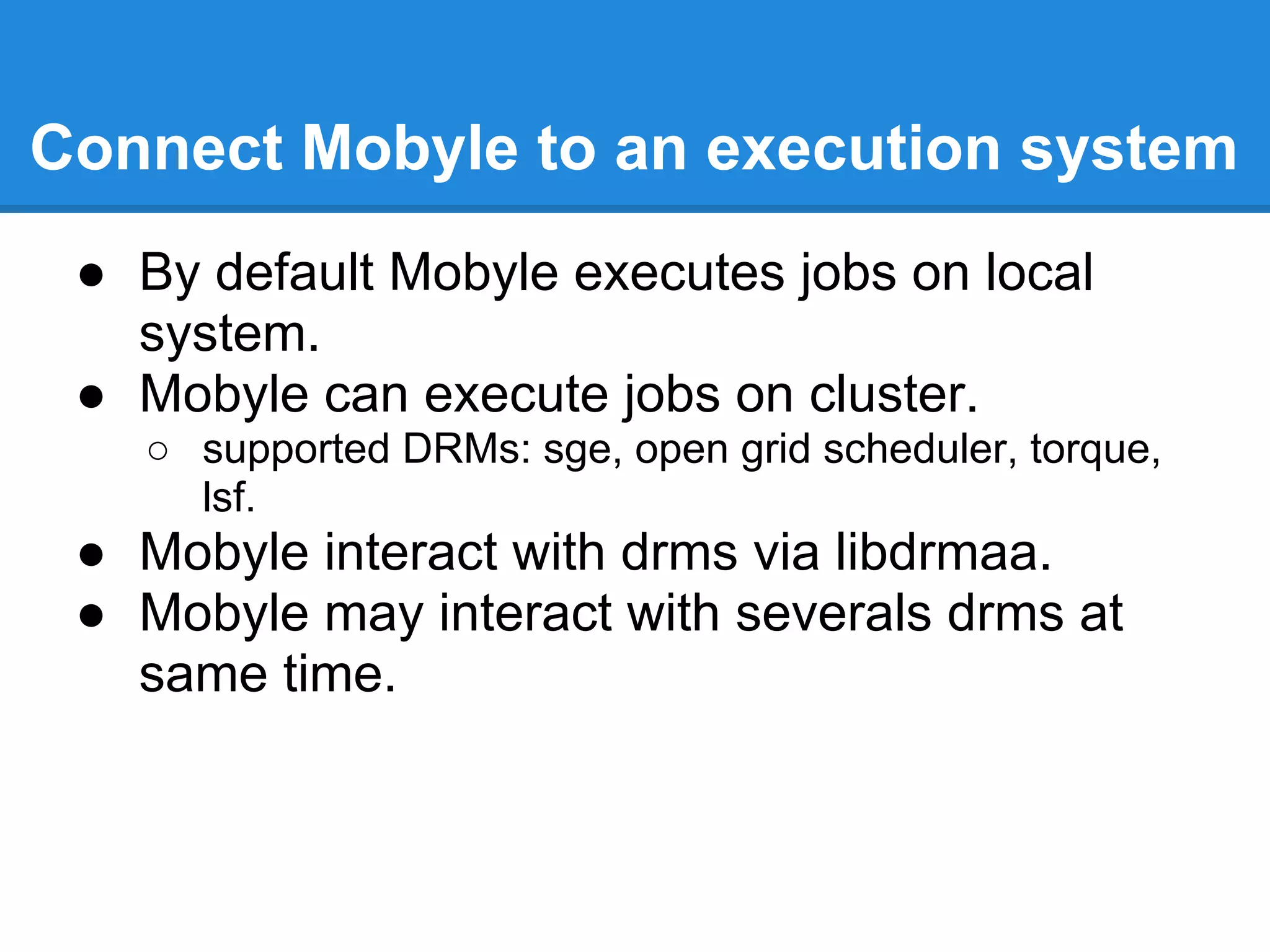
●   How to connect Mobyle to an execution system.
●   Mobyle configuration.
●   New tools integration.
     ○ concepts (grammar, typing, validation,...).
     ○ BMID tutorial.
●   Share services between Mobyle servers.
●   Maintenance
●   Link my web application to Mobyle
●   Referencing and statistics
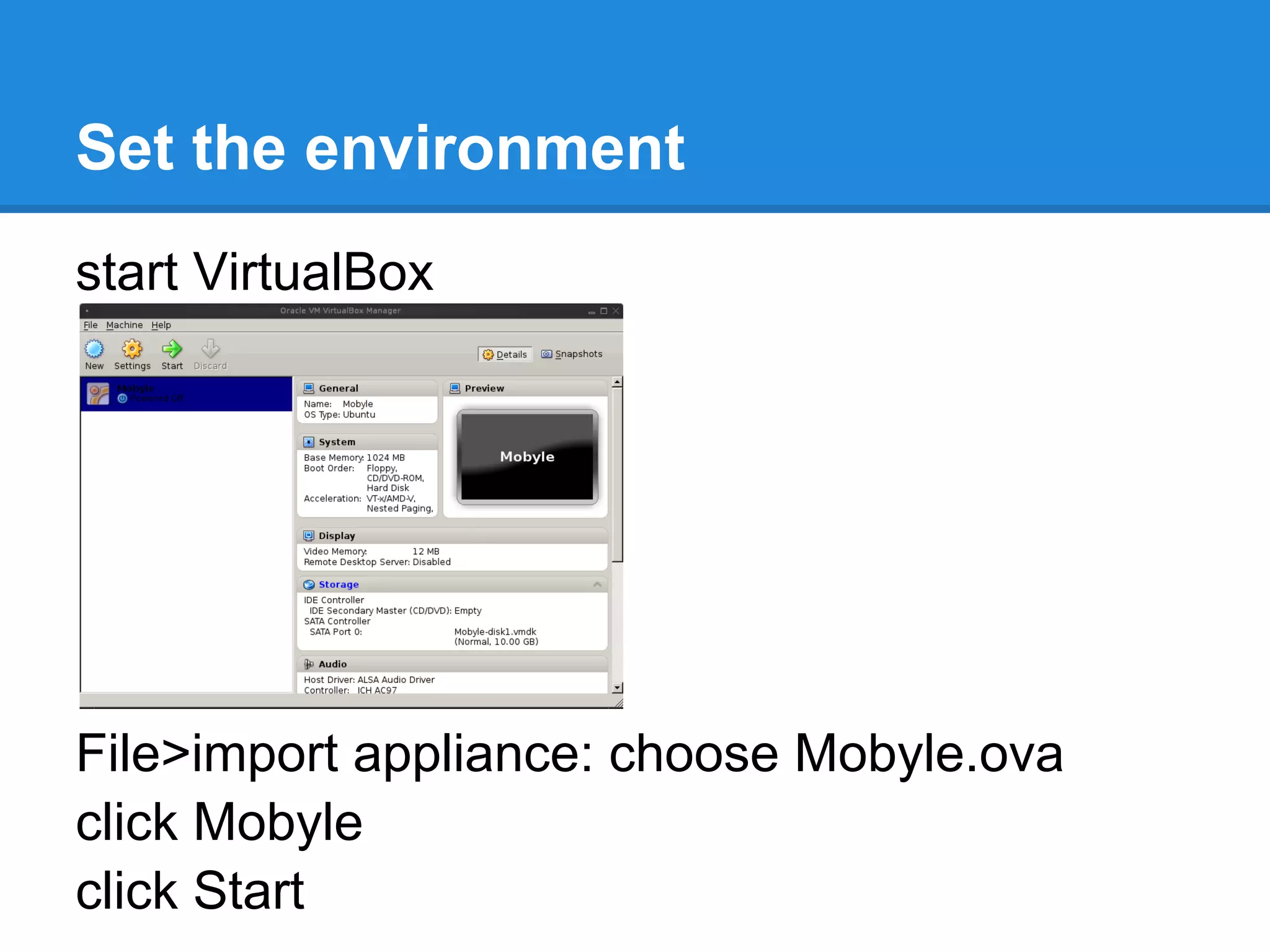
Set the environment
start VirtualBox


File>import appliance: choose Mobyle.ova
click Mobyle
click Start
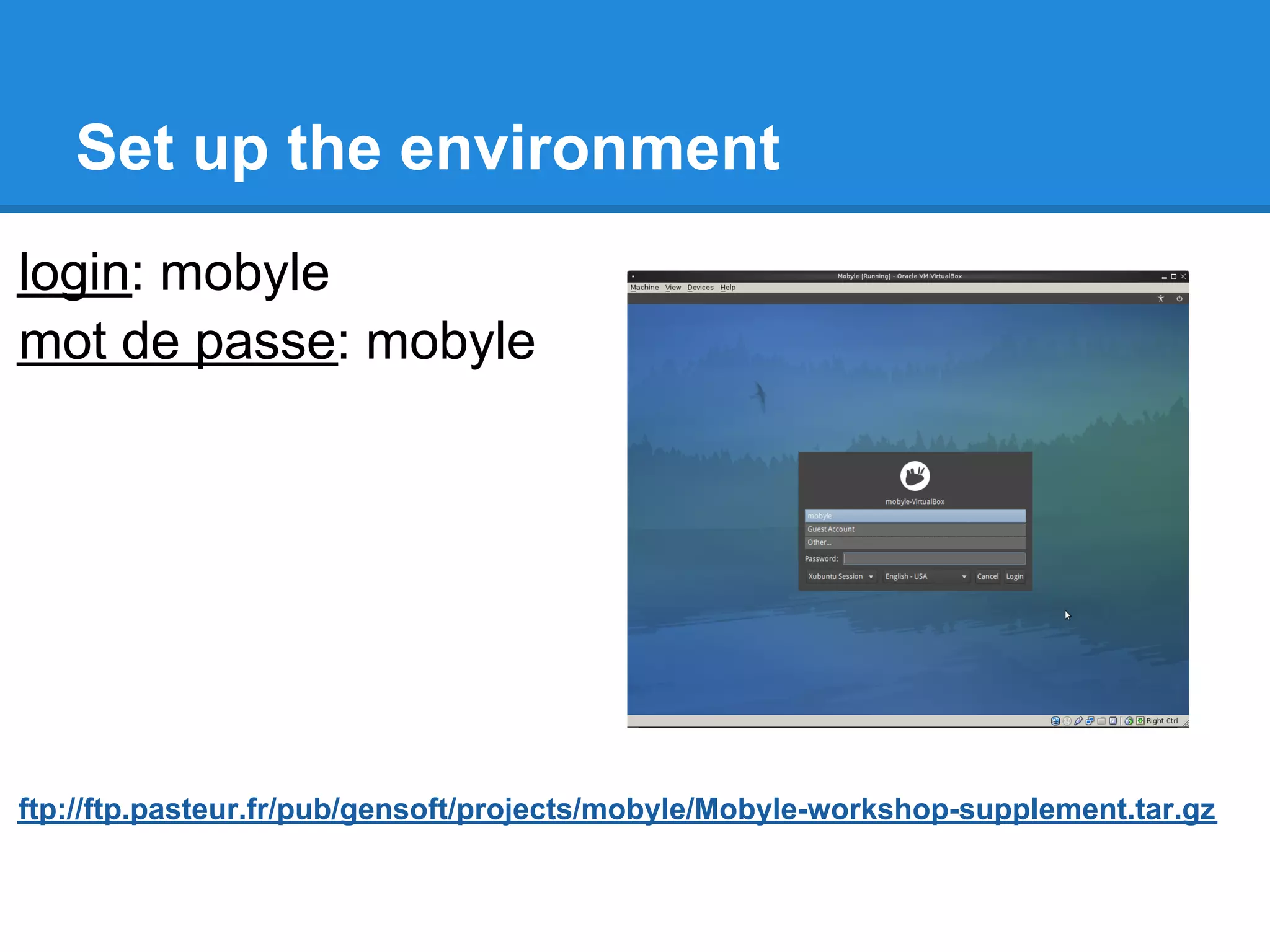
Set up the environment
login: mobyle
mot de passe: mobyle


ftp://ftp.pasteur.fr/pub/gensoft/projects/mobyle/Mobyle-workshop-supplement.tar.gz
Overview
●   Mobyle architecture.
●   Installation.
●   Mobyle and Apache configuration.
●   How to deploy new services.
●   How to connect Mobyle to an execution system.
●   Mobyle configuration.
●   New tools integration.
     ○ concepts (grammar, typing, validation,...).
     ○ BMID tutorial.
●   Share services between Mobyle servers.
●   Maintenance
●   Link my web application to Mobyle
●   Referencing and statistics
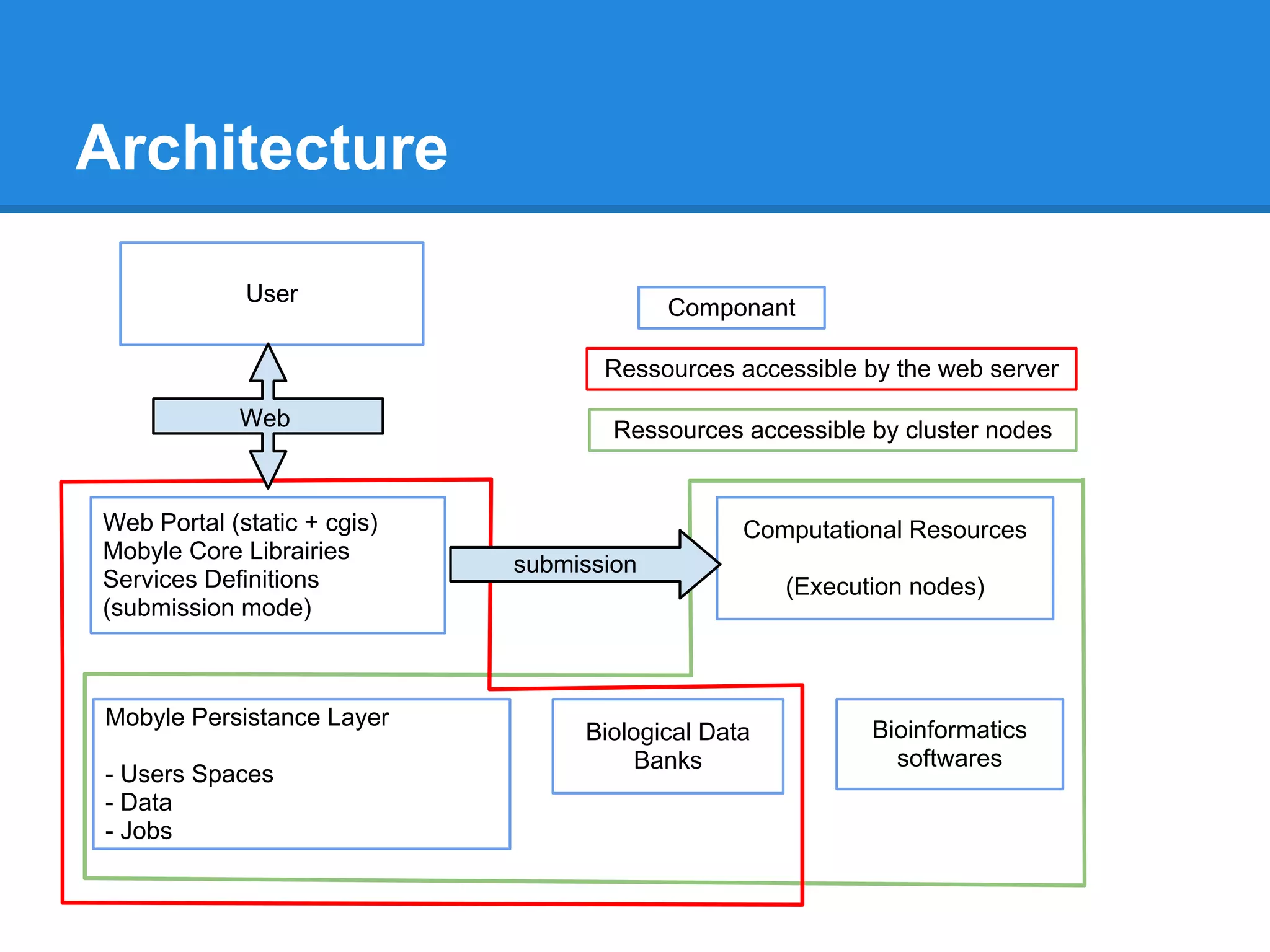
Architecture

             User
                                          Componant

                                    Ressources accessible by the web server

            Web                      Ressources accessible by cluster nodes


Web Portal (static + cgis)                      Computational Resources
Mobyle Core Librairies
                             submission
Services Definitions                                (Execution nodes)
(submission mode)


Mobyle Persistance Layer
                                  Biological Data          Bioinformatics
                                       Banks                 softwares
- Users Spaces
- Data
- Jobs
Overview
●   Mobyle architecture.
●   Installation.
●   Mobyle and Apache configuration.
●   How to deploy new services.
●   How to connect Mobyle to an execution system.
●   Mobyle configuration.
●   New tools integration.
     ○ concepts (grammar, typing, validation,...).
     ○ BMID tutorial.
●   Share services between Mobyle servers.
●   Maintenance
●   Link my web application to Mobyle
●   Referencing and statistics
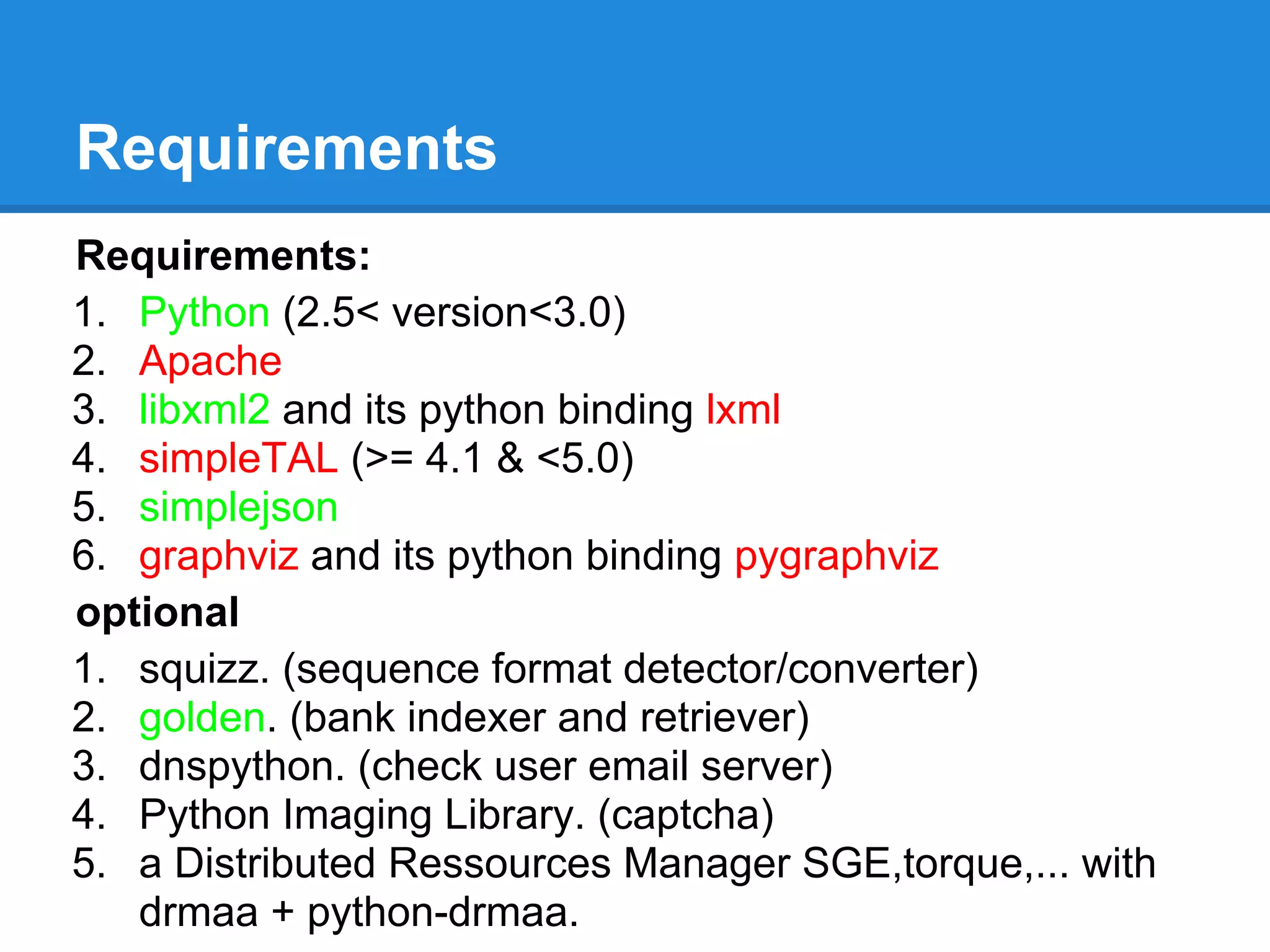
Requirements
Requirements:
1. Python (2.5< version<3.0)
2. Apache
3. libxml2 and its python binding lxml
4. simpleTAL (>= 4.1 & <5.0)
5. simplejson
6. graphviz and its python binding pygraphviz
optional
1. squizz. (sequence format detector/converter)
2. golden. (bank indexer and retriever)
3. dnspython. (check user email server)
4. Python Imaging Library. (captcha)
5. a Distributed Ressources Manager SGE,torque,... with
   drmaa + python-drmaa.
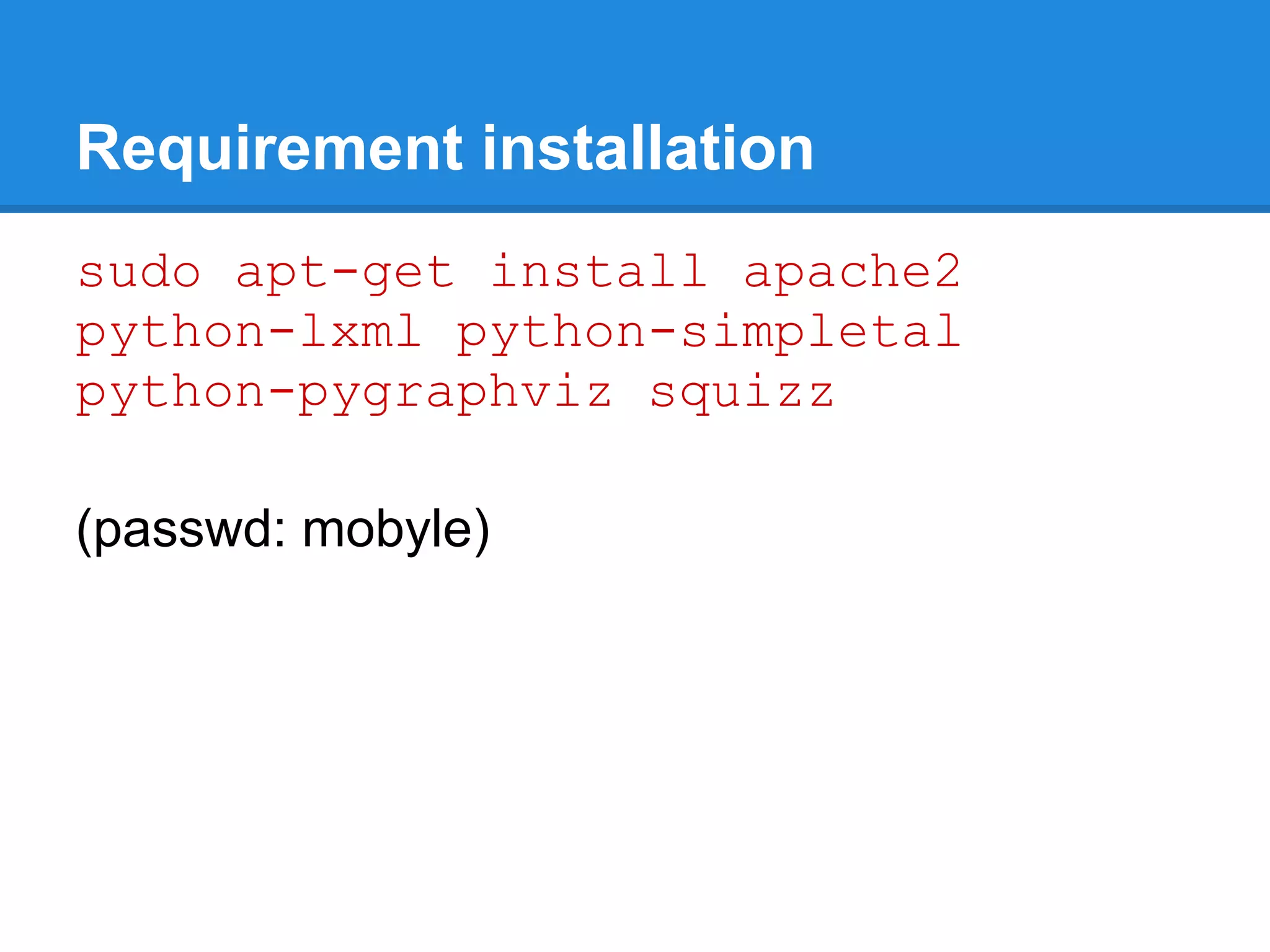
Requirement installation
sudo apt-get install apache2
python-lxml python-simpletal
python-pygraphviz squizz

(passwd: mobyle)
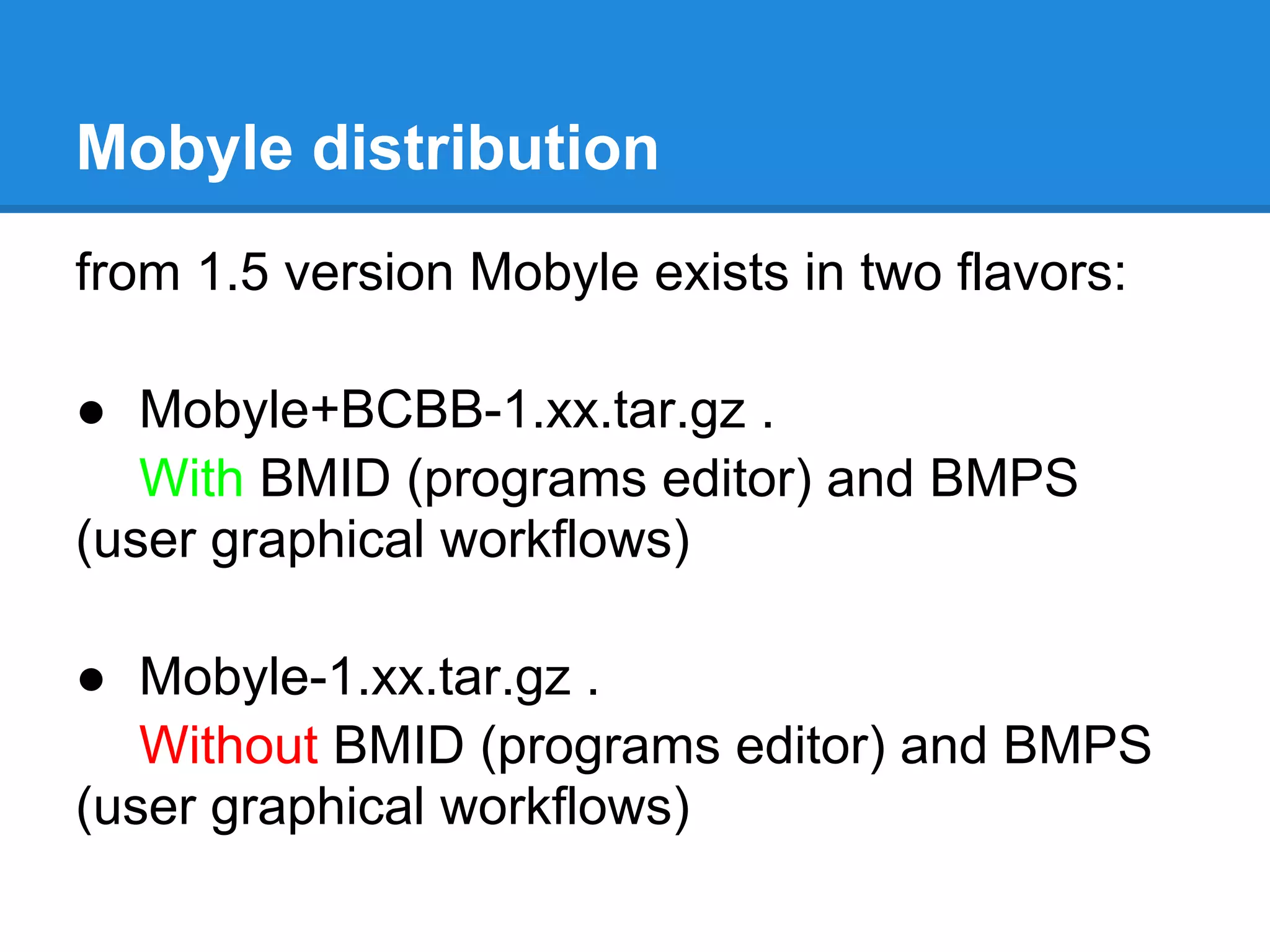
Mobyle distribution
from 1.5 version Mobyle exists in two flavors:

● Mobyle+BCBB-1.xx.tar.gz .
   With BMID (programs editor) and BMPS
(user graphical workflows)

● Mobyle-1.xx.tar.gz .
   Without BMID (programs editor) and BMPS
(user graphical workflows)
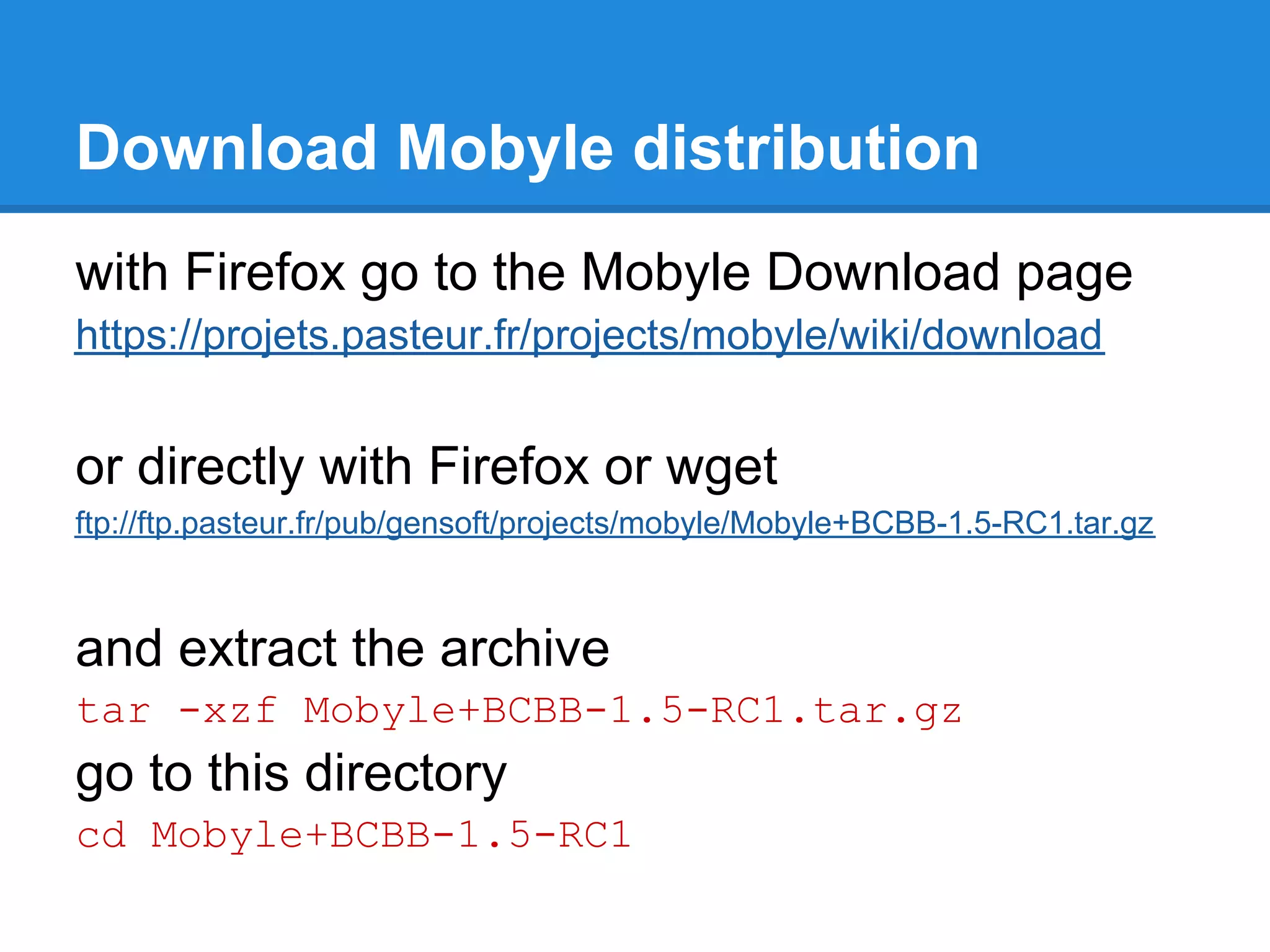
Download Mobyle distribution
with Firefox go to the Mobyle Download page
https://projets.pasteur.fr/projects/mobyle/wiki/download


or directly with Firefox or wget
ftp://ftp.pasteur.fr/pub/gensoft/projects/mobyle/Mobyle+BCBB-1.5-RC1.tar.gz


and extract the archive
tar -xzf Mobyle+BCBB-1.5-RC1.tar.gz
go to this directory
cd Mobyle+BCBB-1.5-RC1
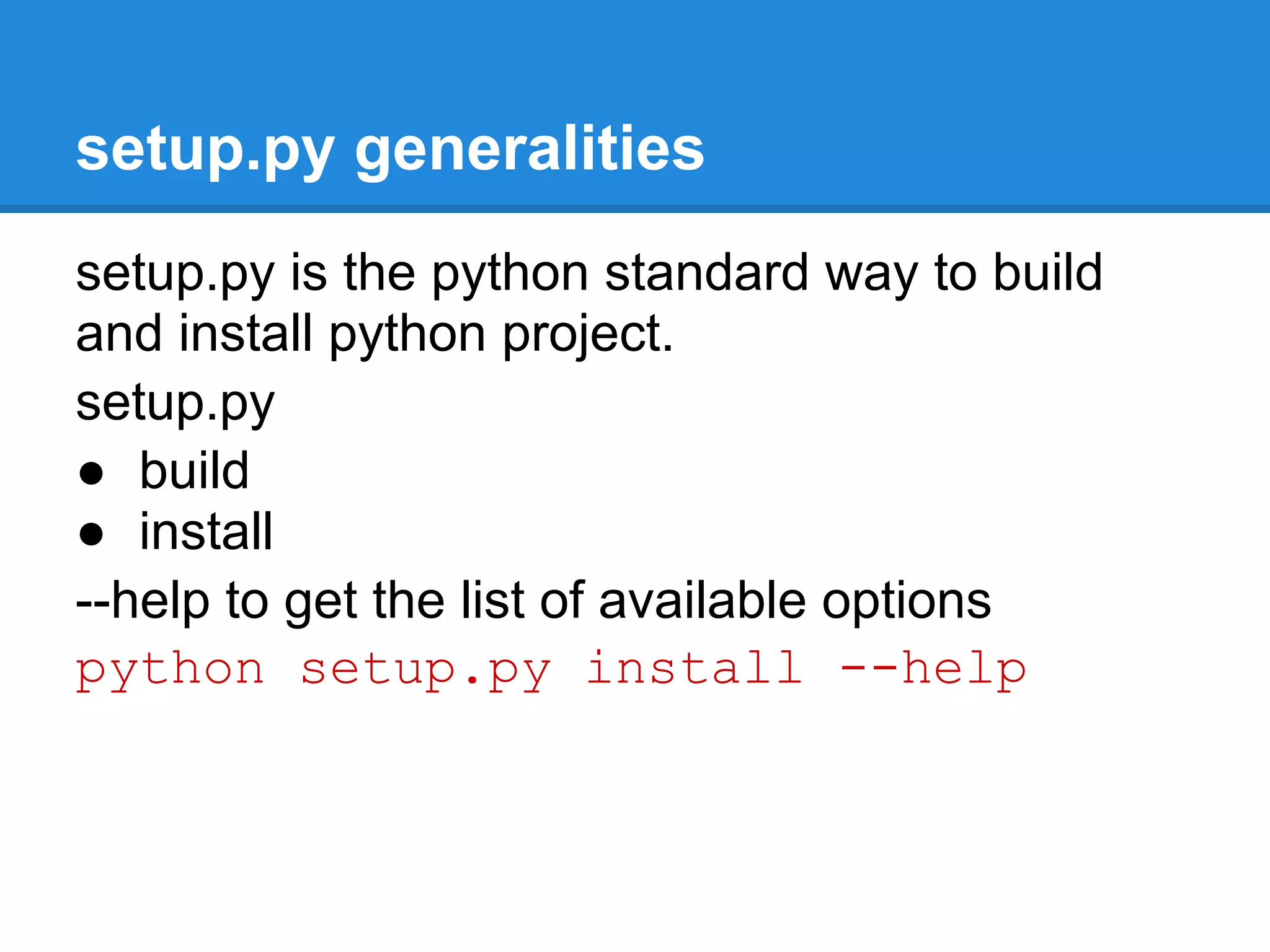
setup.py generalities
setup.py is the python standard way to build
and install python project.
setup.py
● build
● install
--help to get the list of available options
python setup.py install --help
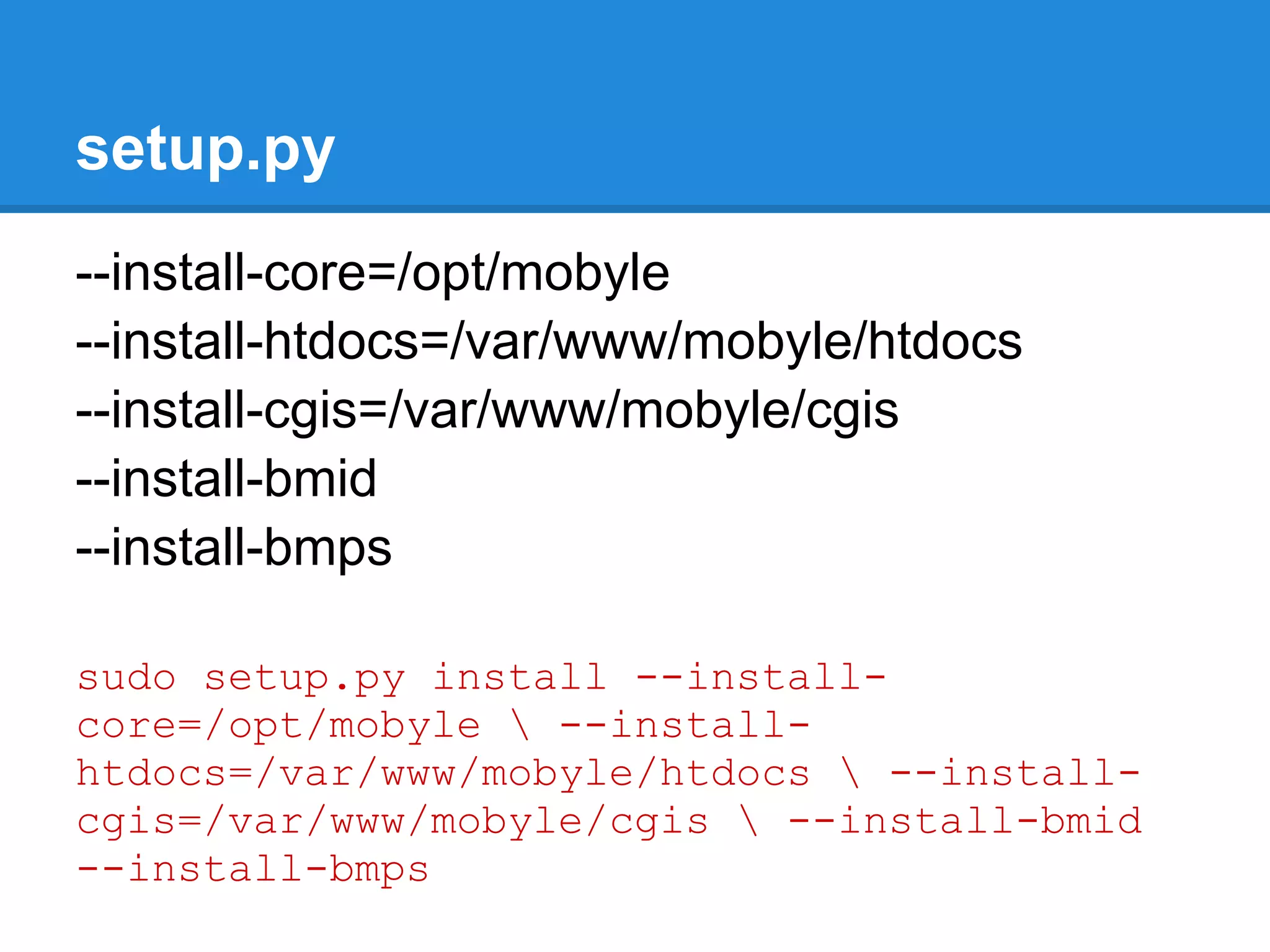
setup.py
--install-core=/opt/mobyle
--install-htdocs=/var/www/mobyle/htdocs
--install-cgis=/var/www/mobyle/cgis
--install-bmid
--install-bmps

sudo setup.py install --install-
core=/opt/mobyle  --install-
htdocs=/var/www/mobyle/htdocs  --install-
cgis=/var/www/mobyle/cgis  --install-bmid
--install-bmps
setup.cfg: a way to automate installation

[install]
install_core=/opt/mobyle
install_htdocs=/var/www/mobyle/htdocs
install_cgis=/var/www/mobyle/cgis
install_bmid=True
install_bmps=True

sudo python setup.py install
Overview
●   Mobyle architecture.
●   Installation.
●   Mobyle and Apache configuration.
●   How to deploy new services.
●   How to connect Mobyle to an execution system.
●   Mobyle configuration.
●   New tools integration.
     ○ concepts (grammar, typing, validation,...).
     ○ BMID tutorial.
●   Share services between Mobyle servers.
●   Maintenance
●   Link my web application to Mobyle
●   Referencing and statistics
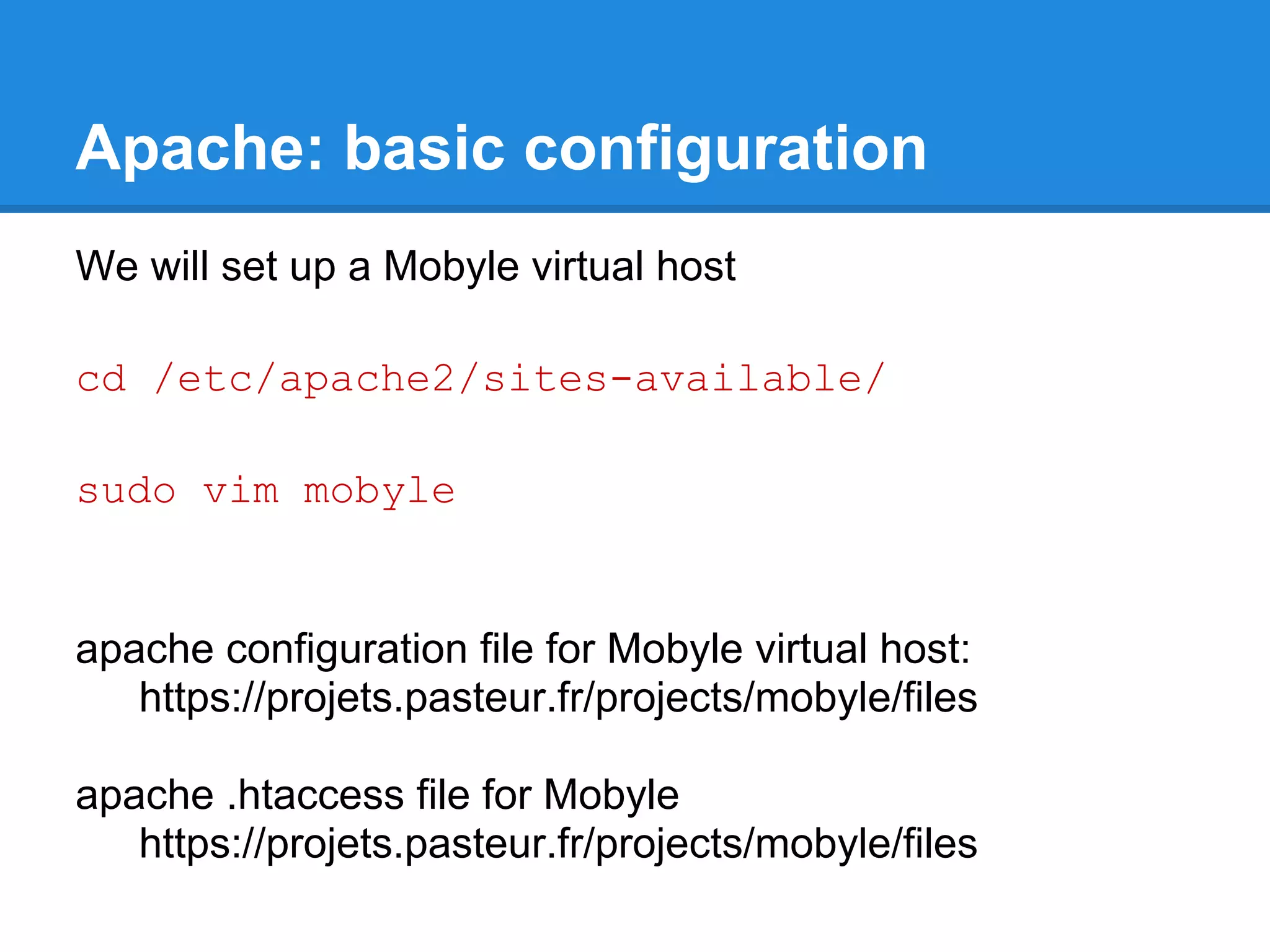
Apache: basic configuration
We will set up a Mobyle virtual host

cd /etc/apache2/sites-available/

sudo vim mobyle


apache configuration file for Mobyle virtual host:
   https://projets.pasteur.fr/projects/mobyle/files

apache .htaccess file for Mobyle
   https://projets.pasteur.fr/projects/mobyle/files
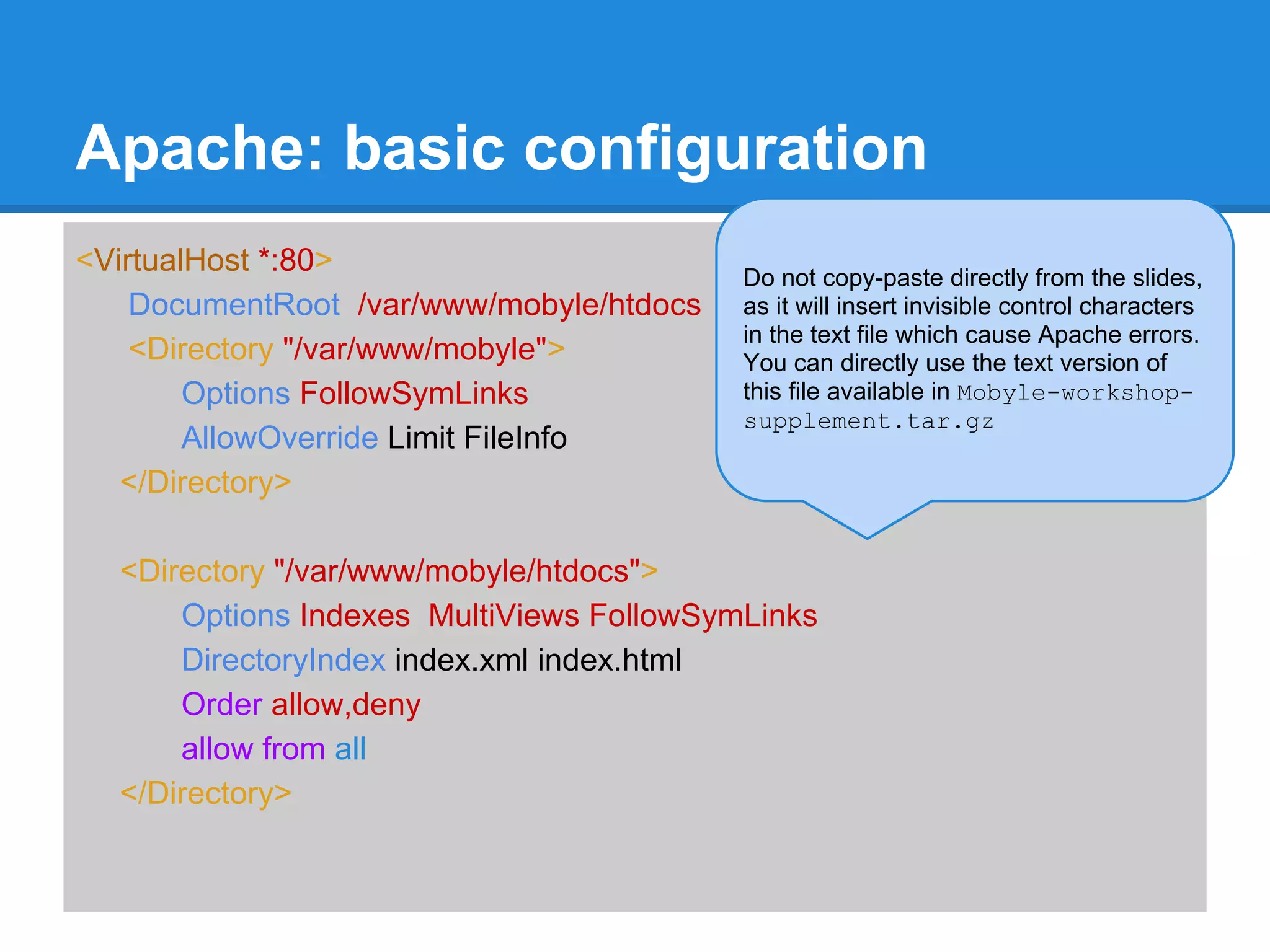
Apache: basic configuration
<VirtualHost *:80>                        Do not copy-paste directly from the slides,
    DocumentRoot /var/www/mobyle/htdocs   as it will insert invisible control characters
                                          in the text file which cause Apache errors.
    <Directory "/var/www/mobyle">         You can directly use the text version of
        Options FollowSymLinks            this file available in Mobyle-workshop-
                                          supplement.tar.gz
        AllowOverride Limit FileInfo
   </Directory>

  <Directory "/var/www/mobyle/htdocs">
      Options Indexes MultiViews FollowSymLinks
      DirectoryIndex index.xml index.html
      Order allow,deny
      allow from all
  </Directory>
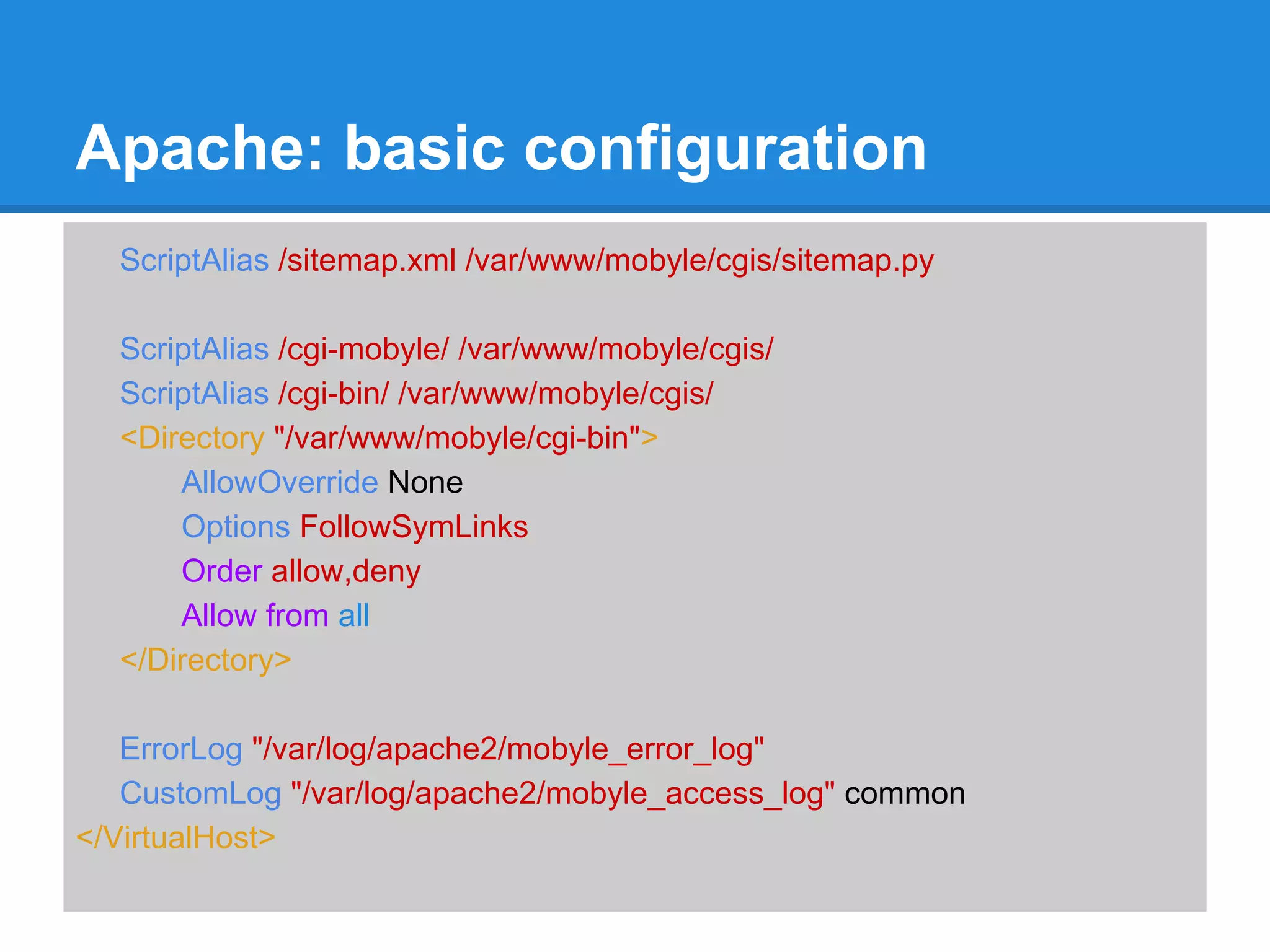
Apache: basic configuration
  ScriptAlias /sitemap.xml /var/www/mobyle/cgis/sitemap.py

  ScriptAlias /cgi-mobyle/ /var/www/mobyle/cgis/
  ScriptAlias /cgi-bin/ /var/www/mobyle/cgis/
  <Directory "/var/www/mobyle/cgi-bin">
      AllowOverride None
      Options FollowSymLinks
      Order allow,deny
      Allow from all
  </Directory>

   ErrorLog "/var/log/apache2/mobyle_error_log"
   CustomLog "/var/log/apache2/mobyle_access_log" common
</VirtualHost>
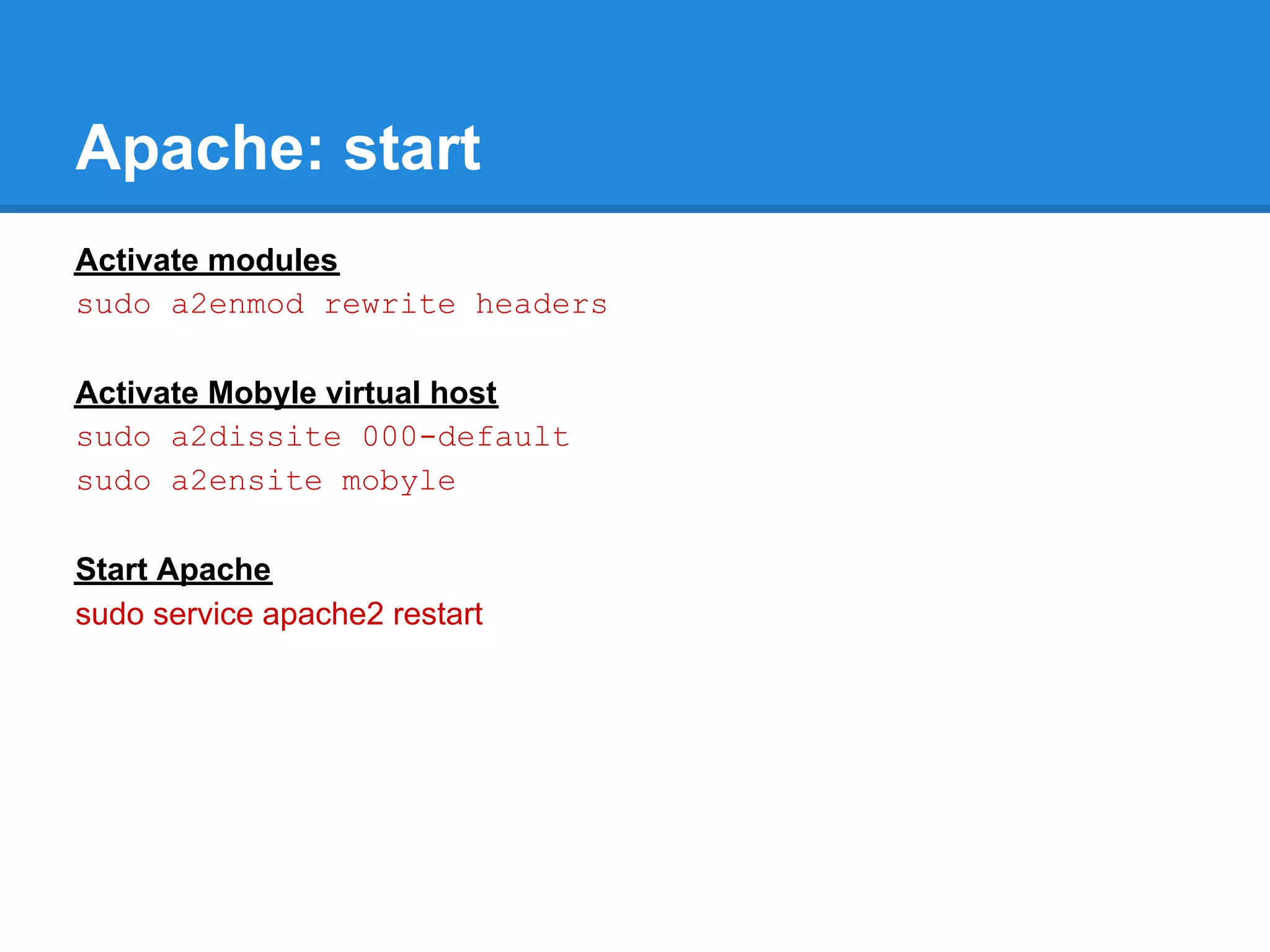
Apache: start
Activate modules
sudo a2enmod rewrite headers

Activate Mobyle virtual host
sudo a2dissite 000-default
sudo a2ensite mobyle

Start Apache
sudo service apache2 restart
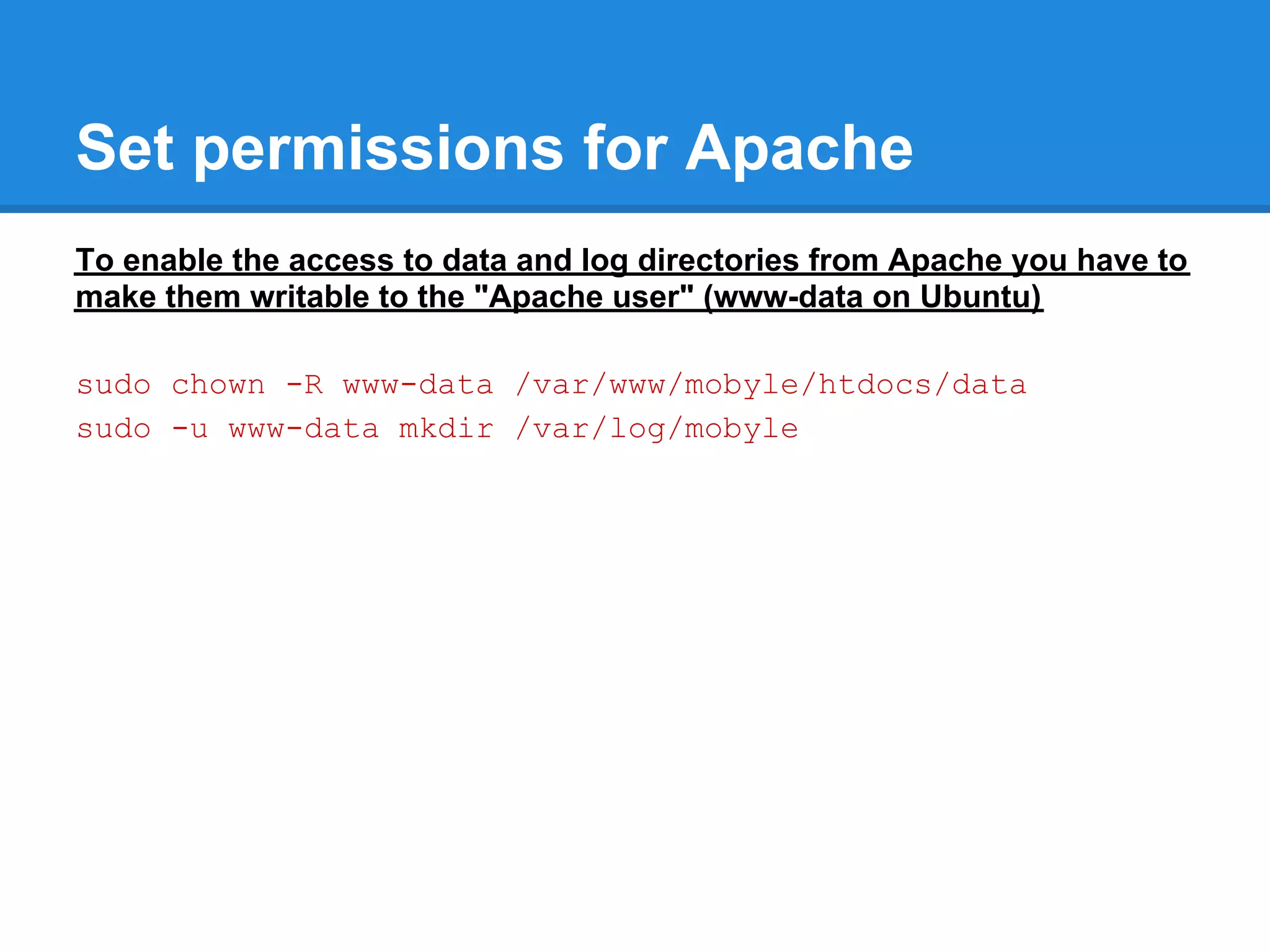
Set permissions for Apache
To enable the access to data and log directories from Apache you have to
make them writable to the "Apache user" (www-data on Ubuntu)

sudo chown -R www-data /var/www/mobyle/htdocs/data
sudo -u www-data mkdir /var/log/mobyle
Mobyle: basic configuration
cd /opt/mobyle
sudo cp Example/Local/Config/Config.
template.py  Local/Config/Config.py
sudo vim Local/Config/Config.py

ROOT_URL = "http://localhost/"
HTDOCS_PREFIX= ""
CGI_PREFIX= "cgi-bin"

MAINTAINER= [""]
HELP= [""]
MAILHOST= "localhost"
Apache: advanced config & security
                                          Do not copy-paste directly from the slides,
RewriteEngine on                          as it will insert invisible control characters
#Do not show hidden files content         in the text file which cause Apache errors.
                                          You can directly use the text version of
RewriteCond %{REQUEST_URI} /. [OR]       this file (htaccess) available in Mobyle-
RewriteCond %{REQUEST_URI} /ADMINDIR workshop-supplement.tar.gz and
                                          copy it as .htaccess in Mobyle
RewriteRule .*                    - [F,L] htdocs folder


#allow saving results
RewriteCond %{REQUEST_URI} ^/data/jobs(.*)
RewriteCond %{QUERY_STRING} ^save$
RewriteRule (.*)/([^/]+)$ $1/$2 [E=SAVEDFILENAME:$2]
Header set Content-Disposition "attachment; filename="%{SAVEDFILENAME}
e"" env=SAVEDFILENAME
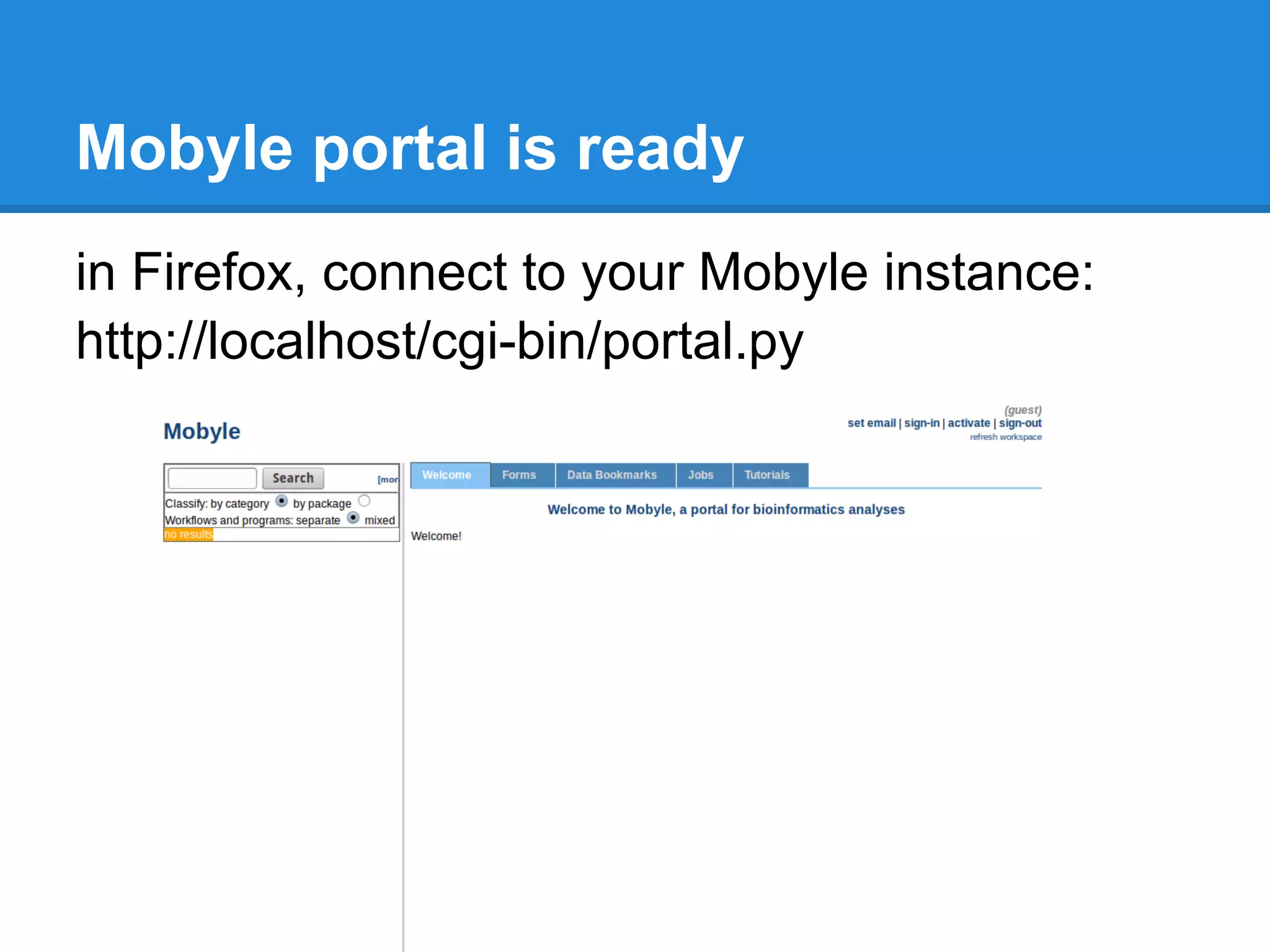
Mobyle portal is ready
in Firefox, connect to your Mobyle instance:
http://localhost/cgi-bin/portal.py
Overview
●   Mobyle architecture.
●   Installation.
●   Mobyle and Apache configuration.
●   How to deploy new services.
●   How to connect Mobyle to an execution system.
●   Mobyle configuration.
●   New tools integration.
     ○ concepts (grammar, typing, validation,...).
     ○ BMID tutorial.
●   Share services between Mobyle servers.
●   Maintenance
●   Link my web application to Mobyle
●   Referencing and statistics
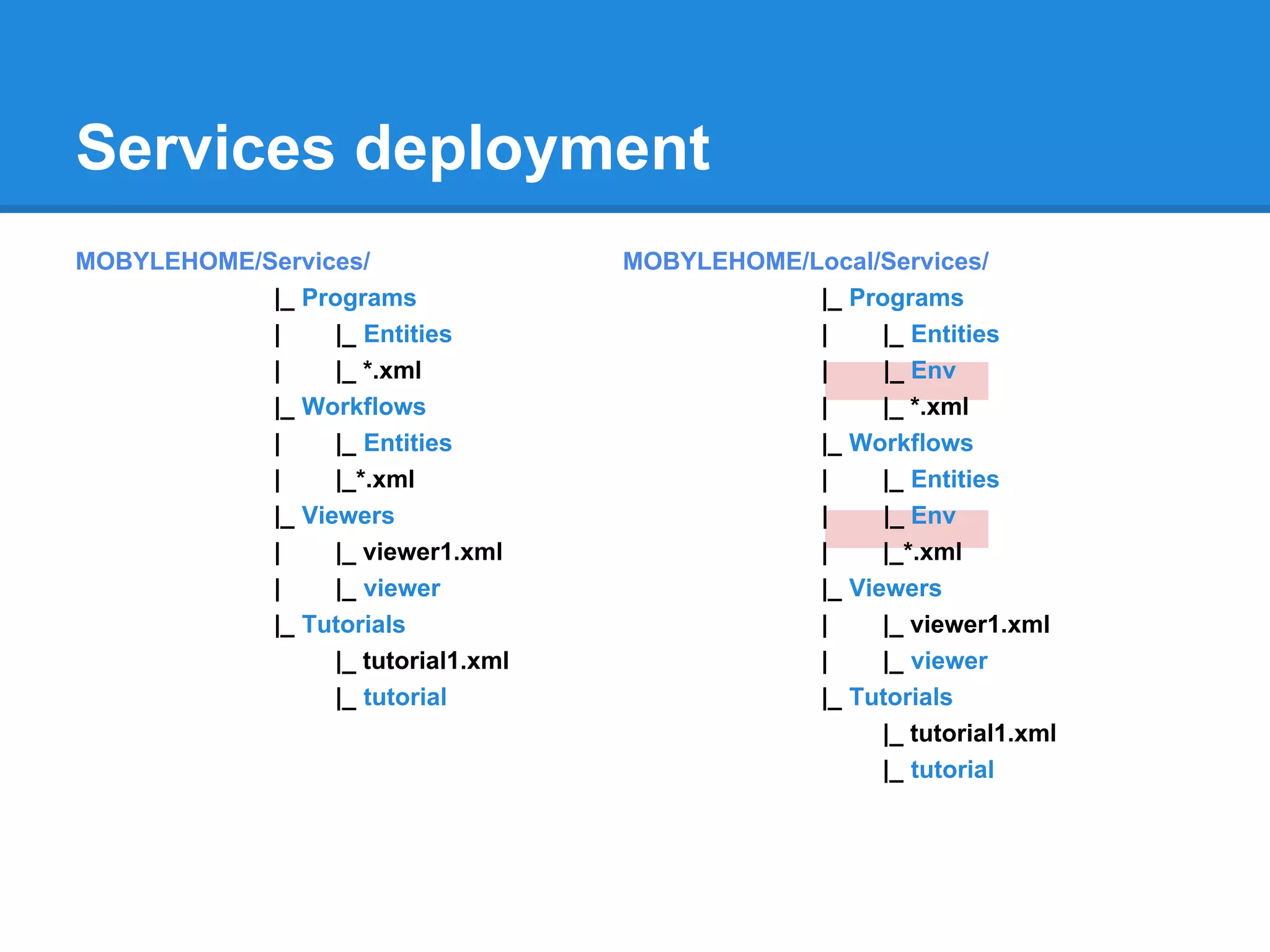
Services deployment
MOBYLEHOME/Services/                 MOBYLEHOME/Local/Services/
            |_ Programs                          |_ Programs
            |     |_ Entities                    |     |_ Entities
            |     |_ *.xml                       |     |_ Env
            |_ Workflows                         |     |_ *.xml
            |     |_ Entities                    |_ Workflows
            |     |_*.xml                        |     |_ Entities
            |_ Viewers                           |     |_ Env
            |     |_ viewer1.xml                 |     |_*.xml
            |     |_ viewer                      |_ Viewers
            |_ Tutorials                         |     |_ viewer1.xml
                  |_ tutorial1.xml               |     |_ viewer
                  |_ tutorial                    |_ Tutorials
                                                       |_ tutorial1.xml
                                                       |_ tutorial
How to deploy
Mobyle configuration:

                        LOCAL_DEPLOY_INCLUDE = { 'programs' : [ '*' ] ,
                                    'workflows': [ '*' ] ,
                                    'viewers' : [ '*' ] ,
                                    'tutorials' : [ '*' ] ,
                                    }
                        LOCAL_DEPLOY_EXCLUDE = { 'programs' : [ '' ] ,
                                    'workflows': [ '' ] ,
                                    'viewers' : [ '' ] ,
                                    'tutorials' : [ '' ] ,
                                    }

tool deployment:
   mobdeploy -s local -p all deploy          mobdeploy -s local -p prog1,prog2 deploy
   mobdeploy deploy                          mobdeploy -s local -t all deploy
Deploy services on your server!
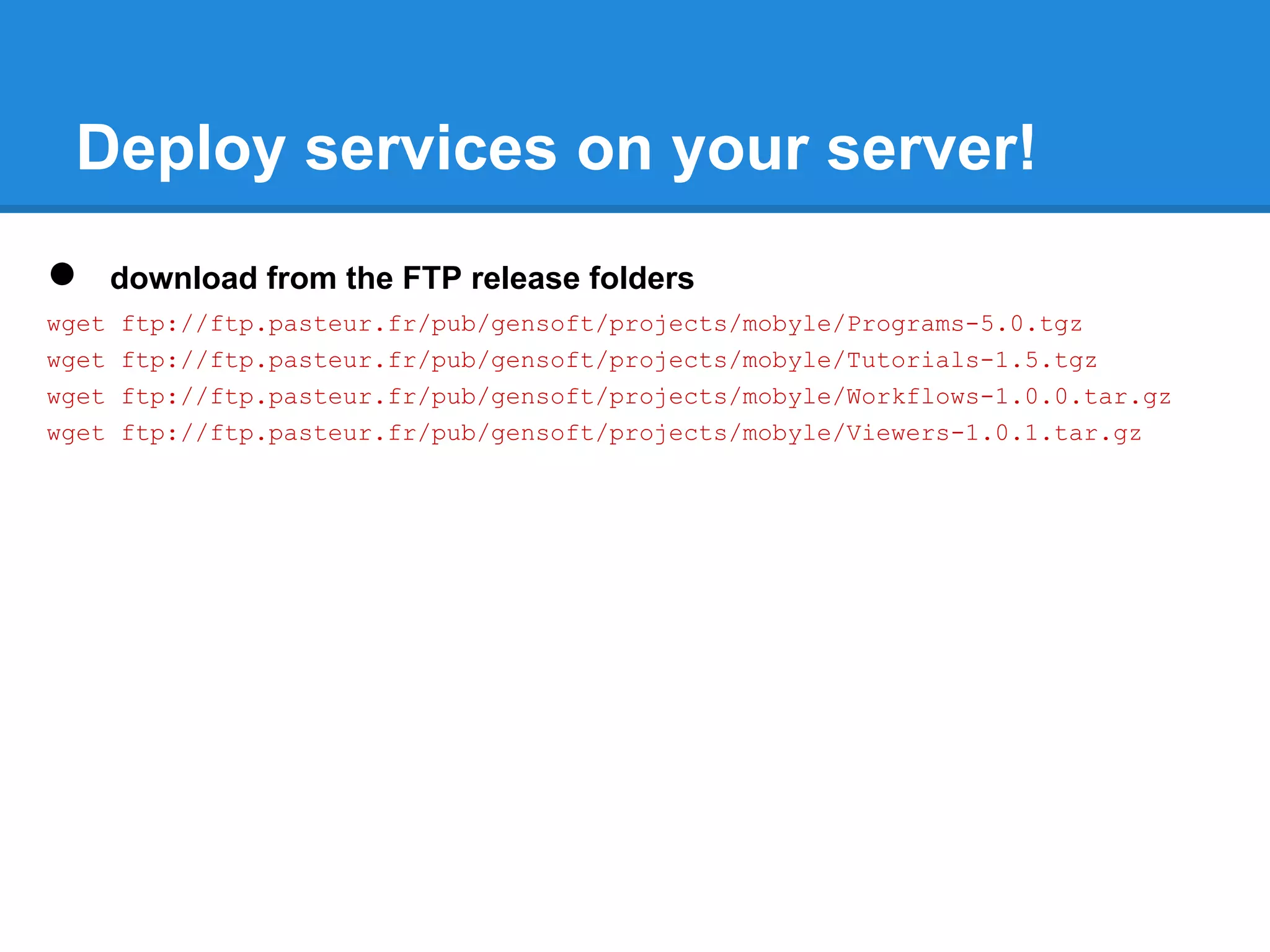
●      download from the FTP release folders
wget   ftp://ftp.pasteur.fr/pub/gensoft/projects/mobyle/Programs-5.0.tgz
wget   ftp://ftp.pasteur.fr/pub/gensoft/projects/mobyle/Tutorials-1.5.tgz
wget   ftp://ftp.pasteur.fr/pub/gensoft/projects/mobyle/Workflows-1.0.0.tar.gz
wget   ftp://ftp.pasteur.fr/pub/gensoft/projects/mobyle/Viewers-1.0.1.tar.gz
Deploy services on your server!
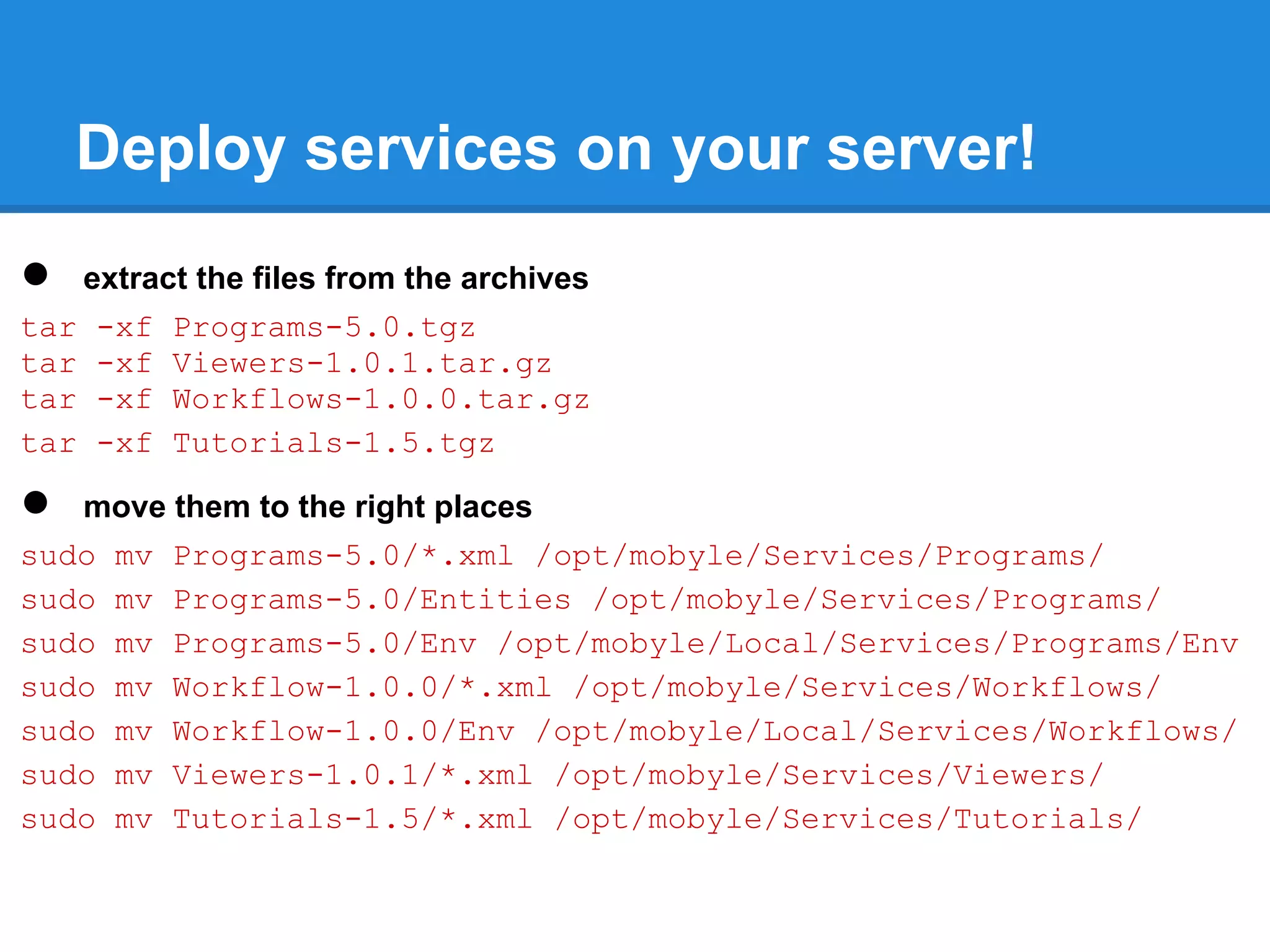
●  extract the files from the archives
tar -xf Programs-5.0.tgz
tar -xf Viewers-1.0.1.tar.gz
tar -xf Workflows-1.0.0.tar.gz
tar -xf Tutorials-1.5.tgz

●  move them to the right places
sudo mv Programs-5.0/*.xml /opt/mobyle/Services/Programs/
sudo mv Programs-5.0/Entities /opt/mobyle/Services/Programs/
sudo mv Programs-5.0/Env /opt/mobyle/Local/Services/Programs/Env
sudo mv Workflow-1.0.0/*.xml /opt/mobyle/Services/Workflows/
sudo mv Workflow-1.0.0/Env /opt/mobyle/Local/Services/Workflows/
sudo mv Viewers-1.0.1/*.xml /opt/mobyle/Services/Viewers/
sudo mv Tutorials-1.5/*.xml /opt/mobyle/Services/Tutorials/
Deploy services on your server!
●  configure deployment
sudo vim /opt/mobyle/Local/Config/Config.py

LOCAL_DEPLOY_INCLUDE = { 'programs' : [ '*' ] ,
                          'workflows': [ '*' ] ,
                          'viewers' : [ '*' ] ,
                          }

LOCAL_DEPLOY_EXCLUDE = { 'programs' : [ 'mafft' ] ,
                          'workflows': [ '' ] ,
                          'viewers' : [ '' ] ,
                          }

●   deploy
sudo -u www-data /opt/mobyle/Tools/mobdeploy deploy
Overview
●   Mobyle architecture.
●   Installation.
●   Mobyle and Apache configuration.
●   How to deploy new services.
●   How to connect Mobyle to an execution system.
●   Mobyle configuration.
●   New tools integration.
     ○ concepts (grammar, typing, validation,...).
     ○ BMID tutorial.
●   Share services between Mobyle servers.
●   Maintenance
●   Link my web application to Mobyle
●   Referencing and statistics
Connect Mobyle to an execution system
 ● By default Mobyle executes jobs on local
   system.
 ● Mobyle can execute jobs on cluster.
   ○ supported DRMs: sge, open grid scheduler, torque,
     lsf.
 ● Mobyle interact with drms via libdrmaa.
 ● Mobyle may interact with severals drms at
   same time.
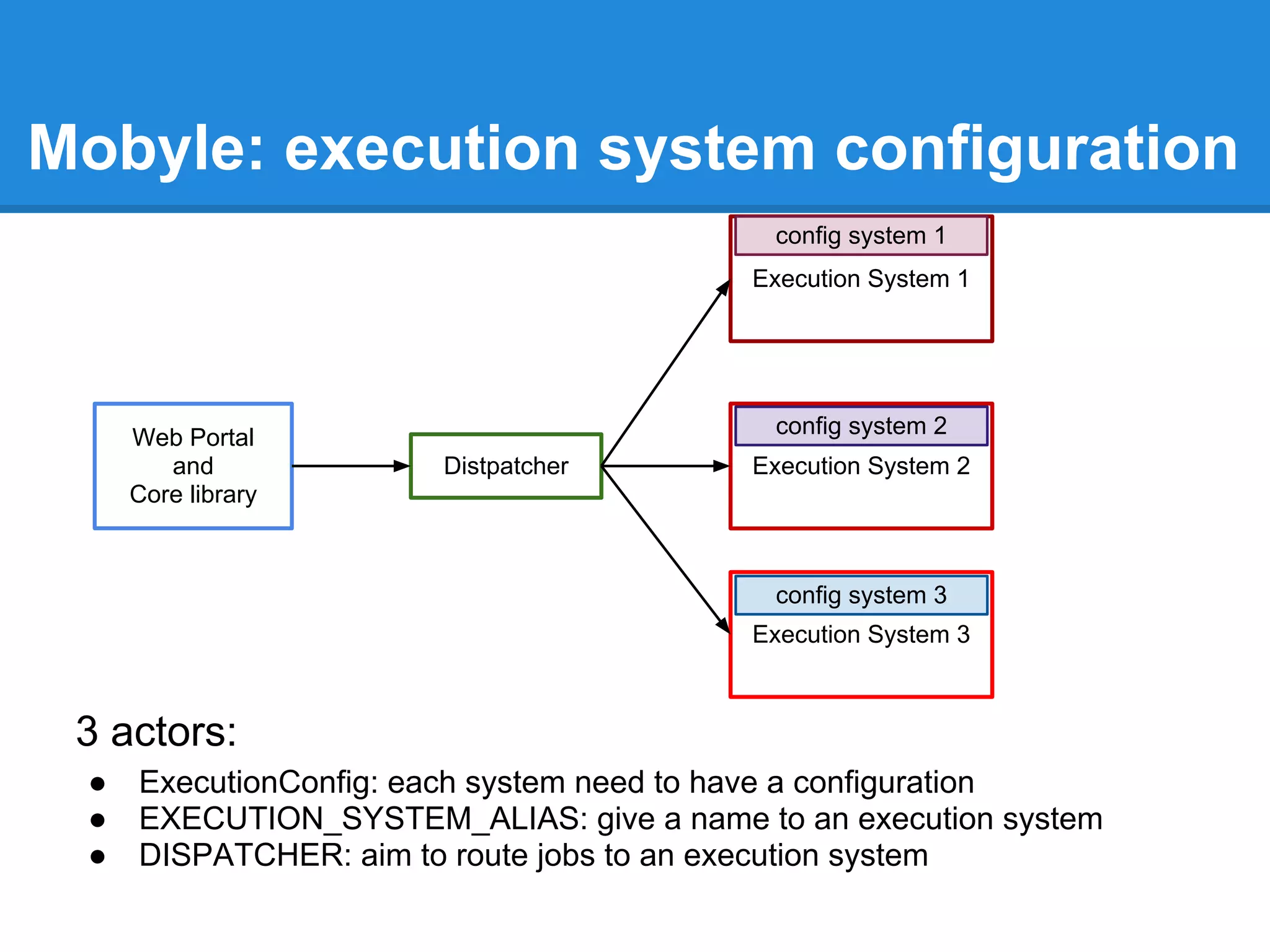
Mobyle: execution system configuration
                                           config system 1
                                         Execution System 1


     Web Portal                            config system 2
        and            Distpatcher       Execution System 2
     Core library


                                           config system 3
                                         Execution System 3


 3 actors:
 ●   ExecutionConfig: each system need to have a configuration
 ●   EXECUTION_SYSTEM_ALIAS: give a name to an execution system
 ●   DISPATCHER: aim to route jobs to an execution system
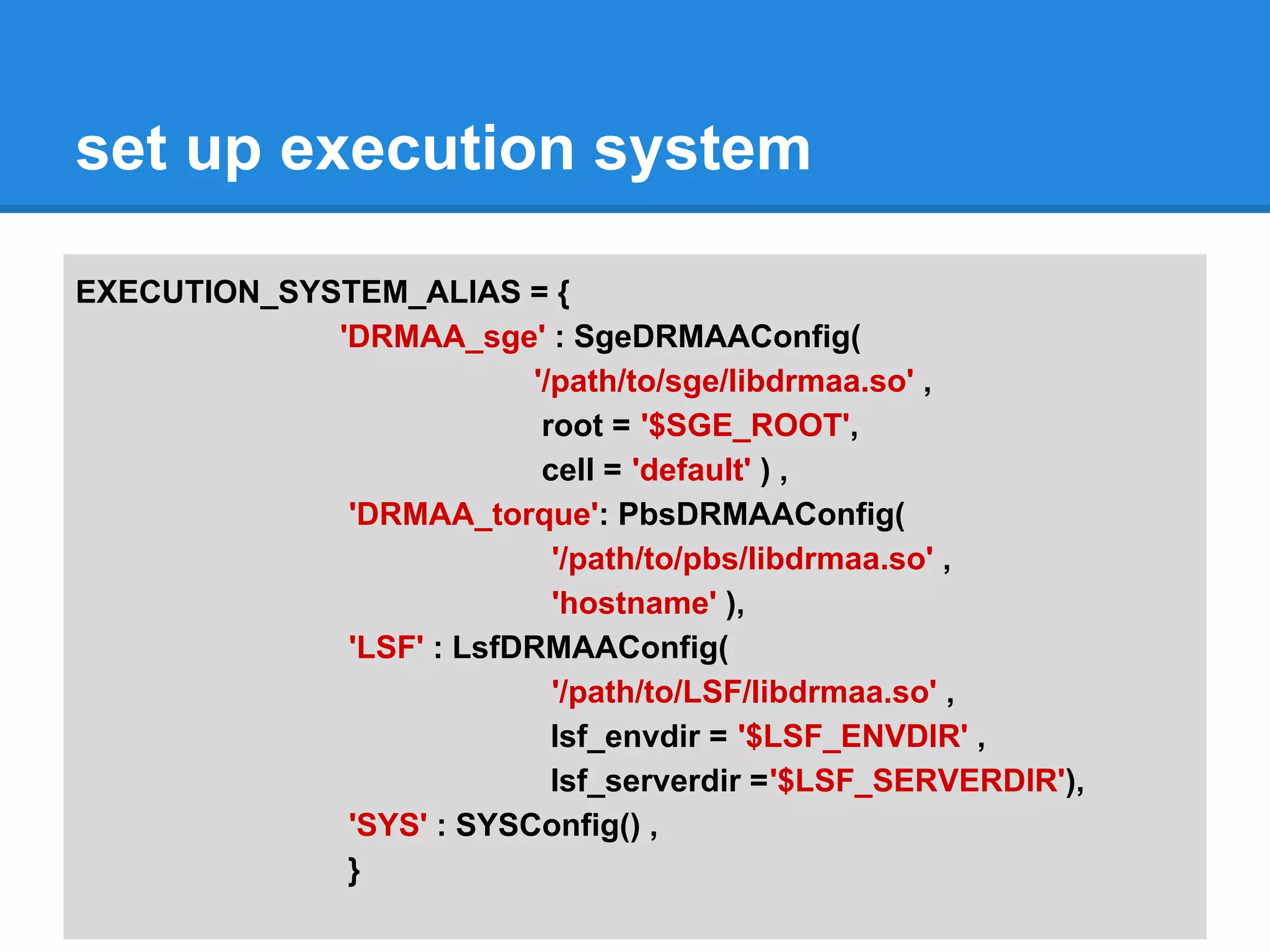
set up execution system

EXECUTION_SYSTEM_ALIAS = {
             'DRMAA_sge' : SgeDRMAAConfig(
                           '/path/to/sge/libdrmaa.so' ,
                            root = '$SGE_ROOT',
                            cell = 'default' ) ,
              'DRMAA_torque': PbsDRMAAConfig(
                             '/path/to/pbs/libdrmaa.so' ,
                             'hostname' ),
              'LSF' : LsfDRMAAConfig(
                             '/path/to/LSF/libdrmaa.so' ,
                             lsf_envdir = '$LSF_ENVDIR' ,
                             lsf_serverdir ='$LSF_SERVERDIR'),
              'SYS' : SYSConfig() ,
              }
set up execution system

DISPATCHER = DefaultDispatcher( {
 'clustalw' : ( EXECUTION_SYSTEM_ALIAS[ 'DRMAA_sge' ] , 'mobyle' ),
 'clustalo' : ( EXECUTION_SYSTEM_ALIAS[ 'DRMAA_torque' ] , 'mobyle' ),
 'toppred' : ( EXECUTION_SYSTEM_ALIAS[ 'DRMAA_torque' ] , 'short' ),
 'blast2': ( EXECUTION_SYSTEM_ALIAS[ 'DRMAA_sge' ] , 'long' )
 'DEFAULT' : ( EXECUTION_SYSTEM_ALIAS[ 'SYS' ] , '' )
})


For the workshop we won't use a cluster, so we will execute all jobs on local
system.

DISPATCHER = DefaultDispatcher( {
       'DEFAULT' : ( EXECUTION_SYSTEM_ALIAS[ 'SYS' ] , '' )
})
binary path
In Mobyle configuration we can add some path to the general web server PATH.

 BINARY_PATH = [ "/usr/bin", "usr/local/bin", "/local/Bioinfo/bin" ]
instead of tag env in programs/workflows descriptions,

●   this new path is available for all services,
●    these locations are added to the PATH (do not replace it), their order is
     preserved.
In debian/ubuntu the phylip package binaries are installed in "/usr/lib/phylip/bin"
and all binaries are accessible through the phylip wrapper, e.g. protdist -> phylip
protdist
so we must either:

●   modify each interfaces belonging to Phylip package (interfaces)
●   add this specific path in our Mobyle PATH
Set BINARY_PATH on your server
To run correctly PHYLIP programs on your server:

sudo vim /opt/mobyle/Local/Config/Config.py

BINARY_PATH = ["/usr/local/bin", "/usr/lib/phylip/bin"]
Overview
●   Mobyle architecture.
●   Installation.
●   Mobyle and Apache configuration.
●   How to deploy new services.
●   How to connect Mobyle to an execution system.
●   Mobyle configuration.
●   New tools integration.
     ○ concepts (grammar, typing, validation,...).
     ○ BMID tutorial.
●   Share services between Mobyle servers.
●   Maintenance
●   Link my web application to Mobyle
●   Referencing and statistics
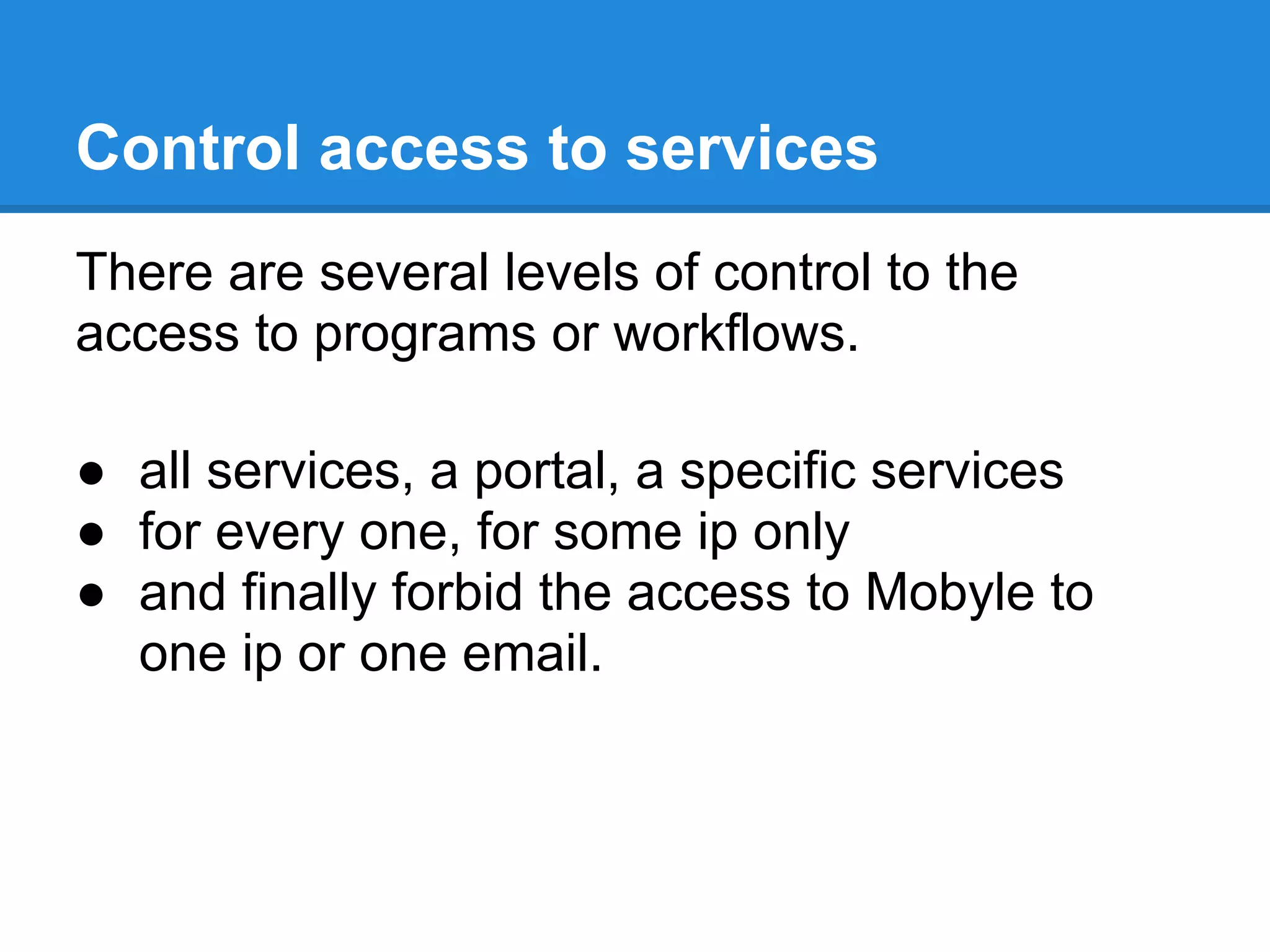
Control access to services
There are several levels of control to the
access to programs or workflows.

● all services, a portal, a specific services
● for every one, for some ip only
● and finally forbid the access to Mobyle to
  one ip or one email.
Control access to services
Disable/enable all the portal:
   #DISABLE_ALL = False
   DISABLE_ALL = True

       The list of services is empty
       The job submission is disabled
Disable a service:
   DISABLED_SERVICES = [ 'local.blast2', 'clustalw*', 'genouest.blast2' ]
Disable a portal:

   DISABLED_SERVICES =[ 'genouest.*']
Control access to services

Restrict the access to one programs or workflows to one
IP or a set of IP
AUTHORIZED_SERVICES = {
'http://mobyle.pasteur.fr/data/services/servers/local/programs/netNglyc.xml' : [ '157.99.*.*' ]
}


       ○   The service will appear only for the users in the subnet
       ○   Only the users in the subnet can submit this job
Control access to services
The last way to control the access is to black list a user
email or an ip.
The black_list.py is located in MOBYLEHOME/Local
users = [ 'blub@web.de', 'kt7mail@gmail.com', 'caca@crotte.fr',
          '*@aaa*.com' , 'toto@*', 'titi@*', '*@bidule.fr',
        ]

host = [ '142.161.25.184', '141.161.25.102']


a message will appear to the user:
you have abused our service. Your are not allowed to run on this server for now.
For more informations contact mobyle@pasteur.fr".
This message is customizable in function emailUserMessage
located in Local/Policy.py file
Data helpers: Bank configuration
'embl':{
       'dataType' : 'Sequence' ,
       'bioTypes' : ['Nucleic','DNA'] ,
       'label'    : 'EMBL Nucleotide Sequence Database',
       'command' : ['/usr/local/bin/golden', '%(db)s:%(id)s']
       },
'genbank':{
       'dataType' : 'Sequence',
       'bioTypes' : ['Nucleic','DNA'],
       'label'    : 'Genbank NIH DNA sequence database',
       'command': ['/usr/bin/seqret', '%(db)s:%(id)s -osformat2 fasta -auto -stdout']
       },
'fasta':{
    'dataType':'Sequence',
    'label': 'GenOuest Data Banks',
    'command': [ "/opt/mongo/mongo.pl", "%(id)s" ]
   }
}
Data helpers: Bank configuration
sudo vim /opt/mobyle/Local/Config/Config.py

DATABANKS_CONFIG = {
   'imgt':{
       'dataType':'Sequence',
       'bioTypes':['DNA'],
       'label': 'IMGT',
       'command': ['golden', '%(db)s:%(id)s']
   },
   'uniprot_sprot':{
       'dataType':'Sequence',
                'bioTypes':['Protein'],
                'label': 'SWISSPROT',
                'command': ['golden', '%(db)s:%(id)s']
   }}
Data helpers: format detector/convertor

 sudo vim /opt/mobyle/Local/Config/Config.py


 DATA_CONVERTER={
     'Sequence': [ squizz_sequence('/usr/bin/squizz') ] ,
     'Alignment': [ squizz_alignment('/usr/bin/squizz')]
           }
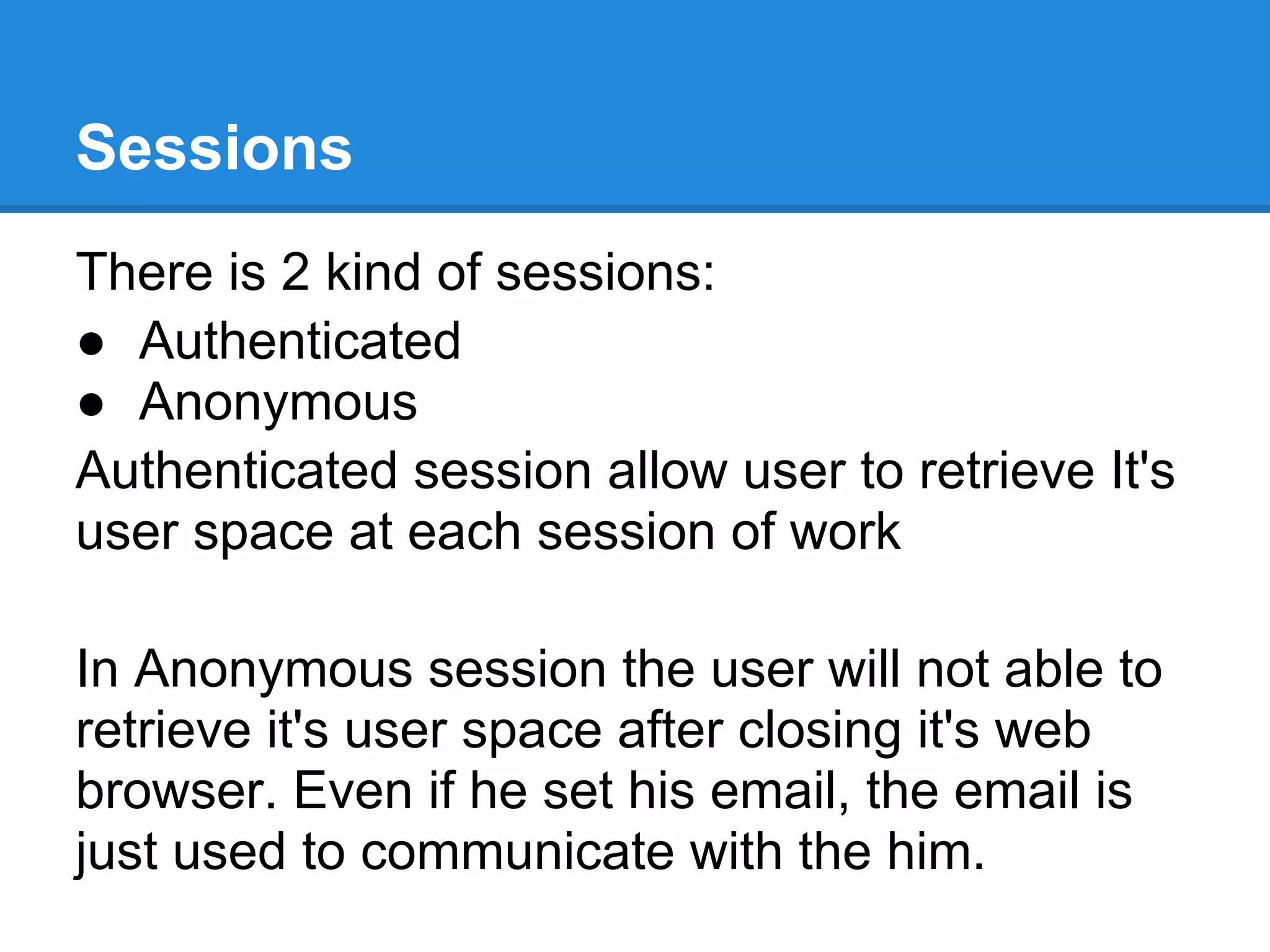
Sessions
There is 2 kind of sessions:
● Authenticated
● Anonymous
Authenticated session allow user to retrieve It's
user space at each session of work

In Anonymous session the user will not able to
retrieve it's user space after closing it's web
browser. Even if he set his email, the email is
just used to communicate with the him.
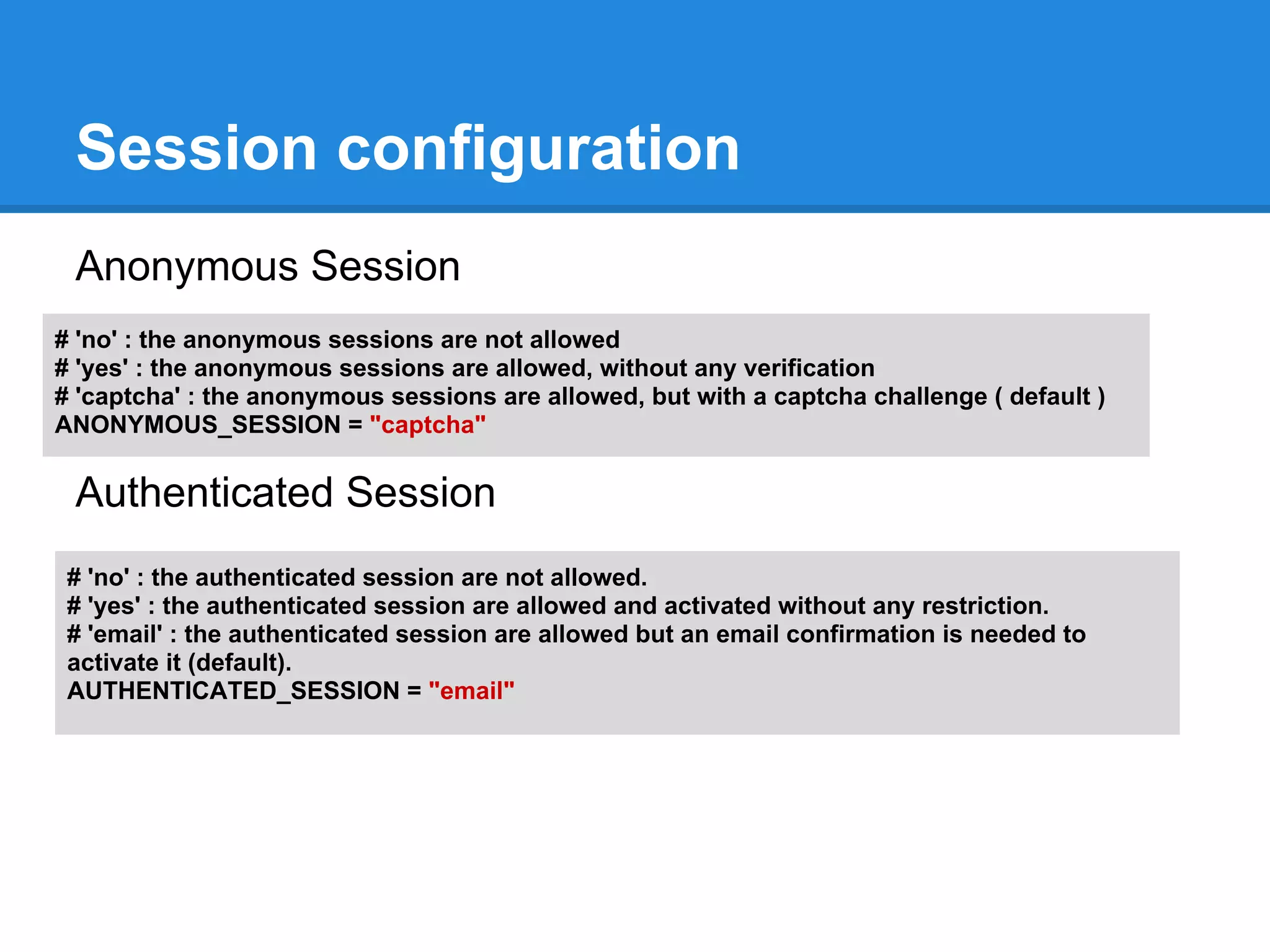
Session configuration
 Anonymous Session
# 'no' : the anonymous sessions are not allowed
# 'yes' : the anonymous sessions are allowed, without any verification
# 'captcha' : the anonymous sessions are allowed, but with a captcha challenge ( default )
ANONYMOUS_SESSION = "captcha"

 Authenticated Session
 # 'no' : the authenticated session are not allowed.
 # 'yes' : the authenticated session are allowed and activated without any restriction.
 # 'email' : the authenticated session are allowed but an email confirmation is needed to
 activate it (default).
 AUTHENTICATED_SESSION = "email"
Overview
●   Mobyle architecture.
●   Installation.
●   Mobyle and Apache configuration.
●   How to deploy new services.
●   How to connect Mobyle to an execution system.
●   Mobyle configuration.
●   New tools integration.
     ○ concepts (grammar, typing, validation,...).
     ○ BMID tutorial.
●   Share services between Mobyle servers.
●   Maintenance
●   Link my web application to Mobyle
●   Referencing and statistics
New tools integration
● Command line based programs are integrated in
  Mobyle with the help of an XML file.

● This file is used to:
  ○ generate the user interface (form)
  ○ transform a form submission into a command line
     call
  ○ capture the results
  ○ display the results in the user interface (job page)
  ○ index the program (enabling classification and
     search)
Grammar
● The format of the XML files for Mobyle services is
  defined by schema definitions (for programs and other
  services), stored in $MOBYLEHOME/Schema,
● A service cannot be deployed if the XML file does not
  respect this format,
● this is a partial safeguard against unpredictable
  behaviors which can occur if the program is not
  correctly described,
● you also need to be careful with the python code used
  throughout the XML description to validate the data,
  compute preconditions, and generate the command
  line.
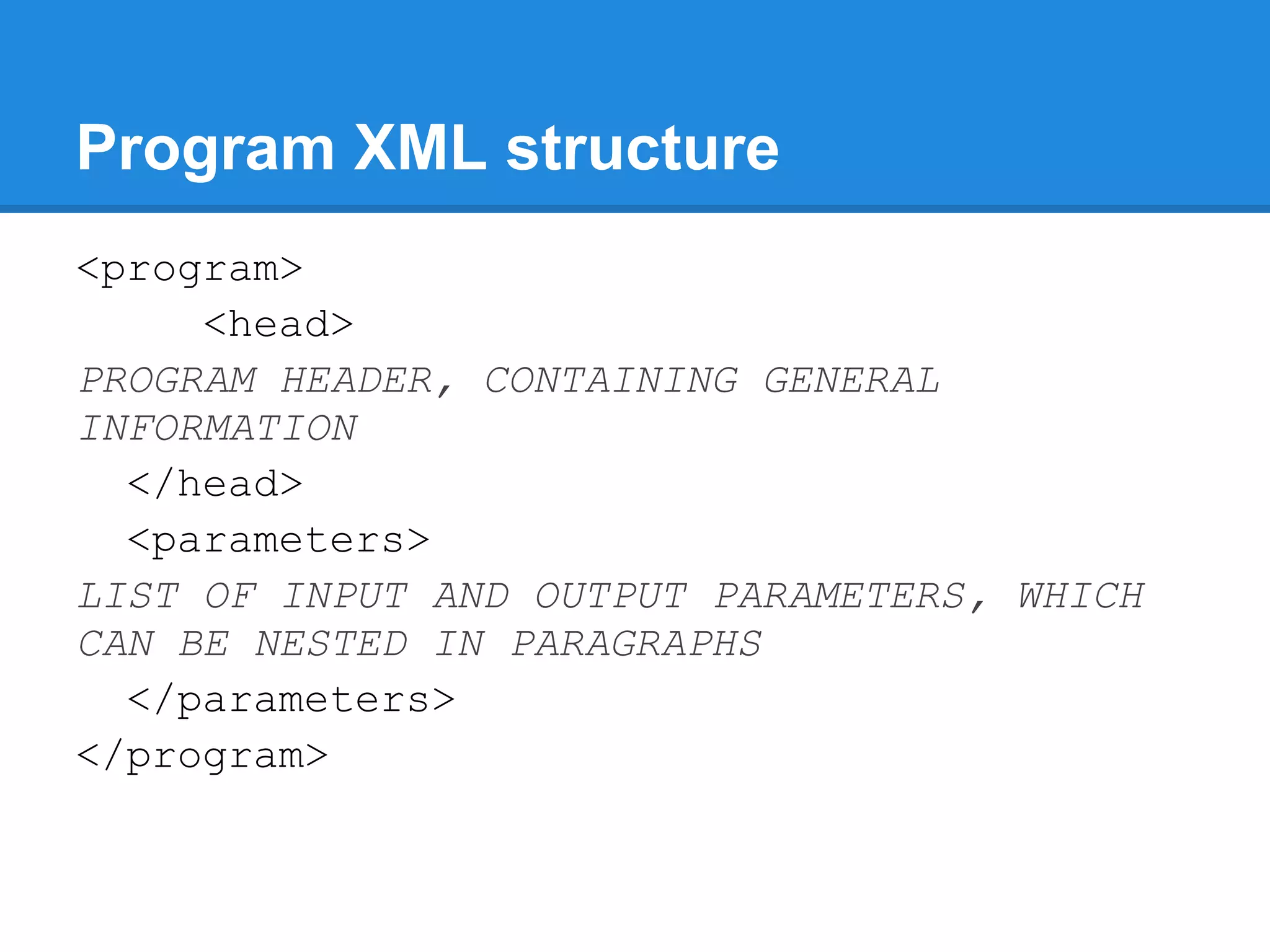
Program XML structure
<program>
     <head>
PROGRAM HEADER, CONTAINING GENERAL
INFORMATION
  </head>
  <parameters>
LIST OF INPUT AND OUTPUT PARAMETERS, WHICH
CAN BE NESTED IN PARAGRAPHS
  </parameters>
</program>
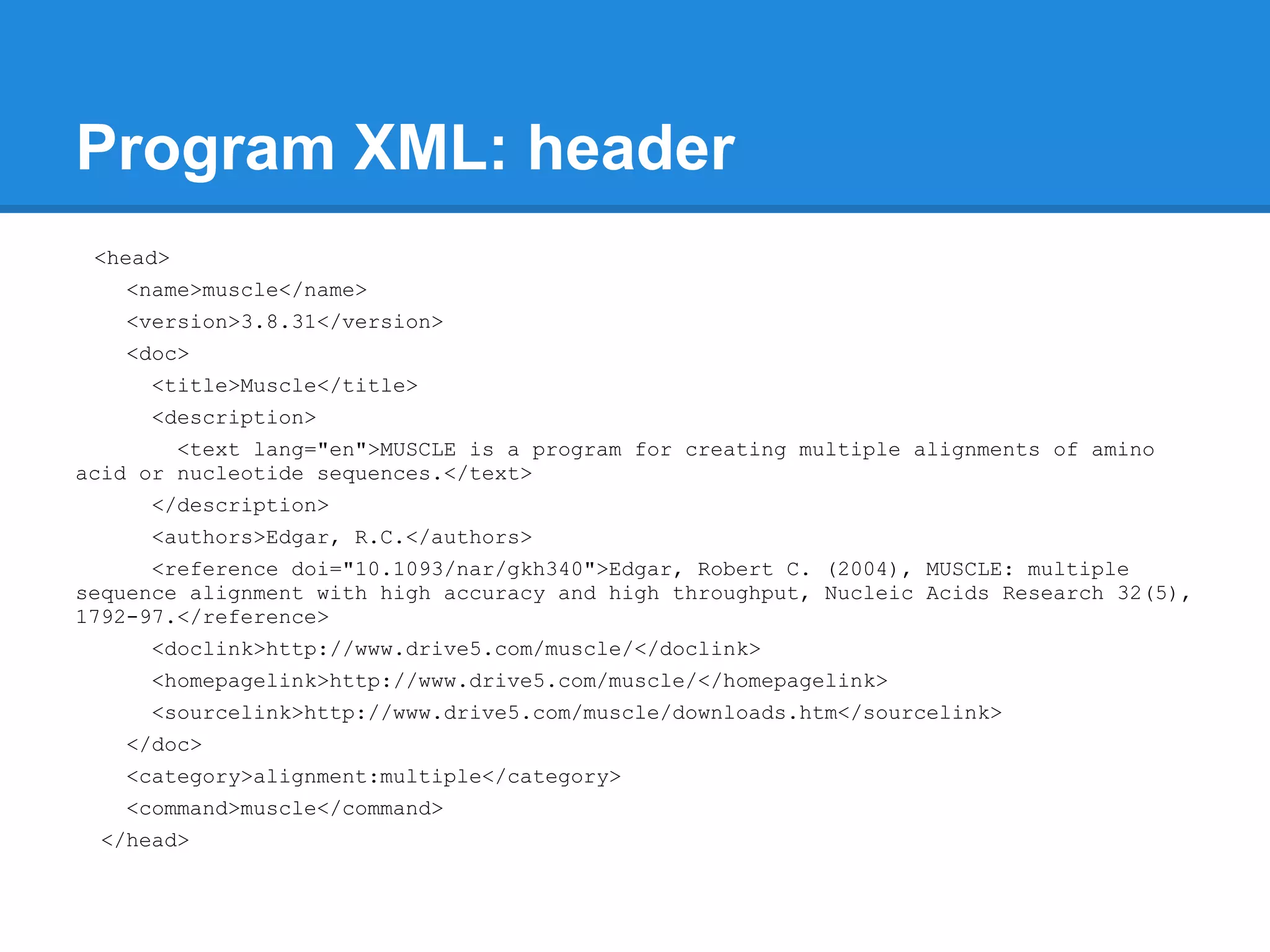
Program XML: header
 <head>
   <name>muscle</name>
   <version>3.8.31</version>
   <doc>
     <title>Muscle</title>
     <description>
        <text lang="en">MUSCLE is a program for creating multiple alignments of amino
acid or nucleotide sequences.</text>
     </description>
     <authors>Edgar, R.C.</authors>
      <reference doi="10.1093/nar/gkh340">Edgar, Robert C. (2004), MUSCLE: multiple
sequence alignment with high accuracy and high throughput, Nucleic Acids Research 32(5),
1792-97.</reference>
     <doclink>http://www.drive5.com/muscle/</doclink>
     <homepagelink>http://www.drive5.com/muscle/</homepagelink>
     <sourcelink>http://www.drive5.com/muscle/downloads.htm</sourcelink>
   </doc>
   <category>alignment:multiple</category>
   <command>muscle</command>
 </head>
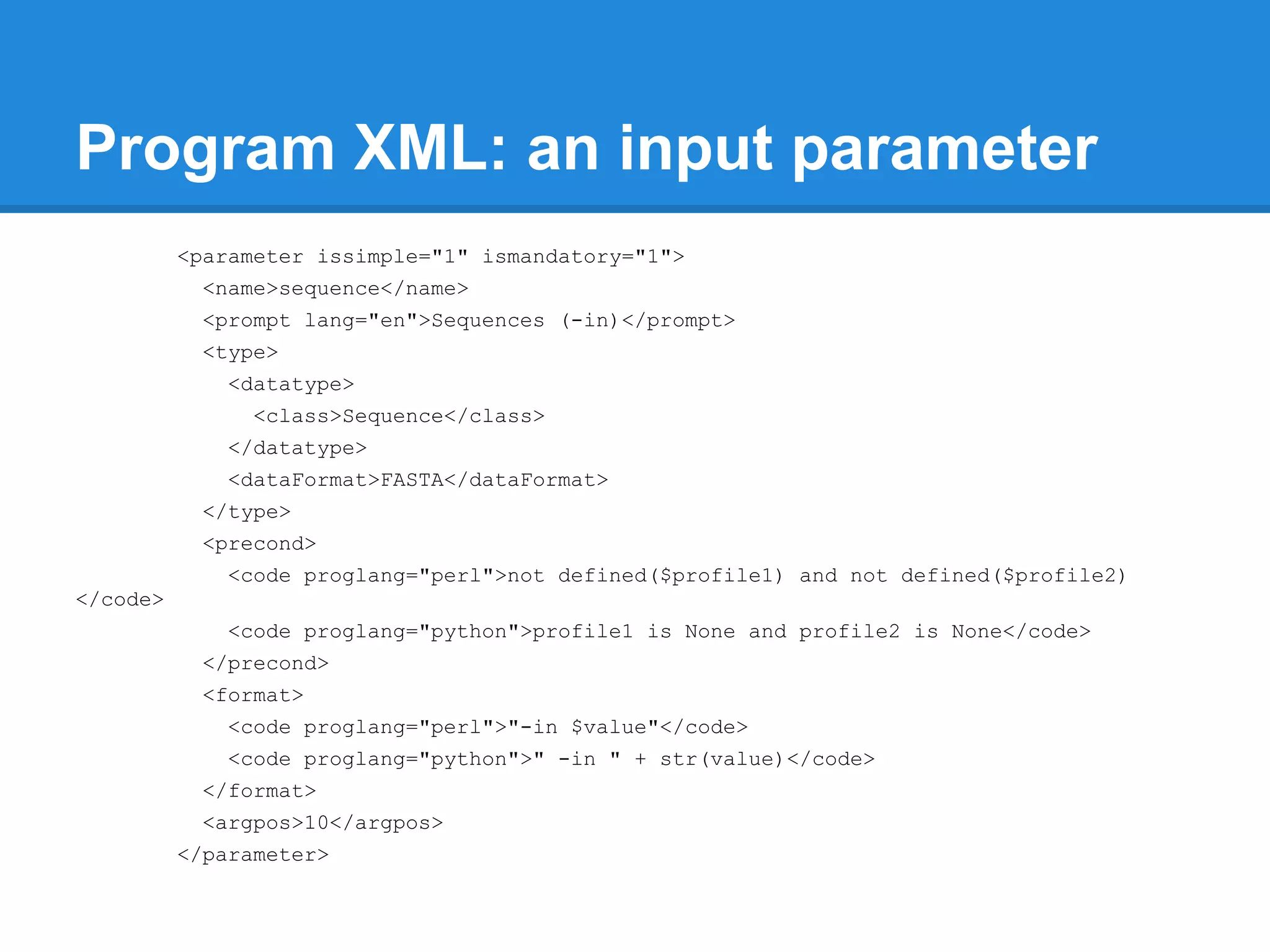
Program XML: an input parameter
          <parameter issimple="1" ismandatory="1">
           <name>sequence</name>
           <prompt lang="en">Sequences (-in)</prompt>
           <type>
             <datatype>
                <class>Sequence</class>
             </datatype>
             <dataFormat>FASTA</dataFormat>
           </type>
           <precond>
             <code proglang="perl">not defined($profile1) and not defined($profile2)
</code>
             <code proglang="python">profile1 is None and profile2 is None</code>
           </precond>
           <format>
             <code proglang="perl">"-in $value"</code>
             <code proglang="python">" -in " + str(value)</code>
           </format>
           <argpos>10</argpos>
          </parameter>
Program XML: another "simple"
parameter
<parameter>
  <name>maxiters</name>
  <prompt lang="en">Maximum number of iterations (-maxiters)</prompt>
  <type><datatype><class>Integer</class></datatype></type>
  <vdef><value>16</value></vdef>
  <format>
    <code proglang="perl">(defined $value and $value != $vdef) ? " -
maxiters $value" : ""</code>
    <code proglang="python">( "" , " -maxiters " + str( value ) )[ value
is not None and value != vdef]</code>
  </format>
  <comment>
    <text lang="en">You can control the number of iterations that MUSCLE
does by specifying the -maxiters option.</text>
    [...]
  </comment>
</parameter>
Program XML: an output parameter
 <parameter isstdout="1">
   <name>muscleHtmlout</name>
   <prompt lang="en">Alignment</prompt>
   <type>
     <datatype>
       <class>MuscleHtmlAlignment</class>
       <superclass>AbstractText</superclass>
     </datatype>
   </type>
   <precond>
     <code proglang="perl">$outformat == 'html' </code>
     <code proglang="python">outformat == 'html'</code>
   </precond>
   <filenames>
     <code proglang="perl">(defined $outfile) ? "$outfile" : "muscle.out"</code>
     <code proglang="python">( outfile , "muscle.out")[outfile is None]</code>
   </filenames>
 </parameter>
Program XML: paragraphs
<paragraph>
  <name>inputs</name>
  <prompt lang="en">Inputs options</prompt>
  <parameters>
    <parameter issimple="1" ismandatory="1">
      <name>sequence</name>
      [...]
    </parameter>
    <parameter>
      <name>seqtype</name>
      [...]
    </parameter>
  </parameters>
</paragraph>
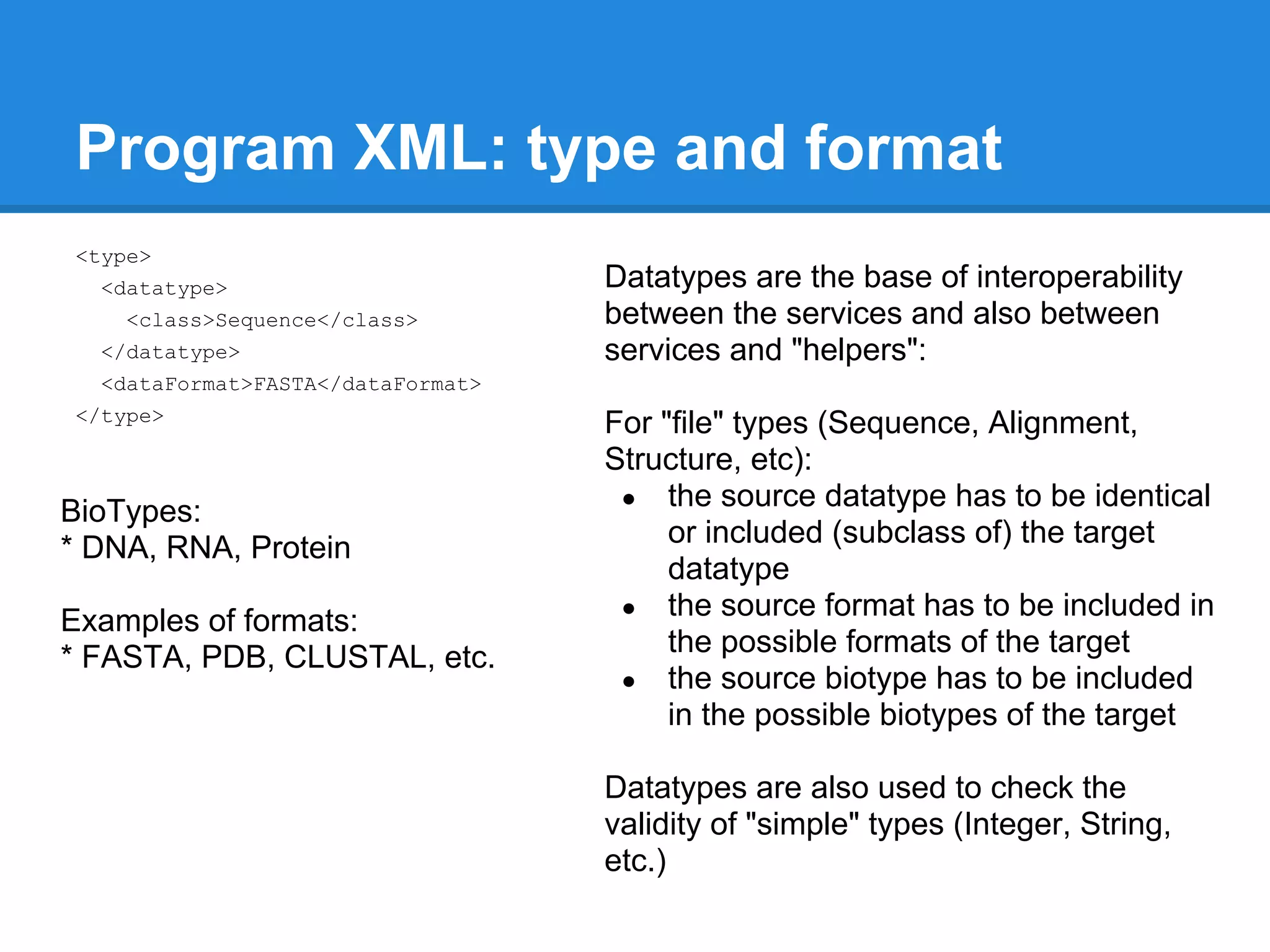
Program XML: type and format
<type>
  <datatype>                       Datatypes are the base of interoperability
    <class>Sequence</class>        between the services and also between
  </datatype>                      services and "helpers":
  <dataFormat>FASTA</dataFormat>
</type>
                                   For "file" types (Sequence, Alignment,
                                   Structure, etc):
                                    ● the source datatype has to be identical
BioTypes:
* DNA, RNA, Protein                     or included (subclass of) the target
                                        datatype
                                    ● the source format has to be included in
Examples of formats:
* FASTA, PDB, CLUSTAL, etc.             the possible formats of the target
                                    ● the source biotype has to be included
                                        in the possible biotypes of the target

                                   Datatypes are also used to check the
                                   validity of "simple" types (Integer, String,
                                   etc.)
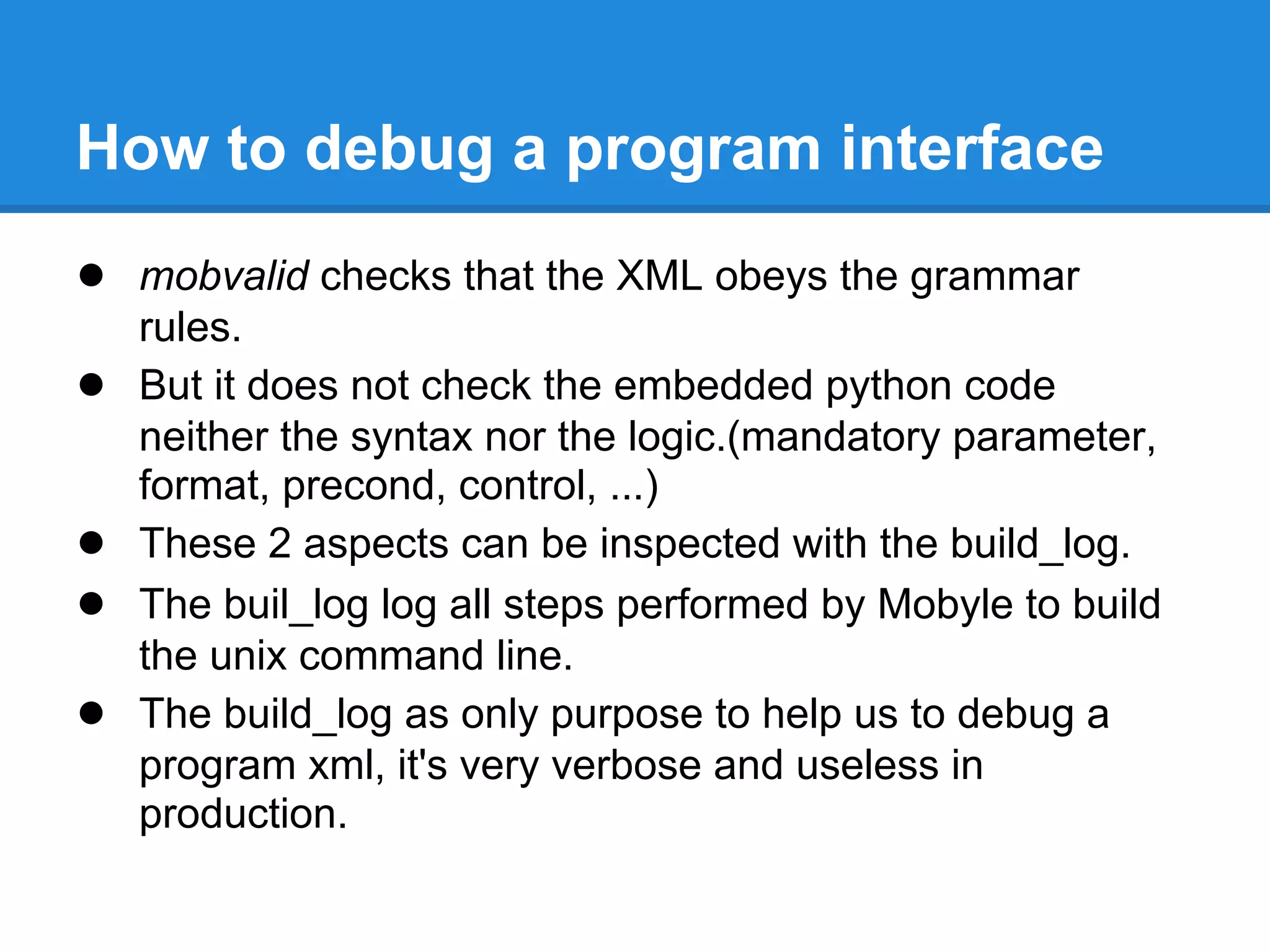
How to debug a program interface
● mobvalid checks that the XML obeys the grammar
    rules.
●   But it does not check the embedded python code
    neither the syntax nor the logic.(mandatory parameter,
    format, precond, control, ...)
●   These 2 aspects can be inspected with the build_log.
●   The buil_log log all steps performed by Mobyle to build
    the unix command line.
●   The build_log as only purpose to help us to debug a
    program xml, it's very verbose and useless in
    production.
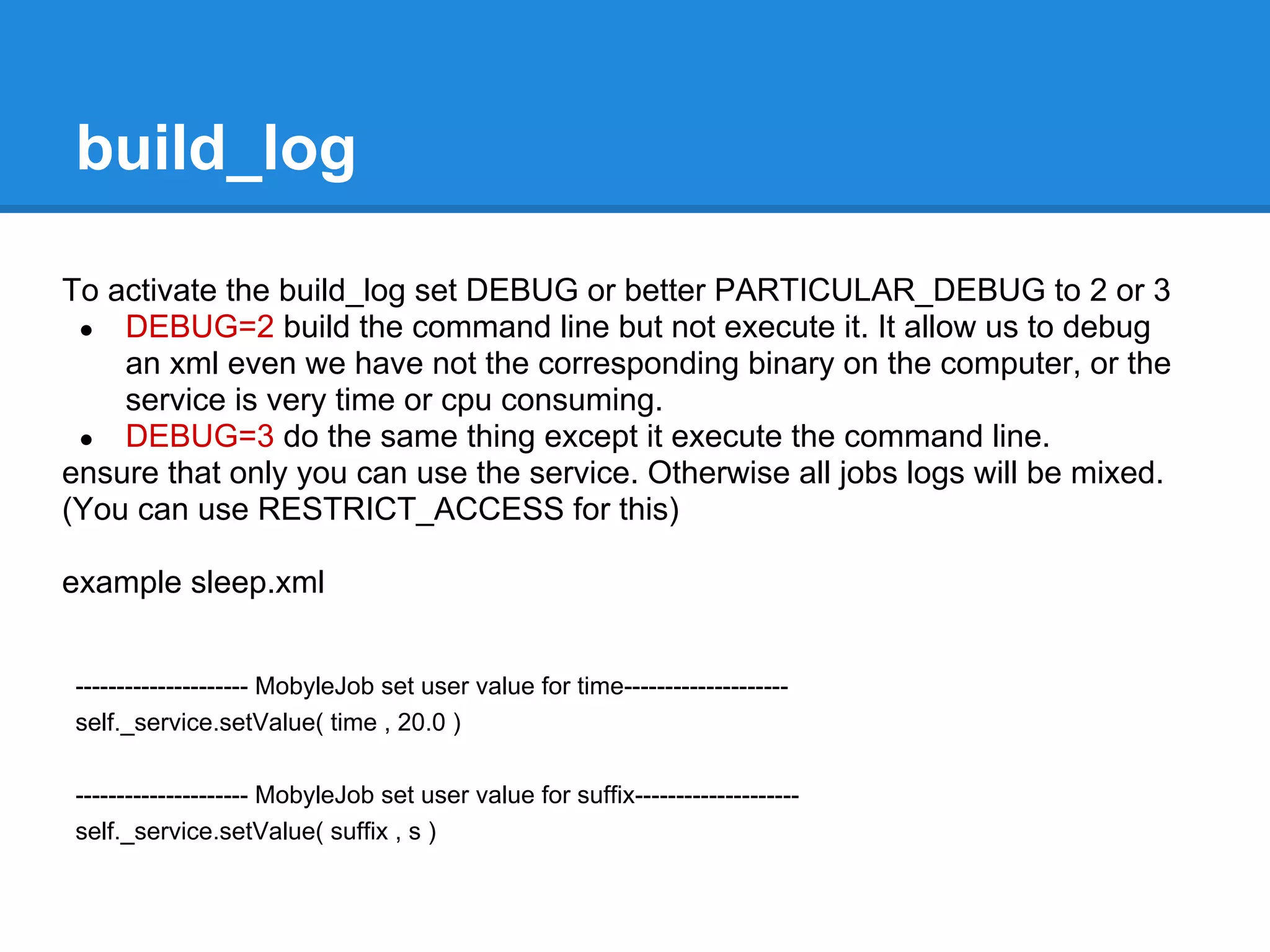
build_log

To activate the build_log set DEBUG or better PARTICULAR_DEBUG to 2 or 3
 ● DEBUG=2 build the command line but not execute it. It allow us to debug
    an xml even we have not the corresponding binary on the computer, or the
    service is very time or cpu consuming.
 ● DEBUG=3 do the same thing except it execute the command line.
ensure that only you can use the service. Otherwise all jobs logs will be mixed.
(You can use RESTRICT_ACCESS for this)

example sleep.xml


--------------------- MobyleJob set user value for time--------------------
self._service.setValue( time , 20.0 )

--------------------- MobyleJob set user value for suffix--------------------
self._service.setValue( suffix , s )
build_log
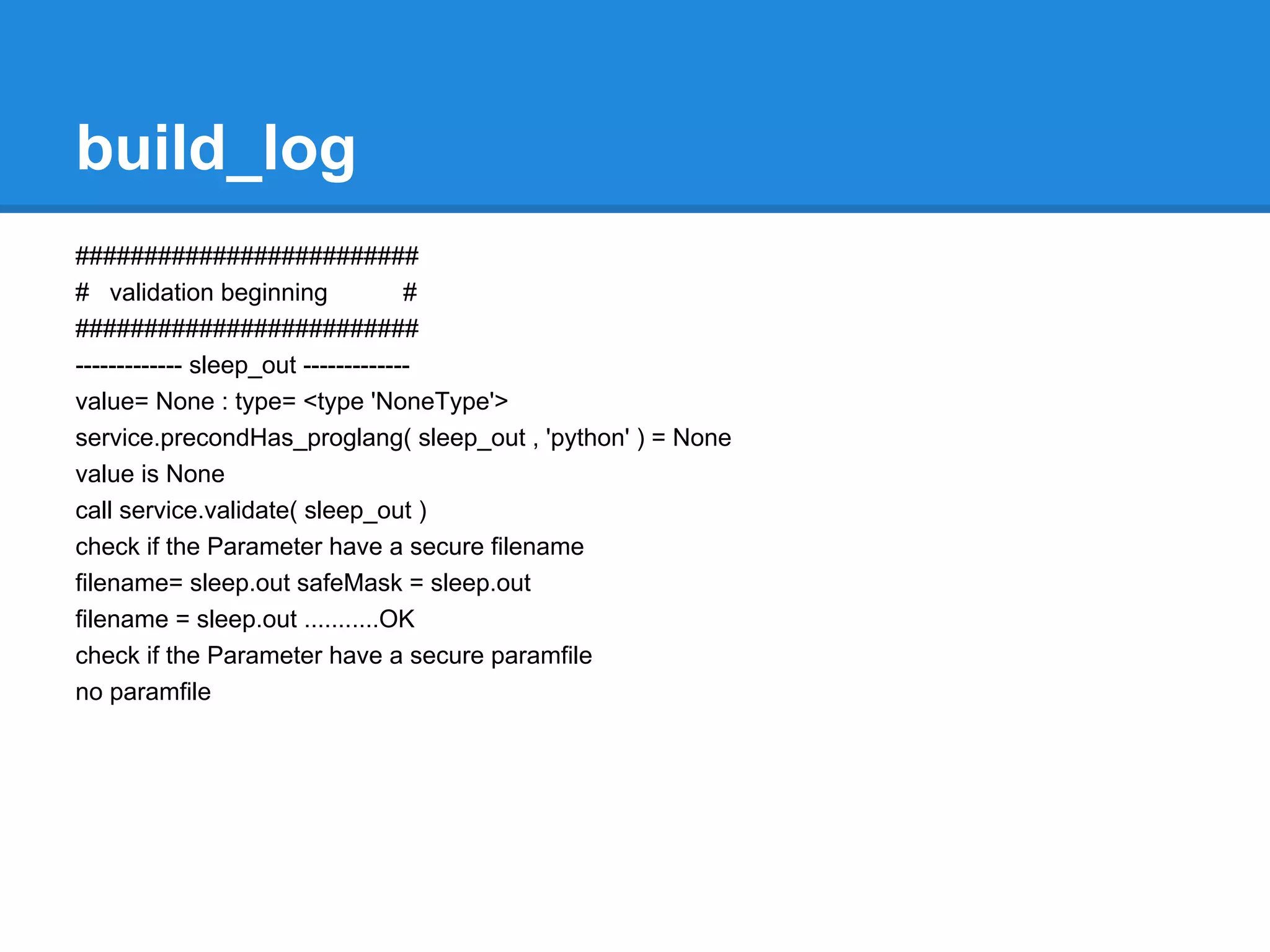
#########################
# validation beginning              #
#########################
------------- sleep_out -------------
value= None : type= <type 'NoneType'>
service.precondHas_proglang( sleep_out , 'python' ) = None
value is None
call service.validate( sleep_out )
check if the Parameter have a secure filename
filename= sleep.out safeMask = sleep.out
filename = sleep.out ...........OK
check if the Parameter have a secure paramfile
no paramfile
build_log
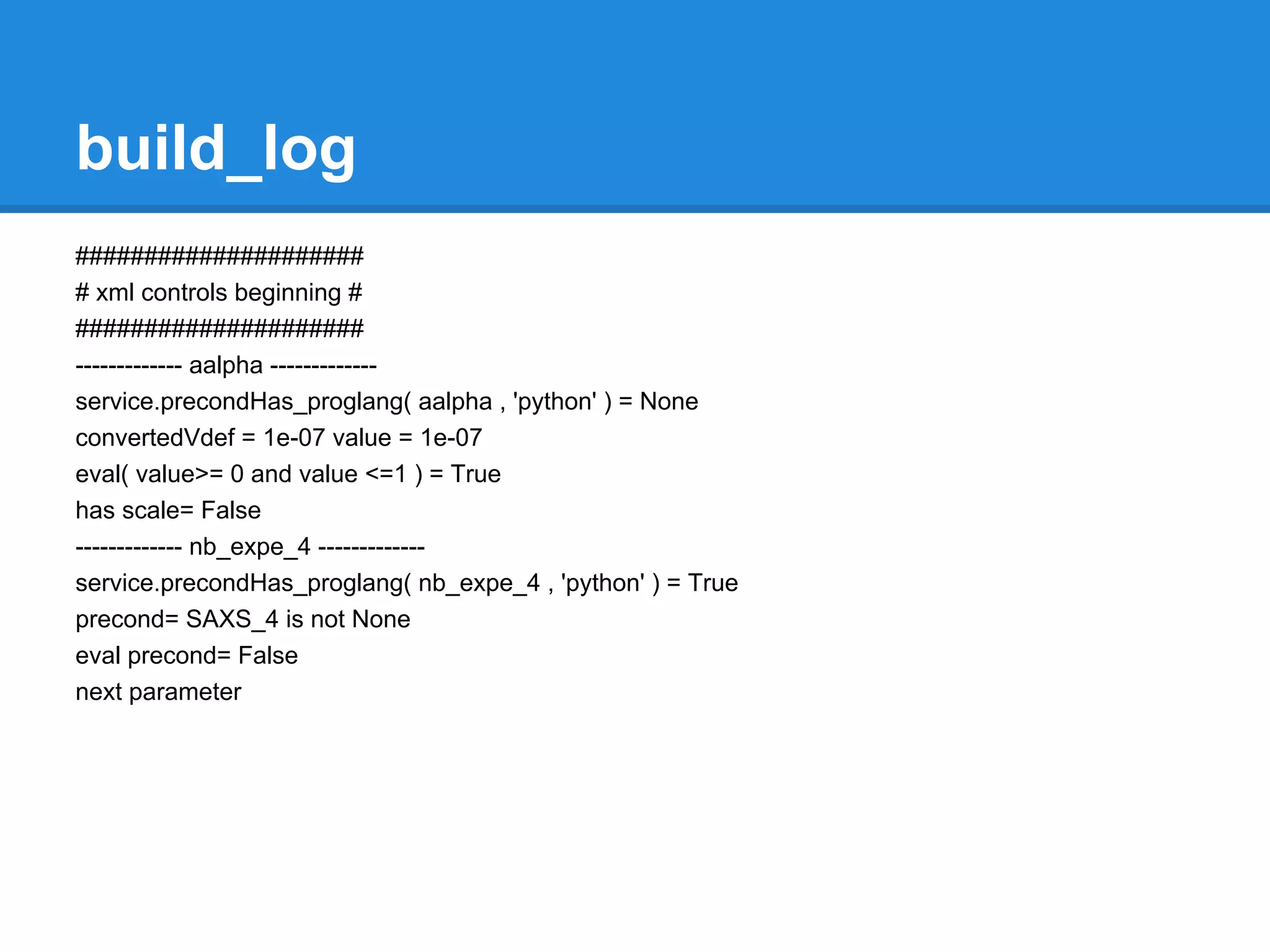
#####################
# xml controls beginning #
#####################
------------- aalpha -------------
service.precondHas_proglang( aalpha , 'python' ) = None
convertedVdef = 1e-07 value = 1e-07
eval( value>= 0 and value <=1 ) = True
has scale= False
------------- nb_expe_4 -------------
service.precondHas_proglang( nb_expe_4 , 'python' ) = True
precond= SAXS_4 is not None
eval precond= False
next parameter
build_log
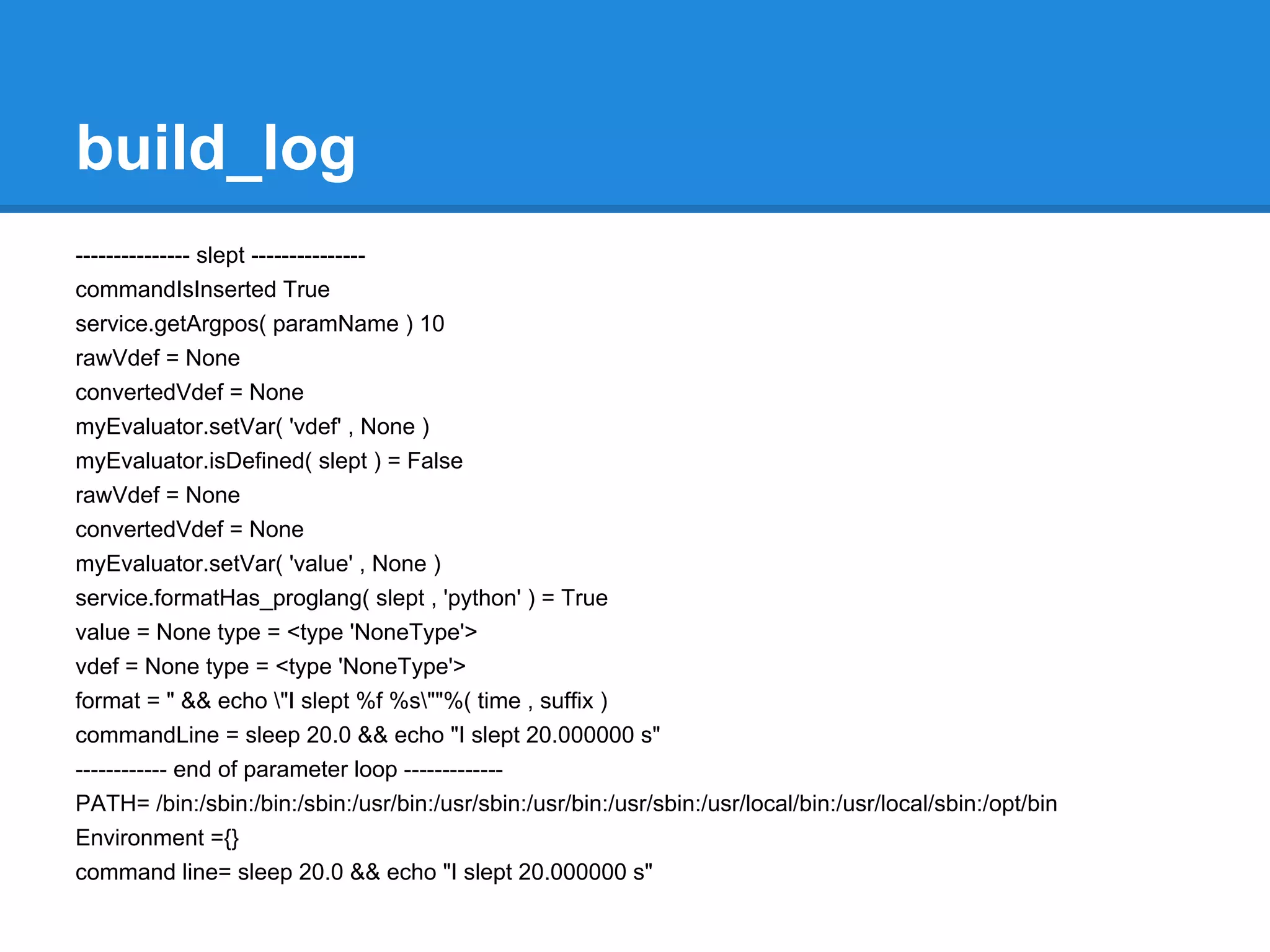
--------------- slept ---------------
commandIsInserted True
service.getArgpos( paramName ) 10
rawVdef = None
convertedVdef = None
myEvaluator.setVar( 'vdef' , None )
myEvaluator.isDefined( slept ) = False
rawVdef = None
convertedVdef = None
myEvaluator.setVar( 'value' , None )
service.formatHas_proglang( slept , 'python' ) = True
value = None type = <type 'NoneType'>
vdef = None type = <type 'NoneType'>
format = " && echo "I slept %f %s""%( time , suffix )
commandLine = sleep 20.0 && echo "I slept 20.000000 s"
------------ end of parameter loop -------------
PATH= /bin:/sbin:/bin:/sbin:/usr/bin:/usr/sbin:/usr/bin:/usr/sbin:/usr/local/bin:/usr/local/sbin:/opt/bin
Environment ={}
command line= sleep 20.0 && echo "I slept 20.000000 s"
Overview
●   Mobyle architecture.
●   Installation.
●   Mobyle and Apache configuration.
●   How to deploy new services.
●   How to connect Mobyle to an execution system.
●   Mobyle configuration.
●   New tools integration.
     ○ concepts (grammar, typing, validation,...).
     ○ BMID tutorial.
●   Share services between Mobyle servers.
●   Maintenance
●   Link my web application to Mobyle
●   Referencing and statistics
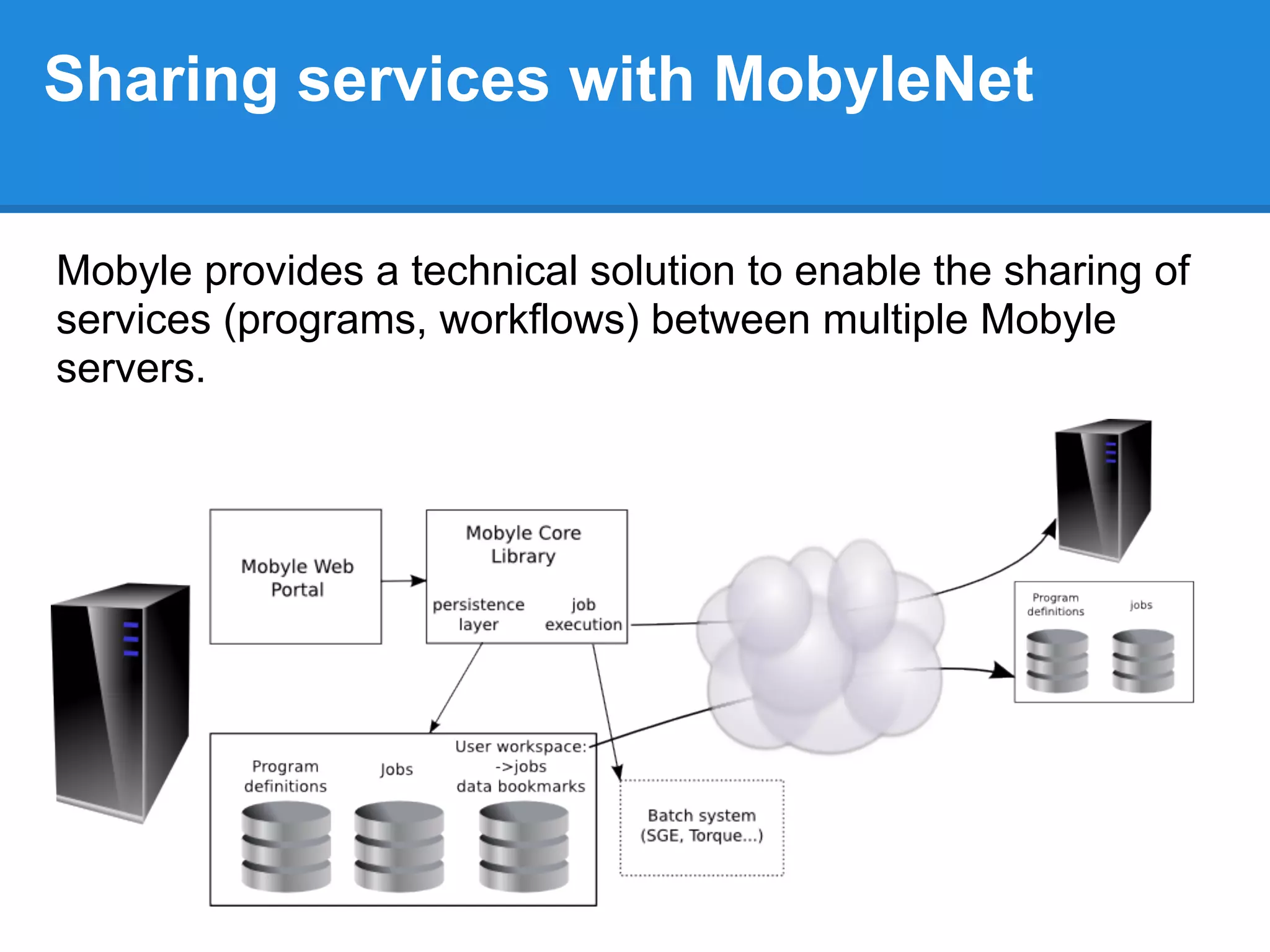
Sharing services with MobyleNet

Mobyle provides a technical solution to enable the sharing of
services (programs, workflows) between multiple Mobyle
servers.
Import/Export Mobyle services with
  MobyleNet
PORTAL_NAME = "moi_meme"
                                          Defines the information sent to
PORTALS={                               remote execution portals to identify
                                                     yourself
    'ami_1':{
                   'url': 'http://ami1.fr/cgi-bin/',
                   'help' : 'support@ami1.fr',
                   'repository': 'http://ami1.fr/',
                                                           Defines the list of remote services
                   'services': { 'programs' :[
'golden','dnapars','boxshade','protpars' ],                 that can be run from your portal
                                  'workflows':[ 'workflow_phylogeny' ]
                                }
    },
    'ami_2':{
            'url':'http://ami2.fr/mobyle/cgi-bin/',
            'help' : 'support@ami2.fr',
            'repository' : 'http://ami2.fr/mobyle',
            'services': {'programs':['protpars']
                    }
    }
}                                                       Defines the list of "your" which you
                                                        allow to be run from remote Mobyle
EXPORTED_SERVICES = [ 'abiview','toppred' ]                           servers
Import/Export Mobyle services with
MobyleNet
sudo vim /opt/mobyle/Local/Config/Config.py

PORTAL_NAME = "training_session_MYNAME"

PORTALS={
   'pasteur':{
         'url':'http://mobyle.pasteur.fr/cgi-bin/',
         'help':'mobyle@pasteur.fr',
         'repository':'http://mobyle.pasteur.fr/',
         'services': {'programs': ['protpars']}
         }
}

sudo -u www-data /opt/mobyle/Tools/mobdeploy deploy
Overview
●   Mobyle architecture.
●   Installation.
●   Mobyle and Apache configuration.
●   How to deploy new services.
●   How to connect Mobyle to an execution system.
●   Mobyle configuration.
●   New tools integration.
     ○ concepts (grammar, typing, validation,...).
     ○ BMID tutorial.
●   Share services between Mobyle servers.
●   Maintenance
●   Link my web application to Mobyle
●   Referencing and statistics
Mobyle: Daily maintenance
To supervise a Mobyle server there are:
  ● logs
  ● some mob* tools
Mobyle: Daily maintenance
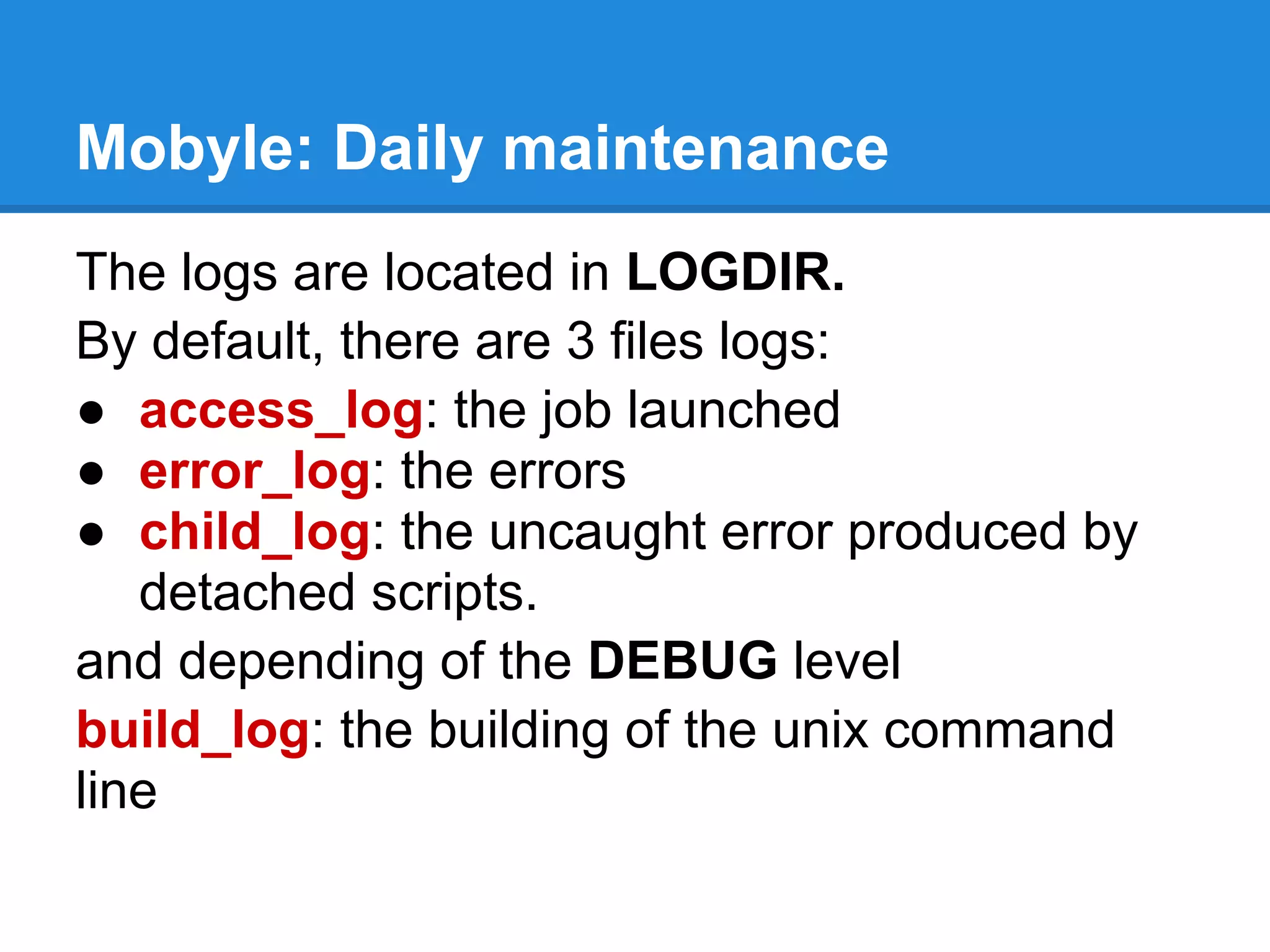
The logs are located in LOGDIR.
By default, there are 3 files logs:
● access_log: the job launched
● error_log: the errors
● child_log: the uncaught error produced by
   detached scripts.
and depending of the DEBUG level
build_log: the building of the unix command
line
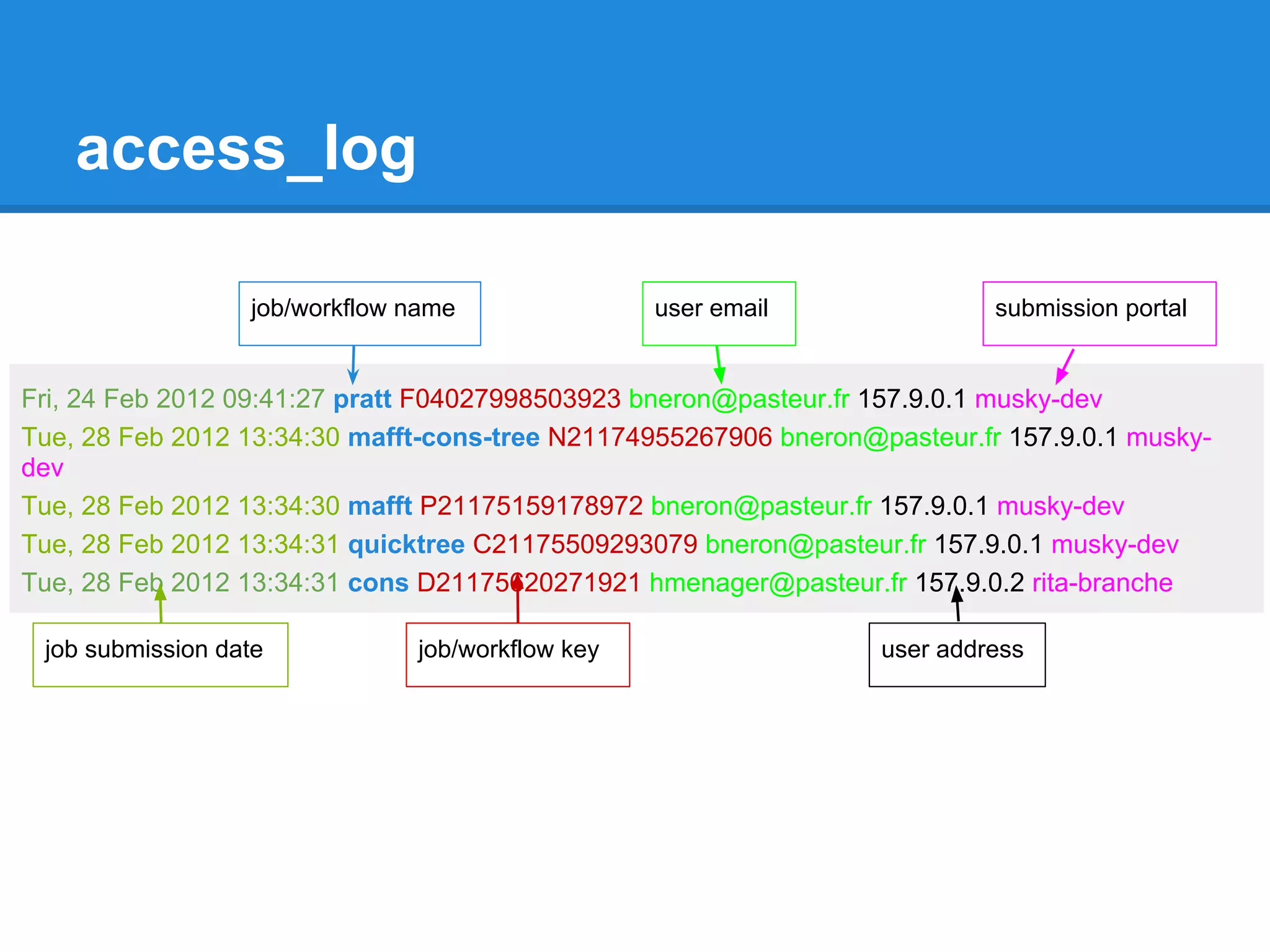
access_log

                  job/workflow name               user email               submission portal


Fri, 24 Feb 2012 09:41:27 pratt F04027998503923 bneron@pasteur.fr 157.9.0.1 musky-dev
Tue, 28 Feb 2012 13:34:30 mafft-cons-tree N21174955267906 bneron@pasteur.fr 157.9.0.1 musky-
dev
Tue, 28 Feb 2012 13:34:30 mafft P21175159178972 bneron@pasteur.fr 157.9.0.1 musky-dev
Tue, 28 Feb 2012 13:34:31 quicktree C21175509293079 bneron@pasteur.fr 157.9.0.1 musky-dev
Tue, 28 Feb 2012 13:34:31 cons D21175620271921 hmenager@pasteur.fr 157.9.0.2 rita-branche

 job submission date           job/workflow key                   user address
error_log
Mobyle.MobyleJob : WARNING : MobyleJob.py: L 717 : Fri, 30 Mar 2012 10:57:56 : Potential
Collision: ['/htdocs/data/jobs/mafft/J12393850061893/mafft.out'] input files match the "result" output
parameter mask /htdocs/data/jobs/mafft/J12393850061893/mafft.out

Mobyle.Session.AnonymousSession : ERROR : Session.py: L 491 : Thu, 29 Mar 2012 14:06:57 :
session/J05040996510983 : the data af50ab3b273d6f3bd97b396ed3771bc7.data ( 3388999 ) cannot
be added because the session size exceed the session limi
t ( 1048576 )

Mobyle.Execution.DRMAA : CRITICAL : DRMAA.py : L 281 : Thu, 22 Mar 2012 13:40:50 : error during
drmaa intitialization for job 4: code 2: unable to contact qmaster using port 6444 on host "musky"
Traceback (most recent call last):
File "mobyle/Src/Mobyle/Execution/DRMAA.py", line 277, in getStatus
s.initialize()
...
raise _ERRORS[code-1]("code %s: %s" % (code, error_buffer.value))
DrmCommunicationException: code 2: unable to contact qmaster using port 6444 on host "musky"
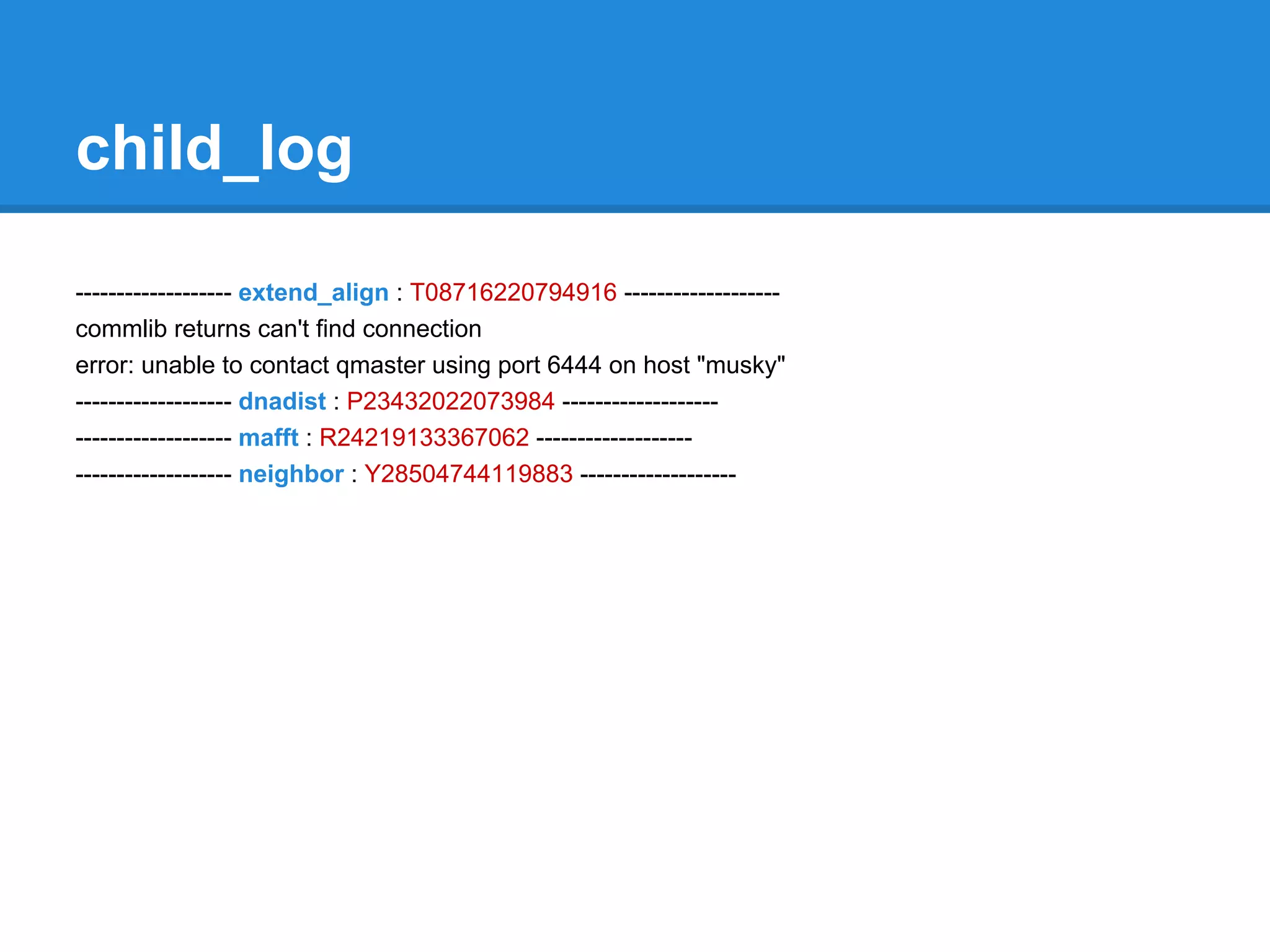
child_log

------------------- extend_align : T08716220794916 -------------------
commlib returns can't find connection
error: unable to contact qmaster using port 6444 on host "musky"
------------------- dnadist : P23432022073984 -------------------
------------------- mafft : R24219133367062 -------------------
------------------- neighbor : Y28504744119883 -------------------
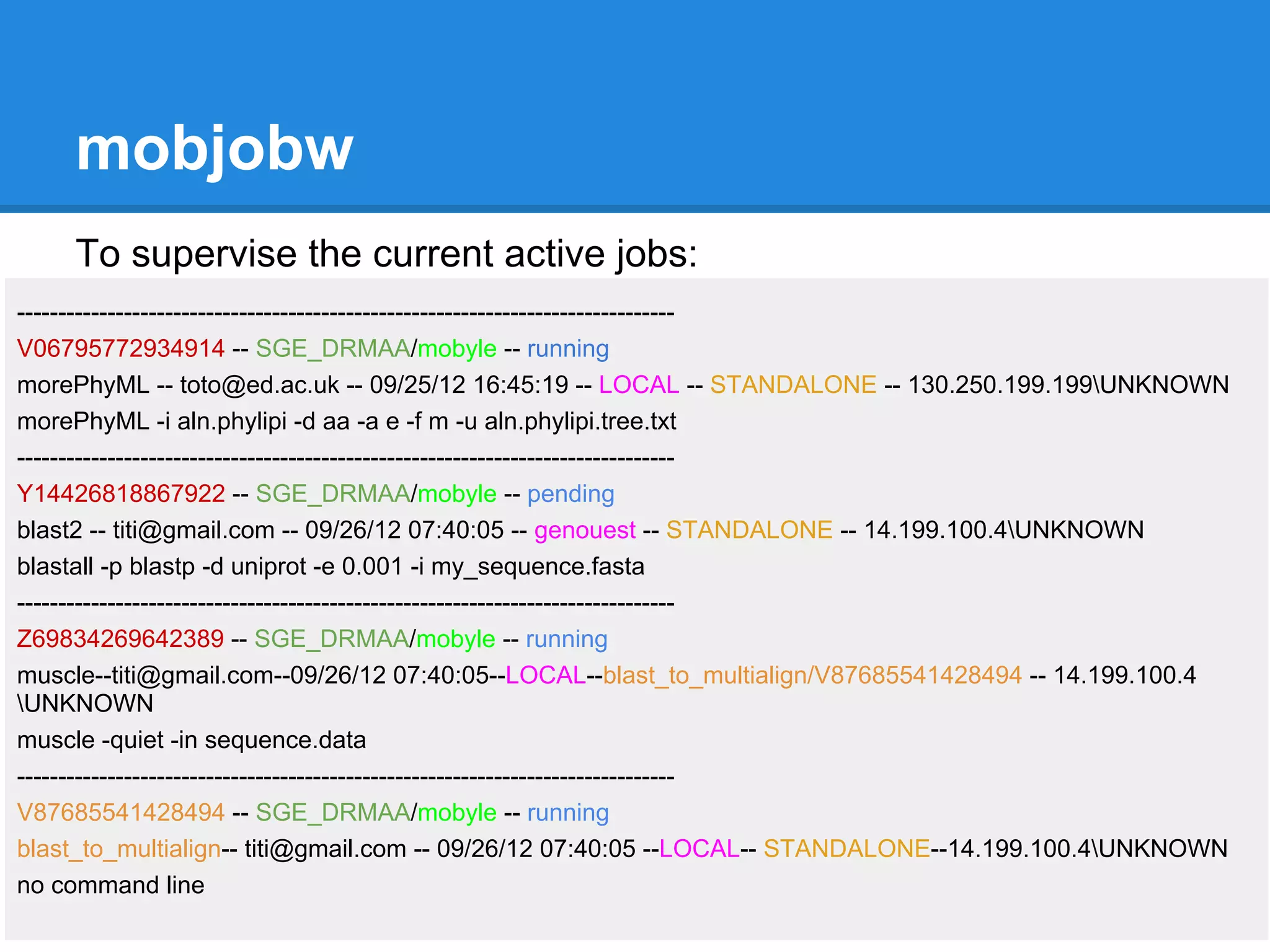
mobjobw
    To supervise the current active jobs:
--------------------------------------------------------------------------------
V06795772934914 -- SGE_DRMAA/mobyle -- running
morePhyML -- toto@ed.ac.uk -- 09/25/12 16:45:19 -- LOCAL -- STANDALONE -- 130.250.199.199UNKNOWN
morePhyML -i aln.phylipi -d aa -a e -f m -u aln.phylipi.tree.txt
--------------------------------------------------------------------------------
Y14426818867922 -- SGE_DRMAA/mobyle -- pending
blast2 -- titi@gmail.com -- 09/26/12 07:40:05 -- genouest -- STANDALONE -- 14.199.100.4UNKNOWN
blastall -p blastp -d uniprot -e 0.001 -i my_sequence.fasta
--------------------------------------------------------------------------------
Z69834269642389 -- SGE_DRMAA/mobyle -- running
muscle--titi@gmail.com--09/26/12 07:40:05--LOCAL--blast_to_multialign/V87685541428494 -- 14.199.100.4
UNKNOWN
muscle -quiet -in sequence.data
--------------------------------------------------------------------------------
V87685541428494 -- SGE_DRMAA/mobyle -- running
blast_to_multialign-- titi@gmail.com -- 09/26/12 07:40:05 --LOCAL-- STANDALONE--14.199.100.4UNKNOWN
no command line
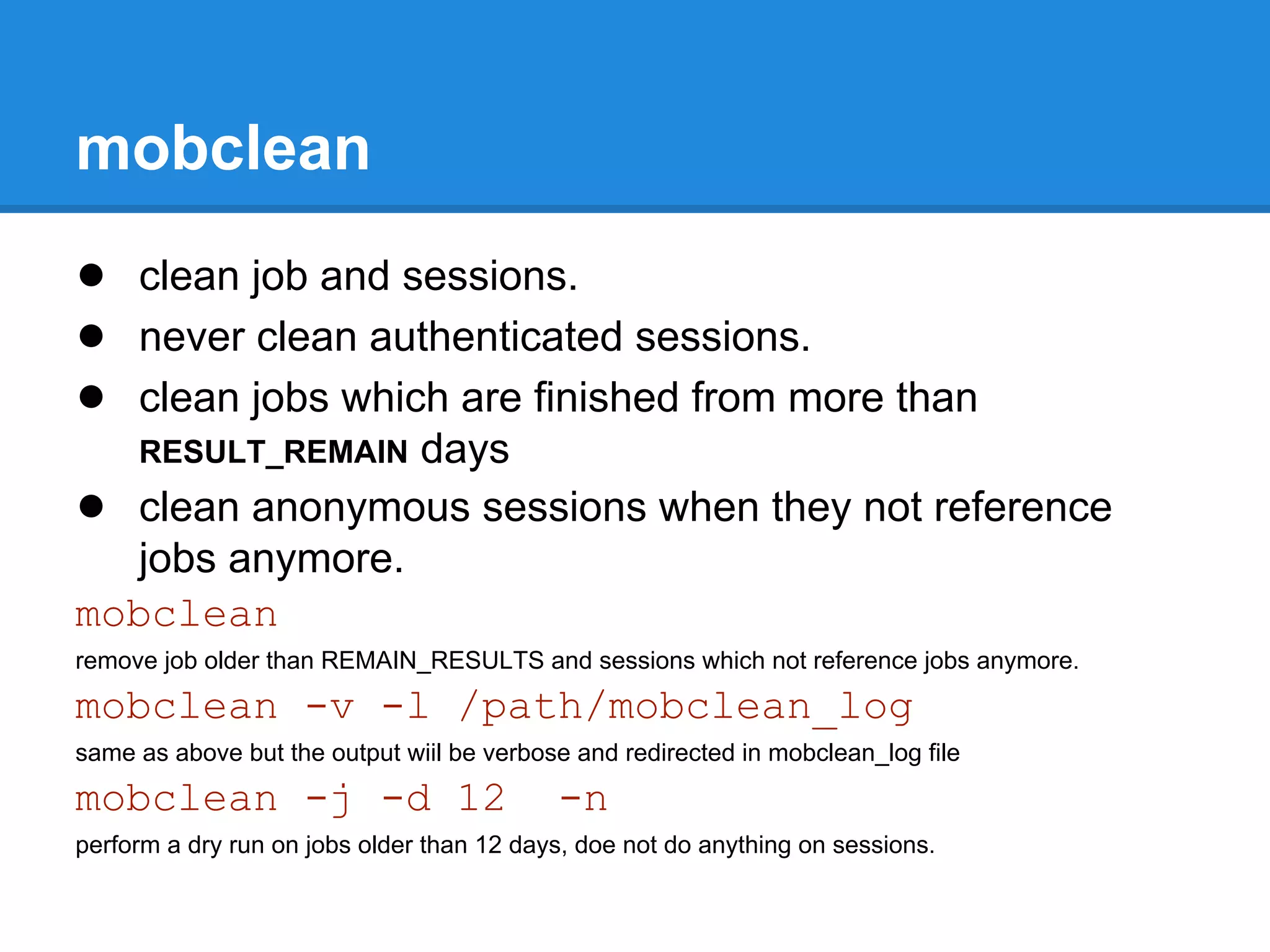
mobclean
● clean job and sessions.
● never clean authenticated sessions.
● clean jobs which are finished from more than
                 days
     RESULT_REMAIN
● clean anonymous sessions when they not reference
   jobs anymore.
mobclean
remove job older than REMAIN_RESULTS and sessions which not reference jobs anymore.
mobclean -v -l /path/mobclean_log
same as above but the output wiil be verbose and redirected in mobclean_log file
mobclean -j -d 12                          -n
perform a dry run on jobs older than 12 days, doe not do anything on sessions.
mobkill
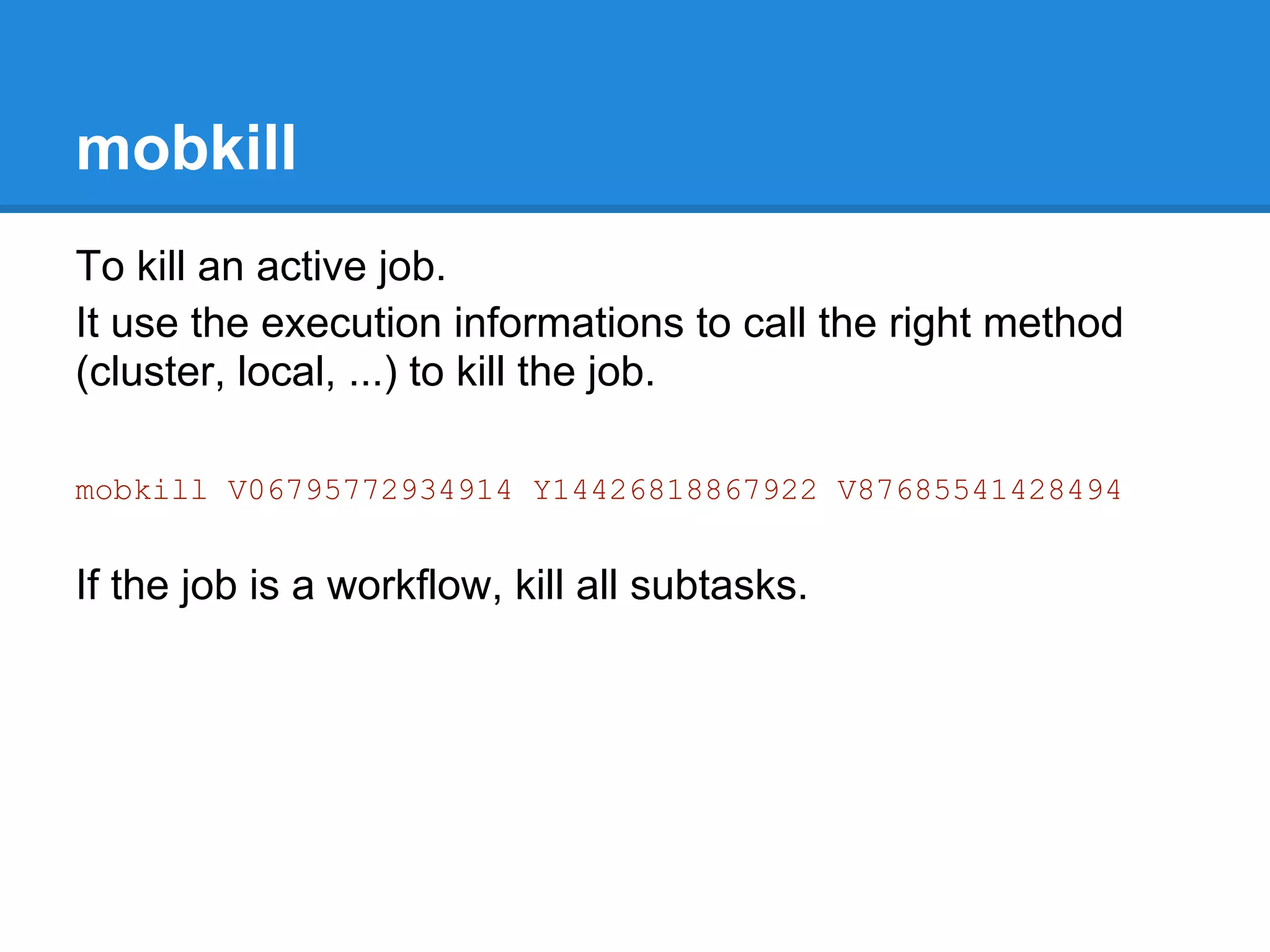
To kill an active job.
It use the execution informations to call the right method
(cluster, local, ...) to kill the job.

mobkill V06795772934914 Y14426818867922 V87685541428494


If the job is a workflow, kill all subtasks.
Overview
●   Mobyle architecture.
●   Installation.
●   Mobyle and Apache configuration.
●   How to deploy new services.
●   How to connect Mobyle to an execution system.
●   Mobyle configuration.
●   New tools integration.
     ○ concepts (grammar, typing, validation,...).
     ○ BMID tutorial.
●   Share services between Mobyle servers.
●   Maintenance.
●   Link my web application to Mobyle.
●   Referencing and statistics
Link my web application to Mobyle
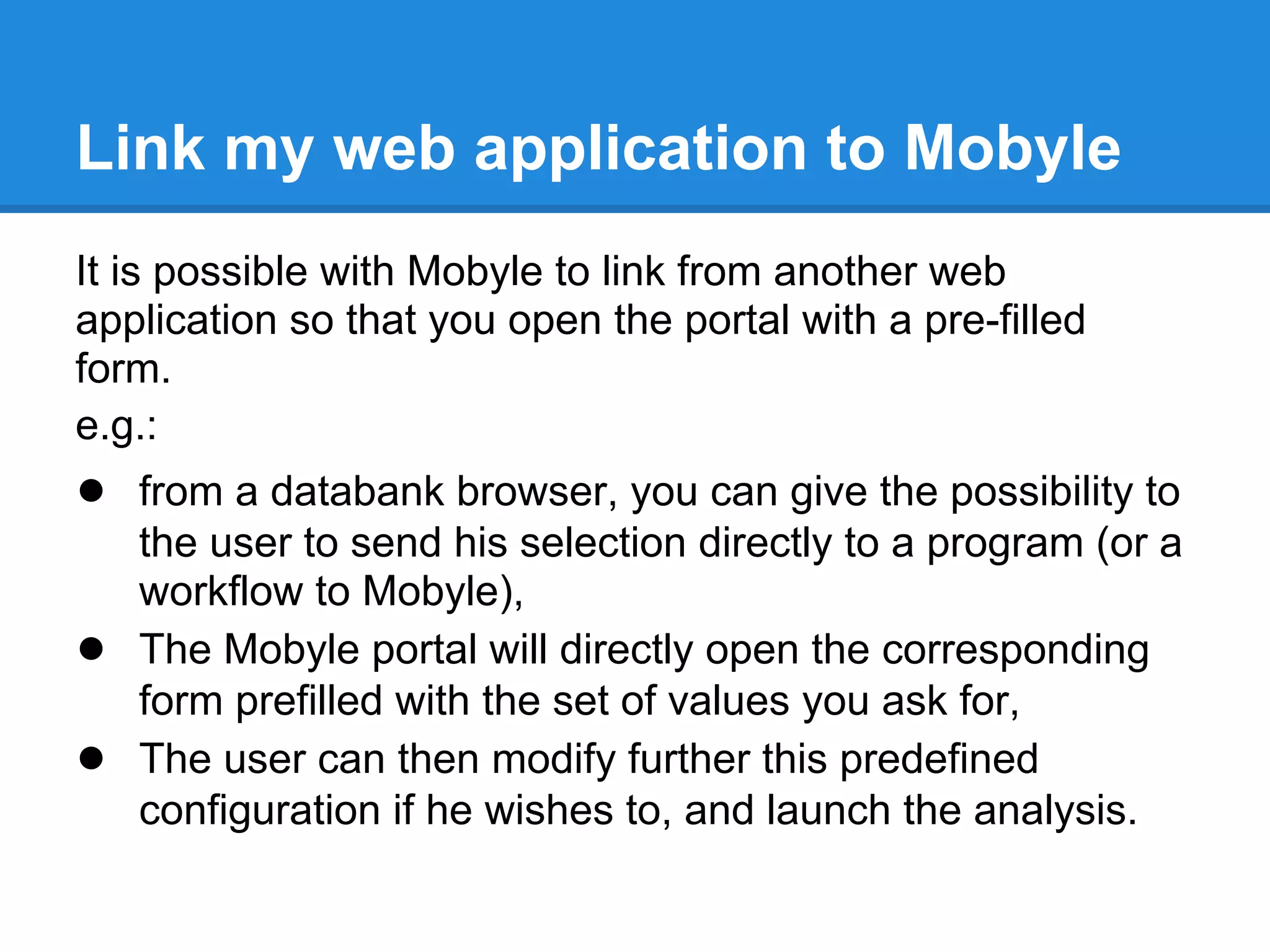
It is possible with Mobyle to link from another web
application so that you open the portal with a pre-filled
form.
e.g.:
● from a databank browser, you can give the possibility to
    the user to send his selection directly to a program (or a
    workflow to Mobyle),
●   The Mobyle portal will directly open the corresponding
    form prefilled with the set of values you ask for,
●   The user can then modify further this predefined
    configuration if he wishes to, and launch the analysis.
Link my web application to Mobyle
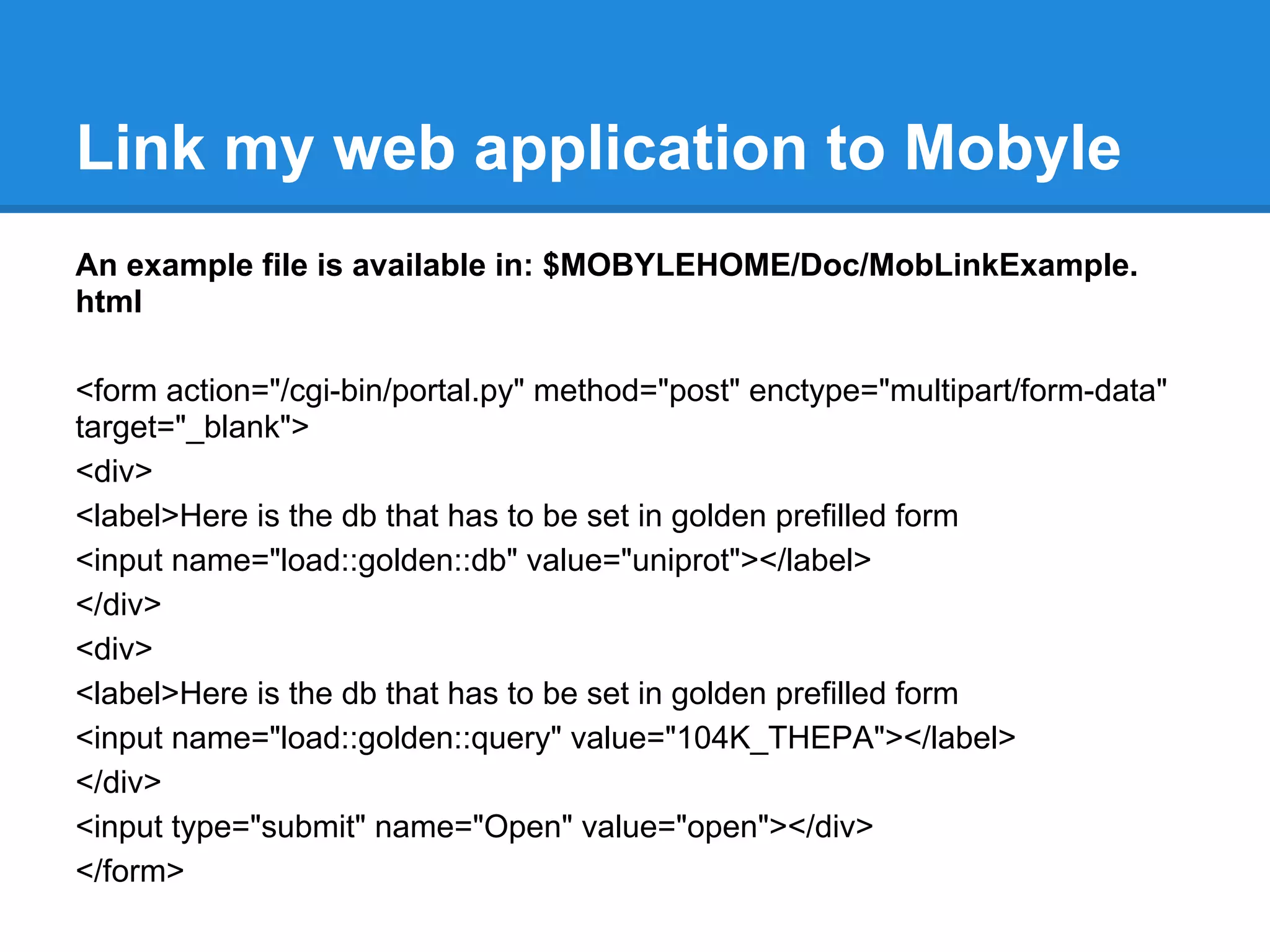
An example file is available in: $MOBYLEHOME/Doc/MobLinkExample.
html

<form action="/cgi-bin/portal.py" method="post" enctype="multipart/form-data"
target="_blank">
<div>
<label>Here is the db that has to be set in golden prefilled form
<input name="load::golden::db" value="uniprot"></label>
</div>
<div>
<label>Here is the db that has to be set in golden prefilled form
<input name="load::golden::query" value="104K_THEPA"></label>
</div>
<input type="submit" name="Open" value="open"></div>
</form>
Link my web application to Mobyle
test it:

sudo cp /opt/mobyle/Doc/MobLinkExample.html
/var/www/mobyle/htdocs/

You can also use links that perform the same HTTP
request (see the example file), but it is far less elegant
since the parameters remain in the portal URL.
Overview
●   Mobyle architecture.
●   Installation.
●   Mobyle and Apache configuration.
●   How to deploy new services.
●   How to connect Mobyle to an execution system.
●   Mobyle configuration.
●   New tools integration.
     ○ concepts (grammar, typing, validation,...).
     ○ BMID tutorial.
●   Share services between Mobyle servers.
●   Maintenance.
●   Link my web application to Mobyle.
●   Referencing and statistics.
Referencing
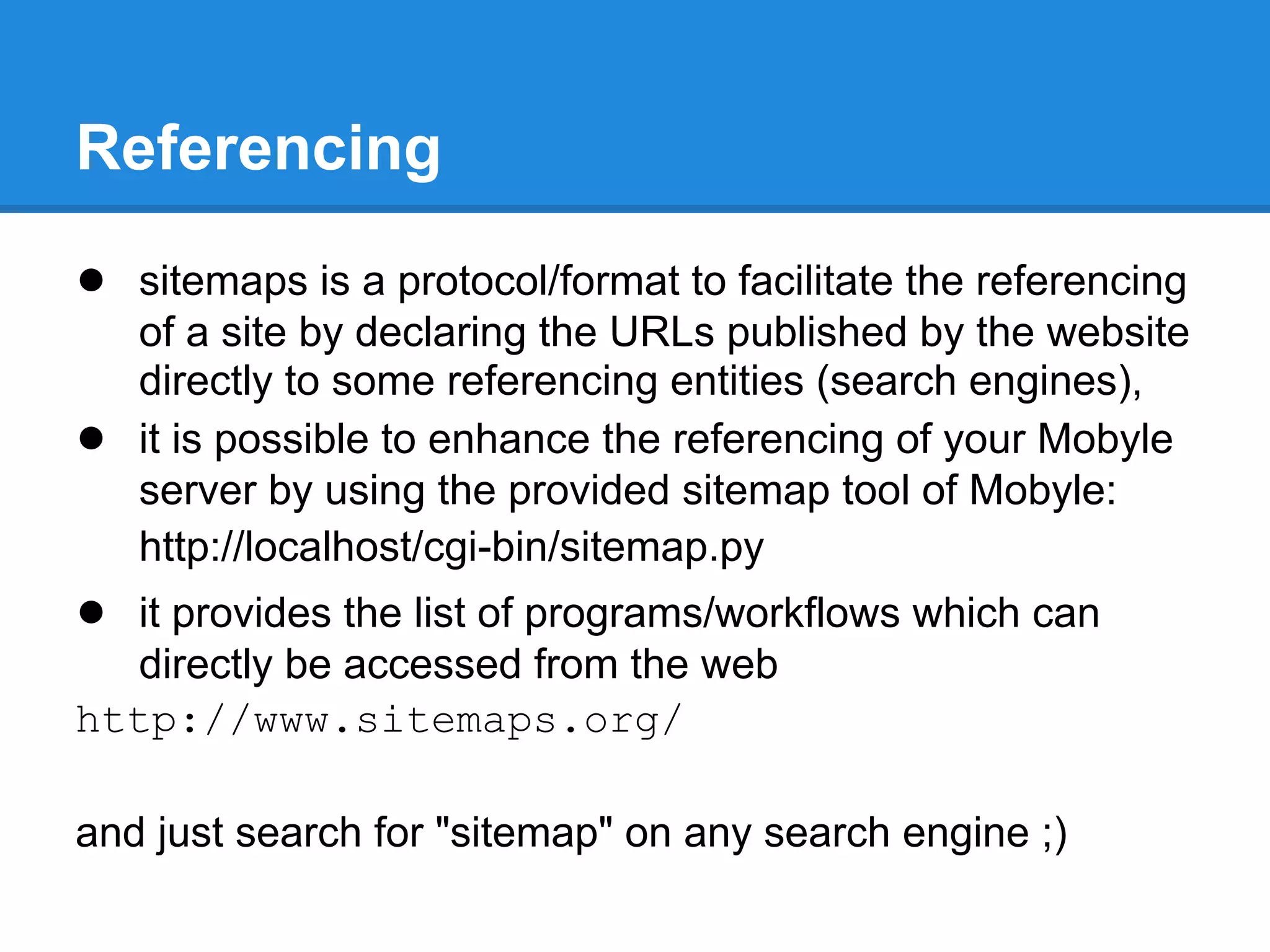
● sitemaps is a protocol/format to facilitate the referencing
    of a site by declaring the URLs published by the website
    directly to some referencing entities (search engines),
●   it is possible to enhance the referencing of your Mobyle
    server by using the provided sitemap tool of Mobyle:
    http://localhost/cgi-bin/sitemap.py
● it provides the list of programs/workflows which can
   directly be accessed from the web
http://www.sitemaps.org/

and just search for "sitemap" on any search engine ;)
Statistics
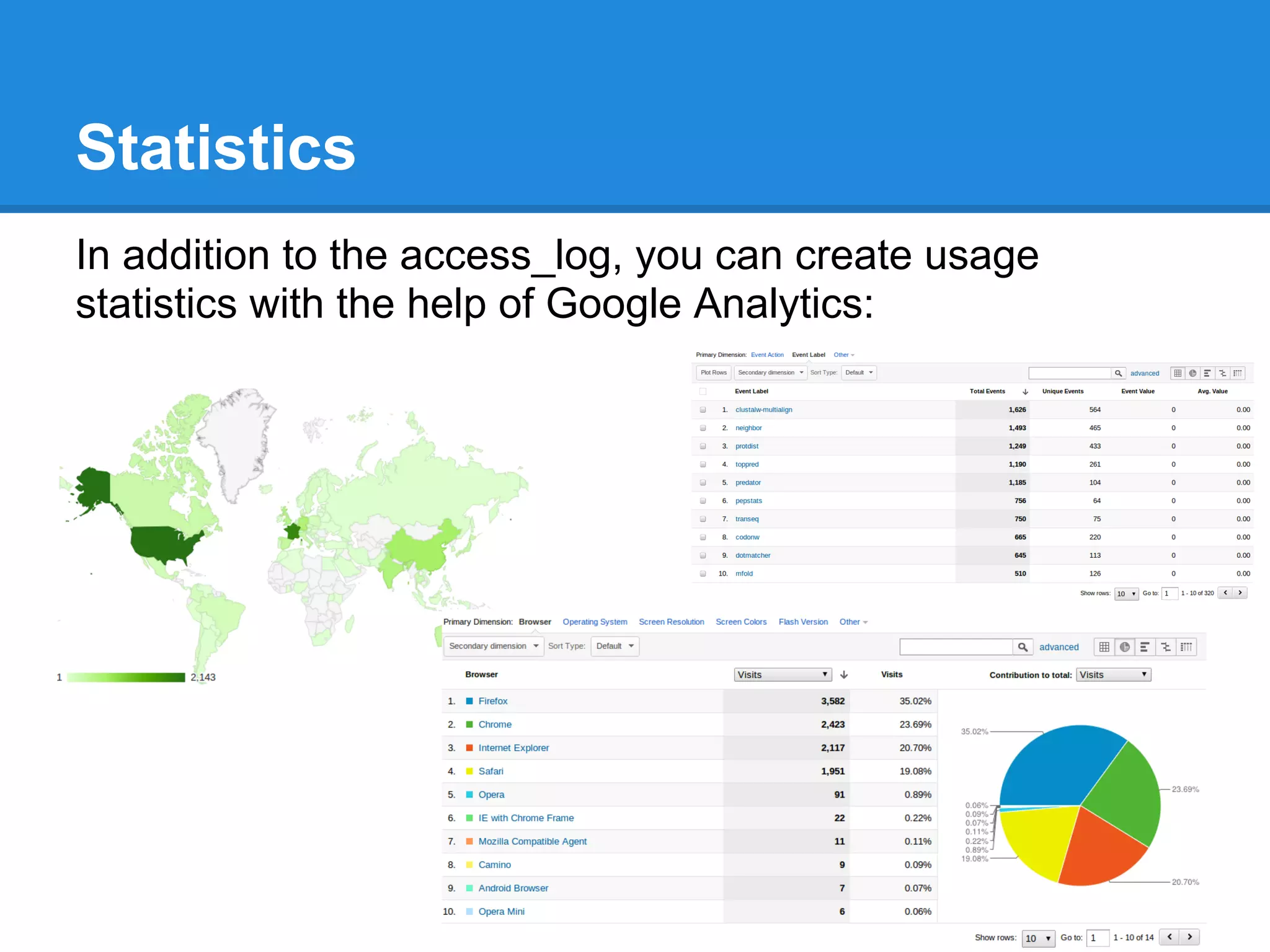
In addition to the access_log, you can create usage
statistics with the help of Google Analytics:
Statistics
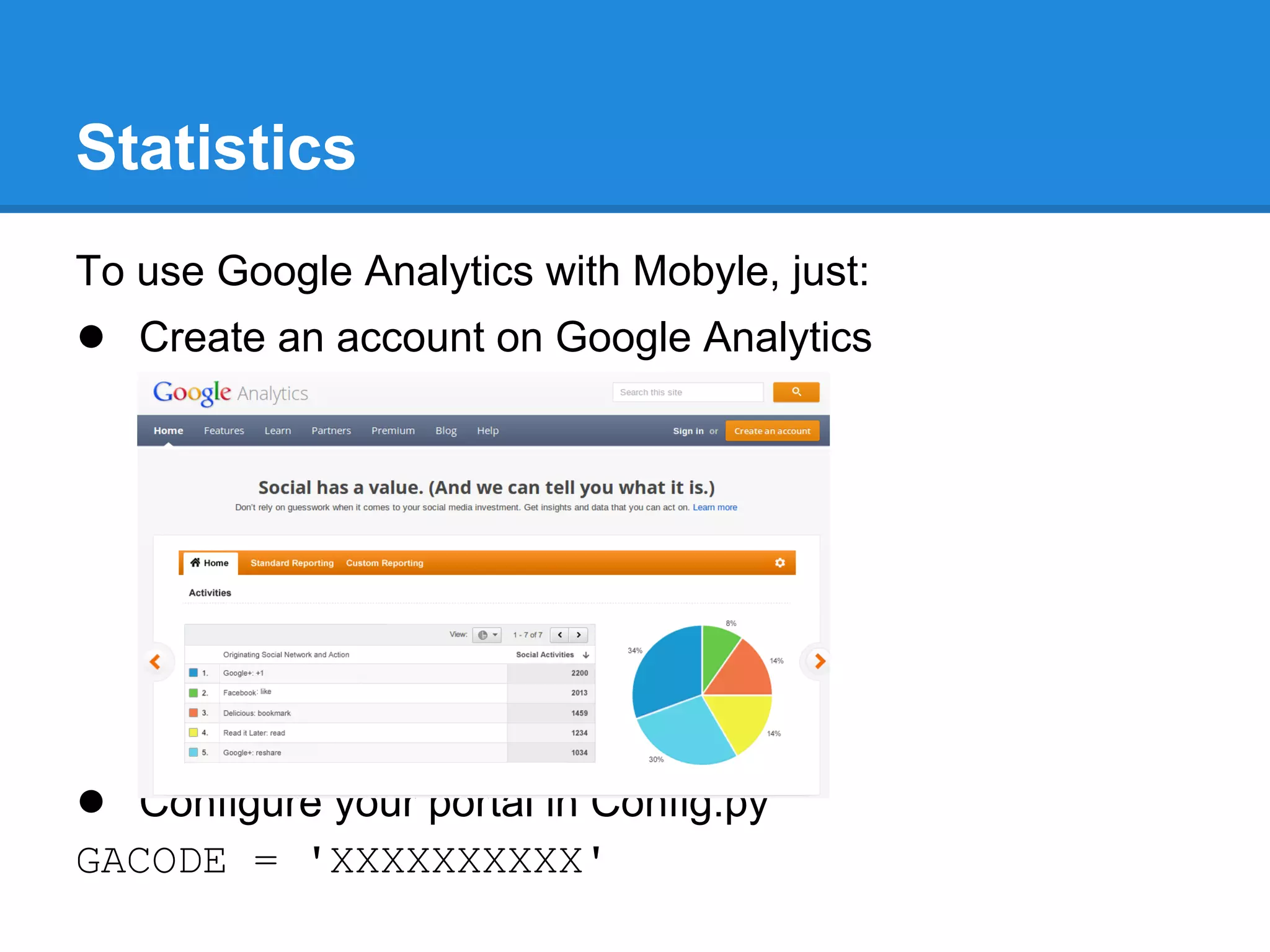
To use Google Analytics with Mobyle, just:
● Create an account on Google Analytics


● Configure your portal in Config.py
GACODE = 'XXXXXXXXXX'

Mobyle administrator workshop

  • 1.
    Mobyle Administrator Workshop Institut Pasteur 09/28/2012
  • 2.
    Overview ● Mobyle architecture. ● Installation. ● Mobyle and Apache configuration. ● How to deploy new services. ● How to connect Mobyle to an execution system. ● Mobyle configuration. ● New tools integration. ○ concepts (grammar, typing, validation,...). ○ BMID tutorial. ● Share services between Mobyle servers. ● Maintenance ● Link my web application to Mobyle ● Referencing and statistics
  • 3.
    Set the environment startVirtualBox File>import appliance: choose Mobyle.ova click Mobyle click Start
  • 4.
    Set up theenvironment login: mobyle mot de passe: mobyle ftp://ftp.pasteur.fr/pub/gensoft/projects/mobyle/Mobyle-workshop-supplement.tar.gz
  • 5.
    Overview ● Mobyle architecture. ● Installation. ● Mobyle and Apache configuration. ● How to deploy new services. ● How to connect Mobyle to an execution system. ● Mobyle configuration. ● New tools integration. ○ concepts (grammar, typing, validation,...). ○ BMID tutorial. ● Share services between Mobyle servers. ● Maintenance ● Link my web application to Mobyle ● Referencing and statistics
  • 6.
    Architecture User Componant Ressources accessible by the web server Web Ressources accessible by cluster nodes Web Portal (static + cgis) Computational Resources Mobyle Core Librairies submission Services Definitions (Execution nodes) (submission mode) Mobyle Persistance Layer Biological Data Bioinformatics Banks softwares - Users Spaces - Data - Jobs
  • 7.
    Overview ● Mobyle architecture. ● Installation. ● Mobyle and Apache configuration. ● How to deploy new services. ● How to connect Mobyle to an execution system. ● Mobyle configuration. ● New tools integration. ○ concepts (grammar, typing, validation,...). ○ BMID tutorial. ● Share services between Mobyle servers. ● Maintenance ● Link my web application to Mobyle ● Referencing and statistics
  • 8.
    Requirements Requirements: 1. Python (2.5<version<3.0) 2. Apache 3. libxml2 and its python binding lxml 4. simpleTAL (>= 4.1 & <5.0) 5. simplejson 6. graphviz and its python binding pygraphviz optional 1. squizz. (sequence format detector/converter) 2. golden. (bank indexer and retriever) 3. dnspython. (check user email server) 4. Python Imaging Library. (captcha) 5. a Distributed Ressources Manager SGE,torque,... with drmaa + python-drmaa.
  • 9.
    Requirement installation sudo apt-getinstall apache2 python-lxml python-simpletal python-pygraphviz squizz (passwd: mobyle)
  • 10.
    Mobyle distribution from 1.5version Mobyle exists in two flavors: ● Mobyle+BCBB-1.xx.tar.gz . With BMID (programs editor) and BMPS (user graphical workflows) ● Mobyle-1.xx.tar.gz . Without BMID (programs editor) and BMPS (user graphical workflows)
  • 11.
    Download Mobyle distribution withFirefox go to the Mobyle Download page https://projets.pasteur.fr/projects/mobyle/wiki/download or directly with Firefox or wget ftp://ftp.pasteur.fr/pub/gensoft/projects/mobyle/Mobyle+BCBB-1.5-RC1.tar.gz and extract the archive tar -xzf Mobyle+BCBB-1.5-RC1.tar.gz go to this directory cd Mobyle+BCBB-1.5-RC1
  • 12.
    setup.py generalities setup.py isthe python standard way to build and install python project. setup.py ● build ● install --help to get the list of available options python setup.py install --help
  • 13.
    setup.py --install-core=/opt/mobyle --install-htdocs=/var/www/mobyle/htdocs --install-cgis=/var/www/mobyle/cgis --install-bmid --install-bmps sudo setup.py install--install- core=/opt/mobyle --install- htdocs=/var/www/mobyle/htdocs --install- cgis=/var/www/mobyle/cgis --install-bmid --install-bmps
  • 14.
    setup.cfg: a wayto automate installation [install] install_core=/opt/mobyle install_htdocs=/var/www/mobyle/htdocs install_cgis=/var/www/mobyle/cgis install_bmid=True install_bmps=True sudo python setup.py install
  • 15.
    Overview ● Mobyle architecture. ● Installation. ● Mobyle and Apache configuration. ● How to deploy new services. ● How to connect Mobyle to an execution system. ● Mobyle configuration. ● New tools integration. ○ concepts (grammar, typing, validation,...). ○ BMID tutorial. ● Share services between Mobyle servers. ● Maintenance ● Link my web application to Mobyle ● Referencing and statistics
  • 16.
    Apache: basic configuration Wewill set up a Mobyle virtual host cd /etc/apache2/sites-available/ sudo vim mobyle apache configuration file for Mobyle virtual host: https://projets.pasteur.fr/projects/mobyle/files apache .htaccess file for Mobyle https://projets.pasteur.fr/projects/mobyle/files
  • 17.
    Apache: basic configuration <VirtualHost*:80> Do not copy-paste directly from the slides, DocumentRoot /var/www/mobyle/htdocs as it will insert invisible control characters in the text file which cause Apache errors. <Directory "/var/www/mobyle"> You can directly use the text version of Options FollowSymLinks this file available in Mobyle-workshop- supplement.tar.gz AllowOverride Limit FileInfo </Directory> <Directory "/var/www/mobyle/htdocs"> Options Indexes MultiViews FollowSymLinks DirectoryIndex index.xml index.html Order allow,deny allow from all </Directory>
  • 18.
    Apache: basic configuration ScriptAlias /sitemap.xml /var/www/mobyle/cgis/sitemap.py ScriptAlias /cgi-mobyle/ /var/www/mobyle/cgis/ ScriptAlias /cgi-bin/ /var/www/mobyle/cgis/ <Directory "/var/www/mobyle/cgi-bin"> AllowOverride None Options FollowSymLinks Order allow,deny Allow from all </Directory> ErrorLog "/var/log/apache2/mobyle_error_log" CustomLog "/var/log/apache2/mobyle_access_log" common </VirtualHost>
  • 19.
    Apache: start Activate modules sudoa2enmod rewrite headers Activate Mobyle virtual host sudo a2dissite 000-default sudo a2ensite mobyle Start Apache sudo service apache2 restart
  • 20.
    Set permissions forApache To enable the access to data and log directories from Apache you have to make them writable to the "Apache user" (www-data on Ubuntu) sudo chown -R www-data /var/www/mobyle/htdocs/data sudo -u www-data mkdir /var/log/mobyle
  • 21.
    Mobyle: basic configuration cd/opt/mobyle sudo cp Example/Local/Config/Config. template.py Local/Config/Config.py sudo vim Local/Config/Config.py ROOT_URL = "http://localhost/" HTDOCS_PREFIX= "" CGI_PREFIX= "cgi-bin" MAINTAINER= [""] HELP= [""] MAILHOST= "localhost"
  • 22.
    Apache: advanced config& security Do not copy-paste directly from the slides, RewriteEngine on as it will insert invisible control characters #Do not show hidden files content in the text file which cause Apache errors. You can directly use the text version of RewriteCond %{REQUEST_URI} /. [OR] this file (htaccess) available in Mobyle- RewriteCond %{REQUEST_URI} /ADMINDIR workshop-supplement.tar.gz and copy it as .htaccess in Mobyle RewriteRule .* - [F,L] htdocs folder #allow saving results RewriteCond %{REQUEST_URI} ^/data/jobs(.*) RewriteCond %{QUERY_STRING} ^save$ RewriteRule (.*)/([^/]+)$ $1/$2 [E=SAVEDFILENAME:$2] Header set Content-Disposition "attachment; filename="%{SAVEDFILENAME} e"" env=SAVEDFILENAME
  • 23.
    Mobyle portal isready in Firefox, connect to your Mobyle instance: http://localhost/cgi-bin/portal.py
  • 24.
    Overview ● Mobyle architecture. ● Installation. ● Mobyle and Apache configuration. ● How to deploy new services. ● How to connect Mobyle to an execution system. ● Mobyle configuration. ● New tools integration. ○ concepts (grammar, typing, validation,...). ○ BMID tutorial. ● Share services between Mobyle servers. ● Maintenance ● Link my web application to Mobyle ● Referencing and statistics
  • 25.
    Services deployment MOBYLEHOME/Services/ MOBYLEHOME/Local/Services/ |_ Programs |_ Programs | |_ Entities | |_ Entities | |_ *.xml | |_ Env |_ Workflows | |_ *.xml | |_ Entities |_ Workflows | |_*.xml | |_ Entities |_ Viewers | |_ Env | |_ viewer1.xml | |_*.xml | |_ viewer |_ Viewers |_ Tutorials | |_ viewer1.xml |_ tutorial1.xml | |_ viewer |_ tutorial |_ Tutorials |_ tutorial1.xml |_ tutorial
  • 26.
    How to deploy Mobyleconfiguration: LOCAL_DEPLOY_INCLUDE = { 'programs' : [ '*' ] , 'workflows': [ '*' ] , 'viewers' : [ '*' ] , 'tutorials' : [ '*' ] , } LOCAL_DEPLOY_EXCLUDE = { 'programs' : [ '' ] , 'workflows': [ '' ] , 'viewers' : [ '' ] , 'tutorials' : [ '' ] , } tool deployment: mobdeploy -s local -p all deploy mobdeploy -s local -p prog1,prog2 deploy mobdeploy deploy mobdeploy -s local -t all deploy
  • 27.
    Deploy services onyour server! ● download from the FTP release folders wget ftp://ftp.pasteur.fr/pub/gensoft/projects/mobyle/Programs-5.0.tgz wget ftp://ftp.pasteur.fr/pub/gensoft/projects/mobyle/Tutorials-1.5.tgz wget ftp://ftp.pasteur.fr/pub/gensoft/projects/mobyle/Workflows-1.0.0.tar.gz wget ftp://ftp.pasteur.fr/pub/gensoft/projects/mobyle/Viewers-1.0.1.tar.gz
  • 28.
    Deploy services onyour server! ● extract the files from the archives tar -xf Programs-5.0.tgz tar -xf Viewers-1.0.1.tar.gz tar -xf Workflows-1.0.0.tar.gz tar -xf Tutorials-1.5.tgz ● move them to the right places sudo mv Programs-5.0/*.xml /opt/mobyle/Services/Programs/ sudo mv Programs-5.0/Entities /opt/mobyle/Services/Programs/ sudo mv Programs-5.0/Env /opt/mobyle/Local/Services/Programs/Env sudo mv Workflow-1.0.0/*.xml /opt/mobyle/Services/Workflows/ sudo mv Workflow-1.0.0/Env /opt/mobyle/Local/Services/Workflows/ sudo mv Viewers-1.0.1/*.xml /opt/mobyle/Services/Viewers/ sudo mv Tutorials-1.5/*.xml /opt/mobyle/Services/Tutorials/
  • 29.
    Deploy services onyour server! ● configure deployment sudo vim /opt/mobyle/Local/Config/Config.py LOCAL_DEPLOY_INCLUDE = { 'programs' : [ '*' ] , 'workflows': [ '*' ] , 'viewers' : [ '*' ] , } LOCAL_DEPLOY_EXCLUDE = { 'programs' : [ 'mafft' ] , 'workflows': [ '' ] , 'viewers' : [ '' ] , } ● deploy sudo -u www-data /opt/mobyle/Tools/mobdeploy deploy
  • 30.
    Overview ● Mobyle architecture. ● Installation. ● Mobyle and Apache configuration. ● How to deploy new services. ● How to connect Mobyle to an execution system. ● Mobyle configuration. ● New tools integration. ○ concepts (grammar, typing, validation,...). ○ BMID tutorial. ● Share services between Mobyle servers. ● Maintenance ● Link my web application to Mobyle ● Referencing and statistics
  • 31.
    Connect Mobyle toan execution system ● By default Mobyle executes jobs on local system. ● Mobyle can execute jobs on cluster. ○ supported DRMs: sge, open grid scheduler, torque, lsf. ● Mobyle interact with drms via libdrmaa. ● Mobyle may interact with severals drms at same time.
  • 32.
    Mobyle: execution systemconfiguration config system 1 Execution System 1 Web Portal config system 2 and Distpatcher Execution System 2 Core library config system 3 Execution System 3 3 actors: ● ExecutionConfig: each system need to have a configuration ● EXECUTION_SYSTEM_ALIAS: give a name to an execution system ● DISPATCHER: aim to route jobs to an execution system
  • 33.
    set up executionsystem EXECUTION_SYSTEM_ALIAS = { 'DRMAA_sge' : SgeDRMAAConfig( '/path/to/sge/libdrmaa.so' , root = '$SGE_ROOT', cell = 'default' ) , 'DRMAA_torque': PbsDRMAAConfig( '/path/to/pbs/libdrmaa.so' , 'hostname' ), 'LSF' : LsfDRMAAConfig( '/path/to/LSF/libdrmaa.so' , lsf_envdir = '$LSF_ENVDIR' , lsf_serverdir ='$LSF_SERVERDIR'), 'SYS' : SYSConfig() , }
  • 34.
    set up executionsystem DISPATCHER = DefaultDispatcher( { 'clustalw' : ( EXECUTION_SYSTEM_ALIAS[ 'DRMAA_sge' ] , 'mobyle' ), 'clustalo' : ( EXECUTION_SYSTEM_ALIAS[ 'DRMAA_torque' ] , 'mobyle' ), 'toppred' : ( EXECUTION_SYSTEM_ALIAS[ 'DRMAA_torque' ] , 'short' ), 'blast2': ( EXECUTION_SYSTEM_ALIAS[ 'DRMAA_sge' ] , 'long' ) 'DEFAULT' : ( EXECUTION_SYSTEM_ALIAS[ 'SYS' ] , '' ) }) For the workshop we won't use a cluster, so we will execute all jobs on local system. DISPATCHER = DefaultDispatcher( { 'DEFAULT' : ( EXECUTION_SYSTEM_ALIAS[ 'SYS' ] , '' ) })
  • 35.
    binary path In Mobyleconfiguration we can add some path to the general web server PATH. BINARY_PATH = [ "/usr/bin", "usr/local/bin", "/local/Bioinfo/bin" ] instead of tag env in programs/workflows descriptions, ● this new path is available for all services, ● these locations are added to the PATH (do not replace it), their order is preserved. In debian/ubuntu the phylip package binaries are installed in "/usr/lib/phylip/bin" and all binaries are accessible through the phylip wrapper, e.g. protdist -> phylip protdist so we must either: ● modify each interfaces belonging to Phylip package (interfaces) ● add this specific path in our Mobyle PATH
  • 36.
    Set BINARY_PATH onyour server To run correctly PHYLIP programs on your server: sudo vim /opt/mobyle/Local/Config/Config.py BINARY_PATH = ["/usr/local/bin", "/usr/lib/phylip/bin"]
  • 37.
    Overview ● Mobyle architecture. ● Installation. ● Mobyle and Apache configuration. ● How to deploy new services. ● How to connect Mobyle to an execution system. ● Mobyle configuration. ● New tools integration. ○ concepts (grammar, typing, validation,...). ○ BMID tutorial. ● Share services between Mobyle servers. ● Maintenance ● Link my web application to Mobyle ● Referencing and statistics
  • 38.
    Control access toservices There are several levels of control to the access to programs or workflows. ● all services, a portal, a specific services ● for every one, for some ip only ● and finally forbid the access to Mobyle to one ip or one email.
  • 39.
    Control access toservices Disable/enable all the portal: #DISABLE_ALL = False DISABLE_ALL = True The list of services is empty The job submission is disabled Disable a service: DISABLED_SERVICES = [ 'local.blast2', 'clustalw*', 'genouest.blast2' ] Disable a portal: DISABLED_SERVICES =[ 'genouest.*']
  • 40.
    Control access toservices Restrict the access to one programs or workflows to one IP or a set of IP AUTHORIZED_SERVICES = { 'http://mobyle.pasteur.fr/data/services/servers/local/programs/netNglyc.xml' : [ '157.99.*.*' ] } ○ The service will appear only for the users in the subnet ○ Only the users in the subnet can submit this job
  • 41.
    Control access toservices The last way to control the access is to black list a user email or an ip. The black_list.py is located in MOBYLEHOME/Local users = [ 'blub@web.de', 'kt7mail@gmail.com', 'caca@crotte.fr', '*@aaa*.com' , 'toto@*', 'titi@*', '*@bidule.fr', ] host = [ '142.161.25.184', '141.161.25.102'] a message will appear to the user: you have abused our service. Your are not allowed to run on this server for now. For more informations contact mobyle@pasteur.fr". This message is customizable in function emailUserMessage located in Local/Policy.py file
  • 42.
    Data helpers: Bankconfiguration 'embl':{ 'dataType' : 'Sequence' , 'bioTypes' : ['Nucleic','DNA'] , 'label' : 'EMBL Nucleotide Sequence Database', 'command' : ['/usr/local/bin/golden', '%(db)s:%(id)s'] }, 'genbank':{ 'dataType' : 'Sequence', 'bioTypes' : ['Nucleic','DNA'], 'label' : 'Genbank NIH DNA sequence database', 'command': ['/usr/bin/seqret', '%(db)s:%(id)s -osformat2 fasta -auto -stdout'] }, 'fasta':{ 'dataType':'Sequence', 'label': 'GenOuest Data Banks', 'command': [ "/opt/mongo/mongo.pl", "%(id)s" ] } }
  • 43.
    Data helpers: Bankconfiguration sudo vim /opt/mobyle/Local/Config/Config.py DATABANKS_CONFIG = { 'imgt':{ 'dataType':'Sequence', 'bioTypes':['DNA'], 'label': 'IMGT', 'command': ['golden', '%(db)s:%(id)s'] }, 'uniprot_sprot':{ 'dataType':'Sequence', 'bioTypes':['Protein'], 'label': 'SWISSPROT', 'command': ['golden', '%(db)s:%(id)s'] }}
  • 44.
    Data helpers: formatdetector/convertor sudo vim /opt/mobyle/Local/Config/Config.py DATA_CONVERTER={ 'Sequence': [ squizz_sequence('/usr/bin/squizz') ] , 'Alignment': [ squizz_alignment('/usr/bin/squizz')] }
  • 45.
    Sessions There is 2kind of sessions: ● Authenticated ● Anonymous Authenticated session allow user to retrieve It's user space at each session of work In Anonymous session the user will not able to retrieve it's user space after closing it's web browser. Even if he set his email, the email is just used to communicate with the him.
  • 46.
    Session configuration AnonymousSession # 'no' : the anonymous sessions are not allowed # 'yes' : the anonymous sessions are allowed, without any verification # 'captcha' : the anonymous sessions are allowed, but with a captcha challenge ( default ) ANONYMOUS_SESSION = "captcha" Authenticated Session # 'no' : the authenticated session are not allowed. # 'yes' : the authenticated session are allowed and activated without any restriction. # 'email' : the authenticated session are allowed but an email confirmation is needed to activate it (default). AUTHENTICATED_SESSION = "email"
  • 47.
    Overview ● Mobyle architecture. ● Installation. ● Mobyle and Apache configuration. ● How to deploy new services. ● How to connect Mobyle to an execution system. ● Mobyle configuration. ● New tools integration. ○ concepts (grammar, typing, validation,...). ○ BMID tutorial. ● Share services between Mobyle servers. ● Maintenance ● Link my web application to Mobyle ● Referencing and statistics
  • 48.
    New tools integration ●Command line based programs are integrated in Mobyle with the help of an XML file. ● This file is used to: ○ generate the user interface (form) ○ transform a form submission into a command line call ○ capture the results ○ display the results in the user interface (job page) ○ index the program (enabling classification and search)
  • 49.
    Grammar ● The formatof the XML files for Mobyle services is defined by schema definitions (for programs and other services), stored in $MOBYLEHOME/Schema, ● A service cannot be deployed if the XML file does not respect this format, ● this is a partial safeguard against unpredictable behaviors which can occur if the program is not correctly described, ● you also need to be careful with the python code used throughout the XML description to validate the data, compute preconditions, and generate the command line.
  • 50.
    Program XML structure <program> <head> PROGRAM HEADER, CONTAINING GENERAL INFORMATION </head> <parameters> LIST OF INPUT AND OUTPUT PARAMETERS, WHICH CAN BE NESTED IN PARAGRAPHS </parameters> </program>
  • 51.
    Program XML: header <head> <name>muscle</name> <version>3.8.31</version> <doc> <title>Muscle</title> <description> <text lang="en">MUSCLE is a program for creating multiple alignments of amino acid or nucleotide sequences.</text> </description> <authors>Edgar, R.C.</authors> <reference doi="10.1093/nar/gkh340">Edgar, Robert C. (2004), MUSCLE: multiple sequence alignment with high accuracy and high throughput, Nucleic Acids Research 32(5), 1792-97.</reference> <doclink>http://www.drive5.com/muscle/</doclink> <homepagelink>http://www.drive5.com/muscle/</homepagelink> <sourcelink>http://www.drive5.com/muscle/downloads.htm</sourcelink> </doc> <category>alignment:multiple</category> <command>muscle</command> </head>
  • 52.
    Program XML: aninput parameter <parameter issimple="1" ismandatory="1"> <name>sequence</name> <prompt lang="en">Sequences (-in)</prompt> <type> <datatype> <class>Sequence</class> </datatype> <dataFormat>FASTA</dataFormat> </type> <precond> <code proglang="perl">not defined($profile1) and not defined($profile2) </code> <code proglang="python">profile1 is None and profile2 is None</code> </precond> <format> <code proglang="perl">"-in $value"</code> <code proglang="python">" -in " + str(value)</code> </format> <argpos>10</argpos> </parameter>
  • 53.
    Program XML: another"simple" parameter <parameter> <name>maxiters</name> <prompt lang="en">Maximum number of iterations (-maxiters)</prompt> <type><datatype><class>Integer</class></datatype></type> <vdef><value>16</value></vdef> <format> <code proglang="perl">(defined $value and $value != $vdef) ? " - maxiters $value" : ""</code> <code proglang="python">( "" , " -maxiters " + str( value ) )[ value is not None and value != vdef]</code> </format> <comment> <text lang="en">You can control the number of iterations that MUSCLE does by specifying the -maxiters option.</text> [...] </comment> </parameter>
  • 54.
    Program XML: anoutput parameter <parameter isstdout="1"> <name>muscleHtmlout</name> <prompt lang="en">Alignment</prompt> <type> <datatype> <class>MuscleHtmlAlignment</class> <superclass>AbstractText</superclass> </datatype> </type> <precond> <code proglang="perl">$outformat == 'html' </code> <code proglang="python">outformat == 'html'</code> </precond> <filenames> <code proglang="perl">(defined $outfile) ? "$outfile" : "muscle.out"</code> <code proglang="python">( outfile , "muscle.out")[outfile is None]</code> </filenames> </parameter>
  • 55.
    Program XML: paragraphs <paragraph> <name>inputs</name> <prompt lang="en">Inputs options</prompt> <parameters> <parameter issimple="1" ismandatory="1"> <name>sequence</name> [...] </parameter> <parameter> <name>seqtype</name> [...] </parameter> </parameters> </paragraph>
  • 56.
    Program XML: typeand format <type> <datatype> Datatypes are the base of interoperability <class>Sequence</class> between the services and also between </datatype> services and "helpers": <dataFormat>FASTA</dataFormat> </type> For "file" types (Sequence, Alignment, Structure, etc): ● the source datatype has to be identical BioTypes: * DNA, RNA, Protein or included (subclass of) the target datatype ● the source format has to be included in Examples of formats: * FASTA, PDB, CLUSTAL, etc. the possible formats of the target ● the source biotype has to be included in the possible biotypes of the target Datatypes are also used to check the validity of "simple" types (Integer, String, etc.)
  • 57.
    How to debuga program interface ● mobvalid checks that the XML obeys the grammar rules. ● But it does not check the embedded python code neither the syntax nor the logic.(mandatory parameter, format, precond, control, ...) ● These 2 aspects can be inspected with the build_log. ● The buil_log log all steps performed by Mobyle to build the unix command line. ● The build_log as only purpose to help us to debug a program xml, it's very verbose and useless in production.
  • 58.
    build_log To activate thebuild_log set DEBUG or better PARTICULAR_DEBUG to 2 or 3 ● DEBUG=2 build the command line but not execute it. It allow us to debug an xml even we have not the corresponding binary on the computer, or the service is very time or cpu consuming. ● DEBUG=3 do the same thing except it execute the command line. ensure that only you can use the service. Otherwise all jobs logs will be mixed. (You can use RESTRICT_ACCESS for this) example sleep.xml --------------------- MobyleJob set user value for time-------------------- self._service.setValue( time , 20.0 ) --------------------- MobyleJob set user value for suffix-------------------- self._service.setValue( suffix , s )
  • 59.
    build_log ######################### # validation beginning # ######################### ------------- sleep_out ------------- value= None : type= <type 'NoneType'> service.precondHas_proglang( sleep_out , 'python' ) = None value is None call service.validate( sleep_out ) check if the Parameter have a secure filename filename= sleep.out safeMask = sleep.out filename = sleep.out ...........OK check if the Parameter have a secure paramfile no paramfile
  • 60.
    build_log ##################### # xml controlsbeginning # ##################### ------------- aalpha ------------- service.precondHas_proglang( aalpha , 'python' ) = None convertedVdef = 1e-07 value = 1e-07 eval( value>= 0 and value <=1 ) = True has scale= False ------------- nb_expe_4 ------------- service.precondHas_proglang( nb_expe_4 , 'python' ) = True precond= SAXS_4 is not None eval precond= False next parameter
  • 61.
    build_log --------------- slept --------------- commandIsInsertedTrue service.getArgpos( paramName ) 10 rawVdef = None convertedVdef = None myEvaluator.setVar( 'vdef' , None ) myEvaluator.isDefined( slept ) = False rawVdef = None convertedVdef = None myEvaluator.setVar( 'value' , None ) service.formatHas_proglang( slept , 'python' ) = True value = None type = <type 'NoneType'> vdef = None type = <type 'NoneType'> format = " && echo "I slept %f %s""%( time , suffix ) commandLine = sleep 20.0 && echo "I slept 20.000000 s" ------------ end of parameter loop ------------- PATH= /bin:/sbin:/bin:/sbin:/usr/bin:/usr/sbin:/usr/bin:/usr/sbin:/usr/local/bin:/usr/local/sbin:/opt/bin Environment ={} command line= sleep 20.0 && echo "I slept 20.000000 s"
  • 62.
    Overview ● Mobyle architecture. ● Installation. ● Mobyle and Apache configuration. ● How to deploy new services. ● How to connect Mobyle to an execution system. ● Mobyle configuration. ● New tools integration. ○ concepts (grammar, typing, validation,...). ○ BMID tutorial. ● Share services between Mobyle servers. ● Maintenance ● Link my web application to Mobyle ● Referencing and statistics
  • 63.
    Sharing services withMobyleNet Mobyle provides a technical solution to enable the sharing of services (programs, workflows) between multiple Mobyle servers.
  • 64.
    Import/Export Mobyle serviceswith MobyleNet PORTAL_NAME = "moi_meme" Defines the information sent to PORTALS={ remote execution portals to identify yourself 'ami_1':{ 'url': 'http://ami1.fr/cgi-bin/', 'help' : 'support@ami1.fr', 'repository': 'http://ami1.fr/', Defines the list of remote services 'services': { 'programs' :[ 'golden','dnapars','boxshade','protpars' ], that can be run from your portal 'workflows':[ 'workflow_phylogeny' ] } }, 'ami_2':{ 'url':'http://ami2.fr/mobyle/cgi-bin/', 'help' : 'support@ami2.fr', 'repository' : 'http://ami2.fr/mobyle', 'services': {'programs':['protpars'] } } } Defines the list of "your" which you allow to be run from remote Mobyle EXPORTED_SERVICES = [ 'abiview','toppred' ] servers
  • 65.
    Import/Export Mobyle serviceswith MobyleNet sudo vim /opt/mobyle/Local/Config/Config.py PORTAL_NAME = "training_session_MYNAME" PORTALS={ 'pasteur':{ 'url':'http://mobyle.pasteur.fr/cgi-bin/', 'help':'mobyle@pasteur.fr', 'repository':'http://mobyle.pasteur.fr/', 'services': {'programs': ['protpars']} } } sudo -u www-data /opt/mobyle/Tools/mobdeploy deploy
  • 66.
    Overview ● Mobyle architecture. ● Installation. ● Mobyle and Apache configuration. ● How to deploy new services. ● How to connect Mobyle to an execution system. ● Mobyle configuration. ● New tools integration. ○ concepts (grammar, typing, validation,...). ○ BMID tutorial. ● Share services between Mobyle servers. ● Maintenance ● Link my web application to Mobyle ● Referencing and statistics
  • 67.
    Mobyle: Daily maintenance Tosupervise a Mobyle server there are: ● logs ● some mob* tools
  • 68.
    Mobyle: Daily maintenance Thelogs are located in LOGDIR. By default, there are 3 files logs: ● access_log: the job launched ● error_log: the errors ● child_log: the uncaught error produced by detached scripts. and depending of the DEBUG level build_log: the building of the unix command line
  • 69.
    access_log job/workflow name user email submission portal Fri, 24 Feb 2012 09:41:27 pratt F04027998503923 bneron@pasteur.fr 157.9.0.1 musky-dev Tue, 28 Feb 2012 13:34:30 mafft-cons-tree N21174955267906 bneron@pasteur.fr 157.9.0.1 musky- dev Tue, 28 Feb 2012 13:34:30 mafft P21175159178972 bneron@pasteur.fr 157.9.0.1 musky-dev Tue, 28 Feb 2012 13:34:31 quicktree C21175509293079 bneron@pasteur.fr 157.9.0.1 musky-dev Tue, 28 Feb 2012 13:34:31 cons D21175620271921 hmenager@pasteur.fr 157.9.0.2 rita-branche job submission date job/workflow key user address
  • 70.
    error_log Mobyle.MobyleJob : WARNING: MobyleJob.py: L 717 : Fri, 30 Mar 2012 10:57:56 : Potential Collision: ['/htdocs/data/jobs/mafft/J12393850061893/mafft.out'] input files match the "result" output parameter mask /htdocs/data/jobs/mafft/J12393850061893/mafft.out Mobyle.Session.AnonymousSession : ERROR : Session.py: L 491 : Thu, 29 Mar 2012 14:06:57 : session/J05040996510983 : the data af50ab3b273d6f3bd97b396ed3771bc7.data ( 3388999 ) cannot be added because the session size exceed the session limi t ( 1048576 ) Mobyle.Execution.DRMAA : CRITICAL : DRMAA.py : L 281 : Thu, 22 Mar 2012 13:40:50 : error during drmaa intitialization for job 4: code 2: unable to contact qmaster using port 6444 on host "musky" Traceback (most recent call last): File "mobyle/Src/Mobyle/Execution/DRMAA.py", line 277, in getStatus s.initialize() ... raise _ERRORS[code-1]("code %s: %s" % (code, error_buffer.value)) DrmCommunicationException: code 2: unable to contact qmaster using port 6444 on host "musky"
  • 71.
    child_log ------------------- extend_align :T08716220794916 ------------------- commlib returns can't find connection error: unable to contact qmaster using port 6444 on host "musky" ------------------- dnadist : P23432022073984 ------------------- ------------------- mafft : R24219133367062 ------------------- ------------------- neighbor : Y28504744119883 -------------------
  • 72.
    mobjobw To supervise the current active jobs: -------------------------------------------------------------------------------- V06795772934914 -- SGE_DRMAA/mobyle -- running morePhyML -- toto@ed.ac.uk -- 09/25/12 16:45:19 -- LOCAL -- STANDALONE -- 130.250.199.199UNKNOWN morePhyML -i aln.phylipi -d aa -a e -f m -u aln.phylipi.tree.txt -------------------------------------------------------------------------------- Y14426818867922 -- SGE_DRMAA/mobyle -- pending blast2 -- titi@gmail.com -- 09/26/12 07:40:05 -- genouest -- STANDALONE -- 14.199.100.4UNKNOWN blastall -p blastp -d uniprot -e 0.001 -i my_sequence.fasta -------------------------------------------------------------------------------- Z69834269642389 -- SGE_DRMAA/mobyle -- running muscle--titi@gmail.com--09/26/12 07:40:05--LOCAL--blast_to_multialign/V87685541428494 -- 14.199.100.4 UNKNOWN muscle -quiet -in sequence.data -------------------------------------------------------------------------------- V87685541428494 -- SGE_DRMAA/mobyle -- running blast_to_multialign-- titi@gmail.com -- 09/26/12 07:40:05 --LOCAL-- STANDALONE--14.199.100.4UNKNOWN no command line
  • 73.
    mobclean ● clean joband sessions. ● never clean authenticated sessions. ● clean jobs which are finished from more than days RESULT_REMAIN ● clean anonymous sessions when they not reference jobs anymore. mobclean remove job older than REMAIN_RESULTS and sessions which not reference jobs anymore. mobclean -v -l /path/mobclean_log same as above but the output wiil be verbose and redirected in mobclean_log file mobclean -j -d 12 -n perform a dry run on jobs older than 12 days, doe not do anything on sessions.
  • 74.
    mobkill To kill anactive job. It use the execution informations to call the right method (cluster, local, ...) to kill the job. mobkill V06795772934914 Y14426818867922 V87685541428494 If the job is a workflow, kill all subtasks.
  • 75.
    Overview ● Mobyle architecture. ● Installation. ● Mobyle and Apache configuration. ● How to deploy new services. ● How to connect Mobyle to an execution system. ● Mobyle configuration. ● New tools integration. ○ concepts (grammar, typing, validation,...). ○ BMID tutorial. ● Share services between Mobyle servers. ● Maintenance. ● Link my web application to Mobyle. ● Referencing and statistics
  • 76.
    Link my webapplication to Mobyle It is possible with Mobyle to link from another web application so that you open the portal with a pre-filled form. e.g.: ● from a databank browser, you can give the possibility to the user to send his selection directly to a program (or a workflow to Mobyle), ● The Mobyle portal will directly open the corresponding form prefilled with the set of values you ask for, ● The user can then modify further this predefined configuration if he wishes to, and launch the analysis.
  • 77.
    Link my webapplication to Mobyle An example file is available in: $MOBYLEHOME/Doc/MobLinkExample. html <form action="/cgi-bin/portal.py" method="post" enctype="multipart/form-data" target="_blank"> <div> <label>Here is the db that has to be set in golden prefilled form <input name="load::golden::db" value="uniprot"></label> </div> <div> <label>Here is the db that has to be set in golden prefilled form <input name="load::golden::query" value="104K_THEPA"></label> </div> <input type="submit" name="Open" value="open"></div> </form>
  • 78.
    Link my webapplication to Mobyle test it: sudo cp /opt/mobyle/Doc/MobLinkExample.html /var/www/mobyle/htdocs/ You can also use links that perform the same HTTP request (see the example file), but it is far less elegant since the parameters remain in the portal URL.
  • 79.
    Overview ● Mobyle architecture. ● Installation. ● Mobyle and Apache configuration. ● How to deploy new services. ● How to connect Mobyle to an execution system. ● Mobyle configuration. ● New tools integration. ○ concepts (grammar, typing, validation,...). ○ BMID tutorial. ● Share services between Mobyle servers. ● Maintenance. ● Link my web application to Mobyle. ● Referencing and statistics.
  • 80.
    Referencing ● sitemaps isa protocol/format to facilitate the referencing of a site by declaring the URLs published by the website directly to some referencing entities (search engines), ● it is possible to enhance the referencing of your Mobyle server by using the provided sitemap tool of Mobyle: http://localhost/cgi-bin/sitemap.py ● it provides the list of programs/workflows which can directly be accessed from the web http://www.sitemaps.org/ and just search for "sitemap" on any search engine ;)
  • 81.
    Statistics In addition tothe access_log, you can create usage statistics with the help of Google Analytics:
  • 82.
    Statistics To use GoogleAnalytics with Mobyle, just: ● Create an account on Google Analytics ● Configure your portal in Config.py GACODE = 'XXXXXXXXXX'