x86 assembly & GDB
1
briansp8210
briantaipei8210@gmail.com
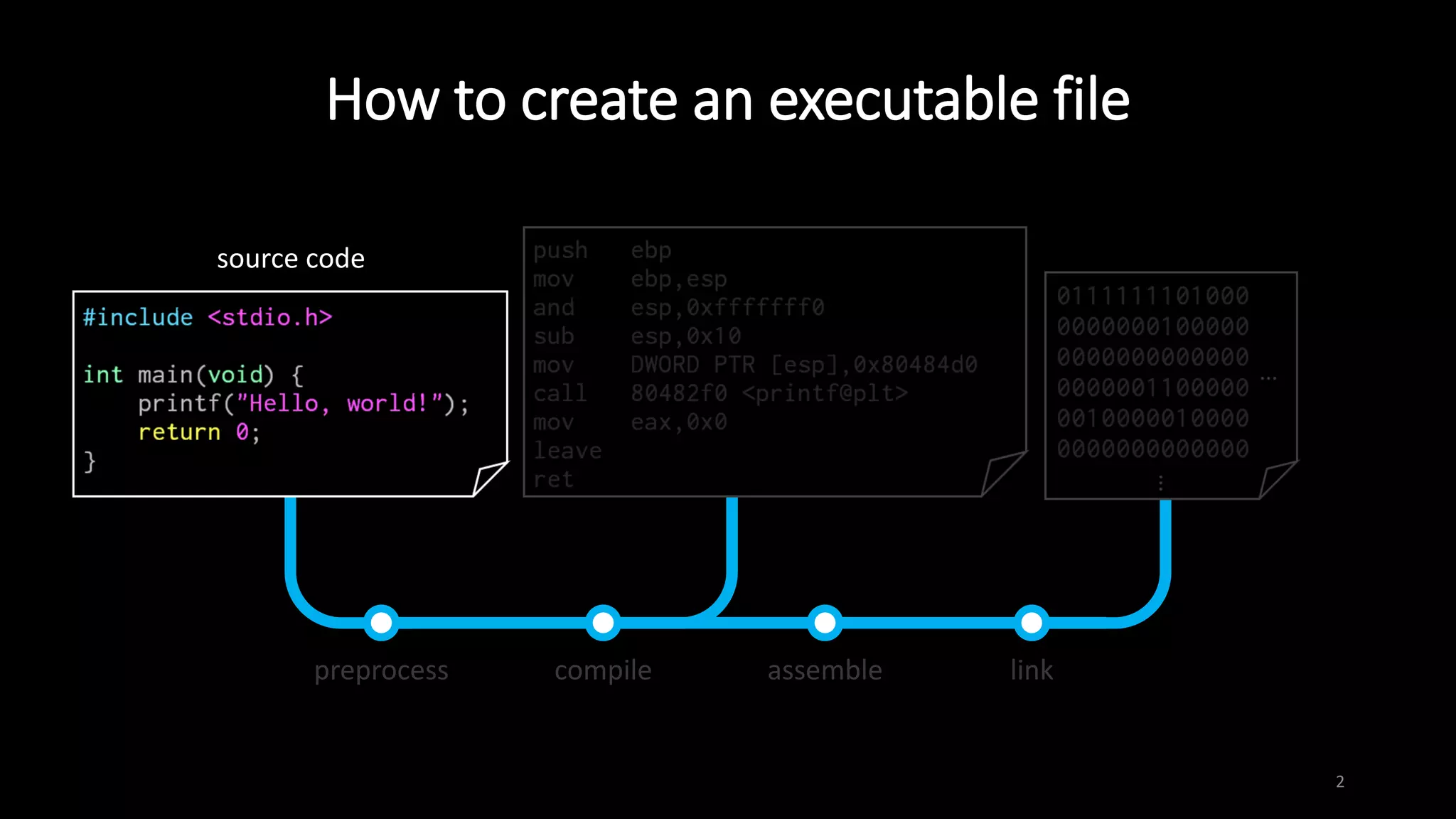
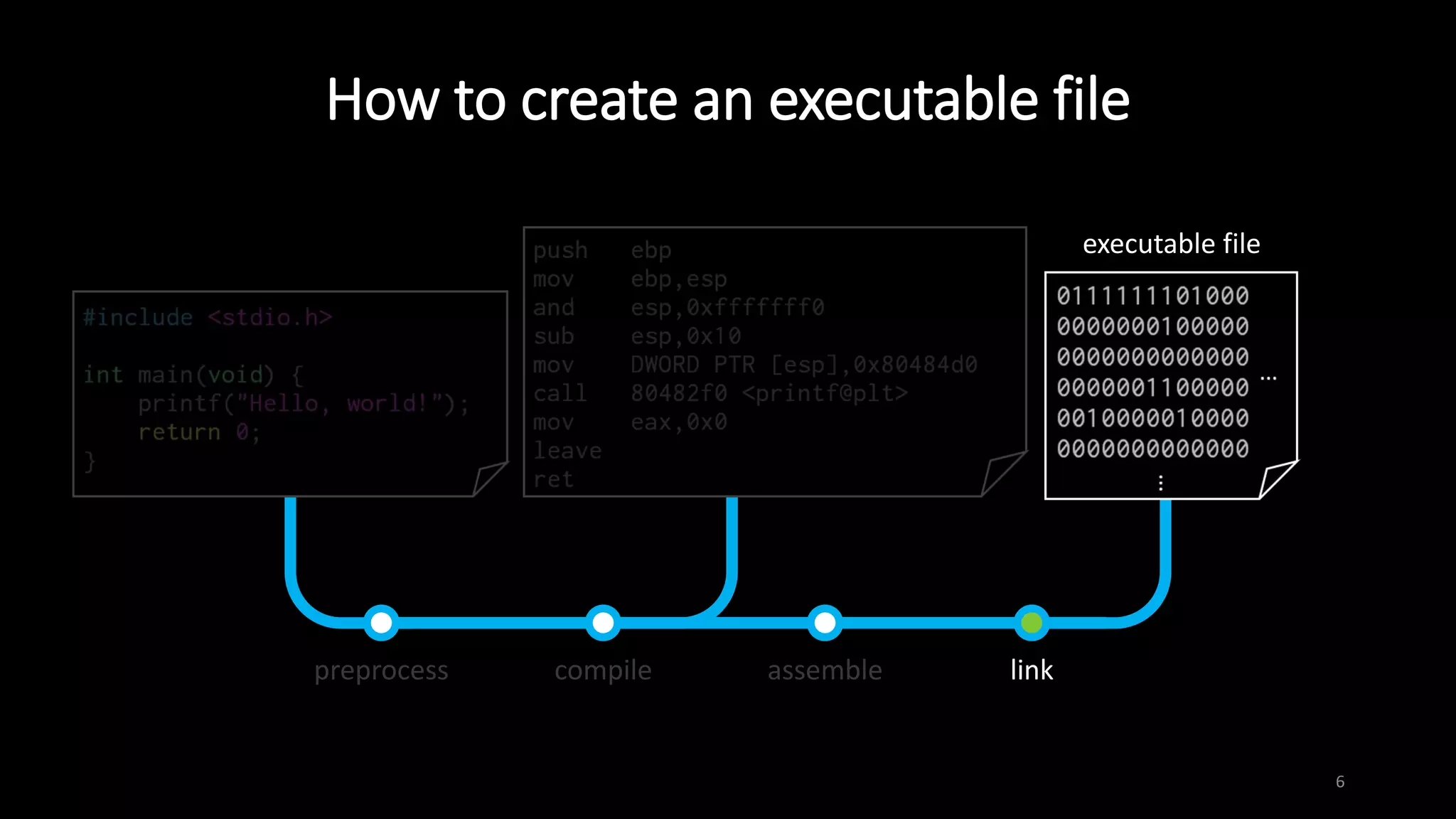
How to create an executable file
2
preprocess compile assemble link
source code
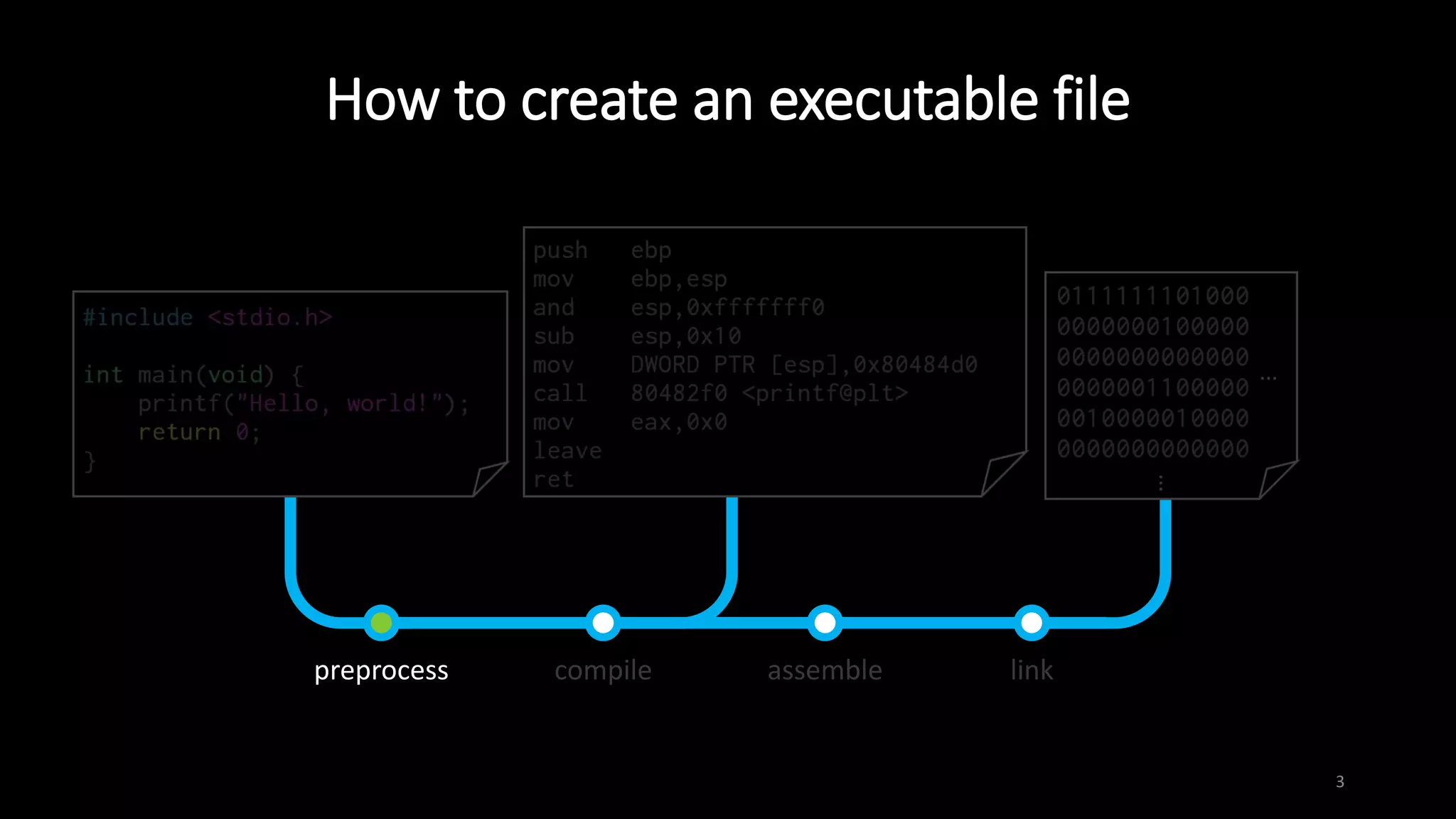
How to create an executable file
3
preprocess compile assemble link
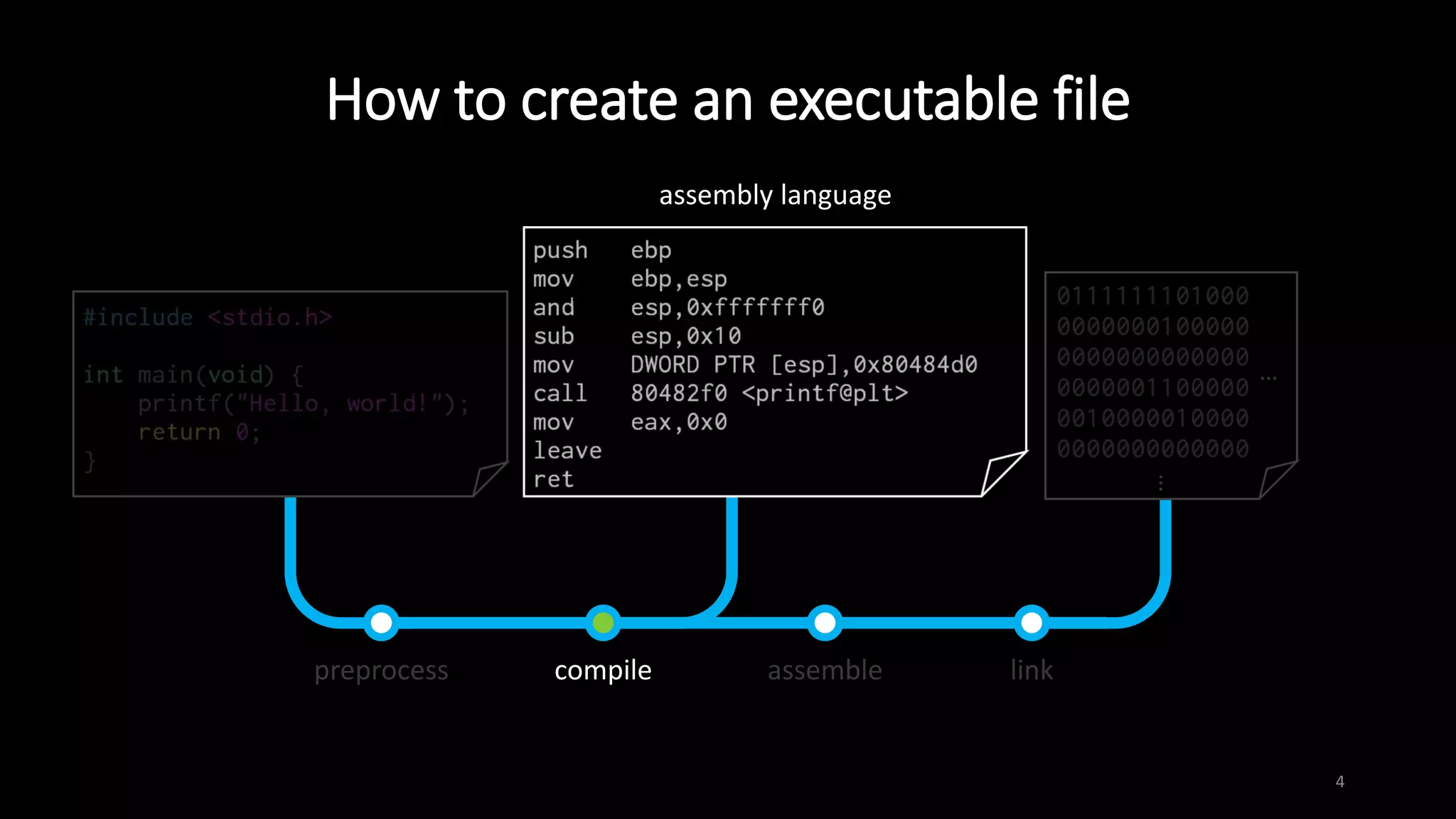
How to create an executable file
4
preprocess compile assemble link
assembly language
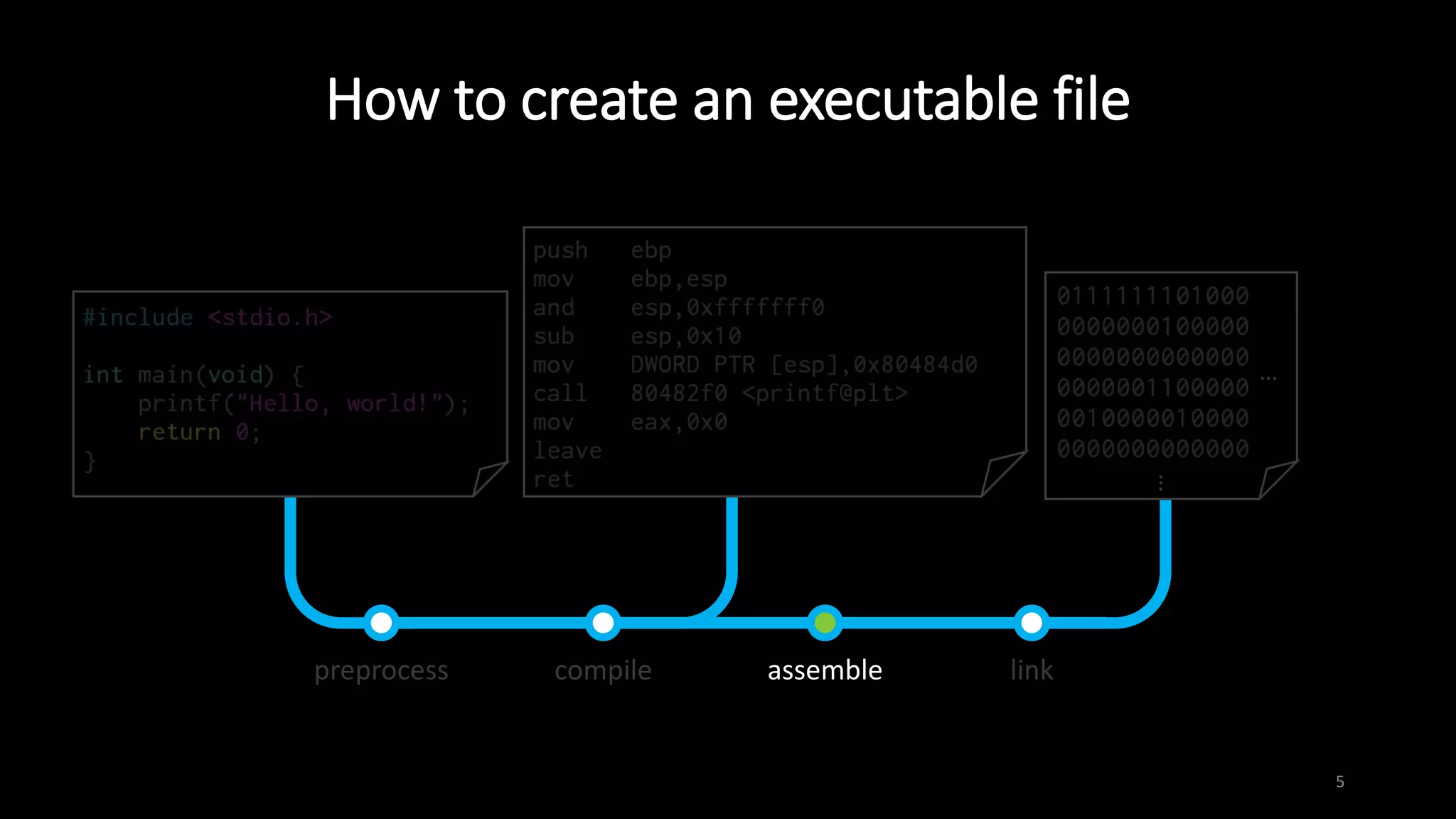
How to create an executable file
5
preprocess compile assemble link
How to create an executable file
6
preprocess compile assemble link
executable file
Intel vs. AT&T syntax
7
Intel AT&T
mov eax, 1 movl $1, %eax
mov eax, [ebx+3] movl 3(%ebx), %eax
add eax, [ebx+ecx*2h] addl (%ebx,%ecx,0x2), %eax
 We prefer to use Intel syntax
 objdump –M intel
 set disassembly-flavor intel
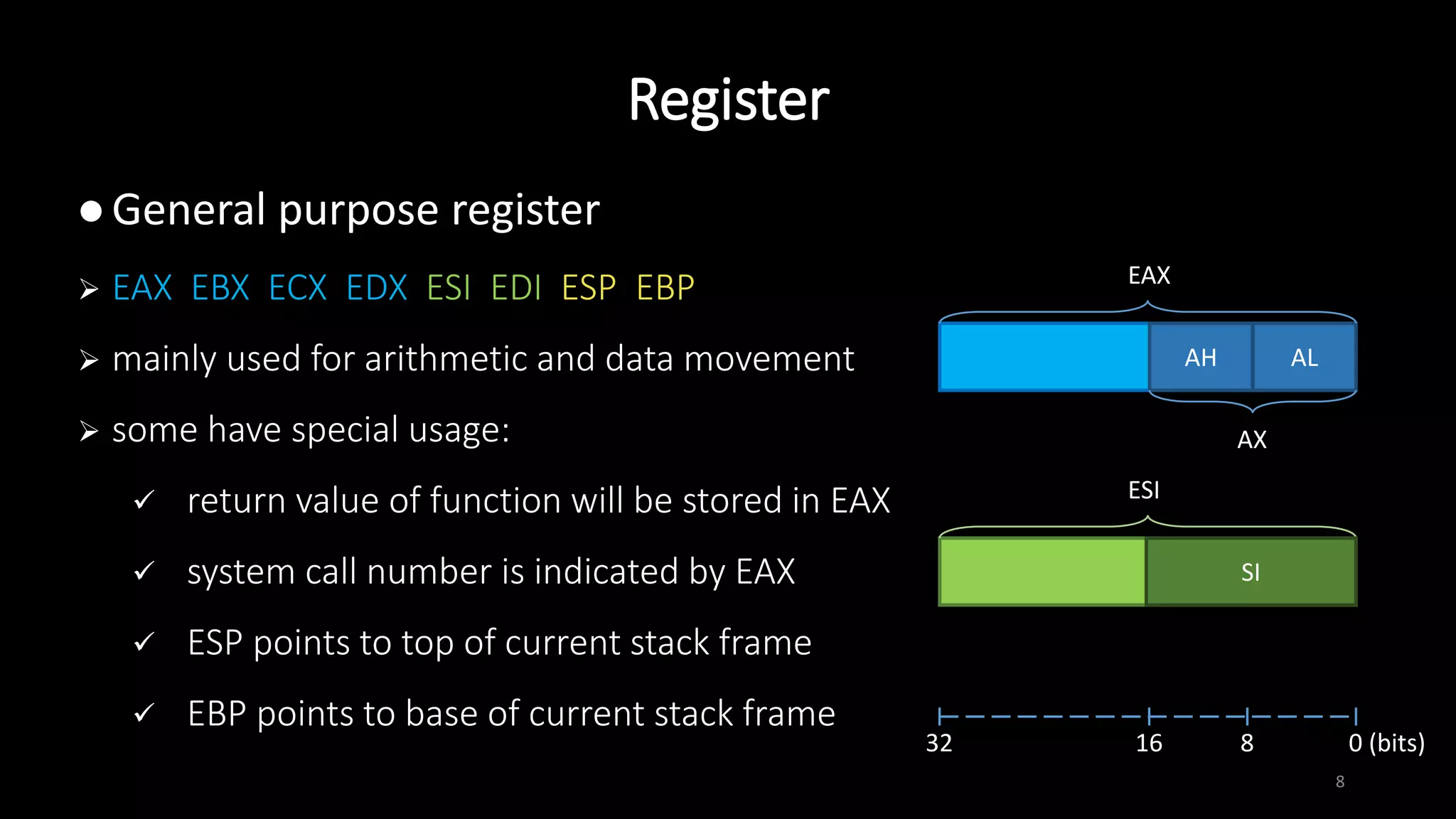
Register
8
 General purpose register
 EAX EBX ECX EDX ESI EDI ESP EBP
 mainly used for arithmetic and data movement
 some have special usage:
 return value of function will be stored in EAX
 system call number is indicated by EAX
 ESP points to top of current stack frame
 EBP points to base of current stack frame
ALAH
AX
EAX
ESI
SI
32 16 0 (bits)8
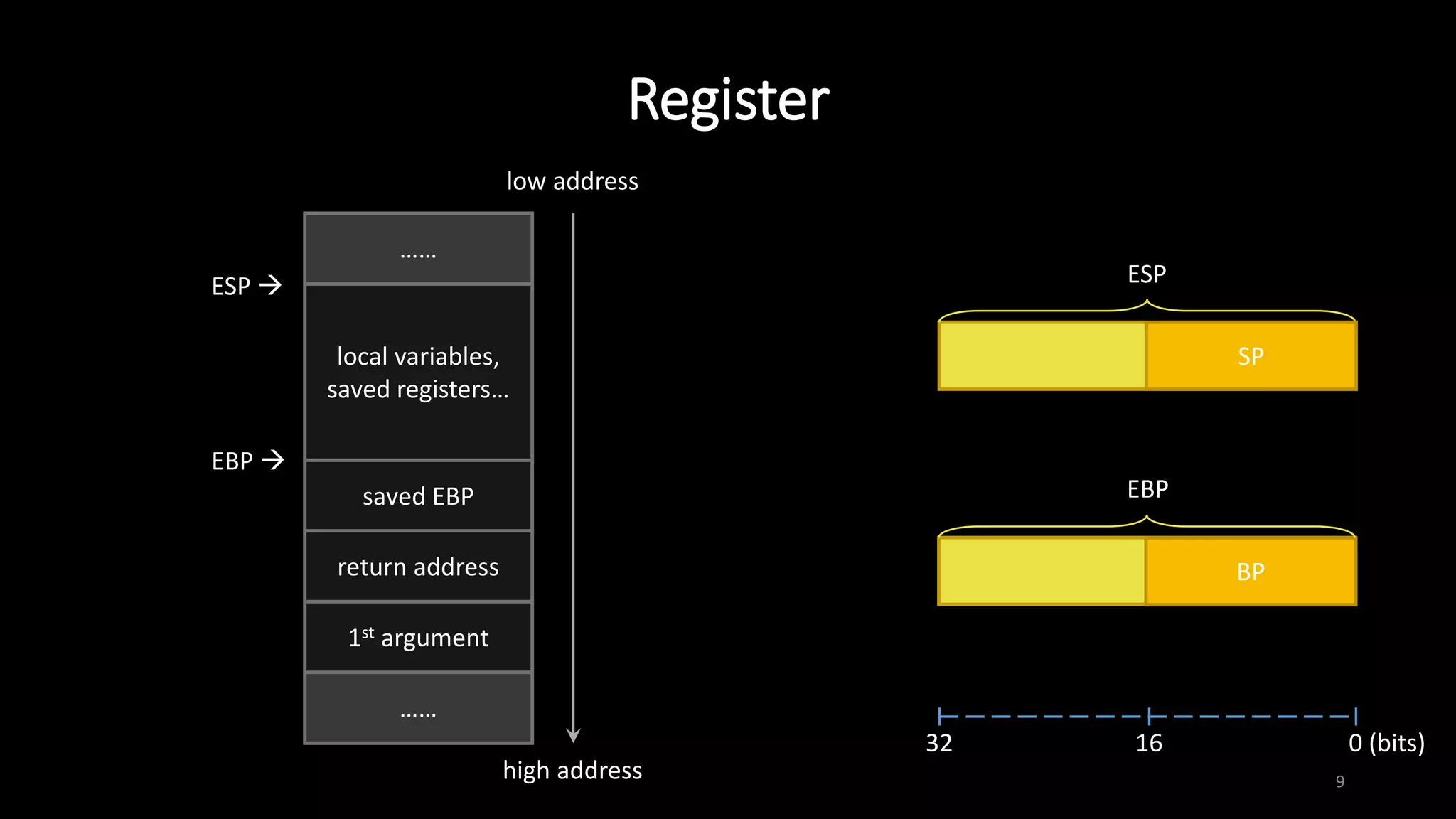
Register
9
ESP
SP
EBP
BP
1st argument
saved EBP
return address
……
……
local variables,
saved registers…
EBP 
ESP 
low address
high address
32 16 0 (bits)
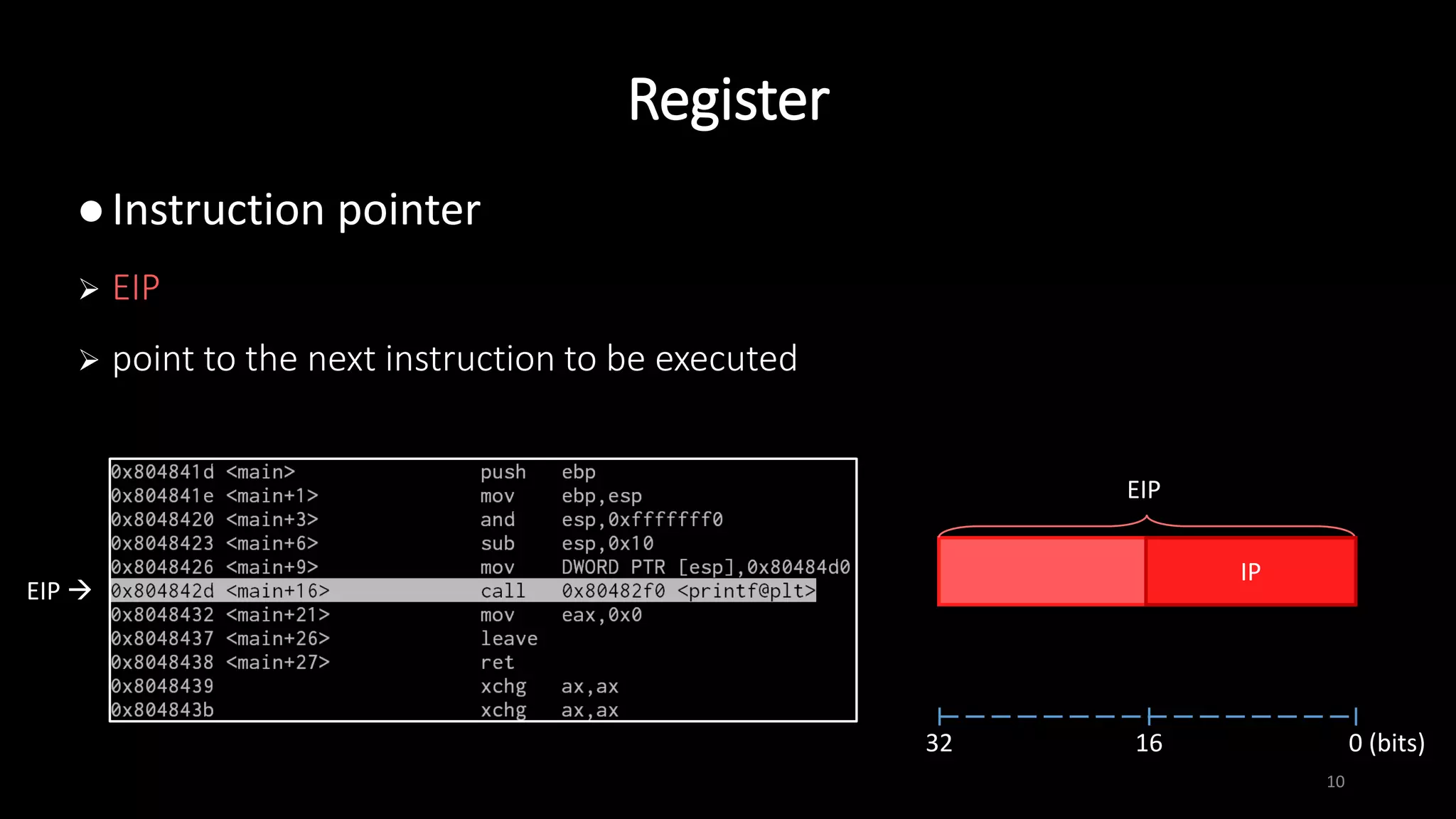
Register
10
EIP
IP
EIP 
32 16 0 (bits)
 Instruction pointer
 EIP
 point to the next instruction to be executed
Register
11
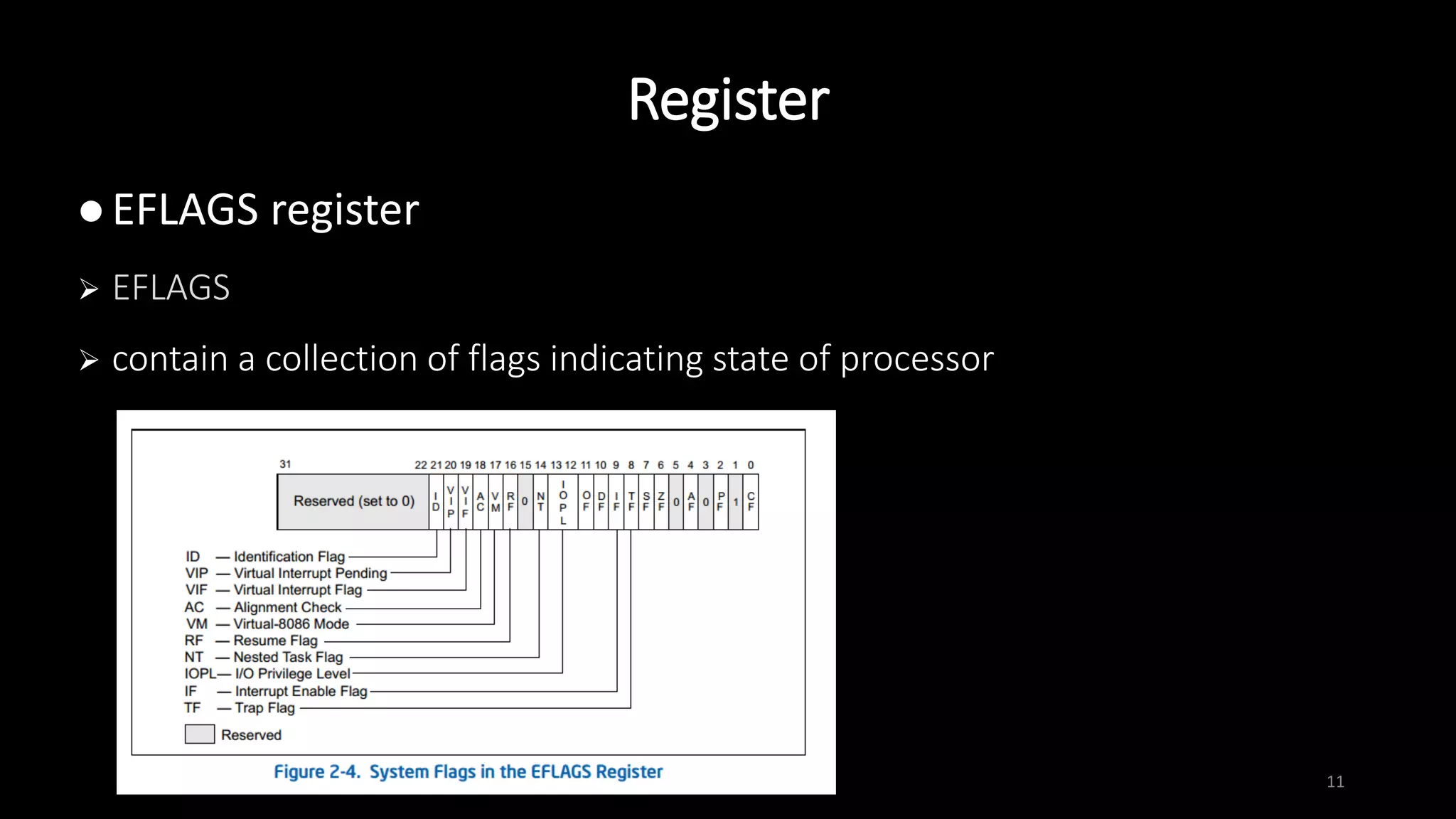
 EFLAGS register
 EFLAGS
 contain a collection of flags indicating state of processor
mov
12
 assign value of src. operand to dest. operand
 size of operands must be the same
 mov dest. src.
 mov ebp, esp
 mov BYTE PTR [edi], 0x41
 mov eax, DWORD PTR [esp+4]
……
……
0x80484d0
……
ESP+4 
ESP  0xffffd260
……
……
0xffffd264
0xffffd268
0x80484d0
EAX
lea
13
 assign effective address of src. operand to dest. operand
 note the difference between mov and lea
 lea dest. src.
 lea eax, DWORD PTR [esp+4]
……
……
0x80484d0
……
ESP+4 
ESP  0xffffd260
……
……
0xffffd264
0xffffd268
0xffffd264
EAX
14
 store the sum / difference of two operands to dest. operand
 add/sub dest. src.
 sub esp, 0x18
 add DWORD PTR [edi], edx
 cmp eax, 1 ; check whether eax is 1
add / sub
15
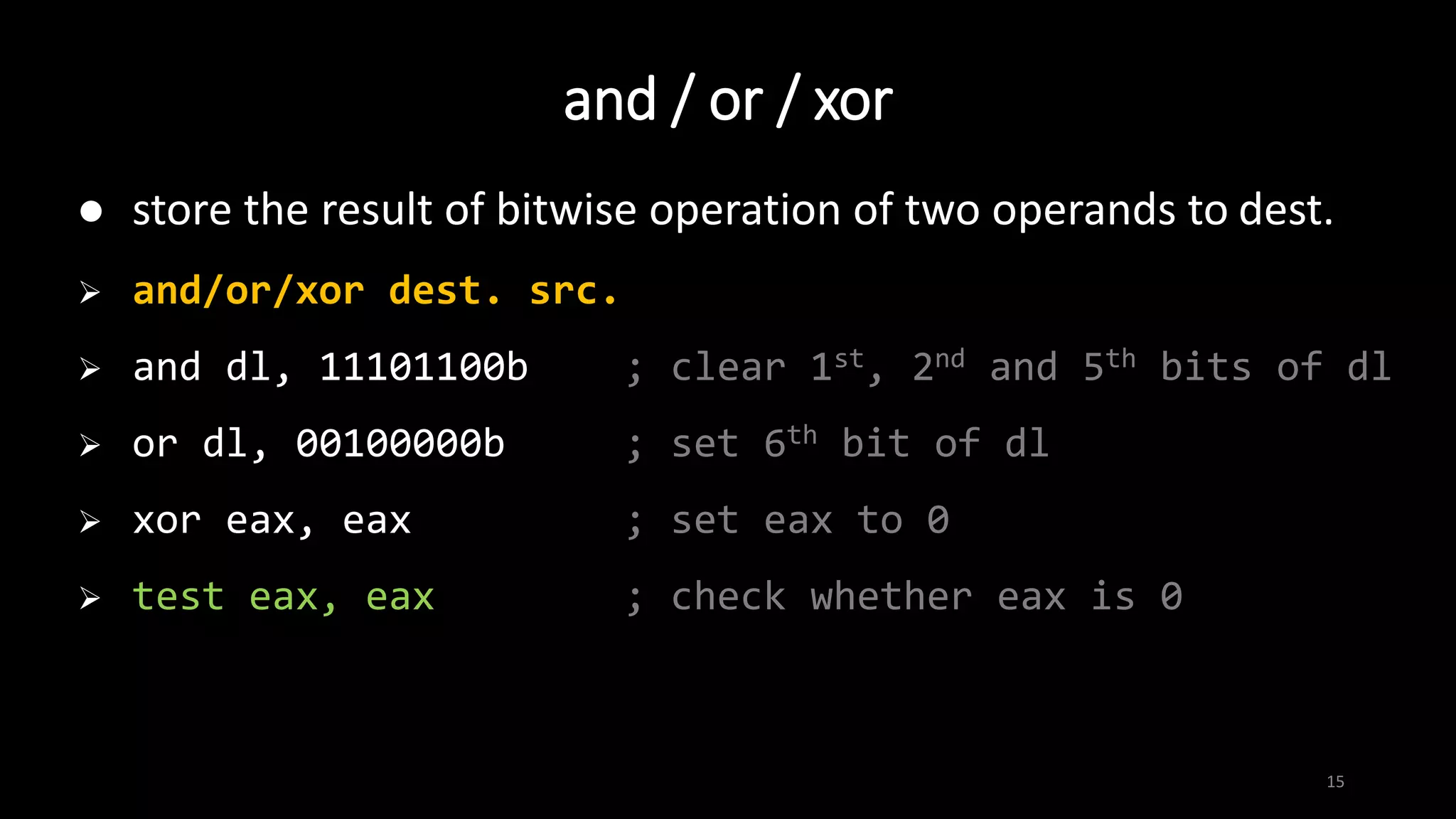
 store the result of bitwise operation of two operands to dest.
 and/or/xor dest. src.
 and dl, 11101100b ; clear 1st, 2nd and 5th bits of dl
 or dl, 00100000b ; set 6th bit of dl
 xor eax, eax ; set eax to 0
 test eax, eax ; check whether eax is 0
and / or / xor
push
16
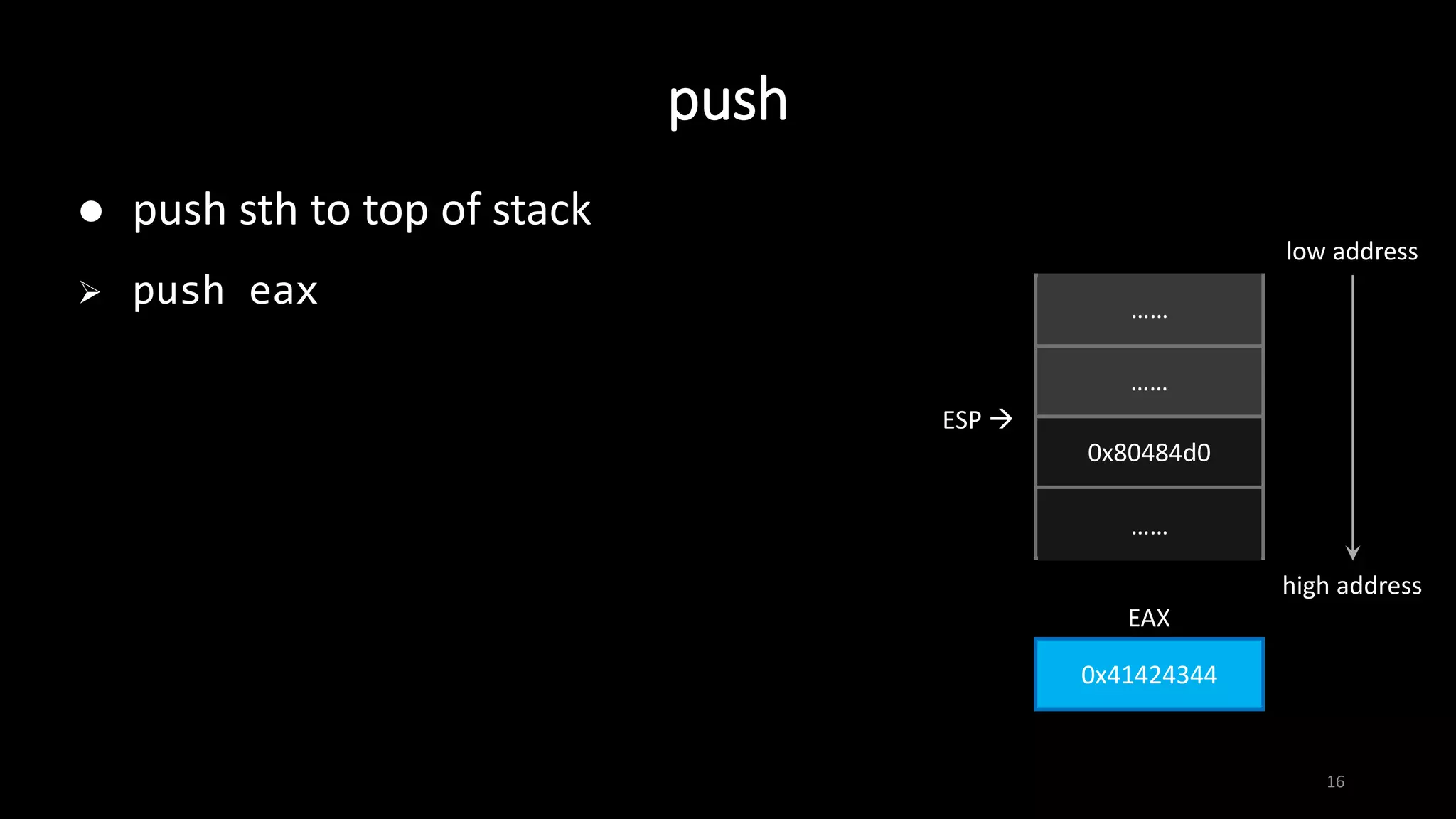
 push sth to top of stack
 push eax
……
……
0x80484d0
……
ESP 
……
……
0x41424344
EAX
low address
high address
push
17
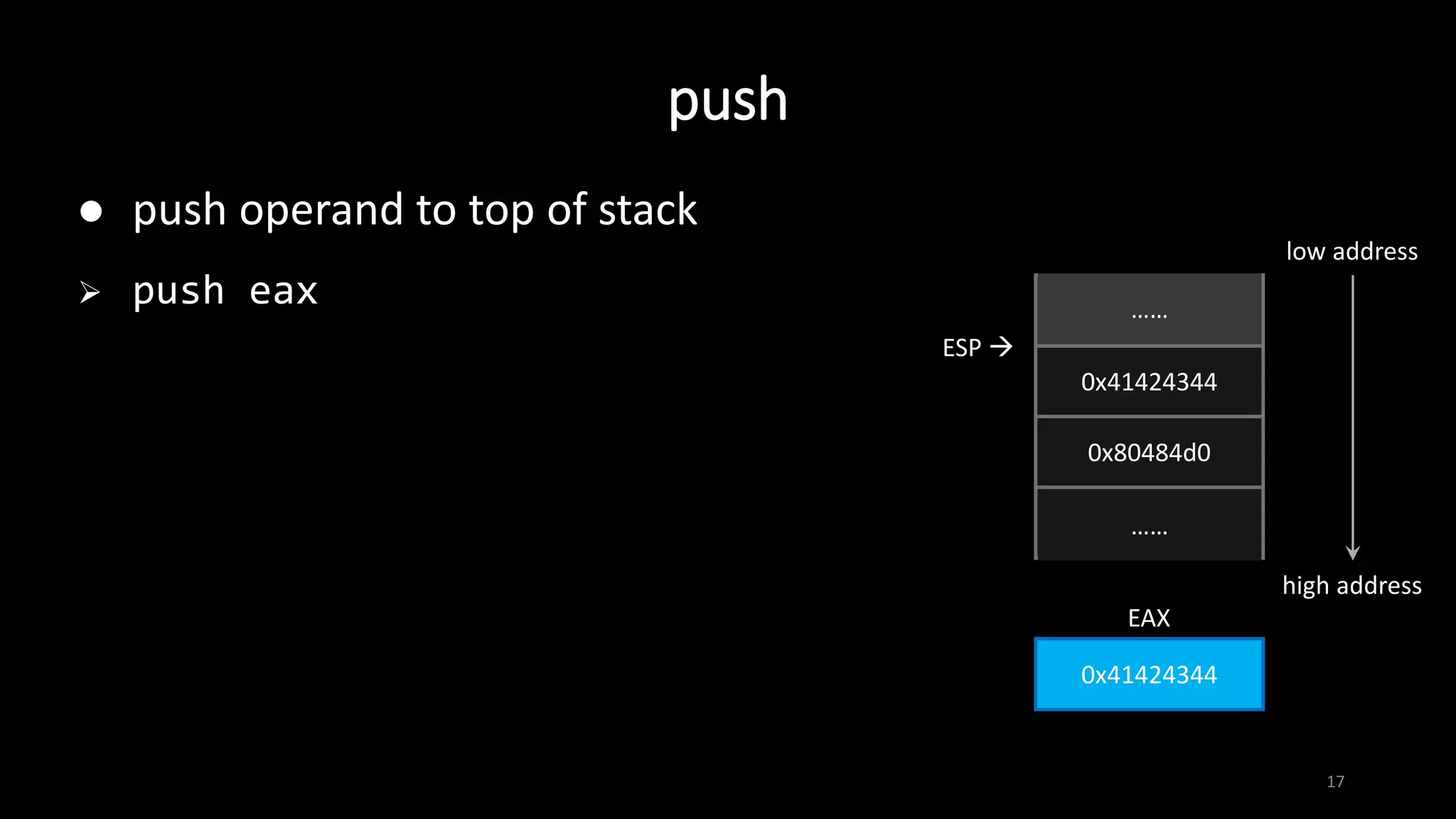
 push operand to top of stack
 push eax
……
0x41424344
0x80484d0
……
ESP 
……
……
0x41424344
EAX
low address
high address
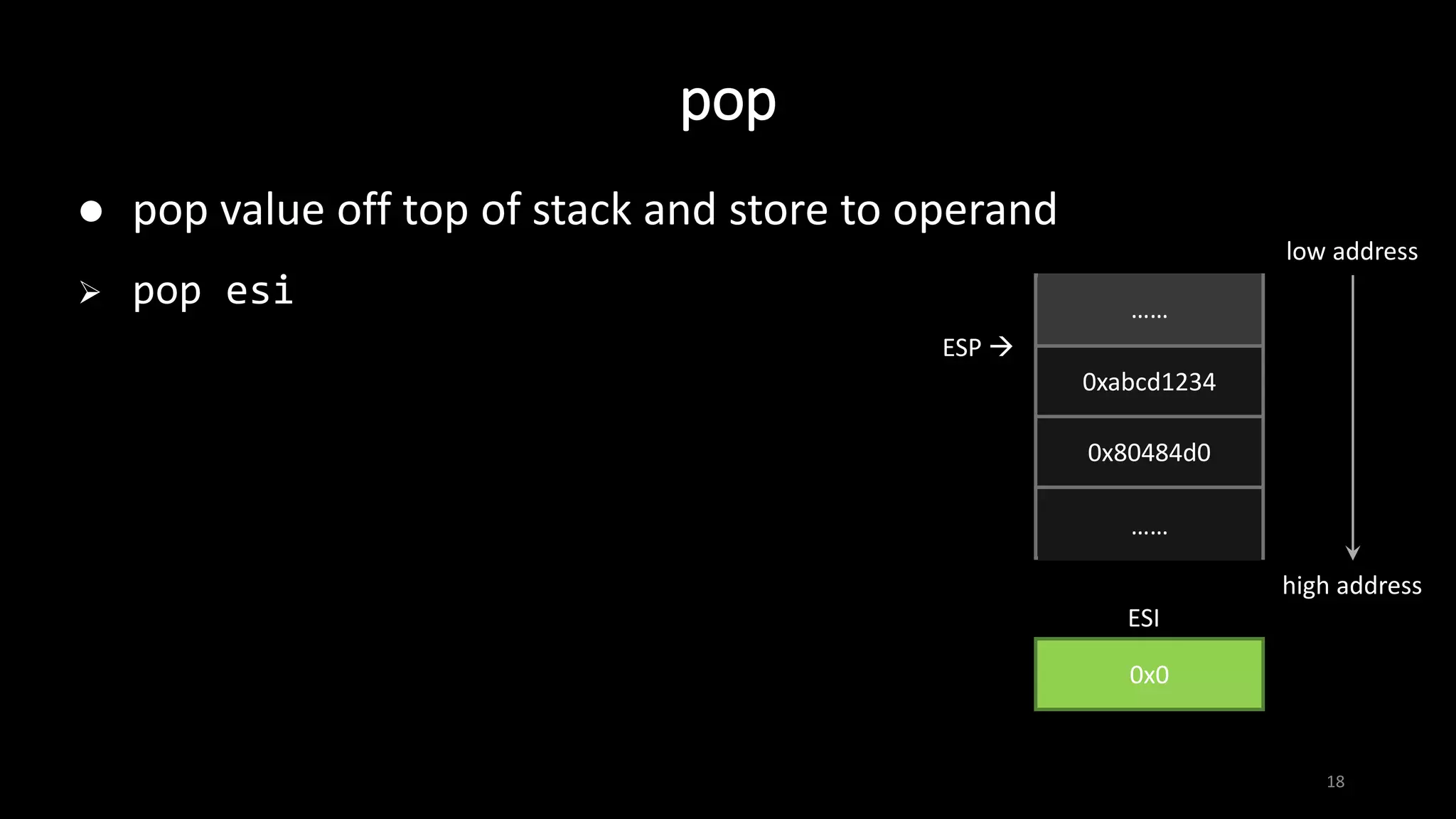
pop
18
 pop value off top of stack and store to operand
 pop esi
……
0xabcd1234
0x80484d0
……
ESP 
……
……
0x0
ESI
low address
high address
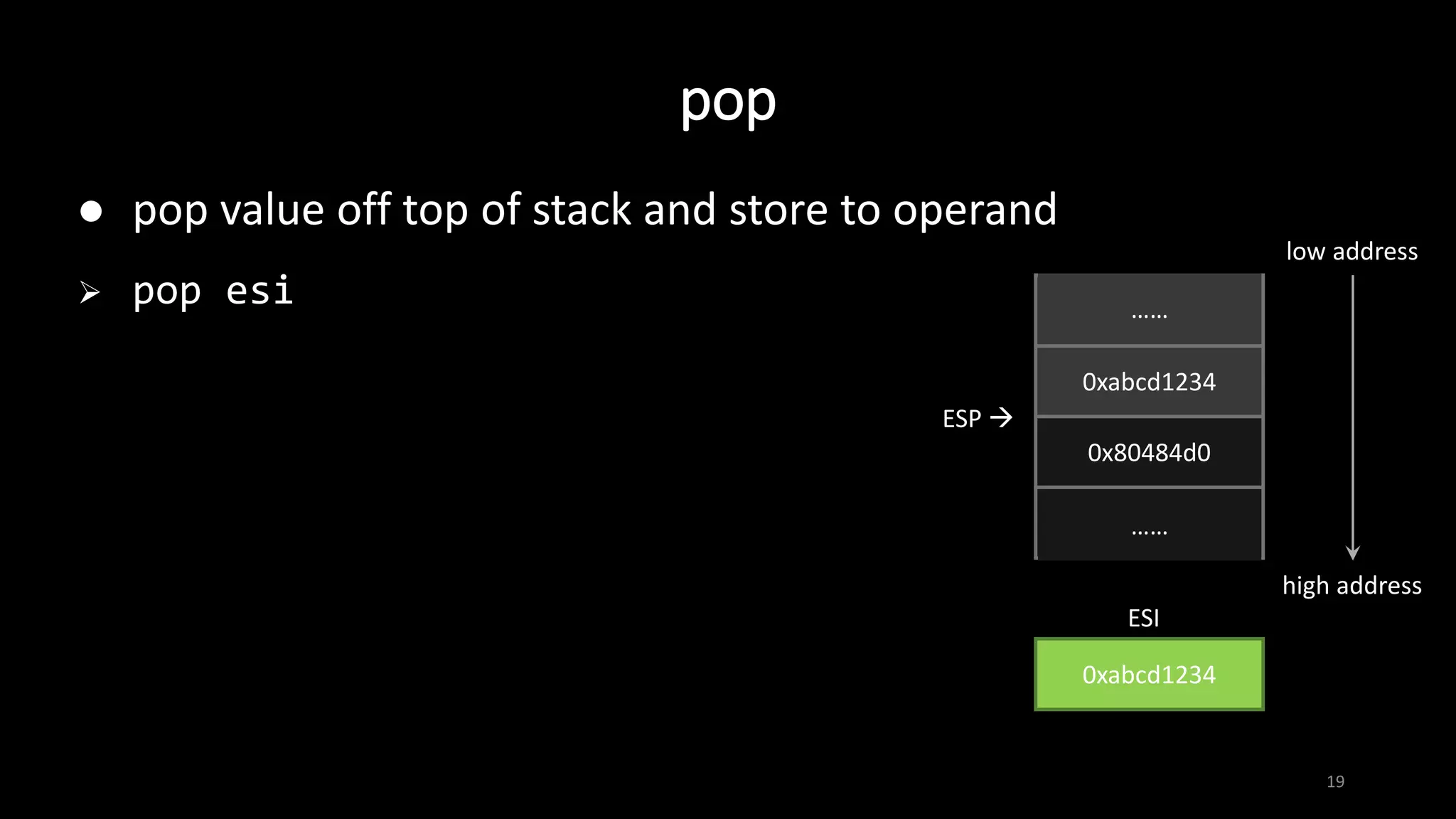
pop
19
 pop value off top of stack and store to operand
 pop esi
……
0xabcd1234
0x80484d0
……
ESP 
……
……
0xabcd1234
ESI
low address
high address
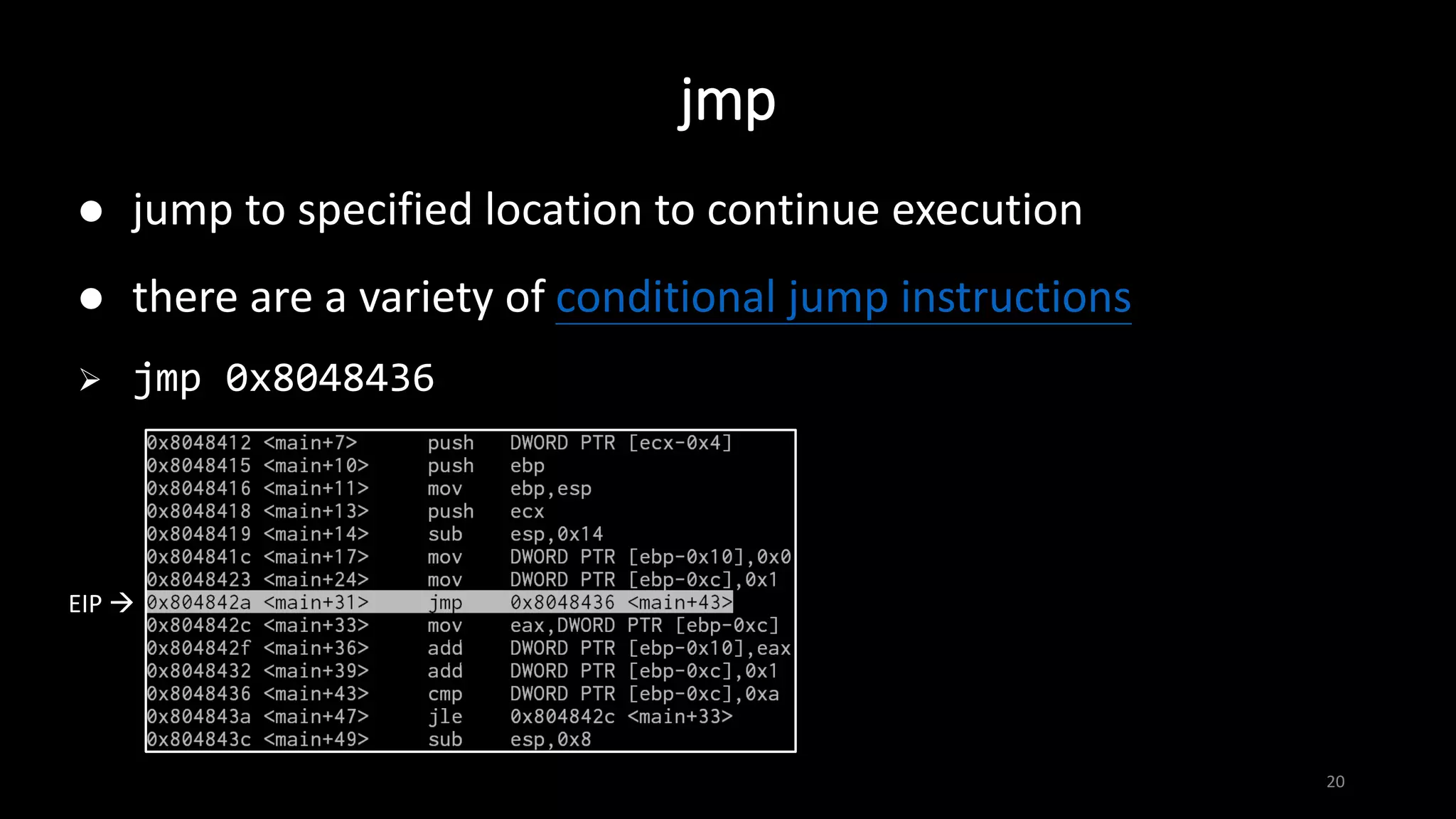
jmp
20
 jump to specified location to continue execution
 there are a variety of conditional jump instructions
 jmp 0x8048436
EIP 
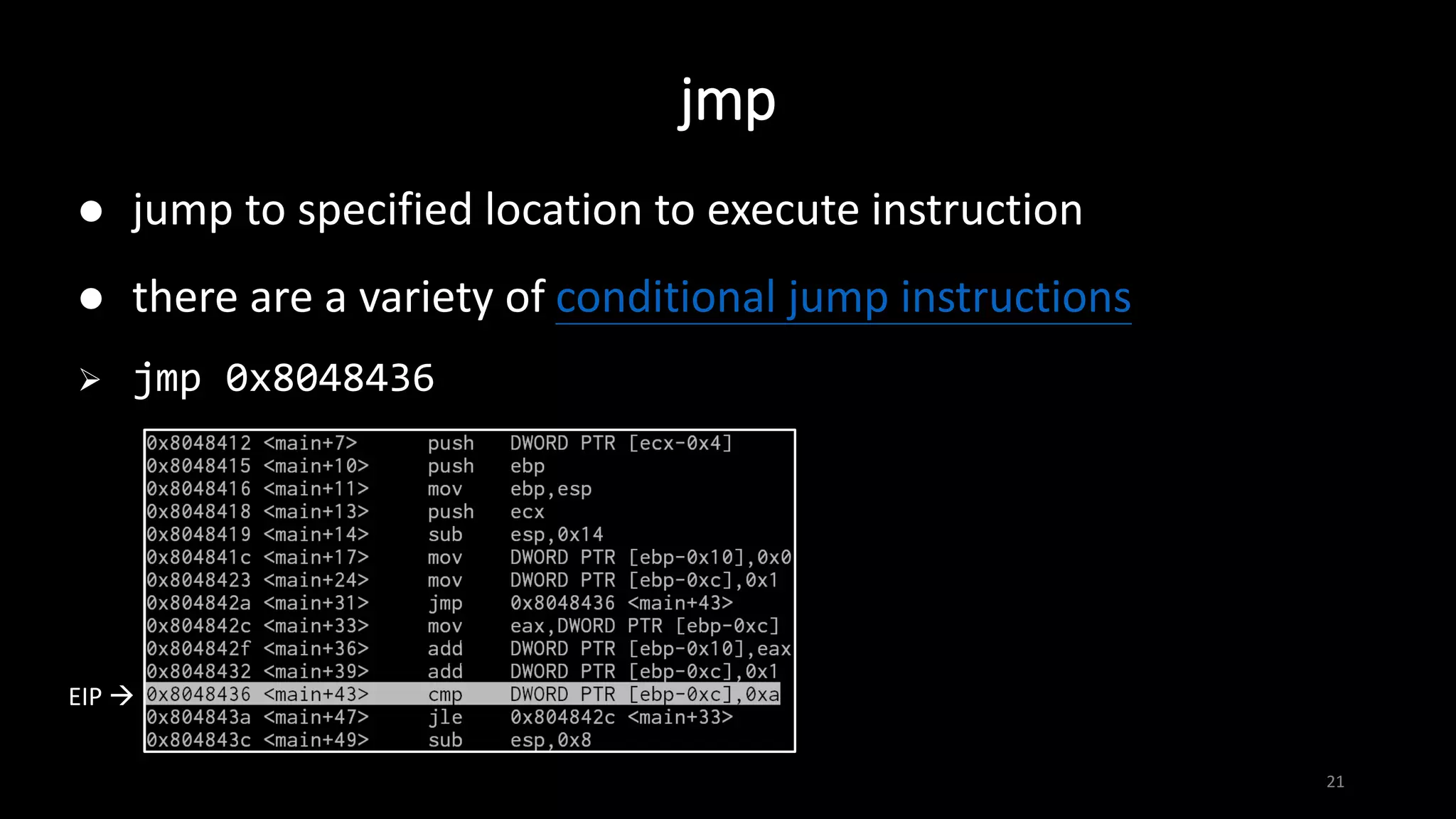
jmp
21
 jump to specified location to execute instruction
 there are a variety of conditional jump instructions
 jmp 0x8048436
EIP 
call
22
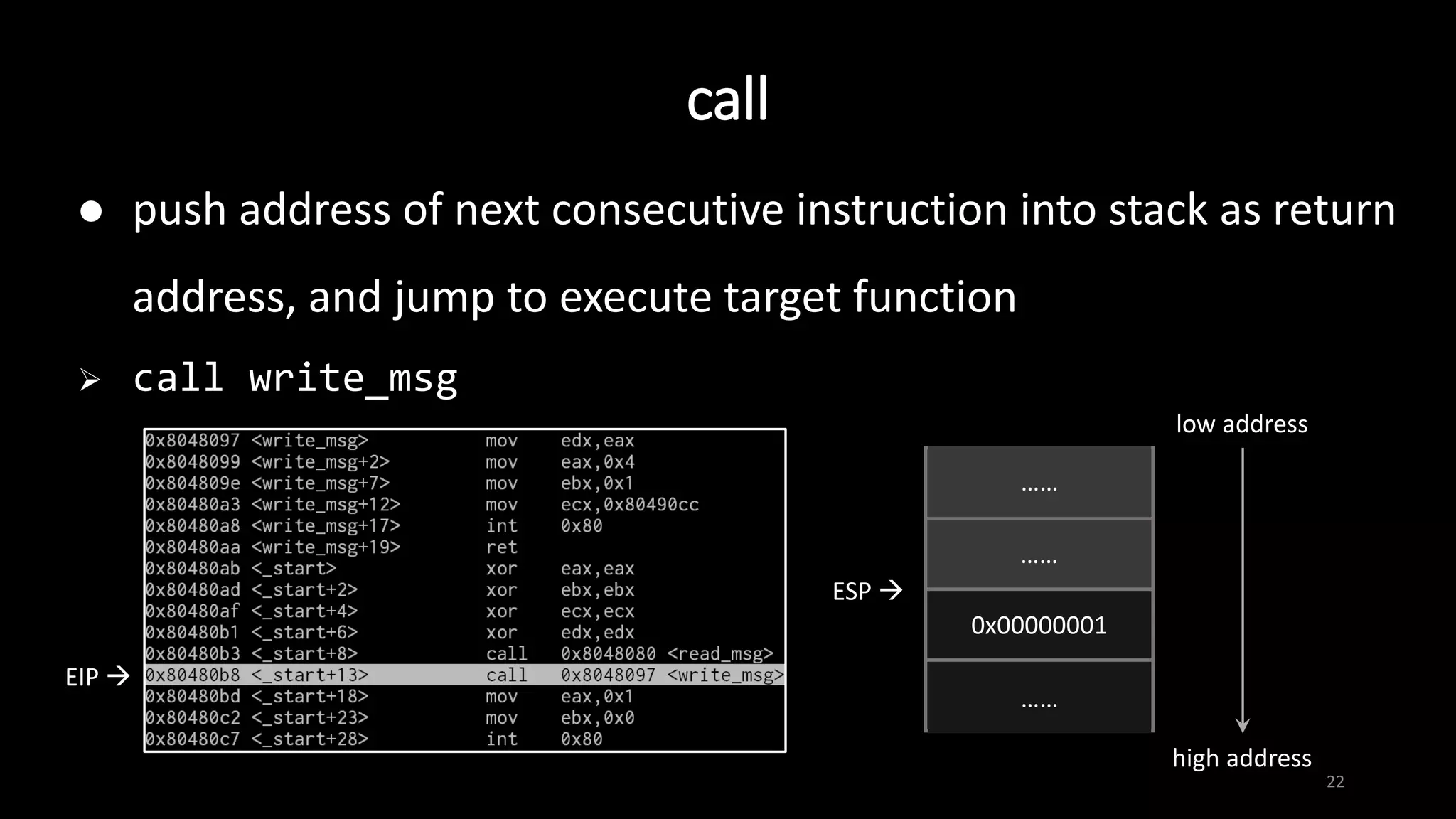
 push address of next consecutive instruction into stack as return
address, and jump to execute target function
 call write_msg
……
……
0x00000001
……
ESP 
……
……
low address
high address
EIP 
call
23
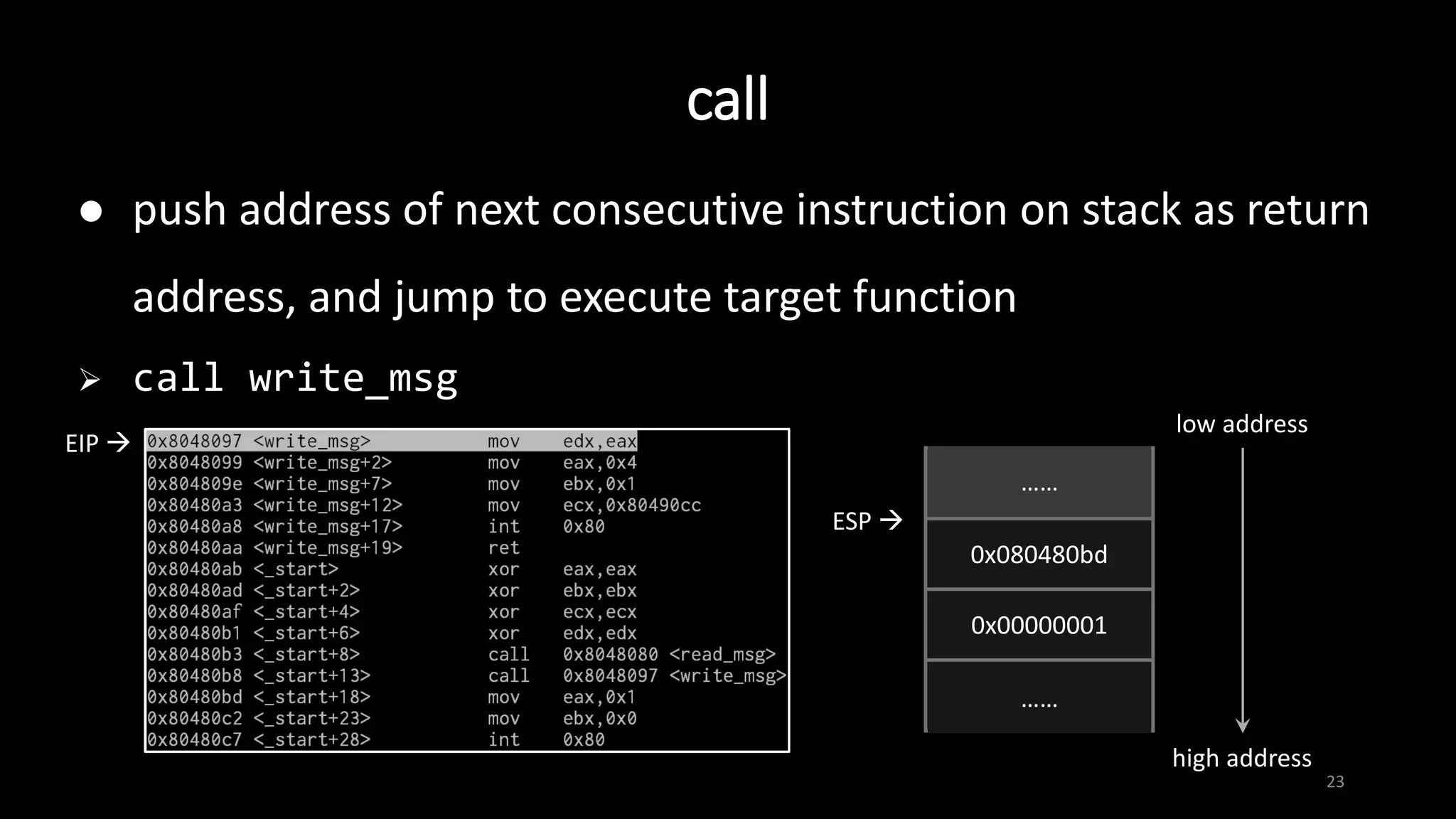
 push address of next consecutive instruction on stack as return
address, and jump to execute target function
 call write_msg
EIP 
……
0x080480bd
0x00000001
……
ESP 
……
……
low address
high address
ret
24
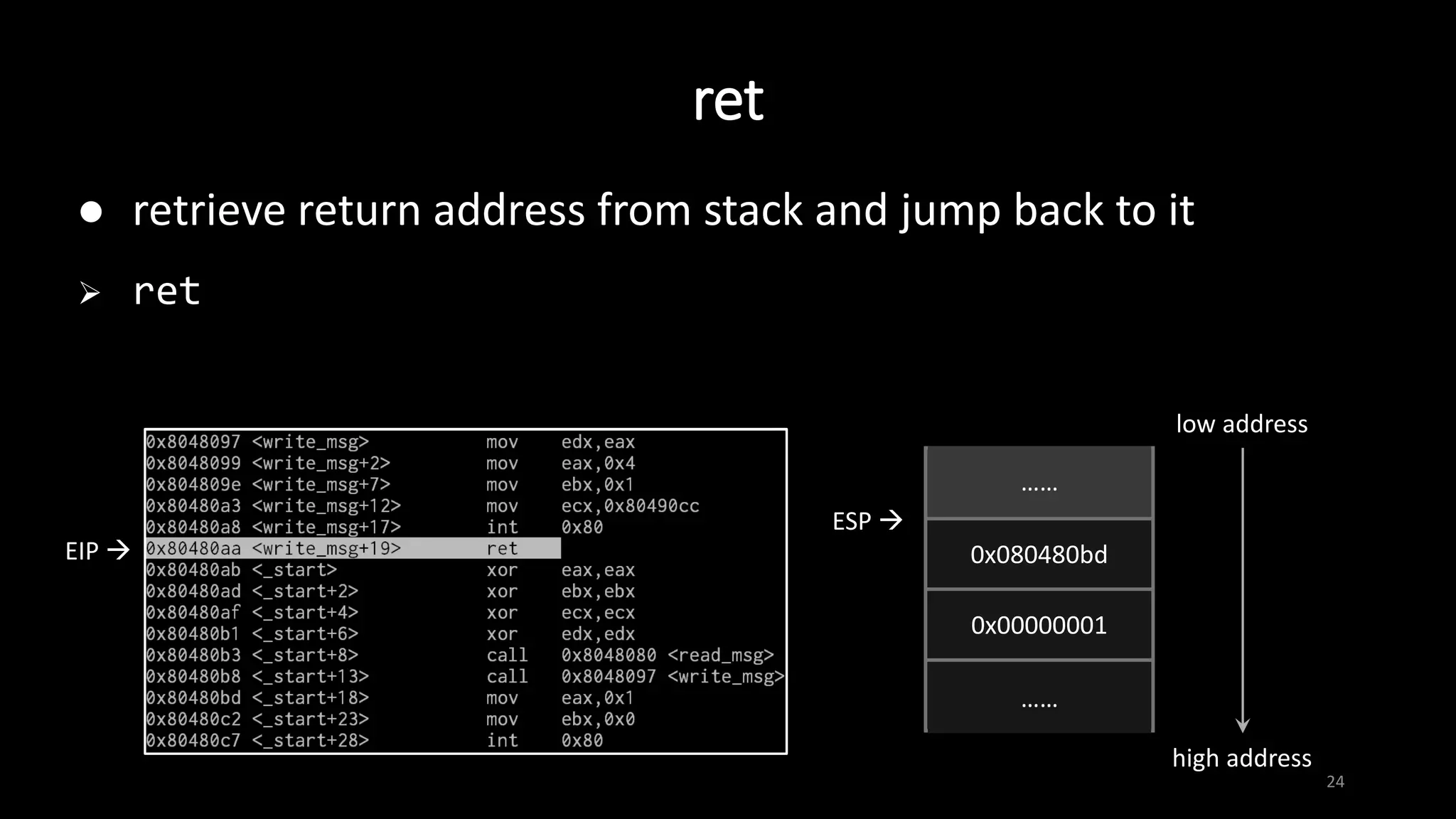
 retrieve return address from stack and jump back to it
 ret
EIP 
……
0x080480bd
0x00000001
……
ESP 
……
……
low address
high address
ret
25
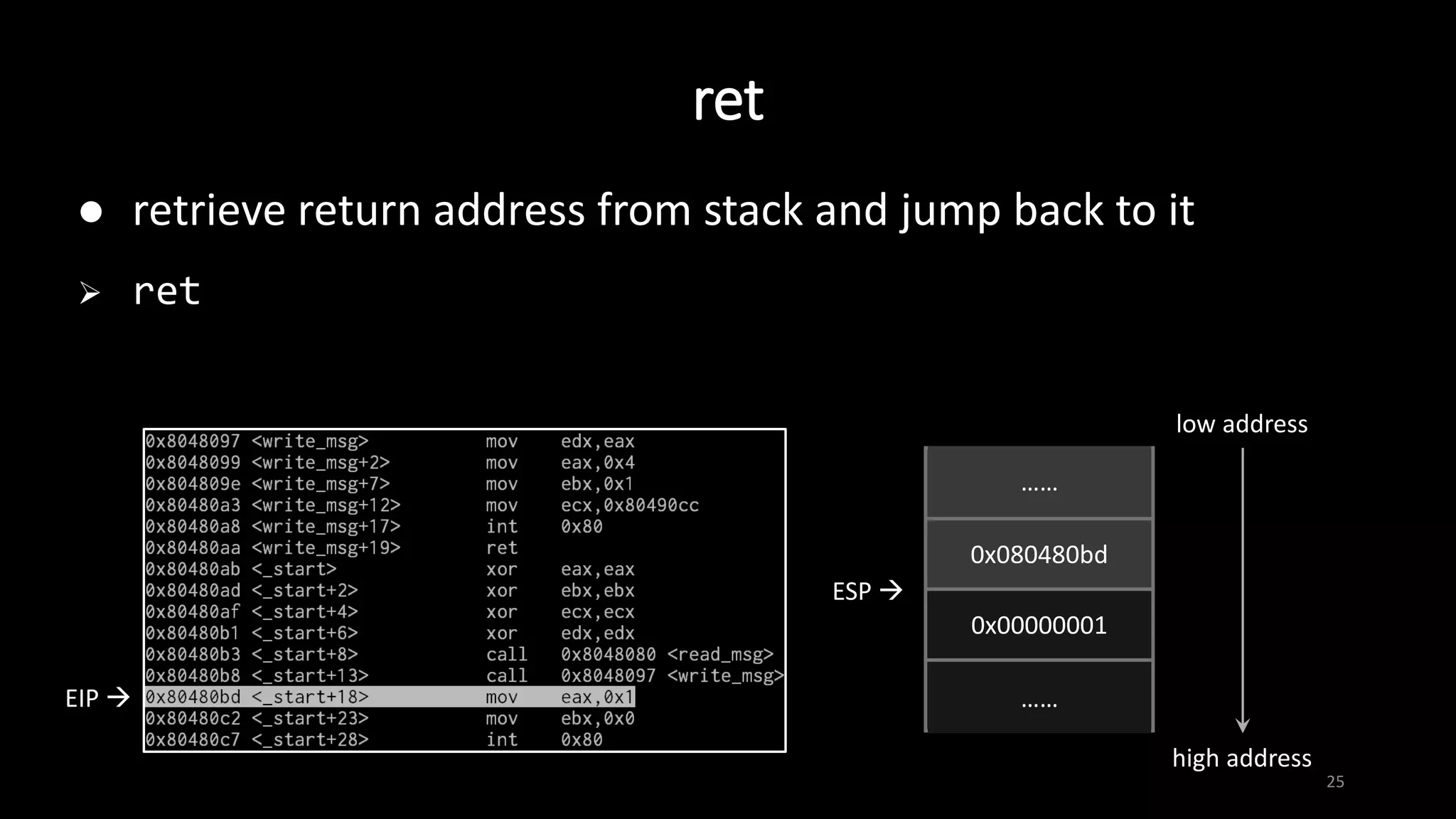
 retrieve return address from stack and jump back to it
 ret
EIP  ……
0x080480bd
0x00000001
……
ESP 
……
……
low address
high address
System Call
26
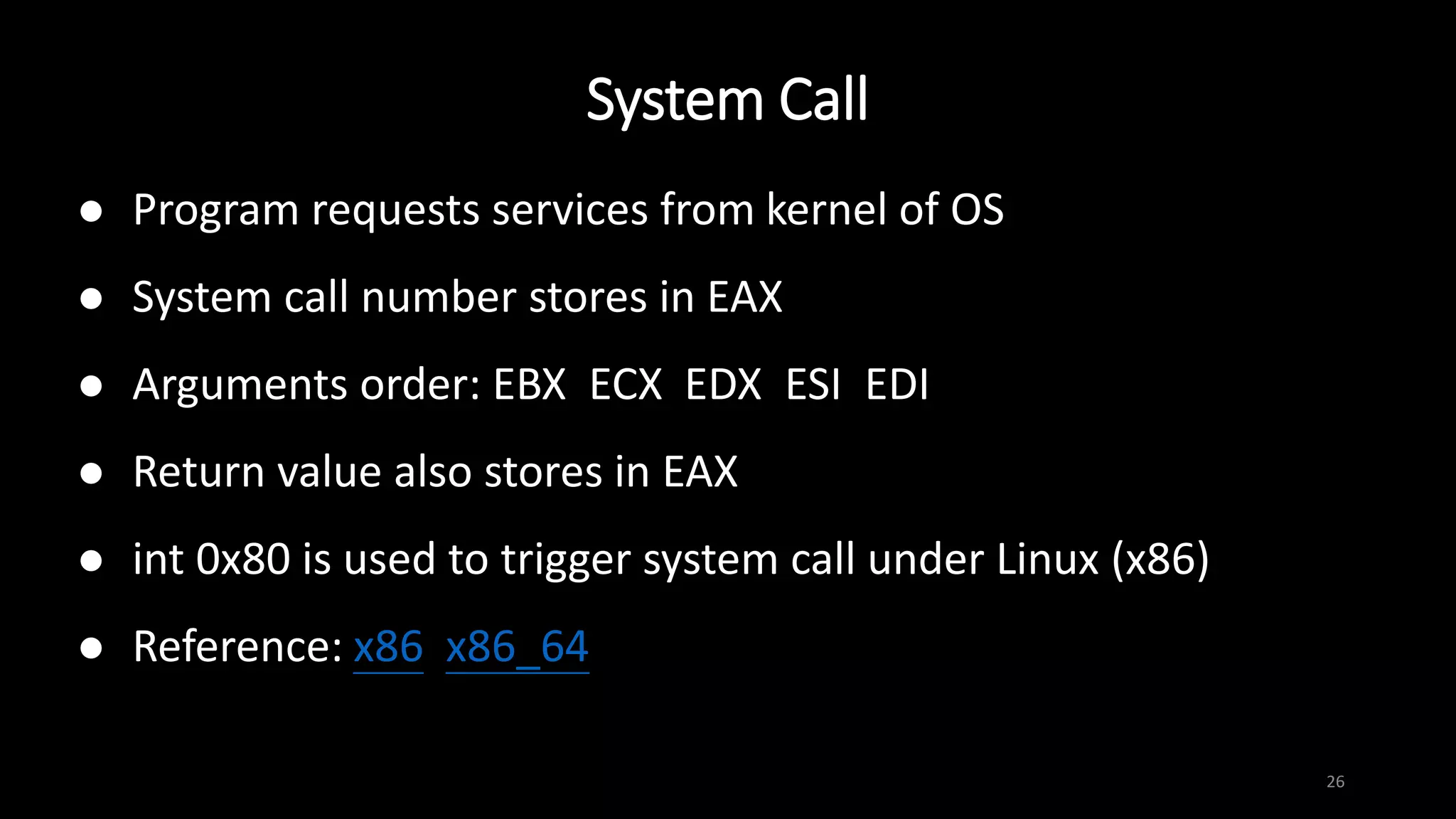
 Program requests services from kernel of OS
 System call number stores in EAX
 Arguments order: EBX ECX EDX ESI EDI
 Return value also stores in EAX
 int 0x80 is used to trigger system call under Linux (x86)
 Reference: x86 x86_64
Common used system call
27
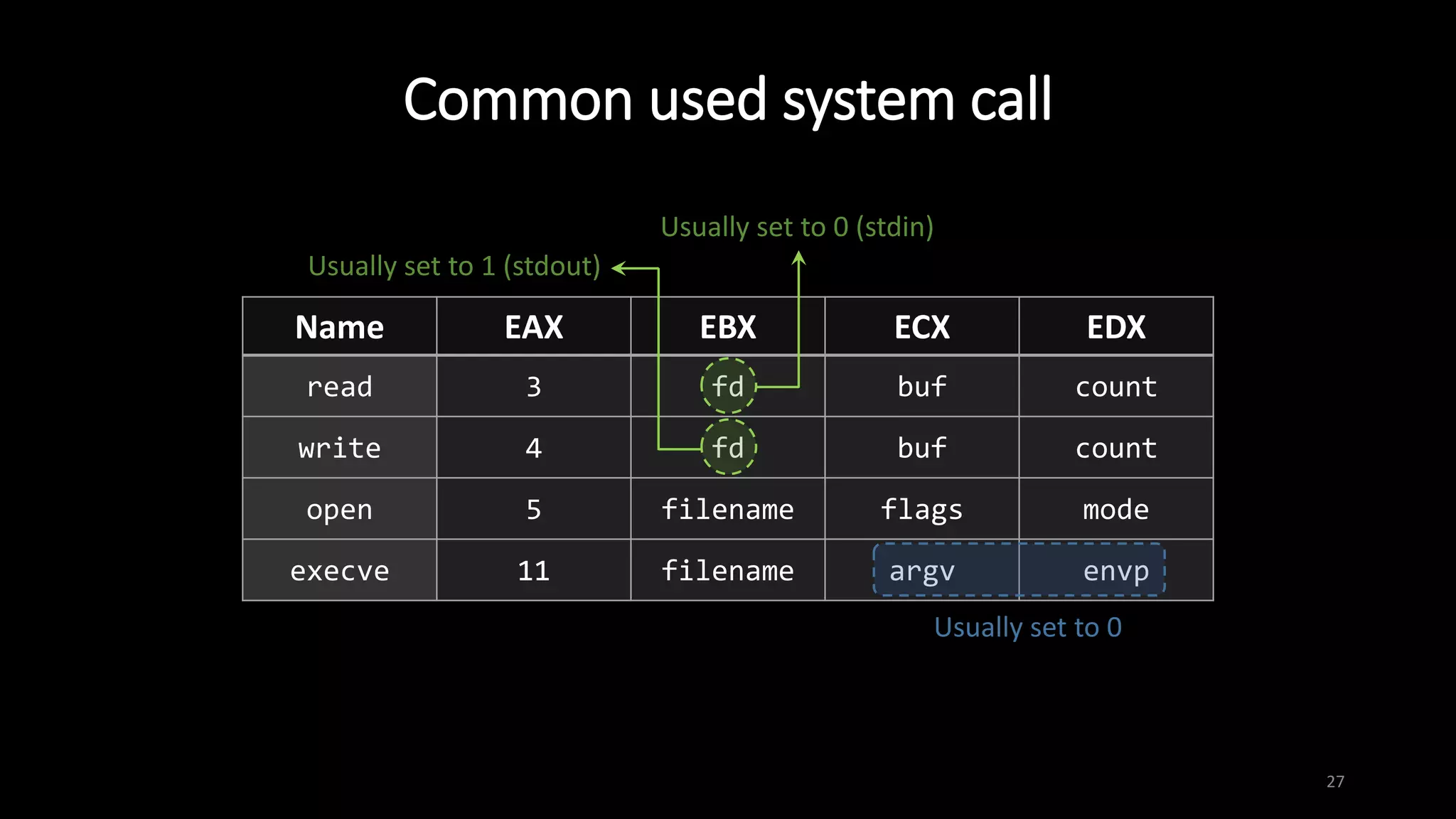
Name EAX EBX ECX EDX
read 3 fd buf count
write 4 fd buf count
open 5 filename flags mode
execve 11 filename argv envp
Usually set to 0
Usually set to 0 (stdin)
Usually set to 1 (stdout)
28
GNU Debugger (GDB)
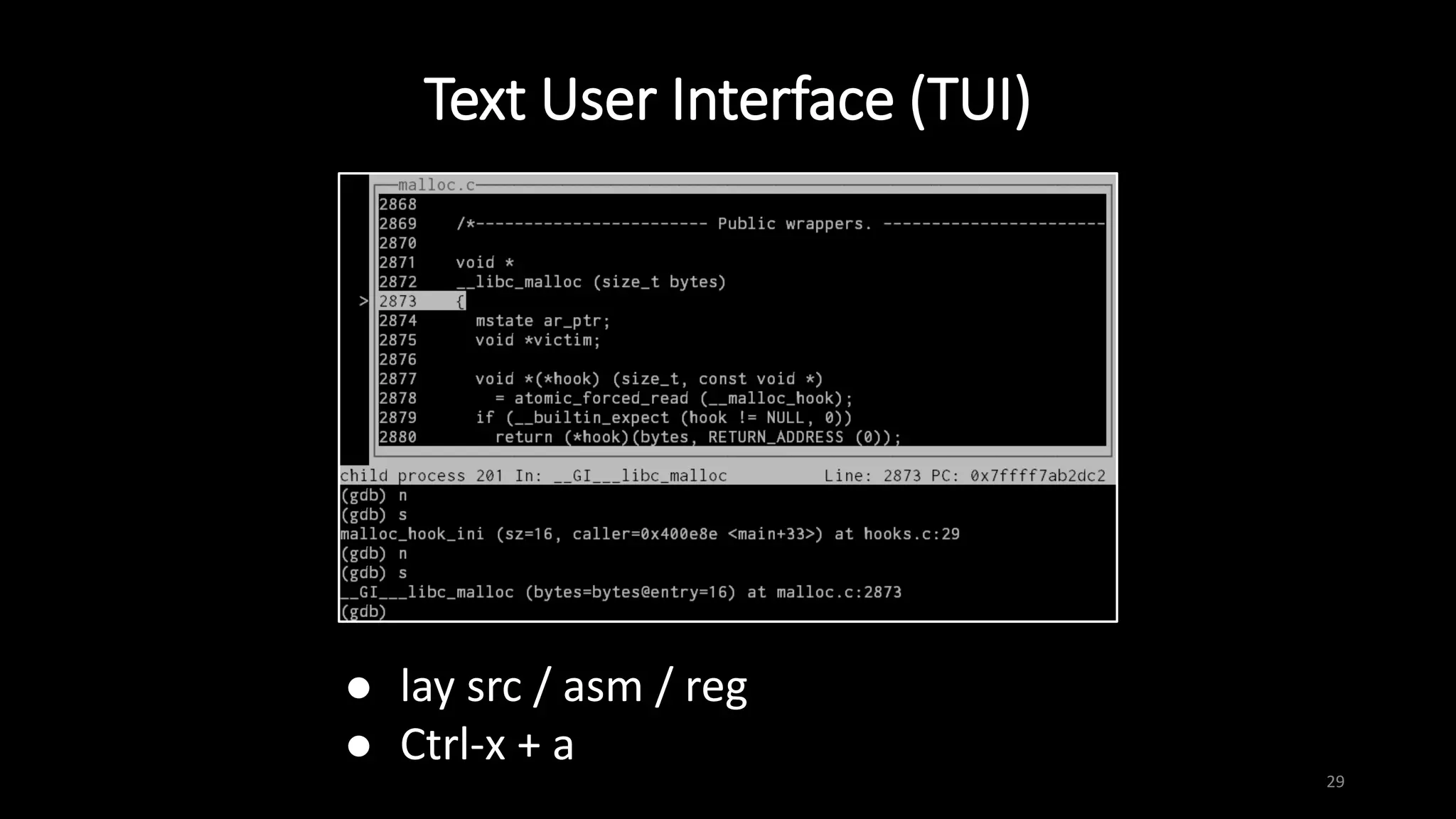
Text User Interface (TUI)
29
 lay src / asm / reg
 Ctrl-x + a
Basic operation
30
 break -- set break point
 b main # set a breakpoint at main()
 b 4 # break at line 4
 b *0xffffd1d0 # break at instruction at 0xffffd1d0
 run [argument(s)] -- start the program
 continue -- continue program execution until next breakpoint
or termination
Basic operation
31
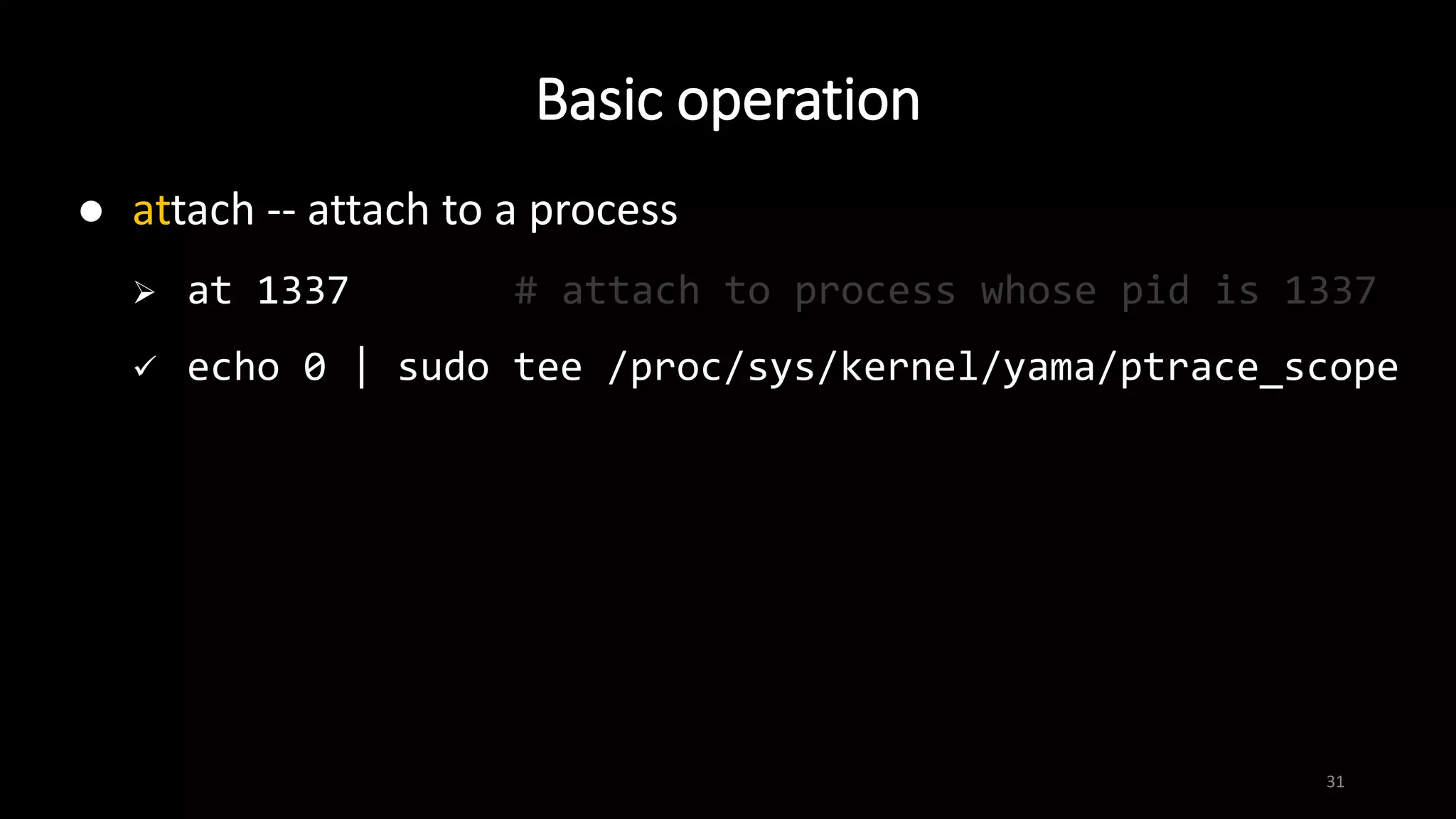
 attach -- attach to a process
 at 1337 # attach to process whose pid is 1337
 echo 0 | sudo tee /proc/sys/kernel/yama/ptrace_scope
Basic operation
32
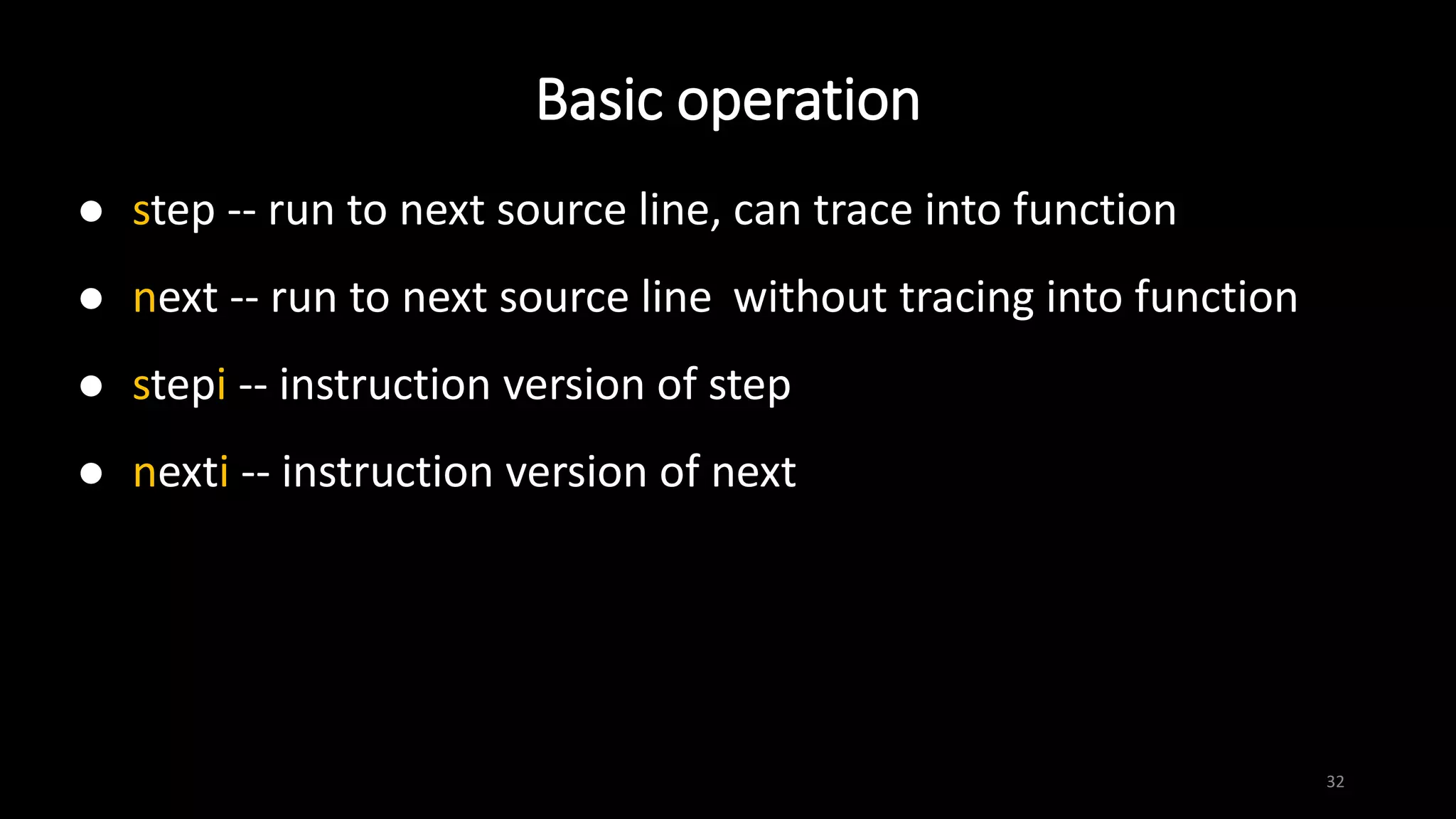
 step -- run to next source line, can trace into function
 next -- run to next source line without tracing into function
 stepi -- instruction version of step
 nexti -- instruction version of next
Basic operation
33
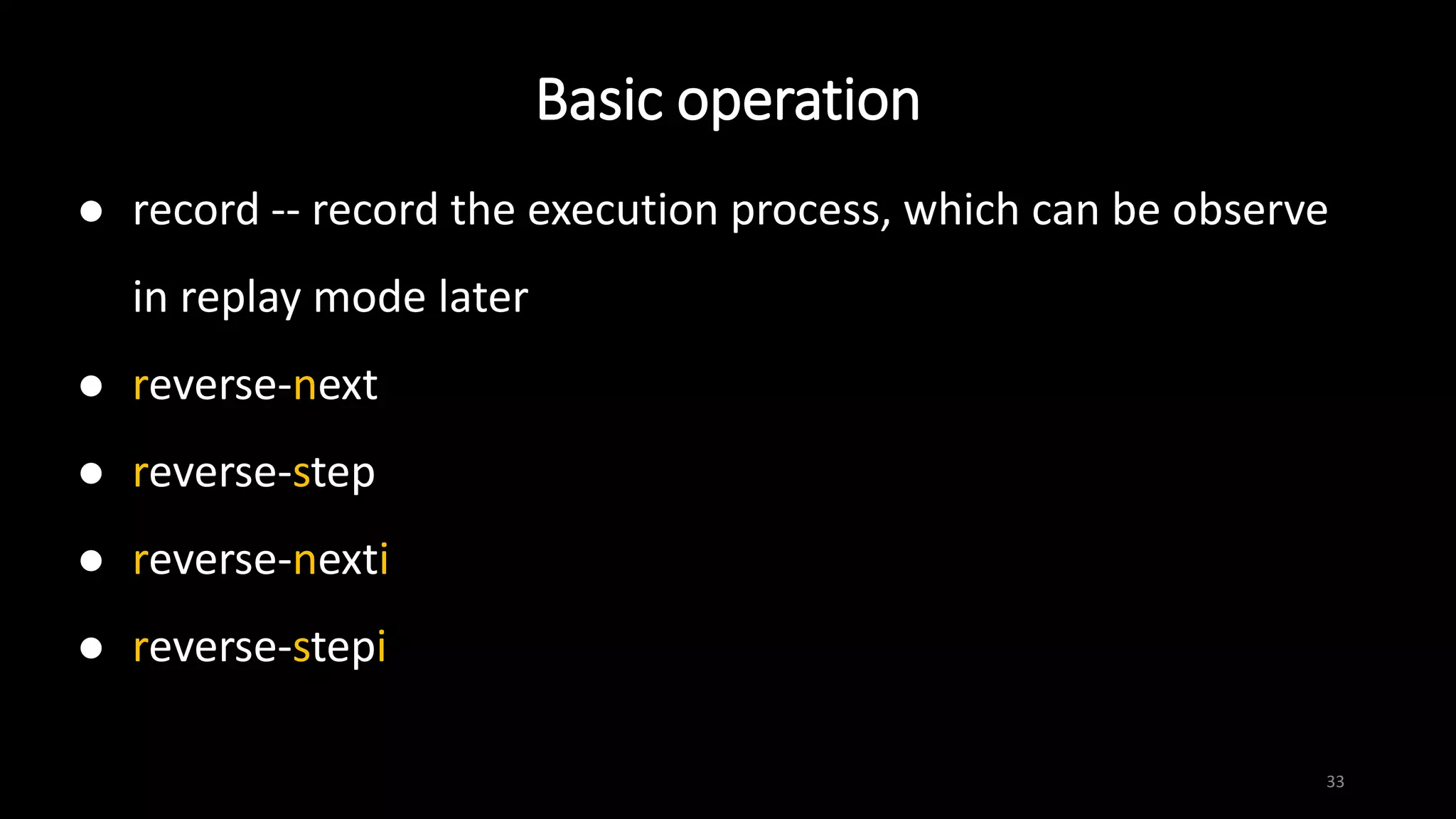
 record -- record the execution process, which can be observe
in replay mode later
 reverse-next
 reverse-step
 reverse-nexti
 reverse-stepi
Basic operation
34
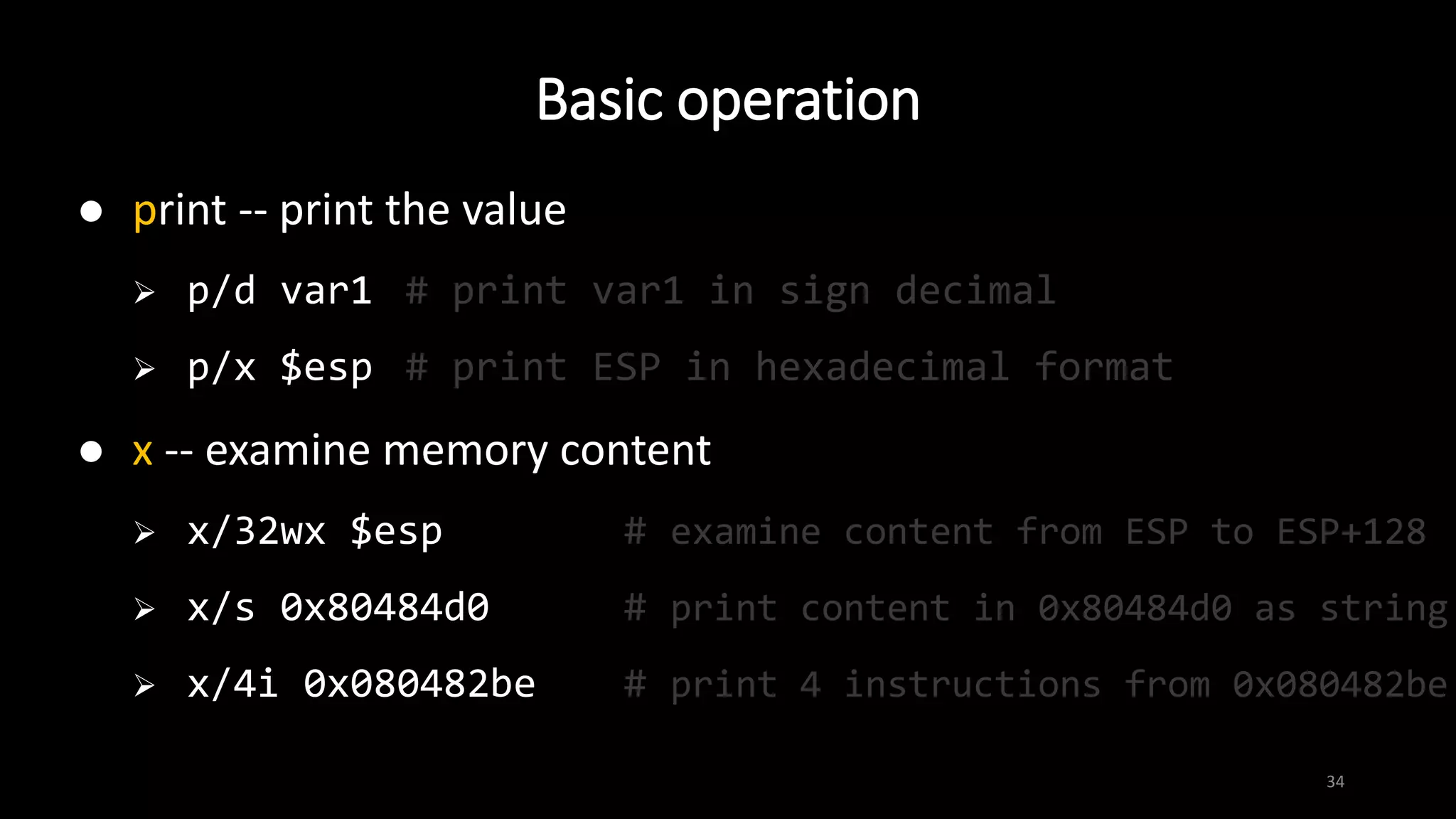
 print -- print the value
 p/d var1 # print var1 in sign decimal
 p/x $esp # print ESP in hexadecimal format
 x -- examine memory content
 x/32wx $esp # examine content from ESP to ESP+128
 x/s 0x80484d0 # print content in 0x80484d0 as string
 x/4i 0x080482be # print 4 instructions from 0x080482be
Basic operation
35
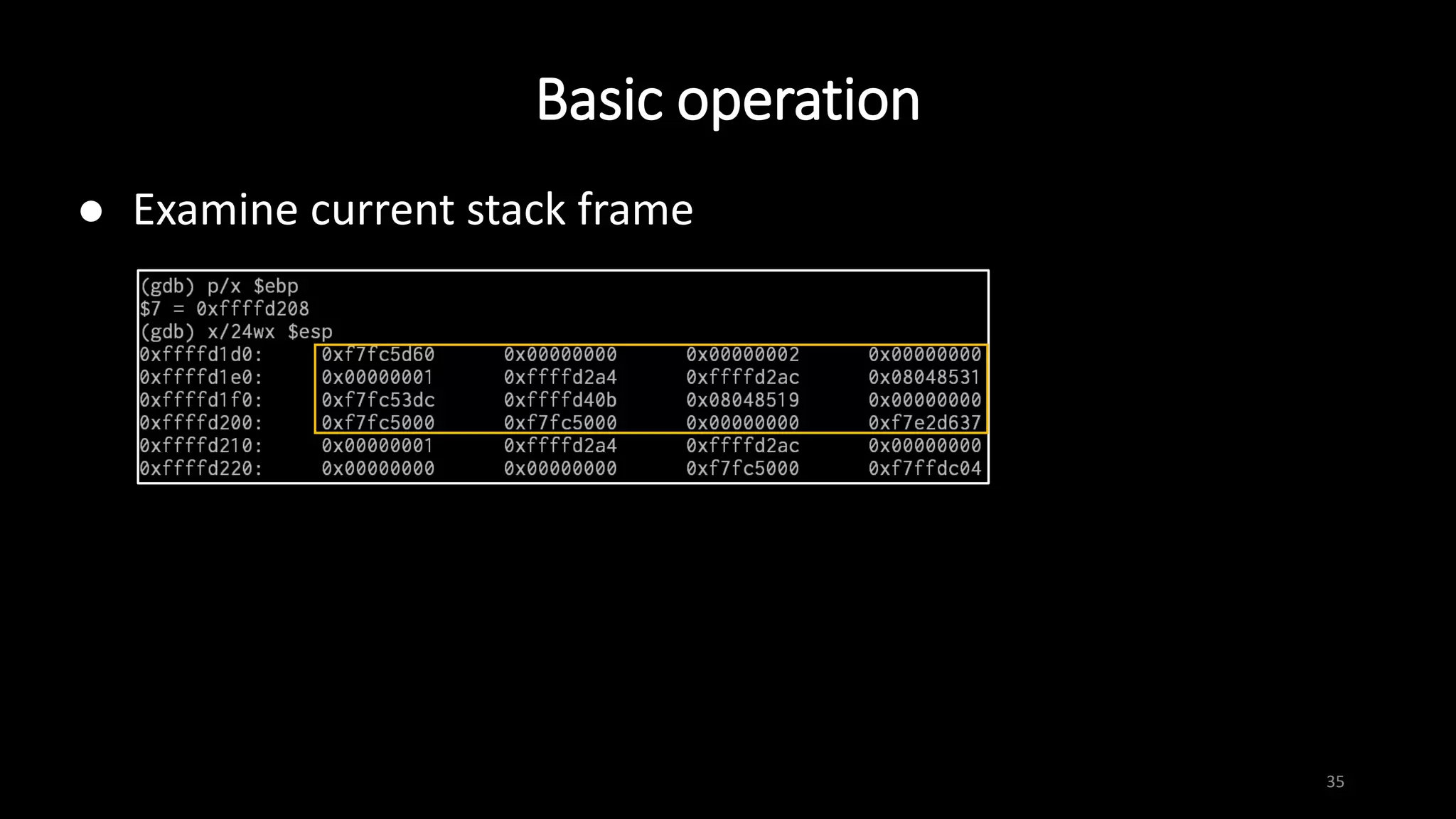
 Examine current stack frame
Basic operation
36
 info -- list some useful information
 i b # list current breakpoints
 i r # list value of each register
 i proc map # print memory mapping
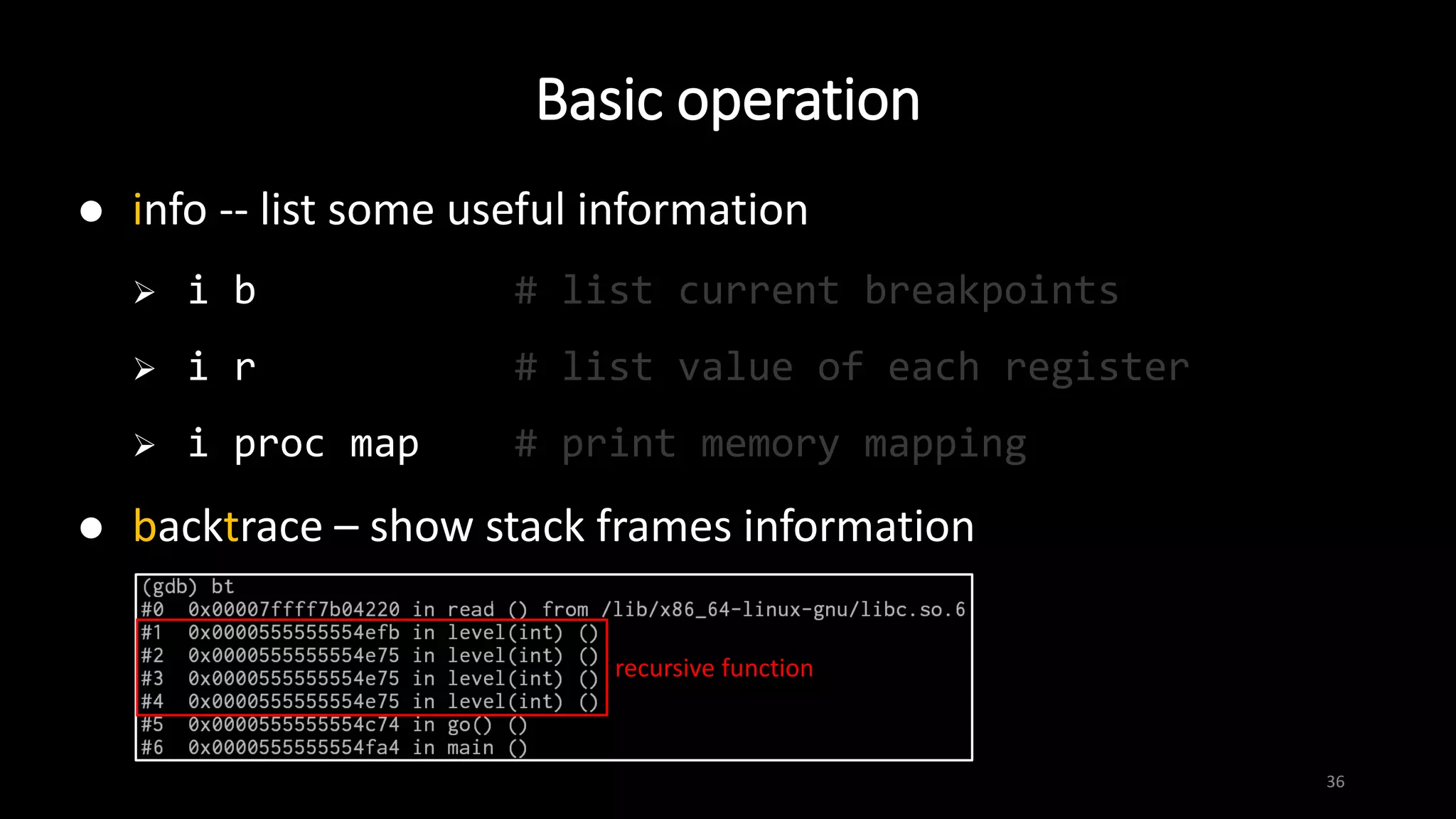
 backtrace – show stack frames information
recursive function
Reference
37
 Binary exploitation - AIS3
 Intel and AT&T Syntax
 x86 Instruction Set Reference
 NASM document
 GDB online document
 用 Python 拓展 GDB

X86 assembly & GDB

  • 1.
    x86 assembly &GDB 1 briansp8210 briantaipei8210@gmail.com
  • 2.
    How to createan executable file 2 preprocess compile assemble link source code
  • 3.
    How to createan executable file 3 preprocess compile assemble link
  • 4.
    How to createan executable file 4 preprocess compile assemble link assembly language
  • 5.
    How to createan executable file 5 preprocess compile assemble link
  • 6.
    How to createan executable file 6 preprocess compile assemble link executable file
  • 7.
    Intel vs. AT&Tsyntax 7 Intel AT&T mov eax, 1 movl $1, %eax mov eax, [ebx+3] movl 3(%ebx), %eax add eax, [ebx+ecx*2h] addl (%ebx,%ecx,0x2), %eax  We prefer to use Intel syntax  objdump –M intel  set disassembly-flavor intel
  • 8.
    Register 8  General purposeregister  EAX EBX ECX EDX ESI EDI ESP EBP  mainly used for arithmetic and data movement  some have special usage:  return value of function will be stored in EAX  system call number is indicated by EAX  ESP points to top of current stack frame  EBP points to base of current stack frame ALAH AX EAX ESI SI 32 16 0 (bits)8
  • 9.
    Register 9 ESP SP EBP BP 1st argument saved EBP returnaddress …… …… local variables, saved registers… EBP  ESP  low address high address 32 16 0 (bits)
  • 10.
    Register 10 EIP IP EIP  32 160 (bits)  Instruction pointer  EIP  point to the next instruction to be executed
  • 11.
    Register 11  EFLAGS register EFLAGS  contain a collection of flags indicating state of processor
  • 12.
    mov 12  assign valueof src. operand to dest. operand  size of operands must be the same  mov dest. src.  mov ebp, esp  mov BYTE PTR [edi], 0x41  mov eax, DWORD PTR [esp+4] …… …… 0x80484d0 …… ESP+4  ESP  0xffffd260 …… …… 0xffffd264 0xffffd268 0x80484d0 EAX
  • 13.
    lea 13  assign effectiveaddress of src. operand to dest. operand  note the difference between mov and lea  lea dest. src.  lea eax, DWORD PTR [esp+4] …… …… 0x80484d0 …… ESP+4  ESP  0xffffd260 …… …… 0xffffd264 0xffffd268 0xffffd264 EAX
  • 14.
    14  store thesum / difference of two operands to dest. operand  add/sub dest. src.  sub esp, 0x18  add DWORD PTR [edi], edx  cmp eax, 1 ; check whether eax is 1 add / sub
  • 15.
    15  store theresult of bitwise operation of two operands to dest.  and/or/xor dest. src.  and dl, 11101100b ; clear 1st, 2nd and 5th bits of dl  or dl, 00100000b ; set 6th bit of dl  xor eax, eax ; set eax to 0  test eax, eax ; check whether eax is 0 and / or / xor
  • 16.
    push 16  push sthto top of stack  push eax …… …… 0x80484d0 …… ESP  …… …… 0x41424344 EAX low address high address
  • 17.
    push 17  push operandto top of stack  push eax …… 0x41424344 0x80484d0 …… ESP  …… …… 0x41424344 EAX low address high address
  • 18.
    pop 18  pop valueoff top of stack and store to operand  pop esi …… 0xabcd1234 0x80484d0 …… ESP  …… …… 0x0 ESI low address high address
  • 19.
    pop 19  pop valueoff top of stack and store to operand  pop esi …… 0xabcd1234 0x80484d0 …… ESP  …… …… 0xabcd1234 ESI low address high address
  • 20.
    jmp 20  jump tospecified location to continue execution  there are a variety of conditional jump instructions  jmp 0x8048436 EIP 
  • 21.
    jmp 21  jump tospecified location to execute instruction  there are a variety of conditional jump instructions  jmp 0x8048436 EIP 
  • 22.
    call 22  push addressof next consecutive instruction into stack as return address, and jump to execute target function  call write_msg …… …… 0x00000001 …… ESP  …… …… low address high address EIP 
  • 23.
    call 23  push addressof next consecutive instruction on stack as return address, and jump to execute target function  call write_msg EIP  …… 0x080480bd 0x00000001 …… ESP  …… …… low address high address
  • 24.
    ret 24  retrieve returnaddress from stack and jump back to it  ret EIP  …… 0x080480bd 0x00000001 …… ESP  …… …… low address high address
  • 25.
    ret 25  retrieve returnaddress from stack and jump back to it  ret EIP  …… 0x080480bd 0x00000001 …… ESP  …… …… low address high address
  • 26.
    System Call 26  Programrequests services from kernel of OS  System call number stores in EAX  Arguments order: EBX ECX EDX ESI EDI  Return value also stores in EAX  int 0x80 is used to trigger system call under Linux (x86)  Reference: x86 x86_64
  • 27.
    Common used systemcall 27 Name EAX EBX ECX EDX read 3 fd buf count write 4 fd buf count open 5 filename flags mode execve 11 filename argv envp Usually set to 0 Usually set to 0 (stdin) Usually set to 1 (stdout)
  • 28.
  • 29.
    Text User Interface(TUI) 29  lay src / asm / reg  Ctrl-x + a
  • 30.
    Basic operation 30  break-- set break point  b main # set a breakpoint at main()  b 4 # break at line 4  b *0xffffd1d0 # break at instruction at 0xffffd1d0  run [argument(s)] -- start the program  continue -- continue program execution until next breakpoint or termination
  • 31.
    Basic operation 31  attach-- attach to a process  at 1337 # attach to process whose pid is 1337  echo 0 | sudo tee /proc/sys/kernel/yama/ptrace_scope
  • 32.
    Basic operation 32  step-- run to next source line, can trace into function  next -- run to next source line without tracing into function  stepi -- instruction version of step  nexti -- instruction version of next
  • 33.
    Basic operation 33  record-- record the execution process, which can be observe in replay mode later  reverse-next  reverse-step  reverse-nexti  reverse-stepi
  • 34.
    Basic operation 34  print-- print the value  p/d var1 # print var1 in sign decimal  p/x $esp # print ESP in hexadecimal format  x -- examine memory content  x/32wx $esp # examine content from ESP to ESP+128  x/s 0x80484d0 # print content in 0x80484d0 as string  x/4i 0x080482be # print 4 instructions from 0x080482be
  • 35.
    Basic operation 35  Examinecurrent stack frame
  • 36.
    Basic operation 36  info-- list some useful information  i b # list current breakpoints  i r # list value of each register  i proc map # print memory mapping  backtrace – show stack frames information recursive function
  • 37.
    Reference 37  Binary exploitation- AIS3  Intel and AT&T Syntax  x86 Instruction Set Reference  NASM document  GDB online document  用 Python 拓展 GDB