Need to connect rsyslog to some destination for which no plugin yet exists? Do you know a little bit of scripting or programming? Than this presentation is for you. It's fast-path to writing rsyslog plugins very, very quickly.
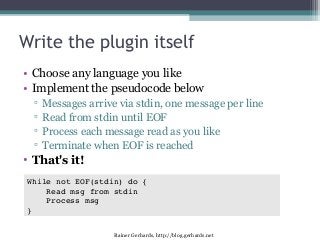
Write the pluginitself
• Choose any language you like
• Implement the pseudocode below
▫
▫
▫
▫
Messages arrive via stdin, one message per line
Read from stdin until EOF
Process each message read as you like
Terminate when EOF is reached
• That's it!
While not EOF(stdin) do {
Read msg from stdin
Process msg
}
Rainer Gerhards, http://blog.gerhards.net
3.
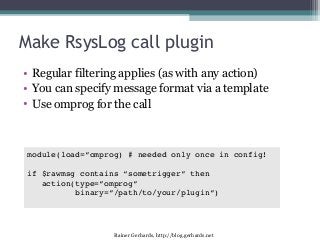
Make RsysLog callplugin
• Regular filtering applies (as with any action)
• You can specify message format via a template
• Use omprog for the call
module(load=”omprog) # needed only once in config!
if $rawmsg contains “sometrigger” then
action(type=”omprog”
binary=”/path/to/your/plugin”)
Rainer Gerhards, http://blog.gerhards.net
4.
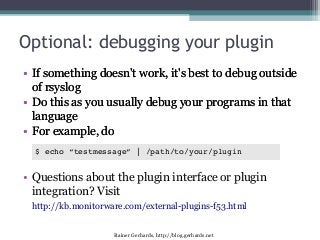
Optional: debugging yourplugin
• If something doesn't work, it's best to debug outside
of rsyslog
• Do this as you usually debug your programs in that
language
• For example, do
$ echo “testmessage” | /path/to/your/plugin
• Questions about the plugin interface or plugin
integration? Visit
http://kb.monitorware.com/external-plugins-f53.html
Rainer Gerhards, http://blog.gerhards.net
5.
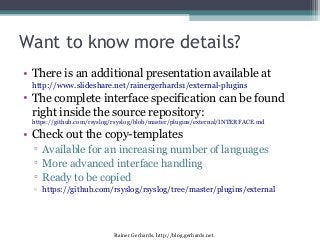
Want to knowmore details?
• There is an additional presentation available at
http://www.slideshare.net/rainergerhards1/external-plugins
• The complete interface specification can be found
right inside the source repository:
https://github.com/rsyslog/rsyslog/blob/master/plugins/external/INTERFACE.md
• Check out the copy-templates
▫ Available for an increasing number of languages
▫ More advanced interface handling
▫ Ready to be copied
▫ https://github.com/rsyslog/rsyslog/tree/master/plugins/external
Rainer Gerhards, http://blog.gerhards.net
6.
Want to knowmore details?
• There is an additional presentation available at
http://www.slideshare.net/rainergerhards1/external-plugins
• The complete interface specification can be found
right inside the source repository:
https://github.com/rsyslog/rsyslog/blob/master/plugins/external/INTERFACE.md
• Check out the copy-templates
▫ Available for an increasing number of languages
▫ More advanced interface handling
▫ Ready to be copied
▫ https://github.com/rsyslog/rsyslog/tree/master/plugins/external
Rainer Gerhards, http://blog.gerhards.net