WorkFlow 
By Margots Kapacs at DesignsSquare.com
Intro 
I am from Latvia currently living in MN 
Founded DesignsSquare.com around August, 
2013 
Started on WorkFlow year ago and turned into 
Drush Tool in past 3 weeks
Issue & Solution 
Issue: Its time consuming building, deploying & 
configuring themes & widgets in Drupal 
Solution: Drush Tool that automates the process 
of building, deploying and configuring assets for 
Drupal
About WorkFlow 
Drush commands to install, build, deploy and 
configure 
Versions and manages code from github 
Provides a way to automate and share common 
tasks
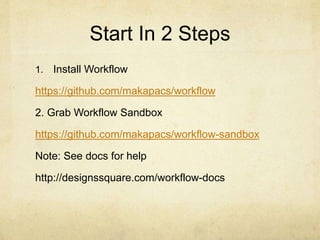
Start In 2 Steps 
1. Install Workflow 
https://github.com/makapacs/workflow 
2. Grab Workflow Sandbox 
https://github.com/makapacs/workflow-sandbox 
Note: See docs for help 
http://designssquare.com/workflow-docs
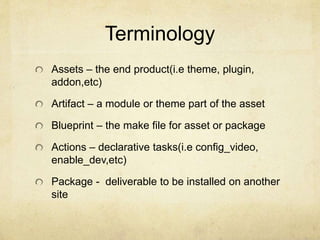
Terminology 
Assets – the end product(i.e theme, plugin, 
addon,etc) 
Artifact – a module or theme part of the asset 
Blueprint – the make file for asset or package 
Actions – declarative tasks(i.e config_video, 
enable_dev,etc) 
Package - deliverable to be installed on another 
site
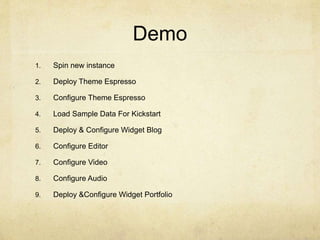
Demo 
1. Spin new instance 
2. Deploy Theme Espresso 
3. Configure Theme Espresso 
4. Load Sample Data For Kickstart 
5. Deploy & Configure Widget Blog 
6. Configure Editor 
7. Configure Video 
8. Configure Audio 
9. Deploy &Configure Widget Portfolio
1 min Drama 
Can it be done 1 min?
Profilers 
Profiler - takes and combines the process per profile 
Issue: Unproductive to type a lot of drush 
commands 
Solution: Profiler automates the drush commands for 
each asset 
It has its own make file
Map Widget 
Develop Widget - Map from scratch
Other 
Developers commands 
Different way to deliver via blueprint 
Deploy in 3 different ways
Summary 
WorkFlow automates the process building, 
developing and configuring widgets and themes 
Adds capabilities to manage multiple artifacts at 
once 
Easy to install with sample WorkFlow sandbox
Connect 
@designssquare at twitter 
makapacs at github.com 
email: contact@designssquare.com 
Personal blog – margotskapacs.com

WorkFlow Presentation at Phili

  • 1.
    WorkFlow By MargotsKapacs at DesignsSquare.com
  • 2.
    Intro I amfrom Latvia currently living in MN Founded DesignsSquare.com around August, 2013 Started on WorkFlow year ago and turned into Drush Tool in past 3 weeks
  • 3.
    Issue & Solution Issue: Its time consuming building, deploying & configuring themes & widgets in Drupal Solution: Drush Tool that automates the process of building, deploying and configuring assets for Drupal
  • 4.
    About WorkFlow Drushcommands to install, build, deploy and configure Versions and manages code from github Provides a way to automate and share common tasks
  • 5.
    Start In 2Steps 1. Install Workflow https://github.com/makapacs/workflow 2. Grab Workflow Sandbox https://github.com/makapacs/workflow-sandbox Note: See docs for help http://designssquare.com/workflow-docs
  • 6.
    Terminology Assets –the end product(i.e theme, plugin, addon,etc) Artifact – a module or theme part of the asset Blueprint – the make file for asset or package Actions – declarative tasks(i.e config_video, enable_dev,etc) Package - deliverable to be installed on another site
  • 7.
    Demo 1. Spinnew instance 2. Deploy Theme Espresso 3. Configure Theme Espresso 4. Load Sample Data For Kickstart 5. Deploy & Configure Widget Blog 6. Configure Editor 7. Configure Video 8. Configure Audio 9. Deploy &Configure Widget Portfolio
  • 8.
    1 min Drama Can it be done 1 min?
  • 9.
    Profilers Profiler -takes and combines the process per profile Issue: Unproductive to type a lot of drush commands Solution: Profiler automates the drush commands for each asset It has its own make file
  • 10.
    Map Widget DevelopWidget - Map from scratch
  • 11.
    Other Developers commands Different way to deliver via blueprint Deploy in 3 different ways
  • 12.
    Summary WorkFlow automatesthe process building, developing and configuring widgets and themes Adds capabilities to manage multiple artifacts at once Easy to install with sample WorkFlow sandbox
  • 13.
    Connect @designssquare attwitter makapacs at github.com email: contact@designssquare.com Personal blog – margotskapacs.com