SECURING WORDPRESS
            Presented by
           Jeff K. Hoffman
   VP of R&D, MyLeadSystemPRO


   http://facebook.com/jeff.k.hoffman
WHY DO HACKERS HACK?


• Easy   SEO

• Malware   Distribution

• Entertainment   & Peer Recognition
HOW DO HACKERS HACK?


• Bots    - like the Google Bot, but Evil.

  • Widely     available, frequently updated.

• Viral   spread
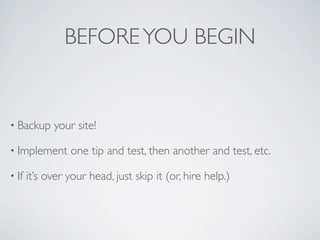
BEFORE YOU BEGIN


• Backup     your site!

• Implement      one tip and test, then another and test, etc.

• If   it’s over your head, just skip it (or, hire help.)
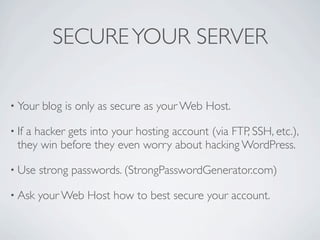
SECURE YOUR SERVER

• Your   blog is only as secure as your Web Host.

• Ifa hacker gets into your hosting account (via FTP, SSH, etc.),
  they win before they even worry about hacking WordPress.

• Use    strong passwords. (StrongPasswordGenerator.com)

• Ask   your Web Host how to best secure your account.
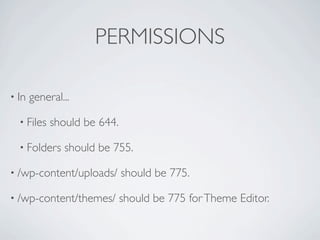
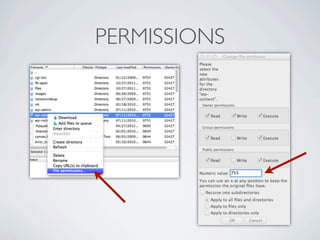
PERMISSIONS

• In   general...

  • Files   should be 644.

  • Folders    should be 755.

• /wp-content/uploads/       should be 775.

• /wp-content/themes/        should be 775 for Theme Editor.
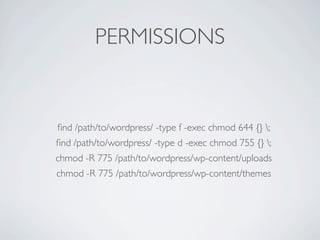
PERMISSIONS


find /path/to/wordpress/ -type f -exec chmod 644 {} ;
find /path/to/wordpress/ -type d -exec chmod 755 {} ;
chmod -R 775 /path/to/wordpress/wp-content/uploads
chmod -R 775 /path/to/wordpress/wp-content/themes
PERMISSIONS
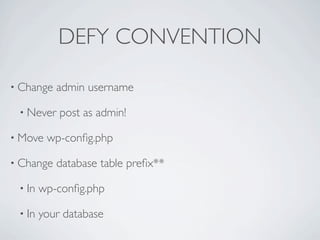
DEFY CONVENTION

• Change   admin username

 • Never    post as admin!

• Move   wp-config.php

• Change   database table prefix**

 • In   wp-config.php

 • In   your database
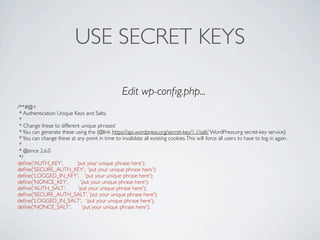
USE SECRET KEYS

                                                  Edit wp-config.php...
/**#@+
 * Authentication Unique Keys and Salts.
 *
 * Change these to different unique phrases!
 * You can generate these using the {@link https://api.wordpress.org/secret-key/1.1/salt/ WordPress.org secret-key service}
 * You can change these at any point in time to invalidate all existing cookies. This will force all users to have to log in again.
 *
 * @since 2.6.0
 */
define('AUTH_KEY',          'put your unique phrase here');
define('SECURE_AUTH_KEY', 'put your unique phrase here');
define('LOGGED_IN_KEY', 'put your unique phrase here');
define('NONCE_KEY',           'put your unique phrase here');
define('AUTH_SALT',          'put your unique phrase here');
define('SECURE_AUTH_SALT', 'put your unique phrase here');
define('LOGGED_IN_SALT', 'put your unique phrase here');
define('NONCE_SALT',           'put your unique phrase here');
CLEAN UP


• After WordPress   is installed, delete /wp-admin/install.php

• Delete   unused/inactive plugins & themes
UPDATE OFTEN


• Always   use the latest version of...

 • WordPress

 • Theme

 • Plugins
MAKE DAILY BACKUPS


• BuyBackupBuddy.com      ($75/year)

• VaultPress.com   ($180/year)

• NOTE: Backups    of a hacked site are ONLY useful for forensics!
STRONG PASSWORD


• StrongPasswordGenerator.com

• 1Password
AVOID DETECTION


• Remove WordPress    Footprints

 • Don’t   use the Meta sidebar widget

 • http://wordpress.org/extend/plugins/secure-wordpress/
MINIMIZE PLUGINS


• Every   plugin you install increases risk

• Popular, widely   used plugins are less risky

• Example: TimThumb
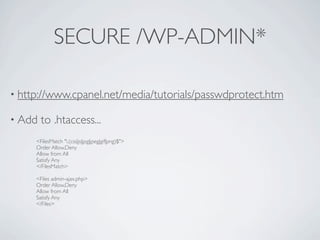
SECURE /WP-ADMIN*

• http://www.cpanel.net/media/tutorials/passwdprotect.htm

• Add   to .htaccess...
     <FilesMatch ".(css|js|jpg|jpeg|gif|png)$">
     Order Allow,Deny
     Allow from All
     Satisfy Any
     </FilesMatch>

     <Files admin-ajax.php>
     Order Allow,Deny
     Allow from All
     Satisfy Any
     </Files>
SECURE /WP-ADMIN


• SSL

   • http://codex.wordpress.org/Administration_Over_SSL
SECURE /WP-INCLUDES*


• Add      this to .htaccess...
 # Block the include-only files.
 RewriteEngine On
 RewriteBase /
 RewriteRule ^wp-admin/includes/ - [F,L]
 RewriteRule !^wp-includes/ - [S=3]
 RewriteRule ^wp-includes/[^/]+.php$ - [F,L]
 RewriteRule ^wp-includes/js/tinymce/langs/.+.php - [F,L]
 RewriteRule ^wp-includes/theme-compat/ - [F,L]
BLOCK ATTACKS


• WordPress   Firewall 2

• Login   Lockdown
MONITORING


• Google Webmaster Tools

• WordPress   File Monitor
Q&A


• http://mlspfanclub.com

Securing WordPress by Jeff Hoffman

  • 1.
    SECURING WORDPRESS Presented by Jeff K. Hoffman VP of R&D, MyLeadSystemPRO http://facebook.com/jeff.k.hoffman
  • 2.
    WHY DO HACKERSHACK? • Easy SEO • Malware Distribution • Entertainment & Peer Recognition
  • 3.
    HOW DO HACKERSHACK? • Bots - like the Google Bot, but Evil. • Widely available, frequently updated. • Viral spread
  • 4.
    BEFORE YOU BEGIN •Backup your site! • Implement one tip and test, then another and test, etc. • If it’s over your head, just skip it (or, hire help.)
  • 5.
    SECURE YOUR SERVER •Your blog is only as secure as your Web Host. • Ifa hacker gets into your hosting account (via FTP, SSH, etc.), they win before they even worry about hacking WordPress. • Use strong passwords. (StrongPasswordGenerator.com) • Ask your Web Host how to best secure your account.
  • 6.
    PERMISSIONS • In general... • Files should be 644. • Folders should be 755. • /wp-content/uploads/ should be 775. • /wp-content/themes/ should be 775 for Theme Editor.
  • 7.
    PERMISSIONS find /path/to/wordpress/ -typef -exec chmod 644 {} ; find /path/to/wordpress/ -type d -exec chmod 755 {} ; chmod -R 775 /path/to/wordpress/wp-content/uploads chmod -R 775 /path/to/wordpress/wp-content/themes
  • 8.
  • 9.
    DEFY CONVENTION • Change admin username • Never post as admin! • Move wp-config.php • Change database table prefix** • In wp-config.php • In your database
  • 10.
    USE SECRET KEYS Edit wp-config.php... /**#@+ * Authentication Unique Keys and Salts. * * Change these to different unique phrases! * You can generate these using the {@link https://api.wordpress.org/secret-key/1.1/salt/ WordPress.org secret-key service} * You can change these at any point in time to invalidate all existing cookies. This will force all users to have to log in again. * * @since 2.6.0 */ define('AUTH_KEY', 'put your unique phrase here'); define('SECURE_AUTH_KEY', 'put your unique phrase here'); define('LOGGED_IN_KEY', 'put your unique phrase here'); define('NONCE_KEY', 'put your unique phrase here'); define('AUTH_SALT', 'put your unique phrase here'); define('SECURE_AUTH_SALT', 'put your unique phrase here'); define('LOGGED_IN_SALT', 'put your unique phrase here'); define('NONCE_SALT', 'put your unique phrase here');
  • 11.
    CLEAN UP • AfterWordPress is installed, delete /wp-admin/install.php • Delete unused/inactive plugins & themes
  • 12.
    UPDATE OFTEN • Always use the latest version of... • WordPress • Theme • Plugins
  • 13.
    MAKE DAILY BACKUPS •BuyBackupBuddy.com ($75/year) • VaultPress.com ($180/year) • NOTE: Backups of a hacked site are ONLY useful for forensics!
  • 14.
  • 15.
    AVOID DETECTION • RemoveWordPress Footprints • Don’t use the Meta sidebar widget • http://wordpress.org/extend/plugins/secure-wordpress/
  • 16.
    MINIMIZE PLUGINS • Every plugin you install increases risk • Popular, widely used plugins are less risky • Example: TimThumb
  • 17.
    SECURE /WP-ADMIN* • http://www.cpanel.net/media/tutorials/passwdprotect.htm •Add to .htaccess... <FilesMatch ".(css|js|jpg|jpeg|gif|png)$"> Order Allow,Deny Allow from All Satisfy Any </FilesMatch> <Files admin-ajax.php> Order Allow,Deny Allow from All Satisfy Any </Files>
  • 18.
    SECURE /WP-ADMIN • SSL • http://codex.wordpress.org/Administration_Over_SSL
  • 19.
    SECURE /WP-INCLUDES* • Add this to .htaccess... # Block the include-only files. RewriteEngine On RewriteBase / RewriteRule ^wp-admin/includes/ - [F,L] RewriteRule !^wp-includes/ - [S=3] RewriteRule ^wp-includes/[^/]+.php$ - [F,L] RewriteRule ^wp-includes/js/tinymce/langs/.+.php - [F,L] RewriteRule ^wp-includes/theme-compat/ - [F,L]
  • 20.
    BLOCK ATTACKS • WordPress Firewall 2 • Login Lockdown
  • 21.
    MONITORING • Google WebmasterTools • WordPress File Monitor
  • 22.