Download as PPSX, PPTX

![SQL Injection Attack
Attack Types [1]](https://image.slidesharecdn.com/wordpresssecuritybynirjhoranjum-180330180009/85/WordPress-Security-by-Nirjhor-Anjum-3-320.jpg)
![Cross Site Scripting (XSS)
Attack Types [2]](https://image.slidesharecdn.com/wordpresssecuritybynirjhoranjum-180330180009/85/WordPress-Security-by-Nirjhor-Anjum-4-320.jpg)
![Brute Force Attack
Attack Types [3]](https://image.slidesharecdn.com/wordpresssecuritybynirjhoranjum-180330180009/85/WordPress-Security-by-Nirjhor-Anjum-5-320.jpg)
![Session Hijacking Attack
Attack Types [4]](https://image.slidesharecdn.com/wordpresssecuritybynirjhoranjum-180330180009/85/WordPress-Security-by-Nirjhor-Anjum-6-320.jpg)
![Cross Site Reference Forgery (CSRF) Attack
Attack Types [5]
And more…](https://image.slidesharecdn.com/wordpresssecuritybynirjhoranjum-180330180009/85/WordPress-Security-by-Nirjhor-Anjum-7-320.jpg)
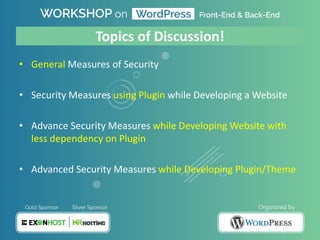
![General Measures of Security [1]
• Quality Web Hosting
– Always up to date
– Backup provision
– Web Application Firewall (WAF) provision
– Get Virus Scanner, like ClamAV
• SSL Certificate
– Security through Data Encryption
• Use CDN, like CloudFlare
– A Layer in Internet Ecosystem](https://image.slidesharecdn.com/wordpresssecuritybynirjhoranjum-180330180009/85/WordPress-Security-by-Nirjhor-Anjum-11-320.jpg)
![General Measures of Security [2]
• Keep your Website up to Date
– Get latest security updates
– Stay safe from latest threats
• Use Safe Theme/Plugin
– Avoid Nulled or Cracked things
– Avoid Low Rated or Untested things
– Remove unused Theme/Plugins](https://image.slidesharecdn.com/wordpresssecuritybynirjhoranjum-180330180009/85/WordPress-Security-by-Nirjhor-Anjum-12-320.jpg)
![General Measures of Security [3]
• Use Captcha in Login Forms
– Stay away from Brute-Force Attack
– Stay safe from Bot Attempts
• Use Spam Protection Mechanism
– Use Akismet, the best one
– Use Antispam Bee](https://image.slidesharecdn.com/wordpresssecuritybynirjhoranjum-180330180009/85/WordPress-Security-by-Nirjhor-Anjum-13-320.jpg)
![General Measures of Security [4]
• Use Safer Password
– Make it using Alphabet, Letter, Symbol
– Make it Long
– Never save it on a Open File or Browser
• Hide the Admin Name
– Don’t use default username “admin”
– Rename the Nick and Username of System Admin](https://image.slidesharecdn.com/wordpresssecuritybynirjhoranjum-180330180009/85/WordPress-Security-by-Nirjhor-Anjum-14-320.jpg)
![General Measures of Security [5]
• Change your Secret Keys in “wp-config.php”
Source: https://api.WordPress.org/Secret-Key/1.1/Salt/](https://image.slidesharecdn.com/wordpresssecuritybynirjhoranjum-180330180009/85/WordPress-Security-by-Nirjhor-Anjum-15-320.jpg)
![Security Measures using Plugin [1]
• Creates Firewall
• Real-time Monitoring
• Stronger Login Practice
• Repair Files by Overwriting
• Scans Suspicious Contents
• Block various type of Threats Attempts
• Sends Alert on Vulnerability over Email
• Scan Core, Plugins, Themes, and other Files
• Finds Injections, Redirection Codes etc](https://image.slidesharecdn.com/wordpresssecuritybynirjhoranjum-180330180009/85/WordPress-Security-by-Nirjhor-Anjum-17-320.jpg)
![Security Measures using Plugin [2]
• Limits Login Attempts
• Customize Login Page URL
• Prevent Brute Force Attacks
• Restrict Access from IP
• Log Users Attempts
• Block User on Prohibited Username Attempt
• Adds reCaptcha
• Disable Right Click
• Removes Version Info from CSS/JS
• Removes WP Generated Meta from HTML
• Backup of Security Settings
• Scheduled Database Backup](https://image.slidesharecdn.com/wordpresssecuritybynirjhoranjum-180330180009/85/WordPress-Security-by-Nirjhor-Anjum-18-320.jpg)
![Security Measures using Plugin [3]
• Track Post/Page/Tag/Comments Activities
• Track Widget/Menu Change
• Track Core and System Settings Change
• Track User/Profile Changes
• Track Forum, Ecommerce Shop Changes](https://image.slidesharecdn.com/wordpresssecuritybynirjhoranjum-180330180009/85/WordPress-Security-by-Nirjhor-Anjum-19-320.jpg)
![Security Measures using Plugin [4]
• Change Theme Style File-name
• Change Plugins URL
• Change Individual Plugin URLs
• Custom Upload URL
• Remove WordPress Version](https://image.slidesharecdn.com/wordpresssecuritybynirjhoranjum-180330180009/85/WordPress-Security-by-Nirjhor-Anjum-20-320.jpg)
![Security Measures using Plugin [5]
• SQL Injection Attack Prevention
• XSS and CSRF Attack Prevention
• Brute Force Attack Prevention
• Blocks Direct Access to PHP Files
• Disable Directory Listing
• Minify CSS](https://image.slidesharecdn.com/wordpresssecuritybynirjhoranjum-180330180009/85/WordPress-Security-by-Nirjhor-Anjum-21-320.jpg)
![Security Measures using Plugin [6]
• Backup Database, Settings, Theme, Plugin, Images etc.
• Download Backup as Zip or Tar
• Run Schedule Backup as Daily / Weekly / Monthly
• Store Backup on Remote FTP Server
• Store Backup on Dropbox/Google Drive
• Send Backup to Email Address](https://image.slidesharecdn.com/wordpresssecuritybynirjhoranjum-180330180009/85/WordPress-Security-by-Nirjhor-Anjum-22-320.jpg)
![Security Measures using Plugin [7]
• On-Change File Comparison to check Vulnerability
• Can Expire Password to Reset new Password
• Generates Strong Password with Salt
• Two Factor Authentication
• Malware Scanner
• Login Captcha](https://image.slidesharecdn.com/wordpresssecuritybynirjhoranjum-180330180009/85/WordPress-Security-by-Nirjhor-Anjum-23-320.jpg)
![Advanced Security Measures without Plugin [1]
Add an Extra Layer of Protection on Login Page:
<Files wp-login.php>
AuthUserFile ~/.htpasswd
AuthName "Private Access"
AuthType Basic
require user MySecretUsername
</Files>
MySecretUsername:$apr1$KW5IP
d9r$/C4HkGhAX7WqaOrJ1k9my1
.htaccess .htpasswd
Hash Pass Generator: http://www.htaccesstools.com/htpasswd-generator/](https://image.slidesharecdn.com/wordpresssecuritybynirjhoranjum-180330180009/85/WordPress-Security-by-Nirjhor-Anjum-25-320.jpg)
![Restrict visiting Admin Panel by IP:
# Block Access to WP-Admin
order deny, allow
allow from 172.0.0.1
deny from all
.htaccess
Advanced Security Measures without Plugin [2]](https://image.slidesharecdn.com/wordpresssecuritybynirjhoranjum-180330180009/85/WordPress-Security-by-Nirjhor-Anjum-26-320.jpg)
![Disable Directory Listing:
Options All -Indexes
.htaccess
Advanced Security Measures without Plugin [3]](https://image.slidesharecdn.com/wordpresssecuritybynirjhoranjum-180330180009/85/WordPress-Security-by-Nirjhor-Anjum-27-320.jpg)
![Show Error Page while User is trying Unknown URLs/Pages:
# Way One
ErrorDocument 404 "<H1>Page not found</H1>"
# Way Two
ErrorDocument 404 /not-found/
.htaccess
Advanced Security Measures without Plugin [4]](https://image.slidesharecdn.com/wordpresssecuritybynirjhoranjum-180330180009/85/WordPress-Security-by-Nirjhor-Anjum-28-320.jpg)
![Restrict visiting WordPress Configuration File:
# PROTECT CONFIG FILE
<files wp-config.php>
Order deny, allow
Deny from all
</files>
.htaccess
Advanced Security Measures without Plugin [5]](https://image.slidesharecdn.com/wordpresssecuritybynirjhoranjum-180330180009/85/WordPress-Security-by-Nirjhor-Anjum-29-320.jpg)
![Restrict Execution of PHP Code in “Uploads” Directory:
# Kill PHP EXECUTION
<Files ~ ".ph(?:p[345]?|t|tml)$">
deny from all
</Files>
.htaccess
Advanced Security Measures without Plugin [5]](https://image.slidesharecdn.com/wordpresssecuritybynirjhoranjum-180330180009/85/WordPress-Security-by-Nirjhor-Anjum-30-320.jpg)
![Implement Security using “mod_rewrite”, the Module
Enable HTTP Strict Transport Security
Enable (XSS) Filter
Hide Server Application Information
Restrict Visiting Open Directories
Block Access to Hidden Files
And, many more…
Source: http://htaccess.DB-Dzine.com/en-us
Advanced Security Measures without Plugin [6]](https://image.slidesharecdn.com/wordpresssecuritybynirjhoranjum-180330180009/85/WordPress-Security-by-Nirjhor-Anjum-31-320.jpg)
![Disable File Editing in the WordPress Dashboard/Panel
Force Admin to use https:// (SSL Certificate enabled Path)
# Disable Editing in Dashboard
define('DISALLOW_FILE_EDIT', true);
wp-config.php
Advanced Security Measures without Plugin [7]
# Force Admin to use SSL
define('FORCE_SSL_ADMIN', true);
wp-config.php](https://image.slidesharecdn.com/wordpresssecuritybynirjhoranjum-180330180009/85/WordPress-Security-by-Nirjhor-Anjum-32-320.jpg)
![If Host has the Provision, then allow FTPS
If Host has the Provision, then allow SFTP
# Enable FTPS
define('FTP_SSL', true);
wp-config.php
Advanced Security Measures without Plugin [7]
# Enable SFTP
define('FS_METHOD', 'ssh2');
wp-config.php](https://image.slidesharecdn.com/wordpresssecuritybynirjhoranjum-180330180009/85/WordPress-Security-by-Nirjhor-Anjum-33-320.jpg)
![Disable Creating Error Log
Disable Showing Error Log
# Disable Debug Mode
define('WP_DEBUG', false);
wp-config.php
Advanced Security Measures without Plugin [8]
# Disable Front-end Error Logging
define('WP_DEBUG_DISPLAY', false);
wp-config.php](https://image.slidesharecdn.com/wordpresssecuritybynirjhoranjum-180330180009/85/WordPress-Security-by-Nirjhor-Anjum-34-320.jpg)
![Enable Auto WordPress Version Update
Get Security Updates and more… Stay safe…
# Enable Auto WordPress Update
define('WP_AUTO_UPDATE_CORE', true);
wp-config.php
Advanced Security Measures without Plugin [8]](https://image.slidesharecdn.com/wordpresssecuritybynirjhoranjum-180330180009/85/WordPress-Security-by-Nirjhor-Anjum-35-320.jpg)
![Follow the Important Rules
Don’t Trust any Data
Rely on the WordPress API
Keep your codes Up to Date
Security while Developing Plugin/Theme [1]](https://image.slidesharecdn.com/wordpresssecuritybynirjhoranjum-180330180009/85/WordPress-Security-by-Nirjhor-Anjum-37-320.jpg)
![Validate your Data using PHP Functions
Security while Developing Plugin/Theme [2]
Functions Description
isset() , empty() Value has or not
mb_strlen() , strlen() Identify whether String length is valid or not
preg_match() , strpos() Find certain characters inside String
in_array() Find whether your element exists in the Array or not
strip_tags() Removes HTML Tags from your String
filter_var() Identify Email, URL, Variable Type etc.
md5() , sha1() Secure your Password](https://image.slidesharecdn.com/wordpresssecuritybynirjhoranjum-180330180009/85/WordPress-Security-by-Nirjhor-Anjum-38-320.jpg)
![Validate your Data using WordPress Functions
Security while Developing Plugin/Theme [2]
Functions Description
is_user_logged_in() Whether current user is Logged-in or Not
username_exists() , email_exists() Whether Username or Email exists or not
term_exists() Whether a Tag, Category or Term exists or not
validate_file() Whether a File Path valid or not
is_admin_bar_showing() Whether Admin Bar is visible or not](https://image.slidesharecdn.com/wordpresssecuritybynirjhoranjum-180330180009/85/WordPress-Security-by-Nirjhor-Anjum-39-320.jpg)
![Secure your Input Data (Sanitize) using WordPress Functions
Security while Developing Plugin/Theme [3]
Functions Description
sanitize_email() Filters Email Address
sanitize_file_name() Filters File Name
sanitize_key() Filters the Internal Keys
sanitize_user() Filters the Username
sanitize_text_field() Filters the Input Fields
sanitize_title() Filters the Title
sanitize_sql_orderby() Filters Order By Clauses of SQL Queries
Sample Code: sanitize_####( $email );](https://image.slidesharecdn.com/wordpresssecuritybynirjhoranjum-180330180009/85/WordPress-Security-by-Nirjhor-Anjum-40-320.jpg)
![Secure your Output Data (Escape) using WordPress Functions
Security while Developing Plugin/Theme [4]
Functions Description
esc_html() Prints safe HTML code, Removes Tags
esc_url() Prints safe URL, Removes unsafe Characters
esc_js()
Helps executing PHP codes inside JavaScript, escaping Single
Quotes, HTML Special Characters and fixing Line Endings
esc_sql() Helps to filter the Strings within SQL Queries
esc_attr() Helps to filter the Attributes inside HTML tags for keeping XSS Safe
Sample Code: <h2><?php echo esc_####( $url ); ?></h2>](https://image.slidesharecdn.com/wordpresssecuritybynirjhoranjum-180330180009/85/WordPress-Security-by-Nirjhor-Anjum-41-320.jpg)
![Use “Nonces” to Prevent CSRF Attacks
Security while Developing Plugin/Theme [4]
Helps to add a Token while moving from an URL to another](https://image.slidesharecdn.com/wordpresssecuritybynirjhoranjum-180330180009/85/WordPress-Security-by-Nirjhor-Anjum-42-320.jpg)
![Avoid writing Traditional Query
Security while Developing Plugin/Theme [5]
Unsafe](https://image.slidesharecdn.com/wordpresssecuritybynirjhoranjum-180330180009/85/WordPress-Security-by-Nirjhor-Anjum-43-320.jpg)
![Avoid writing Traditional Query
You can hide Database Errors for Safety
Security while Developing Plugin/Theme [5]
Safe](https://image.slidesharecdn.com/wordpresssecuritybynirjhoranjum-180330180009/85/WordPress-Security-by-Nirjhor-Anjum-44-320.jpg)
![Avoid using Deprecated Codes
Test your WordPress Website Online
Security while Developing Plugin/Theme [6]
https://developer.wordpress.org/reference/
https://wpscans.com/](https://image.slidesharecdn.com/wordpresssecuritybynirjhoranjum-180330180009/85/WordPress-Security-by-Nirjhor-Anjum-45-320.jpg)


This document outlines various security measures for WordPress sites, detailing types of attacks such as SQL injection, XSS, and brute force, along with related security strategies. It discusses general security practices, plugin usage for security enhancements, and advanced measures with minimal plugin dependency including .htaccess configurations. Additionally, it emphasizes secure coding practices when developing plugins and themes to protect against vulnerabilities.


