Wil Brown
@DeveloperWil
zeropointdevelopment.com for WordPress Sydney
Best Practices
2017 Update
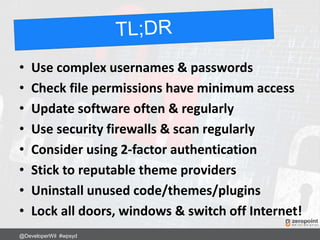
• Use complex usernames & passwords
• Check file permissions have minimum access
• Update software often & regularly
• Use security firewalls & scan regularly
• Consider using 2-factor authentication
• Stick to reputable theme providers
• Uninstall unused code/themes/plugins
• Lock all doors, windows & switch off Internet!
@DeveloperWil #wpsyd
• Chinese General
• Military Strategist
• Philosopher
• Born ~512BC
Book: The Art of War
http://www.classicly.com/read-the-art-of-war-online-free/page/1
@DeveloperWil #wpsyd
“Victorious warriors win first and then
go to war, while defeated warriors go
to war first and then seek to win.”
Don’t wait until your site gets hacked
first. Lock it down today and get ready
to defend it!
@DeveloperWil #wpsyd
“To know your Enemy, you
must become your Enemy”
Learn how hackers try to get into your
site so you can pre-emptively fix it and
be ready for what is to come.
@DeveloperWil #wpsyd
“Even the finest sword plunged into
salt water will eventually rust.”
Just because your site is secure today,
doesn’t mean it can’t get hacked
tomorrow, next month or next year.
Review & update regularly.
@DeveloperWil #wpsyd
YOU ARE AT WAR
WITH MULTIPLE
UNKNOWN
ENEMIES
@DeveloperWil #wpsyd
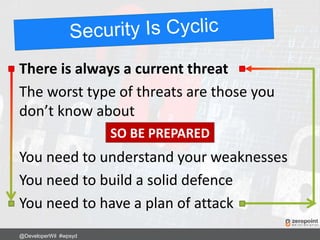
There is always a current threat
The worst type of threats are those you
don’t know about
You need to understand your weaknesses
You need to build a solid defence
You need to have a plan of attack
@DeveloperWil #wpsyd
SO BE PREPARED
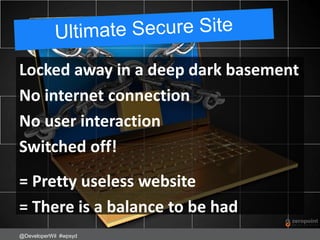
Locked away in a deep dark basement
No internet connection
No user interaction
Switched off!
= Pretty useless website
= There is a balance to be had
@DeveloperWil #wpsyd
Everything is Hackable
@DeveloperWil #wpsyd
Best we can do is make our site less
attractive than others to hack into.
Would you attempt to break into this car?
The most vulnerable part of your
website is…
YOU
Buy this book!
@DeveloperWil #wpsyd
Do not leave new WordPress sites in “setup
mode”. Complete the entire setup process.
Hackers can find WordPress setup pages and
install their own site – aka “WPSetup Attack”
Ref: https://www.wordfence.com/blog/2017/07/wpsetup-attack/
@DeveloperWil #wpsyd
Not just WordPress
cPanel, email, FTP, SSH, MySQL, WordPress
Avoid typical “Administrator” usernames
admin, administrator, root, manager, debug, user,
system, default, netman, superuser, guest, backup,
sys, sysadmin, siteadmin, test, …
@DeveloperWil #wpsyd
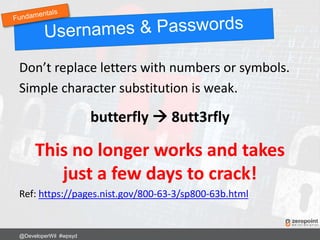
Don’t replace letters with numbers or symbols.
Simple character substitution is weak.
butterfly  8utt3rfly
This no longer works and takes
just a few days to crack!
Ref: https://pages.nist.gov/800-63-3/sp800-63b.html
@DeveloperWil #wpsyd
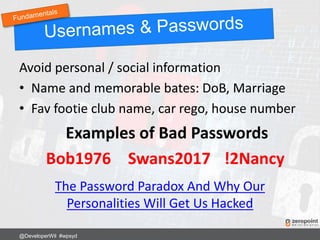
Avoid personal / social information
• Name and memorable bates: DoB, Marriage
• Fav footie club name, car rego, house number
Examples of Bad Passwords
Bob1976 Swans2017 !2Nancy
The Password Paradox And Why Our
Personalities Will Get Us Hacked
@DeveloperWil #wpsyd
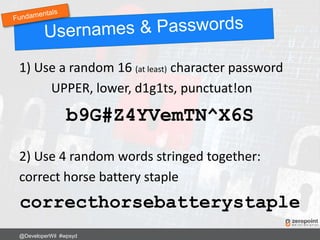
1) Use a random 16 (at least) character password
UPPER, lower, d1g1ts, punctuat!on
b9G#Z4YVemTN^X6S
2) Use 4 random words stringed together:
correct horse battery staple
correcthorsebatterystaple
@DeveloperWil #wpsyd
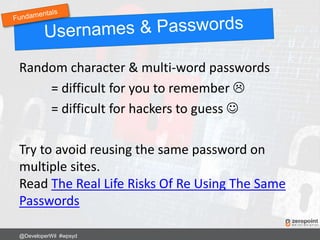
Random character & multi-word passwords
= difficult for you to remember 
= difficult for hackers to guess 
Try to avoid reusing the same password on
multiple sites.
Read The Real Life Risks Of Re Using The Same
Passwords
@DeveloperWil #wpsyd
Use a password service such as LastPass
Local 256-bit encryption, SSL data transfer,
2-factor authentication
Free 14-day Last Pass Trial
@DeveloperWil #wpsyd
Consider forcing users to have a strong
password
Force Strong Passwords plugin.
http://wordpress.org/plugins/force-strong-
passwords/
Gives more flexibility than built-in WordPress
@DeveloperWil #wpsyd
Only allow one login per device.
Restrict logins under same username on
multiple devices (i.e. username/pass sharing)
WordPress Bouncer plugin
http://wordpress.org/plugins/wp-bouncer/
@DeveloperWil #wpsyd
Change the default WordPress salt keys in wp-
config.php
WordPress uses cookies to store session
information. These are hashed with MD5 + salt
keys in the wp-config.php file
https://api.wordpress.org/secret-key/1.1/salt/
@DeveloperWil #wpsyd
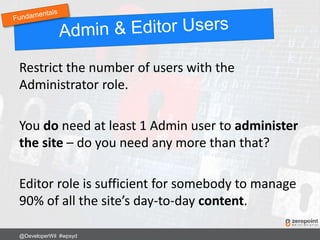
Restrict the number of users with the
Administrator role.
You do need at least 1 Admin user to administer
the site – do you need any more than that?
Editor role is sufficient for somebody to manage
90% of all the site’s day-to-day content.
@DeveloperWil #wpsyd
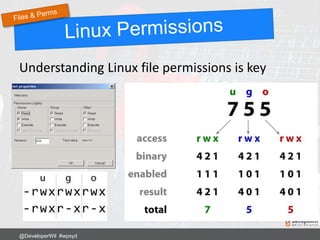
Understanding Linux file permissions is key
@DeveloperWil #wpsyd
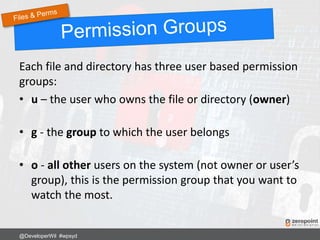
Each file and directory has three user based permission
groups:
• u – the user who owns the file or directory (owner)
• g - the group to which the user belongs
• o - all other users on the system (not owner or user’s
group), this is the permission group that you want to
watch the most.
@DeveloperWil #wpsyd
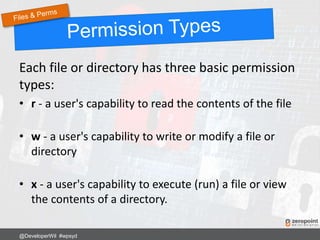
Each file or directory has three basic permission
types:
• r - a user's capability to read the contents of the file
• w - a user's capability to write or modify a file or
directory
• x - a user's capability to execute (run) a file or view
the contents of a directory.
@DeveloperWil #wpsyd
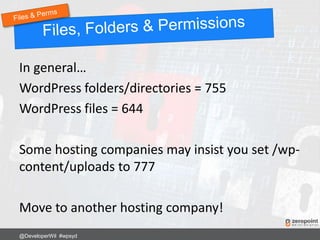
In general…
WordPress folders/directories = 755
WordPress files = 644
Some hosting companies may insist you set /wp-
content/uploads to 777
Move to another hosting company!
@DeveloperWil #wpsyd
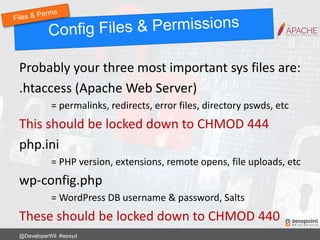
Probably your three most important sys files are:
.htaccess (Apache Web Server)
= permalinks, redirects, error files, directory pswds, etc
This should be locked down to CHMOD 444
php.ini
= PHP version, extensions, remote opens, file uploads, etc
wp-config.php
= WordPress DB username & password, Salts
These should be locked down to CHMOD 440
@DeveloperWil #wpsyd
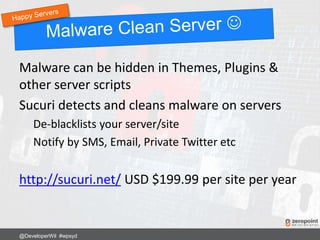
Malware can be hidden in Themes, Plugins &
other server scripts
Sucuri detects and cleans malware on servers
De-blacklists your server/site
Notify by SMS, Email, Private Twitter etc
http://sucuri.net/ USD $199.99 per site per year
@DeveloperWil #wpsyd
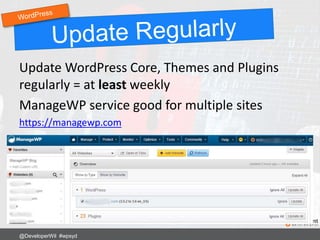
Update WordPress Core, Themes and Plugins
regularly = at least weekly
ManageWP service good for multiple sites
https://managewp.com
@DeveloperWil #wpsyd
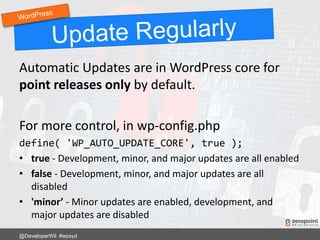
Automatic Updates are in WordPress core for
point releases only by default.
For more control, in wp-config.php
define( 'WP_AUTO_UPDATE_CORE', true );
• true - Development, minor, and major updates are all enabled
• false - Development, minor, and major updates are all
disabled
• 'minor’ - Minor updates are enabled, development, and
major updates are disabled
@DeveloperWil #wpsyd
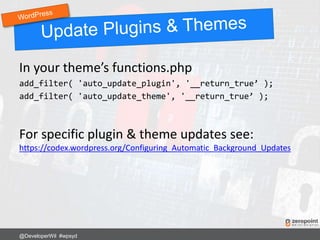
In your theme’s functions.php
add_filter( 'auto_update_plugin', '__return_true’ );
add_filter( 'auto_update_theme', '__return_true’ );
For specific plugin & theme updates see:
https://codex.wordpress.org/Configuring_Automatic_Background_Updates
@DeveloperWil #wpsyd
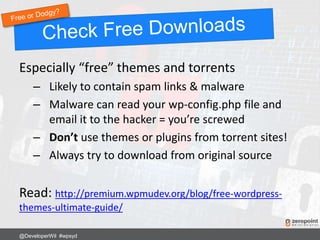
Especially “free” themes and torrents
– Likely to contain spam links & malware
– Malware can read your wp-config.php file and
email it to the hacker = you’re screwed
– Don’t use themes or plugins from torrent sites!
– Always try to download from original source
Read: http://premium.wpmudev.org/blog/free-wordpress-
themes-ultimate-guide/
@DeveloperWil #wpsyd
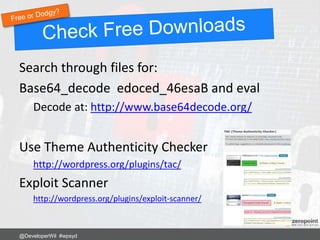
Search through files for:
Base64_decode edoced_46esaB and eval
Decode at: http://www.base64decode.org/
Use Theme Authenticity Checker
http://wordpress.org/plugins/tac/
Exploit Scanner
http://wordpress.org/plugins/exploit-scanner/
@DeveloperWil #wpsyd
Not all Base64_decode function calls are evil!
WordPress uses the function extensively
throughout the core.
Should be easy to decode and work out if good
or bad in plugins or themes.
@DeveloperWil #wpsyd
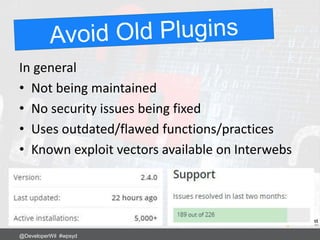
In general
• Not being maintained
• No security issues being fixed
• Uses outdated/flawed functions/practices
• Known exploit vectors available on Interwebs
@DeveloperWil #wpsyd
Popular image/thumbnail resizing script
Bundled in many older themes and plugins
Responsible for many many WordPress security
breaches
“The ability for a site visitor to load content from a
remote website and to make the web server write that
remote content to a web accessible directory is the
cause of the vulnerability in timthumb.php.”
Ref: http://markmaunder.com/2011/08/02/technical-details-and-scripts-of-the-wordpress-timthumb-php-hack/
@DeveloperWil #wpsyd
Script was “fixed” of exploits however old
versions still lurk out there.
Search for TimThumb and check you are using
the “fixed” version 2.8.14
https://code.google.com/p/timthumb/
@DeveloperWil #wpsyd
The nature of TimThumb still makes it
potentially very dangerous to have on your site.
TimThumb is no longer supported or maintained
as of Sept 2014
http://www.binarymoon.co.uk/2014/09/timthumb-end-life/
Read this:
https://zeropointdevelopment.com/timthumb-is-evil/
@DeveloperWil #wpsyd
Won’t make your site “secure” from hacks
Will encrypt the data transmitted between
computer and server
More on SSL certificates at
https://letsencrypt.org/docs/faq/
@DeveloperWil #wpsyd
If you have an SSL certificate..
Force all Dashboard and Logins to use HTTPS
In wp-config.php
define('FORCE_SSL_ADMIN', true);
define('FORCE_SSL_LOGIN', true);
@DeveloperWil #wpsyd
Beware when ordering a new SSL certificate for
a brand new WordPress website.
Hackers monitor SSL certificate transparency
report +30mins after new certificate being
issued.
They can take over your new site before you
complete the installation process.
Ref: https://www.wordfence.com/blog/2017/07/hackers-find-wordpress-within-30-mins/
@DeveloperWil #wpsyd
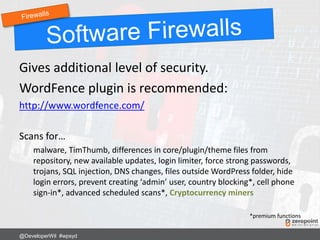
Gives additional level of security.
WordFence plugin is recommended:
http://www.wordfence.com/
Scans for…
malware, TimThumb, differences in core/plugin/theme files from
repository, new available updates, login limiter, force strong passwords,
trojans, SQL injection, DNS changes, files outside WordPress folder, hide
login errors, prevent creating ‘admin’ user, country blocking*, cell phone
sign-in*, advanced scheduled scans*, Cryptocurrency miners
*premium functions
@DeveloperWil #wpsyd
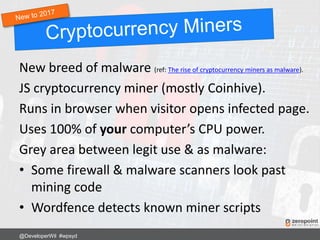
New breed of malware (ref: The rise of cryptocurrency miners as malware).
JS cryptocurrency miner (mostly Coinhive).
Runs in browser when visitor opens infected page.
Uses 100% of your computer’s CPU power.
Grey area between legit use & as malware:
• Some firewall & malware scanners look past
mining code
• Wordfence detects known miner scripts
@DeveloperWil #wpsyd
Brute force attacks try to repeatedly guess
username & password.
Block IP address after X number of unsuccessful
login attempts within a time period.
Limit Login Attempts Reloaded plugin
https://wordpress.org/plugins/limit-login-attempts-reloaded/
@DeveloperWil #wpsyd
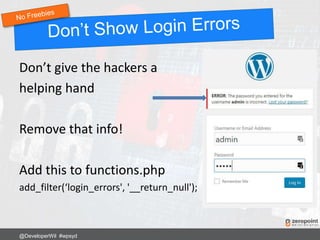
Don’t give the hackers a
helping hand
Remove that info!
Add this to functions.php
add_filter(‘login_errors', '__return_null');
@DeveloperWil #wpsyd
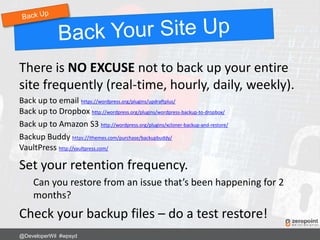
There is NO EXCUSE not to back up your entire
site frequently (real-time, hourly, daily, weekly).
Back up to email https://wordpress.org/plugins/updraftplus/
Back up to Dropbox http://wordpress.org/plugins/wordpress-backup-to-dropbox/
Back up to Amazon S3 http://wordpress.org/plugins/xcloner-backup-and-restore/
Backup Buddy https://ithemes.com/purchase/backupbuddy/
VaultPress http://vaultpress.com/
Set your retention frequency.
Can you restore from an issue that’s been happening for 2
months?
Check your backup files – do a test restore!
@DeveloperWil #wpsyd
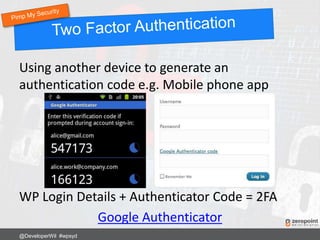
Using another device to generate an
authentication code e.g. Mobile phone app
WP Login Details + Authenticator Code = 2FA
Google Authenticator
@DeveloperWil #wpsyd
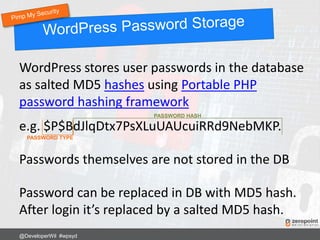
WordPress stores user passwords in the database
as salted MD5 hashes using Portable PHP
password hashing framework
e.g. $P$BdJlqDtx7PsXLuUAUcuiRRd9NebMKP.
Passwords themselves are not stored in the DB
Password can be replaced in DB with MD5 hash.
After login it’s replaced by a salted MD5 hash.
@DeveloperWil #wpsyd
PASSWORD TYPE
PASSWORD HASH
MD5 hash designed for high volume, not security.
“collision resistance” ~264 MD5 has been broken
but not resistance to preimages or second-
preimages.
MD5 + salts still poor choice as it’s designed to be
fast. Modern GPUs generate billions of candidate
passwords per second i.e. brute force
Ref: https://en.wikipedia.org/wiki/MD5
Ref: https://en.wikipedia.org/wiki/Collision_attack
Ref: http://security.stackexchange.com/questions/15790/why-do-people-still-use-recommend-md5-if-it-is-cracked-since-1996
@DeveloperWil #wpsyd
Bcrypt is an adaptive hashing algorithm.
Bcrypt intentionally takes a relatively long time to
be calculated; over time, the iteration count can
be increased to make it even slower.
This is done intentionally to resist brute force
attacks as computational power increases.
Ref: https://en.wikipedia.org/wiki/Bcrypt
@DeveloperWil #wpsyd
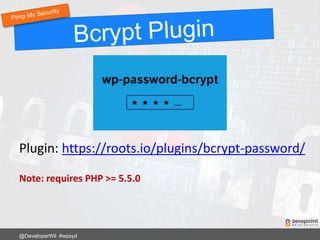
Plugin: https://roots.io/plugins/bcrypt-password/
Note: requires PHP >= 5.5.0
@DeveloperWil #wpsyd
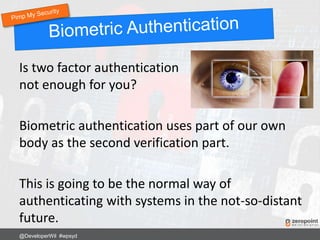
Is two factor authentication
not enough for you?
Biometric authentication uses part of our own
body as the second verification part.
This is going to be the normal way of
authenticating with systems in the not-so-distant
future.
@DeveloperWil #wpsyd
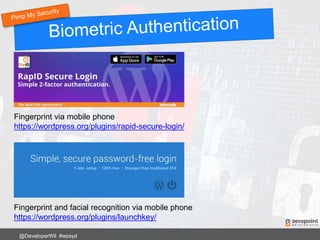
Fingerprint via mobile phone
https://wordpress.org/plugins/rapid-secure-login/
Fingerprint and facial recognition via mobile phone
https://wordpress.org/plugins/launchkey/
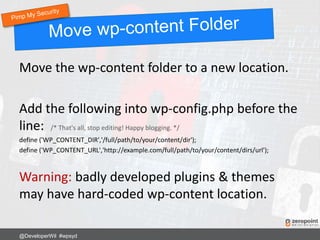
Move the wp-content folder to a new location.
Add the following into wp-config.php before the
line: /* That's all, stop editing! Happy blogging. */
define ('WP_CONTENT_DIR','/full/path/to/your/content/dir');
define ('WP_CONTENT_URL','http://example.com/full/path/to/your/content/dirs/url');
Warning: badly developed plugins & themes
may have hard-coded wp-content location.
@DeveloperWil #wpsyd
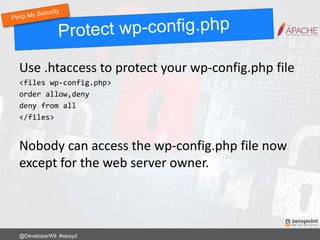
Use .htaccess to protect your wp-config.php file
<files wp-config.php>
order allow,deny
deny from all
</files>
Nobody can access the wp-config.php file now
except for the web server owner.
@DeveloperWil #wpsyd
Use .htaccess to stop SQL injection attacks on
form fields and URLs.
Options +FollowSymLinks
RewriteEngine On
RewriteCond %{QUERY_STRING} (<|%3C).*script.*(>|%3E) [NC,OR]
RewriteCond %{QUERY_STRING} GLOBALS(=|[|%[0-9A-Z]{0,2}) [OR]
RewriteCond %{QUERY_STRING} _REQUEST(=|[|%[0-9A-Z]{0,2})
RewriteRule ^(.*)$ index.php [F,L]
Any requests or changes to global variables
containing <script> gets blocked.
@DeveloperWil #wpsyd
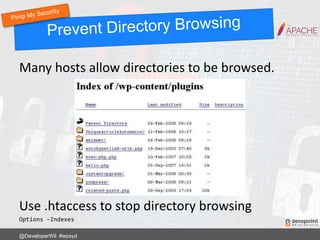
Many hosts allow directories to be browsed.
Use .htaccess to stop directory browsing
Options –Indexes
@DeveloperWil #wpsyd
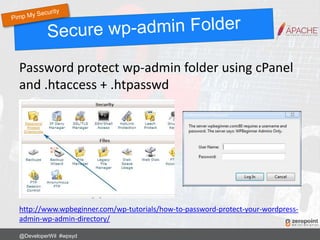
Password protect wp-admin folder using cPanel
and .htaccess + .htpasswd
http://www.wpbeginner.com/wp-tutorials/how-to-password-protect-your-wordpress-
admin-wp-admin-directory/
@DeveloperWil #wpsyd
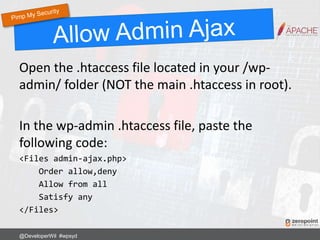
Open the .htaccess file located in your /wp-
admin/ folder (NOT the main .htaccess in root).
In the wp-admin .htaccess file, paste the
following code:
<Files admin-ajax.php>
Order allow,deny
Allow from all
Satisfy any
</Files>
@DeveloperWil #wpsyd
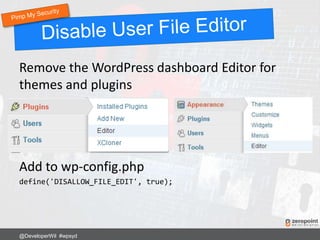
Remove the WordPress dashboard Editor for
themes and plugins
Add to wp-config.php
define('DISALLOW_FILE_EDIT', true);
@DeveloperWil #wpsyd
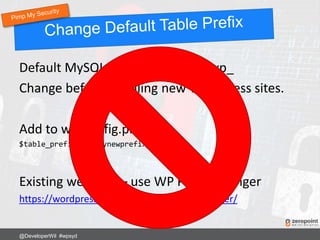
Default MySQL DB table prefix is wp_
Change before installing new WordPress sites.
Add to wp-config.php
$table_prefix = ‘mynewprefix_';
Existing websites – use WP Prefix Changer
https://wordpress.org/plugins/wp-prefix-changer/
@DeveloperWil #wpsyd
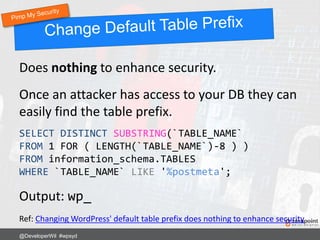
Does nothing to enhance security.
Once an attacker has access to your DB they can
easily find the table prefix.
@DeveloperWil #wpsyd
SELECT DISTINCT SUBSTRING(`TABLE_NAME`
FROM 1 FOR ( LENGTH(`TABLE_NAME`)-8 ) )
FROM information_schema.TABLES
WHERE `TABLE_NAME` LIKE '%postmeta';
Output: wp_
Ref: Changing WordPress' default table prefix does nothing to enhance security
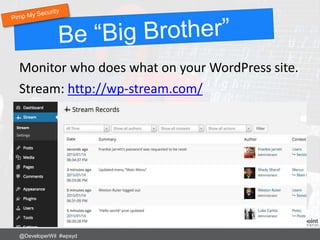
Monitor who does what on your WordPress site.
Stream: http://wp-stream.com/
@DeveloperWil #wpsyd
Using .htaccess
RewriteRule ^login$ http://www.mywebsite.com/wp-login.php [NC,L]
Now login to your site using:
http://www.mywebsite.com/login
@DeveloperWil #wpsyd
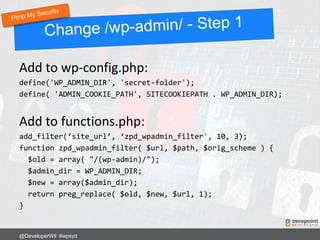
Add to wp-config.php:
define('WP_ADMIN_DIR', 'secret-folder');
define( 'ADMIN_COOKIE_PATH', SITECOOKIEPATH . WP_ADMIN_DIR);
Add to functions.php:
add_filter(‘site_url’, ‘zpd_wpadmin_filter', 10, 3);
function zpd_wpadmin_filter( $url, $path, $orig_scheme ) {
$old = array( "/(wp-admin)/");
$admin_dir = WP_ADMIN_DIR;
$new = array($admin_dir);
return preg_replace( $old, $new, $url, 1);
}
@DeveloperWil #wpsyd
Add to .htaccess:
RewriteRule ^secret-folder/(.*) wp-admin/$1?%{QUERY_STRING} [L]
Now login to your site using:
http://www.mysite.com/secret-folder/
@DeveloperWil #wpsyd
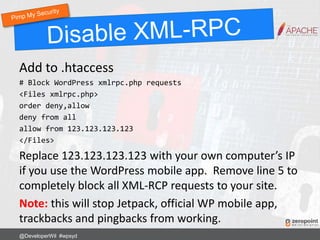
Add to .htaccess
# Block WordPress xmlrpc.php requests
<Files xmlrpc.php>
order deny,allow
deny from all
allow from 123.123.123.123
</Files>
Replace 123.123.123.123 with your own computer’s IP
if you use the WordPress mobile app. Remove line 5 to
completely block all XML-RCP requests to your site.
Note: this will stop Jetpack, official WP mobile app,
trackbacks and pingbacks from working.
@DeveloperWil #wpsyd
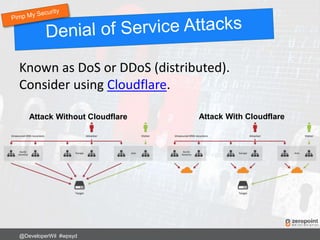
Known as DoS or DDoS (distributed).
Consider using Cloudflare.
@DeveloperWil #wpsyd
Attack Without Cloudflare Attack With Cloudflare
Stay up to date with these additional security
resources.
National Vulnerability Database (WordPress)
Wordfence Blog and Free Security Scan
Sucuri Blog
Hardening WordPress from wordpress.org
WPScan Vulnerability Database
Zero Point Development Blog
@DeveloperWil #wpsyd
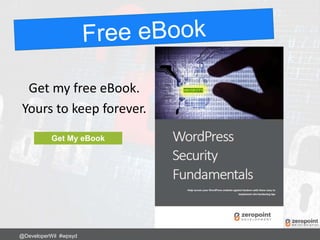
Get my free eBook.
Yours to keep forever.
@DeveloperWil #wpsyd
Get My eBook
Did I miss anything?
Tweet to @DeveloperWil
@DeveloperWil #wpsyd
[Cover] zeropointdevelopment.com
[3] jamesclear.com/sun-tzu-habits
[9] activerain.com
[10] mybroadband.co.za
[11] amazon.com
[18] lastpass.com
[23] zeropointdevelopment.com
[29] managewp.com
[33] wordpress.org
[35] wordpress.org
[39] promptwebhosting.com.au
[45] zeropointdevelopment.com
[47] zeropointdevelopment.com
[48] mobyware.ru
[52] roots.io
[53] ibmsystemsmag.com
[54] wordpress.org
[55] wordpress.org
[58] gobalakrishnan.com
[59] trickytechs.com/wpbeginner.com
[61] zeropointdevelopment.com
[63] wp-stream.com
[69] cloudflare.com
[72] zeropointdevelopment.com
[Back Cover] zeropointdevelopment.com
Note: This presentation may contain affiliate
links.
@DeveloperWil #wpsyd
 20+ years in IT: Dev & SysOps
 WordPress Developer since 2008
 Plugins, APIs, Security & Systems Integrations
 Organiser WPSyd & WordCamp Sydney
zeropointdevelopment.com
@DeveloperWil
♥ Pizza & Craft Beer
@DeveloperWil #wpsyd
@DeveloperWil

WordPress Security Best Practices

  • 1.
    Wil Brown @DeveloperWil zeropointdevelopment.com forWordPress Sydney Best Practices 2017 Update
  • 2.
    • Use complexusernames & passwords • Check file permissions have minimum access • Update software often & regularly • Use security firewalls & scan regularly • Consider using 2-factor authentication • Stick to reputable theme providers • Uninstall unused code/themes/plugins • Lock all doors, windows & switch off Internet! @DeveloperWil #wpsyd
  • 3.
    • Chinese General •Military Strategist • Philosopher • Born ~512BC Book: The Art of War http://www.classicly.com/read-the-art-of-war-online-free/page/1 @DeveloperWil #wpsyd
  • 4.
    “Victorious warriors winfirst and then go to war, while defeated warriors go to war first and then seek to win.” Don’t wait until your site gets hacked first. Lock it down today and get ready to defend it! @DeveloperWil #wpsyd
  • 5.
    “To know yourEnemy, you must become your Enemy” Learn how hackers try to get into your site so you can pre-emptively fix it and be ready for what is to come. @DeveloperWil #wpsyd
  • 6.
    “Even the finestsword plunged into salt water will eventually rust.” Just because your site is secure today, doesn’t mean it can’t get hacked tomorrow, next month or next year. Review & update regularly. @DeveloperWil #wpsyd
  • 7.
    YOU ARE ATWAR WITH MULTIPLE UNKNOWN ENEMIES @DeveloperWil #wpsyd
  • 8.
    There is alwaysa current threat The worst type of threats are those you don’t know about You need to understand your weaknesses You need to build a solid defence You need to have a plan of attack @DeveloperWil #wpsyd SO BE PREPARED
  • 9.
    Locked away ina deep dark basement No internet connection No user interaction Switched off! = Pretty useless website = There is a balance to be had @DeveloperWil #wpsyd
  • 10.
    Everything is Hackable @DeveloperWil#wpsyd Best we can do is make our site less attractive than others to hack into. Would you attempt to break into this car?
  • 11.
    The most vulnerablepart of your website is… YOU Buy this book! @DeveloperWil #wpsyd
  • 12.
    Do not leavenew WordPress sites in “setup mode”. Complete the entire setup process. Hackers can find WordPress setup pages and install their own site – aka “WPSetup Attack” Ref: https://www.wordfence.com/blog/2017/07/wpsetup-attack/ @DeveloperWil #wpsyd
  • 13.
    Not just WordPress cPanel,email, FTP, SSH, MySQL, WordPress Avoid typical “Administrator” usernames admin, administrator, root, manager, debug, user, system, default, netman, superuser, guest, backup, sys, sysadmin, siteadmin, test, … @DeveloperWil #wpsyd
  • 14.
    Don’t replace letterswith numbers or symbols. Simple character substitution is weak. butterfly  8utt3rfly This no longer works and takes just a few days to crack! Ref: https://pages.nist.gov/800-63-3/sp800-63b.html @DeveloperWil #wpsyd
  • 15.
    Avoid personal /social information • Name and memorable bates: DoB, Marriage • Fav footie club name, car rego, house number Examples of Bad Passwords Bob1976 Swans2017 !2Nancy The Password Paradox And Why Our Personalities Will Get Us Hacked @DeveloperWil #wpsyd
  • 16.
    1) Use arandom 16 (at least) character password UPPER, lower, d1g1ts, punctuat!on b9G#Z4YVemTN^X6S 2) Use 4 random words stringed together: correct horse battery staple correcthorsebatterystaple @DeveloperWil #wpsyd
  • 17.
    Random character &multi-word passwords = difficult for you to remember  = difficult for hackers to guess  Try to avoid reusing the same password on multiple sites. Read The Real Life Risks Of Re Using The Same Passwords @DeveloperWil #wpsyd
  • 18.
    Use a passwordservice such as LastPass Local 256-bit encryption, SSL data transfer, 2-factor authentication Free 14-day Last Pass Trial @DeveloperWil #wpsyd
  • 19.
    Consider forcing usersto have a strong password Force Strong Passwords plugin. http://wordpress.org/plugins/force-strong- passwords/ Gives more flexibility than built-in WordPress @DeveloperWil #wpsyd
  • 20.
    Only allow onelogin per device. Restrict logins under same username on multiple devices (i.e. username/pass sharing) WordPress Bouncer plugin http://wordpress.org/plugins/wp-bouncer/ @DeveloperWil #wpsyd
  • 21.
    Change the defaultWordPress salt keys in wp- config.php WordPress uses cookies to store session information. These are hashed with MD5 + salt keys in the wp-config.php file https://api.wordpress.org/secret-key/1.1/salt/ @DeveloperWil #wpsyd
  • 22.
    Restrict the numberof users with the Administrator role. You do need at least 1 Admin user to administer the site – do you need any more than that? Editor role is sufficient for somebody to manage 90% of all the site’s day-to-day content. @DeveloperWil #wpsyd
  • 23.
    Understanding Linux filepermissions is key @DeveloperWil #wpsyd
  • 24.
    Each file anddirectory has three user based permission groups: • u – the user who owns the file or directory (owner) • g - the group to which the user belongs • o - all other users on the system (not owner or user’s group), this is the permission group that you want to watch the most. @DeveloperWil #wpsyd
  • 25.
    Each file ordirectory has three basic permission types: • r - a user's capability to read the contents of the file • w - a user's capability to write or modify a file or directory • x - a user's capability to execute (run) a file or view the contents of a directory. @DeveloperWil #wpsyd
  • 26.
    In general… WordPress folders/directories= 755 WordPress files = 644 Some hosting companies may insist you set /wp- content/uploads to 777 Move to another hosting company! @DeveloperWil #wpsyd
  • 27.
    Probably your threemost important sys files are: .htaccess (Apache Web Server) = permalinks, redirects, error files, directory pswds, etc This should be locked down to CHMOD 444 php.ini = PHP version, extensions, remote opens, file uploads, etc wp-config.php = WordPress DB username & password, Salts These should be locked down to CHMOD 440 @DeveloperWil #wpsyd
  • 28.
    Malware can behidden in Themes, Plugins & other server scripts Sucuri detects and cleans malware on servers De-blacklists your server/site Notify by SMS, Email, Private Twitter etc http://sucuri.net/ USD $199.99 per site per year @DeveloperWil #wpsyd
  • 29.
    Update WordPress Core,Themes and Plugins regularly = at least weekly ManageWP service good for multiple sites https://managewp.com @DeveloperWil #wpsyd
  • 30.
    Automatic Updates arein WordPress core for point releases only by default. For more control, in wp-config.php define( 'WP_AUTO_UPDATE_CORE', true ); • true - Development, minor, and major updates are all enabled • false - Development, minor, and major updates are all disabled • 'minor’ - Minor updates are enabled, development, and major updates are disabled @DeveloperWil #wpsyd
  • 31.
    In your theme’sfunctions.php add_filter( 'auto_update_plugin', '__return_true’ ); add_filter( 'auto_update_theme', '__return_true’ ); For specific plugin & theme updates see: https://codex.wordpress.org/Configuring_Automatic_Background_Updates @DeveloperWil #wpsyd
  • 32.
    Especially “free” themesand torrents – Likely to contain spam links & malware – Malware can read your wp-config.php file and email it to the hacker = you’re screwed – Don’t use themes or plugins from torrent sites! – Always try to download from original source Read: http://premium.wpmudev.org/blog/free-wordpress- themes-ultimate-guide/ @DeveloperWil #wpsyd
  • 33.
    Search through filesfor: Base64_decode edoced_46esaB and eval Decode at: http://www.base64decode.org/ Use Theme Authenticity Checker http://wordpress.org/plugins/tac/ Exploit Scanner http://wordpress.org/plugins/exploit-scanner/ @DeveloperWil #wpsyd
  • 34.
    Not all Base64_decodefunction calls are evil! WordPress uses the function extensively throughout the core. Should be easy to decode and work out if good or bad in plugins or themes. @DeveloperWil #wpsyd
  • 35.
    In general • Notbeing maintained • No security issues being fixed • Uses outdated/flawed functions/practices • Known exploit vectors available on Interwebs @DeveloperWil #wpsyd
  • 36.
    Popular image/thumbnail resizingscript Bundled in many older themes and plugins Responsible for many many WordPress security breaches “The ability for a site visitor to load content from a remote website and to make the web server write that remote content to a web accessible directory is the cause of the vulnerability in timthumb.php.” Ref: http://markmaunder.com/2011/08/02/technical-details-and-scripts-of-the-wordpress-timthumb-php-hack/ @DeveloperWil #wpsyd
  • 37.
    Script was “fixed”of exploits however old versions still lurk out there. Search for TimThumb and check you are using the “fixed” version 2.8.14 https://code.google.com/p/timthumb/ @DeveloperWil #wpsyd
  • 38.
    The nature ofTimThumb still makes it potentially very dangerous to have on your site. TimThumb is no longer supported or maintained as of Sept 2014 http://www.binarymoon.co.uk/2014/09/timthumb-end-life/ Read this: https://zeropointdevelopment.com/timthumb-is-evil/ @DeveloperWil #wpsyd
  • 39.
    Won’t make yoursite “secure” from hacks Will encrypt the data transmitted between computer and server More on SSL certificates at https://letsencrypt.org/docs/faq/ @DeveloperWil #wpsyd
  • 40.
    If you havean SSL certificate.. Force all Dashboard and Logins to use HTTPS In wp-config.php define('FORCE_SSL_ADMIN', true); define('FORCE_SSL_LOGIN', true); @DeveloperWil #wpsyd
  • 41.
    Beware when orderinga new SSL certificate for a brand new WordPress website. Hackers monitor SSL certificate transparency report +30mins after new certificate being issued. They can take over your new site before you complete the installation process. Ref: https://www.wordfence.com/blog/2017/07/hackers-find-wordpress-within-30-mins/ @DeveloperWil #wpsyd
  • 42.
    Gives additional levelof security. WordFence plugin is recommended: http://www.wordfence.com/ Scans for… malware, TimThumb, differences in core/plugin/theme files from repository, new available updates, login limiter, force strong passwords, trojans, SQL injection, DNS changes, files outside WordPress folder, hide login errors, prevent creating ‘admin’ user, country blocking*, cell phone sign-in*, advanced scheduled scans*, Cryptocurrency miners *premium functions @DeveloperWil #wpsyd
  • 43.
    New breed ofmalware (ref: The rise of cryptocurrency miners as malware). JS cryptocurrency miner (mostly Coinhive). Runs in browser when visitor opens infected page. Uses 100% of your computer’s CPU power. Grey area between legit use & as malware: • Some firewall & malware scanners look past mining code • Wordfence detects known miner scripts @DeveloperWil #wpsyd
  • 44.
    Brute force attackstry to repeatedly guess username & password. Block IP address after X number of unsuccessful login attempts within a time period. Limit Login Attempts Reloaded plugin https://wordpress.org/plugins/limit-login-attempts-reloaded/ @DeveloperWil #wpsyd
  • 45.
    Don’t give thehackers a helping hand Remove that info! Add this to functions.php add_filter(‘login_errors', '__return_null'); @DeveloperWil #wpsyd
  • 46.
    There is NOEXCUSE not to back up your entire site frequently (real-time, hourly, daily, weekly). Back up to email https://wordpress.org/plugins/updraftplus/ Back up to Dropbox http://wordpress.org/plugins/wordpress-backup-to-dropbox/ Back up to Amazon S3 http://wordpress.org/plugins/xcloner-backup-and-restore/ Backup Buddy https://ithemes.com/purchase/backupbuddy/ VaultPress http://vaultpress.com/ Set your retention frequency. Can you restore from an issue that’s been happening for 2 months? Check your backup files – do a test restore! @DeveloperWil #wpsyd
  • 47.
  • 48.
    Using another deviceto generate an authentication code e.g. Mobile phone app WP Login Details + Authenticator Code = 2FA Google Authenticator @DeveloperWil #wpsyd
  • 49.
    WordPress stores userpasswords in the database as salted MD5 hashes using Portable PHP password hashing framework e.g. $P$BdJlqDtx7PsXLuUAUcuiRRd9NebMKP. Passwords themselves are not stored in the DB Password can be replaced in DB with MD5 hash. After login it’s replaced by a salted MD5 hash. @DeveloperWil #wpsyd PASSWORD TYPE PASSWORD HASH
  • 50.
    MD5 hash designedfor high volume, not security. “collision resistance” ~264 MD5 has been broken but not resistance to preimages or second- preimages. MD5 + salts still poor choice as it’s designed to be fast. Modern GPUs generate billions of candidate passwords per second i.e. brute force Ref: https://en.wikipedia.org/wiki/MD5 Ref: https://en.wikipedia.org/wiki/Collision_attack Ref: http://security.stackexchange.com/questions/15790/why-do-people-still-use-recommend-md5-if-it-is-cracked-since-1996 @DeveloperWil #wpsyd
  • 51.
    Bcrypt is anadaptive hashing algorithm. Bcrypt intentionally takes a relatively long time to be calculated; over time, the iteration count can be increased to make it even slower. This is done intentionally to resist brute force attacks as computational power increases. Ref: https://en.wikipedia.org/wiki/Bcrypt @DeveloperWil #wpsyd
  • 52.
  • 53.
    Is two factorauthentication not enough for you? Biometric authentication uses part of our own body as the second verification part. This is going to be the normal way of authenticating with systems in the not-so-distant future. @DeveloperWil #wpsyd
  • 54.
    @DeveloperWil #wpsyd Fingerprint viamobile phone https://wordpress.org/plugins/rapid-secure-login/ Fingerprint and facial recognition via mobile phone https://wordpress.org/plugins/launchkey/
  • 55.
    Move the wp-contentfolder to a new location. Add the following into wp-config.php before the line: /* That's all, stop editing! Happy blogging. */ define ('WP_CONTENT_DIR','/full/path/to/your/content/dir'); define ('WP_CONTENT_URL','http://example.com/full/path/to/your/content/dirs/url'); Warning: badly developed plugins & themes may have hard-coded wp-content location. @DeveloperWil #wpsyd
  • 56.
    Use .htaccess toprotect your wp-config.php file <files wp-config.php> order allow,deny deny from all </files> Nobody can access the wp-config.php file now except for the web server owner. @DeveloperWil #wpsyd
  • 57.
    Use .htaccess tostop SQL injection attacks on form fields and URLs. Options +FollowSymLinks RewriteEngine On RewriteCond %{QUERY_STRING} (<|%3C).*script.*(>|%3E) [NC,OR] RewriteCond %{QUERY_STRING} GLOBALS(=|[|%[0-9A-Z]{0,2}) [OR] RewriteCond %{QUERY_STRING} _REQUEST(=|[|%[0-9A-Z]{0,2}) RewriteRule ^(.*)$ index.php [F,L] Any requests or changes to global variables containing <script> gets blocked. @DeveloperWil #wpsyd
  • 58.
    Many hosts allowdirectories to be browsed. Use .htaccess to stop directory browsing Options –Indexes @DeveloperWil #wpsyd
  • 59.
    Password protect wp-adminfolder using cPanel and .htaccess + .htpasswd http://www.wpbeginner.com/wp-tutorials/how-to-password-protect-your-wordpress- admin-wp-admin-directory/ @DeveloperWil #wpsyd
  • 60.
    Open the .htaccessfile located in your /wp- admin/ folder (NOT the main .htaccess in root). In the wp-admin .htaccess file, paste the following code: <Files admin-ajax.php> Order allow,deny Allow from all Satisfy any </Files> @DeveloperWil #wpsyd
  • 61.
    Remove the WordPressdashboard Editor for themes and plugins Add to wp-config.php define('DISALLOW_FILE_EDIT', true); @DeveloperWil #wpsyd
  • 62.
    Default MySQL DBtable prefix is wp_ Change before installing new WordPress sites. Add to wp-config.php $table_prefix = ‘mynewprefix_'; Existing websites – use WP Prefix Changer https://wordpress.org/plugins/wp-prefix-changer/ @DeveloperWil #wpsyd
  • 63.
    Does nothing toenhance security. Once an attacker has access to your DB they can easily find the table prefix. @DeveloperWil #wpsyd SELECT DISTINCT SUBSTRING(`TABLE_NAME` FROM 1 FOR ( LENGTH(`TABLE_NAME`)-8 ) ) FROM information_schema.TABLES WHERE `TABLE_NAME` LIKE '%postmeta'; Output: wp_ Ref: Changing WordPress' default table prefix does nothing to enhance security
  • 64.
    Monitor who doeswhat on your WordPress site. Stream: http://wp-stream.com/ @DeveloperWil #wpsyd
  • 65.
    Using .htaccess RewriteRule ^login$http://www.mywebsite.com/wp-login.php [NC,L] Now login to your site using: http://www.mywebsite.com/login @DeveloperWil #wpsyd
  • 66.
    Add to wp-config.php: define('WP_ADMIN_DIR','secret-folder'); define( 'ADMIN_COOKIE_PATH', SITECOOKIEPATH . WP_ADMIN_DIR); Add to functions.php: add_filter(‘site_url’, ‘zpd_wpadmin_filter', 10, 3); function zpd_wpadmin_filter( $url, $path, $orig_scheme ) { $old = array( "/(wp-admin)/"); $admin_dir = WP_ADMIN_DIR; $new = array($admin_dir); return preg_replace( $old, $new, $url, 1); } @DeveloperWil #wpsyd
  • 67.
    Add to .htaccess: RewriteRule^secret-folder/(.*) wp-admin/$1?%{QUERY_STRING} [L] Now login to your site using: http://www.mysite.com/secret-folder/ @DeveloperWil #wpsyd
  • 68.
    Add to .htaccess #Block WordPress xmlrpc.php requests <Files xmlrpc.php> order deny,allow deny from all allow from 123.123.123.123 </Files> Replace 123.123.123.123 with your own computer’s IP if you use the WordPress mobile app. Remove line 5 to completely block all XML-RCP requests to your site. Note: this will stop Jetpack, official WP mobile app, trackbacks and pingbacks from working. @DeveloperWil #wpsyd
  • 69.
    Known as DoSor DDoS (distributed). Consider using Cloudflare. @DeveloperWil #wpsyd Attack Without Cloudflare Attack With Cloudflare
  • 70.
    Stay up todate with these additional security resources. National Vulnerability Database (WordPress) Wordfence Blog and Free Security Scan Sucuri Blog Hardening WordPress from wordpress.org WPScan Vulnerability Database Zero Point Development Blog @DeveloperWil #wpsyd
  • 71.
    Get my freeeBook. Yours to keep forever. @DeveloperWil #wpsyd Get My eBook
  • 72.
    Did I missanything? Tweet to @DeveloperWil @DeveloperWil #wpsyd
  • 73.
    [Cover] zeropointdevelopment.com [3] jamesclear.com/sun-tzu-habits [9]activerain.com [10] mybroadband.co.za [11] amazon.com [18] lastpass.com [23] zeropointdevelopment.com [29] managewp.com [33] wordpress.org [35] wordpress.org [39] promptwebhosting.com.au [45] zeropointdevelopment.com [47] zeropointdevelopment.com [48] mobyware.ru [52] roots.io [53] ibmsystemsmag.com [54] wordpress.org [55] wordpress.org [58] gobalakrishnan.com [59] trickytechs.com/wpbeginner.com [61] zeropointdevelopment.com [63] wp-stream.com [69] cloudflare.com [72] zeropointdevelopment.com [Back Cover] zeropointdevelopment.com Note: This presentation may contain affiliate links. @DeveloperWil #wpsyd
  • 74.
     20+ yearsin IT: Dev & SysOps  WordPress Developer since 2008  Plugins, APIs, Security & Systems Integrations  Organiser WPSyd & WordCamp Sydney zeropointdevelopment.com @DeveloperWil ♥ Pizza & Craft Beer @DeveloperWil #wpsyd
  • 75.