Why Adobe InDesign —
A beginners Introduction

Presented by Tonye Edet
What is Indesign?
A industry standard Design and Layout application for:
„Print Publications
„
„Interactive PDF Documents
„
„Digital Publications
„
„eBooks and EPUBs
„
As a Print, Web or Interactive designer, Indesign allows you to
create, assemble and output your document to suit your needs.

Why Indesign - A beginners Introduction
Why You will love InDesign
„„Professional Result
„„Integration with the Adobe Suite
„„Precised output formats

Why Indesign - A beginners Introduction
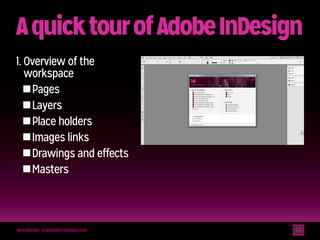
A quick tour of Adobe InDesign
1.  verview of the
O
workspace
„Pages
„
„Layers
„
„Place holders
„
„Images links
„
„Drawings and effects
„
„Masters
„

Why Indesign - A beginners Introduction
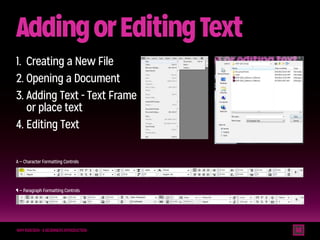
Adding or Editing Text
1.	 Creating a New File
2.	Opening a Document
3.	Adding Text - Text Frame
or place text
4.	Editing Text
A — Character Formatting Controls

¶ — Paragraph Formatting Controls

Why Indesign - A beginners Introduction
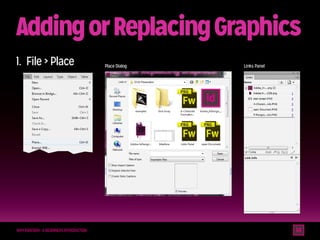
Adding or Replacing Graphics
1.	 File  Place

Why Indesign - A beginners Introduction

Place Dialog

Links Panel
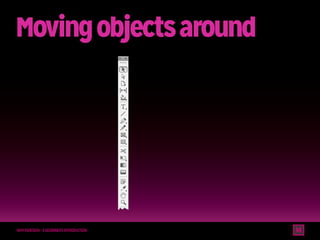
Moving objects around

Why Indesign - A beginners Introduction
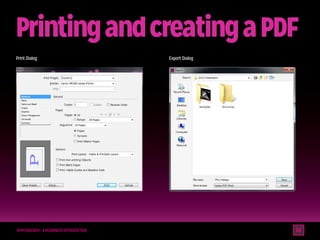
Printing and creating a PDF
Print Dialog

Why Indesign - A beginners Introduction

Export Dialog
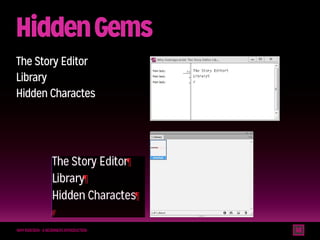
Hidden Gems
The Story Editor
Library
Hidden Charactes

Why Indesign - A beginners Introduction
QA
Thank You

Why Indesign - A beginners Introduction

Why adobe indesign a beginners introduction(interactive)

  • 1.
    Why Adobe InDesign— A beginners Introduction Presented by Tonye Edet
  • 2.
    What is Indesign? Aindustry standard Design and Layout application for: „Print Publications „ „Interactive PDF Documents „ „Digital Publications „ „eBooks and EPUBs „ As a Print, Web or Interactive designer, Indesign allows you to create, assemble and output your document to suit your needs. Why Indesign - A beginners Introduction
  • 3.
    Why You willlove InDesign „„Professional Result „„Integration with the Adobe Suite „„Precised output formats Why Indesign - A beginners Introduction
  • 4.
    A quick tourof Adobe InDesign 1. verview of the O workspace „Pages „ „Layers „ „Place holders „ „Images links „ „Drawings and effects „ „Masters „ Why Indesign - A beginners Introduction
  • 5.
    Adding or EditingText 1. Creating a New File 2. Opening a Document 3. Adding Text - Text Frame or place text 4. Editing Text A — Character Formatting Controls ¶ — Paragraph Formatting Controls Why Indesign - A beginners Introduction
  • 6.
    Adding or ReplacingGraphics 1. File Place Why Indesign - A beginners Introduction Place Dialog Links Panel
  • 7.
    Moving objects around WhyIndesign - A beginners Introduction
  • 8.
    Printing and creatinga PDF Print Dialog Why Indesign - A beginners Introduction Export Dialog
  • 9.
    Hidden Gems The StoryEditor Library Hidden Charactes Why Indesign - A beginners Introduction
  • 10.
    QA Thank You Why Indesign- A beginners Introduction