What’s New in Sage SalesLogix V7.5.2 http://customerfx.com
Release Overview Sage SalesLogix v7.5.2 focuses on: User Enhancements  streamline the user experience furthering user adoption Quality and Performance Improvements  target bandwidth issues and minimize latency Customization Improvements and New Developer Community  ease the time and effort to customize  Unicode Enhancements  ease the burden of growing a global business and reduces the cost of supporting multilingual and global implementations http://customerfx.com
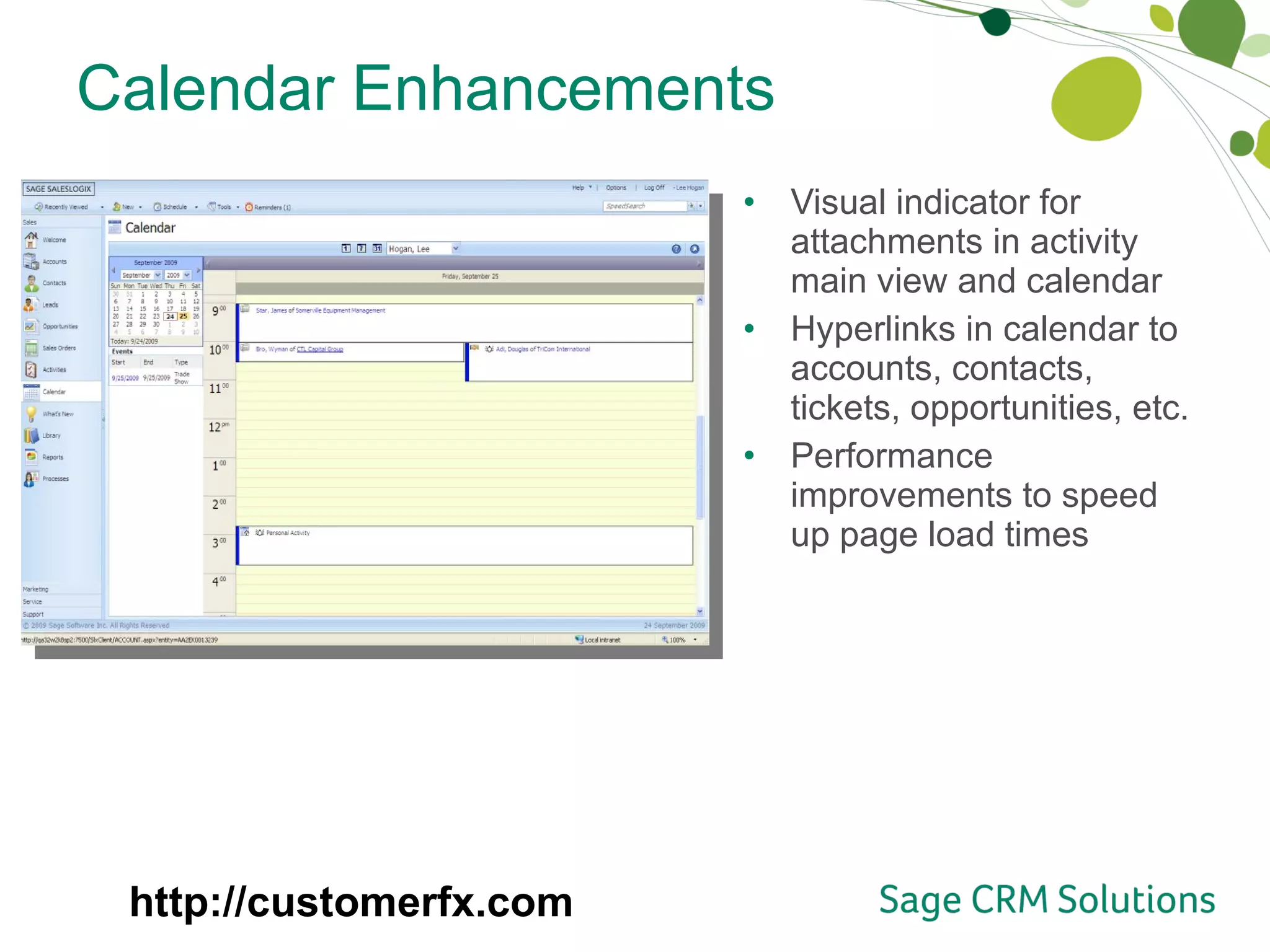
Calendar Enhancements Visual indicator for attachments in activity main view and calendar Hyperlinks in calendar to accounts, contacts, tickets, opportunities, etc.  Performance improvements to speed up page load times http://customerfx.com
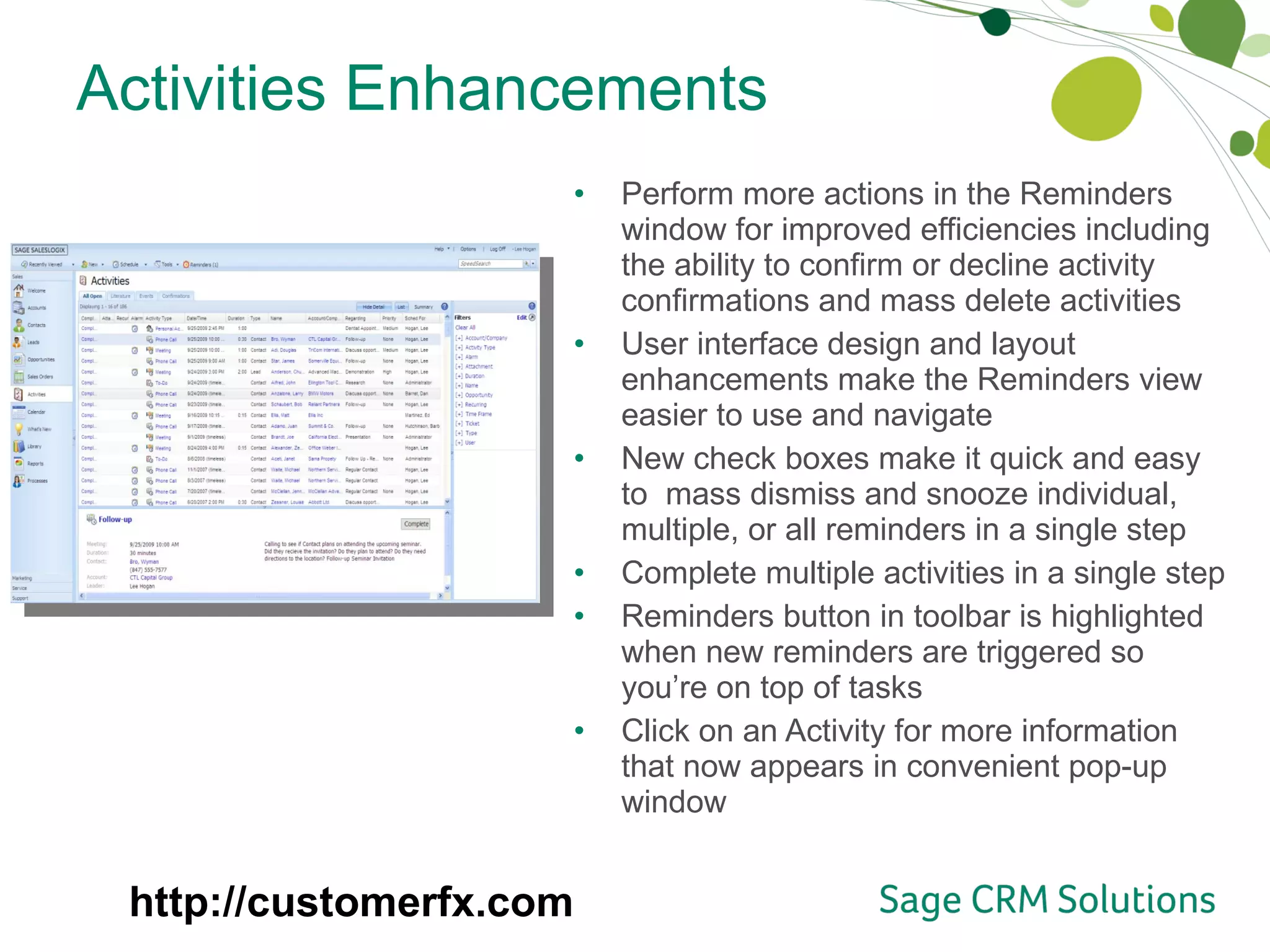
Activities Enhancements Perform more actions in the Reminders window for improved efficiencies including the ability to confirm or decline activity confirmations and mass delete activities User interface design and layout enhancements make the Reminders view easier to use and navigate New check boxes make it quick and easy to  mass dismiss and snooze individual, multiple, or all reminders in a single step Complete multiple activities in a single step Reminders button in toolbar is highlighted when new reminders are triggered so you’re on top of tasks Click on an Activity for more information that now appears in convenient pop-up window http://customerfx.com
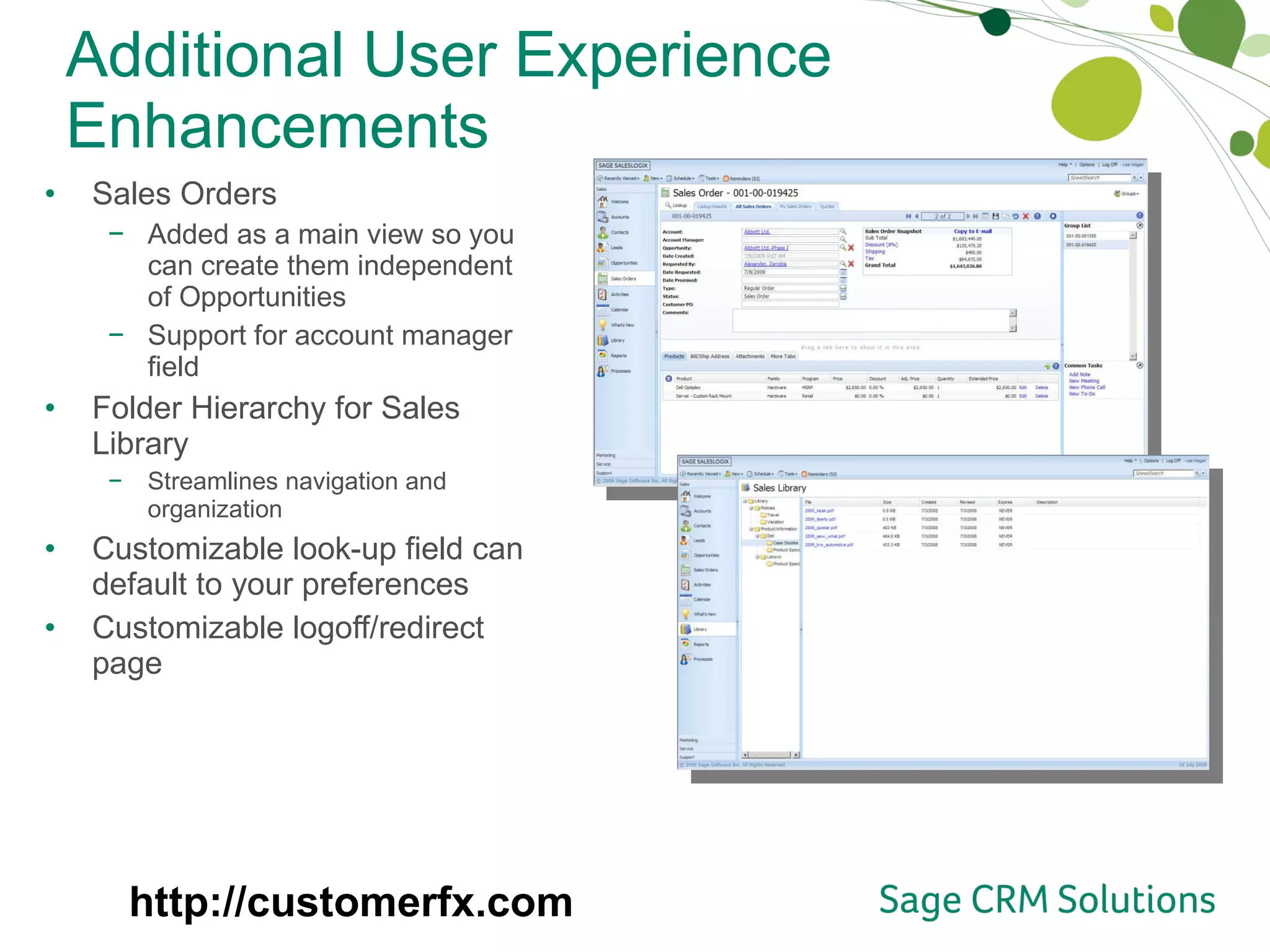
Additional User Experience Enhancements Sales Orders Added as a main view so you can create them independent of Opportunities Support for account manager field Folder Hierarchy for Sales Library  Streamlines navigation and organization Customizable look-up field can default to your preferences Customizable logoff/redirect page http://customerfx.com
Improved Customization Experience More selections available in Application Architech picklists, which helps reduce entry mistakes Provides the ability to add multiple preconditions on triggered database events in the process orchestration engine, which helps to support more complex processes Sdata v1.0 support New features include support for batch processing, asynchronous operations, template support, and schema discoverability Sdata documentation is now publically available at  http://interop.sage.com   to help answer your questions  http://customerfx.com
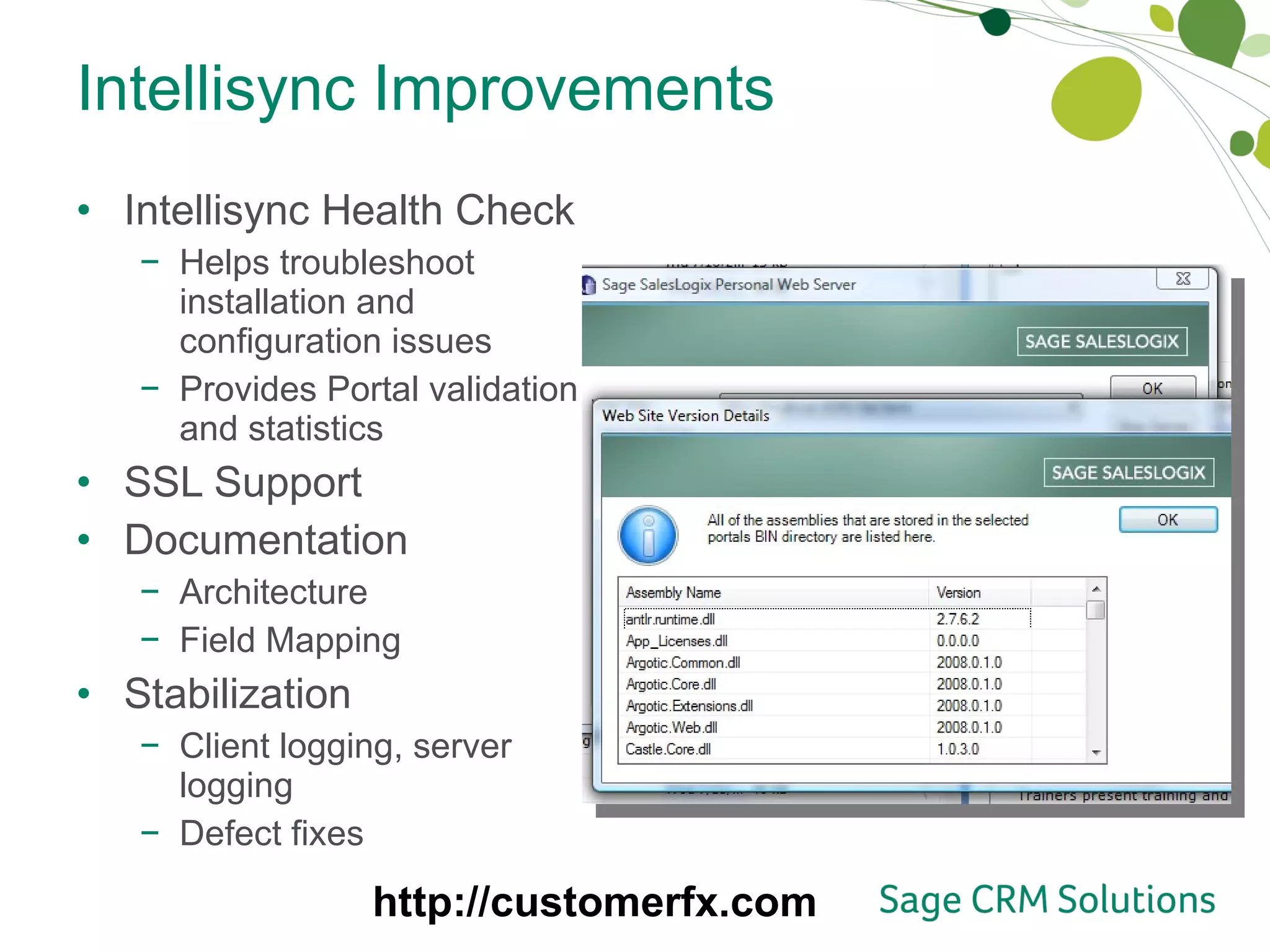
Intellisync Improvements Intellisync Health Check Helps troubleshoot installation and configuration issues Provides Portal validation and statistics SSL Support Documentation  Architecture Field Mapping Stabilization Client logging, server logging Defect fixes http://customerfx.com
Web Client Performance Significant performance improvements in the areas of navigation, Activities, Calendars, and more help increase page loading times and reduce bandwidth http://customerfx.com
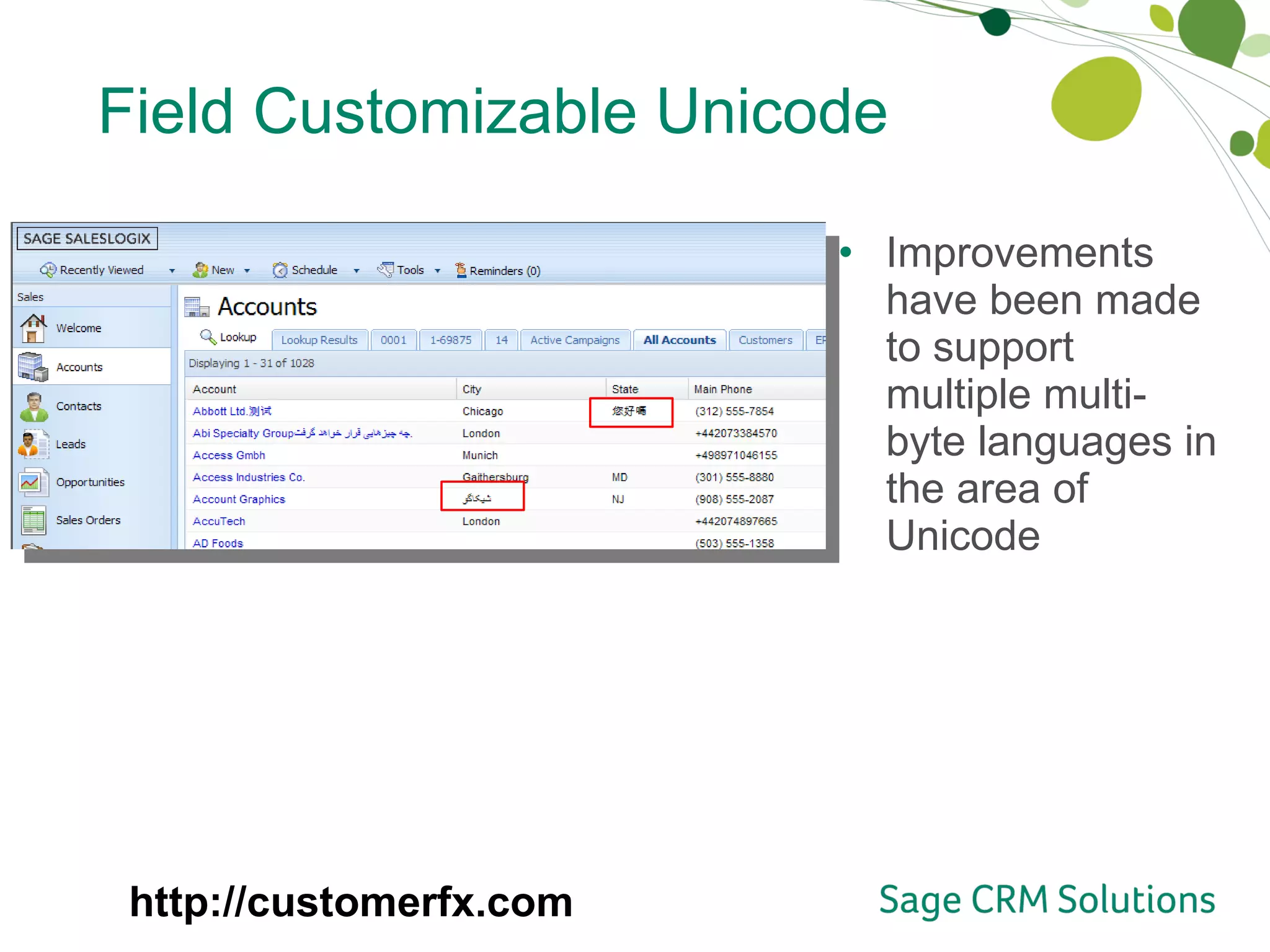
Field Customizable Unicode Improvements have been made to support multiple multi-byte languages in the area of Unicode http://customerfx.com
Developer Documentation API Reference Guide Best Practices Documents Intellisync Architecture Exchange Link Architecture Tuning & Performance Optimizations in SalesLogix http://customerfx.com
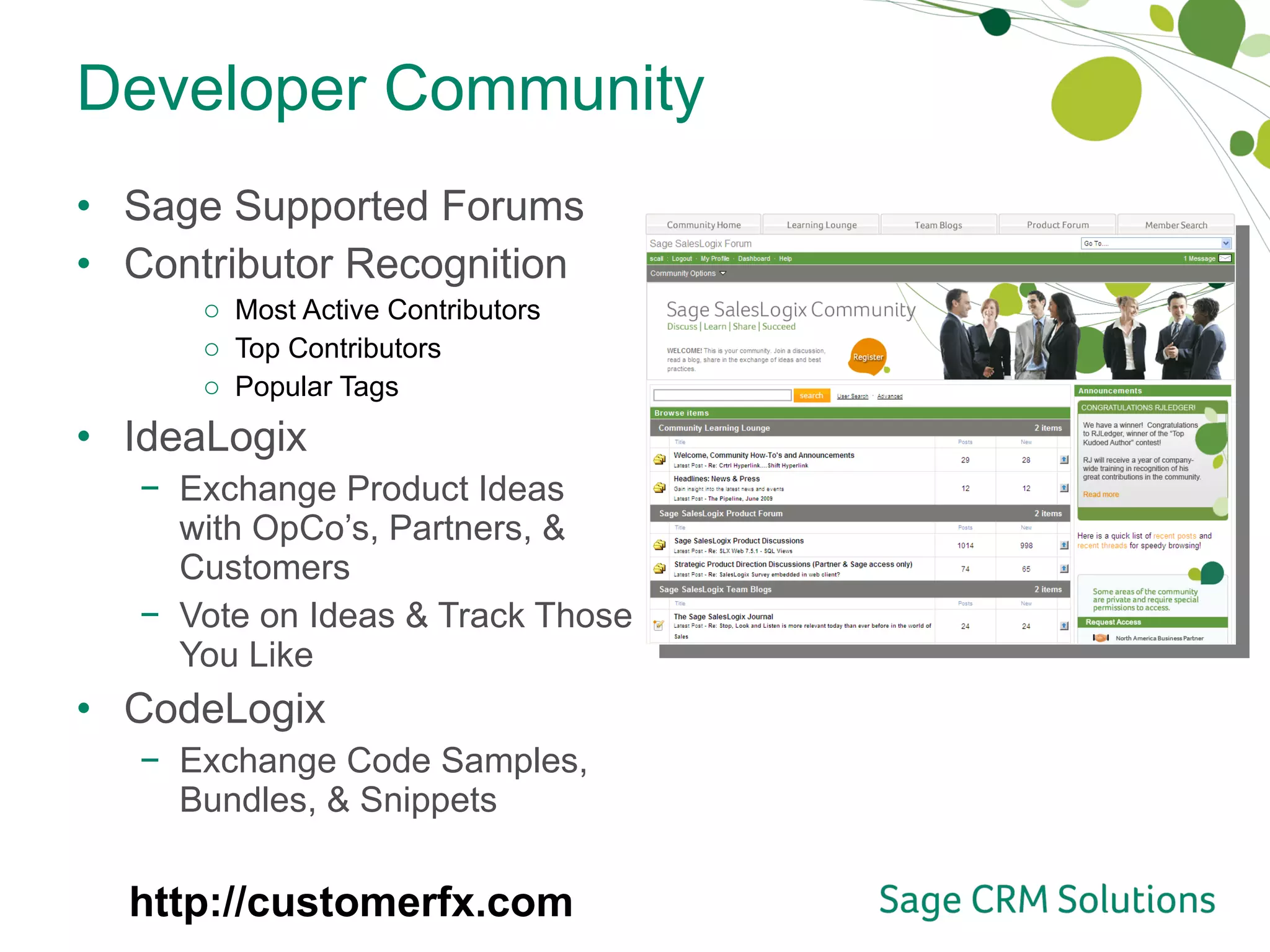
Developer Community Sage Supported Forums Contributor Recognition Most Active Contributors Top Contributors Popular Tags IdeaLogix Exchange Product Ideas with OpCo’s, Partners, & Customers Vote on Ideas & Track Those You Like CodeLogix Exchange Code Samples, Bundles, & Snippets http://customerfx.com
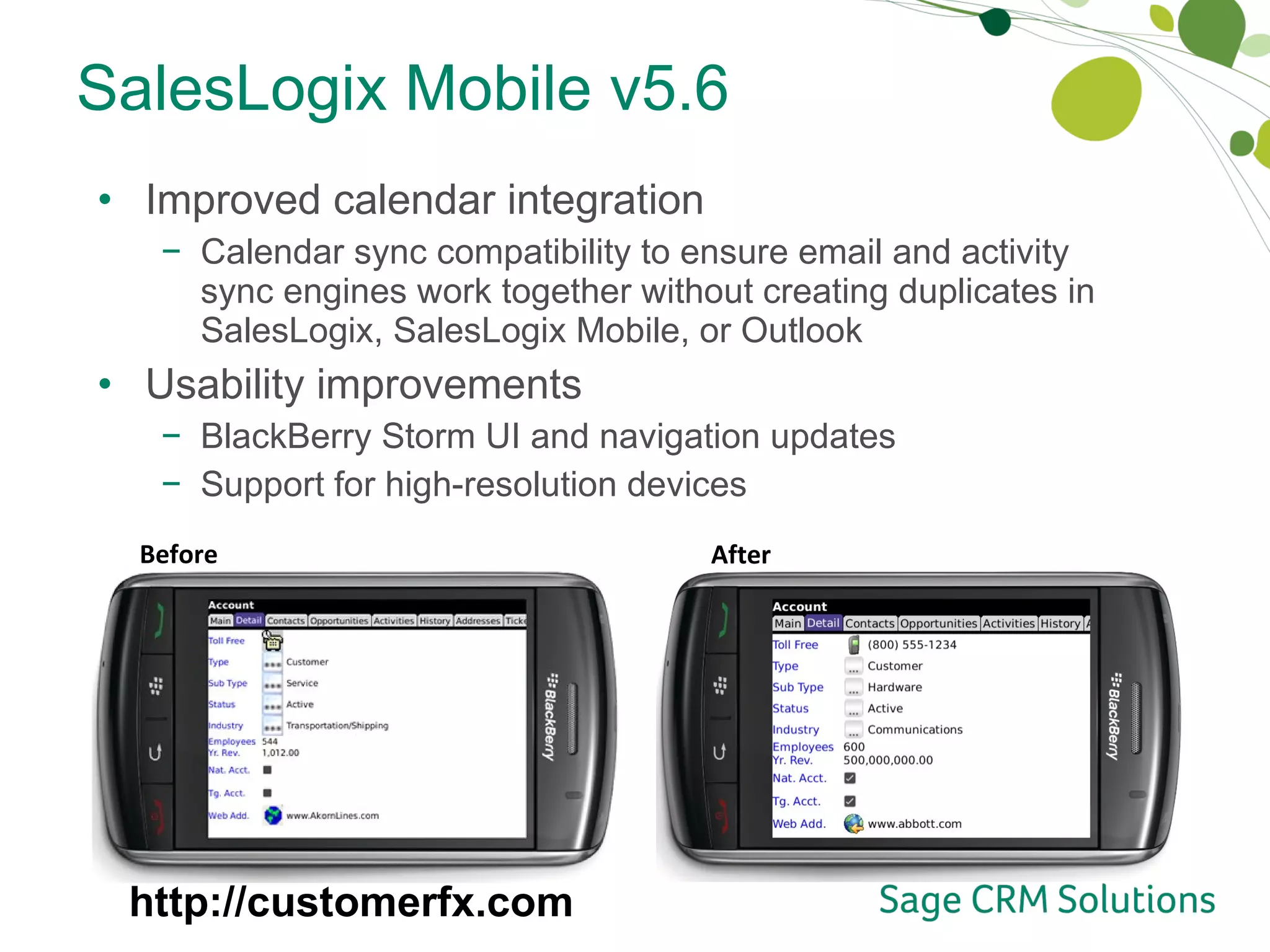
SalesLogix Mobile v5.6 Improved calendar integration Calendar sync compatibility to ensure email and activity sync engines work together without creating duplicates in SalesLogix, SalesLogix Mobile, or Outlook Usability improvements BlackBerry Storm UI and navigation updates Support for high-resolution devices Before After http://customerfx.com
SalesLogix Mobile v5.6 Sdata support for subscriptions Enables ad-hoc retrieval of account and contact information without having to store data locally on the device Supports Windows Server 2008, Oracle 11g and Windows Mobile OS 6.5 http://customerfx.com

What's New in SalesLogix 7.5 SP2

  • 1.
    What’s New inSage SalesLogix V7.5.2 http://customerfx.com
  • 2.
    Release Overview SageSalesLogix v7.5.2 focuses on: User Enhancements streamline the user experience furthering user adoption Quality and Performance Improvements target bandwidth issues and minimize latency Customization Improvements and New Developer Community ease the time and effort to customize Unicode Enhancements ease the burden of growing a global business and reduces the cost of supporting multilingual and global implementations http://customerfx.com
  • 3.
    Calendar Enhancements Visualindicator for attachments in activity main view and calendar Hyperlinks in calendar to accounts, contacts, tickets, opportunities, etc. Performance improvements to speed up page load times http://customerfx.com
  • 4.
    Activities Enhancements Performmore actions in the Reminders window for improved efficiencies including the ability to confirm or decline activity confirmations and mass delete activities User interface design and layout enhancements make the Reminders view easier to use and navigate New check boxes make it quick and easy to mass dismiss and snooze individual, multiple, or all reminders in a single step Complete multiple activities in a single step Reminders button in toolbar is highlighted when new reminders are triggered so you’re on top of tasks Click on an Activity for more information that now appears in convenient pop-up window http://customerfx.com
  • 5.
    Additional User ExperienceEnhancements Sales Orders Added as a main view so you can create them independent of Opportunities Support for account manager field Folder Hierarchy for Sales Library Streamlines navigation and organization Customizable look-up field can default to your preferences Customizable logoff/redirect page http://customerfx.com
  • 6.
    Improved Customization ExperienceMore selections available in Application Architech picklists, which helps reduce entry mistakes Provides the ability to add multiple preconditions on triggered database events in the process orchestration engine, which helps to support more complex processes Sdata v1.0 support New features include support for batch processing, asynchronous operations, template support, and schema discoverability Sdata documentation is now publically available at http://interop.sage.com to help answer your questions http://customerfx.com
  • 7.
    Intellisync Improvements IntellisyncHealth Check Helps troubleshoot installation and configuration issues Provides Portal validation and statistics SSL Support Documentation Architecture Field Mapping Stabilization Client logging, server logging Defect fixes http://customerfx.com
  • 8.
    Web Client PerformanceSignificant performance improvements in the areas of navigation, Activities, Calendars, and more help increase page loading times and reduce bandwidth http://customerfx.com
  • 9.
    Field Customizable UnicodeImprovements have been made to support multiple multi-byte languages in the area of Unicode http://customerfx.com
  • 10.
    Developer Documentation APIReference Guide Best Practices Documents Intellisync Architecture Exchange Link Architecture Tuning & Performance Optimizations in SalesLogix http://customerfx.com
  • 11.
    Developer Community SageSupported Forums Contributor Recognition Most Active Contributors Top Contributors Popular Tags IdeaLogix Exchange Product Ideas with OpCo’s, Partners, & Customers Vote on Ideas & Track Those You Like CodeLogix Exchange Code Samples, Bundles, & Snippets http://customerfx.com
  • 12.
    SalesLogix Mobile v5.6Improved calendar integration Calendar sync compatibility to ensure email and activity sync engines work together without creating duplicates in SalesLogix, SalesLogix Mobile, or Outlook Usability improvements BlackBerry Storm UI and navigation updates Support for high-resolution devices Before After http://customerfx.com
  • 13.
    SalesLogix Mobile v5.6Sdata support for subscriptions Enables ad-hoc retrieval of account and contact information without having to store data locally on the device Supports Windows Server 2008, Oracle 11g and Windows Mobile OS 6.5 http://customerfx.com

Editor's Notes

  • #3 Sage SalesLogix v7.5.2 focuses on usability, quality and performance, partner adoption, and the customization experience. Activities and calendar enhancements, such as the ability to select and dismiss multiple reminders at once, streamline the user experience. Performance improvements target bandwidth issues and minimize latency. Improvements have been made to support multiple multi-byte languages in the areas of Unicode. Additionally, this release introduces a new developer community enabling members to exchange ideas and code samples—enhancing developer productivity. In tandem with this release, Sage SalesLogix Mobile v5.6 includes improved calendar integration, Sdata support, and usability improvements including BlackBerry Storm UI and navigation updates and support for high-resolution devices.
  • #5 Improved user experience/user interface More efficient management of reminders by allowing user to dismiss multiple reminders at once More efficient management of activities by allowing mass delete of activities via reminders view Consistent handling between confirmation and activity reminders Ability to process confirmations from activity reminders window
  • #6 Sales orders separated from Opportunity if necessary so you don’t have to create an opportunity in order to create a sales order—works the way you do! Customizable logoff/redirect page helps ensure security and accommodates single sign-ons.
  • #12 New Sage supported forums for developers to exchange ideas, code samples, bundles, etc. – making it quicker and easier to customize in SalesLogix.
  • #13 Maintenance/support release focused on addressing defects as well as aligning Mobile with the core SLX product (release schedule, compatibility, etc.). Exploration of free mobile offering in progress. Release themes include: Reduced barriers and costs to implement mobile Recent releases focused on eliminating the burdens of implementation and system management, next step is to reduce overall cost of mobile and increase competitive viability by providing an additional license: free mobile. In direct response to BP community’s concerns re: barriers to implement mobile, mobile access to be repackaged as another means of access when purchasing a SLX license. Enhanced calendar integration Key pain point for BPs integrating with add-on solutions i.e. Intellisync. First step in recurring effort to improve email and acticity sync engines work together seamlessly and accurately.