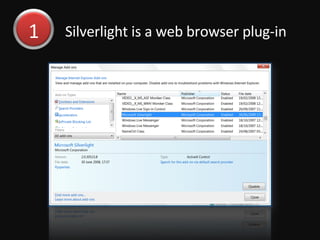
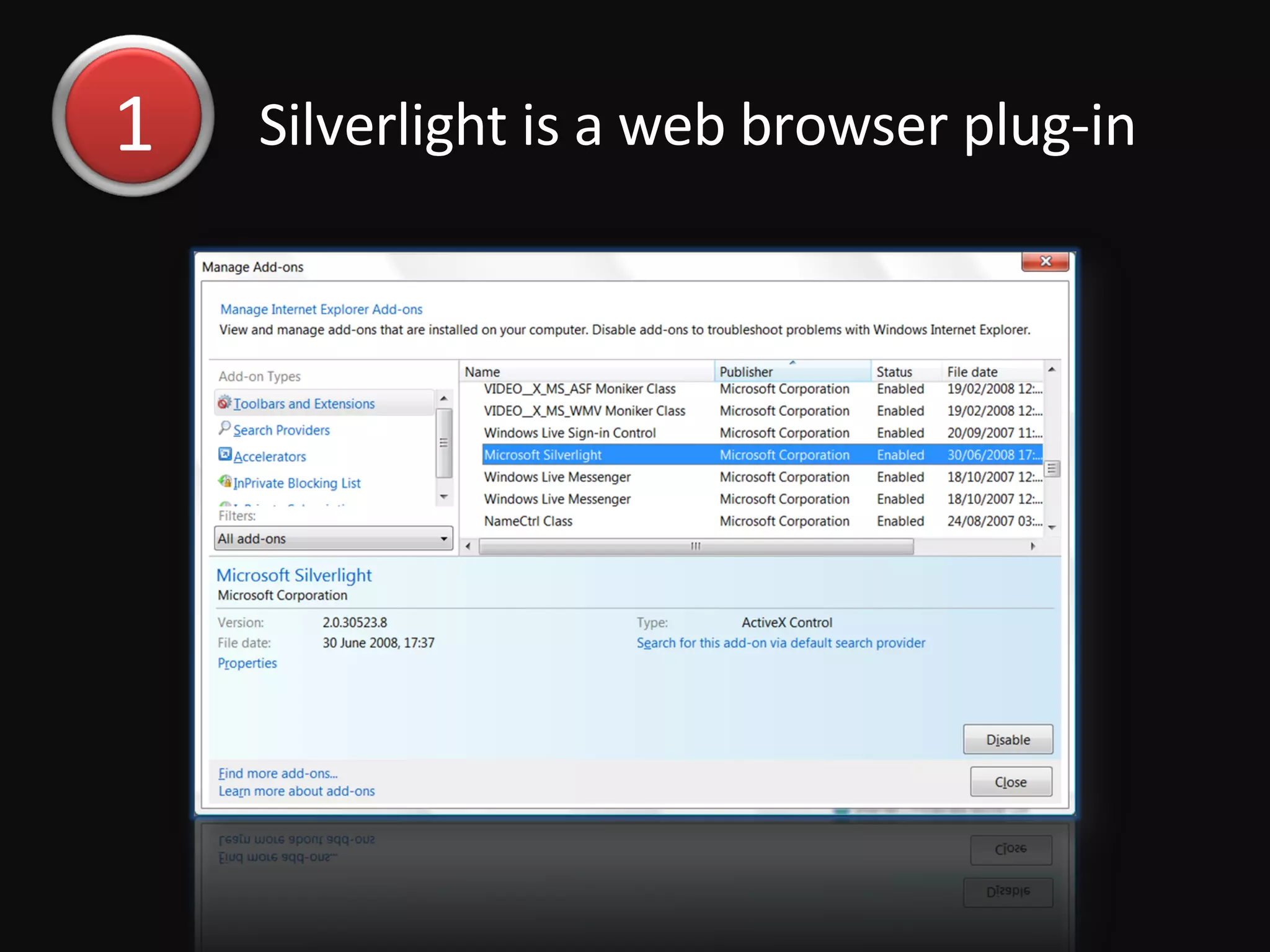
Silverlight is a web browser plug-in  1
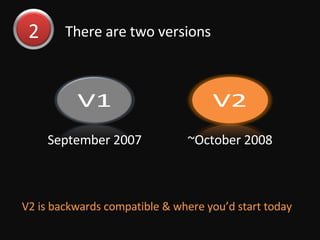
There are two versions V2 is backwards compatible & where you’d start today 2 September 2007 ~October 2008
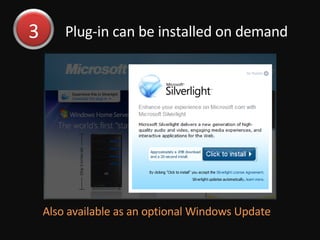
Plug-in can be installed on demand Also available as an optional Windows Update 3
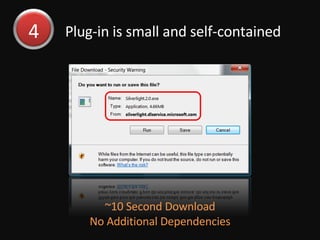
Plug-in is small and self-contained ~10 Second Download No Additional Dependencies 4
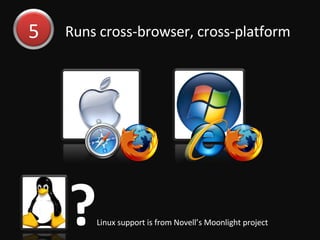
Runs cross-browser, cross-platform ? Linux support is from Novell’s Moonlight project 5
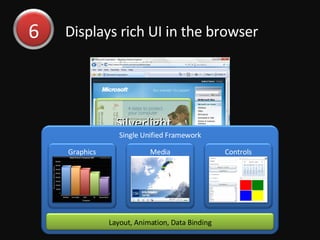
Displays rich UI in the browser 6 Silverlight Single Unified Framework Controls Media Graphics Layout, Animation, Data Binding
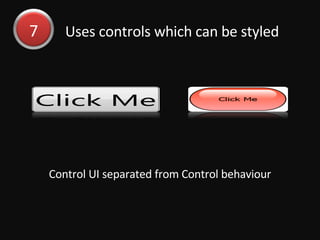
Uses controls which can be styled Control UI separated from Control behaviour 7
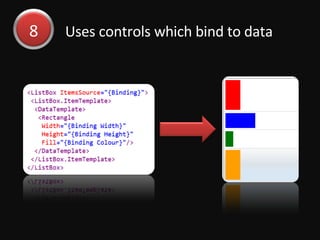
Uses controls which bind to data 8
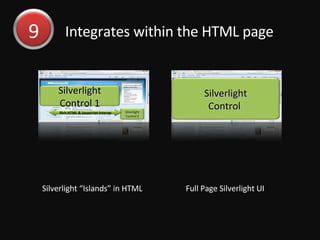
Integrates within the HTML page 9 Silverlight Control  Full Page Silverlight UI Silverlight “Islands” in HTML Silverlight Control 1 Silverlight Control 2 Rich HTML & Javascript Interop
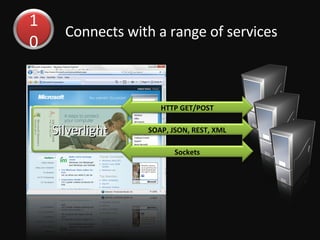
Connects with a range of services 10 Silverlight HTTP GET/POST SOAP, JSON, REST, XML Sockets
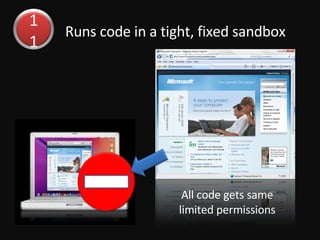
Runs code in a tight, fixed sandbox All code gets same limited permissions 11
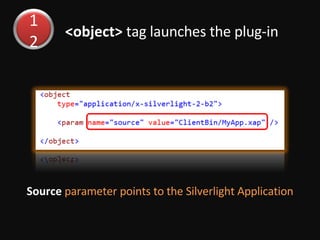
<object>  tag launches the plug-in Source  parameter points to the Silverlight Application 12
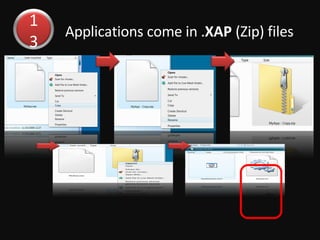
Applications come in . XAP  (Zip) files 13
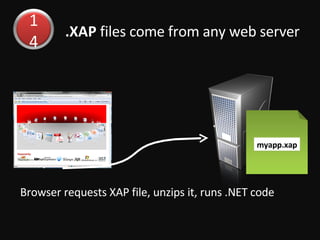
.XAP  files come from any web server Browser requests XAP file, unzips it, runs .NET code 14 myapp.xap
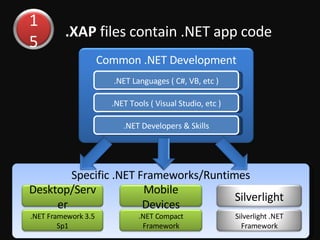
.XAP  files contain .NET app code 15 Specific .NET Frameworks/Runtimes Desktop/Server .NET Framework 3.5 Sp1 Mobile Devices .NET Compact Framework Silverlight Silverlight .NET Framework Common .NET Development .NET Languages ( C#, VB, etc ) .NET Tools ( Visual Studio, etc ) .NET Developers & Skills
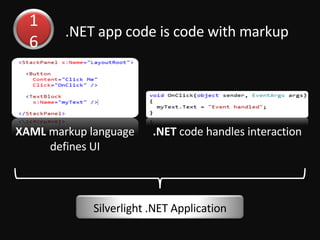
.NET app code is code with markup 16 XAML  markup language defines UI .NET  code handles interaction Silverlight .NET Application
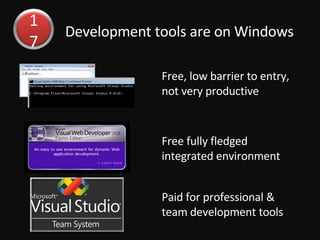
Development tools are on Windows Free, low barrier to entry, not very productive Free fully fledged integrated environment  Paid for professional & team development tools 17
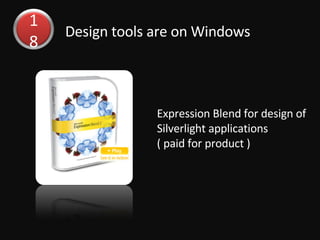
Design tools are on Windows Expression Blend for design of Silverlight applications ( paid for product ) 18
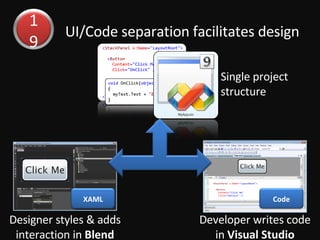
UI/Code separation facilitates design Single project structure 19 Designer styles & adds interaction in  Blend XAML Developer writes code in  Visual Studio Code
Where to find more information? www.silverlight.net 20

What Is Silverlight

  • 1.
    Silverlight is aweb browser plug-in 1
  • 2.
    There are twoversions V2 is backwards compatible & where you’d start today 2 September 2007 ~October 2008
  • 3.
    Plug-in can beinstalled on demand Also available as an optional Windows Update 3
  • 4.
    Plug-in is smalland self-contained ~10 Second Download No Additional Dependencies 4
  • 5.
    Runs cross-browser, cross-platform? Linux support is from Novell’s Moonlight project 5
  • 6.
    Displays rich UIin the browser 6 Silverlight Single Unified Framework Controls Media Graphics Layout, Animation, Data Binding
  • 7.
    Uses controls whichcan be styled Control UI separated from Control behaviour 7
  • 8.
    Uses controls whichbind to data 8
  • 9.
    Integrates within theHTML page 9 Silverlight Control Full Page Silverlight UI Silverlight “Islands” in HTML Silverlight Control 1 Silverlight Control 2 Rich HTML & Javascript Interop
  • 10.
    Connects with arange of services 10 Silverlight HTTP GET/POST SOAP, JSON, REST, XML Sockets
  • 11.
    Runs code ina tight, fixed sandbox All code gets same limited permissions 11
  • 12.
    <object> taglaunches the plug-in Source parameter points to the Silverlight Application 12
  • 13.
    Applications come in. XAP (Zip) files 13
  • 14.
    .XAP filescome from any web server Browser requests XAP file, unzips it, runs .NET code 14 myapp.xap
  • 15.
    .XAP filescontain .NET app code 15 Specific .NET Frameworks/Runtimes Desktop/Server .NET Framework 3.5 Sp1 Mobile Devices .NET Compact Framework Silverlight Silverlight .NET Framework Common .NET Development .NET Languages ( C#, VB, etc ) .NET Tools ( Visual Studio, etc ) .NET Developers & Skills
  • 16.
    .NET app codeis code with markup 16 XAML markup language defines UI .NET code handles interaction Silverlight .NET Application
  • 17.
    Development tools areon Windows Free, low barrier to entry, not very productive Free fully fledged integrated environment Paid for professional & team development tools 17
  • 18.
    Design tools areon Windows Expression Blend for design of Silverlight applications ( paid for product ) 18
  • 19.
    UI/Code separation facilitatesdesign Single project structure 19 Designer styles & adds interaction in Blend XAML Developer writes code in Visual Studio Code
  • 20.
    Where to findmore information? www.silverlight.net 20