Test Infrastructure & End-to-End Testing Cloud
What Is POS Testing? A
Step-by-Step Breakdown for
Retail Success
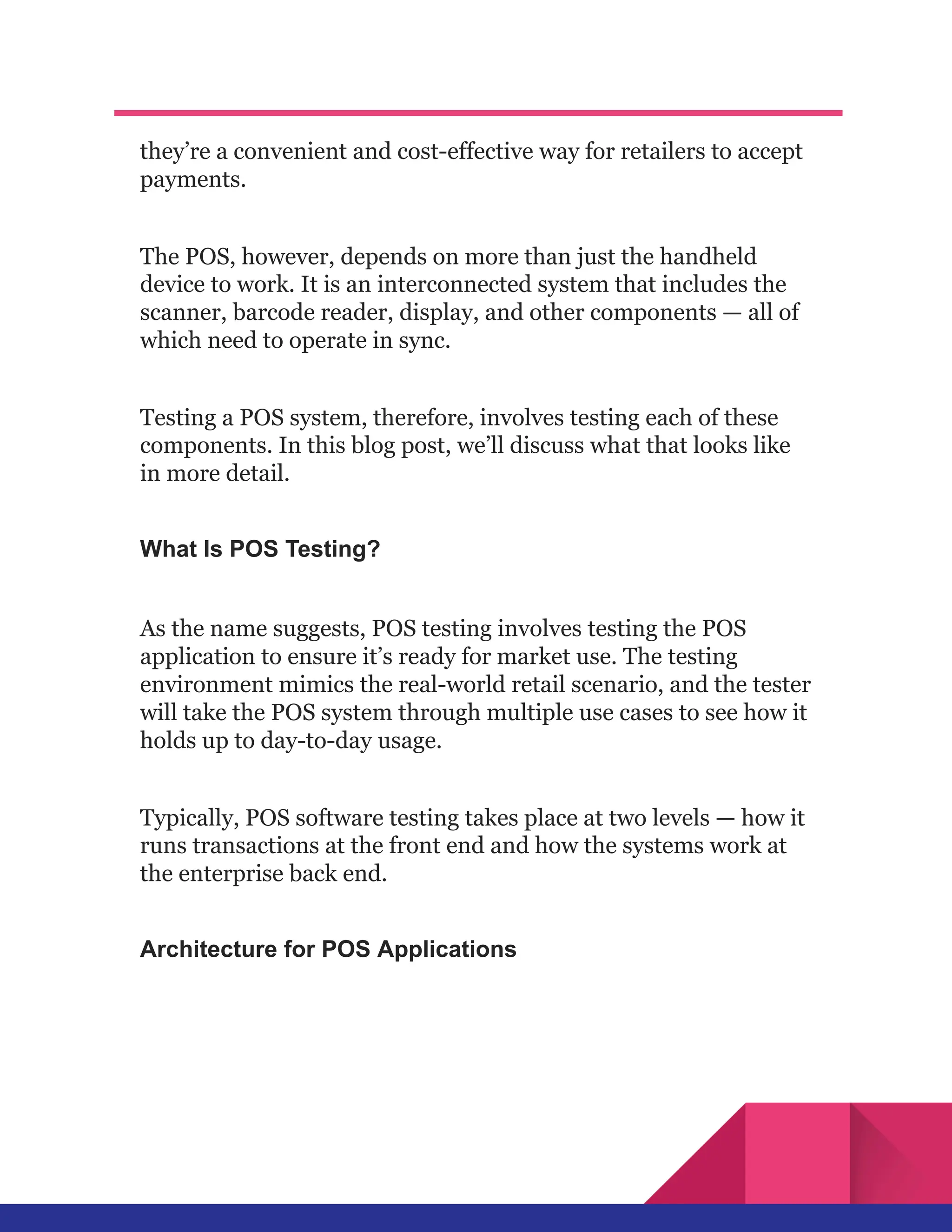
You’ve almost certainly seen them in shops and restaurants —
handheld devices that accept payment via cards or contactless
options. These are known as point of sale (POS) devices, and
they’re a convenient and cost-effective way for retailers to accept
payments.
The POS, however, depends on more than just the handheld
device to work. It is an interconnected system that includes the
scanner, barcode reader, display, and other components — all of
which need to operate in sync.
Testing a POS system, therefore, involves testing each of these
components. In this blog post, we’ll discuss what that looks like
in more detail.
What Is POS Testing?
As the name suggests, POS testing involves testing the POS
application to ensure it’s ready for market use. The testing
environment mimics the real-world retail scenario, and the tester
will take the POS system through multiple use cases to see how it
holds up to day-to-day usage.
Typically, POS software testing takes place at two levels — how it
runs transactions at the front end and how the systems work at
the enterprise back end.
Architecture for POS Applications
There are three main parts in a POS system architecture:
●​ POS terminal: This is the place from which the POS
system runs all its functions.
●​ Server: This stores all information about the retail
unit, including inventory details, product prices,
applicable discounts, and more. Any query generated at
the main terminal gets transmitted to the server.
●​ Processing unit: This processes the requests sent to
the server. It is connected to a third party (typically a
bank) that authenticates any card payments and
executes them securely.
Why Point of Sale Testing Matters
In 2017, Macy’s, a department store chain, experienced
nationwide issues with its card processing systems on Black
Friday, leading to long queues and significant disruptions on its
busiest shopping day of the year.
In April 2018, Woolworths, a major Australian supermarket
chain, suffered a nationwide POS system outage during peak
shopping hours. Customers couldn’t complete purchases,
abandoning carts and causing substantial revenue losses.
Many more such incidents have occurred over the past few years,
and they all underscore the critical importance of rigorous POS
system testing to prevent operational failures that can lead to
financial losses and damage to customer trust.
Types of Testing for a POS System
Testing a POS system involves two levels, each with its own
unique complexities. Let’s explore each in detail.
1. Application level
This involves all activities that relate to sales and payments, such
as applying discounts, completing the sale, generating the
receipt, and so on. The tests executed at this level include:
●​ Functionality testing: This test ensures that all
application functions are working as expected and that
all sales activities are being performed without error or
delay.
●​ Compatibility testing: This test ensures that the POS
system is compatible with all the various hardware and
software components needed to make sales. It involves
testing different versions of hardware, software, and
operating systems.
●​ Payment gateway testing: This verifies that the system
supports different types of payment methods.
2. Enterprise level
This is the backend component of the POS system and involves
total transactions billed in a day, accounts management,
inventory list management, and so on. The tests conducted at the
enterprise level include:
●​ Performance testing: This involves testing the POS
system’s responsiveness. It checks criteria like response
time, speed, and scalability, especially when the number
of transactions surges or when the network fluctuates.
●​ Compliance testing: This ensures that the POS system
conforms to all the necessary standards, such as PCI
guidelines for credit/debit card payments.
●​ Interoperability testing: This verifies that the POS
system can interact with other hardware and software
components according to the requirements.
●​ Upgradation testing: This verifies that the POS system
continues to work as expected whenever hardware or
software components are updated.
●​ Data migration testing: This validates that all data has
been migrated from an old system to a new one without
data loss or duplication.
Physical Components of POS Systems (And How to Test
Them)
There are seven main components of a typical POS system:
1. Terminal
This is the main screen where all transaction information is
displayed. Testing it involves making sure that all pricing and
billing information is displayed correctly and that it operates
seamlessly with other POS components.
2. Display
This shows the customer the price of the item. Testers make sure
that the price displayed is the same as that shown in the
terminal.
3. Barcode reader
This scans the product and automatically fetches price details
from the inventory to display the price on the terminal. It also
automatically applies any discounts. Testers check that the
barcode reader is scanning the item correctly and also cover
scenarios on how an item price will be generated if the barcode
tag is missing.
4. Printer
This generates the transaction receipt. Testers verify that the
receipts are generated accurately and conduct different POS test
scenarios, such as the printer ink running out or the power being
cut off abruptly.
5. Handheld devices
This is the device that customers use to swipe their card for
payments and enter their PIN. Testers verify that the swipe
function is working correctly and that payments are collected
accurately, covering scenarios such as the wrong PIN being
entered.
6. Magnetic swipe reader
This is a simple device for taking credit, debit, and gift card
payments that do not require entering a PIN. Testers ensure that
the reader correctly processes payments and can check the card
for validity and availability of sufficient balance.
7. Cash register
This device opens automatically when a customer opts to pay in
cash. Testers check that it opens as expected and that the correct
cash amount is entered in the store’s books of accounts.
Importance of Retail POS Testing
POS testing is vital to ensuring that retail businesses can handle
transactions quickly and accurately. The benefits include:
1. Transaction accuracy
Testing ensures that the POS system can correctly pull pricing
data, apply discounts, and generate accurate receipts for high
transaction volumes.
2. Inventory management
The POS system needs to be able to accurately pull inventory
data and update inventory levels as and when transactions are
completed.
3. Consistent data management
Testing the backend of the POS system ensures that the
inventory list and the books of accounts always record
transaction information consistently, helping with better
business planning.
4. Hardware testing
POS application testing also ensures that the hardware
components behave smoothly, such as card readers accurately
processing card information or the barcode reader correctly
scanning the price of each item.
5. Data security
Testing ensures that the Point of Sale software testing can
securely handle customer payment information.
6. Compliance testing
POS testing verifies that the system meets all regulatory
guidelines, especially after a hardware or software upgrade.
7. Business reputation
A smoothly running POS system enables transactions to be
processed quickly and accurately, improving the customer
experience and enhancing the retail store’s reputation.
POS Test Case Examples
Typically, a POS system also interacts with various other kinds of
backend software. Here are some POS testing scenarios to
consider for those interactions:
1. Supply Chain Management (SCM) system
Sales data from the POS system automatically triggers restocking
of inventory and is also useful for forecasting demand.
Test cases:
●​ Testing supplier alert generation when inventory
reaches certain thresholds
●​ Ensuring that data is transmitted in real-time from the
POS to the SCM
●​ Ensuring that POS data is correctly represented in POS
forecasts
●​ Validating the automatic reordering process
2. Customer Relationship Management (CRM) system
The POS system collects and syncs customer information with
the CRM and manages discounts and rewards based on customer
purchase behavior. The CRM also uses POS data for targeted
marketing campaigns.
Test cases:
●​ Ensuring that any customer feedback collected at the
POS is captured correctly
●​ Ensuring that loyalty points are recorded and applied
correctly
●​ Ensuring that customer data is correctly synced with the
CRM
●​ Ensuring that personalized discounts are applied
correctly
3. Inventory management system
POS transactions update inventory levels in real-time as
transactions occur and also send automatic alerts when
inventory levels drop.
Test cases:
●​ Checking that inventory alerts are generated accurately
and at the right thresholds
●​ Testing the system for compatibility with multiple
inventory locations
●​ Ensuring that POS and actual inventory levels are the
same
●​ Testing POS integration with back-ordering systems
Simplify your test case creation process for POS
systems with CoTester by TestGrid.
With its advanced contextual understanding, our AI-powered
testing agent can generate detailed test cases based on user
stories, uploaded documents, or URLs. It allows dynamic editing,
enabling you to modify steps as needed and ensures accuracy
through its step-by-step automation workflows.
Challenges Faced With POS Testing
A POS system with multiple components can be difficult to test.
Some of the challenges your testers might face include:
1. Complex interfaces
A POS system has multiple hardware and software components,
and testing all of the features and touch points for seamless
interactions can be time-consuming.
2. Different configurations
Retail stores will typically have multiple locations, each with
their own needs. Your testers will have to ensure that the POS
system works equally well across all these different store
configurations.
3. Continuous upgrading and maintenance
You’ll need to upgrade your POS components from time to time
as they undergo wear and tear or as new versions come out. Each
time you make an upgrade, your testers will need to verify that
the new component is in sync with the rest of the system.
Trends and Innovations in POS Systems
The retail testing landscape is evolving, and so are POS systems.
AI-powered POS solutions are emerging and can provide
predictive analytics and personalized customer interactions.
Mobile POS systems are gaining traction, allowing businesses to
process payments anywhere in the store and improving customer
convenience.
Blockchain is also being explored for secure and transparent
transaction processing. As these innovations grow, testing
strategies must adapt to cover new functionalities, complex
integrations, and heightened security needs, ensuring your POS
system remains ahead of the curve.
Source: This blog was originally published at testgrid.io

What Is POS Testing_ A Step-by-Step Breakdown for Retail Success.pdf

  • 1.
    Test Infrastructure &End-to-End Testing Cloud What Is POS Testing? A Step-by-Step Breakdown for Retail Success You’ve almost certainly seen them in shops and restaurants — handheld devices that accept payment via cards or contactless options. These are known as point of sale (POS) devices, and
  • 2.
    they’re a convenientand cost-effective way for retailers to accept payments. The POS, however, depends on more than just the handheld device to work. It is an interconnected system that includes the scanner, barcode reader, display, and other components — all of which need to operate in sync. Testing a POS system, therefore, involves testing each of these components. In this blog post, we’ll discuss what that looks like in more detail. What Is POS Testing? As the name suggests, POS testing involves testing the POS application to ensure it’s ready for market use. The testing environment mimics the real-world retail scenario, and the tester will take the POS system through multiple use cases to see how it holds up to day-to-day usage. Typically, POS software testing takes place at two levels — how it runs transactions at the front end and how the systems work at the enterprise back end. Architecture for POS Applications
  • 3.
    There are threemain parts in a POS system architecture: ●​ POS terminal: This is the place from which the POS system runs all its functions. ●​ Server: This stores all information about the retail unit, including inventory details, product prices, applicable discounts, and more. Any query generated at the main terminal gets transmitted to the server. ●​ Processing unit: This processes the requests sent to the server. It is connected to a third party (typically a bank) that authenticates any card payments and executes them securely. Why Point of Sale Testing Matters In 2017, Macy’s, a department store chain, experienced nationwide issues with its card processing systems on Black Friday, leading to long queues and significant disruptions on its busiest shopping day of the year. In April 2018, Woolworths, a major Australian supermarket chain, suffered a nationwide POS system outage during peak shopping hours. Customers couldn’t complete purchases, abandoning carts and causing substantial revenue losses. Many more such incidents have occurred over the past few years, and they all underscore the critical importance of rigorous POS
  • 4.
    system testing toprevent operational failures that can lead to financial losses and damage to customer trust. Types of Testing for a POS System Testing a POS system involves two levels, each with its own unique complexities. Let’s explore each in detail. 1. Application level This involves all activities that relate to sales and payments, such as applying discounts, completing the sale, generating the receipt, and so on. The tests executed at this level include: ●​ Functionality testing: This test ensures that all application functions are working as expected and that all sales activities are being performed without error or delay. ●​ Compatibility testing: This test ensures that the POS system is compatible with all the various hardware and software components needed to make sales. It involves testing different versions of hardware, software, and operating systems. ●​ Payment gateway testing: This verifies that the system supports different types of payment methods. 2. Enterprise level
  • 5.
    This is thebackend component of the POS system and involves total transactions billed in a day, accounts management, inventory list management, and so on. The tests conducted at the enterprise level include: ●​ Performance testing: This involves testing the POS system’s responsiveness. It checks criteria like response time, speed, and scalability, especially when the number of transactions surges or when the network fluctuates. ●​ Compliance testing: This ensures that the POS system conforms to all the necessary standards, such as PCI guidelines for credit/debit card payments. ●​ Interoperability testing: This verifies that the POS system can interact with other hardware and software components according to the requirements. ●​ Upgradation testing: This verifies that the POS system continues to work as expected whenever hardware or software components are updated. ●​ Data migration testing: This validates that all data has been migrated from an old system to a new one without data loss or duplication. Physical Components of POS Systems (And How to Test Them) There are seven main components of a typical POS system: 1. Terminal
  • 6.
    This is themain screen where all transaction information is displayed. Testing it involves making sure that all pricing and billing information is displayed correctly and that it operates seamlessly with other POS components. 2. Display This shows the customer the price of the item. Testers make sure that the price displayed is the same as that shown in the terminal. 3. Barcode reader This scans the product and automatically fetches price details from the inventory to display the price on the terminal. It also automatically applies any discounts. Testers check that the barcode reader is scanning the item correctly and also cover scenarios on how an item price will be generated if the barcode tag is missing. 4. Printer This generates the transaction receipt. Testers verify that the receipts are generated accurately and conduct different POS test scenarios, such as the printer ink running out or the power being cut off abruptly.
  • 7.
    5. Handheld devices Thisis the device that customers use to swipe their card for payments and enter their PIN. Testers verify that the swipe function is working correctly and that payments are collected accurately, covering scenarios such as the wrong PIN being entered. 6. Magnetic swipe reader This is a simple device for taking credit, debit, and gift card payments that do not require entering a PIN. Testers ensure that the reader correctly processes payments and can check the card for validity and availability of sufficient balance. 7. Cash register This device opens automatically when a customer opts to pay in cash. Testers check that it opens as expected and that the correct cash amount is entered in the store’s books of accounts. Importance of Retail POS Testing POS testing is vital to ensuring that retail businesses can handle transactions quickly and accurately. The benefits include:
  • 8.
    1. Transaction accuracy Testingensures that the POS system can correctly pull pricing data, apply discounts, and generate accurate receipts for high transaction volumes. 2. Inventory management The POS system needs to be able to accurately pull inventory data and update inventory levels as and when transactions are completed. 3. Consistent data management Testing the backend of the POS system ensures that the inventory list and the books of accounts always record transaction information consistently, helping with better business planning. 4. Hardware testing POS application testing also ensures that the hardware components behave smoothly, such as card readers accurately processing card information or the barcode reader correctly scanning the price of each item.
  • 9.
    5. Data security Testingensures that the Point of Sale software testing can securely handle customer payment information. 6. Compliance testing POS testing verifies that the system meets all regulatory guidelines, especially after a hardware or software upgrade. 7. Business reputation A smoothly running POS system enables transactions to be processed quickly and accurately, improving the customer experience and enhancing the retail store’s reputation. POS Test Case Examples Typically, a POS system also interacts with various other kinds of backend software. Here are some POS testing scenarios to consider for those interactions: 1. Supply Chain Management (SCM) system
  • 10.
    Sales data fromthe POS system automatically triggers restocking of inventory and is also useful for forecasting demand. Test cases: ●​ Testing supplier alert generation when inventory reaches certain thresholds ●​ Ensuring that data is transmitted in real-time from the POS to the SCM ●​ Ensuring that POS data is correctly represented in POS forecasts ●​ Validating the automatic reordering process 2. Customer Relationship Management (CRM) system The POS system collects and syncs customer information with the CRM and manages discounts and rewards based on customer purchase behavior. The CRM also uses POS data for targeted marketing campaigns. Test cases: ●​ Ensuring that any customer feedback collected at the POS is captured correctly ●​ Ensuring that loyalty points are recorded and applied correctly ●​ Ensuring that customer data is correctly synced with the CRM
  • 11.
    ●​ Ensuring thatpersonalized discounts are applied correctly 3. Inventory management system POS transactions update inventory levels in real-time as transactions occur and also send automatic alerts when inventory levels drop. Test cases: ●​ Checking that inventory alerts are generated accurately and at the right thresholds ●​ Testing the system for compatibility with multiple inventory locations ●​ Ensuring that POS and actual inventory levels are the same ●​ Testing POS integration with back-ordering systems Simplify your test case creation process for POS systems with CoTester by TestGrid. With its advanced contextual understanding, our AI-powered testing agent can generate detailed test cases based on user stories, uploaded documents, or URLs. It allows dynamic editing, enabling you to modify steps as needed and ensures accuracy through its step-by-step automation workflows.
  • 12.
    Challenges Faced WithPOS Testing A POS system with multiple components can be difficult to test. Some of the challenges your testers might face include: 1. Complex interfaces A POS system has multiple hardware and software components, and testing all of the features and touch points for seamless interactions can be time-consuming. 2. Different configurations Retail stores will typically have multiple locations, each with their own needs. Your testers will have to ensure that the POS system works equally well across all these different store configurations. 3. Continuous upgrading and maintenance You’ll need to upgrade your POS components from time to time as they undergo wear and tear or as new versions come out. Each time you make an upgrade, your testers will need to verify that the new component is in sync with the rest of the system.
  • 13.
    Trends and Innovationsin POS Systems The retail testing landscape is evolving, and so are POS systems. AI-powered POS solutions are emerging and can provide predictive analytics and personalized customer interactions. Mobile POS systems are gaining traction, allowing businesses to process payments anywhere in the store and improving customer convenience. Blockchain is also being explored for secure and transparent transaction processing. As these innovations grow, testing strategies must adapt to cover new functionalities, complex integrations, and heightened security needs, ensuring your POS system remains ahead of the curve. Source: This blog was originally published at testgrid.io