WebKit ContainerSDK
WebKit ContainerSDK
Patrick Griffis - Igalia
Slides - https://notes.igalia.com/p/9LOf5le3Y
1
Agenda
Agenda
• Pain-points of WebKitGTK development
• The many ways to build WebKit
• Workflows using the new SDK
2
What Makes WebKitGTK Unique?
• Relatively modern C++ usage
◦ clang, gcc, libstdc++, libc++
• Complex CMake usage
• A lot of dependencies
◦ GNOME platform libraries, GStreamer, Decoders
◦ Build scripts using Perl, Python, and Ruby
3
How to Build WebKitGTK
4 . 1
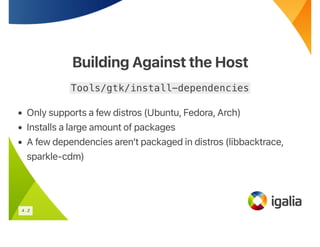
Building Against the Host
Tools/gtk/install-dependencies
• Only supports a few distros (Ubuntu, Fedora, Arch)
• Installs a large amount of packages
• A few dependencies aren’t packaged in distros (libbacktrace,
sparkle-cdm)
4 . 2
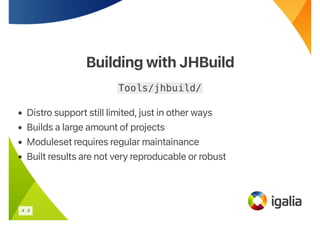
Building with JHBuild
Tools/jhbuild/
• Distro support still limited, just in other ways
• Builds a large amount of projects
• Moduleset requires regular maintainance
• Built results are not very reproducable or robust
4 . 3
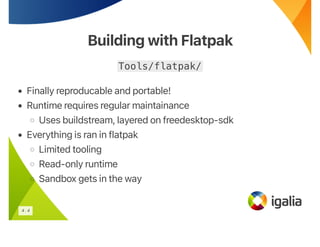
Building with Flatpak
Tools/flatpak/
• Finally reproducable and portable!
• Runtime requires regular maintainance
◦ Uses buildstream, layered on freedesktop-sdk
• Everything is ran in flatpak
◦ Limited tooling
◦ Read-only runtime
◦ Sandbox gets in the way
4 . 4
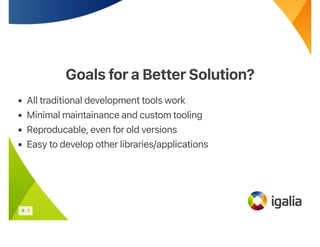
Goals fora BetterSolution?
• All traditional development tools work
• Minimal maintainance and custom tooling
• Reproducable, even for old versions
• Easy to develop other libraries/applications
5 . 1
New ContainerSDK
New ContainerSDK
Combine all of the strengths of each approach!
• Use podman for a reproducable container
• Rely on Ubuntu for base dependencies
• Use JHBuild for custom dependencies and developer tooling
5 . 2
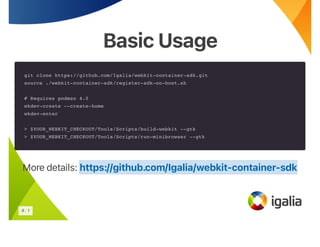
Basic Usage
Basic Usage
git clone https://github.com/Igalia/webkit-container-sdk.git
source ./webkit-container-sdk/register-sdk-on-host.sh
# Requires podman 4.0
wkdev-create --create-home
wkdev-enter
> $YOUR_WEBKIT_CHECKOUT/Tools/Scripts/build-webkit --gtk
> $YOUR_WEBKIT_CHECKOUT/Tools/Scripts/run-minibrowser --gtk
More details: https://github.com/Igalia/webkit-container-sdk
6 . 1
Host Scripts
Host Scripts
• wkdev-create - Download images and create container
• wkdev-enter - Start and open shell in containers
• wkdev-update - Recreate existing containers
• wkdev-sdk-bakery - Build images locally
• wkdev-setup-nvidia-gpu-for-container
• wkdev-start-profiling
6 . 2
ContainerScripts
ContainerScripts
• wkdev-test-host-integration
Sanity check container features
• wkdev-setup-devhelp
Add build directories to Devhelp’s path
• wkdev-setup-vscode
Install VSCode and extensions
6 . 3
Development Workflow
All expected tools work, however a reasonable recommendation:
• VSCode with extensions:
◦ clangd (llvm-vs-code-extensions.vscode-clangd)
◦ lldb (vadimcn.vscode-lldb)
◦ cmake (ms-vscode.cmake-tools)
7 . 1
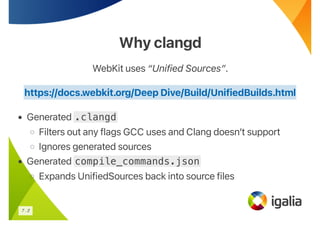
Why clangd
Why clangd
WebKit uses “Unified Sources”.
• Generated .clangd
◦ Filters out any flags GCC uses and Clang doesn’t support
◦ Ignores generated sources
• Generated compile_commands.json
◦ Expands UnifiedSources back into source files
https://docs.webkit.org/Deep Dive/Build/UnifiedBuilds.html
7 . 2
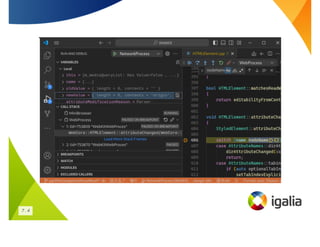
Why lldb
Why lldb
WebKit uses a lot of custom types as well as the standard library.
Provides a script for lldb which adds type information/formatting for
Strings, HashMaps, BitMasks, etc.
.vscode/launch.json
"configurations": [
...
"type": "lldb",
"initCommands": [
"command script import Tools/lldb/lldb_webkit.py"
],
...
]
7 . 3
7 . 4
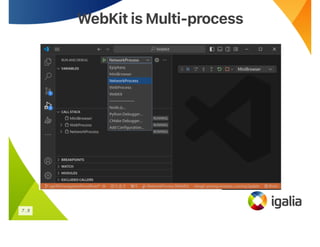
WebKit is Multi-process
7 . 5
.vscode/launch.json
"configurations": [
{
"name": "MiniBrowser",
"program": "WebKitBuild/GTK/Debug/bin/MiniBrowser",
"request": "launch",
"env": {
"LD_LIBRARY_PATH": "${workspaceFolder}/WebKitBuild/GTK/Debug/lib:${env:LD_LIBRARY_PATH}",
"WEBKIT_EXEC_PATH": "${workspaceFolder}/WebKitBuild/GTK/Debug/bin",
"WEBKIT_INJECTED_BUNDLE_PATH": "${workspaceFolder}/WebKitBuild/GTK/Debug/lib"
},
...
},
{
"name": "NetworkProcess",
"request": "attach",
"program": "WebKitBuild/GTK/Debug/bin/WebKitNetworkProcess",
...
}
]
7 . 6
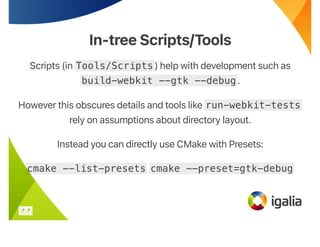
In-tree Scripts/Tools
Scripts (in Tools/Scripts) help with development such as
build-webkit --gtk --debug.
However this obscures details and tools like run-webkit-tests
rely on assumptions about directory layout.
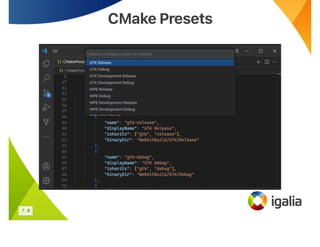
Instead you can directly use CMake with Presets:
cmake --list-presets cmake --preset=gtk-debug
7 . 7
CMake Presets
CMake Presets
7 . 8
JHBuild Integration
JHBuild Integration
7 . 9
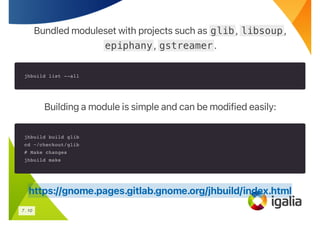
Bundled moduleset with projects such as glib, libsoup,
epiphany, gstreamer.
jhbuild list --all
Building a module is simple and can be modified easily:
jhbuild build glib
cd ~/checkout/glib
# Make changes
jhbuild make
https://gnome.pages.gitlab.gnome.org/jhbuild/index.html
7 . 10
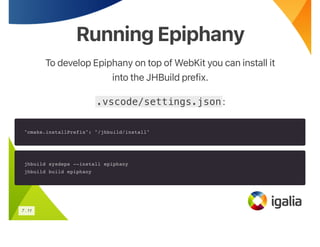
Running Epiphany
Running Epiphany
To develop Epiphany on top of WebKit you can install it
into the JHBuild prefix.
.vscode/settings.json:
"cmake.installPrefix": "/jhbuild/install"
jhbuild sysdeps --install epiphany
jhbuild build epiphany
7 . 11
Addendums
Addendums
clangd working out of the box depends on
https://github.com/WebKit/WebKit/pull/30784
8 . 1
Questions?
Questions?
Slides -
https://github.com/Igalia/webkit-container-sdk
https://notes.igalia.com/p/9LOf5le3Y
8 . 2

Developing WebKitGTK Made Easy: wkdev-sdk

  • 1.
    WebKit ContainerSDK WebKit ContainerSDK PatrickGriffis - Igalia Slides - https://notes.igalia.com/p/9LOf5le3Y 1
  • 2.
    Agenda Agenda • Pain-points ofWebKitGTK development • The many ways to build WebKit • Workflows using the new SDK 2
  • 3.
    What Makes WebKitGTKUnique? What Makes WebKitGTK Unique? • Relatively modern C++ usage ◦ clang, gcc, libstdc++, libc++ • Complex CMake usage • A lot of dependencies ◦ GNOME platform libraries, GStreamer, Decoders ◦ Build scripts using Perl, Python, and Ruby 3
  • 4.
    How to BuildWebKitGTK How to Build WebKitGTK 4 . 1
  • 5.
    Building Against theHost Building Against the Host Tools/gtk/install-dependencies • Only supports a few distros (Ubuntu, Fedora, Arch) • Installs a large amount of packages • A few dependencies aren’t packaged in distros (libbacktrace, sparkle-cdm) 4 . 2
  • 6.
    Building with JHBuild Buildingwith JHBuild Tools/jhbuild/ • Distro support still limited, just in other ways • Builds a large amount of projects • Moduleset requires regular maintainance • Built results are not very reproducable or robust 4 . 3
  • 7.
    Building with Flatpak Buildingwith Flatpak Tools/flatpak/ • Finally reproducable and portable! • Runtime requires regular maintainance ◦ Uses buildstream, layered on freedesktop-sdk • Everything is ran in flatpak ◦ Limited tooling ◦ Read-only runtime ◦ Sandbox gets in the way 4 . 4
  • 8.
    Goals fora BetterSolution? Goalsfora BetterSolution? • All traditional development tools work • Minimal maintainance and custom tooling • Reproducable, even for old versions • Easy to develop other libraries/applications 5 . 1
  • 9.
    New ContainerSDK New ContainerSDK Combineall of the strengths of each approach! • Use podman for a reproducable container • Rely on Ubuntu for base dependencies • Use JHBuild for custom dependencies and developer tooling 5 . 2
  • 10.
    Basic Usage Basic Usage gitclone https://github.com/Igalia/webkit-container-sdk.git source ./webkit-container-sdk/register-sdk-on-host.sh # Requires podman 4.0 wkdev-create --create-home wkdev-enter > $YOUR_WEBKIT_CHECKOUT/Tools/Scripts/build-webkit --gtk > $YOUR_WEBKIT_CHECKOUT/Tools/Scripts/run-minibrowser --gtk More details: https://github.com/Igalia/webkit-container-sdk 6 . 1
  • 11.
    Host Scripts Host Scripts •wkdev-create - Download images and create container • wkdev-enter - Start and open shell in containers • wkdev-update - Recreate existing containers • wkdev-sdk-bakery - Build images locally • wkdev-setup-nvidia-gpu-for-container • wkdev-start-profiling 6 . 2
  • 12.
    ContainerScripts ContainerScripts • wkdev-test-host-integration Sanity checkcontainer features • wkdev-setup-devhelp Add build directories to Devhelp’s path • wkdev-setup-vscode Install VSCode and extensions 6 . 3
  • 13.
    Development Workflow Development Workflow Allexpected tools work, however a reasonable recommendation: • VSCode with extensions: ◦ clangd (llvm-vs-code-extensions.vscode-clangd) ◦ lldb (vadimcn.vscode-lldb) ◦ cmake (ms-vscode.cmake-tools) 7 . 1
  • 14.
    Why clangd Why clangd WebKituses “Unified Sources”. • Generated .clangd ◦ Filters out any flags GCC uses and Clang doesn’t support ◦ Ignores generated sources • Generated compile_commands.json ◦ Expands UnifiedSources back into source files https://docs.webkit.org/Deep Dive/Build/UnifiedBuilds.html 7 . 2
  • 15.
    Why lldb Why lldb WebKituses a lot of custom types as well as the standard library. Provides a script for lldb which adds type information/formatting for Strings, HashMaps, BitMasks, etc. .vscode/launch.json "configurations": [ ... "type": "lldb", "initCommands": [ "command script import Tools/lldb/lldb_webkit.py" ], ... ] 7 . 3
  • 16.
  • 17.
    WebKit is Multi-process WebKitis Multi-process 7 . 5
  • 18.
    .vscode/launch.json "configurations": [ { "name": "MiniBrowser", "program":"WebKitBuild/GTK/Debug/bin/MiniBrowser", "request": "launch", "env": { "LD_LIBRARY_PATH": "${workspaceFolder}/WebKitBuild/GTK/Debug/lib:${env:LD_LIBRARY_PATH}", "WEBKIT_EXEC_PATH": "${workspaceFolder}/WebKitBuild/GTK/Debug/bin", "WEBKIT_INJECTED_BUNDLE_PATH": "${workspaceFolder}/WebKitBuild/GTK/Debug/lib" }, ... }, { "name": "NetworkProcess", "request": "attach", "program": "WebKitBuild/GTK/Debug/bin/WebKitNetworkProcess", ... } ] 7 . 6
  • 19.
    In-tree Scripts/Tools In-tree Scripts/Tools Scripts(in Tools/Scripts) help with development such as build-webkit --gtk --debug. However this obscures details and tools like run-webkit-tests rely on assumptions about directory layout. Instead you can directly use CMake with Presets: cmake --list-presets cmake --preset=gtk-debug 7 . 7
  • 20.
  • 21.
  • 22.
    Bundled moduleset withprojects such as glib, libsoup, epiphany, gstreamer. jhbuild list --all Building a module is simple and can be modified easily: jhbuild build glib cd ~/checkout/glib # Make changes jhbuild make https://gnome.pages.gitlab.gnome.org/jhbuild/index.html 7 . 10
  • 23.
    Running Epiphany Running Epiphany Todevelop Epiphany on top of WebKit you can install it into the JHBuild prefix. .vscode/settings.json: "cmake.installPrefix": "/jhbuild/install" jhbuild sysdeps --install epiphany jhbuild build epiphany 7 . 11
  • 24.
    Addendums Addendums clangd working outof the box depends on https://github.com/WebKit/WebKit/pull/30784 8 . 1
  • 25.