How many clicks to “Add a
webinar event to my calendar”
31events.com
SendtheInvite.com
Add to Calendar is Broken
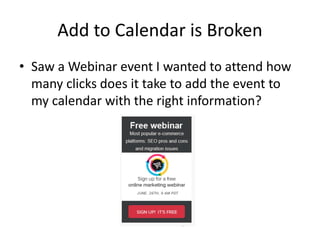
• Saw a Webinar event I wanted to attend how
many clicks does it take to add the event to
my calendar with the right information?
Lets start the “Click Points”
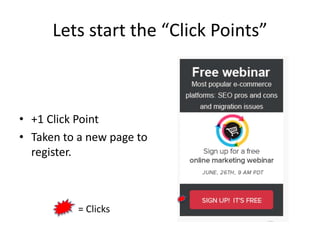
• +1 Click Point
• Taken to a new page to
register.
= Clicks
More clicks
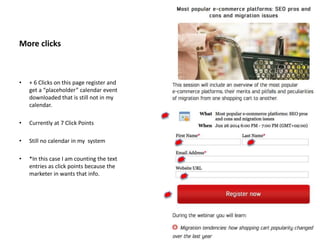
• + 6 Clicks on this page register and
get a “placeholder” calendar event
downloaded that is still not in my
calendar.
• Currently at 7 Click Points
• Still no calendar in my system
• *In this case I am counting the text
entries as click points because the
marketer in wants that info.
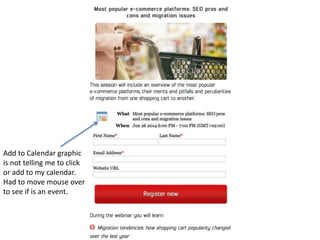
Add to Calendar graphic
is not telling me to click
or add to my calendar.
Had to move mouse over
to see if is an event.
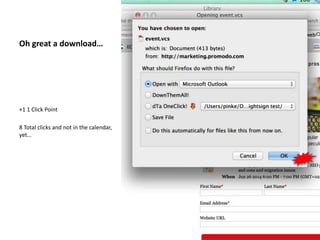
Oh great a download…
+1 1 Click Point
8 Total clicks and not in the calendar,
yet…
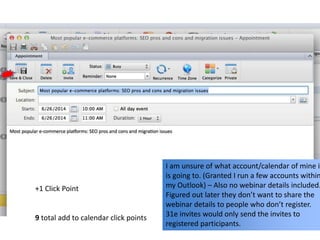
I am unsure of what account/calendar of mine it
is going to. (Granted I run a few accounts within
my Outlook) – Also no webinar details included.
Figured out later they don’t want to share the
webinar details to people who don’t register.
31e invites would only send the invites to
registered participants.
+1 Click Point
9 total add to calendar click points
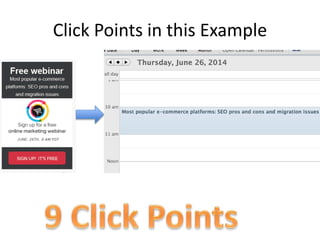
Click Points in this Example
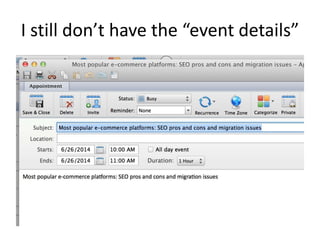
I still don’t have the “event details”
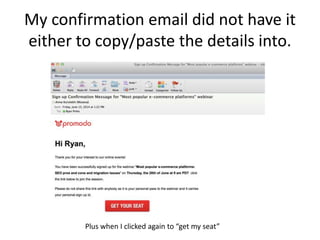
My confirmation email did not have it
either to copy/paste the details into.
Plus when I clicked again to “get my seat”
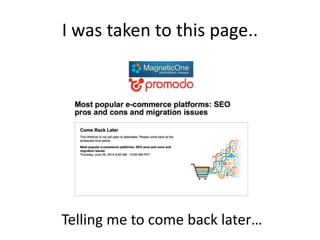
I was taken to this page..
Telling me to come back later…
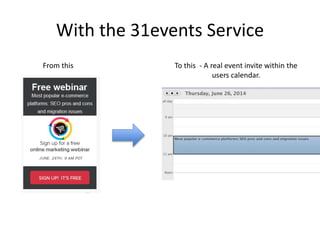
With the 31events Service
From this To this - A real event invite within the
users calendar.
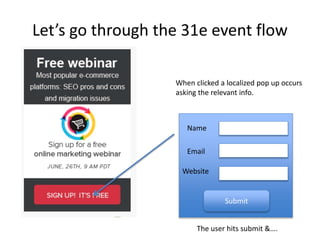
Let’s go through the 31e event flow
When clicked a localized pop up occurs
asking the relevant info.
Name
Email
Website
Submit
The user hits submit &….
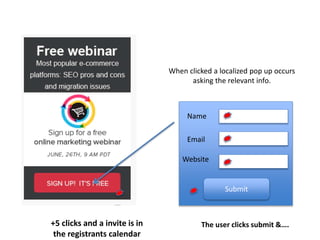
When clicked a localized pop up occurs
asking the relevant info.
Name
Email
Website
Submit
The user clicks submit &….+5 clicks and a invite is in
the registrants calendar
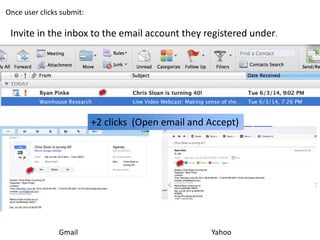
Once user clicks submit:
Invite in the inbox to the email account they registered under.
Gmail Yahoo
+2 clicks (Open email and Accept)
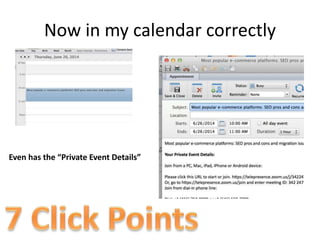
Now in my calendar correctly
Even has the “Private Event Details”
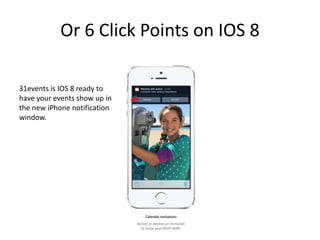
Or 6 Click Points on IOS 8
31events is IOS 8 ready to
have your events show up in
the new iPhone notification
window.
7 vs 9 Click Points – Big deal
While 7 vs 9 may not that different– it can make
a huge difference in webinar attendance with a
correctly crafted invite.
Early beta tests showed on 70% of the
registers attended. Industry norm
averages 20-25%!
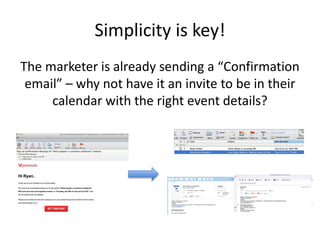
Simplicity is key!
The marketer is already sending a “Confirmation
email” – why not have it an invite to be in their
calendar with the right event details?
What if they don’t accept?
• 31/SendtheInvite allows you to monitor who
accepted, rejected and clicked tentative to
customize your email marketing to get them
to attend.
How does this increase attendance for
your event?
• Easier way to get on registrants calendar.
• Customize marketing to those that have
accepted or declined
• Event details are not hidden in email
• Set reminder notification time intervals.

Increase Webinar Attendance with 31events.com Native Calendar invites API

  • 1.
    How many clicksto “Add a webinar event to my calendar” 31events.com SendtheInvite.com
  • 2.
    Add to Calendaris Broken • Saw a Webinar event I wanted to attend how many clicks does it take to add the event to my calendar with the right information?
  • 3.
    Lets start the“Click Points” • +1 Click Point • Taken to a new page to register. = Clicks
  • 4.
    More clicks • +6 Clicks on this page register and get a “placeholder” calendar event downloaded that is still not in my calendar. • Currently at 7 Click Points • Still no calendar in my system • *In this case I am counting the text entries as click points because the marketer in wants that info.
  • 5.
    Add to Calendargraphic is not telling me to click or add to my calendar. Had to move mouse over to see if is an event.
  • 6.
    Oh great adownload… +1 1 Click Point 8 Total clicks and not in the calendar, yet…
  • 7.
    I am unsureof what account/calendar of mine it is going to. (Granted I run a few accounts within my Outlook) – Also no webinar details included. Figured out later they don’t want to share the webinar details to people who don’t register. 31e invites would only send the invites to registered participants. +1 Click Point 9 total add to calendar click points
  • 8.
    Click Points inthis Example
  • 9.
    I still don’thave the “event details”
  • 10.
    My confirmation emaildid not have it either to copy/paste the details into. Plus when I clicked again to “get my seat”
  • 11.
    I was takento this page.. Telling me to come back later…
  • 12.
    With the 31eventsService From this To this - A real event invite within the users calendar.
  • 13.
    Let’s go throughthe 31e event flow When clicked a localized pop up occurs asking the relevant info. Name Email Website Submit The user hits submit &….
  • 14.
    When clicked alocalized pop up occurs asking the relevant info. Name Email Website Submit The user clicks submit &….+5 clicks and a invite is in the registrants calendar
  • 15.
    Once user clickssubmit: Invite in the inbox to the email account they registered under. Gmail Yahoo +2 clicks (Open email and Accept)
  • 16.
    Now in mycalendar correctly Even has the “Private Event Details”
  • 17.
    Or 6 ClickPoints on IOS 8 31events is IOS 8 ready to have your events show up in the new iPhone notification window.
  • 18.
    7 vs 9Click Points – Big deal While 7 vs 9 may not that different– it can make a huge difference in webinar attendance with a correctly crafted invite. Early beta tests showed on 70% of the registers attended. Industry norm averages 20-25%!
  • 19.
    Simplicity is key! Themarketer is already sending a “Confirmation email” – why not have it an invite to be in their calendar with the right event details?
  • 20.
    What if theydon’t accept? • 31/SendtheInvite allows you to monitor who accepted, rejected and clicked tentative to customize your email marketing to get them to attend.
  • 21.
    How does thisincrease attendance for your event? • Easier way to get on registrants calendar. • Customize marketing to those that have accepted or declined • Event details are not hidden in email • Set reminder notification time intervals.

Editor's Notes

  • #6 Clicked – new window opened taken to this page http://lp.promodo.com/webinar/announcement/?utm_source=promodo&utm_medium=banner-blog&utm_campaign=webinar-defaullt