

Web Usability


Ivan Dulnyavka
ivand@devcom.com
Audience


Website owners

Web developers


                 2
Contents
  1. What & Why?

  2. Statistics

  3. Web Usability

  4. Mobile Web Usability

  5. Useful links

  6. Q&A


                            3
1. What & Why?

                           What is usability?
Usability is the ease of use and learnability
of a human-made object.
Wikipedia


                                4
1. What & Why?

              Why it’s so important?


                                           $
Online shops lose ~50% of customers who just cannot
find a product

~40% of customers never visit a website where they
have experienced inconvenience or even frustration.


                             5
1. What & Why?

                            What can we do?


                                            $
Spending 10% of your development budget on usability
should improve your conversion rate by 83%.
                                           Jakob Nielsen, 2008


Each $1 invested in usability returns $10-100!


                              6
1. What & Why?


                                                             $
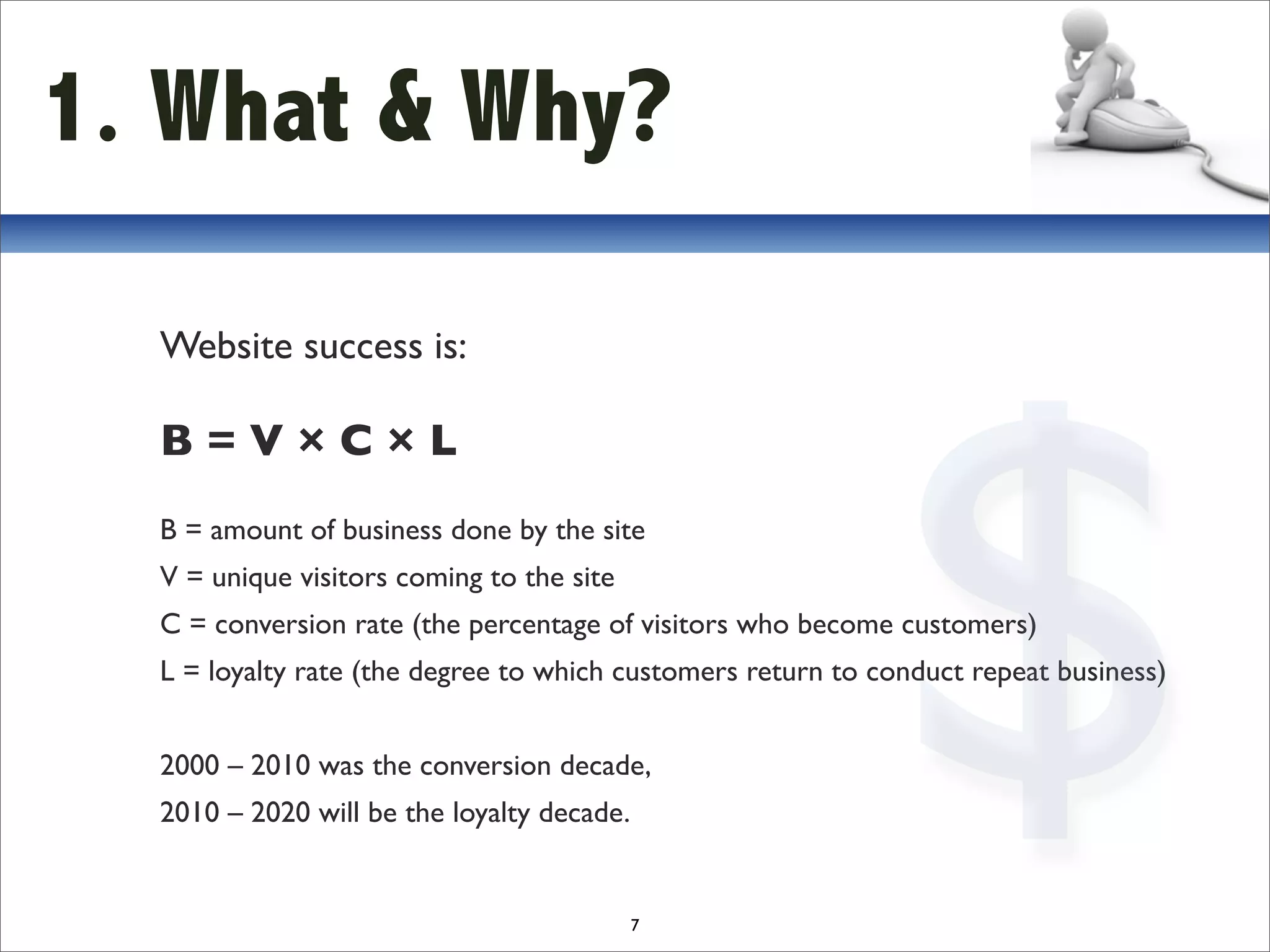
  Website success is:

  B=V×C×L
  B = amount of business done by the site
  V = unique visitors coming to the site
  C = conversion rate (the percentage of visitors who become customers)
  L = loyalty rate (the degree to which customers return to conduct repeat business)


  2000 – 2010 was the conversion decade,
  2010 – 2020 will be the loyalty decade.


                                            7
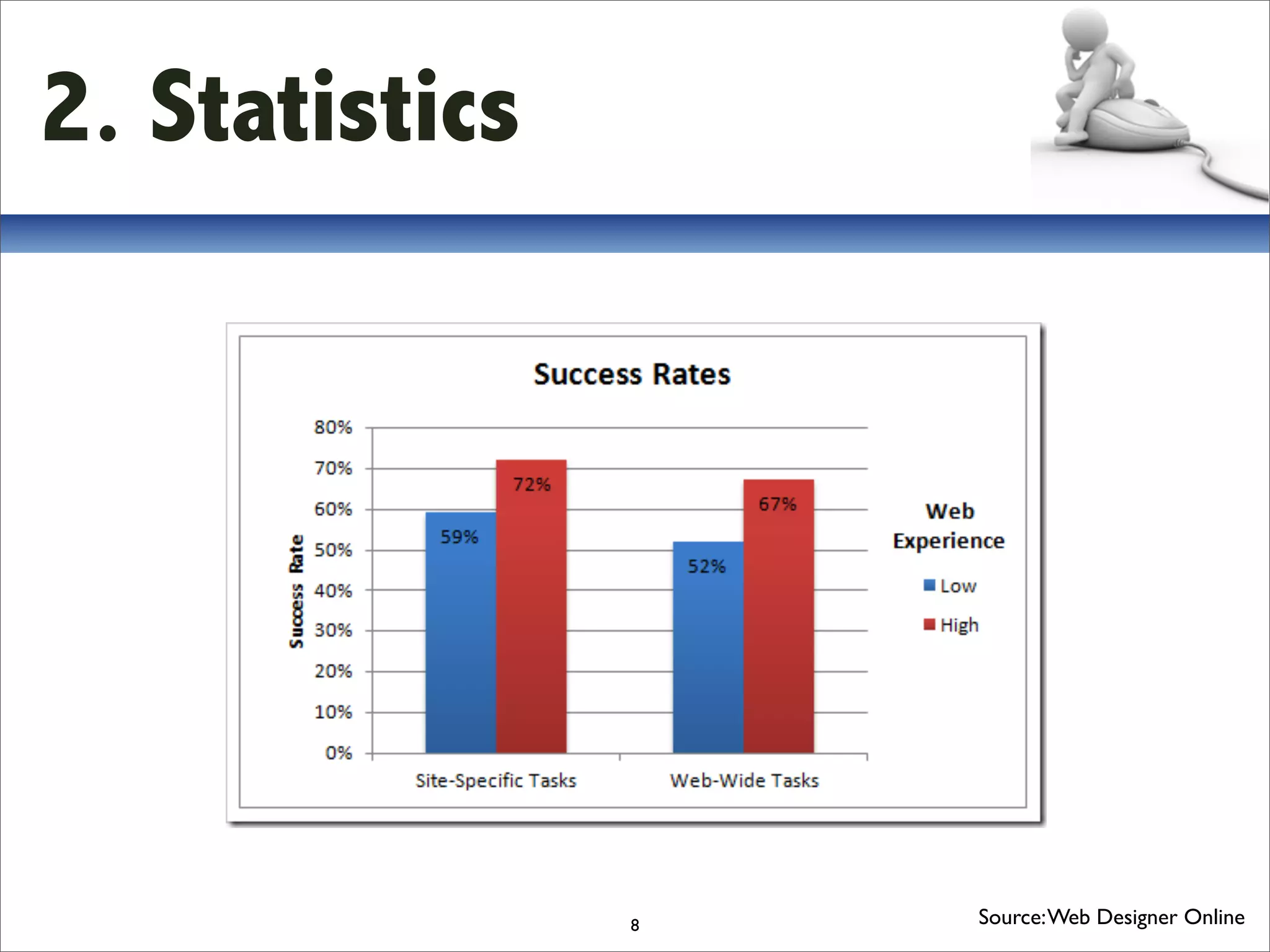
2. Statistics


                8   Source: Web Designer Online
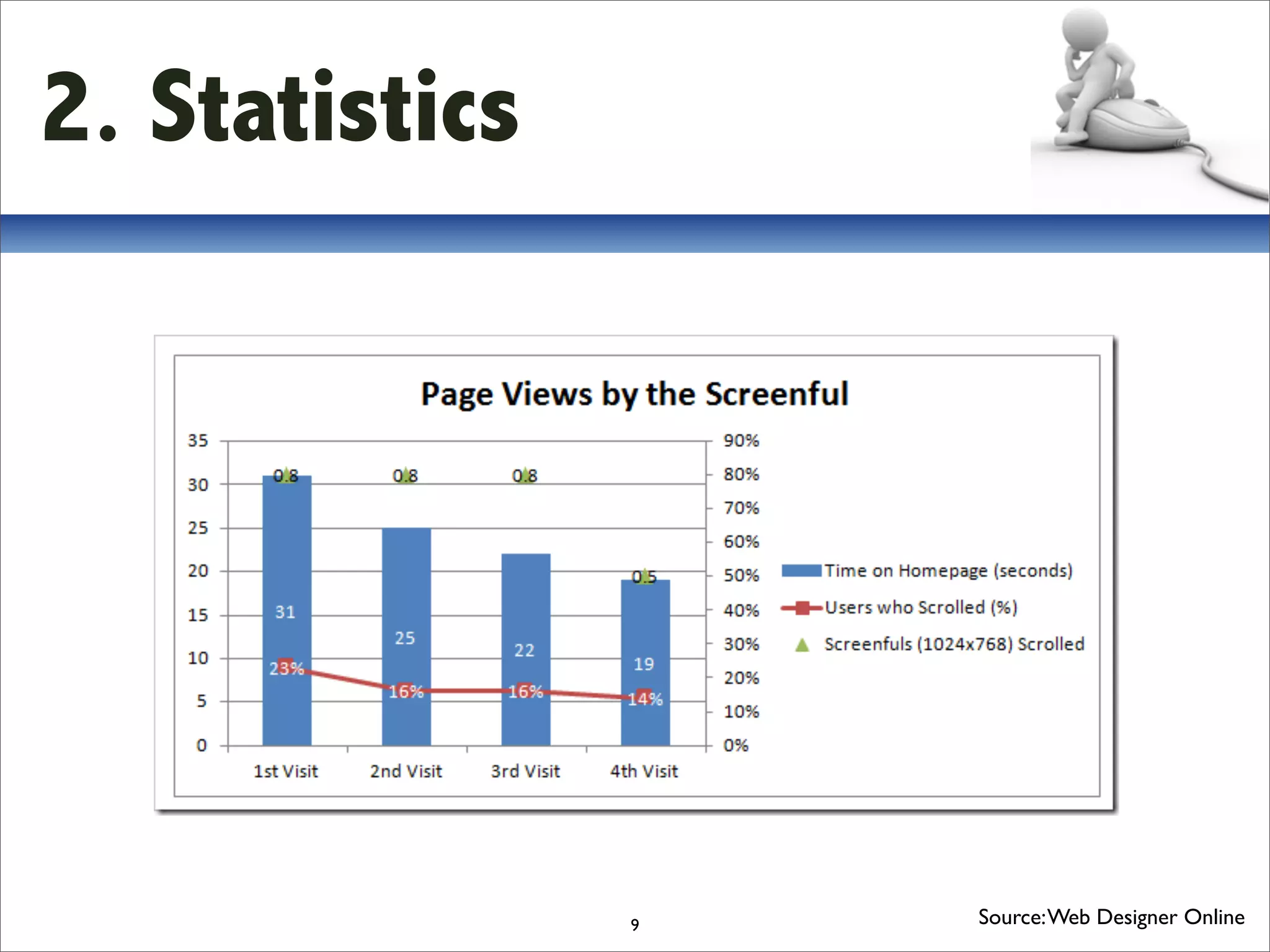
2. Statistics


                9   Source: Web Designer Online
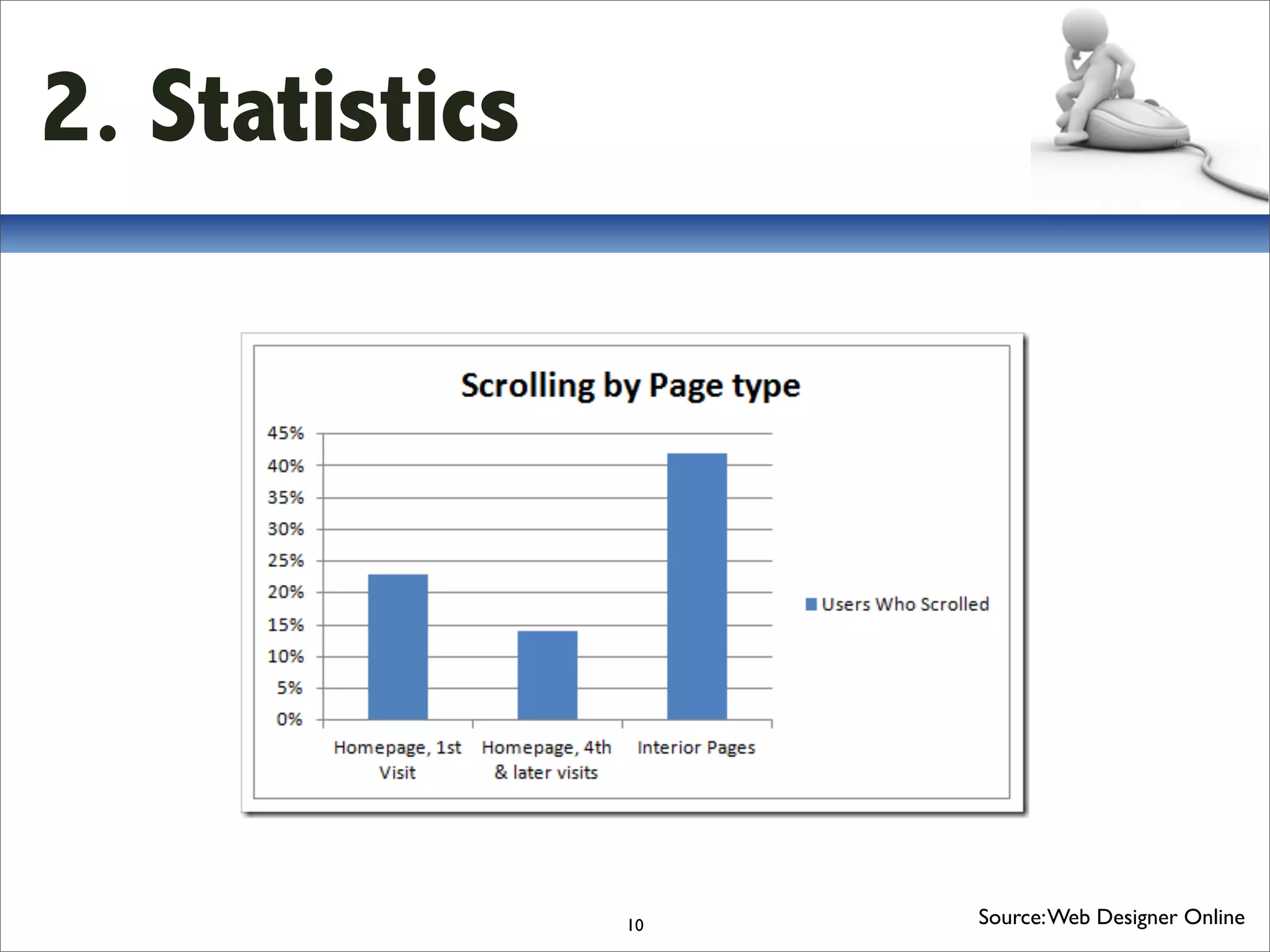
2. Statistics


                10   Source: Web Designer Online
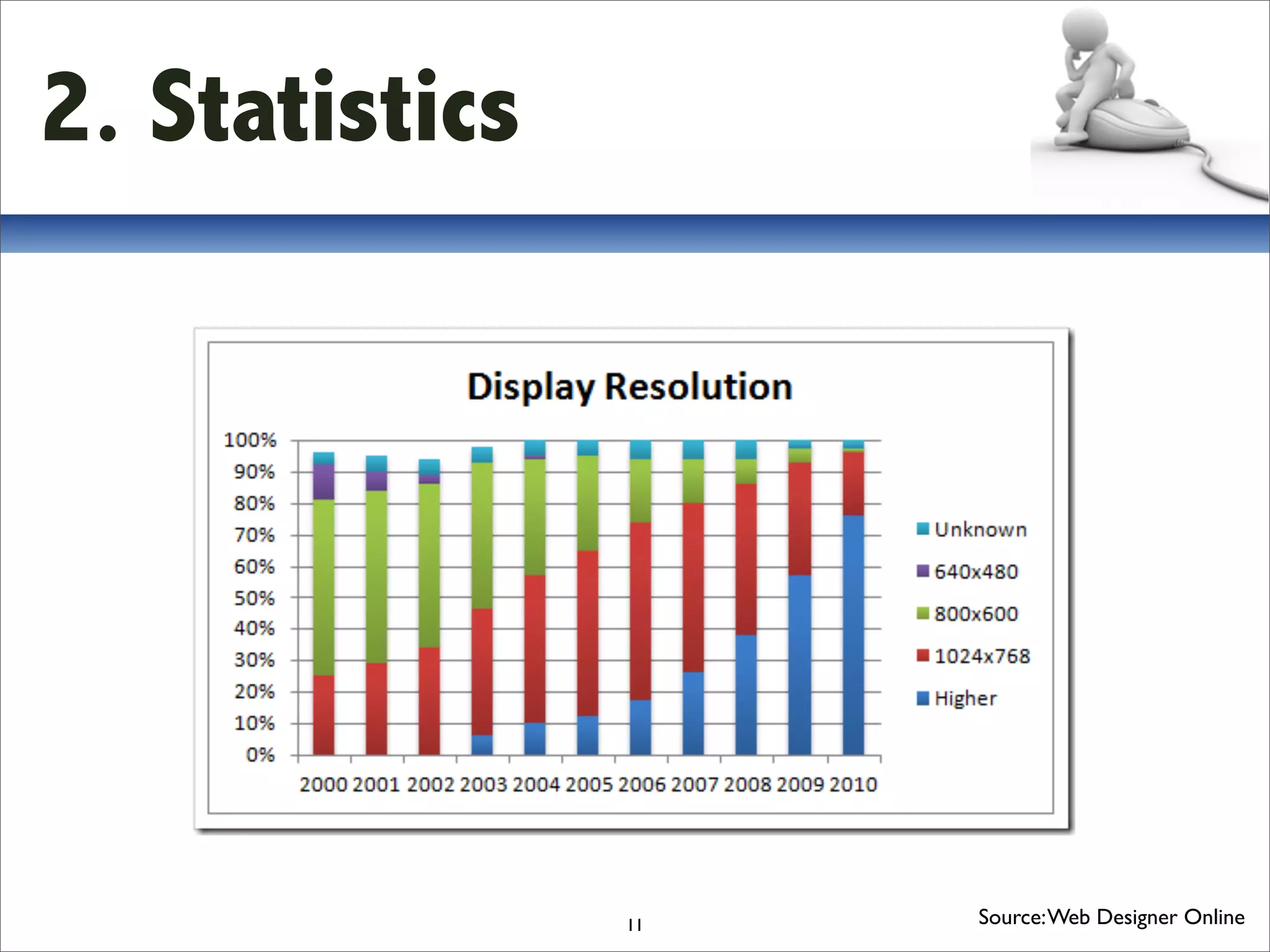
2. Statistics


                11   Source: Web Designer Online
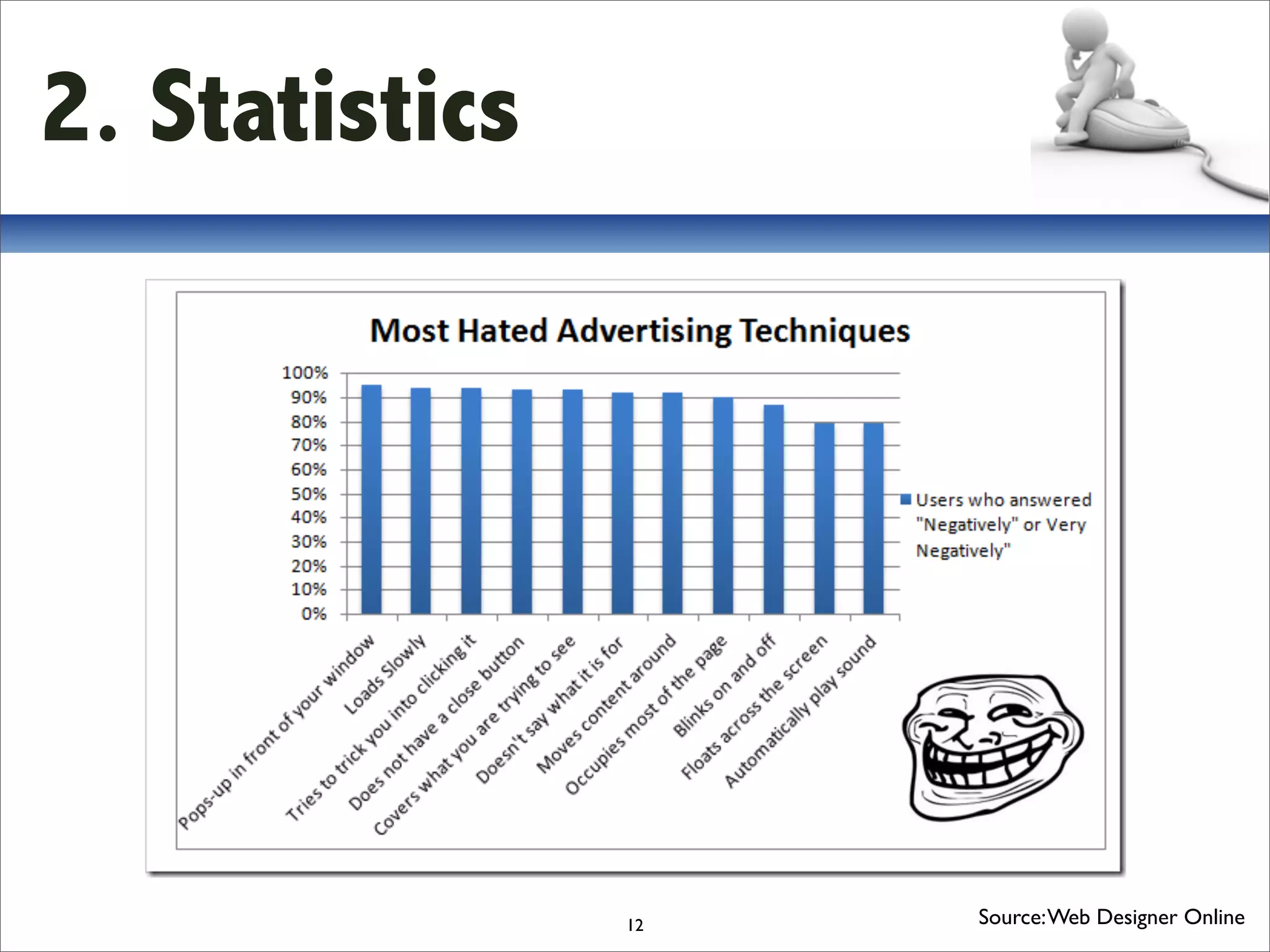
2. Statistics


                12   Source: Web Designer Online
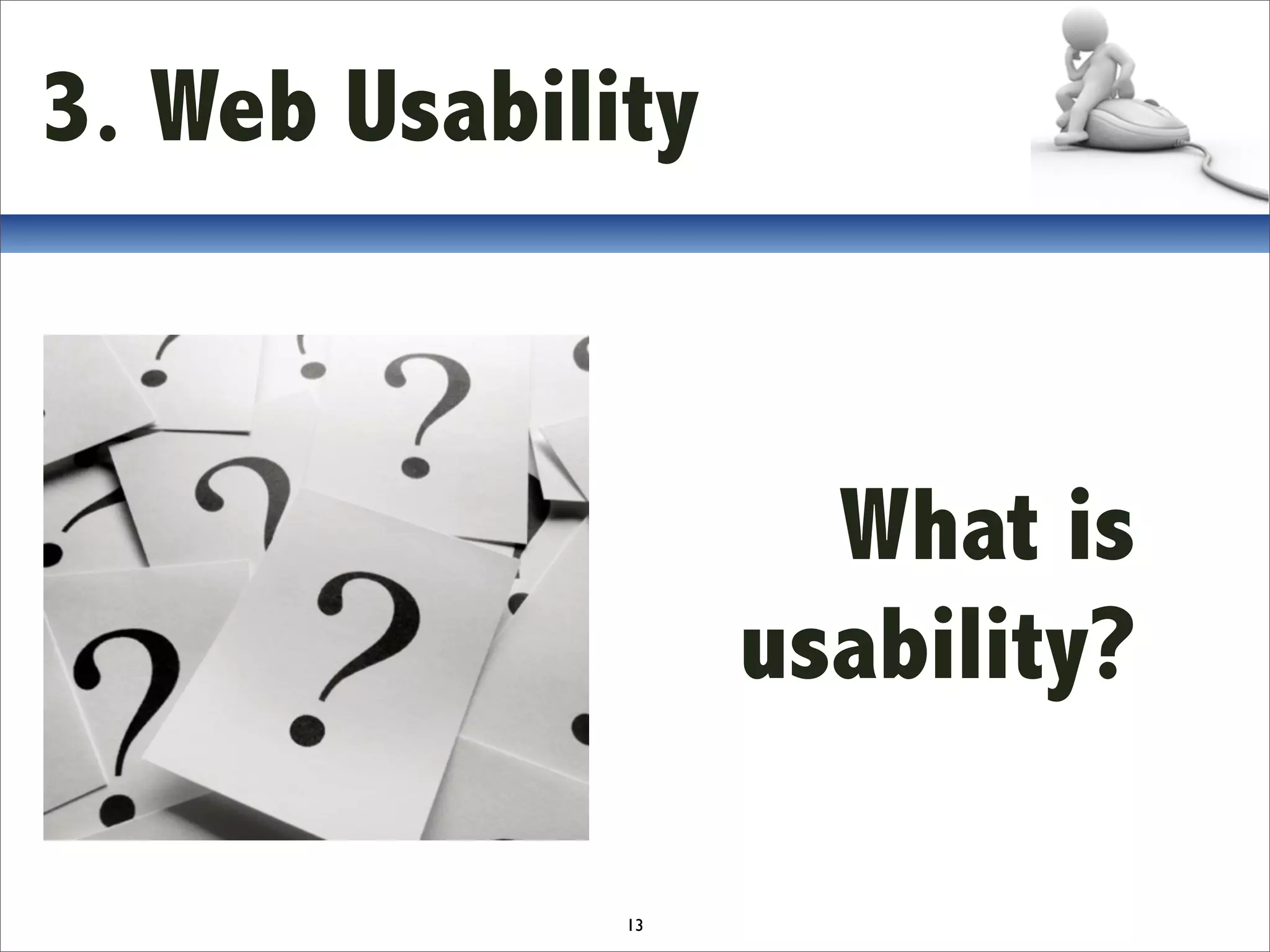
3. Web Usability


                     What is
                   usability?

              13
3. Web Usability

  5 Usability Components

  1. Learnability
  2. Efficiency
  3. Memorability
  4. Errors
  5. Satisfaction


                    14
3. Web Usability


                                                 €
Good usability:
• Increased users conversion and loyalty (=sales)
Bad usability:
• If user starts thinking he'll leave the site


                                 15
3. Web Usability


                 How to build
               site with good
                    usability?
              16
3. Web Usability
  Define the target
  Who is this for?
  Design
  Build
  Test


                     17
3. Web Usability
25-point Checklist

Accessibility Rating Comments

1. Site load‐time is reasonable
2. Adequate text‐to‐background contrast
3. Font size/spacing is easy to read
4. Flash & add‐ons are used sparingly
5. Images have appropriate ALT tags
6. Site has custom not‐found/404 page
                           18
3. Web Usability
25-point Checklist

Identity

7. Company logo is prominently placed
8. Tagline makes company’s purpose clear
9. Home‐page is digestible in 5 seconds
10. Clear path to company information
11. Clear path to contact information

                            19
3. Web Usability
25-point Checklist

Navigation

12. Main navigation is easily identifiable
13. Navigation labels are clear & concise
14. Number of buttons/links is reasonable
15. Company logo is linked to home‐page
16. Links are consistent & easy to identify
17. Site search is easy to access
                             20
3. Web Usability
25-point Checklist
Content
18. Major headings are clear & descriptive
19. Critical content is above the “fold”
20. Styles & colors are consistent
21. Emphasis (bold, etc.) is used sparingly
22. Ads & pop‐ups are unobtrusive
23. Main copy is concise & explanatory
24. URLs are meaningful & user‐friendly
25. HTML page titles are explanatory
                              21
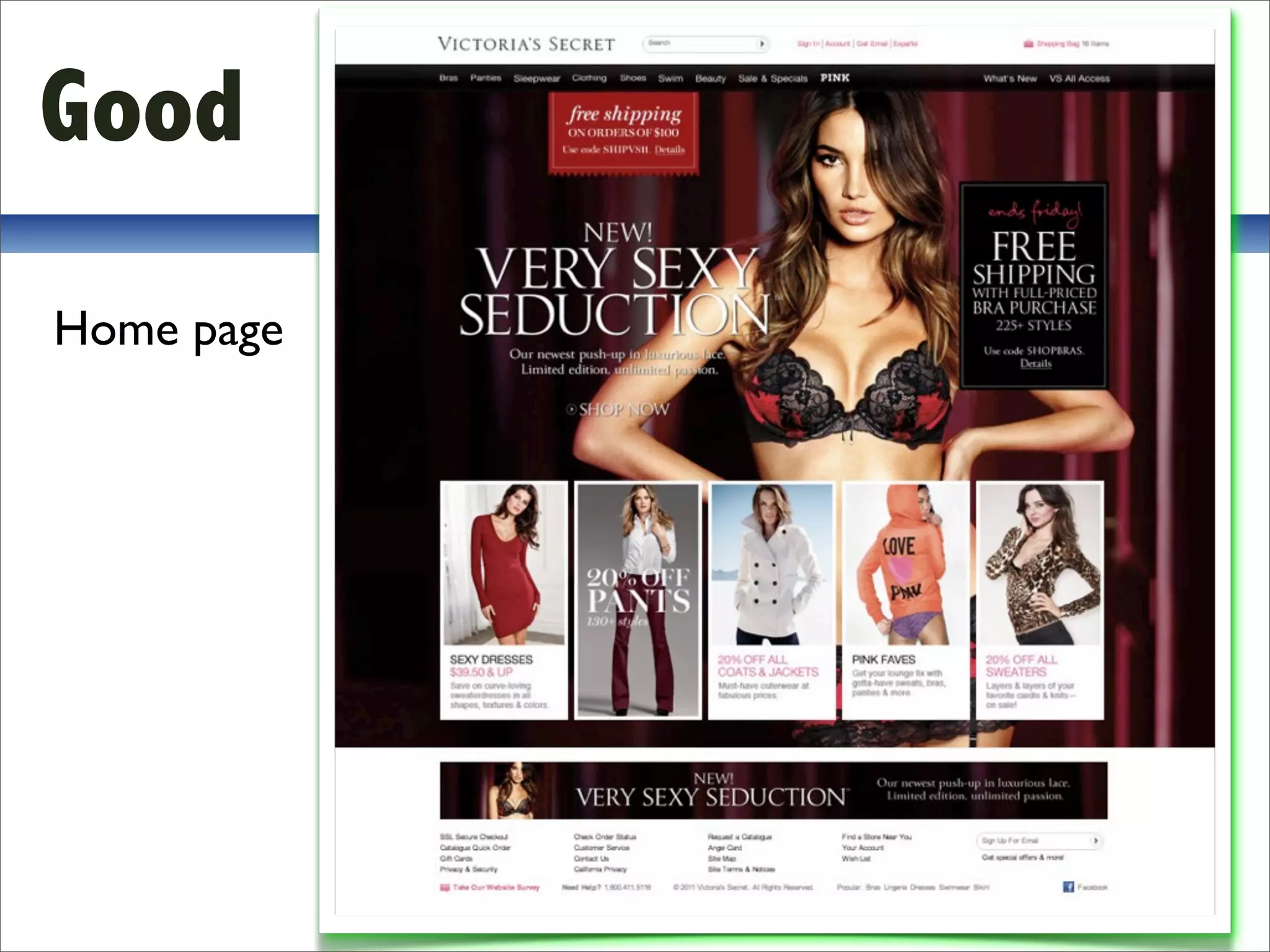
Good
Home page


            22
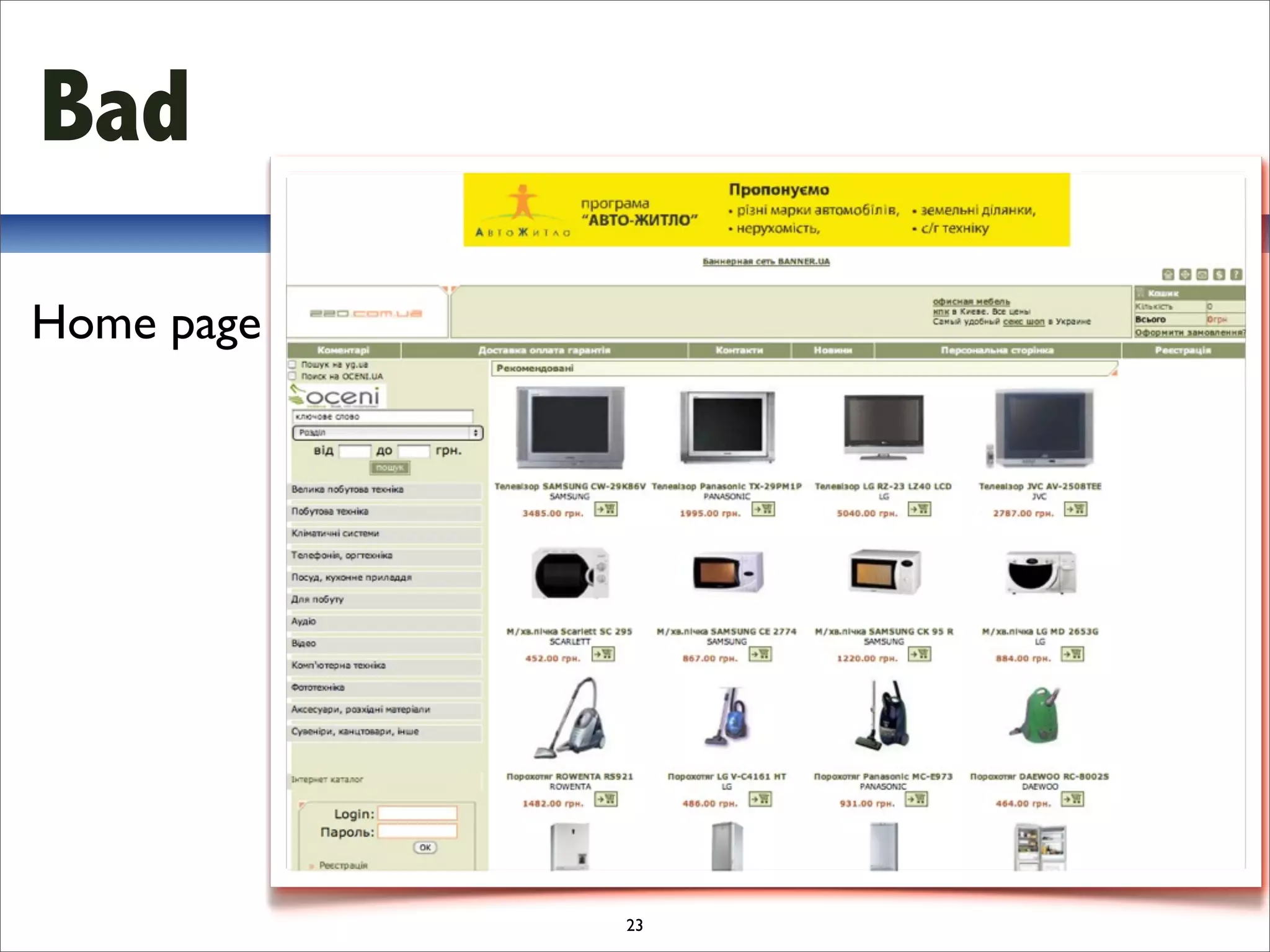
Bad
Home page


            23
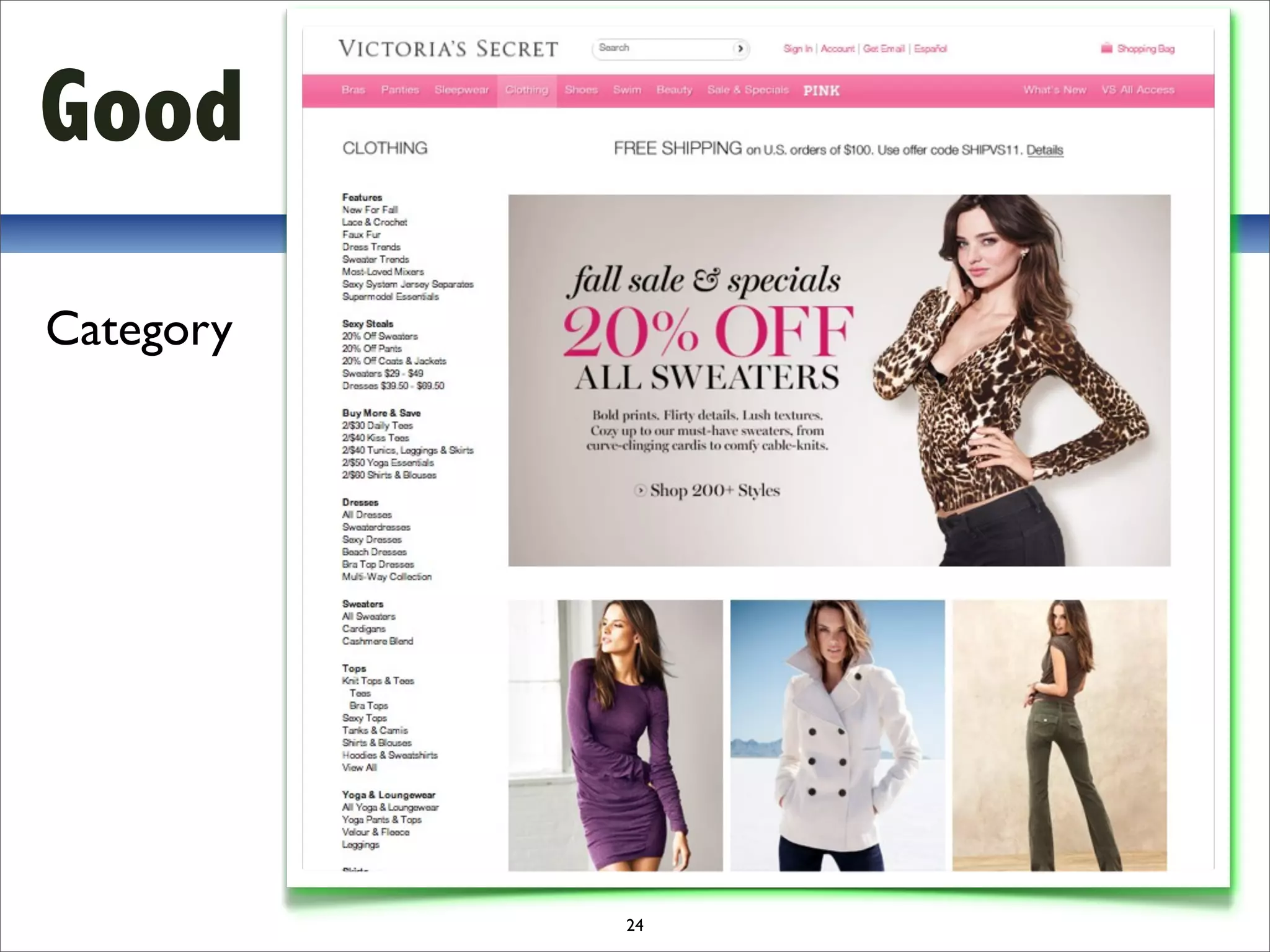
Good
Category


           24
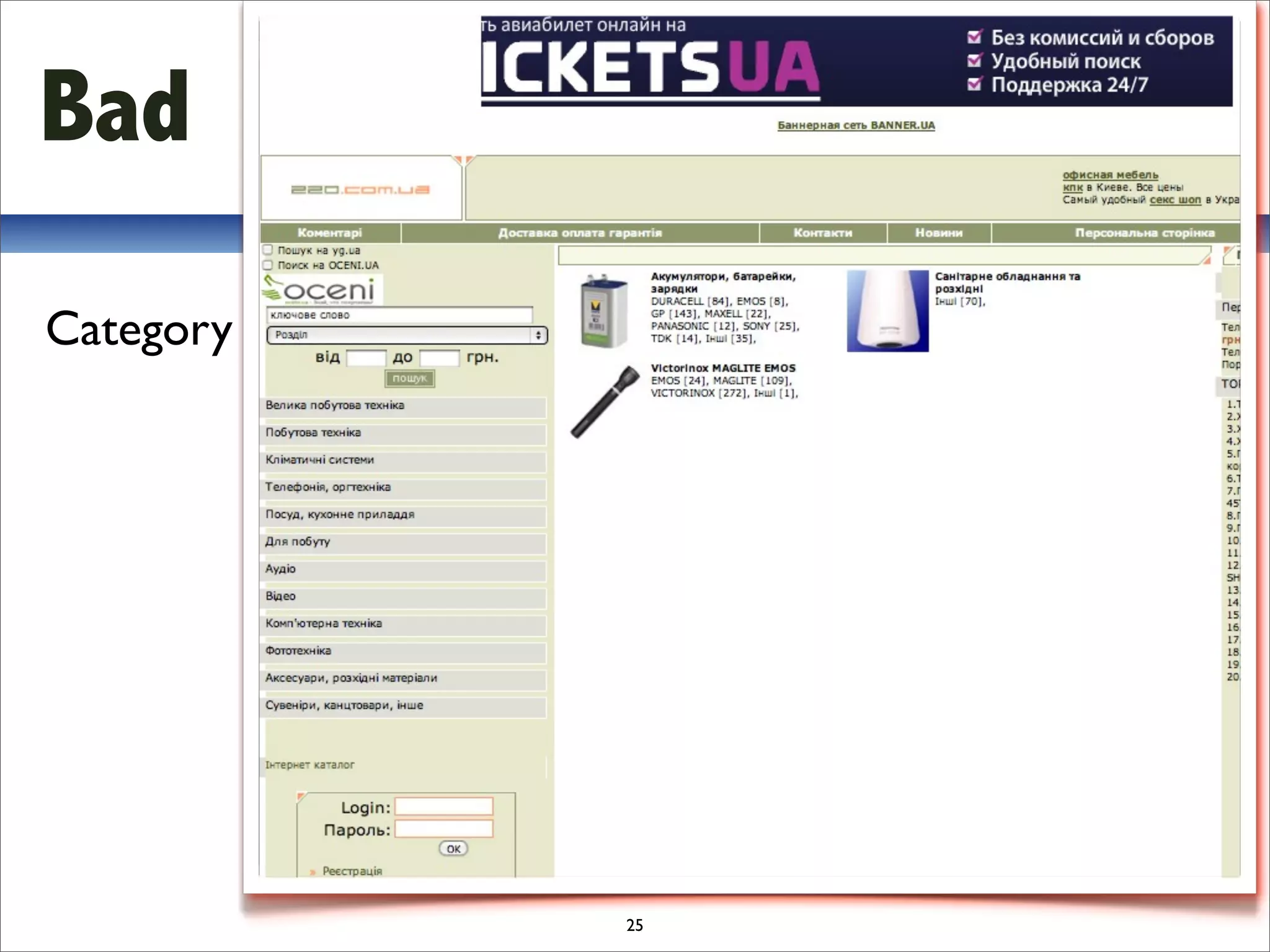
Bad
Category


           25
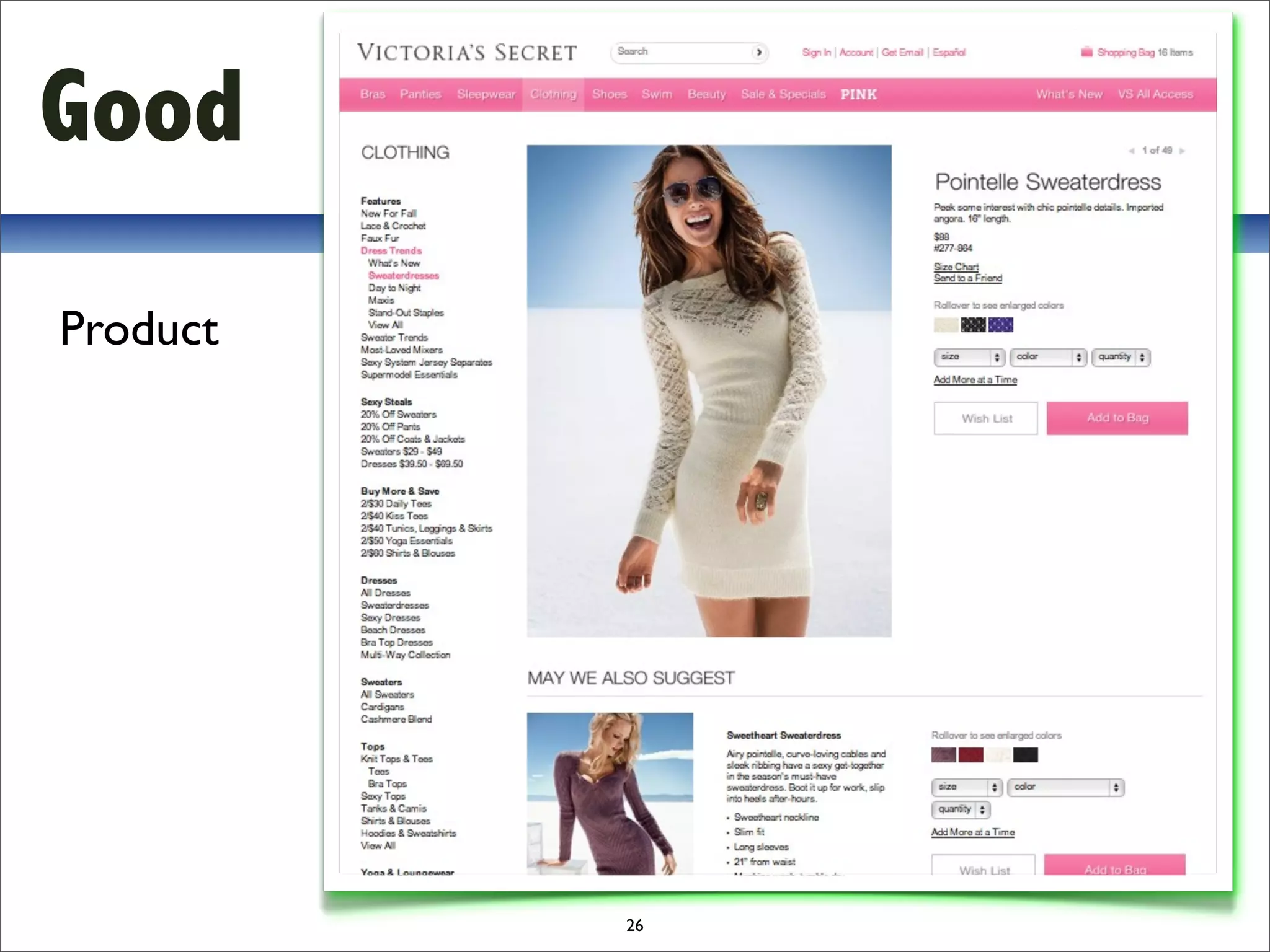
Good
Product


          26
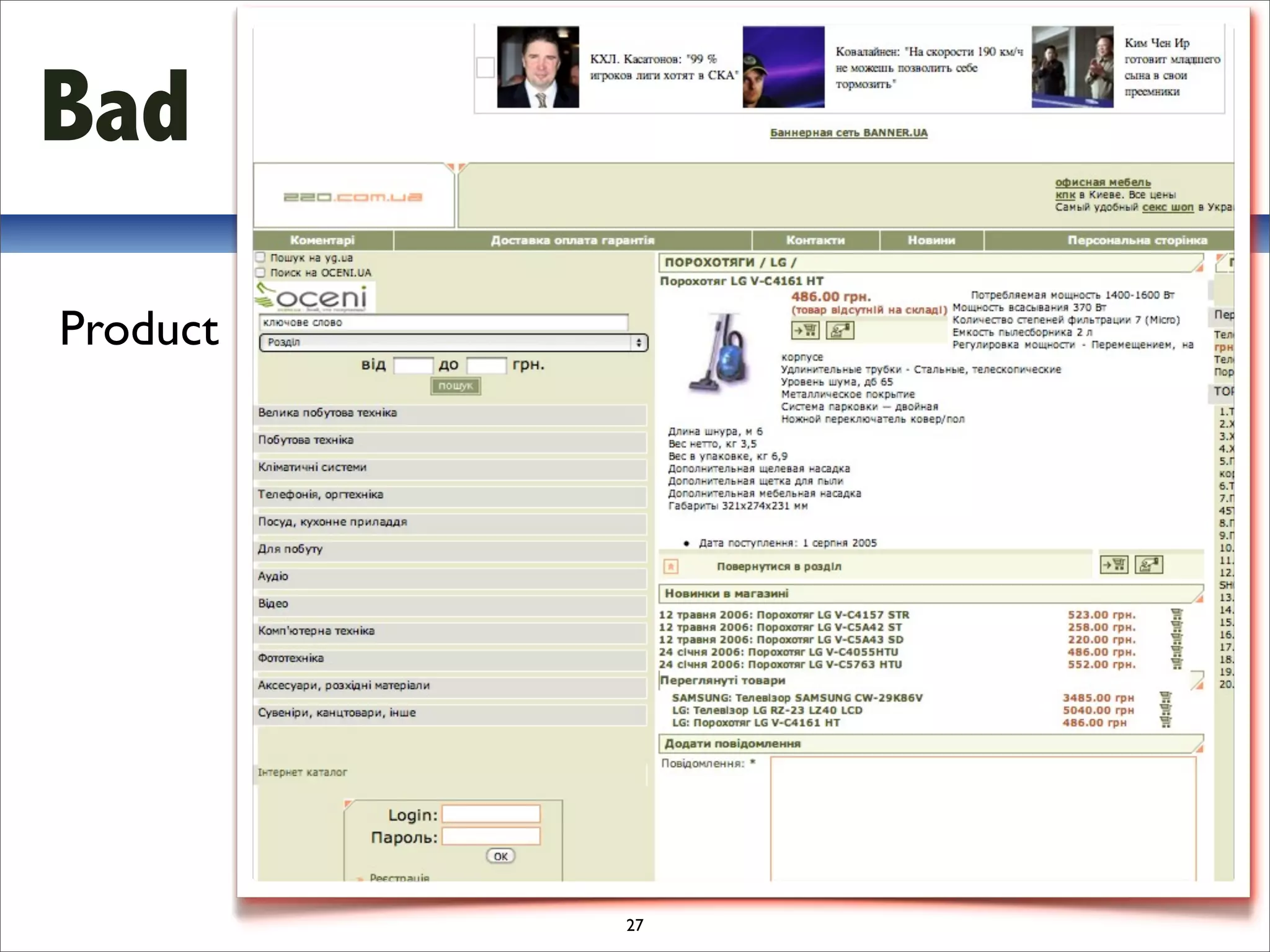
Bad
Product


          27
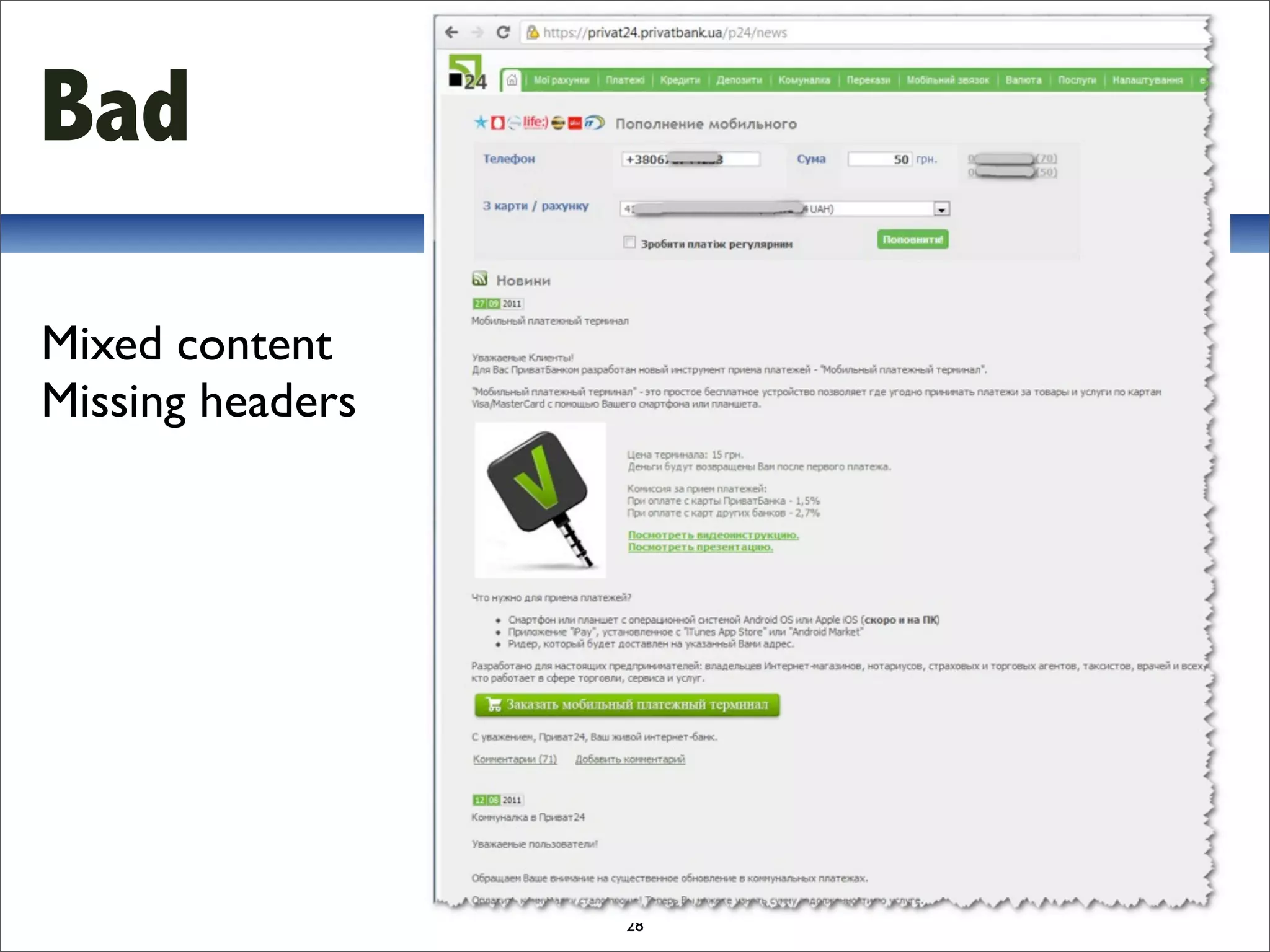
Bad

Mixed content
Missing headers


                  28
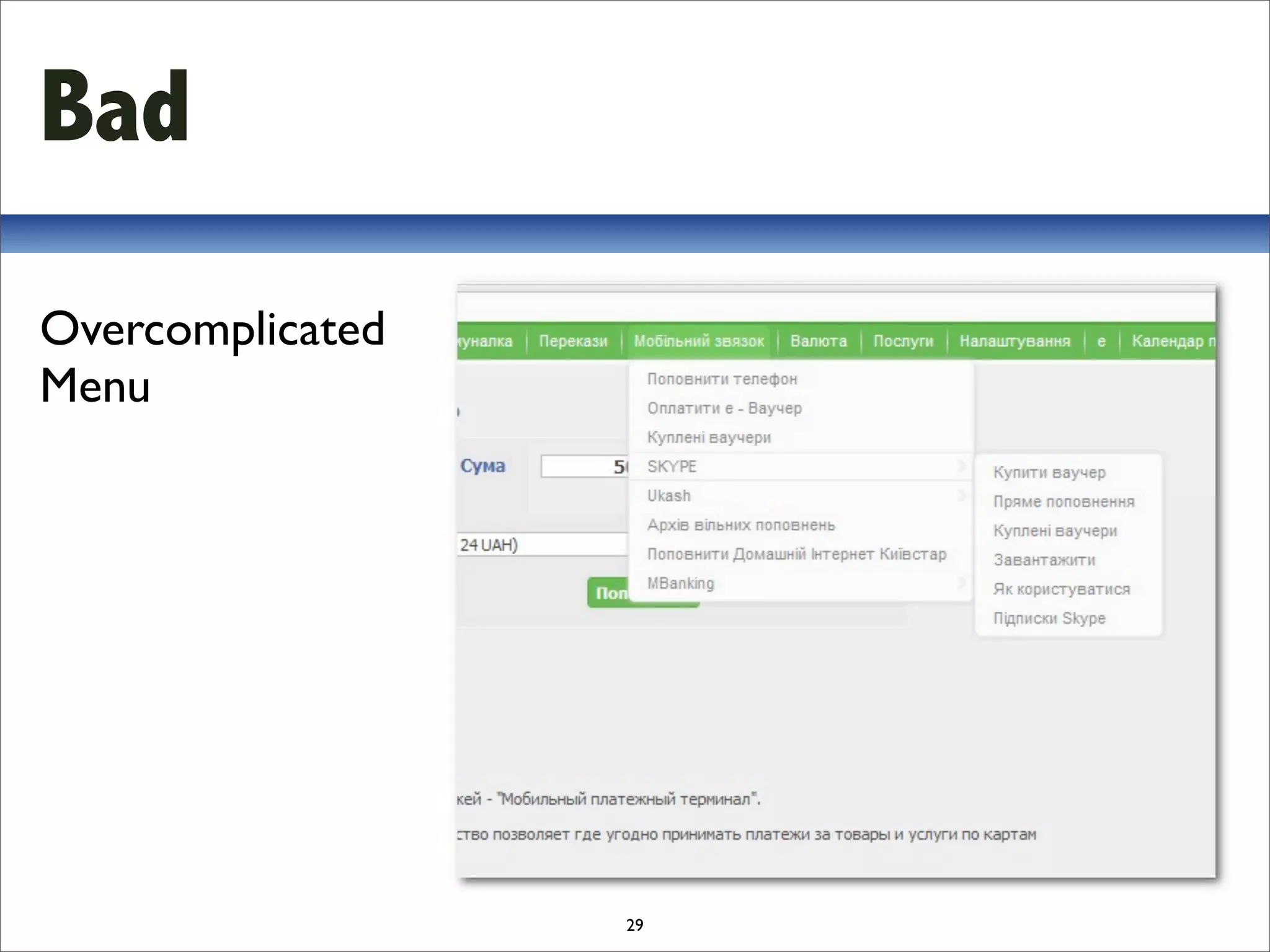
Bad
Overcomplicated
Menu


                  29
3. Web Usability

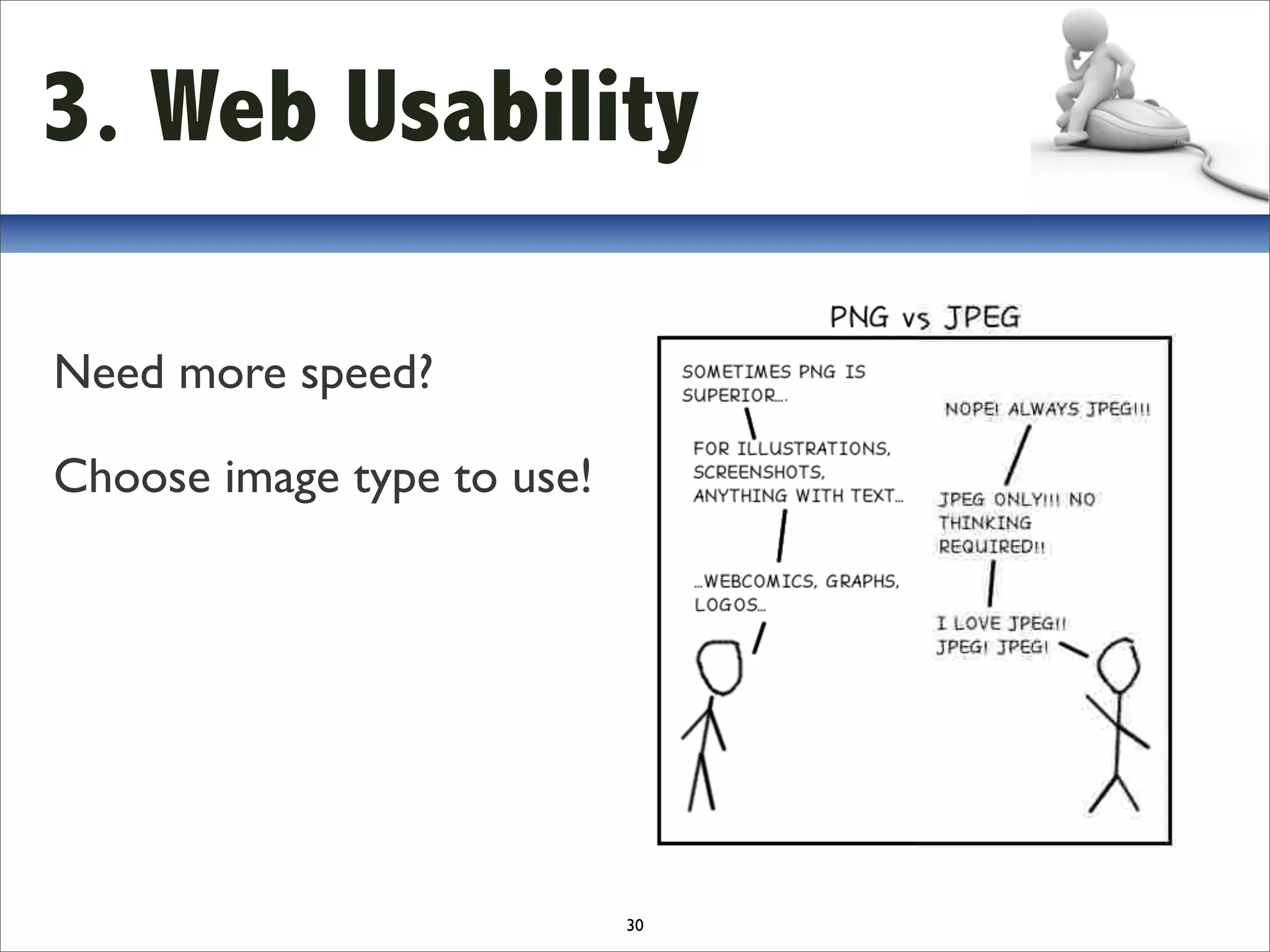
Need more speed?

Choose image type to use!


                            30
3. Web Usability


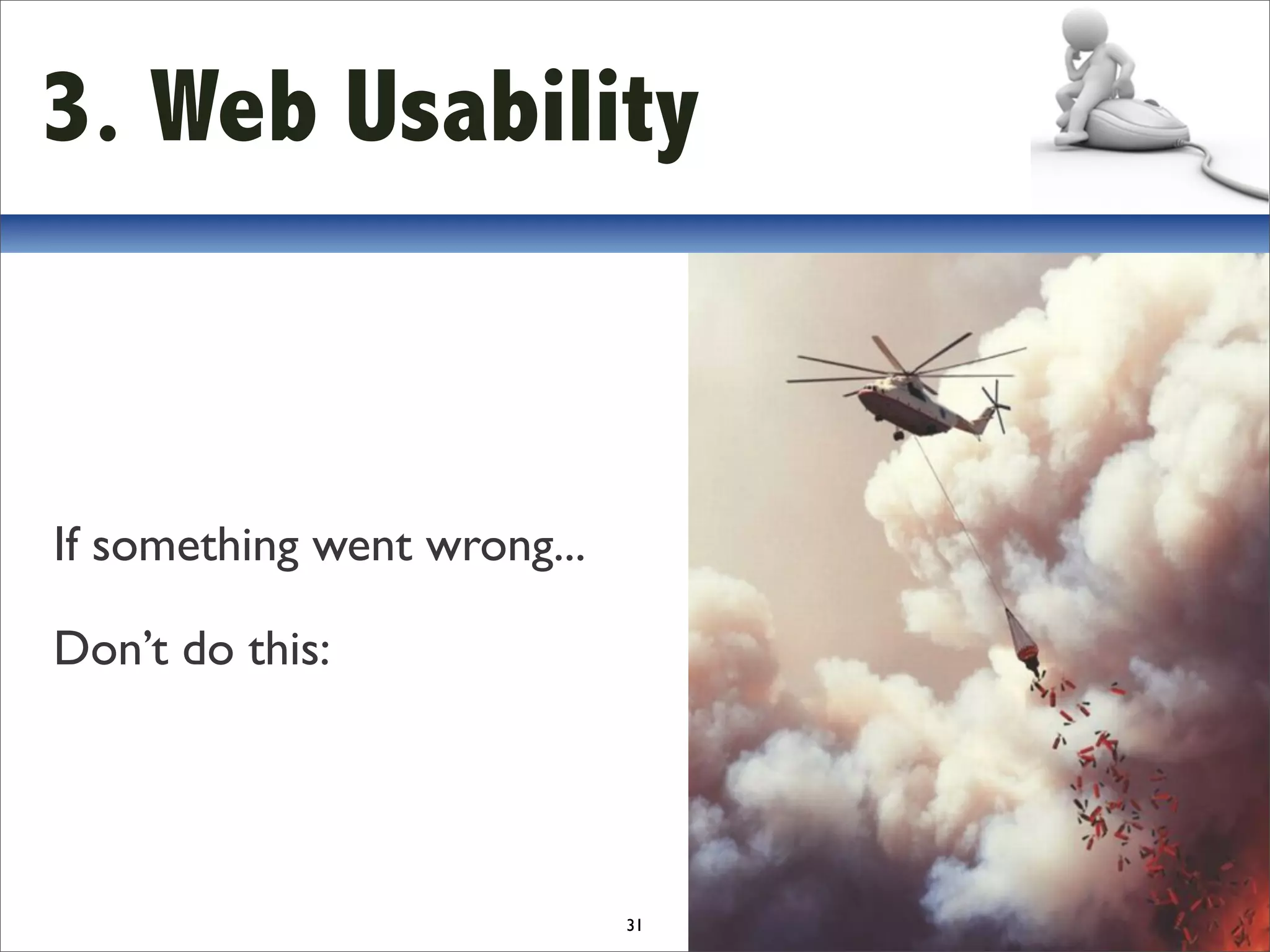
If something went wrong...

Don’t do this:


                             31
4. Mobile Web Usability
The basics
• Reduce the amount of content
• Single column layouts work best
• Present that navigation differently
• Minimise text entry
• Decide whether you need more than 1 mobile site
• Design for touchscreen and non-touchscreen users
• Take advantage of inbuilt functionality
                            32
4. Mobile Web Usability

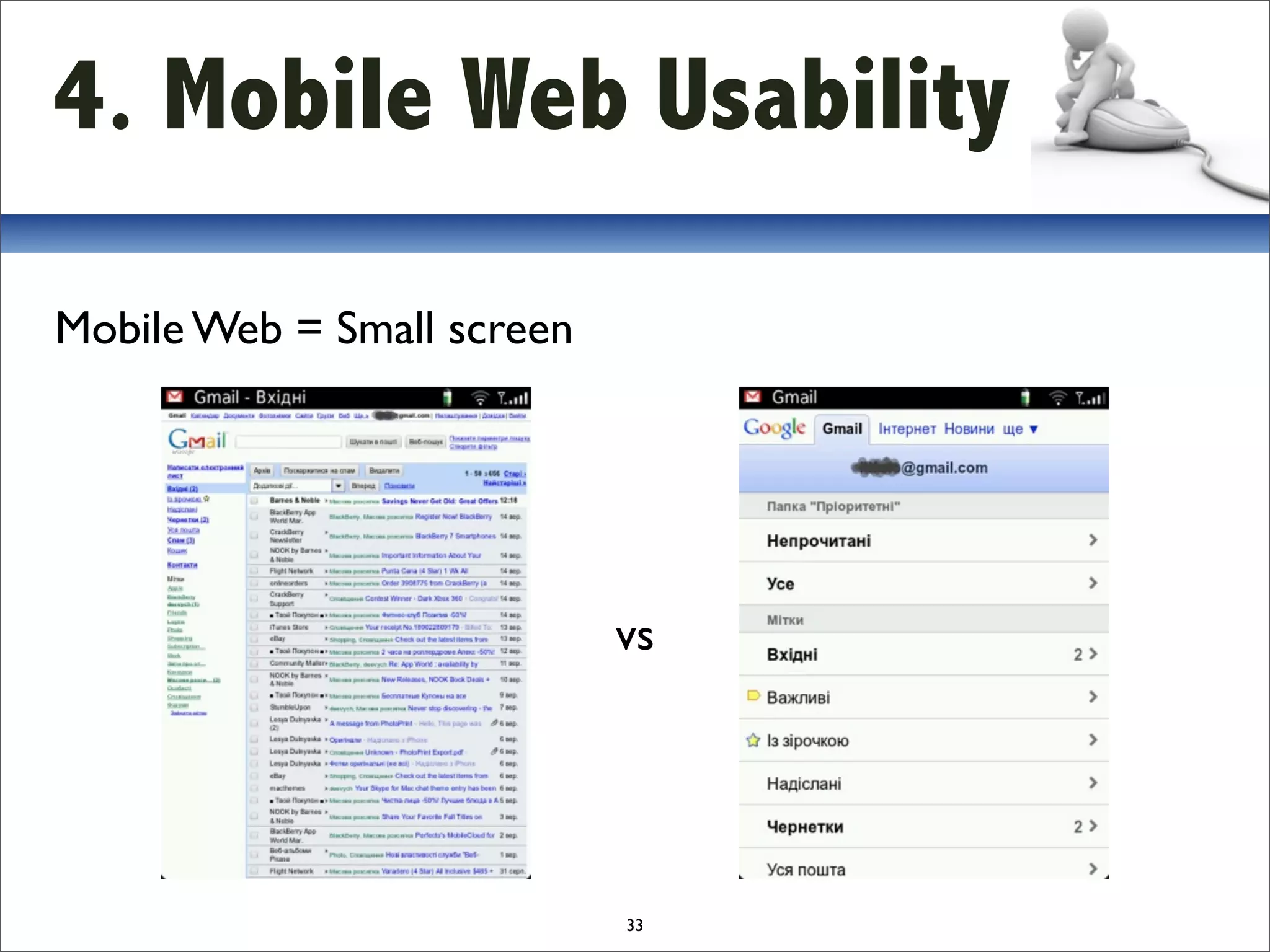
Mobile Web = Small screen


                            vs


                            33
5. Useful links
•   Global mobile statistics 2011

•   Jakob Nielsen's Alertbox

•   Стив Круг. Веб-дизайн: или `не заставляйте меня думать!`
    Don't Make Me Think: A Common Sense Approach to Web Usability

•   Якоб Нильсен. Веб-дизайн
    Designing Web Usability. The Practice of Simplicity

•   25‐point Website Usability Checklist

•   113 правил Usability 

•   22 Essential Tools for Testing Your Website’s Usability

•   Google Page Speed Online


                                                          34
6. Q&A


         35
Contact :
ivand@devcom.com

Дульнявка Іван Web usability

  • 1.
  • 2.
  • 3.
    Contents 1.What & Why? 2. Statistics 3. Web Usability 4. Mobile Web Usability 5. Useful links 6. Q&A 3
  • 4.
    1. What &Why? What is usability? Usability is the ease of use and learnability of a human-made object. Wikipedia 4
  • 5.
    1. What &Why? Why it’s so important? $ Online shops lose ~50% of customers who just cannot find a product ~40% of customers never visit a website where they have experienced inconvenience or even frustration. 5
  • 6.
    1. What &Why? What can we do? $ Spending 10% of your development budget on usability should improve your conversion rate by 83%. Jakob Nielsen, 2008 Each $1 invested in usability returns $10-100! 6
  • 7.
    1. What &Why? $ Website success is: B=V×C×L B = amount of business done by the site V = unique visitors coming to the site C = conversion rate (the percentage of visitors who become customers) L = loyalty rate (the degree to which customers return to conduct repeat business) 2000 – 2010 was the conversion decade, 2010 – 2020 will be the loyalty decade. 7
  • 8.
    2. Statistics 8 Source: Web Designer Online
  • 9.
    2. Statistics 9 Source: Web Designer Online
  • 10.
    2. Statistics 10 Source: Web Designer Online
  • 11.
    2. Statistics 11 Source: Web Designer Online
  • 12.
    2. Statistics 12 Source: Web Designer Online
  • 13.
    3. Web Usability What is usability? 13
  • 14.
    3. Web Usability 5 Usability Components 1. Learnability 2. Efficiency 3. Memorability 4. Errors 5. Satisfaction 14
  • 15.
    3. Web Usability € Good usability: • Increased users conversion and loyalty (=sales) Bad usability: • If user starts thinking he'll leave the site 15
  • 16.
    3. Web Usability How to build site with good usability? 16
  • 17.
    3. Web Usability Define the target Who is this for? Design Build Test 17
  • 18.
    3. Web Usability 25-pointChecklist Accessibility Rating Comments 1. Site load‐time is reasonable 2. Adequate text‐to‐background contrast 3. Font size/spacing is easy to read 4. Flash & add‐ons are used sparingly 5. Images have appropriate ALT tags 6. Site has custom not‐found/404 page 18
  • 19.
    3. Web Usability 25-pointChecklist Identity 7. Company logo is prominently placed 8. Tagline makes company’s purpose clear 9. Home‐page is digestible in 5 seconds 10. Clear path to company information 11. Clear path to contact information 19
  • 20.
    3. Web Usability 25-pointChecklist Navigation 12. Main navigation is easily identifiable 13. Navigation labels are clear & concise 14. Number of buttons/links is reasonable 15. Company logo is linked to home‐page 16. Links are consistent & easy to identify 17. Site search is easy to access 20
  • 21.
    3. Web Usability 25-pointChecklist Content 18. Major headings are clear & descriptive 19. Critical content is above the “fold” 20. Styles & colors are consistent 21. Emphasis (bold, etc.) is used sparingly 22. Ads & pop‐ups are unobtrusive 23. Main copy is concise & explanatory 24. URLs are meaningful & user‐friendly 25. HTML page titles are explanatory 21
  • 22.
  • 23.
  • 24.
  • 25.
  • 26.
  • 27.
  • 28.
  • 29.
  • 30.
    3. Web Usability Needmore speed? Choose image type to use! 30
  • 31.
    3. Web Usability Ifsomething went wrong... Don’t do this: 31
  • 32.
    4. Mobile Web Usability Thebasics • Reduce the amount of content • Single column layouts work best • Present that navigation differently • Minimise text entry • Decide whether you need more than 1 mobile site • Design for touchscreen and non-touchscreen users • Take advantage of inbuilt functionality 32
  • 33.
    4. Mobile Web Usability MobileWeb = Small screen vs 33
  • 34.
    5. Useful links • Global mobile statistics 2011 • Jakob Nielsen's Alertbox • Стив Круг. Веб-дизайн: или `не заставляйте меня думать!` Don't Make Me Think: A Common Sense Approach to Web Usability • Якоб Нильсен. Веб-дизайн Designing Web Usability. The Practice of Simplicity • 25‐point Website Usability Checklist • 113 правил Usability  • 22 Essential Tools for Testing Your Website’s Usability • Google Page Speed Online 34
  • 35.
  • 36.