Web Fundamentals Crash Course
Aspects of Web Design


●   The Human.
●   The Server.
●   The Search Engine.
●   The Mighty Browser.


Web Fundamentals Crash Course
Aspects of Web Design : The Human

●   It should look beautiful.
●   The simpler, the better.
●   Accessible and usable.
●   People with disabilities
    or poor eyesight
    (screen readers)


Web Fundamentals Crash Course
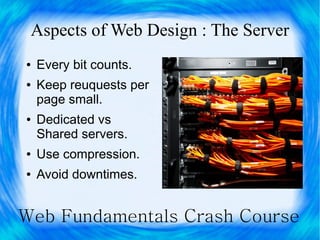
Aspects of Web Design : The Server
●   Every bit counts.
●   Keep reuquests per
    page small.
●   Dedicated vs
    Shared servers.
●   Use compression.
●   Avoid downtimes.


Web Fundamentals Crash Course
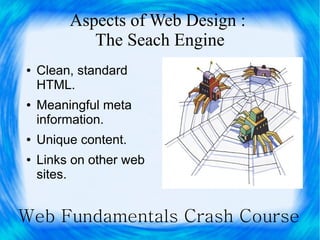
Aspects of Web Design :
            The Seach Engine
●   Clean, standard
    HTML.
●   Meaningful meta
    information.
●   Unique content.
●   Links on other web
    sites.

Web Fundamentals Crash Course
Aspects of Web Design :
           The Mighty Browser
●   Browser is the
    compiler, interpreter,
    ... whatever!
●   Browsers'
    variants/versions.
●   Mobile Browsers.
●   The tale of two
    browsers.

Web Fundamentals Crash Course
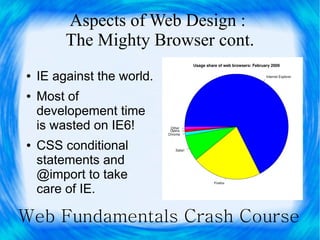
Aspects of Web Design :
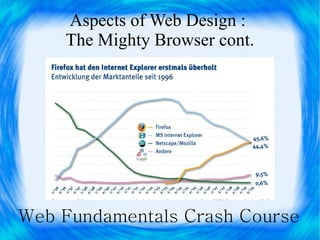
         The Mighty Browser cont.
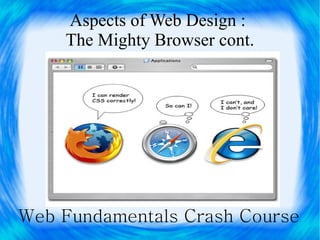
●   IE against the world.
●   Most of
    developement time
    is wasted on IE6!
●   CSS conditional
    statements and
    @import to take
    care of IE.

Web Fundamentals Crash Course
Aspects of Web Design :
    The Mighty Browser cont.


Web Fundamentals Crash Course
Aspects of Web Design :
    The Mighty Browser cont.


Web Fundamentals Crash Course
HTTP
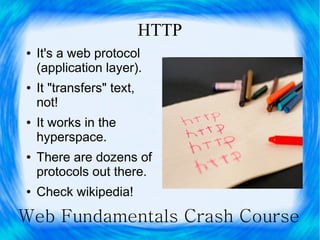
●   It's a web protocol
    (application layer).
●   It "transfers" text,
    not!
●   It works in the
    hyperspace.
●   There are dozens of
    protocols out there.
●   Check wikipedia!

Web Fundamentals Crash Course
Word on Open Standards
●   Internet is built upon
    open/vendor indep.
    standards.
●   HTTP is open.
●   Firefox is open
    source.
●   Open Source
    matters.

Web Fundamentals Crash Course
Software You Will Need
●   Web Browsers (IE, FF, Opera, Safari,
    Chrome, ...)
●   Text Editor or IDE (Notepad++, PSPad
    Editor, Dreamweaver, Expressions, ...)
●   Image Editor (Photoshop, Paint.NET, ...)
●   FTP Client ( Filezilla, ...)
●   Webserver Enviroment (Xampp,
    easyphp, ...)
●   Firebug for Firefox.
Web Fundamentals Crash Course
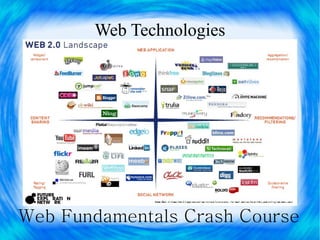
Web Technologies


Web Fundamentals Crash Course
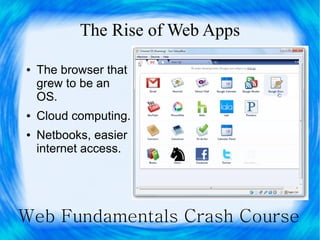
The Rise of Web Apps

●   The browser that
    grew to be an
    OS.
●   Cloud computing.
●   Netbooks, easier
    internet access.


Web Fundamentals Crash Course
The Machine Is Us/ing Us


Web Fundamentals Crash Course
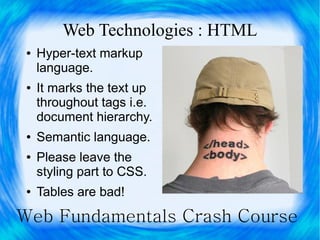
Web Technologies : HTML
 ●   Hyper-text markup
     language.
 ●   It marks the text up
     throughout tags i.e.
     document hierarchy.
 ●   Semantic language.
 ●   Please leave the
     styling part to CSS.
 ●   Tables are bad!

Web Fundamentals Crash Course
Web Technologies :
           HTML (Hello, World!)
<html>
 <head>
  <title>Hello World</title>
 </head>
 <body>
  <h1>Hello, World!</h1>
 </body>
</html>


Web Fundamentals Crash Course
Web Technologies :
          HTML (hyperlink)

<a
href="http://www.google.
com/">
This text</a>
is a link to Google's
website.

Web Fundamentals Crash Course
Web Technologies :
              HTML (text formatting)
<b>This text is bold</b>
<strong>This text is strong</strong>
<big>This text is big</big>
<em>This text is emphasized</em>
<i>This text is italic</i>
<small>This text is small</small>
This is<sub> subscript</sub> and
<sup>superscript</sup>


Web Fundamentals Crash Course
Web Technologies :
           HTML (images)

<img
src="http://www.google.com
.eg/intl/en_com/images/log
o_plain.png" width="267"
height="110"
alt="Welcome!" />


Web Fundamentals Crash Course
Web Technologies :
             HTML (tables)
●   Tables are bad design
    practice.
●   Tables were used when
    there was no CSS for
    layout.
●   Divisions + CSS can do
    much more.


Web Fundamentals Crash Course
Web Technologies :
               HTML (divisions)
●   Division is the unit cell of
    modern html layouts.
●   Always group your related
    html elements inside a
    division.
●   Give it a name <div id="..." >
    ...... </div>
●   Or <div class="..."> .....
    </div>
●   Control it via CSS.

Web Fundamentals Crash Course
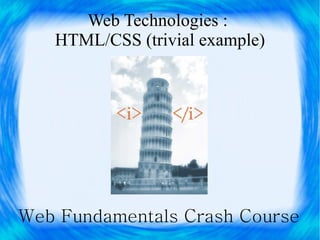
Web Technologies :
   HTML/CSS (trivial example)


Web Fundamentals Crash Course
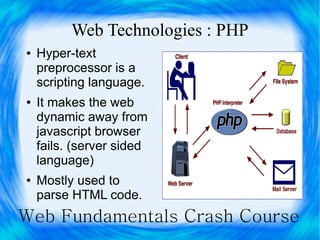
Web Technologies : PHP
●   Hyper-text
    preprocessor is a
    scripting language.
●   It makes the web
    dynamic away from
    javascript browser
    fails. (server sided
    language)
●   Mostly used to
    parse HTML code.
Web Fundamentals Crash Course
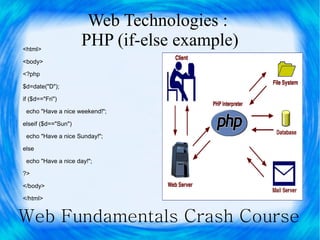
Web Technologies :
<html>
                     PHP (if-else example)
<body>

<?php

$d=date("D");

if ($d=="Fri")

 echo "Have a nice weekend!";

elseif ($d=="Sun")

 echo "Have a nice Sunday!";

else

 echo "Have a nice day!";

?>

</body>

</html>


Web Fundamentals Crash Course
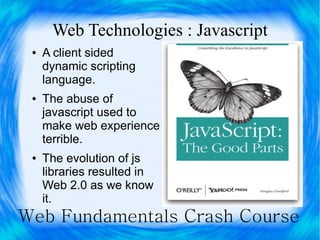
Web Technologies : Javascript
 ●   A client sided
     dynamic scripting
     language.
 ●   The abuse of
     javascript used to
     make web experience
     terrible.
 ●   The evolution of js
     libraries resulted in
     Web 2.0 as we know
     it.
Web Fundamentals Crash Course
Web Technologies :
       Javascript (lightbox example)

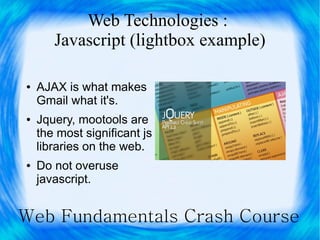
●   AJAX is what makes
    Gmail what it's.
●   Jquery, mootools are
    the most significant js
    libraries on the web.
●   Do not overuse
    javascript.


Web Fundamentals Crash Course
Web Technologies :
     MySQL , XML and Flash


Web Fundamentals Crash Course
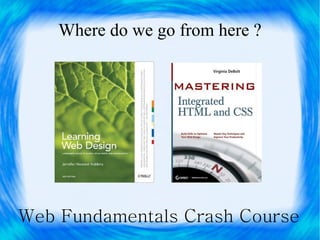
Where do we go from here ?


Web Fundamentals Crash Course
Web Technologies :
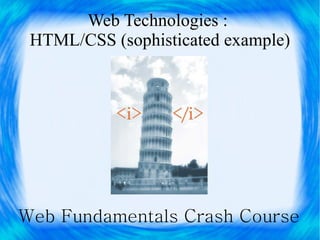
 HTML/CSS (sophisticated example)


Web Fundamentals Crash Course
Useful Links

●   Everything on one easy link
    http://www.multiurl.com/l/0E5
    Please copy then paste the url into your
    browsers address bar if it didn't work right
    away.


Web Fundamentals Crash Course
Questions ?


Web Fundamentals Crash Course
Homework


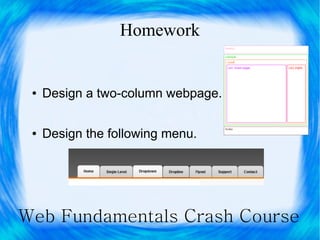
 ●   Design a two-column webpage.

 ●   Design the following menu.


Web Fundamentals Crash Course
Thank you!


Web Fundamentals Crash Course

Web Fundamentals Crash Course

  • 1.
  • 2.
    Aspects of WebDesign ● The Human. ● The Server. ● The Search Engine. ● The Mighty Browser. Web Fundamentals Crash Course
  • 3.
    Aspects of WebDesign : The Human ● It should look beautiful. ● The simpler, the better. ● Accessible and usable. ● People with disabilities or poor eyesight (screen readers) Web Fundamentals Crash Course
  • 4.
    Aspects of WebDesign : The Server ● Every bit counts. ● Keep reuquests per page small. ● Dedicated vs Shared servers. ● Use compression. ● Avoid downtimes. Web Fundamentals Crash Course
  • 5.
    Aspects of WebDesign : The Seach Engine ● Clean, standard HTML. ● Meaningful meta information. ● Unique content. ● Links on other web sites. Web Fundamentals Crash Course

  • 6.
    Aspects of WebDesign : The Mighty Browser ● Browser is the compiler, interpreter, ... whatever! ● Browsers' variants/versions. ● Mobile Browsers. ● The tale of two browsers. Web Fundamentals Crash Course
  • 7.
    Aspects of WebDesign : The Mighty Browser cont. ● IE against the world. ● Most of developement time is wasted on IE6! ● CSS conditional statements and @import to take care of IE. Web Fundamentals Crash Course
  • 8.
    Aspects of WebDesign : The Mighty Browser cont. Web Fundamentals Crash Course
  • 9.
    Aspects of WebDesign : The Mighty Browser cont. Web Fundamentals Crash Course
  • 10.
    HTTP ● It's a web protocol (application layer). ● It "transfers" text, not! ● It works in the hyperspace. ● There are dozens of protocols out there. ● Check wikipedia! Web Fundamentals Crash Course
  • 11.
    Word on OpenStandards ● Internet is built upon open/vendor indep. standards. ● HTTP is open. ● Firefox is open source. ● Open Source matters. Web Fundamentals Crash Course
  • 12.
    Software You WillNeed ● Web Browsers (IE, FF, Opera, Safari, Chrome, ...) ● Text Editor or IDE (Notepad++, PSPad Editor, Dreamweaver, Expressions, ...) ● Image Editor (Photoshop, Paint.NET, ...) ● FTP Client ( Filezilla, ...) ● Webserver Enviroment (Xampp, easyphp, ...) ● Firebug for Firefox. Web Fundamentals Crash Course
  • 13.
  • 14.
    The Rise ofWeb Apps ● The browser that grew to be an OS. ● Cloud computing. ● Netbooks, easier internet access. Web Fundamentals Crash Course
  • 15.
    The Machine IsUs/ing Us Web Fundamentals Crash Course
  • 16.
    Web Technologies :HTML ● Hyper-text markup language. ● It marks the text up throughout tags i.e. document hierarchy. ● Semantic language. ● Please leave the styling part to CSS. ● Tables are bad! Web Fundamentals Crash Course
  • 17.
    Web Technologies : HTML (Hello, World!) <html> <head> <title>Hello World</title> </head> <body> <h1>Hello, World!</h1> </body> </html> Web Fundamentals Crash Course
  • 18.
    Web Technologies : HTML (hyperlink) <a href="http://www.google. com/"> This text</a> is a link to Google's website. Web Fundamentals Crash Course
  • 19.
    Web Technologies : HTML (text formatting) <b>This text is bold</b> <strong>This text is strong</strong> <big>This text is big</big> <em>This text is emphasized</em> <i>This text is italic</i> <small>This text is small</small> This is<sub> subscript</sub> and <sup>superscript</sup> Web Fundamentals Crash Course
  • 20.
    Web Technologies : HTML (images) <img src="http://www.google.com .eg/intl/en_com/images/log o_plain.png" width="267" height="110" alt="Welcome!" /> Web Fundamentals Crash Course
  • 21.
    Web Technologies : HTML (tables) ● Tables are bad design practice. ● Tables were used when there was no CSS for layout. ● Divisions + CSS can do much more. Web Fundamentals Crash Course
  • 22.
    Web Technologies : HTML (divisions) ● Division is the unit cell of modern html layouts. ● Always group your related html elements inside a division. ● Give it a name <div id="..." > ...... </div> ● Or <div class="..."> ..... </div> ● Control it via CSS. Web Fundamentals Crash Course
  • 23.
    Web Technologies : HTML/CSS (trivial example) Web Fundamentals Crash Course
  • 24.
    Web Technologies :PHP ● Hyper-text preprocessor is a scripting language. ● It makes the web dynamic away from javascript browser fails. (server sided language) ● Mostly used to parse HTML code. Web Fundamentals Crash Course
  • 25.
    Web Technologies : <html> PHP (if-else example) <body> <?php $d=date("D"); if ($d=="Fri") echo "Have a nice weekend!"; elseif ($d=="Sun") echo "Have a nice Sunday!"; else echo "Have a nice day!"; ?> </body> </html> Web Fundamentals Crash Course
  • 26.
    Web Technologies :Javascript ● A client sided dynamic scripting language. ● The abuse of javascript used to make web experience terrible. ● The evolution of js libraries resulted in Web 2.0 as we know it. Web Fundamentals Crash Course
  • 27.
    Web Technologies : Javascript (lightbox example) ● AJAX is what makes Gmail what it's. ● Jquery, mootools are the most significant js libraries on the web. ● Do not overuse javascript. Web Fundamentals Crash Course
  • 28.
    Web Technologies : MySQL , XML and Flash Web Fundamentals Crash Course
  • 29.
    Where do wego from here ? Web Fundamentals Crash Course
  • 30.
    Web Technologies : HTML/CSS (sophisticated example) Web Fundamentals Crash Course
  • 31.
    Useful Links ● Everything on one easy link http://www.multiurl.com/l/0E5 Please copy then paste the url into your browsers address bar if it didn't work right away. Web Fundamentals Crash Course
  • 32.
  • 33.
    Homework ● Design a two-column webpage. ● Design the following menu. Web Fundamentals Crash Course
  • 34.