Web Audio, Trackers and Making Music
Peter Mareš
Audio on the web:
A brief history
<bgsound>
|
—> <audio>
|
—> Web Audio
Web Audio : A quick overview
Precise control over timing
Pre-buffering of sounds
Real-time effects
Real-time analysis
Uses a directed graph of audio nodes (from source to destination)
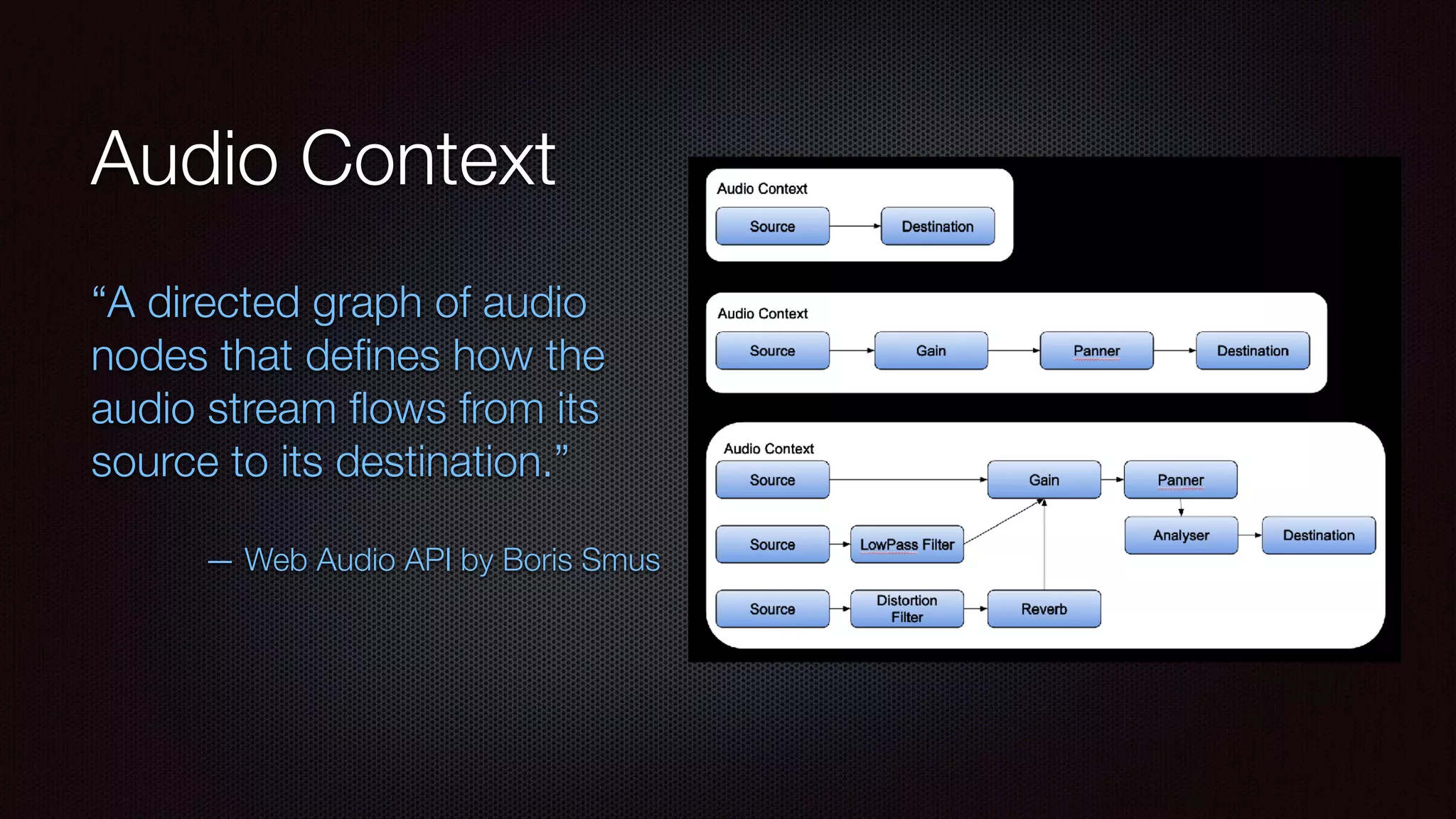
Audio Context
“A directed graph of audio
nodes that defines how the
audio stream flows from its
source to its destination.”

— Web Audio API by Boris Smus
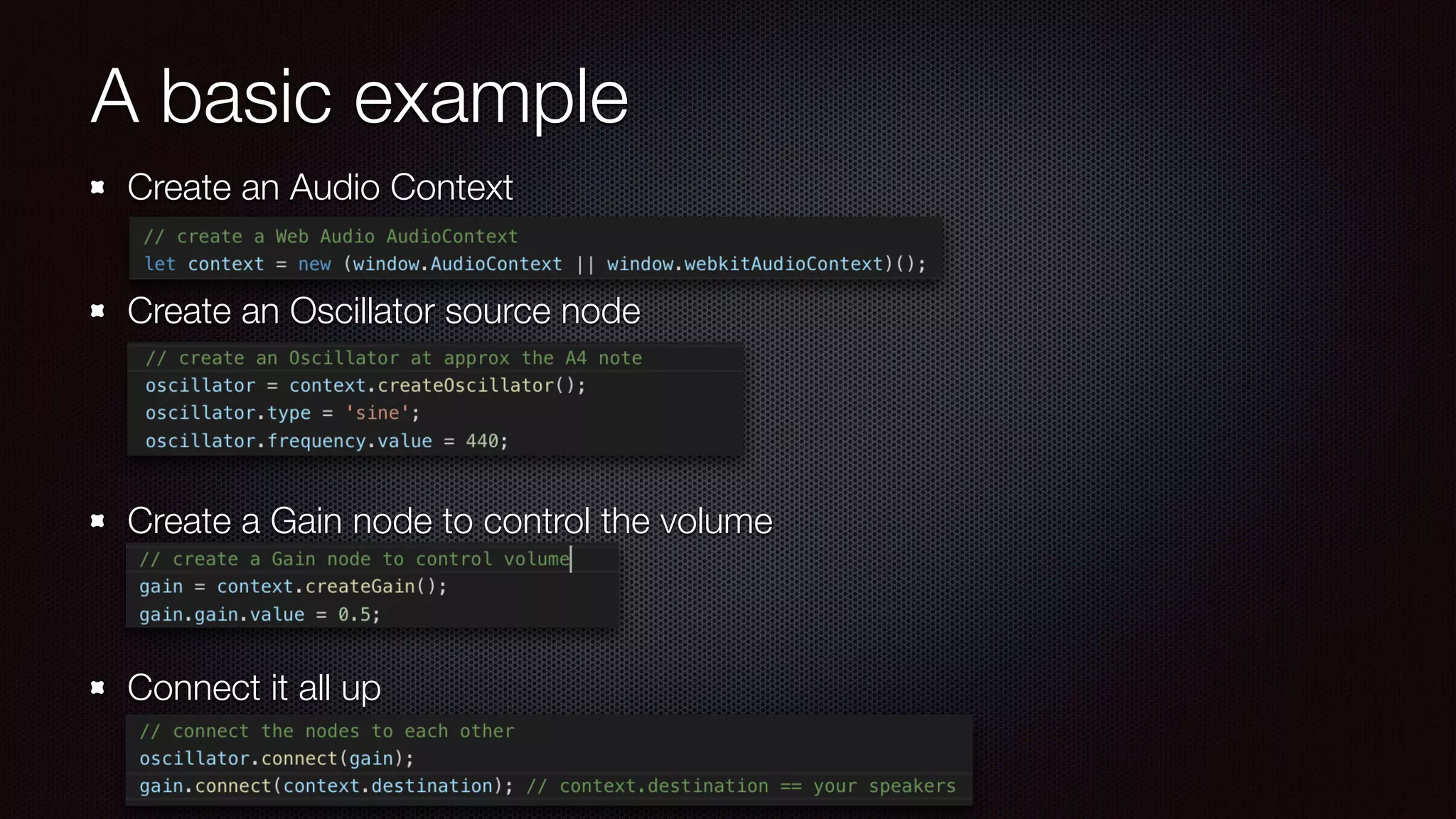
A basic example
Create an Audio Context

Create an Oscillator source node


Create a Gain node to control the volume


Connect it all up
A few quick examples…
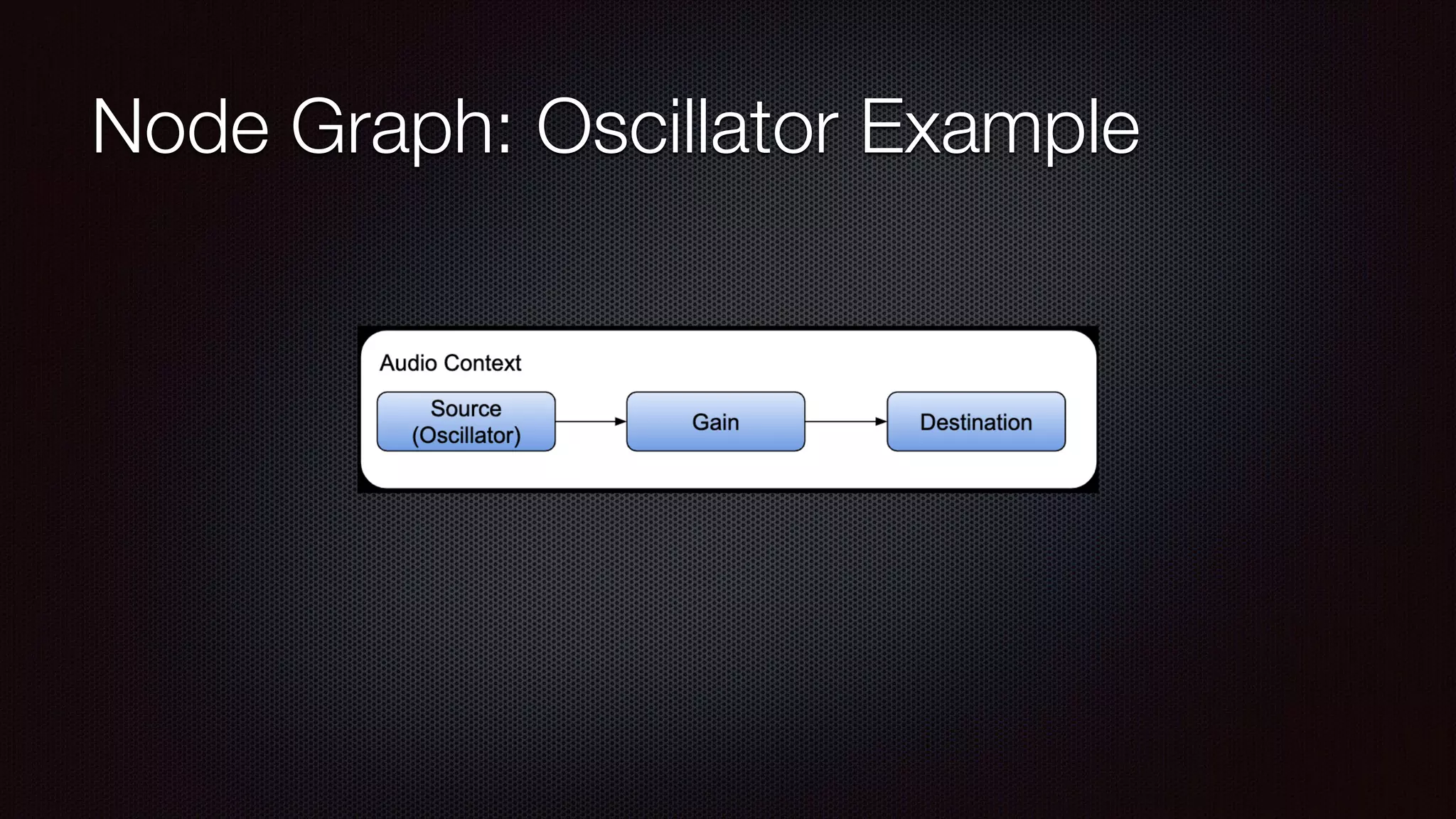
Node Graph: Oscillator Example
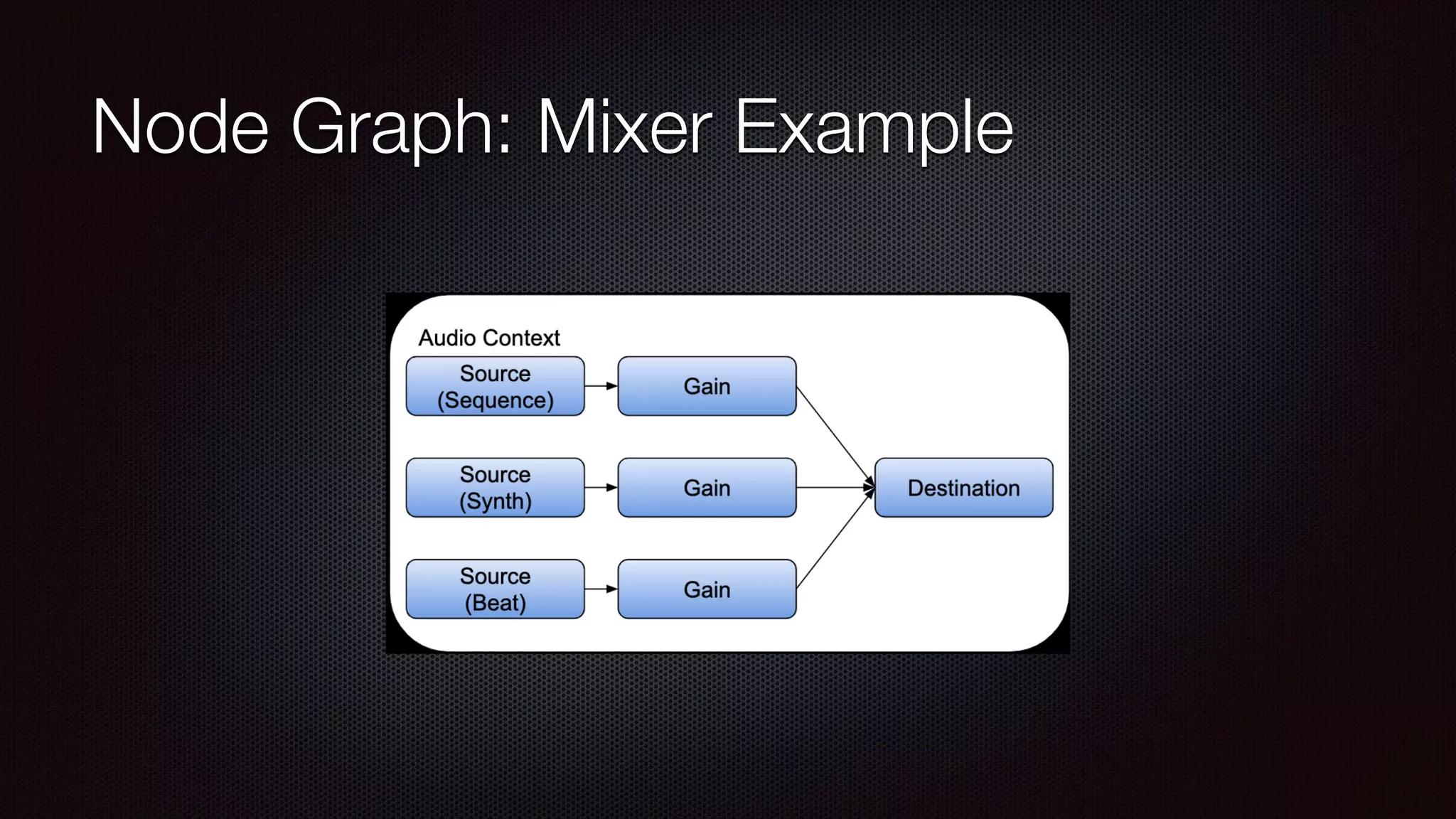
Node Graph: Mixer Example
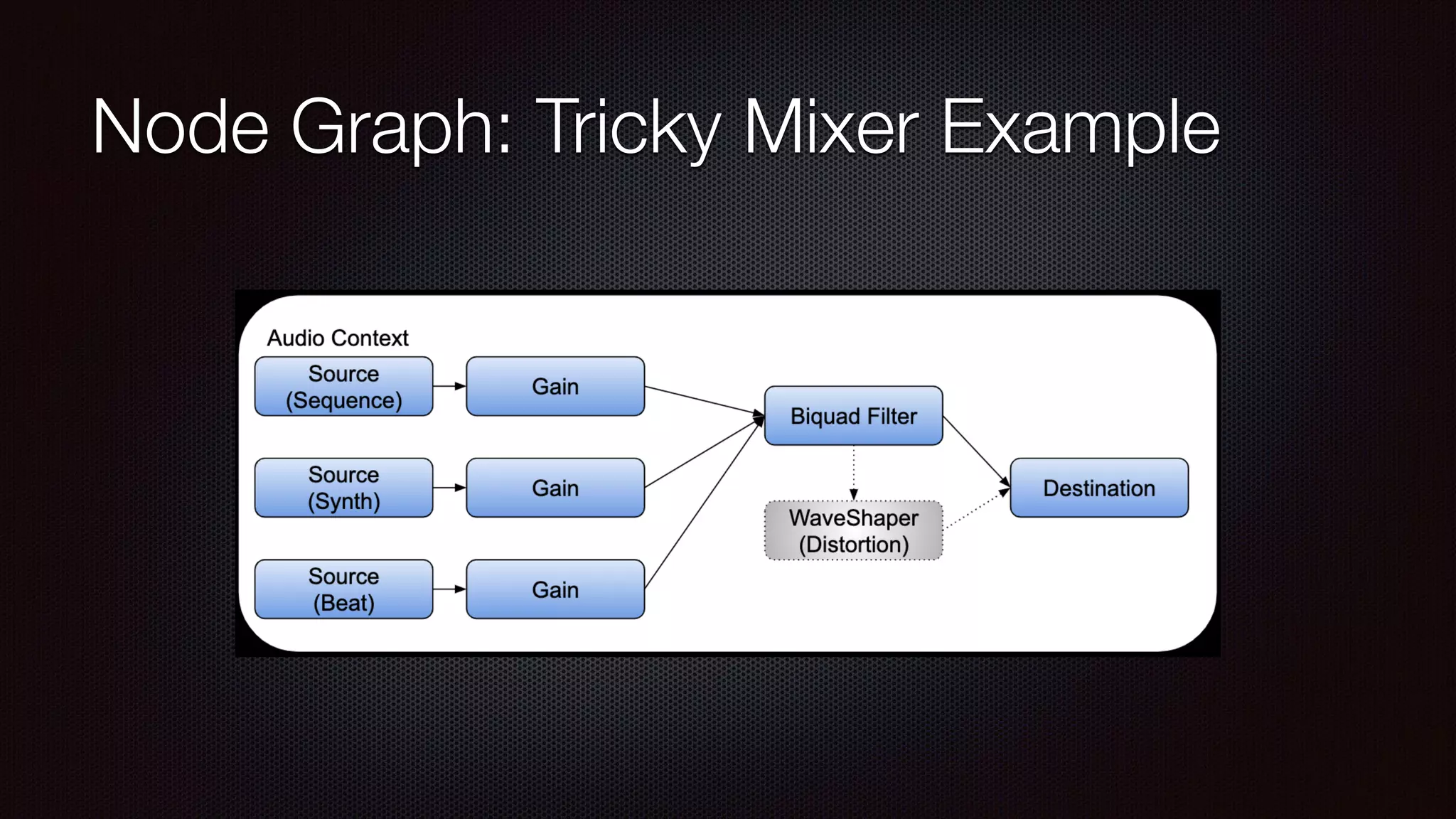
Node Graph: Tricky Mixer Example
TRACKING
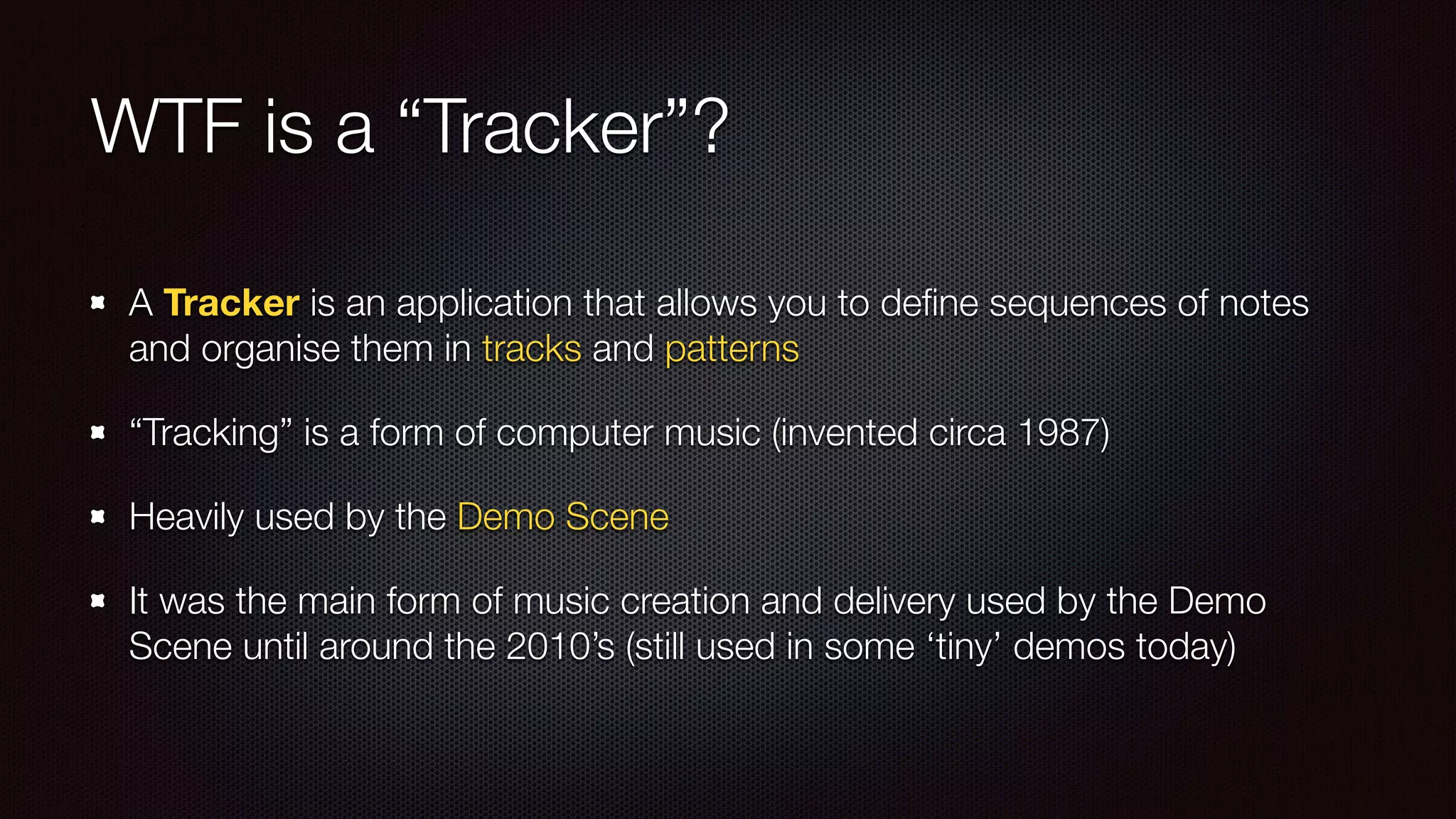
WTF is a “Tracker”?
A Tracker is an application that allows you to define sequences of notes
and organise them in tracks and patterns
“Tracking” is a form of computer music (invented circa 1987)
Heavily used by the Demo Scene
It was the main form of music creation and delivery used by the Demo
Scene until around the 2010’s (still used in some ‘tiny’ demos today)
Some notable examples of Trackers
Impulse TrackerScream TrackerFasttracker
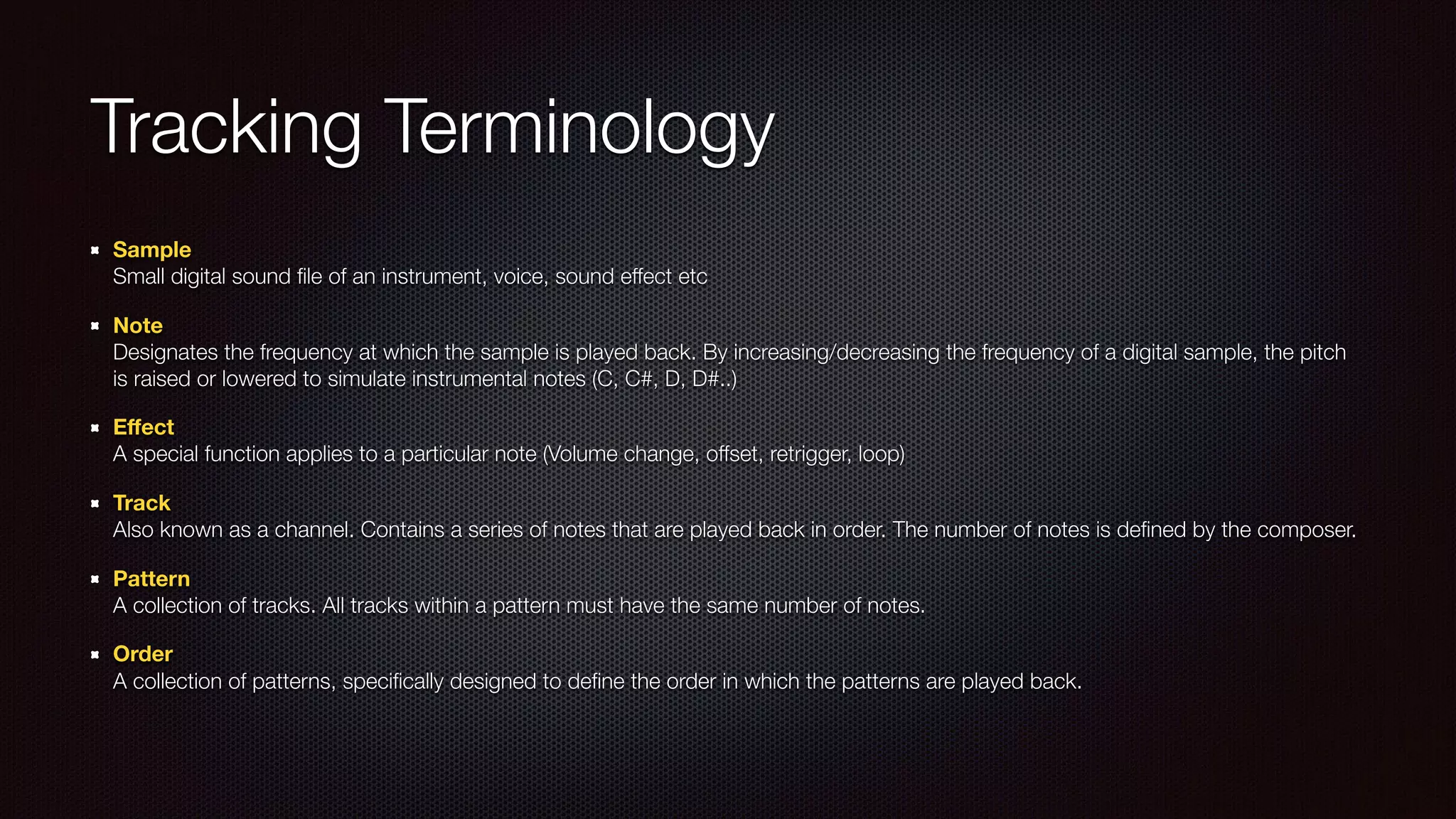
Tracking Terminology
Sample

Small digital sound file of an instrument, voice, sound effect etc
Note

Designates the frequency at which the sample is played back. By increasing/decreasing the frequency of a digital sample, the pitch
is raised or lowered to simulate instrumental notes (C, C#, D, D#..)
Effect

A special function applies to a particular note (Volume change, offset, retrigger, loop)
Track

Also known as a channel. Contains a series of notes that are played back in order. The number of notes is defined by the composer.
Pattern

A collection of tracks. All tracks within a pattern must have the same number of notes.
Order

A collection of patterns, specifically designed to define the order in which the patterns are played back.
Building a Tracker in WebAudio
Actually super easy once I figured out the audio graph.
Super annoying when I realised I was leaking memory.. a lot!
Its definitely a work in progress (as you’ll see shortly)


I do not use WebAudio scheduling.. because
Building a Tracker in WebAudio
Actually super easy once I figured out the audio graph.
Super annoying when I realised I was leaking memory.. a lot!
Its definitely a work in progress (as you’ll see shortly)
I do not use WebAudio scheduling.. because:

- Need to react to in-play tempo changes

- Need to be able to play notes that were added or changed during playback

- … part of me wanted to see how far I could push WebAudio :)
Repositories from this presentation
Presentation and earlier examples

https://github.com/carribus/devmeetups/tree/master/webaudio


Forcetracker

https://github.com/carribus/forcetracker

Web audio, Trackers and Making Music

  • 1.
    Web Audio, Trackersand Making Music Peter Mareš
  • 2.
    Audio on theweb: A brief history <bgsound> | —> <audio> | —> Web Audio
  • 3.
    Web Audio :A quick overview Precise control over timing Pre-buffering of sounds Real-time effects Real-time analysis Uses a directed graph of audio nodes (from source to destination)
  • 4.
    Audio Context “A directedgraph of audio nodes that defines how the audio stream flows from its source to its destination.”
 — Web Audio API by Boris Smus
  • 5.
    A basic example Createan Audio Context
 Create an Oscillator source node
 
 
 Create a Gain node to control the volume
 
 Connect it all up
  • 6.
    A few quickexamples…
  • 7.
  • 8.
  • 9.
    Node Graph: TrickyMixer Example
  • 10.
  • 11.
    WTF is a“Tracker”? A Tracker is an application that allows you to define sequences of notes and organise them in tracks and patterns “Tracking” is a form of computer music (invented circa 1987) Heavily used by the Demo Scene It was the main form of music creation and delivery used by the Demo Scene until around the 2010’s (still used in some ‘tiny’ demos today)
  • 12.
    Some notable examplesof Trackers Impulse TrackerScream TrackerFasttracker
  • 13.
    Tracking Terminology Sample
 Small digitalsound file of an instrument, voice, sound effect etc Note
 Designates the frequency at which the sample is played back. By increasing/decreasing the frequency of a digital sample, the pitch is raised or lowered to simulate instrumental notes (C, C#, D, D#..) Effect
 A special function applies to a particular note (Volume change, offset, retrigger, loop) Track
 Also known as a channel. Contains a series of notes that are played back in order. The number of notes is defined by the composer. Pattern
 A collection of tracks. All tracks within a pattern must have the same number of notes. Order
 A collection of patterns, specifically designed to define the order in which the patterns are played back.
  • 14.
    Building a Trackerin WebAudio Actually super easy once I figured out the audio graph. Super annoying when I realised I was leaking memory.. a lot! Its definitely a work in progress (as you’ll see shortly)
 
 I do not use WebAudio scheduling.. because
  • 15.
    Building a Trackerin WebAudio Actually super easy once I figured out the audio graph. Super annoying when I realised I was leaking memory.. a lot! Its definitely a work in progress (as you’ll see shortly) I do not use WebAudio scheduling.. because:
 - Need to react to in-play tempo changes
 - Need to be able to play notes that were added or changed during playback
 - … part of me wanted to see how far I could push WebAudio :)
  • 16.
    Repositories from thispresentation Presentation and earlier examples
 https://github.com/carribus/devmeetups/tree/master/webaudio


 Forcetracker
 https://github.com/carribus/forcetracker