Web 2.0 in Online Learning Ray, Shari, Emily  OTEL
Web 2.0 in Online Learning Welcome  Our goals in this session – to provide an introduction to new class of tools to enhance online learning Web 2.0 What is 2.0? What is the origin of the term? Tim O’Reilly in 2004 How does this impact Online learning? Micro-content, interaction, engagement, simulation E-learning 2.0
Ajax Ajax – at the core of Web 2.0 Asynchronous Javascript and XML Origin of term –  Adaptive Path Jesse James Garrett Some examples of Ajax ALN Pre-Conference  Blog Collection of Ajax links  Ajax longevity?
OLU – One Example The power of Ajax Emily will show us how to blog and how to integrate blogging into online learning Example of the power – impact  Online Learning Update aggregation / Google placement / links to / citations Now to Emily and more examples of how Web 2.0 can enhance online learning
Allow interactive content building Your audience participates Editing through your web browser No need to download or buy expensive software Dynamic content Keeps your course fresh Web Tools
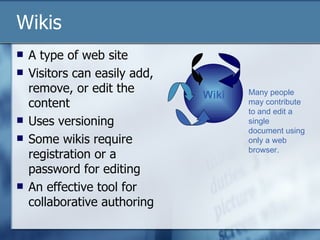
Wikis A type of web site  Visitors can easily add, remove, or edit the content Uses versioning Some wikis require registration or a password for editing An effective tool for collaborative authoring Wiki Many people may contribute to and edit a single document using only a web browser.
Engage your students Use  Wetpaint  for creating websites for Group projects Support for service learning projects in the community Use  PBwiki  (or other free services) Collaborative essays and reports Space for free writing or reader-response journaling  Share resources – web sites, annotated bibliographies, models for assignments Create a compendium of terms and concepts for the course to use as a study guide Wikis in Online Learning
Blogs Short for weblog, blogs are online journals that display the most recent content first Can combine text, images, and links to audio and video files ( podcasting ) Readers may often leave comments and interact with the writer  Blogger.com  offers free blog space
Blogs in Online Learning Group blogs allow engagement For each work or topic that you cover in a course, have small groups publish blogs on how a their assigned theory would analyze or interpret it. Individual blogs Write a blog for students in your courses or department; link to journal articles, news items, conferences, calls for papers Have students create blogs for journaling
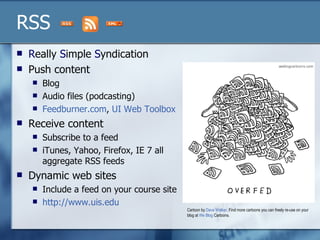
RSS R eally  S imple  S yndication Push content Blog  Audio files (podcasting) Feedburner.com ,  UI Web Toolbox Receive content Subscribe to a feed iTunes, Yahoo, Firefox, IE 7 all aggregate RSS feeds  Dynamic web sites  Include a feed on your course site http://www.uis.edu   Cartoon by  Dave Walker . Find more cartoons you can freely re-use on your blog at  We  Blog  Cartoons .
Collaborative Tools Web 2.0
Google Google Docs and Spreadsheets http://www.google.com/google-d-s/tour1.html Google Scholar  http://scholar.google.com Other Google Stuff
Tabbed Browsing Internet Explorer 7.0 Firefox  Save a group of Tabs Organize and Search
Tagging “folksonomy” Collective Custom User defined metatags
Social Bookmarking itList.com (old) Del icio us http:// del.icio.us Lookup tool http://trainque.com/code/delicious_lookup.php View key  http://en.wikipedia.org/wiki/Del.icio.us Integrate with IE or firefox
Social Media Flickr  http://www.flickr.com Yahoo  photos PLUS conversation 20 mg per month YouTube  http://www.youtube.com Creative Commons  http://creativecommons.org/
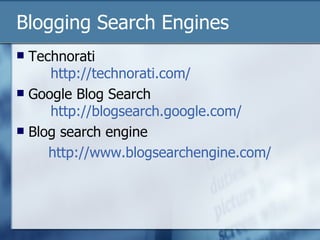
Blogging Search Engines Technorati   http://technorati.com/ Google Blog Search   http:// blogsearch.google.com / Blog search engine  http://www.blogsearchengine.com/

web 2.0

  • 1.
    Web 2.0 inOnline Learning Ray, Shari, Emily OTEL
  • 2.
    Web 2.0 inOnline Learning Welcome Our goals in this session – to provide an introduction to new class of tools to enhance online learning Web 2.0 What is 2.0? What is the origin of the term? Tim O’Reilly in 2004 How does this impact Online learning? Micro-content, interaction, engagement, simulation E-learning 2.0
  • 3.
    Ajax Ajax –at the core of Web 2.0 Asynchronous Javascript and XML Origin of term – Adaptive Path Jesse James Garrett Some examples of Ajax ALN Pre-Conference Blog Collection of Ajax links Ajax longevity?
  • 4.
    OLU – OneExample The power of Ajax Emily will show us how to blog and how to integrate blogging into online learning Example of the power – impact Online Learning Update aggregation / Google placement / links to / citations Now to Emily and more examples of how Web 2.0 can enhance online learning
  • 5.
    Allow interactive contentbuilding Your audience participates Editing through your web browser No need to download or buy expensive software Dynamic content Keeps your course fresh Web Tools
  • 6.
    Wikis A typeof web site Visitors can easily add, remove, or edit the content Uses versioning Some wikis require registration or a password for editing An effective tool for collaborative authoring Wiki Many people may contribute to and edit a single document using only a web browser.
  • 7.
    Engage your studentsUse Wetpaint for creating websites for Group projects Support for service learning projects in the community Use PBwiki (or other free services) Collaborative essays and reports Space for free writing or reader-response journaling Share resources – web sites, annotated bibliographies, models for assignments Create a compendium of terms and concepts for the course to use as a study guide Wikis in Online Learning
  • 8.
    Blogs Short forweblog, blogs are online journals that display the most recent content first Can combine text, images, and links to audio and video files ( podcasting ) Readers may often leave comments and interact with the writer Blogger.com offers free blog space
  • 9.
    Blogs in OnlineLearning Group blogs allow engagement For each work or topic that you cover in a course, have small groups publish blogs on how a their assigned theory would analyze or interpret it. Individual blogs Write a blog for students in your courses or department; link to journal articles, news items, conferences, calls for papers Have students create blogs for journaling
  • 10.
    RSS R eally S imple S yndication Push content Blog Audio files (podcasting) Feedburner.com , UI Web Toolbox Receive content Subscribe to a feed iTunes, Yahoo, Firefox, IE 7 all aggregate RSS feeds Dynamic web sites Include a feed on your course site http://www.uis.edu Cartoon by Dave Walker . Find more cartoons you can freely re-use on your blog at We Blog Cartoons .
  • 11.
  • 12.
    Google Google Docsand Spreadsheets http://www.google.com/google-d-s/tour1.html Google Scholar http://scholar.google.com Other Google Stuff
  • 13.
    Tabbed Browsing InternetExplorer 7.0 Firefox Save a group of Tabs Organize and Search
  • 14.
    Tagging “folksonomy” CollectiveCustom User defined metatags
  • 15.
    Social Bookmarking itList.com(old) Del icio us http:// del.icio.us Lookup tool http://trainque.com/code/delicious_lookup.php View key http://en.wikipedia.org/wiki/Del.icio.us Integrate with IE or firefox
  • 16.
    Social Media Flickr http://www.flickr.com Yahoo photos PLUS conversation 20 mg per month YouTube http://www.youtube.com Creative Commons http://creativecommons.org/
  • 17.
    Blogging Search EnginesTechnorati http://technorati.com/ Google Blog Search http:// blogsearch.google.com / Blog search engine http://www.blogsearchengine.com/