Emerging Technologies and the  21 st  Century  Learner Veronica Diaz, PhD,  [email_address]
Introductions
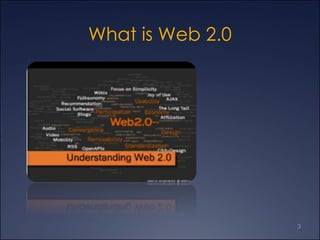
What is Web 2.0
Web 2.0 and Emerging Tech Pros  Free  Ever-changing  Something for everyone  Students may already be users  Access to tools that were too expensive for students to purchase  Provide services that higher education has been struggling to offer for years  Cons  No obligation to users  Ever-changing  Require separate logins/accounts No institutional support (usually) Reliance on internet connection Lack of security  Learning curve
Tools  Podcasting YouTube Google Docs Wikis Blogs Social Bookmarking
Podcasting 101 Overview of podcasting  Podcasting in teaching and learning  Copyright in brief
Podcast (ing)? I own an iPod or other MP3 player  I know about and have looked in iTunes I subscribe to podcasts using iTunesI don’t know much about podcasting I know about and have looked in iTunes U
What is a Podcast? A multimedia file distributed over the Internet using a feed, for playback on mobile devices and personal computers “ Podcasting” is like an audioblog Podcasts are different from other digital audio formats because they can be downloaded automatically using software capable of reading RSS feeds
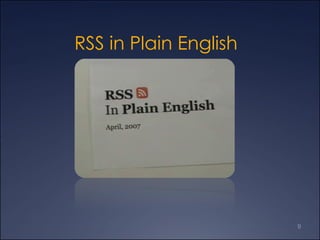
RSS in Plain English
What is RSS? RSS 2.0 stands for Really Simple Syndication and is a type of web feed, a data format used for serving users' frequently updated content Websites syndicate the web feed, which allows users to subscribe to it, like a newspaper subscription RSS  Resources
How might this improve teaching and learning? Course Content Dissemination Interviews  Music samples  Foreign language passages Extends classroom boundaries Student-created content  Review Capability  Course lectures can be dense and difficult to process in just one sitting Podcasts allow for review, review, and more review Time Shifting Expanding the classroom, time on task  “… shift the proportion of class time devoted to learning that benefits from face-to-face interactions between faculty and students, and shift preparatory work to outside times and locations” (Leland quoted in Blaisdell, 2006)
Creating a Podcast Recording tools  Macs  Garage Band (apple)  http://www.apple.com/ilife/garageband/ Macs and PCs Odeo http://odeo.com/ Audacity  http://audacity.sourceforge.net/ Audacity ABCs.pdf  Before you record, think about what you want to say, and organize your podcast accordingly Make notes, prepare your interviews (if any), and try to improvise as little as possible Kirk McElhearn’s  8 Rules of Effective Podcasting http://drcoop.pbwiki.com/CreatingAudio http://podscope.com/
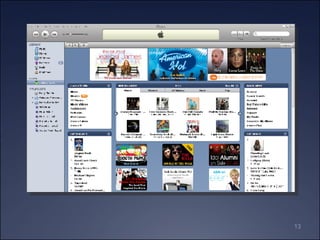
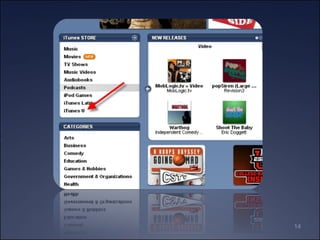
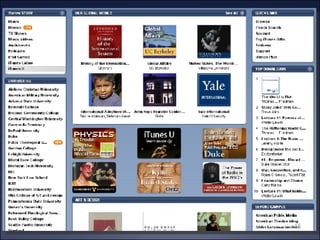
Getting started with podcasting… Get an iPod or other MP3 player Download iTunes (free)  Search the library  Browse through the podcasts Take a moment to browse through the iTunes U institutions via iTunes U at iTunes iTunes U at Stanford University
Resources  iTunes (free download)  http://www.apple.com/itunes/download/ Educause http://www.educause.edu/> resources > podcasting  (keyword)  University of Wisconsin examples Vodcasts:  http://www.vodcasts.tv/ http://drcoop.pbwiki.com/Podcasting+in+Education Beginner’s  guide to podcasting  Create your own podcast  (Rick Broida) Creating a podcast with GarageBand All the world’s a podcast  (Michael Calore)
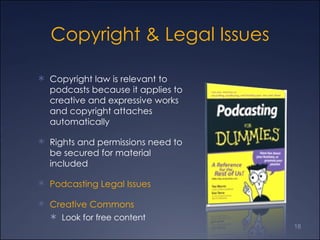
Copyright & Legal Issues Copyright law is relevant to podcasts because it applies to creative and expressive works and copyright attaches automatically Rights and permissions need to be secured for material included Podcasting Legal Issues Creative Commons Look for free content
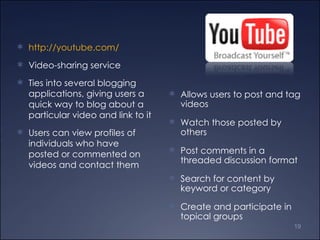
Allows users to post and tag videos  Watch those posted by others Post comments in a threaded discussion format Search for content by keyword or category Create and participate in topical groups http://youtube.com/ Video-sharing service Ties into several blogging applications, giving users a quick way to blog about a particular video and link to it Users can view profiles of individuals who have posted or commented on videos and contact them
Significance to  Teaching and Learning Embeds directly into Blackboard  Ease of searching, viewing, creating YouTube is part of a trend among Net Generation students to replace passive learning with active participation, where everyone has a voice, anyone can contribute, and the value lies less in the content itself than in the networks of learners that form around content and support one another in learning goals.  Social-software application  Creating content helps develop a deeper understanding of the subject matter Exposes students to new insights and skills, as well as link them to various online communities
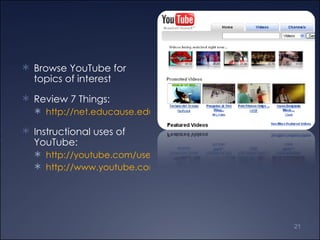
Browse YouTube for topics of interest Review 7 Things: http://net.educause.edu/ir/library/pdf/ELI7018.pdf Instructional uses of YouTube: http://youtube.com/user/CurtissNursing http://www.youtube.com/user/gwccjohnsonb
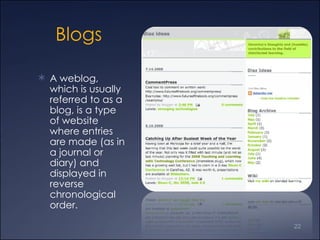
Blogs A weblog, which is usually referred to as a blog, is a type of website where entries are made (as in a journal or diary) and displayed in reverse chronological order.
 
Faculty Use of Blogs Distribute information Share professional knowledge Editorialize Promote/critique events, resources, etc. Examples  http://gateway102.blogspot.com/ http://www.dmi112.blogspot.com/ Blog Matrix http://www.weblogmatrix.org/   http://wordpress.com/ https://www.blogger.com/start http://www.movabletype.org/
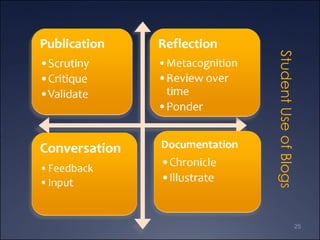
Student Use of Blogs
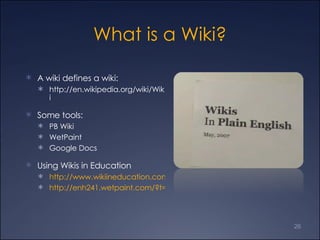
What is a Wiki? A wiki defines a wiki: http://en.wikipedia.org/wiki/Wiki Some tools: PB Wiki WetPaint Google Docs Using Wikis in Education http://www.wikiineducation.com/display/ikiw/Home http://enh241.wetpaint.com/?t=anon
PB Wiki Resources Online learning demo on using PB Wiki in an online classroom:  http://ia360939.us.archive.org/1/items/Pbwiki-EngageYourStudentsWithAnOnlineClassroom/2008-05-0617.05MeetNow.wmv PB Wiki site for Maricopa workshop: http://drcoop.pbwiki.com/
Wetpaint Wikis  http://www.wetpaint.com/ What you get:  http://www.wetpaint.com/page/Wetpaint-Features?zone=spotlight_2 Education Examples http://www.wetpaint.com/category/Education
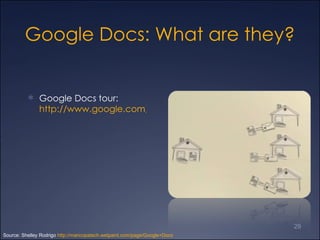
Google Docs: What are they? Google Docs tour:  http://www.google.com/google-d-s/tour1.html Source: Shelley Rodrigo  http://maricopatech.wetpaint.com/page/Google+Docs
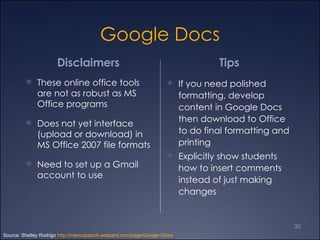
Google Docs Disclaimers  These online office tools are not as robust as MS Office programs Does not yet interface (upload or download) in MS Office 2007 file formats Need to set up a Gmail account to use Tips  If you need polished formatting, develop content in Google Docs then download to Office to do final formatting and printing Explicitly show students how to insert comments instead of just making changes Source: Shelley Rodrigo  http://maricopatech.wetpaint.com/page/Google+Docs
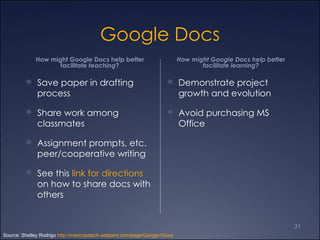
Google Docs How might Google Docs help better facilitate  teaching ? Save paper in drafting process Share work among classmates Assignment prompts, etc. peer/cooperative writing See this  link for directions  on how to share docs with others How might Google Docs help better facilitate learning? Demonstrate project growth and evolution  Avoid purchasing MS Office Source: Shelley Rodrigo  http://maricopatech.wetpaint.com/page/Google+Docs
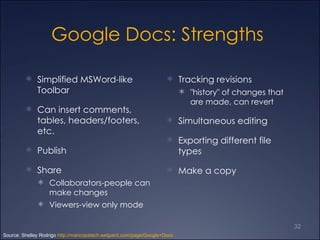
Google Docs: Strengths  Simplified MSWord-like Toolbar  Can insert comments, tables, headers/footers, etc.  Publish  Share  Collaborators-people can make changes  Viewers-view only mode  Tracking revisions "history" of changes that are made, can revert  Simultaneous editing Exporting different file types Make a copy Source: Shelley Rodrigo  http://maricopatech.wetpaint.com/page/Google+Docs
Social  Bookmarking
More on Social Bookmarking Tool Options Diigo http://www.diigo.com Delicious http://del.icio.us Furl http://furl.net Examples  http://www.furl.net/member/smbx1308 http://delicious.com/rrodrigo/hum210 http://delicious.com/drvdiaz/blended
Web 2.0 Resources Web 2.0 Tool guides http://elearningtools.wetpaint.com/?t=anon  http://web20-toolkit.wetpaint.com/ http://c4lpt.co.uk/Directory/
Your Questions
Thank You Contact Information Veronica M. Diaz, PhD [email_address] http://www.mcli.dist.maricopa.edu/diaz/

MCC Emerging Technology

  • 1.
    Emerging Technologies andthe 21 st Century Learner Veronica Diaz, PhD, [email_address]
  • 2.
  • 3.
  • 4.
    Web 2.0 andEmerging Tech Pros Free Ever-changing Something for everyone Students may already be users Access to tools that were too expensive for students to purchase Provide services that higher education has been struggling to offer for years Cons No obligation to users Ever-changing Require separate logins/accounts No institutional support (usually) Reliance on internet connection Lack of security Learning curve
  • 5.
    Tools PodcastingYouTube Google Docs Wikis Blogs Social Bookmarking
  • 6.
    Podcasting 101 Overviewof podcasting Podcasting in teaching and learning Copyright in brief
  • 7.
    Podcast (ing)? Iown an iPod or other MP3 player I know about and have looked in iTunes I subscribe to podcasts using iTunesI don’t know much about podcasting I know about and have looked in iTunes U
  • 8.
    What is aPodcast? A multimedia file distributed over the Internet using a feed, for playback on mobile devices and personal computers “ Podcasting” is like an audioblog Podcasts are different from other digital audio formats because they can be downloaded automatically using software capable of reading RSS feeds
  • 9.
    RSS in PlainEnglish
  • 10.
    What is RSS?RSS 2.0 stands for Really Simple Syndication and is a type of web feed, a data format used for serving users' frequently updated content Websites syndicate the web feed, which allows users to subscribe to it, like a newspaper subscription RSS Resources
  • 11.
    How might thisimprove teaching and learning? Course Content Dissemination Interviews Music samples Foreign language passages Extends classroom boundaries Student-created content Review Capability Course lectures can be dense and difficult to process in just one sitting Podcasts allow for review, review, and more review Time Shifting Expanding the classroom, time on task “… shift the proportion of class time devoted to learning that benefits from face-to-face interactions between faculty and students, and shift preparatory work to outside times and locations” (Leland quoted in Blaisdell, 2006)
  • 12.
    Creating a PodcastRecording tools Macs Garage Band (apple) http://www.apple.com/ilife/garageband/ Macs and PCs Odeo http://odeo.com/ Audacity http://audacity.sourceforge.net/ Audacity ABCs.pdf Before you record, think about what you want to say, and organize your podcast accordingly Make notes, prepare your interviews (if any), and try to improvise as little as possible Kirk McElhearn’s 8 Rules of Effective Podcasting http://drcoop.pbwiki.com/CreatingAudio http://podscope.com/
  • 16.
    Getting started withpodcasting… Get an iPod or other MP3 player Download iTunes (free) Search the library Browse through the podcasts Take a moment to browse through the iTunes U institutions via iTunes U at iTunes iTunes U at Stanford University
  • 17.
    Resources iTunes(free download) http://www.apple.com/itunes/download/ Educause http://www.educause.edu/> resources > podcasting (keyword) University of Wisconsin examples Vodcasts: http://www.vodcasts.tv/ http://drcoop.pbwiki.com/Podcasting+in+Education Beginner’s guide to podcasting Create your own podcast (Rick Broida) Creating a podcast with GarageBand All the world’s a podcast (Michael Calore)
  • 18.
    Copyright & LegalIssues Copyright law is relevant to podcasts because it applies to creative and expressive works and copyright attaches automatically Rights and permissions need to be secured for material included Podcasting Legal Issues Creative Commons Look for free content
  • 19.
    Allows users topost and tag videos Watch those posted by others Post comments in a threaded discussion format Search for content by keyword or category Create and participate in topical groups http://youtube.com/ Video-sharing service Ties into several blogging applications, giving users a quick way to blog about a particular video and link to it Users can view profiles of individuals who have posted or commented on videos and contact them
  • 20.
    Significance to Teaching and Learning Embeds directly into Blackboard Ease of searching, viewing, creating YouTube is part of a trend among Net Generation students to replace passive learning with active participation, where everyone has a voice, anyone can contribute, and the value lies less in the content itself than in the networks of learners that form around content and support one another in learning goals. Social-software application Creating content helps develop a deeper understanding of the subject matter Exposes students to new insights and skills, as well as link them to various online communities
  • 21.
    Browse YouTube fortopics of interest Review 7 Things: http://net.educause.edu/ir/library/pdf/ELI7018.pdf Instructional uses of YouTube: http://youtube.com/user/CurtissNursing http://www.youtube.com/user/gwccjohnsonb
  • 22.
    Blogs A weblog,which is usually referred to as a blog, is a type of website where entries are made (as in a journal or diary) and displayed in reverse chronological order.
  • 23.
  • 24.
    Faculty Use ofBlogs Distribute information Share professional knowledge Editorialize Promote/critique events, resources, etc. Examples http://gateway102.blogspot.com/ http://www.dmi112.blogspot.com/ Blog Matrix http://www.weblogmatrix.org/ http://wordpress.com/ https://www.blogger.com/start http://www.movabletype.org/
  • 25.
  • 26.
    What is aWiki? A wiki defines a wiki: http://en.wikipedia.org/wiki/Wiki Some tools: PB Wiki WetPaint Google Docs Using Wikis in Education http://www.wikiineducation.com/display/ikiw/Home http://enh241.wetpaint.com/?t=anon
  • 27.
    PB Wiki ResourcesOnline learning demo on using PB Wiki in an online classroom: http://ia360939.us.archive.org/1/items/Pbwiki-EngageYourStudentsWithAnOnlineClassroom/2008-05-0617.05MeetNow.wmv PB Wiki site for Maricopa workshop: http://drcoop.pbwiki.com/
  • 28.
    Wetpaint Wikis http://www.wetpaint.com/ What you get: http://www.wetpaint.com/page/Wetpaint-Features?zone=spotlight_2 Education Examples http://www.wetpaint.com/category/Education
  • 29.
    Google Docs: Whatare they? Google Docs tour: http://www.google.com/google-d-s/tour1.html Source: Shelley Rodrigo http://maricopatech.wetpaint.com/page/Google+Docs
  • 30.
    Google Docs Disclaimers These online office tools are not as robust as MS Office programs Does not yet interface (upload or download) in MS Office 2007 file formats Need to set up a Gmail account to use Tips If you need polished formatting, develop content in Google Docs then download to Office to do final formatting and printing Explicitly show students how to insert comments instead of just making changes Source: Shelley Rodrigo http://maricopatech.wetpaint.com/page/Google+Docs
  • 31.
    Google Docs Howmight Google Docs help better facilitate teaching ? Save paper in drafting process Share work among classmates Assignment prompts, etc. peer/cooperative writing See this link for directions on how to share docs with others How might Google Docs help better facilitate learning? Demonstrate project growth and evolution Avoid purchasing MS Office Source: Shelley Rodrigo http://maricopatech.wetpaint.com/page/Google+Docs
  • 32.
    Google Docs: Strengths Simplified MSWord-like Toolbar Can insert comments, tables, headers/footers, etc. Publish Share Collaborators-people can make changes Viewers-view only mode Tracking revisions "history" of changes that are made, can revert Simultaneous editing Exporting different file types Make a copy Source: Shelley Rodrigo http://maricopatech.wetpaint.com/page/Google+Docs
  • 33.
  • 34.
    More on SocialBookmarking Tool Options Diigo http://www.diigo.com Delicious http://del.icio.us Furl http://furl.net Examples http://www.furl.net/member/smbx1308 http://delicious.com/rrodrigo/hum210 http://delicious.com/drvdiaz/blended
  • 35.
    Web 2.0 ResourcesWeb 2.0 Tool guides http://elearningtools.wetpaint.com/?t=anon http://web20-toolkit.wetpaint.com/ http://c4lpt.co.uk/Directory/
  • 36.
  • 37.
    Thank You ContactInformation Veronica M. Diaz, PhD [email_address] http://www.mcli.dist.maricopa.edu/diaz/