Waiting too long for Excel's VLOOKUP?
Use SQLite for simple data analysis!
Amanda Lam
Who is Amanda?
- Product Owner at SEEK Asia (jobsDB + JobStreet)
- Often need to analyse online product data
- Warwick alumnus
- MSc in Programme and Project Management
- BEng in Computer Systems Engineering
- Some (outdated?) development experience in:
- Sybase / Microsoft SQL
- Hyperion Intelligence
- PHP
- Mobile app development in Python, Gtk and Qt/QML
- Twitter: @amanda_lam
Who should attend this workshop?
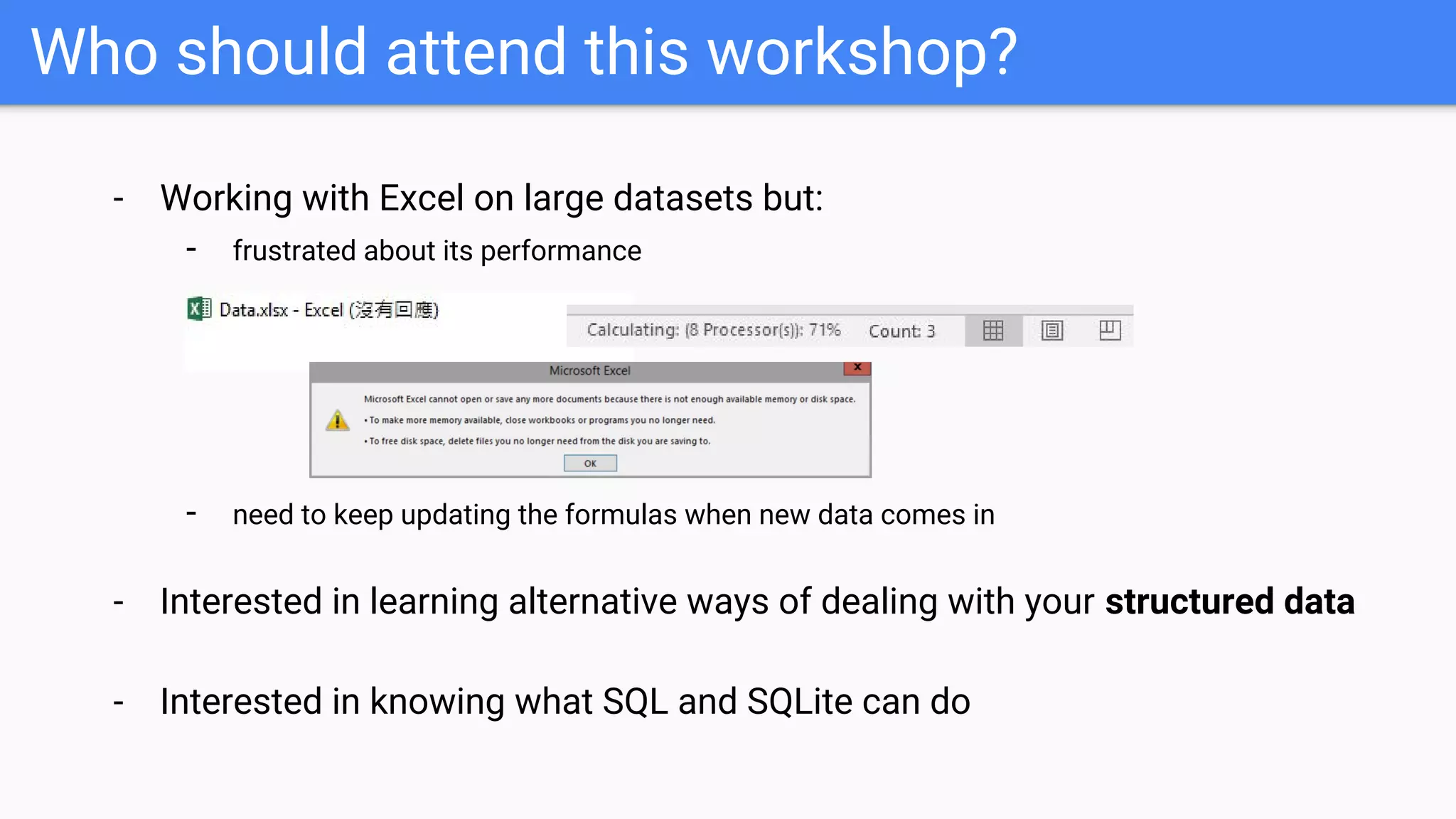
- Working with Excel on large datasets but:
- frustrated about its performance
- need to keep updating the formulas when new data comes in
- Interested in learning alternative ways of dealing with your structured data
- Interested in knowing what SQL and SQLite can do
Who should NOT attend this workshop?
- Developers who are already familiar with SQL
or SQLite
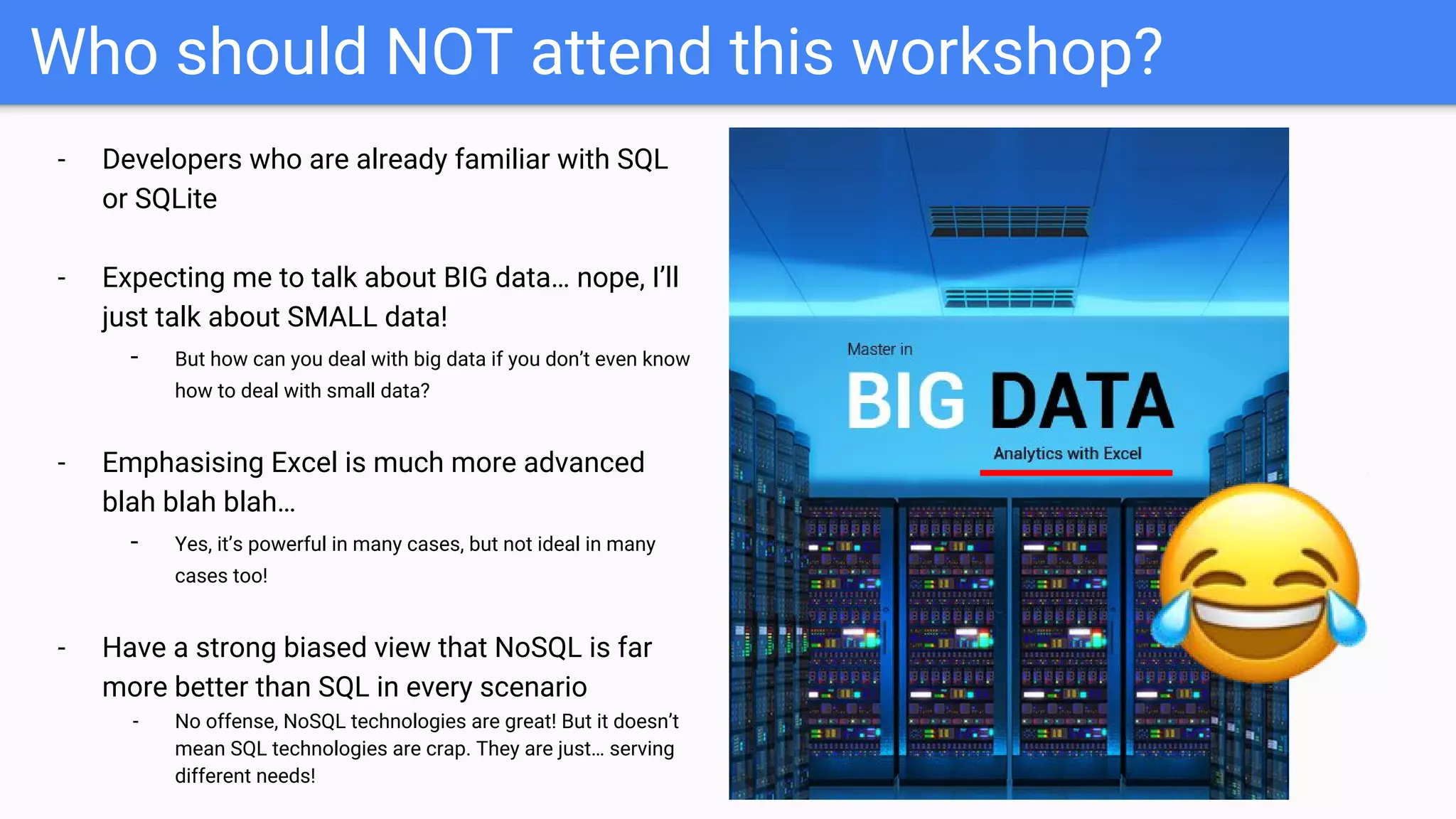
- Expecting me to talk about BIG data… nope, I’ll
just talk about SMALL data!
- But how can you deal with big data if you don’t even know
how to deal with small data?
- Emphasising Excel is much more advanced
blah blah blah…
- Yes, it’s powerful in many cases, but not ideal in many
cases too!
- Have a strong biased view that NoSQL is far
more better than SQL in every scenario
- No offense, NoSQL technologies are great! But it doesn’t
mean SQL technologies are crap. They are just… serving
different needs!
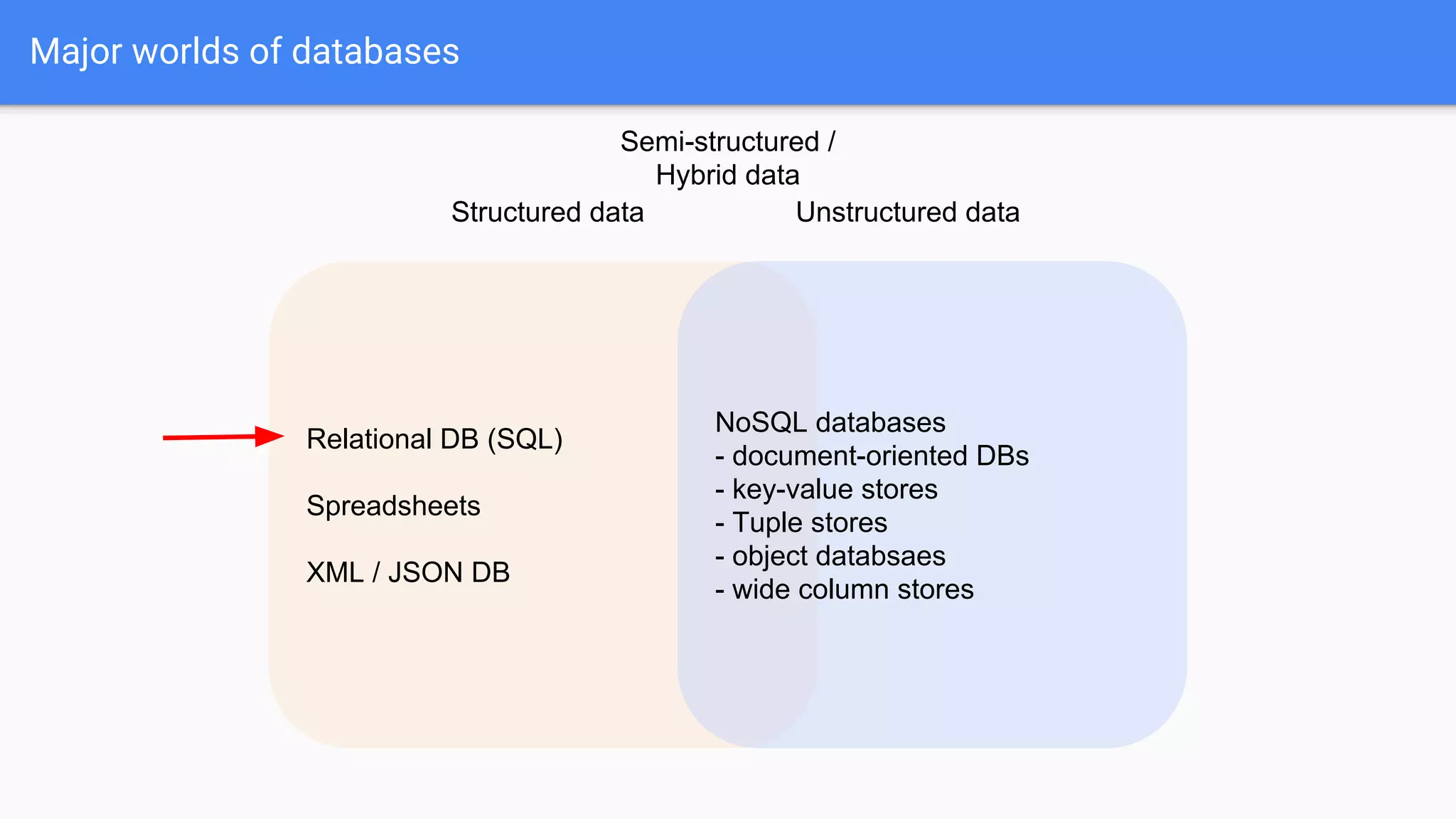
Major worlds of databases
Relational DB (SQL)
Spreadsheets
XML / JSON DB
NoSQL databases
- document-oriented DBs
- key-value stores
- Tuple stores
- object databsaes
- wide column stores
Structured data Unstructured data
Semi-structured /
Hybrid data
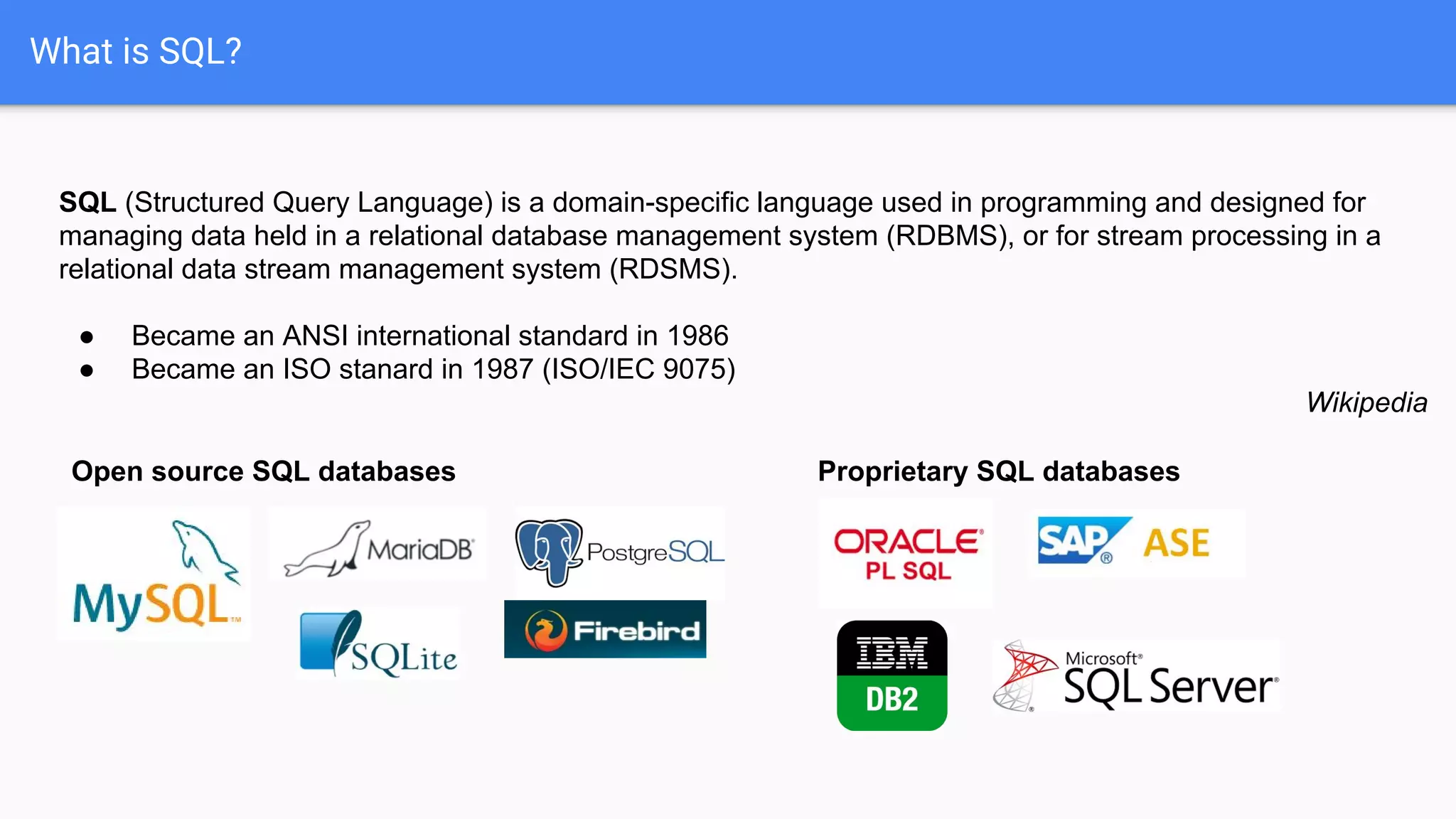
What is SQL?
SQL (Structured Query Language) is a domain-specific language used in programming and designed for
managing data held in a relational database management system (RDBMS), or for stream processing in a
relational data stream management system (RDSMS).
● Became an ANSI international standard in 1986
● Became an ISO stanard in 1987 (ISO/IEC 9075)
Wikipedia
Open source SQL databases Proprietary SQL databases
What is SQL?
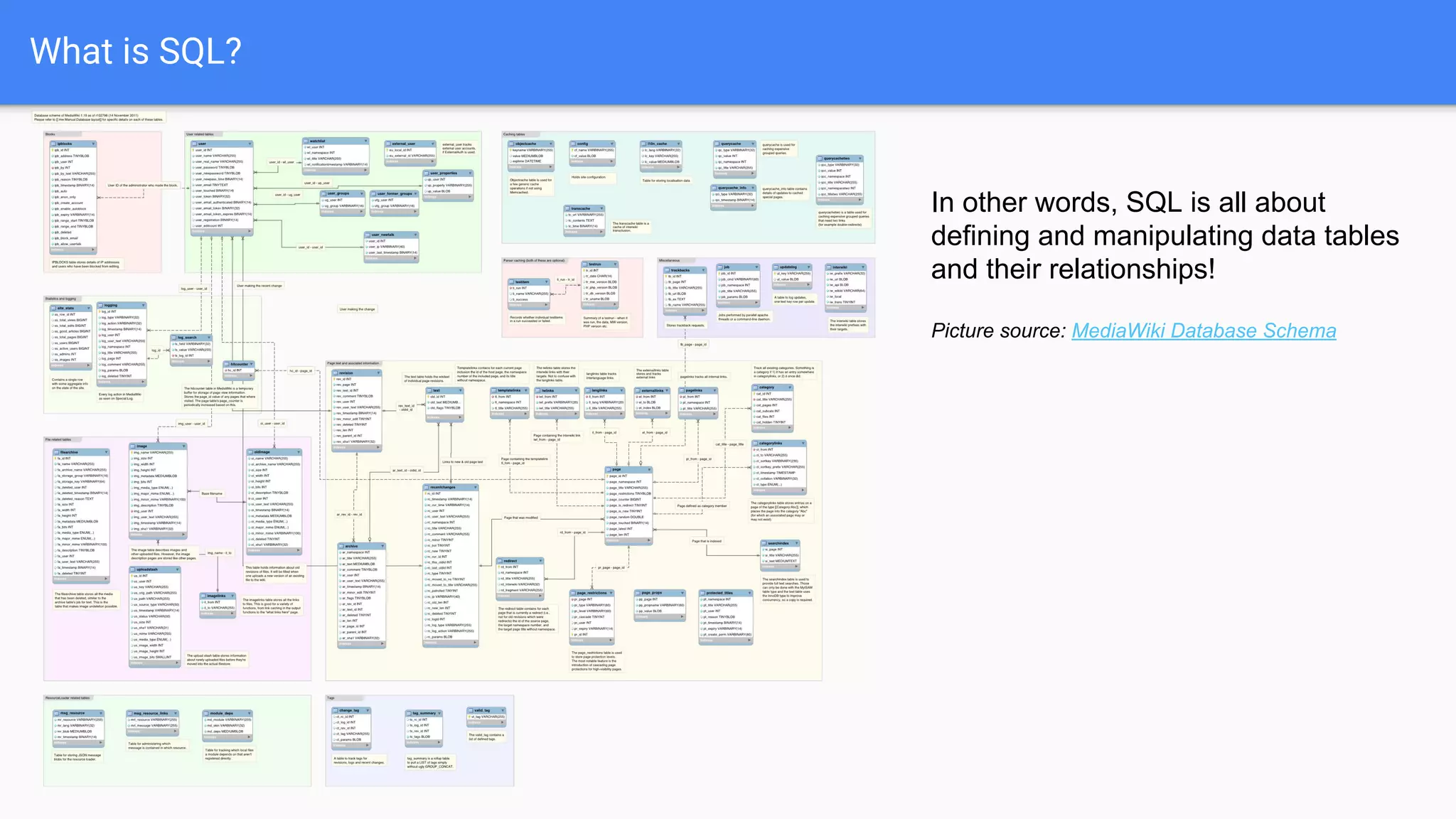
In other words, SQL is all about
defining and manipulating data tables
and their relationships!
Picture source: MediaWiki Database Schema
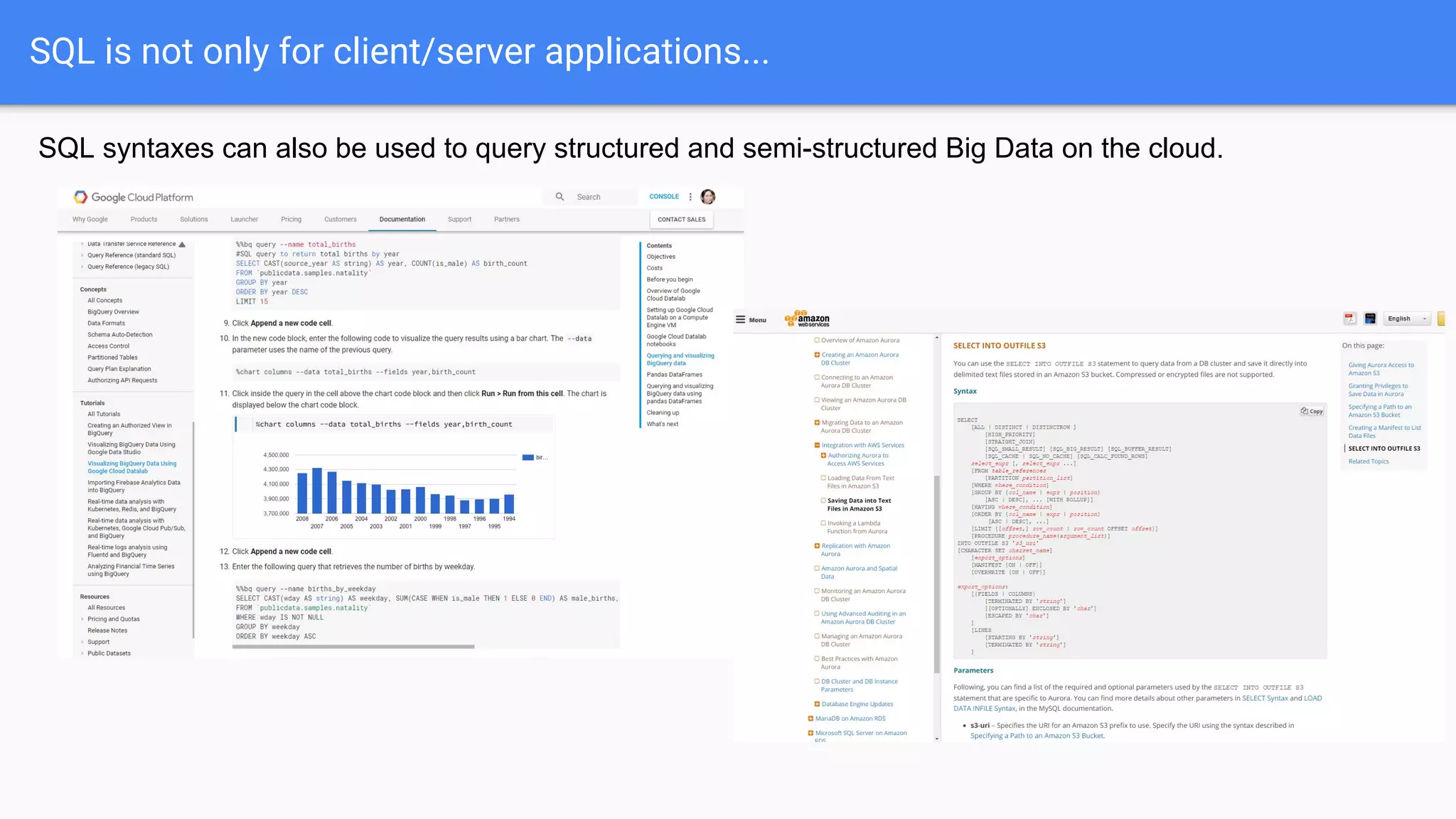
SQL is not only for client/server applications...
SQL syntaxes can also be used to query structured and semi-structured Big Data on the cloud.
What is SQLite?
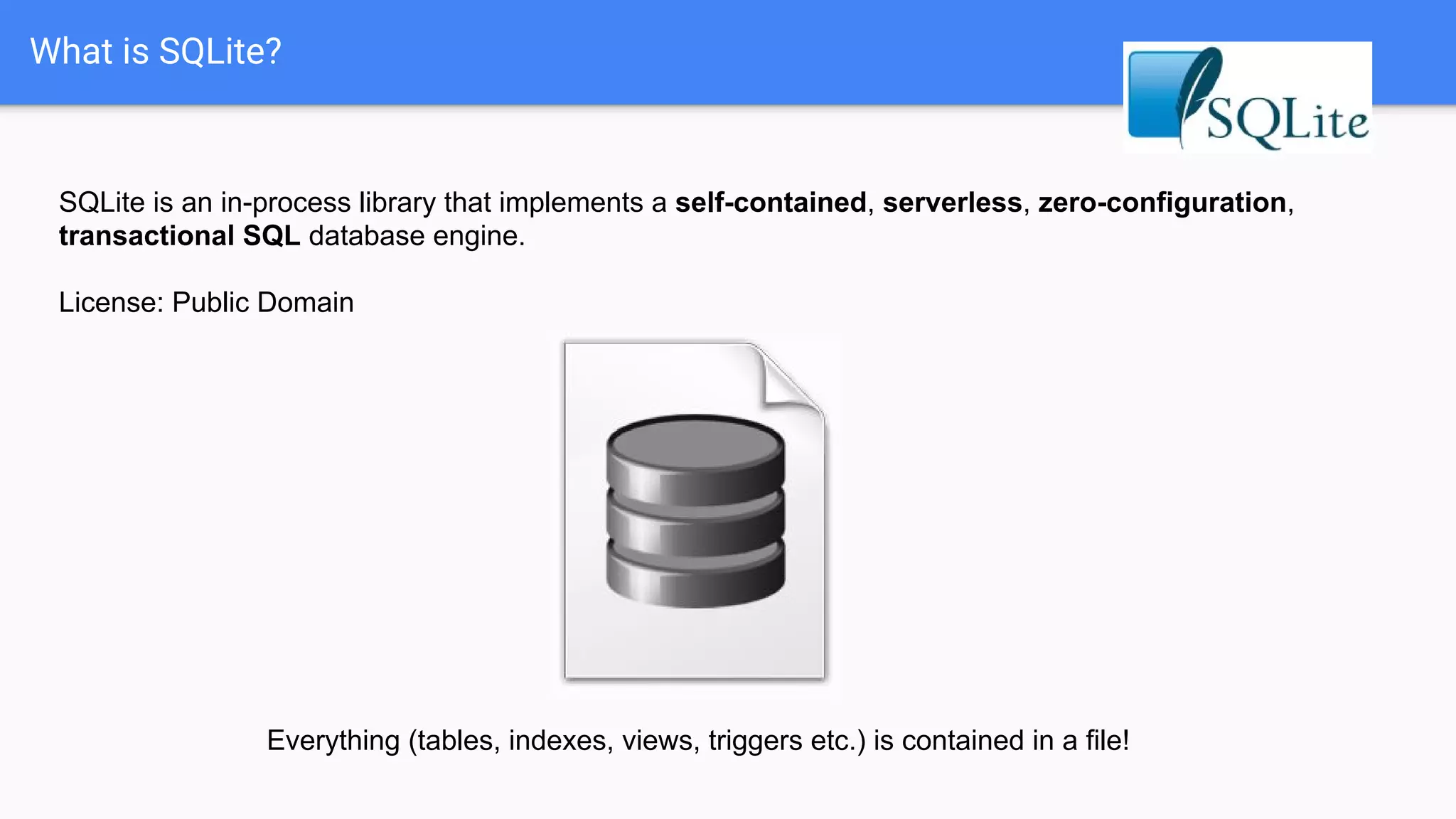
SQLite is an in-process library that implements a self-contained, serverless, zero-configuration,
transactional SQL database engine.
License: Public Domain
Everything (tables, indexes, views, triggers etc.) is contained in a file!
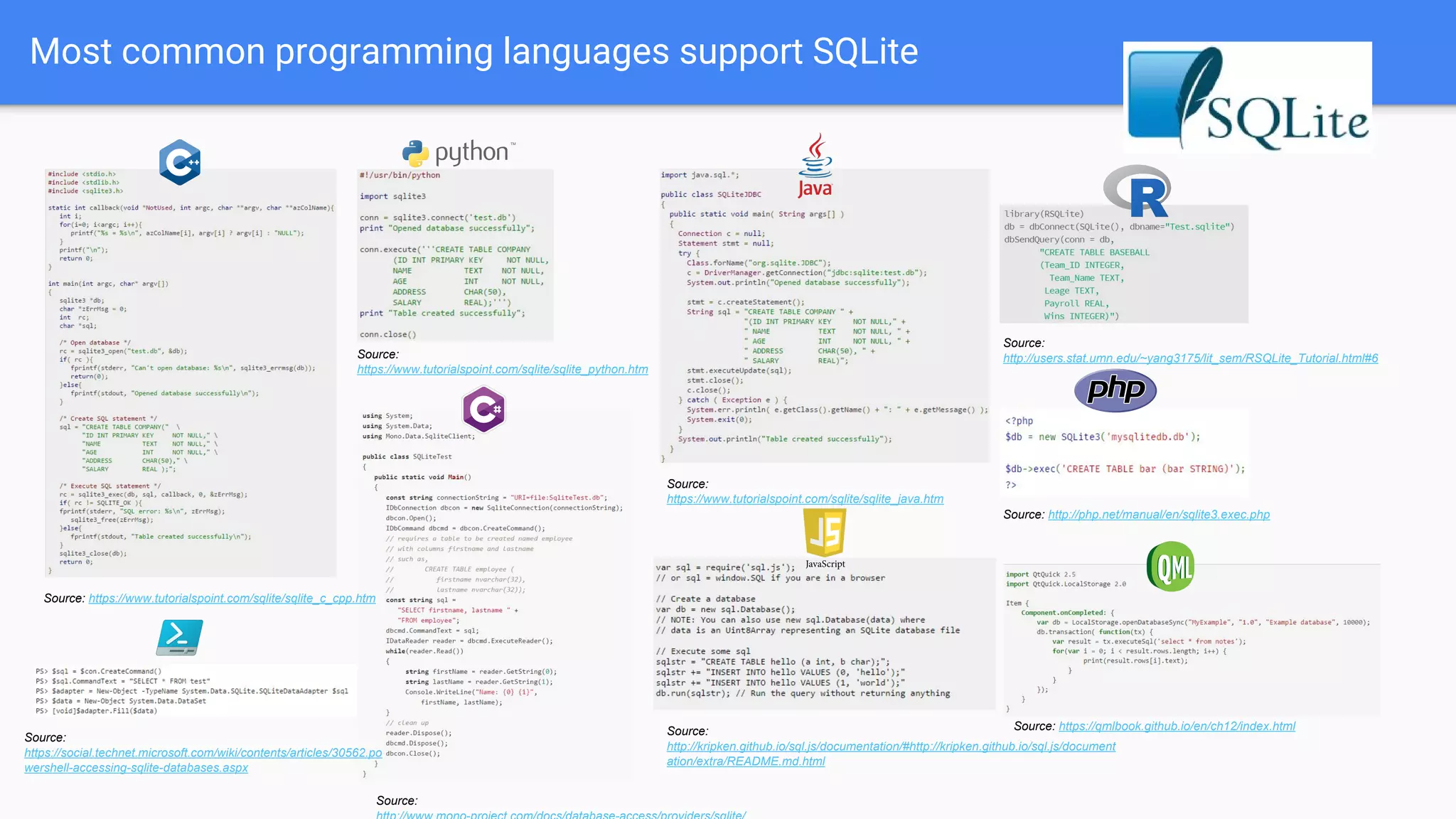
Most common programming languages support SQLite
Source:
https://www.tutorialspoint.com/sqlite/sqlite_java.htm
Source: http://php.net/manual/en/sqlite3.exec.php
Source:
https://www.tutorialspoint.com/sqlite/sqlite_python.htm
Source:
http://users.stat.umn.edu/~yang3175/lit_sem/RSQLite_Tutorial.html#6
Source:
Source:
http://kripken.github.io/sql.js/documentation/#http://kripken.github.io/sql.js/document
ation/extra/README.md.html
Source: https://www.tutorialspoint.com/sqlite/sqlite_c_cpp.htm
Source: https://qmlbook.github.io/en/ch12/index.html
Source:
https://social.technet.microsoft.com/wiki/contents/articles/30562.po
wershell-accessing-sqlite-databases.aspx
What is SQLite good / not so good at?
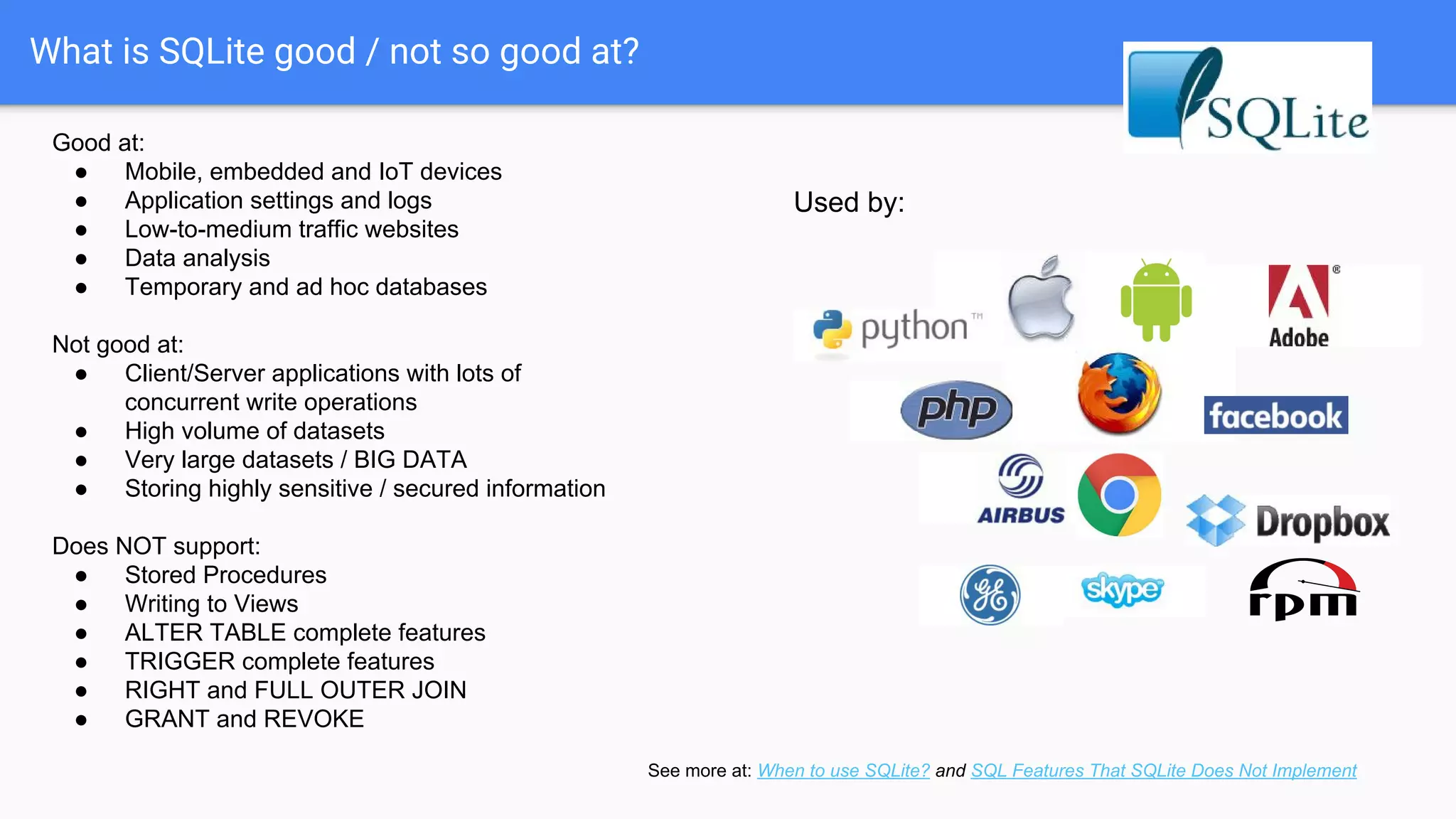
Good at:
● Mobile, embedded and IoT devices
● Application settings and logs
● Low-to-medium traffic websites
● Data analysis
● Temporary and ad hoc databases
Not good at:
● Client/Server applications with lots of
concurrent write operations
● High volume of datasets
● Very large datasets / BIG DATA
● Storing highly sensitive / secured information
Does NOT support:
● Stored Procedures
● Writing to Views
● ALTER TABLE complete features
● TRIGGER complete features
● RIGHT and FULL OUTER JOIN
● GRANT and REVOKE
Used by:
See more at: When to use SQLite? and SQL Features That SQLite Does Not Implement
My very own experience with SQLite
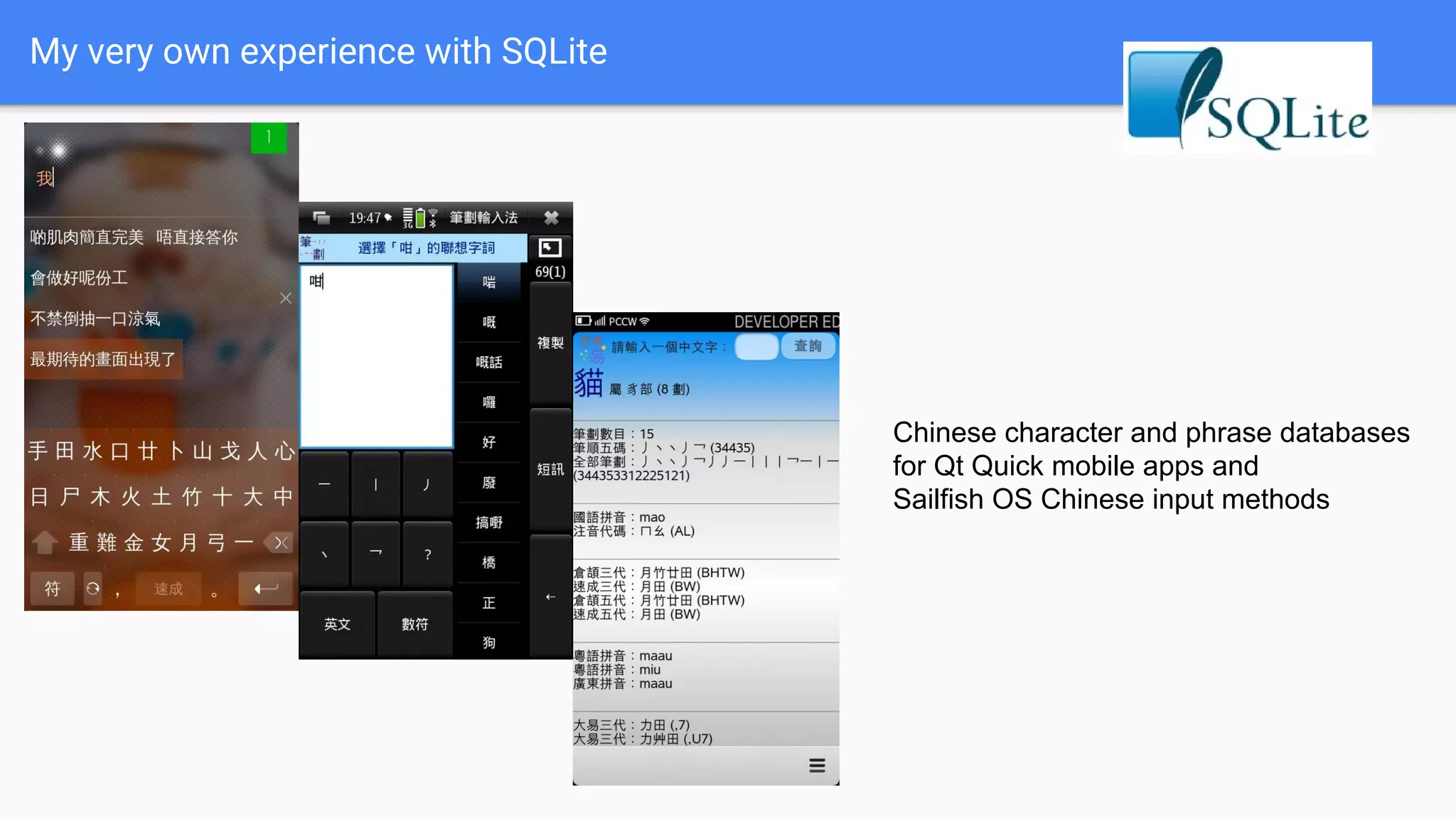
Chinese character and phrase databases
for Qt Quick mobile apps and
Sailfish OS Chinese input methods
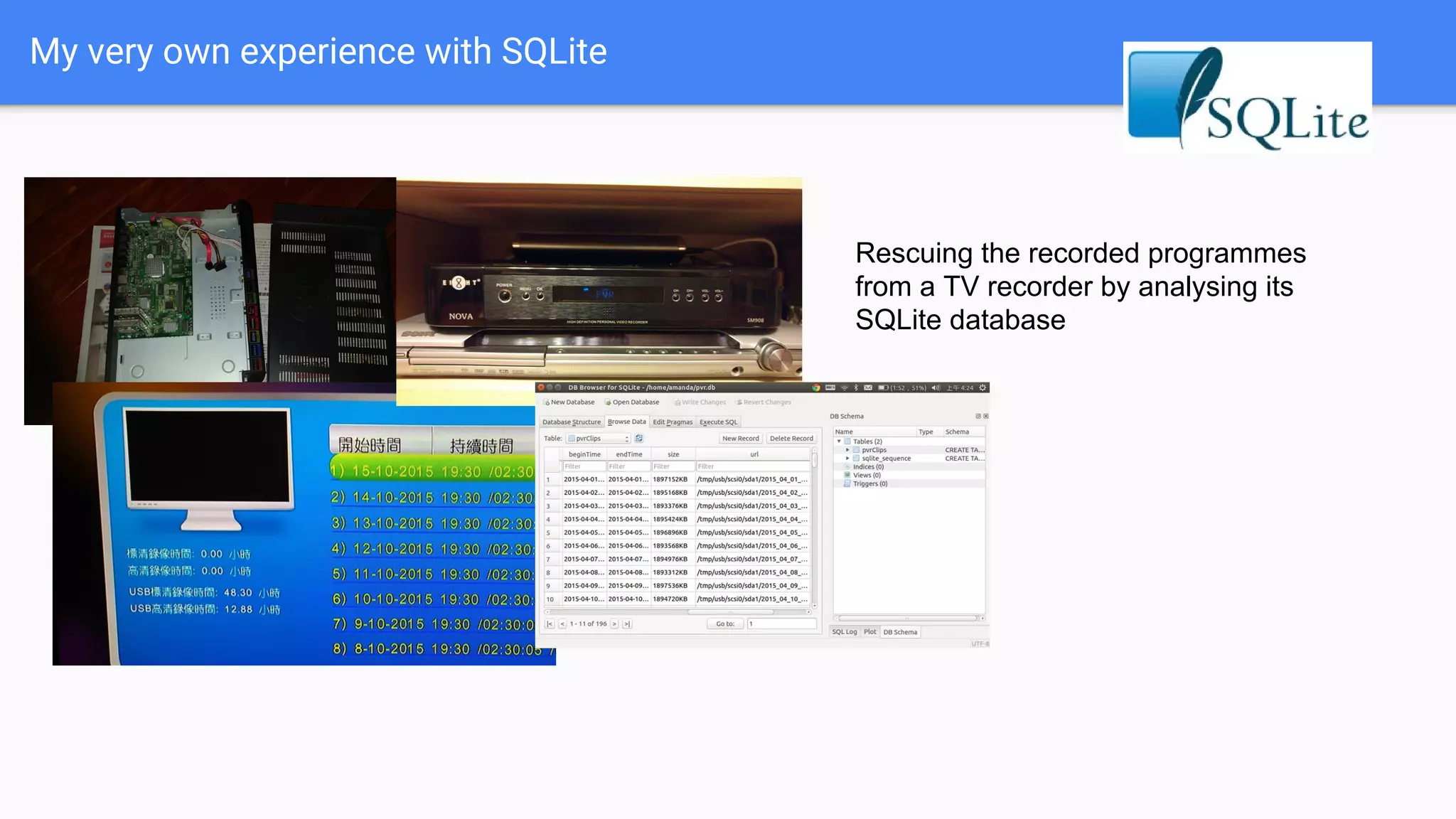
My very own experience with SQLite
Rescuing the recorded programmes
from a TV recorder by analysing its
SQLite database
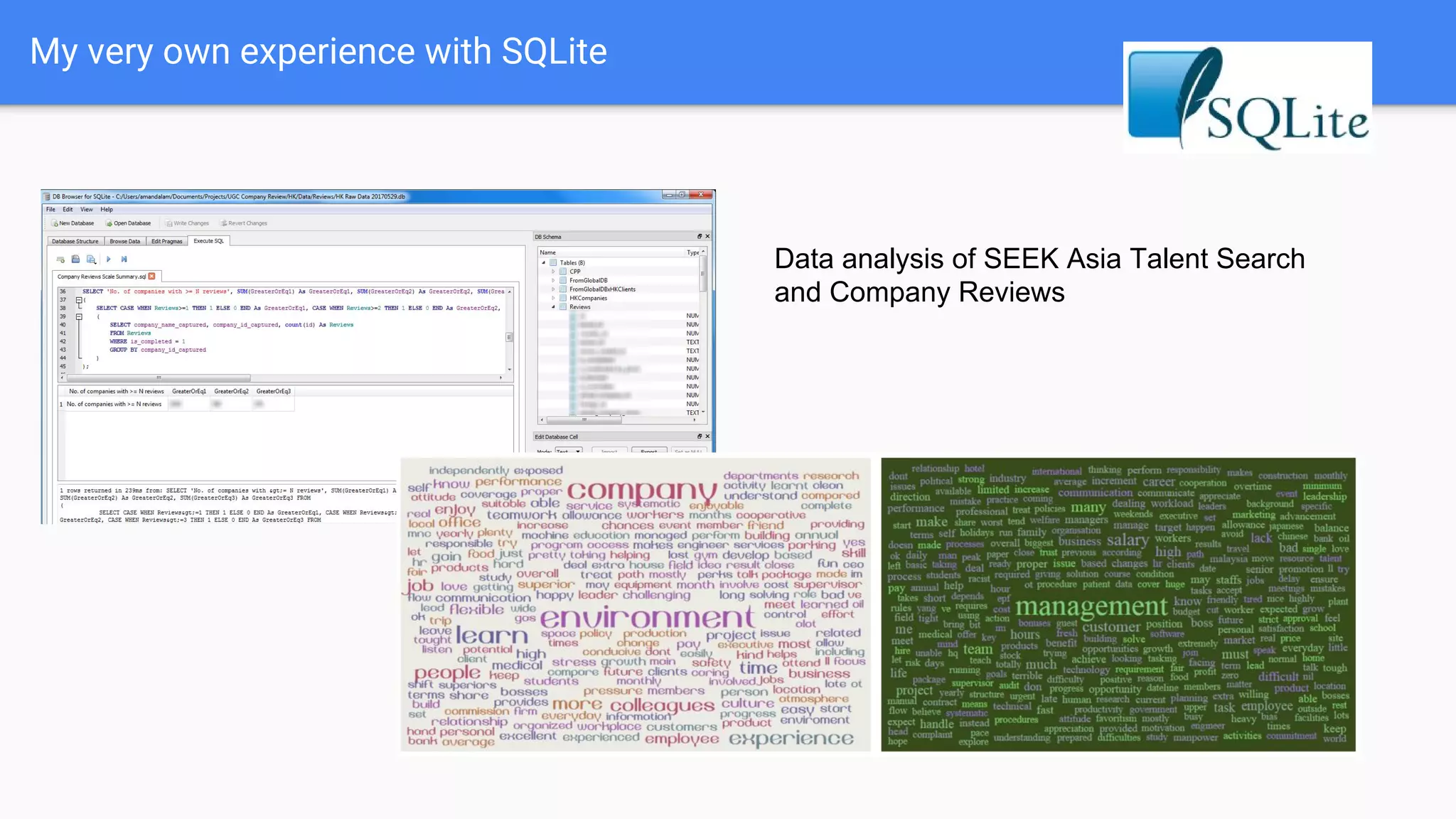
My very own experience with SQLite
Data analysis of SEEK Asia Talent Search
and Company Reviews
Why SQLite for simple data analysis?
● Everything is contained in a file. Easy to share and distribute.
● No need to install anything! Great for corporate users where they have no
installation rights to their work PC.
○ No root:root needed!
● Querying in easy-to-learn SQL languages.
● It’s FAST, in many senses.
● Connectable to common Business Intelligence report suites via ODBC
connectors.
Enough BS.
Let’s get our hands dirty!
Data preparation
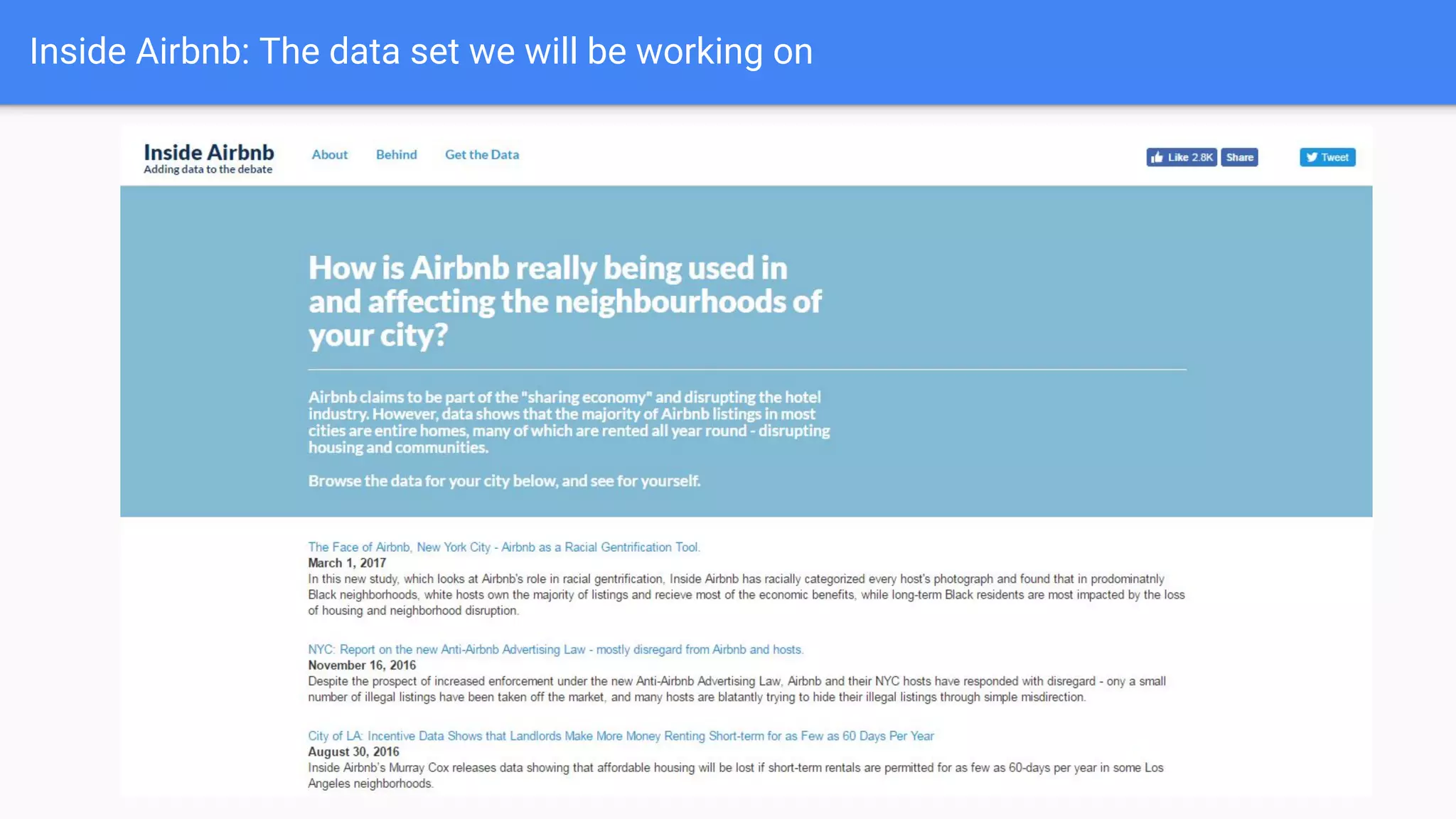
Inside Airbnb: The data set we will be working on
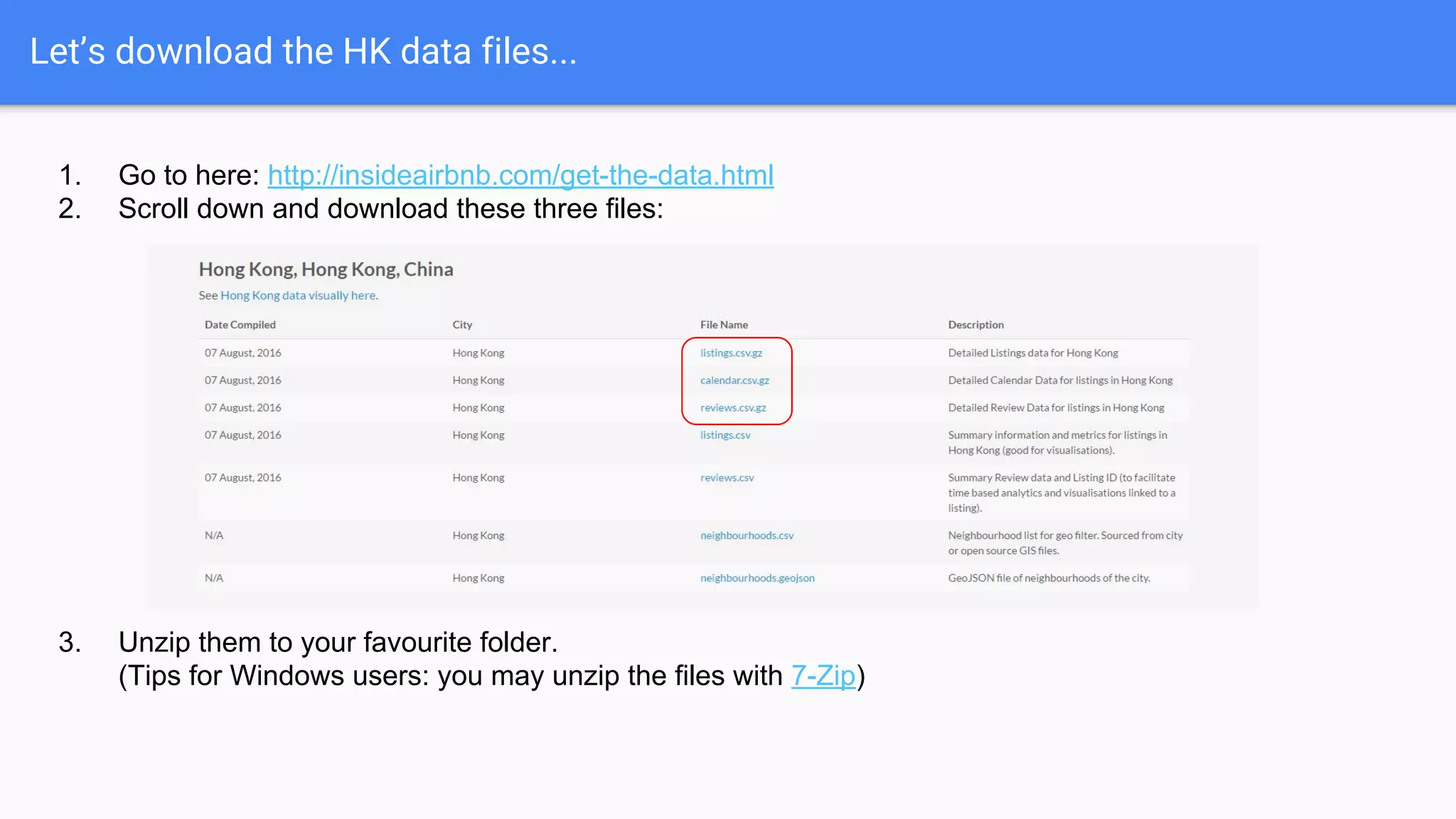
Let’s download the HK data files...
1. Go to here: http://insideairbnb.com/get-the-data.html
2. Scroll down and download these three files:
3. Unzip them to your favourite folder.
(Tips for Windows users: you may unzip the files with 7-Zip)
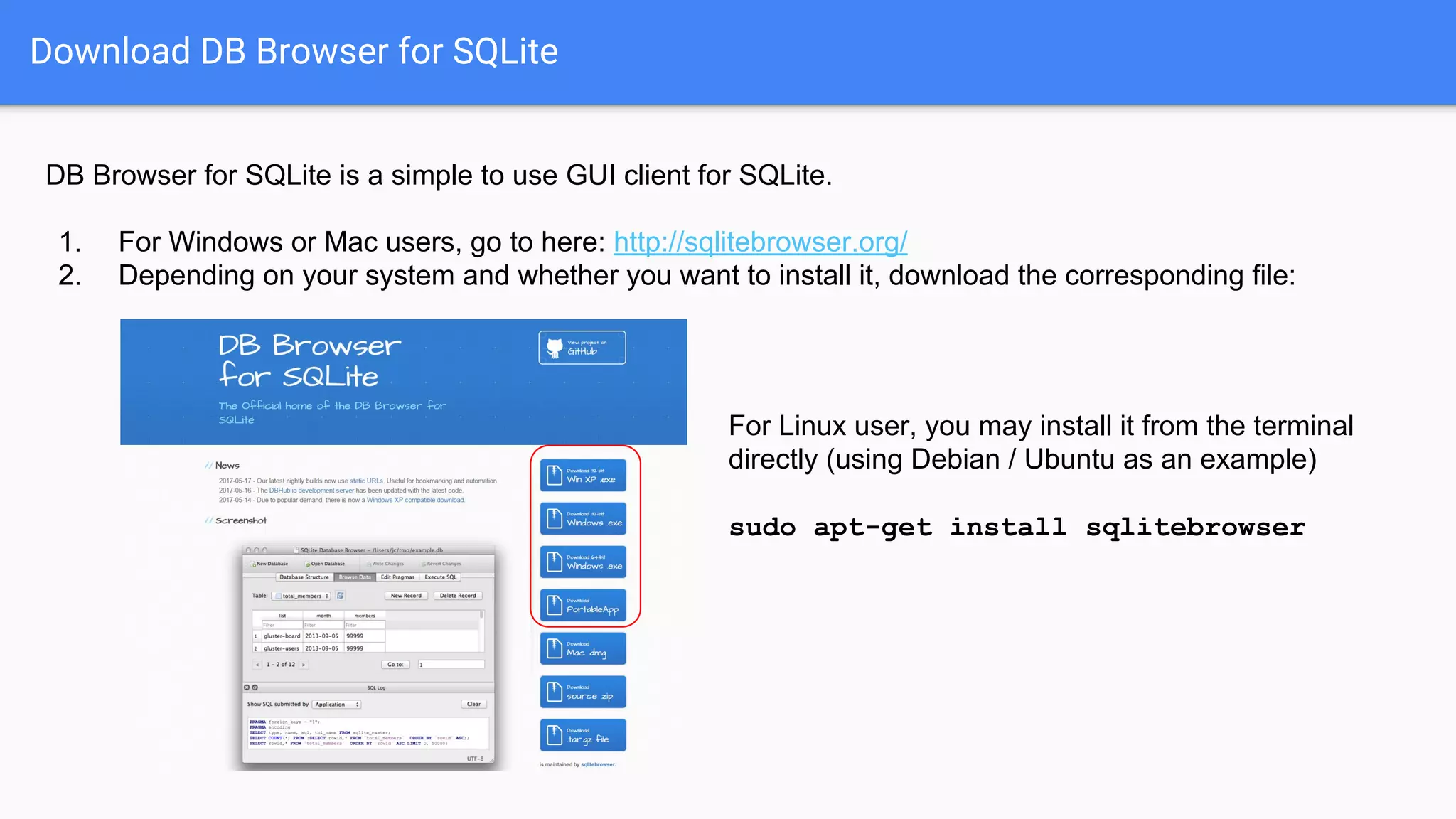
Download DB Browser for SQLite
DB Browser for SQLite is a simple to use GUI client for SQLite.
1. For Windows or Mac users, go to here: http://sqlitebrowser.org/
2. Depending on your system and whether you want to install it, download the corresponding file:
For Linux user, you may install it from the terminal
directly (using Debian / Ubuntu as an example)
sudo apt-get install sqlitebrowser
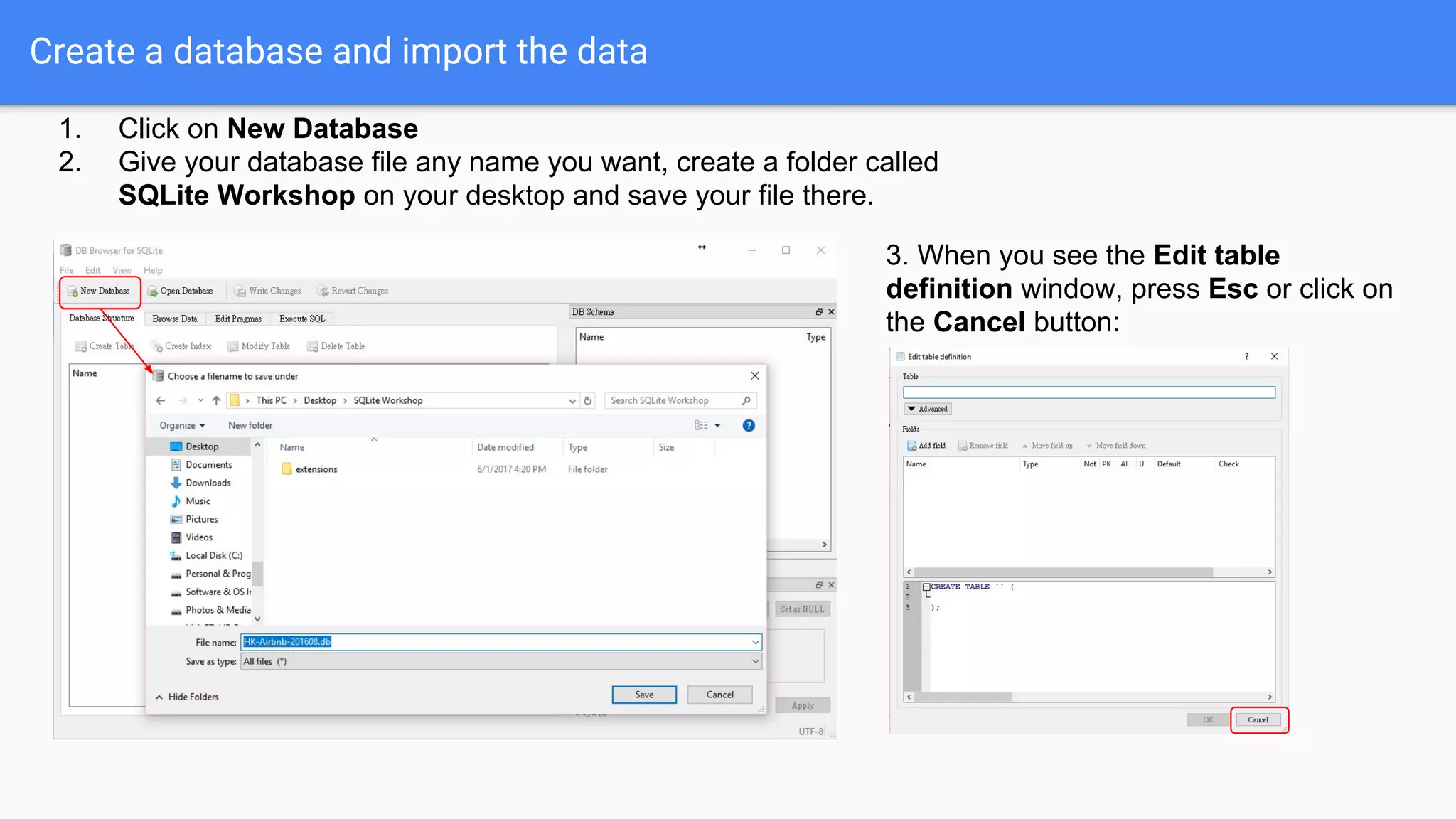
Create a database and import the data
1. Click on New Database
2. Give your database file any name you want, create a folder called
SQLite Workshop on your desktop and save your file there.
3. When you see the Edit table
definition window, press Esc or click on
the Cancel button:
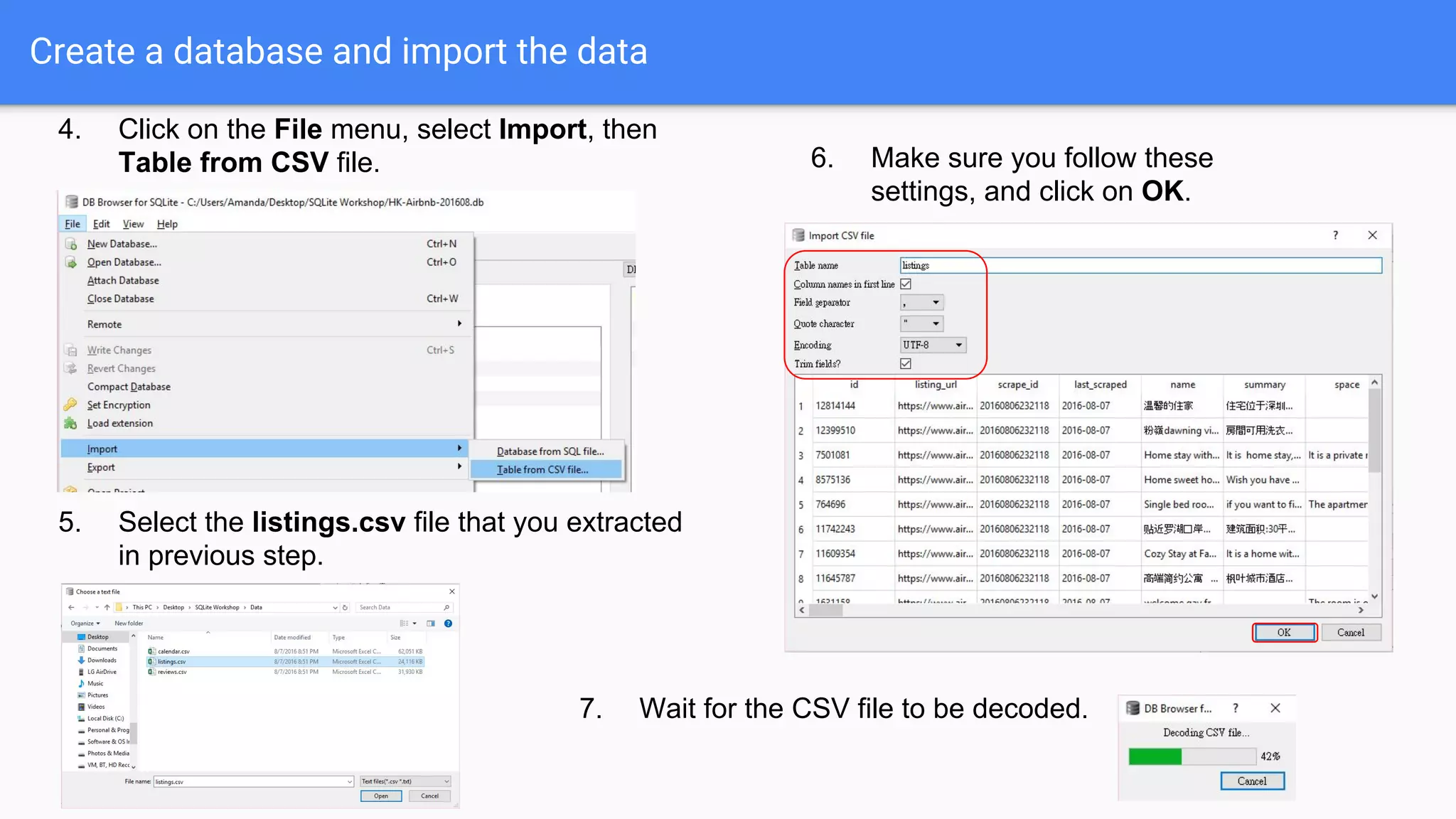
Create a database and import the data
4. Click on the File menu, select Import, then
Table from CSV file.
5. Select the listings.csv file that you extracted
in previous step.
6. Make sure you follow these
settings, and click on OK.
7. Wait for the CSV file to be decoded.
Create a database and import the data
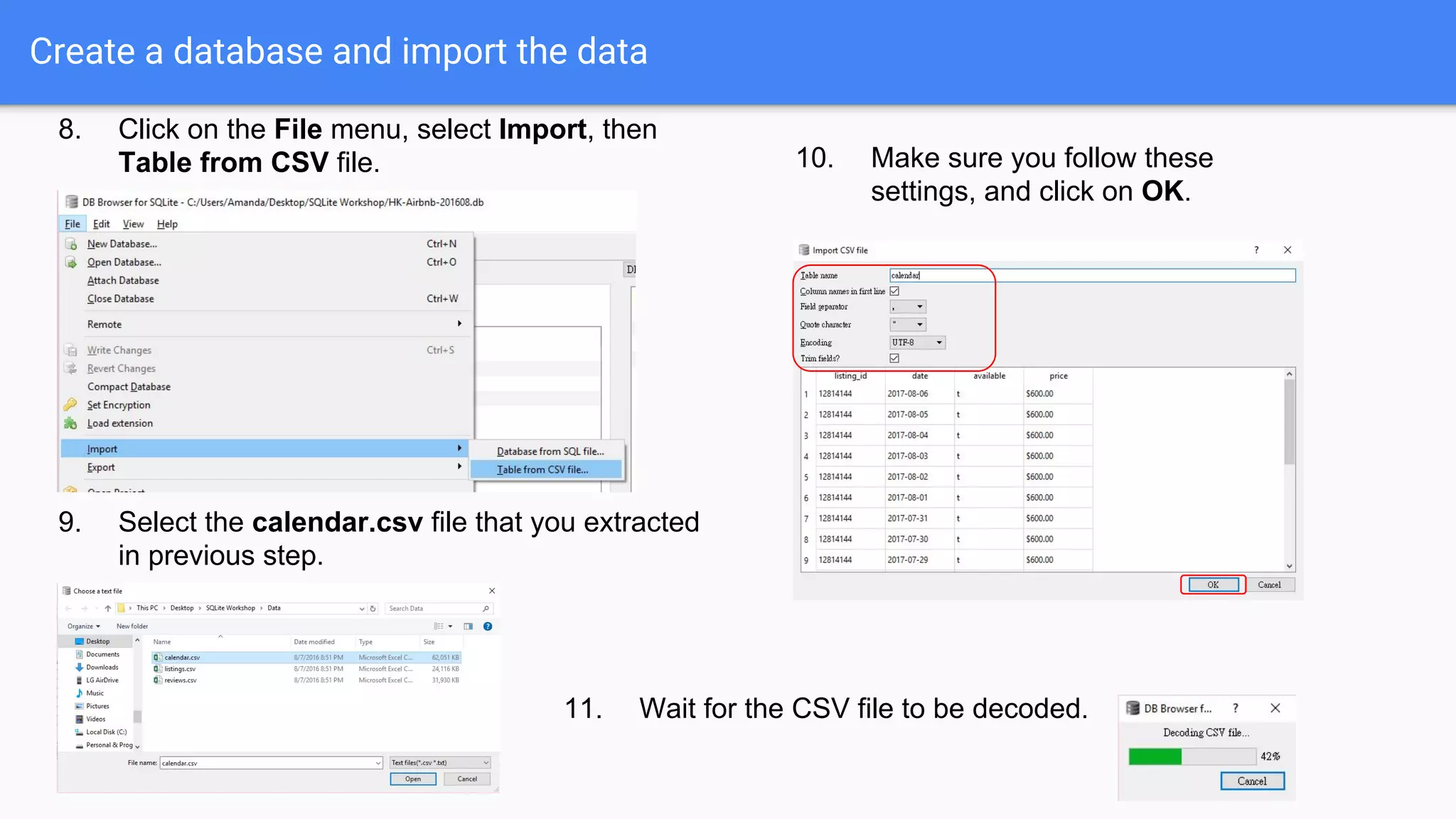
8. Click on the File menu, select Import, then
Table from CSV file.
9. Select the calendar.csv file that you extracted
in previous step.
10. Make sure you follow these
settings, and click on OK.
11. Wait for the CSV file to be decoded.
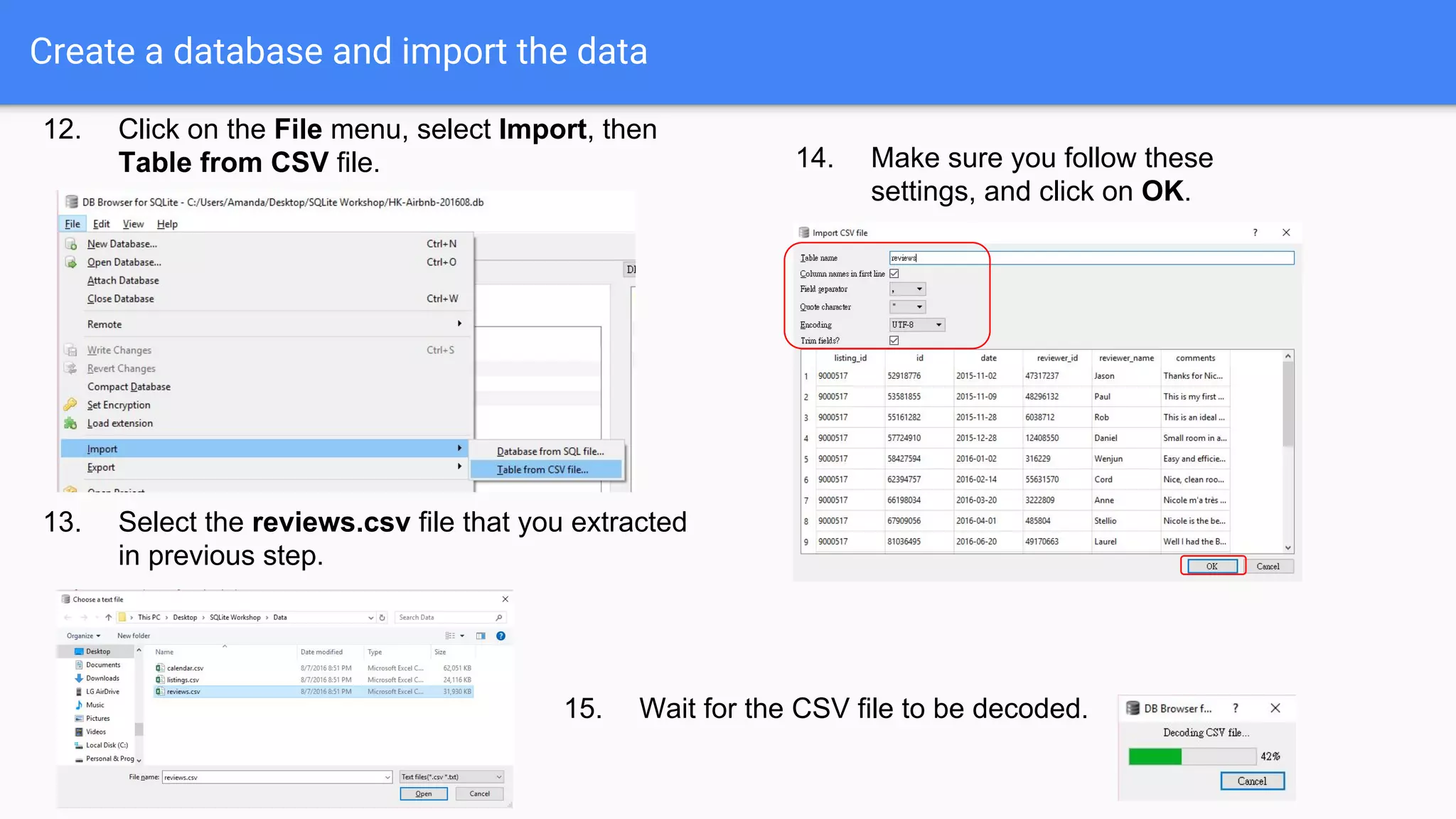
Create a database and import the data
12. Click on the File menu, select Import, then
Table from CSV file.
13. Select the reviews.csv file that you extracted
in previous step.
14. Make sure you follow these
settings, and click on OK.
15. Wait for the CSV file to be decoded.
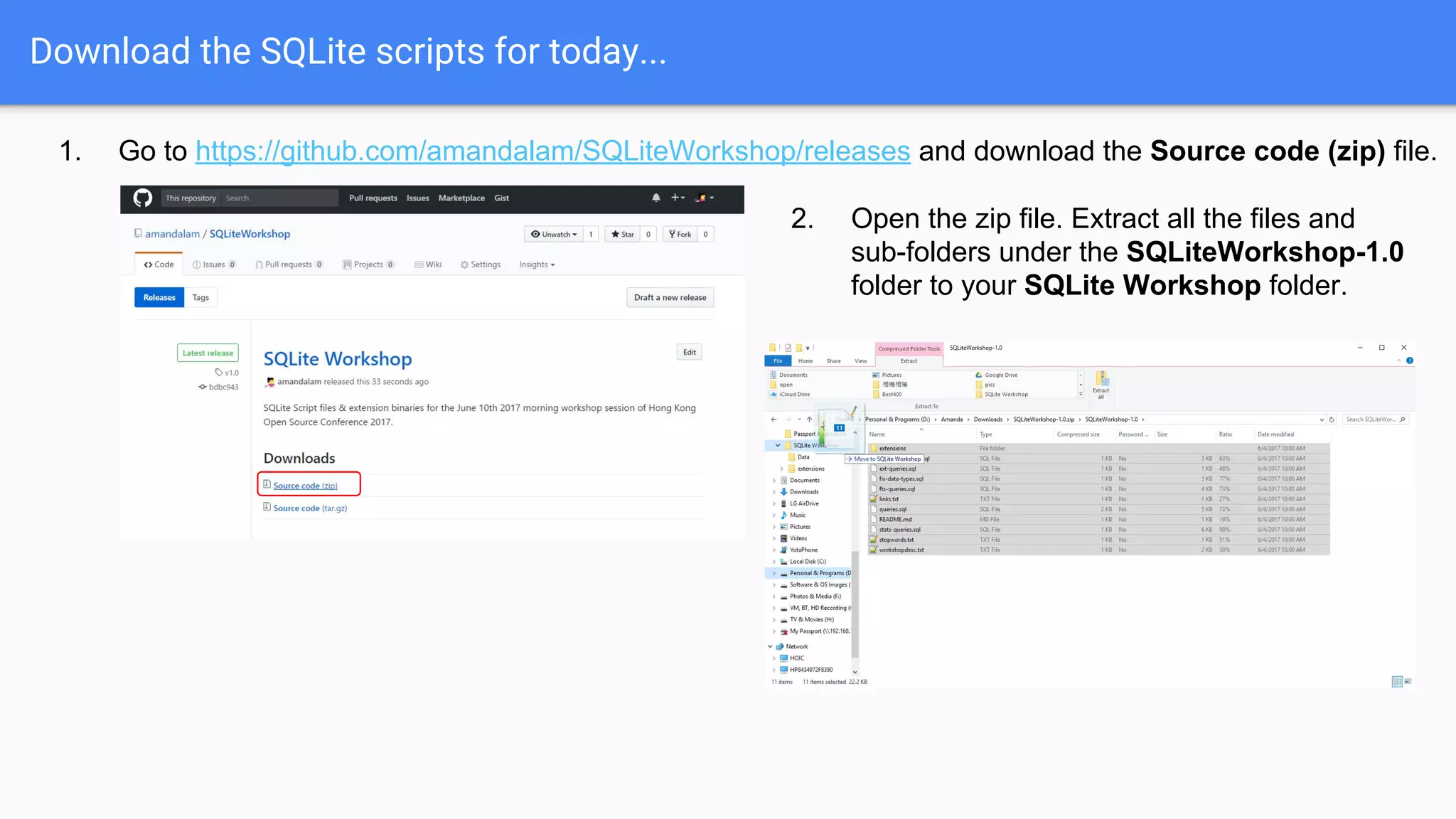
Download the SQLite scripts for today...
1. Go to https://github.com/amandalam/SQLiteWorkshop/releases and download the Source code (zip) file.
2. Open the zip file. Extract all the files and
sub-folders under the SQLiteWorkshop-1.0
folder to your SQLite Workshop folder.
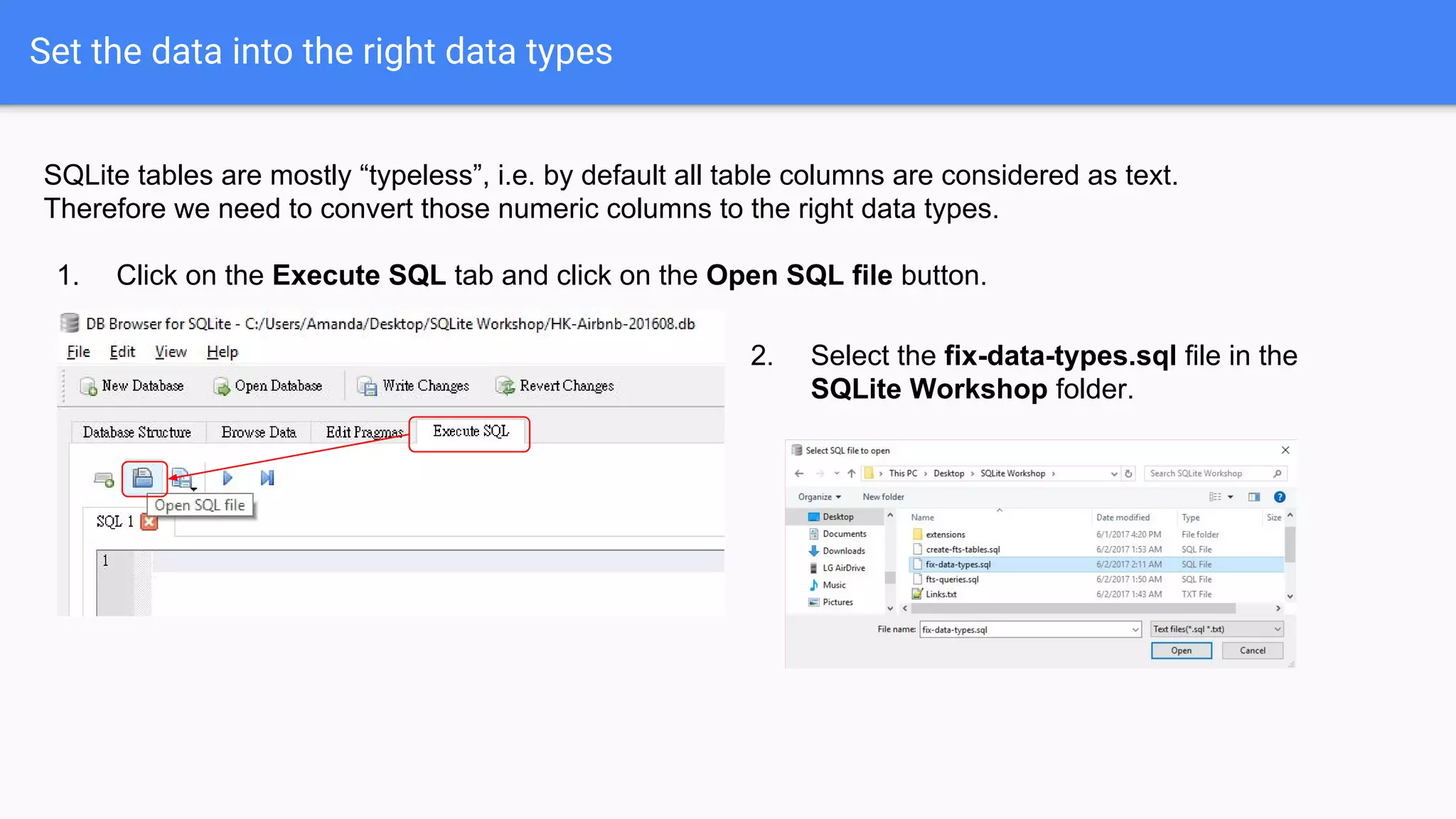
Set the data into the right data types
SQLite tables are mostly “typeless”, i.e. by default all table columns are considered as text.
Therefore we need to convert those numeric columns to the right data types.
1. Click on the Execute SQL tab and click on the Open SQL file button.
2. Select the fix-data-types.sql file in the
SQLite Workshop folder.
Set the data into the right data types
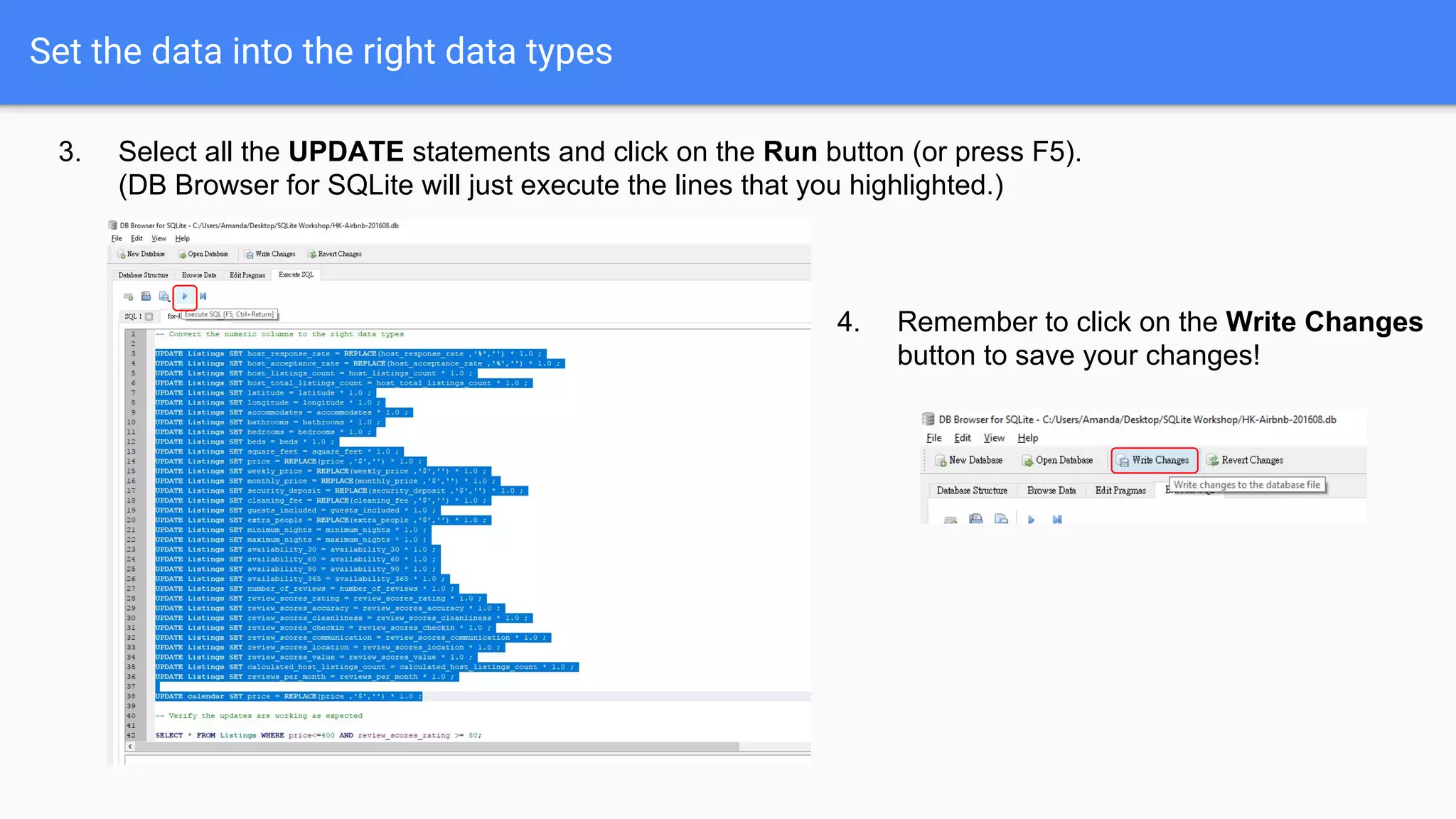
3. Select all the UPDATE statements and click on the Run button (or press F5).
(DB Browser for SQLite will just execute the lines that you highlighted.)
4. Remember to click on the Write Changes
button to save your changes!
Data analysis
Let’s do some simple queries...
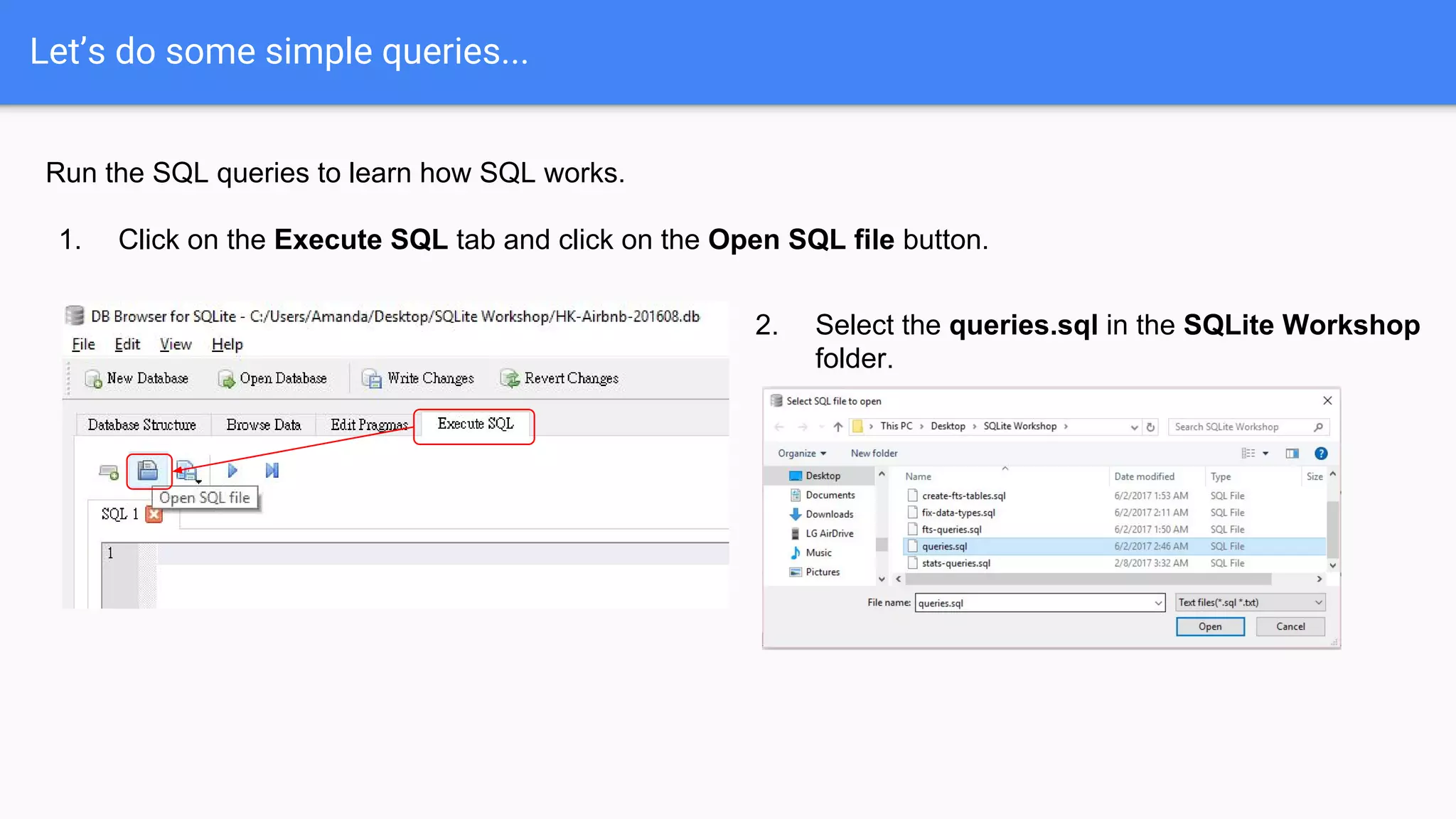
Run the SQL queries to learn how SQL works.
1. Click on the Execute SQL tab and click on the Open SQL file button.
2. Select the queries.sql in the SQLite Workshop
folder.
Let’s do some simple queries...
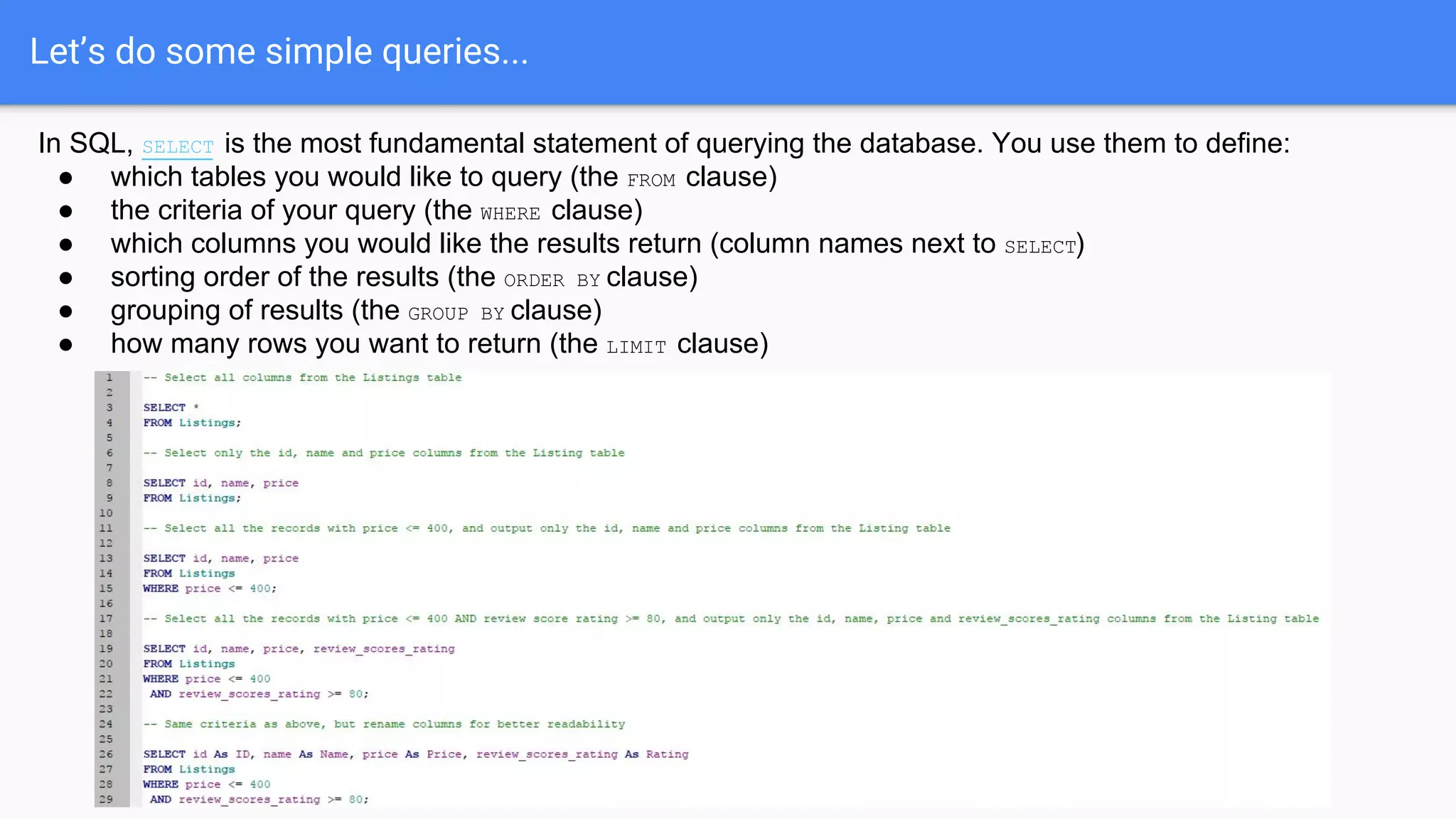
In SQL, SELECT is the most fundamental statement of querying the database. You use them to define:
● which tables you would like to query (the FROM clause)
● the criteria of your query (the WHERE clause)
● which columns you would like the results return (column names next to SELECT)
● sorting order of the results (the ORDER BY clause)
● grouping of results (the GROUP BY clause)
● how many rows you want to return (the LIMIT clause)
Grouping results by column(s)
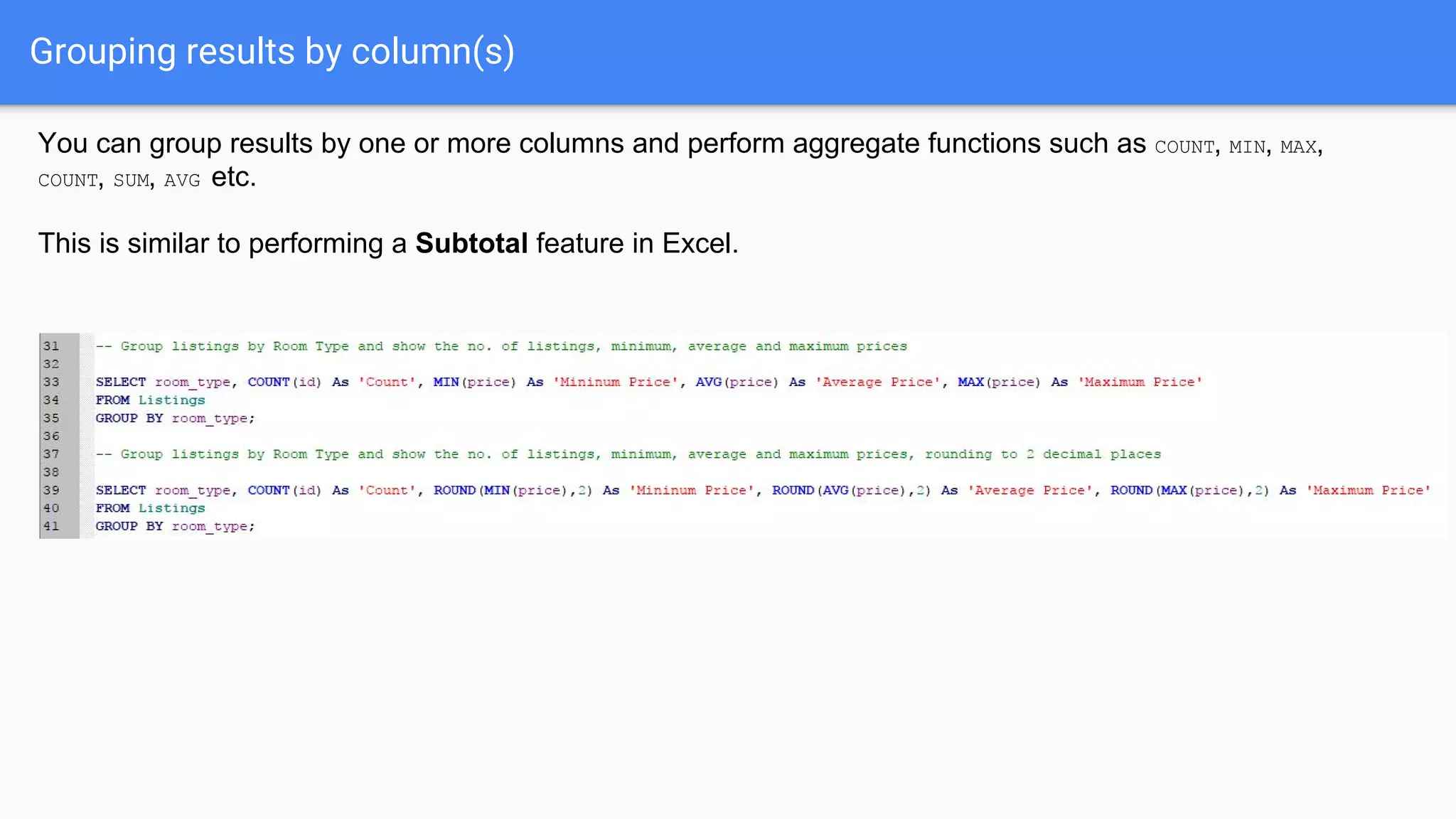
You can group results by one or more columns and perform aggregate functions such as COUNT, MIN, MAX,
COUNT, SUM, AVG etc.
This is similar to performing a Subtotal feature in Excel.
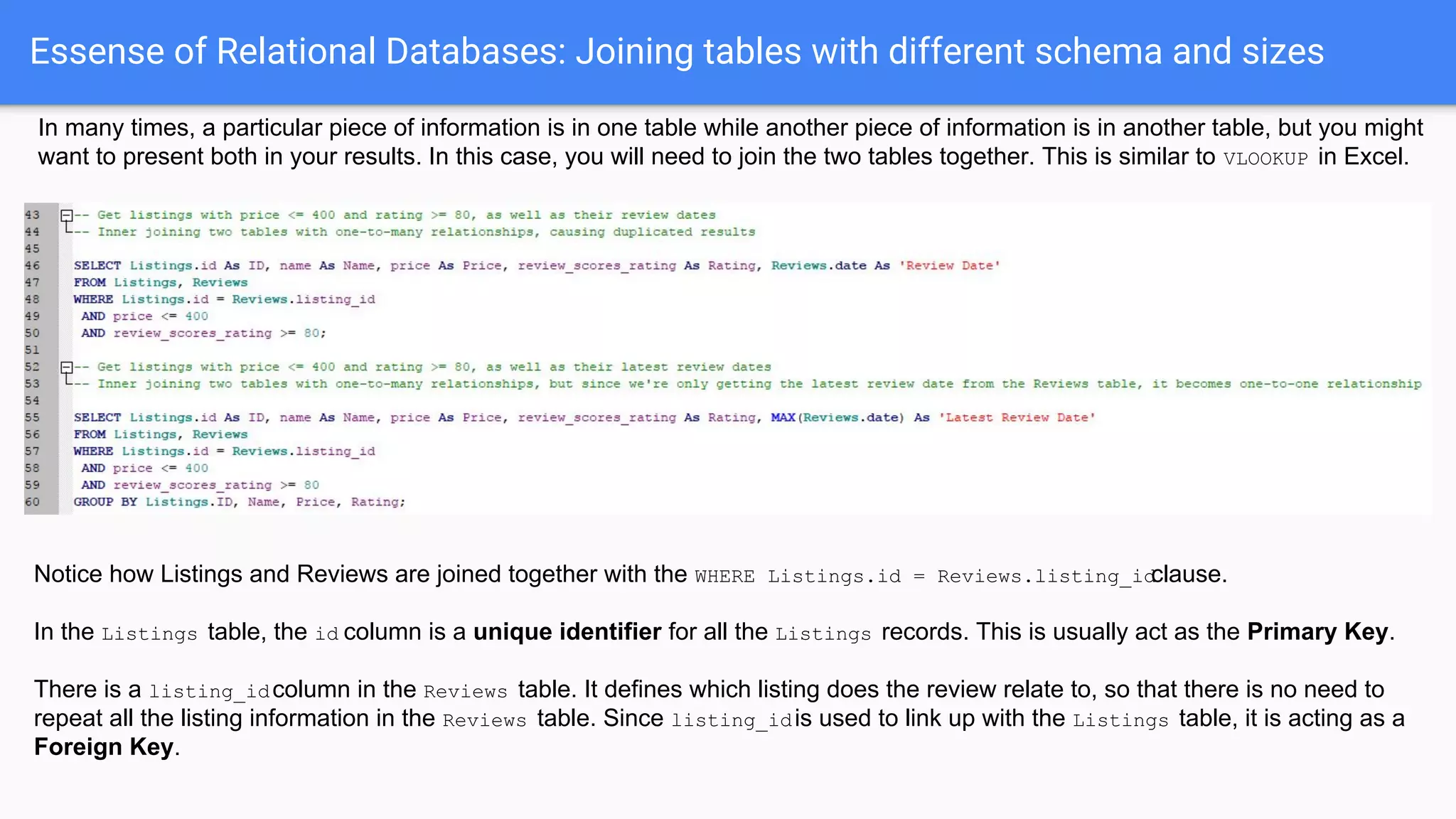
Essense of Relational Databases: Joining tables with different schema and sizes
In many times, a particular piece of information is in one table while another piece of information is in another table, but you might
want to present both in your results. In this case, you will need to join the two tables together. This is similar to VLOOKUP in Excel.
Notice how Listings and Reviews are joined together with the WHERE Listings.id = Reviews.listing_idclause.
In the Listings table, the id column is a unique identifier for all the Listings records. This is usually act as the Primary Key.
There is a listing_idcolumn in the Reviews table. It defines which listing does the review relate to, so that there is no need to
repeat all the listing information in the Reviews table. Since listing_idis used to link up with the Listings table, it is acting as a
Foreign Key.
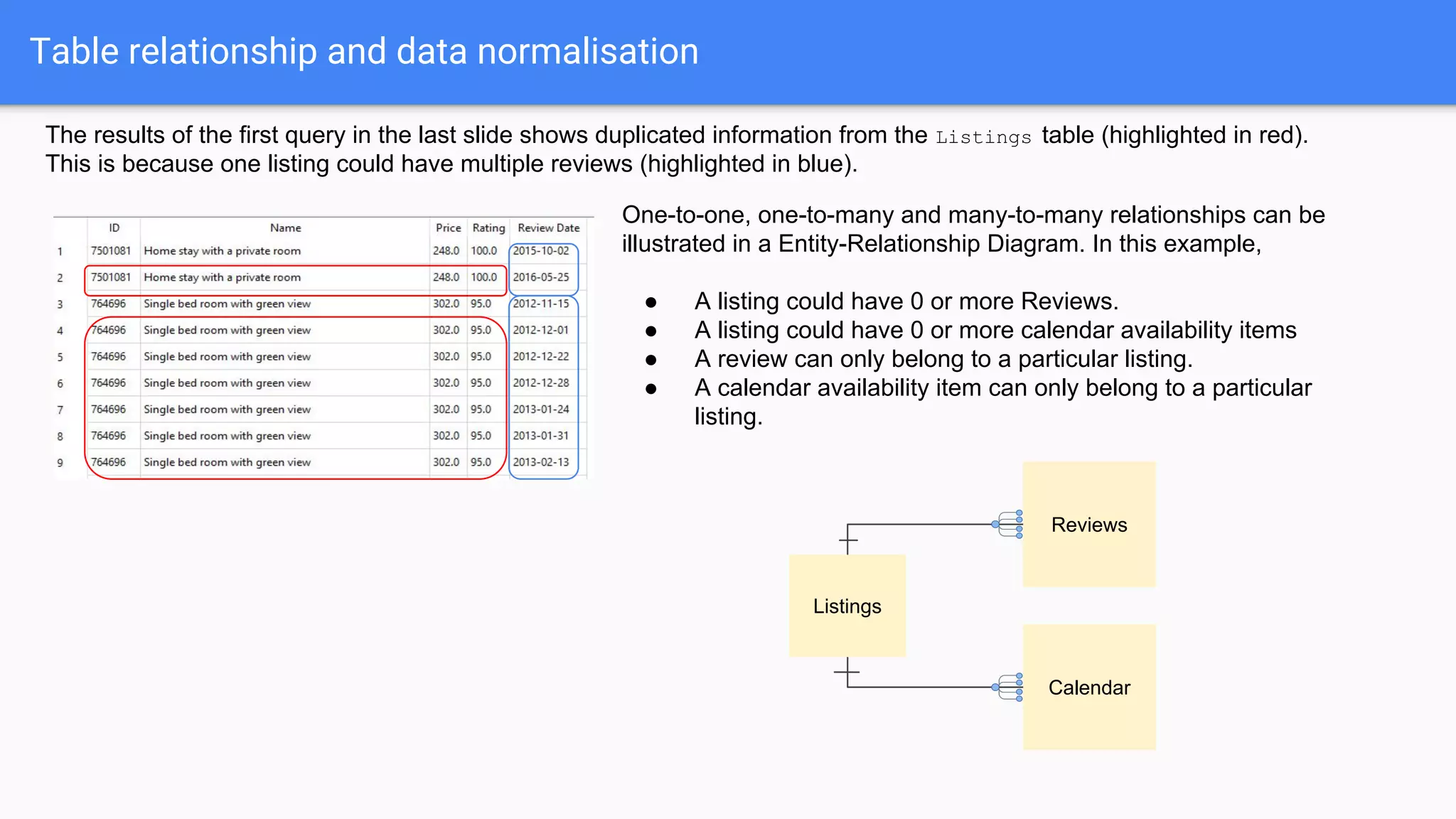
Table relationship and data normalisation
Listings
Reviews
Calendar
One-to-one, one-to-many and many-to-many relationships can be
illustrated in a Entity-Relationship Diagram. In this example,
● A listing could have 0 or more Reviews.
● A listing could have 0 or more calendar availability items
● A review can only belong to a particular listing.
● A calendar availability item can only belong to a particular
listing.
The results of the first query in the last slide shows duplicated information from the Listings table (highlighted in red).
This is because one listing could have multiple reviews (highlighted in blue).
Table relationship and data normalisation
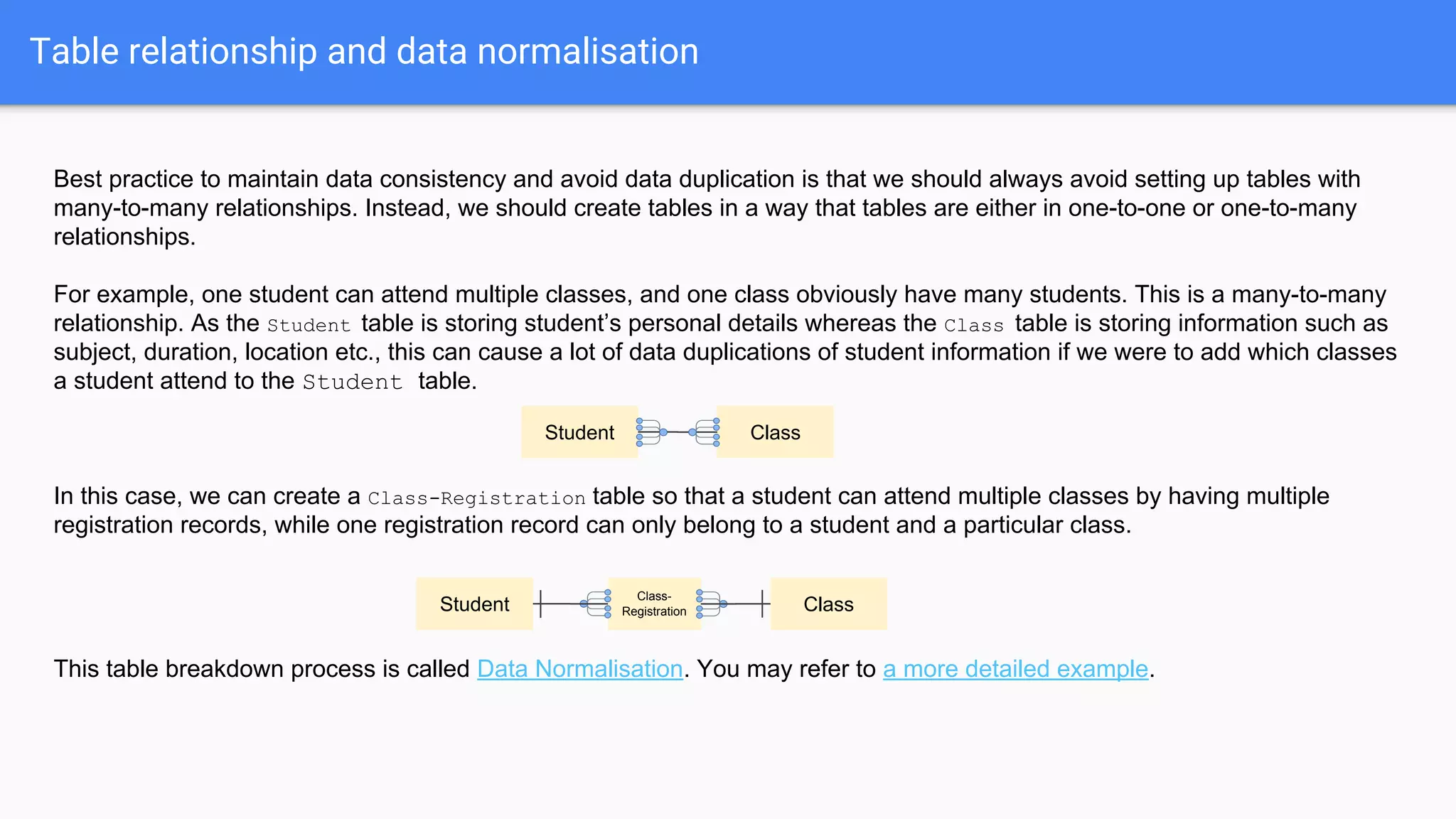
Best practice to maintain data consistency and avoid data duplication is that we should always avoid setting up tables with
many-to-many relationships. Instead, we should create tables in a way that tables are either in one-to-one or one-to-many
relationships.
For example, one student can attend multiple classes, and one class obviously have many students. This is a many-to-many
relationship. As the Student table is storing student’s personal details whereas the Class table is storing information such as
subject, duration, location etc., this can cause a lot of data duplications of student information if we were to add which classes
a student attend to the Student table.
In this case, we can create a Class-Registration table so that a student can attend multiple classes by having multiple
registration records, while one registration record can only belong to a student and a particular class.
This table breakdown process is called Data Normalisation. You may refer to a more detailed example.
Student Class
Student Class
Class-
Registration
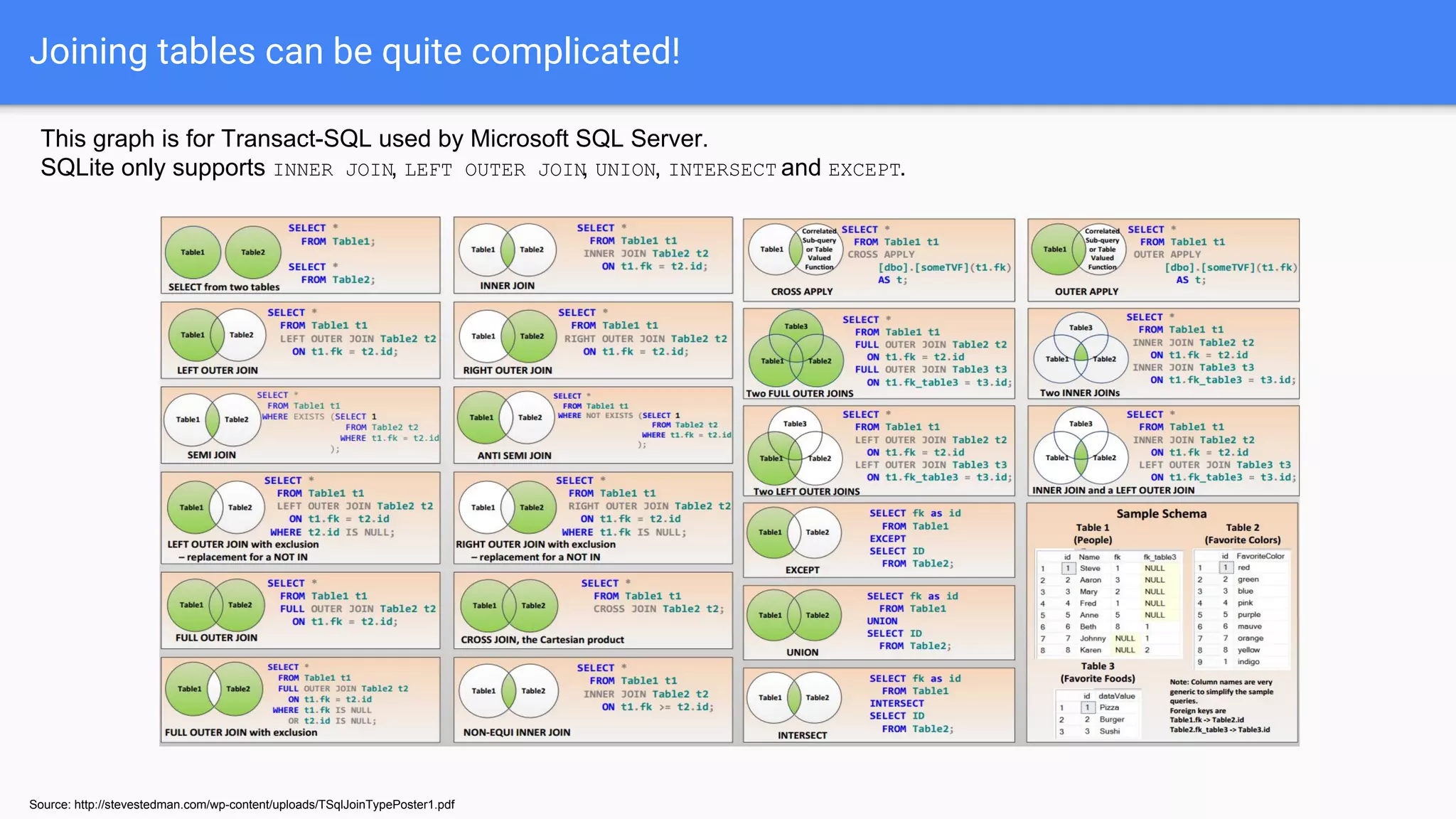
Joining tables can be quite complicated!
Source: http://stevestedman.com/wp-content/uploads/TSqlJoinTypePoster1.pdf
This graph is for Transact-SQL used by Microsoft SQL Server.
SQLite only supports INNER JOIN, LEFT OUTER JOIN, UNION, INTERSECT and EXCEPT.
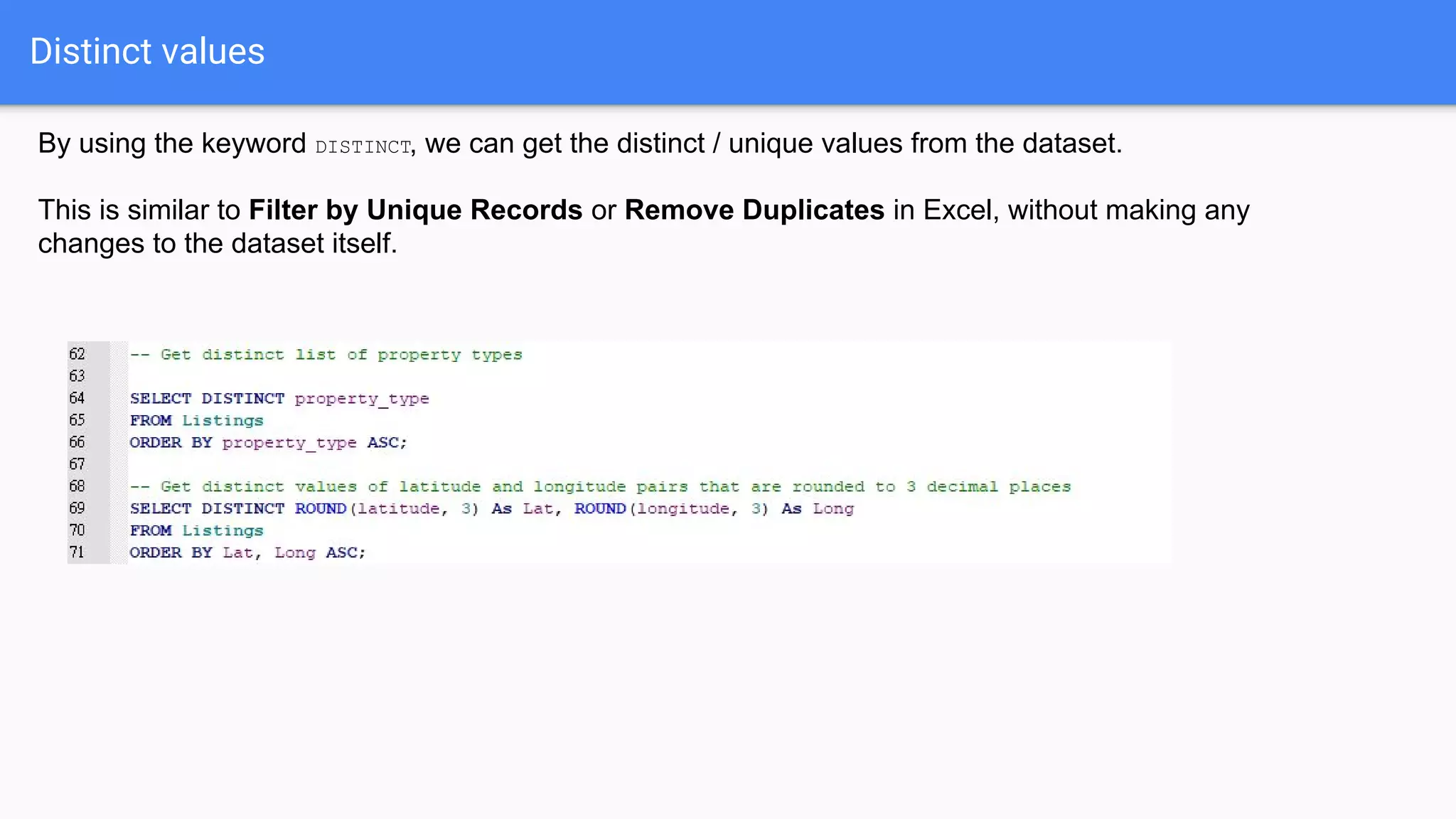
Distinct values
By using the keyword DISTINCT, we can get the distinct / unique values from the dataset.
This is similar to Filter by Unique Records or Remove Duplicates in Excel, without making any
changes to the dataset itself.
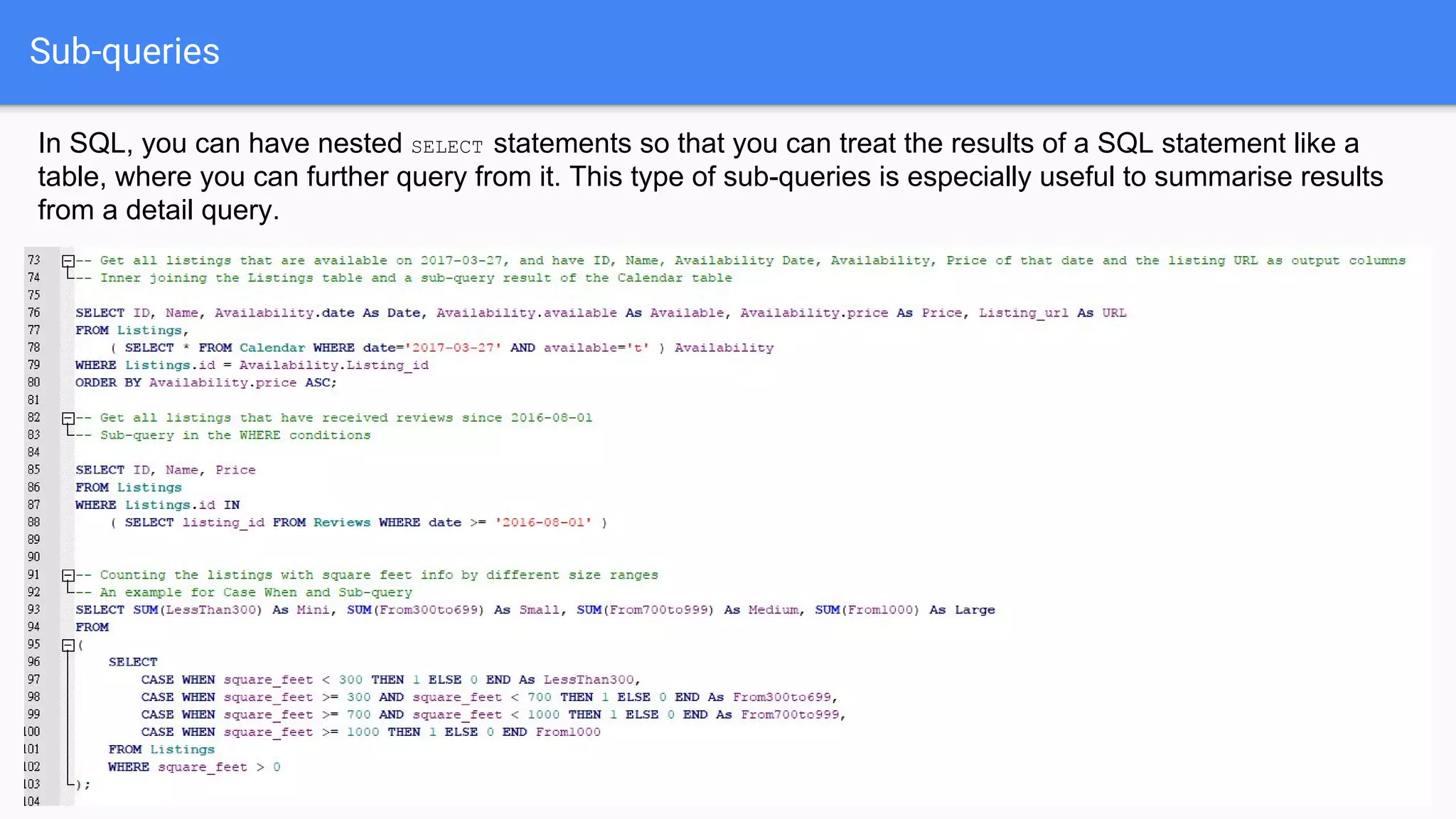
Sub-queries
In SQL, you can have nested SELECT statements so that you can treat the results of a SQL statement like a
table, where you can further query from it. This type of sub-queries is especially useful to summarise results
from a detail query.
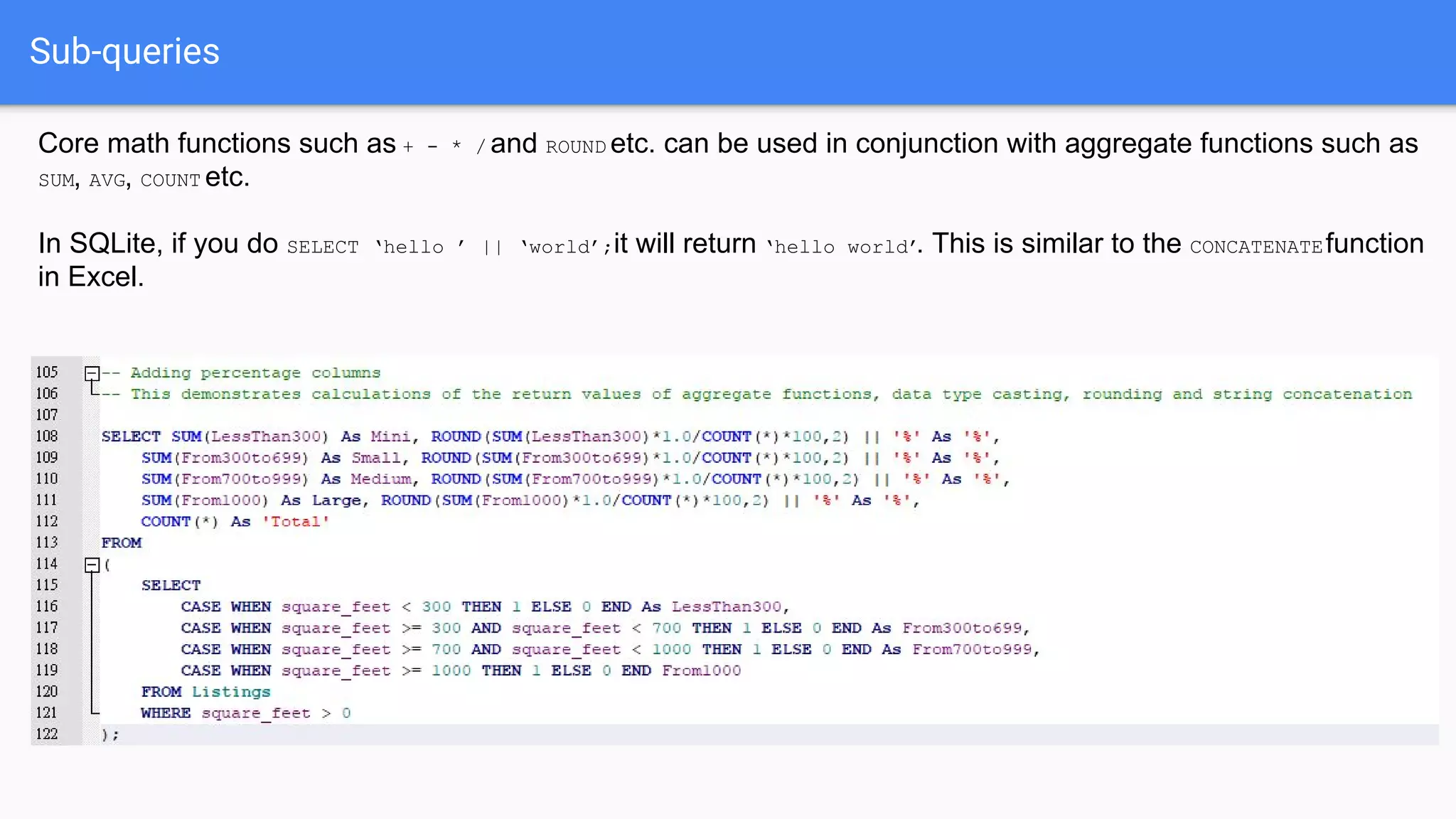
Sub-queries
Core math functions such as + - * / and ROUND etc. can be used in conjunction with aggregate functions such as
SUM, AVG, COUNT etc.
In SQLite, if you do SELECT ‘hello ’ || ‘world’;it will return ‘hello world’. This is similar to the CONCATENATEfunction
in Excel.
SQLite Extensions
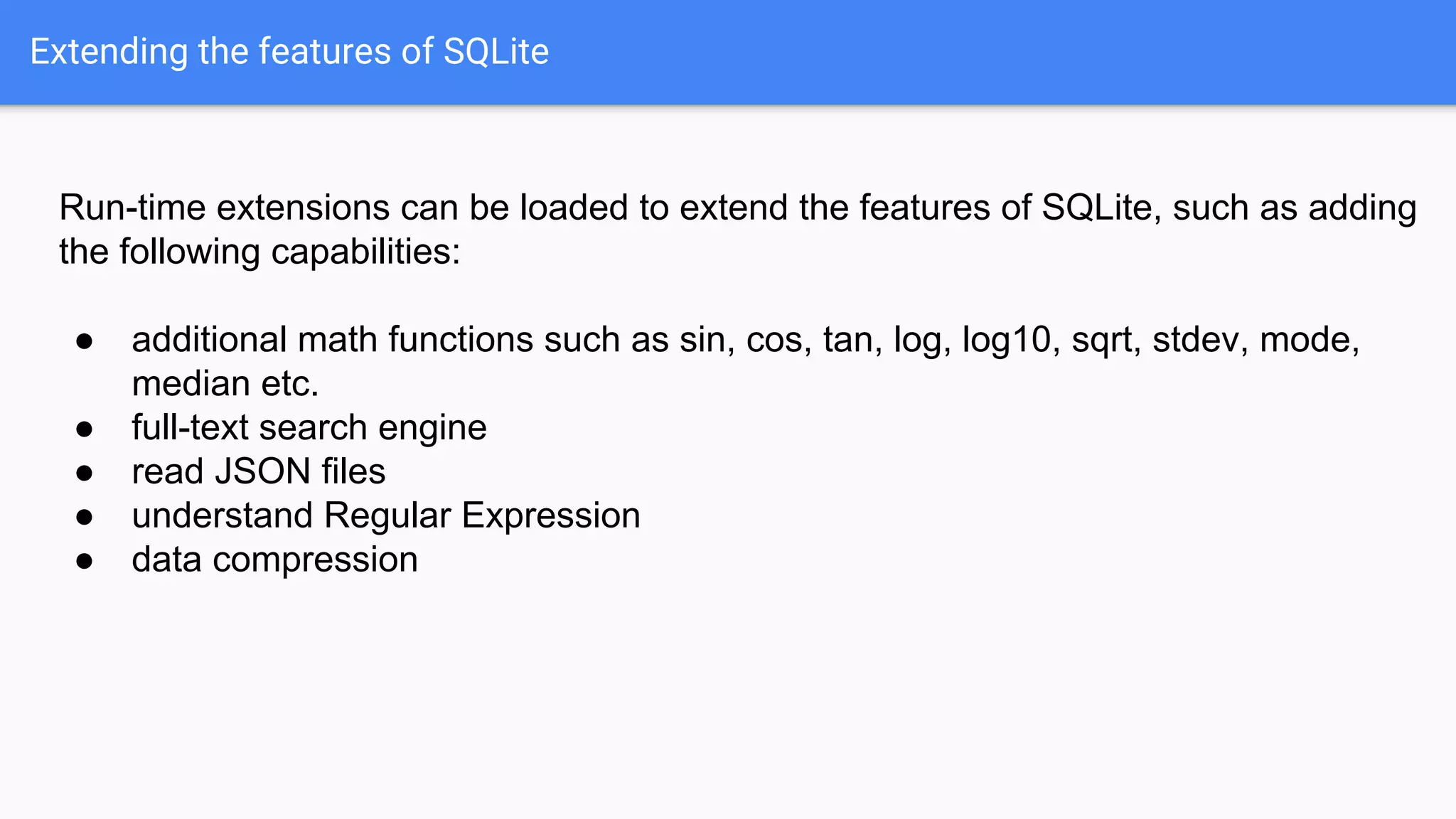
Extending the features of SQLite
Run-time extensions can be loaded to extend the features of SQLite, such as adding
the following capabilities:
● additional math functions such as sin, cos, tan, log, log10, sqrt, stdev, mode,
median etc.
● full-text search engine
● read JSON files
● understand Regular Expression
● data compression
Adding extensions in DB Browser for SQLite (only need to do this once)
1. In the View menu, select Preferences.
2. Click on the Extensions tab, and click on the Add
Extension button.
3. Windows users:
Select fts5.so from the SQLite Workshop
extensionswin32-x86 subfolder
Linux (x64) or Mac users:
Select fts5.so from the SQLite Workshop
extensionslinux-mac-x64 subfolder
4. Repeat steps 2-3 and add libsqlitefunctions.so.
[For developers] You can build your own extension binaries by
compiling the C source files with GCC compiler. See an example here.
Adding extensions in DB Browser for SQLite (only need to do this once)
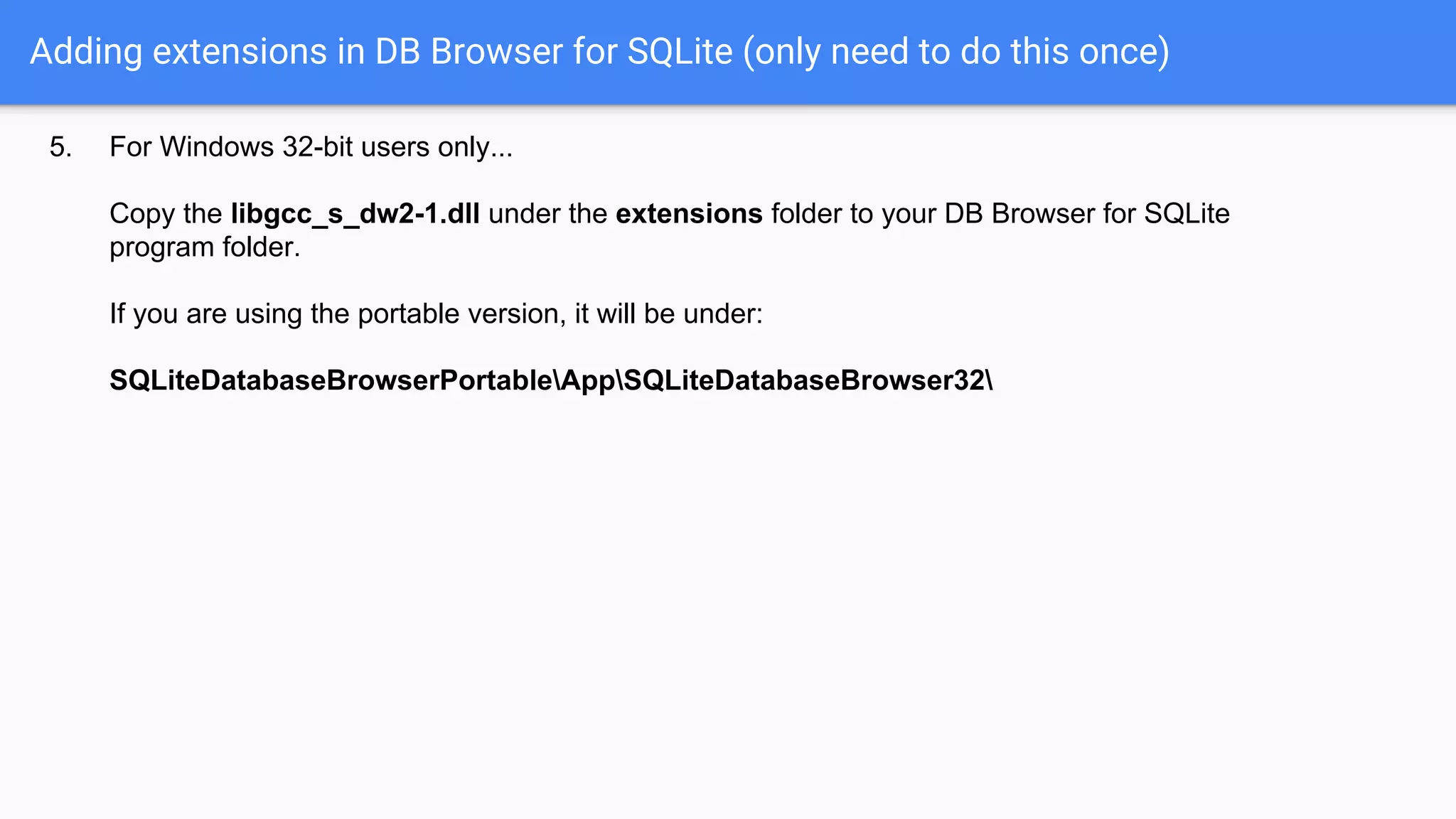
5. For Windows 32-bit users only...
Copy the libgcc_s_dw2-1.dll under the extensions folder to your DB Browser for SQLite
program folder.
If you are using the portable version, it will be under:
SQLiteDatabaseBrowserPortableAppSQLiteDatabaseBrowser32
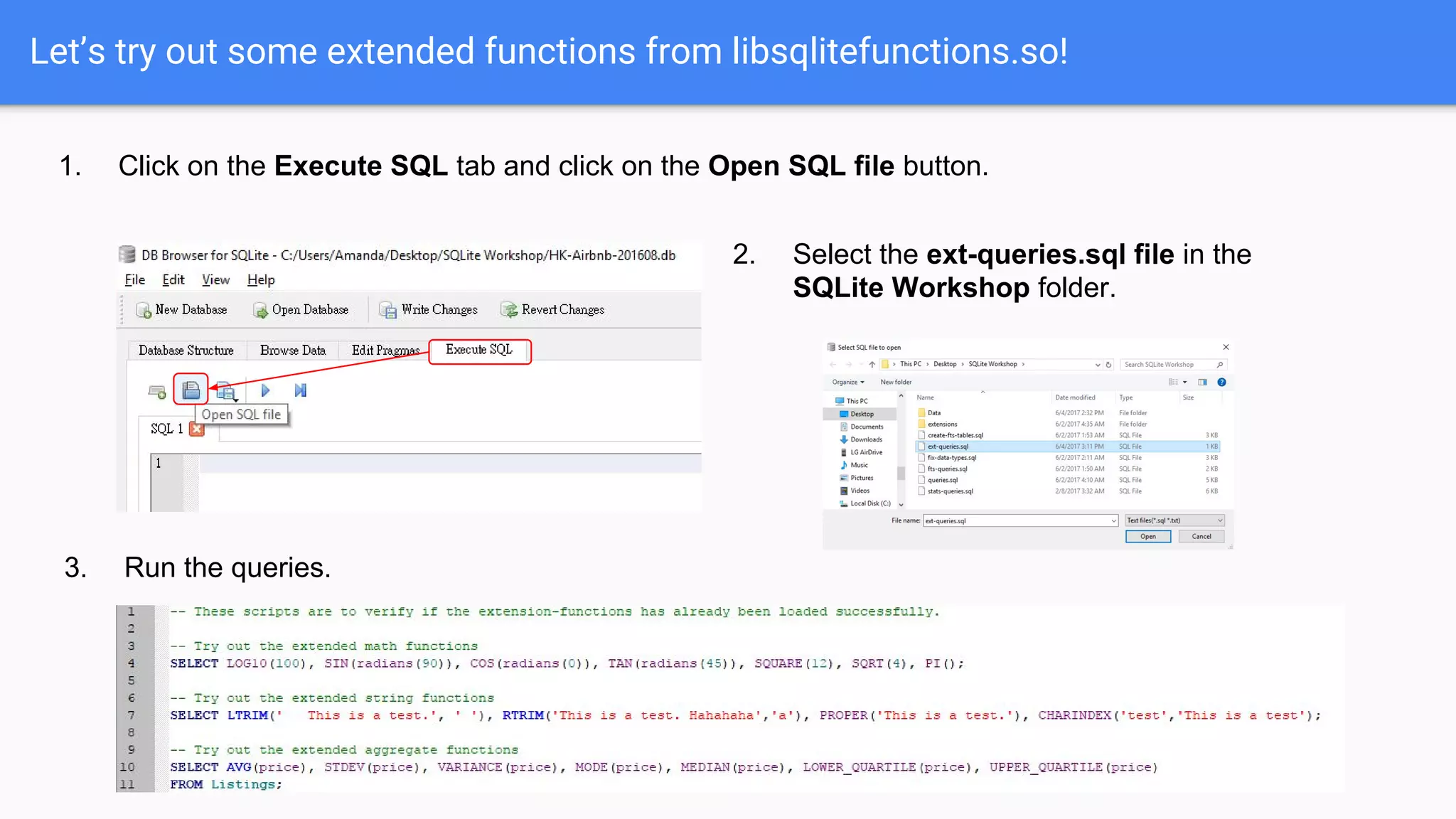
Let’s try out some extended functions from libsqlitefunctions.so!
1. Click on the Execute SQL tab and click on the Open SQL file button.
2. Select the ext-queries.sql file in the
SQLite Workshop folder.
3. Run the queries.
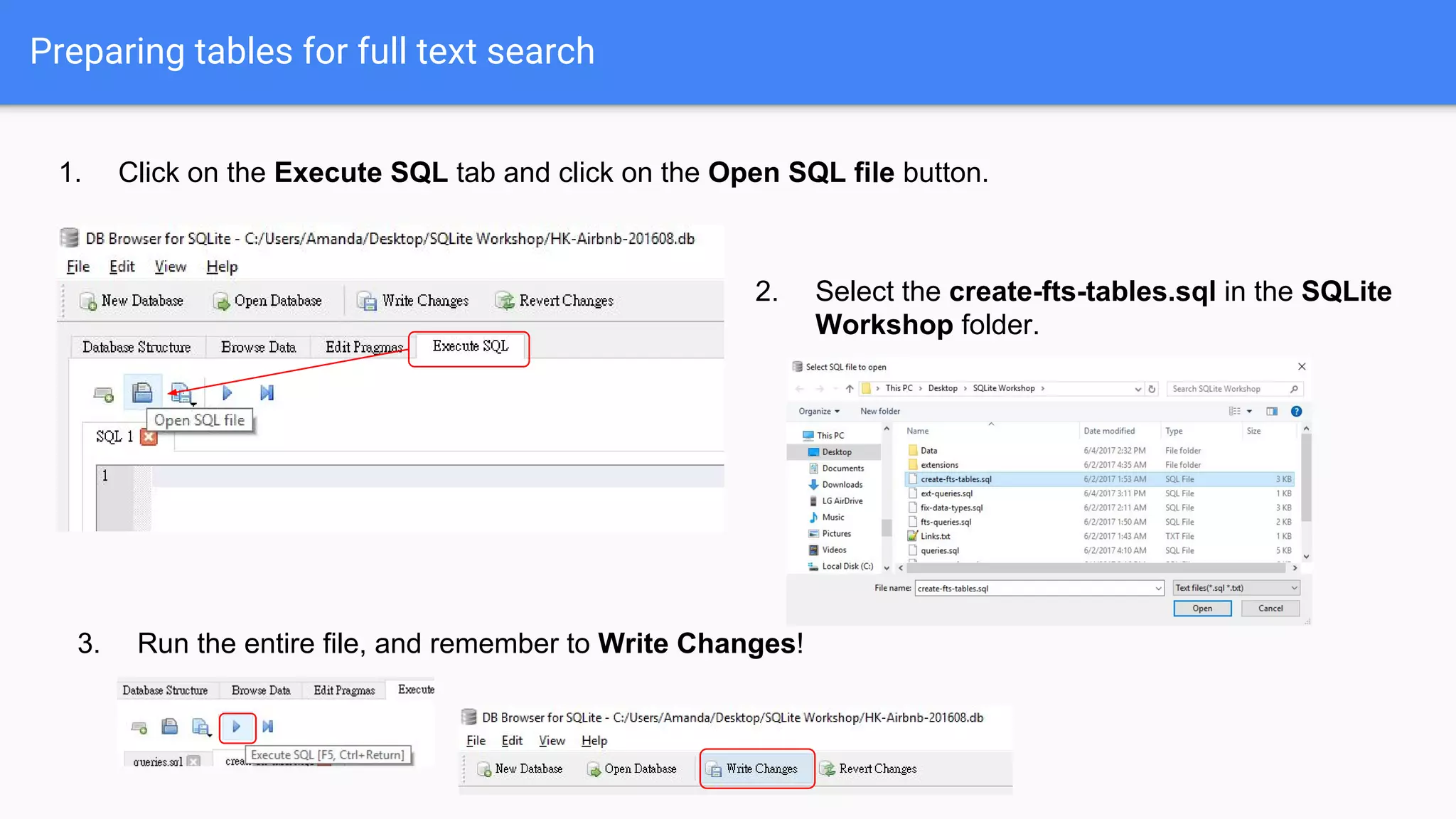
Preparing tables for full text search
1. Click on the Execute SQL tab and click on the Open SQL file button.
2. Select the create-fts-tables.sql in the SQLite
Workshop folder.
3. Run the entire file, and remember to Write Changes!
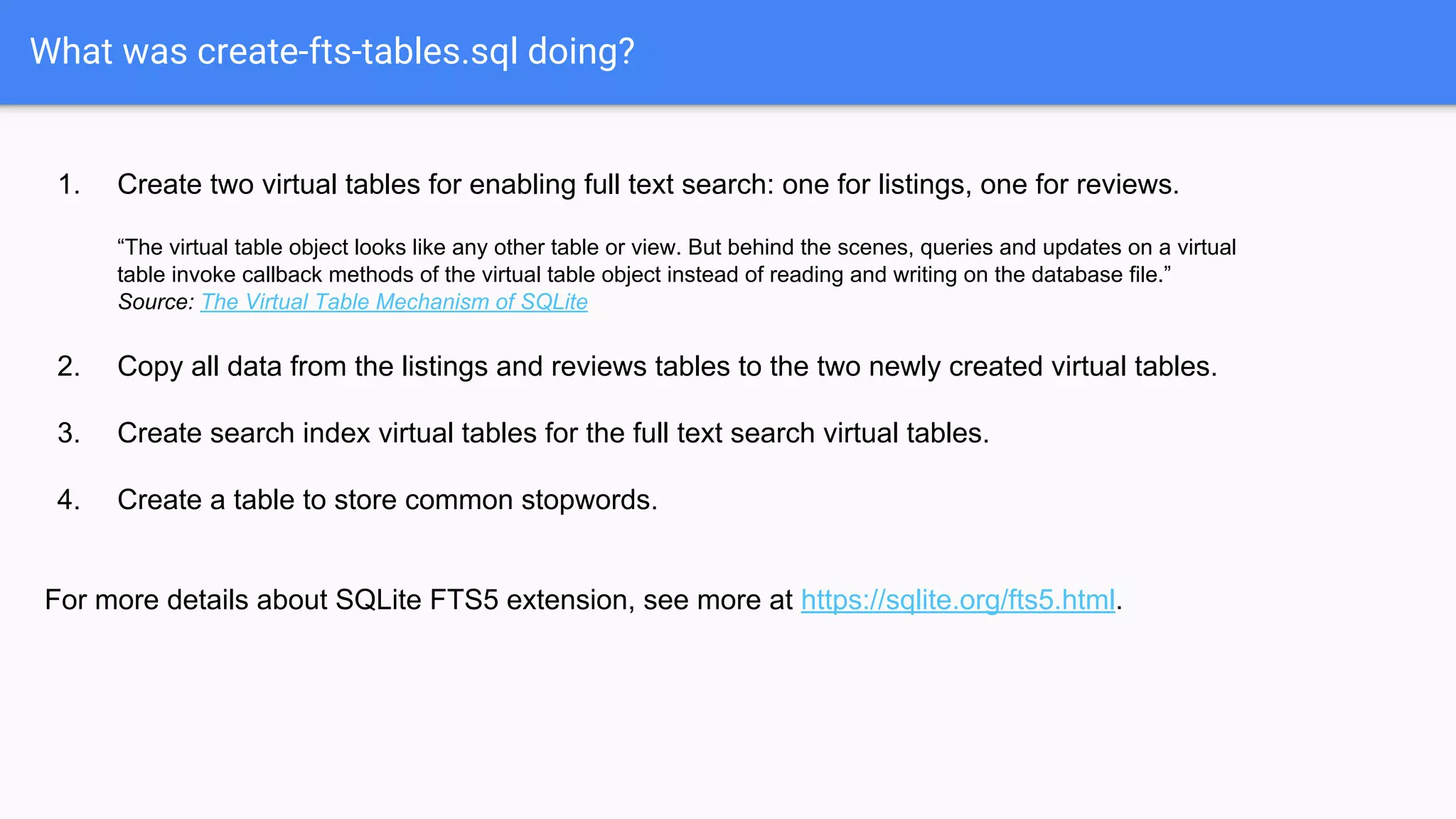
What was create-fts-tables.sql doing?
1. Create two virtual tables for enabling full text search: one for listings, one for reviews.
“The virtual table object looks like any other table or view. But behind the scenes, queries and updates on a virtual
table invoke callback methods of the virtual table object instead of reading and writing on the database file.”
Source: The Virtual Table Mechanism of SQLite
2. Copy all data from the listings and reviews tables to the two newly created virtual tables.
3. Create search index virtual tables for the full text search virtual tables.
4. Create a table to store common stopwords.
For more details about SQLite FTS5 extension, see more at https://sqlite.org/fts5.html.
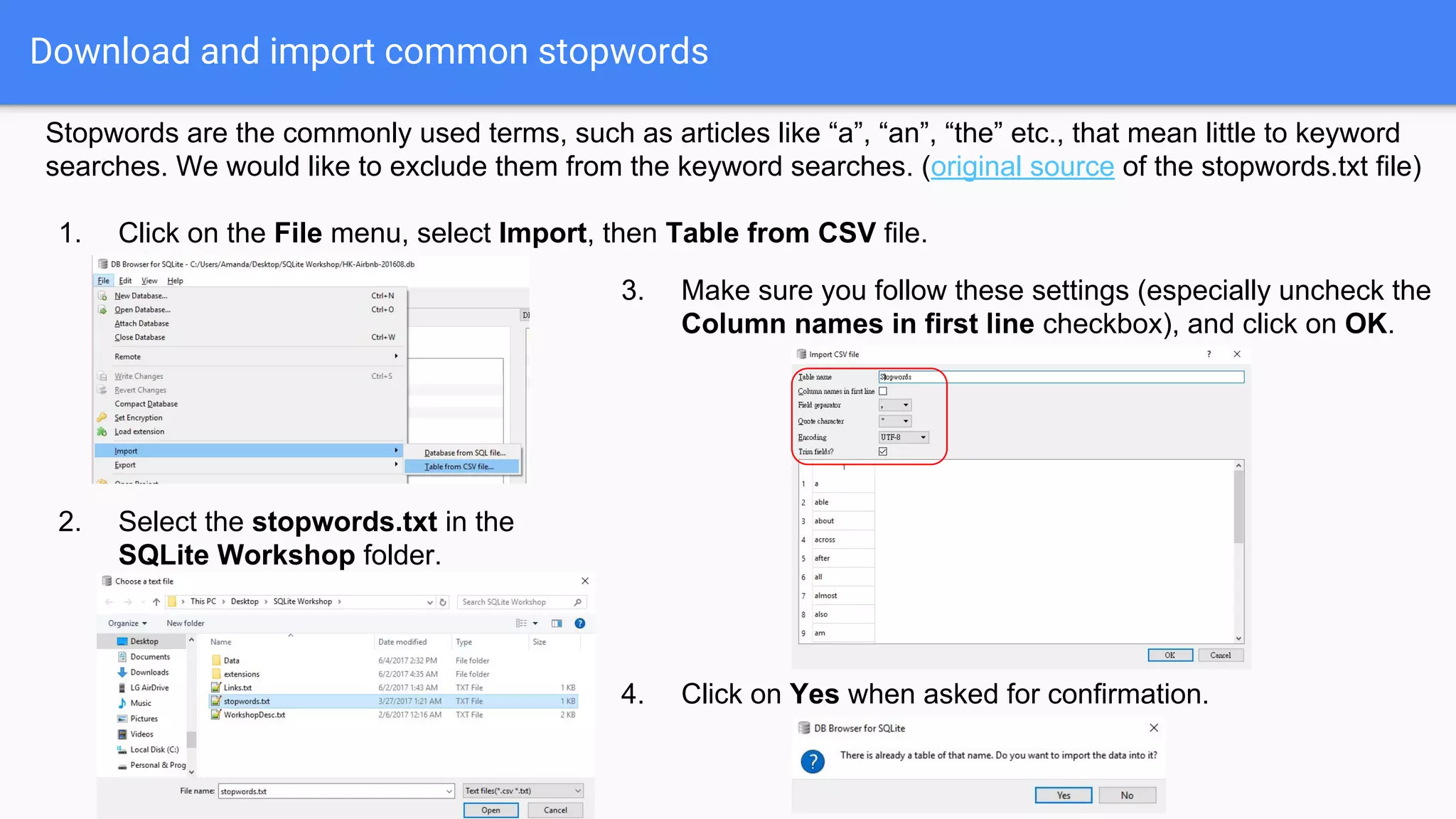
Download and import common stopwords
Stopwords are the commonly used terms, such as articles like “a”, “an”, “the” etc., that mean little to keyword
searches. We would like to exclude them from the keyword searches. (original source of the stopwords.txt file)
1. Click on the File menu, select Import, then Table from CSV file.
2. Select the stopwords.txt in the
SQLite Workshop folder.
3. Make sure you follow these settings (especially uncheck the
Column names in first line checkbox), and click on OK.
4. Click on Yes when asked for confirmation.
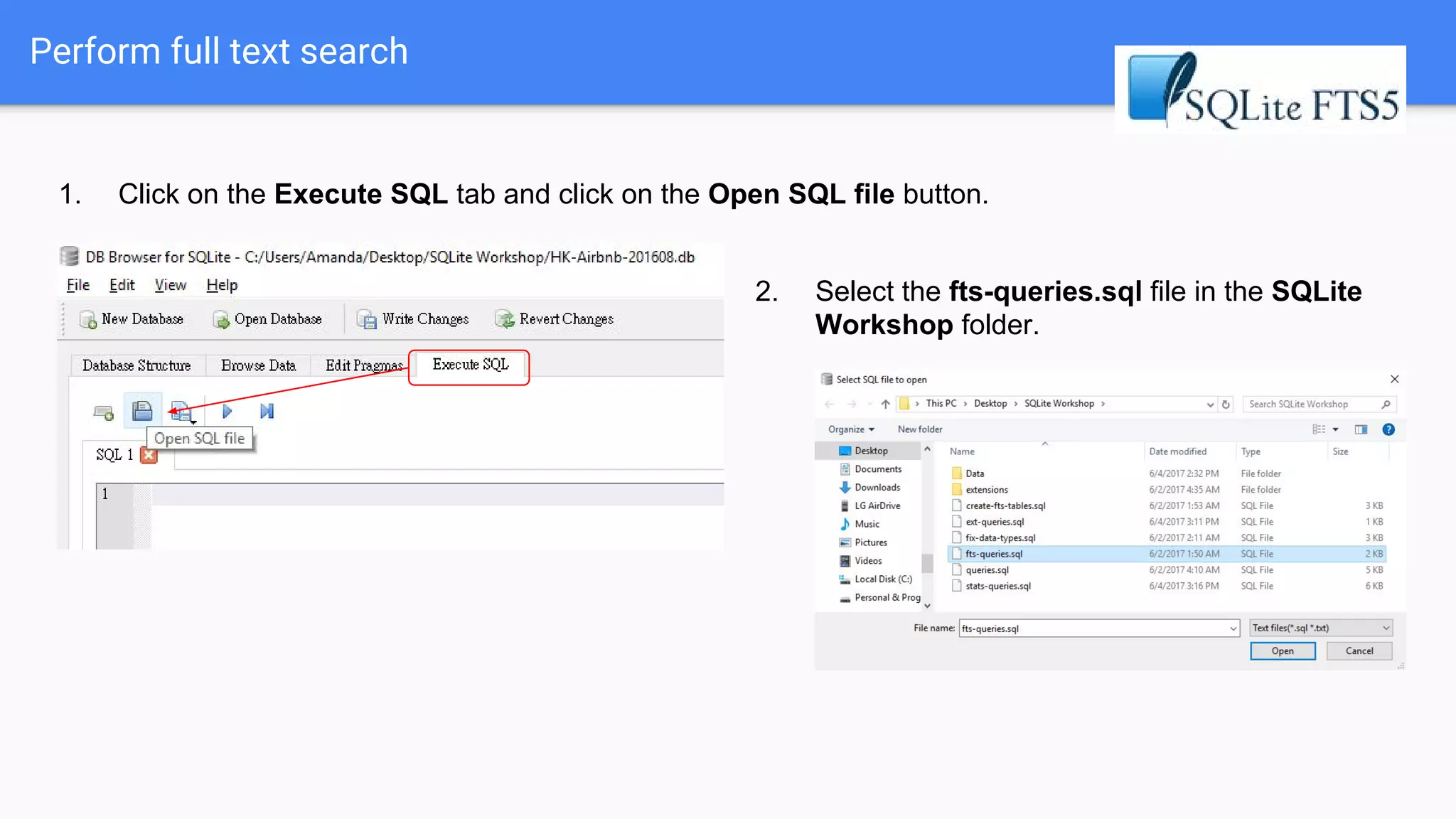
Perform full text search
1. Click on the Execute SQL tab and click on the Open SQL file button.
2. Select the fts-queries.sql file in the SQLite
Workshop folder.
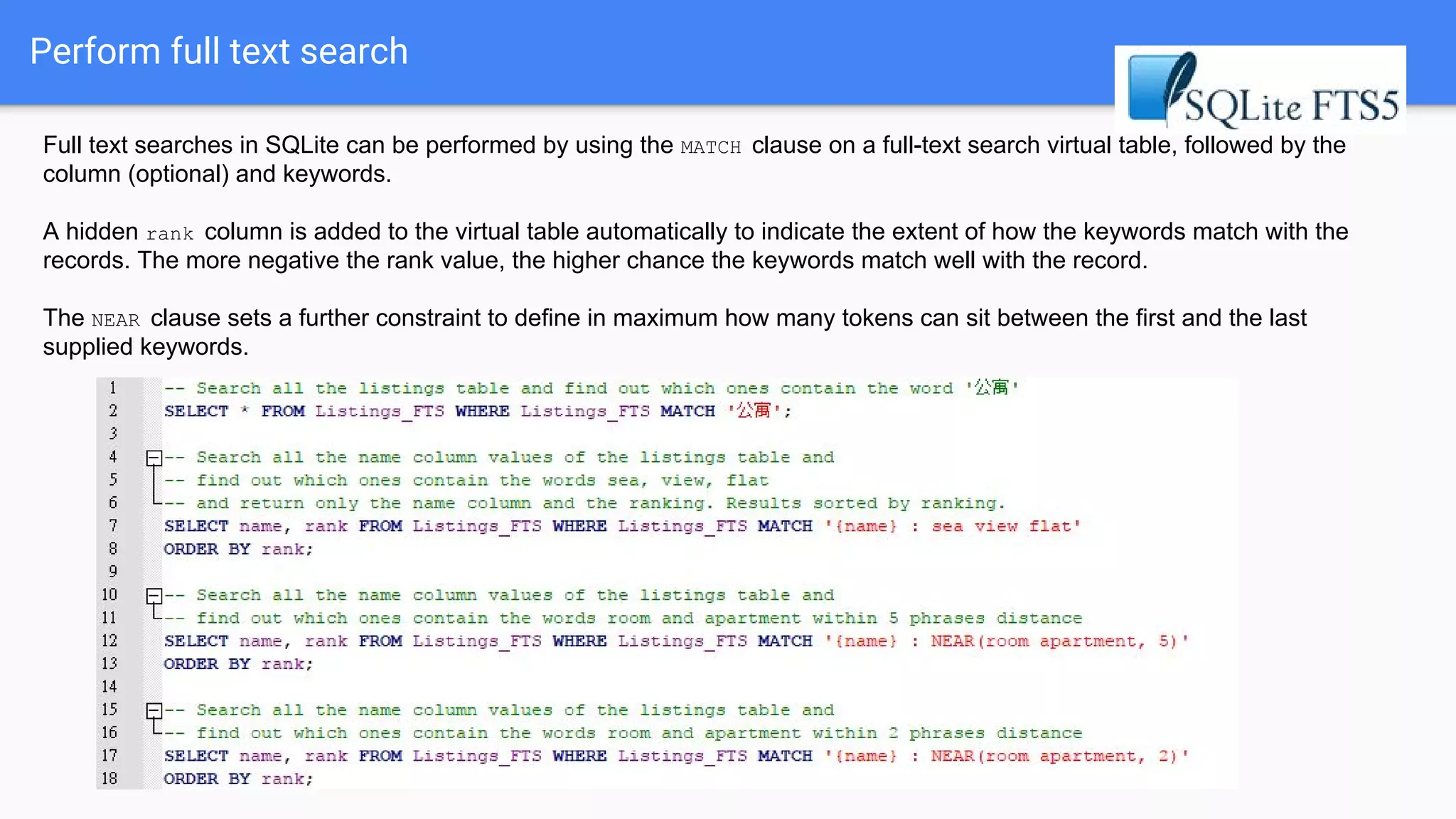
Perform full text search
Full text searches in SQLite can be performed by using the MATCH clause on a full-text search virtual table, followed by the
column (optional) and keywords.
A hidden rank column is added to the virtual table automatically to indicate the extent of how the keywords match with the
records. The more negative the rank value, the higher chance the keywords match well with the record.
The NEAR clause sets a further constraint to define in maximum how many tokens can sit between the first and the last
supplied keywords.
How does search ranking work?
SQLite FTS5 extension adopts the Okapi BM25 ranking algorithm:
It considers the following factors in its ranking formula:
A. Number of phrases in the strings, known as "tokens", that match.
For example, “sea view” contains 2 tokens: [sea] and [view]
B. IDF, i.e. Inverse Document Frequency. Frequency of the tokens that occur in the database /
dataset, where frequently-occurred phrases such as "room", "Hong”, “Kong” will be demoted.
C. Proximity, i.e. distances between phrases, known as Proximity. For example, “sea view” has better
matching score ranking with “sea view apartment” than “sea and mountain view apartment”
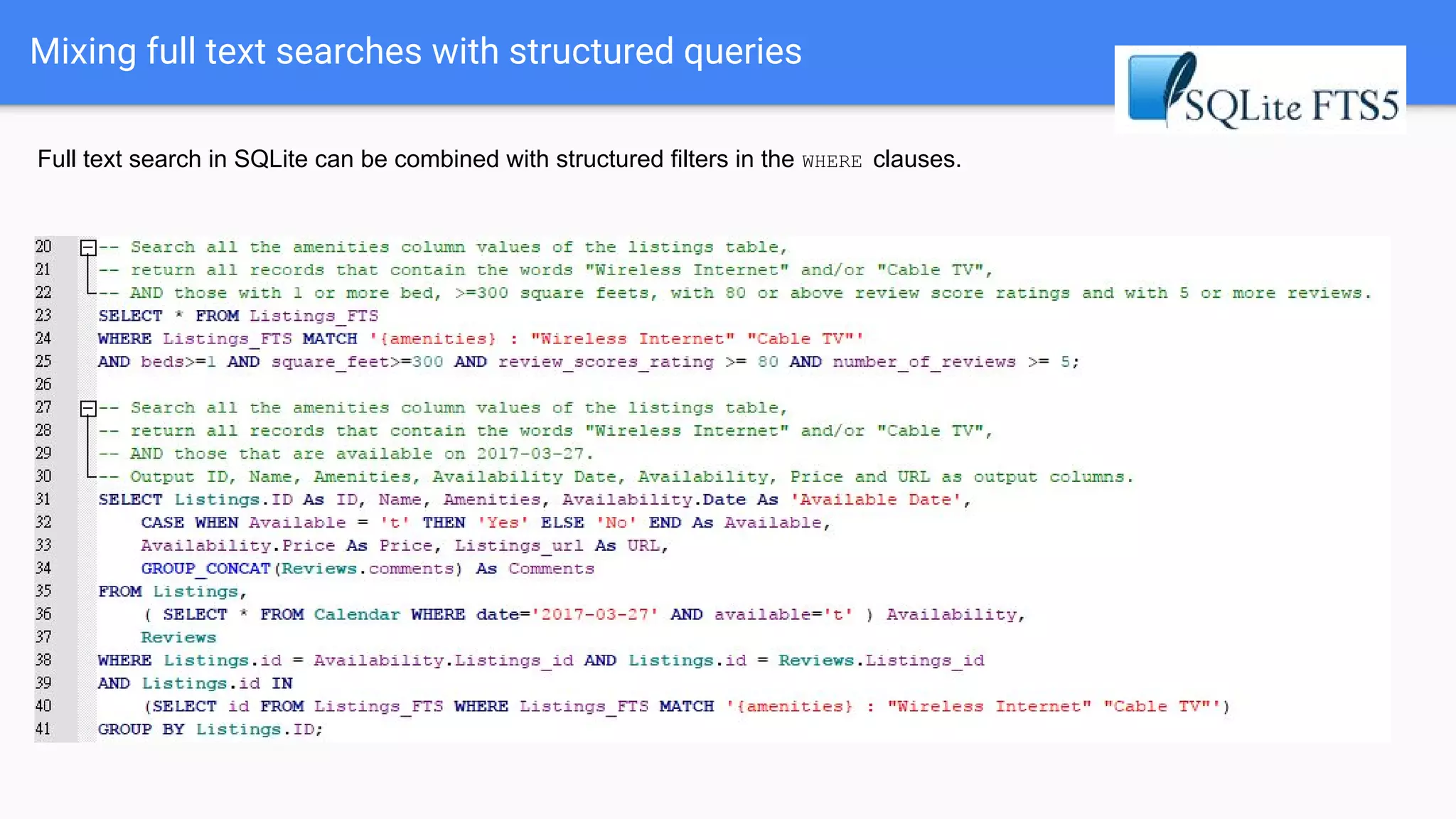
Mixing full text searches with structured queries
Full text search in SQLite can be combined with structured filters in the WHERE clauses.
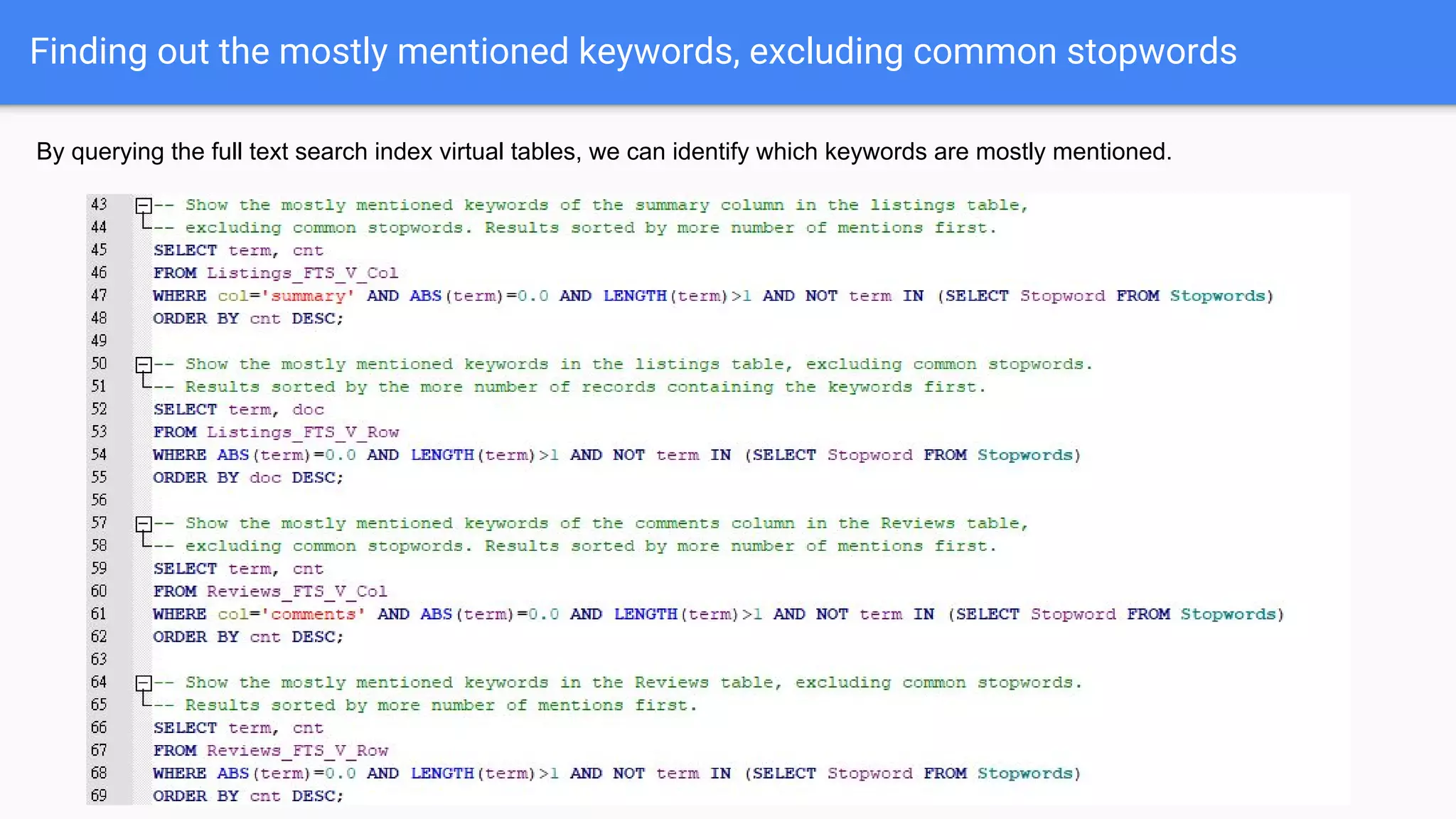
Finding out the mostly mentioned keywords, excluding common stopwords
By querying the full text search index virtual tables, we can identify which keywords are mostly mentioned.
Summary
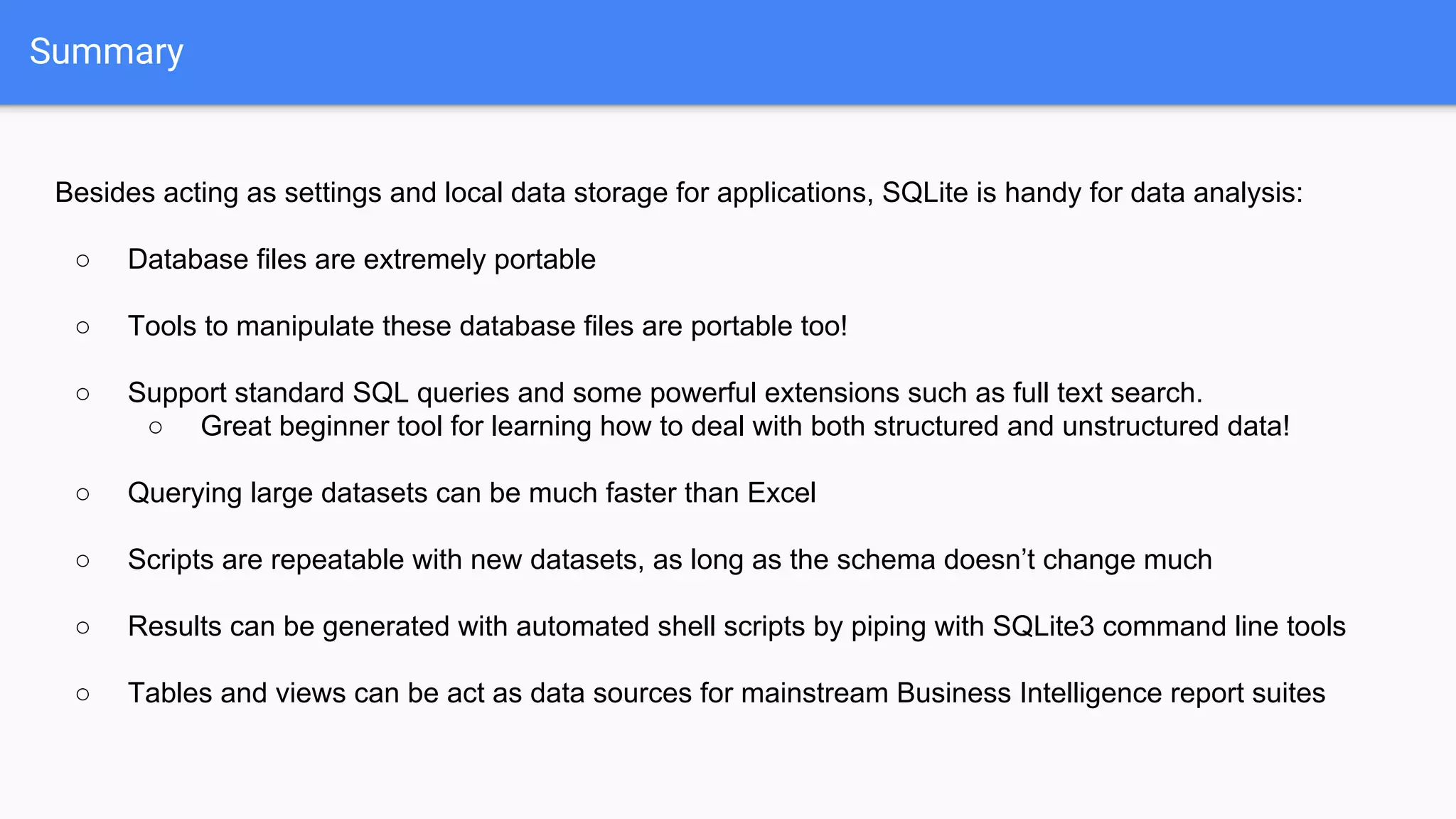
Besides acting as settings and local data storage for applications, SQLite is handy for data analysis:
○ Database files are extremely portable
○ Tools to manipulate these database files are portable too!
○ Support standard SQL queries and some powerful extensions such as full text search.
○ Great beginner tool for learning how to deal with both structured and unstructured data!
○ Querying large datasets can be much faster than Excel
○ Scripts are repeatable with new datasets, as long as the schema doesn’t change much
○ Results can be generated with automated shell scripts by piping with SQLite3 command line tools
○ Tables and views can be act as data sources for mainstream Business Intelligence report suites
Thank you.

Waiting too long for Excel's VLOOKUP? Use SQLite for simple data analysis!

  • 1.
    Waiting too longfor Excel's VLOOKUP? Use SQLite for simple data analysis! Amanda Lam
  • 2.
    Who is Amanda? -Product Owner at SEEK Asia (jobsDB + JobStreet) - Often need to analyse online product data - Warwick alumnus - MSc in Programme and Project Management - BEng in Computer Systems Engineering - Some (outdated?) development experience in: - Sybase / Microsoft SQL - Hyperion Intelligence - PHP - Mobile app development in Python, Gtk and Qt/QML - Twitter: @amanda_lam
  • 3.
    Who should attendthis workshop? - Working with Excel on large datasets but: - frustrated about its performance - need to keep updating the formulas when new data comes in - Interested in learning alternative ways of dealing with your structured data - Interested in knowing what SQL and SQLite can do
  • 4.
    Who should NOTattend this workshop? - Developers who are already familiar with SQL or SQLite - Expecting me to talk about BIG data… nope, I’ll just talk about SMALL data! - But how can you deal with big data if you don’t even know how to deal with small data? - Emphasising Excel is much more advanced blah blah blah… - Yes, it’s powerful in many cases, but not ideal in many cases too! - Have a strong biased view that NoSQL is far more better than SQL in every scenario - No offense, NoSQL technologies are great! But it doesn’t mean SQL technologies are crap. They are just… serving different needs!
  • 5.
    Major worlds ofdatabases Relational DB (SQL) Spreadsheets XML / JSON DB NoSQL databases - document-oriented DBs - key-value stores - Tuple stores - object databsaes - wide column stores Structured data Unstructured data Semi-structured / Hybrid data
  • 6.
    What is SQL? SQL(Structured Query Language) is a domain-specific language used in programming and designed for managing data held in a relational database management system (RDBMS), or for stream processing in a relational data stream management system (RDSMS). ● Became an ANSI international standard in 1986 ● Became an ISO stanard in 1987 (ISO/IEC 9075) Wikipedia Open source SQL databases Proprietary SQL databases
  • 7.
    What is SQL? Inother words, SQL is all about defining and manipulating data tables and their relationships! Picture source: MediaWiki Database Schema
  • 8.
    SQL is notonly for client/server applications... SQL syntaxes can also be used to query structured and semi-structured Big Data on the cloud.
  • 9.
    What is SQLite? SQLiteis an in-process library that implements a self-contained, serverless, zero-configuration, transactional SQL database engine. License: Public Domain Everything (tables, indexes, views, triggers etc.) is contained in a file!
  • 10.
    Most common programminglanguages support SQLite Source: https://www.tutorialspoint.com/sqlite/sqlite_java.htm Source: http://php.net/manual/en/sqlite3.exec.php Source: https://www.tutorialspoint.com/sqlite/sqlite_python.htm Source: http://users.stat.umn.edu/~yang3175/lit_sem/RSQLite_Tutorial.html#6 Source: Source: http://kripken.github.io/sql.js/documentation/#http://kripken.github.io/sql.js/document ation/extra/README.md.html Source: https://www.tutorialspoint.com/sqlite/sqlite_c_cpp.htm Source: https://qmlbook.github.io/en/ch12/index.html Source: https://social.technet.microsoft.com/wiki/contents/articles/30562.po wershell-accessing-sqlite-databases.aspx
  • 11.
    What is SQLitegood / not so good at? Good at: ● Mobile, embedded and IoT devices ● Application settings and logs ● Low-to-medium traffic websites ● Data analysis ● Temporary and ad hoc databases Not good at: ● Client/Server applications with lots of concurrent write operations ● High volume of datasets ● Very large datasets / BIG DATA ● Storing highly sensitive / secured information Does NOT support: ● Stored Procedures ● Writing to Views ● ALTER TABLE complete features ● TRIGGER complete features ● RIGHT and FULL OUTER JOIN ● GRANT and REVOKE Used by: See more at: When to use SQLite? and SQL Features That SQLite Does Not Implement
  • 12.
    My very ownexperience with SQLite Chinese character and phrase databases for Qt Quick mobile apps and Sailfish OS Chinese input methods
  • 13.
    My very ownexperience with SQLite Rescuing the recorded programmes from a TV recorder by analysing its SQLite database
  • 14.
    My very ownexperience with SQLite Data analysis of SEEK Asia Talent Search and Company Reviews
  • 15.
    Why SQLite forsimple data analysis? ● Everything is contained in a file. Easy to share and distribute. ● No need to install anything! Great for corporate users where they have no installation rights to their work PC. ○ No root:root needed! ● Querying in easy-to-learn SQL languages. ● It’s FAST, in many senses. ● Connectable to common Business Intelligence report suites via ODBC connectors.
  • 16.
    Enough BS. Let’s getour hands dirty!
  • 17.
  • 18.
    Inside Airbnb: Thedata set we will be working on
  • 19.
    Let’s download theHK data files... 1. Go to here: http://insideairbnb.com/get-the-data.html 2. Scroll down and download these three files: 3. Unzip them to your favourite folder. (Tips for Windows users: you may unzip the files with 7-Zip)
  • 20.
    Download DB Browserfor SQLite DB Browser for SQLite is a simple to use GUI client for SQLite. 1. For Windows or Mac users, go to here: http://sqlitebrowser.org/ 2. Depending on your system and whether you want to install it, download the corresponding file: For Linux user, you may install it from the terminal directly (using Debian / Ubuntu as an example) sudo apt-get install sqlitebrowser
  • 21.
    Create a databaseand import the data 1. Click on New Database 2. Give your database file any name you want, create a folder called SQLite Workshop on your desktop and save your file there. 3. When you see the Edit table definition window, press Esc or click on the Cancel button:
  • 22.
    Create a databaseand import the data 4. Click on the File menu, select Import, then Table from CSV file. 5. Select the listings.csv file that you extracted in previous step. 6. Make sure you follow these settings, and click on OK. 7. Wait for the CSV file to be decoded.
  • 23.
    Create a databaseand import the data 8. Click on the File menu, select Import, then Table from CSV file. 9. Select the calendar.csv file that you extracted in previous step. 10. Make sure you follow these settings, and click on OK. 11. Wait for the CSV file to be decoded.
  • 24.
    Create a databaseand import the data 12. Click on the File menu, select Import, then Table from CSV file. 13. Select the reviews.csv file that you extracted in previous step. 14. Make sure you follow these settings, and click on OK. 15. Wait for the CSV file to be decoded.
  • 25.
    Download the SQLitescripts for today... 1. Go to https://github.com/amandalam/SQLiteWorkshop/releases and download the Source code (zip) file. 2. Open the zip file. Extract all the files and sub-folders under the SQLiteWorkshop-1.0 folder to your SQLite Workshop folder.
  • 26.
    Set the datainto the right data types SQLite tables are mostly “typeless”, i.e. by default all table columns are considered as text. Therefore we need to convert those numeric columns to the right data types. 1. Click on the Execute SQL tab and click on the Open SQL file button. 2. Select the fix-data-types.sql file in the SQLite Workshop folder.
  • 27.
    Set the datainto the right data types 3. Select all the UPDATE statements and click on the Run button (or press F5). (DB Browser for SQLite will just execute the lines that you highlighted.) 4. Remember to click on the Write Changes button to save your changes!
  • 28.
  • 29.
    Let’s do somesimple queries... Run the SQL queries to learn how SQL works. 1. Click on the Execute SQL tab and click on the Open SQL file button. 2. Select the queries.sql in the SQLite Workshop folder.
  • 30.
    Let’s do somesimple queries... In SQL, SELECT is the most fundamental statement of querying the database. You use them to define: ● which tables you would like to query (the FROM clause) ● the criteria of your query (the WHERE clause) ● which columns you would like the results return (column names next to SELECT) ● sorting order of the results (the ORDER BY clause) ● grouping of results (the GROUP BY clause) ● how many rows you want to return (the LIMIT clause)
  • 31.
    Grouping results bycolumn(s) You can group results by one or more columns and perform aggregate functions such as COUNT, MIN, MAX, COUNT, SUM, AVG etc. This is similar to performing a Subtotal feature in Excel.
  • 32.
    Essense of RelationalDatabases: Joining tables with different schema and sizes In many times, a particular piece of information is in one table while another piece of information is in another table, but you might want to present both in your results. In this case, you will need to join the two tables together. This is similar to VLOOKUP in Excel. Notice how Listings and Reviews are joined together with the WHERE Listings.id = Reviews.listing_idclause. In the Listings table, the id column is a unique identifier for all the Listings records. This is usually act as the Primary Key. There is a listing_idcolumn in the Reviews table. It defines which listing does the review relate to, so that there is no need to repeat all the listing information in the Reviews table. Since listing_idis used to link up with the Listings table, it is acting as a Foreign Key.
  • 33.
    Table relationship anddata normalisation Listings Reviews Calendar One-to-one, one-to-many and many-to-many relationships can be illustrated in a Entity-Relationship Diagram. In this example, ● A listing could have 0 or more Reviews. ● A listing could have 0 or more calendar availability items ● A review can only belong to a particular listing. ● A calendar availability item can only belong to a particular listing. The results of the first query in the last slide shows duplicated information from the Listings table (highlighted in red). This is because one listing could have multiple reviews (highlighted in blue).
  • 34.
    Table relationship anddata normalisation Best practice to maintain data consistency and avoid data duplication is that we should always avoid setting up tables with many-to-many relationships. Instead, we should create tables in a way that tables are either in one-to-one or one-to-many relationships. For example, one student can attend multiple classes, and one class obviously have many students. This is a many-to-many relationship. As the Student table is storing student’s personal details whereas the Class table is storing information such as subject, duration, location etc., this can cause a lot of data duplications of student information if we were to add which classes a student attend to the Student table. In this case, we can create a Class-Registration table so that a student can attend multiple classes by having multiple registration records, while one registration record can only belong to a student and a particular class. This table breakdown process is called Data Normalisation. You may refer to a more detailed example. Student Class Student Class Class- Registration
  • 35.
    Joining tables canbe quite complicated! Source: http://stevestedman.com/wp-content/uploads/TSqlJoinTypePoster1.pdf This graph is for Transact-SQL used by Microsoft SQL Server. SQLite only supports INNER JOIN, LEFT OUTER JOIN, UNION, INTERSECT and EXCEPT.
  • 36.
    Distinct values By usingthe keyword DISTINCT, we can get the distinct / unique values from the dataset. This is similar to Filter by Unique Records or Remove Duplicates in Excel, without making any changes to the dataset itself.
  • 37.
    Sub-queries In SQL, youcan have nested SELECT statements so that you can treat the results of a SQL statement like a table, where you can further query from it. This type of sub-queries is especially useful to summarise results from a detail query.
  • 38.
    Sub-queries Core math functionssuch as + - * / and ROUND etc. can be used in conjunction with aggregate functions such as SUM, AVG, COUNT etc. In SQLite, if you do SELECT ‘hello ’ || ‘world’;it will return ‘hello world’. This is similar to the CONCATENATEfunction in Excel.
  • 39.
  • 40.
    Extending the featuresof SQLite Run-time extensions can be loaded to extend the features of SQLite, such as adding the following capabilities: ● additional math functions such as sin, cos, tan, log, log10, sqrt, stdev, mode, median etc. ● full-text search engine ● read JSON files ● understand Regular Expression ● data compression
  • 41.
    Adding extensions inDB Browser for SQLite (only need to do this once) 1. In the View menu, select Preferences. 2. Click on the Extensions tab, and click on the Add Extension button. 3. Windows users: Select fts5.so from the SQLite Workshop extensionswin32-x86 subfolder Linux (x64) or Mac users: Select fts5.so from the SQLite Workshop extensionslinux-mac-x64 subfolder 4. Repeat steps 2-3 and add libsqlitefunctions.so. [For developers] You can build your own extension binaries by compiling the C source files with GCC compiler. See an example here.
  • 42.
    Adding extensions inDB Browser for SQLite (only need to do this once) 5. For Windows 32-bit users only... Copy the libgcc_s_dw2-1.dll under the extensions folder to your DB Browser for SQLite program folder. If you are using the portable version, it will be under: SQLiteDatabaseBrowserPortableAppSQLiteDatabaseBrowser32
  • 43.
    Let’s try outsome extended functions from libsqlitefunctions.so! 1. Click on the Execute SQL tab and click on the Open SQL file button. 2. Select the ext-queries.sql file in the SQLite Workshop folder. 3. Run the queries.
  • 44.
    Preparing tables forfull text search 1. Click on the Execute SQL tab and click on the Open SQL file button. 2. Select the create-fts-tables.sql in the SQLite Workshop folder. 3. Run the entire file, and remember to Write Changes!
  • 45.
    What was create-fts-tables.sqldoing? 1. Create two virtual tables for enabling full text search: one for listings, one for reviews. “The virtual table object looks like any other table or view. But behind the scenes, queries and updates on a virtual table invoke callback methods of the virtual table object instead of reading and writing on the database file.” Source: The Virtual Table Mechanism of SQLite 2. Copy all data from the listings and reviews tables to the two newly created virtual tables. 3. Create search index virtual tables for the full text search virtual tables. 4. Create a table to store common stopwords. For more details about SQLite FTS5 extension, see more at https://sqlite.org/fts5.html.
  • 46.
    Download and importcommon stopwords Stopwords are the commonly used terms, such as articles like “a”, “an”, “the” etc., that mean little to keyword searches. We would like to exclude them from the keyword searches. (original source of the stopwords.txt file) 1. Click on the File menu, select Import, then Table from CSV file. 2. Select the stopwords.txt in the SQLite Workshop folder. 3. Make sure you follow these settings (especially uncheck the Column names in first line checkbox), and click on OK. 4. Click on Yes when asked for confirmation.
  • 47.
    Perform full textsearch 1. Click on the Execute SQL tab and click on the Open SQL file button. 2. Select the fts-queries.sql file in the SQLite Workshop folder.
  • 48.
    Perform full textsearch Full text searches in SQLite can be performed by using the MATCH clause on a full-text search virtual table, followed by the column (optional) and keywords. A hidden rank column is added to the virtual table automatically to indicate the extent of how the keywords match with the records. The more negative the rank value, the higher chance the keywords match well with the record. The NEAR clause sets a further constraint to define in maximum how many tokens can sit between the first and the last supplied keywords.
  • 49.
    How does searchranking work? SQLite FTS5 extension adopts the Okapi BM25 ranking algorithm: It considers the following factors in its ranking formula: A. Number of phrases in the strings, known as "tokens", that match. For example, “sea view” contains 2 tokens: [sea] and [view] B. IDF, i.e. Inverse Document Frequency. Frequency of the tokens that occur in the database / dataset, where frequently-occurred phrases such as "room", "Hong”, “Kong” will be demoted. C. Proximity, i.e. distances between phrases, known as Proximity. For example, “sea view” has better matching score ranking with “sea view apartment” than “sea and mountain view apartment”
  • 50.
    Mixing full textsearches with structured queries Full text search in SQLite can be combined with structured filters in the WHERE clauses.
  • 51.
    Finding out themostly mentioned keywords, excluding common stopwords By querying the full text search index virtual tables, we can identify which keywords are mostly mentioned.
  • 52.
    Summary Besides acting assettings and local data storage for applications, SQLite is handy for data analysis: ○ Database files are extremely portable ○ Tools to manipulate these database files are portable too! ○ Support standard SQL queries and some powerful extensions such as full text search. ○ Great beginner tool for learning how to deal with both structured and unstructured data! ○ Querying large datasets can be much faster than Excel ○ Scripts are repeatable with new datasets, as long as the schema doesn’t change much ○ Results can be generated with automated shell scripts by piping with SQLite3 command line tools ○ Tables and views can be act as data sources for mainstream Business Intelligence report suites
  • 53.