





Digital                                          Pa renting
 Feeling baffled by your
 child’s digital world?
 From tots to teens, help is at hand


                                              4         ‘HOW TO’ GUIDES...
                                                          Facebook®, Google™, Microsoft®
                                                          & Vodafone

What goes online Social networking,                                      Real life
stays online                     mobiles, gaming…                       stories
  Could your child be damaging     How you and your child can          Teenagers, parents and
        their reputation?           stay safe and in control         grandparents talk candidly


                                       ADVICE FROM              www.vodafone.com/parents
                                       19 DIGITAL & PARENTING EXPERTS
Welcome
Feeling confused? You’re not alone. Even though I spend my
working life in the world of communication technologies, I still
watch in awe as children and teenagers switch between their
laptop, mobile, games console, TV, iPod... the list goes on.


                                  ‘Digital Natives’, ‘Generation Y’, ‘multimedia            Just as we
                                  multi-taskers’. However we choose to tag
                                  them, the truth is this: young people may             guide our children
                                  well be living in a very different world to the      in the real world, we
                                  one we grew up in but we can’t use that as
                                  an excuse to sit back and watch.                       need to help them
                                  Lots of parents, grandparents and
                                                                                         to manage their
                                  people who look after children tell us                   digital world
                                  that they sometimes feel baffled by what
                                  young people do in the digital world.
                                  Hopefully, this magazine and our website
                                  (www.vodafone.com/parents) will
                                  help you to get more involved with the
                                                                                    about the safety and privacy controls
                                  technologies that children and teenagers
                                                                                    on Facebook®, Google™, Microsoft®
                                  enjoy and to talk about them as a family.
                                                                                    and Vodafone.
                                  In the next 100+ pages, you’ll find in-depth
                                                                                    So, if you’ve never played a game on your
                                  information and advice about everything
                                                                                    child’s Nintendo® Wii, signed up to Facebook®,
                                  from cyberbullying to mobile costs, your
                                                                                    checked out Wikipedia, downloaded a
                                  child’s reputation online to Web and mobile
                                                                                    ringtone or stayed in a virtual hotel, have a go.
                                  security, excessive use of technology to
                                                                                    And, if you’ve never sat down with your son or
                                  online privacy. We’ll even make sure
                                                                                    daughter for a chat about the good things and
                                  you’re up to speed on the very latest
                                                                                    the difficult things they might come across in
                                  issues and challenges, such as location
                                                                                    the digital world, pull up a chair.
                                  services and sexting.

                                  We’ve spoken to digital and parenting
                                  experts around the world to bring you
                                  the latest advice and information from
                                  the people in the know. Plus, don’t miss          Annie Mullins OBE
                                  the real-life stories of parents, teens and       Global Head of Content Standards,
                                  grandparents and our ‘How to...’ guides           Vodafone Group Marketing


                                                                                                www.vodafone.com/parents           1
Contents
    Expert View                                                                                Get Involved
    5    BRINGING UP THE WEB AND
         MOBILE GENERATION
    Professor Tanya Byron investigates how
                                                                                               7    DIGITAL PARENTING CHECKLIST
                                                                                                    Only got five minutes to spare? Check
                                                                                               out the 10 key things you need to know.
    parents can help their children to manage
    digital opportunities and risks.
                                                                                               8   NEWS & VIEWS
                                                                                                   Get up-to-speed with the latest digital

    16      DIGITAL FOOTPRINTS: WHAT
            GOES ONLINE STAYS ONLINE
                                                                                               trends and events.

    Annie Mullins OBE of Vodafone tackles
    the issue of managing online reputation.
                                                    5 Professor
                                                   Tanya Byron                                 32       QUIZ
                                                                                                        Take our quiz to find out what
                                                                                               kind of digital parent you are.

    20      TEENAGERS AND TECHNOLOGY
            The Guardian's Jon Henley talks to
    young people about the digital technologies                                                36      INAPPROPRIATE AND
                                                                                                       HARMFUL CONTENT
    they enjoy.                                    58 Generation                               Digital Parenting finds out how you can
                                                                                               minimise the risks of your child coming

    40        RAISING AWARENESS                    Download
                                                                                               across unsuitable content online.
              Digital Parenting highlights
    five digital citizenship and online safety
    initiatives around the world.                                                              44       ILLEGAL CONTENT
                                                                                                        What action is being taken against
                                                                                               illegal online content?

    54       EU KIDS ONLINE RESEARCH:
             WHAT BOTHERS OR UPSETS
    CHILDREN ON THE INTERNET?                                                                  46     SAVVY SHOPPERS
                                                                                                      Digital Parenting looks at the ups
    Professor Sonia Livingstone offers                                                         and downs of the virtual high street.
    insight into children’s views of technology
    across Europe.                                                                             50      STAY ON TOP OF MOBILE COSTS
                                                                                                       Ringtones, TopUps, roaming

    62      TECHNOLOGY IN THE                                                                  charges... how to ensure that your child
            CLASSROOM
    Deputy head teacher Tom Barrett discusses
                                                  Spotlight On                                 understands the potential costs of their
                                                                                               mobile phone.
    how schools can help young people to learn
    about and manage their digital world.         11      SPOTLIGHT ON AGE
                                                          From tots to teens, Digital
                                                  Parenting tells you what you need to know
                                                                                               58       GENERATION DOWNLOAD
                                                                                                        How can parents help young

    67      WHERE TO TURN?                                                                     downloaders to stay on the right side of
                                                  at each stage of your child's development.   the law?
            Carrie Longton, co-founder of
    Mumsnet, reveals the power of online
    parenting communities.                        24       SPOTLIGHT ON
                                                           DIGITAL SPACES
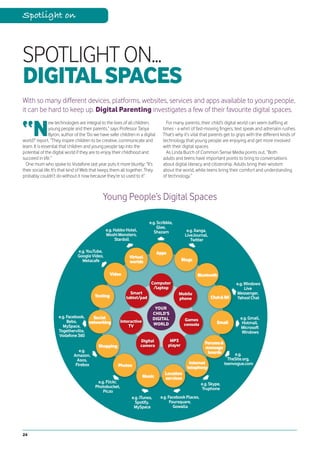
                                                  Mobiles, social networking websites,
                                                                                               60       HIGH-TECH CHEATING
                                                                                                        Digital Parenting highlights how

    88      CONNECTED CULTURE:                                                                 students might use technology to cheat
                                                  games... we investigate young people’s       or plagiarise, often without even realising
            2015 AND BEYOND
                                                  favourite digital spaces.                    they’re doing anything wrong.
    Vodafone’s Web evangelist Dan Appelquist
    explores what the future might bring.
                                                                                               63       HELPING TEACHERS GET TO
                                                                                                        GRIPS WITH THE DIGITAL WORLD
                                                                                               Where can education professionals turn
                                                                                               for information?
    11 Spotlight on age
                                                                                               64       CYBERBULLYING
                                                                                                        From the playground to the
                                                                                               digital world: how bullies are using
                                                                                               new technologies.

                                                                                               68       HOW MUCH IS TOO MUCH?
                                                                                                        Hours on their games console,
                                                                                               computer or mobile. When should you
                                                                                               step in?


2
How To
                                                                                           18   HOW TO set up Facebook® privacy
                                                                                                controls

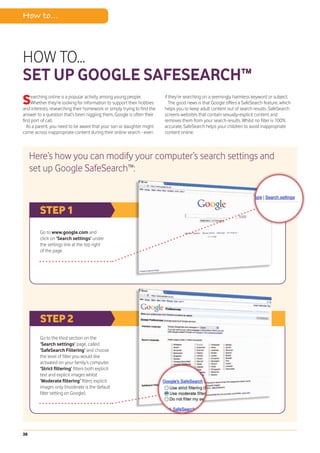
                                                                                           38   HOW TO set up Google
                                                                                                SafeSearch™

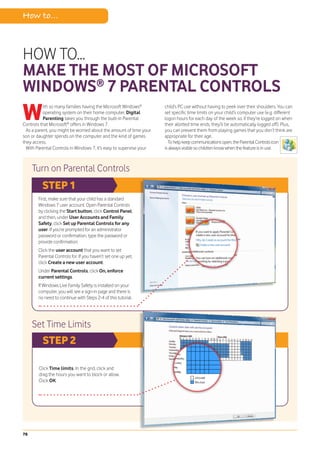
                                                                                           78   HOW TO make the most of Microsoft
                                                                                                Windows® 7 Parental Controls

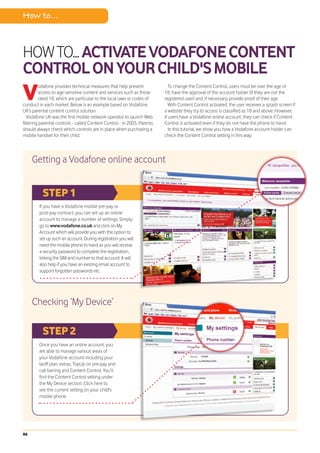
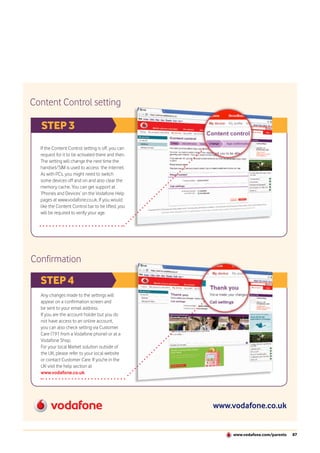
                                                                                           86   HOW TO activate Vodafone Content
                                                                                                Control on your child's mobile


                                                                                           64
                                                                                           Cyberbullying
  71 Health & wellbeing


71      HEALTH & WELLBEING
        Digital Parenting reveals how          Reality Check
                                               23
young people are turning to the internet for           TEENAGER: ‘I’D BE LOST
help with health and personal problems.                WITHOUT MY MOBILE’
                                               19 year old Amy Johnson confesses that

74     SEXTING: WHAT EVERY
       PARENT NEEDS TO KNOW
Swapping nude and sexually-suggestive
                                               she relies on technology more than
                                               she realises.

images via mobiles and computers is a
growing trend among young people.              34      MOTHER AND SON:
                                                       TECHNOLOGY IN A FAMILY
                                               WITH A CHILD WITH DISABILITY
What can you do about it?
                                               Alison Thomas talks to Digital Parenting

76       STAYING SAFE: THE FACTS
         ABOUT ONLINE SEXUAL
                                               about her 11 year old son Harry.

GROOMING
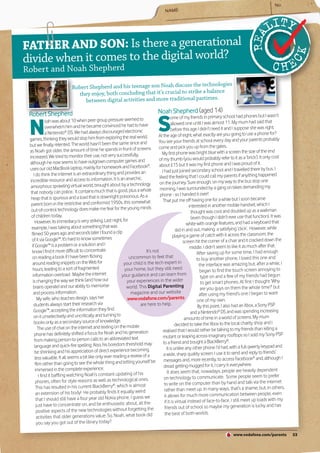
Digital Parenting tackles the difficult        53       FATHER AND SON: IS THERE A
                                                        GENERATIONAL DIVIDE WHEN
                                               IT COMES TO THE DIGITAL WORLD?
issue of online sexual grooming.
                                               Robert Shepherd and his teenage son Noah

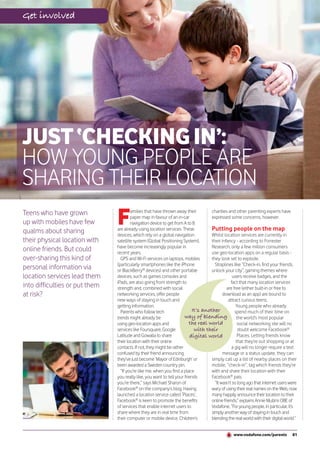
81      JUST “CHECKING IN”
        Could over-sharing location
                                               talk to Digital Parenting.
                                                                                                      54
information via computers and mobiles
put young people at risk?                      94       GRANDPARENT: ‘MY
                                                        DAUGHTER SAYS I WOULD
                                               ENJOY FACEBOOK®’
                                                                                                          Professor Soni
                                                                                                     Livingstone
                                                                                                                         a


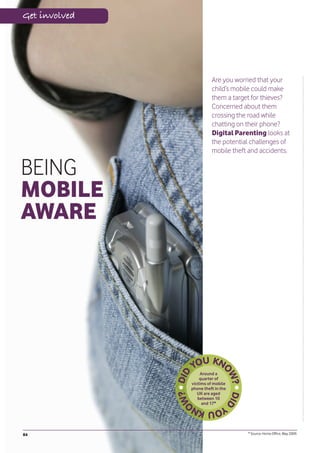
84       BEING MOBILE AWARE
         Digital Parenting looks at the
                                               Iris Bedell was daunted by technology but
                                               now sees some of the benefits.
issue of mobile theft and accidents.                                                       References
90      MOBILES & HEALTH
        Learn about the latest research into
mobiles and health.
                                                                                           96   GLOSSARY


92      ONLINE SECURITY FAQs
        Digital Parenting answers some
                                                                                           98   USEFUL WEBSITES


of your questions about phishing, hacking
and other security issues.                                                                 100     BIBLIOGRAPHY


                                                                                           108     ACKNOWLEDGEMENTS


                                                                                                  www.vodafone.com/parents          3
Expert Contributors
         Lord Richard Allan leads Facebook®’s public policy work                  Professor Sonia Livingstone of the London School
         in Europe. He was previously a Member of Parliament in the               of Economics and Political Science directs the research
         UK, specialising in technology issues.                                   network, EU Kids Online, for the EC’s Safer Internet
                                                                                  Programme and serves on the UK Council for Child Internet
         Daniel Appelquist is the Web and Internet Evangelist for                 Safety (UKCCIS).
         Vodafone’s Research and Development team and also leads
         industry standards groups.                                               Carrie Longton co-founded the parenting website
                                                                                  Mumsnet with Justine Roberts in 2000. Mumsnet has
         Tom Barrett, a deputy head teacher in the UK, is passionate              more than one million unique visitors each month and its
         about e-learning and the role that technology can play in                discussion boards attract around 20,000 posts every day.
         support of good teaching and learning.
                                                                                  Annie Mullins OBE is responsible for developing content
         Professor Tanya Byron is a clinical psychologist, journalist,            standards policies at Vodafone Group Marketing, with a
         author and broadcaster. She advises the UK government                    particular focus on children and young people.
         on issues related to children and digital citizenship and
         published The Byron Review in 2008.                                      Dr Rachel O’Connell, former Chief Safety Officer of
                                                                                  Bebo and Director of the Cyberspace Research Unit at the
         John Carr OBE is a child online safety expert and                        University of Central Lancashire, now provides strategic
         representative of the Children’s Charities’ Coalition on                 consultancy on issues related to social media and
         Internet Safety and the European NGO Alliance for Child                  young people.
         Safety Online.
                                                                                  Vicky Prior is the editor of the Vodafone Parents’ Guide
         Paul Cording is responsible for managing the                             and Teachtoday websites and previously worked in
         implementation of Group Content Standards policies and                   communications and corporate responsibility at AOL.
         associated initiatives at Vodafone.
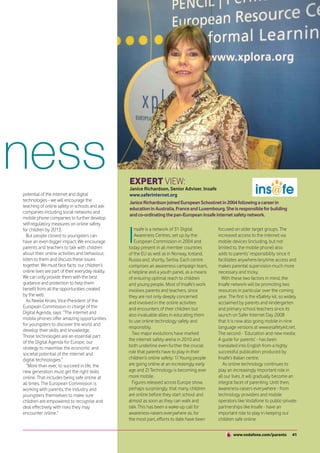
                                                                                  Janice Richardson joined European Schoolnet in 2004
         Lucinda Fell has broad experience working with both                      following a career in education in Australia, France and
         industry and government on internet policy at organisations              Luxembourg. She is responsible for building and
         including Childnet, ISPA and the former UK Department for                co-ordinating the pan-European Insafe internet safety network.
         Trade and Industry.
                                                                                  Laura Scott is responsible for communications
         Marsali Hancock, a US-based digital citizenship expert, is a             and public affairs activity at Google in the UK.
         member of the Obama administration’s NTIA Online Safety &
         Technology Working Group (OSTWG) and the Family Online
         Safety Institute (FOSI) advisory board.                                  Richard Swetenham has been dealing with the issue of
                                                                                  internet content since 1996 and has been involved with the
         Jon Henley is a Guardian feature writer who previously                   EC’s Safer Internet Programme since its inception.
         wrote the newspaper’s Diary column.
         Photo credit: Linda Nylind/Guardian News & Media Ltd.                    Vicki Shotbolt runs Parent Focus, a social enterprise that
                                                                                  conducts research with parents, supports parent forums and
         Zoe Hilton is a child protection and safeguarding                        develops information for parents.
         specialist who worked at the NSPCC before joining the
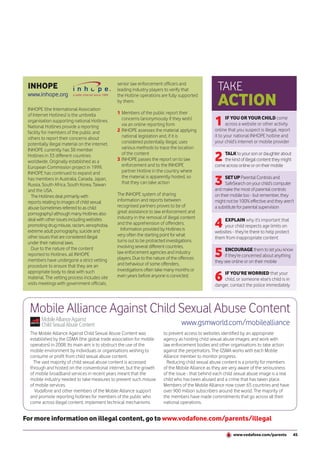
         Child Exploitation and Online Protection (CEOP) Centre.                  Andree Wright is responsible for e-security and safety
                                                                                  strategy and education at the Australian Communications
                                                                                  & Media Authority (ACMA).


    COMMISSIONING EDITORS    Annie Mullins OBE and                       ART DIRECTOR                    Emma Dunnell, Vivid Lime
                             Paul Cording, Vodafone                      PRODUCTION EDITOR               David Russell, Vivid Lime
    EDITOR & FEATURES WRITER Vicky Prior                                 PROJECT MANAGER                 Sebastian Monks, Vivid Lime
    PARENTING ADVISER        Vicki Shotbolt, Parent Focus                Designed and produced by Vivid Lime - www.vividlime.com


4
Expert view


Professor Tanya
Byron is a clinical
psychologist,
journalist, author
and broadcaster.
She advises the UK
government on issues
related to children
and digital citizenship
and published
The Byron Review
in 2008.


 Bringing up the Web
and mobile generation
A
         s the mother of a 15 year old and                            we view our children’s digital activity with a
         a 13 year old, like many parents                             mixture of envy, bewilderment and fear.
         I struggle to keep up with their                                Most of us feel confident about parenting
online and digital lives. While I marvel                              our kids in terms of how to manage ‘real
at the amazing opportunities they have                                world’ risks, because we have grown up
for learning, playing and communicating                  Our          with these risks and have experience and
with each other and also for creating              digital parental   understanding. The online world, however, is
and uploading their own content, I also           responsibilities…   alien to many of us - we didn’t grow up with
feel anxious about what else they might              are based in     it and certainly don’t engage with it like our
encounter while online and how they can                               kids and their friends do.
                                                       common
keep themselves safe.                                                    Indeed, for me, it wasn’t until I did a review
  For most parents today who, like me, were
                                                        sense.        for the UK government in 2008 (The Byron
born on the wrong side of the ‘digital divide’,                       Review: Safer Children in a Digital World) that


                                                                                   www.vodafone.com/parents           5
Expert view


                                     We need to
                                 secure their online
                                  space in the way
I began to really understand         we do their                 and honest dialogue with           to come to us when in trouble or unhappy?
more about their digital             real world.                 our children. For example,         Are we able to set rules, boundaries
lives and associated risks.                                     we teach our kids to never          and consequences should they behave
  Did this make me feel more                                 give personal details to               unacceptably (e.g. grounding them for a
anxious about what they were                             strangers - the same applies to            week if they come home well after an
doing? Not at all. I found that the more          their behaviour online.                           agreed time).
I understood what they were experiencing,           Therefore, we need to understand their            An online relationship between parents
the more I felt empowered to support them         digital behaviour and then teach them about       and children builds over the years so that
to do so responsibly and safely, and the more     things like setting privacy controls and          they have a clear idea of our expectations
freedom I felt comfortable for them to have.      blocking people they don’t know, as well as       relating to their behaviour but also a sense
  The public debate about kids and the            encouraging them to come to us if they are        that we are there to support them - without
online world is always skewed in the negative     upset by any contact that has been made.          judgment or censure - should the need arise.
direction. In general, newspapers report on         Indeed, while contact is one area of online       Alongside all this is the importance of us
the horrors of the online world and the risks     behaviour that we need to empower our             enabling our children to become responsible
to our children and young people.                 kids to deal with sensibly, there are also the    and respectful digital citizens and think
  There are online risks that are a reality for   issues of content (what they see online)          about their online behaviour - it is easy
some children and young people but we             and conduct (how they behave towards              to be mean and nasty to someone via a
have to be balanced and proportionate in our      others online).                                   computer because you are so disconnected
thinking about how to enable our kids to be         With our little ones who are venturing          from the reaction of that person. Help your
safe online. The more we are open-minded          into the online world for the first time, we      kids import into their online behaviour the
and are able to teach them to be responsible      need to secure their online space in the          same rules of respect and thinking about the
digital citizens, the more we enable them to      way we do their real world. What is helpful       feelings of others that you imbue in them for
have fun whilst being risk-savvy.                 here is to think about the age and stage of       their real world behaviour.
  If we allow fear to close our minds and so      development of your child and how you are           Being a parent is not easy but it is an
attempt to stem or even block our children’s      managing this in the real world.                  enormous privilege and a lot of fun. Being
online activity, the more they will find ways       If you have a young child, you will be          a digital parent is now part of the package
to circumvent these blocks and, in the long       supervising where they go and who they            and the key messages and
term, be even more vulnerable.                    are with all the time - so do the same online.    behaviours we want to help
  Kids take risks because risk taking             For very young children, you can ensure           our kids understand for
is fundamental to child development.              that when they log on they only go to the         both the online and
However, today’s children are ‘raised in          websites you have set as appropriate for          offline worlds sit
captivity’ and so have less outdoor freedoms      them, for example.                                easily alongside
than we did as children.                            As children get older and start to play more    each other.                         Being a
  So where can our kids take risks? They          independently, we are not with them all the         Fundamentally,                digital parent
take them online and therefore we need to         time but still have oversight on what they        being a digital                 is now part of
be as proactive in our digital parenting as we    are doing and who they are with. Online, you      parent is about                  the package.
are in our parenting of them in the offline,      can replicate this by using filters pre-set to    understanding your
‘real’ world.                                     a level that you feel matches what you are        child - what they do
  Despite our relative lack of digital            comfortable with your child seeing                and how they do it.
experience, once we think pragmatically           and doing.                                        Listening to your child.
about our digital parental responsibilities,        With greater independence, we trust our         Educating your child. Managing
we should find that they are based in             children to navigate and explore their world      your child when necessary. And also,
straightforward common sense.                     with less direct interference from us. During     on occasion, strategically using that all-
  Additionally, digital parenting is most         these years, it is our relationship that is key   important parental tool - being able to say
successful when it is built around an open        to how we parent our kids. Do they feel able      “no” should the need arise.

6
Get involved


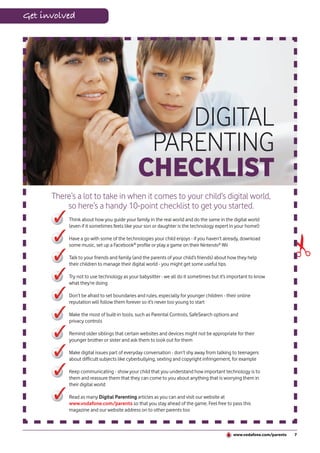
                                                 DIGITAL
                                              PARENTING
                                             CHECKLIST
      There’s a lot to take in when it comes to your child’s digital world,
          so here’s a handy 10-point checklist to get you started.
           Think about how you guide your family in the real world and do the same in the digital world
           (even if it sometimes feels like your son or daughter is the technology expert in your home!)


                                                                                                                        ✃
           Have a go with some of the technologies your child enjoys - if you haven’t already, download
           some music, set up a Facebook® profile or play a game on their Nintendo® Wii

           Talk to your friends and family (and the parents of your child’s friends) about how they help
           their children to manage their digital world - you might get some useful tips

           Try not to use technology as your babysitter - we all do it sometimes but it’s important to know
           what they’re doing

           Don’t be afraid to set boundaries and rules, especially for younger children - their online
           reputation will follow them forever so it’s never too young to start

           Make the most of built-in tools, such as Parental Controls, SafeSearch options and
           privacy controls

           Remind older siblings that certain websites and devices might not be appropriate for their
           younger brother or sister and ask them to look out for them

           Make digital issues part of everyday conversation - don’t shy away from talking to teenagers
           about difficult subjects like cyberbullying, sexting and copyright infringement, for example

           Keep communicating - show your child that you understand how important technology is to
           them and reassure them that they can come to you about anything that is worrying them in
           their digital world

           Read as many Digital Parenting articles as you can and visit our website at
           www.vodafone.com/parents so that you stay ahead of the game. Feel free to pass this
           magazine and our website address on to other parents too


                                                                                             www.vodafone.com/parents   7
Get involved


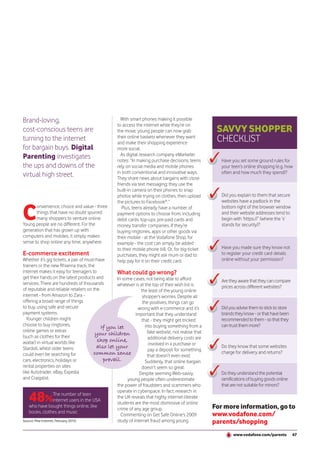
NEWS&                                                                                                 “YOU’R
VIEWS
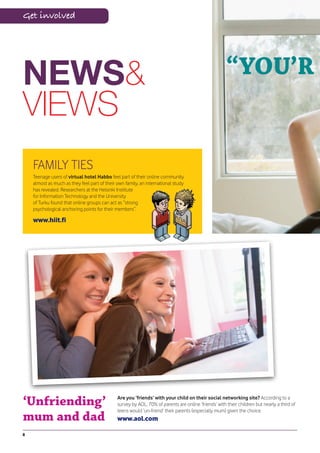
    FAMILY TIES
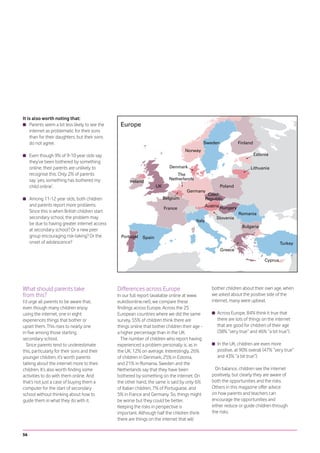
    Teenage users of virtual hotel Habbo feel part of their online community
    almost as much as they feel part of their own family, an international study
    has revealed. Researchers at the Helsinki Institute
    for Information Technology and the University
    of Turku found that online groups can act as “strong
    psychological anchoring points for their members”.

    www.hiit.fi


‘Unfriending’                                 Are you ‘friends’ with your child on their social networking site? According to a
                                              survey by AOL, 70% of parents are online ‘friends’ with their children but nearly a third of
                                              teens would ‘un-friend’ their parents (especially mum) given the choice.
mum and dad                                   www.aol.com

8
E GROUNDED!”                                                                     THE WASHINGTON POST reports
                                                                                 that parents are using ‘digital’
                                                                                 grounding as a 21st century
                                                                                 disciplinary tool, be it disconnecting
                                                                                 their son’s Xbox or banning their
                                                                                 daughter’s use of Facebook®. According
                                                                                 to research by Pew Internet, 62% of
                                                                                 parents in the USA have taken away
                                                                                 their child’s mobile phone as
                                                                                 punishment, for example.
                                                                                 www.washingtonpost.com


                                                                                      For all the latest news, challenges
                                                                                      and trends in international online
                                                                                        safety, go to the Family Online
                                                                                           Safety Institute’s website.
                                                                                              www.fosi.org


 Erasing David                                                                    Safer Internet
     A documentary about privacy,
    surveillance and the database
 state, ‘Erasing David’ sees David Bond
                                                                                  Day 2011
 find out how much private companies                                              ‘It’s more than a game, it’s your life’ is
 and the government know about him                                                the message for Safer Internet Day
 by putting himself under surveillance                                            2011 (8 February). The awareness
  and attempting to disappear. He has                                             day saw 500 events take place in
       nothing to hide but does he                                                65 countries in 2010.
          have nothing to fear?
                                                                                  www.saferinternet.org
  www.erasingdavid.com


 My name is...                                                Celebrity danger
                                                              Cameron Diaz has been named ‘the most dangerous
 Google CEO Eric Schmidt has warned that young people         celebrity to search for on the Web’ by a leading online
 may have to change their names in the future in order to     security company. According to McAfee, cybercriminals
 escape their online past. Time to talk to your child about   often use the names of popular celebrities to lure people
 how much personal information                                to websites that are laden with malicious software. Watch
 they post on the internet?                                   out if you’re searching on Jessica Biel or Brad Pitt too!
 www.google.com                                               www.mcafee.com


                                                                                              www.vodafone.com/parents         9
Spotlight on


SPOTLIGHT ON... AGE
With digital technology use changing dramatically as children grow up, Digital Parenting
helps parents to stay ahead of the game.


H
         ave you seen the video on YouTube™      manage the potential challenges and risks          will eliminate those risks completely,”
         of the two-year old girl using a “new   it could bring.                                    adds Byron. “We cannot make the internet
         toy” called an iPad? Fascinating           “There is a generational digital divide         completely safe. Because of this, we must
stuff. That might be an extreme case, but        which means that parents do not necessarily        also build children’s resilience to the material
many families are introducing the internet       feel equipped to help their children in this       to which they may be exposed so that they
and interactive TV to their children long        space - which can lead to fear and a sense         have the confidence and skills to navigate
before they can read or write. Technology        of helplessness,” comments Professor               these new media waters more safely.”
seems to be instinctive for young people         Tanya Byron, the UK government’s adviser             But what kind of new media waters
and, over time, it is becoming more and          on children and technology, in the Byron           are young people navigating at the
more engrained in their lives - at home,         Review. “This can be compounded by a               different stages of their childhood?
at school, at college and, eventually, in        risk-averse culture where we are inclined          Which websites are seven year olds
the workplace.                                   to keep our children ‘indoors’ despite their       visiting? Why would a 12 year old need a
  With this in mind, many parents want to        developmental needs to socialise and               mobile? What kind of games do 15 year
know how they can encourage their                take risks.”                                       olds play? Here, we take you into your
children’s enjoyment of the digital world,          “Just like in the offline world, no amount of   child’s ever-evolving digital world and
whilst at the same time helping them to          effort to reduce potential risks to children       help you to get more involved.


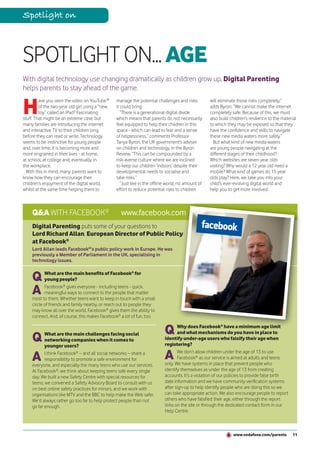
    Q&A WITH FACEBOOK®                             www.facebook.com
    Digital Parenting puts some of your questions to
    Lord Richard Allan, European Director of Public Policy
    at Facebook®
    Lord Allan leads Facebook®’s public policy work in Europe. He was
    previously a Member of Parliament in the UK, specialising in
    technology issues.


    Q      What are the main benefits of Facebook® for
           young people?

    A      Facebook® gives everyone - including teens - quick,
           meaningful ways to connect to the people that matter
    most to them. Whether teens want to keep in touch with a small
    circle of friends and family nearby, or reach out to people they
    may know all over the world, Facebook® gives them the ability to
    connect. And, of course, this makes Facebook® a lot of fun, too.


                                                                            Q      Why does Facebook® have a minimum age limit

    Q      What are the main challenges facing social                              and what mechanisms do you have in place to
           networking companies when it comes to                            identify under-age users who falsify their age when
           younger users?                                                   registering?

    A      I think Facebook® – and all social networks – share a
           responsibility to promote a safe environment for                 A      We don’t allow children under the age of 13 to use
                                                                                   Facebook® as our service is aimed at adults and teens
                                                                            only. We have systems in place that prevent people who
    everyone, and especially the many teens who use our services.
    At Facebook®, we think about keeping teens safe every single            identify themselves as under the age of 13 from creating
    day. We built a new Safety Centre with special resources for            accounts. It’s a violation of our policies to provide false birth
    teens, we convened a Safety Advisory Board to consult with us           date information and we have community verification systems
    on best online safety practices for minors, and we work with            after sign-up to help identify people who are doing this so we
    organisations like MTV and the BBC to help make the Web safer.          can take appropriate action. We also encourage people to report
    We’d always rather go too far to help protect people than not           others who have falsified their age, either through the report
    go far enough.                                                          links on the site or through the dedicated contact form in our
                                                                            Help Centre.


                                                                                                                 www.vodafone.com/parents         11
Spotlight on


 TAKE                                           5 - 7 YEARS OLD
 ACTION
     1     SIT with your child and get
           involved when they’re using
     the computer and other devices
     like games consoles - make it fun!


     2    SET UP Parental Controls and
          SafeSearch on your child’s
     computer - but remember, they
     might not be 100% effective and
     they aren’t a substitute for parental
     supervision

                                                F     or young children, the internet and mobile devices are simply fun - sometimes
                                                      educational, but mostly fun. 5 to 7 year olds might enjoy catching up with their
                                                favourite TV and cartoon characters on websites like NickJr, CBeebies or Mr Men,
                                                for example.

     3
                                                  On the move, parents can keep kids entertained with games like Nintendogs (on
           DON’T ASSUME that
                                                the DS) and by playing age-appropriate apps like ‘Wheels on the bus’ or ‘Scribble’
           your child is only accessing
                                                together on an iPhone. Leapster, a handheld games console that makes learning the
     age-appropriate services and
                                                alphabet, phonics and basic maths fun, is also popular amongst parents looking for
     websites - they could be influenced
                                                digital learning tools.
     by older siblings to go on to sites like
                                                  Even if they’re just doing something for fun, these kinds of devices and websites can
     YouTube™ (which have a minimum
                                                help to teach younger children important skills, such as how to type, how to improve their
     age limit of 13) or they might have
                                                hand and eye co-ordination and how to read better. But, because they’re so young, they
     figured out how to use your mobile
                                                still need you to be involved and engaged, offering guidance and supervision - just as they
                                                do in the real world.


     4     START TEACHING them
           why it’s important to keep
     their personal information to
     themselves


     5     STAY IN CONTROL and don’t
           be pressured into letting your
     child use technology like mobiles or
     games consoles if you don’t think
     they’re mature enough
                                                         Cbeebies, © BBC


                                                 They might want to spend hours on end on a particular website or game; they

     6    ENCOURAGE them to come to
          you if anything they see online
     worries or upsets them
                                                might have trouble telling the difference between fantasy and reality or advertising
                                                and editorial; and they can be very trusting of people. It’s crucial that you put some
                                                ground rules in place now so that they become part of their daily routine.


12
8 - 11 YEARS OLD                                                                          TAKE
                                                                                                ACTION
                                                                                                1     AGREE some limits on what
                                                                                                      your son or daughter can or
                                                                                                can’t do in their digital world (e.g.
                                                                                                how much time they spend on the
                                                                                                internet or games consoles)


                                                                                                2    REMEMBER that lots of
                                                                                                     devices now have internet
                                                                                                access (e.g. mobiles, games consoles
                                                                                                and the iPod touch) and that many
                                                                                                laptops have built-in webcams


                                                                                                3     DON’T be pressured into buying
                                                                                                      your child anything you don’t
                                                                                                think they’re old enough for - for
                                                                                                example, if you only want them to have
                                                                                                a mobile for calling and texting, don’t get
      A quarter                                                                                 them one with advanced features, such
  of home internet                                                                              as Wi-Fi and Web access
  users aged 8-12 in
the UK have a profile

                                                                                                4
 on Bebo, Facebook®
                                                                                                       IF YOU do buy them a mobile,
    or MySpace.*
                                                                                                       discuss how they should keep it
                                                                                                safe from thieves and teach them not
                                                                                                to use it when they’re walking or cycling


      W      alk into the home of any child this age and you might well find them playing
             FIFA Soccer or RuneScape on their games console, listening to music on their
      iPod or (especially if they’re about to go to secondary school) texting friends on
                                                                                                5     MAKE SURE you set Parental
                                                                                                      Controls and SafeSearch to the
                                                                                                right level for your child’s age and
      their mobile. They might be doing some research on Wikipedia or writing an article        maturity - but remember, they might
      for a school blog.                                                                        not be 100% effective and they aren’t
        Virtual communities and games, such as Moshi Monsters, Club Penguin and                 a substitute for parental supervision
      Stardoll - where children can create their own virtual worlds, interact with avatars
      and, in some cases, buy stuff - are also very popular at this age.

                                                                                                6
        Furthermore, websites like Togetherville have brought social networking to                   TEACH them to behave
      tweens and, despite minimum age limits of 13, many 8-11 year olds are even                     responsibly in the digital world
      accessing mainstream social networking sites like Bebo, Facebook® and MySpace             and to respect other members of the
      and video-sharing services like YouTube™.                                                 online community
        This is a real turning point when young people are embracing new technologies
      both at home and at school and it’s a crucial time for parents to help them stay in

                                                                                                7
      control of their digital world. Giving out personal information, playing violent games,
                                                                                                     MAKE it a rule that they give
      cyberbullying and meeting strangers online are among the issues that need to be
                                                                                                     their real age when registering for
      discussed. With research by UK regulator Ofcom revealing that children aged 8-11
                                                                                                websites and only play age-appropriate
      have a preference for learning about digital media from their parents or teachers
                                                                                                games - minimum age limits are there
      rather than their friends, now’s the time to talk.
                                                                                                to help protect them from inappropriate
                                                                                                content and interactions
 * Source: Ofcom, March 2010.


       “[Between 5 and 11 years old] is the time when children begin exploring
       websites beyond the boundaries originally set for them by their parents                  8    REMIND them that the internet
                                                                                                     is a public place and that anything
                                                                                                they post online could be seen by
       and also when they start playing a wider range of video games.”
       Source: The Byron Review, March 2008.                                                    anyone and could stay there forever


                                                                                                         www.vodafone.com/parents             13
Spotlight on


                                                       12 - 14 YEARS OLD
                                                                                                                                   The typical

 TAKE                                                                                                                            American teen
                                                                                                                                exchanges more


 ACTION
                                                                                                                                  than 50 texts
                                                                                                                                     a day.*


     1     ASK them where they are
           or whom they’re with - you
     wouldn’t let them go out in the real
     world without knowing where they
     are or whom they’re with, so why let
     them do it in the digital world?


     2      TEACH them how to behave
            responsibly in their digital world
     (e.g. how to download music legally
     and respect other online users)


     3      MAKE sure you set Parental
            Controls and SafeSearch to the
     right level for your child’s age and
     maturity - but remember, they might
     not be 100% effective and they aren’t a
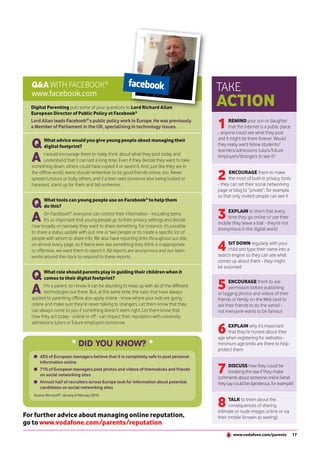
                                                          T     hey’re at senior school and they’re growing up fast. It’s a time of immense
                                                                change and their digital world might seem as important as the real world to
                                                          them. They might spend their evenings chatting to friends on Facebook®, Windows
     substitute for parental supervision                  Live® Messenger (previously called MSN® Instant Messenger) or via texts, watching
                                                          and uploading videos on YouTube™, or downloading the latest tracks from iTunes.
                                                          Playing Spore on their Nintendo® DS or making the most of free online games on

     4    REMIND them that the internet                   Miniclip could be a big part of their spare time or they might be one of the millions
          is a public place and that they                 of fans of Habbo Hotel, the world’s largest virtual community for teenagers (which
     must be very careful about revealing                 has a minimum age limit of 13 in most countries).
     too much personal information online                   At school, their teachers might be using tools like Google Maps™, Animoto and
                                                          Wikipedia to bring lessons to life and they, in turn, might increasingly turn to the
                                                          internet to help with their homework.
                                                            As they make their way through adolescence, they might begin to rely

     5    TALK to them about their
          ‘digital footprint’ - explain that
     any comments or photos they post
                                                          heavily on their online social networks and choose to explore issues such as
                                                          sex, relationships and body image on the internet. They’re keen to have their
                                                          independence and their digital world becomes more portable - and more private -
     now could be seen by their teachers,                 as they start using mobiles to communicate and find information.
     complete strangers or even university                  It’s at this age that they might take on the role of ‘technology expert’ at home
     admissions tutors and employers in                   (programming the Sky+ box or helping when the computer screen freezes) but that
     the future                                           doesn’t mean that parents can sit back and lose touch with what they’re doing.
                                                          Even though they feel in control of technology, children of this age are still
                                                          vulnerable to scams, cyberbullying and other online threats.

     6     SET some ground rules for their
           mobile use and explain how
     they could run up large bills if they
     sign up for premium rate services, like
     ringtone or game downloads


     7   DIRECT them to reputable
         support organisations for advice
     about health and wellbeing and warn
     them about websites that promote
     dangerous behaviours


     8    ENCOURAGE them to come to
          you if anything in their digital world
     worries or upsets them

                                                   * Source: Pew Internet, April 2010.

14
15+                                                                                         TAKE
                                                                                                ACTION
                                                                                                1     IF your son or daughter asks you
                                                                                                      to remove the Parental Controls
                                                                                                or SafeSearch from their computer,
                                                                                                think carefully. Do you think they’re
        71% of                                                                                  mature enough to handle all online
 European teenagers                                                                             content and interactions? Should you
   post photos and                                                                              just adjust the settings slightly (e.g. to
videos of themselves                                                                            ‘moderate’)?
    and friends on
  social networking
        sites.*

                                                                                                2     TEACH them how to behave
                                                                                                      responsibly online and to
                                                                                                respect others (e.g. how to download
                                                                                                content from legitimate websites and
      I   t might be tempting to think that older teens are 100% tech-savvy and dealing
          with everything the digital world throws at them. It’s likely that they’re happily
      playing Guitar Hero or Nintendo® Wii Fit with their friends, managing their busy social
                                                                                                not to post thoughtless comments)


      life and sharing photos on Facebook®, posting self-created videos on YouTube™ and
      expressing their opinions on a blog or Twitter. If they’re into music, they might
      already have an MP3 collection greater than any album collection you could ever           3    EXPLAIN why it’s important
                                                                                                     that they are careful with their
                                                                                                personal information online as
      muster and enjoy finding out about new bands on Spotify or Last.fm.
         As they start thinking about college, university or finding employment, they might     anyone could see it
      be participating in online activities, like volunteering or mentoring, to enhance their

                                                                                                4
      CV or they could be searching job portals for that first rung on the career ladder.
                                                                                                     TALK to them about the
      And, they’re probably starting to buy clothes, books and other things online.
                                                                                                     challenges and risks posed
         Unfortunately, older teens also use new technologies in a more negative way -
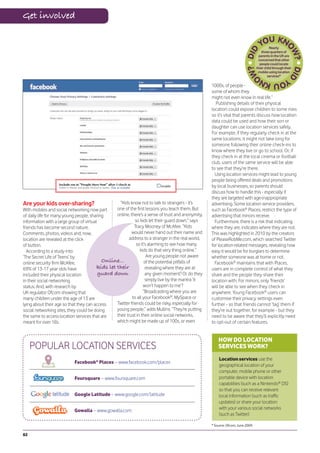
                                                                                                by sharing their location (e.g. on
      looking at pornography on the Web, taking part in violent online games and
                                                                                                Facebook® Places or Foursquare) -
      exchanging sexts (swapping nude and sexually suggestive images) are just a few
                                                                                                it may not be wise for everyone to
      example of risk-taking behaviours. Whilst those early years with new technologies
                                                                                                know their physical whereabouts
      might have seemed complicated, they can appear somewhat trivial compared with
      the challenges older teens face in their digital world.

                                                                                                5
         As a report by UK online charity YouthNet highlighted in 2009, there is a need for
                                                                                                     AS PART OF a wider discussion
      “more guidance and support for the vulnerable ‘in-between group’ of 16 and 17 year
                                                                                                     about sex and relationships,
      olds, who may be particularly at risk of over confidence as they feel under pressure
                                                                                                cover off how they use the internet to
      to take on the responsibilities of adulthood.”
                                                                                                explore their sexuality
         It’s clear that, far from leaving them to it, parents need to keep communicating
      with older teens and strike the right balance. They might want to keep some things
      to themselves, so respect their privacy; they might want to take sole control of
      their digital world, so respect their independence; and they’re no doubt becoming
      resilient enough to deal with some online risks themselves, so let them.                  6     REMIND them that what goes
                                                                                                      online stays online - use real-life
                                                                                                examples like the fact that employers
         “This period [15-18 years old] is the last stage of what we call ‘childhood’, when
      young people may still be the responsibility of their parents, but are also viewed        and university admissions tutors
      as young adults… Effective online management at this stage will involve providing         often check social networking sites
      opportunities for them to explore and try different roles and identities while offering   for information about candidates
      non-judgmental support...” according to the Byron Review.

                                                                                                7     DIRECT them to reputable
                                                                                                      websites for health and wellbeing
                                                                                                advice and warn them about websites
                                                                                                that promote dangerous behaviours,
                                                                                                such as eating disorders and self-harm


                                                                                                8    MAKE sure they check with you
                                                                                                     before buying anything online,
                                                                                                especially if they want to use your
                                                                                                credit card

* Source: Microsoft®, February 2010.

                                                                                                         www.vodafone.com/parents            15
Expert view

                         Annie Mullins OBE is responsible
                         for developing content standards
                         policies at Vodafone Group
                         Marketing, with a particular focus
                         on children and young people.


DIGITAL
FOOTPRINTS:
WHAT GOES
ONLINE STAYS
ONLINE
A misjudged comment, an                             publishing information about themselves             put a lot of information about themselves,
                                                    on the internet or communicating via their          which I don’t necessarily think is great. They
inappropriate photo - they                          mobile and other devices. They might even           do become very personal,” said one mum
could be there forever                              take on a completely different persona online.      we spoke to, whilst another was amazed
                                                      A comment on a blog, a message on a               how many people were interacting with her
and for anyone to see.                              social networking site, a photo sent by text,       son online: “It is frightening because he’s
                                                    a video uploaded online, a conversation             actually had 12,000 hits. The more I know,
Annie Mullins OBE, Global                           during a video game; they might not realise         the more frightening it gets.”
Head of Content Standards                           that their digital footprint is so far-reaching       Fortunately, children,
                                                    - soon everyone could see what they’ve              parents and schools can take
at Vodafone, examines why                           posted. It’s not just a privacy issue, but a        action to help protect
it’s so important for young                         reputational one too. What if they post             their online identity and
                                                    inappropriate photos? Could their online            reputation, by making
people to carefully manage                          messages be deemed offensive by others?             the most of privacy                 They can
their online reputation.                            Might they behave recklessly in a video             controls and other                 put a lot of
                                                    they’ve made, albeit just for fun at the time?      online tools.                     information
                                                      “My group of friends usually put all              Common sense                   about themselves

S
        peak to any teen and I’m sure they’ll       photos up [on the internet]. Most of us have        plays a large part too.       [online]...they do
        agree that they care about what other       a camera, especially on our phones. We                “Many users are                 become very
        people think of them. They’re busy          take loads of photos at parties, that sort of       learning and refining               personal.
figuring out who they are, what they want           thing,” one teenage boy told us. Like many          their approach as they
out of life and which friends are most              young people, online is a natural extension         go - changing privacy
important to them and they often strive to be       of his and his friends’ offline world - but are     settings on profiles, customising
perceived in a certain way, be it funny, clever,    they aware that the things they write or the        who can see certain updates and deleting
sporty, friendly, rebellious, popular or cool.      images they share in the digital world could        unwanted information about them that
  Nowadays, young people don’t just                 have a huge impact on their reputation in           appears online,” says Mary Madden,
have to think about their real-life identity        real life, over a long period of time? After all,   author of a major Pew Internet report on
and reputation, but also their online one.          anything young people post online can be            reputation management.
They’re increasingly creating their own             searched for and retained by other people             Marsali Hancock of the Internet Keep
digital content as a way of expressing              (e.g. fellow students, strangers, future            Safe Coalition has a final piece of advice
themselves and engaging with the people             employers, university admissions tutors).           for parents, “Everything young people do
who matter to them. But, because they’ve            Once it’s out there, they can’t take it back.       online contributes to their digital reputation
grown up with technology, they might not              Online reputation management is clearly           - help them develop an online reputation
tread as carefully as you or I would when           a concern for many parents. “They can               that is an asset rather than a liability.”

16
Q&A WITH FACEBOOK®                                                                      TAKE
  www.facebook.com
  Digital Parenting puts some of your questions to Lord Richard Allan,
                                                                                          ACTION
  European Director of Public Policy at Facebook®
  Lord Allan leads Facebook®’s public policy work in Europe. He was previously
  a Member of Parliament in the UK, specialising in technology issues.                    1     REMIND your son or daughter
                                                                                                that the internet is a public place
                                                                                          - anyone could see what they post

  Q      What advice would you give young people about managing their                     and it might be there forever. Would
         digital footprint?                                                               they really want fellow students/
                                                                                          teachers/admissions tutors/future
  A      I would encourage them to really think about what they post today and
         understand that it can last a long time. Even if they decide they want to take
  something down, others could have copied it or saved it. And, just like they are in
                                                                                          employers/strangers to see it?


  the offline world, teens should remember to be good friends online, too. Never
  spread rumours or bully others, and if a teen sees someone else being bullied or
  harassed, stand up for them and tell someone.
                                                                                          2     ENCOURAGE them to make
                                                                                                the most of built-in privacy tools
                                                                                          - they can set their social networking
                                                                                          page or blog to “private”, for example,
                                                                                          so that only invited people can see it
  Q      What tools can young people use on Facebook® to help them
         do this?

  A      On Facebook®, everyone can control their information - including teens.
         It’s so important that young people go to their privacy settings and decide
                                                                                          3   EXPLAIN to them that every
                                                                                              time they go online or use their
                                                                                          mobile they leave a trail - they’re not
  how broadly or narrowly they want to share something. For instance, it’s possible
                                                                                          anonymous in the digital world
  to share a status update with just one or two people or to create a specific list of
  people with whom to share info. We also have reporting links throughout our site,
  on almost every page, so if teens ever see something they think is inappropriate
  or offensive, we want them to report it. All reports are anonymous and our team         4    SIT DOWN regularly with your
                                                                                               child and type their name into a
                                                                                          search engine so they can see what
  works around the clock to respond to these reports.
                                                                                          comes up about them - they might
                                                                                          be surprised

  Q     What role should parents play in guiding their children when it
        comes to their digital footprint?

  A     I’m a parent, so I know it can be daunting to keep up with all of the different
        technologies out there. But, at the same time, the rules that have always
                                                                                          5     ENCOURAGE them to ask
                                                                                                permission before publishing
                                                                                          or tagging photos and videos of their
  applied to parenting offline also apply online - know where your kids are going         friends or family on the Web (and to
  online and make sure they’re never talking to strangers. Let them know that they        ask their friends to do the same) -
  can always come to you if something doesn’t seem right. Let them know that              not everyone wants to be famous
  how they act today - online or off - can impact their reputation with university


                                                                                          6
  admissions tutors or future employers tomorrow.
                                                                                               EXPLAIN why it’s important
                                                                                               that they’re honest about their
                                                                                          age when registering for websites -
                                DID YOU KNOW?                                             minimum age limits are there to help
                                                                                          protect them
       43% of European teenagers believe that it is completely safe to post personal


                                                                                          7
       information online
                                                                                                DISCUSS how they could be
       71% of European teenagers post photos and videos of themselves and friends
                                                                                                breaking the law if they make
       on social networking sites
                                                                                          comments about someone online (what
       Almost half of recruiters across Europe look for information about potential       they say could be slanderous, for example)
       candidates on social networking sites


                                                                                          8
   Source: Microsoft®, January & February 2010.
                                                                                                TALK to them about the
                                                                                                consequences of sharing
                                                                                          intimate or nude images online or via
For further advice about managing online reputation,                                      their mobile (known as sexting)
go to www.vodafone.com/parents/reputation
                                                                                                  www.vodafone.com/parents            17
How to...


HOW TO...
SET UP FACEBOOK® PRIVACY CONTROLS
F    acebook® is one of the most popular social networking sites
     in the world, with more than 500 million active users. It has a
minimum age limit of 13.
                                                                        have public search listings created for them (i.e. their Facebook®
                                                                        profile wouldn’t come up if someone Googled them) and their
                                                                        information is limited to friends of friends and networks, even if they
 Its privacy controls enable users to decide which people and           have chosen to make it available to everyone. Their name, profile
applications can see their information. If your son or daughter is on   picture, gender and networks are visible to everyone, however.
Facebook®, they can choose to share their information with ‘friends       In this tutorial, we show you how your child could further
only’, ‘friends of friends’ or ‘everyone’.                              customise their privacy controls on Facebook®.
 If they have registered on Facebook® as being under 18, they don’t


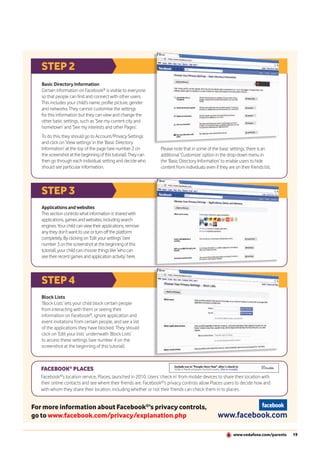
         1. SHARING ON FACEBOOK®                                                                               2. BASIC DIRECTORY
                                                                                                                   INFORMATION


              3. APPLICATIONS
               AND WEBSITES                                                                                       4. BLOCK LISTS


          STEP 1
          Sharing on Facebook®
          Here, your child can control who can see what they
          post on a day-to-day basis, such as status updates (what
          they’re doing now), photos and videos. It also includes
          settings for things they share about themselves (e.g.
          birthday and contact information) and content that
          others share about them (e.g. comments on their posts
          and photos/videos they’ve been tagged in).
          Facebook® recommends the kind of basic information
          users share by default, but your child can go through
                                                                        share, things on their Wall (where they and their friends
          each individual setting and decide who can see
                                                                        post and share) and things they’re tagged in, such as
          particular information by clicking on ‘Customize settings’
                                                                        ‘Mobile phone’, ‘Address’, ‘Birthday’, ‘Places I check in to’
          in the ‘Sharing on Facebook®’ section (see number 1 on
                                                                        and ‘Photos and videos I’m tagged in’. It also includes
          the screenshot at the beginning of this tutorial).
                                                                        ‘Places I check in to’ and ‘Include me in ‘People Here
          ‘Customize settings’ enables your child to decide who         Now’ after I check in’ options, which are related to
          they are happy seeing and commenting on things they           Facebook®’s new location service, Places.


18
STEP 2
   Basic Directory Information
   Certain information on Facebook® is visible to everyone
   so that people can find and connect with other users.
   This includes your child’s name, profile picture, gender
   and networks. They cannot customise the settings
   for this information but they can view and change the
   other basic settings, such as ‘See my current city and
   hometown’ and ‘See my interests and other Pages’.
   To do this, they should go to Account/Privacy Settings
   and click on ‘View settings’ in the ‘Basic Directory
   Information’ at the top of the page (see number 2 on           Please note that in some of the basic settings, there is an
   the screenshot at the beginning of this tutorial). They can    additional ‘Customize’ option in the drop-down menu in
   then go through each individual setting and decide who         the ‘Basic Directory Information’ to enable users to hide
   should see particular information.                             content from individuals even if they are on their friends list.


   STEP 3
   Applications and websites
   This section controls what information is shared with
   applications, games and websites, including search
   engines. Your child can view their applications, remove
   any they don’t want to use or turn off the platform
   completely. By clicking on ‘Edit your settings’ (see
   number 3 on the screenshot at the beginning of this
   tutorial), your child can choose things like ‘who can
   see their recent games and application activity’ here.


   STEP 4
   Block Lists
   ‘Block Lists’ lets your child block certain people
   from interacting with them or seeing their
   information on Facebook®, ignore application and
   event invitations from certain people, and see a list
   of the applications they have blocked. They should
   click on ‘Edit your lists’ underneath ‘Block Lists’
   to access these settings (see number 4 on the
   screenshot at the beginning of this tutorial).


   FACEBOOK® PLACES
   Facebook®’s location service, Places, launched in 2010. Users ‘check in’ from mobile devices to share their location with
   their online contacts and see where their friends are. Facebook®’s privacy controls allow Places users to decide how and
   with whom they share their location, including whether or not their friends can check them in to places.


For more information about Facebook®’s privacy controls,
go to www.facebook.com/privacy/explanation.php                                                     www.facebook.com

                                                                                                            www.vodafone.com/parents   19
Expert view


Te enag ers
    and
Tec hno logy


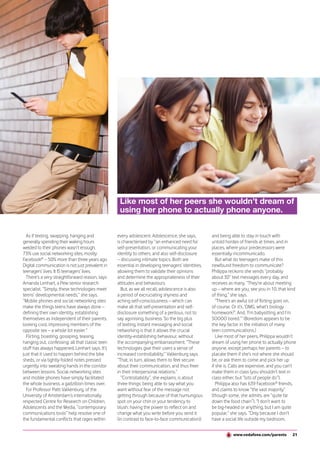
        Text, text, text, that’s all they think                                                                                                               21st-century citizens. Since 2007, it has
                                                                                                                                                              been chronicling the use teenagers make of
        about: but are all those hours on
                                                                                                                    Linda Nylind/Guardian News & Media Ltd.


                                                                                                                                                              the net, in particular their mass adoption of
        the phone and Facebook® turning                                                                                                                       social networking sites. It has been studying
                                                                                                                                                              the way teens use mobile phones, including
        teenagers into screen-enslaved                                                                                                                        text messages, since 2006.
                                                                                                                                                                This is what the Project says about the way
        social inadequates?                                                                                                                                   US teens (and, by extension, teenagers in
        Jon Henley from The Guardian* finds out.                                                                                                              much of western Europe: the exact figures
                                                                                                                                                              may sometimes differ by a percentage
                                                                                                                                                              point or two, but the patterns are the same)
                                                                                                                                                              communicate in an age of Facebook®

“I    ’d rather,” deadpans Philippa Grogan,
      16, “give up, like, a kidney than my
phone. How did you manage before?
                                                                        Flirting, boasting,
                                                                          gossiping have
                                                                                                                                                              Chat, instant messaging and unlimited
                                                                                                                                                              texts. Ready?
                                                                                                                                                                First, 75% of all teenagers (and 58% of
Carrier pigeons? Letters? Going round each                              always happened;                                                                      12-year-olds) now have a mobile phone.
others’ houses on BIKES?” Cameron Kirk,
14, reckons he spends “an hour, hour-and-
                                                                        social networking                                                                     Almost 90% of phone-owning teens send
                                                                                                                                                              and receive texts, most of them daily. Half
a-half on school days” hanging out with his                             and mobiles have                                                                      send 50 or more texts a day; one in three
450-odd Facebook® friends; maybe twice                                  simply facilitated                                                                    send 100. In fact, in barely four years, texting
that at weekends. “It’s actually very practical
if you forget what that day’s homework
                                                                       the whole process.                                                                     has established itself as comfortably “the
                                                                                                                                                              preferred channel of basic communication
is. Unfortunately, one of my best friends                                                                                                                     between teens and their friends”.
doesn’t have Facebook®. But it’s OK; we talk                                                                                                                    But phones do more than simply text, of
on our PlayStations”.                                              of my friends said they’d just never do that”.                                             course. More than 80% of phone-owning
   Emily Hooley, 16, recalls a Very Dark                             Teens, eh? Not how they were when                                                        teens also use them to take pictures (and
Moment: “We went to Wales for a week at                            I was young. Nor the way they talk to                                                      64% to share those pictures with others). Sixty
half term to revise. There was no mobile,                          each other. Let’s frighten ourselves: for a                                                per cent listen to music on them, 46% play
no TV, no broadband. We had to drive into                          decade, the Pew Internet & American Life                                                   games, 32% swap videos and 23% access
town just to get a signal. It was really hard,                     Project has been the world’s largest and                                                   social networking sites. The mobile phone, in
knowing people were texting you, writing on                        most authoritative provider of data on the                                                 short, is now “the favoured communication
your Wall, and you couldn’t respond. Loads                         internet’s impact on the lives of                                                          hub for the majority of teens”.
*The teen issue: ‘We’re not socially abnormal’, (entire article), Jon Henley, 16 July 2010 (“the Content”).

20
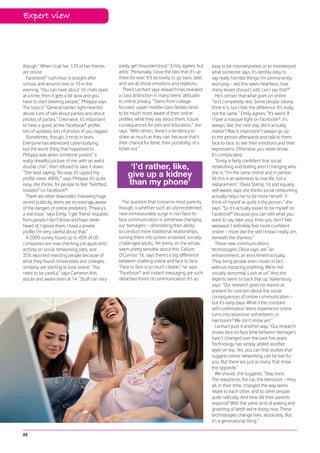
Like most of her peers she wouldn’t dream of
                                                  using her phone to actually phone anyone.


  As if texting, swapping, hanging and           every adolescent. Adolescence, she says,         and being able to stay in touch with
generally spending their waking hours            is characterised by “an enhanced need for        untold hordes of friends at times, and in
welded to their phones wasn’t enough,            self-presentation, or communicating your         places, where your predecessors were
73% use social networking sites, mostly          identity to others, and also self-disclosure     essentially incommunicado.
Facebook® – 50% more than three years ago.       – discussing intimate topics. Both are              But what do teenagers make of this
Digital communication is not just prevalent in   essential in developing teenagers’ identities,   newfound freedom to communicate?
teenagers’ lives. It IS teenagers’ lives.        allowing them to validate their opinions         Philippa reckons she sends “probably
  There’s a very straightforward reason, says    and determine the appropriateness of their       about 30” text messages every day, and
Amanda Lenhart, a Pew senior research            attitudes and behaviours.                        receives as many. “They’re about meeting
specialist. “Simply, these technologies meet       But, as we all recall, adolescence is also     up – where are you, see you in 10, that kind
teens’ developmental needs,” she says.           a period of excruciating shyness and             of thing,” she says.
“Mobile phones and social networking sites       aching self-consciousness – which can               “There’s an awful lot of flirting goes on,
make the things teens have always done –         make all that self-presentation and self-        of course. Or it’s, ‘OMG, what’s biology
defining their own identity, establishing        disclosure something of a perilous, not to       homework?’. And, ‘I’m babysitting and I’m
themselves as independent of their parents,      say agonising, business. So the big plus         SOOOO bored.’” (Boredom appears to be
looking cool, impressing members of the          of texting, instant messaging and social         the key factor in the initiation of many
opposite sex – a whole lot easier.”              networking is that it allows the crucial         teen communications.)
  Flirting, boasting, gossiping, teasing,        identity-establishing behaviour, without            Like most of her peers, Philippa wouldn’t
hanging out, confessing: all that classic teen   the accompanying embarrassment. “These           dream of using her phone to actually phone
stuff has always happened, Lenhart says. It’s    technologies give their users a sense of         anyone, except perhaps her parents – to
just that it used to happen behind the bike      increased controllability,” Valkenburg says.     placate them if she’s not where she should
sheds, or via tightly folded notes pressed       “That, in turn, allows them to feel secure       be, or ask them to come and pick her up
urgently into sweating hands in the corridor     about their communication, and thus freer        if she is. Calls are expensive, and you can’t
between lessons. Social networking sites         in their interpersonal relations.”               make them in class (you shouldn’t text in
and mobile phones have simply facilitated          “Controllability”, she explains, is about      class either, but “lots of people do”).
the whole business, a gadzillion times over.     three things: being able to say what you            Philippa also has 639 Facebook® friends,
  For Professor Patti Valkenburg, of the         want without fear of the message not             and claims to know “the vast majority”
University of Amsterdam’s internationally        getting through because of that humungous        (though some, she admits, are “quite far
respected Centre for Research on Children,       spot on your chin or your tendency to            down the food chain”). “I don’t want to
Adolescents and the Media, “contemporary         blush; having the power to reflect on and        be big-headed or anything, but I am quite
communications tools” help resolve one of        change what you write before you send it         popular,” she says. “Only because I don’t
the fundamental conflicts that rages within      (in contrast to face-to-face communication);     have a social life outside my bedroom,


                                                                                                             www.vodafone.com/parents        21
Expert view


though.” When I call her, 129 of her friends          easily get misunderstood.” Emily agrees, but         easy to be misinterpreted, or to misinterpret
are online.                                           adds: “Personally, I love the idea that it’s up      what someone says. It’s terribly easy to
  Facebook® rush-hour is straight after               there for ever. It’ll be lovely to go back, later,   say really horrible things. I’m permanently
school, and around nine or 10 in the                  and see all those emotions and relations.            worrying – will this seem heartless, how
evening. “You can have about 10 chats open              ”Pew’s Lenhart says research has revealed          many kisses should I add, can I say that?”
at a time, then it gets a bit slow and you            a class distinction in many teens’ attitudes            He’s certain that what goes on online
have to start deleting people,” Philippa says.        to online privacy. “Teens from college-              “isn’t completely real. Some people clearly
The topics? “General banter, light-hearted            focused, upper-middle-class familes tend             think it is, but I feel the difference. It’s really
abuse. Lots of talk about parties and about           to be much more aware of their online                not the same.” Emily agrees: “It’s weird. If
photos of parties.” Cred-wise, it’s important         profiles, what they say about them, future           I have a massive fight on Facebook®, it’s
to have a good, active Facebook® profile:             consequences for jobs and education,” she            always, like, the next day, did it actually
lots of updates, lots of photos of you tagged.        says. “With others, there’s a tendency to            matter? Was it important? I always go up
  Sometimes, though, it ends in tears.                share as much as they can, because that’s            to the person afterwards and talk to them
Everyone has witnessed cyber-bullying,                their chance for fame, their possibility of a        face to face, to see their emotions and their
but the worst thing that happened to                  ticket out.”                                         expressions. Otherwise you never know.
Philippa was when someone posted “a                                                                        It’s complicated.
really dreadful picture of me, with an awful                                                                  ”Emily is fairly confident that social
double chin”, then refused to take it down.                 ‘I’d rather, like,                             networking and texting aren’t changing who
“She kept saying, ‘No way, it’s upped my
profile views 400%,’” says Philippa. It’s quite
                                                           give up a kidney                                she is. “I’m the same online and in person.
                                                                                                           All this is an extension to real life, not a
easy, she thinks, for people to feel “belittled,           than my phone’                                  replacement.” Olivia Stamp, 16 and equally
isolated” on Facebook®.                                                                                    self-aware, says she thinks social networking
  There are other downsides. Following huge                                                                actually helps her to be more herself. “I
recent publicity, teens are increasingly aware          The question that concerns most parents,           think of myself as quite a shy person,” she
of the dangers of online predators. “Privacy’s        though, is whether such an unprecedented,            says. “So it’s actually easier to be myself on
a real issue,” says Emily. “I get ‘friend’ requests   near-immeasurable surge in non face-to-              Facebook® because you can edit what you
from people I don’t know and have never               face communication is somehow changing               want to say, take your time; you don’t feel
heard of; I ignore them. I have a private             our teenagers – diminishing their ability            awkward. I definitely feel more confident
profile. I’m very careful about that.”                to conduct more traditional relationships,           online – more like the self I know I really am,
  A 2009 survey found up to 45% of US                 turning them into screen-enslaved, socially          beneath the shyness.”
companies are now checking job applicants’            challenged adults. Yet teens, on the whole,             These new communications
activity on social networking sites, and              seem pretty sensible about this. Callum              technologies, Olivia says, are “an
35% reported rejecting people because of              O’Connor, 16, says there’s a big difference          enhancement, an enrichment actually.
what they found. Universities and colleges,           between chatting online and face to face.            They bring people even closer, in fact,
similarly, are starting to look online. “You          “Face to face is so much clearer,” he says.          without replacing anything. We’re not
need to be careful,” says Cameron Kirk,               “Facebook® and instant messaging are such            socially abnormal. Look at us!” And the
astute and aware even at 14. “Stuff can very          detached forms of communication. It’s so             experts seem to back that up. Valkenburg
                                                                                                           says: “Our research gives no reason at
                                                                                                           present for concern about the social
                                                                                                           consequences of online communication –
                                                                                                           but it’s early days. What if the constant
                                                                                                           self-confirmation teens experience online
                                                                                                           turns into excessive self-esteem, or
                                                                                                           narcissism? We don’t know yet.”
                                                                                                              Lenhart puts it another way. “Our research
                                                                                                           shows face-to-face time between teenagers
                                                                                                           hasn’t changed over the past five years.
                                                                                                           Technology has simply added another
                                                                                                           layer on top. Yes, you can find studies that
                                                                                                           suggest online networking can be bad for
                                                                                                           you. But there are just as many that show
                                                                                                           the opposite.”
                                                                                                              We should, she suggests, “Step back.
                                                                                                           The telephone, the car, the television – they
                                                                                                           all, in their time, changed the way teens
                                                                                                           relate to each other, and to other people,
                                                                                                           quite radically. And how did their parents
                                                                                                           respond? With the same kind of wailing and
                                                                                                           gnashing of teeth we’re doing now. These
                                                                                                           technologies change lives, absolutely. But
                                                                                                           it’s a generational thing.”

22
TEENAGER: ‘I’d be
lost without my mobile’
Amy Johnson


  19 year old Amy Johnson tells Digital Parenting how she
   relies on technology more than she realises and explains
   that she’d be lost without her mobile and (quite literally)
                    lost without her Sat Nav.


  I
                                            MySpace, so in a couple of years          rules. I would find people sitting
         f I want to find something
                                            people probably won’t be using            on Facebook® doing nothing just
         out, I Google it...usually on my
                                            Facebook® any more and there              because they could.
         mobile because it has a faster
                                            will another website that’s better           There is big competition
  connection than the broadband                                                       between people for what type of
  we have at home. The only thing           and more fashionable.
                                               When I think about it, I rely on       phone they use. Guys are even
  I ever use my computer for now                                                       using them as chat up lines!
  is to listen to music through             technology more than I realise.
                                            I use Sat Nav to find my way               A friend was asked to choose
  YouTube™ or to download music                                                        which phone was best by two
  through iTunes. Computers                 everywhere - if I didn’t have my
                                            Sat Nav, I’d probably be lost for          male friends. It was nothing to
  and the internet don’t have the                                                      do with a choice of telephones.
   fascination they used to. I barely        half my life. It was the first thing I
                                             bought when I passed my driving           When they asked her to choose
   use them but if I didn’t have                                                       between a BlackBerry and an
                                                                                                                  ®

   my phone, I’d be lost. It is my           test and it means I can travel
                                             anywhere to visit friends.                iPhone, she knew       it wasn’t a
   communication with my friends                                                       choice between telephones, it
   and if I ever lost it or broke it or         When I was in school they
                                             used to ban certain sites or              was a choice between them.
    for some reason didn’t have one,                                                    Men use their mobile phone as
    I wouldn’t have a social life. I         certain search terms. You
                                             weren’t allowed to Google                  status symbols. They always
    wouldn’t be able to find out what                                                   want to have the best phone
    was going on.                             ‘games’ because they didn’t
                                              want us doing anything other              or laptop, whereas I just want
       I mainly use the internet to
                                              than what we were supposed to             something that works –
    check what everyone’s up to                                                         although I wouldn’t complain
     on Facebook® because it’s the            be doing. Thinking back, there
                                               was always a solution to that            if my parents got me an iPhone.
     only way to see what friends                                                       Or a computer that worked just
     are doing... apart from when I            problem - you could get to the
                                               websites you wanted by using             a little bit faster instead of
     spend half the day attached to                                                      waiting half an hour for a window
     my mobile phone texting them.             other sites designed to get
                                               around the bans. The fact that            to load or my computer to
     Websites like Facebook where
                                 ®

                                               we couldn’t play games or visit           boot up. My parents hardly use
     you can interact     with friends
                                               Facebook® made us want to do              the computer at home so
     and family change depending                                                         they’re not really bothered.
      on what is in fashion. Before            it more. It was a challenge to
                                               find a way to beat the school’s           Thank goodness for my mobile!
      Facebook®, the trend was


                                                                                                         www.vodafone.com/parents   23
Spotlight on


SPOTLIGHT ON...
DIGITAL SPACES
With so many different devices, platforms, websites, services and apps available to young people,
it can be hard to keep up. Digital Parenting investigates a few of their favourite digital spaces.


“N
                ew technologies are integral to the lives of all children,          For many parents, their child’s digital world can seem baffling at
                young people and their parents,” says Professor Tanya             times - a whirl of fast-moving fingers, text speak and adrenalin rushes.
                Byron, author of the ‘Do we have safer children in a digital      That’s why it’s vital that parents get to grips with the different kinds of
world?’ report. “They inspire children to be creative, communicate and            technology that young people are enjoying and get more involved
learn. It is essential that children and young people tap into the                with their digital spaces.
potential of the digital world if they are to enjoy their childhood and             As Linda Burch of Common Sense Media points out, “Both
succeed in life.”                                                                 adults and teens have important points to bring to conversations
  One mum who spoke to Vodafone last year puts it more bluntly: “It’s             about digital literacy and citizenship. Adults bring their wisdom
their social life. It’s that kind of Web that keeps them all together. They       about the world, while teens bring their comfort and understanding
probably couldn’t do without it now because they’re so used to it”.               of technology.”


                                             Young People’s Digital Spaces

                                                                          e.g. Scribble,
                                                                               Glee,
                                               e.g. Habbo Hotel,             Shazam              e.g. Xanga,
                                               Moshi Monsters,                                  LiveJournal,
                                                     Stardoll                                      Twitter

                               e.g. YouTube,                                   Apps
                               Google Video,                 Virtual
                                 Metacafe                    worlds                            Blogs


                                                   Video                                               Bluetooth
                                                                           Computer                                          e.g. Windows
                                                                            /laptop                                               Live
                                                              Smart                        Mobile                            Messenger,
                                         Texting            tablet/pad                                         Chat & IM     Yahoo! Chat
                                                                                           phone

                                                                              YOUR
                                                                             CHILD’S
                    e.g. Facebook,   Social                                  DIGITAL                                           e.g. Gmail,
                         Bebo,                           Interactive                            Games
                                   networking                                WORLD              console            Email        Hotmail,
                      MySpace,                               TV                                                                Microsoft
                    Togetherville,                                                                                              Windows
                    Vodafone 360
                                                                   Digital             MP3                  Forums &
                                           Shopping                camera             player                message
                                e.g.                                                                         boards
                             Amazon,                                                                                         e.g.
                               Asos,                                                                                      TheSite.org,
                              Firebox                                                             Internet              teenvogue.com
                                                      Photos                                     telephony
                                                                                   Location
                                                                       Music       services
                                          e.g. Flickr,                                                    e.g. Skype,
                                         Photobucket,                                                      Truphone
                                             Piczo
                                                              e.g. iTunes,      e.g. Facebook Places,
                                                                Spotify,              Foursquare,
                                                               MySpace                  Gowalla


24
MOBILES


M      obiles are a fact of life for many children and teenagers.
       Parents like to know that their son or daughter is
contactable at any time and, for young people, mobiles have
                                                                    have moved from being a fancy toy in a few teens’ lives to
                                                                    favoured communications hubs for most teens that are vitally
                                                                    important to nourishing their ties to friends and co-ordinating
become vital for staying in touch with friends, accessing           complicated family lives.”
entertainment and much more.                                          Alongside all the positives, however, young people face
  Smart phones, such as the iPhone or BlackBerry® devices,          some potential challenges and risks when it comes to using
have really captured people’s imagination in recent years as        mobiles. These include accessing inappropriate content, running
they give you a mini-computer in your pocket. Young people          up large bills, being cyberbullied, exchanging sexual images
who have smart phones can send and receive emails and               (known as sexting), having their mobile stolen and being located
instant messages, update their social networking profile or         by strangers.
blog, watch videos, download and play music, look up things on        Many of the mobile providers offer information, support and
websites and take photos.                                           built-in tools, such as Parental Controls, to help minimise these
  As mobiles become even more powerful - with larger memories       challenges and risks. Companies like Vodafone also follow a code
and greater processing power - adults and children alike will be    of practice and have signed up to the European Framework for
able to do even more with them. Research by Pew Internet reveals    Safer Mobile Use by Younger Teenagers and Children and the
that 83% of American teens already use their phones to take         Mobile Alliance Against Child Sexual Abuse Content.
photos, 60% play music on them, 46% play games, 32% exchange

                                                                       90%
videos and 23% access social networking sites.                                       The number of children in Korea and Cyprus
  Commenting on the Pew Internet study, co-author Rich Ling                          who own a mobile phone by the age of 13
said: “These findings show that in a very short time cell phones
                                                                    Source: GSMA/NTT DOCOMO study, June 2010.


   USEFUL WEBSITES
                           European Framework for Safer Mobile Use by Younger Teenagers and Children –
                           www.gsmeurope.org/documents/safer_children.pdf

                           Mobile Alliance Against Child Sexual Abuse Content –
                           www.gsmworld.com/mobilealliance


                           Vodafone Parents’ Guide – www.vodafone.com/parents/mobile


                                                                                                                www.vodafone.com/parents   25
Spotlight on


Keeping up:
The age of the smart phone, smart tablet
and pad


N     o doubt you’ve heard the phrase
      “smart phone” - it features heavily
in this magazine. Smart phones, such as
                                               travel directions via GPS, and even playing
                                               games with friends. Smart phones can
                                               access the Web at higher speeds due to the
                                                                                                adult audience) and that some apps could
                                                                                                present security risks, such as malware.
                                                                                                 These smart phones also generally come
the Apple iPhone, BlackBerry® devices,         growth of third generation (3G) networks         with advanced Web browsers built in that
the Nokia N8 and phones running the            and the addition of Wi-Fi to many handsets.      can access all kinds of content from the
Android operating system (e.g. the HTC                                                          Web, such as maps, videos, social networks
Desire and Samsung Galaxy) are really small    Mobile applications                              and games. This means that all the content
handheld computers, offering sophisticated     Application platforms on smart phones            and services available on the Web are now
computing on the move. They have more          are an important development as they             available in your - or your child’s - pocket.
powerful processors, greater memory            allow software applications (apps) to be
and larger screens than basic feature          downloaded from a website or application         Smart tablets and pads
mobile phones.                                 store and installed on the phone. Almost         The launch of smart tablets, books and pads
  Smart phones are in high demand,             all smart phones have this capability and        is another example of how mobile devices
especially from young people, so it’s          there are some specific access points, such      are connecting users with apps and content
important to keep up with new technology       as the Apple Store and the Vodafone Shop,        in a much more intimate, intuitive and fun
developments and understand what these         where users can purchase and download            way. They have larger - often touch-based -
devices are capable of before you give         apps. Apps are being developed for a vast        screens and are another platform for audio
one to your child, even in the face of         amount of uses - from games to travel            and visual media, such as books, news,
pester power.                                  maps, recognising star constellations to         movies, music, and games, as well as Web
  Smart phones are capable of far more         cooking recipes. The possibilities are endless   content. Some of these devices, such as
than simply making calls and texting. They     and they are quickly taking hold in the          the Amazon Kindle and the Apple iPad, also
include features such as taking and sharing    technological landscape. It’s important that     have 3G and Wi-Fi to connect to the internet
images and videos, accessing the internet,     parents understand that some apps might          on the move.
sending and receiving email, instant           be inappropriate for children and young            Don't be surprised if one of these smart
messaging, editing documents, making and       people (e.g. they might contain content          devices is on your son's or daughter's
receiving social networking updates, getting   that is 18-rated and only appropriate for an     Christmas or birthday list.


26
SOCIAL NETWORKING
      S    ocial networking websites like Facebook® and MySpace
           offer young people a central place on the Web where
      they can create their own online profile containing
                                                                             What do young people do on
      personal information, such as their name, email address,
                                hobbies, likes and dislikes, photos and
                                                                             social networking sites?
                             videos, and set up contacts or “friends”

                                                                             22%
                         lists with whom to share it.                                     of American teens check social networking
                        Young people all over the world have                              sites more than 10 times a day, while only 4%
                              embraced social networking in recent           of parents believe kids are checking that much
      Most days                 years. According to Pew Internet,
  you just go on it,             nearly three-quarters of American
whether it’s just for a          teenagers use social networking sites,
five minute check-up
   and just to see if
  anyone’s left you
                                  whilst research by Microsoft® reveals
                                  that 79% of European teenagers take        28%            have shared personal information that they
                                                                                            normally wouldn’t have shared in public

    any messages.
                                  part in social networking.
                                   Most social networking sites (except

                                                                             25%
                               those aimed at young children, like Club
                           Penguin and Togetherville) have a                                have shared a profile with a false identity
                     minimum age of 13, which means it’s particularly
      important for parents of teenage or soon-to-be-teenage kids
      to understand what they’re about. But parents of younger

                                                                             26%
      children also need to discuss social networking with their kids -
                                                                                            have pretended to be someone else online
      for, despite minimum age limits of 13 on Bebo, Facebook® and
      MySpace, the UK regulator Ofcom found that a quarter of 8-12
      year olds have a profile on at least one of these services.
        Young people access their social networks from their home

                                                                             54%
      computer, at friends’ houses and even on their mobile or                              have joined an online community or Facebook®
      games console if they have internet access. They might also                           / MySpace group in support of a cause
      have more than one social networking profile and hundreds of
      contacts on their friends lists, some of whom they don’t know
      in real life.                                                       Source: Common Sense Media, August 2009.
        Parents should know which social networking sites their
      children are on (although their son or daughter might not tell        For parents of younger children, Parental Controls can help to
      them the truth) and they might even want to become their            limit the kind of websites they access. In addition, many of the
      “friend” (i.e. be added to their contact list online so that they   leading social networking companies offer privacy
      can see what goes on). Research by AOL reveals that 70% of          controls and other tools to help protect teen
      parents have already “friended” their child.                        users. Research by UK regulator Ofcom
        On the whole, young people have very positive experiences         shows that young people are increasingly
      on social networking sites as they give them the opportunity        restricting access to their profiles to friends            I wouldn’t be
      to express themselves, socialise, create, share and much more.      only, but some (especially boys) still keep             surprised if some
      There are some potential challenges and risks that parents          their profiles public.                               parents worried about
      should be aware of, however, such as cyberbullying, excessive         With tools like location services being            it because it is so easy
      use of technology, exploring sexual identity and health issues,     integrated with social networking                   just to make an account
      identity theft, online grooming and managing reputation.            (e.g. Facebook® Places), it’s even more                and accept someone
        “I wouldn’t be surprised if some parents worried about it         crucial that parents get involved with this              and find out a
      because it is so easy just to make an account and accept            increasingly important space in their child’s            lot about them.
      someone and find out a lot about them.”                             digital world.


          USEFUL WEBSITES
                                    Know IT All – www.childnet.com/kia


                                    Facebook® – www.facebook.com/help


                                    Vodafone Parents’ Guide – www.vodafone.com/parents/socialnetworking


                                                                                                                     www.vodafone.com/parents      27
GAMES


     I n the last few years, electronic games have taken a more
       central role in families all over the world. In fact, a study by
     Microsoft® has found that three-quarters of parents in Europe and
                                                                          According to the UK regulator Ofcom, around half of
                                                                          12-15 year olds who ever play games say they mostly play on
                                                                          their own, whilst one in eight say they mostly play games with
     the USA feel that video games can be beneficial to children and      other people over the internet. Whilst some multi-player
     their families.                                                      gaming might be with friends they know in real life, young
                                                                          people might also be interacting with complete strangers in a
     Young people are enjoying various types of games, including:         gaming environment.
                                                                             When it comes to gaming, the research by Microsoft® shows

         1   INTERNET GAMES played within a browser
             (Flash games)
                                                                          that the main concern among parents is the amount of time
                                                                          their children spend playing games. Other worries include
                                                                          who they’re playing with and whether the content is
         2    ONLINE GAMES portals like Miniclip                          age-appropriate.
                                                                             Many of the leading games providers offer Parental

         3
                                                                          Controls to help parents stay in control of their child’s
             MULTI-PLAYER GAMES like World of Warcraft
                                                                          gaming. These controls can be set by age (e.g. allowing an
                                                                          eight year old to only play 7+ games), to limit their play to

         4
                                                                          ‘friends only’ or to restrict their time playing games. In
              VIDEO GAMES like The Sims that are played on a
                                                                          addition, just as films are rated, video games are given a rating
              computer or a games console (e.g. PlayStation,
                                                                          in most European countries by an organisation called PEGI,
         Xbox or Nintendo® Wii)
                                                                          based on things like how scary the game is for a certain age

         5
                                                                          group or whether it contains bad language.
             VIRTUAL WORLD GAMES like Club Penguin


          USEFUL WEBSITES
                                   Common Sense Media – www.commonsensemedia.org/game-reviews


                                   PEGI – www.pegi.info


                                   Vodafone Parents’ Guide – www.vodafone.com/parents/games


28
Common Sense Media’s ‘The digital decade’
                                                   The                                                                      The


                                                10
                                              things that
                                                                                                                       10
                                                                                                                     things that we
                                           forever changed                                                          could have lived
            Google                            childhood                              Grand Theft Auto                    without
            Harry Potter                                                             Digital cheating
            Facebook®                                                                Erectile dysfunction ads
            Nintendo® Wii                                                            The Bathroom Wall Facebook® app
            YouTube™                                                                 Gossip Girl books
            American Idol                                                            Superbad
            Wikipedia                                                                World of Warcraft
            Mobile phones                                                            The Celebutantes (Paris Hilton,
            TiVo                                                                     Lindsay Lohan)
            iTunes                                                                   Webkinz
                                                                                     Texting while driving


www.commonsensemedia.org


Young people and digital media
O
        n average, children in the UK           risk and over four in five trust their child   of online information, a third of 12-15s say
        watch over 16 hours of TV and           to use the internet safely. But parents do     that if a site has been returned by a search
        send 86 texts a week. Watching TV       have concerns about their children’s use       engine, then it must be true.
remains an important activity for younger       of media - four in five parents say they         Parents (and grandparents) can be an
children but by the time they’re aged           have rules about their child’s internet use    important source of advice for children in
12-15, the internet and mobiles play an         and a similar number have spoken to their      relation to digital media. 50% of children
increasingly significant part of their lives.   children about staying safe online.            aged 8-15 say they would prefer to learn
  Almost all children watch TV, 80% use           Most children appear to have taken           about digital media from their parents.
the internet at home, 60% use a mobile          internet safety messages to heart but          The majority of parents (77%) are happy
and 24% use a webcam. Mobile phones             there are still challenges: a third of home    that they know enough about how to
and webcams become more popular as a            internet users aged 8-12 have a profile on     help their child stay safe online. For those
child gets older: 23% of 5-7s use a mobile,     popular social networking sites intended       who are unsure, there’s lots of useful
56% of 8-11s and 92% of 12-15s. As              for those aged 13+; 9% of children aged        information available which also gives
children get older they’re more likely to       8-15 say that their social networking          practical help including a range of guides
have a range of media in their bedroom.         profile is open for anyone to see; 4% of       for parents on the Ofcom website.
  Most parents are positive about their         12-15s say they’d be happy to give out
children using these technologies -             their home address online and 13% have         www.ofcom.org.uk
around two in three say the benefits of         some concerns but would still do this.
the internet for their child outweigh any       And, in relation to the truth or otherwise


                                                                                                             www.vodafone.com/parents         29
Q&A WITH CHILDNET                                     www.childnet.com
     Digital Parenting puts some of your questions to
     Lucinda Fell, Director of Policy and
     Communications at Childnet
     Lucinda Fell has broad experience working with both industry and
     government on internet policy, at organisations including the Internet
     Service Providers’ Association (ISPA) and the former UK Department
     for Trade and Industry.


     Q      What kind of online and mobile activities is
            Childnet seeing children and teenagers doing?
                                                                              internet safely by agreeing rules as a family about not
                                                                              disclosing personal information, the amount of time spent

     A      We know from our work in schools that children of both            online and contacting people via the internet. We advise all
            primary and secondary ages are using their phones to text         users to be very careful about the information that they
     each other, to play games and many use text to purchase ringtones        share online and to value their personal information highly.
     for their phones. Those with internet enabled phones also use them       Personal information is not just limited to name and address.
     to access their social networking sites and we are seeing many           Photographs can give away a lot of truly personal information
     children and young people uploading photos and other user                - your hair colour, eye colour, what your hobbies are, what your
     generated content, such as videos, as they are creating them.            friends look like and about how old you might be.


     Q      What are the main benefits of new technologies
            for children and teenagers?                                       Q     What about teenagers?


     A      The internet and new technologies provide a wide range
            of benefits for children and young people to discover, connect    A      For teens, we often ask key questions on privacy to
                                                                                     encourage them to stay safer. These include: Are
                                                                              you using the privacy settings offered by social networking
     and to create, both at home and in school. The use of technology
     can also assist teachers and tutors in producing interactive and         services? Are you selecting friends online that you can trust?
     engaging lessons helping to further motivate students.                   Do you know that person in real life? Teens should also
                                                                              remember it’s not just about what they post, but how
                                                                              others may use that content. We ask: Are you thinking
                                                                              carefully about the potential consequences of publishing
                                                                              your photos or information before you upload it? How would

     Q      What are the main risks young people face in the
            digital world?
                                                                              you like other people (including schools and universities or
                                                                              future employers) to perceive you?

     A      All users, but particularly children and young people, can
            put themselves and others at risk through their conduct
     online. When we talk about risk, we talk about commercial risks,
     content-related risks and contact-related risks - but all of these are
     underpinned by a user’s conduct. Very often, the question of risk for
     children and teens comes down to how the user participates and
                                                                              Q      How important is it that parents are involved in
                                                                                     their child’s digital world?
     engages with the online environment. Information and images
     online have longevity and an incredible reach, which should be           A      Keeping up-to-date with children and young people’s
                                                                                     use of technology is challenging for many adults and it
                                                                              can be hard to supervise what they are viewing and creating
     factored into any decision to post content, and all users need to
     think about the possible implications and impact of posting.             online, who they are chatting to and texting and what they
                                                                              are downloading. It is really important though for parents and
                                                                              carers to understand online safety issues and to be able to
                                                                              talk to children and young people about the internet so that
                                                                              they can get the most out of it and use it positively and

     Q      Do younger children face particular risks?                        safely. It is through having these conversations and talking
                                                                              about online safety and teaching children to use online

     A      For younger children, it’s important for parents to talk
            with them about the type of personal information they
     are revealing. Parents can help younger children to use the
                                                                              applications safely that parents can help to keep their
                                                                              children safe online.


30
Get involved


        Quiz: How switch
                  Find out what kind of digital parent
       1                                                           3
           Your 11 year old son tells you he’s                         Your eight year old son wants a
           going to a friend’s house to play                           mobile phone for Christmas.
           RuneScape. Is it:                                           Do you:
               A. Some kind of game he likes to play on                   A. Discuss what he wants a mobile for and
                  the internet but you’re not sure what it                   offer to give him your old one when you
                  involves?                                                  get your next upgrade?

               B: A fantasy multi-player online role-playing              B: Suggest that he doesn’t really need a
                  game, which he could be playing against                    mobile now but you’ll consider getting him
                  strangers from all over the world?                         one when he goes up to secondary school?

               C. A modern version of ‘hide and seek’?                    C. Sigh with relief that he’s given you an idea
                                                                             for a Christmas present and buy him the
                                                                             latest smart phone?


       2                                                           4
           Facebook® has become your 10 year                           You see something on the news about
           old daughter’s favourite pastime.                           ‘digital footprints’. Do you:
           Should you:
               A. Make sure she has customised the privacy                A. Type your son or daughter’s name into a
                  controls so that she only interacts with real              search engine to see what information
                  life friends?                                              comes up about them?

               B: Tell her to stop and explain your concerns              B: Sit down with them and explain why they
                  that she used false information to sign up                 must ‘think before they post’ - images or
                  to the service (as Facebook® is for over-13s)?             messages they post online now could be
                                                                             there forever and could be seen by anyone
               C. Accept that all young people are on social                 (including teachers, future employers and
                  networking websites now - it’s just part                   complete strangers)?
                  of life?
                                                                          C. Switch over to another channel?


      Whatever your level, Digital Parenting and www.vodafone.com/parents can help.


32
ched on are you?
n t you are by taking our short quiz.
     5                                                            7
         Bullies from your 13 year old daughter’s                     Your child’s school has sent a letter
         school are harassing her on the internet                     home warning about a rise in sexting
         and on her mobile. Do you:                                   (exchanging sexual photos and videos)
                                                                      among students. Do you:
            A. Give her a hug and suggest that she
               ‘unfriends’ the bullies online and ignores                 A. Confiscate their mobile phone?
               the text messages?
                                                                          B: Sit down with them to discuss sexting
            B: Show her how to block the bullies online,                     as part of a wider discussion about sex and
               help her to gather evidence (such as emails,                  relationships and explain that it’s illegal to
               Facebook® messages and texts), and                            take, hold or share indecent images of
               arrange a meeting with her teacher to                         under 18s?
               discuss what action the school can take?
                                                                          C. File the letter away - there’s no chance
            C. Accept that bullying is just part of growing up?              your child would do something like that?


     6                                                                Mostly As - ‘Could do better’
                                                                      You know that you need to get to grips with your child’s digital
         Your 14 year old son spends hours                            world but you don’t really know where to start. Take time to read
         each day in his room playing on his                          as much of this magazine as possible and visit our website at
                                                                      www.vodafone.com/parents, then sit down with your son or
         games console. Do you:                                       daughter and ask them what online activities they enjoy, set
                                                                      some boundaries and let them know you’re there to help them
            A. Speak to your husband/wife about                       stay in control.
               needing to set limits on the amount of
                                                                      Mostly Bs - ‘Clued up’
               time he spends on it?
                                                                      You’re clearly very clued up about your child’s digital world and take
                                                                      the complexities of parenting in the 21st century seriously. You
            B: Take the games console out of his                      encourage your son or daughter to use new technologies but you also
               bedroom and make the most of built-in                  help them to manage the challenges and risks they bring. You might
               Parental Controls to set time limits on it?            want to cherry pick some of our Digital Parenting articles and take
                                                                      a look at www.vodafone.com/parents - perhaps you’d like to know
            C. Leave him to it - he’s a typical teenager?             more about new trends like location services or sexting, for example.
                                                                      Mostly Cs - ‘Out of touch’
                                                                      You’re out of touch and need to stop taking a back seat. Your
                                                                      son or daughter might seem like they’re in control of their digital
                                                                      world, but just like in the real world, they need your guidance.
                                                                      We recommend you read all our articles and visit our website at
                                                                      www.vodafone.com/parents so that you can talk confidently
                                                                      to your son or daughter about any digital issue - it might seem
                                                                      overwhelming but the checklist of action points at the bottom of
                                                                      each article should help.


                                                                                                        www.vodafone.com/parents            33
MOTHER AND SON:
     Technolog y in a family
     with a child with disability
     Alison and Harry Thomas

                     Lots of children say that they “couldn’t live” without their
                                                                         y couldn’t manage
           mobile/laptop/games console. But imagine if your child reall
                                                                           nting about
              without technolog y. Alison Thomas talks to Digital Pare
                         technolog y in a family with a child with disability.


     H
                                                    their child’s world with a certain                the constant updates and add-ons.
                 arry is 11 years old and has
                                                    nervousness, Alison looks forward to the          “There are enormous barriers to getting
                 cerebral palsy. He has very
                                                    time when Facebook® will make it                  everything set up. You have to be very
                 limited use of his limbs and has
                                                    possible for Harry to have a circle of            tenacious to get the equipment you
     poor vision. He communicates with a                                                              need and you have no choice but to be
     Dynavox, which his mum describes as a          friends who have similar disabilities and
                                                    can ‘hang out’ with him online. In his            tech-savvy.”
     ‘Stephen Hawkins contraption’. It works                                                              Alison doesn’t share the view that
     by scanning through words and phrases           school, there is one other person who
                                                     uses the same machine. The internet               keeping up-to-date with regular
     that are grouped together in a grid                                                               technology is a real challenge.
      system, which he can navigate through          gives him the opportunity to meet lots
                                                     more boys who share his experiences and              “I’m like everyone else – my eight
      and select what he wants to say.                                                                 year old knows more about his games
         “It’s a very high-tech device that comes    are ‘like him’.
                                                        “I’m actually looking forward to Harry         consoles than I do.”
      from America and it allows Harry to                                                                 But for all the different challenges,
      communicate – amongst other things,”           getting a Facebook® account. It will be
                                                     great for him. I really want him to engage        there are plenty of things that are exactly
      explains Alison. “When he got it, he was                                                          the same.
      able to start talking to people. Up to          with communities, including thinking
                                                      about the risks that might bring because             “Harry uses his Dynavox to pick fights
      that point, people had spoken to him as                                                           and have rough and tough conversations
       though he was completely daft. Suddenly,       he needs to engage with the world and
                                                      sometimes, being in a special school              with his brother. Basically, they behave
       people were able to hear him cracking                                                            just like other brothers, and if they go
       jokes and saying rude words. He made           makes him very cosseted. Technology
                                                      makes it possible for him to experience           too far, I’ll disable the function Harry has
       huge leaps forward because other people                                                           to turn over the TV – which he does to
       could start to communicate with him.”          the real world and the real world includes
                                                      some risks.”                                       annoy his brother – just like I will take
          The other things include being able to                                                         the Nintendo® Wii control away if George
        turn the television on and off, change           Not everything has been plain sailing.
                                                      The cost of this high-tech system – the            spends too much time on it.”
        channel, open and close curtains and,
        subject to adding on the right modules,        only one that is suitable – is prohibitively
                                                       expensive and is not available on the NHS       Different technology.
        access email and the internet.                                                                 Same parenting.
           Whilst many parents anticipate the day      or through local authorities. The £10,000
        when social networking becomes part of         bill has to be footed by parents, as have


34
Get involved

                                                             How could they come across
                                                             this content?
                                                             Often, young people come across
                                                             inappropriate or potentially harmful content
                                                             inadvertently via a search engine, by clicking on
                                                             a link or pop-up, opening an email attachment
                                                             or mistyping a website address. Friends might
                                                             post offensive messages on their social
                                                             networking profile, send them inappropriate
                                                             photos or videos via text or Bluetooth or
                                                             persuade them to take part in an online or
                                                             console-based game that is meant for adults.
                                                                In some cases - especially among older
                                                             teens - they might deliberately seek out
                                                             inappropriate materials and share them with
                                                             their friends. According to EU Kids Online, a
                                                             major study of internet use among young
                                                             people in Europe: “Boys appear more likely
                                                             to seek out offensive or violent content, to
                                                             access pornographic content or be sent links
                                                             to pornographic websites; girls appear more
                                                             likely to be upset by offensive, violent and
                                                             pornographic material…”


INAPPROPRIATE                                                    66%          of European teenagers
                                                                              state that their parents


AND HARMFUL
                                                                 do nothing to limit or control their
                                                                 internet use
                                                             Source: Microsoft®, February 2010.


CONTENT
                                                             What are service providers and
                                                             other organisations doing to
                                                             protect younger internet users?
                                                             Many of the leading internet, mobile and
                                                             games providers offer Parental Controls that
                                                             help parents to block access to 18-rated
                                                             content. Plus, Google provides a SafeSearch
                                                             option, YouTube™ has a Safety Mode and
                                                             many video games are rated by age. Social
                                                             networking services like Facebook® and mobile
Just as your children might   What kind of online content    services like Vodafone 360 also have codes of
                              could be considered            conduct and community guidelines that do not
view unsuitable content       inappropriate or harmful       allow inappropriate content, such as obscene
on TV, at the cinema or in    for young people?              images or offensive messages, to be posted by
                                                             their members. If someone makes a complaint,
magazines, so might they                                     many providers will take action, such as taking
                                  Violence
online. Digital Parenting                                    down inappropriate content and suspending
                                                             members.
finds out how you can             Pornography
minimise the risks.
                                  Gambling
                                                               YouTube™ Safety Mode
                                                                www.youtube.com
                                  Adult chat rooms              Video-sharing website YouTube™ launched
                                                                its Safety Mode in early 2010. It’s an opt-in
                                  Promotion of harmful          setting that helps screen out potentially
                                  behaviours (e.g. eating       objectionable content that parents might
                                  disorders and reckless        prefer their children not to see (e.g. a news
                                  driving)                      video that contains graphic violence). To
                                                                opt in, just click on the link at the bottom
                                                                left of any video page on YouTube™.
                                  Advertisements for adult
                                                                You can even lock Safety Mode on your
                                  products/services             browser if you have a YouTube™ password.


36
Q&A WITH GOOGLE                                                                                    TAKE
   www.google.com
  Digital Parenting puts some of your questions to
                                                                                                      ACTION
  Laura Scott, Communications & Public Affairs

                                                                                                      1
  Manager at Google                                                                                         JUST AS YOU RELY on TV
                                                                                                            watersheds and film ratings
                                                                                                      to help protect your child from

  Q      What are the potential challenges and risks
         when children and teenagers search the internet?
                                                                                                      unsuitable content in other media,
                                                                                                      make the most of online tools like

  A      In many ways, using the internet is similar to finding your way around the
       real world - there are parts of the offline world where you wouldn’t let your kids
  go unsupervised and encouraged to explore everything. Yet it’s not always possible to
                                                                                                      Parental Controls and SafeSearch -
                                                                                                      but remember that they might not
                                                                                                      be 100% effective and they aren’t a
  monitor your child’s online activity. There are tools, like Parental Controls on many sites         substitute for parental supervision
  and filters like Google’s SafeSearch™, that help you manage what content your children
  see. As they get older, they need to know how to use the internet when they’re on their
  own. And as parents, that’s about equipping our kids with the skills they need to navigate
  online safely and responsibly, just like in real life.
                                                                                                      2     WITH YOUNGER CHILDREN,
                                                                                                            agree which websites they
                                                                                                      can use; with teens, discuss what is
                                                                                                      appropriate and what is inappropriate.

  Q      What advice would you give parents about inappropriate content?                              Pay special attention to search
                                                                                                      engines as they’re often the first port

  A       If you’re concerned that your child might be accessing inappropriate content,
         talk to them. It might be a difficult subject to broach but being open, honest and
  approachable will make it easier for them to discuss their feelings and experiences. Get
                                                                                                      of call for young internet users


  to know where your children go online. If you have younger children, use the internet
  with them. For older children, you could talk about what kinds of sites they like to
  visit and what is and isn’t appropriate for your family. Remember, a lot of websites like
  YouTube™ and social networking sites are not for children under 13. You can also check
                                                                                                      3     DISCUSS THE IMPORTANCE
                                                                                                            of age limits on video-sharing
                                                                                                      websites (e.g. YouTube™ is 13+) -
  where your kids have been by looking at the history in your browser menu.                           they’re there to help protect younger
                                                                                                      children from unsuitable content


  Q      What are the benefits of Google SafeSearch™ for young people?


  A      SafeSearch screens sites that contain sexually explicit content and removes
         them from your search results. While no filter is 100% accurate, SafeSearch helps you
                                                                                                      4    EXPLAIN WHY they shouldn’t
                                                                                                           click on links or open email
                                                                                                      attachments sent by people they
  avoid content you may prefer not to see or would rather your children did not stumble across.       don’t know or respond to surveys or
                                                                                                      questionnaires


  Q      Is SafeSearch easy to set up?


  A       Yes. By default, Moderate SafeSearch is turned on, which keeps explicit images
          out of Web and image search results. If you prefer, you can change your setting to          5     MAKE SURE they know they
                                                                                                            can talk to you about anything in
                                                                                                      their digital world that worries them at
  Strict filtering to filter explicit text as well as images. To enable the lock, select “Settings”
  on the Google homepage and choose “Search Settings”.                                                any time and reassure them that you
  • Scroll down to SafeSearch Filtering and click “Lock SafeSearch”                                   won’t take away their internet access,
  • You will be required to sign in                                                                   mobile or games console
  • You will be asked to “Lock SafeSearch Filtering” - this will set SafeSearch filtering
      to strict
  • The spinning icon indicates that SafeSearch is being set to strict and locked across
      Google domains
  Even from across the room, the coloured balls give parents and teachers a clear visual
                                                                                                      6      IF YOU’RE CONCERNED
                                                                                                             that something your child has
                                                                                                      seen online is inappropriate, report
  cue that SafeSearch is still locked. And if you don’t see them, it’s quick and easy to verify       it to your internet, mobile or games
  and re-lock SafeSearch.                                                                             provider (go to the ‘Help’ or ‘Safety’
  Visit the Google Family Safety Centre at www.google.co.uk/familysafety/                             areas on their website to find out
                                                                                                      how). If you think it could be illegal,
                                                                                                      report it to the relevant INHOPE
For more advice about inappropriate or harmful content,                                               hotline in your country too
go to www.vodafone.com/parents/inappropriate
                                                                                                              www.vodafone.com/parents           37
How to...


HOW TO...
SET UP GOOGLE SAFESEARCH™
S    earching online is a popular activity among young people.
     Whether they’re looking for information to support their hobbies
and interests, researching their homework or simply trying to find the
                                                                         if they’re searching on a seemingly harmless keyword or subject.
                                                                            The good news is that Google offers a SafeSearch feature, which
                                                                         helps you to keep adult content out of search results. SafeSearch
answer to a question that’s been niggling them, Google is often their    screens websites that contain sexually-explicit content and
first port of call.                                                      removes them from your search results. Whilst no filter is 100%
   As a parent, you need to be aware that your son or daughter might     accurate, SafeSearch helps your children to avoid inappropriate
come across inappropriate content during their online search - even      content online.


     Here’s how you can modify your computer’s search settings and
     set up Google SafeSearch™:


         STEP 1
         Go to www.google.com and
         click on ‘Search settings’ under
         the settings link at the top right
         of the page.


         STEP 2
         Go to the third section on the
         ‘Search settings’ page, called
         ‘SafeSearch Filtering’ and choose
         the level of filter you would like
         activated on your family’s computer.
         ‘Strict filtering’ filters both explicit
         text and explicit images whilst
         ‘Moderate filtering’ filters explicit
         images only (moderate is the default
         filter setting on Google).


38
STEP 3
If you have a Google account, you
can lock SafeSearch on your family’s
computer so that ‘strict filtering’
is always in place and no-one
except you can change the settings.
Simply click on ‘Lock SafeSearch’
on this page.


If you’re not already signed in to your
Google account, you’ll be asked to
sign in. Once you’re signed in, click
‘Lock SafeSearch’. It might take a
moment for the filters to be applied
to all Google domains, then you’ll
see a confirmation page once the
lock is engaged. Please note, if you
have more than one browser such
as Google Chrome, Internet Explorer
or Safari on your computer or if your
family computer has more than one
user profile, you’ll need to set the
lock on each one.

When SafeSearch is locked in place,
you’ll see a set of coloured balls at
the top of all search pages. If the
coloured balls aren’t there,
SafeSearch is no longer locked.


    Please note, Google does its best to keep SafeSearch as up-to-date and
    comprehensive as possible, but inappropriate sites do sometimes get
    through. If you have SafeSearch activated on your computer and still find
    offensive content in your results, visit Google’s Web page removal request
    page to let them know about the site or image you found.


                                                                                 www.google.com
                                                                                 www.vodafone.com/parents   39
Expert view


E-safety and other digital literacy issues are not only the responsibility of parents -
governments and other organisations are taking action too. Digital Parenting looks
at five major awareness initiatives in Europe, the USA and Australia.


Raising awaren
                                                                                                 welfare organisations and the IT industry.
                                                                                                 Youngsters need the skills and tools to be
                                                                                                 empowered - anytime and anywhere on
                                                                                                 the Web - to deal with risks they may
                                                                                                 face online.
                                                                                                    In 1999, the European Commission
                                                                                                 established the Safer Internet Programme
                                                                                                 to ensure that everyone concerned,
                                                                                                 including youngsters, works together to
                                                                                                 find the most effective ways to keep
                                                                                                 children and teenagers safe online. The
                                                                                                 programme supports a network of Safer
                                                                                                 Internet Centres in all EU countries that are
                                                                                                 responsible for:
                                                                                                 1. Making parents, teachers, children and
                                                                                                      teenagers aware of potential online risks
                                                                                                      and empowering youngsters to deal
                                                                                                      with them
     EXPERT VIEW:                                                                                2. Providing a helpline where children and
     Richard Swetenham, Head of Unit, eContent and                                                    parents can ask for advice about online
     Safer Internet, European Commission                                                              problems or situations
     http://ec.europa.eu/saferinternet                                                           3. Offering a hotline where anyone can
                                                                                                      report illegal online content - the
     Richard Swetenham has been dealing with the issue of internet content since 1996
                                                                                                      hotlines investigate the report and pass
     and has been involved with the EC’s Safer Internet Programme since its inception.                on details to the relevant law
                                                                                                      enforcement bodies
                                                                                                 A Safer Internet Day is organised every


A
       ccess to the internet opens up an           However, even though they may feel            February by the Safer Internet Centres, with
       exciting world to children and            totally at home online, young people are as     the support of the European Commission, to
       teenagers. They can chat, share           vulnerable there as offline. The risks may be   raise global awareness of online safety issues.
pictures and videos, download music, watch       different to those we faced when growing        In 2011, Safer Internet Day will take place on
movies and TV programmes and search for          up, but harassment, bullying, giving out too    Tuesday 8 February and will focus on virtual
information for their homework or personal       much personal information or viewing            worlds with the slogan “It’s more than a game,
interests. Most young Europeans start going      inappropriate or harmful content online         it’s your life!”
online from the age of six and over three        could be a major problem for many young            The European Commission will continue to
quarters of our 6 to 17 year olds are internet   people today.                                   work with our local and worldwide partners
users. Almost all EU teenagers have a mobile       Keeping our children safe online is           to protect and empower children and young
phone and most of them use social                everybody’s responsibility: parents, schools,   people online. Under the Digital Agenda for
networking sites.                                governments, expert researchers, child          Europe - the EU’s strategy to maximise the


40
eness                                               EXPERT VIEW:
                                                    Janice Richardson, Senior Adviser, Insafe
 potential of the internet and digital              www.saferinternet.org
 technologies - we will encourage the               Janice Richardson joined European Schoolnet in 2004 following a career in
 teaching of online safety in schools and ask
                                                    education in Australia, France and Luxembourg. She is responsible for building
 companies including social networks and
                                                    and co-ordinating the pan-European Insafe internet safety network.
 mobile phone companies to further develop
 self-regulatory measures on online safety


                                                    I
 for children by 2013.                                 nsafe is a network of 31 Digital         focused on older target groups. The
    But people closest to youngsters can               Awareness Centres, set up by the         increased access to the internet via
 have an even bigger impact. We encourage              European Commission in 2004 and          mobile devices (including, but not
 parents and teachers to talk with children         today present in all member countries       limited to, the mobile phone) also
 about their online activities and behaviour,       of the EU as well as in Norway, Iceland,    adds to parents’ responsibility since it
 listen to them and discuss these issues            Russia and, shortly, Serbia. Each centre    facilitates anywhere/anytime access and
 together. We must face facts: our children’s       comprises an awareness campaign team,       makes parental supervision much more
 online lives are part of their everyday reality.   a helpline and a youth panel, as a means    necessary and tricky.
 We can only provide them with the best             of ensuring optimal reach to children         With these two factors in mind, the
 guidance and protection to help them               and young people. Most of Insafe’s work     Insafe network will be promoting two
 benefit from all the opportunities created         involves parents and teachers, since        resources in particular over the coming
 by the web.                                        they are not only deeply concerned          year. The first is the eSafety kit, so widely
    As Neelie Kroes, Vice-President of the          and involved in the online activities       acclaimed by parents and kindergarten
 European Commission in charge of the               and encounters of their children but        and primary school teachers since its
 Digital Agenda, says: “The internet and            also invaluable allies in educating them    launch on Safer Internet Day 2008
 mobile phones offer amazing opportunities
                                                    to use online technology safely and         that it is now also going mobile in nine
 for youngsters to discover the world and
                                                    responsibly.                                language versions at www.esafetykit.net.
 develop their skills and knowledge.
                                                      Two major evolutions have marked          The second - ‘Education and new media:
 Those technologies are an essential part
                                                    the internet safety arena in 2010 and       A guide for parents’ - has been
 of the Digital Agenda for Europe, our
 strategy to maximise the economic and              both underline even further the crucial     translated into English from a highly
 societal potential of the internet and             role that parents have to play in their     successful publication produced by
 digital technologies.”                             children’s online safety: 1) Young people   Insafe’s Italian centre.
    “More than ever, to succeed in life, the        are going online at an increasingly early      As online technology continues to
 new generation must get the right skills           age and 2) Technology is becoming ever      play an increasingly important role in
 online. That includes being safe online at         more mobile.                                all our lives, it will gradually become an
 all times. The European Commission is                Figures released across Europe show,      integral facet of parenting. Until then,
 working with parents, the industry and             perhaps surprisingly, that many children    awareness-raisers everywhere - from
 youngsters themselves to make sure                 are online before they start school and     technology providers and mobile
 children are empowered to recognise and            almost as soon as they can walk and         operators like Vodafone to public-private
 deal effectively with risks they may               talk. This has been a wake-up call for      partnerships like Insafe - have an
 encounter online.”                                 awareness-raisers everywhere as, for        important role to play in keeping our
                                                    the most part, efforts to date have been    children safe online.


                                                                                                        www.vodafone.com/parents          41
Expert view


     UK Council for Child Internet Safety (UKCCIS)
     www.education.gov.uk/ukccis


     T
            he UK Council for Child Internet Safety (UKCCIS) brings           The ‘Click Clever, Click Safe’ campaign is designed to
            together over 150 stakeholders from across the internet        encourage parents to remember the digital code ‘Zip It, Block
            safety spectrum, including government, industry and            It, Flag It.’ With more young people than ever accessing the
     charities, to work in collaboration for the good of children          internet, and at a younger age, the campaign and code gives
     and families.                                                         parents practical, simple and easy-to-remember tips so they
       The founding members of UKCCIS are the existing members             can help their children keep themselves safe.
     of the Home Office Taskforce on Child Protection on the
     Internet, as well those organisations who were considered as                        ZIP IT:
     key contributors by Professor Tanya Byron to her Review.                            Get your children to keep their passwords private
       Members include the BBC, Childnet, Disney, Facebook®,
     Google, the Internet Watch Foundation, Microsoft®, the NSPCC,                       BLOCK IT:
     Samaritans, Vodafone and Yahoo!                                                     Make sure your children know how to block
       In February 2010, UKCCIS launched the ‘Click Clever, Click                        people that upset them
     Safe’ campaign to promote internet safety amongst children
     and parents. UKCCIS research had revealed that just over a                          FLAG IT:
     quarter of young people say their parents never talk to them                        Ask your kids regularly if they have seen or done
     about how they’re spending their time online.                                       anything online that has upset them


                                                                                                       New technology, including mobile phones,
                                                                                                     present a myriad of benefits and challenges.
                                                  EXPERT VIEW:                                       Here are some key tips for parents wanting
                                                  Marsali Hancock, President,                        to help their child become a responsible
                                                  Internet Keep Safe Coalition                       cyber citizen:
                                                  www.iKeepSafe.org
                                                                                                     KEEP CURRENT. KEEP
                                                  Marsali Hancock, a US-based digital
                                                                                                     COMMUNICATING. KEEP CHECKING.™
                                                  citizenship expert, is a member of
                                                  the Obama administration’s NTIA
                                                  Online Safety & Technology
                                                  Working Group (OSTWG) and the
                                                                                                     1   KEEP CURRENT with the technology
                                                                                                         your child uses. You don’t have to be an
                                                                                                         expert, but a little understanding goes a
                                                  Family Online Safety Institute                         long way towards keeping your child
                                                  (FOSI) advisory board.                                 safe and secure online.

                                                                                                     2   KEEP COMMUNICATING with your
                                                                                                         child about everything they
                                                                                                         experience on the internet. Do they
                                                                                                         understand what to do if they are victims
                                                                                                         of cyberbullying? Do they understand
                                                                                                         the consequences of sending
                                                                                                         inappropriate messages and images?


R
        aising a generation of responsible,       messages a month, compared with 203 calls.             Work to keep the lines of
        ethical, and resilient digital citizens     Recently, I was hiking with my son and               communication open.
        in an environment shifting with
the evolution of technology can seem
overwhelming, but establishing basic
                                                  asked him if he knew the final score to a local
                                                  sporting event I had missed. In spite of our
                                                  remote location, within seconds he had
                                                                                                     3   KEEP CHECKING your child’s internet
                                                                                                         activity. Know where they go online,
                                                                                                         what they say/post online, and who
guidelines that are applicable regardless         looked up the score and was showing me                 they are talking to. Let them know you’ll
of the technology can empower youth to            his new favourite video on YouTube™ - all              keep checking because you want them
have safe and secure experiences in their         from the convenience offered by his mobile             to understand that the internet is a
digital environment.                              phone. It was a reminder that, while my gen-           public forum and never truly private.
  Mobile phones are the number one form of        eration is accustomed to accessing the vast            Everything they do online contributes
communication for teens and they text more        resources of the internet from a computer,             to their digital reputation. Help them
than they talk - one recent study by Nielsen      his generation has grown up carrying that              develop an online reputation that is an
found that teens average 2,272 text               power in their hands via mobile phones.                asset rather than a liability.


42
EXPERT VIEW:
    Andree Wright,
    Executive Manager, Security,
    Safety and e-Education ACMA
    www.cybersmart.gov.au
    Andree Wright is responsible for
    e-security and safety strategy
    and education at the Australian
    Communications & Media Authority.


I
   n Australia, the Australian Communications and Media Authority         Hector’s World, an innovative online safety and security suite
   (the ACMA) manages a national cybersafety education program,         of resources for young children is just one of the Cybersmart
   Cybersmart. Cybersmart aims to give children, parents and            resources available online. Developed in New Zealand by Hector’s
teachers sound advice on how best to ensure their online                World Limited, this is a popular animated resource with Australian
experiences are safe and positive.                                      school children.
  The Cybersmart website provides cybersafety education and               For older children, Cybersmart Detectives and Cybersmart Hero
awareness, with news, resources and information about current           are online activities that teach key internet safety messages in a safe
cybersafety issues and practical advice about how to deal with          school environment. The activities cover cyberbullying and the need
them. It also houses the Cybersmart Schools Gateway, a Web              to protect personal information.
portal offering schools easy access to education resources.               Let’s Fight it Together is a comprehensive teaching resource to
  The Cybersmart Outreach program includes a free one day               help young people, teachers and parents understand cyberbullying.
Professional Development for Educators workshop, which                  Originally developed by Childnet International and the Department
is available to teachers across Australia. This workshop covers         of Children, Schools and Families in the United Kingdom, the ACMA
cybersafety topics including digital literacy, positive online          has adapted the program for use in Australia. Also aimed at teens is
behaviour and a school’s legal obligations. A cybersafety program for   video-based program, Wise up to IT.
Pre-service teachers at university is now also available.                 Helping children have positive online experiences requires sound
  For students, teachers and parents, the program offers free           support and education. With this, children are better able to make
Internet Safety Awareness presentations at schools and other            informed decisions about their online behaviour. The ACMA’s
convenient locations.                                                   Cybersmart program offers a holistic approach that aims to
  Recognising that a child’s internet activity will depend on their     empower young people, enabling them to engage effectively
age and experience, the ACMA also provides a range of free teaching     as digital citizens.
resources which meet age-specific needs.


                                                                                                             www.vodafone.com/parents        43
Get involved


ILLEGAL
CONTENT


Whilst the Web provides                        cannot view. As such, whilst content might           INHOPE says these Hotlines have proven
                                               be legal in the country in which it is hosted,    to be an effective first line of defence against
access to a wealth of great                    it might be illlegal for you to access this       illegal activity online; the association’s work
content, some content breaks                   content where you are. You should therefore       with law enforcement agencies and industry
                                               ensure that you understand what is and is         has certainly seen dramatic results in recent
the law. Digital Parenting                     not permitted where you live.                     years. In the UK, for example, the Internet
investigates the problem of                       Although it depends on local laws, identity
                                               theft, fraud, online grooming and harassment
                                                                                                 Watch Foundation (IWF) has helped to
                                                                                                 significantly reduce the availability of child
illegal content and finds out                  are examples of activity that is likely to be     sexual abuse images online.
what action is being taken.                    illegal; images of child sexual abuse and            Peter Robbins OBE, QPM of the IWF
                                               extreme violence and racist material are          reiterates the important role members of the
                                               possible examples of illegal content.             public play in reporting illegal content. “If you
What is illegal online?                                                                          stumble across child sexual abuse images,
Just as criminals operate in the real world,   What is being done about illegal                  it’s crucial you report it to us,” he says. “We
criminal offences are also committed           child abuse content online?                       are focused on the swift removal of these
online - both in terms of illegal content      Industry, government and other organisations      images and helping the international effort to
and illegal activity.                          are very concerned about illegal child abuse      bring those responsible to justice and rescue
   As a general rule, anything that would                  content on the internet and major     children from sexual exploitation. Your reports
be illegal in the real world is illegal in              efforts are being made to protect        to our Hotline really do make a difference.”
the online world - it is a common                    and prevent the further exploitation           The Mobile Alliance Against Child Sexual
misconception that laws do                          of children.                                 Abuse Content has also been set up as a way
not apply to the internet.                                  For example, the International       for mobile providers, such as Vodafone, to
However, since the internet              It’s               Association of Internet Hotlines     help combat mobile internet services being
is a global medium, it is not                                (INHOPE) was established            misused to access content involving child
surprising that there is no
                                      crucial                 in 1999 by the European            sexual abuse. Commenting ahead of the
one ‘law of the internet’ - the      you report                Commission. There are now 38      launch of the Mobile Alliance in 2008, the
result is that something that is        it to                  INHOPE Hotlines in 33 countries   GSMA (the global trade association for mobile
illegal in one country may not
be illegal in another.
                                         us.                 around the world and they
                                                            are the first point of contact for
                                                                                                 operators) said that they were “...determined
                                                                                                 that our industry makes it as difficult as
   Generally speaking, the laws of                      the public to report illegal content     possible for criminals to use the mobile
the country in which you are accessing             on the internet using a simple online         medium to consume or profit from the sexual
the internet will dictate what you can and     reporting form.                                   exploitation of children.”


44
INHOPE                                          senior law enforcement officers and
                                                 leading industry players to verify that             TAKE
                                                                                                     ACTION
 www.inhope.org                                  the Hotline operations are fully supported
                                                 by them.
 INHOPE (the International Association
 of Internet Hotlines) is the umbrella           1 Members of the public report their
 organisation supporting national Hotlines.
 National Hotlines provide a reporting
                                                   concerns (anonymously if they wish)
                                                   via an online reporting form
                                                 2 INHOPE assesses the material applying
                                                                                                   1      IF YOU OR YOUR CHILD come
                                                                                                          across a website or other activity
                                                                                                   online that you suspect is illegal, report
 facility for members of the public and
 others to report their concerns about             national legislation and, if it is              it to your national INHOPE hotline and
 potentially illegal material on the internet.     considered potentially illegal, uses            your child’s internet or mobile provider
 INHOPE currently has 38 member                    various methods to trace the location
 Hotlines in 33 different countries
 worldwide. Originally established as a
                                                   of the content
                                                 3 INHOPE passes the report on to law
                                                   enforcement and to the INHOPE
                                                                                                   2   TALK to your son or daughter about
                                                                                                       the kind of illegal content they might
                                                                                                   come across online or on their mobile
 European Commission project in 1999,
 INHOPE has continued to expand and                partner Hotline in the country where
 has members in Australia, Canada, Japan,
 Russia, South Africa, South Korea, Taiwan
                                                   the material is apparently hosted, so
                                                   that they can take action                       3    SET UP Parental Controls and
                                                                                                        SafeSearch on your child’s computer
                                                                                                   and make the most of parental controls
 and the USA.
   The Hotlines deal primarily with              The INHOPE system of sharing                      on their mobile too - but remember, they
 reports relating to images of child sexual      information and reports between                   might not be 100% effective and they aren’t
 abuse (sometimes referred to as child           recognised partners proves to be of               a substitute for parental supervision
 pornography) although many Hotlines also        great assistance to law enforcement and

                                                                                                   4
 deal with other issues including websites       industry in the removal of illegal content            EXPLAIN why it’s important that
 promoting drug misuse, racism, xenophobia,      and the apprehension of offenders.
                                                                                                       your child respects age limits on
 extreme adult pornography, suicide and            Information provided by Hotlines is
                                                                                                   websites - they’re there to help protect
 other issues that are considered illegal        very often the starting point for what
                                                                                                   them from inappropriate content
 under their national laws.                      turns out to be protracted investigations
                                                 involving several different countries,
   Due to the nature of the content
 reported to Hotlines, all INHOPE
 members have undergone a strict vetting
                                                 law enforcement agencies and industry
                                                 players. Due to the nature of the offences
                                                                                                   5     ENCOURAGE them to let you know
                                                                                                         if they’re concerned about anything
                                                                                                   they see online or on their mobile
 procedure to ensure that they are an            and behaviour of some offenders,
                                                 investigations often take many months or
                                                                                                   6
 appropriate body to deal with such                                                                    IF YOU’RE WORRIED that your
 material. The vetting process includes site     even years before anyone is convicted.
                                                                                                       child, or someone else’s child is in
 visits meetings with government officials,                                                        danger, contact the police immediately


  Mobile Alliance Against Child Sexual Abuse Content
                                                                                   www.gsmworld.com/mobilealliance
  The Mobile Alliance Against Child Sexual Abuse Content was             to prevent access to websites identified by an appropriate
  established by the GSMA (the global trade association for mobile       agency as hosting child sexual abuse images; and work with
  operators) in 2008. Its main aim is to obstruct the use of the         law enforcement bodies and other organisations to take action
  mobile environment by individuals or organisations wishing to          against the perpetrators. The GSMA works with each Mobile
  consume or profit from child sexual abuse content.                     Alliance member to monitor progress.
    The vast majority of child sexual abuse content is accessed            Reducing child sexual abuse content is a priority for members
  through and hosted on the conventional internet, but the growth        of the Mobile Alliance as they are very aware of the seriousness
  of mobile broadband services in recent years meant that the            of the issue - that behind each child sexual abuse image is a real
  mobile industry needed to take measures to prevent such misuse         child who has been abused and a crime that has taken place.
  of mobile services.                                                    Members of the Mobile Alliance now cover 65 countries and have
    Vodafone and other members of the Mobile Alliance support            over 900 million subscribers around the world. The majority of
  and promote reporting hotlines for members of the public who           the members have made commitments that go across all their
  come across illegal content; implement technical mechanisms            national operations.


For more information on illegal content, go to www.vodafone.com/parents/illegal

                                                                                                             www.vodafone.com/parents           45
Get involved


                   SAVVY
               SHOPPERS


46
Brand-loving,                                        With smart phones making it possible
                                                   to access the internet while they’re on
cost-conscious teens are                           the move, young people can now grab                SAVVY SHOPPER
turning to the internet                            their online baskets whenever they want
                                                   and make their shopping experience
                                                                                                      CHECKLIST
for bargain buys. Digital                          more social.
Parenting investigates                               As digital research company eMarketer
                                                   notes: “In making purchase decisions, teens          Have you set some ground rules for
the ups and downs of the                           rely on social media and mobile phones               your teen’s online shopping (e.g. how
                                                   in both conventional and innovative ways.            often and how much they spend)?
virtual high street.                               They share news about bargains with close
                                                   friends via text messaging; they use the
                                                   built-in camera on their phones to snap
                                                   photos while trying on clothes, then upload          Did you explain to them that secure
                                                                                                        websites have a padlock in the


C
                                                   the pictures to Facebook®.”
       onvenience, choice and value - three           Plus, teens already have a number of              bottom right of the browser window
       things that have no doubt spurred           payment options to choose from, including            and their website addresses tend to
       many shoppers to venture online.            debit cards, top-ups, pre-paid cards and             begin with ‘https://’ (where the ‘s’
Young people are no different. For the             money transfer companies. If they’re                 stands for security)?
generation that has grown up with                  buying ringtones, apps or other goods via
computers and mobiles, it simply makes             their mobile - at the Vodafone Shop, for
sense to shop online any time, anywhere.           example - the cost can simply be added
                                                   to their mobile phone bill. Or, for big-ticket       Have you made sure they know not
E-commerce excitement                              purchases, they might ask mum or dad to              to register your credit card details
Whether it’s gig tickets, a pair of must-have      help pay for it on their credit card.                online without your permission?
trainers or the new Rhianna track, the
internet makes it easy for teenagers to             What could go wrong?
get their hands on the latest products and          In some cases, not being able to afford
services. There are hundreds of thousands                                                               Are they aware that they can compare
                                                    whatever is at the top of their wish list is        prices across different websites?
of reputable and reliable retailers on the                       the least of the young online
internet - from Amazon to Zara -                                  shopper’s worries. Despite all
offering a broad range of things                                  the positives, things can go
to buy, using safe and secure                                  wrong with e-commerce and it’s           Did you advise them to stick to store
payment systems.                                              important that they understand            brands they know - or that have been
  Younger children might                                         that - they might get tricked          recommended to them - so that they
choose to buy ringtones,                                           into buying something from a         can trust them more?
                                             If you let
online games or extras                                              fake website, not realise that
(such as clothes for their
                                           your children
                                            shop online,             additional delivery costs are
avatar) in virtual worlds like                                       involved in a purchase or
Stardoll, whilst older teens               also let your                                                Do they know that some websites
                                                                     pay a deposit for something
could even be searching for               common sense                                                  charge for delivery and returns?
                                                                    that doesn’t even exist.
cars, electronics, holidays or                prevail.             Suddenly, that online bargain
rental properties on sites                                       doesn’t seem so great.
like Autotrader, eBay, Expedia                                  Despite seeming Web-savvy,              Do they understand the potential
and Craigslist.                                          young people often underestimate               ramifications of buying goods online
                                                    the power of fraudsters and scammers who            that are not suitable for minors?

   48%
                                                    operate in cyberspace. In fact, research in
                    The number of teen
                                                    the UK reveals that highly internet-literate
                    internet users in the USA
                                                    students are the most dismissive of online
    who have bought things online, like
                                                    crime of any age group.                          For more information, go to
    books, clothes and music
                                                      Commenting on Get Safe Online’s 2009           www.vodafone.com/
Source: Pew Internet, February 2010.                study of internet fraud among young              parents/shopping
                                                                                                              www.vodafone.com/parents          47
Get involved


      Digital advertising:                                                                       DIGITAL ADVERTISING
      A powerful way to reach
      young people?
                                                                                                 CHECKLIST

      J                                                                                           1
            ust as companies might target your                                                         DISCUSS the persuasive
            children through advertising in magazines,                                                 techniques advertisers use
            newspapers and on TV, many brands now                                                 online and on mobiles with your child,
      recognise the power of new media for                                                        such as free downloads, interactive
      reaching young people. In fact, research by                                                 games and prizes if they ‘tell a friend’
      Gartner shows that increasing numbers of consumers - including younger                      about a product or service
      consumers - rely on online social networks to guide their purchasing decisions.
        Whether it’s juice drink Capri Sun partnering with virtual hotel Habbo,
      Aquafresh toothpaste launching a game on Playjam or a cinema targeting local
      teens via a location service, there’s a clear move by advertisers to meet young
      people head-on in their digital spaces.
        According to Econsultancy: “The explosion in user-generated content (UGC)                 2    REMIND THEM to not give
                                                                                                       out their personal information
                                                                                                  over the internet or their mobile (e.g.
      and social media in recent years has meant young people are now spending
      the majority of their spare time online and brands and marketing agencies                   entering competitions)
      are building their own, or joining existing, online spaces to exploit this ever
      growing audience.”
        Fortunately, in many countries, advertisers have to adhere to certain guidelines
      when targeting under 16s - things like not using images showing young people
      behaving dangerously or making sure the child get a parent’s permission before
      signing up for a product or service.                                                        3   WARN THEM about marketing
                                                                                                      scams - if something seems too
                                                                                                  good to be true, it probably is


people, psychologist Donna Dawson                and many other items are the subject of       Be their shopping guide
says, “How confident and secure we feel          long-established age restrictions in the      Whilst it’s important that teenagers
using the internet - as opposed to how           real world. Shopkeepers can be prosecuted,    recognise the risks and understand how to
secure we actually are - depends on our          suffer heavy fines or lose their licence if   minimise them, it shouldn’t put them off
life-experience and on how emotionally           they are caught knowingly or carelessly       e-commerce. After all, shopping - whether
‘involved’ we are with our internet usage.       selling or providing such things to           it’s on the internet or on the high street - is
For instance, many students ‘need’ the           legal minors.”                                an important part of a young person’s
internet for social prestige; they are             “But online, even some very well known      financial education.
inclined to put their personal details           companies have not yet developed the             Just like other online activities,
online in order to attract friends and           same efficient mechanisms for                 parents play a vital role. As security firm
admirers and push any associated risk            checking or confirming a person’s age,”       Symantec points out: “Most kids are so
out of conscious thought.”                       he adds. “Parents therefore need to check     confident online that they think they
   In addition, young people might find that     what their children are buying online         know everything. Rest assured, the
they can buy products online that they           and, in particular, check what they are       scammers know more. If you let your
wouldn’t be allowed to purchase offline          getting delivered to their home. It is not    children shop online, also let your
because of their age.                            just an offence for the vendor to provide     common sense prevail.”
   Online safety expert John Carr OBE            these things, it is sometimes also a
says: “Alcohol, tobacco, gambling,               crime for a young person to attempt to
knives, pornography, violent video games         obtain them.”

Find out more about online and mobile advertising at
www.vodafone.com/parents/advertising

48
Get involved


STAY ON
TOP OF
MOBILE
COSTS

Ringtones, TopUps, roaming
charges... make sure you
and your child understand
                               W           ould you let your child walk to a
                                           friend’s house alone? At what age
                                           should they start getting pocket
                               money? What time should they go to bed on
                               a school night? These are just a few of the
                                                                                   phone at some point,” says Lucy Edington of
                                                                                   the family charity Parentline Plus. “It’s
                                                                                   important to resist pester power but to make
                                                                                   a considered decision and, if you do feel your
                                                                                   child is ready to have a mobile, to set some
the potential costs of their   dilemmas you might face as a parent. Here’s         ground rules to make sure you and your child
mobile phone.                  another: when should you get them their first       get the most out of it.”
                               mobile phone?                                         Whatever age a child is, one of
                                 Research shows that, on average, children         the main concerns for their
                               receive their first mobile at the age of eight.     parents might be helping
                               For many families, the turning point comes          them to stay in control of
                               a few years later, with the move to secondary       the costs.
                               school. As children become more
                               independent - travelling to school on their         Which mobile?                  It’s important
                               own, taking part in after-school activities and     The first decision
                                                                                                                    to resist pester
                               spending time with new friends - parents            parents need to
                               might want the peace of mind that they can          make is how much to
                                                                                                                 power but to make
                               contact their son or daughter and their child       spend on their son or              a considered
                               can also reach them at any time. Or, for            daughter’s mobile                    decision.
                               separated or divorced parents whose child           handset. Having seen ad-
                               doesn’t live with them all the time, mobiles        verts for the new iPhone or
                               can be a very useful way of staying in touch.       admired their friend’s Samsung or
                                 Children at primary school might have             LG, they probably have strong views on which
                               already asked their parents for a mobile. They      mobile they want. Just like any major family
                               often want a phone because their friends or         purchasing decision, it’s crucial that parents
                               older siblings already have one, but it’s crucial   do their own research and don’t succumb to
                               that parents decide whether they’re mature          pester power.
                               and responsible enough to have one of their           “Mobiles can be expensive so look into
                               own. For parents of teenagers who already           special offers from your own mobile provider
                               have a mobile, it’s probably very obvious how       and consider how carefully your child will
                               important it is to them.                            look after their handset,” says Annie Mullins
                                 “Children today are really into gadgets and       OBE of Vodafone. “If they’re prone to losing or
                               mums and dads are bound to get pestered             breaking things, you might want to buy them
                               about buying their child his or her first mobile    a cheaper mobile to start with.”


50
More than half
                                                                               of 16-19 year olds
                                                                                in Scotland text
                                                                               their friends on an
                                                                                 hourly basis.*


  With the rise in smart phones offering             By setting up a ‘Pay
internet access, cameras, MP3 players and          Monthly’ mobile contract
other sophisticated features, parents also
need to decide what kind of mobile they’re
                                                   on behalf of a child, parents can choose to
                                                   receive an itemised bill once a month on              VODAFONE
comfortable with their child having. Is it just
for emergencies or for calling and texting
friends too? Is it OK if they have a camera or
                                                   which their calls, text and premium-rate
                                                   service charges (often called phone-paid
                                                   service charges) for things like internet access
                                                                                                         IN THE UK
Web access on their mobile? Who will pay the
bill? Should it be a ‘Pay Monthly’ contract or
                                                   and downloads will be listed. Depending on
                                                   the mobile provider, parents might also be
                                                                                                         www.vodafone.co.uk
‘Pay As You Go’ (as this may affect the initial    able to access their bills online.
cost of the handset)?                                If the child’s mobile is on a ‘Pay Monthly’              Vodafone ‘Pay Monthly’
  A first mobile is the ideal time to start        package, parents must make sure they know                  customers can keep an eye on
setting boundaries for its use, such as            what the call/text limits are. They might be               their bills online and can text
providing a monthly budget for calls, texts        charged at a higher rate if they’re exceeded
                                                                                                              44555 from their handset at any
and other services and discussing issues like      so parents should check with their mobile
                                                                                                              time to receive a free text
cyberbullying and theft. Mobiles are private       provider whether they will place a maximum
                                                                                                              message showing their usage
communication tools, which children can            limit on their child’s mobile whereby they
                                                                                                              information - Vodafone does not
use away from home, so they can be more            can only receive calls or texts once they’ve
difficult to supervise; parents need to set        reached the limit.                                         offer a credit limit on mobile
mobile rules early on so that they become            With ‘Pay As You Go’ (PAYG), the mobile                  accounts, however
part of daily life for their child.                handset can be bought up-front and children
                                                                                                              Vodafone ‘Pay Monthly’
  “If you’re buying your child their first ever    have to pay for calls in advance using TopUp
                                                                                                              customers can register for
mobile phone, that’s a really good moment          vouchers. TopUps or credits for £10 or £20
to start setting the rules,” says online and       can be bought in supermarkets and                          itemised online bills for free
mobile safety expert John Carr OBE. “As they       newsagents or mobiles can be topped up                     or pay £1.50 per month for
get older, it gets harder and harder. Everything   online or at bank cash points.                             itemised paper bills. Itemised
becomes a negotiation.”                              Some people believe that PAYG gives                      billing is not available on
                                                   children and teenagers more control over                   ‘Pay As You Go’ accounts
Contract or PAYG?                                  their mobile spending. TopUp vouchers can
Once everyone has agreed on a handset, it’s        be given in lieu of pocket money and can                   Vodafone customers have a
crucial to choose the right payment option,        help them to “budget” their phone time.                    data roaming spend cap of
either ‘Pay Monthly’ (sometimes called             At the end of every call, they’ll see their                £34 + VAT per month to help
‘Contract’) or ‘Pay As You Go’ (often referred     remaining balance on their mobile screen.                  prevent overspending when
to as PAYG or pre-pay).                              Disadvantages of PAYG include that young                 abroad within Europe. Vodafone
  ‘Pay Monthly’ customers must be over             people might keep asking for more money                    sends free text alerts when
18 and usually sign up to a 12-month or            for TopUps or that they could find                         customers are 80% and 100%
18-month contract. The monthly fee covers          themselves out of credit when they need                    through their monthly spend
the cost of the mobile handset and the calls,      to make an important call.                                 cap - once they reach their
texts and other services, with many providers        “Consider the payment options carefully,”                cap, they will not be able to use
offering packages with inclusive minute or         says Mullins. “And remember, ‘Pay Monthly’                 any more data abroad that
text quotas.                                       mobile contracts give you more insight                     month. They can also request
                                                                                                              that calls are blocked while
                                                                                                              they’re abroad to save money
   USEFUL WEBSITES                                                                                            Customers can request that
                             Childnet – www.kidsmart.org.uk/downloads/mobilesQ.pdf                            Vodafone bars premium rate SMS
                                                                                                              services on a particular mobile

                             PhoneBrain – www.phonebrain.org.uk                                               Vodafone customers can post
                                                                                                              questions about their mobile
                                                                                                              in the company’s eForum at
                             PhonepayPlus – www.phonepayplus.org.uk                                           http://forum.vodafone.co.uk

                             Vodafone Shop – www.vodafone.co.uk/shop

                             Vodafone Parents’ Guide –
                             www.vodafone.com/parents/mobilecosts
                                                                                                      *Source: Skills Development Scotland, July 2010.

                                                                                                                    www.vodafone.com/parents             51
Get involved


                                                  into your child’s calls, texts and downloads,            10p and £1.50 per minute/call/text (plus
                                                  whilst ‘Pay As You Go’ puts more                         any network charges). If children buy
     HELP YOUR CHILD STAY IN                      responsibility on them to control their                  something via text that costs more than

     CONTROL
                                                  spending in advance.”                                    £1.50, they’ll be charged through a number
                                                                                                           of text messages (e.g. for a £3 ringtone,
                                                  Downloads, voting lines, goal                            they’ll be charged for two text messages
                                                  alerts...                                                costing £1.50 each).

     1    CONSIDER the various mobile             One of the things parents need to be aware                 If parents are worried about their child
          handset and payment options             of is phone-paid services (often called                  using phone-paid services, they can check
     carefully - get advice from your friends     premium rate services), such as ringtones,               whether their mobile provider blocks them
     and your mobile provider                     games downloads and TV voting lines,                     for under-18 mobile users. If they discover
                                                  which cost more than the standard call rate              that their child has signed up to a phone-
                                                  on mobiles and landlines. For ‘Pay Monthly’              paid service and now regrets it, they should

     2    TALK to your child about how
          mobile costs can mount up,
     especially with phone-paid services
                                                  mobile users, the charges show up on the
                                                  monthly bill; for ‘PAYG’, they’ll be taken
                                                                                                                       be able to text STOP to the service.
                                                                                                                      Complaints about phone-paid
                                                  out of the balance straight away.                                services in the UK can be made to
     and roaming                                    UK consumers spent more                                      PhonepayPlus and the mobile provider
                                                  than £1 billion on phone-paid                                      in question.

     3     SHOW them how to use
           PhonepayPlus’ Number Checker on
     its website (www.phonepayplus.org.uk)
                                                  services in 2008 and they’re
                                                  increasingly popular among
                                                  young people - nearly three-
                                                                                          A small minority
                                                                                           are still falling
                                                                                                                    Holiday bill shocks
                                                                                                                     Finally, if young people take
     to check phone-paid services in the UK       quarters of 13 to 15 year olds          foul of confusing           their mobile on holiday,
     - simply type the number into the box        in the UK have bought and               pricing or unclear          parents should make sure
     and click ‘Check it!’ to find out which      downloaded a mobile ringtone,              subscription             they understand the potential
     company runs the service and how             according to PhoneBrain (the                 charges.              roaming charges for calls, texts
     much it will cost                            young people’s website and                                      and data. Data charges in Europe
                                                  schools programme set up by UK                               have been capped at 50 Euros under
                                                  premium rate regulator, PhonepayPlus).                  EU roaming rules but if they’re travelling

     4     TELL them they can text
           STOP if they no longer want a
     particular phone-paid service
                                                    Many children and teenagers aren’t aware
                                                  of the costs involved, however. In a survey by
                                                  PhoneBrain, only a third of 11-17 year olds
                                                                                                       further afield, they could run up large bills
                                                                                                       without realising.
                                                                                                         To minimise bills while abroad, parents
                                                  knew how much they would be charged for a            should encourage them to turn off

     5      IF you’ve signed them up to a         phone-paid service.                                  voicemail and data functions (such as
                                                    As Paul Whiteing of PhonepayPlus                   email) on their mobile and to text rather
            monthly contract, sit down with
                                                  comments, “Young people enjoy buying the             than make calls. Downloading and
     them and go through their monthly
                                                  latest content for their mobile, but a small         streaming content, like video, can be very
     bill together so that they can see
                                                  minority are still falling foul of confusing         expensive, so it makes sense to suggest
     what they’ve spent money on
                                                  pricing or unclear subscription charges and          that they use local Wi-Fi or an internet cafe
                                                  could lose their credit or rack up large bills.”     instead. Or they could purchase an

     6    HAVE a chat before they go on
          holiday - explain how much more
     expensive it is to use their mobile abroad
                                                    Phone-paid services can cost between               international or local SIM card.
                                                  For further information and links to useful websites, go to
                                                  www.vodafone.com/parents/mobilecosts
  HOW CAN I RECOGNISE A PHONE-PAID
  SERVICE IN THE UK?                                                         WHAT ARE PHONE-PAID SERVICES?

  Look for the numbers the service begins with:                              According to PhoneBrain, phone-paid services include:
    09 (e.g. voting on TV shows, entering competitions, technical                Ringtones, games and                     News, weather or goal alerts
    support helplines)                                                           other downloads for                      Directory enquiries
    118 (directory enquiries)                                                    mobile phones
                                                                                                                          Chat and dating services
    0871, 0872, 0873 (e.g. sales/booking and customer service lines)             Voting in/interacting with
                                                                                                                          Horoscopes
    Mobile text shortcode numbers - five and six-digit                           TV programmes
                                                                                                                          Helplines
    numbers that you text for services like giving to                            Entering competitions
    charity, voting in competitions or downloading
    ringtones (e.g. text ‘VOTE’ to 11111)

Source: www.phonebrain.org.uk                                              Source: www.phonebrain.org.uk

52
FATHER AND SON: Is there a generational
divide when it comes to the digital world?
Robert and Noah Shepherd
                                                                                            ologies
                            Robert Shepherd and his teenage son Noah discuss the techn
                                                                                              ce
                              they enjoy, both concluding that it’s crucial to strike a balan
                                 between digital activities and more traditional pastimes.

 Robert Shepherd                                                                   Noah Shepherd (aged 14)

                                                                                   S
                                                                                              ome of my friends in primary school had phones but I wasn’t


 N
               oah was about 10 when peer group pressure seemed to                            allowed one until I was almost 11. My mum had said that
               overwhelm him and he became convinced he had to have                           before this age I didn’t need it and I suppose she was right.
               a Nintendo® DS. We had always discouraged electronic
                                                                                  At the age of eight, what exactly are you going to use a phone for?
 games, thinking they would stop him from exploring the real world,               You see your friends at school every day and your parents probab
                                                                                                                                                                ly
 but we finally relented. The world hasn’t been the same since and                come and pick          you up from the gates.
 as Noah got older, the amount of time he spends in front of screens                 My first phone was bright blue with a screen the size of the end
 increased. We tried to monitor their use,      not very successfully,
                                                                                   of my thumb (you would probably refer to it as a ‘brick’). It only cost
 although he now seems to have outgrown computer games and ®                       about £15 but it was my first phone and I was proud of it.
                                                                             .
 uses our old MacBook laptop, mainly for homework and Facebook                        I had just joined secondary school and I travelled there by bus. I
     I do think the internet is an extraordinary thing and provides an             liked the feeling that I could call my parents if anything happened
  incredible resource and access to information. It is an anarchic,                on the journey. Sure enough, on my way to the bus stop one
  amorphous sprawling virtual world, brought about by a technology                 morning, I was surrounded by a gang on bikes demanding my
  that nobody can police. It contains much that is good, plus a whole              phone - so I handed it over!
  heap that is spurious and a load that is downright poisonous. As a                   That put me off having one for a while but I soon became
   parent born in the restrictive and conformist 1950s, this somewhat                                     interested in another mobile handset, which I
   out-of-control technology does make me fear for the young minds                                         thought was cool and doubled up as a walkman
   of children today.                                                                                      (even though I didn’t ever use that function). It was
      However, its immediacy is very striking. Last night, for                                           white with orange features, and had a keyboard that
   example, I was talking about something that was                                               slid in and out, making a satisfying ‘click’. However, while
   filmed 50 years ago and seconds later I found a clip                                        playing a game of catch with it across the classroom, the
   of it via Google™. It’s hard to know sometimes                                                      screen hit the corner of a chair and it cracked down the
   if Google™ is a problem or a solution and I                                                             middle. I didn’t seem to like it as much after that.
   know I find it more difficult to concentrate                           It’s not                             After saving up for some time, I had enough
   on reading a book if I have been flicking                    uncommon to feel that                          to buy another phone. I loved this one and
    around reading snippets on the Web for                   your child is the tech expert in                    the interface was amazing but, after a while, I
    hours, leading to a sort of fragmented                   your home, but they still need                      began to find the touch screen annoying to
    information overload. Maybe the internet                your guidance and can learn from                      type on and a few of my friends had begun
    is changing the way we think (and how our                 your experiences in the wider                       to get smart phones. At first I thought ‘Why
    brains operate) and our ability to memorise               world. This Digital Parenting                       are you guys on them the whole time?’ but
    and process information.                                     magazine and our website                        after using my friend’s one I began to want
         My wife, who teaches design, says her                 www.vodafone.com/parents                        one of my own.
     students always start their research via                          are here to help.                        By this point, I also had an Xbox, a Sony PSP
     Google™, accepting the information they find                                                          and a Nintendo® DS and was spending increasing
     on it unselectively and uncritically and turning to                                                amounts of time in a world of screens. My mum
     books only as a secondary source of knowledge.                                              decided to take the Xbox to the local charity shop and I
         The use of chat on the internet and texting on the mobile                    realised that I would rather be talking to my friends than killing a
     phone has definitely shifted a focus for Noah and his generation                  mutant or leaping across imaginary rooftops so I sold my Sony PSP
      from making person-to-person calls to an abbreviated text                        to a friend and bought a BlackBerry .
                                                                                                                                   ®

      language and quick-fire spelling. Also, his boredom threshold may                   It is unlike any other phone I’d had, with a full qwerty keypad and
      be shrinking and his appreciation of direct experience becoming                  a wide, sharp quality screen. I use it to send and reply to friends’
      less valuable. It all seems a bit like only ever reading a review of a           messages and, more recently, to access Facebook and, although
                                                                                                                                                 ®                 I
      film rather than going to see the whole thing and letting yourself be            dread getting mugged for it, I carry it everywhere.
       immersed in the complete experience.                                                It does seem that, nowadays, people are heavily dependent
          I find it baffling watching Noah’s constant updating of his                   on technology to communicate. Some people seem to prefer
       phones, often for style reasons as well as technological ones.                   to write on the computer than by hand and talk via the internet
       This has resulted in his current BlackBerry , which is almost
                                                       ®
                                                                                        rather than meet up. In many ways, that’s a shame, but, in others,
        an extension of his body! He probably finds it equally weird                    it allows for much more communication between people, even
        that I should still have a four year old Nokia phone. I guess we                if it is virtual instead of face-to-face. I still meet up loads with my
        just have to concentrate on, and be enthusiastic about, all the                 friends out of school so maybe my generation is lucky and has
        positive aspects of the new technologies without forgetting the
                                                                                        the best of both worlds.
        activities that older generations value. So, Noah, what book did
        you say you got out of the library today?

                                                                                                                                   www.vodafone.com/parents            53
Expert view


EU Kids
Online
research:
What bothers or upsets
children on the internet?

                      Professor Sonia Livingstone, LSE
                      www.eukidsonline.net
                      Professor Sonia Livingstone of the London School of Economics and Political Science directs
                      the research network, EU Kids Online, for the EC’s Safer Internet Programme and serves on
                      the UK Council for Child Internet Safety (UKCCIS).


                                                                       This article draws on the work of the ‘EU Kids Online’ network,
  People sending                Sexual pictures                        funded by the EC (DG Information Society) Safer Internet Plus
   you stuff like                  or videos.                          Programme (project code SIP-KEP-321803). For full details of the
    “You’re cute,              Hurtful messages                        findings, reports, methodology and associated project materials,
 you’re stunning”              or emails. Videos                       see www.eukidsonline.net
 and they’ve never             by people beaten
  seen you before.               up or harmed.
     (Girl aged 10)                  (Boy aged 12)


                                                                       W
                                                                                 hen children are seeing the kind of things online that are
                                                                                 mentioned here, parents will surely wonder what's going
                                                                                 on. Strangers couldn’t send messages to kids 20 years
                                                                       ago. And when someone was beaten up, terrible though that was,
  On Facebook®,                                                        no one made a film of it for others to see.
   others can be                Naked pictures.
                                Print screens of                         Today, children and young people are going online in large
 nasty. Comments                                                       numbers - on computers, mobile phones and other handheld
 on YouTube™ can                 naked people
                                                                       devices. New services, such as social networking sites or user-
    be hateful.                     on cam.                            generated content, and new hardware like webcams may facilitate
                                      (Girl aged 15)
     (Boy aged 15)                                                     risky experiences.


54
Key findings                                      Maybe children have heard of these things
                                                       We asked, first, “Do you think there are things   in the media, or maybe they’ve heard their
                                                       on the internet that people about your age        parents worrying about them, but they might
                                                       will be bothered by in any way?” If they said     have experienced them personally.
                                                       yes, we asked them to write down, “What
                                                       things on the internet would bother people        We then asked:
                                                       about your age?” and put their answer in a        (i) “In the PAST 12 MONTHS, have you
                                                       sealed envelope.                                      seen or experienced something on
                                                                                                             the internet that has bothered you
                                                       In the UK, the responses included:                    in some way? For example, something
                                                                                                             that made you feel uncomfortable,
                                                                                                             upset, or feel that you shouldn’t
                                                                                                             have seen it.”
                                                           Bully on email.
                                                              Making a                                   (ii) “Do you think there are things on the
                                                            profile that                                      internet that people about your age will
                                                           strangers use.                                     be bothered by in any way?”
                                                                (Girl aged 11)
                                                                                                         We also asked one of their parents, “As far
                                                                                                         as you are aware, in the past year, has your
                                                                                                         child seen or experienced something on
Getting the views of 25,000 young                                                                        the internet that has bothered them in
people across Europe                                                              Racist                 some way?”
In other articles in this magazine, experts offer                         advertisements are
a range of useful advice and tips for parents                             sometimes shown,               The results revealed that:
to help and guide their children. In this piece, I                         which personally                Clearly, many children don’t see
take a closer look at what children say is really                            I think a lot of              the internet as a completely safe
bothering them online.                                                     people would feel               environment. Nearly half of British
  Since 2006, our EU Kids Online network - made                             disgusted by...                9-16 year olds think that the internet
up of around 70 psychologists, sociologists,                                     (Boy aged 16)
                                                                                                           bothers people their own age.
internet specialists and child welfare experts
across Europe - has been researching the                                                                    Intriguingly, young people are four times
experiences children have on the internet. During        People pretending                                  more likely to say that the internet
the spring and summer of 2010, we interviewed            to be other people.                                bothers other children (48%) than
nearly 25,000 children who use the internet -
                                                          Not knowing who                                   they are to say something has bothered
1,000 children aged 9 to 16 years old in each of
25 European countries.
                                                           they are. Seeing                                 them personally in the past year (12%).
  We talked to them face to face, in their own
                                                         people being hurt.                                 It seems they worry for each other.
                                                                (Girl aged 9)                               Perhaps, too, it’s easier to say there
homes, with a private part of the interview for                                                             are bad things out there than to say ‘it’s
sensitive questions. There isn’t space to report                                                            happened to me?’
all our findings here, so I’ll focus on one set of
questions, from the private part of the interview,                          Abusive sites.                  On the other hand, half of these 9-16
conducted in the UK.                                                          Abusive to                    year olds do not see the internet as
  To avoid biasing the answers we got by                                     humans and                     problematic for children their age.
using anxiety-provoking terms like ‘danger’,                               animals - should                 Younger children are least likely to
‘pornography’, ‘paedophile’ or ‘stranger’, we simply                         be found and                   be concerned. More strikingly, the
asked about experiences that had bothered them                                 blocked.                     vast majority has not experienced a
in some way. By ‘bothered’, we said we meant                                     (Boy aged 14)              problem themselves.
things that “made you feel uncomfortable, upset,
or feel that you shouldn’t have seen it”.


                                                                                                                     www.vodafone.com/parents           55
It is also worth noting that:
    Parents seem a bit less likely to see the
    internet as problematic for their sons
    than for their daughters, but their sons
    do not agree.

     Even though 9% of 9-10 year olds say
     they’ve been bothered by something
     online, their parents are unlikely to
     recognise this. Only 2% of parents
     say ‘yes, something has bothered my
     child online’.

     Among 11-12 year olds, both children
     and parents report more problems.
     Since this is when British children start
     secondary school, the problem may
     be due to having greater internet access
     at secondary school? Or a new peer
     group encouraging risk-taking? Or the
     onset of adolescence?


What should parents take                         Differences across Europe                        bother children about their own age, when
from this?                                       In our full report (available online at www.     we asked about the positive side of the
I’d urge all parents to be aware that,           eukidsonline.net), we compare these              internet, many were upbeat.
even though many children enjoy                  findings across Europe. Across the 25
using the internet, one in eight                 European countries where we did the same           Across Europe, 84% think it true that
experiences things that bother or                survey, 55% of children think there are            there are lots of things on the internet
upset them. This rises to nearly one             things online that bother children their age -     that are good for children of their age
in five among those starting                     a higher percentage than in the UK.                (38% “very true” and 46% “a bit true”).
secondary school.                                  The number of children who report having
  Since parents tend to underestimate            experienced a problem personally is, as in         In the UK, children are even more
this, particularly for their sons and their      the UK, 12% on average. Interestingly, 26%         positive, at 90% overall (47% “very true”
younger children, it’s worth parents             of children in Denmark, 25% in Estonia,            and 43% “a bit true”).
talking about the internet more to their         and 21% in Romania, Sweden and the
children. It’s also worth finding some           Netherlands say that they have been                On balance, children see the internet
activities to do with them online. And           bothered by something on the internet. On        positively, but clearly they are aware of
that’s not just a case of buying them a          the other hand, the same is said by only 6%      both the opportunities and the risks.
computer for the start of secondary              of Italian children, 7% of Portuguese, and       Others in this magazine offer advice
school without thinking about how to             5% in France and Germany. So, things might       on how parents and teachers can
guide them in what they do with it.              be worse but they could be better.               encourage the opportunities and
                                                 Keeping the risks in perspective is              either reduce or guide children through
                                                 important. Although half the children think      the risks.
                                                 there are things on the internet that will


56
Get involved


                                                         GENERATION
                                                         DOWNLOAD
                                                                                   Music, videos, games,
     WHERE CAN I FIND OUT MORE?                                                    ringtones, apps... all
                                                                                   available at the tap of
               Childnet
               Read Childnet’s ‘Young people, music & the internet’ guide          a key on a computer or
               www.childnet.com/music                                              mobile phone. How can
               Creative Commons                                                    parents help this new
               Learn how to share, remix and re-use digital content legally        generation of downloaders
               www.creativecommons.org
                                                                                   to stay on the right side
               FindAnyFilm                                                         of the law?
               Find out where to download films legally in the UK


                                                                                   F
               www.findanyfilm.com
                                                                                          or young people, downloading has
                                                                                          become a major part of their time
               Intellectual Property Office
                                                                                          online, enabling them to find and
               Read up on copyright
                                                                                   share content and software easily and
               www.ipo.gov.uk/types/copy.htm
                                                                                   quickly. But many of them still aren’t aware
                                                                                   they could be infringing copyright by
               ISFE                                                                downloading content from websites and
               Learn more about PC and video game piracy                           services, such as peer-to-peer (P2P)
               www.isfe-eu.org                                                     networks and torrent trackers, which
                                                                                   don’t have the content owner’s permission
               Pro-Music                                                           to share it.
               Take a look at Pro-Music’s list of legitimate online music stores      Record labels, games developers, film
               www.pro-music.org                                                   producers and other content owners
                                                                                   take online copyright infringement very
               The Industry Trust                                                  seriously and are working with Internet
               Make yourself more ‘copyright aware’                                Service Providers (ISPs) and governments
               www.copyrightaware.co.uk                                            to clamp down on it.
                                                                                      For parents and young people alike, it’s a
               Vodafone Parents’ Guide                                             complex subject - it can be very difficult to
               Check out Vodafone’s downloading and copyright advice               tell whether a download site is legitimate
               www.vodafone.com/parents/copyright                                  or not, for example. Digital Parenting is
                                                                                   here to help.

58
can listen to songs for free on ‘streaming’   (P2P) software, which enables users to
                                                 services and instantly purchase singles       link to a network and share files directly
                              Lucinda            and albums online, not to mention buying      from their hard drives. This linking to
                              Fell
                                                 ringtones and e-tickets for concerts.         other computers can compromise the
                                                    However, accessing music online raises     privacy and security of a computer,
                                                 important issues for users, copyright         giving access to private files containing
                                                 owners and law makers. While we all           sensitive information, such as bank
                                                 place a value on music, we have very          details, as well as potentially exposing
                                                 different thoughts and opinions when it       children and young people to
                                                 comes to quantifying this value.              unwelcome content such as viruses
                                                    Here at Childnet, when we talk with        or pornography.
  EXPERT VIEW:                                   children and young people about their
                                                 access to the internet, music is one of
                                                                                                  It is important for parents and carers
                                                                                               to understand how children are using
  Lucinda Fell, Director of Policy               their key interests. There is an increasing   various technologies to access music
  & Communications,
                                                 expectation from young online users that      and to talk with them about how they
  Childnet International
                                                 they should be able to access music and       can do this legally and safely. Parents
  Lucinda Fell has broad experience              other content simply and easily.              and carers can be held responsible for
  working with both industry and                    While there is a vast amount of            what happens on the family computer,
  government on internet policy, at              content that can be accessed for free         even if they are not themselves involved
  organisations including Childnet,              online, for many it is not clear what can     in the downloading.
  ISPA and the former UK Department
                                                 be obtained legitimately. Copyright can          In response to the growth in
  for Trade and Industry.
                                                 seem confusing but, put simply, the           digital music, Childnet has produced
  www.childnet.com
                                                 distribution of copyrighted material,         a guide for parents and carers at

  T  he mode of accessing music has
     certainly changed from the early
  days of gramophones and records - it has
                                                 such as music, games and films, without
                                                 permission or payment is illegal.
                                                    One of the most common ways of
                                                                                               www.childnet.com/music, which
                                                                                               includes a link to a list of legitimate
                                                                                               music services.
  never been easier. Internet users              sharing music online is using peer-2-peer


The dos and don’ts of downloading
 DO                                                                        DON’T
 Download a music track or some other content yourself, so
 that you understand how it works - ask your son or daughter to            Underestimate how the internet has changed the way young
 help if you’ve not done it before.                                        people access and share content.

 Recommend that they download content from established
 online brands like iTunes or the Vodafone Shop - you could                Assume that your son or daughter knows what ‘copyright
 direct them to lists of legitimate websites, such as the one
                                                                           infringement’ is.
 Pro-Music provides.

 Explain that online activity is not necessarily anonymous - a
 copyright owner might be able to get a court order to force               Bury your head in the sand if you think they’re too young to be
 their ISP to identify them.                                               downloading content - it’s better to talk to them before they
                                                                           make any downloading mistakes.
 Make the most of Parental Controls and SafeSearch to help
 protect them from inappropriate online content - they might
 not be 100% effective, however, and they aren’t a substitute for          Forget the copyright implications if they use downloaded content
 parental supervision.                                                     in their own creations - even if they’re using music or other clips
                                                                           in a video they make, they could be infringing copyright.

 Check the browser history on your family computer regularly
 and look for any desktop icons you don’t recognise.
                                                                           Ignore the fact that file-sharing networks (like many
                                                                           internet systems) could expose your child to strangers and
 Make sure your family’s computer is fully protected against               inappropriate content.
 viruses, spyware and other security threats.

 Encourage your child to create and innovate – content licensed            Leave it to them to work out... your whole family could be
 under ‘Creative Commons’ licences can often be enjoyed,                   affected if your child infringes copyright online.
 remixed and redistributed

For more information and advice about downloading and copyright, go to
www.vodafone.com/parents/copyright
                                                                                                              www.vodafone.com/parents           59
Get involved


HIGH-TECH
CHEATING


                                                                                                        A quarter
                                                                                                   of 12-15 year olds
                                                                                                   in the UK who use
                                                                                                  search engines think
                                                                                                 that they only return
                                                                                                 results from websites
                                                                                                       with truthful
                                                                                                      information*


A quick search on the
Web... copy and paste...
homework done! When
                            T       hink back to your school days.
                                    No doubt doing your homework
                                    and preparing for exams involved
                            piles of books and handwritten notes.
                              Nowadays, the internet offers young
                                                                         homework shortcuts and sometimes
                                                                         even cheating. Some young people are
                                                                         downloading information onto their mobiles
                                                                         so they can refer to it in class; copying and
                                                                         pasting chunks from the Web straight into
does a bit of online help   people a huge library at their fingertips.   their essays, without crediting their sources
become cheating?            Websites like YouTube™ and Flickr            and without finding out if the information
                            encourage the use of multimedia; virtual     they’re copying is even valid; texting each
                            learning platforms allow students to ask     other the answers during tests; even buying
                            teachers for help outside of school hours;   essays from online cheat sites.
                            social networking sites enable friends to      In many cases, young people don’t
                            discuss school projects; and tools like      even know that they’re crossing the
                            Google Earth, Wikipedia and Voicethread      line, especially when it comes to putting
                            help to bring lessons to life.               information or images that they have found
                              Many schools encourage the use of new      on the internet into a school project. They’re
                            technologies to help with schoolwork but     often under enormous pressure when doing
                            they have also provided children and         their homework or preparing for exams
                            teenagers with new ways of taking            and, unless someone has explained what
                                                                                               * Source: Ofcom, March 2010.

60
American teens
                                                                                with mobile phones
                                                                                   send 440 text
                                                                                messages a week -
                                                                               110 of which are sent
                                                                                while they’re in the
                                                                                      classroom*
plagiarism is, they might simply assume             teachers are
they’re doing nothing wrong.                        increasingly checking
                                                    the essays they receive                                TAKE
How serious is the problem?
According to a 2009 study of American
teenagers by Common Sense Media, more
                                                    against information on the
                                                    Web. If a student has done a quick search
                                                    online and copied and pasted from the first
                                                                                                           ACTION
than a third admit to using their mobiles           website that comes up, it can be easy to
to cheat and more than half say they’ve             spot. For students who have delved further
used the internet to cheat. Many don’t even
think they’re actually cheating - a worrying
statistic considering that their school might
                                                    online, ‘anti-plagiarism’ software is available
                                                    for more in-depth checks.
                                                      “The call to action is clear,” adds Steyer.
                                                                                                           1     TALK to your son or daughter
                                                                                                                 about what they’re doing
                                                                                                           at school. Ask questions like: Are
take disciplinary action if they are found to       “Parents and educators have to be aware                you worried about any particular
have plagiarised or cheated and that they           of how kids are using technology to cheat              subjects? Has your teacher given you
could be infringing copyright laws.                 and then help our kids understand that the             advice about how to do research for
  “Cell phones and the internet have                consequences for online cheating are just              your homework? How do you feel
been a real game-changer for education              as serious as offline cheating.”                       about the exams that are coming up?
and have opened up many avenues                       “The internet is an extremely valuable
for collaboration, creation, and                    research tool,” says Annie Mullins OBE
communication,” says James Steyer of                of Vodafone, one of the founders of

                                                                                                           2
Common Sense Media. “But, as this poll              the Teachtoday website for education
                                                                                                                 ENCOURAGE THEM to use
shows, the unintended consequence of                professionals. “But it also makes it easier
                                                                                                                 the internet and other devices
these versatile technologies is that they’ve        for young people to skip in-depth research
                                                                                                           to help with their schoolwork but
made cheating easier.”                              and simply copy and paste information for
  So, why have these behaviours become              school projects - especially if they’re feeling        have a frank chat with them about
more acceptable in young people’s eyes?             under pressure or they aren’t particularly             the implications of cheating and
  When it comes to internet plagiarism,                          confident in a subject. They              plagiarism
some might believe that the scale of the                          could be breaking school
Web makes it impossible to track                                 assessment rules if they simply
what they’ve copied. Another                               take information off the Web and
view is that children and
teenagers are simply
confused because so
                                                The
                                          consequences
                                                              pretend it is their own work, so it’s
                                                                 crucial that parents talk to
                                                                   them about this.”
                                                                                                           3     ASK their school for guidelines
                                                                                                                 on correctly attributing
                                                                                                           online information they use in
much information online                     for online                It’s certainly a complex             their schoolwork, using quotations,
has no named author. If                 cheating are just            subject. In a New York                citations and bibliographies
something’s anonymous,                      as serious               Times article, the writer
do they think they can simply                                        Trip Gabriel commented
                                            as offline
“borrow” it without saying                                          that educators who study
where it came from?
                                            cheating.             plagiarism are seeing “...a
  Writing on ‘The Volokh Conspiracy’
website, Jonathan Adler says, “The
                                                                disconnect that is growing
                                                           in the internet age as concepts                 4     CHECK with their teacher
                                                                                                                 whether they have been given
                                                                                                           guidelines for internet research, such
mash-up culture is not a culture of                 of intellectual property, copyright and
plagiarism. Those who copy music, lift riffs,       originality are under assault in the                   as checking the validity of websites
or appropriate images don’t usually claim           unbridled exchange of online information.”             that come up on search engines -
authorship of the original source material or         For young people who have known                      most schools have internet policies
claim it as their own... Even in the internet       nothing but ‘the internet age’, this might             that cover this
age, we recognise the difference between            well be the case. But this disconnect
incorporating the work of another and               shouldn’t be used as an excuse to let young

                                                                                                           5
passing it off as one’s own.”                       people think that cheating and plagiarism                    SOME SCHOOLS might allow
  Adler points out that even Wikipedia              are acceptable. It’s time for parents,                       mobiles to be used in the
- the website that calls itself ‘the free           grandparents and teachers to get involved -
                                                                                                           classroom as part of lessons (e.g.
encyclopedia that anyone can edit’ -                helping them to understand the difference
                                                                                                           to take a photo of a diagram on the
demands that sources are included                   between using the Web for background
                                                                                                           whiteboard). If your child’s school
as footnotes.                                       research and plagiarism; making sure they
                                                                                                           restricts the use of mobiles in the
                                                    understand the potential consequences of
Reducing the risks                                  cheating; and being there to help with any             classroom, however, explain to them
With cheating and plagiarism on the rise,           school-related stresses and anxieties they             why it’s important that they respect
schools are taking action. Mobiles are being        might have.                                            this rule
banned from many classrooms and
                                                                * Source: Common Sense Media, June 2009.

                                                                                                                   www.vodafone.com/parents         61
Expert view


     TECHNOLOGY
                                        in the
          CL ASSROOM
                 Tom Barrett, Deputy Head Teacher,
           John Davies Primary School, Nottinghamshire, UK
                       http://edte.ch/blog
       Deputy head teacher Tom Barrett discusses how schools can help young
               people to learn about and manage their digital world.


                            Asking the question “Will you be my friend?” in the
                          playground has taken on a completely different level of
                          meaning for school pupils. The already complex nature
                         of school friendships has been changed by a growing level
                                        of online social interaction.


F
       or youngsters today, using the             help with children’s online identity             provide such rich and engaging content.
       internet is predominantly a social         management - but do enough teachers              The internet, the DVD player, the class
       experience, one that is often very         know about it themselves?                        computer are all platforms to deliver
different to their experiences at school. Due       Many schools are building more social          content that should make learning fun
to Web filtering, teachers are often taken        spaces online, using blogs and Twitter           or more engaging. So why do we not
out of the loop in terms of demonstrating         accounts to help communicate better with         consider a console in that same bracket?
how to appropriately use and behave on            those who need it. As these tools provide        They often do a better job. If teachers
social networking sites. Along with parents,      the room to communicate back, they               can use this content to better engage
teachers have a crucial role in helping           amplify the voice of different groups and        and inspire learners it can only be a
young children navigate their way online.         communities that schools serve.                  good thing.
  There are great resources available to            Gaming, on consoles and online, is a             Schools need to take a positive approach
teachers and parents to help support              naturally occurring social activity for          to the use of the Web and social media. If
e-safety teaching in schools, such as             children. This could be as simple as             children are not using these sites now, they
CEOP, Childnet and Thinkuknow.                    playing against someone else nearby              will in the future. Thousands of teachers
  Schools should be actively helping              with a Nintendo® DS or using specific social     across the world are using sites like Twitter
children understand how important the             gaming sites like Moshi Monsters that            to build professional networks. We should
internet will be in their lives, as the actions   have it intertwined with educational             be involving our classes and helping them
they take now might be Googled in later           games and activities.                            to better understand the behaviours needed
years by a possible employer or even                I think every classroom should have            to stay safe, get the most from them and to
university. Teachers are ideally placed to        access to a gaming console - they can            be better online citizens.


                               Next Generation                            www.nextgenerationlearning.org.uk/safeguarding-learners
                                                                          School employees can find links to advice about maintaining

                               Learning                                   professional levels of conduct in their personal use of technology
                                                                          on the Next Generation Learning website.


62
Get involved


    Helping teachers
    get to grips
    with the
    digital world


A
         s technologies, such                                                                                network of 31 European
         as social networking,                                                                               Ministries of Education) and
         mobiles and gaming,                                                                                 ICT industry representatives,
become more integrated into                                                                                  including Facebook®, Google,
young people’s lives, they bring                                                                             Microsoft® and Vodafone.
new challenges for schools.                                                                                    “New technologies bring
   Teachers, head teachers,                                                                                  huge benefits to children
governors and other members                                                                                  and young people but issues
of the school community play                                                                                 such as online safety,
a key role in helping young                                                                                  cyberbullying and privacy are
people to manage their digital                                                                               of major concern,” comments
spaces, so that they are safe                                                                                Marc Durando, Executive
and responsible, as well as                                                                                  Director of European Schoolnet.
developing their ICT, media                                                                                  “Teachers are telling us they
literacy and social skills. So,                                                                              want to have the know-how
it’s crucial that education                                                                                  to deal with these issues in
professionals keep up with                     student or adding them as a friend on           the classroom - Teachtoday helps them to
the ever-changing technology landscape.        Facebook® would be considered                   make sense of technology.”
   At the same time, teachers need to          inappropriate by many schools, for example.
understand how to protect themselves and         Schools are increasingly developing new
their professional reputation in the digital   policies to guide their staff when it comes
world. Lending their personal mobile to a      to the digital world - anti-bullying policies
                                               now include cyberbullying advice, for
                                               example - but where else can teachers turn
   UK TEACHING ORGANISATION THE                for information?                                          www.teachtoday.eu
   NASUWT says it is concerned “...by the        Teachtoday gives school employees a
   growing evidence that the abuse of          central place on the Web where they can           ACCORDING TO UK RESEARCH
   technology, particularly mobile             find the answers to questions as varied as        by the Association of Teachers and
   phones, e-mails and internet sites, is      “How should I deal with offensive messages        Lecturers (ATL) and the Teacher
   not only contributing to increasing         about me, a colleague or a student that a         Support Network in early 2010, digital
   workload but is also providing a vehicle    member of my class has posted online?” or         challenges for education professionals
   for the prejudice-related bullying and      “What can I teach my students about the           include footage of teachers being
   harassment of staff and for false           legalities of downloading music?”                 uploaded on YouTube™ and nasty social
   allegations to be made against them.”         It was launched in 2008 by a unique             networking pages being set up.
                                               collaboration of European Schoolnet (a


                                                                                                           www.vodafone.com/parents       63
Get involved


                               CYBERBULLYING


Bullies have found new ways
                               I
                                   t’s Friday evening and your daughter          - especially as the scale, speed and 24/7
                                   seems upset. You ask if everything’s          nature of the digital world means it can
of harassing their victims         OK at school but she’s distracted by a        take place anywhere and at any time.
using social networking        bleep from her mobile and heads off to her        It has taken bullying out of the
                               room. You assume it’s one of her friends          playground and into
sites, mobiles and other       texting her. In fact, it’s a nasty message from   the previously safe
technologies. Could your       a group of girls in the year above her at         zone of young
                               school. And it’s one of many she’s received       people’s homes.
son or daughter be a target?   over the past few days along with rude              “Today’s ‘Web
                               comments on her Facebook® page. She’s             generation’ are
A witness? A bully?            being cyberbullied.                               increasingly living
                                                                                 out their lives in           Communication
                               A new kind of bullying                            the digital arena,”           in cyberspace
                               Digital technologies offer many benefits          says John
                                                                                                                 seems more
                               for children and teenagers but, in recent         Mangelaars of
                               years, some young people have started             Microsoft®. “The
                                                                                                                anonymous.
                               using them to bully others. In fact, around a     advent of social
                               third of teens in both the USA and Europe         media has helped
                               are thought to have experienced online            our children become
                               harassment, with research by Microsoft®           sophisticated Web users, but
                               revealing that young people in Norway             they still need help and guidance on
                               and Denmark suffer the most of any                how to tackle emerging issues such as
                               European nation.                                  online bullying.”
                                 Cyberbullying can be extremely upsetting          Cyberbullies use a number of techniques -

64
from sending threatening text messages
to posting rude comments on social
networking websites; ignoring someone
in a multi-player game to sending nasty
messages via IM; creating fake online
profiles to teasing someone in a chat room.
Increasingly, they’re upping the ante with
photos and videos. ‘Happy slapping’ -
an awful name for bullies photographing
or videoing their victim while verbally
or physically abusing them - often captures
the media’s attention.
  The growth in social networking sites, in
particular, has given bullies a new place to
hang out.
  Regardless of the forum or device used
by the cyberbully, anonymity is a key driver,
points out Bridget Roberts-Pittman,
assistant professor of counselling at Indiana
State University. “Communication in                   underway shows us that increased
cyberspace... seems more anonymous and                isolation, poor educational attainment
seems to require less responsibility on
the part of the child committing the
                                                      and self-destructive behaviour all readily
                                                      follow cyberbullying.”
                                                                                                             CYBERBULLYING
behaviour,” she says.                                                                                        AMONG 11-18 YEAR
                                                      Victim or perpetrator?
Worrying consequences                                 As well as looking for possible signs that             OLDS IN THE UK
So, how can you tell if your child is being           your child is being cyberbullied, don’t forget
cyberbullied? And what kind of effect could           they could also be a bully. Even if they’ve
it be having on them?                                 never bullied anyone in real life, they might
   “Behaviour change is a part of                     be drawn into cyberbullying because they               61% have witnessed some form
adolescence. However, a significant                                   think they’re anonymous on             of cyberbullying
change could mean a child is dealing                                 the internet or their mobile.
with a serious issue such as                                       They might not realise that using
cyberbullying,” explains                                         technology to tease, embarrass and
Roberts-Pittman. “Parents                                     spread rumours is just as bad
should be aware of signs                                             as bullying in the real world.          Seven out of ten knew the person
such as anxiety, depression,                 What was                  “Some children do things in           who was cyberbullying them
their child not wanting to             once a note passed               the digital world that they
attend school or making                 among pupils in                  wouldn’t dream of doing
a drastic decision such as                 a classroom is                 face-to-face,” says Annie
quitting a sports team.”                   now posted on                  Mullins OBE of Vodafone.
   Parents who were bullied               the internet for                “They might deliberately           Almost a third of cyberbullying
as children will know that                    all to see.                upset a friend, a stranger, or      incidents began offline
any kind of bullying can be                                             even one of their teachers
extremely traumatic.                                                 by putting a nasty comment
Cyberbullying can undermine a                                     on a social networking site or
young person’s confidence and sense of                      videoing them on their mobile and
security and affect their attendance and                                                                     Nearly a quarter have been sent a
                                                      posting it online without their permission.
performance at school. In the most serious            Or they might forward on a bullying                    video clip or image of someone
cases, they can feel that their life isn’t            email or text without thinking about                   being bullied
worth living any more.                                the consequences.”
   “We know the consequences of                         It’s a slippery slope. Your child’s friends
cyberbullying are just as traumatic                   could pressure them into participating in
as those of face-to-face bullying,” says              group bullying without them even realising             Girls are most likely to be
Emma-Jane Cross of Beatbullying. “In the              they’re doing anything wrong. A joke or a              cyberbullied, as well as to cyberbully
past year alone, we’ve witnessed tragic               nasty comment on Facebook®, a private
suicides resulting from relentless online             photo forwarded on, laughing as their friends
hate campaigns. Suicide is an extreme                 tease a younger child and film them on
manifestation but research already                    their mobile - they’ve become a cyberbully.         Source: Beatbullying, November 2009.


                                                                                                                       www.vodafone.com/parents       65
Get involved


                                                  If they witness cyberbullying and don’t            technologies is partly to blame. More than
                                               participate themselves, many don’t report             half of teens in Europe are said to go online
     TAKE                                      it. They’re innocent bystanders, one might            without any parental supervision and over a


     ACTION
                                               argue. The truth is, there’s nothing innocent         quarter of young people in the UK say their
                                               about bullying.                                       parents never talk to them about their
                                                  And, as Mullins points out, it’s not just other    time online.
                                               young people who are the victims of this kind            At the launch of the UK Government’s
                                               of bullying. Teachers are increasingly bearing        ‘Click Clever, Click Safe’ campaign in early
                                               the brunt of digital harassment.                      2010, it was noted that “...in the offline
     1   TALK to your child about
         cyberbullying, just as you would
     about other kinds of bullying
                                                  According to Teachtoday, a website
                                               aimed at helping school staff understand
                                                                                                     world, most parents feel confident to set
                                                                                                                   boundaries and have discussions
                                               new technologies, teachers are not only                             with their children. In the online
                                               dealing with cyberbullying incidents                              world, they often struggle to
                                               among students, they’re also                                   discuss safety on the internet.” The
                                               being targeted themselves.                                   message is clear: parents need to guide

     2      MAKE THE MOST OF
            TOOLS like Parental Controls,
     privacy settings and ‘Report/Block’
                                               “Teachers are telling us they
                                               want to have the know-how
                                               to deal with issues such as                      Parents
                                                                                                                  their children in the digital world as
                                                                                                                    they do in the real world.
                                                                                                                        “It is critical that children
     options on social networking sites        online safety, cyberbullying              often struggle to            feel heard and understood,”
     like Facebook®                            and privacy,” says Marc                     discuss safety             says Roberts-Pittman.
                                               Durando of European                                                     “Keeping an open dialogue
                                                                                          on the internet.
                                               Schoolnet, which teamed up                                             about issues such as peers is
                                               with the internet and mobile                                           not easy but very important

     3     IF YOUR SON OR DAUGHTER             industries to create Teachtoday.                                     for children to know that they
           tells you they’re being bullied,       “...what was once a note passed                                can talk to their parents.”
     offer them practical as well as           among pupils in a classroom is now                            Thankfully, parents are not alone.
     emotional support - help them gather      posted on the internet for all to see,”               Schools also play an important role when
     evidence (e.g. emails or texts they’ve    comments Julian Stanley of the Teacher                it comes to cyberbullying and should have
     received or screen shots of bullying      Support Network in response to the results            anti-bullying policies in place to help
     comments on their social networking       of a UK study about teachers and social               protect their students.
     profile) and contact their internet/      networking. “We have seen a marked                       “Bullying is no less serious whether it is
     mobile provider                           increase in calls and emails from teachers            done face-to-face or via a social networking
                                               who have experienced abuse from                       site,” says Dr Mary Bousted of UK teaching
                                               colleagues, parents or pupils online.”                organisation ATL. “Schools and colleges
                                                                                                     need to have clear policies to deal with it
                                               Parent power                                          and make sure that pupils will face

     4    IF YOUR CHILD is being bullied
          by a fellow student, resist the
     temptation to tackle the bullies
                                               Many experts claim that the free rein given
                                               to young people when it comes to digital
                                                                                                     appropriate punishment if they engage in
                                                                                                     any form of bullying - cyber or otherwise.”

     yourself - talk to their school so that    ANTI-CYBERBULLYING INITIATIVES AROUND THE WORLD
     they can take the appropriate action
                                                UK                         Cybermentors, a Beatbullying project, provides peer-to-peer
                                                                           mentoring for young people who are being bullied
                                                                           www.cybermentors.org.uk


     5   IF YOU THINK your son or
         daughter is cyberbullying
     someone else, explain why it’s
                                                GERMANY                    Klicksafe offers parents a range of materials about issues
                                                                           related to digital technologies, including cyberbullying
                                                                           www.klicksafe.de
     unacceptable behaviour
                                                USA                        Common Sense Media’s projects include a digital citizenship
                                                                           curriculum for middle schools
                                                                           www.commonsensemedia.org


     6     ENCOURAGE them to tell
           you or a teacher about any
     bullying that they witness, including
                                                AUSTRALIA                  Cure the Bullies is a national anti-cyberbullying campaign from
                                                                           SchoolAid and the Vodafone Foundation
                                                                           www.curethebullies.com.au
     cyberbullying incidents
                                               For more information and advice about cyberbullying, go to
                                               www.vodafone.com/parents/cyberbullying
66
Expert view


      Where to
            TURN?
       Carrie Longton, Co-Founder, Mumsnet
       www.mumsnet.com
        Carrie Longton co-founded the parenting website Mumsnet with Justine
        Roberts in 2000. Mumsnet has more than one million unique visitors each
        month and its discussion boards attract around 20,000 posts every day.


          You’ve just had your first baby - 11 days ago - but the babymoon has turned
         into a nightmare: the baby cries all the time, never seems to get enough milk,
            and you’re feeling stressed-out and exhausted. Or, you’ve got two young
             children, and you’re trying to decide whether you and your partner can
           afford a third. Or, you’re worried sick because you found a picture of your
              15-year-old son’s girlfriend on his phone - and she was totally naked!


I
    n the past, mums with dilemmas like           friendships and community as well as advice,          and BunnyHopper warns other Mumsnetters
    these often found themselves having to        support, and even entertainment, can                  to check their children’s Facebook® accounts
    cope alone. But for the past 10 years,        provide a much-needed lifeline.                       after a male stranger tried to add her
there’s been someone to share concerns               What’s more, parenting is peculiarly suited        daughter as a friend.
with instantly, day or night...because the        to ‘non-expert wisdom’. As a parent of three             As well as threads on all aspects of
internet has revolutionised the experience        children (Grace 11, Noah 9 and Mimi 4 if              internet safety, Mumsnet also has a full
of being a parent. All these issues - and         you’re interested), I know all too well that great    report on the site about child internet safety,
thousands more - were discussed on                parenting advice is just as likely to come            (including mobile internet) with clear advice
Mumsnet in the last week or so; and within        from an anonymous mum as a veteran                    on how to safeguard children, from tots
minutes of posting their worries and woes         psychologist. It’s not that the psychologist          to teens, online. Top tips include the
on the website’s chat pages, mothers were         hasn’t got anything to offer...it’s just that, when   importance of using age-appropriate
getting feedback, often from other mums           you’re up against it as a parent, the most            parental control software to ensure they
who knew exactly the best thing to do             helpful person to talk to is more often another       can’t stray into inappropriate areas of the
because they’d been there, done that, and         mother (or father) who’s been in the same             web, but most of all talking to children of
were happy to pass on their wisdom.               boat. Equally, sometimes you’re not looking           all ages regularly, keeping the lines of
   Sharing the burden of parenting, and           for an answer to a question or a solution to a        communication open so you can find out
dispersing the wisdom it brings, is why we        parenting dilemma - there may be no solution          what they’re up to online, and encouraging
set up Mumsnet from our back bedrooms             - but what you crave, and what you get on             them to report anything they’re worried or
ten years ago. It’s been called “Britain’s most   Mumsnet in spades, is empathy - reassurance           unsure about straight to you.
popular meeting-place for parents”; likened       that you’re not the only one whose child won’t           We also worked with Vodafone to set up
to popping into a coffee morning and finding      eat/sleep, do their homework, call granny, or         their Parents’ Guide website (www.vodafone.
that the first group of people you chance         whose 10 year old has started a Facebook®             com/parents) - the feedback from parents
upon are discussing the very thing that’s         page without telling you...                           on Mumsnet was very positive and many felt
been doing your head in for days.                    Being part of an online community has              they learned a lot while they were testing
   Of course it’s not only parents whose lives    the added advantage of tuning parents in to           the site.
have been changed by the internet. Almost         a world that will be a hugely significant part        Encouraging Mumsnetters to be savvy about
every interest group you could name, from         of their child’s growing-up years. The internet       the internet - both for themselves and their
stamp collectors to beekeepers to paragliding     is the backdrop to every youngster’s life -           kids - is part of our website’s credo. There
enthusiasts, have used it as a way to swap        and children are using it earlier and earlier.        are dangers everywhere in the world but the
information and keep in touch with other          No surprise, then, that Mumsnet is seen by            web has a huge amount to offer children, just
like-minded individuals. What’s different         many of its users as the first place to turn to       as sites like Mumsnet have a huge amount to
about Mumsnet, though, is that mothers -          with questions and worries over internet use.         offer their parents. The challenge is to stay
especially new mothers and single parent          Recent posters include Mrs Forgetful who              tuned and, being a frequent internet user - as
mothers - are often isolated in their own         writes about her son, who has Asperger’s,             regular Mumsnetters inevitably are - is the
homes, and a website that offers instant          being bullied while playing online games,             best way to do that.

                                                                                                                    www.vodafone.com/parents        67
Get involved


HOW MUCH IS                                                                                                             22% of
                                                                                                                    American teens


TOO MUCH?
                                                                                                                   check their social
                                                                                                                 networking sites more
                                                                                                                  than 10 times a day
                                                                                                                  and the typical teen
                                                                                                                 exchanges 1,500 texts
                                                                                                                   per month - that’s
                                                                                                                       50 a day*


It’s Saturday afternoon and    As busy parents, spare time is often a luxury.        they get goal alerts on their mobile or
                               How do you make the most of it? Read a                post videos on YouTube™ of the pop group
your son and a friend have     book? Go out for a meal? Head to the gym?             they’ve formed with their mates - or they
been switching between his     No doubt you also listen to the radio, catch          might even become hobbies and passions
                               your favourite TV programme or go online.             in their own right.
games console, computer        In fact, research by UK regulator Ofcom                 For teenagers in particular, the internet and
                               shows that the average Briton spends                  mobiles have become vital social currency.
and their mobiles for hours.   almost half of their waking hours watching            Logging on to Facebook® when they get
Should you suggest they        television and using their mobiles and                home from school is the equivalent of you
                               other communications devices.                         rushing home to phone your friends when
do something else instead?        We can’t get away from it, media and               you were their age, whilst playing
                               technology have a huge impact on our                  on the Sony PSP or Nintendo®
                               lives. For children and teenagers, they know          Wii has become part of the
                               nothing else. They’ve grown up with games             evening and weekend
                               consoles, mobiles and computers and                   routine for many.
                               they’ve embraced them wholeheartedly.                   Ofcom’s research                 A small subset
                                                                                     reveals that young
                                                                                                                       of the population
                               A generation of ‘multimedia                           people are particularly
                               multi-taskers’                                        adept at using more than find it hard to control
                               “For the first time we can see just how               one digital technology          how much time they
                               central media and communications are                  at a time - be it texting           spend online.
                               to our lives,” says Peter Phillips of Ofcom.          while watching TV or
                               “Increasingly, mobile devices - especially            checking their MySpace
                               smartphones - are used for multimedia,                page with their iPod on. In fact,
                               but live evening TV still remains the main            16-24 year olds in the UK manage to
                               entertainment event of the day. Younger               squeeze 9.5 hours of media consumption
                               people have shown the biggest changes                 into just 6.5 hours of actual time. Pretty
                               in how we use media - particularly using              impressive multi-tasking. But there’s a
                               different media at the same time.”                    question on many parents’ lips: “Is so much
                                 Developing likes and dislikes, hobbies and          time in front of a screen good for them?”
                               interests is an important part of growing up.
                               Young people might become passionate                  Getting the balance right
                               about a particular football team or band,             Faced with an ever-growing range of devices,
                               join clubs, build close groups of friends and         products, services, features and apps,
                               discover hidden talents. New technologies             young people generally use technology
                               can support their offline pastimes - perhaps          in a balanced way. But some parents will
                                                                     * Source: Common Sense Media, August 2009 and Pew Internet, April 2010.

68
EXPERT VIEW:                                                                                         TAKE
   Vicki Shotbolt,
   Founder, Parent Focus
   www.parentfocus.co.uk
                                                                                                        ACTION
   Vicki Shotbolt runs Parent Focus,
   a social enterprise that conducts
   research with parents, supports
   parent forums and develops
                                                                                                         1    SET CLEAR RULES and
                                                                                                              boundaries for your child’s digital
                                                                                                         world - e.g. how long they’re allowed
   information for parents.                                                                              on the computer or what kind of
                                                                                                         online extras/downloads they can buy

   W      hen asked “How much electronic
          time is too much?”, my 12 year
                                                  to recognise the danger signs of them
                                                  spending too much time online, on their

                                                                                                         2
   old son and his mate were in total             mobile or their games console (skipped                       MAKE THE MOST of tools
   agreement: “It’s when people become            homework, late nights and an increasing                      like Parental Controls and
   really boring and don’t want to do             girth) and we respond accordingly.                     SafeSearch to help prevent them
   anything else - ever.”                         Inevitably, there are clashes, but the risks           accessing inappropriate content - but
     A reasonable point of view but the           of not tackling the perennial question of              remember, they might not be 100%
   challenge for parents is to decide where       “How long can I have on the [insert name               effective and they aren’t a substitute
   that invisible dividing line actually is.      of any tech device], Mum?” are too great.              for parental supervision
     Are we being sad old luddites by               With Ofcom research revealing that
   feeling as though books, board games           almost a third of 12-15 year olds in

                                                                                                         3
   and old-fashioned running around are           the UK have internet access in their
                                                                                                               FOR YOUNGER CHILDREN
   more acceptable than a game played             bedroom and almost three-quarters have
                                                                                                               in particular, consider signing up
   on something that needs plugging in            a games console in their room, the only
                                                                                                         for a monthly mobile phone contract
   at some point? Are we helping them             reasonable conclusion to draw is that
                                                                                                         so that you receive itemised bills
   to develop their ability to become             some limits have to be set.
   effective 21st century electronic citizens       Whilst companies have to take
   by letting them surf the net or are we         some responsibility for preventing
   exposing them to a risky under-policed
   crime hotspot?
     The answer is clearly none of the above.
                                                  inappropriate use of online services and
                                                  games (hands up who knew that the age
                                                  limit for Facebook® was 13?) in the end,
                                                                                                         4   IF THEY GO on the internet,
                                                                                                             text or play games late at night,
                                                                                                         move their computer, mobile or
     We’re simply responding to one of            the responsibility has to sit with parents.            console out of their bedroom
   the many potential battlegrounds for             We don’t expect Cadbury to control the
   parents, which include things like “How        amount of chocolate our kids eat and


                                                                                                         5
   late can I stay out tonight?” and “When        we can’t expect website owners, mobile
                                                                                                                DON’T LEAVE IT until you’re
   can I start wearing make-up?”                  providers or games manufacturers to
                                                                                                                concerned that their digital world
     And as parents, we do what we do             control the amount of time they spend on
                                                                                                         is taking over - talk to them now
   best, which is compromise. We learn            them. Another job for Mum and Dad then.


recognise that children and teenagers can            A report by Leeds University reveals that           As New York Times writer Matt Richtel
spend many hours on the internet, their           people who spend a lot of time online are           says, “...technology makes the tiniest
mobiles and games consoles. It can be             more likely to show depressive symptoms.            windows of time entertaining, and
difficult to know when normal use tips            “The internet now plays a huge part in modern       potentially productive. But scientists
over into excessive use.                          life, but its benefits are accompanied by a         point to an unanticipated side effect:
  Leading US psychiatrist Dr Jerald               darker side,” explains Dr Catriona Morrison,        when people keep their brains busy
Block suggests there are four common              author of the report. “There is a small subset      with digital input, they are forfeiting
characteristics of obsessive internet use         of the population who find it hard to control       downtime that could allow them
(which includes excessive gaming, sexual          how much time they spend online, to the             to better learn and remember
preoccupations, emailing and texting):            point it interferes with their daily activities.”   information, or come up with
                                                     Even if a child isn’t showing any of these       new ideas.”
1. Excessive use - losing track of time or        characteristics, their schoolwork, hobbies             Managing your child’s use of digital
   neglecting to eat or sleep                     and even their sleep patterns might suffer          media and devices is certainly a
2. Withdrawal - e.g. feelings of anger, tension   if they spend too much time online, on their        21st century parenting conundrum.
   or depression                                  mobile or on their games console. They              With things like social networking,
3. Tolerance - wanting a better computer          might become too focused on their online            smartphones and gaming rising in
   or more hours online                           friendships and fail to develop social networks     popularity among young people,
4. Negative repercussions - e.g. arguments,       in the real world. Or they might simply never       it’s one that won’t go away.
   lies, isolation and tiredness                  ‘switch off’.

For further advice about excessive use of technology, go to
www.vodafone.com/parents/excessiveuse
                                                                                                                 www.vodafone.com/parents            69
Get involved


                                        With 9 out of 10 young
                                        people said to be turning
                                        to the internet for help
                                        with health and personal
                                        problems, do you know
                                        whose advice your son or
                                        daughter is acting upon?
                       Almost a
                  third of 16-24 year
                olds agree that they
                  can access all the
               information they need
                 online - there is no
                 need to speak to a
                  real person about
                   their problems*


                                        T       he Web offers a wealth of advice and
                                                information at the touch of a button.
                                                But, for young people seeking the
                                        answers to pressing questions about their
                                        health, wellbeing and other personal
                                        issues, distinguishing reliable advice
                                        from harmful - and potentially
                                        dangerous - information
                                        can be difficult.

                                        First port of call
                                        for teens                           The internet
                                        At a time of
                                        physical and
                                                                          and its online
                                        emotional change,                population have
                                        it’s perfectly normal          become a confidant
                                        for teenagers to not                 for young
                                        want to speak to                        people.
                                        their parents, siblings,
                                        teachers or friends about
                                        what’s on their mind. They often
                                        have to look elsewhere for help.
                                            Not so long ago, young people with
                                        concerns about their health or wellbeing
                                        relied on conversations in the playground
                                        or whichever magazine, book or TV


HEALTH &
                                        programme they could access. Now, the
                                        Web is most likely to be their first port of
                                        call for any questions that are too difficult


WELLBEING
                                        or too embarrassing to ask an adult. It’s
                                        24/7, anonymous and it makes young
                                        people feel like they’re not alone.
                                            As Inspire Ireland, a charity that provides
                                        the Reach Out online service for young
                                        people in Ireland, points out: “Everyone
                                        experiences tough times in their life - it’s a
                                        normal process. But many young people
                                        do not have the knowledge, skills and
                                        support to get through them.”
                                        * Source: YouthNet, October 2009.

                                                      www.vodafone.com/parents      71
Get involved


                                                                                                                                    Older teenage
                                                                                                                                girls in particular are
                                                                                                                               turning to the internet
                                                                                                                                 for sensitive health
   The internet offers teens a central place     confidant for young people facing difficult,    experience of                information and advice -
to find information and discuss issues           stressful or confusing times,” she notes in     dealing with                more than a third of 14-17
                                                                                                                             year old girls in the United
close to their heart, such as relationships,     response to YouthNet’s research into young      an issue could               States do this compared
bullying, depression, body image, loneliness,    people’s needs in a digital age.                be unreliable.                 to only 13% of 12-13
                                                                                                                                    year old girls.*
alcohol, stress, bereavement, drugs, eating                                                        Furthermore,
disorders and self-harm.                         Differentiating good from                       young people might
   Social networking pages, chat rooms,          bad advice                                      come across sites or social
message boards and other online forums -             A separate study by the charity                         networking pages that promote
many run by charities and health                 Get Connected reveals that nine out                       eating disorders, self-harm or
organisations - have become a lifeline for       of ten 16-24 year olds in the UK                        suicide, for example. If they’re already
increasing numbers of young people.              turn to the internet rather than                     vulnerable because of a physical or
They can talk in confidence to their peers       family or friends for help with                            emotional health issue, they can
and seek advice from experts and                 personal problems. However,              Amongst             be all too easily drawn in.
counsellors. Some even choose to openly          more than half found that the         all the useful          Pro-anorexia and pro-bulimia
express their feelings on blogs and social       online information actually            information,            sites, which promote these
networking sites.                                made them more worried              they’re accessing          eating disorders as a lifestyle
   “The incredible speed in which                than before.                                                   choice, are just one example
                                                                                       some negative
communication methods are changing                   Whilst the internet offers                                 of how the lines between
means that young people are trailblazing         lots of positive information
                                                                                            stuff.             support and misinformation
new ways to converse that many of my             and advice about health,                                   can be blurred online.
generation struggle to understand,” says         wellbeing and other personal issues,                     “Parents often feel relieved that
Fiona Dawe of online charity YouthNet.           it’s important to remember that online          their teenage son or daughter can go
   Professor Tanya Byron, the UK                 information is not a substitute for             online and get the information they
government’s advisor on children and             professional care by a doctor or other          need about sex, contraception, drugs
technology, recognises the vital role that the   healthcare professional. Groups that            and body image because they know that
internet plays in young people’s lives. “Far     are run by people who are not qualified         there’s a good chance they would feel
more than just a way to keep in touch - it,      or that have been set up simply because         uncomfortable approaching them
and its online population, have become a         the founders claim to have personal             about these kind of things,” explains
                                                                                                                   * Source: Pew Internet, February 2010.


                                                 Y     oung people increasingly access
                                                       health information online, while a
                                                 proportion seek advice about mental
                                                                                                www.getconnected.org.uk have
                                                                                                harnessed the internet in innovative ways,
                                                                                                including setting up presences on social
                                                 health and body image issues from              networking sites where large cohorts of
                                                 support groups. Until recently, reputable      young people convene. The quality of
                                                 support organisations were reticent to         information and support available to
                                                 deliver services online due to concerns        young people and their parents is now
                                                 about, for example, a lack of research         rich and varied.
                                                 about the efficacy of online support.            The advantages of having health
                                                   Arguably, the resultant delay in             information and support services readily
                                                 professional and accredited mental health,     accessible online include: raised awareness
                                                 social care and support organisations          of the range of support services available
                                                 embracing new technologies created a           and increased rates of early help-seeking
     EXPERT VIEW:                                vacuum that groups of people with no
                                                 professional training filled, by setting up
                                                                                                and pro-active interventions that result in
                                                                                                fewer crises amongst young people.
     Rachel O’Connell,
                                                 multiple online forums where discussions         The dictum that parents aspire to is to
     Social Media Strategist
                                                 on mental health issues could take place.      have open lines of communication with
     Dr Rachel O’Connell, former Chief           These discussion forums were sometimes         their children. On occasion, however, a
     Safety Officer of Bebo and Director         detrimental to the health and wellbeing        child may not be ready to discuss an issue
     of the Cyberspace Research Unit             of young people. A troubling example of        with a parent and may prefer to seek
     at the University of Central                this is ‘pro-ana’ sites that promote further   information online. Family discussions
     Lancashire, now provides strategic          weight loss amongst young people who           about accessing health information and
     consultancy on issues related to            turn to the internet seeking support for       support groups online will help to reduce
     social media and young people.              an eating disorder.                            the stigma associated with mental health
                                                   More recently, organisations such as         issues, normalise early help-seeking, and
                                                 www.youngminds.org.uk,                         afford you the opportunity to guide your
                                                 www.b-eat.co.uk and                            child to reputable support services.


72
Vicki Shotbolt of Parent Focus. “The                misinform and/or promote potentially
                                           trouble is, amongst all the useful                  dangerous behaviours, they aren’t illegal.
TAKE                                       information, young people are also                  The onus is therefore on parents and


ACTION
                                           accessing some really negative stuff -              schools to guide young people so that
                                           at best, it’s as unreliable as the                  they can differentiate between good and
                                           ‘playground myths’ we grew up with;                 bad advice online.
                                           at worst, it’s dangerous and it exploits              “Traditional methods of accessing
                                           young people’s vulnerabilities.”                    health information are losing favour

1     EVEN IF YOU THINK that your
      son or daughter would confide in
you first, talk to them about the places
                                              “With the huge number of
                                           unregulated and unmoderated
                                           websites, blogs, networks
                                                                                                          with a younger generation
                                                                                                       who are used to gathering
                                                                                                    information online, anonymously
they might look for advice about health    and groups that exist online,                             and instantly,” says Andrea Scherzer,
and other personal issues online           the need for a safe,                                           psychotherapist and self-harm
                                           trusted place has never                  Beyond their            expert at TheSite.org.
                                           been greater,” adds                 family and friends,              “Young people in Britain

2     DISCUSS the kind of websites
      that come up in internet searches
and how to determine whether the
                                           YouthNet’s Dawe.
                                              One of the problems is
                                           that teenagers don’t always
                                                                                 young people need
                                                                                 trusted sources to
                                                                                   help them make
                                                                                                              have grown up with the
                                                                                                              internet and mass
                                                                                                              communication engrained as
information is reliable or not (you        double-check the validity of             an informed               part of their daily lives,” adds
might want to review what’s available      websites. Although there are                 choice.             Fiona Clark of Get Connected.
beforehand so that you can help them       plenty of bona fide support sites                            “They are now exposed to more
to critically assess the quality of the    focused on issues of health and                         information than ever before but that
information)                               wellbeing, a quick search online can                doesn’t necessarily provide them with the
                                           often lead to websites with less reliable           quality of information and support that
                                           information - and even sites that actively          they need to get through these issues.

3     REMIND THEM that the
      internet is a public place and
that anything they post online could
                                           promote dangerous behaviours.
                                              Although the internet industry and
                                           government are working together to
                                                                                               Beyond their family and friends, they
                                                                                               need trusted sources to help them make
                                                                                               an informed choice, whatever the problem
be seen by anyone and be there             minimise the impact of websites that                may be.”
forever - if they’re looking for advice
about a sensitive issue, they might
want to check whether the online
service offers private communication

                                               ONLINE SUPPORT ORGANISATIONS
4    IF THEY’RE into social
     networking, remind them
that many charities have pages on                                                Childline – www.childline.org.uk
Facebook® and MySpace and that
Bebo offers a ‘Be Well’ hub for support
organisations                                                                    Get Connected – www.getconnected.org.uk


5     SET UP Parental Controls and
      SafeSearch on your child’s
computer to help protect them from
                                                                                 Reachout – http://ie.reachout.com

inappropriate or harmful content - but
                                                                                 Samaritans – www.samaritans.org
remember, they might not be 100%
effective and they aren’t a substitute
for parental supervision                                                         SpunOut – www.spunout.ie


6    ENCOURAGE your child to
     contact reputable support
services, which are run by trained
                                                                                 TheSite.org – www.thesite.org


professionals - if they’d rather not
pick up the phone, they can text or
email many of them or take part in         For more advice and links to support organisations, go to
message boards or online chat
                                           www.vodafone.com/parents/wellbeing
                                                                                                           www.vodafone.com/parents         73
Get involved


                     SEXTING:
                                                                         Flirting and dating are part
                                                                         of growing up but did you
                                                                         know some young people

                     WHAT EVERY                                          are now swapping nude and
                                                                         sexually-suggestive images

                     PARENT NEEDS                                        via mobiles and computers?


                                  T
                                                                                 hink back to your teenage years...


                     TO KNOW
                                                                                 You’re attracted to one of your
                                                                                 classmates. You ask a friend to pass
                                                                         them a note during Geography. They reply,
                                                                         inviting you to a party on Friday night. It’s the
                                                                         start of a beautiful relationship.
                                                                           Nowadays, it’s a bit more complex.
                                                                         Hand-written love letters have
                                                                         been replaced by texts, emails,
                                                                         Bluetooth and Facebook®
                                                                         messages, many
                                                                         involving digital photos
                                                                         and videos.
                                                                           In some cases,                       I felt like
                                                                         the images being                   if I didn’t do it,
                                                                         exchanged are far from              they wouldn’t
                                                                         innocent. Young people                talk to me.
                                                                         are increasingly sending
                                                                         and receiving nude and
                                                                         sexually-suggestive photos
                                                                         and videos, known as ‘sexting’.
                                                                         Research by UK charity Beatbullying reveals
                                                                         that more than a third of under 18s have
                                                                         received “an offensive or distressing sexual
                                                                         image via text or email”.

                                                                         Why sext?
                                                                         Exploring relationships and sex is a normal part
                                                                         of adolescence; the digital world simply offers
                                                                         teenagers a new way to explore this part of
                                                                         growing up. But, some experts argue that

WHAT IS SEXTING?
                                                                         sexting is also a sign of the increasing
                                                                         sexualisation of young people. More and more,
                                                                         they’re seeing sexual references and images in
                                                                         magazines, music videos and films.
                                                                           “Sexually-suggestive images have become a
                                                                         form of relationship currency,” explains Amanda
                                                       Passing around
  Exchanging                              Sharing         images of a
                                                                         Lenhart, the author of a major report by Pew
  images of a                           images of a                      Internet on ‘Teens and Sexting’. “These images
                                                        sexual nature    are shared as a part of or instead of sexual
 sexual nature                         sexual nature     to groups of    activity, or as a way of starting or maintaining a
with a boyfriend                       with someone    friends without   relationship with a significant other. And
  or girlfriend                           you like        permission     they’re also passed along to friends for their
                                                                         entertainment value, as a joke or for fun.”
                                                                           Sexts have been known to contain photos and
                                                                         videos of young people removing their clothes,
                                                                         masturbating and performing sexual acts. In
                                                                         some cases, the sender is pressured into taking
Source: Pew Internet, December 2009.                                     and passing on the image by their partner or by
                                                                         someone else they’re trying to impress.

74
Often, young people sext in the heat of the          that parents and schools are aware that sexting
moment and regret their actions later. “When            is a significant issue so together we can act to
I was about 14-15 years old, I received/sent            stop this kind of behaviour before it escalates       SEXTING AND THE LAW
these types of pictures,” reveals one high              into something far more problematic,”                  By having in their possessio
school student who was interviewed for the              comments Emma-Jane Cross of Beatbullying.                                          n, or distributing,
                                                                                                               indecent images of a person
Pew Internet study. “Boys usually ask for them          “We need to address the fact that sexual                                              under 18 on
                                                                                                              to someone else, young peo
or start that type of conversation. My boyfriend,       peer to peer contact is being exponentially                                         ple might not
                                                                                                              even be aware that they cou
or someone I really liked, asked for them. And          facilitated through new technologies.”                                              ld be breaking
                                                                                                              the law.
I felt like if I didn’t do it, they wouldn’t continue
to talk to me. At the time, it was no big deal.         A call to action
But now, looking back, it was definitely              So what can parents do? How can they
inappropriate and over the line.”                     encourage their son or daughter to use digital
   “Teenagers have always grappled with issues
around sex and relationships,” points out
                                                      technologies safely and responsibly?
                                                         “In today’s digital environment, parents have          TAKE
                                                                                                                ACTION
Lenhart “... but their coming-of-age mistakes         less time to supervise their kids’ behaviour,”
and transgressions have never been so easily          says James Steyer of Common Sense Media.
transmitted and archived for others to see.”          “Communication and socialisation in our kids’
                                                      world is increasingly moving from face-to-face
What are the consequences?
Even if a young person starts sexting ‘for a
laugh’, the consequences can be extremely
                                                      to cyberspace...in a digital world, parents need
                                                      to play a more important role than ever in
                                                      ensuring that our kids get the best of these
                                                                                                                1     DISCUSS sexting as part of
                                                                                                                      a wider chat about sex and
                                                                                                                relationships. It might be embarrassing
serious - both for the sender of the image and        technologies and are using them safely.”                  for both you and your kids, but it’s
the person receiving it.                                 It’s crucial that parents talk to their kids about     crucial that you address this
  In the digital world, images can be copied,         sexting now as it’s going to be part of their
manipulated, posted online or sent to other           lives (whether they take photos or videos of
people in a matter of seconds.
  Often, ex-partners pass on images when a
relationship comes to an end. What started
                                                      themselves or pass on other people’s images).
                                                      Don’t wait until something happens. It might
                                                      be embarrassing (for both the child and the
                                                                                                                2      REMIND them to ‘think before
                                                                                                                       they post’ - once something’s
                                                                                                                out there on the internet or on a text,
off as a private message between two people           parent) but isn’t helping to protect them from            it’s hard to get it back
can quickly reach fellow students via text or a       potential embarrassment, bullying, breaking
social networking website like Facebook® or           the law - or worse - worth a few moments of
MySpace. The result? Embarrassment, regret            tricky conversation?
and, possibly, harassment from the recipients.
  If the images are posted online, they could
remain there forever and be seen by
                                                         It’s especially important in light of a recent
                                                                       survey of more than 500 year 9-13
                                                                      students in the UK, which revealed
                                                                                                                3    EXPLAIN that it’s illegal to take,
                                                                                                                     hold or share indecent images
                                                                                                                of under 18s
anyone. How would your son or                                      that sexting is a ‘closed community’.
daughter feel if a university                                    Nearly three-quarters of respondents
admissions tutor or a future                                     to the South West Grid for Learning/
employer came across nude
photos of them? Or if a stranger
got in touch because they had                  Sexually-
                                                                      University of Plymouth study said
                                                                        they would turn to their friends
                                                                         if they were affected by issues
                                                                                                                4    ENCOURAGE them not to pass
                                                                                                                     other people’s sexts on, as it could
                                                                                                                be part of a bullying campaign and they
seen them in a provocative                suggestive images related to sexting compared to                      could even be breaking the law
video online?                             have become a form only a quarter who would seek
  Furthermore, the police are               of relationship                advice from school staff.
concerned that sex offenders who
search for sexual images of young
                                                currency.                    Young people might feel
                                                                        uncomfortable speaking to their         5     CHECK whether sexting is
                                                                                                                      covered as part of their sex
                                                                                                                education classes at school and how
people on the Web might make                                         parents or their teacher about this,
contact, pass the image on to others or                         so parents need to take the first step          their teachers would handle sexting
blackmail the person in the image into                and talk about sexting as part of a broader               incidents
committing indecent acts.                             discussion about sex and relationships.
  And, crucially, the sender and recipient could         As Amanda Lenhart comments, “The desire
be breaking the law by taking, holding or
sharing indecent images of a minor. If the
                                                      for risk-taking and sexual exploration during
                                                      the teenage years combined with a constant
                                                                                                                USEFUL WEBSITES
images are stored on the family computer,             connection via mobile devices creates a                   CEOP – www.ceop.police.uk
the parents could be implicated too.                  ‘perfect storm’ for sexting.”
  “We don’t want to inhibit young people in              It’s time to take action before the storm heads        Common Sense Media –
their exploration of sexuality, but it’s important    your family’s way.                                        www.commonsensemedia.org

                                                                                                                Vodafone Parents’ Guide –
For more information and advice about sexting, go to                                                            www.vodafone.com/parents/sexting
www.vodafone.com/parents/sexting
                                                                                                                         www.vodafone.com/parents           75
Get involved


STAYING SAFE
THE FACTS
ABOUT ONLINE
GROOMING
                                               It’s the internet risk that                        share personal information across social
                                                                                                  networking sites and 63% have been
                                               every parent worries about.                        contacted by someone they don’t know,
 ONLINE GROOMING                               Digital Parenting tackles                          with 46% responding out of curiosity.
                                                                                                    Sex offenders are taking advantage of young
 AND THE LAW                                   the difficult issue of online                      people’s trusting nature and have been known
                             being
 Online grooming laws are                      sexual grooming.                                   to use a range of sophisticated techniques to
 brought in around    the world. In the                                                           make contact and establish relationships with
                              oming is                                                            children and teenagers online.
 UK, for example, online gro
                  er the Sexual                                                                     Having gathered their personal details
 an offence und
 Offences Act 2003, which
                              defines it       What is online grooming?                           from social networking
                                 cted by       Online sexual grooming is where someone            websites, multi-player
  as: “A course of conduct ena                 makes contact with a child with the motive
                           , which would                                                          games and other online
  a suspected paedophile                       of preparing them for sexual abuse either          forums, they might
                                  se for
  give a reasonable person cau                 online or in real life. It’s one of those things   try to gain their trust
  concern that any    meeting with a child
                                  uld be for   you don’t want to think about as a parent          by pretending to be
   arising from the conduct wo                 and evidence suggests it’s highly unlikely         their age, flattering
   unlawful purpos  es.”                                                                                                          There is no
                                               that your child will be approached in this         them, offering gifts
                                               way, but it does happen.                           or modelling
                                                                                                                              single answer to
                                                 As young people’s social circles become          opportunities,                 making the
                                               increasingly Web-based, they often forget          promising meetings            internet safer
                                               to take the same precautions they would            with celebrities, or
     WEBCAMS                                   in real life. They might accept strangers as       providing advice and a
                                               friends on their social networking profile or      sympathetic response
      Does your child's computer or            start talking to someone they don’t know           to problems that the young
      laptop have a built-in camera            in a chat room or on a gaming forum, for           person might be having.
      (webcam)?                                example. Plus, with webcams built into               In some cases, young people know that
                                               many laptops and lots of mobile phones             the person who has contacted them is an
      If yes, do you know who they             now including cameras, they might                  adult but do not realise how the age
      chat with via the webcam?                exchange self-taken photos and videos              difference could make them vulnerable.
                                               with people they barely know, which can
      Have you set any rules for               quickly lead to their entrapment.                  The consequences
      webcam use (e.g. time of day, who          A European survey by Microsoft® reveals          Once the abuser has gained the child’s trust
      with, which room the webcam              that young people can be extremely - some          online, they might suggest meeting up in
      should be in)?                           might say naively - trusting in their digital      person. Or they might keep the relationship
                                               world. 43% of teenagers believe it’s safe to       purely online and ask the young person to

76
EXPERT VIEW:                                                                                    TAKE
                                                                                                   ACTION
   Zoe Hilton, Head of Safeguarding and
   Child Protection, Child Exploitation and
   Online Protection (CEOP) Centre
   www.ceop.police.uk
   Zoe Hilton is a child protection and
   safeguarding specialist who worked at
   the NSPCC before joining CEOP.                                                                  1     IT’S A DIFFICULT conversation
                                                                                                         but make sure you discuss the

   W      ith high profile sexual grooming cases   making their social networking profiles         risks of online grooming with your
          in the press, parents can easily be      private so only their friends can see their     son or daughter
   worried about what their kids are doing         information.
   online. There are a few simple steps that          And keep talking to them about who they
   parents can take and some signs to look out     are talking to online and where they are
   for but vigilance and keeping the lines of
   communications open is the key.
     The signs that children are being groomed
                                                   going - you’d want to know this kind of
                                                   thing in the real world, the online world
                                                   should be no different. Let them know
                                                                                                   2    REMIND THEM that the
                                                                                                        internet is a public place and
                                                                                                   not everyone online is who they say
   and exploited are not cut and dried and         they can come to you if they are worried        they are
   can sometimes appear to be part of              about someone online and you can always
   normal teenager behaviour. Obsessive and        report suspicious behaviour to CEOP at
   secretive use of the internet or mobiles, an    www.ceop.police.uk.
   increase or change in the use of sexualised
   language, aggressive behaviour, gifts that
                                                      CEOP provides a one stop shop of advice
                                                   and information for all aspect of internet      3    MAKE THE MOST of tools
                                                                                                        like Parental Controls and
                                                                                                   SafeSearch - but remember, they
   your child has received from people you         safety in the UK - and a way to report
   don’t know, can all be worrying tell-tale       straight through to law enforcement and         might not be 100% effective and
   signs that something might be wrong.            child protection if your children are in        they aren’t a substitute for parental
     So, how do you keep them safe?                trouble. This is now available in more and      supervision
   Encourage your children to only be friends      more online environments and now you

                                                                                                   4
   with people online that they know in the        and your children can also report                      ENCOURAGE your child to
   real world and remind them that an online       through Facebook®, by downloading the                  only be friends with people
   stranger is still a stranger.                   ClickCEOP app to your profile and can           online who they already know in real
     Help them understand what personal            access help, advice and report a problem        life and to use privacy settings on
   information is - pictures, email addresses,     if you or they ever need it at                  their social networking profile and
   mobile numbers and school details for           www.facebook.com/clickceop. Acting              games console
   example - and to only share this with people    on reports through the ClickCEOP button,
   they know. Real friends will already know       CEOP managed to safeguard and protect
   this information - why share it online? It’s    278 children and ensure the arrest of 417
   important they understand the value of          child sex offenders in the last year alone.
                                                                                                   5    SET RULES for the use of
                                                                                                        webcams, digital cameras and
                                                                                                   camera phones by your son
                                                                                                   or daughter
send nude or suggestive photos or perform          Childnet, the European NGO Alliance for
sexual acts via a webcam, providing them           Child Safety Online (eNACSO) and Insafe,
with images that could be passed on to             focus on helping to make the internet safer

                                                                                                   6
other people.                                      for young people. One example of industry              EXPLAIN to them that
  Whatever form the grooming takes,                and law enforcement working together is                minimum age limits on websites
many young victims feel responsible for,           Facebook® teaming up with the the Child         (e.g. 13+ on Facebook®) are there to
and guilty about, it happening. Reporting it       Exploitation and Online Protection (CEOP)       help protect them
or simply asking for help can be difficult. In     Centre in 2010 to launch an application that
some cases, the victim might not even              gives Facebook® users the ability to report a
realise that what is going on is abuse and         problem directly to CEOP.

                                                                                                   7
they might believe they are in a relationship        “There is no single answer to making the            LOOK for any unusual
with the abuser whom they have come                internet safer but CEOP have taken a great            behaviour and reassure them
to trust.                                          step forward by setting up their ClickCEOP      that they can talk to you about
                                                   page,” says Joanna Shields of Facebook®.        anything that’s worrying them in their
Protecting children                                “It now means that they can have on             digital world
In recent years, the internet and mobile           ongoing dialogue with thousands of
industries have been working closely with          Facebook® users, educating them about
government, NGOs and the police to                 how to stay safe online in a place and
minimise the risk of online grooming.
  A number of organisations, such as
                                                   language they are familiar with.”
                                                                                                   8     REPORT any suspected
                                                                                                         incident of online grooming
                                                                                                   to the relevant law enforcement
                                                                                                   body in your country - in the UK,
For more information and advice about online grooming,                                             that’s CEOP
go to www.vodafone.com/parents/grooming
                                                                                                           www.vodafone.com/parents         77
How to...


HOW TO...
MAKE THE MOST OF MICROSOFT
WINDOWS® 7 PARENTAL CONTROLS
W          ith so many families having the Microsoft Windows®
           operating system on their home computer, Digital
           Parenting takes you through the built-in Parental
Controls that Microsoft® offers in Windows 7.
  As a parent, you might be worried about the amount of time your
                                                                     child’s PC use without having to peek over their shoulders. You can
                                                                     set specific time limits on your child’s computer use (e.g. different
                                                                     logon hours for each day of the week so, if they’re logged on when
                                                                     their allotted time ends, they’ll be automatically logged off). Plus,
                                                                     you can prevent them from playing games that you don’t think are
son or daughter spends on the computer and the kind of games         appropriate for their age.
they access.                                                           To help keep communications open, the Parental Controls icon
  With Parental Controls in Windows 7, it’s easy to supervise your   is always visible so children know when the feature is in use.


     Turn on Parental Controls
          STEP 1
        First, make sure that your child has a standard
        Windows 7 user account. Open Parental Controls
        by clicking the Start button, click Control Panel,
        and then, under User Accounts and Family
        Safety, click Set up Parental Controls for any
        user. If you’re prompted for an administrator
        password or confirmation, type the password or
        provide confirmation.
        Click the user account that you want to set
        Parental Controls for. If you haven’t set one up yet,
        click Create a new user account.
        Under Parental Controls, click On, enforce
        current settings.
        If Windows Live Family Safety is installed on your
        computer, you will see a sign-in page and there is
        no need to continue with Steps 2-4 of this tutorial.


     Set Time Limits
          STEP 2

        Click Time limits. In the grid, click and
        drag the hours you want to block or allow.
        Click OK.


78
Choose which games children can play

    STEP 3
  Click Games, then choose one (or a combination of)
  the following four options:
  a) To block ALL games, under Can [person’s name]
     play games?, click No.
  b) To block games by age ratings, under Can
     [person’s name] play games?, click Yes. Under
     Block (or allow) games by rating and content
     types, click Set game ratings. Under Which
     ratings are OK for [person’s name] to play?,
     click a ratings level.
  c) To block games by content, under Can [person’s
     name] play games?, click Yes. Under Block (or
     allow) games by rating and content types, click
     Set game ratings. Under Block these types of
     content, select the content types that you want to
     block.
  d) To block specific games, under Can [person’s                      click Block or Allow specific games. In the
     name] play games?, click Yes. Under Block (or                     alphabetical list of games, find the game that you
     allow) any game on your computer by name,                         want to block, and then select Always Block.


Allow or block
specific programs
    STEP 4
    Click Allow and block specific programs.
    Click [Person’s name] can only use the
    programs I allow. Select the programs that
    you want to allow. If the program you want
    doesn’t appear in the list, click Browse to
    locate the program.


  Windows Live Family Safety
  Windows Live Family Safety lets you choose what your children see and who they talk to online, get reports of their online
  activity, as well as set the time and game restrictions as shown in this tutorial. You can find more information and setup
  instructions at http://familysafety.live.com/getstarted

For further information about Parental Controls for Windows 7 and Windows Vista,
go to www.windows.microsoft.com/parental-controls
Family safety options are also integrated in the Windows Live products, Hotmail,
Messenger and Spaces (http://familysafety.live.com/getstarted), and family
settings are available for the Xbox and Xbox 360 (www.xbox.com/familysettings)
Find out more about online safety and privacy at www.microsoft.com/protect                        www.microsoft.com

                                                                                                          www.vodafone.com/parents   79
Get involved


JUST ‘CHECKING IN’:
HOW YOUNG PEOPLE ARE
SHARING THEIR LOCATION
Teens who have grown
up with mobiles have few
qualms about sharing
                                F       amilies that have thrown away their
                                        paper map in favour of an in-car
                                        navigation device to get from A to B
                                are already using location services. These
                                devices, which rely on a global navigation
                                                                                    charities and other parenting experts have
                                                                                    expressed some concerns, however.

                                                                                    Putting people on the map
                                                                                    Whilst location services are currently in
their physical location with    satellite system (Global Positioning System),       their infancy - according to Forrester
                                have become increasingly popular in                 Research, only a few million consumers
online friends. But could       recent years.                                       use geo-location apps on a regular basis -
over-sharing this kind of         GPS and Wi-Fi services on laptops, mobiles        they look set to explode.
                                (particularly smartphones like the iPhone             Straplines like “Check-in, find your friends,
personal information via        or BlackBerry® devices) and other portable          unlock your city”, gaming themes where
location services lead them     devices, such as games consoles and                              users receive badges, and the
                                iPads, are also going from strength to                          fact that many location services
into difficulties or put them   strength and, combined with social                           are free (either built-in or free to
at risk?                        networking services, offer people                          download as an app) are bound to
                                new ways of staying in touch and                              attract curious teens.
                                getting information.                                               Young people who already
                                  Parents who follow tech                  It’s another           spend much of their time on
                                trends might already be                way of blending the world’s most popular
                                using geo-location apps and               the real world            social networking site will no
                                services like Foursquare, Google            with their              doubt welcome Facebook®
                                Latitude and Gowalla to share             digital world             Places. Letting friends know
                                their location with their online                                   that they’re out shopping or at
                                contacts. If not, they might be rather                          a gig will no longer require a text
                                confused by their friend announcing                        message or a status update, they can
                                they’ve just become ‘Mayor of Edinburgh’ or         simply call up a list of nearby places on their
                                been awarded a Sweden country pin.                  mobile, “check-in”, tag which friends they’re
                                  “If you’re like me, when you find a place         with and share their location with their
                                you really like, you want to tell your friends      Facebook® pals.
                                you’re there,” says Michael Sharon of                 “It wasn’t so long ago that internet users were
                                Facebook® on the company’s blog. Having             wary of using their real names on the Web, now
                                launched a location service called ‘Places’,        many happily announce their location to their
                                Facebook® is keen to promote the benefits           online friends,” explains Annie Mullins OBE of
                                of services that enable internet users to           Vodafone. “For young people, in particular, it’s
                                share where they are in real time from              simply another way of staying in touch and
                                their computer or mobile device. Children’s         blending the real world with their digital world.”


                                                                                                  www.vodafone.com/parents         81
Get involved


                                                                                                                                            Nearly
                                                                                                                                      three-quarters of
                                                                                                                                    parents in the UK are
                                                                                                                                   concerned that other
                                                                                                                                    people could locate
                                                                                                                                  their child through their
                                                                                                                                   mobile using location
                                                                                                                                          services*

                                                                                                    1000s, of people -
                                                                                                    some of whom they
                                                                                                    might not even know in real life.”
                                                                                                       Publishing details of their physical
                                                                                                    location could expose children to some risks
                                                                                                    so it’s vital that parents discuss how location
                                                                                                    data could be used and how their son or
                                                                                                    daughter can use location services safely.
                                                                                                    For example, if they regularly check in at the
                                                                                                    same locations, it might not take long for
                                                                                                    someone following their online check-ins to
                                                                                                    know where they live or go to school. Or, if
                                                                                                    they check in at the local cinema or football
                                                                                                    club, users of the same service will be able
                                                                                                    to see that they’re there.
                                                                                                      Using location services might lead to young
                                                                                                    people being offered deals and promotions
                                                                                                    by local businesses, so parents should
                                                                                                    discuss how to handle this - especially if
                                                                                                    they are targeted with age-inappropriate
Are your kids over-sharing?                         “Kids know not to talk to strangers - it’s      advertising. Some location service providers,
With mobiles and social networking now part       one of the first lessons you teach them. But      such as Facebook® Places, restrict the type of
of daily life for many young people, sharing      online, there’s a sense of trust and anonymity,   advertising that minors receive.
information with a large group of virtual                    so kids let their guard down,” says      Furthermore, there is a risk that indicating
friends has become second nature.                            Tracy Mooney of McAfee. “Kids          where they are, indicates where they are not.
Comments, photos, videos and, now,                         would never hand out their name and      This was highlighted in 2010 by the creators
location are revealed at the click                       address to a stranger in the real world,   of PleaseRobMe.com, which searched Twitter
of button.                                                    so it’s alarming to see how many      for location-related messages, revealing how
  According to a study into                                     kids do that very thing online.”    easy it would be for burglars to determine
‘The Secret Life of Teens’ by                                        Are young people not aware     whether someone was at home or not.
online security firm McAfee,               Online...               of the potential pitfalls of       Facebook® maintains that with Places,
69% of 13-17 year olds have              kids let their             revealing where they are at     users are in complete control of what they
included their physical location          guard down                any given moment? Or do they    share and the people they share their
in their social networking                                          simply live by the mantra ‘it   location with. For minors, only ‘friends’
status. And, with research by                                      won’t happen to me’?             will be able to see when they check in
UK regulator Ofcom showing that                                   “Broadcasting where you are       anywhere. Young Facebook® users can
many children under the age of 13 are                      to all your Facebook®, MySpace or        customise their privacy settings even
lying about their age so that they can access     Twitter friends could be risky, especially for    further - so that friends cannot ‘tag’ them if
social networking sites, they could be doing      young people,” adds Mullins. “They’re putting     they’re out together, for example - but they
the same to access location services that are     their trust in their online social networks,      need to be aware that they’ll explicitly need
meant for over 18s.                               which might be made up of 100s, or even           to opt-out of certain features.


                                                                                                        HOW DO LOCATION
     POPULAR LOCATION SERVICES                                                                          SERVICES WORK?
                                                                                                        Location services use the
                           Facebook® Places – www.facebook.com/places
                                                                                                        geographical location of your
                                                                                                        computer, mobile phone or other
                           Foursquare – www.foursquare.com                                              portable device with location
                                                                                                        capabilities (such as a Nintendo® DS)
                                                                                                        so that you can receive relevant
                           Google Latitude – www.google.com/latitude                                    local information (such as traffic
                                                                                                        updates) or share your location
                           Gowalla – www.gowalla.com                                                    with your various social networks
                                                                                                        (such as Twitter)

                                                                                                    * Source: Ofcom, June 2009.

82
EXPERT VIEW:
   John Carr OBE,
                                                                                                        TAKE
   Children’s Charities’ Coalition on
   Internet Safety and European NGO
   Alliance for Child Safety Online
                                                                                                        ACTION
   John Carr OBE is a child online safety
   expert and representative of the
   Children’s Charities’ Coalition on
   Internet Safety and the European
                                                                                                         1     FAMILIARISE yourself
                                                                                                               with the location settings
                                                                                                         on your and your child’s computer
   NGO Alliance for Child Safety Online.                                                                 and mobile devices - especially
   www.enacso.eu                                                                                         their social networking services

   N      ew location applications, such as          Whether or not you want your children               like Facebook® - and turn them off
          Facebook® Places, are certainly            to use these services, it reminds us of the         if you’d rather not share your/
                                                                                                         their location
   creating a stir. It’s not hard to see why.        importance of doing two basic things:
   Knowing where someone is right now,               • Sit down with your child, ask them
   or knowing where they have been or are               to take you to their social networking
   likely to be, can be very useful or fun,
   or both.
      Aside from ‘Places’, Google and Yahoo!
                                                        profile and go through every single friend
                                                        to whom they are linked. Ask them to
                                                        tell you who each one is and how they
                                                                                                         2     ENCOURAGE your child
                                                                                                               to respect minimum age
                                                                                                         limits on location services
   respectively have ‘Latitude’ and ‘Fire Eagle’        know them.                                       (many are for 13+)
   and there are plenty of others already here       • Explain that one of the reasons you
   or on the way. They all do similar kinds of          are doing this is because, whilst it is not a
   things: you can track someone or allow               good idea anyway for children
   yourself to be tracked.
      From a child safety perspective, these
                                                        to have perfect strangers on their buddy
                                                        list, now these new location apps have           3      EXPLAIN why it’s not a
                                                                                                                good idea to reveal lots of
                                                                                                         personal information online, even
   applications present a number of challenges          arrived, it makes that more important
                                                                                                         to friends - sometimes it’s just
   and, to be frank, a number of worries. Some          than ever. Be ready to explain why, but
                                                                                                         better to keep things to yourself
   children may be slow to understand the               without scaring them out of their wits!
   implications of these new services but            Rather unhelpfully, some location
   stalkers and bullies may not be. This is one      service providers specify 18 as the
   of the reasons why children’s groups across
   Europe, via the European NGO Alliance
   for Child Safety Online, are beginning a
                                                     minimum age for users whereas others say
                                                     13. Either way, since no location provider
                                                     actually confirms a new user’s age, in effect
                                                                                                         4    DISCUSS the potential
                                                                                                              pitfalls of location services,
                                                                                                         such as strangers finding out
   campaign for greater safeguards to be built in.   any child could be doing it. Who said the           where they live or go to school
      So parents need to get up to speed. Again!     21st century was going to be easy?


Future innovation                                    of Vodafone’s Future Agenda programme -
Whatever people think of location                    www.futureagenda.org.                              USEFUL WEBSITES
services, they’re here to stay. From                   For young people, it all seems very
providing ticketless travel for the general          exciting; for parents, perhaps a little scary.
public to helping the security forces track          The important thing is that parents help                 Common Sense Media –
criminals, geo-location capabilities on              their kids to understand and manage the                 www.commonsensemedia.org
mobile devices look set to play an                   potential risks.
increasingly important role in society.                As James Steyer of Common Sense Media
  “Moving forward, the use of the location           points out, “Mobile phones and devices
of a personal mobile device as a reliable            can bring new educational and creative
                                                                                                                Facebook® Places –
surrogate for the individual is stimulating          opportunities for children. But whether
                                                                                                               www.facebook.com/places
new applications in healthcare, financial            their impact is positive or negative, mobile
payments and social networking to                    phones and portable digital devices are not
name just a few,” adds Caroline Dewing               going away.”
                                                                                                             Vodafone Parents’ Guide –
For more more information about location services, go to                                                www.vodafone.com/parents/locationservices
www.vodafone.com/parents/locationservices

                                                                                                                 www.vodafone.com/parents       83
Get involved


                         Are you worried that your
                         child’s mobile could make
                         them a target for thieves?
                         Concerned about them
                         crossing the road while
                         chatting on their phone?
                         Digital Parenting looks at
                         the potential challenges of
                         mobile theft and accidents.

BEING
MOBILE
AWARE


                    Around a
                   quarter of
               victims of mobile
               phone theft in the
                  UK are aged
                  between 10
                    and 17*


84                                   * Source: Home Office, May 2009.
T       ake a look in any teenager’s
        school bag or coat
        pocket and it’s likely
                                                                which released the results of a UK
                                                                 study into mobile theft in early 2010.
                                                                        But are teens taking the threat       TAKE
                                                                                                              ACTION
that you’ll find their mobile. In            I sometimes                of mobile theft seriously?
fact, according to research by            put my phone                      “A local policeman gave us
mobileYouth, more than                                                    a load of advice about what
                                       on silent in places
50 million 14-18 year olds                                                 to do. It was a bit over the top
across Europe have a mobile                where I think                   in that he said, ‘never answer
phone subscription.
  Their mobile goes everywhere
with them and it can be incredibly
                                                it’s a bit
                                                 dodgy.
                                                                          your phone in a crowded
                                                                         place’. Well, you’re more likely
                                                                       to get your phone nicked in a
                                                                                                              1      KEEP A NOTE of their
                                                                                                                     SIM card number and their
                                                                                                              mobile’s unique IMEI number that is
useful for them to keep in touch with                             quiet place than a crowded place            normally printed inside the battery
you and their friends. But, unfortunately, it can          because everyone will see them do it,”             compartment (in the UK, you can
also make them a target for thieves and could          one teenage boy told Vodafone. “And he                 also find it by dialling *#06#). If their
affect their personal safety in other ways.            said, always keep your phone on silent. I do           mobile is stolen, their mobile provider
  “There are lots of things you need to                sometimes put my phone on silent in places             can use this IMEI number to block
discuss with your child once they get                  where I think it’s a bit dodgy and I don’t want        their mobile from being used on
a mobile,” says Annie Mullins OBE of                   to be getting it out.”                                 their network in their home country
Vodafone. “Talking about the potential risks                                                                  and can also pass the information
of theft and accidents should definitely be            Accident prevention                                    on so that other mobile providers
part of that conversation.”                            As well as the potential risk of theft, young
                                                                                                              can prevent it being used on other
                                                       people have been known to have accidents
A target for thieves                                                                                          networks
                                                       while using their mobile or other portable
Hundreds of thousands of mobiles are                   devices, such as MP3 players.
stolen each year and government figures                   If they’re walking or cycling, for example, it
in the UK show that teenagers and young
adults are more likely to have their mobile
stolen than any other age group.
                                                       could be dangerous for them to text, make
                                                       a call or listen to music as they’re less aware
                                                       of what is going on around them.
                                                                                                              2     SET UP a PIN lock on their
                                                                                                                    handset

  Aside from the emotional - and,                         The Royal Society for the Prevention
potentially, physical - impact of being the

                                                                                                              3
                                                       of Accidents advises parents to “talk to
victim of a crime, having a mobile stolen                                                                           TEACH THEM to treat their
                                                       children and young people about the
cuts young people off from their friends                                                                            mobile like they do their purse/
                                                       distraction potential of mobile phones
and might mean that the thief gets access                                                                     wallet/other valuables and to keep it
                                                       and portable music players” and to “make
to their address book, texts, photos and (if                                                                  out of sight. If their phone comes with
                                                       sure they know how important it is to
their phone has internet access) emails and                                                                   distinctive headphones, which make
                                                       stay alert and aware of their surroundings
social networking profile.                                                                                    it obvious that they have a certain
  If they don’t report the theft, they’ll              and encourage them to take off their
                                                       headphones when crossing the road.”                    brand of mobile, advise them to keep
be responsible for any charges on their                                                                       these hidden too
mobile after it has been stolen - the costs               Of course, young people who are old
could mount up considerably if the thief               enough to drive also need to understand that
decides to make some international calls or            it’s illegal in many countries to use a hand-
                                                       held mobile or similar device while driving.
                                                                                                              4
download video content.                                                                                           TELL THEM to hand over their
  “With new handsets regularly hitting the                James Steyer of Common Sense Media
                                                                                                                  mobile if they’re threatened by
market and costing hundreds of pounds, it’s            urges parents to take action now. “If you
                                                       have not yet had a conversation about                  someone who wants to steal it
no wonder that thieves are looking to target
them, especially with the increasing amount            texting and driving with your kids, we’re
of personal and sensitive information held             sorry to say it’s a bit late, but not too late...

                                                                                                              5
on them to access social networking sites              distracted driving has taken on a whole new
                                                                                                                    ENCOURAGE THEM not to
and mobile banking services,” says Danny               life and parents need more help in keeping
                                                                                                                    use it while walking or cycling
Harrison of life assistance company CPP,               their kids safe on the road.”
                                                                                                              and discuss the law when it comes
                                                                                                              to driving
For more information about mobile theft and accident
prevention, go to www.vodafone.com/parents/theft

   JARGONBUSTER
   IMEI - The International Mobile Equipment Identity number is a unique number printed
                                                                                                              6    IF THEIR MOBILE is stolen,
                                                                                                                   report it immediately to their
                                                                                                              mobile provider, the police and your
   inside the battery compartment of your mobile, which you should give to your mobile                        insurance company
   provider if your phone is stolen.


                                                                                                                      www.vodafone.com/parents            85
How to...


HOW TO... ACTIVATE VODAFONE CONTENT
CONTROL ON YOUR CHILD'S MOBILE
V
         odafone provides technical measures that help prevent               To change the Content Control, users must be over the age of
         access to age-sensitive content and services such as those       18, have the approval of the account holder (if they are not the
         rated 18, which are particular to the local laws or codes of     registered user) and, if necessary, provide proof of their age.
conduct in each market. Below is an example based on Vodafone                With Content Control activated, the user receives a splash screen if
UK’s parental content control solution.                                   a website they try to access is classified as 18 and above. However,
   Vodafone UK was the first mobile network operator to launch Web        if users have a Vodafone online account, they can check if Content
filtering parental controls - called Content Control - in 2005. Parents   Control is activated even if they do not have the phone to hand.
should always check which controls are in place when purchasing a            In this tutorial, we show you how a Vodafone account holder can
mobile handset for their child.                                           check the Content Control setting in this way.


     Getting a Vodafone online account


          STEP 1
         If you have a Vodafone mobile pre-pay or
         post-pay contract, you can set up an online
         account to manage a number of settings. Simply
         go to www.vodafone.co.uk and click on My
         Account which will provide you with the option to
         set up such an account. During registration you will
         need the mobile phone to hand as you will receive
         a security password to complete the registration,
         linking the SIM and number to that account. It will
         also help if you have an existing email account to
         support forgotten passwords etc.


     Checking ‘My Device’

          STEP 2
        Once you have an online account, you
        are able to manage various areas of
        your Vodafone account including your
        tariff plan, extras, TopUp on pre-pay and
        call barring and Content Control. You’ll
        find the Content Control setting under
        the My Device section. Click here to
        see the current setting on your child's
        mobile phone.


86
Content Control setting

  STEP 3
  If the Content Control setting is off, you can
  request for it to be activated there and then.
  The setting will change the next time the
  handset/SIM is used to access the internet.
  As with PCs, you might need to switch
  some devices off and on and also clear the
  memory cache. You can get support at
  ‘Phones and Devices’ on the Vodafone Help
  pages at www.vodafone.co.uk. If you would
  like the Content Control bar to be lifted, you
  will be required to verify your age.


Confirmation

  STEP 4
  Any changes made to the settings will
  appear on a confirmation screen and
  be sent to your email address.
  If you are the account holder but you do
  not have access to an online account,
  you can also check setting via Customer
  Care (191 from a Vodafone phone) or at a
  Vodafone Shop.
  For your local Market solution outside of
  the UK, please refer to your local website
  or contact Customer Care. If you're in the
  UK visit the help section at
  www.vodafone.co.uk.


                                                   www.vodafone.co.uk


                                                       www.vodafone.com/parents   87
Expert view


                                            Daniel Appelquist,
                                            Web & Internet
                                            Evangelist for Vodafone
                                            Group Research
                                            & Development,
                                            investigates what
                                            the next few years
                                            might bring.


              Connected
                Culture:
                             2015 and Beyond
              What will the future bring?
              W     e live in a time when new technologies and media seem to be
                    crashing on us like great waves. We are becoming more and more
              connected and we are increasingly depending on this connectedness.
              That technology - and in particular technologies built on top of the internet -
              has changed our lives is no longer in any doubt. But what changes can we
              expect in the immediate future? Will the next few years bring more of the
              same or can we expect any radical shifts?
               I see three trends taking shape right now that have the potential to
              have a broad, if not radical, impact on how we communicate, how we use
              services, and how we conduct the business and pleasure of our daily lives.


88
The Web goes mobile (and the                      comments are innovations unique to                     My prediction is that we are going to see
death of the mouse)                               social networks.                                     industry follow these government initiatives.
Some readers may remember the                       New services have also been growing on             After all, the availability of data over the internet
“pre-mouse-computer”, where everything            top of these social networks to provide an           is leading to great innovation in sometimes
was done with a keyboard. The idea of             even richer connection between the real              surprising areas.
graphical “windows” was unheard of until          world and the virtual. One example is the              For example, in the aftermath of the
the debut of the Macintosh in 1984 (quickly       new breed of location-based social services,         earthquake in Haiti in 2010, rescue workers
followed by Microsoft® Windows). Within a         such as Rummble, Foursquare and Gowalla.             were able to use open data, openly writable
short space of time, it became unthinkable        Rummble invites its users to leave reviews and       maps (OpenStreetMap) and connected mobile
to package a computer without a mouse or          ratings of bars and restaurants in real-time         phones to get the Haitian diaspora (who knew
some kind of pointing device.                     and to broadcast these ratings (and with them        the terrain and the local language but who
  We are going through a similar change           their location) across their social network to       were not present) together with personnel on
right now with the introduction of                their friends and contacts. These types of           the ground. New technologies enabled them
touch-screen phones and other mobile              application take advantage of the ability of the     to quickly build up a share map of the damage
devices. This method of interacting with          mobile phone to use various methods to track         and to find and rescue trapped people and
a computer is sometimes called “direct”           its own location.                                    address urgent problems in real time.
interaction: you touch the thing on the             Broadcasting your location or taste in food
screen you’re interested in - the button,         might be considered quite intimate but it’s          How does it add up?
the link, whatever - rather than indirectly       just the start. Could you imagine booking a          What does the combination of these trends
positioning a cursor over it and clicking         holiday or sharing banking records with an           add up to? Our expectation of how we
a mouse. Touch screen devices have the            independent financial advisor via Facebook®?         communicate with one another is changing. It
advantage of being more portable and more         What about exchanging information with               used to be enough to call someone and leave
“intuitive”. My 3-year-old daughter was able      your GP about your chronic illness via a social      a voicemail if they weren’t there or to send a
to figure out how to use an iPhone the first      network? These are the kinds of emerging             text message. Now, people expect to be able to
time she laid eyes on it.                         uses for social networking that might become         exchange rich information with each other and
  Since the creation of the World Wide Web,       mainstream within the next five years.               are increasingly doing so from various mobile
the internet has been something people use          Think it’s far-fetched? Just last month,           connected devices that they carry with them
on a computer, usually with a mouse and a         Delta Airlines opened up a “ticket window” in        at all times.
keyboard. Now, the Web is going through a         Facebook®, allowing Facebook® users to buy             The combination of this ubiquitous
similar change to become more mobile and          airline tickets within the social networking site.   expectation of connectivity, increasingly rich
less bound to the mouse-point-click user          With health and financial services already very      user interface through touch-based Web and
interface from which it was born.                 popular online, it seems inevitable that, like       connected “apps” and the ability for these apps
  Within five years, the majority of Web usage    much of the rest of the Web, these will also         and websites to take advantage of a wealth of
will be from devices that we currently think      become more social over time.                        open data will create an interesting paradox:
of as mobile devices - either devices that are                                                         we will increasingly spend our time online,
an evolution of the mobile phone or “Web          Open Data and Open Government                        interacting with these services, but we will be
pad” devices that are an evolution of laptops     Government is becoming more transparent,             out in the real world, as opposed to inside,
and so-called “netbooks”. Both these types        with initiatives like data.gov.uk and data.          behind a desk, in front of a computer screen.
of devices will be primarily accessed through     london.gov.uk (the London Datastore)                   The ability for connected devices to peer into
direct input - predominantly by touch, but        leading the way in opening up the raw data of        our lives and hold privileged information about
also increasingly, by voice.                      government. These initiatives are allowing the       us - our location, our energy usage, even our
                                                  data around us - simple information like bus         blood pressure - promises great innovation but
The Web becomes social                            and train schedules and more complex data            also calls for greater attention to digital privacy,
With over 40% of the UK population on             like energy usage patterns - to be available to      especially where children are concerned.
Facebook®*, social networking is clearly          more people and in more ways.                        We should be sure to go into this connected
becoming part of daily life for many people.         At the same time, we are gaining the              future with our eyes open, embracing it and
A source of light amusement or a mild             ability to create data about our daily lives         taking advantage of its benefits but remaining
distraction for some; a more serious social or    and harness that data for our own benefit.           aware of the challenges and risks. We need to
business currency for others.                     London-based Connected Environments                  understand when and what we - and our kids -
  One of the reasons that social networks,        (www.pachube.com) is one of the companies            are sharing and we need to be able and willing
such as Bebo, Facebook® and MySpace, are          at the forefront of this movement. They’re           to turn these devices off when they are not
increasingly replacing “traditional” electronic   helping people to use real-time information          appropriate. In a modern twist on “look both
communication like email is that they allow       about their electricity usage to shape how           ways before you cross the road”, we need to
for a deeper level of communication - inviting    they use energy in their home or to measure          take care when we merge onto the information
someone to an event, tagging photos and           the efficiency of energy-saving technologies         superhighway.
creating discussions with others through          so they can make better buying decisions.

* Source: www.website-monitoring.com


                                                                                                                     www.vodafone.com/parents            89
Get involved


                           Some parents are
                           concerned that their
                           children’s health may be
                           affected by using mobile
                           phones. Digital Parenting
                           looks at the latest
                           scientific research.


               MOBILES &   How mobiles work
                           At the risk of getting technical, it’s useful
                           to start by exploring how mobiles work.


                HEALTH
                           Like TV and radio, mobile phones use
                           radio frequency (RF) to communicate
                           information. Radio signals are sent to the
                           nearest base station and then on to a
                           digital telephone exchange where they’re
                           connected to the receiving phone via
                           another base station.
                              When you make or receive a call,
                           send a text or data on your mobile,
                           it emits an RF signal, so that it can
                           communicate with the nearest base
                           station. If you’re exposed to an RF field,
                            it penetrates a few centimetres into
                           the body and is absorbed as heat,
                           which is measured using something
                           called ‘specific absorption rate
                           (SAR)’ values.
                              Limits on these SAR values are
                           part of the international guidelines
                           on the acceptable levels of RF exposure
                           from mobile devices and base stations
                           that have been put in place in recent
                           years. Provided mobile devices and
                           base stations are operated within
                           these guidelines, the absorption of


90
energy from them poses no adverse
                                                                                            Q&A WITH THE GSMA
                                               TAKE
health effects. All Vodafone’s mobile
devices and base stations comply with                                                       www.gsmworld.com
                                               ACTION
these international safety guidelines
and operate within permitted
exposure levels.
                                               If, despite the scientific
                                                                                            Q       I’ve read that radio signals
                                                                                                    from mobile phones can
                                                                                                    cause cancer. Is this true?
Scientific research                            evidence, you are concerned
There have been thousands of
scientific studies into the effects of
                                               about the potential health                   A       There is no convincing scientific
                                                                                                    evidence that the radio signals
                                                                                            from mobile phones or wireless
radio frequency fields on health, with         effects of your child’s mobile:
                                                                                            networks increase cancer in humans.
authorities including the World Health                                                      It is the consensus of the expert
Organization (WHO) agreeing that there is                                                   groups that the low-powered radio
no substantiated or established evidence                                                    signals produced by a mobile phone
that convinces experts that exposure to
devices or base stations operated within
guideline limits has any adverse health
                                                1    ENCOURAGE THEM to keep
                                                     their calls short or text instead
                                                so that the mobile is not near their
                                                                                            do not have sufficient intrinsic energy
                                                                                            to affect genetic material. The safety
                                                                                            recommendations of the WHO are
effects. Most recent is the Interphone          head for long periods of time               designed to protect all persons against
study that took place in 13 countries.                                                      all established health risks.
  “An increased risk of brain cancer is
not established from the data from
Interphone,” explains Dr Christopher Wild,
                                                                                            Q        What about other health

                                                2
Director of the International Agency for             BUY THEM a hands-free set to                    risks?
Research on Cancer (IARC). “However,
observations at the highest level of
                                                     distance the mobile from their
                                                head and body                               A        Independent scientific and
                                                                                                     public health institutions around
                                                                                            the world review relevant research
cumulative call time and the changing
                                                                                            as it is published. The consensus of
patterns of mobile phone use since the
                                                                                            these expert groups is that there is
period studied by Interphone, particularly
                                                                                            no demonstrable evidence of risk to
in young people, mean that further
                                                                                            human health from radio signals that
investigation of mobile phone use and        of mobile industry body, the GSMA.             comply with the current international
brain cancer risk is merited.”                 The mobile phone industry,                   safety recommendations.
  “The overall conclusion of no              governments and national health
increased risk is in accordance with the     agencies take the issue of mobiles and
large body of existing research and
many expert reviews that consistently
                                             health very seriously; all agreeing that
                                             ongoing scientific research is vital.          Q       How can we be sure that
                                                                                                    safety research is accurate?
conclude that there is no established
health risk from radio signals that
comply with international safety
                                               For example, there are still some gaps
                                             in scientific knowledge, and the WHO has
                                             prioritised further research into the use of
                                                                                            A       Sophisticated and sensitive
                                                                                                    research methods using
                                                                                            well-tried models for assessing health
recommendations,” adds Dr Jack Rowley        mobile devices by children.                    risks from other agents have been
                                                                                            applied to investigate the safety of
For more information, go to                                                                 mobile communications.
www.vodafone.com/parents/health

                                                                                                     www.vodafone.com/parents            91
Get involved


ONLINE
SECURITY FAQs                                                                                                      Nearly a
                                                                                                                 quarter of UK
                                                                                                                internet users
                                                                                                               have fallen prey
                                                                                                                 to phishing*


With hackers, phishing and       What online security issues                    How could my child’s computer
spyware just a few of the        should my child be aware of?                   become infected?
                                 Malicious software (malware) can target        Malware can be delivered to their computer
potential security threats       both computers and mobiles, with a             in many different ways:
                                 variety of effects.
in your child’s digital world,     Malware on your family’s computer               Your son or daughter might visit
online and mobile security       could destroy the data on it, cause it            websites that are deliberately designed
                                 to run slowly, transmit your personal             to attack their computer or sites that
can seem confusing at times.     information to third parties, harm your           they would expect to be trustworthy
Digital Parenting answers        child’s or your reputation (e.g. by posting       but that someone has hacked into and
                                 unsavoury content linked to a social              introduced some malicious code
some of the questions you        networking profile), or be used to steal          They might also come into
might have.                      money or someone’s identity.                      contact with files (e.g. via email, Instant
                                   Malware on your child’s mobile phone            Messenger, on a file-sharing network
                                 is also a possibility, but far less common        or by sharing a USB stick) that have been
                                 at the moment. However, as your child’s           infected by viruses. Viruses redistribute
                                 mobile probably contains valuable                 themselves automatically, often
                                 contact information, it makes sense to            making use of a PC or email application’s
                                 explain the potential risks of malware,           address book. If one of your child’s
                                 such as automatically sending text                friends has a virus on their computer, it
                                 messages to premium rate numbers,                 might automatically send an infected
                                 accessing personal details stored on              email to your child
                                 the phone, and redirecting your child
                                 to inappropriate content. Generally, the          They might install a program that
                                 more advanced the mobile, the more                contains a nasty, hidden feature,
                                 likely it is to be vulnerable to malware          commonly called a Trojan (e.g. a
                                 attacks (due to the diversity of third party      program that contains a game but that
                                 software and apps running on it and the           also contains software to redirect Web
                                 “always on” connectivity).                        traffic to an adult website)
                                                                                             * Source: Get Safe Online, February 2009.

92
Malware can also reach your child’s             Should my child be aware of
computer without any action on their part.
Worms propagate across the internet,
probing computers remotely for insecurities
                                                 anything else?
                                                 It’s not just strangers who try to access
                                                 personal information, friends might too.
                                                                                                5    ADVISE your child how to
                                                                                                     recognise spam and phishing
                                                                                                emails/texts. Do they know the
and accessing them if they find a weakness.      A UK survey in 2010 revealed that one in       sender? Does the subject heading
Running a firewall on the computer or            four under-19s has attempted to access         make sense? Does the email or text
enabling NAT (Network Address Translation)       their friends’ Facebook® accounts, most        contain strange spellings? Is the
on your router would be the best first line of   commonly by guessing their password.           sender requesting information they
defence against worms.                                                                          should already know (e.g. a bank
How could their mobile                           For more information about                     asking for their account number)?
become infected?                                 security issues, such as                       Young people shouldn’t open these
                                                                                                emails/text or unsubscribe from
Someone could pass on a virus via an             identity theft, spam and                       them, as that will confirm their
SMS, MMS or Bluetooth. Similarly, software
on more advanced smartphones might
                                                 scams, visit                                   email address/mobile number. If
be vulnerable to third party attack (e.g. a      www.vodafone.com/parents                       they do open one by accident, they
malicious or compromised website). Your                                                         shouldn’t click on links or download
child might also accidentally install malware                                                   attachments
in applications from app stores, although
some stores try to scan for malware.               TAKE
  In short, as mobile phones become more
like computers, the security risks increase,       ACTION                                       6    ENCOURAGE them to never
                                                                                                     give out personal information,
                                                                                                such as email addresses, mobile
particularly if you or your child stores
banking information, PINs or other valuable                                                     numbers, passwords or bank details
                                                                                                to people or companies they
                                                    1
personal details on the phone.                            MAKE SURE you have                    don’t know
If their computer gets infected                           up-to-date anti-virus software,
by malware, what could happen?                      anti-spyware tools and a firewall on
                                                    your family’s computer
                                                                                                7
A variety of things. The malware could be                                                             SUGGEST they create a
used to gather information, such as bank                                                              separate email account for

                                                    2
details and website passwords. This is often              IF YOU have a wireless network,       signing up to websites
done by spyware or keystroke monitoring,                  check it’s suitably encrypted,
where someone remotely logs the keys                preferably using at least WPA

                                                                                                8
you/they strike on the computer keyboard.           encryption. Hiding the network name               MAKE SURE they have a
Hackers might also target your family’s             (the “SSID”) or using WEP encryption              PIN lock on their mobile and
computer to spam other internet users -             is unlikely to be effective. Talk to your   that they use strong passwords (a
they often use huge networks of infected            ISP or visit www.getsafeonline.org if       combination of upper and lower case
computers, called botnets, to send spam.            you need advice about encrypting            letters, plus numbers and symbols)
Talking of spam...why does my                       your home network                           on their computer and any websites
child get sent so many junk                                                                     they use. They shouldn’t share their
emails and texts?                                                                               PINs or passwords with anyone, not
Spammers often bulk-send unsolicited
messages trying to sell something (e.g.
                                                    3     CHECK that websites asking
                                                          for payment details or other
                                                    personal information begin with
                                                                                                even friends, and they shouldn’t use
                                                                                                the ‘Remember my login’ feature on
drugs, financial advice or pornography),                                                        someone else’s computer
                                                    https:// (the “s” means that the
request personal information or direct
                                                    connection to the site is encrypted).
recipients to bogus websites or premium
rate phone services. Your child’s email
address or mobile number could have been
                                                    To be really sure, check that the
                                                    details of the security certificate
                                                    for the site in your browser actually
                                                                                                9    EXPLAIN to your son or
                                                                                                     daughter that, if they are unsure
                                                                                                about something on their computer
generated at random or the spammer might
                                                    relate to the site                          or mobile, they should talk to you
have harvested it off the internet (e.g. found
                                                                                                about it
it on their social networking profile). Your
son or daughter might also receive phishing
emails, where a criminal pretends to be from        4    FIND OUT how your internet
                                                         and mobile providers deal with
a trusted organisation, such as a bank, and
emails or texts them to acquire passwords
                                                    things like spam, scams and pop-ups.
                                                    Do they offer built-in spam filters or a
                                                                                                10        IF YOUR child is buying
                                                                                                        something online, supervise
                                                                                                the purchase
and other sensitive information. Unwanted           ‘report spam’ button, for example?
calls can also be a problem on mobiles.

                                                                                                        www.vodafone.com/parents         93
GR ANDPARENT: ‘My daughter
     says I would enjoy Facebook®’
     Iris Bedell
                                                           who was daunted
     Digital Parenting talks to an 80-year old grandmother
              by technology but who now sees some of the benefits.


     M
                                                      technical terms, which, to oldies, are              hasn’t worked like that. It’s good to have
                  y grandchildren still talk about
                                                      meaningless. I feel I need a translator.            different ways of communicating with
                  the time they asked me how
                                                         My family also gave me a course of               people; it certainly hasn’t reduced my
                  long my mobile phone lasted
                                                      lessons at the Apple store, which I took            sense of connection to the wider world
     before I charged it and I said three                                                                 and has probably enhanced it a little.
     months. I got the phone for emergencies          several times a month for a year and
                                                      very much enjoyed (though carrying                     That said, a lot of my friends are not
     (in case my car broke down or I needed                                                               online, and you probably need a critical
     to contact my family when I was out)              the laptop backwards and forwards
                                                       was hard work). The young tutors were              mass of people you already know to
     and for a long time I didn’t see the point                                                           get started and make it much fun. For
     of switching it on. I do have it on more          patient and enthusiastic and made me
                                                       feel more confident, though I do still             people in their 80s, salaries and prices
     often now - I like to text - but I don’t think                                                        now are astronomical; when people are
      I use it in anything like the same way           have the feeling that I will get onto
                                                       some page I can’t get off or disrupt the            working, they don’t realise how quickly
      my children or grandchildren do. I hear                                                              pensions become devalued. Technology
      people talking about phone apps and I             settings somehow.
                                                          I use the computer to store digital              is extremely expensive and it isn’t just a
      don’t know what they mean.                                                                           one-off purchase - there are constant
          I love emailing, though. My daughters         photos and look things up on the
                                                        internet. I’ve also done a bit of shopping,        upgrades and new devices and it simply
       gave me a computer about four years                                                                 isn’t affordable for a lot of people of
       ago and I appreciate being able to send          though I’m nervous about security, but I
                                                        don’t bank online because I enjoy writing           my generation. Several of my friends
       messages at any time and have the                                                                    would be reluctant to spend money on
       recipients read them when they want              down the figures and adding them up
                                                         on paper too much. I feel I could be               equipment without which they have
       to. Much better than ringing people                                                                  managed all their lives when they have
       and worrying that you’re calling at an            doing much more with the computer if
                                                         only I knew about it and understood the            no idea whether it would be worth trying.
       inconvenient time.                                                                                     So, I have derived a lot of pleasure from
           That said, there have been times when         possibilities better. I have never been
                                                         on Facebook®, although my daughter                 my technology, and some reassurance,
        I could have cheerfully thrown both the                                                             although I have also found it frustrating
        computer and the phone through the               says I would enjoy it, and I have never
                                                         seen a tweet.                                      and perplexing. Sometimes - like when
        window, because they seemed to have                                                                 my grandson got an iPad and could
        developed minds of their own. There                 Initially, I resisted getting a computer at
                                                         all, because I felt I spent enough time on         immediately design rollercoasters - I
        never seems to be an instruction manual                                                              feel it is a world from which I am largely
         that gives clear explanations. Anything         my own, and didn’t want another reason
                                                          not to be speaking to people. In fact, it          shut out.
         you do get assumes a familiarity with


     Grandparents play a vital role
     T   he ‘Grandparenting in Europe’ study by the charity Grandparents Plus (June 2010) highlighted the role that grandparents play in
         providing childcare. This is attributed to a number of factors, including an increasingly ageing population, high numbers of mothers
     in employment and the prevalence of family breakdown.
       Across Europe, 58% of grandmothers and 50% of grandfathers provide regular or occasional childcare for their grandchildren and,
     in some cases, grandparents are the primary caregivers within their family. In the UK, for example, it is estimated that 14 million
     grandparents are supporting families by providing childcare worth £3.9 billion every year.
       With grandparents playing such a vital role in young people’s lives, it is crucial that they understand new technologies and feel
     confident talking to their grandchildren about their digital world. Initiatives such as Silver Surfers’ Day help to promote the use of digital
     technologies among older people.
                                                                                                                 www.grandparentsplus.org.uk
                                                                                                                   www.silversurfersday.org.uk


94
Glossary
3G                                               Encryption                                      IMEI
Third Generation networks are an                 The process of making electronic data           International Mobile Equipment Identity -
international standard for wide-area cellular    unreadable to anyone without the “key”          a unique number on your mobile, usually
networks, which enable multimedia                                                                printed inside the battery compartment
services, such as email and video, to be         File sharing
delivered faster                                 The distribution of electronic files, such as   IP address
                                                 documents or music                              Internet Protocol address - a unique number
Access control/filter                                                                            that identifies where you’re accessing the
A bar that is put in place by e.g. an internet   Firewall                                        internet from
or mobile provider to prevent access to          Part of a computer or internet service,
certain content                                  designed to block unauthorised access           Instant Messaging
                                                                                                 The process of sending short real-time
Application (app)                                Flag                                            messages over the internet
A software program that can be downloaded        Where you report something (e.g. an
onto a computer or mobile device (e.g. from      inappropriate video) to the company             ISP
an app store)                                    hosting it                                      Internet Service Provider - a company
                                                                                                 that offers users access to the internet
Avatar                                           Flaming
A character/animation you can use to             Posting negative or rude comments in an         Login
represent yourself online (e.g. in chat          online forum                                    The credentials you use to access
rooms) and in computer games                                                                     a computer or website (e.g. name
                                                 GPS                                             and password)
Blog                                             Global Positioning System - a global
An online journal                                navigation satellite system used for things     Malware
                                                 like in-car navigation                          Malicious software, such as viruses and
Bluetooth
                                                                                                 worms, that infiltrates computers
A way of exchanging data over short              Grooming
distances between mobile devices                 The process of befriending a child with the     Memory stick
                                                 intent of sexually abusing them                 A portable memory device for storing data
Browser
                                                                                                 and transferring it between devices
Allows access to the Web (e.g. Firefox,          Hacker
Google Chrome, Internet Explorer and Safari)     Someone who breaks into other people’s          Message board
Burn                                             computers                                       An online discussion website
The process of copying files (e.g. music)        Happy slapping                                  MMS
from your computer onto a CD                                                                     Multimedia Messaging Service - the
                                                 Where someone films a bullying incident or
Copyright                                        an assault on a camera phone                    process for sending images, audio
This gives a content producer (e.g. an author                                                    and video between mobiles
                                                 Hate site
or musician) exclusive rights to their work                                                      Moderator
                                                 A website that promotes hatred against
Cyberbullying                                    e.g. a specific race or sexual orientation      Someone who monitors chat rooms
The use of technology, particularly the                                                          and other online forums and takes
internet and mobiles, deliberately to upset      Host                                            action against disruptive or
someone else                                     A company, such as an ISP, that runs            offensive behaviour
                                                 internet servers
Download                                                                                         MP3
The process of copying data (e.g. from the       Hyperlink                                       MPEG-1 or MPEG-2 Audio Layer 3 - a
internet or an email attachment)                 A reference in a document or on the             common format for digital music files
                                                 internet that links through to a different
E-commerce                                       piece of information or website                 Parental Controls
Buying and selling products and services                                                         Tools that help parents to protect their
over the internet                                Identity theft                                  children online and on other devices -
                                                 Where someone pretends to be someone            e.g. by controlling which websites they
                                                 else for financial or other personal gain       can visit or from whom they can
                                                                                                 receive email


96
Password                                        SIM                                              Webcam
A secret combination of letters, symbols        Subscriber Identity Module used to identify      A small video camera built in to or attached
and numbers used to prove your identity         a mobile user                                    to a computer or laptop
when you log on to e.g. your computer or a
particular website                              Smart phone                                      Wi-Fi
                                                A mobile phone with advanced features like       Wireless technology installed in computers
P2P                                             email and internet access                        and mobile devices
Peer-to-peer - a network on which users can
share files
                                                SMS                                              Worm
                                                Short Message Service - a way of sending         A malicious program that can affect your
Phishing                                        text messages between mobiles                    computer
Unsolicited emails or texts sent in an
attempt to get personal information (e.g.
                                                Social networking
                                                An online community, such as Facebook® or
passwords and credit card details) from you
                                                MySpace
PIN
Personal Identification Number - a way of       Spam
locking your mobile and other devices           Unsolicited email or text messages

Pop-up                                          Spyware
A form of advertising on the Web that           A type of malicious software that collects
appears in a “pop-up” window                    information about you without your
                                                knowledge
Premium rate (or phone-paid
service)                                        Streaming
A paid mobile service (e.g. ringtone            A way of delivering data (e.g. music or video)
downloads or competition entries)               over the internet

Privacy settings                                Tag
Tools provided by e.g. internet and social      A way of assigning a piece of information or
networking providers to help you maintain       an image to a particular person
your privacy online                             Trojan horse
Profile                                         A type of malicious software that can give
A description of you (name, hobbies etc) on     unauthorised access to your computer
e.g. a social networking website
                                                Upload
SAR                                             The process of loading and sending a file on
Specific Absorption Rate - the measurement      your computer or over the internet
of energy absorbed by the body when
                                                URL
exposed to radio frequency (RF) fields
                                                Uniform Resource Locator - commonly
Scam                                            referred to as a Web address
An unsolicited email or text sent by a
fraudster (e.g. asking you for financial help
                                                User-generated content (UGC)
                                                Online content (e.g. blogs and videos)
or claiming that you’ve won a prize)
                                                created by users
Search engine
A tool that searches for information            Virus
on the Web such as Bing or Google               A malicious program that can corrupt files
                                                on your computer
Sexting
The act of sending sexually explicit            VoIP
messages by text, email or Bluetooth            Voice over Internet Protocol, a way of
                                                delivering voice communications


                                                                                                            www.vodafone.com/parents        97
Useful Websites
Here, you can find the website addresses of
some of the organisations and brands featured
in this magazine.

Information and Advice
Beat - www.b-eat.co.uk                                     mobileYouth - www.mobileyouth.org
Beatbullying - www.beatbullying.org                        Mumsnet - www.mumsnet.com
Child Exploitation and Online Protection (CEOP) Centre -   National Center for Missing and Exploited Children -
www.ceop.police.uk                                         www.missingkids.com
Childline - www.childline.org.uk                           NetSmartz - www.netsmartz.org
Childnet International - www.childnet.com                  NSPCC - www.nspcc.org.uk
Children’s Charities’ Coalition on Internet Safety -       Ofcom - www.ofcom.org.uk
www.chis.org.uk                                            Parent Focus - www.parentfocus.co.uk
Common Sense Media - www.commonsensemedia.org              Parentline Plus - www.parentlineplus.org.uk
Creative Commons - www.creativecommons.org                 PEGI - www.pegi.info
Cure The Bullies - www.curethebullies.com.au               Pew Research Center’s Internet & American Life Project -
Cybermentors - www.cybermentors.org.uk                     www.pewinternet.org
Cybersmart - www.cybersmart.gov.au                         PhoneBrain - www.phonebrain.org.uk
eNACSO - www.enacso.eu                                     PhonepayPlus - www.phonepayplus.org.uk
European Commission eContent and Safer Internet Unit -     Pro-Music - www.pro-music.org
http://ec.europa.eu/saferinternet                          Reach Out - http://ie.reachout.com
EU Kids Online - www.eukidsonline.net                      Royal Society for the Prevention of Accidents (RoSPA) -
FindAnyFilm - www.findanyfilm.com                          www.rospa.org
Family Online Safety Institute (FOSI) - www.fosi.org       Samaritans - www.samaritans.org
Get Connected - www.getconnected.org.uk                    Silver Surfers’ Day - www.silversurfersday.org.uk
Get Safe Online - www.getsafeonline.org                    South West Grid for Learning - www.swgfl.org.uk
GSM Association - www.gsmworld.com                         Spunout - www.spunout.ie
INHOPE - www.inhope.org                                    Teachtoday - www.teachtoday.eu
Insafe - www.saferinternet.org                             The Byron Review - www.dcsf.gov.uk/byronreview
Intellectual Property Office (IPO) - www.ipo.gov.uk        The Industry Trust - www.copyrightaware.co.uk
Internet Keep Safe Coalition - www.iKeepSafe.org           Thinkuknow - www.thinkuknow.co.uk
Internet Watch Foundation (IWF) - www.iwf.org.uk           TheSite.org - www.thesite.org
Interactive Software Federation of Europe (ISFE) -         UK Council for Child Internet Safety (UKCCIS) -
www.isfe-eu.org                                            www.education.gov.uk/ukccis
Klicksafe - www.klicksafe.de                               Vodafone Parents’ Guide - www.vodafone.com/parents
Know IT All - www.childnet.com/kia                         World Health Organisation - www.who.int
Mobile Alliance Against Child Sexual Abuse Content -       Young Minds - www.youngminds.org.uk
www.gsmworld.com/mobilealliance                            YouthNet - www.youthnet.org

98
Devices, Products and Services
AOL - www.aol.com                                       Rummble - www.rummble.com
Animoto - www.animoto.com                               RuneScape - www.runescape.com
Apple (iPad, iPhone, iPod, iTunes) - www.apple.com      Sky+ - www.sky.com
BBC - www.bbc.co.uk                                     Skype - www.skype.com
Bebo - www.bebo.com                                     Sony Playstation and Sony PSP - www.playstation.com
Bing - www.bing.com                                     Spotify - www.spotify.com

BlackBerry® - www.blackberry.com                        Stardoll - www.stardoll.com

Bluetooth - www.bluetooth.com                           Togetherville - www.togetherville.com

Club Penguin - www.clubpenguin.com                      Truphone - www.truphone.com

Dynavox - www.dynavoxtech.com                           Twitter - www.twitter.com

Facebook® - www.facebook.com                            Vodafone - www.vodafone.com

Farmville - www.farmville.com                           Wikipedia - www.wikipedia.org
                                                        Windows Live (including Messenger and Hotmail) -
Flickr - www.flickr.com
                                                        www.live.com
Foursquare - www.foursquare.com
                                                        World of Warcraft - www.worldofwarcraft.com
Google™ (including Search, Gmail, Maps and Earth) -
                                                        Xanga - www.xanga.com
www.google.com
                                                        Xbox - www.xbox.com
Gowalla - www.gowalla.com
                                                        Yahoo! - www.yahoo.com
Habbo Hotel - www.habbo.com
                                                        YouTube™ - www.youtube.com
Last.fm - www.last.fm
LiveJournal - www.livejournal.com
Metacafe - www.metacafe.com
Moshi Monsters - www.moshimonsters.com
Microsoft® Windows - www.microsoft.com/windows
Miniclip - www.miniclip.com
MySpace - www.myspace.com
Nintendo (including Nintendo® DS and Nintendo® Wii) -
www.nintendo.com
Photobucket - www.photobucket.com
Piczo - www.piczo.com


                                                                                         www.vodafone.com/parents   99
Bibliography
Vodafone would like to acknowledge the
following online sources of statistics, press
release extracts, screen shots and comments
that have been used in this magazine.

Bringing up the Web and mobile generation                              ‘Teens and mobile phones’, Pew Internet & American Life Project
                                                                       press release (20 April 2010) -
‘Safer children in a digital world: The report of the Byron Review’
(March 2008) -                                                         http://www.pewinternet.org/Press-Releases/2010/Teens-and-
                                                                       Mobile-Phones.aspx
http://publications.education.gov.uk/default.aspx?PageFunct
ion=productdetails&PageMode=publications&ProductId=DC
SF-00334-2008&                                                         Facebook website (15 September 2010) -
                                                                       http://www.facebook.com

                                                                       ‘In support of Safer Internet Day, Microsoft® champions online child
Spotlight on age                                                       safety initiatives’, Microsoft® press release (12 February 2010) -
                                                                       http://www.microsoft.com/emea/presscentre/pressreleases/
‘Safer children in a digital world: The report of the Byron Review’
                                                                       SaferInternetDayPR_120210.mspx
(March 2008) -
http://publications.education.gov.uk/default.aspx?PageFunct
                                                                       ‘New report reveals young people’s ‘hybrid lives’’, Youthnet press
ion=productdetails&PageMode=publications&ProductId=DC
                                                                       release (14 October 2009) -
SF-00334-2008&
                                                                       http://www.youthnet.org/mediaandcampaigns/pressreleases/
                                                                       hybrid-lives
‘‘Do we have safer children in a digital world? A review of progress
since the 2008 Byron Review (March 2010) -
http://media.education.gov.uk/assets/files/pdf/d/do%20we%20
have%20safer%20children%20in%20a%20digital%20world.pdf
                                                                       Digital Footprints: What goes online stays online
Cbeebies website (15 September 2010) -                                 ‘Reputation management and social media: How people monitor
                                                                       their identity and search for others online’, Pew Internet & American
http://www.bbc.co.uk/cbeebies/
                                                                       Life Project press release (26 May 2010) -
‘UK children’s media literacy’, Ofcom report (26 March 2010) -         http://www.pewinternet.org/Press-Releases/2010/Reputation-
                                                                       Management.aspx
http://stakeholders.ofcom.org.uk/market-data-research/media-
literacy/medlitpub/medlitpubrss/ukchildrensml/
                                                                       ‘In support of Safer Internet Day, Microsoft® champions online child
                                                                       safety initiatives’, Microsoft® press release (12 February 2010) -
Sulake website (15 September 2010) -
                                                                       http://www.microsoft.com/emea/presscentre/pressreleases/
http://www.sulake.com/press/image_bank and                             SaferInternetDayPR_120210.mspx
http://www.sulake.com/press/releases/2010-06-14-Habbo_Hotel_
Turns_10_Years_Old_and_the_Success_Story_Continuesx.html               ‘Online reputation in a connected world’, Microsoft/Cross-tab
                                                                       research (January 2010) -
                                                                       www.microsoft.com/privacy/dpd/research.aspx


100
Teenagers and technology: I’d rather give up my                        ‘In support of Safer Internet Day, Microsoft® champions online child
kidney than my phone                                                   safety initiatives’, Microsoft® press release (12 February 2010) -
The Guardian website (15 September 2010) -                             http://www.microsoft.com/emea/presscentre/pressreleases/
http://www.guardian.co.uk/lifeandstyle/2010/jul/16/teenagers-          SaferInternetDayPR_120210.mspx
mobiles-facebook-social-networking
                                                                       ‘UK children’s media literacy’, Ofcom report (26 March 2010) -
                                                                       http://stakeholders.ofcom.org.uk/market-data-research/media-
                                                                       literacy/medlitpub/medlitpubrss/ukchildrensml/
Spotlight on digital spaces
Do we have safer children in a digital world? A review of progress     ‘More than 70% of parents are “online friends” with kids’, AOL press
since the 2008 Byron Review (March 2010) -                             release (24 August 2010) -
http://media.education.gov.uk/assets/files/pdf/d/do%20we%20            http://corp.aol.com/2010/08/24/more-than-70-of-parents-are-
have%20safer%20children%20in%20a%20digital%20world.pdf                 online-friends-with-kids-survey/

‘New report reveals importance of adult involvement in teens’ online   ‘Is social networking changing childhood?’, Common Sense Media
behaviour’, Common Sense Media press release (3 December 2009) -       press release (10 August 2009) -
http://www.commonsensemedia.org/about-us/press-room/press-             http://www.commonsensemedia.org/about-us/press-room/press-
releases/focus-dialogues-report                                        releases/social-networking-teens-poll

                                                                       ‘“Play smart, play safe” index reveals 75% of parents feel video
‘Teens and mobile phones’, Pew Internet & American Life Project
                                                                       games can be beneficial to children and their families’, Microsoft®
press release (20 April 2010) -
                                                                       press release (5 March 2009) - ’
http://www.pewinternet.org/Press-Releases/2010/Teens-and-
                                                                       http://www.xbox.com/NR/rdonlyres/30591646-69F5-499E-9C52-
Mobile-Phones.aspx
                                                                       943D9CF28D1A/0/MicrosoftPSPSsurveyreleasefinal09.pdf
‘Children’s use of mobile phones and personal relationships -
                                                                       ‘UK children’s media literacy’, Ofcom report (26 March 2010) -
an international comparison’, GSMA and NTT DOCOMO report
(June 2010) -                                                          http://stakeholders.ofcom.org.uk/market-data-research/media-
                                                                       literacy/medlitpub/medlitpubrss/ukchildrensml/
http://www.gsmworld.com/our-work/public-policy/children_and_
mobile_phones.htm

‘Social media and young adults’, Pew Internet & American Life report
(3 February 2010) -
http://www.pewinternet.org/Reports/2010/Social-Media-and-
Young-Adults.aspx


                                                                                                           www.vodafone.com/parents 101
‘“Play smart, play safe!” A family guide to video gaming’,             Savvy shoppers
Microsoft® guide (date unknown) -
                                                                       ‘Social media and young adults’, Pew Internet & American Life report
http://www.xbox.com/NR/rdonlyres/4D051EC4-7FA8-4A70-                   (3 February 2010) -
9ADB-C2F873B80892/0/EUUPDATEFINAL180209.pdf
                                                                       http://www.pewinternet.org/Reports/2010/Social-Media-and-
                                                                       Young-Adults.aspx
‘Common Sense Media reveals the media innovations that defined
the digital decade for kids and families’, Common Sense Media press
                                                                       ‘Marketing online to teens: Girls shop with a social twist’, summary of
release (18 December 2009) -
                                                                       eMarketer report (August 2010) -
http://www.commonsensemedia.org/about-us/press-room/press-
                                                                       http://www.emarketer.com/Reports/All/Emarketer_2000701.aspx
releases/digital-decade-release
                                                                       ‘Students at greatest risk from online fraud’, Get Safe Online press
                                                                       release (21 April 2009) -
Inappropriate and harmful content: The facts                           http://www.getsafeonline.org/nqcontent.cfm?a_id=1506
EU Kids Online website (15 September 2010) -
                                                                       ‘Online holiday shopping safety starts here’, Norton from Symantec
http://www.eukidsonline.net                                            article (31 October 2007) -
                                                                       http://us.norton.com/products/library/article.jsp?aid=fr_holiday_
‘In support of Safer Internet Day, Microsoft® champions online child
                                                                       shopping_safety
safety initiatives’, Microsoft® press release (12 February 2010) -
http://www.microsoft.com/emea/presscentre/pressreleases/
                                                                       ‘Gartner says majority of consumers rely on social networks to guide
SaferInternetDayPR_120210.mspx
                                                                       purchase decisions’, Gartner press release (26 July 2010) -
                                                                       http://www.gartner.com/it/page.jsp?id=1409213

Illegal content: The facts                                             ‘Child protection best practice guide’, Econsultancy, Tempero guide
                                                                       (July 2009) -
‘Public reports help remove child sexual abuse images’, Internet
                                                                       http://econsultancy.com/reports/child-protection-best-practice-
Watch Foundation press release (14 October 2009) -
                                                                       guide?utm_campaign=learn-more&utm_medium=self&utm_
http://www.iwf.org.uk/media/news.archive-2009.268.htm                  source=blog
‘GSMA establishes an industry alliance against child sexual abuse
image content’, GSMA press release (19 November 2007) -
http://www.gsmworld.com/newsroom/press-releases/2084.htm


102
Stay on top of mobile costs                                               EU Kids Online Research
‘Children get first mobile phone at average age of eight’, Telegraph      EU Kids Online website (15 September 2010) -
article (18 February 2009) -                                              http://www.eukidsonline.net
http://www.telegraph.co.uk/technology/news/4680507/
Children-get-first-mobile-phone-at-average-age-of-eight.html

‘Parents cautious about children’s 1st mobile’, Parentline Plus article   High-tech cheating
(20 July 2010) -
                                                                          ‘UK children’s media literacy’, Ofcom report (26 March 2010) -
http://www.parentlineplus.org.uk/default.aspx?page=articles&mo
dule=articles-view&id=266                                                 http://stakeholders.ofcom.org.uk/market-data-research/media-
                                                                          literacy/medlitpub/medlitpubrss/ukchildrensml/
‘Buying a mobile phone? Do you know what you are getting? A
checklist for parents’, Childnet International guide (date unknown) -     ‘Digital literacy: Teaching critical thinking for our digital world’, Becta
                                                                          guide (March 2010) -
http://www.kidsmart.org.uk/downloads/mobilesQ.pdf
                                                                          http://schools.becta.org.uk/upload-dir/downloads/digital_
‘Skills Development Scotland research uncovers young people’s             literacy_publication.pdf
communication habits’, Skills Development Scotland press release
(29 July 2010) -                                                          ‘35% of teens admit to using cell phones to cheat’, Common Sense
http://www.skillsdevelopmentscotland.co.uk/media-centre/press-            Media press release (18 June 2009) -
releases/skills-development-scotland-research-uncovers-young-             http://www.commonsensemedia.org/about-us/press-room/hi-
people’s-communication-habits.aspx                                        tech-cheating-poll

PhoneBrain website (15 September 2010) -                                  ‘Plagiarism 2.0’, article by Jonathan H. Adler on The Volokh
http://www.phonebrain.org.uk/                                             Conspiracy website (2 August 2010) -
                                                                          http://volokh.com/2010/08/02/plagiarism-2-0/
‘Teens gear up for mobile phone classroom challenge’,
PhonepayPlus press release (4 March 2010) -                               ‘Plagiarism lines blur for students in digital age’, New York Times
http://www.phonepayplus.org.uk/output/news/TEENS-GEAR-UP-                 article (1 August 2010) -
FOR-MOBILE-PHONE-CLASSROOM-CHALLENGE.aspx                                 http://www.nytimes.com/2010/08/02/education/02cheat.
                                                                          html?_r=1&pagewanted=all


                                                                                                                 www.vodafone.com/parents 103
Helping teachers get to grips with the                                     Teachtoday website (15 September 2010) -
digital world                                                              http://www.teachtoday.eu/en/Useful-resources/Other-resources/
                                                                           Resources-for-teachers.aspx
‘Don’t be a victim - stop cyberbullying’, NASUWT article
(date unknown) -
                                                                           ‘Education staff worried about dangers of social networking’, ATL
http://www.nasuwt.org.uk/InformationandAdvice/                             press release (30 March 2010)
Professionalissues/StopCyberbullying/index.htm
                                                                           http://www.atl.org.uk/media-office/media-archive/social-
                                                                           networking-release.asp
‘Education staff worried about dangers of social networking - ATL’,
ATL press release (30 March 2010) -
                                                                           ‘Parents stuck in online generation gap’, DCSF press release
http://www.atl.org.uk/media-office/media-archive/social-                   (9 February 2010) -
networking-release.asp
                                                                           http://www.dcsf.gov.uk/pns/DisplayPN.cgi?pn_id=2010_0034
Teachtoday website (15 September 2010) -
http://www.teachtoday.eu/en/Useful-resources/Other-resources/
Resources-for-teachers.aspx                                                How much is too much?
                                                                           ‘Consumers spend almost half of their waking hours using media and
                                                                           communications’, Ofcom press release (19 August 2010) -
Cyberbullying                                                              http://media.ofcom.org.uk/2010/08/19/consumers-
‘Cyberbullying 2010: What the research tells us’, presentation by          spend-almost-half-of-their-waking-hours-using-media-and-
Amanda Lenhart of the Pew Internet & American Life Project                 communications/
(6 May 2010) -
http://www.pewinternet.org/Presentations/2010/May/                         ‘Is social networking changing childhood?’, Common Sense Media
Cyberbullying-2010.aspx                                                    press release (10 August 2009) -
                                                                           http://www.commonsensemedia.org/about-us/press-room/press-
’29% of European teenagers are victims of online bullying’,                releases/social-networking-teens-poll
Microsoft® press release (10 February 2009) -
http://www.microsoft.com/emea/presscentre/pressreleases/                   ‘Teens and mobile phones’, Pew Internet & American Life Project
OnlinebullyingPR_100209.mspx                                               press release (20 April 2010) -
                                                                           http://www.pewinternet.org/Press-Releases/2010/Teens-and-
‘Professor gives tips on handling cyberbullying, sexting’, Indiana State   Mobile-Phones.aspx
University press release (17 August 2010) -
                                                                           ‘Internet addiction is a ‘clinical disorder’’, Telegraph article
http://www.indstate.edu/news/news.php?newsid=2375
                                                                           (18 June 2008)
                                                                           http://www.telegraph.co.uk/news/uknews/2152972/Internet-
‘Beatbullying publishes its cyberbullying report’, Beatbullying press
                                                                           addiction-is-a-clinical-disorder.html
release (16 November 2009) -
http://www.beatbullying.org/dox/media-centre/press-releases/
Nov09/virtual-violence-report.html


104
‘Internet addiction’, NHS article (19 June 2008) -                         Sexting: What every parent needs to know
http://www.nhs.uk/news/2008/06June/Pages/Internetaddiction.aspx            ‘Truth of sexting amongst UK teens’, Beatbullying press release
                                                                           (4 August 2009) -
‘Internet ‘addiction’ linked to depression’, University of Leeds article
(12 March 2010) -                                                          http://www.beatbullying.org/dox/media-centre/press-releases/
                                                                           press-release-040809.html
http://www.leeds.ac.uk/news/article/747/internet_addiction_
linked_to_depression
                                                                           ‘Teens and sexting’, Pew Internet & American Life Project press
‘Digital devices deprive brain of needed downtime’, New York Times         release (15 December 2009) -
article (24 August 2010) -                                                 http://www.pewinternet.org/Press-Releases/2009/Teens-and-
http://www.nytimes.com/2010/08/25/technology/25brain.html                  Sexting.aspx

                                                                           CEOP website (15 September 2010)
                                                                           - http://www.ceop.police.uk
Health and wellbeing
‘Nine out of ten young people in Britain turn to the internet rather       ‘Is social networking changing childhood?’, Common Sense Media
than their family or friends for help’, Get Connected press release        press release - (10 August 2009)
(17 March 2010) -                                                          http://www.commonsensemedia.org/about-us/press-room/press-
http://www.getconnected.org.uk/2804/news/nine-out-of-ten-                  releases/social-networking-teens-poll
young-people-in-britain-turn-to-the-internet-rather-than-their-
family-or-friends-for-help.html                                            ‘Survey shows practice of sending sexually explicit images via mobile
                                                                           phone is commonplace among teenagers’, South West Grid for
Inspire Ireland website (15 September 2010) -                              Learning press release (25 November 2009) -
http://www.inspireireland.ie/why-we-do-it/                                 http://www.swgfl.org.uk/Staying-Safe/Content/Press-Releases/
                                                                           SWGfL-Sexting-Research
‘New report reveals young people’s ‘hybrid lives’’, YouthNet press
release (14 October 2009) -
http://www.youthnet.org/mediaandcampaigns/pressreleases/
hybrid-lives                                                               Staying safe: The facts about online grooming
                                                                           ‘In support of Safer Internet Day, Microsoft® champions online child
‘Social media and young adults’, Pew Internet & American Life report       safety initiatives’, Microsoft® press release (12 February 2010) -
(3 February 2010) -
                                                                           http://www.microsoft.com/emea/presscentre/pressreleases/
http://www.pewinternet.org/Reports/2010/Social-Media-and-                  SaferInternetDayPR_120210.mspx
Young-Adults.aspx
                                                                           ‘ClickCEOP status update’, CEOP press release (12 August 2010) -
‘One in five young people have self-harmed’, YouthNet press release
(2 March 2010) -                                                           http://www.ceop.police.uk/Media-Centre/Press-releases/2010/
                                                                           ClickCEOP-Status-Update/
http://www.youthnet.org/mediaandcampaigns/pressreleases/
oneinfiveyoungpeopleselfharmed


                                                                                                                www.vodafone.com/parents 105
Just “checking in”                                                     ‘Three million victims across UK’s phone theft hotspots’, CPP Group
                                                                       plc press release (March 2010) -
‘Who, what, when, and now...where’, Facebook blog (18 August 2010) -
                                                                       http://www.cppgroupplc.com/news/press-release.shtml
 http://blog.facebook.com/blog.php?post=418175202130
                                                                       ‘RoSPA Scotland encourages kids to go back to school safely’, RoSPA
‘Location-based social networks: A hint of mobile engagement
                                                                       press release (17 August 2010) -
emerges’, Forrester Research excerpt (26 July 2010) -
                                                                       http://www.rospa.com/news/releases/detail/default.aspx?id=879
http://www.forrester.com/rb/Research/location-based_social_
networks_hint_of_mobile_engagement/q/id/57334/t/2
                                                                       ‘Common Sense Media statement on distracted driving and in-car
                                                                       wireless at CES 2010’, Common Sense Media statement
‘McAfee, Inc. survey reveals that despite recent headlines, teens
                                                                       (January 2010) -
still share alarming amounts of personal information with strangers
online; Cyberbullying continues to affect teens’, McAfee press         http://www.commonsensemedia.org/about-us/press-room/press-
release (22 June 2010) -                                               releases/distracted-driving-in-car-electronics
http://newsroom.mcafee.com/article_display.cfm?article_
id=3659

‘UK children’s media literacy’, Ofcom interim report (2009) -          News and views
http://stakeholders.ofcom.org.uk/market-data-research/media-           ‘Young people identify with an online community almost as
literacy/medlitpub/medlitpubrss/uk_childrens_ml/                       strongly as with their own family’, Helsinki Institute for Information
                                                                       Technology press release (date unknown) -
‘Do smart phones = smart kids?’, Common Sense Media press release      https://www.hiit.fi/node/1250
(21 April 2010) -
http://www.commonsensemedia.org/about-us/press-room/press-             ‘More than 70% of parents are “online friends” with kids’, AOL press
releases/smartphones-equals-smart-kids                                 release (24 August 2010) -
                                                                       http://corp.aol.com/2010/08/24/more-than-70-of-parents-are-
Vodafone Future Agenda: The World in 2020 -                            online-friends-with-kids-survey/
www.futureagenda.org
                                                                       ‘Cameron Diaz named most dangerous celebrity in cyberspace
                                                                       by McAfee, Inc.’, McAfee press release (19 August 2010) -
                                                                       http://newsroom.mcafee.com/article_display.cfm?article_id=3677
Being mobile aware
                                                                       ‘Young will have to change names to escape ‘cyber past’ warns
mobileYouth Report 2010 (January 2010) -                               Google’s Eric Schmidt’, Telegraph article (18 August 2010) -
http://www.mobileyouth.org/mobileyouth-report/                         http://www.telegraph.co.uk/technology/google/7951269/
                                                                       Young-will-have-to-change-names-to-escape-cyber-past-warns-
‘Home security, mobile phone theft and stolen goods’, Home Office      Googles-Eric-Schmidt.html
bulletin (May 2009) -
http://rds.homeoffice.gov.uk/rds/pdfs09/hosb1009.pdf


106
‘Safer Internet Day - 8 February 2011’, Insafe announcement              Online security: FAQs
(date unknown) -
                                                                         ‘Be wary of increase in internet scams warn OFT and Get Safe Online’,
http://www.saferinternet.org/web/guest/safer-internet-day                Get Safe Online press release (9 February 2009) -
                                                                         http://www.getsafeonline.org/nqcontent.cfm?a_id=1499
‘Parents use ‘digital grounding’ as a 21st century disciplinary tool’,
Washington Post article (5 September 2010) -
                                                                         ‘Hacking ‘fun’ for British teens’, BBC News article (18 March 2010) -
http://www.washingtonpost.com/wp-dyn/content/
article/2010/09/05/AR2010090503836.html?hpid=topnews                     http://news.bbc.co.uk/1/hi/technology/8574259.stm

Erasing David website (15 September 2010) -
http://www.erasingdavid.com

Family Online Safety Institute website (25 October 2010) -
http://www.fosi.org


Connected Culture: 2015 and beyond
Website Monitoring (15 September 2010) -
http://www.website-monitoring.com


Mobiles and health
‘GSMA welcomes publication of INTERPHONE results’, GSMA press
release (17 May 2010) -
http://www.gsmworld.com/newsroom/press-releases/2010/
5032.htm

GSMA Health FAQs (15 September 2010) -
http://gsmworld.com/our-work/public-policy/health/health_faqs.htm


                                                                                                              www.vodafone.com/parents 107
Acknowledgements
Vodafone would like to thank the following
organisations for their help in developing
articles for this magazine:

Apple                                                                                          Ofcom
Australian Communications and Media Authority (ACMA)                                           Parent Focus
BBC                                                                                            PhoneBrain
Child Exploitation and Online Protection (CEOP) Centre                                         PhonepayPlus
Childnet International                                                                         Sulake (Habbo)
Children’s Charities’ Coalition on Internet Safety (CHIS)                                      Teachtoday
European NGO Alliance for Child Safety Online (eNACSO)                                         UK Council for Child Internet Safety (UKCCIS)
EU Kids Online
European Commission
                                                                                               Vodafone would also like to thank Amy Johnson, Alison Thomas,
European Schoolnet
                                                                                               Robert Shepherd, Noah Shepherd and Iris Bedell for their
Facebook®                                                                                      contributions.
Family Online Safety Institute (FOSI)
Google
GSMA
GSMA Mobile Alliance Against Child Sexual Abuse Content
The Guardian
INHOPE
Insafe
Internet Keep Safe Coalition (iKeepSafe)
Internet Watch Foundation (IWF)
John Davies Primary School
London School of Economics and Political Science
Microsoft®
Mumsnet


© Vodafone Group 2010. Vodafone and the Vodafone logo are trade marks of the Vodafone Group. All rights reserved. BlackBerry® and related names are the property of
Research In Motion Limited and are registered and/or used in the U.S. and countries around the world. Used under license from Research In Motion Limited. Microsoft®, MSN,
Windows, Windows Live and Xbox are either registered trademarks or trademarks of Microsoft® Corporation in the United States and/or other countries. Other product and company
names mentioned herein may be the trade marks of their respective owners.

The opinions stated in this document are the authors’ own and not necessarily those of the Vodafone Group.

The printer is FSC & ISO 14001 accredited. The paper used for this publication is FSC accredited. The ink used in this publication is vegetable based.


108
Helping you get to grips and get involved with
     the technologies your child enjoys
                                   online safety
                        Blog
             Cyberbullying
              Technology
              Mobiles         3G
           Digital footprints
       Wi-Fi Google
     social networking
   Webcam Technology Online grooming
   mobile generation
   online safety   GPS Digital footprints
  FACEBOOK sexting Copyright
 Search engine
  Bluetooth Login       digital spaces
 Download MMSFirewall Technology
              SMART PHONE
   Cyberbullying Phishing
    ISP Illegal content Message board
     Cheating Browser Teenager
      Parental controls
              Harmful content Profile
                    Virus   Spam
                   www.vodafone.com/parents

Vodafone Digital Parenting Guide

  • 1.
    Digital Pa renting Feeling baffled by your child’s digital world? From tots to teens, help is at hand 4 ‘HOW TO’ GUIDES... Facebook®, Google™, Microsoft® & Vodafone What goes online Social networking, Real life stays online mobiles, gaming… stories Could your child be damaging How you and your child can Teenagers, parents and their reputation? stay safe and in control grandparents talk candidly ADVICE FROM www.vodafone.com/parents 19 DIGITAL & PARENTING EXPERTS
  • 3.
    Welcome Feeling confused? You’renot alone. Even though I spend my working life in the world of communication technologies, I still watch in awe as children and teenagers switch between their laptop, mobile, games console, TV, iPod... the list goes on. ‘Digital Natives’, ‘Generation Y’, ‘multimedia Just as we multi-taskers’. However we choose to tag them, the truth is this: young people may guide our children well be living in a very different world to the in the real world, we one we grew up in but we can’t use that as an excuse to sit back and watch. need to help them Lots of parents, grandparents and to manage their people who look after children tell us digital world that they sometimes feel baffled by what young people do in the digital world. Hopefully, this magazine and our website (www.vodafone.com/parents) will help you to get more involved with the about the safety and privacy controls technologies that children and teenagers on Facebook®, Google™, Microsoft® enjoy and to talk about them as a family. and Vodafone. In the next 100+ pages, you’ll find in-depth So, if you’ve never played a game on your information and advice about everything child’s Nintendo® Wii, signed up to Facebook®, from cyberbullying to mobile costs, your checked out Wikipedia, downloaded a child’s reputation online to Web and mobile ringtone or stayed in a virtual hotel, have a go. security, excessive use of technology to And, if you’ve never sat down with your son or online privacy. We’ll even make sure daughter for a chat about the good things and you’re up to speed on the very latest the difficult things they might come across in issues and challenges, such as location the digital world, pull up a chair. services and sexting. We’ve spoken to digital and parenting experts around the world to bring you the latest advice and information from the people in the know. Plus, don’t miss Annie Mullins OBE the real-life stories of parents, teens and Global Head of Content Standards, grandparents and our ‘How to...’ guides Vodafone Group Marketing www.vodafone.com/parents 1
  • 4.
    Contents Expert View Get Involved 5 BRINGING UP THE WEB AND MOBILE GENERATION Professor Tanya Byron investigates how 7 DIGITAL PARENTING CHECKLIST Only got five minutes to spare? Check out the 10 key things you need to know. parents can help their children to manage digital opportunities and risks. 8 NEWS & VIEWS Get up-to-speed with the latest digital 16 DIGITAL FOOTPRINTS: WHAT GOES ONLINE STAYS ONLINE trends and events. Annie Mullins OBE of Vodafone tackles the issue of managing online reputation. 5 Professor Tanya Byron 32 QUIZ Take our quiz to find out what kind of digital parent you are. 20 TEENAGERS AND TECHNOLOGY The Guardian's Jon Henley talks to young people about the digital technologies 36 INAPPROPRIATE AND HARMFUL CONTENT they enjoy. 58 Generation Digital Parenting finds out how you can minimise the risks of your child coming 40 RAISING AWARENESS Download across unsuitable content online. Digital Parenting highlights five digital citizenship and online safety initiatives around the world. 44 ILLEGAL CONTENT What action is being taken against illegal online content? 54 EU KIDS ONLINE RESEARCH: WHAT BOTHERS OR UPSETS CHILDREN ON THE INTERNET? 46 SAVVY SHOPPERS Digital Parenting looks at the ups Professor Sonia Livingstone offers and downs of the virtual high street. insight into children’s views of technology across Europe. 50 STAY ON TOP OF MOBILE COSTS Ringtones, TopUps, roaming 62 TECHNOLOGY IN THE charges... how to ensure that your child CLASSROOM Deputy head teacher Tom Barrett discusses Spotlight On understands the potential costs of their mobile phone. how schools can help young people to learn about and manage their digital world. 11 SPOTLIGHT ON AGE From tots to teens, Digital Parenting tells you what you need to know 58 GENERATION DOWNLOAD How can parents help young 67 WHERE TO TURN? downloaders to stay on the right side of at each stage of your child's development. the law? Carrie Longton, co-founder of Mumsnet, reveals the power of online parenting communities. 24 SPOTLIGHT ON DIGITAL SPACES Mobiles, social networking websites, 60 HIGH-TECH CHEATING Digital Parenting highlights how 88 CONNECTED CULTURE: students might use technology to cheat games... we investigate young people’s or plagiarise, often without even realising 2015 AND BEYOND favourite digital spaces. they’re doing anything wrong. Vodafone’s Web evangelist Dan Appelquist explores what the future might bring. 63 HELPING TEACHERS GET TO GRIPS WITH THE DIGITAL WORLD Where can education professionals turn for information? 11 Spotlight on age 64 CYBERBULLYING From the playground to the digital world: how bullies are using new technologies. 68 HOW MUCH IS TOO MUCH? Hours on their games console, computer or mobile. When should you step in? 2
  • 5.
    How To 18 HOW TO set up Facebook® privacy controls 38 HOW TO set up Google SafeSearch™ 78 HOW TO make the most of Microsoft Windows® 7 Parental Controls 86 HOW TO activate Vodafone Content Control on your child's mobile 64 Cyberbullying 71 Health & wellbeing 71 HEALTH & WELLBEING Digital Parenting reveals how Reality Check 23 young people are turning to the internet for TEENAGER: ‘I’D BE LOST help with health and personal problems. WITHOUT MY MOBILE’ 19 year old Amy Johnson confesses that 74 SEXTING: WHAT EVERY PARENT NEEDS TO KNOW Swapping nude and sexually-suggestive she relies on technology more than she realises. images via mobiles and computers is a growing trend among young people. 34 MOTHER AND SON: TECHNOLOGY IN A FAMILY WITH A CHILD WITH DISABILITY What can you do about it? Alison Thomas talks to Digital Parenting 76 STAYING SAFE: THE FACTS ABOUT ONLINE SEXUAL about her 11 year old son Harry. GROOMING Digital Parenting tackles the difficult 53 FATHER AND SON: IS THERE A GENERATIONAL DIVIDE WHEN IT COMES TO THE DIGITAL WORLD? issue of online sexual grooming. Robert Shepherd and his teenage son Noah 81 JUST “CHECKING IN” Could over-sharing location talk to Digital Parenting. 54 information via computers and mobiles put young people at risk? 94 GRANDPARENT: ‘MY DAUGHTER SAYS I WOULD ENJOY FACEBOOK®’ Professor Soni Livingstone a 84 BEING MOBILE AWARE Digital Parenting looks at the Iris Bedell was daunted by technology but now sees some of the benefits. issue of mobile theft and accidents. References 90 MOBILES & HEALTH Learn about the latest research into mobiles and health. 96 GLOSSARY 92 ONLINE SECURITY FAQs Digital Parenting answers some 98 USEFUL WEBSITES of your questions about phishing, hacking and other security issues. 100 BIBLIOGRAPHY 108 ACKNOWLEDGEMENTS www.vodafone.com/parents 3
  • 6.
    Expert Contributors Lord Richard Allan leads Facebook®’s public policy work Professor Sonia Livingstone of the London School in Europe. He was previously a Member of Parliament in the of Economics and Political Science directs the research UK, specialising in technology issues. network, EU Kids Online, for the EC’s Safer Internet Programme and serves on the UK Council for Child Internet Daniel Appelquist is the Web and Internet Evangelist for Safety (UKCCIS). Vodafone’s Research and Development team and also leads industry standards groups. Carrie Longton co-founded the parenting website Mumsnet with Justine Roberts in 2000. Mumsnet has Tom Barrett, a deputy head teacher in the UK, is passionate more than one million unique visitors each month and its about e-learning and the role that technology can play in discussion boards attract around 20,000 posts every day. support of good teaching and learning. Annie Mullins OBE is responsible for developing content Professor Tanya Byron is a clinical psychologist, journalist, standards policies at Vodafone Group Marketing, with a author and broadcaster. She advises the UK government particular focus on children and young people. on issues related to children and digital citizenship and published The Byron Review in 2008. Dr Rachel O’Connell, former Chief Safety Officer of Bebo and Director of the Cyberspace Research Unit at the John Carr OBE is a child online safety expert and University of Central Lancashire, now provides strategic representative of the Children’s Charities’ Coalition on consultancy on issues related to social media and Internet Safety and the European NGO Alliance for Child young people. Safety Online. Vicky Prior is the editor of the Vodafone Parents’ Guide Paul Cording is responsible for managing the and Teachtoday websites and previously worked in implementation of Group Content Standards policies and communications and corporate responsibility at AOL. associated initiatives at Vodafone. Janice Richardson joined European Schoolnet in 2004 Lucinda Fell has broad experience working with both following a career in education in Australia, France and industry and government on internet policy at organisations Luxembourg. She is responsible for building and including Childnet, ISPA and the former UK Department for co-ordinating the pan-European Insafe internet safety network. Trade and Industry. Laura Scott is responsible for communications Marsali Hancock, a US-based digital citizenship expert, is a and public affairs activity at Google in the UK. member of the Obama administration’s NTIA Online Safety & Technology Working Group (OSTWG) and the Family Online Safety Institute (FOSI) advisory board. Richard Swetenham has been dealing with the issue of internet content since 1996 and has been involved with the Jon Henley is a Guardian feature writer who previously EC’s Safer Internet Programme since its inception. wrote the newspaper’s Diary column. Photo credit: Linda Nylind/Guardian News & Media Ltd. Vicki Shotbolt runs Parent Focus, a social enterprise that conducts research with parents, supports parent forums and Zoe Hilton is a child protection and safeguarding develops information for parents. specialist who worked at the NSPCC before joining the Child Exploitation and Online Protection (CEOP) Centre. Andree Wright is responsible for e-security and safety strategy and education at the Australian Communications & Media Authority (ACMA). COMMISSIONING EDITORS Annie Mullins OBE and ART DIRECTOR Emma Dunnell, Vivid Lime Paul Cording, Vodafone PRODUCTION EDITOR David Russell, Vivid Lime EDITOR & FEATURES WRITER Vicky Prior PROJECT MANAGER Sebastian Monks, Vivid Lime PARENTING ADVISER Vicki Shotbolt, Parent Focus Designed and produced by Vivid Lime - www.vividlime.com 4
  • 7.
    Expert view Professor Tanya Byronis a clinical psychologist, journalist, author and broadcaster. She advises the UK government on issues related to children and digital citizenship and published The Byron Review in 2008. Bringing up the Web and mobile generation A s the mother of a 15 year old and we view our children’s digital activity with a a 13 year old, like many parents mixture of envy, bewilderment and fear. I struggle to keep up with their Most of us feel confident about parenting online and digital lives. While I marvel our kids in terms of how to manage ‘real at the amazing opportunities they have world’ risks, because we have grown up for learning, playing and communicating Our with these risks and have experience and with each other and also for creating digital parental understanding. The online world, however, is and uploading their own content, I also responsibilities… alien to many of us - we didn’t grow up with feel anxious about what else they might are based in it and certainly don’t engage with it like our encounter while online and how they can kids and their friends do. common keep themselves safe. Indeed, for me, it wasn’t until I did a review For most parents today who, like me, were sense. for the UK government in 2008 (The Byron born on the wrong side of the ‘digital divide’, Review: Safer Children in a Digital World) that www.vodafone.com/parents 5
  • 8.
    Expert view We need to secure their online space in the way I began to really understand we do their and honest dialogue with to come to us when in trouble or unhappy? more about their digital real world. our children. For example, Are we able to set rules, boundaries lives and associated risks. we teach our kids to never and consequences should they behave Did this make me feel more give personal details to unacceptably (e.g. grounding them for a anxious about what they were strangers - the same applies to week if they come home well after an doing? Not at all. I found that the more their behaviour online. agreed time). I understood what they were experiencing, Therefore, we need to understand their An online relationship between parents the more I felt empowered to support them digital behaviour and then teach them about and children builds over the years so that to do so responsibly and safely, and the more things like setting privacy controls and they have a clear idea of our expectations freedom I felt comfortable for them to have. blocking people they don’t know, as well as relating to their behaviour but also a sense The public debate about kids and the encouraging them to come to us if they are that we are there to support them - without online world is always skewed in the negative upset by any contact that has been made. judgment or censure - should the need arise. direction. In general, newspapers report on Indeed, while contact is one area of online Alongside all this is the importance of us the horrors of the online world and the risks behaviour that we need to empower our enabling our children to become responsible to our children and young people. kids to deal with sensibly, there are also the and respectful digital citizens and think There are online risks that are a reality for issues of content (what they see online) about their online behaviour - it is easy some children and young people but we and conduct (how they behave towards to be mean and nasty to someone via a have to be balanced and proportionate in our others online). computer because you are so disconnected thinking about how to enable our kids to be With our little ones who are venturing from the reaction of that person. Help your safe online. The more we are open-minded into the online world for the first time, we kids import into their online behaviour the and are able to teach them to be responsible need to secure their online space in the same rules of respect and thinking about the digital citizens, the more we enable them to way we do their real world. What is helpful feelings of others that you imbue in them for have fun whilst being risk-savvy. here is to think about the age and stage of their real world behaviour. If we allow fear to close our minds and so development of your child and how you are Being a parent is not easy but it is an attempt to stem or even block our children’s managing this in the real world. enormous privilege and a lot of fun. Being online activity, the more they will find ways If you have a young child, you will be a digital parent is now part of the package to circumvent these blocks and, in the long supervising where they go and who they and the key messages and term, be even more vulnerable. are with all the time - so do the same online. behaviours we want to help Kids take risks because risk taking For very young children, you can ensure our kids understand for is fundamental to child development. that when they log on they only go to the both the online and However, today’s children are ‘raised in websites you have set as appropriate for offline worlds sit captivity’ and so have less outdoor freedoms them, for example. easily alongside than we did as children. As children get older and start to play more each other. Being a So where can our kids take risks? They independently, we are not with them all the Fundamentally, digital parent take them online and therefore we need to time but still have oversight on what they being a digital is now part of be as proactive in our digital parenting as we are doing and who they are with. Online, you parent is about the package. are in our parenting of them in the offline, can replicate this by using filters pre-set to understanding your ‘real’ world. a level that you feel matches what you are child - what they do Despite our relative lack of digital comfortable with your child seeing and how they do it. experience, once we think pragmatically and doing. Listening to your child. about our digital parental responsibilities, With greater independence, we trust our Educating your child. Managing we should find that they are based in children to navigate and explore their world your child when necessary. And also, straightforward common sense. with less direct interference from us. During on occasion, strategically using that all- Additionally, digital parenting is most these years, it is our relationship that is key important parental tool - being able to say successful when it is built around an open to how we parent our kids. Do they feel able “no” should the need arise. 6
  • 9.
    Get involved DIGITAL PARENTING CHECKLIST There’s a lot to take in when it comes to your child’s digital world, so here’s a handy 10-point checklist to get you started. Think about how you guide your family in the real world and do the same in the digital world (even if it sometimes feels like your son or daughter is the technology expert in your home!) ✃ Have a go with some of the technologies your child enjoys - if you haven’t already, download some music, set up a Facebook® profile or play a game on their Nintendo® Wii Talk to your friends and family (and the parents of your child’s friends) about how they help their children to manage their digital world - you might get some useful tips Try not to use technology as your babysitter - we all do it sometimes but it’s important to know what they’re doing Don’t be afraid to set boundaries and rules, especially for younger children - their online reputation will follow them forever so it’s never too young to start Make the most of built-in tools, such as Parental Controls, SafeSearch options and privacy controls Remind older siblings that certain websites and devices might not be appropriate for their younger brother or sister and ask them to look out for them Make digital issues part of everyday conversation - don’t shy away from talking to teenagers about difficult subjects like cyberbullying, sexting and copyright infringement, for example Keep communicating - show your child that you understand how important technology is to them and reassure them that they can come to you about anything that is worrying them in their digital world Read as many Digital Parenting articles as you can and visit our website at www.vodafone.com/parents so that you stay ahead of the game. Feel free to pass this magazine and our website address on to other parents too www.vodafone.com/parents 7
  • 10.
    Get involved NEWS& “YOU’R VIEWS FAMILY TIES Teenage users of virtual hotel Habbo feel part of their online community almost as much as they feel part of their own family, an international study has revealed. Researchers at the Helsinki Institute for Information Technology and the University of Turku found that online groups can act as “strong psychological anchoring points for their members”. www.hiit.fi ‘Unfriending’ Are you ‘friends’ with your child on their social networking site? According to a survey by AOL, 70% of parents are online ‘friends’ with their children but nearly a third of teens would ‘un-friend’ their parents (especially mum) given the choice. mum and dad www.aol.com 8
  • 11.
    E GROUNDED!” THE WASHINGTON POST reports that parents are using ‘digital’ grounding as a 21st century disciplinary tool, be it disconnecting their son’s Xbox or banning their daughter’s use of Facebook®. According to research by Pew Internet, 62% of parents in the USA have taken away their child’s mobile phone as punishment, for example. www.washingtonpost.com For all the latest news, challenges and trends in international online safety, go to the Family Online Safety Institute’s website. www.fosi.org Erasing David Safer Internet A documentary about privacy, surveillance and the database state, ‘Erasing David’ sees David Bond Day 2011 find out how much private companies ‘It’s more than a game, it’s your life’ is and the government know about him the message for Safer Internet Day by putting himself under surveillance 2011 (8 February). The awareness and attempting to disappear. He has day saw 500 events take place in nothing to hide but does he 65 countries in 2010. have nothing to fear? www.saferinternet.org www.erasingdavid.com My name is... Celebrity danger Cameron Diaz has been named ‘the most dangerous Google CEO Eric Schmidt has warned that young people celebrity to search for on the Web’ by a leading online may have to change their names in the future in order to security company. According to McAfee, cybercriminals escape their online past. Time to talk to your child about often use the names of popular celebrities to lure people how much personal information to websites that are laden with malicious software. Watch they post on the internet? out if you’re searching on Jessica Biel or Brad Pitt too! www.google.com www.mcafee.com www.vodafone.com/parents 9
  • 13.
    Spotlight on SPOTLIGHT ON...AGE With digital technology use changing dramatically as children grow up, Digital Parenting helps parents to stay ahead of the game. H ave you seen the video on YouTube™ manage the potential challenges and risks will eliminate those risks completely,” of the two-year old girl using a “new it could bring. adds Byron. “We cannot make the internet toy” called an iPad? Fascinating “There is a generational digital divide completely safe. Because of this, we must stuff. That might be an extreme case, but which means that parents do not necessarily also build children’s resilience to the material many families are introducing the internet feel equipped to help their children in this to which they may be exposed so that they and interactive TV to their children long space - which can lead to fear and a sense have the confidence and skills to navigate before they can read or write. Technology of helplessness,” comments Professor these new media waters more safely.” seems to be instinctive for young people Tanya Byron, the UK government’s adviser But what kind of new media waters and, over time, it is becoming more and on children and technology, in the Byron are young people navigating at the more engrained in their lives - at home, Review. “This can be compounded by a different stages of their childhood? at school, at college and, eventually, in risk-averse culture where we are inclined Which websites are seven year olds the workplace. to keep our children ‘indoors’ despite their visiting? Why would a 12 year old need a With this in mind, many parents want to developmental needs to socialise and mobile? What kind of games do 15 year know how they can encourage their take risks.” olds play? Here, we take you into your children’s enjoyment of the digital world, “Just like in the offline world, no amount of child’s ever-evolving digital world and whilst at the same time helping them to effort to reduce potential risks to children help you to get more involved. Q&A WITH FACEBOOK® www.facebook.com Digital Parenting puts some of your questions to Lord Richard Allan, European Director of Public Policy at Facebook® Lord Allan leads Facebook®’s public policy work in Europe. He was previously a Member of Parliament in the UK, specialising in technology issues. Q What are the main benefits of Facebook® for young people? A Facebook® gives everyone - including teens - quick, meaningful ways to connect to the people that matter most to them. Whether teens want to keep in touch with a small circle of friends and family nearby, or reach out to people they may know all over the world, Facebook® gives them the ability to connect. And, of course, this makes Facebook® a lot of fun, too. Q Why does Facebook® have a minimum age limit Q What are the main challenges facing social and what mechanisms do you have in place to networking companies when it comes to identify under-age users who falsify their age when younger users? registering? A I think Facebook® – and all social networks – share a responsibility to promote a safe environment for A We don’t allow children under the age of 13 to use Facebook® as our service is aimed at adults and teens only. We have systems in place that prevent people who everyone, and especially the many teens who use our services. At Facebook®, we think about keeping teens safe every single identify themselves as under the age of 13 from creating day. We built a new Safety Centre with special resources for accounts. It’s a violation of our policies to provide false birth teens, we convened a Safety Advisory Board to consult with us date information and we have community verification systems on best online safety practices for minors, and we work with after sign-up to help identify people who are doing this so we organisations like MTV and the BBC to help make the Web safer. can take appropriate action. We also encourage people to report We’d always rather go too far to help protect people than not others who have falsified their age, either through the report go far enough. links on the site or through the dedicated contact form in our Help Centre. www.vodafone.com/parents 11
  • 14.
    Spotlight on TAKE 5 - 7 YEARS OLD ACTION 1 SIT with your child and get involved when they’re using the computer and other devices like games consoles - make it fun! 2 SET UP Parental Controls and SafeSearch on your child’s computer - but remember, they might not be 100% effective and they aren’t a substitute for parental supervision F or young children, the internet and mobile devices are simply fun - sometimes educational, but mostly fun. 5 to 7 year olds might enjoy catching up with their favourite TV and cartoon characters on websites like NickJr, CBeebies or Mr Men, for example. 3 On the move, parents can keep kids entertained with games like Nintendogs (on DON’T ASSUME that the DS) and by playing age-appropriate apps like ‘Wheels on the bus’ or ‘Scribble’ your child is only accessing together on an iPhone. Leapster, a handheld games console that makes learning the age-appropriate services and alphabet, phonics and basic maths fun, is also popular amongst parents looking for websites - they could be influenced digital learning tools. by older siblings to go on to sites like Even if they’re just doing something for fun, these kinds of devices and websites can YouTube™ (which have a minimum help to teach younger children important skills, such as how to type, how to improve their age limit of 13) or they might have hand and eye co-ordination and how to read better. But, because they’re so young, they figured out how to use your mobile still need you to be involved and engaged, offering guidance and supervision - just as they do in the real world. 4 START TEACHING them why it’s important to keep their personal information to themselves 5 STAY IN CONTROL and don’t be pressured into letting your child use technology like mobiles or games consoles if you don’t think they’re mature enough Cbeebies, © BBC They might want to spend hours on end on a particular website or game; they 6 ENCOURAGE them to come to you if anything they see online worries or upsets them might have trouble telling the difference between fantasy and reality or advertising and editorial; and they can be very trusting of people. It’s crucial that you put some ground rules in place now so that they become part of their daily routine. 12
  • 15.
    8 - 11YEARS OLD TAKE ACTION 1 AGREE some limits on what your son or daughter can or can’t do in their digital world (e.g. how much time they spend on the internet or games consoles) 2 REMEMBER that lots of devices now have internet access (e.g. mobiles, games consoles and the iPod touch) and that many laptops have built-in webcams 3 DON’T be pressured into buying your child anything you don’t think they’re old enough for - for example, if you only want them to have a mobile for calling and texting, don’t get A quarter them one with advanced features, such of home internet as Wi-Fi and Web access users aged 8-12 in the UK have a profile 4 on Bebo, Facebook® IF YOU do buy them a mobile, or MySpace.* discuss how they should keep it safe from thieves and teach them not to use it when they’re walking or cycling W alk into the home of any child this age and you might well find them playing FIFA Soccer or RuneScape on their games console, listening to music on their iPod or (especially if they’re about to go to secondary school) texting friends on 5 MAKE SURE you set Parental Controls and SafeSearch to the right level for your child’s age and their mobile. They might be doing some research on Wikipedia or writing an article maturity - but remember, they might for a school blog. not be 100% effective and they aren’t Virtual communities and games, such as Moshi Monsters, Club Penguin and a substitute for parental supervision Stardoll - where children can create their own virtual worlds, interact with avatars and, in some cases, buy stuff - are also very popular at this age. 6 Furthermore, websites like Togetherville have brought social networking to TEACH them to behave tweens and, despite minimum age limits of 13, many 8-11 year olds are even responsibly in the digital world accessing mainstream social networking sites like Bebo, Facebook® and MySpace and to respect other members of the and video-sharing services like YouTube™. online community This is a real turning point when young people are embracing new technologies both at home and at school and it’s a crucial time for parents to help them stay in 7 control of their digital world. Giving out personal information, playing violent games, MAKE it a rule that they give cyberbullying and meeting strangers online are among the issues that need to be their real age when registering for discussed. With research by UK regulator Ofcom revealing that children aged 8-11 websites and only play age-appropriate have a preference for learning about digital media from their parents or teachers games - minimum age limits are there rather than their friends, now’s the time to talk. to help protect them from inappropriate content and interactions * Source: Ofcom, March 2010. “[Between 5 and 11 years old] is the time when children begin exploring websites beyond the boundaries originally set for them by their parents 8 REMIND them that the internet is a public place and that anything they post online could be seen by and also when they start playing a wider range of video games.” Source: The Byron Review, March 2008. anyone and could stay there forever www.vodafone.com/parents 13
  • 16.
    Spotlight on 12 - 14 YEARS OLD The typical TAKE American teen exchanges more ACTION than 50 texts a day.* 1 ASK them where they are or whom they’re with - you wouldn’t let them go out in the real world without knowing where they are or whom they’re with, so why let them do it in the digital world? 2 TEACH them how to behave responsibly in their digital world (e.g. how to download music legally and respect other online users) 3 MAKE sure you set Parental Controls and SafeSearch to the right level for your child’s age and maturity - but remember, they might not be 100% effective and they aren’t a T hey’re at senior school and they’re growing up fast. It’s a time of immense change and their digital world might seem as important as the real world to them. They might spend their evenings chatting to friends on Facebook®, Windows substitute for parental supervision Live® Messenger (previously called MSN® Instant Messenger) or via texts, watching and uploading videos on YouTube™, or downloading the latest tracks from iTunes. Playing Spore on their Nintendo® DS or making the most of free online games on 4 REMIND them that the internet Miniclip could be a big part of their spare time or they might be one of the millions is a public place and that they of fans of Habbo Hotel, the world’s largest virtual community for teenagers (which must be very careful about revealing has a minimum age limit of 13 in most countries). too much personal information online At school, their teachers might be using tools like Google Maps™, Animoto and Wikipedia to bring lessons to life and they, in turn, might increasingly turn to the internet to help with their homework. As they make their way through adolescence, they might begin to rely 5 TALK to them about their ‘digital footprint’ - explain that any comments or photos they post heavily on their online social networks and choose to explore issues such as sex, relationships and body image on the internet. They’re keen to have their independence and their digital world becomes more portable - and more private - now could be seen by their teachers, as they start using mobiles to communicate and find information. complete strangers or even university It’s at this age that they might take on the role of ‘technology expert’ at home admissions tutors and employers in (programming the Sky+ box or helping when the computer screen freezes) but that the future doesn’t mean that parents can sit back and lose touch with what they’re doing. Even though they feel in control of technology, children of this age are still vulnerable to scams, cyberbullying and other online threats. 6 SET some ground rules for their mobile use and explain how they could run up large bills if they sign up for premium rate services, like ringtone or game downloads 7 DIRECT them to reputable support organisations for advice about health and wellbeing and warn them about websites that promote dangerous behaviours 8 ENCOURAGE them to come to you if anything in their digital world worries or upsets them * Source: Pew Internet, April 2010. 14
  • 17.
    15+ TAKE ACTION 1 IF your son or daughter asks you to remove the Parental Controls or SafeSearch from their computer, think carefully. Do you think they’re 71% of mature enough to handle all online European teenagers content and interactions? Should you post photos and just adjust the settings slightly (e.g. to videos of themselves ‘moderate’)? and friends on social networking sites.* 2 TEACH them how to behave responsibly online and to respect others (e.g. how to download content from legitimate websites and I t might be tempting to think that older teens are 100% tech-savvy and dealing with everything the digital world throws at them. It’s likely that they’re happily playing Guitar Hero or Nintendo® Wii Fit with their friends, managing their busy social not to post thoughtless comments) life and sharing photos on Facebook®, posting self-created videos on YouTube™ and expressing their opinions on a blog or Twitter. If they’re into music, they might already have an MP3 collection greater than any album collection you could ever 3 EXPLAIN why it’s important that they are careful with their personal information online as muster and enjoy finding out about new bands on Spotify or Last.fm. As they start thinking about college, university or finding employment, they might anyone could see it be participating in online activities, like volunteering or mentoring, to enhance their 4 CV or they could be searching job portals for that first rung on the career ladder. TALK to them about the And, they’re probably starting to buy clothes, books and other things online. challenges and risks posed Unfortunately, older teens also use new technologies in a more negative way - by sharing their location (e.g. on looking at pornography on the Web, taking part in violent online games and Facebook® Places or Foursquare) - exchanging sexts (swapping nude and sexually suggestive images) are just a few it may not be wise for everyone to example of risk-taking behaviours. Whilst those early years with new technologies know their physical whereabouts might have seemed complicated, they can appear somewhat trivial compared with the challenges older teens face in their digital world. 5 As a report by UK online charity YouthNet highlighted in 2009, there is a need for AS PART OF a wider discussion “more guidance and support for the vulnerable ‘in-between group’ of 16 and 17 year about sex and relationships, olds, who may be particularly at risk of over confidence as they feel under pressure cover off how they use the internet to to take on the responsibilities of adulthood.” explore their sexuality It’s clear that, far from leaving them to it, parents need to keep communicating with older teens and strike the right balance. They might want to keep some things to themselves, so respect their privacy; they might want to take sole control of their digital world, so respect their independence; and they’re no doubt becoming resilient enough to deal with some online risks themselves, so let them. 6 REMIND them that what goes online stays online - use real-life examples like the fact that employers “This period [15-18 years old] is the last stage of what we call ‘childhood’, when young people may still be the responsibility of their parents, but are also viewed and university admissions tutors as young adults… Effective online management at this stage will involve providing often check social networking sites opportunities for them to explore and try different roles and identities while offering for information about candidates non-judgmental support...” according to the Byron Review. 7 DIRECT them to reputable websites for health and wellbeing advice and warn them about websites that promote dangerous behaviours, such as eating disorders and self-harm 8 MAKE sure they check with you before buying anything online, especially if they want to use your credit card * Source: Microsoft®, February 2010. www.vodafone.com/parents 15
  • 18.
    Expert view Annie Mullins OBE is responsible for developing content standards policies at Vodafone Group Marketing, with a particular focus on children and young people. DIGITAL FOOTPRINTS: WHAT GOES ONLINE STAYS ONLINE A misjudged comment, an publishing information about themselves put a lot of information about themselves, on the internet or communicating via their which I don’t necessarily think is great. They inappropriate photo - they mobile and other devices. They might even do become very personal,” said one mum could be there forever take on a completely different persona online. we spoke to, whilst another was amazed A comment on a blog, a message on a how many people were interacting with her and for anyone to see. social networking site, a photo sent by text, son online: “It is frightening because he’s a video uploaded online, a conversation actually had 12,000 hits. The more I know, Annie Mullins OBE, Global during a video game; they might not realise the more frightening it gets.” Head of Content Standards that their digital footprint is so far-reaching Fortunately, children, - soon everyone could see what they’ve parents and schools can take at Vodafone, examines why posted. It’s not just a privacy issue, but a action to help protect it’s so important for young reputational one too. What if they post their online identity and inappropriate photos? Could their online reputation, by making people to carefully manage messages be deemed offensive by others? the most of privacy They can their online reputation. Might they behave recklessly in a video controls and other put a lot of they’ve made, albeit just for fun at the time? online tools. information “My group of friends usually put all Common sense about themselves S peak to any teen and I’m sure they’ll photos up [on the internet]. Most of us have plays a large part too. [online]...they do agree that they care about what other a camera, especially on our phones. We “Many users are become very people think of them. They’re busy take loads of photos at parties, that sort of learning and refining personal. figuring out who they are, what they want thing,” one teenage boy told us. Like many their approach as they out of life and which friends are most young people, online is a natural extension go - changing privacy important to them and they often strive to be of his and his friends’ offline world - but are settings on profiles, customising perceived in a certain way, be it funny, clever, they aware that the things they write or the who can see certain updates and deleting sporty, friendly, rebellious, popular or cool. images they share in the digital world could unwanted information about them that Nowadays, young people don’t just have a huge impact on their reputation in appears online,” says Mary Madden, have to think about their real-life identity real life, over a long period of time? After all, author of a major Pew Internet report on and reputation, but also their online one. anything young people post online can be reputation management. They’re increasingly creating their own searched for and retained by other people Marsali Hancock of the Internet Keep digital content as a way of expressing (e.g. fellow students, strangers, future Safe Coalition has a final piece of advice themselves and engaging with the people employers, university admissions tutors). for parents, “Everything young people do who matter to them. But, because they’ve Once it’s out there, they can’t take it back. online contributes to their digital reputation grown up with technology, they might not Online reputation management is clearly - help them develop an online reputation tread as carefully as you or I would when a concern for many parents. “They can that is an asset rather than a liability.” 16
  • 19.
    Q&A WITH FACEBOOK® TAKE www.facebook.com Digital Parenting puts some of your questions to Lord Richard Allan, ACTION European Director of Public Policy at Facebook® Lord Allan leads Facebook®’s public policy work in Europe. He was previously a Member of Parliament in the UK, specialising in technology issues. 1 REMIND your son or daughter that the internet is a public place - anyone could see what they post Q What advice would you give young people about managing their and it might be there forever. Would digital footprint? they really want fellow students/ teachers/admissions tutors/future A I would encourage them to really think about what they post today and understand that it can last a long time. Even if they decide they want to take something down, others could have copied it or saved it. And, just like they are in employers/strangers to see it? the offline world, teens should remember to be good friends online, too. Never spread rumours or bully others, and if a teen sees someone else being bullied or harassed, stand up for them and tell someone. 2 ENCOURAGE them to make the most of built-in privacy tools - they can set their social networking page or blog to “private”, for example, so that only invited people can see it Q What tools can young people use on Facebook® to help them do this? A On Facebook®, everyone can control their information - including teens. It’s so important that young people go to their privacy settings and decide 3 EXPLAIN to them that every time they go online or use their mobile they leave a trail - they’re not how broadly or narrowly they want to share something. For instance, it’s possible anonymous in the digital world to share a status update with just one or two people or to create a specific list of people with whom to share info. We also have reporting links throughout our site, on almost every page, so if teens ever see something they think is inappropriate or offensive, we want them to report it. All reports are anonymous and our team 4 SIT DOWN regularly with your child and type their name into a search engine so they can see what works around the clock to respond to these reports. comes up about them - they might be surprised Q What role should parents play in guiding their children when it comes to their digital footprint? A I’m a parent, so I know it can be daunting to keep up with all of the different technologies out there. But, at the same time, the rules that have always 5 ENCOURAGE them to ask permission before publishing or tagging photos and videos of their applied to parenting offline also apply online - know where your kids are going friends or family on the Web (and to online and make sure they’re never talking to strangers. Let them know that they ask their friends to do the same) - can always come to you if something doesn’t seem right. Let them know that not everyone wants to be famous how they act today - online or off - can impact their reputation with university 6 admissions tutors or future employers tomorrow. EXPLAIN why it’s important that they’re honest about their age when registering for websites - DID YOU KNOW? minimum age limits are there to help protect them 43% of European teenagers believe that it is completely safe to post personal 7 information online DISCUSS how they could be 71% of European teenagers post photos and videos of themselves and friends breaking the law if they make on social networking sites comments about someone online (what Almost half of recruiters across Europe look for information about potential they say could be slanderous, for example) candidates on social networking sites 8 Source: Microsoft®, January & February 2010. TALK to them about the consequences of sharing intimate or nude images online or via For further advice about managing online reputation, their mobile (known as sexting) go to www.vodafone.com/parents/reputation www.vodafone.com/parents 17
  • 20.
    How to... HOW TO... SETUP FACEBOOK® PRIVACY CONTROLS F acebook® is one of the most popular social networking sites in the world, with more than 500 million active users. It has a minimum age limit of 13. have public search listings created for them (i.e. their Facebook® profile wouldn’t come up if someone Googled them) and their information is limited to friends of friends and networks, even if they Its privacy controls enable users to decide which people and have chosen to make it available to everyone. Their name, profile applications can see their information. If your son or daughter is on picture, gender and networks are visible to everyone, however. Facebook®, they can choose to share their information with ‘friends In this tutorial, we show you how your child could further only’, ‘friends of friends’ or ‘everyone’. customise their privacy controls on Facebook®. If they have registered on Facebook® as being under 18, they don’t 1. SHARING ON FACEBOOK® 2. BASIC DIRECTORY INFORMATION 3. APPLICATIONS AND WEBSITES 4. BLOCK LISTS STEP 1 Sharing on Facebook® Here, your child can control who can see what they post on a day-to-day basis, such as status updates (what they’re doing now), photos and videos. It also includes settings for things they share about themselves (e.g. birthday and contact information) and content that others share about them (e.g. comments on their posts and photos/videos they’ve been tagged in). Facebook® recommends the kind of basic information users share by default, but your child can go through share, things on their Wall (where they and their friends each individual setting and decide who can see post and share) and things they’re tagged in, such as particular information by clicking on ‘Customize settings’ ‘Mobile phone’, ‘Address’, ‘Birthday’, ‘Places I check in to’ in the ‘Sharing on Facebook®’ section (see number 1 on and ‘Photos and videos I’m tagged in’. It also includes the screenshot at the beginning of this tutorial). ‘Places I check in to’ and ‘Include me in ‘People Here ‘Customize settings’ enables your child to decide who Now’ after I check in’ options, which are related to they are happy seeing and commenting on things they Facebook®’s new location service, Places. 18
  • 21.
    STEP 2 Basic Directory Information Certain information on Facebook® is visible to everyone so that people can find and connect with other users. This includes your child’s name, profile picture, gender and networks. They cannot customise the settings for this information but they can view and change the other basic settings, such as ‘See my current city and hometown’ and ‘See my interests and other Pages’. To do this, they should go to Account/Privacy Settings and click on ‘View settings’ in the ‘Basic Directory Information’ at the top of the page (see number 2 on Please note that in some of the basic settings, there is an the screenshot at the beginning of this tutorial). They can additional ‘Customize’ option in the drop-down menu in then go through each individual setting and decide who the ‘Basic Directory Information’ to enable users to hide should see particular information. content from individuals even if they are on their friends list. STEP 3 Applications and websites This section controls what information is shared with applications, games and websites, including search engines. Your child can view their applications, remove any they don’t want to use or turn off the platform completely. By clicking on ‘Edit your settings’ (see number 3 on the screenshot at the beginning of this tutorial), your child can choose things like ‘who can see their recent games and application activity’ here. STEP 4 Block Lists ‘Block Lists’ lets your child block certain people from interacting with them or seeing their information on Facebook®, ignore application and event invitations from certain people, and see a list of the applications they have blocked. They should click on ‘Edit your lists’ underneath ‘Block Lists’ to access these settings (see number 4 on the screenshot at the beginning of this tutorial). FACEBOOK® PLACES Facebook®’s location service, Places, launched in 2010. Users ‘check in’ from mobile devices to share their location with their online contacts and see where their friends are. Facebook®’s privacy controls allow Places users to decide how and with whom they share their location, including whether or not their friends can check them in to places. For more information about Facebook®’s privacy controls, go to www.facebook.com/privacy/explanation.php www.facebook.com www.vodafone.com/parents 19
  • 22.
    Expert view Te enagers and Tec hno logy Text, text, text, that’s all they think 21st-century citizens. Since 2007, it has been chronicling the use teenagers make of about: but are all those hours on Linda Nylind/Guardian News & Media Ltd. the net, in particular their mass adoption of the phone and Facebook® turning social networking sites. It has been studying the way teens use mobile phones, including teenagers into screen-enslaved text messages, since 2006. This is what the Project says about the way social inadequates? US teens (and, by extension, teenagers in Jon Henley from The Guardian* finds out. much of western Europe: the exact figures may sometimes differ by a percentage point or two, but the patterns are the same) communicate in an age of Facebook® “I ’d rather,” deadpans Philippa Grogan, 16, “give up, like, a kidney than my phone. How did you manage before? Flirting, boasting, gossiping have Chat, instant messaging and unlimited texts. Ready? First, 75% of all teenagers (and 58% of Carrier pigeons? Letters? Going round each always happened; 12-year-olds) now have a mobile phone. others’ houses on BIKES?” Cameron Kirk, 14, reckons he spends “an hour, hour-and- social networking Almost 90% of phone-owning teens send and receive texts, most of them daily. Half a-half on school days” hanging out with his and mobiles have send 50 or more texts a day; one in three 450-odd Facebook® friends; maybe twice simply facilitated send 100. In fact, in barely four years, texting that at weekends. “It’s actually very practical if you forget what that day’s homework the whole process. has established itself as comfortably “the preferred channel of basic communication is. Unfortunately, one of my best friends between teens and their friends”. doesn’t have Facebook®. But it’s OK; we talk But phones do more than simply text, of on our PlayStations”. of my friends said they’d just never do that”. course. More than 80% of phone-owning Emily Hooley, 16, recalls a Very Dark Teens, eh? Not how they were when teens also use them to take pictures (and Moment: “We went to Wales for a week at I was young. Nor the way they talk to 64% to share those pictures with others). Sixty half term to revise. There was no mobile, each other. Let’s frighten ourselves: for a per cent listen to music on them, 46% play no TV, no broadband. We had to drive into decade, the Pew Internet & American Life games, 32% swap videos and 23% access town just to get a signal. It was really hard, Project has been the world’s largest and social networking sites. The mobile phone, in knowing people were texting you, writing on most authoritative provider of data on the short, is now “the favoured communication your Wall, and you couldn’t respond. Loads internet’s impact on the lives of hub for the majority of teens”. *The teen issue: ‘We’re not socially abnormal’, (entire article), Jon Henley, 16 July 2010 (“the Content”). 20
  • 23.
    Like most ofher peers she wouldn’t dream of using her phone to actually phone anyone. As if texting, swapping, hanging and every adolescent. Adolescence, she says, and being able to stay in touch with generally spending their waking hours is characterised by “an enhanced need for untold hordes of friends at times, and in welded to their phones wasn’t enough, self-presentation, or communicating your places, where your predecessors were 73% use social networking sites, mostly identity to others, and also self-disclosure essentially incommunicado. Facebook® – 50% more than three years ago. – discussing intimate topics. Both are But what do teenagers make of this Digital communication is not just prevalent in essential in developing teenagers’ identities, newfound freedom to communicate? teenagers’ lives. It IS teenagers’ lives. allowing them to validate their opinions Philippa reckons she sends “probably There’s a very straightforward reason, says and determine the appropriateness of their about 30” text messages every day, and Amanda Lenhart, a Pew senior research attitudes and behaviours. receives as many. “They’re about meeting specialist. “Simply, these technologies meet But, as we all recall, adolescence is also up – where are you, see you in 10, that kind teens’ developmental needs,” she says. a period of excruciating shyness and of thing,” she says. “Mobile phones and social networking sites aching self-consciousness – which can “There’s an awful lot of flirting goes on, make the things teens have always done – make all that self-presentation and self- of course. Or it’s, ‘OMG, what’s biology defining their own identity, establishing disclosure something of a perilous, not to homework?’. And, ‘I’m babysitting and I’m themselves as independent of their parents, say agonising, business. So the big plus SOOOO bored.’” (Boredom appears to be looking cool, impressing members of the of texting, instant messaging and social the key factor in the initiation of many opposite sex – a whole lot easier.” networking is that it allows the crucial teen communications.) Flirting, boasting, gossiping, teasing, identity-establishing behaviour, without Like most of her peers, Philippa wouldn’t hanging out, confessing: all that classic teen the accompanying embarrassment. “These dream of using her phone to actually phone stuff has always happened, Lenhart says. It’s technologies give their users a sense of anyone, except perhaps her parents – to just that it used to happen behind the bike increased controllability,” Valkenburg says. placate them if she’s not where she should sheds, or via tightly folded notes pressed “That, in turn, allows them to feel secure be, or ask them to come and pick her up urgently into sweating hands in the corridor about their communication, and thus freer if she is. Calls are expensive, and you can’t between lessons. Social networking sites in their interpersonal relations.” make them in class (you shouldn’t text in and mobile phones have simply facilitated “Controllability”, she explains, is about class either, but “lots of people do”). the whole business, a gadzillion times over. three things: being able to say what you Philippa also has 639 Facebook® friends, For Professor Patti Valkenburg, of the want without fear of the message not and claims to know “the vast majority” University of Amsterdam’s internationally getting through because of that humungous (though some, she admits, are “quite far respected Centre for Research on Children, spot on your chin or your tendency to down the food chain”). “I don’t want to Adolescents and the Media, “contemporary blush; having the power to reflect on and be big-headed or anything, but I am quite communications tools” help resolve one of change what you write before you send it popular,” she says. “Only because I don’t the fundamental conflicts that rages within (in contrast to face-to-face communication); have a social life outside my bedroom, www.vodafone.com/parents 21
  • 24.
    Expert view though.” WhenI call her, 129 of her friends easily get misunderstood.” Emily agrees, but easy to be misinterpreted, or to misinterpret are online. adds: “Personally, I love the idea that it’s up what someone says. It’s terribly easy to Facebook® rush-hour is straight after there for ever. It’ll be lovely to go back, later, say really horrible things. I’m permanently school, and around nine or 10 in the and see all those emotions and relations. worrying – will this seem heartless, how evening. “You can have about 10 chats open ”Pew’s Lenhart says research has revealed many kisses should I add, can I say that?” at a time, then it gets a bit slow and you a class distinction in many teens’ attitudes He’s certain that what goes on online have to start deleting people,” Philippa says. to online privacy. “Teens from college- “isn’t completely real. Some people clearly The topics? “General banter, light-hearted focused, upper-middle-class familes tend think it is, but I feel the difference. It’s really abuse. Lots of talk about parties and about to be much more aware of their online not the same.” Emily agrees: “It’s weird. If photos of parties.” Cred-wise, it’s important profiles, what they say about them, future I have a massive fight on Facebook®, it’s to have a good, active Facebook® profile: consequences for jobs and education,” she always, like, the next day, did it actually lots of updates, lots of photos of you tagged. says. “With others, there’s a tendency to matter? Was it important? I always go up Sometimes, though, it ends in tears. share as much as they can, because that’s to the person afterwards and talk to them Everyone has witnessed cyber-bullying, their chance for fame, their possibility of a face to face, to see their emotions and their but the worst thing that happened to ticket out.” expressions. Otherwise you never know. Philippa was when someone posted “a It’s complicated. really dreadful picture of me, with an awful ”Emily is fairly confident that social double chin”, then refused to take it down. ‘I’d rather, like, networking and texting aren’t changing who “She kept saying, ‘No way, it’s upped my profile views 400%,’” says Philippa. It’s quite give up a kidney she is. “I’m the same online and in person. All this is an extension to real life, not a easy, she thinks, for people to feel “belittled, than my phone’ replacement.” Olivia Stamp, 16 and equally isolated” on Facebook®. self-aware, says she thinks social networking There are other downsides. Following huge actually helps her to be more herself. “I recent publicity, teens are increasingly aware The question that concerns most parents, think of myself as quite a shy person,” she of the dangers of online predators. “Privacy’s though, is whether such an unprecedented, says. “So it’s actually easier to be myself on a real issue,” says Emily. “I get ‘friend’ requests near-immeasurable surge in non face-to- Facebook® because you can edit what you from people I don’t know and have never face communication is somehow changing want to say, take your time; you don’t feel heard of; I ignore them. I have a private our teenagers – diminishing their ability awkward. I definitely feel more confident profile. I’m very careful about that.” to conduct more traditional relationships, online – more like the self I know I really am, A 2009 survey found up to 45% of US turning them into screen-enslaved, socially beneath the shyness.” companies are now checking job applicants’ challenged adults. Yet teens, on the whole, These new communications activity on social networking sites, and seem pretty sensible about this. Callum technologies, Olivia says, are “an 35% reported rejecting people because of O’Connor, 16, says there’s a big difference enhancement, an enrichment actually. what they found. Universities and colleges, between chatting online and face to face. They bring people even closer, in fact, similarly, are starting to look online. “You “Face to face is so much clearer,” he says. without replacing anything. We’re not need to be careful,” says Cameron Kirk, “Facebook® and instant messaging are such socially abnormal. Look at us!” And the astute and aware even at 14. “Stuff can very detached forms of communication. It’s so experts seem to back that up. Valkenburg says: “Our research gives no reason at present for concern about the social consequences of online communication – but it’s early days. What if the constant self-confirmation teens experience online turns into excessive self-esteem, or narcissism? We don’t know yet.” Lenhart puts it another way. “Our research shows face-to-face time between teenagers hasn’t changed over the past five years. Technology has simply added another layer on top. Yes, you can find studies that suggest online networking can be bad for you. But there are just as many that show the opposite.” We should, she suggests, “Step back. The telephone, the car, the television – they all, in their time, changed the way teens relate to each other, and to other people, quite radically. And how did their parents respond? With the same kind of wailing and gnashing of teeth we’re doing now. These technologies change lives, absolutely. But it’s a generational thing.” 22
  • 25.
    TEENAGER: ‘I’d be lostwithout my mobile’ Amy Johnson 19 year old Amy Johnson tells Digital Parenting how she relies on technology more than she realises and explains that she’d be lost without her mobile and (quite literally) lost without her Sat Nav. I MySpace, so in a couple of years rules. I would find people sitting f I want to find something people probably won’t be using on Facebook® doing nothing just out, I Google it...usually on my Facebook® any more and there because they could. mobile because it has a faster will another website that’s better There is big competition connection than the broadband between people for what type of we have at home. The only thing and more fashionable. When I think about it, I rely on phone they use. Guys are even I ever use my computer for now using them as chat up lines! is to listen to music through technology more than I realise. I use Sat Nav to find my way A friend was asked to choose YouTube™ or to download music which phone was best by two through iTunes. Computers everywhere - if I didn’t have my Sat Nav, I’d probably be lost for male friends. It was nothing to and the internet don’t have the do with a choice of telephones. fascination they used to. I barely half my life. It was the first thing I bought when I passed my driving When they asked her to choose use them but if I didn’t have between a BlackBerry and an ® my phone, I’d be lost. It is my test and it means I can travel anywhere to visit friends. iPhone, she knew it wasn’t a communication with my friends choice between telephones, it and if I ever lost it or broke it or When I was in school they used to ban certain sites or was a choice between them. for some reason didn’t have one, Men use their mobile phone as I wouldn’t have a social life. I certain search terms. You weren’t allowed to Google status symbols. They always wouldn’t be able to find out what want to have the best phone was going on. ‘games’ because they didn’t want us doing anything other or laptop, whereas I just want I mainly use the internet to than what we were supposed to something that works – check what everyone’s up to although I wouldn’t complain on Facebook® because it’s the be doing. Thinking back, there was always a solution to that if my parents got me an iPhone. only way to see what friends Or a computer that worked just are doing... apart from when I problem - you could get to the websites you wanted by using a little bit faster instead of spend half the day attached to waiting half an hour for a window my mobile phone texting them. other sites designed to get around the bans. The fact that to load or my computer to Websites like Facebook where ® we couldn’t play games or visit boot up. My parents hardly use you can interact with friends Facebook® made us want to do the computer at home so and family change depending they’re not really bothered. on what is in fashion. Before it more. It was a challenge to find a way to beat the school’s Thank goodness for my mobile! Facebook®, the trend was www.vodafone.com/parents 23
  • 26.
    Spotlight on SPOTLIGHT ON... DIGITALSPACES With so many different devices, platforms, websites, services and apps available to young people, it can be hard to keep up. Digital Parenting investigates a few of their favourite digital spaces. “N ew technologies are integral to the lives of all children, For many parents, their child’s digital world can seem baffling at young people and their parents,” says Professor Tanya times - a whirl of fast-moving fingers, text speak and adrenalin rushes. Byron, author of the ‘Do we have safer children in a digital That’s why it’s vital that parents get to grips with the different kinds of world?’ report. “They inspire children to be creative, communicate and technology that young people are enjoying and get more involved learn. It is essential that children and young people tap into the with their digital spaces. potential of the digital world if they are to enjoy their childhood and As Linda Burch of Common Sense Media points out, “Both succeed in life.” adults and teens have important points to bring to conversations One mum who spoke to Vodafone last year puts it more bluntly: “It’s about digital literacy and citizenship. Adults bring their wisdom their social life. It’s that kind of Web that keeps them all together. They about the world, while teens bring their comfort and understanding probably couldn’t do without it now because they’re so used to it”. of technology.” Young People’s Digital Spaces e.g. Scribble, Glee, e.g. Habbo Hotel, Shazam e.g. Xanga, Moshi Monsters, LiveJournal, Stardoll Twitter e.g. YouTube, Apps Google Video, Virtual Metacafe worlds Blogs Video Bluetooth Computer e.g. Windows /laptop Live Smart Mobile Messenger, Texting tablet/pad Chat & IM Yahoo! Chat phone YOUR CHILD’S e.g. Facebook, Social DIGITAL e.g. Gmail, Bebo, Interactive Games networking WORLD console Email Hotmail, MySpace, TV Microsoft Togetherville, Windows Vodafone 360 Digital MP3 Forums & Shopping camera player message e.g. boards Amazon, e.g. Asos, TheSite.org, Firebox Internet teenvogue.com Photos telephony Location Music services e.g. Flickr, e.g. Skype, Photobucket, Truphone Piczo e.g. iTunes, e.g. Facebook Places, Spotify, Foursquare, MySpace Gowalla 24
  • 27.
    MOBILES M obiles are a fact of life for many children and teenagers. Parents like to know that their son or daughter is contactable at any time and, for young people, mobiles have have moved from being a fancy toy in a few teens’ lives to favoured communications hubs for most teens that are vitally important to nourishing their ties to friends and co-ordinating become vital for staying in touch with friends, accessing complicated family lives.” entertainment and much more. Alongside all the positives, however, young people face Smart phones, such as the iPhone or BlackBerry® devices, some potential challenges and risks when it comes to using have really captured people’s imagination in recent years as mobiles. These include accessing inappropriate content, running they give you a mini-computer in your pocket. Young people up large bills, being cyberbullied, exchanging sexual images who have smart phones can send and receive emails and (known as sexting), having their mobile stolen and being located instant messages, update their social networking profile or by strangers. blog, watch videos, download and play music, look up things on Many of the mobile providers offer information, support and websites and take photos. built-in tools, such as Parental Controls, to help minimise these As mobiles become even more powerful - with larger memories challenges and risks. Companies like Vodafone also follow a code and greater processing power - adults and children alike will be of practice and have signed up to the European Framework for able to do even more with them. Research by Pew Internet reveals Safer Mobile Use by Younger Teenagers and Children and the that 83% of American teens already use their phones to take Mobile Alliance Against Child Sexual Abuse Content. photos, 60% play music on them, 46% play games, 32% exchange 90% videos and 23% access social networking sites. The number of children in Korea and Cyprus Commenting on the Pew Internet study, co-author Rich Ling who own a mobile phone by the age of 13 said: “These findings show that in a very short time cell phones Source: GSMA/NTT DOCOMO study, June 2010. USEFUL WEBSITES European Framework for Safer Mobile Use by Younger Teenagers and Children – www.gsmeurope.org/documents/safer_children.pdf Mobile Alliance Against Child Sexual Abuse Content – www.gsmworld.com/mobilealliance Vodafone Parents’ Guide – www.vodafone.com/parents/mobile www.vodafone.com/parents 25
  • 28.
    Spotlight on Keeping up: Theage of the smart phone, smart tablet and pad N o doubt you’ve heard the phrase “smart phone” - it features heavily in this magazine. Smart phones, such as travel directions via GPS, and even playing games with friends. Smart phones can access the Web at higher speeds due to the adult audience) and that some apps could present security risks, such as malware. These smart phones also generally come the Apple iPhone, BlackBerry® devices, growth of third generation (3G) networks with advanced Web browsers built in that the Nokia N8 and phones running the and the addition of Wi-Fi to many handsets. can access all kinds of content from the Android operating system (e.g. the HTC Web, such as maps, videos, social networks Desire and Samsung Galaxy) are really small Mobile applications and games. This means that all the content handheld computers, offering sophisticated Application platforms on smart phones and services available on the Web are now computing on the move. They have more are an important development as they available in your - or your child’s - pocket. powerful processors, greater memory allow software applications (apps) to be and larger screens than basic feature downloaded from a website or application Smart tablets and pads mobile phones. store and installed on the phone. Almost The launch of smart tablets, books and pads Smart phones are in high demand, all smart phones have this capability and is another example of how mobile devices especially from young people, so it’s there are some specific access points, such are connecting users with apps and content important to keep up with new technology as the Apple Store and the Vodafone Shop, in a much more intimate, intuitive and fun developments and understand what these where users can purchase and download way. They have larger - often touch-based - devices are capable of before you give apps. Apps are being developed for a vast screens and are another platform for audio one to your child, even in the face of amount of uses - from games to travel and visual media, such as books, news, pester power. maps, recognising star constellations to movies, music, and games, as well as Web Smart phones are capable of far more cooking recipes. The possibilities are endless content. Some of these devices, such as than simply making calls and texting. They and they are quickly taking hold in the the Amazon Kindle and the Apple iPad, also include features such as taking and sharing technological landscape. It’s important that have 3G and Wi-Fi to connect to the internet images and videos, accessing the internet, parents understand that some apps might on the move. sending and receiving email, instant be inappropriate for children and young Don't be surprised if one of these smart messaging, editing documents, making and people (e.g. they might contain content devices is on your son's or daughter's receiving social networking updates, getting that is 18-rated and only appropriate for an Christmas or birthday list. 26
  • 29.
    SOCIAL NETWORKING S ocial networking websites like Facebook® and MySpace offer young people a central place on the Web where they can create their own online profile containing What do young people do on personal information, such as their name, email address, hobbies, likes and dislikes, photos and social networking sites? videos, and set up contacts or “friends” 22% lists with whom to share it. of American teens check social networking Young people all over the world have sites more than 10 times a day, while only 4% embraced social networking in recent of parents believe kids are checking that much Most days years. According to Pew Internet, you just go on it, nearly three-quarters of American whether it’s just for a teenagers use social networking sites, five minute check-up and just to see if anyone’s left you whilst research by Microsoft® reveals that 79% of European teenagers take 28% have shared personal information that they normally wouldn’t have shared in public any messages. part in social networking. Most social networking sites (except 25% those aimed at young children, like Club Penguin and Togetherville) have a have shared a profile with a false identity minimum age of 13, which means it’s particularly important for parents of teenage or soon-to-be-teenage kids to understand what they’re about. But parents of younger 26% children also need to discuss social networking with their kids - have pretended to be someone else online for, despite minimum age limits of 13 on Bebo, Facebook® and MySpace, the UK regulator Ofcom found that a quarter of 8-12 year olds have a profile on at least one of these services. Young people access their social networks from their home 54% computer, at friends’ houses and even on their mobile or have joined an online community or Facebook® games console if they have internet access. They might also / MySpace group in support of a cause have more than one social networking profile and hundreds of contacts on their friends lists, some of whom they don’t know in real life. Source: Common Sense Media, August 2009. Parents should know which social networking sites their children are on (although their son or daughter might not tell For parents of younger children, Parental Controls can help to them the truth) and they might even want to become their limit the kind of websites they access. In addition, many of the “friend” (i.e. be added to their contact list online so that they leading social networking companies offer privacy can see what goes on). Research by AOL reveals that 70% of controls and other tools to help protect teen parents have already “friended” their child. users. Research by UK regulator Ofcom On the whole, young people have very positive experiences shows that young people are increasingly on social networking sites as they give them the opportunity restricting access to their profiles to friends I wouldn’t be to express themselves, socialise, create, share and much more. only, but some (especially boys) still keep surprised if some There are some potential challenges and risks that parents their profiles public. parents worried about should be aware of, however, such as cyberbullying, excessive With tools like location services being it because it is so easy use of technology, exploring sexual identity and health issues, integrated with social networking just to make an account identity theft, online grooming and managing reputation. (e.g. Facebook® Places), it’s even more and accept someone “I wouldn’t be surprised if some parents worried about it crucial that parents get involved with this and find out a because it is so easy just to make an account and accept increasingly important space in their child’s lot about them. someone and find out a lot about them.” digital world. USEFUL WEBSITES Know IT All – www.childnet.com/kia Facebook® – www.facebook.com/help Vodafone Parents’ Guide – www.vodafone.com/parents/socialnetworking www.vodafone.com/parents 27
  • 30.
    GAMES I n the last few years, electronic games have taken a more central role in families all over the world. In fact, a study by Microsoft® has found that three-quarters of parents in Europe and According to the UK regulator Ofcom, around half of 12-15 year olds who ever play games say they mostly play on their own, whilst one in eight say they mostly play games with the USA feel that video games can be beneficial to children and other people over the internet. Whilst some multi-player their families. gaming might be with friends they know in real life, young people might also be interacting with complete strangers in a Young people are enjoying various types of games, including: gaming environment. When it comes to gaming, the research by Microsoft® shows 1 INTERNET GAMES played within a browser (Flash games) that the main concern among parents is the amount of time their children spend playing games. Other worries include who they’re playing with and whether the content is 2 ONLINE GAMES portals like Miniclip age-appropriate. Many of the leading games providers offer Parental 3 Controls to help parents stay in control of their child’s MULTI-PLAYER GAMES like World of Warcraft gaming. These controls can be set by age (e.g. allowing an eight year old to only play 7+ games), to limit their play to 4 ‘friends only’ or to restrict their time playing games. In VIDEO GAMES like The Sims that are played on a addition, just as films are rated, video games are given a rating computer or a games console (e.g. PlayStation, in most European countries by an organisation called PEGI, Xbox or Nintendo® Wii) based on things like how scary the game is for a certain age 5 group or whether it contains bad language. VIRTUAL WORLD GAMES like Club Penguin USEFUL WEBSITES Common Sense Media – www.commonsensemedia.org/game-reviews PEGI – www.pegi.info Vodafone Parents’ Guide – www.vodafone.com/parents/games 28
  • 31.
    Common Sense Media’s‘The digital decade’ The The 10 things that 10 things that we forever changed could have lived Google childhood Grand Theft Auto without Harry Potter Digital cheating Facebook® Erectile dysfunction ads Nintendo® Wii The Bathroom Wall Facebook® app YouTube™ Gossip Girl books American Idol Superbad Wikipedia World of Warcraft Mobile phones The Celebutantes (Paris Hilton, TiVo Lindsay Lohan) iTunes Webkinz Texting while driving www.commonsensemedia.org Young people and digital media O n average, children in the UK risk and over four in five trust their child of online information, a third of 12-15s say watch over 16 hours of TV and to use the internet safely. But parents do that if a site has been returned by a search send 86 texts a week. Watching TV have concerns about their children’s use engine, then it must be true. remains an important activity for younger of media - four in five parents say they Parents (and grandparents) can be an children but by the time they’re aged have rules about their child’s internet use important source of advice for children in 12-15, the internet and mobiles play an and a similar number have spoken to their relation to digital media. 50% of children increasingly significant part of their lives. children about staying safe online. aged 8-15 say they would prefer to learn Almost all children watch TV, 80% use Most children appear to have taken about digital media from their parents. the internet at home, 60% use a mobile internet safety messages to heart but The majority of parents (77%) are happy and 24% use a webcam. Mobile phones there are still challenges: a third of home that they know enough about how to and webcams become more popular as a internet users aged 8-12 have a profile on help their child stay safe online. For those child gets older: 23% of 5-7s use a mobile, popular social networking sites intended who are unsure, there’s lots of useful 56% of 8-11s and 92% of 12-15s. As for those aged 13+; 9% of children aged information available which also gives children get older they’re more likely to 8-15 say that their social networking practical help including a range of guides have a range of media in their bedroom. profile is open for anyone to see; 4% of for parents on the Ofcom website. Most parents are positive about their 12-15s say they’d be happy to give out children using these technologies - their home address online and 13% have www.ofcom.org.uk around two in three say the benefits of some concerns but would still do this. the internet for their child outweigh any And, in relation to the truth or otherwise www.vodafone.com/parents 29
  • 32.
    Q&A WITH CHILDNET www.childnet.com Digital Parenting puts some of your questions to Lucinda Fell, Director of Policy and Communications at Childnet Lucinda Fell has broad experience working with both industry and government on internet policy, at organisations including the Internet Service Providers’ Association (ISPA) and the former UK Department for Trade and Industry. Q What kind of online and mobile activities is Childnet seeing children and teenagers doing? internet safely by agreeing rules as a family about not disclosing personal information, the amount of time spent A We know from our work in schools that children of both online and contacting people via the internet. We advise all primary and secondary ages are using their phones to text users to be very careful about the information that they each other, to play games and many use text to purchase ringtones share online and to value their personal information highly. for their phones. Those with internet enabled phones also use them Personal information is not just limited to name and address. to access their social networking sites and we are seeing many Photographs can give away a lot of truly personal information children and young people uploading photos and other user - your hair colour, eye colour, what your hobbies are, what your generated content, such as videos, as they are creating them. friends look like and about how old you might be. Q What are the main benefits of new technologies for children and teenagers? Q What about teenagers? A The internet and new technologies provide a wide range of benefits for children and young people to discover, connect A For teens, we often ask key questions on privacy to encourage them to stay safer. These include: Are you using the privacy settings offered by social networking and to create, both at home and in school. The use of technology can also assist teachers and tutors in producing interactive and services? Are you selecting friends online that you can trust? engaging lessons helping to further motivate students. Do you know that person in real life? Teens should also remember it’s not just about what they post, but how others may use that content. We ask: Are you thinking carefully about the potential consequences of publishing your photos or information before you upload it? How would Q What are the main risks young people face in the digital world? you like other people (including schools and universities or future employers) to perceive you? A All users, but particularly children and young people, can put themselves and others at risk through their conduct online. When we talk about risk, we talk about commercial risks, content-related risks and contact-related risks - but all of these are underpinned by a user’s conduct. Very often, the question of risk for children and teens comes down to how the user participates and Q How important is it that parents are involved in their child’s digital world? engages with the online environment. Information and images online have longevity and an incredible reach, which should be A Keeping up-to-date with children and young people’s use of technology is challenging for many adults and it can be hard to supervise what they are viewing and creating factored into any decision to post content, and all users need to think about the possible implications and impact of posting. online, who they are chatting to and texting and what they are downloading. It is really important though for parents and carers to understand online safety issues and to be able to talk to children and young people about the internet so that they can get the most out of it and use it positively and Q Do younger children face particular risks? safely. It is through having these conversations and talking about online safety and teaching children to use online A For younger children, it’s important for parents to talk with them about the type of personal information they are revealing. Parents can help younger children to use the applications safely that parents can help to keep their children safe online. 30
  • 34.
    Get involved Quiz: How switch Find out what kind of digital parent 1 3 Your 11 year old son tells you he’s Your eight year old son wants a going to a friend’s house to play mobile phone for Christmas. RuneScape. Is it: Do you: A. Some kind of game he likes to play on A. Discuss what he wants a mobile for and the internet but you’re not sure what it offer to give him your old one when you involves? get your next upgrade? B: A fantasy multi-player online role-playing B: Suggest that he doesn’t really need a game, which he could be playing against mobile now but you’ll consider getting him strangers from all over the world? one when he goes up to secondary school? C. A modern version of ‘hide and seek’? C. Sigh with relief that he’s given you an idea for a Christmas present and buy him the latest smart phone? 2 4 Facebook® has become your 10 year You see something on the news about old daughter’s favourite pastime. ‘digital footprints’. Do you: Should you: A. Make sure she has customised the privacy A. Type your son or daughter’s name into a controls so that she only interacts with real search engine to see what information life friends? comes up about them? B: Tell her to stop and explain your concerns B: Sit down with them and explain why they that she used false information to sign up must ‘think before they post’ - images or to the service (as Facebook® is for over-13s)? messages they post online now could be there forever and could be seen by anyone C. Accept that all young people are on social (including teachers, future employers and networking websites now - it’s just part complete strangers)? of life? C. Switch over to another channel? Whatever your level, Digital Parenting and www.vodafone.com/parents can help. 32
  • 35.
    ched on areyou? n t you are by taking our short quiz. 5 7 Bullies from your 13 year old daughter’s Your child’s school has sent a letter school are harassing her on the internet home warning about a rise in sexting and on her mobile. Do you: (exchanging sexual photos and videos) among students. Do you: A. Give her a hug and suggest that she ‘unfriends’ the bullies online and ignores A. Confiscate their mobile phone? the text messages? B: Sit down with them to discuss sexting B: Show her how to block the bullies online, as part of a wider discussion about sex and help her to gather evidence (such as emails, relationships and explain that it’s illegal to Facebook® messages and texts), and take, hold or share indecent images of arrange a meeting with her teacher to under 18s? discuss what action the school can take? C. File the letter away - there’s no chance C. Accept that bullying is just part of growing up? your child would do something like that? 6 Mostly As - ‘Could do better’ You know that you need to get to grips with your child’s digital Your 14 year old son spends hours world but you don’t really know where to start. Take time to read each day in his room playing on his as much of this magazine as possible and visit our website at www.vodafone.com/parents, then sit down with your son or games console. Do you: daughter and ask them what online activities they enjoy, set some boundaries and let them know you’re there to help them A. Speak to your husband/wife about stay in control. needing to set limits on the amount of Mostly Bs - ‘Clued up’ time he spends on it? You’re clearly very clued up about your child’s digital world and take the complexities of parenting in the 21st century seriously. You B: Take the games console out of his encourage your son or daughter to use new technologies but you also bedroom and make the most of built-in help them to manage the challenges and risks they bring. You might Parental Controls to set time limits on it? want to cherry pick some of our Digital Parenting articles and take a look at www.vodafone.com/parents - perhaps you’d like to know C. Leave him to it - he’s a typical teenager? more about new trends like location services or sexting, for example. Mostly Cs - ‘Out of touch’ You’re out of touch and need to stop taking a back seat. Your son or daughter might seem like they’re in control of their digital world, but just like in the real world, they need your guidance. We recommend you read all our articles and visit our website at www.vodafone.com/parents so that you can talk confidently to your son or daughter about any digital issue - it might seem overwhelming but the checklist of action points at the bottom of each article should help. www.vodafone.com/parents 33
  • 36.
    MOTHER AND SON: Technolog y in a family with a child with disability Alison and Harry Thomas Lots of children say that they “couldn’t live” without their y couldn’t manage mobile/laptop/games console. But imagine if your child reall nting about without technolog y. Alison Thomas talks to Digital Pare technolog y in a family with a child with disability. H their child’s world with a certain the constant updates and add-ons. arry is 11 years old and has nervousness, Alison looks forward to the “There are enormous barriers to getting cerebral palsy. He has very time when Facebook® will make it everything set up. You have to be very limited use of his limbs and has possible for Harry to have a circle of tenacious to get the equipment you poor vision. He communicates with a need and you have no choice but to be Dynavox, which his mum describes as a friends who have similar disabilities and can ‘hang out’ with him online. In his tech-savvy.” ‘Stephen Hawkins contraption’. It works Alison doesn’t share the view that by scanning through words and phrases school, there is one other person who uses the same machine. The internet keeping up-to-date with regular that are grouped together in a grid technology is a real challenge. system, which he can navigate through gives him the opportunity to meet lots more boys who share his experiences and “I’m like everyone else – my eight and select what he wants to say. year old knows more about his games “It’s a very high-tech device that comes are ‘like him’. “I’m actually looking forward to Harry consoles than I do.” from America and it allows Harry to But for all the different challenges, communicate – amongst other things,” getting a Facebook® account. It will be great for him. I really want him to engage there are plenty of things that are exactly explains Alison. “When he got it, he was the same. able to start talking to people. Up to with communities, including thinking about the risks that might bring because “Harry uses his Dynavox to pick fights that point, people had spoken to him as and have rough and tough conversations though he was completely daft. Suddenly, he needs to engage with the world and sometimes, being in a special school with his brother. Basically, they behave people were able to hear him cracking just like other brothers, and if they go jokes and saying rude words. He made makes him very cosseted. Technology makes it possible for him to experience too far, I’ll disable the function Harry has huge leaps forward because other people to turn over the TV – which he does to could start to communicate with him.” the real world and the real world includes some risks.” annoy his brother – just like I will take The other things include being able to the Nintendo® Wii control away if George turn the television on and off, change Not everything has been plain sailing. The cost of this high-tech system – the spends too much time on it.” channel, open and close curtains and, subject to adding on the right modules, only one that is suitable – is prohibitively expensive and is not available on the NHS Different technology. access email and the internet. Same parenting. Whilst many parents anticipate the day or through local authorities. The £10,000 when social networking becomes part of bill has to be footed by parents, as have 34
  • 38.
    Get involved How could they come across this content? Often, young people come across inappropriate or potentially harmful content inadvertently via a search engine, by clicking on a link or pop-up, opening an email attachment or mistyping a website address. Friends might post offensive messages on their social networking profile, send them inappropriate photos or videos via text or Bluetooth or persuade them to take part in an online or console-based game that is meant for adults. In some cases - especially among older teens - they might deliberately seek out inappropriate materials and share them with their friends. According to EU Kids Online, a major study of internet use among young people in Europe: “Boys appear more likely to seek out offensive or violent content, to access pornographic content or be sent links to pornographic websites; girls appear more likely to be upset by offensive, violent and pornographic material…” INAPPROPRIATE 66% of European teenagers state that their parents AND HARMFUL do nothing to limit or control their internet use Source: Microsoft®, February 2010. CONTENT What are service providers and other organisations doing to protect younger internet users? Many of the leading internet, mobile and games providers offer Parental Controls that help parents to block access to 18-rated content. Plus, Google provides a SafeSearch option, YouTube™ has a Safety Mode and many video games are rated by age. Social networking services like Facebook® and mobile Just as your children might What kind of online content services like Vodafone 360 also have codes of could be considered conduct and community guidelines that do not view unsuitable content inappropriate or harmful allow inappropriate content, such as obscene on TV, at the cinema or in for young people? images or offensive messages, to be posted by their members. If someone makes a complaint, magazines, so might they many providers will take action, such as taking Violence online. Digital Parenting down inappropriate content and suspending members. finds out how you can Pornography minimise the risks. Gambling YouTube™ Safety Mode www.youtube.com Adult chat rooms Video-sharing website YouTube™ launched its Safety Mode in early 2010. It’s an opt-in Promotion of harmful setting that helps screen out potentially behaviours (e.g. eating objectionable content that parents might disorders and reckless prefer their children not to see (e.g. a news driving) video that contains graphic violence). To opt in, just click on the link at the bottom left of any video page on YouTube™. Advertisements for adult You can even lock Safety Mode on your products/services browser if you have a YouTube™ password. 36
  • 39.
    Q&A WITH GOOGLE TAKE www.google.com Digital Parenting puts some of your questions to ACTION Laura Scott, Communications & Public Affairs 1 Manager at Google JUST AS YOU RELY on TV watersheds and film ratings to help protect your child from Q What are the potential challenges and risks when children and teenagers search the internet? unsuitable content in other media, make the most of online tools like A In many ways, using the internet is similar to finding your way around the real world - there are parts of the offline world where you wouldn’t let your kids go unsupervised and encouraged to explore everything. Yet it’s not always possible to Parental Controls and SafeSearch - but remember that they might not be 100% effective and they aren’t a monitor your child’s online activity. There are tools, like Parental Controls on many sites substitute for parental supervision and filters like Google’s SafeSearch™, that help you manage what content your children see. As they get older, they need to know how to use the internet when they’re on their own. And as parents, that’s about equipping our kids with the skills they need to navigate online safely and responsibly, just like in real life. 2 WITH YOUNGER CHILDREN, agree which websites they can use; with teens, discuss what is appropriate and what is inappropriate. Q What advice would you give parents about inappropriate content? Pay special attention to search engines as they’re often the first port A If you’re concerned that your child might be accessing inappropriate content, talk to them. It might be a difficult subject to broach but being open, honest and approachable will make it easier for them to discuss their feelings and experiences. Get of call for young internet users to know where your children go online. If you have younger children, use the internet with them. For older children, you could talk about what kinds of sites they like to visit and what is and isn’t appropriate for your family. Remember, a lot of websites like YouTube™ and social networking sites are not for children under 13. You can also check 3 DISCUSS THE IMPORTANCE of age limits on video-sharing websites (e.g. YouTube™ is 13+) - where your kids have been by looking at the history in your browser menu. they’re there to help protect younger children from unsuitable content Q What are the benefits of Google SafeSearch™ for young people? A SafeSearch screens sites that contain sexually explicit content and removes them from your search results. While no filter is 100% accurate, SafeSearch helps you 4 EXPLAIN WHY they shouldn’t click on links or open email attachments sent by people they avoid content you may prefer not to see or would rather your children did not stumble across. don’t know or respond to surveys or questionnaires Q Is SafeSearch easy to set up? A Yes. By default, Moderate SafeSearch is turned on, which keeps explicit images out of Web and image search results. If you prefer, you can change your setting to 5 MAKE SURE they know they can talk to you about anything in their digital world that worries them at Strict filtering to filter explicit text as well as images. To enable the lock, select “Settings” on the Google homepage and choose “Search Settings”. any time and reassure them that you • Scroll down to SafeSearch Filtering and click “Lock SafeSearch” won’t take away their internet access, • You will be required to sign in mobile or games console • You will be asked to “Lock SafeSearch Filtering” - this will set SafeSearch filtering to strict • The spinning icon indicates that SafeSearch is being set to strict and locked across Google domains Even from across the room, the coloured balls give parents and teachers a clear visual 6 IF YOU’RE CONCERNED that something your child has seen online is inappropriate, report cue that SafeSearch is still locked. And if you don’t see them, it’s quick and easy to verify it to your internet, mobile or games and re-lock SafeSearch. provider (go to the ‘Help’ or ‘Safety’ Visit the Google Family Safety Centre at www.google.co.uk/familysafety/ areas on their website to find out how). If you think it could be illegal, report it to the relevant INHOPE For more advice about inappropriate or harmful content, hotline in your country too go to www.vodafone.com/parents/inappropriate www.vodafone.com/parents 37
  • 40.
    How to... HOW TO... SETUP GOOGLE SAFESEARCH™ S earching online is a popular activity among young people. Whether they’re looking for information to support their hobbies and interests, researching their homework or simply trying to find the if they’re searching on a seemingly harmless keyword or subject. The good news is that Google offers a SafeSearch feature, which helps you to keep adult content out of search results. SafeSearch answer to a question that’s been niggling them, Google is often their screens websites that contain sexually-explicit content and first port of call. removes them from your search results. Whilst no filter is 100% As a parent, you need to be aware that your son or daughter might accurate, SafeSearch helps your children to avoid inappropriate come across inappropriate content during their online search - even content online. Here’s how you can modify your computer’s search settings and set up Google SafeSearch™: STEP 1 Go to www.google.com and click on ‘Search settings’ under the settings link at the top right of the page. STEP 2 Go to the third section on the ‘Search settings’ page, called ‘SafeSearch Filtering’ and choose the level of filter you would like activated on your family’s computer. ‘Strict filtering’ filters both explicit text and explicit images whilst ‘Moderate filtering’ filters explicit images only (moderate is the default filter setting on Google). 38
  • 41.
    STEP 3 If youhave a Google account, you can lock SafeSearch on your family’s computer so that ‘strict filtering’ is always in place and no-one except you can change the settings. Simply click on ‘Lock SafeSearch’ on this page. If you’re not already signed in to your Google account, you’ll be asked to sign in. Once you’re signed in, click ‘Lock SafeSearch’. It might take a moment for the filters to be applied to all Google domains, then you’ll see a confirmation page once the lock is engaged. Please note, if you have more than one browser such as Google Chrome, Internet Explorer or Safari on your computer or if your family computer has more than one user profile, you’ll need to set the lock on each one. When SafeSearch is locked in place, you’ll see a set of coloured balls at the top of all search pages. If the coloured balls aren’t there, SafeSearch is no longer locked. Please note, Google does its best to keep SafeSearch as up-to-date and comprehensive as possible, but inappropriate sites do sometimes get through. If you have SafeSearch activated on your computer and still find offensive content in your results, visit Google’s Web page removal request page to let them know about the site or image you found. www.google.com www.vodafone.com/parents 39
  • 42.
    Expert view E-safety andother digital literacy issues are not only the responsibility of parents - governments and other organisations are taking action too. Digital Parenting looks at five major awareness initiatives in Europe, the USA and Australia. Raising awaren welfare organisations and the IT industry. Youngsters need the skills and tools to be empowered - anytime and anywhere on the Web - to deal with risks they may face online. In 1999, the European Commission established the Safer Internet Programme to ensure that everyone concerned, including youngsters, works together to find the most effective ways to keep children and teenagers safe online. The programme supports a network of Safer Internet Centres in all EU countries that are responsible for: 1. Making parents, teachers, children and teenagers aware of potential online risks and empowering youngsters to deal with them EXPERT VIEW: 2. Providing a helpline where children and Richard Swetenham, Head of Unit, eContent and parents can ask for advice about online Safer Internet, European Commission problems or situations http://ec.europa.eu/saferinternet 3. Offering a hotline where anyone can report illegal online content - the Richard Swetenham has been dealing with the issue of internet content since 1996 hotlines investigate the report and pass and has been involved with the EC’s Safer Internet Programme since its inception. on details to the relevant law enforcement bodies A Safer Internet Day is organised every A ccess to the internet opens up an However, even though they may feel February by the Safer Internet Centres, with exciting world to children and totally at home online, young people are as the support of the European Commission, to teenagers. They can chat, share vulnerable there as offline. The risks may be raise global awareness of online safety issues. pictures and videos, download music, watch different to those we faced when growing In 2011, Safer Internet Day will take place on movies and TV programmes and search for up, but harassment, bullying, giving out too Tuesday 8 February and will focus on virtual information for their homework or personal much personal information or viewing worlds with the slogan “It’s more than a game, interests. Most young Europeans start going inappropriate or harmful content online it’s your life!” online from the age of six and over three could be a major problem for many young The European Commission will continue to quarters of our 6 to 17 year olds are internet people today. work with our local and worldwide partners users. Almost all EU teenagers have a mobile Keeping our children safe online is to protect and empower children and young phone and most of them use social everybody’s responsibility: parents, schools, people online. Under the Digital Agenda for networking sites. governments, expert researchers, child Europe - the EU’s strategy to maximise the 40
  • 43.
    eness EXPERT VIEW: Janice Richardson, Senior Adviser, Insafe potential of the internet and digital www.saferinternet.org technologies - we will encourage the Janice Richardson joined European Schoolnet in 2004 following a career in teaching of online safety in schools and ask education in Australia, France and Luxembourg. She is responsible for building companies including social networks and and co-ordinating the pan-European Insafe internet safety network. mobile phone companies to further develop self-regulatory measures on online safety I for children by 2013. nsafe is a network of 31 Digital focused on older target groups. The But people closest to youngsters can Awareness Centres, set up by the increased access to the internet via have an even bigger impact. We encourage European Commission in 2004 and mobile devices (including, but not parents and teachers to talk with children today present in all member countries limited to, the mobile phone) also about their online activities and behaviour, of the EU as well as in Norway, Iceland, adds to parents’ responsibility since it listen to them and discuss these issues Russia and, shortly, Serbia. Each centre facilitates anywhere/anytime access and together. We must face facts: our children’s comprises an awareness campaign team, makes parental supervision much more online lives are part of their everyday reality. a helpline and a youth panel, as a means necessary and tricky. We can only provide them with the best of ensuring optimal reach to children With these two factors in mind, the guidance and protection to help them and young people. Most of Insafe’s work Insafe network will be promoting two benefit from all the opportunities created involves parents and teachers, since resources in particular over the coming by the web. they are not only deeply concerned year. The first is the eSafety kit, so widely As Neelie Kroes, Vice-President of the and involved in the online activities acclaimed by parents and kindergarten European Commission in charge of the and encounters of their children but and primary school teachers since its Digital Agenda, says: “The internet and also invaluable allies in educating them launch on Safer Internet Day 2008 mobile phones offer amazing opportunities to use online technology safely and that it is now also going mobile in nine for youngsters to discover the world and responsibly. language versions at www.esafetykit.net. develop their skills and knowledge. Two major evolutions have marked The second - ‘Education and new media: Those technologies are an essential part the internet safety arena in 2010 and A guide for parents’ - has been of the Digital Agenda for Europe, our strategy to maximise the economic and both underline even further the crucial translated into English from a highly societal potential of the internet and role that parents have to play in their successful publication produced by digital technologies.” children’s online safety: 1) Young people Insafe’s Italian centre. “More than ever, to succeed in life, the are going online at an increasingly early As online technology continues to new generation must get the right skills age and 2) Technology is becoming ever play an increasingly important role in online. That includes being safe online at more mobile. all our lives, it will gradually become an all times. The European Commission is Figures released across Europe show, integral facet of parenting. Until then, working with parents, the industry and perhaps surprisingly, that many children awareness-raisers everywhere - from youngsters themselves to make sure are online before they start school and technology providers and mobile children are empowered to recognise and almost as soon as they can walk and operators like Vodafone to public-private deal effectively with risks they may talk. This has been a wake-up call for partnerships like Insafe - have an encounter online.” awareness-raisers everywhere as, for important role to play in keeping our the most part, efforts to date have been children safe online. www.vodafone.com/parents 41
  • 44.
    Expert view UK Council for Child Internet Safety (UKCCIS) www.education.gov.uk/ukccis T he UK Council for Child Internet Safety (UKCCIS) brings The ‘Click Clever, Click Safe’ campaign is designed to together over 150 stakeholders from across the internet encourage parents to remember the digital code ‘Zip It, Block safety spectrum, including government, industry and It, Flag It.’ With more young people than ever accessing the charities, to work in collaboration for the good of children internet, and at a younger age, the campaign and code gives and families. parents practical, simple and easy-to-remember tips so they The founding members of UKCCIS are the existing members can help their children keep themselves safe. of the Home Office Taskforce on Child Protection on the Internet, as well those organisations who were considered as ZIP IT: key contributors by Professor Tanya Byron to her Review. Get your children to keep their passwords private Members include the BBC, Childnet, Disney, Facebook®, Google, the Internet Watch Foundation, Microsoft®, the NSPCC, BLOCK IT: Samaritans, Vodafone and Yahoo! Make sure your children know how to block In February 2010, UKCCIS launched the ‘Click Clever, Click people that upset them Safe’ campaign to promote internet safety amongst children and parents. UKCCIS research had revealed that just over a FLAG IT: quarter of young people say their parents never talk to them Ask your kids regularly if they have seen or done about how they’re spending their time online. anything online that has upset them New technology, including mobile phones, present a myriad of benefits and challenges. EXPERT VIEW: Here are some key tips for parents wanting Marsali Hancock, President, to help their child become a responsible Internet Keep Safe Coalition cyber citizen: www.iKeepSafe.org KEEP CURRENT. KEEP Marsali Hancock, a US-based digital COMMUNICATING. KEEP CHECKING.™ citizenship expert, is a member of the Obama administration’s NTIA Online Safety & Technology Working Group (OSTWG) and the 1 KEEP CURRENT with the technology your child uses. You don’t have to be an expert, but a little understanding goes a Family Online Safety Institute long way towards keeping your child (FOSI) advisory board. safe and secure online. 2 KEEP COMMUNICATING with your child about everything they experience on the internet. Do they understand what to do if they are victims of cyberbullying? Do they understand the consequences of sending inappropriate messages and images? R aising a generation of responsible, messages a month, compared with 203 calls. Work to keep the lines of ethical, and resilient digital citizens Recently, I was hiking with my son and communication open. in an environment shifting with the evolution of technology can seem overwhelming, but establishing basic asked him if he knew the final score to a local sporting event I had missed. In spite of our remote location, within seconds he had 3 KEEP CHECKING your child’s internet activity. Know where they go online, what they say/post online, and who guidelines that are applicable regardless looked up the score and was showing me they are talking to. Let them know you’ll of the technology can empower youth to his new favourite video on YouTube™ - all keep checking because you want them have safe and secure experiences in their from the convenience offered by his mobile to understand that the internet is a digital environment. phone. It was a reminder that, while my gen- public forum and never truly private. Mobile phones are the number one form of eration is accustomed to accessing the vast Everything they do online contributes communication for teens and they text more resources of the internet from a computer, to their digital reputation. Help them than they talk - one recent study by Nielsen his generation has grown up carrying that develop an online reputation that is an found that teens average 2,272 text power in their hands via mobile phones. asset rather than a liability. 42
  • 45.
    EXPERT VIEW: Andree Wright, Executive Manager, Security, Safety and e-Education ACMA www.cybersmart.gov.au Andree Wright is responsible for e-security and safety strategy and education at the Australian Communications & Media Authority. I n Australia, the Australian Communications and Media Authority Hector’s World, an innovative online safety and security suite (the ACMA) manages a national cybersafety education program, of resources for young children is just one of the Cybersmart Cybersmart. Cybersmart aims to give children, parents and resources available online. Developed in New Zealand by Hector’s teachers sound advice on how best to ensure their online World Limited, this is a popular animated resource with Australian experiences are safe and positive. school children. The Cybersmart website provides cybersafety education and For older children, Cybersmart Detectives and Cybersmart Hero awareness, with news, resources and information about current are online activities that teach key internet safety messages in a safe cybersafety issues and practical advice about how to deal with school environment. The activities cover cyberbullying and the need them. It also houses the Cybersmart Schools Gateway, a Web to protect personal information. portal offering schools easy access to education resources. Let’s Fight it Together is a comprehensive teaching resource to The Cybersmart Outreach program includes a free one day help young people, teachers and parents understand cyberbullying. Professional Development for Educators workshop, which Originally developed by Childnet International and the Department is available to teachers across Australia. This workshop covers of Children, Schools and Families in the United Kingdom, the ACMA cybersafety topics including digital literacy, positive online has adapted the program for use in Australia. Also aimed at teens is behaviour and a school’s legal obligations. A cybersafety program for video-based program, Wise up to IT. Pre-service teachers at university is now also available. Helping children have positive online experiences requires sound For students, teachers and parents, the program offers free support and education. With this, children are better able to make Internet Safety Awareness presentations at schools and other informed decisions about their online behaviour. The ACMA’s convenient locations. Cybersmart program offers a holistic approach that aims to Recognising that a child’s internet activity will depend on their empower young people, enabling them to engage effectively age and experience, the ACMA also provides a range of free teaching as digital citizens. resources which meet age-specific needs. www.vodafone.com/parents 43
  • 46.
    Get involved ILLEGAL CONTENT Whilst theWeb provides cannot view. As such, whilst content might INHOPE says these Hotlines have proven be legal in the country in which it is hosted, to be an effective first line of defence against access to a wealth of great it might be illlegal for you to access this illegal activity online; the association’s work content, some content breaks content where you are. You should therefore with law enforcement agencies and industry ensure that you understand what is and is has certainly seen dramatic results in recent the law. Digital Parenting not permitted where you live. years. In the UK, for example, the Internet investigates the problem of Although it depends on local laws, identity theft, fraud, online grooming and harassment Watch Foundation (IWF) has helped to significantly reduce the availability of child illegal content and finds out are examples of activity that is likely to be sexual abuse images online. what action is being taken. illegal; images of child sexual abuse and Peter Robbins OBE, QPM of the IWF extreme violence and racist material are reiterates the important role members of the possible examples of illegal content. public play in reporting illegal content. “If you What is illegal online? stumble across child sexual abuse images, Just as criminals operate in the real world, What is being done about illegal it’s crucial you report it to us,” he says. “We criminal offences are also committed child abuse content online? are focused on the swift removal of these online - both in terms of illegal content Industry, government and other organisations images and helping the international effort to and illegal activity. are very concerned about illegal child abuse bring those responsible to justice and rescue As a general rule, anything that would content on the internet and major children from sexual exploitation. Your reports be illegal in the real world is illegal in efforts are being made to protect to our Hotline really do make a difference.” the online world - it is a common and prevent the further exploitation The Mobile Alliance Against Child Sexual misconception that laws do of children. Abuse Content has also been set up as a way not apply to the internet. For example, the International for mobile providers, such as Vodafone, to However, since the internet It’s Association of Internet Hotlines help combat mobile internet services being is a global medium, it is not (INHOPE) was established misused to access content involving child surprising that there is no crucial in 1999 by the European sexual abuse. Commenting ahead of the one ‘law of the internet’ - the you report Commission. There are now 38 launch of the Mobile Alliance in 2008, the result is that something that is it to INHOPE Hotlines in 33 countries GSMA (the global trade association for mobile illegal in one country may not be illegal in another. us. around the world and they are the first point of contact for operators) said that they were “...determined that our industry makes it as difficult as Generally speaking, the laws of the public to report illegal content possible for criminals to use the mobile the country in which you are accessing on the internet using a simple online medium to consume or profit from the sexual the internet will dictate what you can and reporting form. exploitation of children.” 44
  • 47.
    INHOPE senior law enforcement officers and leading industry players to verify that TAKE ACTION www.inhope.org the Hotline operations are fully supported by them. INHOPE (the International Association of Internet Hotlines) is the umbrella 1 Members of the public report their organisation supporting national Hotlines. National Hotlines provide a reporting concerns (anonymously if they wish) via an online reporting form 2 INHOPE assesses the material applying 1 IF YOU OR YOUR CHILD come across a website or other activity online that you suspect is illegal, report facility for members of the public and others to report their concerns about national legislation and, if it is it to your national INHOPE hotline and potentially illegal material on the internet. considered potentially illegal, uses your child’s internet or mobile provider INHOPE currently has 38 member various methods to trace the location Hotlines in 33 different countries worldwide. Originally established as a of the content 3 INHOPE passes the report on to law enforcement and to the INHOPE 2 TALK to your son or daughter about the kind of illegal content they might come across online or on their mobile European Commission project in 1999, INHOPE has continued to expand and partner Hotline in the country where has members in Australia, Canada, Japan, Russia, South Africa, South Korea, Taiwan the material is apparently hosted, so that they can take action 3 SET UP Parental Controls and SafeSearch on your child’s computer and make the most of parental controls and the USA. The Hotlines deal primarily with The INHOPE system of sharing on their mobile too - but remember, they reports relating to images of child sexual information and reports between might not be 100% effective and they aren’t abuse (sometimes referred to as child recognised partners proves to be of a substitute for parental supervision pornography) although many Hotlines also great assistance to law enforcement and 4 deal with other issues including websites industry in the removal of illegal content EXPLAIN why it’s important that promoting drug misuse, racism, xenophobia, and the apprehension of offenders. your child respects age limits on extreme adult pornography, suicide and Information provided by Hotlines is websites - they’re there to help protect other issues that are considered illegal very often the starting point for what them from inappropriate content under their national laws. turns out to be protracted investigations involving several different countries, Due to the nature of the content reported to Hotlines, all INHOPE members have undergone a strict vetting law enforcement agencies and industry players. Due to the nature of the offences 5 ENCOURAGE them to let you know if they’re concerned about anything they see online or on their mobile procedure to ensure that they are an and behaviour of some offenders, investigations often take many months or 6 appropriate body to deal with such IF YOU’RE WORRIED that your material. The vetting process includes site even years before anyone is convicted. child, or someone else’s child is in visits meetings with government officials, danger, contact the police immediately Mobile Alliance Against Child Sexual Abuse Content www.gsmworld.com/mobilealliance The Mobile Alliance Against Child Sexual Abuse Content was to prevent access to websites identified by an appropriate established by the GSMA (the global trade association for mobile agency as hosting child sexual abuse images; and work with operators) in 2008. Its main aim is to obstruct the use of the law enforcement bodies and other organisations to take action mobile environment by individuals or organisations wishing to against the perpetrators. The GSMA works with each Mobile consume or profit from child sexual abuse content. Alliance member to monitor progress. The vast majority of child sexual abuse content is accessed Reducing child sexual abuse content is a priority for members through and hosted on the conventional internet, but the growth of the Mobile Alliance as they are very aware of the seriousness of mobile broadband services in recent years meant that the of the issue - that behind each child sexual abuse image is a real mobile industry needed to take measures to prevent such misuse child who has been abused and a crime that has taken place. of mobile services. Members of the Mobile Alliance now cover 65 countries and have Vodafone and other members of the Mobile Alliance support over 900 million subscribers around the world. The majority of and promote reporting hotlines for members of the public who the members have made commitments that go across all their come across illegal content; implement technical mechanisms national operations. For more information on illegal content, go to www.vodafone.com/parents/illegal www.vodafone.com/parents 45
  • 48.
    Get involved SAVVY SHOPPERS 46
  • 49.
    Brand-loving, With smart phones making it possible to access the internet while they’re on cost-conscious teens are the move, young people can now grab SAVVY SHOPPER turning to the internet their online baskets whenever they want and make their shopping experience CHECKLIST for bargain buys. Digital more social. Parenting investigates As digital research company eMarketer notes: “In making purchase decisions, teens Have you set some ground rules for the ups and downs of the rely on social media and mobile phones your teen’s online shopping (e.g. how in both conventional and innovative ways. often and how much they spend)? virtual high street. They share news about bargains with close friends via text messaging; they use the built-in camera on their phones to snap photos while trying on clothes, then upload Did you explain to them that secure websites have a padlock in the C the pictures to Facebook®.” onvenience, choice and value - three Plus, teens already have a number of bottom right of the browser window things that have no doubt spurred payment options to choose from, including and their website addresses tend to many shoppers to venture online. debit cards, top-ups, pre-paid cards and begin with ‘https://’ (where the ‘s’ Young people are no different. For the money transfer companies. If they’re stands for security)? generation that has grown up with buying ringtones, apps or other goods via computers and mobiles, it simply makes their mobile - at the Vodafone Shop, for sense to shop online any time, anywhere. example - the cost can simply be added to their mobile phone bill. Or, for big-ticket Have you made sure they know not E-commerce excitement purchases, they might ask mum or dad to to register your credit card details Whether it’s gig tickets, a pair of must-have help pay for it on their credit card. online without your permission? trainers or the new Rhianna track, the internet makes it easy for teenagers to What could go wrong? get their hands on the latest products and In some cases, not being able to afford services. There are hundreds of thousands Are they aware that they can compare whatever is at the top of their wish list is prices across different websites? of reputable and reliable retailers on the the least of the young online internet - from Amazon to Zara - shopper’s worries. Despite all offering a broad range of things the positives, things can go to buy, using safe and secure wrong with e-commerce and it’s Did you advise them to stick to store payment systems. important that they understand brands they know - or that have been Younger children might that - they might get tricked recommended to them - so that they choose to buy ringtones, into buying something from a can trust them more? If you let online games or extras fake website, not realise that (such as clothes for their your children shop online, additional delivery costs are avatar) in virtual worlds like involved in a purchase or Stardoll, whilst older teens also let your Do they know that some websites pay a deposit for something could even be searching for common sense charge for delivery and returns? that doesn’t even exist. cars, electronics, holidays or prevail. Suddenly, that online bargain rental properties on sites doesn’t seem so great. like Autotrader, eBay, Expedia Despite seeming Web-savvy, Do they understand the potential and Craigslist. young people often underestimate ramifications of buying goods online the power of fraudsters and scammers who that are not suitable for minors? 48% operate in cyberspace. In fact, research in The number of teen the UK reveals that highly internet-literate internet users in the USA students are the most dismissive of online who have bought things online, like crime of any age group. For more information, go to books, clothes and music Commenting on Get Safe Online’s 2009 www.vodafone.com/ Source: Pew Internet, February 2010. study of internet fraud among young parents/shopping www.vodafone.com/parents 47
  • 50.
    Get involved Digital advertising: DIGITAL ADVERTISING A powerful way to reach young people? CHECKLIST J 1 ust as companies might target your DISCUSS the persuasive children through advertising in magazines, techniques advertisers use newspapers and on TV, many brands now online and on mobiles with your child, recognise the power of new media for such as free downloads, interactive reaching young people. In fact, research by games and prizes if they ‘tell a friend’ Gartner shows that increasing numbers of consumers - including younger about a product or service consumers - rely on online social networks to guide their purchasing decisions. Whether it’s juice drink Capri Sun partnering with virtual hotel Habbo, Aquafresh toothpaste launching a game on Playjam or a cinema targeting local teens via a location service, there’s a clear move by advertisers to meet young people head-on in their digital spaces. According to Econsultancy: “The explosion in user-generated content (UGC) 2 REMIND THEM to not give out their personal information over the internet or their mobile (e.g. and social media in recent years has meant young people are now spending the majority of their spare time online and brands and marketing agencies entering competitions) are building their own, or joining existing, online spaces to exploit this ever growing audience.” Fortunately, in many countries, advertisers have to adhere to certain guidelines when targeting under 16s - things like not using images showing young people behaving dangerously or making sure the child get a parent’s permission before signing up for a product or service. 3 WARN THEM about marketing scams - if something seems too good to be true, it probably is people, psychologist Donna Dawson and many other items are the subject of Be their shopping guide says, “How confident and secure we feel long-established age restrictions in the Whilst it’s important that teenagers using the internet - as opposed to how real world. Shopkeepers can be prosecuted, recognise the risks and understand how to secure we actually are - depends on our suffer heavy fines or lose their licence if minimise them, it shouldn’t put them off life-experience and on how emotionally they are caught knowingly or carelessly e-commerce. After all, shopping - whether ‘involved’ we are with our internet usage. selling or providing such things to it’s on the internet or on the high street - is For instance, many students ‘need’ the legal minors.” an important part of a young person’s internet for social prestige; they are “But online, even some very well known financial education. inclined to put their personal details companies have not yet developed the Just like other online activities, online in order to attract friends and same efficient mechanisms for parents play a vital role. As security firm admirers and push any associated risk checking or confirming a person’s age,” Symantec points out: “Most kids are so out of conscious thought.” he adds. “Parents therefore need to check confident online that they think they In addition, young people might find that what their children are buying online know everything. Rest assured, the they can buy products online that they and, in particular, check what they are scammers know more. If you let your wouldn’t be allowed to purchase offline getting delivered to their home. It is not children shop online, also let your because of their age. just an offence for the vendor to provide common sense prevail.” Online safety expert John Carr OBE these things, it is sometimes also a says: “Alcohol, tobacco, gambling, crime for a young person to attempt to knives, pornography, violent video games obtain them.” Find out more about online and mobile advertising at www.vodafone.com/parents/advertising 48
  • 52.
    Get involved STAY ON TOPOF MOBILE COSTS Ringtones, TopUps, roaming charges... make sure you and your child understand W ould you let your child walk to a friend’s house alone? At what age should they start getting pocket money? What time should they go to bed on a school night? These are just a few of the phone at some point,” says Lucy Edington of the family charity Parentline Plus. “It’s important to resist pester power but to make a considered decision and, if you do feel your child is ready to have a mobile, to set some the potential costs of their dilemmas you might face as a parent. Here’s ground rules to make sure you and your child mobile phone. another: when should you get them their first get the most out of it.” mobile phone? Whatever age a child is, one of Research shows that, on average, children the main concerns for their receive their first mobile at the age of eight. parents might be helping For many families, the turning point comes them to stay in control of a few years later, with the move to secondary the costs. school. As children become more independent - travelling to school on their Which mobile? It’s important own, taking part in after-school activities and The first decision to resist pester spending time with new friends - parents parents need to might want the peace of mind that they can make is how much to power but to make contact their son or daughter and their child spend on their son or a considered can also reach them at any time. Or, for daughter’s mobile decision. separated or divorced parents whose child handset. Having seen ad- doesn’t live with them all the time, mobiles verts for the new iPhone or can be a very useful way of staying in touch. admired their friend’s Samsung or Children at primary school might have LG, they probably have strong views on which already asked their parents for a mobile. They mobile they want. Just like any major family often want a phone because their friends or purchasing decision, it’s crucial that parents older siblings already have one, but it’s crucial do their own research and don’t succumb to that parents decide whether they’re mature pester power. and responsible enough to have one of their “Mobiles can be expensive so look into own. For parents of teenagers who already special offers from your own mobile provider have a mobile, it’s probably very obvious how and consider how carefully your child will important it is to them. look after their handset,” says Annie Mullins “Children today are really into gadgets and OBE of Vodafone. “If they’re prone to losing or mums and dads are bound to get pestered breaking things, you might want to buy them about buying their child his or her first mobile a cheaper mobile to start with.” 50
  • 53.
    More than half of 16-19 year olds in Scotland text their friends on an hourly basis.* With the rise in smart phones offering By setting up a ‘Pay internet access, cameras, MP3 players and Monthly’ mobile contract other sophisticated features, parents also need to decide what kind of mobile they’re on behalf of a child, parents can choose to receive an itemised bill once a month on VODAFONE comfortable with their child having. Is it just for emergencies or for calling and texting friends too? Is it OK if they have a camera or which their calls, text and premium-rate service charges (often called phone-paid service charges) for things like internet access IN THE UK Web access on their mobile? Who will pay the bill? Should it be a ‘Pay Monthly’ contract or and downloads will be listed. Depending on the mobile provider, parents might also be www.vodafone.co.uk ‘Pay As You Go’ (as this may affect the initial able to access their bills online. cost of the handset)? If the child’s mobile is on a ‘Pay Monthly’ Vodafone ‘Pay Monthly’ A first mobile is the ideal time to start package, parents must make sure they know customers can keep an eye on setting boundaries for its use, such as what the call/text limits are. They might be their bills online and can text providing a monthly budget for calls, texts charged at a higher rate if they’re exceeded 44555 from their handset at any and other services and discussing issues like so parents should check with their mobile time to receive a free text cyberbullying and theft. Mobiles are private provider whether they will place a maximum message showing their usage communication tools, which children can limit on their child’s mobile whereby they information - Vodafone does not use away from home, so they can be more can only receive calls or texts once they’ve difficult to supervise; parents need to set reached the limit. offer a credit limit on mobile mobile rules early on so that they become With ‘Pay As You Go’ (PAYG), the mobile accounts, however part of daily life for their child. handset can be bought up-front and children Vodafone ‘Pay Monthly’ “If you’re buying your child their first ever have to pay for calls in advance using TopUp customers can register for mobile phone, that’s a really good moment vouchers. TopUps or credits for £10 or £20 to start setting the rules,” says online and can be bought in supermarkets and itemised online bills for free mobile safety expert John Carr OBE. “As they newsagents or mobiles can be topped up or pay £1.50 per month for get older, it gets harder and harder. Everything online or at bank cash points. itemised paper bills. Itemised becomes a negotiation.” Some people believe that PAYG gives billing is not available on children and teenagers more control over ‘Pay As You Go’ accounts Contract or PAYG? their mobile spending. TopUp vouchers can Once everyone has agreed on a handset, it’s be given in lieu of pocket money and can Vodafone customers have a crucial to choose the right payment option, help them to “budget” their phone time. data roaming spend cap of either ‘Pay Monthly’ (sometimes called At the end of every call, they’ll see their £34 + VAT per month to help ‘Contract’) or ‘Pay As You Go’ (often referred remaining balance on their mobile screen. prevent overspending when to as PAYG or pre-pay). Disadvantages of PAYG include that young abroad within Europe. Vodafone ‘Pay Monthly’ customers must be over people might keep asking for more money sends free text alerts when 18 and usually sign up to a 12-month or for TopUps or that they could find customers are 80% and 100% 18-month contract. The monthly fee covers themselves out of credit when they need through their monthly spend the cost of the mobile handset and the calls, to make an important call. cap - once they reach their texts and other services, with many providers “Consider the payment options carefully,” cap, they will not be able to use offering packages with inclusive minute or says Mullins. “And remember, ‘Pay Monthly’ any more data abroad that text quotas. mobile contracts give you more insight month. They can also request that calls are blocked while they’re abroad to save money USEFUL WEBSITES Customers can request that Childnet – www.kidsmart.org.uk/downloads/mobilesQ.pdf Vodafone bars premium rate SMS services on a particular mobile PhoneBrain – www.phonebrain.org.uk Vodafone customers can post questions about their mobile in the company’s eForum at PhonepayPlus – www.phonepayplus.org.uk http://forum.vodafone.co.uk Vodafone Shop – www.vodafone.co.uk/shop Vodafone Parents’ Guide – www.vodafone.com/parents/mobilecosts *Source: Skills Development Scotland, July 2010. www.vodafone.com/parents 51
  • 54.
    Get involved into your child’s calls, texts and downloads, 10p and £1.50 per minute/call/text (plus whilst ‘Pay As You Go’ puts more any network charges). If children buy HELP YOUR CHILD STAY IN responsibility on them to control their something via text that costs more than CONTROL spending in advance.” £1.50, they’ll be charged through a number of text messages (e.g. for a £3 ringtone, Downloads, voting lines, goal they’ll be charged for two text messages alerts... costing £1.50 each). 1 CONSIDER the various mobile One of the things parents need to be aware If parents are worried about their child handset and payment options of is phone-paid services (often called using phone-paid services, they can check carefully - get advice from your friends premium rate services), such as ringtones, whether their mobile provider blocks them and your mobile provider games downloads and TV voting lines, for under-18 mobile users. If they discover which cost more than the standard call rate that their child has signed up to a phone- on mobiles and landlines. For ‘Pay Monthly’ paid service and now regrets it, they should 2 TALK to your child about how mobile costs can mount up, especially with phone-paid services mobile users, the charges show up on the monthly bill; for ‘PAYG’, they’ll be taken be able to text STOP to the service. Complaints about phone-paid out of the balance straight away. services in the UK can be made to and roaming UK consumers spent more PhonepayPlus and the mobile provider than £1 billion on phone-paid in question. 3 SHOW them how to use PhonepayPlus’ Number Checker on its website (www.phonepayplus.org.uk) services in 2008 and they’re increasingly popular among young people - nearly three- A small minority are still falling Holiday bill shocks Finally, if young people take to check phone-paid services in the UK quarters of 13 to 15 year olds foul of confusing their mobile on holiday, - simply type the number into the box in the UK have bought and pricing or unclear parents should make sure and click ‘Check it!’ to find out which downloaded a mobile ringtone, subscription they understand the potential company runs the service and how according to PhoneBrain (the charges. roaming charges for calls, texts much it will cost young people’s website and and data. Data charges in Europe schools programme set up by UK have been capped at 50 Euros under premium rate regulator, PhonepayPlus). EU roaming rules but if they’re travelling 4 TELL them they can text STOP if they no longer want a particular phone-paid service Many children and teenagers aren’t aware of the costs involved, however. In a survey by PhoneBrain, only a third of 11-17 year olds further afield, they could run up large bills without realising. To minimise bills while abroad, parents knew how much they would be charged for a should encourage them to turn off 5 IF you’ve signed them up to a phone-paid service. voicemail and data functions (such as As Paul Whiteing of PhonepayPlus email) on their mobile and to text rather monthly contract, sit down with comments, “Young people enjoy buying the than make calls. Downloading and them and go through their monthly latest content for their mobile, but a small streaming content, like video, can be very bill together so that they can see minority are still falling foul of confusing expensive, so it makes sense to suggest what they’ve spent money on pricing or unclear subscription charges and that they use local Wi-Fi or an internet cafe could lose their credit or rack up large bills.” instead. Or they could purchase an 6 HAVE a chat before they go on holiday - explain how much more expensive it is to use their mobile abroad Phone-paid services can cost between international or local SIM card. For further information and links to useful websites, go to www.vodafone.com/parents/mobilecosts HOW CAN I RECOGNISE A PHONE-PAID SERVICE IN THE UK? WHAT ARE PHONE-PAID SERVICES? Look for the numbers the service begins with: According to PhoneBrain, phone-paid services include: 09 (e.g. voting on TV shows, entering competitions, technical Ringtones, games and News, weather or goal alerts support helplines) other downloads for Directory enquiries 118 (directory enquiries) mobile phones Chat and dating services 0871, 0872, 0873 (e.g. sales/booking and customer service lines) Voting in/interacting with Horoscopes Mobile text shortcode numbers - five and six-digit TV programmes Helplines numbers that you text for services like giving to Entering competitions charity, voting in competitions or downloading ringtones (e.g. text ‘VOTE’ to 11111) Source: www.phonebrain.org.uk Source: www.phonebrain.org.uk 52
  • 55.
    FATHER AND SON:Is there a generational divide when it comes to the digital world? Robert and Noah Shepherd ologies Robert Shepherd and his teenage son Noah discuss the techn ce they enjoy, both concluding that it’s crucial to strike a balan between digital activities and more traditional pastimes. Robert Shepherd Noah Shepherd (aged 14) S ome of my friends in primary school had phones but I wasn’t N oah was about 10 when peer group pressure seemed to allowed one until I was almost 11. My mum had said that overwhelm him and he became convinced he had to have before this age I didn’t need it and I suppose she was right. a Nintendo® DS. We had always discouraged electronic At the age of eight, what exactly are you going to use a phone for? games, thinking they would stop him from exploring the real world, You see your friends at school every day and your parents probab ly but we finally relented. The world hasn’t been the same since and come and pick you up from the gates. as Noah got older, the amount of time he spends in front of screens My first phone was bright blue with a screen the size of the end increased. We tried to monitor their use, not very successfully, of my thumb (you would probably refer to it as a ‘brick’). It only cost although he now seems to have outgrown computer games and ® about £15 but it was my first phone and I was proud of it. . uses our old MacBook laptop, mainly for homework and Facebook I had just joined secondary school and I travelled there by bus. I I do think the internet is an extraordinary thing and provides an liked the feeling that I could call my parents if anything happened incredible resource and access to information. It is an anarchic, on the journey. Sure enough, on my way to the bus stop one amorphous sprawling virtual world, brought about by a technology morning, I was surrounded by a gang on bikes demanding my that nobody can police. It contains much that is good, plus a whole phone - so I handed it over! heap that is spurious and a load that is downright poisonous. As a That put me off having one for a while but I soon became parent born in the restrictive and conformist 1950s, this somewhat interested in another mobile handset, which I out-of-control technology does make me fear for the young minds thought was cool and doubled up as a walkman of children today. (even though I didn’t ever use that function). It was However, its immediacy is very striking. Last night, for white with orange features, and had a keyboard that example, I was talking about something that was slid in and out, making a satisfying ‘click’. However, while filmed 50 years ago and seconds later I found a clip playing a game of catch with it across the classroom, the of it via Google™. It’s hard to know sometimes screen hit the corner of a chair and it cracked down the if Google™ is a problem or a solution and I middle. I didn’t seem to like it as much after that. know I find it more difficult to concentrate It’s not After saving up for some time, I had enough on reading a book if I have been flicking uncommon to feel that to buy another phone. I loved this one and around reading snippets on the Web for your child is the tech expert in the interface was amazing but, after a while, I hours, leading to a sort of fragmented your home, but they still need began to find the touch screen annoying to information overload. Maybe the internet your guidance and can learn from type on and a few of my friends had begun is changing the way we think (and how our your experiences in the wider to get smart phones. At first I thought ‘Why brains operate) and our ability to memorise world. This Digital Parenting are you guys on them the whole time?’ but and process information. magazine and our website after using my friend’s one I began to want My wife, who teaches design, says her www.vodafone.com/parents one of my own. students always start their research via are here to help. By this point, I also had an Xbox, a Sony PSP Google™, accepting the information they find and a Nintendo® DS and was spending increasing on it unselectively and uncritically and turning to amounts of time in a world of screens. My mum books only as a secondary source of knowledge. decided to take the Xbox to the local charity shop and I The use of chat on the internet and texting on the mobile realised that I would rather be talking to my friends than killing a phone has definitely shifted a focus for Noah and his generation mutant or leaping across imaginary rooftops so I sold my Sony PSP from making person-to-person calls to an abbreviated text to a friend and bought a BlackBerry . ® language and quick-fire spelling. Also, his boredom threshold may It is unlike any other phone I’d had, with a full qwerty keypad and be shrinking and his appreciation of direct experience becoming a wide, sharp quality screen. I use it to send and reply to friends’ less valuable. It all seems a bit like only ever reading a review of a messages and, more recently, to access Facebook and, although ® I film rather than going to see the whole thing and letting yourself be dread getting mugged for it, I carry it everywhere. immersed in the complete experience. It does seem that, nowadays, people are heavily dependent I find it baffling watching Noah’s constant updating of his on technology to communicate. Some people seem to prefer phones, often for style reasons as well as technological ones. to write on the computer than by hand and talk via the internet This has resulted in his current BlackBerry , which is almost ® rather than meet up. In many ways, that’s a shame, but, in others, an extension of his body! He probably finds it equally weird it allows for much more communication between people, even that I should still have a four year old Nokia phone. I guess we if it is virtual instead of face-to-face. I still meet up loads with my just have to concentrate on, and be enthusiastic about, all the friends out of school so maybe my generation is lucky and has positive aspects of the new technologies without forgetting the the best of both worlds. activities that older generations value. So, Noah, what book did you say you got out of the library today? www.vodafone.com/parents 53
  • 56.
    Expert view EU Kids Online research: Whatbothers or upsets children on the internet? Professor Sonia Livingstone, LSE www.eukidsonline.net Professor Sonia Livingstone of the London School of Economics and Political Science directs the research network, EU Kids Online, for the EC’s Safer Internet Programme and serves on the UK Council for Child Internet Safety (UKCCIS). This article draws on the work of the ‘EU Kids Online’ network, People sending Sexual pictures funded by the EC (DG Information Society) Safer Internet Plus you stuff like or videos. Programme (project code SIP-KEP-321803). For full details of the “You’re cute, Hurtful messages findings, reports, methodology and associated project materials, you’re stunning” or emails. Videos see www.eukidsonline.net and they’ve never by people beaten seen you before. up or harmed. (Girl aged 10) (Boy aged 12) W hen children are seeing the kind of things online that are mentioned here, parents will surely wonder what's going on. Strangers couldn’t send messages to kids 20 years ago. And when someone was beaten up, terrible though that was, On Facebook®, no one made a film of it for others to see. others can be Naked pictures. Print screens of Today, children and young people are going online in large nasty. Comments numbers - on computers, mobile phones and other handheld on YouTube™ can naked people devices. New services, such as social networking sites or user- be hateful. on cam. generated content, and new hardware like webcams may facilitate (Girl aged 15) (Boy aged 15) risky experiences. 54
  • 57.
    Key findings Maybe children have heard of these things We asked, first, “Do you think there are things in the media, or maybe they’ve heard their on the internet that people about your age parents worrying about them, but they might will be bothered by in any way?” If they said have experienced them personally. yes, we asked them to write down, “What things on the internet would bother people We then asked: about your age?” and put their answer in a (i) “In the PAST 12 MONTHS, have you sealed envelope. seen or experienced something on the internet that has bothered you In the UK, the responses included: in some way? For example, something that made you feel uncomfortable, upset, or feel that you shouldn’t have seen it.” Bully on email. Making a (ii) “Do you think there are things on the profile that internet that people about your age will strangers use. be bothered by in any way?” (Girl aged 11) We also asked one of their parents, “As far as you are aware, in the past year, has your child seen or experienced something on Getting the views of 25,000 young the internet that has bothered them in people across Europe Racist some way?” In other articles in this magazine, experts offer advertisements are a range of useful advice and tips for parents sometimes shown, The results revealed that: to help and guide their children. In this piece, I which personally Clearly, many children don’t see take a closer look at what children say is really I think a lot of the internet as a completely safe bothering them online. people would feel environment. Nearly half of British Since 2006, our EU Kids Online network - made disgusted by... 9-16 year olds think that the internet up of around 70 psychologists, sociologists, (Boy aged 16) bothers people their own age. internet specialists and child welfare experts across Europe - has been researching the Intriguingly, young people are four times experiences children have on the internet. During People pretending more likely to say that the internet the spring and summer of 2010, we interviewed to be other people. bothers other children (48%) than nearly 25,000 children who use the internet - Not knowing who they are to say something has bothered 1,000 children aged 9 to 16 years old in each of 25 European countries. they are. Seeing them personally in the past year (12%). We talked to them face to face, in their own people being hurt. It seems they worry for each other. (Girl aged 9) Perhaps, too, it’s easier to say there homes, with a private part of the interview for are bad things out there than to say ‘it’s sensitive questions. There isn’t space to report happened to me?’ all our findings here, so I’ll focus on one set of questions, from the private part of the interview, Abusive sites. On the other hand, half of these 9-16 conducted in the UK. Abusive to year olds do not see the internet as To avoid biasing the answers we got by humans and problematic for children their age. using anxiety-provoking terms like ‘danger’, animals - should Younger children are least likely to ‘pornography’, ‘paedophile’ or ‘stranger’, we simply be found and be concerned. More strikingly, the asked about experiences that had bothered them blocked. vast majority has not experienced a in some way. By ‘bothered’, we said we meant (Boy aged 14) problem themselves. things that “made you feel uncomfortable, upset, or feel that you shouldn’t have seen it”. www.vodafone.com/parents 55
  • 58.
    It is alsoworth noting that: Parents seem a bit less likely to see the internet as problematic for their sons than for their daughters, but their sons do not agree. Even though 9% of 9-10 year olds say they’ve been bothered by something online, their parents are unlikely to recognise this. Only 2% of parents say ‘yes, something has bothered my child online’. Among 11-12 year olds, both children and parents report more problems. Since this is when British children start secondary school, the problem may be due to having greater internet access at secondary school? Or a new peer group encouraging risk-taking? Or the onset of adolescence? What should parents take Differences across Europe bother children about their own age, when from this? In our full report (available online at www. we asked about the positive side of the I’d urge all parents to be aware that, eukidsonline.net), we compare these internet, many were upbeat. even though many children enjoy findings across Europe. Across the 25 using the internet, one in eight European countries where we did the same Across Europe, 84% think it true that experiences things that bother or survey, 55% of children think there are there are lots of things on the internet upset them. This rises to nearly one things online that bother children their age - that are good for children of their age in five among those starting a higher percentage than in the UK. (38% “very true” and 46% “a bit true”). secondary school. The number of children who report having Since parents tend to underestimate experienced a problem personally is, as in In the UK, children are even more this, particularly for their sons and their the UK, 12% on average. Interestingly, 26% positive, at 90% overall (47% “very true” younger children, it’s worth parents of children in Denmark, 25% in Estonia, and 43% “a bit true”). talking about the internet more to their and 21% in Romania, Sweden and the children. It’s also worth finding some Netherlands say that they have been On balance, children see the internet activities to do with them online. And bothered by something on the internet. On positively, but clearly they are aware of that’s not just a case of buying them a the other hand, the same is said by only 6% both the opportunities and the risks. computer for the start of secondary of Italian children, 7% of Portuguese, and Others in this magazine offer advice school without thinking about how to 5% in France and Germany. So, things might on how parents and teachers can guide them in what they do with it. be worse but they could be better. encourage the opportunities and Keeping the risks in perspective is either reduce or guide children through important. Although half the children think the risks. there are things on the internet that will 56
  • 60.
    Get involved GENERATION DOWNLOAD Music, videos, games, WHERE CAN I FIND OUT MORE? ringtones, apps... all available at the tap of Childnet Read Childnet’s ‘Young people, music & the internet’ guide a key on a computer or www.childnet.com/music mobile phone. How can Creative Commons parents help this new Learn how to share, remix and re-use digital content legally generation of downloaders www.creativecommons.org to stay on the right side FindAnyFilm of the law? Find out where to download films legally in the UK F www.findanyfilm.com or young people, downloading has become a major part of their time Intellectual Property Office online, enabling them to find and Read up on copyright share content and software easily and www.ipo.gov.uk/types/copy.htm quickly. But many of them still aren’t aware they could be infringing copyright by ISFE downloading content from websites and Learn more about PC and video game piracy services, such as peer-to-peer (P2P) www.isfe-eu.org networks and torrent trackers, which don’t have the content owner’s permission Pro-Music to share it. Take a look at Pro-Music’s list of legitimate online music stores Record labels, games developers, film www.pro-music.org producers and other content owners take online copyright infringement very The Industry Trust seriously and are working with Internet Make yourself more ‘copyright aware’ Service Providers (ISPs) and governments www.copyrightaware.co.uk to clamp down on it. For parents and young people alike, it’s a Vodafone Parents’ Guide complex subject - it can be very difficult to Check out Vodafone’s downloading and copyright advice tell whether a download site is legitimate www.vodafone.com/parents/copyright or not, for example. Digital Parenting is here to help. 58
  • 61.
    can listen tosongs for free on ‘streaming’ (P2P) software, which enables users to services and instantly purchase singles link to a network and share files directly Lucinda and albums online, not to mention buying from their hard drives. This linking to Fell ringtones and e-tickets for concerts. other computers can compromise the However, accessing music online raises privacy and security of a computer, important issues for users, copyright giving access to private files containing owners and law makers. While we all sensitive information, such as bank place a value on music, we have very details, as well as potentially exposing different thoughts and opinions when it children and young people to comes to quantifying this value. unwelcome content such as viruses Here at Childnet, when we talk with or pornography. EXPERT VIEW: children and young people about their access to the internet, music is one of It is important for parents and carers to understand how children are using Lucinda Fell, Director of Policy their key interests. There is an increasing various technologies to access music & Communications, expectation from young online users that and to talk with them about how they Childnet International they should be able to access music and can do this legally and safely. Parents Lucinda Fell has broad experience other content simply and easily. and carers can be held responsible for working with both industry and While there is a vast amount of what happens on the family computer, government on internet policy, at content that can be accessed for free even if they are not themselves involved organisations including Childnet, online, for many it is not clear what can in the downloading. ISPA and the former UK Department be obtained legitimately. Copyright can In response to the growth in for Trade and Industry. seem confusing but, put simply, the digital music, Childnet has produced www.childnet.com distribution of copyrighted material, a guide for parents and carers at T he mode of accessing music has certainly changed from the early days of gramophones and records - it has such as music, games and films, without permission or payment is illegal. One of the most common ways of www.childnet.com/music, which includes a link to a list of legitimate music services. never been easier. Internet users sharing music online is using peer-2-peer The dos and don’ts of downloading DO DON’T Download a music track or some other content yourself, so that you understand how it works - ask your son or daughter to Underestimate how the internet has changed the way young help if you’ve not done it before. people access and share content. Recommend that they download content from established online brands like iTunes or the Vodafone Shop - you could Assume that your son or daughter knows what ‘copyright direct them to lists of legitimate websites, such as the one infringement’ is. Pro-Music provides. Explain that online activity is not necessarily anonymous - a copyright owner might be able to get a court order to force Bury your head in the sand if you think they’re too young to be their ISP to identify them. downloading content - it’s better to talk to them before they make any downloading mistakes. Make the most of Parental Controls and SafeSearch to help protect them from inappropriate online content - they might not be 100% effective, however, and they aren’t a substitute for Forget the copyright implications if they use downloaded content parental supervision. in their own creations - even if they’re using music or other clips in a video they make, they could be infringing copyright. Check the browser history on your family computer regularly and look for any desktop icons you don’t recognise. Ignore the fact that file-sharing networks (like many internet systems) could expose your child to strangers and Make sure your family’s computer is fully protected against inappropriate content. viruses, spyware and other security threats. Encourage your child to create and innovate – content licensed Leave it to them to work out... your whole family could be under ‘Creative Commons’ licences can often be enjoyed, affected if your child infringes copyright online. remixed and redistributed For more information and advice about downloading and copyright, go to www.vodafone.com/parents/copyright www.vodafone.com/parents 59
  • 62.
    Get involved HIGH-TECH CHEATING A quarter of 12-15 year olds in the UK who use search engines think that they only return results from websites with truthful information* A quick search on the Web... copy and paste... homework done! When T hink back to your school days. No doubt doing your homework and preparing for exams involved piles of books and handwritten notes. Nowadays, the internet offers young homework shortcuts and sometimes even cheating. Some young people are downloading information onto their mobiles so they can refer to it in class; copying and pasting chunks from the Web straight into does a bit of online help people a huge library at their fingertips. their essays, without crediting their sources become cheating? Websites like YouTube™ and Flickr and without finding out if the information encourage the use of multimedia; virtual they’re copying is even valid; texting each learning platforms allow students to ask other the answers during tests; even buying teachers for help outside of school hours; essays from online cheat sites. social networking sites enable friends to In many cases, young people don’t discuss school projects; and tools like even know that they’re crossing the Google Earth, Wikipedia and Voicethread line, especially when it comes to putting help to bring lessons to life. information or images that they have found Many schools encourage the use of new on the internet into a school project. They’re technologies to help with schoolwork but often under enormous pressure when doing they have also provided children and their homework or preparing for exams teenagers with new ways of taking and, unless someone has explained what * Source: Ofcom, March 2010. 60
  • 63.
    American teens with mobile phones send 440 text messages a week - 110 of which are sent while they’re in the classroom* plagiarism is, they might simply assume teachers are they’re doing nothing wrong. increasingly checking the essays they receive TAKE How serious is the problem? According to a 2009 study of American teenagers by Common Sense Media, more against information on the Web. If a student has done a quick search online and copied and pasted from the first ACTION than a third admit to using their mobiles website that comes up, it can be easy to to cheat and more than half say they’ve spot. For students who have delved further used the internet to cheat. Many don’t even think they’re actually cheating - a worrying statistic considering that their school might online, ‘anti-plagiarism’ software is available for more in-depth checks. “The call to action is clear,” adds Steyer. 1 TALK to your son or daughter about what they’re doing at school. Ask questions like: Are take disciplinary action if they are found to “Parents and educators have to be aware you worried about any particular have plagiarised or cheated and that they of how kids are using technology to cheat subjects? Has your teacher given you could be infringing copyright laws. and then help our kids understand that the advice about how to do research for “Cell phones and the internet have consequences for online cheating are just your homework? How do you feel been a real game-changer for education as serious as offline cheating.” about the exams that are coming up? and have opened up many avenues “The internet is an extremely valuable for collaboration, creation, and research tool,” says Annie Mullins OBE communication,” says James Steyer of of Vodafone, one of the founders of 2 Common Sense Media. “But, as this poll the Teachtoday website for education ENCOURAGE THEM to use shows, the unintended consequence of professionals. “But it also makes it easier the internet and other devices these versatile technologies is that they’ve for young people to skip in-depth research to help with their schoolwork but made cheating easier.” and simply copy and paste information for So, why have these behaviours become school projects - especially if they’re feeling have a frank chat with them about more acceptable in young people’s eyes? under pressure or they aren’t particularly the implications of cheating and When it comes to internet plagiarism, confident in a subject. They plagiarism some might believe that the scale of the could be breaking school Web makes it impossible to track assessment rules if they simply what they’ve copied. Another take information off the Web and view is that children and teenagers are simply confused because so The consequences pretend it is their own work, so it’s crucial that parents talk to them about this.” 3 ASK their school for guidelines on correctly attributing online information they use in much information online for online It’s certainly a complex their schoolwork, using quotations, has no named author. If cheating are just subject. In a New York citations and bibliographies something’s anonymous, as serious Times article, the writer do they think they can simply Trip Gabriel commented as offline “borrow” it without saying that educators who study where it came from? cheating. plagiarism are seeing “...a Writing on ‘The Volokh Conspiracy’ website, Jonathan Adler says, “The disconnect that is growing in the internet age as concepts 4 CHECK with their teacher whether they have been given guidelines for internet research, such mash-up culture is not a culture of of intellectual property, copyright and plagiarism. Those who copy music, lift riffs, originality are under assault in the as checking the validity of websites or appropriate images don’t usually claim unbridled exchange of online information.” that come up on search engines - authorship of the original source material or For young people who have known most schools have internet policies claim it as their own... Even in the internet nothing but ‘the internet age’, this might that cover this age, we recognise the difference between well be the case. But this disconnect incorporating the work of another and shouldn’t be used as an excuse to let young 5 passing it off as one’s own.” people think that cheating and plagiarism SOME SCHOOLS might allow Adler points out that even Wikipedia are acceptable. It’s time for parents, mobiles to be used in the - the website that calls itself ‘the free grandparents and teachers to get involved - classroom as part of lessons (e.g. encyclopedia that anyone can edit’ - helping them to understand the difference to take a photo of a diagram on the demands that sources are included between using the Web for background whiteboard). If your child’s school as footnotes. research and plagiarism; making sure they restricts the use of mobiles in the understand the potential consequences of Reducing the risks cheating; and being there to help with any classroom, however, explain to them With cheating and plagiarism on the rise, school-related stresses and anxieties they why it’s important that they respect schools are taking action. Mobiles are being might have. this rule banned from many classrooms and * Source: Common Sense Media, June 2009. www.vodafone.com/parents 61
  • 64.
    Expert view TECHNOLOGY in the CL ASSROOM Tom Barrett, Deputy Head Teacher, John Davies Primary School, Nottinghamshire, UK http://edte.ch/blog Deputy head teacher Tom Barrett discusses how schools can help young people to learn about and manage their digital world. Asking the question “Will you be my friend?” in the playground has taken on a completely different level of meaning for school pupils. The already complex nature of school friendships has been changed by a growing level of online social interaction. F or youngsters today, using the help with children’s online identity provide such rich and engaging content. internet is predominantly a social management - but do enough teachers The internet, the DVD player, the class experience, one that is often very know about it themselves? computer are all platforms to deliver different to their experiences at school. Due Many schools are building more social content that should make learning fun to Web filtering, teachers are often taken spaces online, using blogs and Twitter or more engaging. So why do we not out of the loop in terms of demonstrating accounts to help communicate better with consider a console in that same bracket? how to appropriately use and behave on those who need it. As these tools provide They often do a better job. If teachers social networking sites. Along with parents, the room to communicate back, they can use this content to better engage teachers have a crucial role in helping amplify the voice of different groups and and inspire learners it can only be a young children navigate their way online. communities that schools serve. good thing. There are great resources available to Gaming, on consoles and online, is a Schools need to take a positive approach teachers and parents to help support naturally occurring social activity for to the use of the Web and social media. If e-safety teaching in schools, such as children. This could be as simple as children are not using these sites now, they CEOP, Childnet and Thinkuknow. playing against someone else nearby will in the future. Thousands of teachers Schools should be actively helping with a Nintendo® DS or using specific social across the world are using sites like Twitter children understand how important the gaming sites like Moshi Monsters that to build professional networks. We should internet will be in their lives, as the actions have it intertwined with educational be involving our classes and helping them they take now might be Googled in later games and activities. to better understand the behaviours needed years by a possible employer or even I think every classroom should have to stay safe, get the most from them and to university. Teachers are ideally placed to access to a gaming console - they can be better online citizens. Next Generation www.nextgenerationlearning.org.uk/safeguarding-learners School employees can find links to advice about maintaining Learning professional levels of conduct in their personal use of technology on the Next Generation Learning website. 62
  • 65.
    Get involved Helping teachers get to grips with the digital world A s technologies, such network of 31 European as social networking, Ministries of Education) and mobiles and gaming, ICT industry representatives, become more integrated into including Facebook®, Google, young people’s lives, they bring Microsoft® and Vodafone. new challenges for schools. “New technologies bring Teachers, head teachers, huge benefits to children governors and other members and young people but issues of the school community play such as online safety, a key role in helping young cyberbullying and privacy are people to manage their digital of major concern,” comments spaces, so that they are safe Marc Durando, Executive and responsible, as well as Director of European Schoolnet. developing their ICT, media “Teachers are telling us they literacy and social skills. So, want to have the know-how it’s crucial that education to deal with these issues in professionals keep up with student or adding them as a friend on the classroom - Teachtoday helps them to the ever-changing technology landscape. Facebook® would be considered make sense of technology.” At the same time, teachers need to inappropriate by many schools, for example. understand how to protect themselves and Schools are increasingly developing new their professional reputation in the digital policies to guide their staff when it comes world. Lending their personal mobile to a to the digital world - anti-bullying policies now include cyberbullying advice, for example - but where else can teachers turn UK TEACHING ORGANISATION THE for information? www.teachtoday.eu NASUWT says it is concerned “...by the Teachtoday gives school employees a growing evidence that the abuse of central place on the Web where they can ACCORDING TO UK RESEARCH technology, particularly mobile find the answers to questions as varied as by the Association of Teachers and phones, e-mails and internet sites, is “How should I deal with offensive messages Lecturers (ATL) and the Teacher not only contributing to increasing about me, a colleague or a student that a Support Network in early 2010, digital workload but is also providing a vehicle member of my class has posted online?” or challenges for education professionals for the prejudice-related bullying and “What can I teach my students about the include footage of teachers being harassment of staff and for false legalities of downloading music?” uploaded on YouTube™ and nasty social allegations to be made against them.” It was launched in 2008 by a unique networking pages being set up. collaboration of European Schoolnet (a www.vodafone.com/parents 63
  • 66.
    Get involved CYBERBULLYING Bullies have found new ways I t’s Friday evening and your daughter - especially as the scale, speed and 24/7 seems upset. You ask if everything’s nature of the digital world means it can of harassing their victims OK at school but she’s distracted by a take place anywhere and at any time. using social networking bleep from her mobile and heads off to her It has taken bullying out of the room. You assume it’s one of her friends playground and into sites, mobiles and other texting her. In fact, it’s a nasty message from the previously safe technologies. Could your a group of girls in the year above her at zone of young school. And it’s one of many she’s received people’s homes. son or daughter be a target? over the past few days along with rude “Today’s ‘Web comments on her Facebook® page. She’s generation’ are A witness? A bully? being cyberbullied. increasingly living out their lives in Communication A new kind of bullying the digital arena,” in cyberspace Digital technologies offer many benefits says John seems more for children and teenagers but, in recent Mangelaars of years, some young people have started Microsoft®. “The anonymous. using them to bully others. In fact, around a advent of social third of teens in both the USA and Europe media has helped are thought to have experienced online our children become harassment, with research by Microsoft® sophisticated Web users, but revealing that young people in Norway they still need help and guidance on and Denmark suffer the most of any how to tackle emerging issues such as European nation. online bullying.” Cyberbullying can be extremely upsetting Cyberbullies use a number of techniques - 64
  • 67.
    from sending threateningtext messages to posting rude comments on social networking websites; ignoring someone in a multi-player game to sending nasty messages via IM; creating fake online profiles to teasing someone in a chat room. Increasingly, they’re upping the ante with photos and videos. ‘Happy slapping’ - an awful name for bullies photographing or videoing their victim while verbally or physically abusing them - often captures the media’s attention. The growth in social networking sites, in particular, has given bullies a new place to hang out. Regardless of the forum or device used by the cyberbully, anonymity is a key driver, points out Bridget Roberts-Pittman, assistant professor of counselling at Indiana State University. “Communication in underway shows us that increased cyberspace... seems more anonymous and isolation, poor educational attainment seems to require less responsibility on the part of the child committing the and self-destructive behaviour all readily follow cyberbullying.” CYBERBULLYING behaviour,” she says. AMONG 11-18 YEAR Victim or perpetrator? Worrying consequences As well as looking for possible signs that OLDS IN THE UK So, how can you tell if your child is being your child is being cyberbullied, don’t forget cyberbullied? And what kind of effect could they could also be a bully. Even if they’ve it be having on them? never bullied anyone in real life, they might “Behaviour change is a part of be drawn into cyberbullying because they 61% have witnessed some form adolescence. However, a significant think they’re anonymous on of cyberbullying change could mean a child is dealing the internet or their mobile. with a serious issue such as They might not realise that using cyberbullying,” explains technology to tease, embarrass and Roberts-Pittman. “Parents spread rumours is just as bad should be aware of signs as bullying in the real world. Seven out of ten knew the person such as anxiety, depression, What was “Some children do things in who was cyberbullying them their child not wanting to once a note passed the digital world that they attend school or making among pupils in wouldn’t dream of doing a drastic decision such as a classroom is face-to-face,” says Annie quitting a sports team.” now posted on Mullins OBE of Vodafone. Parents who were bullied the internet for “They might deliberately Almost a third of cyberbullying as children will know that all to see. upset a friend, a stranger, or incidents began offline any kind of bullying can be even one of their teachers extremely traumatic. by putting a nasty comment Cyberbullying can undermine a on a social networking site or young person’s confidence and sense of videoing them on their mobile and security and affect their attendance and Nearly a quarter have been sent a posting it online without their permission. performance at school. In the most serious Or they might forward on a bullying video clip or image of someone cases, they can feel that their life isn’t email or text without thinking about being bullied worth living any more. the consequences.” “We know the consequences of It’s a slippery slope. Your child’s friends cyberbullying are just as traumatic could pressure them into participating in as those of face-to-face bullying,” says group bullying without them even realising Girls are most likely to be Emma-Jane Cross of Beatbullying. “In the they’re doing anything wrong. A joke or a cyberbullied, as well as to cyberbully past year alone, we’ve witnessed tragic nasty comment on Facebook®, a private suicides resulting from relentless online photo forwarded on, laughing as their friends hate campaigns. Suicide is an extreme tease a younger child and film them on manifestation but research already their mobile - they’ve become a cyberbully. Source: Beatbullying, November 2009. www.vodafone.com/parents 65
  • 68.
    Get involved If they witness cyberbullying and don’t technologies is partly to blame. More than participate themselves, many don’t report half of teens in Europe are said to go online TAKE it. They’re innocent bystanders, one might without any parental supervision and over a ACTION argue. The truth is, there’s nothing innocent quarter of young people in the UK say their about bullying. parents never talk to them about their And, as Mullins points out, it’s not just other time online. young people who are the victims of this kind At the launch of the UK Government’s of bullying. Teachers are increasingly bearing ‘Click Clever, Click Safe’ campaign in early the brunt of digital harassment. 2010, it was noted that “...in the offline 1 TALK to your child about cyberbullying, just as you would about other kinds of bullying According to Teachtoday, a website aimed at helping school staff understand world, most parents feel confident to set boundaries and have discussions new technologies, teachers are not only with their children. In the online dealing with cyberbullying incidents world, they often struggle to among students, they’re also discuss safety on the internet.” The being targeted themselves. message is clear: parents need to guide 2 MAKE THE MOST OF TOOLS like Parental Controls, privacy settings and ‘Report/Block’ “Teachers are telling us they want to have the know-how to deal with issues such as Parents their children in the digital world as they do in the real world. “It is critical that children options on social networking sites online safety, cyberbullying often struggle to feel heard and understood,” like Facebook® and privacy,” says Marc discuss safety says Roberts-Pittman. Durando of European “Keeping an open dialogue on the internet. Schoolnet, which teamed up about issues such as peers is with the internet and mobile not easy but very important 3 IF YOUR SON OR DAUGHTER industries to create Teachtoday. for children to know that they tells you they’re being bullied, “...what was once a note passed can talk to their parents.” offer them practical as well as among pupils in a classroom is now Thankfully, parents are not alone. emotional support - help them gather posted on the internet for all to see,” Schools also play an important role when evidence (e.g. emails or texts they’ve comments Julian Stanley of the Teacher it comes to cyberbullying and should have received or screen shots of bullying Support Network in response to the results anti-bullying policies in place to help comments on their social networking of a UK study about teachers and social protect their students. profile) and contact their internet/ networking. “We have seen a marked “Bullying is no less serious whether it is mobile provider increase in calls and emails from teachers done face-to-face or via a social networking who have experienced abuse from site,” says Dr Mary Bousted of UK teaching colleagues, parents or pupils online.” organisation ATL. “Schools and colleges need to have clear policies to deal with it Parent power and make sure that pupils will face 4 IF YOUR CHILD is being bullied by a fellow student, resist the temptation to tackle the bullies Many experts claim that the free rein given to young people when it comes to digital appropriate punishment if they engage in any form of bullying - cyber or otherwise.” yourself - talk to their school so that ANTI-CYBERBULLYING INITIATIVES AROUND THE WORLD they can take the appropriate action UK Cybermentors, a Beatbullying project, provides peer-to-peer mentoring for young people who are being bullied www.cybermentors.org.uk 5 IF YOU THINK your son or daughter is cyberbullying someone else, explain why it’s GERMANY Klicksafe offers parents a range of materials about issues related to digital technologies, including cyberbullying www.klicksafe.de unacceptable behaviour USA Common Sense Media’s projects include a digital citizenship curriculum for middle schools www.commonsensemedia.org 6 ENCOURAGE them to tell you or a teacher about any bullying that they witness, including AUSTRALIA Cure the Bullies is a national anti-cyberbullying campaign from SchoolAid and the Vodafone Foundation www.curethebullies.com.au cyberbullying incidents For more information and advice about cyberbullying, go to www.vodafone.com/parents/cyberbullying 66
  • 69.
    Expert view Where to TURN? Carrie Longton, Co-Founder, Mumsnet www.mumsnet.com Carrie Longton co-founded the parenting website Mumsnet with Justine Roberts in 2000. Mumsnet has more than one million unique visitors each month and its discussion boards attract around 20,000 posts every day. You’ve just had your first baby - 11 days ago - but the babymoon has turned into a nightmare: the baby cries all the time, never seems to get enough milk, and you’re feeling stressed-out and exhausted. Or, you’ve got two young children, and you’re trying to decide whether you and your partner can afford a third. Or, you’re worried sick because you found a picture of your 15-year-old son’s girlfriend on his phone - and she was totally naked! I n the past, mums with dilemmas like friendships and community as well as advice, and BunnyHopper warns other Mumsnetters these often found themselves having to support, and even entertainment, can to check their children’s Facebook® accounts cope alone. But for the past 10 years, provide a much-needed lifeline. after a male stranger tried to add her there’s been someone to share concerns What’s more, parenting is peculiarly suited daughter as a friend. with instantly, day or night...because the to ‘non-expert wisdom’. As a parent of three As well as threads on all aspects of internet has revolutionised the experience children (Grace 11, Noah 9 and Mimi 4 if internet safety, Mumsnet also has a full of being a parent. All these issues - and you’re interested), I know all too well that great report on the site about child internet safety, thousands more - were discussed on parenting advice is just as likely to come (including mobile internet) with clear advice Mumsnet in the last week or so; and within from an anonymous mum as a veteran on how to safeguard children, from tots minutes of posting their worries and woes psychologist. It’s not that the psychologist to teens, online. Top tips include the on the website’s chat pages, mothers were hasn’t got anything to offer...it’s just that, when importance of using age-appropriate getting feedback, often from other mums you’re up against it as a parent, the most parental control software to ensure they who knew exactly the best thing to do helpful person to talk to is more often another can’t stray into inappropriate areas of the because they’d been there, done that, and mother (or father) who’s been in the same web, but most of all talking to children of were happy to pass on their wisdom. boat. Equally, sometimes you’re not looking all ages regularly, keeping the lines of Sharing the burden of parenting, and for an answer to a question or a solution to a communication open so you can find out dispersing the wisdom it brings, is why we parenting dilemma - there may be no solution what they’re up to online, and encouraging set up Mumsnet from our back bedrooms - but what you crave, and what you get on them to report anything they’re worried or ten years ago. It’s been called “Britain’s most Mumsnet in spades, is empathy - reassurance unsure about straight to you. popular meeting-place for parents”; likened that you’re not the only one whose child won’t We also worked with Vodafone to set up to popping into a coffee morning and finding eat/sleep, do their homework, call granny, or their Parents’ Guide website (www.vodafone. that the first group of people you chance whose 10 year old has started a Facebook® com/parents) - the feedback from parents upon are discussing the very thing that’s page without telling you... on Mumsnet was very positive and many felt been doing your head in for days. Being part of an online community has they learned a lot while they were testing Of course it’s not only parents whose lives the added advantage of tuning parents in to the site. have been changed by the internet. Almost a world that will be a hugely significant part Encouraging Mumsnetters to be savvy about every interest group you could name, from of their child’s growing-up years. The internet the internet - both for themselves and their stamp collectors to beekeepers to paragliding is the backdrop to every youngster’s life - kids - is part of our website’s credo. There enthusiasts, have used it as a way to swap and children are using it earlier and earlier. are dangers everywhere in the world but the information and keep in touch with other No surprise, then, that Mumsnet is seen by web has a huge amount to offer children, just like-minded individuals. What’s different many of its users as the first place to turn to as sites like Mumsnet have a huge amount to about Mumsnet, though, is that mothers - with questions and worries over internet use. offer their parents. The challenge is to stay especially new mothers and single parent Recent posters include Mrs Forgetful who tuned and, being a frequent internet user - as mothers - are often isolated in their own writes about her son, who has Asperger’s, regular Mumsnetters inevitably are - is the homes, and a website that offers instant being bullied while playing online games, best way to do that. www.vodafone.com/parents 67
  • 70.
    Get involved HOW MUCHIS 22% of American teens TOO MUCH? check their social networking sites more than 10 times a day and the typical teen exchanges 1,500 texts per month - that’s 50 a day* It’s Saturday afternoon and As busy parents, spare time is often a luxury. they get goal alerts on their mobile or How do you make the most of it? Read a post videos on YouTube™ of the pop group your son and a friend have book? Go out for a meal? Head to the gym? they’ve formed with their mates - or they been switching between his No doubt you also listen to the radio, catch might even become hobbies and passions your favourite TV programme or go online. in their own right. games console, computer In fact, research by UK regulator Ofcom For teenagers in particular, the internet and shows that the average Briton spends mobiles have become vital social currency. and their mobiles for hours. almost half of their waking hours watching Logging on to Facebook® when they get Should you suggest they television and using their mobiles and home from school is the equivalent of you other communications devices. rushing home to phone your friends when do something else instead? We can’t get away from it, media and you were their age, whilst playing technology have a huge impact on our on the Sony PSP or Nintendo® lives. For children and teenagers, they know Wii has become part of the nothing else. They’ve grown up with games evening and weekend consoles, mobiles and computers and routine for many. they’ve embraced them wholeheartedly. Ofcom’s research A small subset reveals that young of the population A generation of ‘multimedia people are particularly multi-taskers’ adept at using more than find it hard to control “For the first time we can see just how one digital technology how much time they central media and communications are at a time - be it texting spend online. to our lives,” says Peter Phillips of Ofcom. while watching TV or “Increasingly, mobile devices - especially checking their MySpace smartphones - are used for multimedia, page with their iPod on. In fact, but live evening TV still remains the main 16-24 year olds in the UK manage to entertainment event of the day. Younger squeeze 9.5 hours of media consumption people have shown the biggest changes into just 6.5 hours of actual time. Pretty in how we use media - particularly using impressive multi-tasking. But there’s a different media at the same time.” question on many parents’ lips: “Is so much Developing likes and dislikes, hobbies and time in front of a screen good for them?” interests is an important part of growing up. Young people might become passionate Getting the balance right about a particular football team or band, Faced with an ever-growing range of devices, join clubs, build close groups of friends and products, services, features and apps, discover hidden talents. New technologies young people generally use technology can support their offline pastimes - perhaps in a balanced way. But some parents will * Source: Common Sense Media, August 2009 and Pew Internet, April 2010. 68
  • 71.
    EXPERT VIEW: TAKE Vicki Shotbolt, Founder, Parent Focus www.parentfocus.co.uk ACTION Vicki Shotbolt runs Parent Focus, a social enterprise that conducts research with parents, supports parent forums and develops 1 SET CLEAR RULES and boundaries for your child’s digital world - e.g. how long they’re allowed information for parents. on the computer or what kind of online extras/downloads they can buy W hen asked “How much electronic time is too much?”, my 12 year to recognise the danger signs of them spending too much time online, on their 2 old son and his mate were in total mobile or their games console (skipped MAKE THE MOST of tools agreement: “It’s when people become homework, late nights and an increasing like Parental Controls and really boring and don’t want to do girth) and we respond accordingly. SafeSearch to help prevent them anything else - ever.” Inevitably, there are clashes, but the risks accessing inappropriate content - but A reasonable point of view but the of not tackling the perennial question of remember, they might not be 100% challenge for parents is to decide where “How long can I have on the [insert name effective and they aren’t a substitute that invisible dividing line actually is. of any tech device], Mum?” are too great. for parental supervision Are we being sad old luddites by With Ofcom research revealing that feeling as though books, board games almost a third of 12-15 year olds in 3 and old-fashioned running around are the UK have internet access in their FOR YOUNGER CHILDREN more acceptable than a game played bedroom and almost three-quarters have in particular, consider signing up on something that needs plugging in a games console in their room, the only for a monthly mobile phone contract at some point? Are we helping them reasonable conclusion to draw is that so that you receive itemised bills to develop their ability to become some limits have to be set. effective 21st century electronic citizens Whilst companies have to take by letting them surf the net or are we some responsibility for preventing exposing them to a risky under-policed crime hotspot? The answer is clearly none of the above. inappropriate use of online services and games (hands up who knew that the age limit for Facebook® was 13?) in the end, 4 IF THEY GO on the internet, text or play games late at night, move their computer, mobile or We’re simply responding to one of the responsibility has to sit with parents. console out of their bedroom the many potential battlegrounds for We don’t expect Cadbury to control the parents, which include things like “How amount of chocolate our kids eat and 5 late can I stay out tonight?” and “When we can’t expect website owners, mobile DON’T LEAVE IT until you’re can I start wearing make-up?” providers or games manufacturers to concerned that their digital world And as parents, we do what we do control the amount of time they spend on is taking over - talk to them now best, which is compromise. We learn them. Another job for Mum and Dad then. recognise that children and teenagers can A report by Leeds University reveals that As New York Times writer Matt Richtel spend many hours on the internet, their people who spend a lot of time online are says, “...technology makes the tiniest mobiles and games consoles. It can be more likely to show depressive symptoms. windows of time entertaining, and difficult to know when normal use tips “The internet now plays a huge part in modern potentially productive. But scientists over into excessive use. life, but its benefits are accompanied by a point to an unanticipated side effect: Leading US psychiatrist Dr Jerald darker side,” explains Dr Catriona Morrison, when people keep their brains busy Block suggests there are four common author of the report. “There is a small subset with digital input, they are forfeiting characteristics of obsessive internet use of the population who find it hard to control downtime that could allow them (which includes excessive gaming, sexual how much time they spend online, to the to better learn and remember preoccupations, emailing and texting): point it interferes with their daily activities.” information, or come up with Even if a child isn’t showing any of these new ideas.” 1. Excessive use - losing track of time or characteristics, their schoolwork, hobbies Managing your child’s use of digital neglecting to eat or sleep and even their sleep patterns might suffer media and devices is certainly a 2. Withdrawal - e.g. feelings of anger, tension if they spend too much time online, on their 21st century parenting conundrum. or depression mobile or on their games console. They With things like social networking, 3. Tolerance - wanting a better computer might become too focused on their online smartphones and gaming rising in or more hours online friendships and fail to develop social networks popularity among young people, 4. Negative repercussions - e.g. arguments, in the real world. Or they might simply never it’s one that won’t go away. lies, isolation and tiredness ‘switch off’. For further advice about excessive use of technology, go to www.vodafone.com/parents/excessiveuse www.vodafone.com/parents 69
  • 73.
    Get involved With 9 out of 10 young people said to be turning to the internet for help with health and personal problems, do you know whose advice your son or daughter is acting upon? Almost a third of 16-24 year olds agree that they can access all the information they need online - there is no need to speak to a real person about their problems* T he Web offers a wealth of advice and information at the touch of a button. But, for young people seeking the answers to pressing questions about their health, wellbeing and other personal issues, distinguishing reliable advice from harmful - and potentially dangerous - information can be difficult. First port of call for teens The internet At a time of physical and and its online emotional change, population have it’s perfectly normal become a confidant for teenagers to not for young want to speak to people. their parents, siblings, teachers or friends about what’s on their mind. They often have to look elsewhere for help. Not so long ago, young people with concerns about their health or wellbeing relied on conversations in the playground or whichever magazine, book or TV HEALTH & programme they could access. Now, the Web is most likely to be their first port of call for any questions that are too difficult WELLBEING or too embarrassing to ask an adult. It’s 24/7, anonymous and it makes young people feel like they’re not alone. As Inspire Ireland, a charity that provides the Reach Out online service for young people in Ireland, points out: “Everyone experiences tough times in their life - it’s a normal process. But many young people do not have the knowledge, skills and support to get through them.” * Source: YouthNet, October 2009. www.vodafone.com/parents 71
  • 74.
    Get involved Older teenage girls in particular are turning to the internet for sensitive health The internet offers teens a central place confidant for young people facing difficult, experience of information and advice - to find information and discuss issues stressful or confusing times,” she notes in dealing with more than a third of 14-17 year old girls in the United close to their heart, such as relationships, response to YouthNet’s research into young an issue could States do this compared bullying, depression, body image, loneliness, people’s needs in a digital age. be unreliable. to only 13% of 12-13 year old girls.* alcohol, stress, bereavement, drugs, eating Furthermore, disorders and self-harm. Differentiating good from young people might Social networking pages, chat rooms, bad advice come across sites or social message boards and other online forums - A separate study by the charity networking pages that promote many run by charities and health Get Connected reveals that nine out eating disorders, self-harm or organisations - have become a lifeline for of ten 16-24 year olds in the UK suicide, for example. If they’re already increasing numbers of young people. turn to the internet rather than vulnerable because of a physical or They can talk in confidence to their peers family or friends for help with emotional health issue, they can and seek advice from experts and personal problems. However, Amongst be all too easily drawn in. counsellors. Some even choose to openly more than half found that the all the useful Pro-anorexia and pro-bulimia express their feelings on blogs and social online information actually information, sites, which promote these networking sites. made them more worried they’re accessing eating disorders as a lifestyle “The incredible speed in which than before. choice, are just one example some negative communication methods are changing Whilst the internet offers of how the lines between means that young people are trailblazing lots of positive information stuff. support and misinformation new ways to converse that many of my and advice about health, can be blurred online. generation struggle to understand,” says wellbeing and other personal issues, “Parents often feel relieved that Fiona Dawe of online charity YouthNet. it’s important to remember that online their teenage son or daughter can go Professor Tanya Byron, the UK information is not a substitute for online and get the information they government’s advisor on children and professional care by a doctor or other need about sex, contraception, drugs technology, recognises the vital role that the healthcare professional. Groups that and body image because they know that internet plays in young people’s lives. “Far are run by people who are not qualified there’s a good chance they would feel more than just a way to keep in touch - it, or that have been set up simply because uncomfortable approaching them and its online population, have become a the founders claim to have personal about these kind of things,” explains * Source: Pew Internet, February 2010. Y oung people increasingly access health information online, while a proportion seek advice about mental www.getconnected.org.uk have harnessed the internet in innovative ways, including setting up presences on social health and body image issues from networking sites where large cohorts of support groups. Until recently, reputable young people convene. The quality of support organisations were reticent to information and support available to deliver services online due to concerns young people and their parents is now about, for example, a lack of research rich and varied. about the efficacy of online support. The advantages of having health Arguably, the resultant delay in information and support services readily professional and accredited mental health, accessible online include: raised awareness social care and support organisations of the range of support services available embracing new technologies created a and increased rates of early help-seeking EXPERT VIEW: vacuum that groups of people with no professional training filled, by setting up and pro-active interventions that result in fewer crises amongst young people. Rachel O’Connell, multiple online forums where discussions The dictum that parents aspire to is to Social Media Strategist on mental health issues could take place. have open lines of communication with Dr Rachel O’Connell, former Chief These discussion forums were sometimes their children. On occasion, however, a Safety Officer of Bebo and Director detrimental to the health and wellbeing child may not be ready to discuss an issue of the Cyberspace Research Unit of young people. A troubling example of with a parent and may prefer to seek at the University of Central this is ‘pro-ana’ sites that promote further information online. Family discussions Lancashire, now provides strategic weight loss amongst young people who about accessing health information and consultancy on issues related to turn to the internet seeking support for support groups online will help to reduce social media and young people. an eating disorder. the stigma associated with mental health More recently, organisations such as issues, normalise early help-seeking, and www.youngminds.org.uk, afford you the opportunity to guide your www.b-eat.co.uk and child to reputable support services. 72
  • 75.
    Vicki Shotbolt ofParent Focus. “The misinform and/or promote potentially trouble is, amongst all the useful dangerous behaviours, they aren’t illegal. TAKE information, young people are also The onus is therefore on parents and ACTION accessing some really negative stuff - schools to guide young people so that at best, it’s as unreliable as the they can differentiate between good and ‘playground myths’ we grew up with; bad advice online. at worst, it’s dangerous and it exploits “Traditional methods of accessing young people’s vulnerabilities.” health information are losing favour 1 EVEN IF YOU THINK that your son or daughter would confide in you first, talk to them about the places “With the huge number of unregulated and unmoderated websites, blogs, networks with a younger generation who are used to gathering information online, anonymously they might look for advice about health and groups that exist online, and instantly,” says Andrea Scherzer, and other personal issues online the need for a safe, psychotherapist and self-harm trusted place has never Beyond their expert at TheSite.org. been greater,” adds family and friends, “Young people in Britain 2 DISCUSS the kind of websites that come up in internet searches and how to determine whether the YouthNet’s Dawe. One of the problems is that teenagers don’t always young people need trusted sources to help them make have grown up with the internet and mass communication engrained as information is reliable or not (you double-check the validity of an informed part of their daily lives,” adds might want to review what’s available websites. Although there are choice. Fiona Clark of Get Connected. beforehand so that you can help them plenty of bona fide support sites “They are now exposed to more to critically assess the quality of the focused on issues of health and information than ever before but that information) wellbeing, a quick search online can doesn’t necessarily provide them with the often lead to websites with less reliable quality of information and support that information - and even sites that actively they need to get through these issues. 3 REMIND THEM that the internet is a public place and that anything they post online could promote dangerous behaviours. Although the internet industry and government are working together to Beyond their family and friends, they need trusted sources to help them make an informed choice, whatever the problem be seen by anyone and be there minimise the impact of websites that may be.” forever - if they’re looking for advice about a sensitive issue, they might want to check whether the online service offers private communication ONLINE SUPPORT ORGANISATIONS 4 IF THEY’RE into social networking, remind them that many charities have pages on Childline – www.childline.org.uk Facebook® and MySpace and that Bebo offers a ‘Be Well’ hub for support organisations Get Connected – www.getconnected.org.uk 5 SET UP Parental Controls and SafeSearch on your child’s computer to help protect them from Reachout – http://ie.reachout.com inappropriate or harmful content - but Samaritans – www.samaritans.org remember, they might not be 100% effective and they aren’t a substitute for parental supervision SpunOut – www.spunout.ie 6 ENCOURAGE your child to contact reputable support services, which are run by trained TheSite.org – www.thesite.org professionals - if they’d rather not pick up the phone, they can text or email many of them or take part in For more advice and links to support organisations, go to message boards or online chat www.vodafone.com/parents/wellbeing www.vodafone.com/parents 73
  • 76.
    Get involved SEXTING: Flirting and dating are part of growing up but did you know some young people WHAT EVERY are now swapping nude and sexually-suggestive images PARENT NEEDS via mobiles and computers? T hink back to your teenage years... TO KNOW You’re attracted to one of your classmates. You ask a friend to pass them a note during Geography. They reply, inviting you to a party on Friday night. It’s the start of a beautiful relationship. Nowadays, it’s a bit more complex. Hand-written love letters have been replaced by texts, emails, Bluetooth and Facebook® messages, many involving digital photos and videos. In some cases, I felt like the images being if I didn’t do it, exchanged are far from they wouldn’t innocent. Young people talk to me. are increasingly sending and receiving nude and sexually-suggestive photos and videos, known as ‘sexting’. Research by UK charity Beatbullying reveals that more than a third of under 18s have received “an offensive or distressing sexual image via text or email”. Why sext? Exploring relationships and sex is a normal part of adolescence; the digital world simply offers teenagers a new way to explore this part of growing up. But, some experts argue that WHAT IS SEXTING? sexting is also a sign of the increasing sexualisation of young people. More and more, they’re seeing sexual references and images in magazines, music videos and films. “Sexually-suggestive images have become a form of relationship currency,” explains Amanda Passing around Exchanging Sharing images of a Lenhart, the author of a major report by Pew images of a images of a Internet on ‘Teens and Sexting’. “These images sexual nature are shared as a part of or instead of sexual sexual nature sexual nature to groups of activity, or as a way of starting or maintaining a with a boyfriend with someone friends without relationship with a significant other. And or girlfriend you like permission they’re also passed along to friends for their entertainment value, as a joke or for fun.” Sexts have been known to contain photos and videos of young people removing their clothes, masturbating and performing sexual acts. In some cases, the sender is pressured into taking Source: Pew Internet, December 2009. and passing on the image by their partner or by someone else they’re trying to impress. 74
  • 77.
    Often, young peoplesext in the heat of the that parents and schools are aware that sexting moment and regret their actions later. “When is a significant issue so together we can act to I was about 14-15 years old, I received/sent stop this kind of behaviour before it escalates SEXTING AND THE LAW these types of pictures,” reveals one high into something far more problematic,” By having in their possessio school student who was interviewed for the comments Emma-Jane Cross of Beatbullying. n, or distributing, indecent images of a person Pew Internet study. “Boys usually ask for them “We need to address the fact that sexual under 18 on to someone else, young peo or start that type of conversation. My boyfriend, peer to peer contact is being exponentially ple might not even be aware that they cou or someone I really liked, asked for them. And facilitated through new technologies.” ld be breaking the law. I felt like if I didn’t do it, they wouldn’t continue to talk to me. At the time, it was no big deal. A call to action But now, looking back, it was definitely So what can parents do? How can they inappropriate and over the line.” encourage their son or daughter to use digital “Teenagers have always grappled with issues around sex and relationships,” points out technologies safely and responsibly? “In today’s digital environment, parents have TAKE ACTION Lenhart “... but their coming-of-age mistakes less time to supervise their kids’ behaviour,” and transgressions have never been so easily says James Steyer of Common Sense Media. transmitted and archived for others to see.” “Communication and socialisation in our kids’ world is increasingly moving from face-to-face What are the consequences? Even if a young person starts sexting ‘for a laugh’, the consequences can be extremely to cyberspace...in a digital world, parents need to play a more important role than ever in ensuring that our kids get the best of these 1 DISCUSS sexting as part of a wider chat about sex and relationships. It might be embarrassing serious - both for the sender of the image and technologies and are using them safely.” for both you and your kids, but it’s the person receiving it. It’s crucial that parents talk to their kids about crucial that you address this In the digital world, images can be copied, sexting now as it’s going to be part of their manipulated, posted online or sent to other lives (whether they take photos or videos of people in a matter of seconds. Often, ex-partners pass on images when a relationship comes to an end. What started themselves or pass on other people’s images). Don’t wait until something happens. It might be embarrassing (for both the child and the 2 REMIND them to ‘think before they post’ - once something’s out there on the internet or on a text, off as a private message between two people parent) but isn’t helping to protect them from it’s hard to get it back can quickly reach fellow students via text or a potential embarrassment, bullying, breaking social networking website like Facebook® or the law - or worse - worth a few moments of MySpace. The result? Embarrassment, regret tricky conversation? and, possibly, harassment from the recipients. If the images are posted online, they could remain there forever and be seen by It’s especially important in light of a recent survey of more than 500 year 9-13 students in the UK, which revealed 3 EXPLAIN that it’s illegal to take, hold or share indecent images of under 18s anyone. How would your son or that sexting is a ‘closed community’. daughter feel if a university Nearly three-quarters of respondents admissions tutor or a future to the South West Grid for Learning/ employer came across nude photos of them? Or if a stranger got in touch because they had Sexually- University of Plymouth study said they would turn to their friends if they were affected by issues 4 ENCOURAGE them not to pass other people’s sexts on, as it could be part of a bullying campaign and they seen them in a provocative suggestive images related to sexting compared to could even be breaking the law video online? have become a form only a quarter who would seek Furthermore, the police are of relationship advice from school staff. concerned that sex offenders who search for sexual images of young currency. Young people might feel uncomfortable speaking to their 5 CHECK whether sexting is covered as part of their sex education classes at school and how people on the Web might make parents or their teacher about this, contact, pass the image on to others or so parents need to take the first step their teachers would handle sexting blackmail the person in the image into and talk about sexting as part of a broader incidents committing indecent acts. discussion about sex and relationships. And, crucially, the sender and recipient could As Amanda Lenhart comments, “The desire be breaking the law by taking, holding or sharing indecent images of a minor. If the for risk-taking and sexual exploration during the teenage years combined with a constant USEFUL WEBSITES images are stored on the family computer, connection via mobile devices creates a CEOP – www.ceop.police.uk the parents could be implicated too. ‘perfect storm’ for sexting.” “We don’t want to inhibit young people in It’s time to take action before the storm heads Common Sense Media – their exploration of sexuality, but it’s important your family’s way. www.commonsensemedia.org Vodafone Parents’ Guide – For more information and advice about sexting, go to www.vodafone.com/parents/sexting www.vodafone.com/parents/sexting www.vodafone.com/parents 75
  • 78.
    Get involved STAYING SAFE THEFACTS ABOUT ONLINE GROOMING It’s the internet risk that share personal information across social networking sites and 63% have been every parent worries about. contacted by someone they don’t know, ONLINE GROOMING Digital Parenting tackles with 46% responding out of curiosity. Sex offenders are taking advantage of young AND THE LAW the difficult issue of online people’s trusting nature and have been known being Online grooming laws are sexual grooming. to use a range of sophisticated techniques to brought in around the world. In the make contact and establish relationships with oming is children and teenagers online. UK, for example, online gro er the Sexual Having gathered their personal details an offence und Offences Act 2003, which defines it What is online grooming? from social networking cted by Online sexual grooming is where someone websites, multi-player as: “A course of conduct ena makes contact with a child with the motive , which would games and other online a suspected paedophile of preparing them for sexual abuse either forums, they might se for give a reasonable person cau online or in real life. It’s one of those things try to gain their trust concern that any meeting with a child uld be for you don’t want to think about as a parent by pretending to be arising from the conduct wo and evidence suggests it’s highly unlikely their age, flattering unlawful purpos es.” There is no that your child will be approached in this them, offering gifts way, but it does happen. or modelling single answer to As young people’s social circles become opportunities, making the increasingly Web-based, they often forget promising meetings internet safer to take the same precautions they would with celebrities, or WEBCAMS in real life. They might accept strangers as providing advice and a friends on their social networking profile or sympathetic response Does your child's computer or start talking to someone they don’t know to problems that the young laptop have a built-in camera in a chat room or on a gaming forum, for person might be having. (webcam)? example. Plus, with webcams built into In some cases, young people know that many laptops and lots of mobile phones the person who has contacted them is an If yes, do you know who they now including cameras, they might adult but do not realise how the age chat with via the webcam? exchange self-taken photos and videos difference could make them vulnerable. with people they barely know, which can Have you set any rules for quickly lead to their entrapment. The consequences webcam use (e.g. time of day, who A European survey by Microsoft® reveals Once the abuser has gained the child’s trust with, which room the webcam that young people can be extremely - some online, they might suggest meeting up in should be in)? might say naively - trusting in their digital person. Or they might keep the relationship world. 43% of teenagers believe it’s safe to purely online and ask the young person to 76
  • 79.
    EXPERT VIEW: TAKE ACTION Zoe Hilton, Head of Safeguarding and Child Protection, Child Exploitation and Online Protection (CEOP) Centre www.ceop.police.uk Zoe Hilton is a child protection and safeguarding specialist who worked at the NSPCC before joining CEOP. 1 IT’S A DIFFICULT conversation but make sure you discuss the W ith high profile sexual grooming cases making their social networking profiles risks of online grooming with your in the press, parents can easily be private so only their friends can see their son or daughter worried about what their kids are doing information. online. There are a few simple steps that And keep talking to them about who they parents can take and some signs to look out are talking to online and where they are for but vigilance and keeping the lines of communications open is the key. The signs that children are being groomed going - you’d want to know this kind of thing in the real world, the online world should be no different. Let them know 2 REMIND THEM that the internet is a public place and not everyone online is who they say and exploited are not cut and dried and they can come to you if they are worried they are can sometimes appear to be part of about someone online and you can always normal teenager behaviour. Obsessive and report suspicious behaviour to CEOP at secretive use of the internet or mobiles, an www.ceop.police.uk. increase or change in the use of sexualised language, aggressive behaviour, gifts that CEOP provides a one stop shop of advice and information for all aspect of internet 3 MAKE THE MOST of tools like Parental Controls and SafeSearch - but remember, they your child has received from people you safety in the UK - and a way to report don’t know, can all be worrying tell-tale straight through to law enforcement and might not be 100% effective and signs that something might be wrong. child protection if your children are in they aren’t a substitute for parental So, how do you keep them safe? trouble. This is now available in more and supervision Encourage your children to only be friends more online environments and now you 4 with people online that they know in the and your children can also report ENCOURAGE your child to real world and remind them that an online through Facebook®, by downloading the only be friends with people stranger is still a stranger. ClickCEOP app to your profile and can online who they already know in real Help them understand what personal access help, advice and report a problem life and to use privacy settings on information is - pictures, email addresses, if you or they ever need it at their social networking profile and mobile numbers and school details for www.facebook.com/clickceop. Acting games console example - and to only share this with people on reports through the ClickCEOP button, they know. Real friends will already know CEOP managed to safeguard and protect this information - why share it online? It’s 278 children and ensure the arrest of 417 important they understand the value of child sex offenders in the last year alone. 5 SET RULES for the use of webcams, digital cameras and camera phones by your son or daughter send nude or suggestive photos or perform Childnet, the European NGO Alliance for sexual acts via a webcam, providing them Child Safety Online (eNACSO) and Insafe, with images that could be passed on to focus on helping to make the internet safer 6 other people. for young people. One example of industry EXPLAIN to them that Whatever form the grooming takes, and law enforcement working together is minimum age limits on websites many young victims feel responsible for, Facebook® teaming up with the the Child (e.g. 13+ on Facebook®) are there to and guilty about, it happening. Reporting it Exploitation and Online Protection (CEOP) help protect them or simply asking for help can be difficult. In Centre in 2010 to launch an application that some cases, the victim might not even gives Facebook® users the ability to report a realise that what is going on is abuse and problem directly to CEOP. 7 they might believe they are in a relationship “There is no single answer to making the LOOK for any unusual with the abuser whom they have come internet safer but CEOP have taken a great behaviour and reassure them to trust. step forward by setting up their ClickCEOP that they can talk to you about page,” says Joanna Shields of Facebook®. anything that’s worrying them in their Protecting children “It now means that they can have on digital world In recent years, the internet and mobile ongoing dialogue with thousands of industries have been working closely with Facebook® users, educating them about government, NGOs and the police to how to stay safe online in a place and minimise the risk of online grooming. A number of organisations, such as language they are familiar with.” 8 REPORT any suspected incident of online grooming to the relevant law enforcement body in your country - in the UK, For more information and advice about online grooming, that’s CEOP go to www.vodafone.com/parents/grooming www.vodafone.com/parents 77
  • 80.
    How to... HOW TO... MAKETHE MOST OF MICROSOFT WINDOWS® 7 PARENTAL CONTROLS W ith so many families having the Microsoft Windows® operating system on their home computer, Digital Parenting takes you through the built-in Parental Controls that Microsoft® offers in Windows 7. As a parent, you might be worried about the amount of time your child’s PC use without having to peek over their shoulders. You can set specific time limits on your child’s computer use (e.g. different logon hours for each day of the week so, if they’re logged on when their allotted time ends, they’ll be automatically logged off). Plus, you can prevent them from playing games that you don’t think are son or daughter spends on the computer and the kind of games appropriate for their age. they access. To help keep communications open, the Parental Controls icon With Parental Controls in Windows 7, it’s easy to supervise your is always visible so children know when the feature is in use. Turn on Parental Controls STEP 1 First, make sure that your child has a standard Windows 7 user account. Open Parental Controls by clicking the Start button, click Control Panel, and then, under User Accounts and Family Safety, click Set up Parental Controls for any user. If you’re prompted for an administrator password or confirmation, type the password or provide confirmation. Click the user account that you want to set Parental Controls for. If you haven’t set one up yet, click Create a new user account. Under Parental Controls, click On, enforce current settings. If Windows Live Family Safety is installed on your computer, you will see a sign-in page and there is no need to continue with Steps 2-4 of this tutorial. Set Time Limits STEP 2 Click Time limits. In the grid, click and drag the hours you want to block or allow. Click OK. 78
  • 81.
    Choose which gameschildren can play STEP 3 Click Games, then choose one (or a combination of) the following four options: a) To block ALL games, under Can [person’s name] play games?, click No. b) To block games by age ratings, under Can [person’s name] play games?, click Yes. Under Block (or allow) games by rating and content types, click Set game ratings. Under Which ratings are OK for [person’s name] to play?, click a ratings level. c) To block games by content, under Can [person’s name] play games?, click Yes. Under Block (or allow) games by rating and content types, click Set game ratings. Under Block these types of content, select the content types that you want to block. d) To block specific games, under Can [person’s click Block or Allow specific games. In the name] play games?, click Yes. Under Block (or alphabetical list of games, find the game that you allow) any game on your computer by name, want to block, and then select Always Block. Allow or block specific programs STEP 4 Click Allow and block specific programs. Click [Person’s name] can only use the programs I allow. Select the programs that you want to allow. If the program you want doesn’t appear in the list, click Browse to locate the program. Windows Live Family Safety Windows Live Family Safety lets you choose what your children see and who they talk to online, get reports of their online activity, as well as set the time and game restrictions as shown in this tutorial. You can find more information and setup instructions at http://familysafety.live.com/getstarted For further information about Parental Controls for Windows 7 and Windows Vista, go to www.windows.microsoft.com/parental-controls Family safety options are also integrated in the Windows Live products, Hotmail, Messenger and Spaces (http://familysafety.live.com/getstarted), and family settings are available for the Xbox and Xbox 360 (www.xbox.com/familysettings) Find out more about online safety and privacy at www.microsoft.com/protect www.microsoft.com www.vodafone.com/parents 79
  • 83.
    Get involved JUST ‘CHECKINGIN’: HOW YOUNG PEOPLE ARE SHARING THEIR LOCATION Teens who have grown up with mobiles have few qualms about sharing F amilies that have thrown away their paper map in favour of an in-car navigation device to get from A to B are already using location services. These devices, which rely on a global navigation charities and other parenting experts have expressed some concerns, however. Putting people on the map Whilst location services are currently in their physical location with satellite system (Global Positioning System), their infancy - according to Forrester have become increasingly popular in Research, only a few million consumers online friends. But could recent years. use geo-location apps on a regular basis - over-sharing this kind of GPS and Wi-Fi services on laptops, mobiles they look set to explode. (particularly smartphones like the iPhone Straplines like “Check-in, find your friends, personal information via or BlackBerry® devices) and other portable unlock your city”, gaming themes where location services lead them devices, such as games consoles and users receive badges, and the iPads, are also going from strength to fact that many location services into difficulties or put them strength and, combined with social are free (either built-in or free to at risk? networking services, offer people download as an app) are bound to new ways of staying in touch and attract curious teens. getting information. Young people who already Parents who follow tech It’s another spend much of their time on trends might already be way of blending the world’s most popular using geo-location apps and the real world social networking site will no services like Foursquare, Google with their doubt welcome Facebook® Latitude and Gowalla to share digital world Places. Letting friends know their location with their online that they’re out shopping or at contacts. If not, they might be rather a gig will no longer require a text confused by their friend announcing message or a status update, they can they’ve just become ‘Mayor of Edinburgh’ or simply call up a list of nearby places on their been awarded a Sweden country pin. mobile, “check-in”, tag which friends they’re “If you’re like me, when you find a place with and share their location with their you really like, you want to tell your friends Facebook® pals. you’re there,” says Michael Sharon of “It wasn’t so long ago that internet users were Facebook® on the company’s blog. Having wary of using their real names on the Web, now launched a location service called ‘Places’, many happily announce their location to their Facebook® is keen to promote the benefits online friends,” explains Annie Mullins OBE of of services that enable internet users to Vodafone. “For young people, in particular, it’s share where they are in real time from simply another way of staying in touch and their computer or mobile device. Children’s blending the real world with their digital world.” www.vodafone.com/parents 81
  • 84.
    Get involved Nearly three-quarters of parents in the UK are concerned that other people could locate their child through their mobile using location services* 1000s, of people - some of whom they might not even know in real life.” Publishing details of their physical location could expose children to some risks so it’s vital that parents discuss how location data could be used and how their son or daughter can use location services safely. For example, if they regularly check in at the same locations, it might not take long for someone following their online check-ins to know where they live or go to school. Or, if they check in at the local cinema or football club, users of the same service will be able to see that they’re there. Using location services might lead to young people being offered deals and promotions by local businesses, so parents should discuss how to handle this - especially if they are targeted with age-inappropriate Are your kids over-sharing? “Kids know not to talk to strangers - it’s advertising. Some location service providers, With mobiles and social networking now part one of the first lessons you teach them. But such as Facebook® Places, restrict the type of of daily life for many young people, sharing online, there’s a sense of trust and anonymity, advertising that minors receive. information with a large group of virtual so kids let their guard down,” says Furthermore, there is a risk that indicating friends has become second nature. Tracy Mooney of McAfee. “Kids where they are, indicates where they are not. Comments, photos, videos and, now, would never hand out their name and This was highlighted in 2010 by the creators location are revealed at the click address to a stranger in the real world, of PleaseRobMe.com, which searched Twitter of button. so it’s alarming to see how many for location-related messages, revealing how According to a study into kids do that very thing online.” easy it would be for burglars to determine ‘The Secret Life of Teens’ by Are young people not aware whether someone was at home or not. online security firm McAfee, Online... of the potential pitfalls of Facebook® maintains that with Places, 69% of 13-17 year olds have kids let their revealing where they are at users are in complete control of what they included their physical location guard down any given moment? Or do they share and the people they share their in their social networking simply live by the mantra ‘it location with. For minors, only ‘friends’ status. And, with research by won’t happen to me’? will be able to see when they check in UK regulator Ofcom showing that “Broadcasting where you are anywhere. Young Facebook® users can many children under the age of 13 are to all your Facebook®, MySpace or customise their privacy settings even lying about their age so that they can access Twitter friends could be risky, especially for further - so that friends cannot ‘tag’ them if social networking sites, they could be doing young people,” adds Mullins. “They’re putting they’re out together, for example - but they the same to access location services that are their trust in their online social networks, need to be aware that they’ll explicitly need meant for over 18s. which might be made up of 100s, or even to opt-out of certain features. HOW DO LOCATION POPULAR LOCATION SERVICES SERVICES WORK? Location services use the Facebook® Places – www.facebook.com/places geographical location of your computer, mobile phone or other Foursquare – www.foursquare.com portable device with location capabilities (such as a Nintendo® DS) so that you can receive relevant Google Latitude – www.google.com/latitude local information (such as traffic updates) or share your location Gowalla – www.gowalla.com with your various social networks (such as Twitter) * Source: Ofcom, June 2009. 82
  • 85.
    EXPERT VIEW: John Carr OBE, TAKE Children’s Charities’ Coalition on Internet Safety and European NGO Alliance for Child Safety Online ACTION John Carr OBE is a child online safety expert and representative of the Children’s Charities’ Coalition on Internet Safety and the European 1 FAMILIARISE yourself with the location settings on your and your child’s computer NGO Alliance for Child Safety Online. and mobile devices - especially www.enacso.eu their social networking services N ew location applications, such as Whether or not you want your children like Facebook® - and turn them off Facebook® Places, are certainly to use these services, it reminds us of the if you’d rather not share your/ their location creating a stir. It’s not hard to see why. importance of doing two basic things: Knowing where someone is right now, • Sit down with your child, ask them or knowing where they have been or are to take you to their social networking likely to be, can be very useful or fun, or both. Aside from ‘Places’, Google and Yahoo! profile and go through every single friend to whom they are linked. Ask them to tell you who each one is and how they 2 ENCOURAGE your child to respect minimum age limits on location services respectively have ‘Latitude’ and ‘Fire Eagle’ know them. (many are for 13+) and there are plenty of others already here • Explain that one of the reasons you or on the way. They all do similar kinds of are doing this is because, whilst it is not a things: you can track someone or allow good idea anyway for children yourself to be tracked. From a child safety perspective, these to have perfect strangers on their buddy list, now these new location apps have 3 EXPLAIN why it’s not a good idea to reveal lots of personal information online, even applications present a number of challenges arrived, it makes that more important to friends - sometimes it’s just and, to be frank, a number of worries. Some than ever. Be ready to explain why, but better to keep things to yourself children may be slow to understand the without scaring them out of their wits! implications of these new services but Rather unhelpfully, some location stalkers and bullies may not be. This is one service providers specify 18 as the of the reasons why children’s groups across Europe, via the European NGO Alliance for Child Safety Online, are beginning a minimum age for users whereas others say 13. Either way, since no location provider actually confirms a new user’s age, in effect 4 DISCUSS the potential pitfalls of location services, such as strangers finding out campaign for greater safeguards to be built in. any child could be doing it. Who said the where they live or go to school So parents need to get up to speed. Again! 21st century was going to be easy? Future innovation of Vodafone’s Future Agenda programme - Whatever people think of location www.futureagenda.org. USEFUL WEBSITES services, they’re here to stay. From For young people, it all seems very providing ticketless travel for the general exciting; for parents, perhaps a little scary. public to helping the security forces track The important thing is that parents help Common Sense Media – criminals, geo-location capabilities on their kids to understand and manage the www.commonsensemedia.org mobile devices look set to play an potential risks. increasingly important role in society. As James Steyer of Common Sense Media “Moving forward, the use of the location points out, “Mobile phones and devices of a personal mobile device as a reliable can bring new educational and creative Facebook® Places – surrogate for the individual is stimulating opportunities for children. But whether www.facebook.com/places new applications in healthcare, financial their impact is positive or negative, mobile payments and social networking to phones and portable digital devices are not name just a few,” adds Caroline Dewing going away.” Vodafone Parents’ Guide – For more more information about location services, go to www.vodafone.com/parents/locationservices www.vodafone.com/parents/locationservices www.vodafone.com/parents 83
  • 86.
    Get involved Are you worried that your child’s mobile could make them a target for thieves? Concerned about them crossing the road while chatting on their phone? Digital Parenting looks at the potential challenges of mobile theft and accidents. BEING MOBILE AWARE Around a quarter of victims of mobile phone theft in the UK are aged between 10 and 17* 84 * Source: Home Office, May 2009.
  • 87.
    T ake a look in any teenager’s school bag or coat pocket and it’s likely which released the results of a UK study into mobile theft in early 2010. But are teens taking the threat TAKE ACTION that you’ll find their mobile. In I sometimes of mobile theft seriously? fact, according to research by put my phone “A local policeman gave us mobileYouth, more than a load of advice about what on silent in places 50 million 14-18 year olds to do. It was a bit over the top across Europe have a mobile where I think in that he said, ‘never answer phone subscription. Their mobile goes everywhere with them and it can be incredibly it’s a bit dodgy. your phone in a crowded place’. Well, you’re more likely to get your phone nicked in a 1 KEEP A NOTE of their SIM card number and their mobile’s unique IMEI number that is useful for them to keep in touch with quiet place than a crowded place normally printed inside the battery you and their friends. But, unfortunately, it can because everyone will see them do it,” compartment (in the UK, you can also make them a target for thieves and could one teenage boy told Vodafone. “And he also find it by dialling *#06#). If their affect their personal safety in other ways. said, always keep your phone on silent. I do mobile is stolen, their mobile provider “There are lots of things you need to sometimes put my phone on silent in places can use this IMEI number to block discuss with your child once they get where I think it’s a bit dodgy and I don’t want their mobile from being used on a mobile,” says Annie Mullins OBE of to be getting it out.” their network in their home country Vodafone. “Talking about the potential risks and can also pass the information of theft and accidents should definitely be Accident prevention on so that other mobile providers part of that conversation.” As well as the potential risk of theft, young can prevent it being used on other people have been known to have accidents A target for thieves networks while using their mobile or other portable Hundreds of thousands of mobiles are devices, such as MP3 players. stolen each year and government figures If they’re walking or cycling, for example, it in the UK show that teenagers and young adults are more likely to have their mobile stolen than any other age group. could be dangerous for them to text, make a call or listen to music as they’re less aware of what is going on around them. 2 SET UP a PIN lock on their handset Aside from the emotional - and, The Royal Society for the Prevention potentially, physical - impact of being the 3 of Accidents advises parents to “talk to victim of a crime, having a mobile stolen TEACH THEM to treat their children and young people about the cuts young people off from their friends mobile like they do their purse/ distraction potential of mobile phones and might mean that the thief gets access wallet/other valuables and to keep it and portable music players” and to “make to their address book, texts, photos and (if out of sight. If their phone comes with sure they know how important it is to their phone has internet access) emails and distinctive headphones, which make stay alert and aware of their surroundings social networking profile. it obvious that they have a certain If they don’t report the theft, they’ll and encourage them to take off their headphones when crossing the road.” brand of mobile, advise them to keep be responsible for any charges on their these hidden too mobile after it has been stolen - the costs Of course, young people who are old could mount up considerably if the thief enough to drive also need to understand that decides to make some international calls or it’s illegal in many countries to use a hand- held mobile or similar device while driving. 4 download video content. TELL THEM to hand over their “With new handsets regularly hitting the James Steyer of Common Sense Media mobile if they’re threatened by market and costing hundreds of pounds, it’s urges parents to take action now. “If you have not yet had a conversation about someone who wants to steal it no wonder that thieves are looking to target them, especially with the increasing amount texting and driving with your kids, we’re of personal and sensitive information held sorry to say it’s a bit late, but not too late... 5 on them to access social networking sites distracted driving has taken on a whole new ENCOURAGE THEM not to and mobile banking services,” says Danny life and parents need more help in keeping use it while walking or cycling Harrison of life assistance company CPP, their kids safe on the road.” and discuss the law when it comes to driving For more information about mobile theft and accident prevention, go to www.vodafone.com/parents/theft JARGONBUSTER IMEI - The International Mobile Equipment Identity number is a unique number printed 6 IF THEIR MOBILE is stolen, report it immediately to their mobile provider, the police and your inside the battery compartment of your mobile, which you should give to your mobile insurance company provider if your phone is stolen. www.vodafone.com/parents 85
  • 88.
    How to... HOW TO...ACTIVATE VODAFONE CONTENT CONTROL ON YOUR CHILD'S MOBILE V odafone provides technical measures that help prevent To change the Content Control, users must be over the age of access to age-sensitive content and services such as those 18, have the approval of the account holder (if they are not the rated 18, which are particular to the local laws or codes of registered user) and, if necessary, provide proof of their age. conduct in each market. Below is an example based on Vodafone With Content Control activated, the user receives a splash screen if UK’s parental content control solution. a website they try to access is classified as 18 and above. However, Vodafone UK was the first mobile network operator to launch Web if users have a Vodafone online account, they can check if Content filtering parental controls - called Content Control - in 2005. Parents Control is activated even if they do not have the phone to hand. should always check which controls are in place when purchasing a In this tutorial, we show you how a Vodafone account holder can mobile handset for their child. check the Content Control setting in this way. Getting a Vodafone online account STEP 1 If you have a Vodafone mobile pre-pay or post-pay contract, you can set up an online account to manage a number of settings. Simply go to www.vodafone.co.uk and click on My Account which will provide you with the option to set up such an account. During registration you will need the mobile phone to hand as you will receive a security password to complete the registration, linking the SIM and number to that account. It will also help if you have an existing email account to support forgotten passwords etc. Checking ‘My Device’ STEP 2 Once you have an online account, you are able to manage various areas of your Vodafone account including your tariff plan, extras, TopUp on pre-pay and call barring and Content Control. You’ll find the Content Control setting under the My Device section. Click here to see the current setting on your child's mobile phone. 86
  • 89.
    Content Control setting STEP 3 If the Content Control setting is off, you can request for it to be activated there and then. The setting will change the next time the handset/SIM is used to access the internet. As with PCs, you might need to switch some devices off and on and also clear the memory cache. You can get support at ‘Phones and Devices’ on the Vodafone Help pages at www.vodafone.co.uk. If you would like the Content Control bar to be lifted, you will be required to verify your age. Confirmation STEP 4 Any changes made to the settings will appear on a confirmation screen and be sent to your email address. If you are the account holder but you do not have access to an online account, you can also check setting via Customer Care (191 from a Vodafone phone) or at a Vodafone Shop. For your local Market solution outside of the UK, please refer to your local website or contact Customer Care. If you're in the UK visit the help section at www.vodafone.co.uk. www.vodafone.co.uk www.vodafone.com/parents 87
  • 90.
    Expert view Daniel Appelquist, Web & Internet Evangelist for Vodafone Group Research & Development, investigates what the next few years might bring. Connected Culture: 2015 and Beyond What will the future bring? W e live in a time when new technologies and media seem to be crashing on us like great waves. We are becoming more and more connected and we are increasingly depending on this connectedness. That technology - and in particular technologies built on top of the internet - has changed our lives is no longer in any doubt. But what changes can we expect in the immediate future? Will the next few years bring more of the same or can we expect any radical shifts? I see three trends taking shape right now that have the potential to have a broad, if not radical, impact on how we communicate, how we use services, and how we conduct the business and pleasure of our daily lives. 88
  • 91.
    The Web goesmobile (and the comments are innovations unique to My prediction is that we are going to see death of the mouse) social networks. industry follow these government initiatives. Some readers may remember the New services have also been growing on After all, the availability of data over the internet “pre-mouse-computer”, where everything top of these social networks to provide an is leading to great innovation in sometimes was done with a keyboard. The idea of even richer connection between the real surprising areas. graphical “windows” was unheard of until world and the virtual. One example is the For example, in the aftermath of the the debut of the Macintosh in 1984 (quickly new breed of location-based social services, earthquake in Haiti in 2010, rescue workers followed by Microsoft® Windows). Within a such as Rummble, Foursquare and Gowalla. were able to use open data, openly writable short space of time, it became unthinkable Rummble invites its users to leave reviews and maps (OpenStreetMap) and connected mobile to package a computer without a mouse or ratings of bars and restaurants in real-time phones to get the Haitian diaspora (who knew some kind of pointing device. and to broadcast these ratings (and with them the terrain and the local language but who We are going through a similar change their location) across their social network to were not present) together with personnel on right now with the introduction of their friends and contacts. These types of the ground. New technologies enabled them touch-screen phones and other mobile application take advantage of the ability of the to quickly build up a share map of the damage devices. This method of interacting with mobile phone to use various methods to track and to find and rescue trapped people and a computer is sometimes called “direct” its own location. address urgent problems in real time. interaction: you touch the thing on the Broadcasting your location or taste in food screen you’re interested in - the button, might be considered quite intimate but it’s How does it add up? the link, whatever - rather than indirectly just the start. Could you imagine booking a What does the combination of these trends positioning a cursor over it and clicking holiday or sharing banking records with an add up to? Our expectation of how we a mouse. Touch screen devices have the independent financial advisor via Facebook®? communicate with one another is changing. It advantage of being more portable and more What about exchanging information with used to be enough to call someone and leave “intuitive”. My 3-year-old daughter was able your GP about your chronic illness via a social a voicemail if they weren’t there or to send a to figure out how to use an iPhone the first network? These are the kinds of emerging text message. Now, people expect to be able to time she laid eyes on it. uses for social networking that might become exchange rich information with each other and Since the creation of the World Wide Web, mainstream within the next five years. are increasingly doing so from various mobile the internet has been something people use Think it’s far-fetched? Just last month, connected devices that they carry with them on a computer, usually with a mouse and a Delta Airlines opened up a “ticket window” in at all times. keyboard. Now, the Web is going through a Facebook®, allowing Facebook® users to buy The combination of this ubiquitous similar change to become more mobile and airline tickets within the social networking site. expectation of connectivity, increasingly rich less bound to the mouse-point-click user With health and financial services already very user interface through touch-based Web and interface from which it was born. popular online, it seems inevitable that, like connected “apps” and the ability for these apps Within five years, the majority of Web usage much of the rest of the Web, these will also and websites to take advantage of a wealth of will be from devices that we currently think become more social over time. open data will create an interesting paradox: of as mobile devices - either devices that are we will increasingly spend our time online, an evolution of the mobile phone or “Web Open Data and Open Government interacting with these services, but we will be pad” devices that are an evolution of laptops Government is becoming more transparent, out in the real world, as opposed to inside, and so-called “netbooks”. Both these types with initiatives like data.gov.uk and data. behind a desk, in front of a computer screen. of devices will be primarily accessed through london.gov.uk (the London Datastore) The ability for connected devices to peer into direct input - predominantly by touch, but leading the way in opening up the raw data of our lives and hold privileged information about also increasingly, by voice. government. These initiatives are allowing the us - our location, our energy usage, even our data around us - simple information like bus blood pressure - promises great innovation but The Web becomes social and train schedules and more complex data also calls for greater attention to digital privacy, With over 40% of the UK population on like energy usage patterns - to be available to especially where children are concerned. Facebook®*, social networking is clearly more people and in more ways. We should be sure to go into this connected becoming part of daily life for many people. At the same time, we are gaining the future with our eyes open, embracing it and A source of light amusement or a mild ability to create data about our daily lives taking advantage of its benefits but remaining distraction for some; a more serious social or and harness that data for our own benefit. aware of the challenges and risks. We need to business currency for others. London-based Connected Environments understand when and what we - and our kids - One of the reasons that social networks, (www.pachube.com) is one of the companies are sharing and we need to be able and willing such as Bebo, Facebook® and MySpace, are at the forefront of this movement. They’re to turn these devices off when they are not increasingly replacing “traditional” electronic helping people to use real-time information appropriate. In a modern twist on “look both communication like email is that they allow about their electricity usage to shape how ways before you cross the road”, we need to for a deeper level of communication - inviting they use energy in their home or to measure take care when we merge onto the information someone to an event, tagging photos and the efficiency of energy-saving technologies superhighway. creating discussions with others through so they can make better buying decisions. * Source: www.website-monitoring.com www.vodafone.com/parents 89
  • 92.
    Get involved Some parents are concerned that their children’s health may be affected by using mobile phones. Digital Parenting looks at the latest scientific research. MOBILES & How mobiles work At the risk of getting technical, it’s useful to start by exploring how mobiles work. HEALTH Like TV and radio, mobile phones use radio frequency (RF) to communicate information. Radio signals are sent to the nearest base station and then on to a digital telephone exchange where they’re connected to the receiving phone via another base station. When you make or receive a call, send a text or data on your mobile, it emits an RF signal, so that it can communicate with the nearest base station. If you’re exposed to an RF field, it penetrates a few centimetres into the body and is absorbed as heat, which is measured using something called ‘specific absorption rate (SAR)’ values. Limits on these SAR values are part of the international guidelines on the acceptable levels of RF exposure from mobile devices and base stations that have been put in place in recent years. Provided mobile devices and base stations are operated within these guidelines, the absorption of 90
  • 93.
    energy from themposes no adverse Q&A WITH THE GSMA TAKE health effects. All Vodafone’s mobile devices and base stations comply with www.gsmworld.com ACTION these international safety guidelines and operate within permitted exposure levels. If, despite the scientific Q I’ve read that radio signals from mobile phones can cause cancer. Is this true? Scientific research evidence, you are concerned There have been thousands of scientific studies into the effects of about the potential health A There is no convincing scientific evidence that the radio signals from mobile phones or wireless radio frequency fields on health, with effects of your child’s mobile: networks increase cancer in humans. authorities including the World Health It is the consensus of the expert Organization (WHO) agreeing that there is groups that the low-powered radio no substantiated or established evidence signals produced by a mobile phone that convinces experts that exposure to devices or base stations operated within guideline limits has any adverse health 1 ENCOURAGE THEM to keep their calls short or text instead so that the mobile is not near their do not have sufficient intrinsic energy to affect genetic material. The safety recommendations of the WHO are effects. Most recent is the Interphone head for long periods of time designed to protect all persons against study that took place in 13 countries. all established health risks. “An increased risk of brain cancer is not established from the data from Interphone,” explains Dr Christopher Wild, Q What about other health 2 Director of the International Agency for BUY THEM a hands-free set to risks? Research on Cancer (IARC). “However, observations at the highest level of distance the mobile from their head and body A Independent scientific and public health institutions around the world review relevant research cumulative call time and the changing as it is published. The consensus of patterns of mobile phone use since the these expert groups is that there is period studied by Interphone, particularly no demonstrable evidence of risk to in young people, mean that further human health from radio signals that investigation of mobile phone use and of mobile industry body, the GSMA. comply with the current international brain cancer risk is merited.” The mobile phone industry, safety recommendations. “The overall conclusion of no governments and national health increased risk is in accordance with the agencies take the issue of mobiles and large body of existing research and many expert reviews that consistently health very seriously; all agreeing that ongoing scientific research is vital. Q How can we be sure that safety research is accurate? conclude that there is no established health risk from radio signals that comply with international safety For example, there are still some gaps in scientific knowledge, and the WHO has prioritised further research into the use of A Sophisticated and sensitive research methods using well-tried models for assessing health recommendations,” adds Dr Jack Rowley mobile devices by children. risks from other agents have been applied to investigate the safety of For more information, go to mobile communications. www.vodafone.com/parents/health www.vodafone.com/parents 91
  • 94.
    Get involved ONLINE SECURITY FAQs Nearly a quarter of UK internet users have fallen prey to phishing* With hackers, phishing and What online security issues How could my child’s computer spyware just a few of the should my child be aware of? become infected? Malicious software (malware) can target Malware can be delivered to their computer potential security threats both computers and mobiles, with a in many different ways: variety of effects. in your child’s digital world, Malware on your family’s computer Your son or daughter might visit online and mobile security could destroy the data on it, cause it websites that are deliberately designed to run slowly, transmit your personal to attack their computer or sites that can seem confusing at times. information to third parties, harm your they would expect to be trustworthy Digital Parenting answers child’s or your reputation (e.g. by posting but that someone has hacked into and unsavoury content linked to a social introduced some malicious code some of the questions you networking profile), or be used to steal They might also come into might have. money or someone’s identity. contact with files (e.g. via email, Instant Malware on your child’s mobile phone Messenger, on a file-sharing network is also a possibility, but far less common or by sharing a USB stick) that have been at the moment. However, as your child’s infected by viruses. Viruses redistribute mobile probably contains valuable themselves automatically, often contact information, it makes sense to making use of a PC or email application’s explain the potential risks of malware, address book. If one of your child’s such as automatically sending text friends has a virus on their computer, it messages to premium rate numbers, might automatically send an infected accessing personal details stored on email to your child the phone, and redirecting your child to inappropriate content. Generally, the They might install a program that more advanced the mobile, the more contains a nasty, hidden feature, likely it is to be vulnerable to malware commonly called a Trojan (e.g. a attacks (due to the diversity of third party program that contains a game but that software and apps running on it and the also contains software to redirect Web “always on” connectivity). traffic to an adult website) * Source: Get Safe Online, February 2009. 92
  • 95.
    Malware can alsoreach your child’s Should my child be aware of computer without any action on their part. Worms propagate across the internet, probing computers remotely for insecurities anything else? It’s not just strangers who try to access personal information, friends might too. 5 ADVISE your child how to recognise spam and phishing emails/texts. Do they know the and accessing them if they find a weakness. A UK survey in 2010 revealed that one in sender? Does the subject heading Running a firewall on the computer or four under-19s has attempted to access make sense? Does the email or text enabling NAT (Network Address Translation) their friends’ Facebook® accounts, most contain strange spellings? Is the on your router would be the best first line of commonly by guessing their password. sender requesting information they defence against worms. should already know (e.g. a bank How could their mobile For more information about asking for their account number)? become infected? security issues, such as Young people shouldn’t open these emails/text or unsubscribe from Someone could pass on a virus via an identity theft, spam and them, as that will confirm their SMS, MMS or Bluetooth. Similarly, software on more advanced smartphones might scams, visit email address/mobile number. If be vulnerable to third party attack (e.g. a www.vodafone.com/parents they do open one by accident, they malicious or compromised website). Your shouldn’t click on links or download child might also accidentally install malware attachments in applications from app stores, although some stores try to scan for malware. TAKE In short, as mobile phones become more like computers, the security risks increase, ACTION 6 ENCOURAGE them to never give out personal information, such as email addresses, mobile particularly if you or your child stores banking information, PINs or other valuable numbers, passwords or bank details to people or companies they 1 personal details on the phone. MAKE SURE you have don’t know If their computer gets infected up-to-date anti-virus software, by malware, what could happen? anti-spyware tools and a firewall on your family’s computer 7 A variety of things. The malware could be SUGGEST they create a used to gather information, such as bank separate email account for 2 details and website passwords. This is often IF YOU have a wireless network, signing up to websites done by spyware or keystroke monitoring, check it’s suitably encrypted, where someone remotely logs the keys preferably using at least WPA 8 you/they strike on the computer keyboard. encryption. Hiding the network name MAKE SURE they have a Hackers might also target your family’s (the “SSID”) or using WEP encryption PIN lock on their mobile and computer to spam other internet users - is unlikely to be effective. Talk to your that they use strong passwords (a they often use huge networks of infected ISP or visit www.getsafeonline.org if combination of upper and lower case computers, called botnets, to send spam. you need advice about encrypting letters, plus numbers and symbols) Talking of spam...why does my your home network on their computer and any websites child get sent so many junk they use. They shouldn’t share their emails and texts? PINs or passwords with anyone, not Spammers often bulk-send unsolicited messages trying to sell something (e.g. 3 CHECK that websites asking for payment details or other personal information begin with even friends, and they shouldn’t use the ‘Remember my login’ feature on drugs, financial advice or pornography), someone else’s computer https:// (the “s” means that the request personal information or direct connection to the site is encrypted). recipients to bogus websites or premium rate phone services. Your child’s email address or mobile number could have been To be really sure, check that the details of the security certificate for the site in your browser actually 9 EXPLAIN to your son or daughter that, if they are unsure about something on their computer generated at random or the spammer might relate to the site or mobile, they should talk to you have harvested it off the internet (e.g. found about it it on their social networking profile). Your son or daughter might also receive phishing emails, where a criminal pretends to be from 4 FIND OUT how your internet and mobile providers deal with a trusted organisation, such as a bank, and emails or texts them to acquire passwords things like spam, scams and pop-ups. Do they offer built-in spam filters or a 10 IF YOUR child is buying something online, supervise the purchase and other sensitive information. Unwanted ‘report spam’ button, for example? calls can also be a problem on mobiles. www.vodafone.com/parents 93
  • 96.
    GR ANDPARENT: ‘Mydaughter says I would enjoy Facebook®’ Iris Bedell who was daunted Digital Parenting talks to an 80-year old grandmother by technology but who now sees some of the benefits. M technical terms, which, to oldies, are hasn’t worked like that. It’s good to have y grandchildren still talk about meaningless. I feel I need a translator. different ways of communicating with the time they asked me how My family also gave me a course of people; it certainly hasn’t reduced my long my mobile phone lasted lessons at the Apple store, which I took sense of connection to the wider world before I charged it and I said three and has probably enhanced it a little. months. I got the phone for emergencies several times a month for a year and very much enjoyed (though carrying That said, a lot of my friends are not (in case my car broke down or I needed online, and you probably need a critical to contact my family when I was out) the laptop backwards and forwards was hard work). The young tutors were mass of people you already know to and for a long time I didn’t see the point get started and make it much fun. For of switching it on. I do have it on more patient and enthusiastic and made me feel more confident, though I do still people in their 80s, salaries and prices often now - I like to text - but I don’t think now are astronomical; when people are I use it in anything like the same way have the feeling that I will get onto some page I can’t get off or disrupt the working, they don’t realise how quickly my children or grandchildren do. I hear pensions become devalued. Technology people talking about phone apps and I settings somehow. I use the computer to store digital is extremely expensive and it isn’t just a don’t know what they mean. one-off purchase - there are constant I love emailing, though. My daughters photos and look things up on the internet. I’ve also done a bit of shopping, upgrades and new devices and it simply gave me a computer about four years isn’t affordable for a lot of people of ago and I appreciate being able to send though I’m nervous about security, but I don’t bank online because I enjoy writing my generation. Several of my friends messages at any time and have the would be reluctant to spend money on recipients read them when they want down the figures and adding them up on paper too much. I feel I could be equipment without which they have to. Much better than ringing people managed all their lives when they have and worrying that you’re calling at an doing much more with the computer if only I knew about it and understood the no idea whether it would be worth trying. inconvenient time. So, I have derived a lot of pleasure from That said, there have been times when possibilities better. I have never been on Facebook®, although my daughter my technology, and some reassurance, I could have cheerfully thrown both the although I have also found it frustrating computer and the phone through the says I would enjoy it, and I have never seen a tweet. and perplexing. Sometimes - like when window, because they seemed to have my grandson got an iPad and could developed minds of their own. There Initially, I resisted getting a computer at all, because I felt I spent enough time on immediately design rollercoasters - I never seems to be an instruction manual feel it is a world from which I am largely that gives clear explanations. Anything my own, and didn’t want another reason not to be speaking to people. In fact, it shut out. you do get assumes a familiarity with Grandparents play a vital role T he ‘Grandparenting in Europe’ study by the charity Grandparents Plus (June 2010) highlighted the role that grandparents play in providing childcare. This is attributed to a number of factors, including an increasingly ageing population, high numbers of mothers in employment and the prevalence of family breakdown. Across Europe, 58% of grandmothers and 50% of grandfathers provide regular or occasional childcare for their grandchildren and, in some cases, grandparents are the primary caregivers within their family. In the UK, for example, it is estimated that 14 million grandparents are supporting families by providing childcare worth £3.9 billion every year. With grandparents playing such a vital role in young people’s lives, it is crucial that they understand new technologies and feel confident talking to their grandchildren about their digital world. Initiatives such as Silver Surfers’ Day help to promote the use of digital technologies among older people. www.grandparentsplus.org.uk www.silversurfersday.org.uk 94
  • 98.
    Glossary 3G Encryption IMEI Third Generation networks are an The process of making electronic data International Mobile Equipment Identity - international standard for wide-area cellular unreadable to anyone without the “key” a unique number on your mobile, usually networks, which enable multimedia printed inside the battery compartment services, such as email and video, to be File sharing delivered faster The distribution of electronic files, such as IP address documents or music Internet Protocol address - a unique number Access control/filter that identifies where you’re accessing the A bar that is put in place by e.g. an internet Firewall internet from or mobile provider to prevent access to Part of a computer or internet service, certain content designed to block unauthorised access Instant Messaging The process of sending short real-time Application (app) Flag messages over the internet A software program that can be downloaded Where you report something (e.g. an onto a computer or mobile device (e.g. from inappropriate video) to the company ISP an app store) hosting it Internet Service Provider - a company that offers users access to the internet Avatar Flaming A character/animation you can use to Posting negative or rude comments in an Login represent yourself online (e.g. in chat online forum The credentials you use to access rooms) and in computer games a computer or website (e.g. name GPS and password) Blog Global Positioning System - a global An online journal navigation satellite system used for things Malware like in-car navigation Malicious software, such as viruses and Bluetooth worms, that infiltrates computers A way of exchanging data over short Grooming distances between mobile devices The process of befriending a child with the Memory stick intent of sexually abusing them A portable memory device for storing data Browser and transferring it between devices Allows access to the Web (e.g. Firefox, Hacker Google Chrome, Internet Explorer and Safari) Someone who breaks into other people’s Message board Burn computers An online discussion website The process of copying files (e.g. music) Happy slapping MMS from your computer onto a CD Multimedia Messaging Service - the Where someone films a bullying incident or Copyright an assault on a camera phone process for sending images, audio This gives a content producer (e.g. an author and video between mobiles Hate site or musician) exclusive rights to their work Moderator A website that promotes hatred against Cyberbullying e.g. a specific race or sexual orientation Someone who monitors chat rooms The use of technology, particularly the and other online forums and takes internet and mobiles, deliberately to upset Host action against disruptive or someone else A company, such as an ISP, that runs offensive behaviour internet servers Download MP3 The process of copying data (e.g. from the Hyperlink MPEG-1 or MPEG-2 Audio Layer 3 - a internet or an email attachment) A reference in a document or on the common format for digital music files internet that links through to a different E-commerce piece of information or website Parental Controls Buying and selling products and services Tools that help parents to protect their over the internet Identity theft children online and on other devices - Where someone pretends to be someone e.g. by controlling which websites they else for financial or other personal gain can visit or from whom they can receive email 96
  • 99.
    Password SIM Webcam A secret combination of letters, symbols Subscriber Identity Module used to identify A small video camera built in to or attached and numbers used to prove your identity a mobile user to a computer or laptop when you log on to e.g. your computer or a particular website Smart phone Wi-Fi A mobile phone with advanced features like Wireless technology installed in computers P2P email and internet access and mobile devices Peer-to-peer - a network on which users can share files SMS Worm Short Message Service - a way of sending A malicious program that can affect your Phishing text messages between mobiles computer Unsolicited emails or texts sent in an attempt to get personal information (e.g. Social networking An online community, such as Facebook® or passwords and credit card details) from you MySpace PIN Personal Identification Number - a way of Spam locking your mobile and other devices Unsolicited email or text messages Pop-up Spyware A form of advertising on the Web that A type of malicious software that collects appears in a “pop-up” window information about you without your knowledge Premium rate (or phone-paid service) Streaming A paid mobile service (e.g. ringtone A way of delivering data (e.g. music or video) downloads or competition entries) over the internet Privacy settings Tag Tools provided by e.g. internet and social A way of assigning a piece of information or networking providers to help you maintain an image to a particular person your privacy online Trojan horse Profile A type of malicious software that can give A description of you (name, hobbies etc) on unauthorised access to your computer e.g. a social networking website Upload SAR The process of loading and sending a file on Specific Absorption Rate - the measurement your computer or over the internet of energy absorbed by the body when URL exposed to radio frequency (RF) fields Uniform Resource Locator - commonly Scam referred to as a Web address An unsolicited email or text sent by a fraudster (e.g. asking you for financial help User-generated content (UGC) Online content (e.g. blogs and videos) or claiming that you’ve won a prize) created by users Search engine A tool that searches for information Virus on the Web such as Bing or Google A malicious program that can corrupt files on your computer Sexting The act of sending sexually explicit VoIP messages by text, email or Bluetooth Voice over Internet Protocol, a way of delivering voice communications www.vodafone.com/parents 97
  • 100.
    Useful Websites Here, youcan find the website addresses of some of the organisations and brands featured in this magazine. Information and Advice Beat - www.b-eat.co.uk mobileYouth - www.mobileyouth.org Beatbullying - www.beatbullying.org Mumsnet - www.mumsnet.com Child Exploitation and Online Protection (CEOP) Centre - National Center for Missing and Exploited Children - www.ceop.police.uk www.missingkids.com Childline - www.childline.org.uk NetSmartz - www.netsmartz.org Childnet International - www.childnet.com NSPCC - www.nspcc.org.uk Children’s Charities’ Coalition on Internet Safety - Ofcom - www.ofcom.org.uk www.chis.org.uk Parent Focus - www.parentfocus.co.uk Common Sense Media - www.commonsensemedia.org Parentline Plus - www.parentlineplus.org.uk Creative Commons - www.creativecommons.org PEGI - www.pegi.info Cure The Bullies - www.curethebullies.com.au Pew Research Center’s Internet & American Life Project - Cybermentors - www.cybermentors.org.uk www.pewinternet.org Cybersmart - www.cybersmart.gov.au PhoneBrain - www.phonebrain.org.uk eNACSO - www.enacso.eu PhonepayPlus - www.phonepayplus.org.uk European Commission eContent and Safer Internet Unit - Pro-Music - www.pro-music.org http://ec.europa.eu/saferinternet Reach Out - http://ie.reachout.com EU Kids Online - www.eukidsonline.net Royal Society for the Prevention of Accidents (RoSPA) - FindAnyFilm - www.findanyfilm.com www.rospa.org Family Online Safety Institute (FOSI) - www.fosi.org Samaritans - www.samaritans.org Get Connected - www.getconnected.org.uk Silver Surfers’ Day - www.silversurfersday.org.uk Get Safe Online - www.getsafeonline.org South West Grid for Learning - www.swgfl.org.uk GSM Association - www.gsmworld.com Spunout - www.spunout.ie INHOPE - www.inhope.org Teachtoday - www.teachtoday.eu Insafe - www.saferinternet.org The Byron Review - www.dcsf.gov.uk/byronreview Intellectual Property Office (IPO) - www.ipo.gov.uk The Industry Trust - www.copyrightaware.co.uk Internet Keep Safe Coalition - www.iKeepSafe.org Thinkuknow - www.thinkuknow.co.uk Internet Watch Foundation (IWF) - www.iwf.org.uk TheSite.org - www.thesite.org Interactive Software Federation of Europe (ISFE) - UK Council for Child Internet Safety (UKCCIS) - www.isfe-eu.org www.education.gov.uk/ukccis Klicksafe - www.klicksafe.de Vodafone Parents’ Guide - www.vodafone.com/parents Know IT All - www.childnet.com/kia World Health Organisation - www.who.int Mobile Alliance Against Child Sexual Abuse Content - Young Minds - www.youngminds.org.uk www.gsmworld.com/mobilealliance YouthNet - www.youthnet.org 98
  • 101.
    Devices, Products andServices AOL - www.aol.com Rummble - www.rummble.com Animoto - www.animoto.com RuneScape - www.runescape.com Apple (iPad, iPhone, iPod, iTunes) - www.apple.com Sky+ - www.sky.com BBC - www.bbc.co.uk Skype - www.skype.com Bebo - www.bebo.com Sony Playstation and Sony PSP - www.playstation.com Bing - www.bing.com Spotify - www.spotify.com BlackBerry® - www.blackberry.com Stardoll - www.stardoll.com Bluetooth - www.bluetooth.com Togetherville - www.togetherville.com Club Penguin - www.clubpenguin.com Truphone - www.truphone.com Dynavox - www.dynavoxtech.com Twitter - www.twitter.com Facebook® - www.facebook.com Vodafone - www.vodafone.com Farmville - www.farmville.com Wikipedia - www.wikipedia.org Windows Live (including Messenger and Hotmail) - Flickr - www.flickr.com www.live.com Foursquare - www.foursquare.com World of Warcraft - www.worldofwarcraft.com Google™ (including Search, Gmail, Maps and Earth) - Xanga - www.xanga.com www.google.com Xbox - www.xbox.com Gowalla - www.gowalla.com Yahoo! - www.yahoo.com Habbo Hotel - www.habbo.com YouTube™ - www.youtube.com Last.fm - www.last.fm LiveJournal - www.livejournal.com Metacafe - www.metacafe.com Moshi Monsters - www.moshimonsters.com Microsoft® Windows - www.microsoft.com/windows Miniclip - www.miniclip.com MySpace - www.myspace.com Nintendo (including Nintendo® DS and Nintendo® Wii) - www.nintendo.com Photobucket - www.photobucket.com Piczo - www.piczo.com www.vodafone.com/parents 99
  • 102.
    Bibliography Vodafone would liketo acknowledge the following online sources of statistics, press release extracts, screen shots and comments that have been used in this magazine. Bringing up the Web and mobile generation ‘Teens and mobile phones’, Pew Internet & American Life Project press release (20 April 2010) - ‘Safer children in a digital world: The report of the Byron Review’ (March 2008) - http://www.pewinternet.org/Press-Releases/2010/Teens-and- Mobile-Phones.aspx http://publications.education.gov.uk/default.aspx?PageFunct ion=productdetails&PageMode=publications&ProductId=DC SF-00334-2008& Facebook website (15 September 2010) - http://www.facebook.com ‘In support of Safer Internet Day, Microsoft® champions online child Spotlight on age safety initiatives’, Microsoft® press release (12 February 2010) - http://www.microsoft.com/emea/presscentre/pressreleases/ ‘Safer children in a digital world: The report of the Byron Review’ SaferInternetDayPR_120210.mspx (March 2008) - http://publications.education.gov.uk/default.aspx?PageFunct ‘New report reveals young people’s ‘hybrid lives’’, Youthnet press ion=productdetails&PageMode=publications&ProductId=DC release (14 October 2009) - SF-00334-2008& http://www.youthnet.org/mediaandcampaigns/pressreleases/ hybrid-lives ‘‘Do we have safer children in a digital world? A review of progress since the 2008 Byron Review (March 2010) - http://media.education.gov.uk/assets/files/pdf/d/do%20we%20 have%20safer%20children%20in%20a%20digital%20world.pdf Digital Footprints: What goes online stays online Cbeebies website (15 September 2010) - ‘Reputation management and social media: How people monitor their identity and search for others online’, Pew Internet & American http://www.bbc.co.uk/cbeebies/ Life Project press release (26 May 2010) - ‘UK children’s media literacy’, Ofcom report (26 March 2010) - http://www.pewinternet.org/Press-Releases/2010/Reputation- Management.aspx http://stakeholders.ofcom.org.uk/market-data-research/media- literacy/medlitpub/medlitpubrss/ukchildrensml/ ‘In support of Safer Internet Day, Microsoft® champions online child safety initiatives’, Microsoft® press release (12 February 2010) - Sulake website (15 September 2010) - http://www.microsoft.com/emea/presscentre/pressreleases/ http://www.sulake.com/press/image_bank and SaferInternetDayPR_120210.mspx http://www.sulake.com/press/releases/2010-06-14-Habbo_Hotel_ Turns_10_Years_Old_and_the_Success_Story_Continuesx.html ‘Online reputation in a connected world’, Microsoft/Cross-tab research (January 2010) - www.microsoft.com/privacy/dpd/research.aspx 100
  • 103.
    Teenagers and technology:I’d rather give up my ‘In support of Safer Internet Day, Microsoft® champions online child kidney than my phone safety initiatives’, Microsoft® press release (12 February 2010) - The Guardian website (15 September 2010) - http://www.microsoft.com/emea/presscentre/pressreleases/ http://www.guardian.co.uk/lifeandstyle/2010/jul/16/teenagers- SaferInternetDayPR_120210.mspx mobiles-facebook-social-networking ‘UK children’s media literacy’, Ofcom report (26 March 2010) - http://stakeholders.ofcom.org.uk/market-data-research/media- literacy/medlitpub/medlitpubrss/ukchildrensml/ Spotlight on digital spaces Do we have safer children in a digital world? A review of progress ‘More than 70% of parents are “online friends” with kids’, AOL press since the 2008 Byron Review (March 2010) - release (24 August 2010) - http://media.education.gov.uk/assets/files/pdf/d/do%20we%20 http://corp.aol.com/2010/08/24/more-than-70-of-parents-are- have%20safer%20children%20in%20a%20digital%20world.pdf online-friends-with-kids-survey/ ‘New report reveals importance of adult involvement in teens’ online ‘Is social networking changing childhood?’, Common Sense Media behaviour’, Common Sense Media press release (3 December 2009) - press release (10 August 2009) - http://www.commonsensemedia.org/about-us/press-room/press- http://www.commonsensemedia.org/about-us/press-room/press- releases/focus-dialogues-report releases/social-networking-teens-poll ‘“Play smart, play safe” index reveals 75% of parents feel video ‘Teens and mobile phones’, Pew Internet & American Life Project games can be beneficial to children and their families’, Microsoft® press release (20 April 2010) - press release (5 March 2009) - ’ http://www.pewinternet.org/Press-Releases/2010/Teens-and- http://www.xbox.com/NR/rdonlyres/30591646-69F5-499E-9C52- Mobile-Phones.aspx 943D9CF28D1A/0/MicrosoftPSPSsurveyreleasefinal09.pdf ‘Children’s use of mobile phones and personal relationships - ‘UK children’s media literacy’, Ofcom report (26 March 2010) - an international comparison’, GSMA and NTT DOCOMO report (June 2010) - http://stakeholders.ofcom.org.uk/market-data-research/media- literacy/medlitpub/medlitpubrss/ukchildrensml/ http://www.gsmworld.com/our-work/public-policy/children_and_ mobile_phones.htm ‘Social media and young adults’, Pew Internet & American Life report (3 February 2010) - http://www.pewinternet.org/Reports/2010/Social-Media-and- Young-Adults.aspx www.vodafone.com/parents 101
  • 104.
    ‘“Play smart, playsafe!” A family guide to video gaming’, Savvy shoppers Microsoft® guide (date unknown) - ‘Social media and young adults’, Pew Internet & American Life report http://www.xbox.com/NR/rdonlyres/4D051EC4-7FA8-4A70- (3 February 2010) - 9ADB-C2F873B80892/0/EUUPDATEFINAL180209.pdf http://www.pewinternet.org/Reports/2010/Social-Media-and- Young-Adults.aspx ‘Common Sense Media reveals the media innovations that defined the digital decade for kids and families’, Common Sense Media press ‘Marketing online to teens: Girls shop with a social twist’, summary of release (18 December 2009) - eMarketer report (August 2010) - http://www.commonsensemedia.org/about-us/press-room/press- http://www.emarketer.com/Reports/All/Emarketer_2000701.aspx releases/digital-decade-release ‘Students at greatest risk from online fraud’, Get Safe Online press release (21 April 2009) - Inappropriate and harmful content: The facts http://www.getsafeonline.org/nqcontent.cfm?a_id=1506 EU Kids Online website (15 September 2010) - ‘Online holiday shopping safety starts here’, Norton from Symantec http://www.eukidsonline.net article (31 October 2007) - http://us.norton.com/products/library/article.jsp?aid=fr_holiday_ ‘In support of Safer Internet Day, Microsoft® champions online child shopping_safety safety initiatives’, Microsoft® press release (12 February 2010) - http://www.microsoft.com/emea/presscentre/pressreleases/ ‘Gartner says majority of consumers rely on social networks to guide SaferInternetDayPR_120210.mspx purchase decisions’, Gartner press release (26 July 2010) - http://www.gartner.com/it/page.jsp?id=1409213 Illegal content: The facts ‘Child protection best practice guide’, Econsultancy, Tempero guide (July 2009) - ‘Public reports help remove child sexual abuse images’, Internet http://econsultancy.com/reports/child-protection-best-practice- Watch Foundation press release (14 October 2009) - guide?utm_campaign=learn-more&utm_medium=self&utm_ http://www.iwf.org.uk/media/news.archive-2009.268.htm source=blog ‘GSMA establishes an industry alliance against child sexual abuse image content’, GSMA press release (19 November 2007) - http://www.gsmworld.com/newsroom/press-releases/2084.htm 102
  • 105.
    Stay on topof mobile costs EU Kids Online Research ‘Children get first mobile phone at average age of eight’, Telegraph EU Kids Online website (15 September 2010) - article (18 February 2009) - http://www.eukidsonline.net http://www.telegraph.co.uk/technology/news/4680507/ Children-get-first-mobile-phone-at-average-age-of-eight.html ‘Parents cautious about children’s 1st mobile’, Parentline Plus article High-tech cheating (20 July 2010) - ‘UK children’s media literacy’, Ofcom report (26 March 2010) - http://www.parentlineplus.org.uk/default.aspx?page=articles&mo dule=articles-view&id=266 http://stakeholders.ofcom.org.uk/market-data-research/media- literacy/medlitpub/medlitpubrss/ukchildrensml/ ‘Buying a mobile phone? Do you know what you are getting? A checklist for parents’, Childnet International guide (date unknown) - ‘Digital literacy: Teaching critical thinking for our digital world’, Becta guide (March 2010) - http://www.kidsmart.org.uk/downloads/mobilesQ.pdf http://schools.becta.org.uk/upload-dir/downloads/digital_ ‘Skills Development Scotland research uncovers young people’s literacy_publication.pdf communication habits’, Skills Development Scotland press release (29 July 2010) - ‘35% of teens admit to using cell phones to cheat’, Common Sense http://www.skillsdevelopmentscotland.co.uk/media-centre/press- Media press release (18 June 2009) - releases/skills-development-scotland-research-uncovers-young- http://www.commonsensemedia.org/about-us/press-room/hi- people’s-communication-habits.aspx tech-cheating-poll PhoneBrain website (15 September 2010) - ‘Plagiarism 2.0’, article by Jonathan H. Adler on The Volokh http://www.phonebrain.org.uk/ Conspiracy website (2 August 2010) - http://volokh.com/2010/08/02/plagiarism-2-0/ ‘Teens gear up for mobile phone classroom challenge’, PhonepayPlus press release (4 March 2010) - ‘Plagiarism lines blur for students in digital age’, New York Times http://www.phonepayplus.org.uk/output/news/TEENS-GEAR-UP- article (1 August 2010) - FOR-MOBILE-PHONE-CLASSROOM-CHALLENGE.aspx http://www.nytimes.com/2010/08/02/education/02cheat. html?_r=1&pagewanted=all www.vodafone.com/parents 103
  • 106.
    Helping teachers getto grips with the Teachtoday website (15 September 2010) - digital world http://www.teachtoday.eu/en/Useful-resources/Other-resources/ Resources-for-teachers.aspx ‘Don’t be a victim - stop cyberbullying’, NASUWT article (date unknown) - ‘Education staff worried about dangers of social networking’, ATL http://www.nasuwt.org.uk/InformationandAdvice/ press release (30 March 2010) Professionalissues/StopCyberbullying/index.htm http://www.atl.org.uk/media-office/media-archive/social- networking-release.asp ‘Education staff worried about dangers of social networking - ATL’, ATL press release (30 March 2010) - ‘Parents stuck in online generation gap’, DCSF press release http://www.atl.org.uk/media-office/media-archive/social- (9 February 2010) - networking-release.asp http://www.dcsf.gov.uk/pns/DisplayPN.cgi?pn_id=2010_0034 Teachtoday website (15 September 2010) - http://www.teachtoday.eu/en/Useful-resources/Other-resources/ Resources-for-teachers.aspx How much is too much? ‘Consumers spend almost half of their waking hours using media and communications’, Ofcom press release (19 August 2010) - Cyberbullying http://media.ofcom.org.uk/2010/08/19/consumers- ‘Cyberbullying 2010: What the research tells us’, presentation by spend-almost-half-of-their-waking-hours-using-media-and- Amanda Lenhart of the Pew Internet & American Life Project communications/ (6 May 2010) - http://www.pewinternet.org/Presentations/2010/May/ ‘Is social networking changing childhood?’, Common Sense Media Cyberbullying-2010.aspx press release (10 August 2009) - http://www.commonsensemedia.org/about-us/press-room/press- ’29% of European teenagers are victims of online bullying’, releases/social-networking-teens-poll Microsoft® press release (10 February 2009) - http://www.microsoft.com/emea/presscentre/pressreleases/ ‘Teens and mobile phones’, Pew Internet & American Life Project OnlinebullyingPR_100209.mspx press release (20 April 2010) - http://www.pewinternet.org/Press-Releases/2010/Teens-and- ‘Professor gives tips on handling cyberbullying, sexting’, Indiana State Mobile-Phones.aspx University press release (17 August 2010) - ‘Internet addiction is a ‘clinical disorder’’, Telegraph article http://www.indstate.edu/news/news.php?newsid=2375 (18 June 2008) http://www.telegraph.co.uk/news/uknews/2152972/Internet- ‘Beatbullying publishes its cyberbullying report’, Beatbullying press addiction-is-a-clinical-disorder.html release (16 November 2009) - http://www.beatbullying.org/dox/media-centre/press-releases/ Nov09/virtual-violence-report.html 104
  • 107.
    ‘Internet addiction’, NHSarticle (19 June 2008) - Sexting: What every parent needs to know http://www.nhs.uk/news/2008/06June/Pages/Internetaddiction.aspx ‘Truth of sexting amongst UK teens’, Beatbullying press release (4 August 2009) - ‘Internet ‘addiction’ linked to depression’, University of Leeds article (12 March 2010) - http://www.beatbullying.org/dox/media-centre/press-releases/ press-release-040809.html http://www.leeds.ac.uk/news/article/747/internet_addiction_ linked_to_depression ‘Teens and sexting’, Pew Internet & American Life Project press ‘Digital devices deprive brain of needed downtime’, New York Times release (15 December 2009) - article (24 August 2010) - http://www.pewinternet.org/Press-Releases/2009/Teens-and- http://www.nytimes.com/2010/08/25/technology/25brain.html Sexting.aspx CEOP website (15 September 2010) - http://www.ceop.police.uk Health and wellbeing ‘Nine out of ten young people in Britain turn to the internet rather ‘Is social networking changing childhood?’, Common Sense Media than their family or friends for help’, Get Connected press release press release - (10 August 2009) (17 March 2010) - http://www.commonsensemedia.org/about-us/press-room/press- http://www.getconnected.org.uk/2804/news/nine-out-of-ten- releases/social-networking-teens-poll young-people-in-britain-turn-to-the-internet-rather-than-their- family-or-friends-for-help.html ‘Survey shows practice of sending sexually explicit images via mobile phone is commonplace among teenagers’, South West Grid for Inspire Ireland website (15 September 2010) - Learning press release (25 November 2009) - http://www.inspireireland.ie/why-we-do-it/ http://www.swgfl.org.uk/Staying-Safe/Content/Press-Releases/ SWGfL-Sexting-Research ‘New report reveals young people’s ‘hybrid lives’’, YouthNet press release (14 October 2009) - http://www.youthnet.org/mediaandcampaigns/pressreleases/ hybrid-lives Staying safe: The facts about online grooming ‘In support of Safer Internet Day, Microsoft® champions online child ‘Social media and young adults’, Pew Internet & American Life report safety initiatives’, Microsoft® press release (12 February 2010) - (3 February 2010) - http://www.microsoft.com/emea/presscentre/pressreleases/ http://www.pewinternet.org/Reports/2010/Social-Media-and- SaferInternetDayPR_120210.mspx Young-Adults.aspx ‘ClickCEOP status update’, CEOP press release (12 August 2010) - ‘One in five young people have self-harmed’, YouthNet press release (2 March 2010) - http://www.ceop.police.uk/Media-Centre/Press-releases/2010/ ClickCEOP-Status-Update/ http://www.youthnet.org/mediaandcampaigns/pressreleases/ oneinfiveyoungpeopleselfharmed www.vodafone.com/parents 105
  • 108.
    Just “checking in” ‘Three million victims across UK’s phone theft hotspots’, CPP Group plc press release (March 2010) - ‘Who, what, when, and now...where’, Facebook blog (18 August 2010) - http://www.cppgroupplc.com/news/press-release.shtml http://blog.facebook.com/blog.php?post=418175202130 ‘RoSPA Scotland encourages kids to go back to school safely’, RoSPA ‘Location-based social networks: A hint of mobile engagement press release (17 August 2010) - emerges’, Forrester Research excerpt (26 July 2010) - http://www.rospa.com/news/releases/detail/default.aspx?id=879 http://www.forrester.com/rb/Research/location-based_social_ networks_hint_of_mobile_engagement/q/id/57334/t/2 ‘Common Sense Media statement on distracted driving and in-car wireless at CES 2010’, Common Sense Media statement ‘McAfee, Inc. survey reveals that despite recent headlines, teens (January 2010) - still share alarming amounts of personal information with strangers online; Cyberbullying continues to affect teens’, McAfee press http://www.commonsensemedia.org/about-us/press-room/press- release (22 June 2010) - releases/distracted-driving-in-car-electronics http://newsroom.mcafee.com/article_display.cfm?article_ id=3659 ‘UK children’s media literacy’, Ofcom interim report (2009) - News and views http://stakeholders.ofcom.org.uk/market-data-research/media- ‘Young people identify with an online community almost as literacy/medlitpub/medlitpubrss/uk_childrens_ml/ strongly as with their own family’, Helsinki Institute for Information Technology press release (date unknown) - ‘Do smart phones = smart kids?’, Common Sense Media press release https://www.hiit.fi/node/1250 (21 April 2010) - http://www.commonsensemedia.org/about-us/press-room/press- ‘More than 70% of parents are “online friends” with kids’, AOL press releases/smartphones-equals-smart-kids release (24 August 2010) - http://corp.aol.com/2010/08/24/more-than-70-of-parents-are- Vodafone Future Agenda: The World in 2020 - online-friends-with-kids-survey/ www.futureagenda.org ‘Cameron Diaz named most dangerous celebrity in cyberspace by McAfee, Inc.’, McAfee press release (19 August 2010) - http://newsroom.mcafee.com/article_display.cfm?article_id=3677 Being mobile aware ‘Young will have to change names to escape ‘cyber past’ warns mobileYouth Report 2010 (January 2010) - Google’s Eric Schmidt’, Telegraph article (18 August 2010) - http://www.mobileyouth.org/mobileyouth-report/ http://www.telegraph.co.uk/technology/google/7951269/ Young-will-have-to-change-names-to-escape-cyber-past-warns- ‘Home security, mobile phone theft and stolen goods’, Home Office Googles-Eric-Schmidt.html bulletin (May 2009) - http://rds.homeoffice.gov.uk/rds/pdfs09/hosb1009.pdf 106
  • 109.
    ‘Safer Internet Day- 8 February 2011’, Insafe announcement Online security: FAQs (date unknown) - ‘Be wary of increase in internet scams warn OFT and Get Safe Online’, http://www.saferinternet.org/web/guest/safer-internet-day Get Safe Online press release (9 February 2009) - http://www.getsafeonline.org/nqcontent.cfm?a_id=1499 ‘Parents use ‘digital grounding’ as a 21st century disciplinary tool’, Washington Post article (5 September 2010) - ‘Hacking ‘fun’ for British teens’, BBC News article (18 March 2010) - http://www.washingtonpost.com/wp-dyn/content/ article/2010/09/05/AR2010090503836.html?hpid=topnews http://news.bbc.co.uk/1/hi/technology/8574259.stm Erasing David website (15 September 2010) - http://www.erasingdavid.com Family Online Safety Institute website (25 October 2010) - http://www.fosi.org Connected Culture: 2015 and beyond Website Monitoring (15 September 2010) - http://www.website-monitoring.com Mobiles and health ‘GSMA welcomes publication of INTERPHONE results’, GSMA press release (17 May 2010) - http://www.gsmworld.com/newsroom/press-releases/2010/ 5032.htm GSMA Health FAQs (15 September 2010) - http://gsmworld.com/our-work/public-policy/health/health_faqs.htm www.vodafone.com/parents 107
  • 110.
    Acknowledgements Vodafone would liketo thank the following organisations for their help in developing articles for this magazine: Apple Ofcom Australian Communications and Media Authority (ACMA) Parent Focus BBC PhoneBrain Child Exploitation and Online Protection (CEOP) Centre PhonepayPlus Childnet International Sulake (Habbo) Children’s Charities’ Coalition on Internet Safety (CHIS) Teachtoday European NGO Alliance for Child Safety Online (eNACSO) UK Council for Child Internet Safety (UKCCIS) EU Kids Online European Commission Vodafone would also like to thank Amy Johnson, Alison Thomas, European Schoolnet Robert Shepherd, Noah Shepherd and Iris Bedell for their Facebook® contributions. Family Online Safety Institute (FOSI) Google GSMA GSMA Mobile Alliance Against Child Sexual Abuse Content The Guardian INHOPE Insafe Internet Keep Safe Coalition (iKeepSafe) Internet Watch Foundation (IWF) John Davies Primary School London School of Economics and Political Science Microsoft® Mumsnet © Vodafone Group 2010. Vodafone and the Vodafone logo are trade marks of the Vodafone Group. All rights reserved. BlackBerry® and related names are the property of Research In Motion Limited and are registered and/or used in the U.S. and countries around the world. Used under license from Research In Motion Limited. Microsoft®, MSN, Windows, Windows Live and Xbox are either registered trademarks or trademarks of Microsoft® Corporation in the United States and/or other countries. Other product and company names mentioned herein may be the trade marks of their respective owners. The opinions stated in this document are the authors’ own and not necessarily those of the Vodafone Group. The printer is FSC & ISO 14001 accredited. The paper used for this publication is FSC accredited. The ink used in this publication is vegetable based. 108
  • 112.
    Helping you getto grips and get involved with the technologies your child enjoys online safety Blog Cyberbullying Technology Mobiles 3G Digital footprints Wi-Fi Google social networking Webcam Technology Online grooming mobile generation online safety GPS Digital footprints FACEBOOK sexting Copyright Search engine Bluetooth Login digital spaces Download MMSFirewall Technology SMART PHONE Cyberbullying Phishing ISP Illegal content Message board Cheating Browser Teenager Parental controls Harmful content Profile Virus Spam www.vodafone.com/parents