



BEYOND A BOUNDARY
Managing Virtual Teams
Session Outline
●

The What of Virtual Teams

●

The Why of Virtual Teams

●

The How of Virtual Teams
The What of Virtual Teams
●

●

●

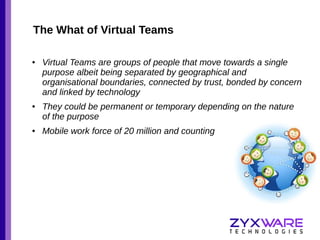
Virtual Teams are groups of people that move towards a single
purpose albeit being separated by geographical and
organisational boundaries, connected by trust, bonded by concern
and linked by technology
They could be permanent or temporary depending on the nature
of the purpose
Mobile work force of 20 million and counting
The Why of Virtual Teams
●

Source of competitive advantage
–
–

Organisationally dispersed talent pool

–

Cost reduction

–

●

Geographically dispersed talent pool

Cost arbitrage

Enabling environment
–

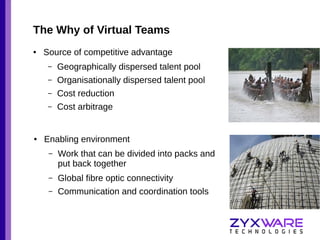
Work that can be divided into packs and
put back together

–

Global fibre optic connectivity

–

Communication and coordination tools
The How of Virtual Teams
●

Primer
–

Premised on shared objectives

–

Shared experiences for empathy

–

“Verbal component of a face-to-face conversation is less than 35%
and (that) over 65% of communication is done non-verbally” – Albert
Mehrabian

–

Step over the obstacles

–

Practices and technology enable
Practices
●

Replicating the elements of teams that share the same space
–

Reinforce the objectives – create sense of common purpose

–

Delegate and share a road map – know how the part
contributes to the whole

–

Clarify and render assistance – share skill, knowledge and
information

–

Review, supervise and mentor – keep things on track

–

Interact on life and ideas that are non work – building trust and
togetherness
Reinforce the objective
●

Teams function well when the objective is clear to all

●

The objectives are usually multiple, but primarily of three kinds
–

Client satisfaction

–

Skill acquisition and self efficacy

–

Financial returns

●

Prototype, discuss, state

●

Articulate in a clear concise form

●

Use every tool possible
–

WebEx, Redmine, Facebook, Skype, Email Signatures and
Discussion Boards
Delegate and share a road map
●

Assess competencies delegate

●

Consult before you delegate

●

Delegate in group meetings

●

Use Google Hangout

●

Clarify, clarify and then clarify again

●

Create a road map
–
–

Spreadsheet
Trello
`
Clarify and render assistance
●

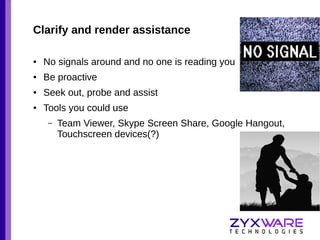
No signals around and no one is reading you

●

Be proactive

●

Seek out, probe and assist

●

Tools you could use
–

Team Viewer, Skype Screen Share, Google Hangout,
Touchscreen devices(?)
Review, Supervise and Mentor
●

●

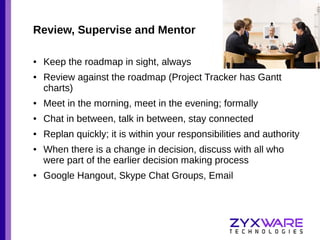
Keep the roadmap in sight, always
Review against the roadmap (Project Tracker has Gantt
charts)

●

Meet in the morning, meet in the evening; formally

●

Chat in between, talk in between, stay connected

●

Replan quickly; it is within your responsibilities and authority

●

●

When there is a change in decision, discuss with all who
were part of the earlier decision making process
Google Hangout, Skype Chat Groups, Email
Interact on life and ideas outside work
●

Feel free to talk about the weather on skype

●

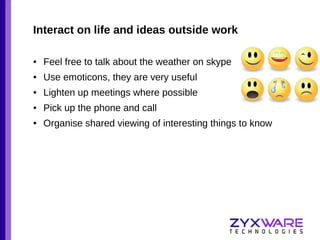
Use emoticons, they are very useful

●

Lighten up meetings where possible

●

Pick up the phone and call

●

Organise shared viewing of interesting things to know
Some pointers
●

Set up meetings clearly

●

Speak slowly

●

Don’t interrupt, establish protocol

●

Listen to understand

●

Speak as though remote participants are in the room

●

Don’t use a computer or text message during meetings

●

Chat record is good but minute meetings

●

Leave time for relationship building

●

Genuinely recognise efforts of colleagues

●

Use video conferecing wherever possible

●

Meet up once in a while
Virtual Teams
Virtual Teams

Virtual Teams

  • 1.
  • 2.
    Session Outline ● The Whatof Virtual Teams ● The Why of Virtual Teams ● The How of Virtual Teams
  • 3.
    The What ofVirtual Teams ● ● ● Virtual Teams are groups of people that move towards a single purpose albeit being separated by geographical and organisational boundaries, connected by trust, bonded by concern and linked by technology They could be permanent or temporary depending on the nature of the purpose Mobile work force of 20 million and counting
  • 4.
    The Why ofVirtual Teams ● Source of competitive advantage – – Organisationally dispersed talent pool – Cost reduction – ● Geographically dispersed talent pool Cost arbitrage Enabling environment – Work that can be divided into packs and put back together – Global fibre optic connectivity – Communication and coordination tools
  • 5.
    The How ofVirtual Teams ● Primer – Premised on shared objectives – Shared experiences for empathy – “Verbal component of a face-to-face conversation is less than 35% and (that) over 65% of communication is done non-verbally” – Albert Mehrabian – Step over the obstacles – Practices and technology enable
  • 6.
    Practices ● Replicating the elementsof teams that share the same space – Reinforce the objectives – create sense of common purpose – Delegate and share a road map – know how the part contributes to the whole – Clarify and render assistance – share skill, knowledge and information – Review, supervise and mentor – keep things on track – Interact on life and ideas that are non work – building trust and togetherness
  • 7.
    Reinforce the objective ● Teamsfunction well when the objective is clear to all ● The objectives are usually multiple, but primarily of three kinds – Client satisfaction – Skill acquisition and self efficacy – Financial returns ● Prototype, discuss, state ● Articulate in a clear concise form ● Use every tool possible – WebEx, Redmine, Facebook, Skype, Email Signatures and Discussion Boards
  • 8.
    Delegate and sharea road map ● Assess competencies delegate ● Consult before you delegate ● Delegate in group meetings ● Use Google Hangout ● Clarify, clarify and then clarify again ● Create a road map – – Spreadsheet Trello
  • 9.
  • 10.
    Clarify and renderassistance ● No signals around and no one is reading you ● Be proactive ● Seek out, probe and assist ● Tools you could use – Team Viewer, Skype Screen Share, Google Hangout, Touchscreen devices(?)
  • 11.
    Review, Supervise andMentor ● ● Keep the roadmap in sight, always Review against the roadmap (Project Tracker has Gantt charts) ● Meet in the morning, meet in the evening; formally ● Chat in between, talk in between, stay connected ● Replan quickly; it is within your responsibilities and authority ● ● When there is a change in decision, discuss with all who were part of the earlier decision making process Google Hangout, Skype Chat Groups, Email
  • 12.
    Interact on lifeand ideas outside work ● Feel free to talk about the weather on skype ● Use emoticons, they are very useful ● Lighten up meetings where possible ● Pick up the phone and call ● Organise shared viewing of interesting things to know
  • 13.
    Some pointers ● Set upmeetings clearly ● Speak slowly ● Don’t interrupt, establish protocol ● Listen to understand ● Speak as though remote participants are in the room ● Don’t use a computer or text message during meetings ● Chat record is good but minute meetings ● Leave time for relationship building ● Genuinely recognise efforts of colleagues ● Use video conferecing wherever possible ● Meet up once in a while

Editor's Notes