Download to read offline
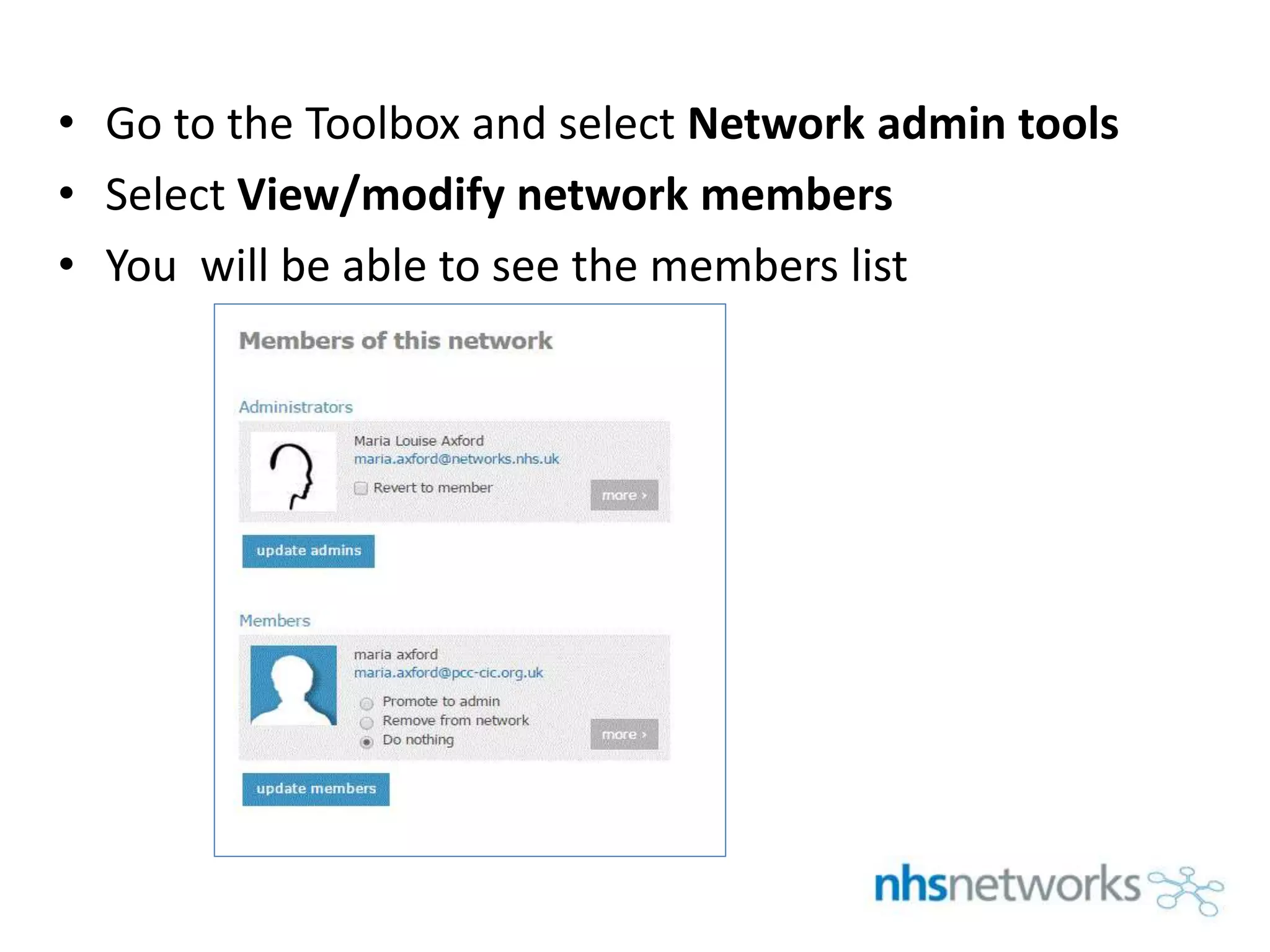
To view or modify your members list on networks.nhs.uk, log in and select Your networks under Your menu. Click on your network name and select Network admin tools in the Toolbox. This will allow you to see the members list and either promote members to administrators or remove members from the network.


![Understanding Parkinson’s Disease: Causes, Symptoms, and Treatment [2025]](https://cdn.slidesharecdn.com/ss_thumbnails/understandingparkinson-251208102525-80ba3223-thumbnail.jpg?width=640&height=640&fit=bounds)


